WordPress Theme
Development Tips
www.worldwebtechnology.com
Adding a Favicon
A WordPress hook can help you insert a custom favicon
into your site. This hook provides flexibility, allowing you to
change the content and function when plugged into a
hook. This is essential for branding and ensuring your site
has a unique identity in browser tabs.
www.worldwebtechnology.com
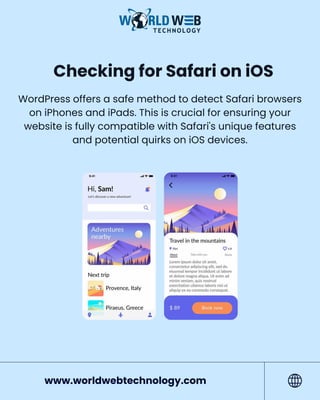
Checking for Safari on iOS
WordPress offers a safe method to detect Safari browsers
on iPhones and iPads. This is crucial for ensuring your
website is fully compatible with Safari's unique features
and potential quirks on iOS devices.
www.worldwebtechnology.com
Showing Content to
Logged-In Users
You can create a shortcode to display content exclusively
to registered users of your website. This approach is useful
for membership sites or content that you want to keep
hidden from casual visitors, providing a more personalized
experience for logged-in users.
www.worldwebtechnology.com
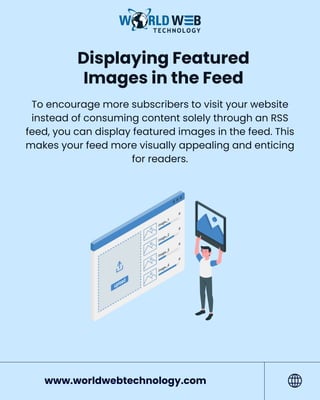
Displaying Featured
Images in the Feed
To encourage more subscribers to visit your website
instead of consuming content solely through an RSS
feed, you can display featured images in the feed. This
makes your feed more visually appealing and enticing
for readers.
www.worldwebtechnology.com
Redirecting the WordPress
Feed to Feedburner
While WordPress provides a feed out of the box,
redirecting it to Feedburner can help you track and
understand your subscribers better. Feedburner offers
additional analytics and subscription options, making
it a valuable tool for managing your RSS feed.
www.worldwebtechnology.com
Discover More About WordPress
Theme Development?
www.worldwebtechnology.com
Click Link In Description
Read Our Blog Now

WordPress Theme Development Tips - World Web Technology

  • 1.
  • 2.
    Adding a Favicon AWordPress hook can help you insert a custom favicon into your site. This hook provides flexibility, allowing you to change the content and function when plugged into a hook. This is essential for branding and ensuring your site has a unique identity in browser tabs. www.worldwebtechnology.com
  • 3.
    Checking for Safarion iOS WordPress offers a safe method to detect Safari browsers on iPhones and iPads. This is crucial for ensuring your website is fully compatible with Safari's unique features and potential quirks on iOS devices. www.worldwebtechnology.com
  • 4.
    Showing Content to Logged-InUsers You can create a shortcode to display content exclusively to registered users of your website. This approach is useful for membership sites or content that you want to keep hidden from casual visitors, providing a more personalized experience for logged-in users. www.worldwebtechnology.com
  • 5.
    Displaying Featured Images inthe Feed To encourage more subscribers to visit your website instead of consuming content solely through an RSS feed, you can display featured images in the feed. This makes your feed more visually appealing and enticing for readers. www.worldwebtechnology.com
  • 6.
    Redirecting the WordPress Feedto Feedburner While WordPress provides a feed out of the box, redirecting it to Feedburner can help you track and understand your subscribers better. Feedburner offers additional analytics and subscription options, making it a valuable tool for managing your RSS feed. www.worldwebtechnology.com
  • 7.
    Discover More AboutWordPress Theme Development? www.worldwebtechnology.com Click Link In Description Read Our Blog Now