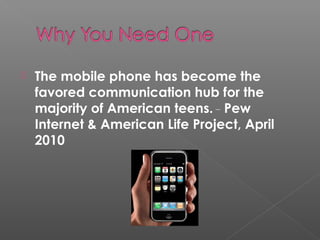
 The mobile phone has become the
favored communication hub for the
majority of American teens. __
Pew
Internet & American Life Project, April
2010
Teens who have multi-purpose phones are avid users of
those extra features.
 83% use their phones to take pictures.
 64% share pictures with others.
 60% play music on their phones.
 46% play games on their phones.
 32% exchange videos on their phones.
 31% exchange instant messages on their phones.
 27% go online for general purposes on their phones.
 23% access social network sites on their phones.
 21% use email on their phones.
 11% purchase things via their phones.
__
Pew Internet & American Life Project, April 2010
 According to the Library Success Wiki,
mostly academic libraries.
 http://www.libsuccess.org/index.php?
title=M-Libraries
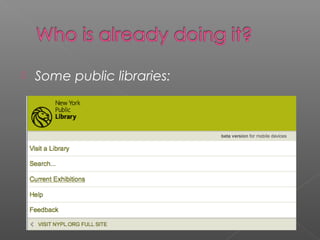
 Some public libraries:
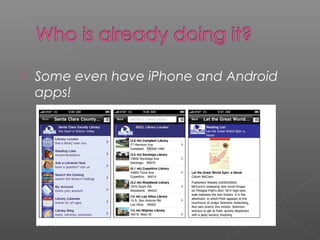
 Some even have iPhone and Android
apps!
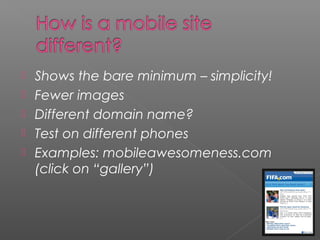
 Shows the bare minimum – simplicity!
 Fewer images
 Different domain name?
 Test on different phones
 Examples: mobileawesomeness.com
(click on “gallery”)
 We want fast, free and easy!
There are several sites where you can
design a mobile site. Unfortunately, most
have ads or a monthly charge.
Examples:
 Zindadoo.com
 Mobiforge.com
 Wirenode.com
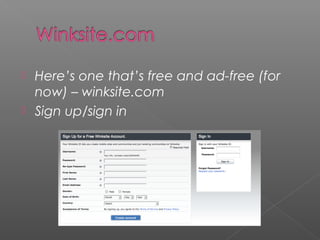
 Here’s one that’s free and ad-free (for
now) – winksite.com
 Sign up/sign in
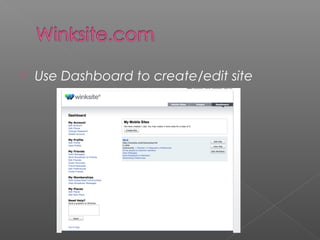
 Use Dashboard to create/edit site
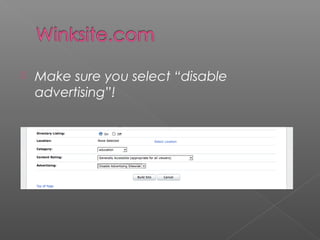
 Make sure you select “disable
advertising”!
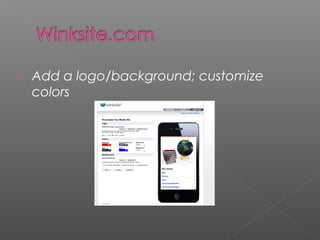
 Add a logo/background; customize
colors
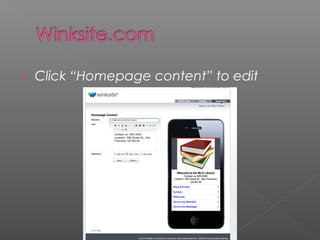
 Click “Homepage content” to edit
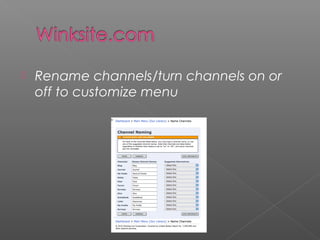
 Rename channels/turn channels on or
off to customize menu
 Be sure to link to your mobile site from
your full
site:http://winksite.mobi/librarysite/mlk
 Or buy a domain name (as low as $2-3 a
year for a .info), then do a redirect to
your mobile site
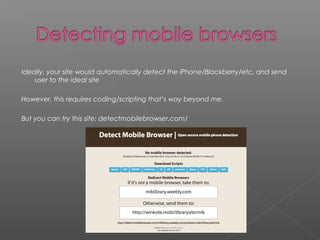
Ideally, your site would automatically detect the iPhone/Blackberry/etc. and send
user to the ideal site
However, this requires coding/scripting that’s way beyond me.
But you can try this site: detectmobilebrowser.com/
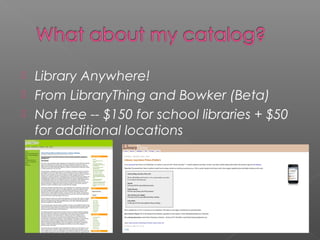
 Library Anywhere!
 From LibraryThing and Bowker (Beta)
 Not free -- $150 for school libraries + $50
for additional locations
 http://www.google.com/gwt/
 Converts an existing Web page
 Doesn’t always work, or work very well!
 mobiThinking
 http://mobithinking.com/best-practices
for design tips, testing, icons, apps, and
more
 http://mobithinking.com/showcase
 Examples of great mobile sites

Winksitemobilesites

  • 2.
     The mobilephone has become the favored communication hub for the majority of American teens. __ Pew Internet & American Life Project, April 2010
  • 3.
    Teens who havemulti-purpose phones are avid users of those extra features.  83% use their phones to take pictures.  64% share pictures with others.  60% play music on their phones.  46% play games on their phones.  32% exchange videos on their phones.  31% exchange instant messages on their phones.  27% go online for general purposes on their phones.  23% access social network sites on their phones.  21% use email on their phones.  11% purchase things via their phones. __ Pew Internet & American Life Project, April 2010
  • 4.
     According tothe Library Success Wiki, mostly academic libraries.  http://www.libsuccess.org/index.php? title=M-Libraries
  • 5.
     Some publiclibraries:
  • 6.
     Some evenhave iPhone and Android apps!
  • 7.
     Shows thebare minimum – simplicity!  Fewer images  Different domain name?  Test on different phones  Examples: mobileawesomeness.com (click on “gallery”)
  • 8.
     We wantfast, free and easy! There are several sites where you can design a mobile site. Unfortunately, most have ads or a monthly charge. Examples:  Zindadoo.com  Mobiforge.com  Wirenode.com
  • 9.
     Here’s onethat’s free and ad-free (for now) – winksite.com  Sign up/sign in
  • 10.
     Use Dashboardto create/edit site
  • 11.
     Make sureyou select “disable advertising”!
  • 12.
     Add alogo/background; customize colors
  • 13.
     Click “Homepagecontent” to edit
  • 14.
     Rename channels/turnchannels on or off to customize menu
  • 15.
     Be sureto link to your mobile site from your full site:http://winksite.mobi/librarysite/mlk  Or buy a domain name (as low as $2-3 a year for a .info), then do a redirect to your mobile site
  • 16.
    Ideally, your sitewould automatically detect the iPhone/Blackberry/etc. and send user to the ideal site However, this requires coding/scripting that’s way beyond me. But you can try this site: detectmobilebrowser.com/
  • 17.
     Library Anywhere! From LibraryThing and Bowker (Beta)  Not free -- $150 for school libraries + $50 for additional locations
  • 18.
     http://www.google.com/gwt/  Convertsan existing Web page  Doesn’t always work, or work very well!
  • 19.
     mobiThinking  http://mobithinking.com/best-practices fordesign tips, testing, icons, apps, and more  http://mobithinking.com/showcase  Examples of great mobile sites