Ms. Doyle, District Librarian
Please get ready to take notes
Write down words and
 phrases in red
At the end of presentation,
 you will have notes A-F
A. Objectives:
By the end of this presentation, you will know
  how to

1. Use Destiny (our library catalog) to locate a
  book in the school library

2. Use databases to find information on your
  topic
B. Find a book
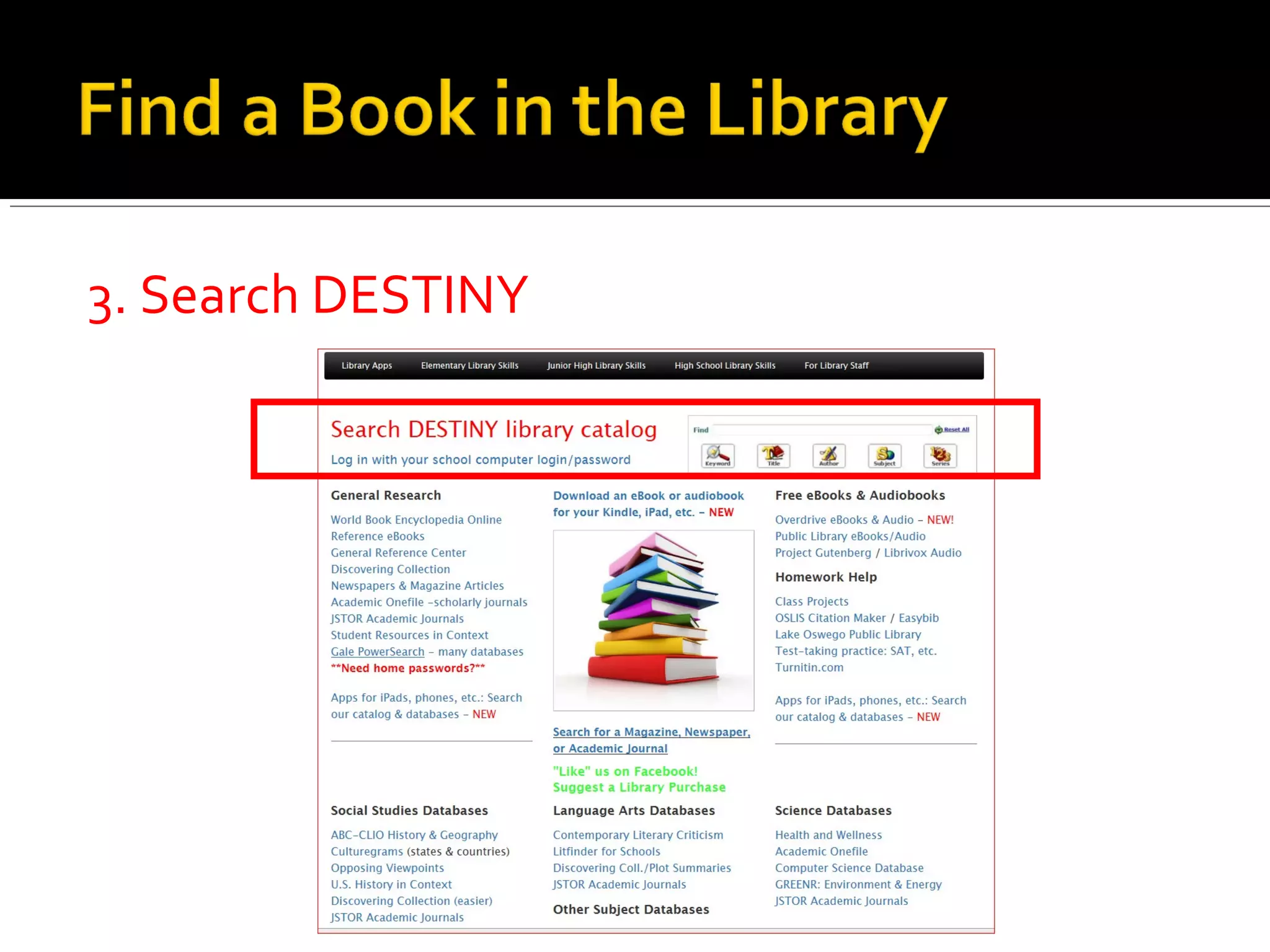
 1. School Home Page
 2. Library
3. Search DESTINY
Use just 1-3 words on your issue, NOT your whole question.

•“homelessness”
•NOT “homeless teens in Florida what problems do they have”

Try different words to find the best one for your search.
Think about your research topic.
 Brainstorm at least 3 keywords you
 could use in your search. Write the
 keywords in your notes now.
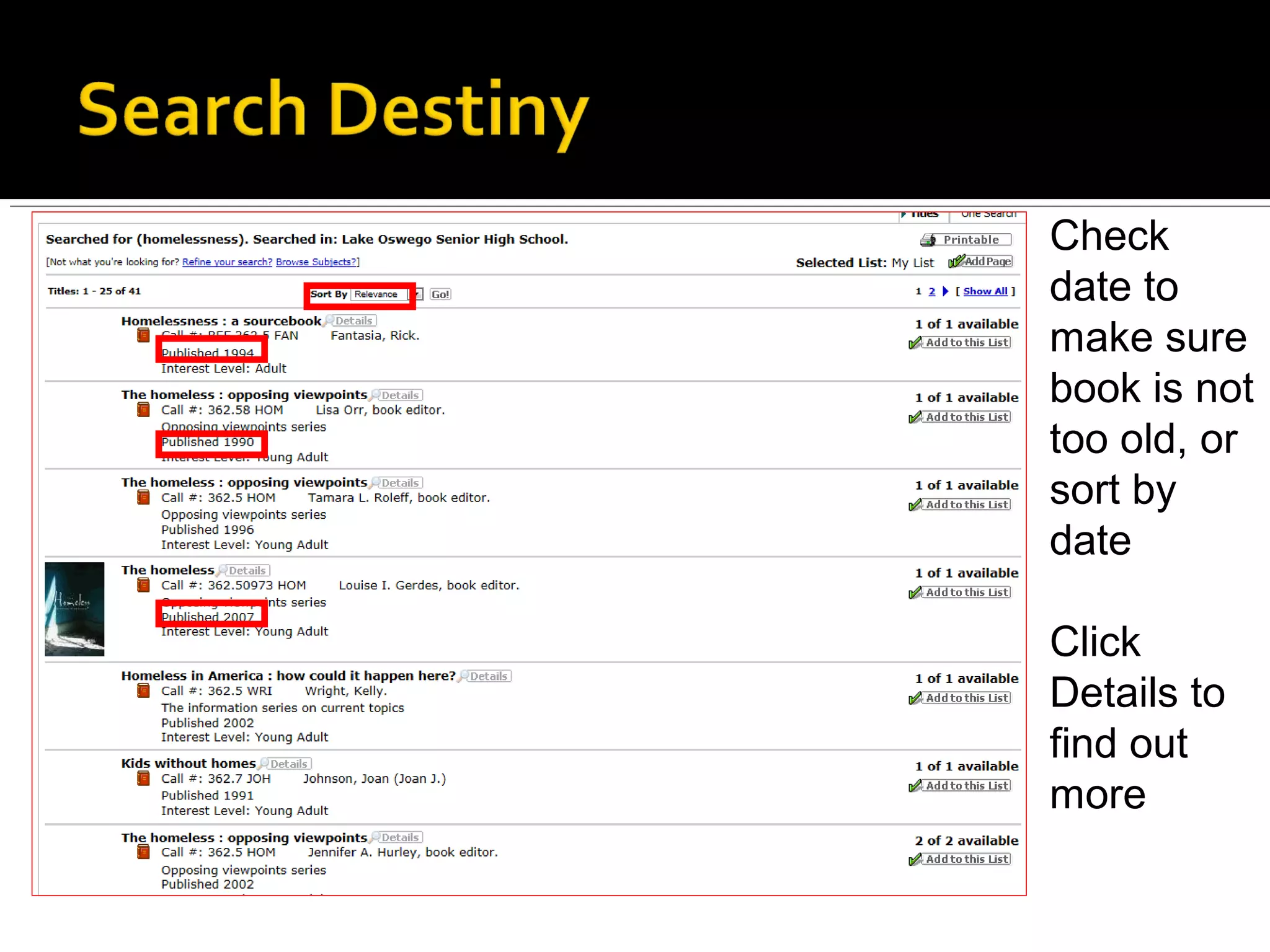
Check
date to
make sure
book is not
too old, or
sort by
date

Click
Details to
find out
more
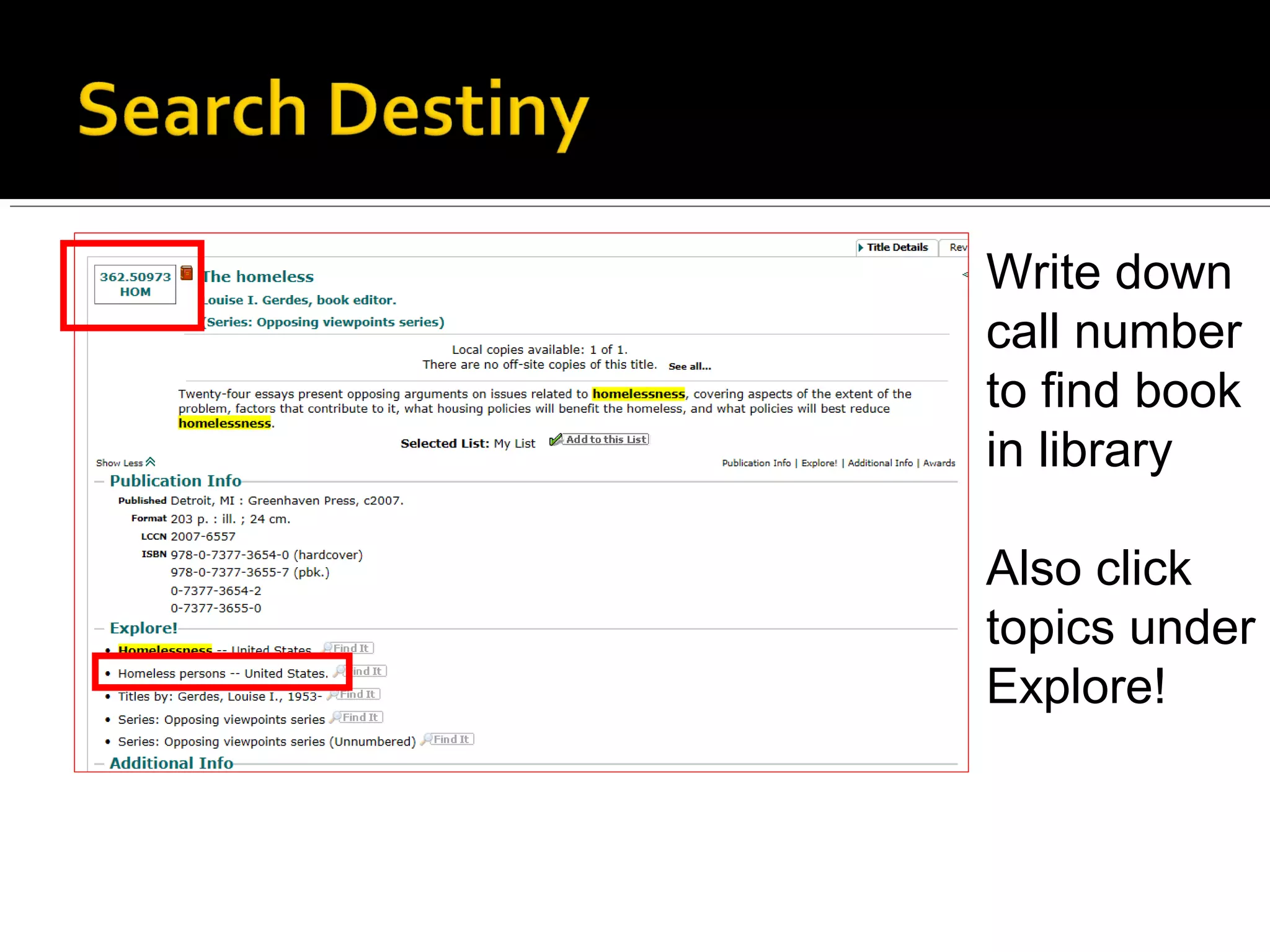
Write down
call number
to find book
in library

Also click
topics under
Explore!
Take about 30 seconds to talk with the person
 next to you about the following questions.

1. Why might using a print book be better than
  using the Internet or a database for this
  project?

2. Why might online sources be better?
Find
database
links on
library
home
page
1.Gale
PowerSearch

2. Opposing
Viewpoints
Thumbs up or thumbs down…
1. Drug abuse

2. Soldiers in World War II

3. Gun violence

4. Finding out more about the author of a book

5. Biographical information about Abraham Lincoln

6. Obesity or eating disorders

7. Bullying or cyberbullying

8. The country of Argentina
Includes
reference
books,
magazines,
newspapers,
and much
more
Notice Content Types:
Books show up in first search,
  but you can switch to
  academic journals,
  magazines, etc.

Related Subjects: Click these
  to narrow your search!

Document Types:
Narrow your search (to just
 articles, for example)
 In your notes (E), write one thing you learned
  today

 In your notes (F), write one question you still
  have

Share questions now or email
 doylem@loswego.k12.or.us

Socialissuesresearch

  • 1.
  • 2.
    Please get readyto take notes Write down words and phrases in red At the end of presentation, you will have notes A-F
  • 3.
    A. Objectives: By theend of this presentation, you will know how to 1. Use Destiny (our library catalog) to locate a book in the school library 2. Use databases to find information on your topic
  • 4.
    B. Find abook 1. School Home Page 2. Library
  • 5.
  • 6.
    Use just 1-3words on your issue, NOT your whole question. •“homelessness” •NOT “homeless teens in Florida what problems do they have” Try different words to find the best one for your search.
  • 7.
    Think about yourresearch topic. Brainstorm at least 3 keywords you could use in your search. Write the keywords in your notes now.
  • 8.
    Check date to make sure bookis not too old, or sort by date Click Details to find out more
  • 9.
    Write down call number tofind book in library Also click topics under Explore!
  • 11.
    Take about 30seconds to talk with the person next to you about the following questions. 1. Why might using a print book be better than using the Internet or a database for this project? 2. Why might online sources be better?
  • 12.
  • 16.
    Thumbs up orthumbs down… 1. Drug abuse 2. Soldiers in World War II 3. Gun violence 4. Finding out more about the author of a book 5. Biographical information about Abraham Lincoln 6. Obesity or eating disorders 7. Bullying or cyberbullying 8. The country of Argentina
  • 18.
  • 19.
    Notice Content Types: Booksshow up in first search, but you can switch to academic journals, magazines, etc. Related Subjects: Click these to narrow your search! Document Types: Narrow your search (to just articles, for example)
  • 23.
     In yournotes (E), write one thing you learned today  In your notes (F), write one question you still have Share questions now or email doylem@loswego.k12.or.us