

Laurent Duveau
Windows 8 Instructor
MVP / MCT / RD @laurentduveau Montreal
February 9th, 2013
ldex.ca
Windows Store
app development
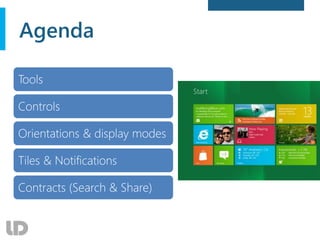
Agenda
Tools
Controls
Orientations & display modes
Tiles & Notifications
Contracts (Search & Share)
Tools
 Visual Studio 2012 + Expression Blend
 Get Blend with:
• Visual Studio Express for Windows 8
• Visual Studio Express for Windows Phone 8
 Requirements
• Windows 8, Windows Phone 8 SDK
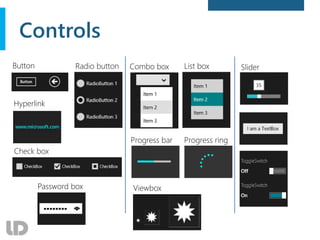
Controls
Combo box
Button
Check box
Progress bar
Password box
List box
Hyperlink
Progress ring
Radio button Slider
Viewbox
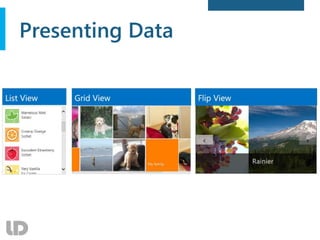
Presenting Data
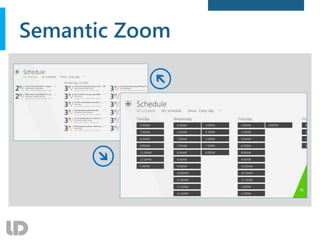
Semantic Zoom
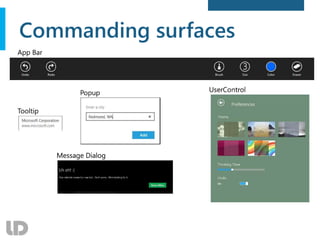
Commanding surfaces
Devices
Different display sizes
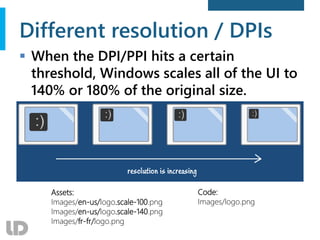
Different resolution / DPIs
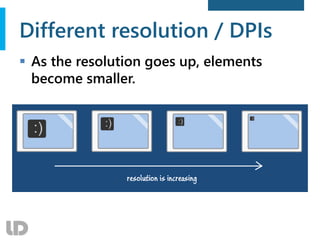
 As the resolution goes up, elements
become smaller.
Different resolution / DPIs
 When the DPI/PPI hits a certain
threshold, Windows scales all of the UI to
140% or 180% of the original size.
Assets:
Images/en-us/logo.scale-100.png
Images/en-us/logo.scale-140.png
Images/fr-fr/logo.png
Code:
Images/logo.png
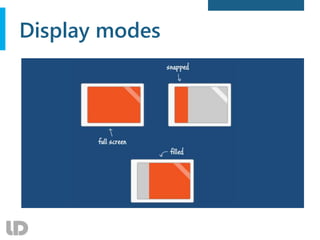
Display modes
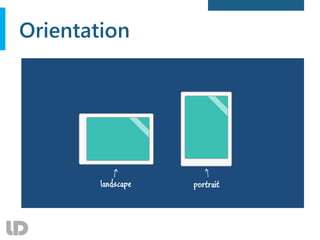
Orientation
Orientations and display modes
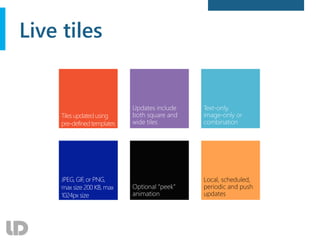
Live tiles
Local, scheduled,
periodic and push
updates
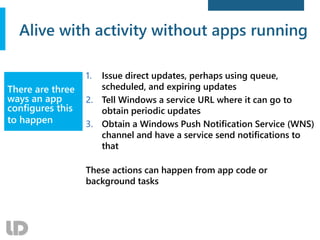
Alive with activity without apps running
1. Issue direct updates, perhaps using queue,
scheduled, and expiring updates
2. Tell Windows a service URL where it can go to
obtain periodic updates
3. Obtain a Windows Push Notification Service (WNS)
channel and have a service send notifications to
that
These actions can happen from app code or
background tasks
There are three
ways an app
configures this
to happen
What makes an update?
 Choices:
Tile template catalog / toast template catalog
 Whoever issues an update builds the XML
• URIs for images can use http[s]://, ms-appx:///, or
ms-appdata:///local/
 Notifications Extensions Library provides
an object model
Reduces mistakes that cause updates to not show
Tiles, badges, and
toasts are bits of
XML that come
from predefined
templates (to
avoid chaos)
http://code.msdn.microsoft.com/windowsapps/app-tiles-and-badges-sample-5fc49148
Live Tiles
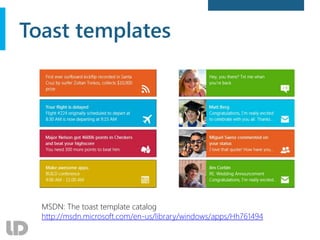
Toast templates
MSDN: The toast template catalog
http://msdn.microsoft.com/en-us/library/windows/apps/Hh761494
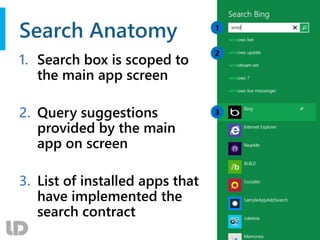
Search Anatomy
1. Search box is scoped to
the main app screen
2. Query suggestions
provided by the main
app on screen
3. List of installed apps that
have implemented the
search contract
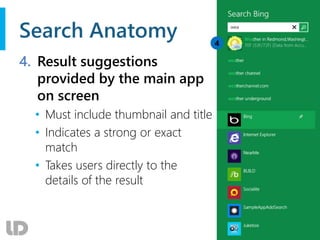
Search Anatomy
4. Result suggestions
provided by the main app
on screen
• Must include thumbnail and title
• Indicates a strong or exact
match
• Takes users directly to the
details of the result
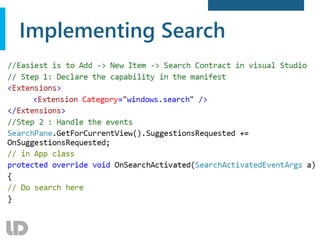
Implementing Search
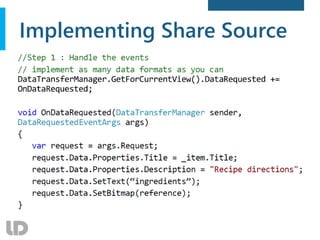
Implementing Share Source
Windows Store apps development

Windows Store apps development

  • 1.
    Laurent Duveau Windows 8Instructor MVP / MCT / RD @laurentduveau Montreal February 9th, 2013 ldex.ca Windows Store app development
  • 2.
    Agenda Tools Controls Orientations & displaymodes Tiles & Notifications Contracts (Search & Share)
  • 4.
    Tools  Visual Studio2012 + Expression Blend  Get Blend with: • Visual Studio Express for Windows 8 • Visual Studio Express for Windows Phone 8  Requirements • Windows 8, Windows Phone 8 SDK
  • 6.
    Controls Combo box Button Check box Progressbar Password box List box Hyperlink Progress ring Radio button Slider Viewbox
  • 7.
  • 8.
  • 9.
  • 11.
  • 12.
  • 13.
    Different resolution /DPIs  As the resolution goes up, elements become smaller.
  • 14.
    Different resolution /DPIs  When the DPI/PPI hits a certain threshold, Windows scales all of the UI to 140% or 180% of the original size. Assets: Images/en-us/logo.scale-100.png Images/en-us/logo.scale-140.png Images/fr-fr/logo.png Code: Images/logo.png
  • 15.
  • 16.
  • 17.
  • 21.
  • 22.
    Alive with activitywithout apps running 1. Issue direct updates, perhaps using queue, scheduled, and expiring updates 2. Tell Windows a service URL where it can go to obtain periodic updates 3. Obtain a Windows Push Notification Service (WNS) channel and have a service send notifications to that These actions can happen from app code or background tasks There are three ways an app configures this to happen
  • 23.
    What makes anupdate?  Choices: Tile template catalog / toast template catalog  Whoever issues an update builds the XML • URIs for images can use http[s]://, ms-appx:///, or ms-appdata:///local/  Notifications Extensions Library provides an object model Reduces mistakes that cause updates to not show Tiles, badges, and toasts are bits of XML that come from predefined templates (to avoid chaos) http://code.msdn.microsoft.com/windowsapps/app-tiles-and-badges-sample-5fc49148
  • 24.
  • 25.
    Toast templates MSDN: Thetoast template catalog http://msdn.microsoft.com/en-us/library/windows/apps/Hh761494
  • 29.
    Search Anatomy 1. Searchbox is scoped to the main app screen 2. Query suggestions provided by the main app on screen 3. List of installed apps that have implemented the search contract
  • 30.
    Search Anatomy 4. Resultsuggestions provided by the main app on screen • Must include thumbnail and title • Indicates a strong or exact match • Takes users directly to the details of the result
  • 31.
  • 35.

Editor's Notes

  • #5 Blend no more a standalone tool Jan 2013: Visual Studio 2012 Update 2 CTP 2 with Blend (Win8, WP8, WPF, SL)
  • #6 Créer projet Windows Store app de type Grid
  • #11 Semantic Zoom
  • #18 2. Snap View 3. Orientation