Somkiat Khitwongwattana
What’s new in
Android P
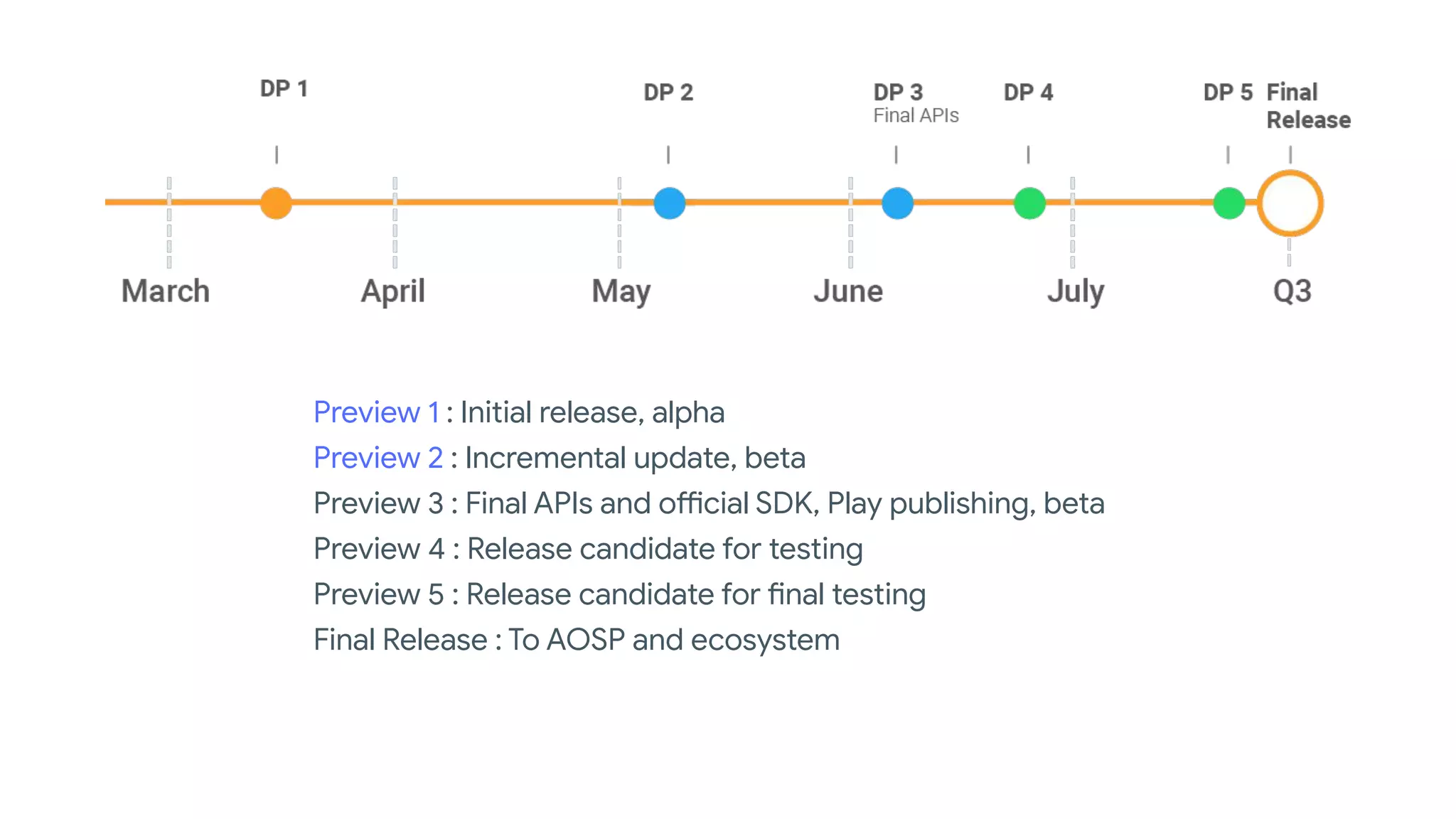
Preview 1 : Initial release, alpha
Preview 2 : Incremental update, beta
Preview 3 : Final APIs and official SDK, Play publishing, beta
Preview 4 : Release candidate for testing
Preview 5 : Release candidate for final testing
Final Release : To AOSP and ecosystem
Android P
Features & APIs
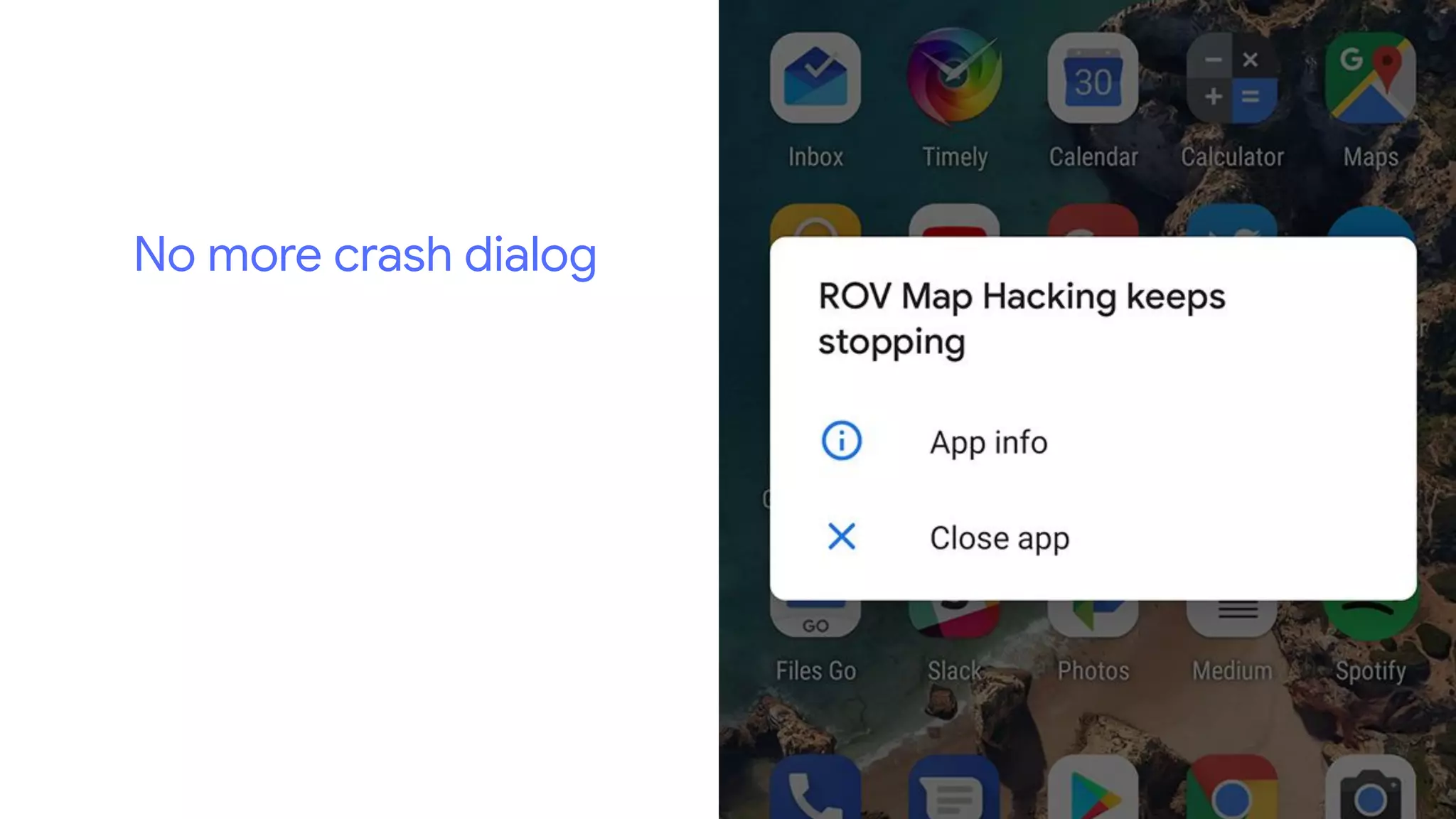
No more crash dialog
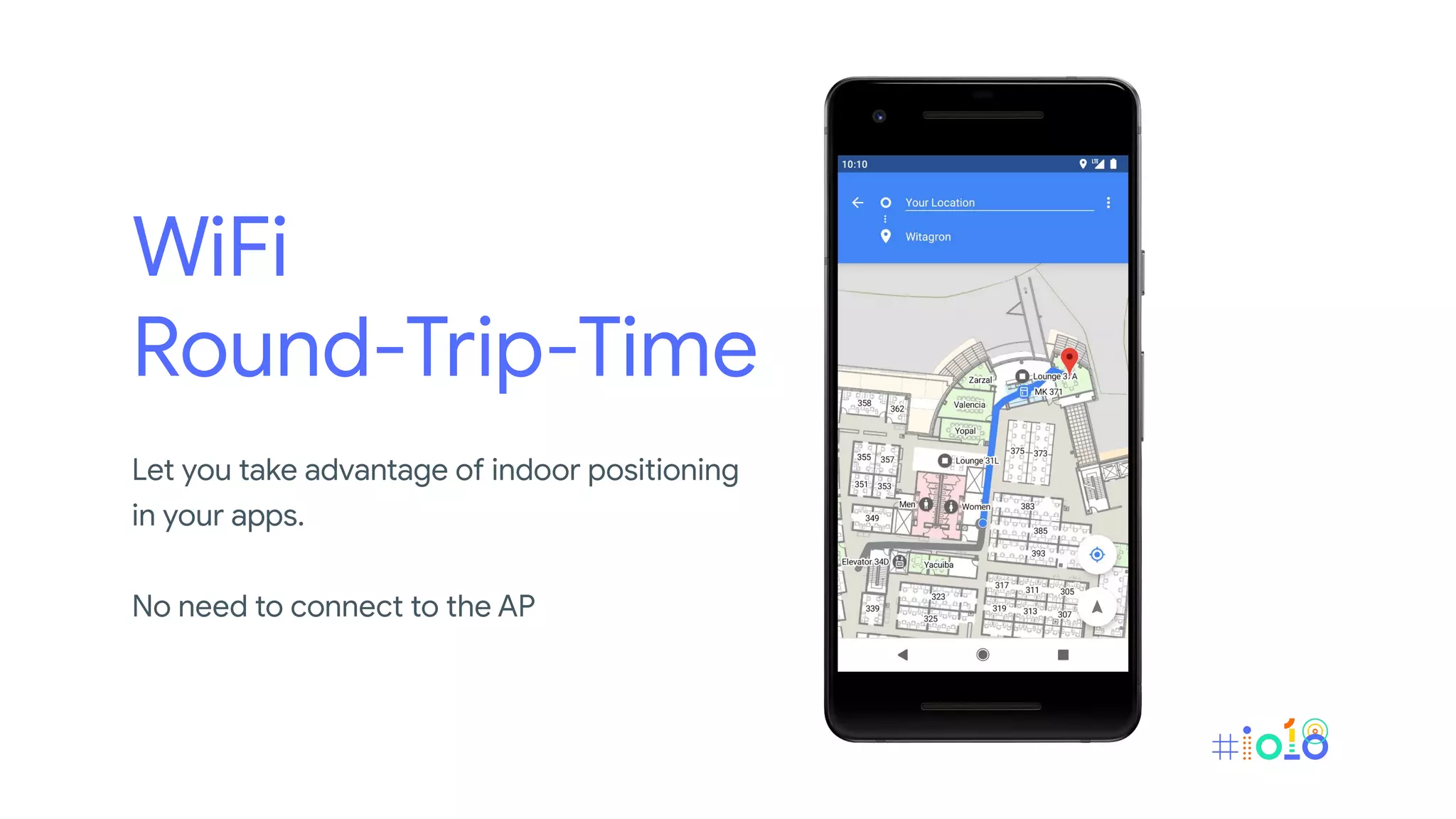
WiFi
Round-Trip-Time
Let you take advantage of indoor positioning
in your apps.
No need to connect to the AP
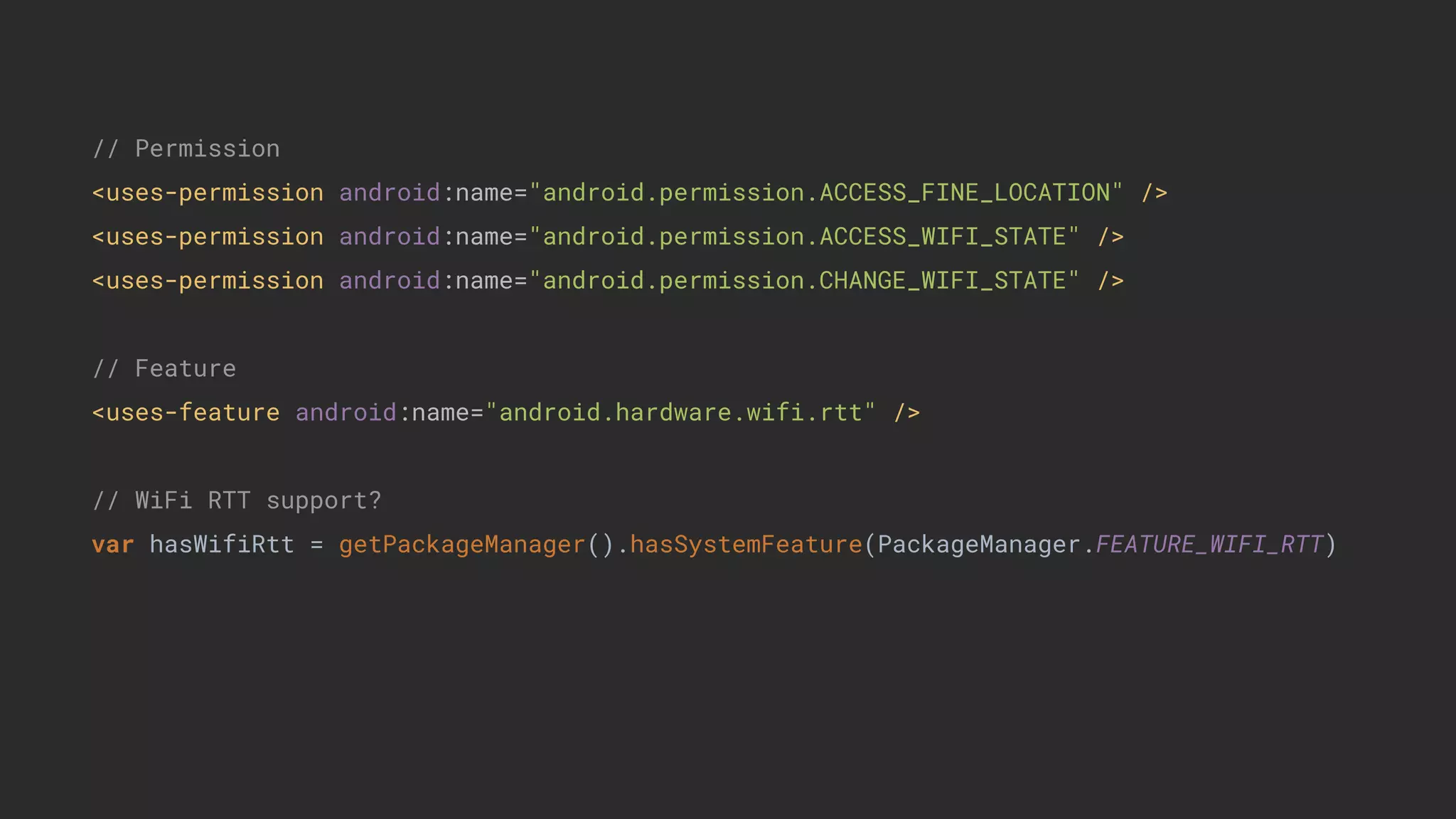
// Permission
<uses-permission android:name="android.permission.ACCESS_FINE_LOCATION" />
<uses-permission android:name="android.permission.ACCESS_WIFI_STATE" />
<uses-permission android:name="android.permission.CHANGE_WIFI_STATE" />
// Feature
<uses-feature android:name="android.hardware.wifi.rtt" />
// WiFi RTT support?
var hasWifiRtt = getPackageManager().hasSystemFeature(PackageManager.FEATURE_WIFI_RTT)
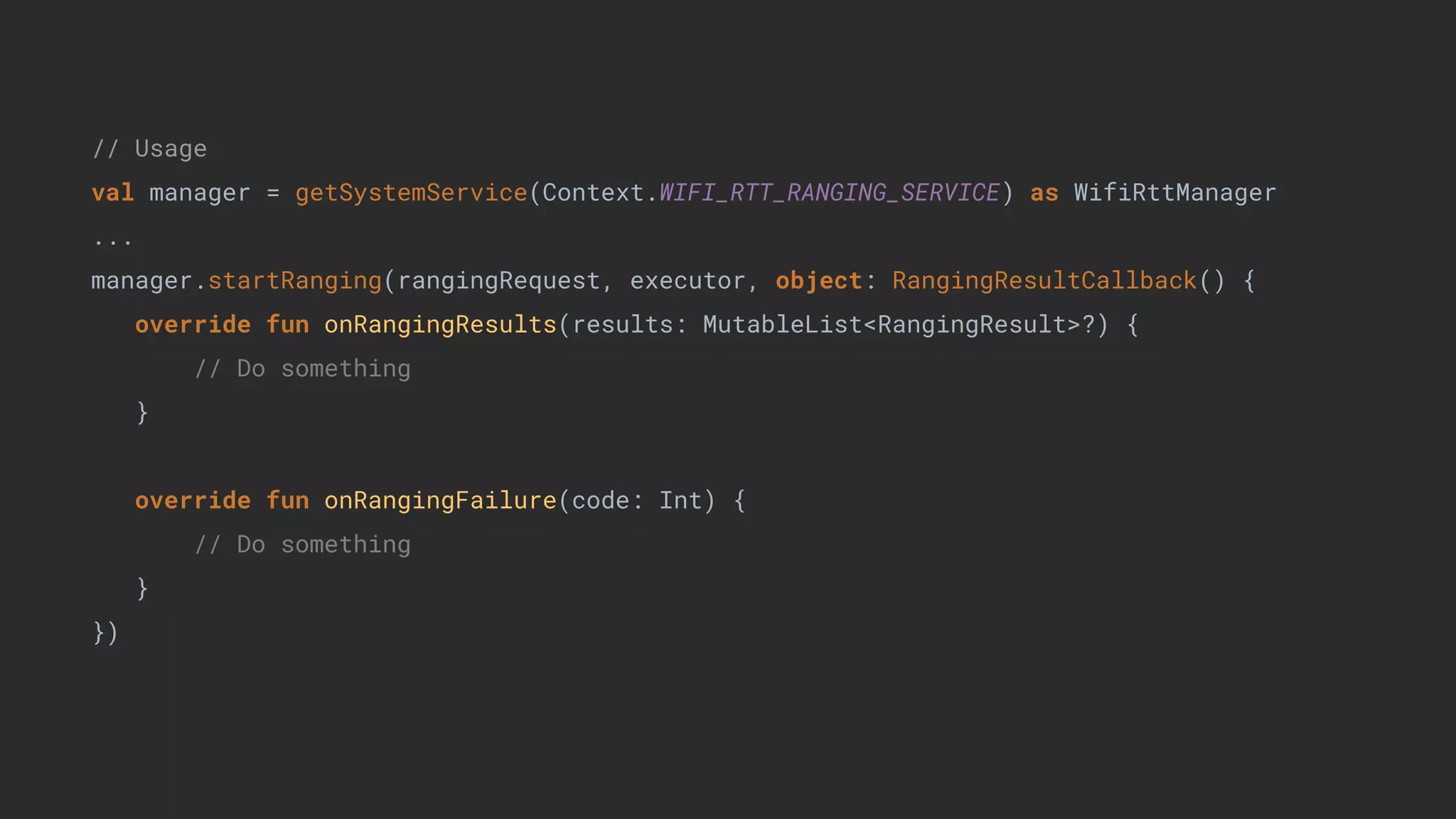
// Usage
val manager = getSystemService(Context.WIFI_RTT_RANGING_SERVICE) as WifiRttManager
...
manager.startRanging(rangingRequest, executor, object: RangingResultCallback() {
override fun onRangingResults(results: MutableList<RangingResult>?) {
// Do something
}
override fun onRangingFailure(code: Int) {
// Do something
}
})
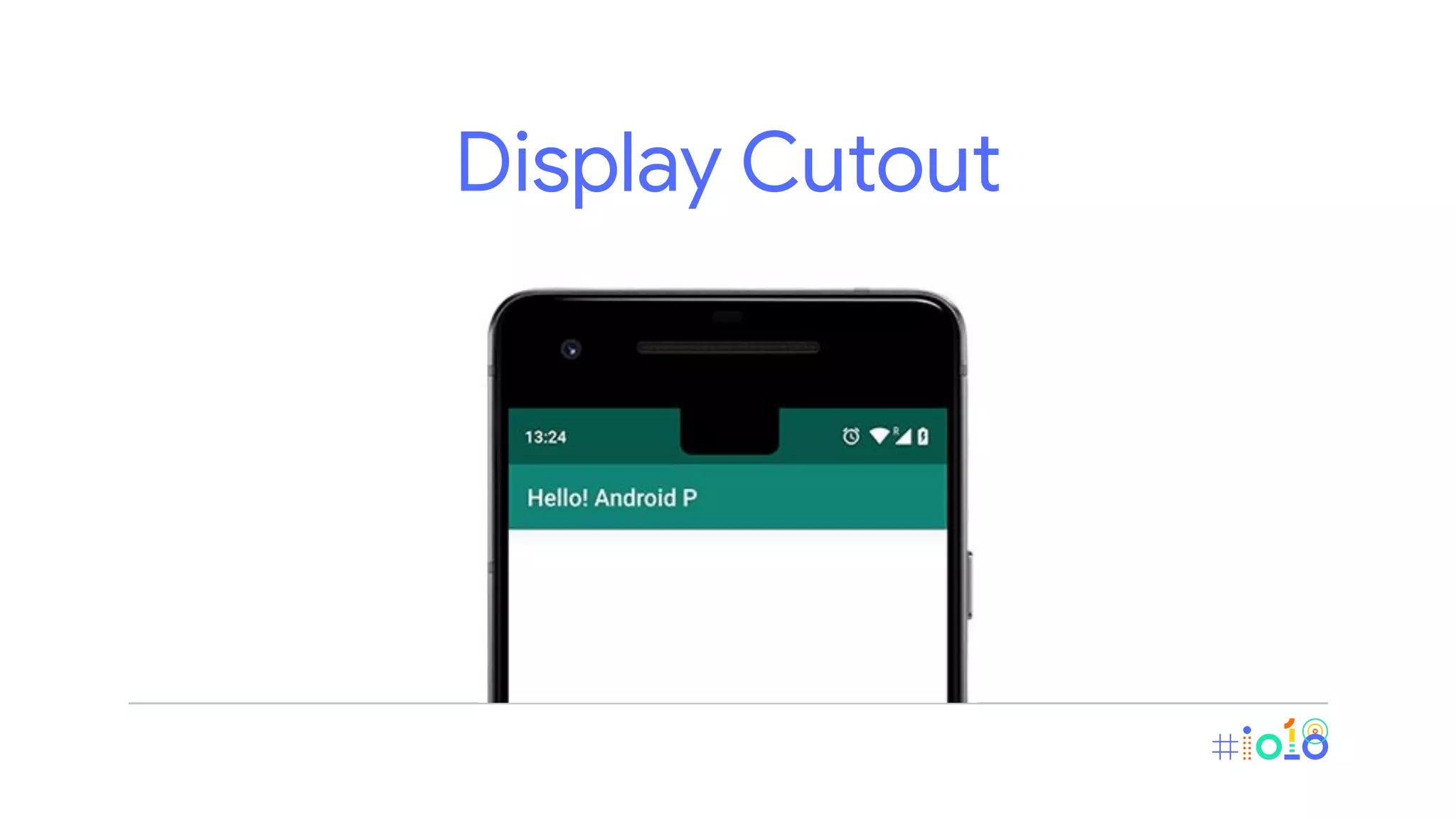
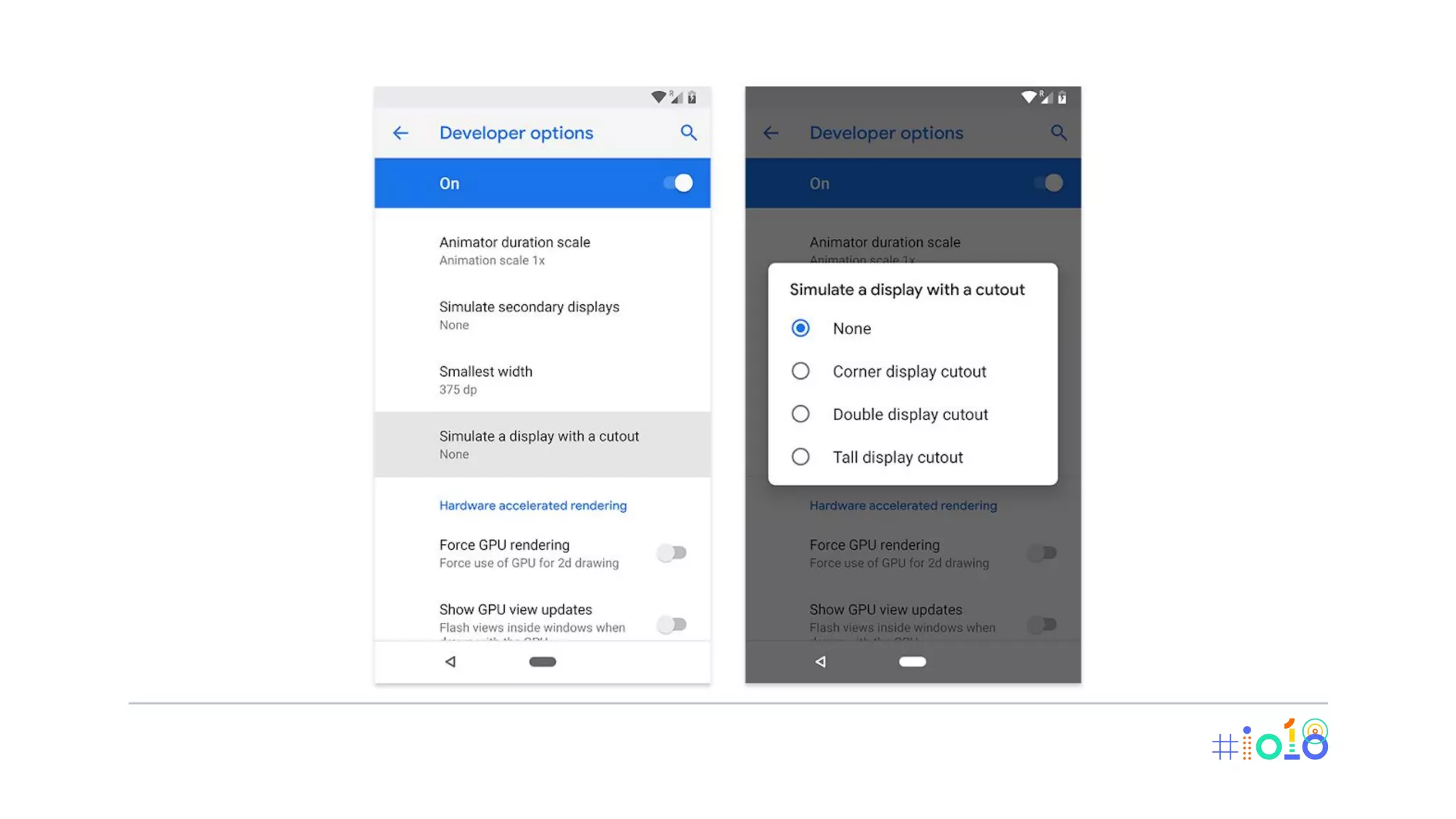
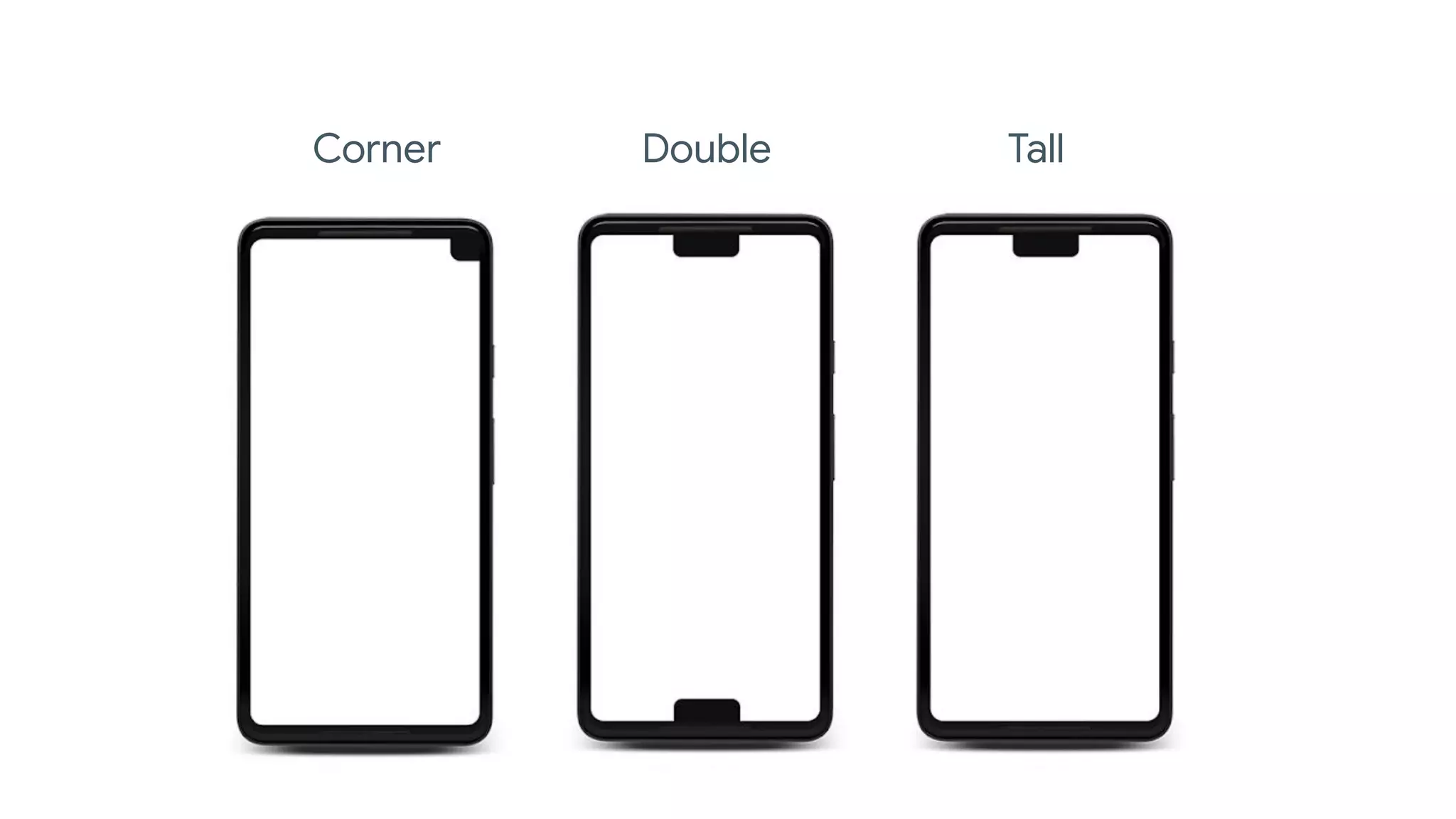
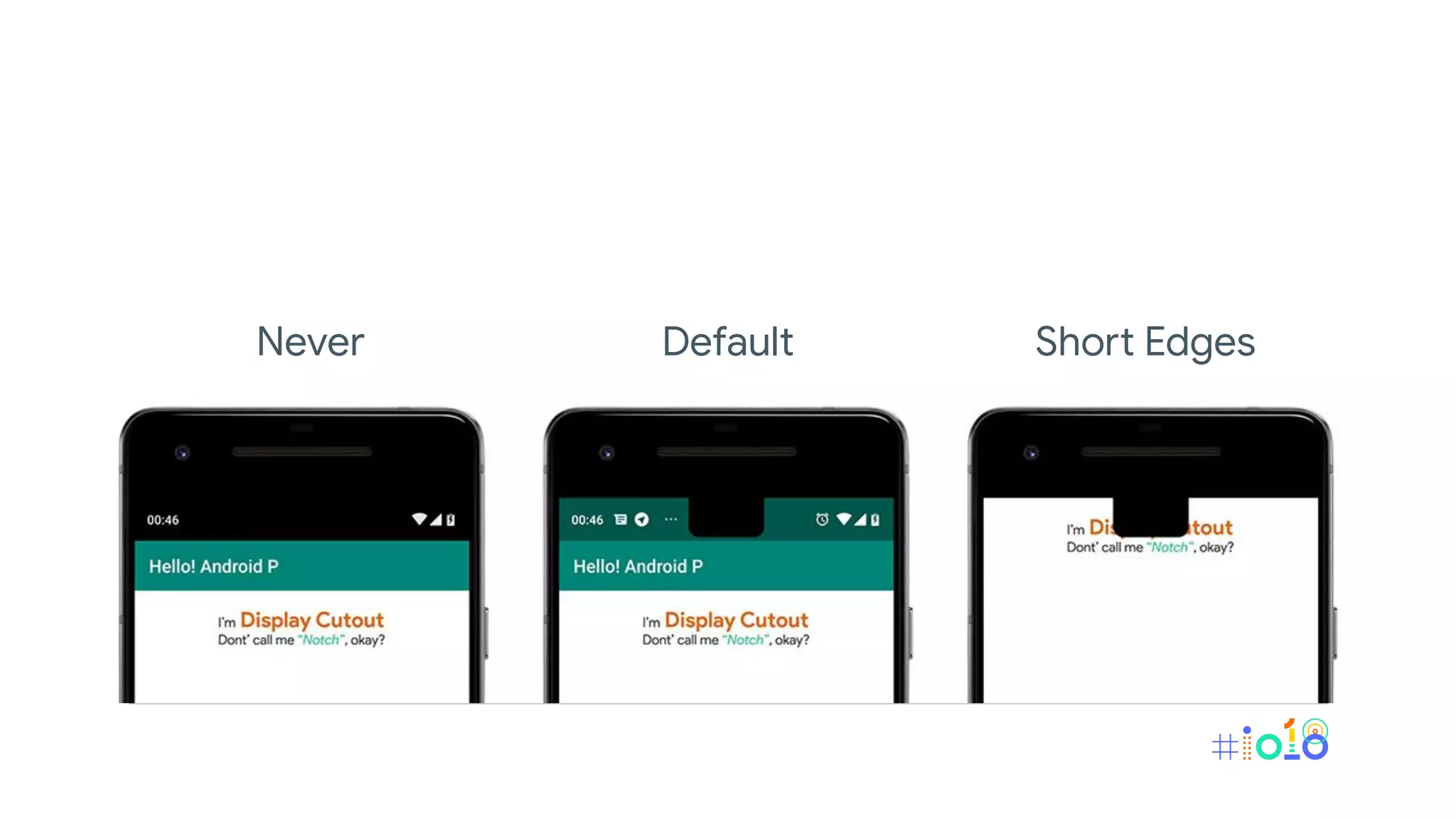
Display Cutout
Corner Double Tall
Never Default Short Edges
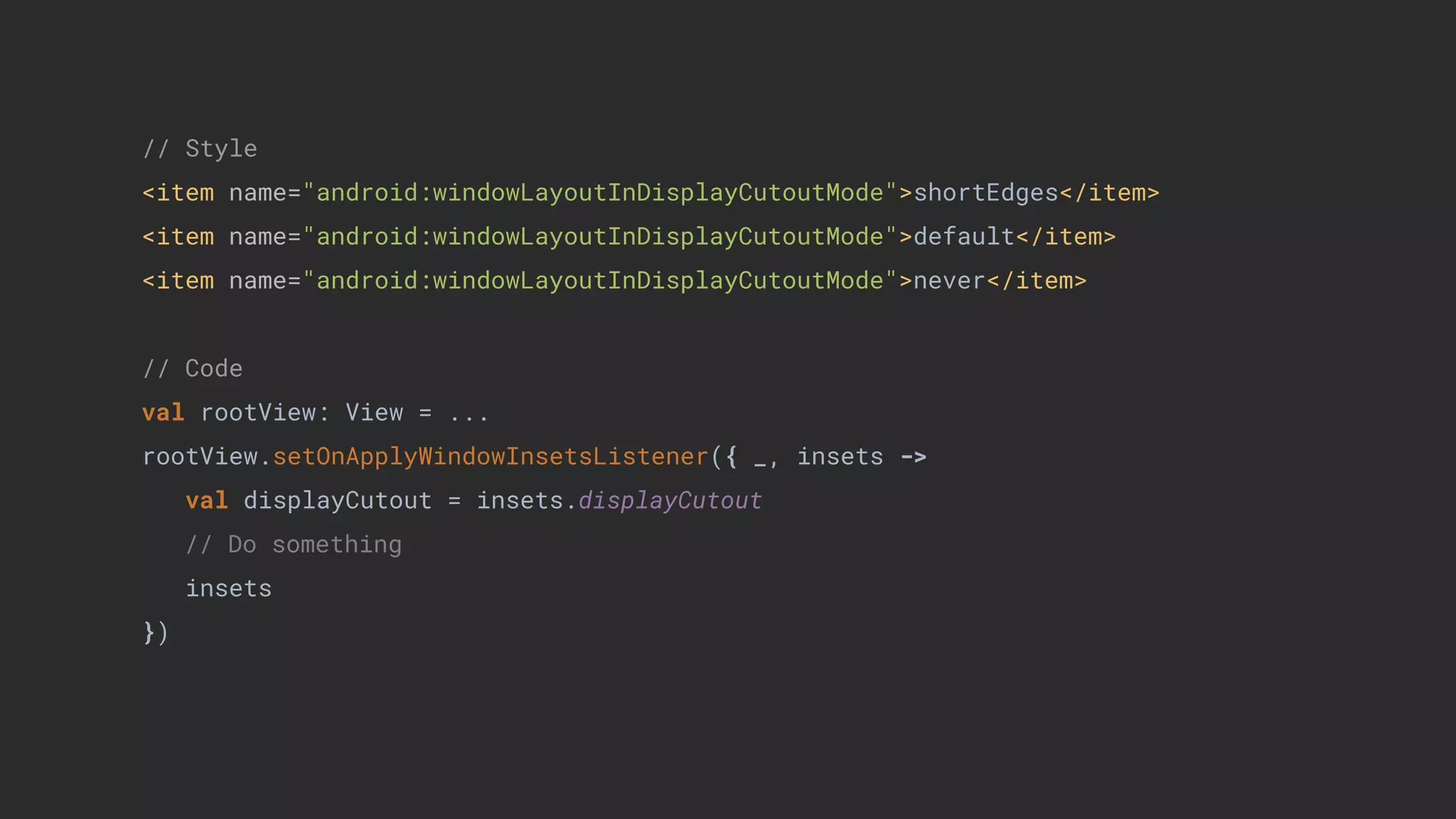
// Style
<item name="android:windowLayoutInDisplayCutoutMode">shortEdges</item>
<item name="android:windowLayoutInDisplayCutoutMode">default</item>
<item name="android:windowLayoutInDisplayCutoutMode">never</item>
// Code
val rootView: View = ...
rootView.setOnApplyWindowInsetsListener({ _, insets ->
val displayCutout = insets.displayCutout
// Do something
insets
})
ImageDecoder
Class for converting encoded images into Drawable or Bitmap objects.
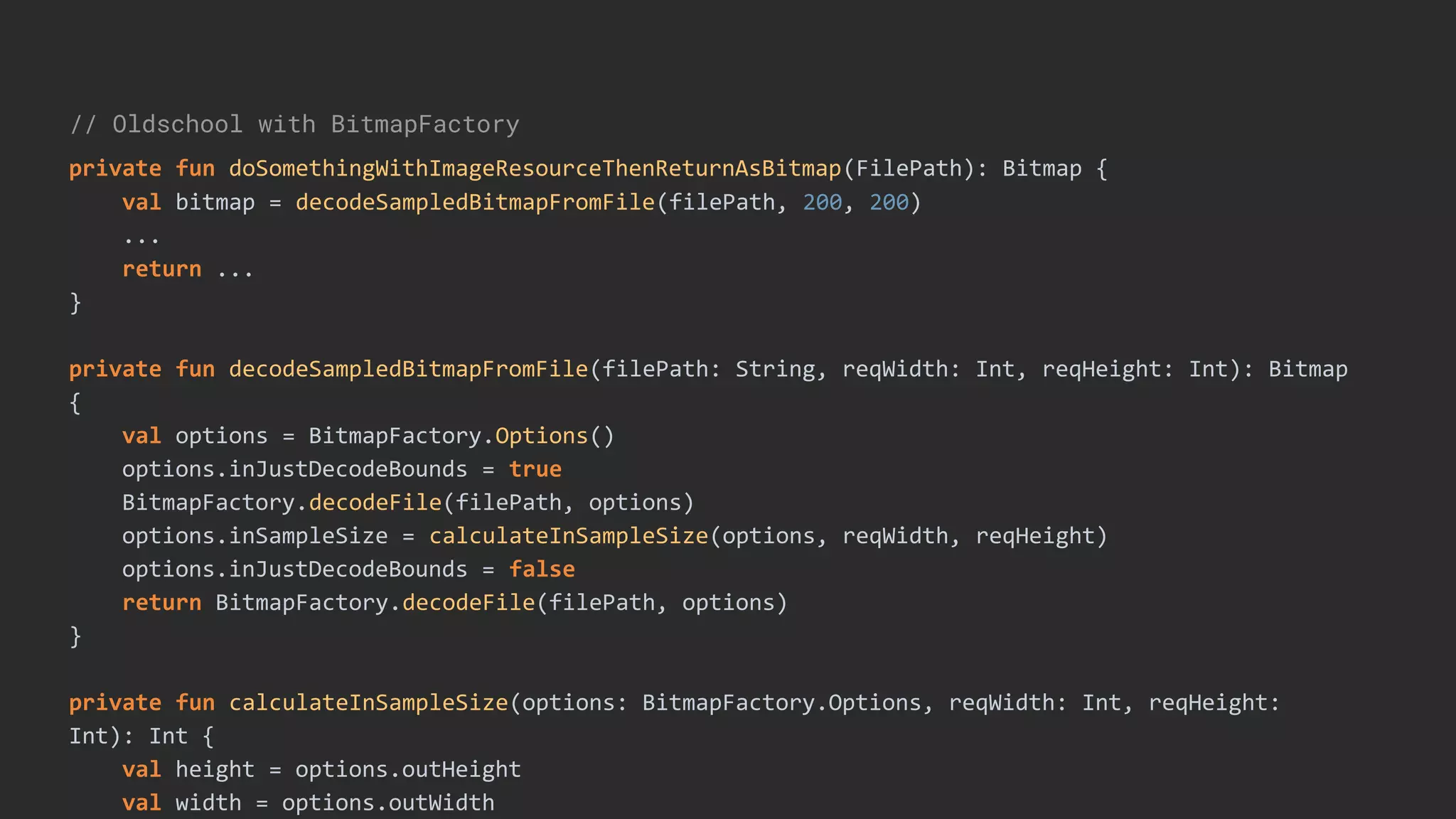
// Oldschool with BitmapFactory
private fun doSomethingWithImageResourceThenReturnAsBitmap(FilePath): Bitmap {
val bitmap = decodeSampledBitmapFromFile(filePath, 200, 200)
...
return ...
}
private fun decodeSampledBitmapFromFile(filePath: String, reqWidth: Int, reqHeight: Int): Bitmap
{
val options = BitmapFactory.Options()
options.inJustDecodeBounds = true
BitmapFactory.decodeFile(filePath, options)
options.inSampleSize = calculateInSampleSize(options, reqWidth, reqHeight)
options.inJustDecodeBounds = false
return BitmapFactory.decodeFile(filePath, options)
}
private fun calculateInSampleSize(options: BitmapFactory.Options, reqWidth: Int, reqHeight:
Int): Int {
val height = options.outHeight
val width = options.outWidth
Concepts
• Source
• Post-processor
• Header listener
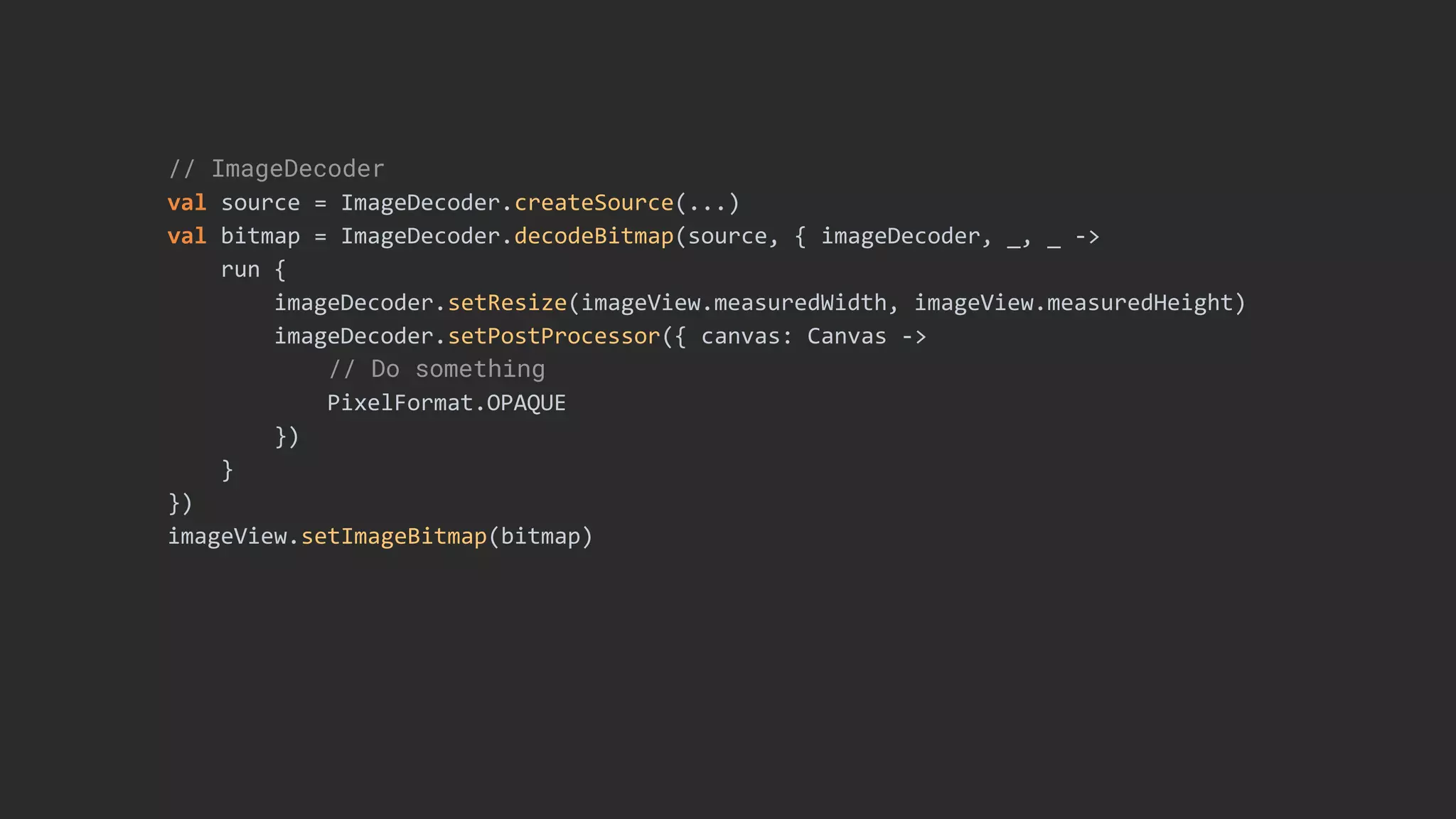
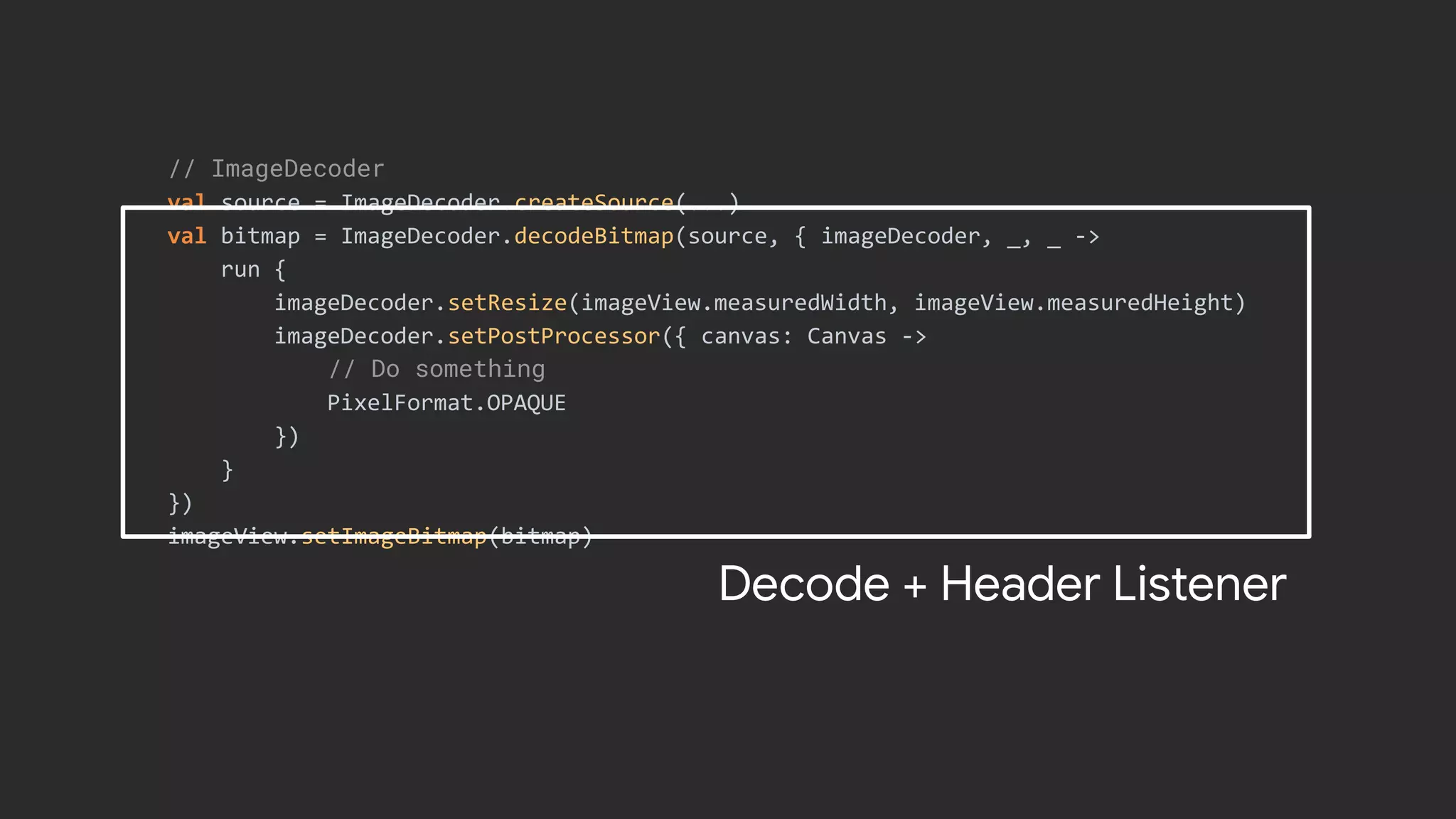
// ImageDecoder
val source = ImageDecoder.createSource(...)
val bitmap = ImageDecoder.decodeBitmap(source, { imageDecoder, _, _ ->
run {
imageDecoder.setResize(imageView.measuredWidth, imageView.measuredHeight)
imageDecoder.setPostProcessor({ canvas: Canvas ->
// Do something
PixelFormat.OPAQUE
})
}
})
imageView.setImageBitmap(bitmap)
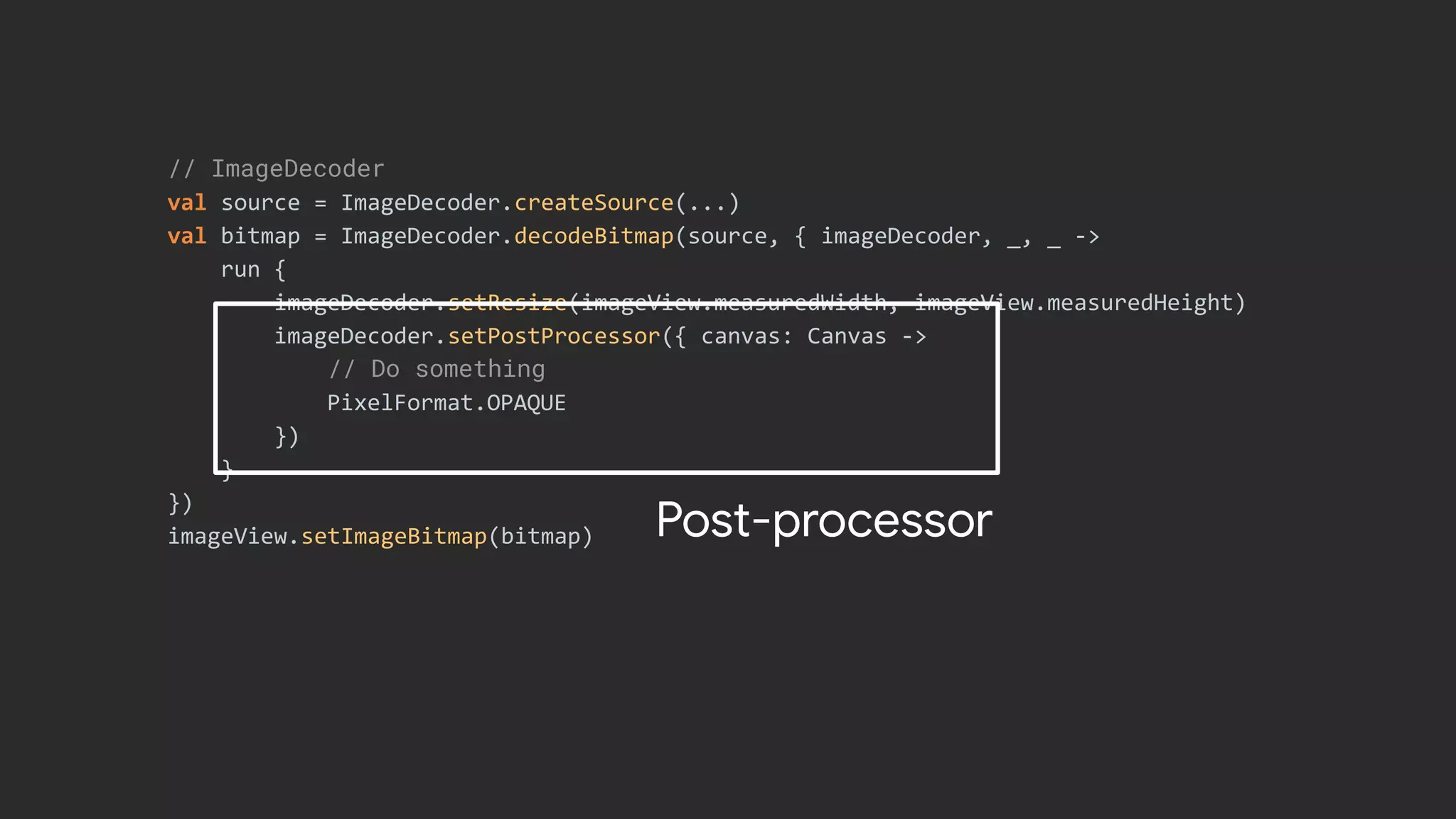
// ImageDecoder
val source = ImageDecoder.createSource(...)
val bitmap = ImageDecoder.decodeBitmap(source, { imageDecoder, _, _ ->
run {
imageDecoder.setResize(imageView.measuredWidth, imageView.measuredHeight)
imageDecoder.setPostProcessor({ canvas: Canvas ->
// Do something
PixelFormat.OPAQUE
})
}
})
imageView.setImageBitmap(bitmap)
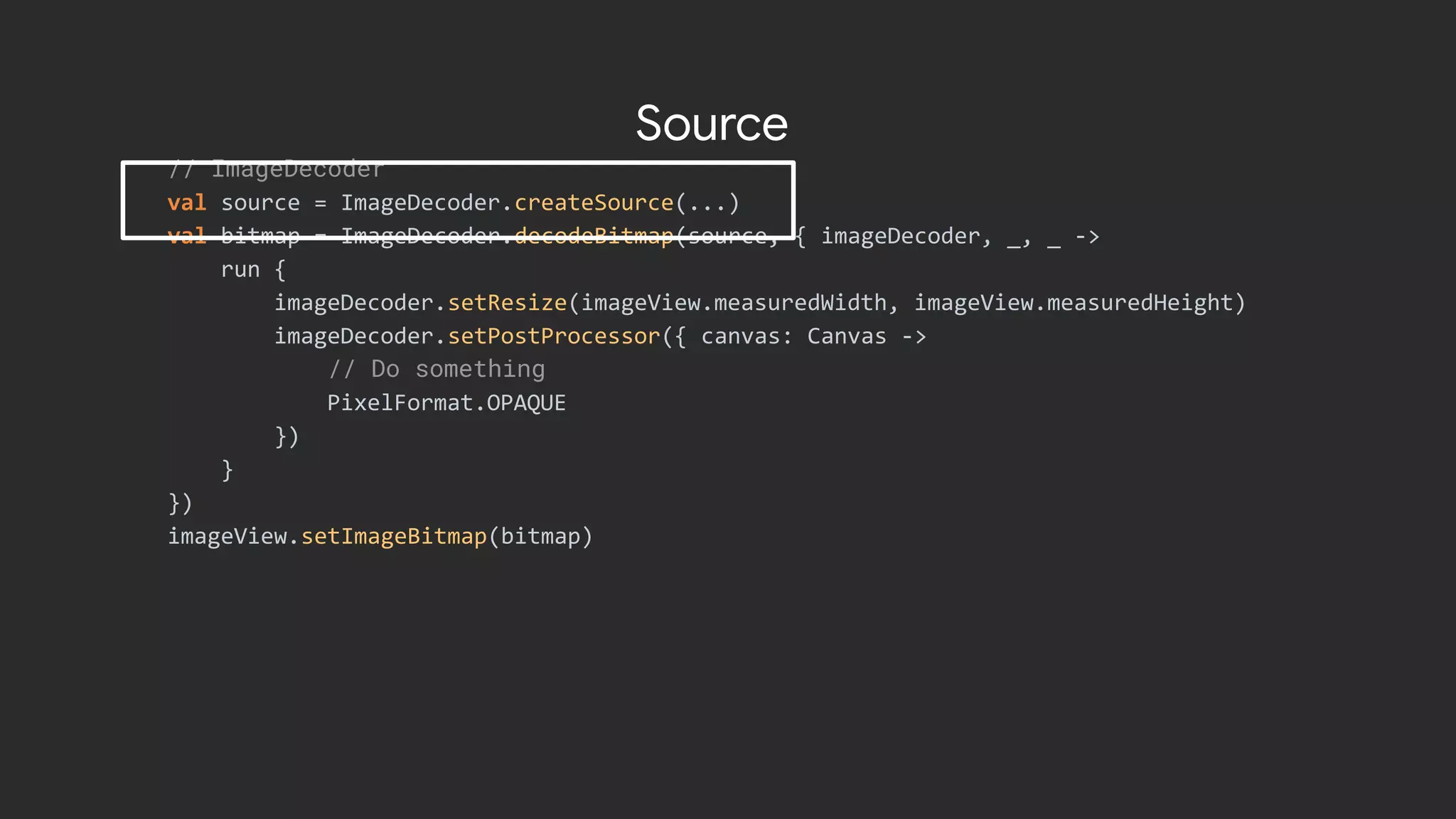
Source
// ImageDecoder
val source = ImageDecoder.createSource(...)
val bitmap = ImageDecoder.decodeBitmap(source, { imageDecoder, _, _ ->
run {
imageDecoder.setResize(imageView.measuredWidth, imageView.measuredHeight)
imageDecoder.setPostProcessor({ canvas: Canvas ->
// Do something
PixelFormat.OPAQUE
})
}
})
imageView.setImageBitmap(bitmap)
Decode + Header Listener
// ImageDecoder
val source = ImageDecoder.createSource(...)
val bitmap = ImageDecoder.decodeBitmap(source, { imageDecoder, _, _ ->
run {
imageDecoder.setResize(imageView.measuredWidth, imageView.measuredHeight)
imageDecoder.setPostProcessor({ canvas: Canvas ->
// Do something
PixelFormat.OPAQUE
})
}
})
imageView.setImageBitmap(bitmap) Post-processor
AnimatedImageDrawable
Drawing and displaying GIF and WebP animated images.
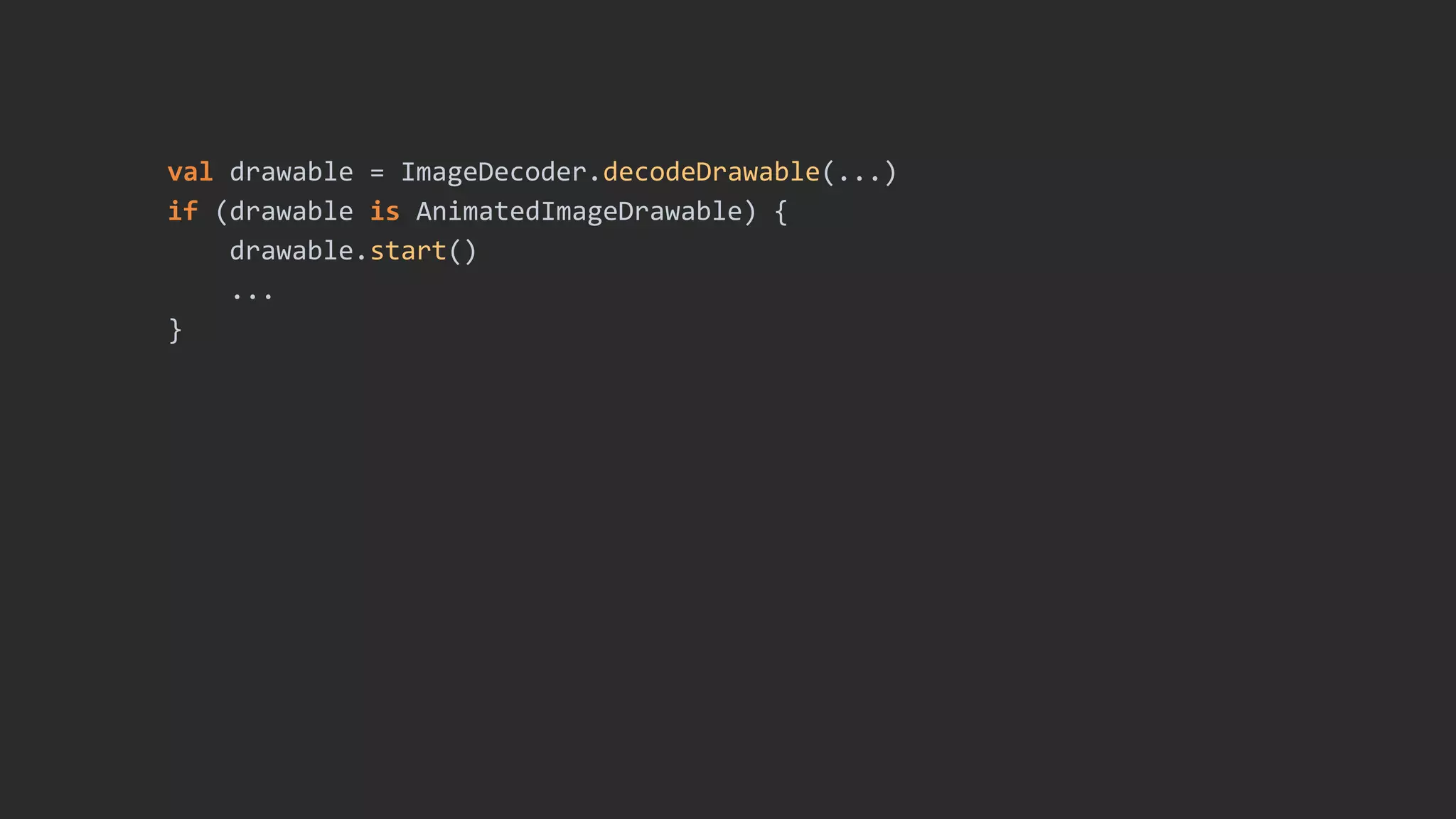
val drawable = ImageDecoder.decodeDrawable(...)
if (drawable is AnimatedImageDrawable) {
drawable.start()
...
}
Biometrics API
Unified biometric authentication
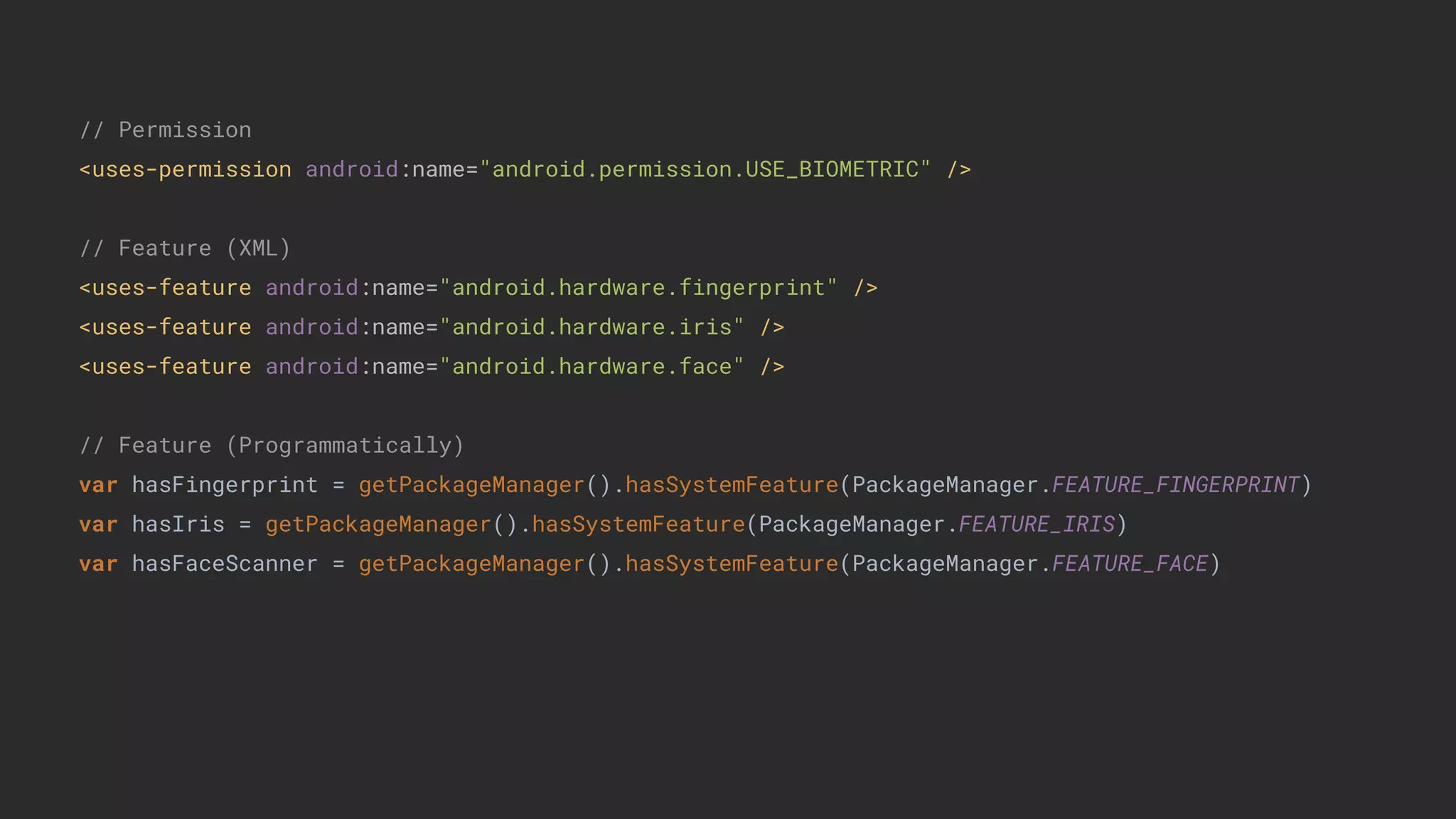
// Permission
<uses-permission android:name="android.permission.USE_BIOMETRIC" />
// Feature (XML)
<uses-feature android:name="android.hardware.fingerprint" />
<uses-feature android:name="android.hardware.iris" />
<uses-feature android:name="android.hardware.face" />
// Feature (Programmatically)
var hasFingerprint = getPackageManager().hasSystemFeature(PackageManager.FEATURE_FINGERPRINT)
var hasIris = getPackageManager().hasSystemFeature(PackageManager.FEATURE_IRIS)
var hasFaceScanner = getPackageManager().hasSystemFeature(PackageManager.FEATURE_FACE)
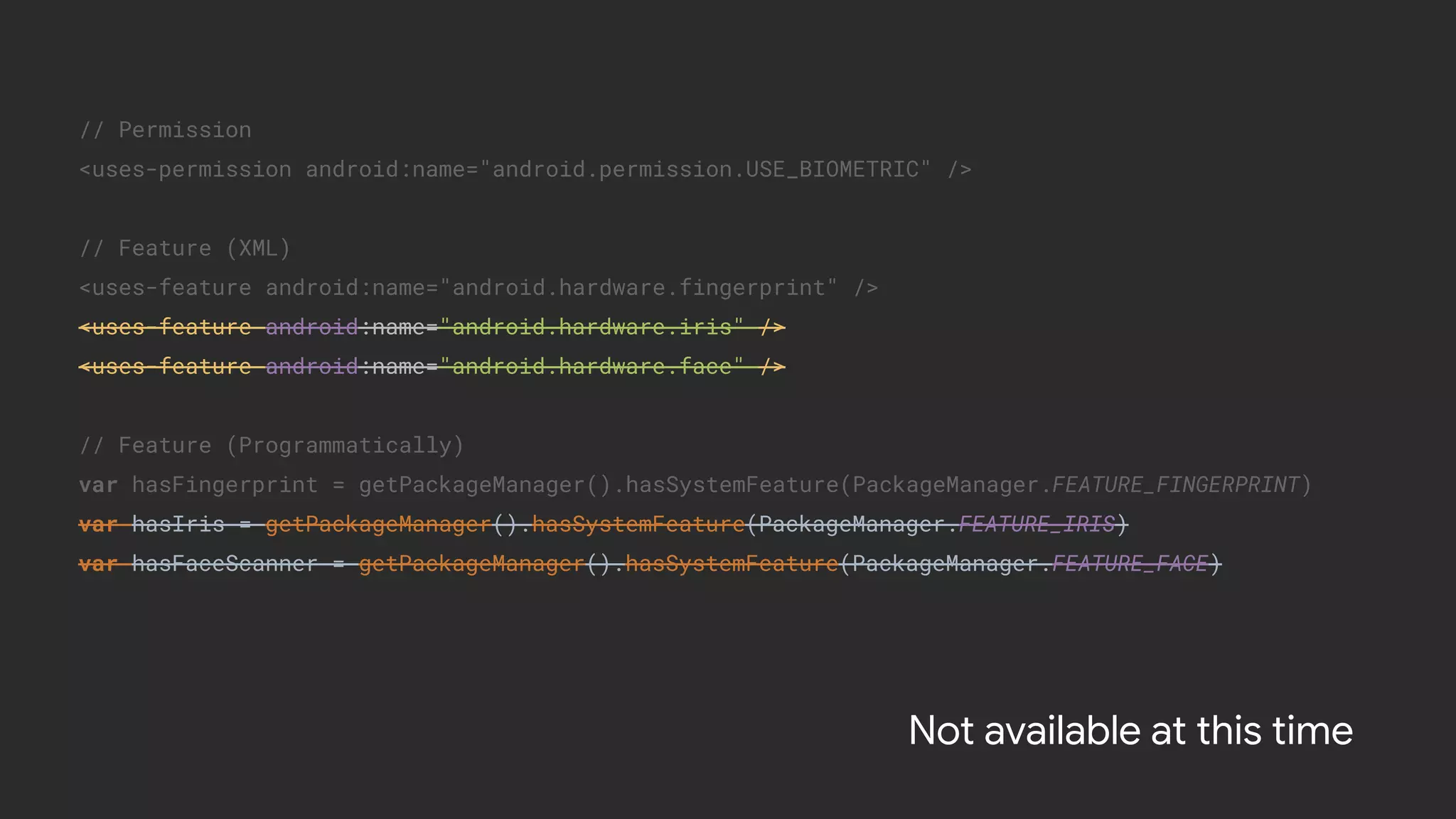
// Permission
<uses-permission android:name="android.permission.USE_BIOMETRIC" />
// Feature (XML)
<uses-feature android:name="android.hardware.fingerprint" />
<uses-feature android:name="android.hardware.iris" />
<uses-feature android:name="android.hardware.face" />
// Feature (Programmatically)
var hasFingerprint = getPackageManager().hasSystemFeature(PackageManager.FEATURE_FINGERPRINT)
var hasIris = getPackageManager().hasSystemFeature(PackageManager.FEATURE_IRIS)
var hasFaceScanner = getPackageManager().hasSystemFeature(PackageManager.FEATURE_FACE)
Not available at this time
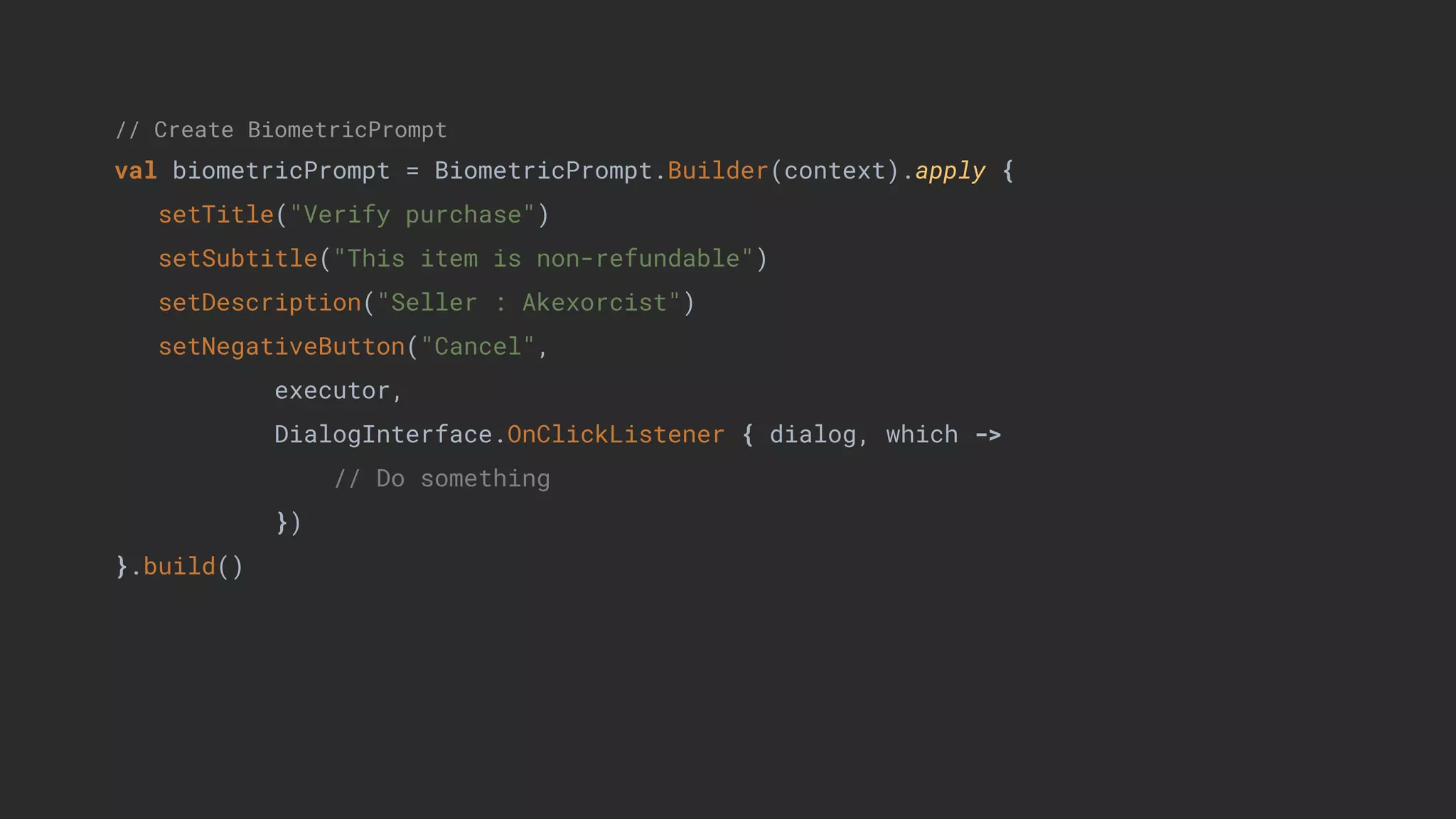
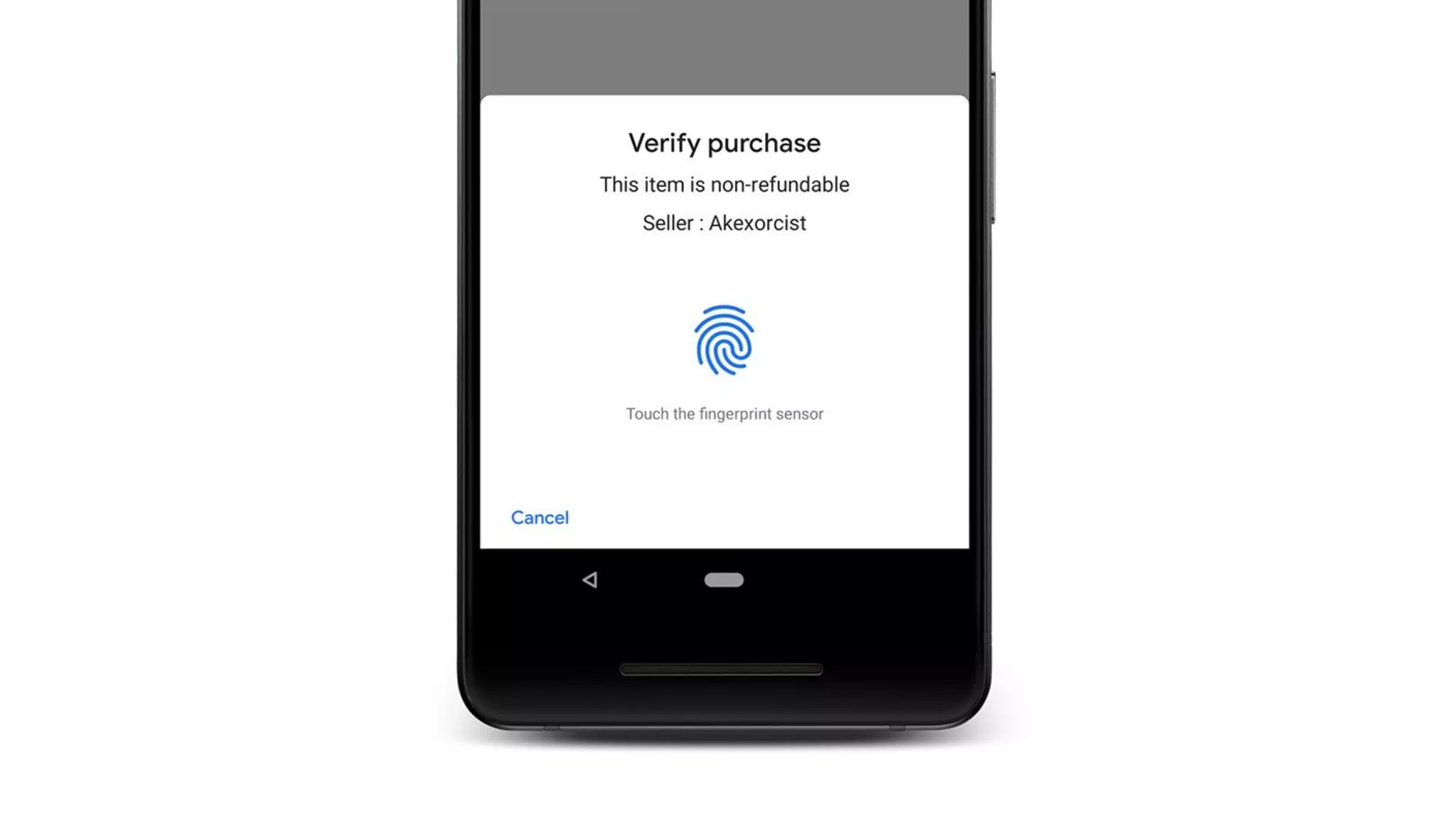
// Create BiometricPrompt
val biometricPrompt = BiometricPrompt.Builder(context).apply {
setTitle("Verify purchase")
setSubtitle("This item is non-refundable")
setDescription("Seller : Akexorcist")
setNegativeButton("Cancel",
executor,
DialogInterface.OnClickListener { dialog, which ->
// Do something
})
}.build()
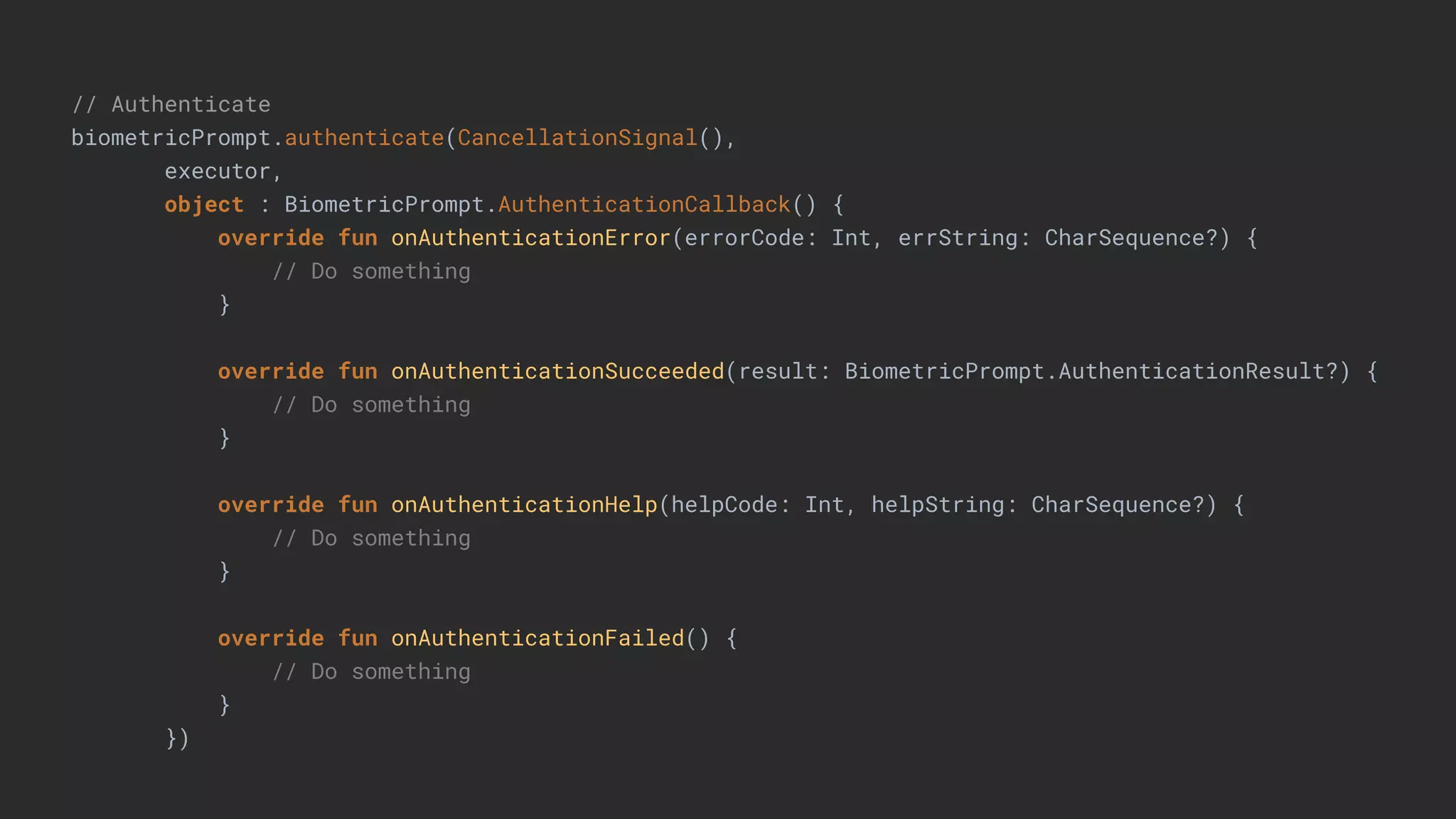
// Authenticate
biometricPrompt.authenticate(CancellationSignal(),
executor,
object : BiometricPrompt.AuthenticationCallback() {
override fun onAuthenticationError(errorCode: Int, errString: CharSequence?) {
// Do something
}
override fun onAuthenticationSucceeded(result: BiometricPrompt.AuthenticationResult?) {
// Do something
}
override fun onAuthenticationHelp(helpCode: Int, helpString: CharSequence?) {
// Do something
}
override fun onAuthenticationFailed() {
// Do something
}
})
Notification
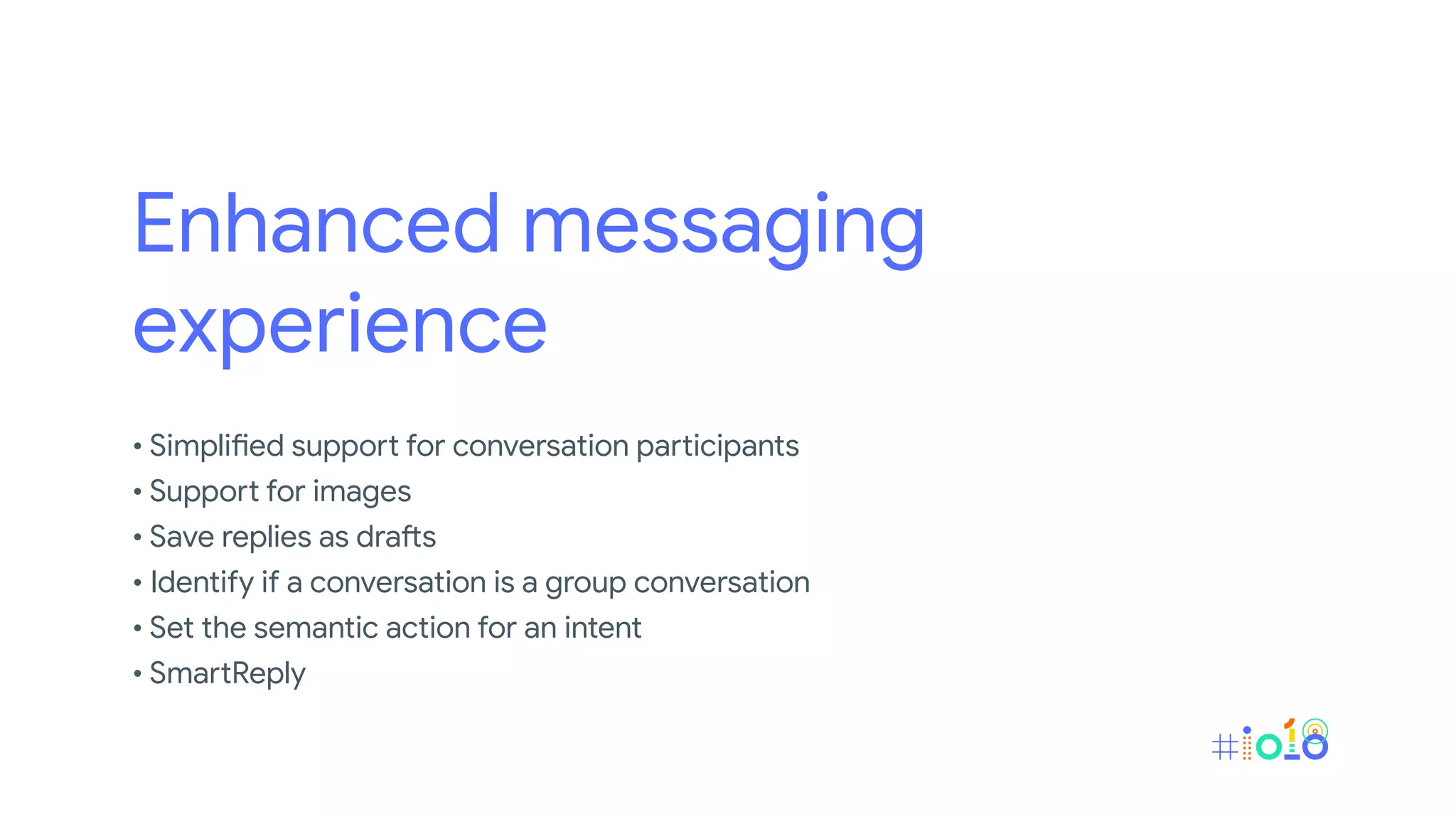
• Enhanced messaging experience
• Channel settings, broadcasts, and Do Not Disturb
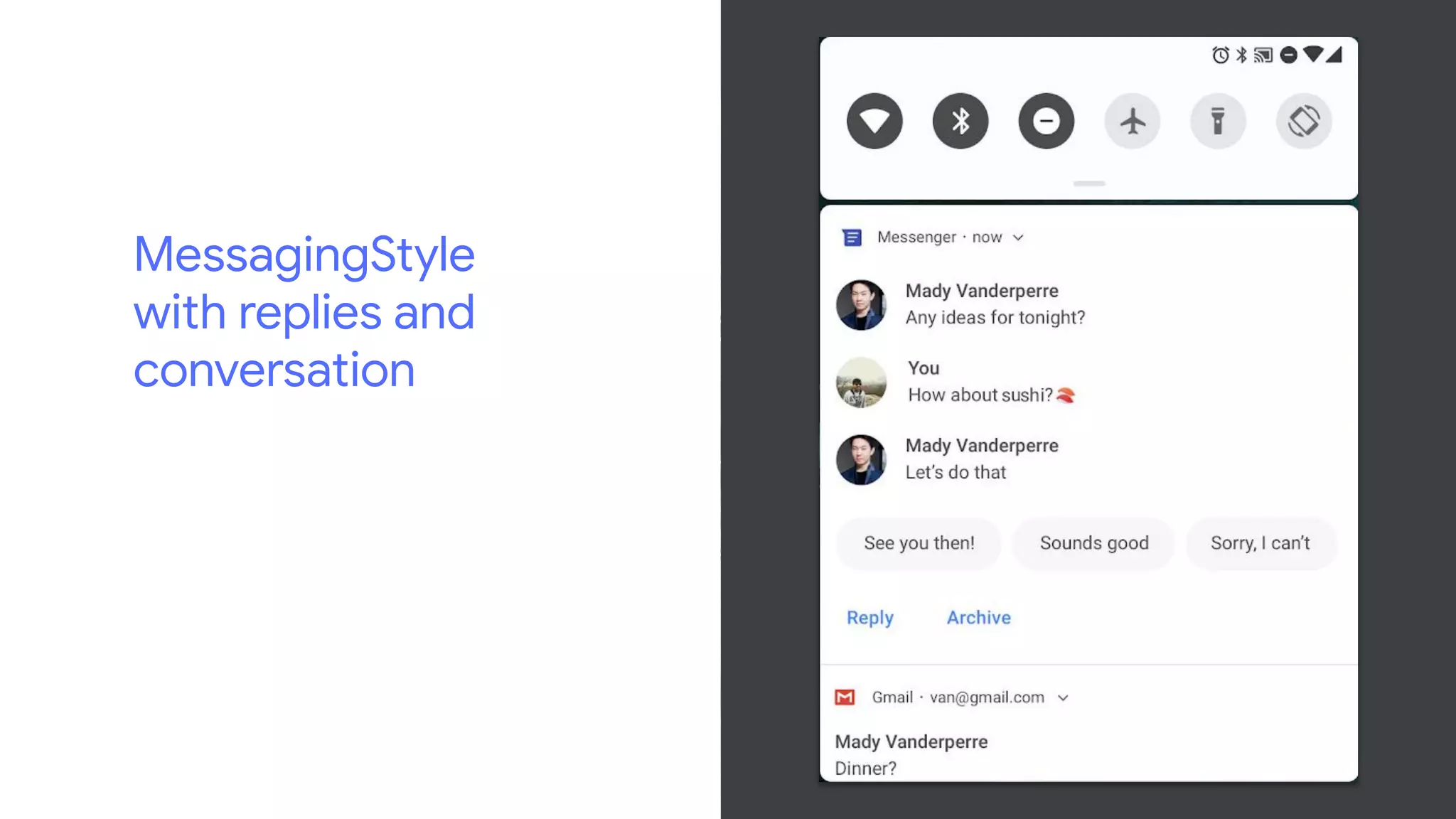
Enhanced messaging
experience
• Simplified support for conversation participants
• Support for images
• Save replies as drafts
• Identify if a conversation is a group conversation
• Set the semantic action for an intent
• SmartReply
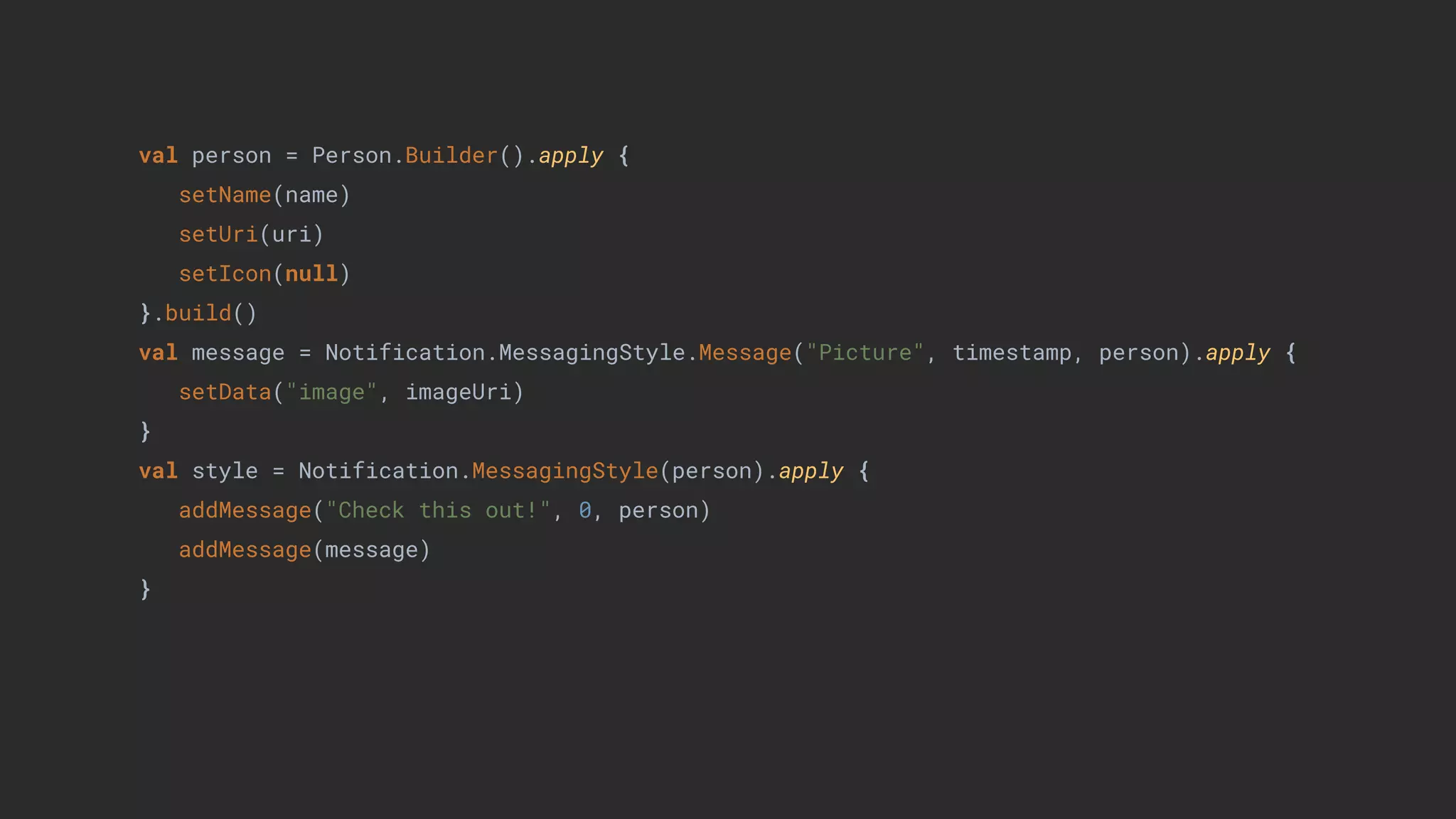
val person = Person.Builder().apply {
setName(name)
setUri(uri)
setIcon(null)
}.build()
val message = Notification.MessagingStyle.Message("Picture", timestamp, person).apply {
setData("image", imageUri)
}
val style = Notification.MessagingStyle(person).apply {
addMessage("Check this out!", 0, person)
addMessage(message)
}
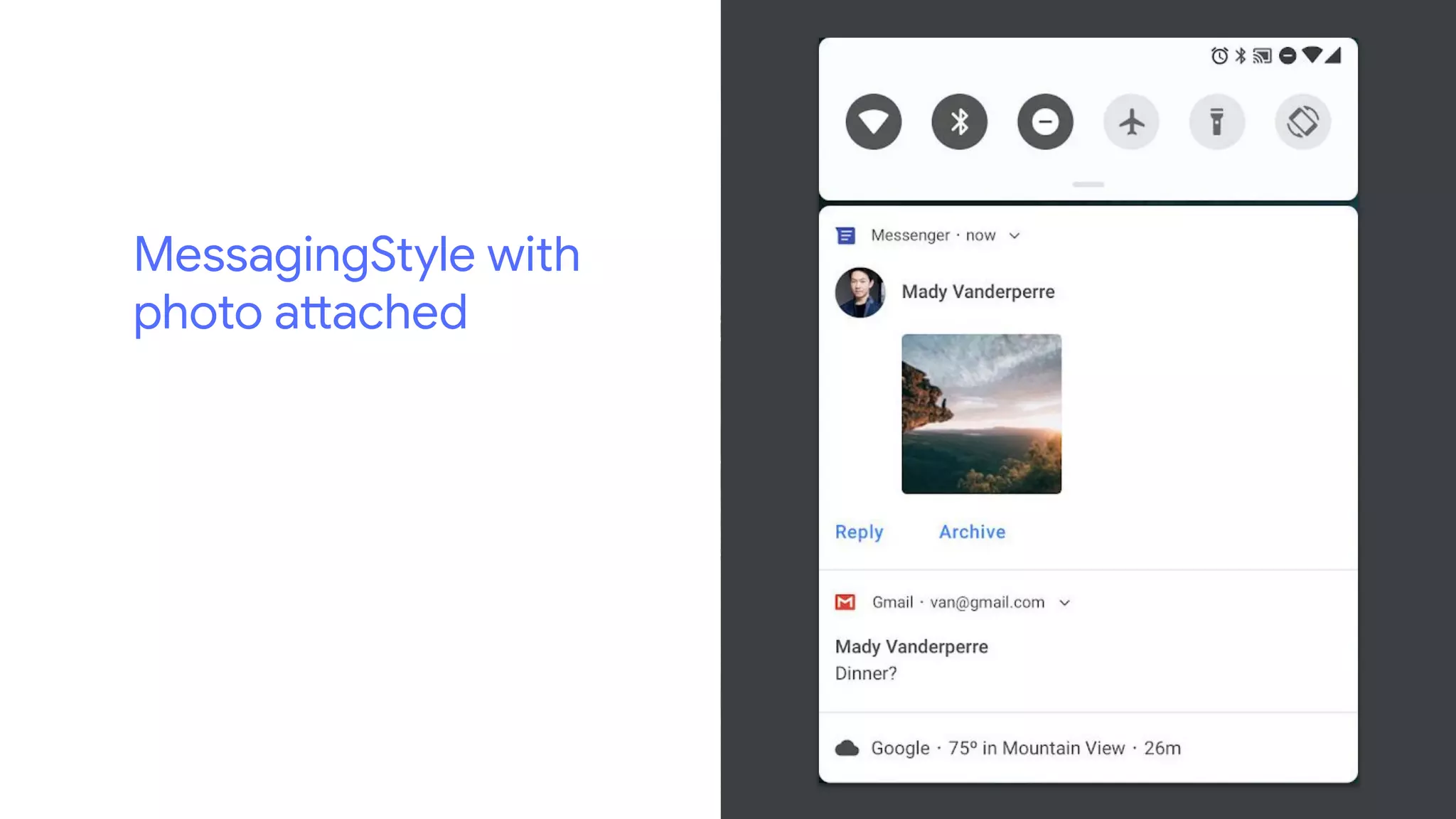
MessagingStyle with
photo attached
MessagingStyle
with replies and
conversation
Camera API v2
Multi-camera support, External USB cameras and more!
Text
• Baseline Distance
• Background Text Measurement
• Magnifier
• Smart Linkify
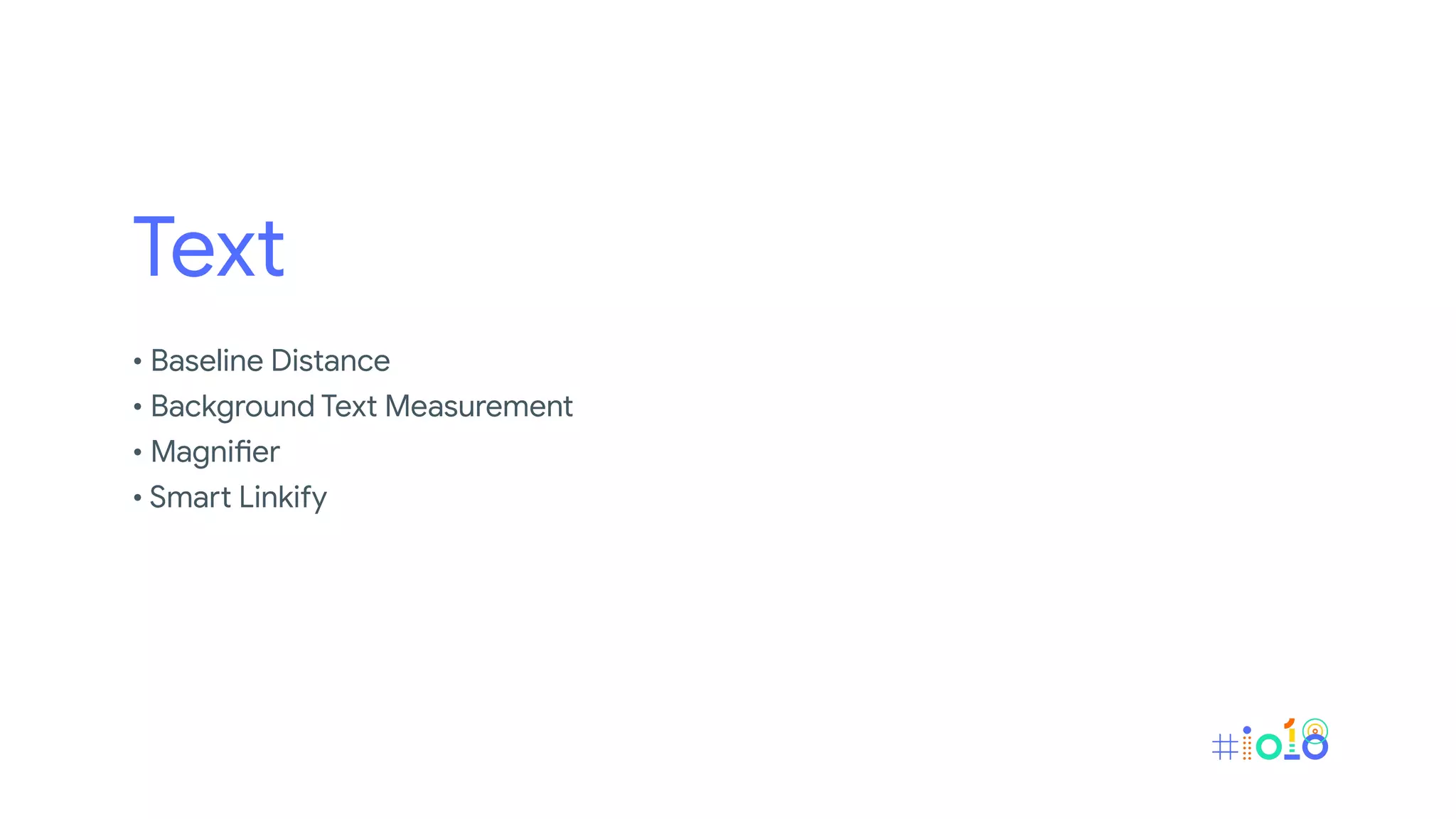
Baseline Distance
XML
.
<TextView .
... .
android:firstBaselineToTopHeight="28dp" .
android:lastBaselineToBottomHeight="20dp" .
/> .
.
Programmatically
.
textView.firstBaselineToTopHeight = 28.toDp() .
textView.lastBaselineToBottomHeight = 20.toDp() .
.
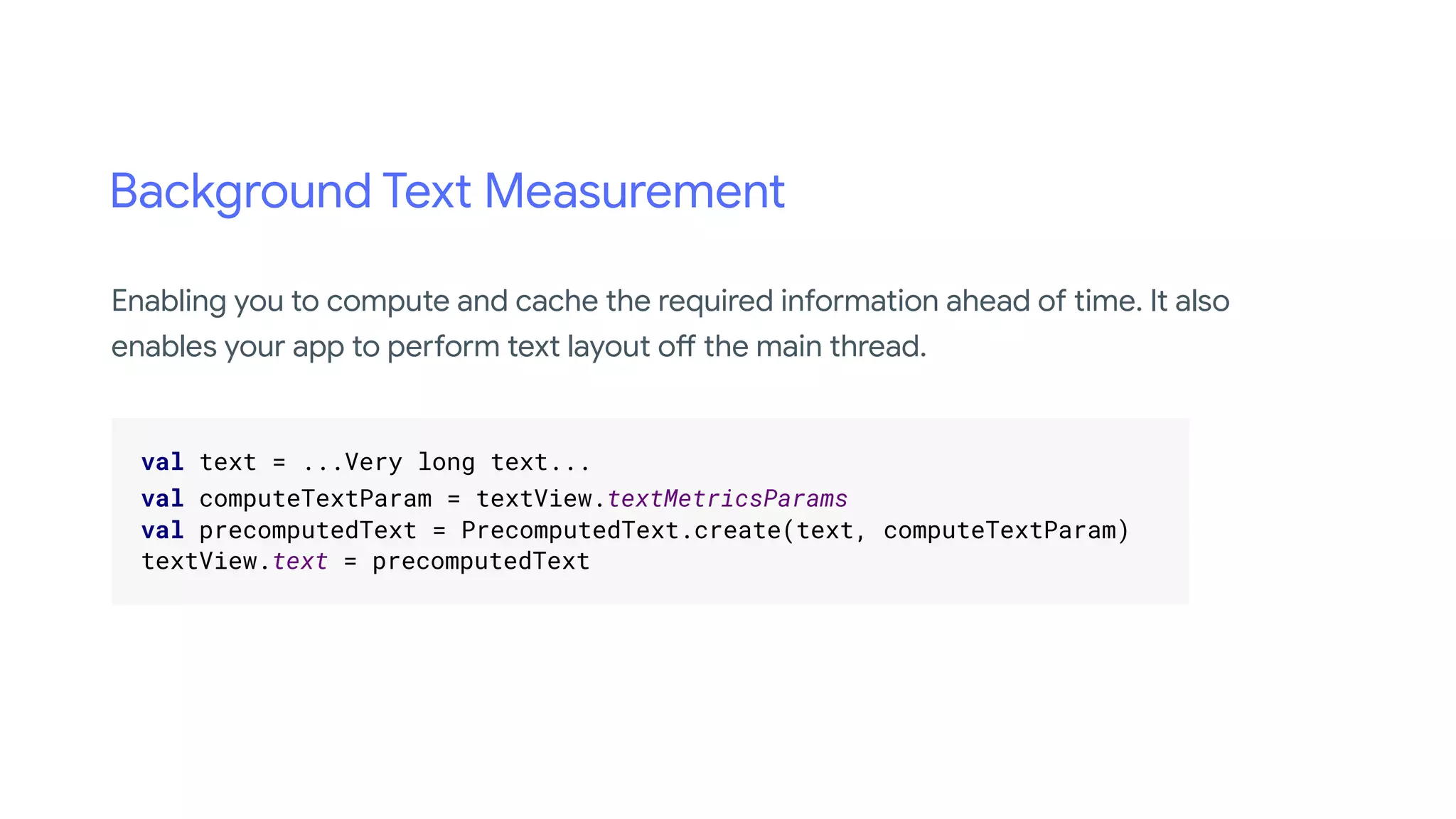
Background Text Measurement
.
val text = ...Very long text... .
val computeTextParam = textView.textMetricsParams .
val precomputedText = PrecomputedText.create(text, computeTextParam) .
textView.text = precomputedText .
.
Enabling you to compute and cache the required information ahead of time. It also
enables your app to perform text layout off the main thread.
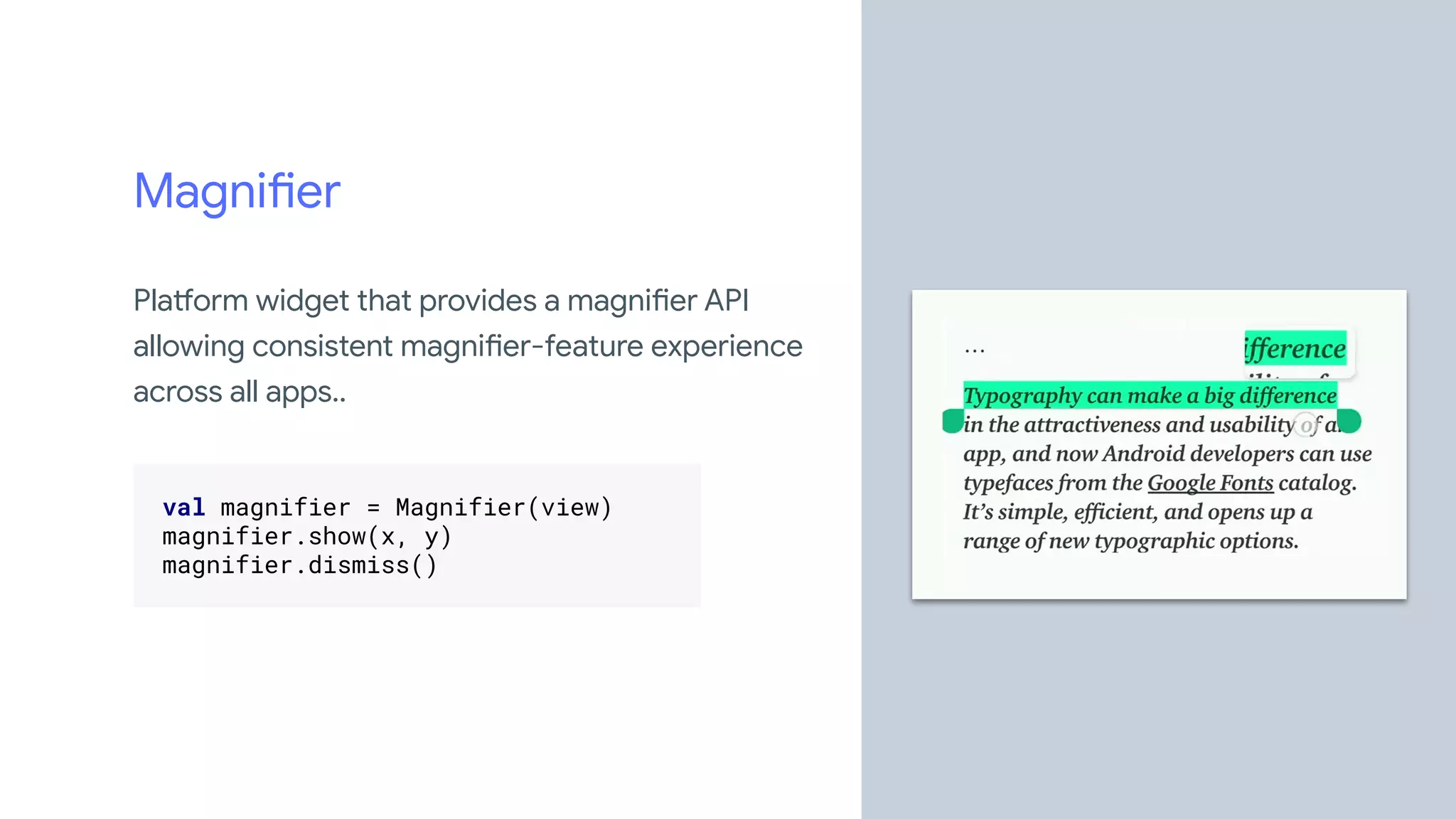
Magnifier
Platform widget that provides a magnifier API
allowing consistent magnifier-feature experience
across all apps..
.
val magnifier = Magnifier(view) .
magnifier.show(x, y) .
magnifier.dismiss() .
.
Smart Linkify
.
val input = "0123456789" .
val manager = getSystemService(Context.TEXT_CLASSIFICATION_SERVICE) as TextClassificationManager .
val context = TextClassificationContext.Builder(packageName, TextClassifier.WIDGET_TYPE_EDITTEXT).build().
val session = manager.createTextClassificationSession(context) .
val classifier = session.classifyText(input, 0, input.length, LocaleList.getDefault()) .
... .
session.destroy() .
.
Leverages machine learning to identify some entities in selected text and suggest
actions.
Smart Linkify
.
var remoteActionList: List<RemoteAction> = classifier.actions .
var entityCount: Int = classifier.entityCount .
var id: String = classifier.id .
var text: String = classifier.text .
.
Leverages machine learning to identify some entities in selected text and suggest
actions
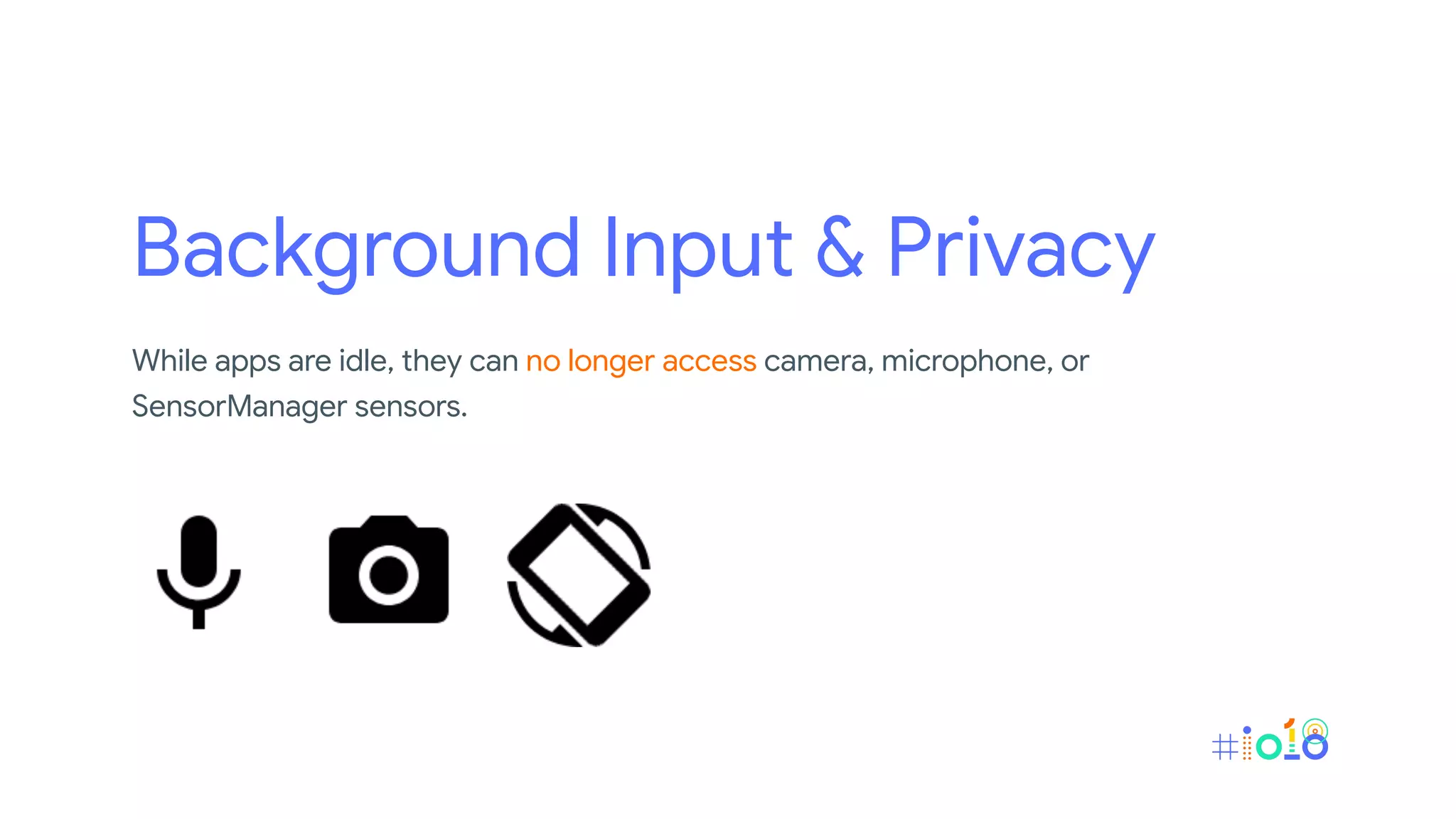
Background Input & Privacy
While apps are idle, they can no longer access camera, microphone, or
SensorManager sensors.
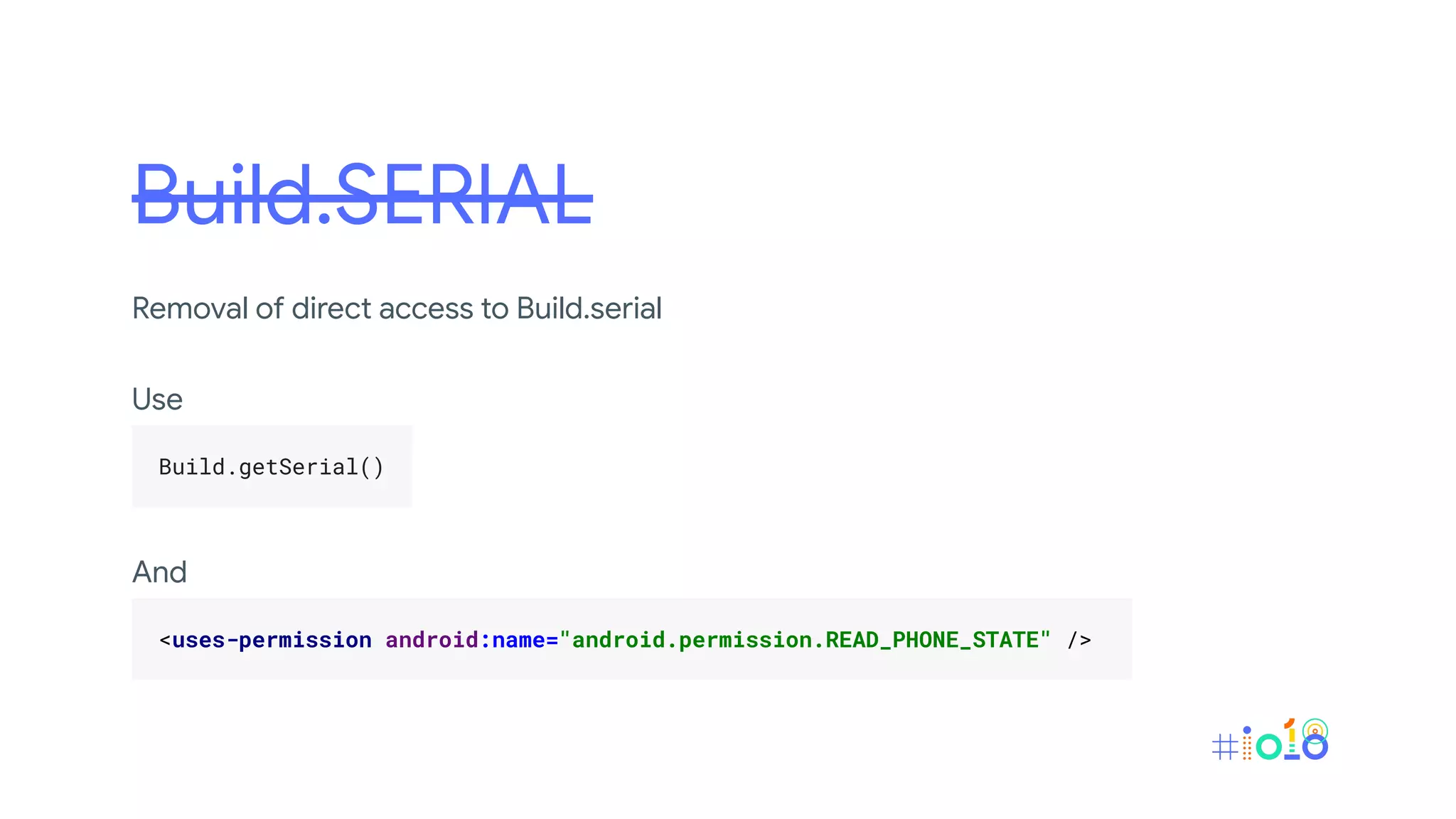
Build.SERIAL
Removal of direct access to Build.serial
Use
.
Build.getSerial() .
.
And
.
<uses-permission android:name="android.permission.READ_PHONE_STATE" /> .
.
Power Management
New battery management feature that along with features that were
already present before Android P, to ensure that system resources are
given to the apps that need them the most.
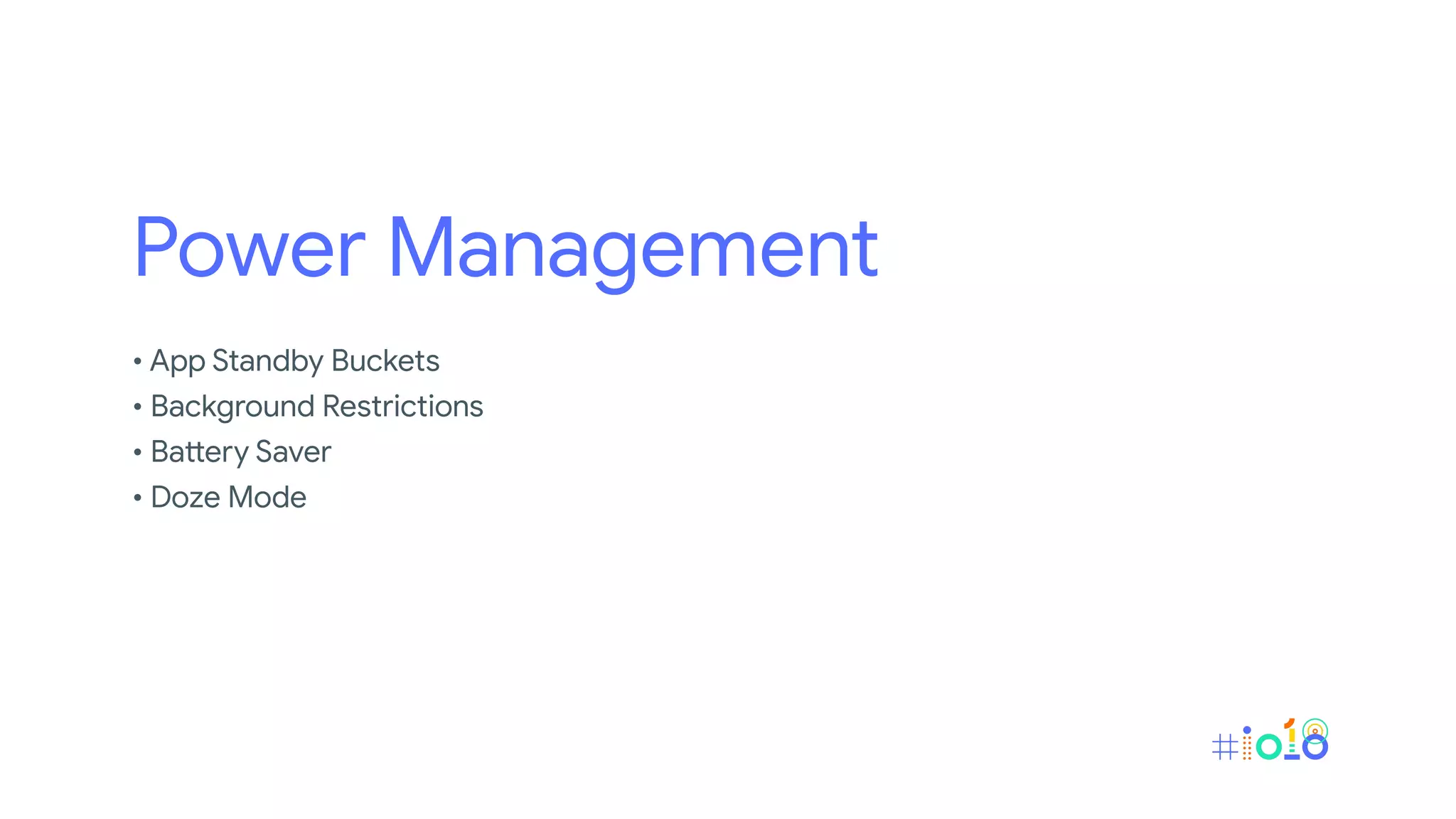
Power Management
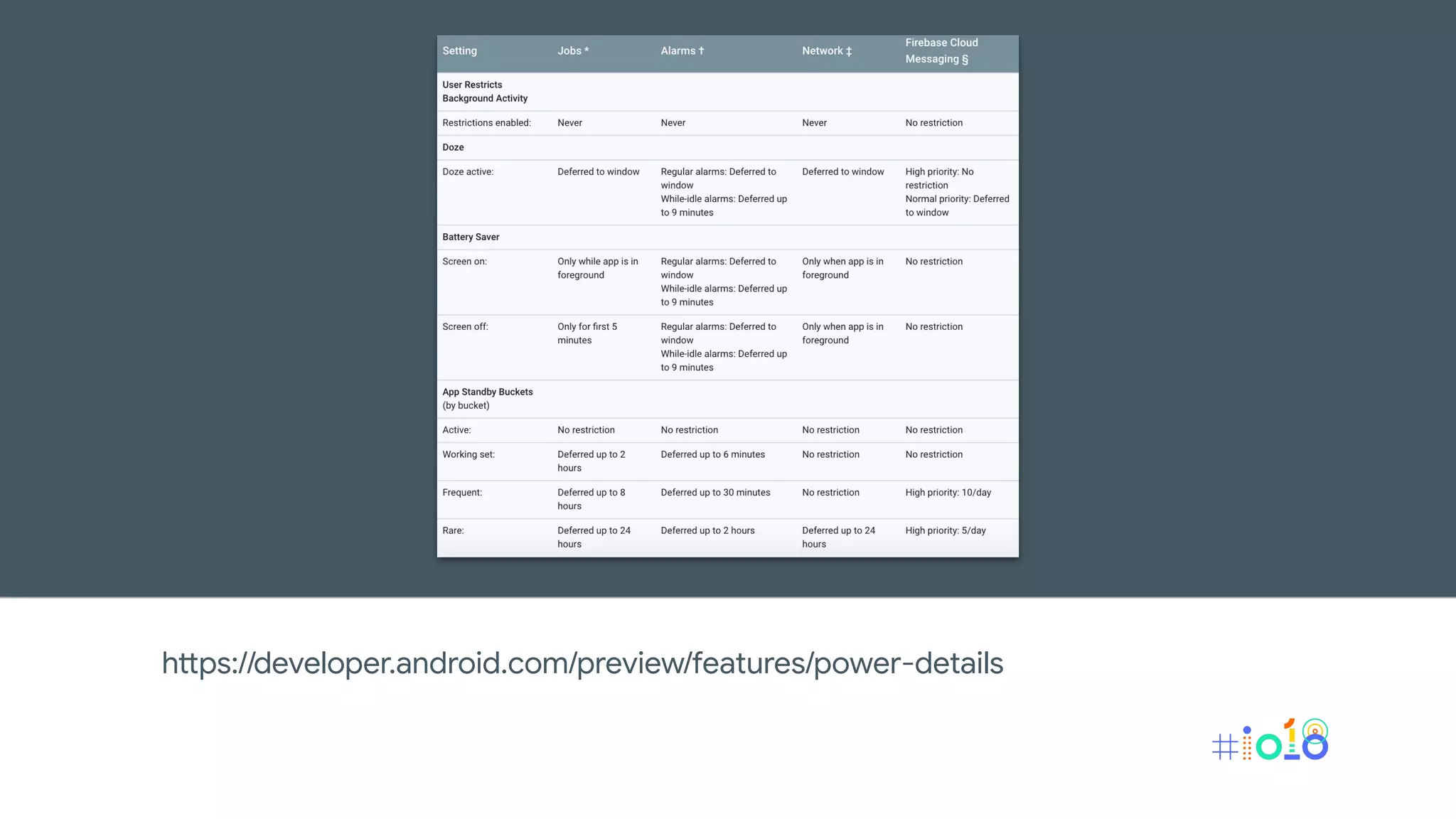
• App Standby Buckets
• Background Restrictions
• Battery Saver
• Doze Mode
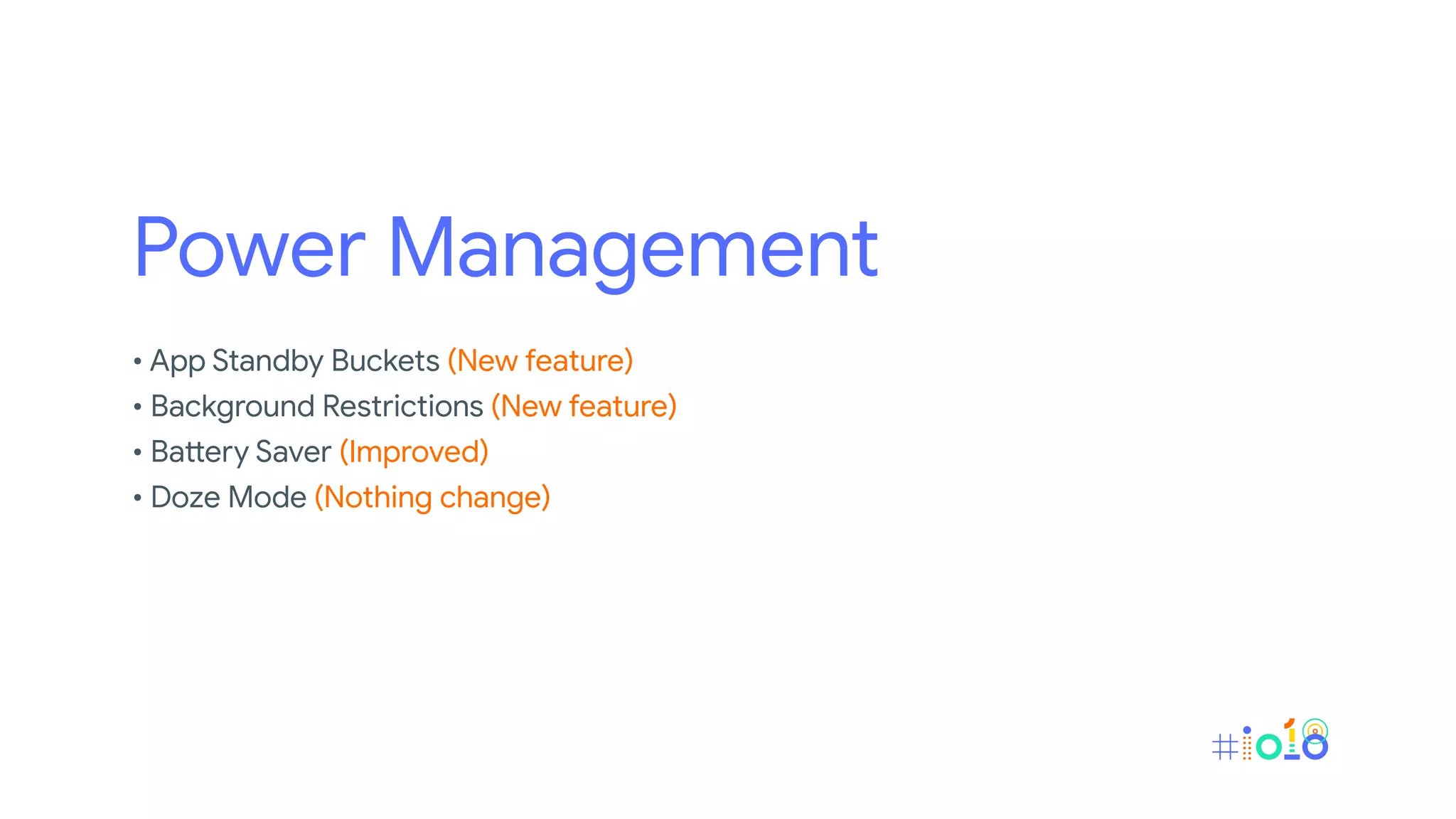
Power Management
• App Standby Buckets (New feature)
• Background Restrictions (New feature)
• Battery Saver (Improved)
• Doze Mode (Nothing change)
App Standby Bucket
The system limits apps' access to device resources (CPU or battery)
based on the user's usage patterns.
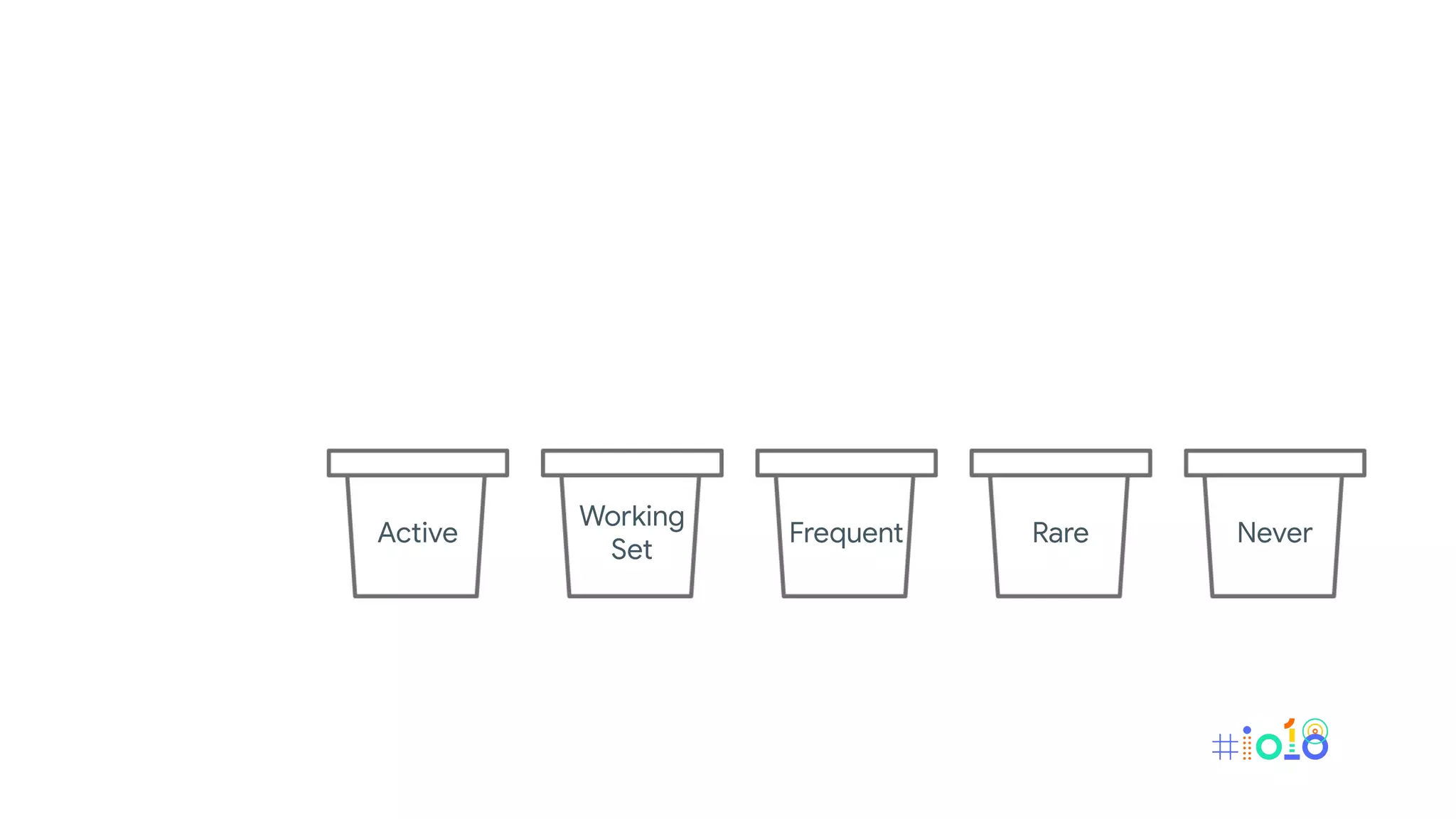
Active
Working
Set
Frequent Rare Never
Active
Working
Set
Frequent Rare Never
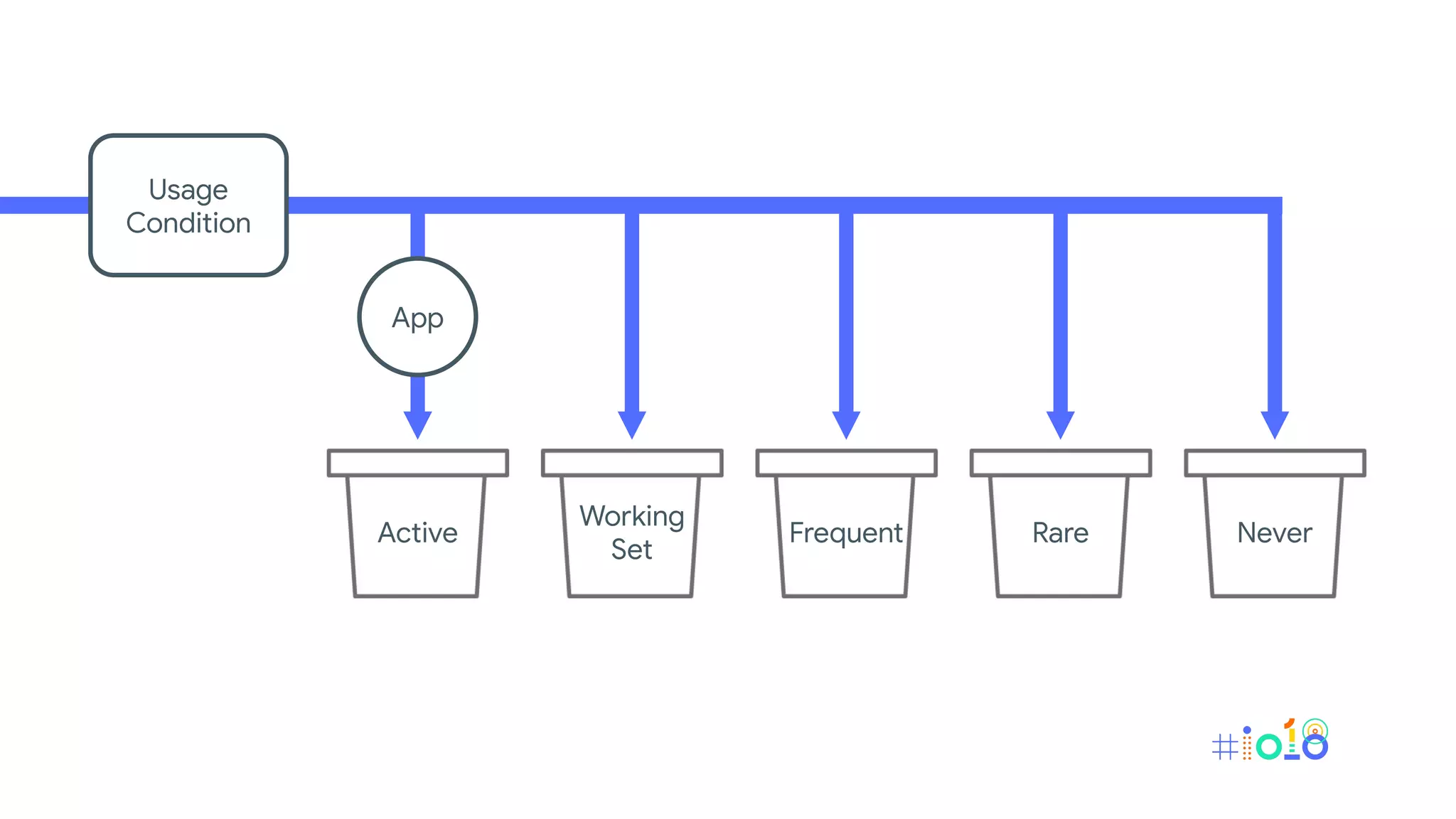
Usage
Condition
App
Active
Working
Set
Frequent Rare Never
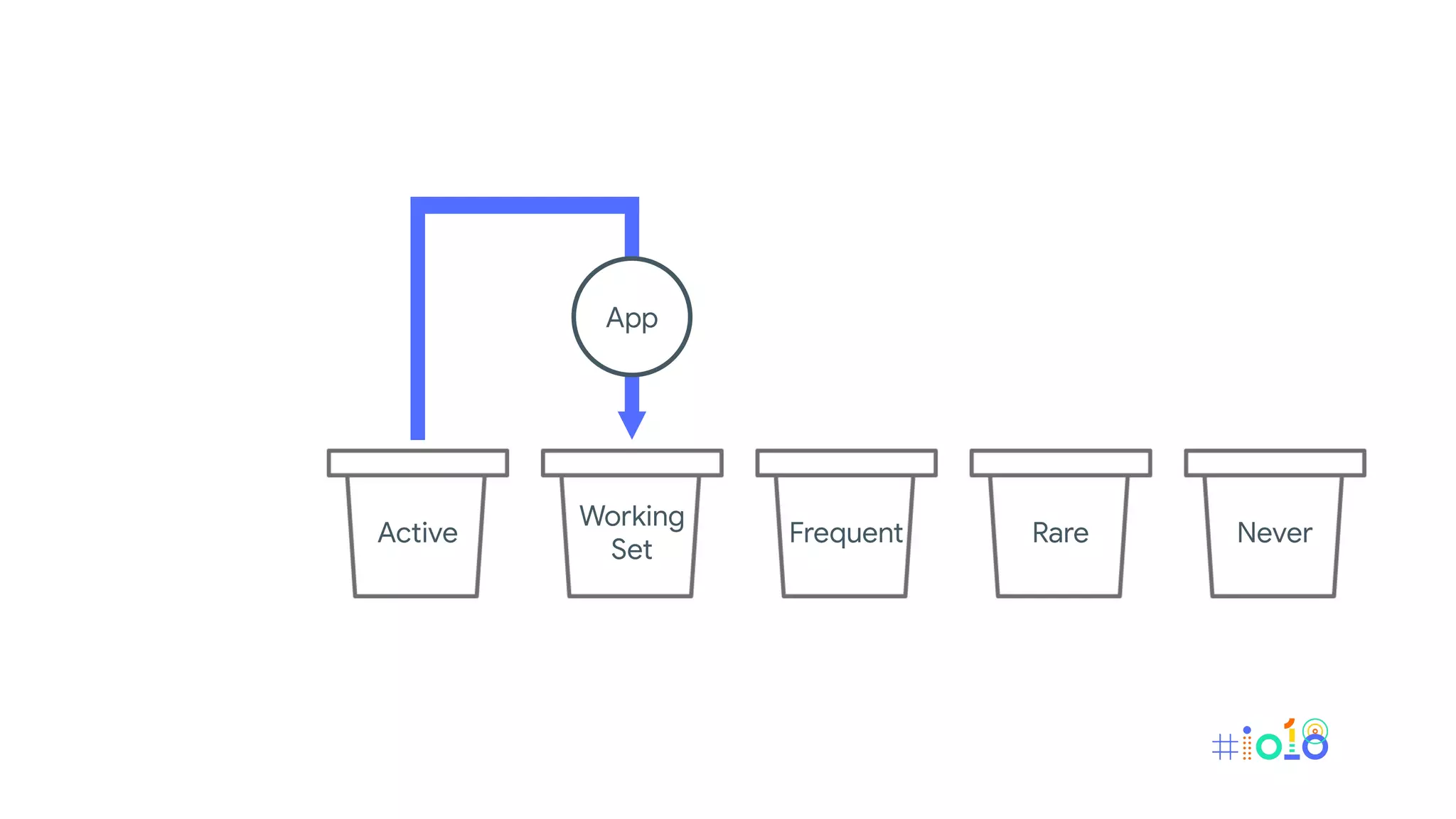
App
Active
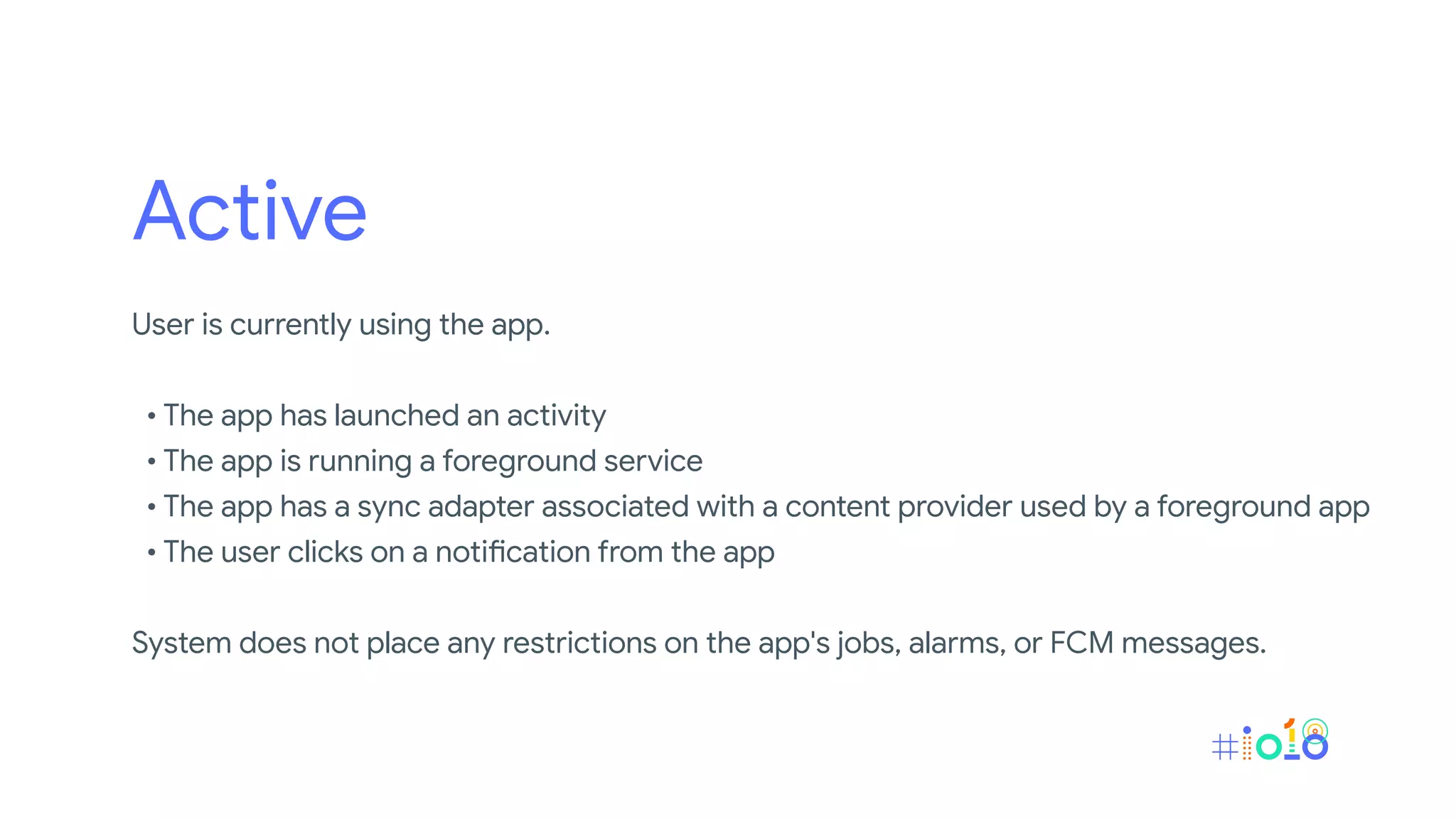
User is currently using the app.
• The app has launched an activity
• The app is running a foreground service
• The app has a sync adapter associated with a content provider used by a foreground app
• The user clicks on a notification from the app
System does not place any restrictions on the app's jobs, alarms, or FCM messages.
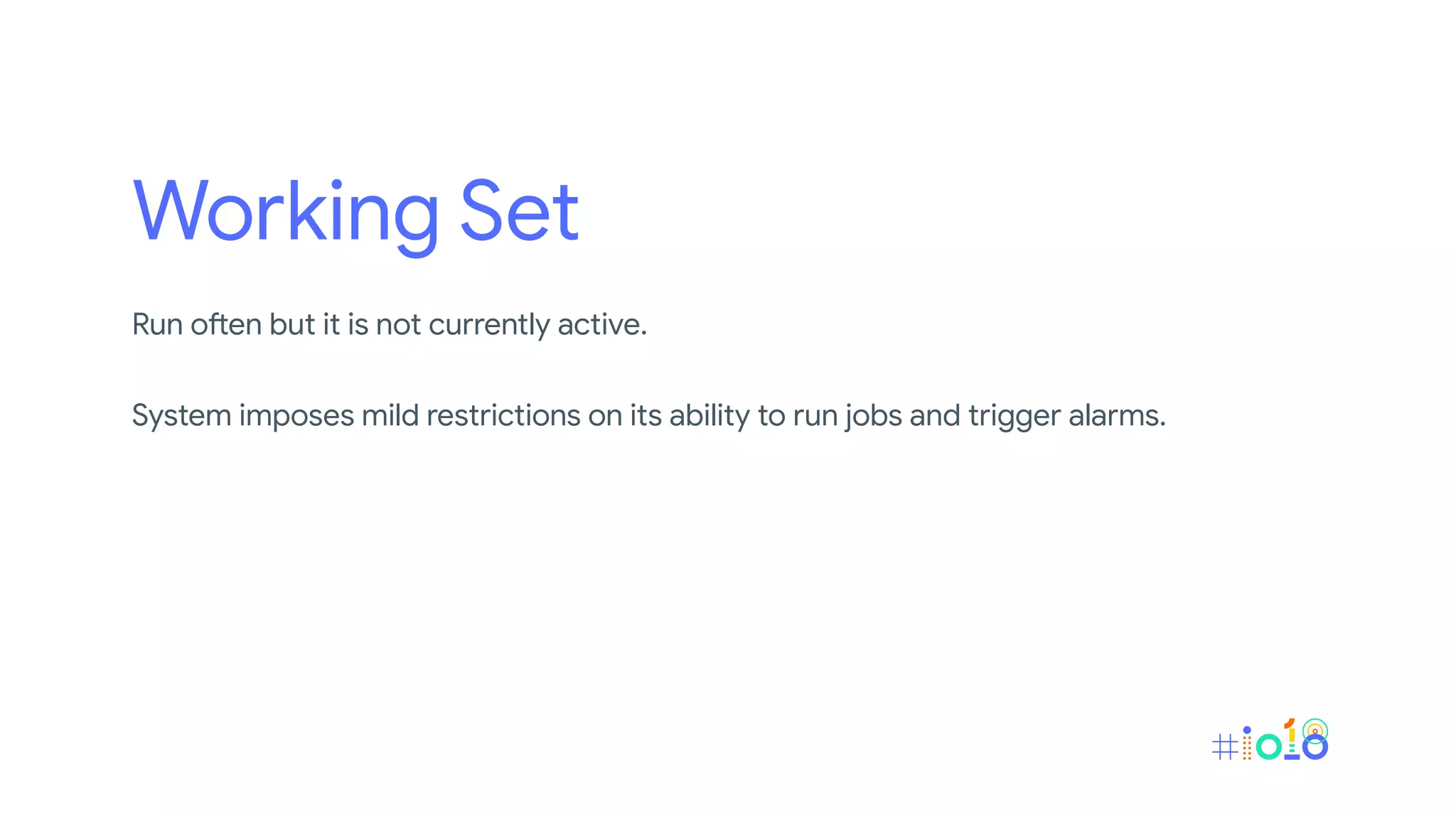
Working Set
Run often but it is not currently active.
System imposes mild restrictions on its ability to run jobs and trigger alarms.
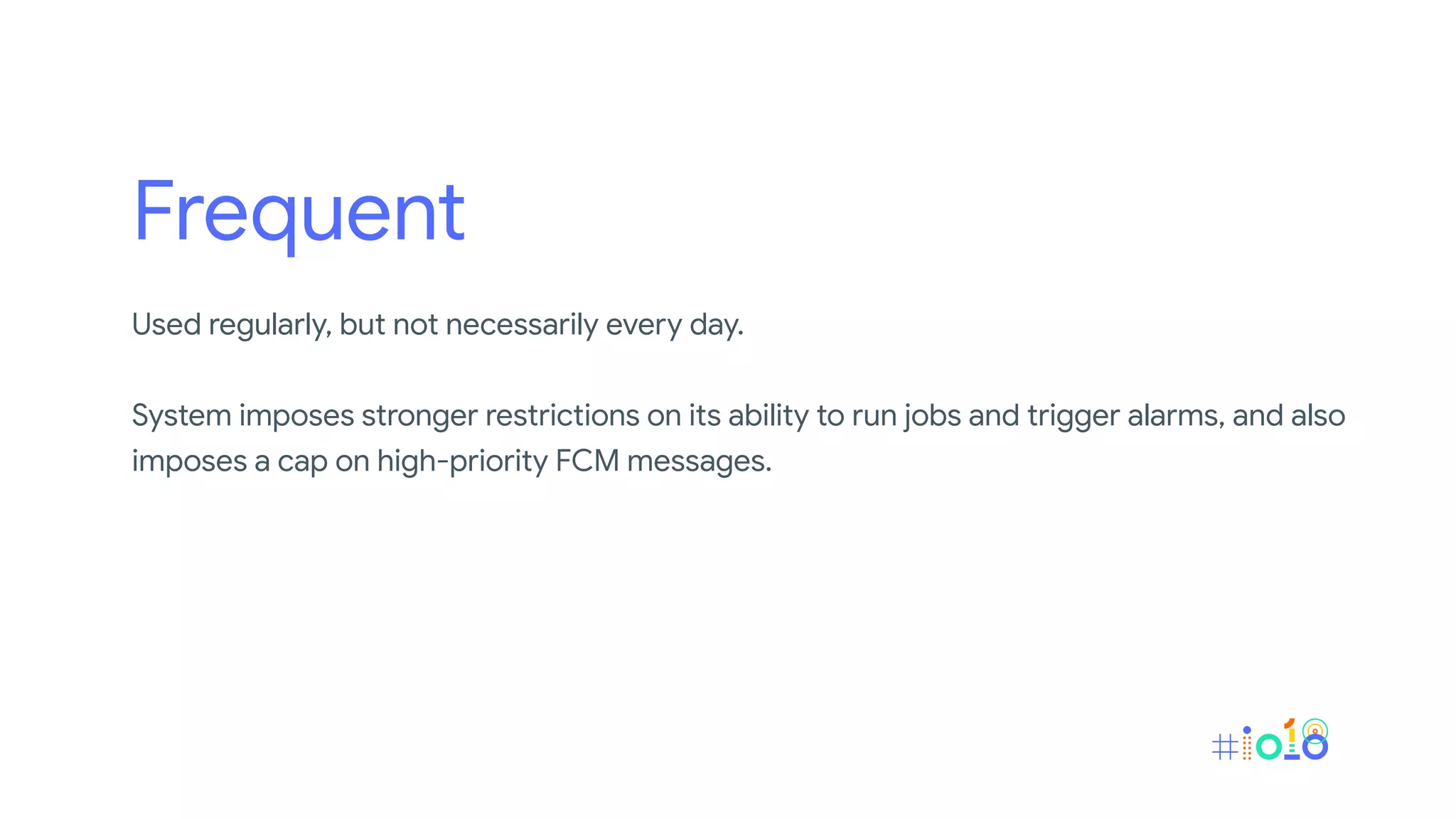
Frequent
Used regularly, but not necessarily every day.
System imposes stronger restrictions on its ability to run jobs and trigger alarms, and also
imposes a cap on high-priority FCM messages.
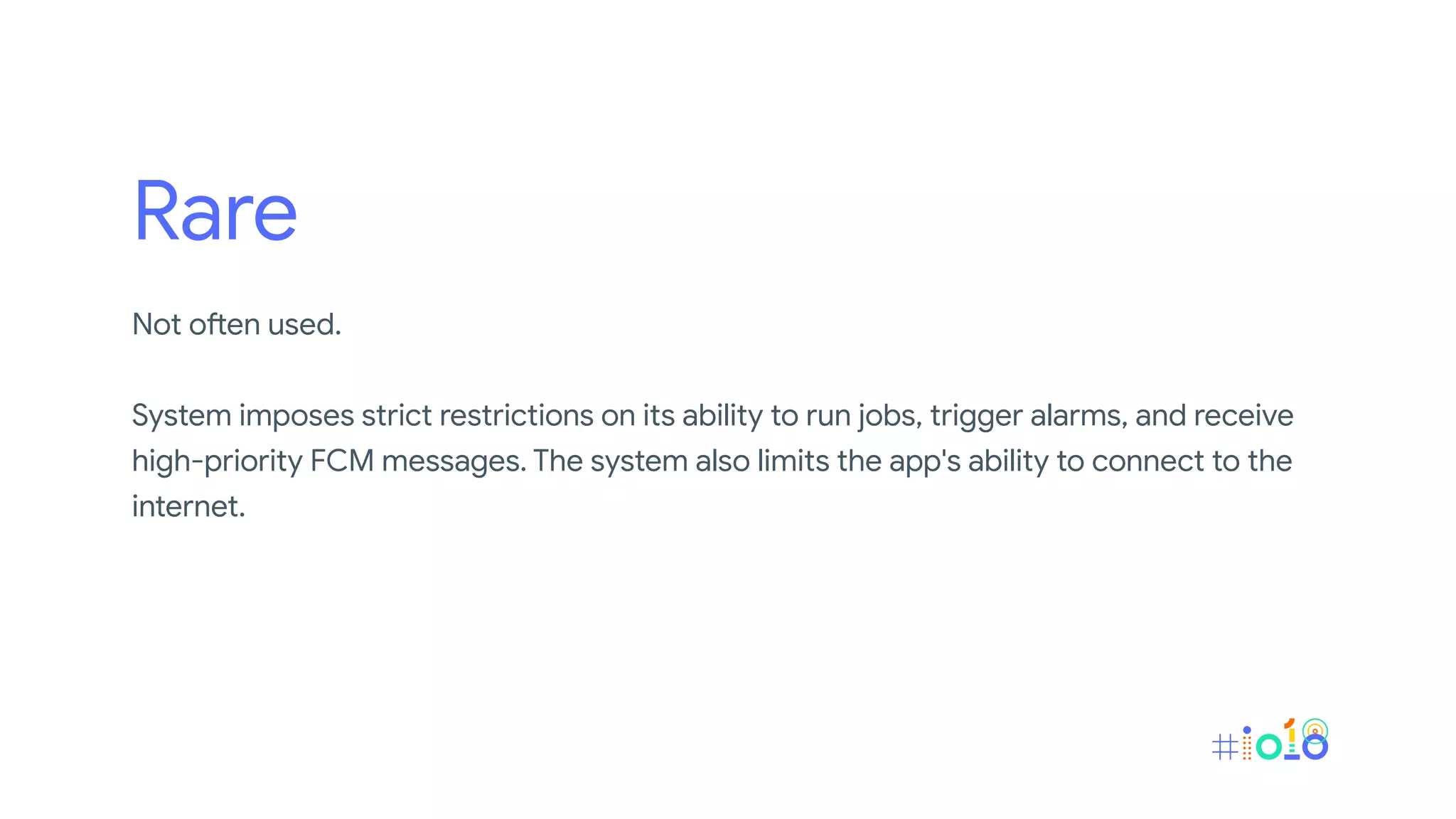
Rare
Not often used.
System imposes strict restrictions on its ability to run jobs, trigger alarms, and receive
high-priority FCM messages. The system also limits the app's ability to connect to the
internet.
Never
Installed but have never been run
System imposes severe restrictions on these apps.
Brace yourself, dinosaur era is coming!
Recommendation
• Do not try to manipulate the system into putting your app into one bucket or
another.
• If an app does not have a launcher activity, it might never be promoted to
the active bucket.
• If the app's notifications aren't actionable, users won't be able to trigger the
app's promotion to the active bucket by interacting with the notifications.
• Only intended use for high-priority FCM messages is to push a notification
to the user.
• If apps are split across multiple packages, those packages might be in
different buckets and, thus, have different access levels.
• Do not spam the user with notifications just to try to keep your app in the
active bucket!
Background Restriction
Notices that an app is consuming excessive resources.
Excessive wake locks
- Wake lock held for an hour when screen is off
Excessive background services
- Targets API levels lower than 26 and has excessive background services
Battery Saver
• The system puts apps in app standby mode more aggressively, instead
of waiting for the app to be idle.
• Background execution limits apply to all apps, regardless of their target
API level.
• Location services may be disabled when the screen is off.
• Background apps do not have network access.
Doze
Still the same as it used to be.
https://developer.android.com/training/monitoring-device-state/doze-standby
Note
The precise restrictions imposed of App Standby Bucket, Background
Restriction and Battery Saver are determined by the device
manufacturer.
Best Solutions
Follow the best practice guideline or charging the device.
Testing
Testing
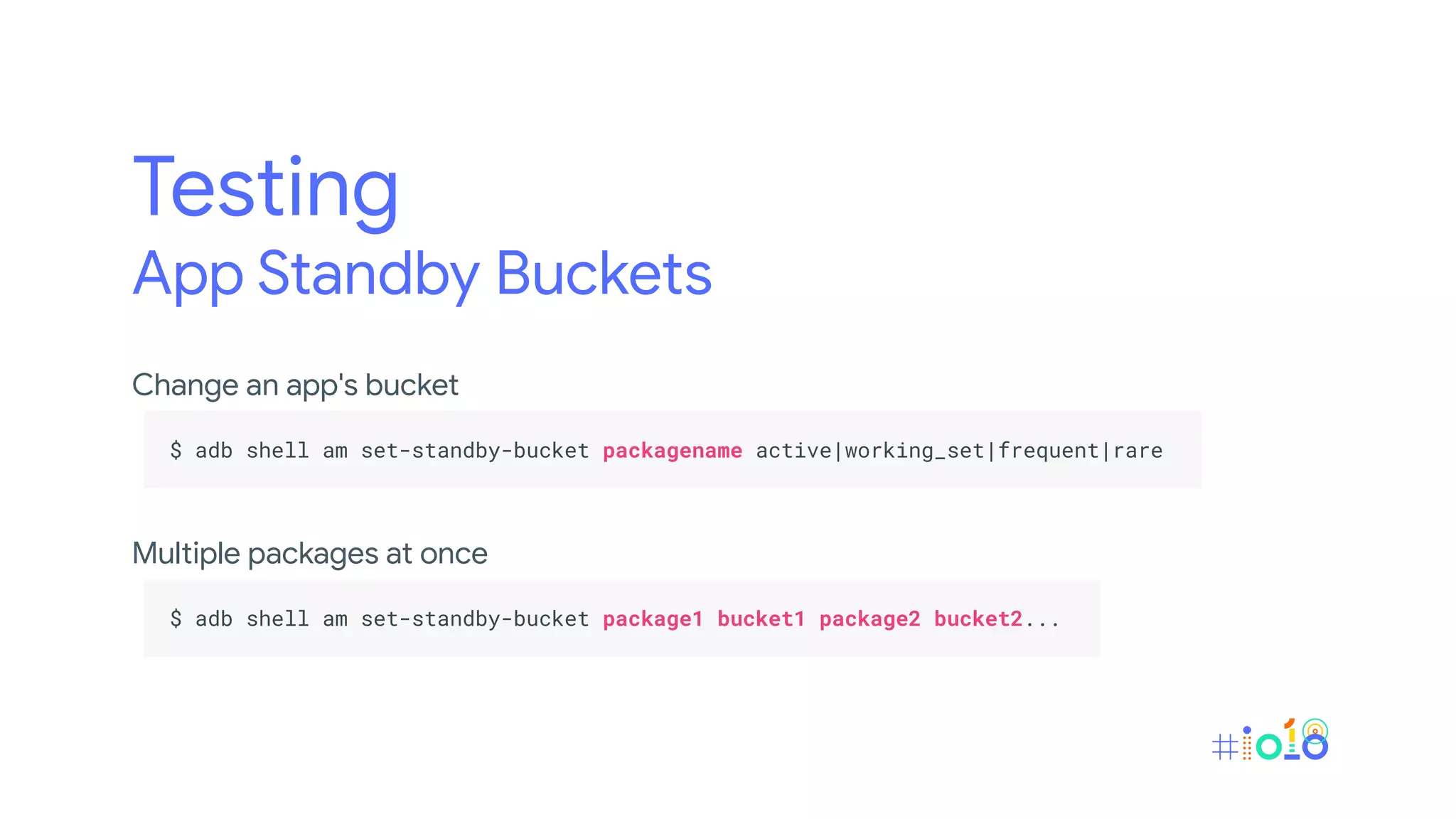
App Standby Buckets
Change an app's bucket
.
$ adb shell am set-standby-bucket packagename active|working_set|frequent|rare .
.
Multiple packages at once
.
$ adb shell am set-standby-bucket package1 bucket1 package2 bucket2... .
.
Testing
App Standby Buckets
What bucket an app is in
.
$ adb shell am get-standby-bucket [packagename] .
.
If you don't pass a packagename parameter, the command lists the
buckets for all apps.
Testing
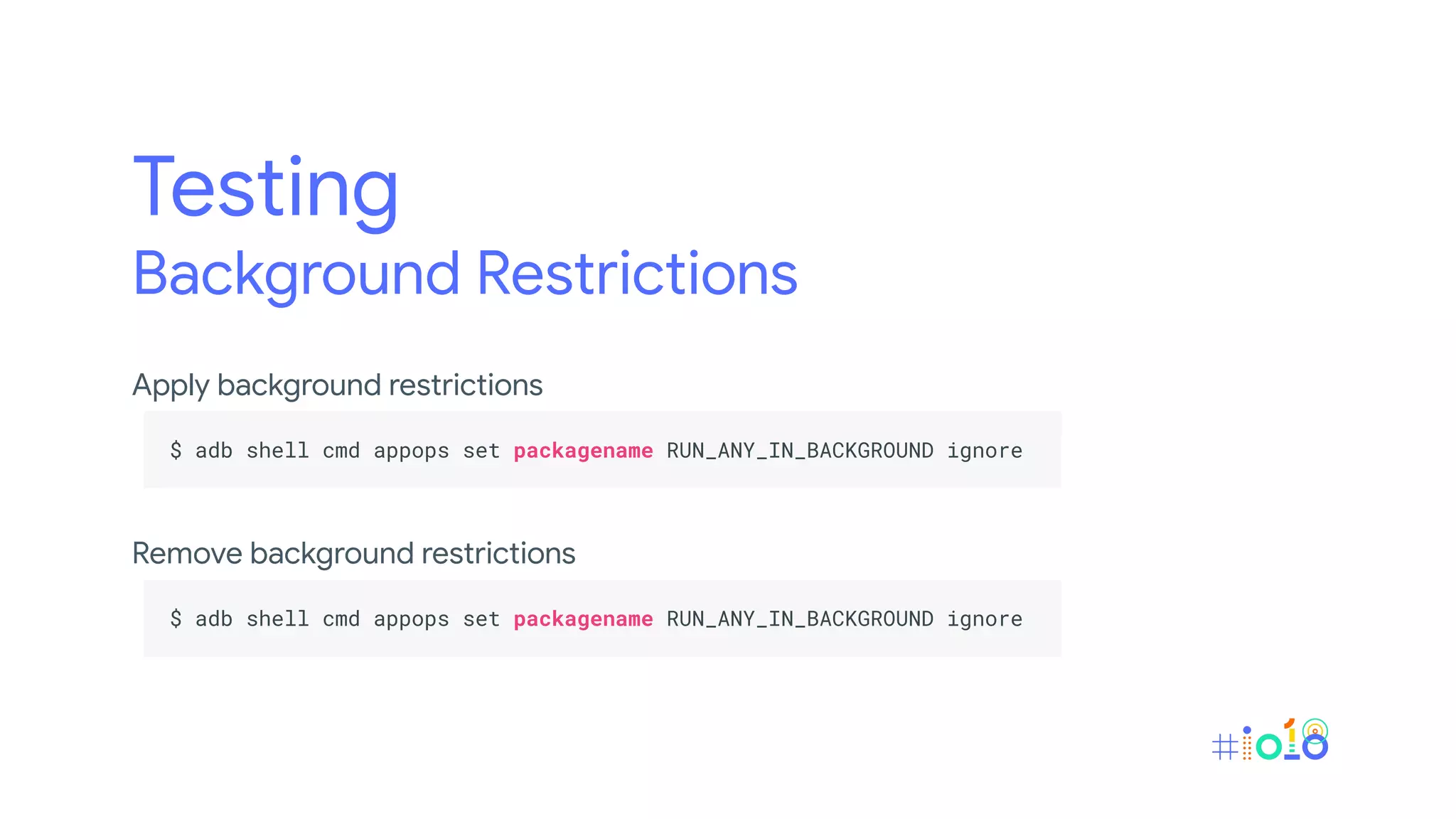
Background Restrictions
Apply background restrictions
.
$ adb shell cmd appops set packagename RUN_ANY_IN_BACKGROUND ignore .
.
Remove background restrictions
.
$ adb shell cmd appops set packagename RUN_ANY_IN_BACKGROUND ignore .
.
Testing
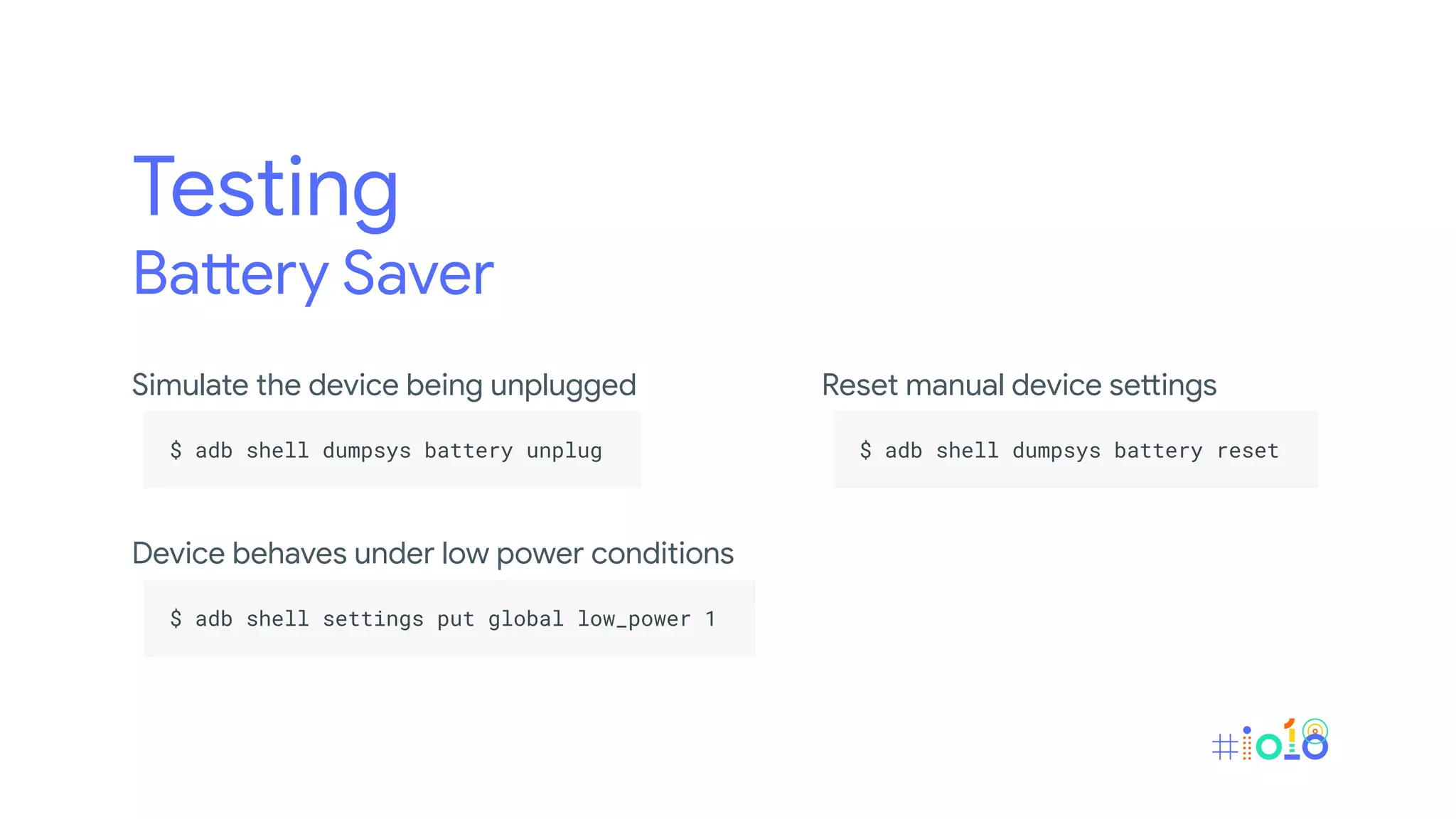
Battery Saver
Simulate the device being unplugged
.
$ adb shell dumpsys battery unplug .
.
Device behaves under low power conditions
.
$ adb shell settings put global low_power 1 .
.
Reset manual device settings
.
$ adb shell dumpsys battery reset .
.
https://developer.android.com/preview/features/power-details
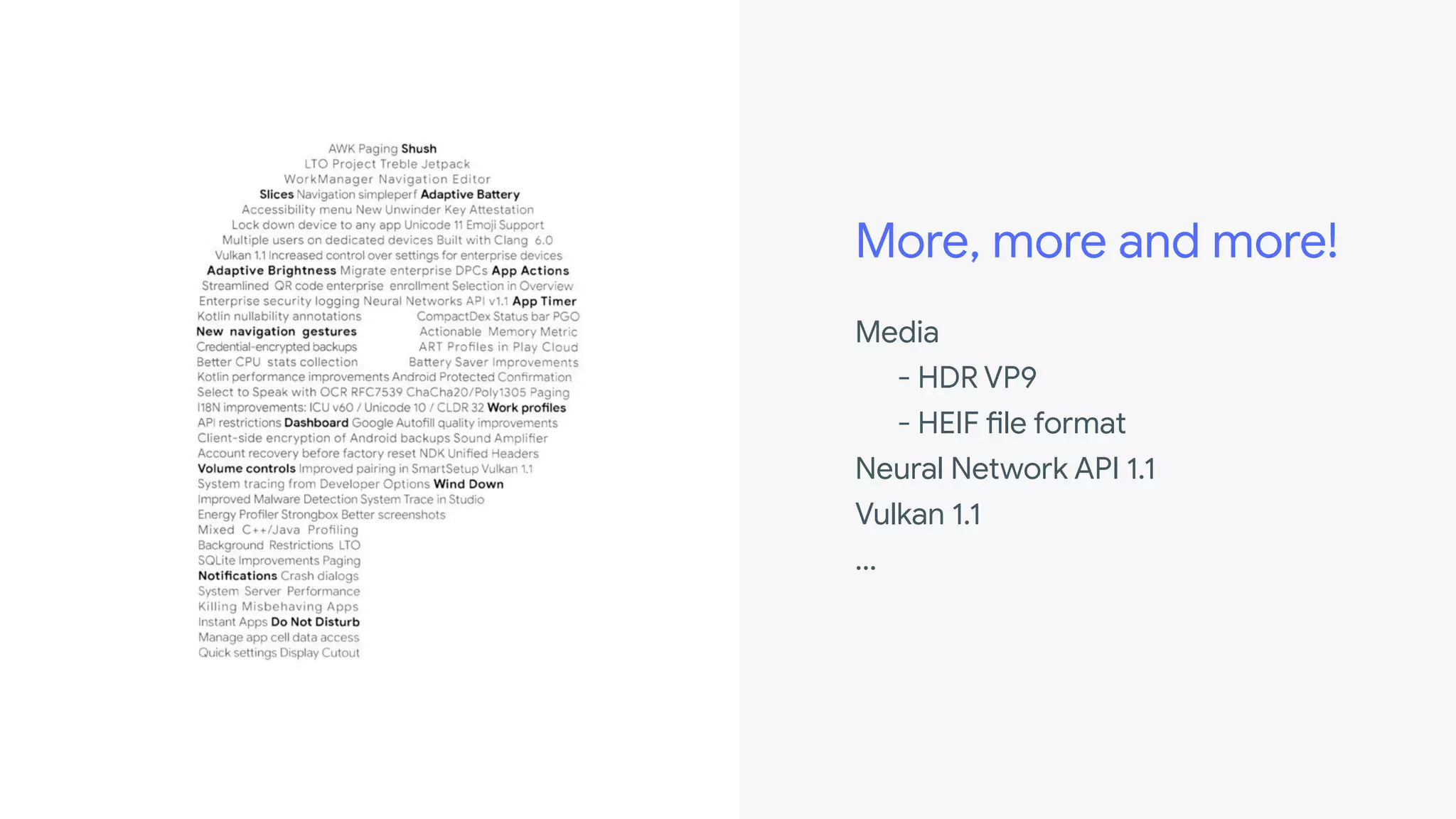
More, more and more!
Media
- HDR VP9
- HEIF file format
Neural Network API 1.1
Vulkan 1.1
...
Thank you
Somkiat Khitwongwattana
developers.android.com
Helpful resources
@Akexorcist
What's new in Android P @ I/O Extended Bangkok 2018

What's new in Android P @ I/O Extended Bangkok 2018

  • 2.
  • 4.
    Preview 1 :Initial release, alpha Preview 2 : Incremental update, beta Preview 3 : Final APIs and official SDK, Play publishing, beta Preview 4 : Release candidate for testing Preview 5 : Release candidate for final testing Final Release : To AOSP and ecosystem
  • 6.
  • 7.
  • 8.
    WiFi Round-Trip-Time Let you takeadvantage of indoor positioning in your apps. No need to connect to the AP
  • 9.
    // Permission <uses-permission android:name="android.permission.ACCESS_FINE_LOCATION"/> <uses-permission android:name="android.permission.ACCESS_WIFI_STATE" /> <uses-permission android:name="android.permission.CHANGE_WIFI_STATE" /> // Feature <uses-feature android:name="android.hardware.wifi.rtt" /> // WiFi RTT support? var hasWifiRtt = getPackageManager().hasSystemFeature(PackageManager.FEATURE_WIFI_RTT)
  • 10.
    // Usage val manager= getSystemService(Context.WIFI_RTT_RANGING_SERVICE) as WifiRttManager ... manager.startRanging(rangingRequest, executor, object: RangingResultCallback() { override fun onRangingResults(results: MutableList<RangingResult>?) { // Do something } override fun onRangingFailure(code: Int) { // Do something } })
  • 11.
  • 13.
  • 14.
  • 15.
    // Style <item name="android:windowLayoutInDisplayCutoutMode">shortEdges</item> <itemname="android:windowLayoutInDisplayCutoutMode">default</item> <item name="android:windowLayoutInDisplayCutoutMode">never</item> // Code val rootView: View = ... rootView.setOnApplyWindowInsetsListener({ _, insets -> val displayCutout = insets.displayCutout // Do something insets })
  • 16.
    ImageDecoder Class for convertingencoded images into Drawable or Bitmap objects.
  • 17.
    // Oldschool withBitmapFactory private fun doSomethingWithImageResourceThenReturnAsBitmap(FilePath): Bitmap { val bitmap = decodeSampledBitmapFromFile(filePath, 200, 200) ... return ... } private fun decodeSampledBitmapFromFile(filePath: String, reqWidth: Int, reqHeight: Int): Bitmap { val options = BitmapFactory.Options() options.inJustDecodeBounds = true BitmapFactory.decodeFile(filePath, options) options.inSampleSize = calculateInSampleSize(options, reqWidth, reqHeight) options.inJustDecodeBounds = false return BitmapFactory.decodeFile(filePath, options) } private fun calculateInSampleSize(options: BitmapFactory.Options, reqWidth: Int, reqHeight: Int): Int { val height = options.outHeight val width = options.outWidth
  • 18.
  • 19.
    // ImageDecoder val source= ImageDecoder.createSource(...) val bitmap = ImageDecoder.decodeBitmap(source, { imageDecoder, _, _ -> run { imageDecoder.setResize(imageView.measuredWidth, imageView.measuredHeight) imageDecoder.setPostProcessor({ canvas: Canvas -> // Do something PixelFormat.OPAQUE }) } }) imageView.setImageBitmap(bitmap)
  • 20.
    // ImageDecoder val source= ImageDecoder.createSource(...) val bitmap = ImageDecoder.decodeBitmap(source, { imageDecoder, _, _ -> run { imageDecoder.setResize(imageView.measuredWidth, imageView.measuredHeight) imageDecoder.setPostProcessor({ canvas: Canvas -> // Do something PixelFormat.OPAQUE }) } }) imageView.setImageBitmap(bitmap) Source
  • 21.
    // ImageDecoder val source= ImageDecoder.createSource(...) val bitmap = ImageDecoder.decodeBitmap(source, { imageDecoder, _, _ -> run { imageDecoder.setResize(imageView.measuredWidth, imageView.measuredHeight) imageDecoder.setPostProcessor({ canvas: Canvas -> // Do something PixelFormat.OPAQUE }) } }) imageView.setImageBitmap(bitmap) Decode + Header Listener
  • 22.
    // ImageDecoder val source= ImageDecoder.createSource(...) val bitmap = ImageDecoder.decodeBitmap(source, { imageDecoder, _, _ -> run { imageDecoder.setResize(imageView.measuredWidth, imageView.measuredHeight) imageDecoder.setPostProcessor({ canvas: Canvas -> // Do something PixelFormat.OPAQUE }) } }) imageView.setImageBitmap(bitmap) Post-processor
  • 23.
    AnimatedImageDrawable Drawing and displayingGIF and WebP animated images.
  • 24.
    val drawable =ImageDecoder.decodeDrawable(...) if (drawable is AnimatedImageDrawable) { drawable.start() ... }
  • 25.
  • 27.
    // Permission <uses-permission android:name="android.permission.USE_BIOMETRIC"/> // Feature (XML) <uses-feature android:name="android.hardware.fingerprint" /> <uses-feature android:name="android.hardware.iris" /> <uses-feature android:name="android.hardware.face" /> // Feature (Programmatically) var hasFingerprint = getPackageManager().hasSystemFeature(PackageManager.FEATURE_FINGERPRINT) var hasIris = getPackageManager().hasSystemFeature(PackageManager.FEATURE_IRIS) var hasFaceScanner = getPackageManager().hasSystemFeature(PackageManager.FEATURE_FACE)
  • 28.
    // Permission <uses-permission android:name="android.permission.USE_BIOMETRIC"/> // Feature (XML) <uses-feature android:name="android.hardware.fingerprint" /> <uses-feature android:name="android.hardware.iris" /> <uses-feature android:name="android.hardware.face" /> // Feature (Programmatically) var hasFingerprint = getPackageManager().hasSystemFeature(PackageManager.FEATURE_FINGERPRINT) var hasIris = getPackageManager().hasSystemFeature(PackageManager.FEATURE_IRIS) var hasFaceScanner = getPackageManager().hasSystemFeature(PackageManager.FEATURE_FACE) Not available at this time
  • 29.
    // Create BiometricPrompt valbiometricPrompt = BiometricPrompt.Builder(context).apply { setTitle("Verify purchase") setSubtitle("This item is non-refundable") setDescription("Seller : Akexorcist") setNegativeButton("Cancel", executor, DialogInterface.OnClickListener { dialog, which -> // Do something }) }.build()
  • 30.
    // Authenticate biometricPrompt.authenticate(CancellationSignal(), executor, object :BiometricPrompt.AuthenticationCallback() { override fun onAuthenticationError(errorCode: Int, errString: CharSequence?) { // Do something } override fun onAuthenticationSucceeded(result: BiometricPrompt.AuthenticationResult?) { // Do something } override fun onAuthenticationHelp(helpCode: Int, helpString: CharSequence?) { // Do something } override fun onAuthenticationFailed() { // Do something } })
  • 32.
    Notification • Enhanced messagingexperience • Channel settings, broadcasts, and Do Not Disturb
  • 33.
    Enhanced messaging experience • Simplifiedsupport for conversation participants • Support for images • Save replies as drafts • Identify if a conversation is a group conversation • Set the semantic action for an intent • SmartReply
  • 34.
    val person =Person.Builder().apply { setName(name) setUri(uri) setIcon(null) }.build() val message = Notification.MessagingStyle.Message("Picture", timestamp, person).apply { setData("image", imageUri) } val style = Notification.MessagingStyle(person).apply { addMessage("Check this out!", 0, person) addMessage(message) }
  • 35.
  • 36.
  • 37.
    Camera API v2 Multi-camerasupport, External USB cameras and more!
  • 38.
    Text • Baseline Distance • BackgroundText Measurement • Magnifier • Smart Linkify
  • 39.
    Baseline Distance XML . <TextView . .... android:firstBaselineToTopHeight="28dp" . android:lastBaselineToBottomHeight="20dp" . /> . . Programmatically . textView.firstBaselineToTopHeight = 28.toDp() . textView.lastBaselineToBottomHeight = 20.toDp() . .
  • 40.
    Background Text Measurement . valtext = ...Very long text... . val computeTextParam = textView.textMetricsParams . val precomputedText = PrecomputedText.create(text, computeTextParam) . textView.text = precomputedText . . Enabling you to compute and cache the required information ahead of time. It also enables your app to perform text layout off the main thread.
  • 41.
    Magnifier Platform widget thatprovides a magnifier API allowing consistent magnifier-feature experience across all apps.. . val magnifier = Magnifier(view) . magnifier.show(x, y) . magnifier.dismiss() . .
  • 42.
    Smart Linkify . val input= "0123456789" . val manager = getSystemService(Context.TEXT_CLASSIFICATION_SERVICE) as TextClassificationManager . val context = TextClassificationContext.Builder(packageName, TextClassifier.WIDGET_TYPE_EDITTEXT).build(). val session = manager.createTextClassificationSession(context) . val classifier = session.classifyText(input, 0, input.length, LocaleList.getDefault()) . ... . session.destroy() . . Leverages machine learning to identify some entities in selected text and suggest actions.
  • 43.
    Smart Linkify . var remoteActionList:List<RemoteAction> = classifier.actions . var entityCount: Int = classifier.entityCount . var id: String = classifier.id . var text: String = classifier.text . . Leverages machine learning to identify some entities in selected text and suggest actions
  • 44.
    Background Input &Privacy While apps are idle, they can no longer access camera, microphone, or SensorManager sensors.
  • 45.
    Build.SERIAL Removal of directaccess to Build.serial Use . Build.getSerial() . . And . <uses-permission android:name="android.permission.READ_PHONE_STATE" /> . .
  • 46.
    Power Management New batterymanagement feature that along with features that were already present before Android P, to ensure that system resources are given to the apps that need them the most.
  • 47.
    Power Management • AppStandby Buckets • Background Restrictions • Battery Saver • Doze Mode
  • 48.
    Power Management • AppStandby Buckets (New feature) • Background Restrictions (New feature) • Battery Saver (Improved) • Doze Mode (Nothing change)
  • 49.
    App Standby Bucket Thesystem limits apps' access to device resources (CPU or battery) based on the user's usage patterns.
  • 50.
  • 51.
  • 52.
  • 53.
    Active User is currentlyusing the app. • The app has launched an activity • The app is running a foreground service • The app has a sync adapter associated with a content provider used by a foreground app • The user clicks on a notification from the app System does not place any restrictions on the app's jobs, alarms, or FCM messages.
  • 54.
    Working Set Run oftenbut it is not currently active. System imposes mild restrictions on its ability to run jobs and trigger alarms.
  • 55.
    Frequent Used regularly, butnot necessarily every day. System imposes stronger restrictions on its ability to run jobs and trigger alarms, and also imposes a cap on high-priority FCM messages.
  • 56.
    Rare Not often used. Systemimposes strict restrictions on its ability to run jobs, trigger alarms, and receive high-priority FCM messages. The system also limits the app's ability to connect to the internet.
  • 57.
    Never Installed but havenever been run System imposes severe restrictions on these apps. Brace yourself, dinosaur era is coming!
  • 58.
    Recommendation • Do nottry to manipulate the system into putting your app into one bucket or another. • If an app does not have a launcher activity, it might never be promoted to the active bucket.
  • 59.
    • If theapp's notifications aren't actionable, users won't be able to trigger the app's promotion to the active bucket by interacting with the notifications. • Only intended use for high-priority FCM messages is to push a notification to the user. • If apps are split across multiple packages, those packages might be in different buckets and, thus, have different access levels. • Do not spam the user with notifications just to try to keep your app in the active bucket!
  • 60.
    Background Restriction Notices thatan app is consuming excessive resources. Excessive wake locks - Wake lock held for an hour when screen is off Excessive background services - Targets API levels lower than 26 and has excessive background services
  • 61.
    Battery Saver • Thesystem puts apps in app standby mode more aggressively, instead of waiting for the app to be idle. • Background execution limits apply to all apps, regardless of their target API level. • Location services may be disabled when the screen is off. • Background apps do not have network access.
  • 62.
    Doze Still the sameas it used to be. https://developer.android.com/training/monitoring-device-state/doze-standby
  • 63.
    Note The precise restrictionsimposed of App Standby Bucket, Background Restriction and Battery Saver are determined by the device manufacturer.
  • 64.
    Best Solutions Follow thebest practice guideline or charging the device.
  • 65.
  • 66.
    Testing App Standby Buckets Changean app's bucket . $ adb shell am set-standby-bucket packagename active|working_set|frequent|rare . . Multiple packages at once . $ adb shell am set-standby-bucket package1 bucket1 package2 bucket2... . .
  • 67.
    Testing App Standby Buckets Whatbucket an app is in . $ adb shell am get-standby-bucket [packagename] . . If you don't pass a packagename parameter, the command lists the buckets for all apps.
  • 68.
    Testing Background Restrictions Apply backgroundrestrictions . $ adb shell cmd appops set packagename RUN_ANY_IN_BACKGROUND ignore . . Remove background restrictions . $ adb shell cmd appops set packagename RUN_ANY_IN_BACKGROUND ignore . .
  • 69.
    Testing Battery Saver Simulate thedevice being unplugged . $ adb shell dumpsys battery unplug . . Device behaves under low power conditions . $ adb shell settings put global low_power 1 . . Reset manual device settings . $ adb shell dumpsys battery reset . .
  • 70.
  • 71.
    More, more andmore! Media - HDR VP9 - HEIF file format Neural Network API 1.1 Vulkan 1.1 ...
  • 72.