


Somkiat Khitwongwattana
Hello, Android Studio 3.2
And Android App Bundle
Android Studio 3.2
Beta 2
Based on IntelliJ IDEA 2018.1.1
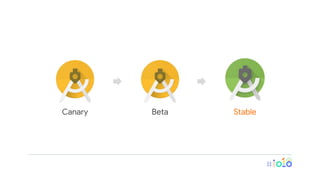
Canary Beta Stable
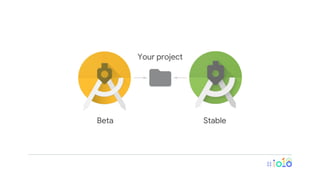
Beta Stable
Your project
Develop
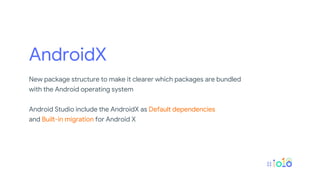
AndroidX
New package structure to make it clearer which packages are bundled
with the Android operating system
Android Studio include the AndroidX as Default dependencies
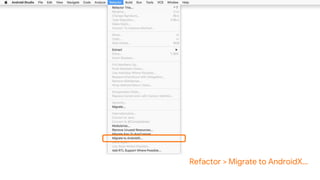
and Built-in migration for Android X
// build.gradle
dependencies {
implementation fileTree(dir: 'libs', include: ['*.jar'])
implementation "org.jetbrains.kotlin:kotlin-stdlib-jdk7:$kotlin_version"
implementation 'androidx.appcompat:appcompat:1.0.0-alpha3'
implementation 'androidx.constraintlayout:constraintlayout:1.1.2'
implementation 'androidx.legacy:legacy-support-v4:1.0.0-alpha3'
testImplementation 'junit:junit:4.12'
androidTestImplementation 'androidx.test:runner:1.1.0-alpha3'
androidTestImplementation 'androidx.test.espresso:espresso-core:3.1.0-alpha3'
}
Refactor > Migrate to AndroidX...
// build.gradle
dependencies {
implementation fileTree(dir: 'libs', include: ['*.jar'])
implementation "org.jetbrains.kotlin:kotlin-stdlib-jdk7:$kotlin_version"
implementation 'androidx.appcompat:appcompat:1.0.0-alpha3'
implementation 'androidx.constraintlayout:constraintlayout:1.1.2'
implementation 'androidx.legacy:legacy-support-v4:1.0.0-alpha3'
...
implementation('android.arch.navigation:navigation-fragment:1.0.0-alpha02') {
exclude group: 'com.android.support'
}
}
Android App Bundle
An improved way to package your app. Lets you more easily deliver a
great experience in a smaller app size, allowing for the huge variety of
Android devices available today.
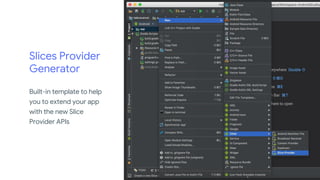
Slices Provider
Generator
Built-in template to help
you to extend your app
with the new Slice
Provider APIs
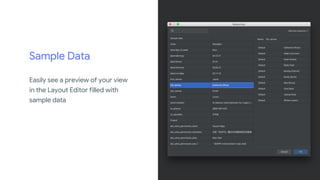
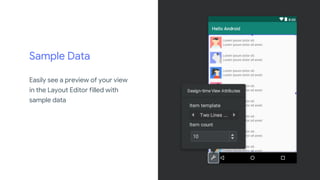
Sample Data
Easily see a preview of your view
in the Layout Editor filled with
sample data
Sample Data
Easily see a preview of your view
in the Layout Editor filled with
sample data
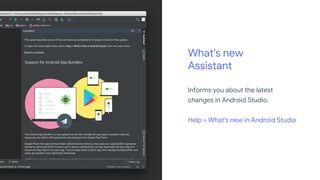
What's new
Assistant
Informs you about the latest
changes in Android Studio.
Help > What's new in Android Studio
Build
D8 desugaring
Turn on by default
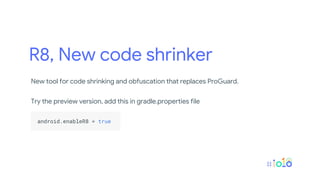
R8, New code shrinker
New tool for code shrinking and obfuscation that replaces ProGuard.
Try the preview version, add this in gradle.properties file
.
android.enableR8 = true .
.
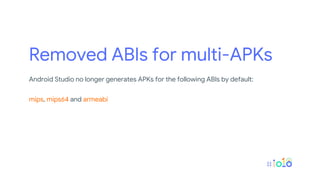
Removed ABIs for multi-APKs
Android Studio no longer generates APKs for the following ABIs by default:
mips, mips64 and armeabi
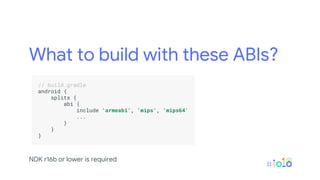
What to build with these ABIs?
.
// build.gradle .
android { .
splits { .
abi { .
include 'armeabi', 'mips', 'mips64' .
... .
} .
} .
} .
.
NDK r16b or lower is required
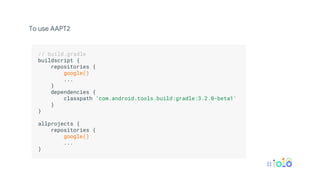
AAPT2 moved to
Google’s Maven repository
To use AAPT2
.
// build.gradle .
buildscript { .
repositories { .
google() .
... .
} .
dependencies { .
classpath 'com.android.tools.build:gradle:3.2.0-beta1' .
} .
} .
.
allprojects { .
repositories { .
google() .
... .
} .
.
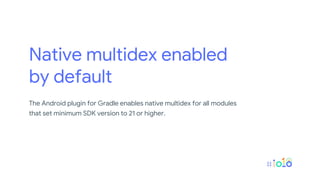
Native multidex enabled
by default
The Android plugin for Gradle enables native multidex for all modules
that set minimum SDK version to 21 or higher.
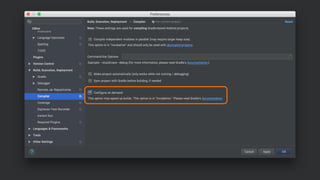
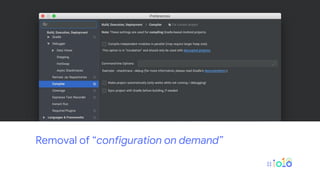
Removal of “configuration on demand”
Test
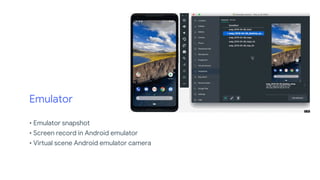
Emulator
• Emulator snapshot
• Screen record in Android emulator
• Virtual scene Android emulator camera
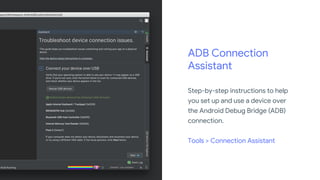
ADB Connection
Assistant
Step-by-step instructions to help
you set up and use a device over
the Android Debug Bridge (ADB)
connection.
Tools > Connection Assistant
Optimize
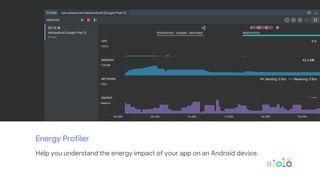
Energy Profiler
Help you understand the energy impact of your app on an Android device.
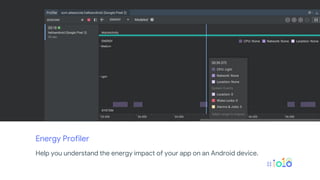
Energy Profiler
Help you understand the energy impact of your app on an Android device.
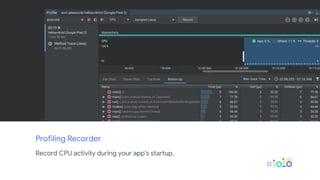
Profiling Recorder
Record CPU activity during your app's startup.
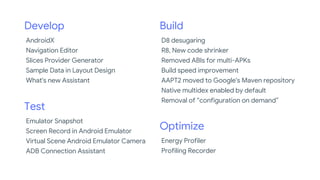
Develop
AndroidX
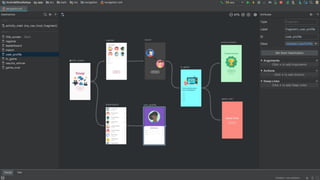
Navigation Editor
Slices Provider Generator
Sample Data in Layout Design
What's new Assistant
Build
D8 desugaring
R8, New code shrinker
Removed ABIs for multi-APKs
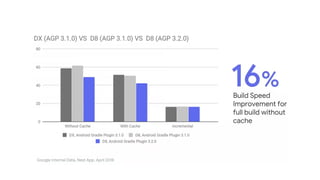
Build speed improvement
AAPT2 moved to Google's Maven repository
Native multidex enabled by default
Removal of “configuration on demand”
Test
Emulator Snapshot
Screen Record in Android Emulator
Virtual Scene Android Emulator Camera
ADB Connection Assistant
Optimize
Energy Profiler
Profiling Recorder
Android Studio on Chromebooks
And more!
Android Studio 3.2 Beta - Android Developers Blog
https://android-developers.googleblog.com/2018/06/android-studio-3-2-beta.html
Android Studio Preview
https://developer.android.com/studio/preview/
What's new in Android development tools - Google I/O '18
https://www.youtube.com/watch?v=WxAZk7A7OkM
Android App Bundle
The new app publishing format
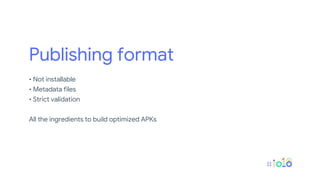
Publishing format
• Not installable
• Metadata files
• Strict validation
All the ingredients to build optimized APKs
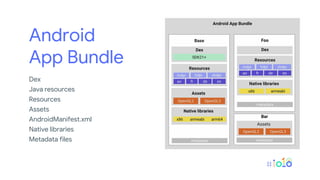
Android
App Bundle
Dex
Java resources
Resources
Assets
AndroidManifest.xml
Native libraries
Metadata files
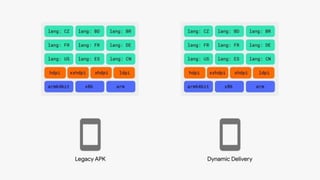
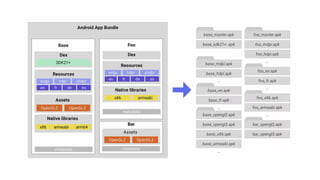
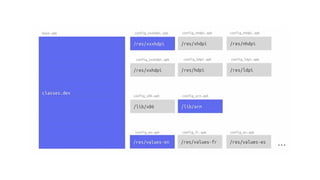
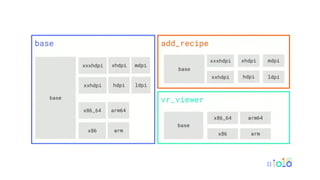
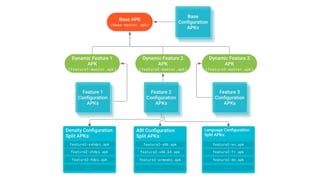
Dynamic Delivery
Uses your app bundle to generate and serve optimized APKs for each
user’s device configuration.
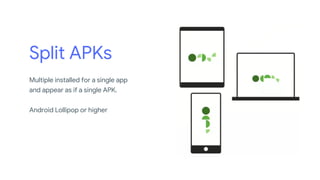
Split APKs
Multiple installed for a single app
and appear as if a single APK.
Android Lollipop or higher
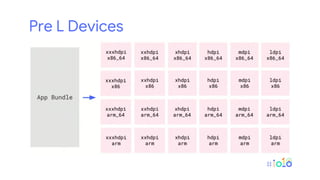
Pre L Devices
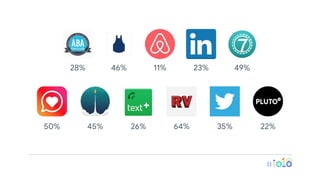
ABA English Blue Apron Airbnb LinkedIn Perigee
Jaumo Memrise TextPlus RV AppStudios Twitter Pluto TV
28% 46% 11% 23% 49%
50% 45% 26% 64% 35% 22%
.
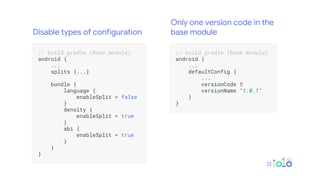
// build.gradle (Base module) .
android { .
... .
splits {...} .
.
bundle { .
language { .
enableSplit = false .
} .
density { .
enableSplit = true .
} .
abi { .
enableSplit = true .
} .
} .
} .
.
.
// build.gradle (Base module) .
android { .
... .
defaultConfig { .
... .
versionCode 5 .
versionName "1.0.1" .
} .
} .
.
Disable types of configuration
Only one version code in the
base module
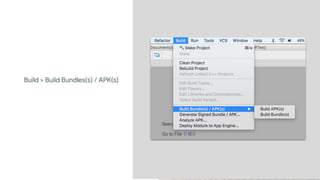
Build > Build Bundles(s) / APK(s)
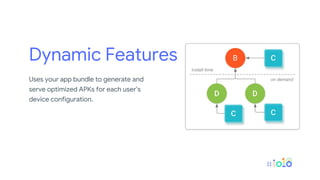
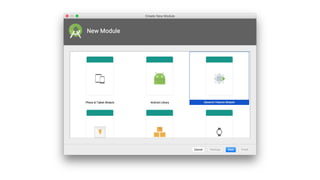
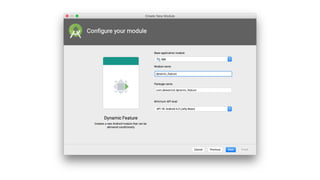
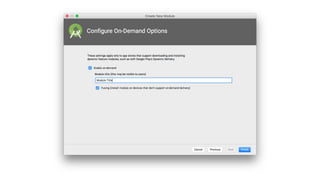
Dynamic Features
Uses your app bundle to generate and
serve optimized APKs for each user’s
device configuration.
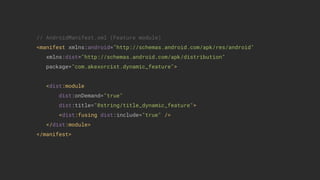
// AndroidManifest.xml (Feature module)
<manifest xmlns:android="http://schemas.android.com/apk/res/android"
xmlns:dist="http://schemas.android.com/apk/distribution"
package="com.akexorcist.dynamic_feature">
<dist:module
dist:onDemand="true"
dist:title="@string/title_dynamic_feature">
<dist:fusing dist:include="true" />
</dist:module>
</manifest>
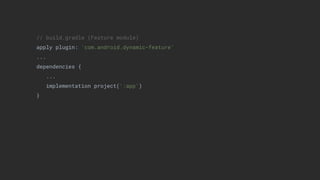
// build.gradle (Feature module)
apply plugin: 'com.android.dynamic-feature'
...
dependencies {
...
implementation project(':app')
}
// build.gradle (App module)
android {
...
dynamicFeatures = [":feature_payment"]
}
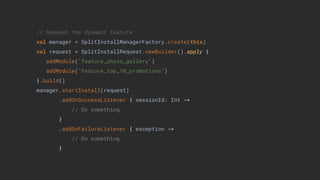
// Request the dynamic feature
val manager = SplitInstallManagerFactory.create(this)
val request = SplitInstallRequest.newBuilder().apply {
addModule("feature_photo_gallery")
addModule("feature_top_10_promotions")
}.build()
manager.startInstall(request)
.addOnSuccessListener { sessionId: Int ->
// Do something
}
.addOnFailureListener { exception ->
// Do something
}
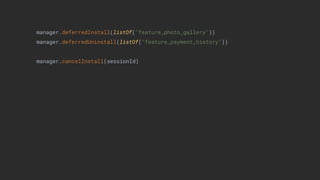
manager.deferredInstall(listOf("feature_photo_gallery"))
manager.deferredUninstall(listOf("feature_payment_history"))
manager.cancelInstall(sessionId)
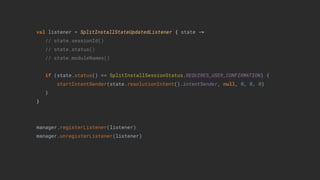
val listener = SplitInstallStateUpdatedListener { state ->
// state.sessionId()
// state.status()
// state.moduleNames()
if (state.status() == SplitInstallSessionStatus.REQUIRES_USER_CONFIRMATION) {
startIntentSender(state.resolutionIntent().intentSender, null, 0, 0, 0)
}
}
manager.registerListener(listener)
manager.unregisterListener(listener)
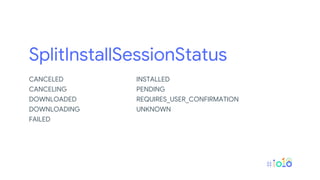
SplitInstallSessionStatus
CANCELED
CANCELING
DOWNLOADED
DOWNLOADING
FAILED
INSTALLED
PENDING
REQUIRES_USER_CONFIRMATION
UNKNOWN
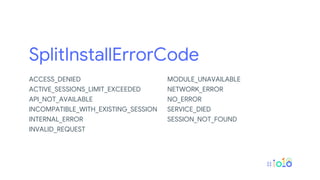
SplitInstallErrorCode
ACCESS_DENIED
ACTIVE_SESSIONS_LIMIT_EXCEEDED
API_NOT_AVAILABLE
INCOMPATIBLE_WITH_EXISTING_SESSION
INTERNAL_ERROR
INVALID_REQUEST
MODULE_UNAVAILABLE
NETWORK_ERROR
NO_ERROR
SERVICE_DIED
SESSION_NOT_FOUND
Thank you
Somkiat Khitwongwattana
developers.android.com
Helpful resources
@Akexorcist
Hello, Android Studio 3.2 & Android App Bundle @ I/O Extended Bangkok 2018

Hello, Android Studio 3.2 & Android App Bundle @ I/O Extended Bangkok 2018