ITCS – Introduction
to Cyber Security
SPRING-2021
What is Cybersecurity?
• Cyber security refers to the body of technologies, processes, and
practices designed to protect networks, devices, programs, and
data from attack, damage, or unauthorized access. Cyber
security may also be referred to as information technology
security.
• Cyber security is the practice of defending computers, servers,
mobile devices, electronic systems, networks, and data from
malicious attacks. It's also known as information technology
security or electronic information security. The term applies in a
variety of contexts, from business to mobile computing, and can
be divided into a few common categories.
Why Cybersecurity is Important?
• Our world today is ruled by technology and we can’t do
without it at all. From booking our flight tickets, to catching
up with an old friend, technology plays an important role
in it.
• However, the same technology may expose you when it’s
vulnerable and could lead to loss of essential data. Cyber
security, alongside physical commercial security has thus,
slowly and steadily, become one of the most important
topics in the business industry to be talked about.
Why Cybersecurity is Important?
• Cyber security is necessary since it helps in securing data from
threats such as data theft or misuse, also safeguards your
system from viruses.
• Cyber security becomes important as Business are being
carried now on Network of Networks. Computer networks have
always been the target of criminals, and it is likely that the
danger of cyber security breaches will only increase in the
future as these networks expand, but there are sensible
precautions that organizations can take to minimize losses
from those who seek to do harm.
CHALLENGES OF CYBER SECURITY
• For an effective cyber security, an organization needs to coordinate its
efforts throughout its entire information system. Elements of cyber
encompass all of the following:
• Network security: The process of protecting the network from
unwanted users, attacks and intrusions.
• Application security: Apps require constant updates and testing to
ensure these programs are secure from attacks.
• Endpoint security: Remote access is a necessary part of business, but
can also be a weak point for data. Endpoint security is the process of
protecting remote access to a company’s network.
CHALLENGES OF CYBER SECURITY
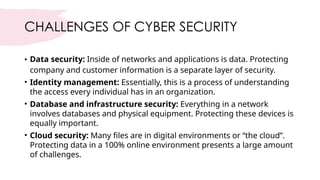
• Data security: Inside of networks and applications is data. Protecting
company and customer information is a separate layer of security.
• Identity management: Essentially, this is a process of understanding
the access every individual has in an organization.
• Database and infrastructure security: Everything in a network
involves databases and physical equipment. Protecting these devices is
equally important.
• Cloud security: Many files are in digital environments or “the cloud”.
Protecting data in a 100% online environment presents a large amount
of challenges.
CHALLENGES OF CYBER SECURITY
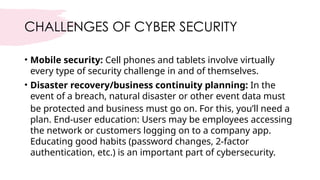
• Mobile security: Cell phones and tablets involve virtually
every type of security challenge in and of themselves.
• Disaster recovery/business continuity planning: In the
event of a breach, natural disaster or other event data must
be protected and business must go on. For this, you’ll need a
plan. End-user education: Users may be employees accessing
the network or customers logging on to a company app.
Educating good habits (password changes, 2-factor
authentication, etc.) is an important part of cybersecurity.
What is cyber security?
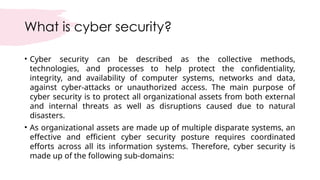
• Cyber security can be described as the collective methods,
technologies, and processes to help protect the confidentiality,
integrity, and availability of computer systems, networks and data,
against cyber-attacks or unauthorized access. The main purpose of
cyber security is to protect all organizational assets from both external
and internal threats as well as disruptions caused due to natural
disasters.
• As organizational assets are made up of multiple disparate systems, an
effective and efficient cyber security posture requires coordinated
efforts across all its information systems. Therefore, cyber security is
made up of the following sub-domains:
Sub-domains:
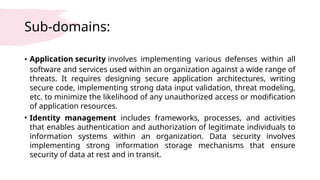
• Application security involves implementing various defenses within all
software and services used within an organization against a wide range of
threats. It requires designing secure application architectures, writing
secure code, implementing strong data input validation, threat modeling,
etc. to minimize the likelihood of any unauthorized access or modification
of application resources.
• Identity management includes frameworks, processes, and activities
that enables authentication and authorization of legitimate individuals to
information systems within an organization. Data security involves
implementing strong information storage mechanisms that ensure
security of data at rest and in transit.
Sub-domains: cont.….
• Network security involves implementing both hardware and
software mechanisms to protect the network and
infrastructure from unauthorized access, disruptions, and
misuse. Effective network security helps protect organizational
assets against multiple external and internal threats.
• Mobile security refers to protecting both organizational and
personal information stored on mobile devices like cell phones,
laptops, tablets, etc. from various threats such as unauthorized
access, device loss or theft, malware, etc.
Sub-domains: cont.….
• Cloud security relates to designing secure cloud architectures and applications
for organization using various cloud service providers such as AWS, Google, Azure,
Rackspace, etc. Effective architecture and environment configuration ensures
protection against various threats.
• Disaster recovery and business continuity planning (DR&BC) deals with
processes, monitoring, alerts and plans that help organizations prepare for
keeping business critical systems online during and after any kind of a disaster as
well as resuming lost operations and systems after an incident.
• User education formally
training individuals regarding topics on computer securityis essential in raising
awareness about industry best practices, organizational procedures and policies
as well as monitoring and reporting malicious activities.
What are the benefits of cybersecurity?
• The benefits of implementing and maintaining cybersecurity
practices include:
• Business protection against cyberattacks and data breaches.
• Protection for data and networks.
• Prevention of unauthorized user access.
• Improved recovery time after a breach.
• Protection for end users and endpoint devices.
• Regulatory compliance.
• Business continuity.
• Improved confidence in the company's reputation and trust for
developers, partners, customers, stakeholders and employees.
What is a cyber-attack?
• A cyber-attack is a deliberate attempt by external or
internal threats or attackers to exploit and compromise
the confidentiality, integrity and availability of
information systems of a target organization or
individual(s). Cyber-attackers use illegal methods, tools
and approaches to cause damages and disruptions or
gain unauthorized access to computers, devices,
networks, applications and databases.
Types of cyber threats
• The threats countered by cyber-security are three-fold:
1. Cybercrime includes single actors or groups targeting systems
for financial gain or to cause disruption.
2. Cyber-attack often involves politically motivated information
gathering.
3. Cyberterrorism is intended to undermine electronic systems to
cause panic or fear.
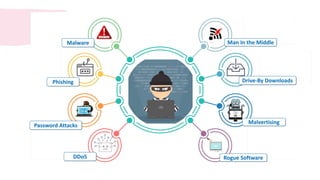
So, how do malicious actors gain control of computer systems?
Here are some common methods used to threaten cyber-security:
Cyber Threats
• Malware means malicious software. One of the most
common cyber threats, malware is software that a
cybercriminal or hacker has created to disrupt or damage a
legitimate user’s computer. Often spread via an unsolicited
email attachment or legitimate-looking download, malware
may be used by cybercriminals to make money or in politically
motivated cyber-attacks.
• Malware refers to any unwanted software and executable code used to
perform an unauthorized, often harmful, action on a computing device
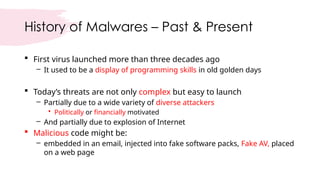
History of Malwares – Past & Present
 First virus launched more than three decades ago
– It used to be a display of programming skills in old golden days
 Today’s threats are not only complex but easy to launch
– Partially due to a wide variety of diverse attackers
• Politically or financially motivated
– And partially due to explosion of Internet
 Malicious code might be:
– embedded in an email, injected into fake software packs, Fake AV, placed
on a web page
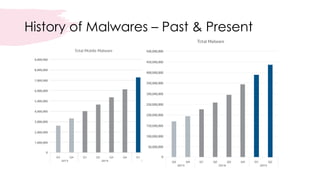
History of Malwares – Past & Present
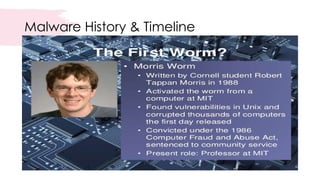
Malware History & Timeline
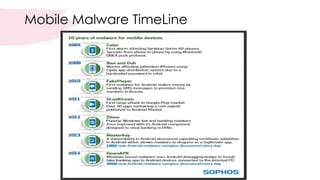
Mobile Malware TimeLine
Computer Virus - Definition
 Malicious code that replicates by copying itself to another program,
computer boot sector or document
 A virus can be spread by:
– opening an email attachment
– clicking on an executable file
– visiting an infected website or viewing an infected website advertisement
Computer Worms - Definition
 Worms are standalone software and do not require a host program
or human help to propagate
– Worms either exploit a vulnerability on the target system or
– use some kind of social engineering to trick users into executing them
Trojans - Definition
 Users are typically tricked into loading and executing it on their
systems
– Can delete / steal data, annoy the users through ads etc.
 Trojans do not reproduce by infecting other files nor do they self-
replicate
 Trojans spread through user interaction such as:
– opening an e-mail attachment or
– downloading and running a file from the Internet
Sniffers, Spyware & Keylogger
 Sniffers secretly listen on the machine’s network to capture any
passwords that might be going by on the network
 Spyware is malware that secretly collects information about your
activities (e.g. web sites you browse) and send that information to a
third party
 A keylogger is malware that records everything you type
– Attackers are usually most interested in passwords
– Keystrokes are logged into a file and sending them off to remote
attackers
Birth of Spam
 Growing use of email for official or business activities resulted in yet
another problem
– Junk email or spam for advertising goods or services
• It might be legitimate services or illegal or unwanted advertisements
– This resulted not only in waste of Business Workflow but also wastes time of
workers and even creating legal issues by spreading highly objectionable
material e.g. racism, religion or other unwanted contents
 As a countermeasure, this period resulted in email scanning and
content filtering at the Internet gateways
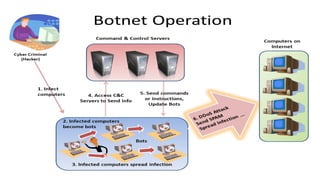
Botnet
 One major use of malware is to create botnets
– giant networks of "zombie" computers that can be made to carry out a
variety of nefarious actions
 A computer that has joined a botnet may not harm its owner directly.
– infected PCs in the botnet go on the offensive, when commanded by Bot
Master
 A bot agent can be a stand-alone malware component
– an executable or a DLL file or code added to the legitimate code
– Main function is to establish communication with the botnet’s network
component
b
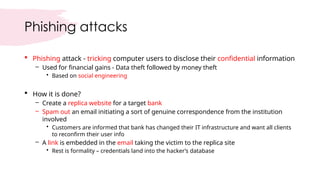
Phishing attacks
 Phishing attack - tricking computer users to disclose their confidential information
– Used for financial gains - Data theft followed by money theft
• Based on social engineering
 How it is done?
– Create a replica website for a target bank
– Spam out an email initiating a sort of genuine correspondence from the institution
involved
• Customers are informed that bank has changed their IT infrastructure and want all clients
to reconfirm their user info
– A link is embedded in the email taking the victim to the replica site
• Rest is formality – credentials land into the hacker’s database
Rootkit
 A Rootkit is a word derived from:
– root  privileged user in Linux-like OS
– kit  set of tools
 A tool that removes the footprints of hacker from the victim machine
 Rootkits bring two powerful cards to the table
– Extreme stealth and remote control
Rootkit
 A Rootkit when installed performs two main functions
– hides evidence of attackers' activities is hidden
– attackers can gain remote backdoor access to the systems at will
 Rootkits mostly run with super-user privileges
– ‘root’ in Unix-like systems and ‘Administrator’ in Windows
 Attackers exploit software weaknesses to get rootkit installed
Rootkit
 Most of Rootkits are persistent
– Remain active even system reboots
 Rootkits employ more than one mechanisms to hide the activities of
attacker
– Otherwise, attacker may need to compromise system again if patched or
upgraded
 Rootkit need to hide
– System logs, files created, processes spawned, registry entries, ports opened
etc.
The nine most common examples of
social engineering are:
1.Phishing: tactics include deceptive emails, websites, and text messages
to steal information.
2.Spear Phishing: email is used to carry out targeted attacks against
individuals or businesses.
3.Baiting: an online and physical social engineering attack that promises the
victim a reward.
4.Malware: victims are tricked into believing that malware is installed on
their computer and that if they pay, the malware will be removed.
5.Pretexting: uses false identity to trick victims into giving up information.
The nine most common examples of
social engineering are:
6. Quid Pro Quo: relies on an exchange of information or service to convince the
victim to act.
7. Tailgating: relies on human trust to give the criminal physical access to a
secure building or area.
8. Vishing: urgent voice mails convince victims they need to act quickly to protect
themselves from arrest or other risk.
9. Water-Holing: an advanced social engineering attack that infects both a
website and its visitors with malware.
The one common thread linking these social engineering techniques is the
human element. Cybercriminals know that taking advantage of human emotions
is the best way to steal.
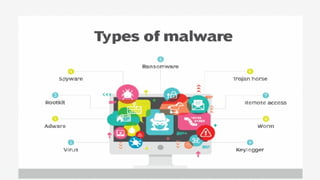
Types of Malware
• Virus: A self-replicating program that attaches itself to clean
file and spreads throughout a computer system, infecting files
with malicious code.
• Trojans: A type of malware that is disguised as legitimate
software. Cybercriminals trick users into uploading Trojans
onto their computer where they cause damage or collect data.
• Spyware: A program that secretly records what a user does,
so that cybercriminals can make use of this information. For
example, spyware could capture credit card details.
Types of Malware cont.…
• Ransomware: Malware which locks down a user’s files --
typically through encryption -- and demanding a payment to
decrypt and the threat of erasing it unless a ransom is paid.
• Adware: Advertising software which can be used to spread
malware.
• Botnets: Networks of malware infected computers which
cybercriminals use to perform tasks online without the user’s
permission.
Cyber Threats Cont.…
• SQL injection
• An SQL (structured language query) injection is a type of cyber-attack used to take control
of and steal data from a database. Cybercriminals exploit vulnerabilities in data-driven
applications to insert malicious code into a databased via a malicious SQL statement. This
gives them access to the sensitive information contained in the database.
• Social engineering
• is an attack that relies on human interaction to trick users into breaking security
procedures to gain sensitive information that is typically protected.
• Phishing
• Phishing is a form of social engineering where fraudulent email or text messages that
resemble those from reputable or known sources are sent. Often random attacks, the
intent of these messages is to steal sensitive data, such as credit card or login information.
Cyber Threats Cont.…
• Spear phishing is a type of phishing attack that has an
intended target user, organization or business.
• Insider threats are security breaches or losses caused by
humans -- for example, employees, contractors or customers.
Insider threats can be malicious or negligent in nature.
• Advanced persistent threats (APTs) are prolonged targeted
attacks in which an attacker infiltrates a network and remains
undetected for long periods of time with the aim to steal data.
Cyber Threats Cont.…
• Man-in-the-middle attack
• are eavesdropping attacks that involve an attacker intercepting and relaying messages
between two parties who believe they are communicating with each other.
• Denial-of-service attack
• A denial-of-service attack is where cybercriminals prevent a computer system from fulfilling
legitimate requests by overwhelming the networks and servers with traffic. This renders the
system unusable, preventing an organization from carrying out vital functions.
• Distributed denial-of-service (DDoS) attacks
• are those in which multiple systems disrupt the traffic of a targeted system, such as a server,
website or other network resource. By flooding the target with messages, connection
requests or packets, the attackers can slow the system or crash it, preventing legitimate
traffic from using it.
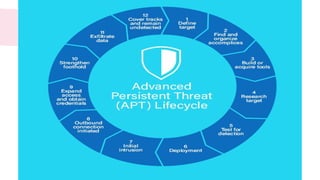
Advanced Persistent Threats
• The advanced persistent threats are those threats that go the stealthy
way around to penetrate systems and servers and stays there for a longer
time without getting noticed/detected by anybody.
• They are designed specially to mine highly sensitive information and
these days many organizations fail to protect themselves from advanced
persistent threat attacks.
• The APTs are not like typical malware, they are designed specially to serve
a purpose, and in other words, they are being made for targeted attacks.
Below is one depicted lifecycle of advanced persistent threat.
• Ransomware can also be classified as one type of APT attacks where a malware penetrates
inside your system, and as the days pass, it starts to encrypt all of your files slowly.
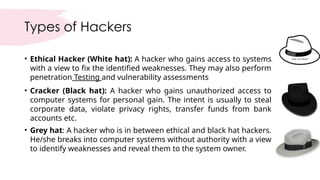
Types of Hackers
• Ethical Hacker (White hat): A hacker who gains access to systems
with a view to fix the identified weaknesses. They may also perform
penetration Testing and vulnerability assessments
• Cracker (Black hat): A hacker who gains unauthorized access to
computer systems for personal gain. The intent is usually to steal
corporate data, violate privacy rights, transfer funds from bank
accounts etc.
• Grey hat: A hacker who is in between ethical and black hat hackers.
He/she breaks into computer systems without authority with a view
to identify weaknesses and reveal them to the system owner.
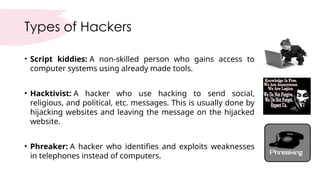
Types of Hackers
• Script kiddies: A non-skilled person who gains access to
computer systems using already made tools.
• Hacktivist: A hacker who use hacking to send social,
religious, and political, etc. messages. This is usually done by
hijacking websites and leaving the message on the hijacked
website.
• Phreaker: A hacker who identifies and exploits weaknesses
in telephones instead of computers.
•Assignment
•Latest cyber threats
What’s the difference between a cyber-
attack and a security breach?
• A cyber-attack is not exactly the same as a security breach. A cyber-attack as discussed above
is an attempt to compromise the security of a system. Attackers try to exploit the
confidentially, integrity or availability of a software or network by using various kinds of
cyber-attacks as outlined in the above section. Security breach on the other hand is
a successful event or incident in which a cyber-attack results in a compromise of sensitive
information, unauthorized access to IT systems or disruption of services.
• Attackers consistently try a multitude of cyber-attacks against their targets with a
determination that one of them would result in a security breach. Hence, security breaches
also highlight another significant part of a complete cyber security strategy; which is Business
Continuity and Incidence Response (BC-IR). BC-IR helps an organization with dealing in cases of
a successful cyber-attacks. Business Continuity relates to keeping critical business system
online when struck with a security incident whereas Incidence Response deals with
responding to a security breach and to limit its impact as well as facilitating recovery of IT and
Business systems.
How is automation used in cybersecurity?
• Automation has become an integral component to keep companies protected from the
growing number and sophistication of cyberthreats. Using artificial intelligence (AI) and
machine learning in areas with high-volume data streams can help improve cybersecurity in
three main categories:
• Threat detection. AI platforms can analyze data and recognize known threats, as well as
predict novel threats.
• Threat response. AI platforms also create and automatically enact security protections.
• Human augmentation. Security pros are often overloaded with alerts and repetitive tasks.
AI can help eliminate alert fatigue by automatically triaging low-risk alarms and automating
big data analysis and other repetitive tasks, freeing humans for more sophisticated tasks.
Other benefits of automation in cybersecurity include attack classification, malware
classification, traffic analysis, compliance analysis and more.
Cybersecurity vendors and tools
Vendors in the cybersecurity field typically offer a variety of security products
and services. Common security tools and systems include:
• Identity and access management (IAM)
• Firewalls
• Endpoint protection
• Antimalware
• Intrusion prevention/detection systems (IPS/IDS)
• Data loss prevention (DLP)
• Endpoint detection and response
Cybersecurity vendors and tools
• Security information and event management (SIEM)
• Encryption tools
• Vulnerability scanners
• Virtual private networks (VPNs)
• Cloud workload protection platform (CWPP)
• Cloud access security broker (CASB)
Well-known cybersecurity vendors include Check Point, Cisco, Code42,
CrowdStrike, FireEye, Fortinet, IBM, Imperva, KnowBe4, McAfee, Microsoft,
Palo Alto Networks, Rapid7, Splunk, Symantec, Trend Micro and Trustwave.
Cyber safety tips - protect yourself against
cyberattacks
•How can businesses and individuals guard against
cyber threats? Here are our top cyber safety tips:
• Update your software and operating system: This
means you benefit from the latest security patches.
• Use anti-virus software: Security solutions like
Kaspersky Total Security will detect and removes
threats. Keep your software updated for the best level
of protection.
Cyber safety tips - protect yourself against
cyberattacks
• Use strong passwords: Ensure your passwords are not easily
guessable.
• Do not open email attachments from unknown senders: These
could be infected with malware.
• Do not click on links in emails from unknown senders or
unfamiliar websites: This is a common way that malware is
spread.
• Avoid using unsecure WIFI networks in public places: Unsecure
networks leave you vulnerable to man-in-the-middle attacks.
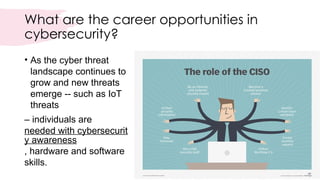
What are the career opportunities in
cybersecurity?
• As the cyber threat
landscape continues to
grow and new threats
emerge -- such as IoT
threats
– individuals are
needed with cybersecurit
y awareness
, hardware and software
skills.
Career opportunities in cybersecurity
• IT professionals and other computer specialists are needed in
security roles, such as:
• Chief information security officer (CISO) is the individual who
implements the security program across the organization and
oversees the IT security department's operations.
• Chief security office (CSO) is the executive responsible for the
physical and/or cybersecurity of a company.
• Security engineers protect company assets from threats with a
focus on quality control within the IT infrastructure.
Career opportunities in cybersecurity
• Security architects are responsible for planning, analyzing, designing, testing,
maintaining and supporting an enterprise's critical infrastructure.
• Security analysts have several responsibilities that include planning security measures
and controls, protecting digital files, and conducting both internal and external security
audits.
• Penetration testers are ethical hackers who test the security of systems, networks and
applications, seeking vulnerabilities that could be exploited by malicious actors.
• Threat hunters are threat analysts who aim to uncover vulnerabilities and attacks and
mitigate them before they compromise a business.
• Other cybersecurity careers include security consultants, data protection officer, cloud
security architects, security operations manager (SOC) managers and analysts, security
investigators, cryptographers and security administrators.
•Assignment
• 11 top cyber security best practices to prevent a
breach
Questions ???

What is Cyber & information security.pptx

  • 1.
    ITCS – Introduction toCyber Security SPRING-2021
  • 2.
    What is Cybersecurity? •Cyber security refers to the body of technologies, processes, and practices designed to protect networks, devices, programs, and data from attack, damage, or unauthorized access. Cyber security may also be referred to as information technology security. • Cyber security is the practice of defending computers, servers, mobile devices, electronic systems, networks, and data from malicious attacks. It's also known as information technology security or electronic information security. The term applies in a variety of contexts, from business to mobile computing, and can be divided into a few common categories.
  • 3.
    Why Cybersecurity isImportant? • Our world today is ruled by technology and we can’t do without it at all. From booking our flight tickets, to catching up with an old friend, technology plays an important role in it. • However, the same technology may expose you when it’s vulnerable and could lead to loss of essential data. Cyber security, alongside physical commercial security has thus, slowly and steadily, become one of the most important topics in the business industry to be talked about.
  • 4.
    Why Cybersecurity isImportant? • Cyber security is necessary since it helps in securing data from threats such as data theft or misuse, also safeguards your system from viruses. • Cyber security becomes important as Business are being carried now on Network of Networks. Computer networks have always been the target of criminals, and it is likely that the danger of cyber security breaches will only increase in the future as these networks expand, but there are sensible precautions that organizations can take to minimize losses from those who seek to do harm.
  • 5.
    CHALLENGES OF CYBERSECURITY • For an effective cyber security, an organization needs to coordinate its efforts throughout its entire information system. Elements of cyber encompass all of the following: • Network security: The process of protecting the network from unwanted users, attacks and intrusions. • Application security: Apps require constant updates and testing to ensure these programs are secure from attacks. • Endpoint security: Remote access is a necessary part of business, but can also be a weak point for data. Endpoint security is the process of protecting remote access to a company’s network.
  • 6.
    CHALLENGES OF CYBERSECURITY • Data security: Inside of networks and applications is data. Protecting company and customer information is a separate layer of security. • Identity management: Essentially, this is a process of understanding the access every individual has in an organization. • Database and infrastructure security: Everything in a network involves databases and physical equipment. Protecting these devices is equally important. • Cloud security: Many files are in digital environments or “the cloud”. Protecting data in a 100% online environment presents a large amount of challenges.
  • 7.
    CHALLENGES OF CYBERSECURITY • Mobile security: Cell phones and tablets involve virtually every type of security challenge in and of themselves. • Disaster recovery/business continuity planning: In the event of a breach, natural disaster or other event data must be protected and business must go on. For this, you’ll need a plan. End-user education: Users may be employees accessing the network or customers logging on to a company app. Educating good habits (password changes, 2-factor authentication, etc.) is an important part of cybersecurity.
  • 8.
    What is cybersecurity? • Cyber security can be described as the collective methods, technologies, and processes to help protect the confidentiality, integrity, and availability of computer systems, networks and data, against cyber-attacks or unauthorized access. The main purpose of cyber security is to protect all organizational assets from both external and internal threats as well as disruptions caused due to natural disasters. • As organizational assets are made up of multiple disparate systems, an effective and efficient cyber security posture requires coordinated efforts across all its information systems. Therefore, cyber security is made up of the following sub-domains:
  • 9.
    Sub-domains: • Application securityinvolves implementing various defenses within all software and services used within an organization against a wide range of threats. It requires designing secure application architectures, writing secure code, implementing strong data input validation, threat modeling, etc. to minimize the likelihood of any unauthorized access or modification of application resources. • Identity management includes frameworks, processes, and activities that enables authentication and authorization of legitimate individuals to information systems within an organization. Data security involves implementing strong information storage mechanisms that ensure security of data at rest and in transit.
  • 10.
    Sub-domains: cont.…. • Networksecurity involves implementing both hardware and software mechanisms to protect the network and infrastructure from unauthorized access, disruptions, and misuse. Effective network security helps protect organizational assets against multiple external and internal threats. • Mobile security refers to protecting both organizational and personal information stored on mobile devices like cell phones, laptops, tablets, etc. from various threats such as unauthorized access, device loss or theft, malware, etc.
  • 11.
    Sub-domains: cont.…. • Cloudsecurity relates to designing secure cloud architectures and applications for organization using various cloud service providers such as AWS, Google, Azure, Rackspace, etc. Effective architecture and environment configuration ensures protection against various threats. • Disaster recovery and business continuity planning (DR&BC) deals with processes, monitoring, alerts and plans that help organizations prepare for keeping business critical systems online during and after any kind of a disaster as well as resuming lost operations and systems after an incident. • User education formally training individuals regarding topics on computer securityis essential in raising awareness about industry best practices, organizational procedures and policies as well as monitoring and reporting malicious activities.
  • 14.
    What are thebenefits of cybersecurity? • The benefits of implementing and maintaining cybersecurity practices include: • Business protection against cyberattacks and data breaches. • Protection for data and networks. • Prevention of unauthorized user access. • Improved recovery time after a breach. • Protection for end users and endpoint devices. • Regulatory compliance. • Business continuity. • Improved confidence in the company's reputation and trust for developers, partners, customers, stakeholders and employees.
  • 15.
    What is acyber-attack? • A cyber-attack is a deliberate attempt by external or internal threats or attackers to exploit and compromise the confidentiality, integrity and availability of information systems of a target organization or individual(s). Cyber-attackers use illegal methods, tools and approaches to cause damages and disruptions or gain unauthorized access to computers, devices, networks, applications and databases.
  • 16.
    Types of cyberthreats • The threats countered by cyber-security are three-fold: 1. Cybercrime includes single actors or groups targeting systems for financial gain or to cause disruption. 2. Cyber-attack often involves politically motivated information gathering. 3. Cyberterrorism is intended to undermine electronic systems to cause panic or fear. So, how do malicious actors gain control of computer systems? Here are some common methods used to threaten cyber-security:
  • 18.
    Cyber Threats • Malwaremeans malicious software. One of the most common cyber threats, malware is software that a cybercriminal or hacker has created to disrupt or damage a legitimate user’s computer. Often spread via an unsolicited email attachment or legitimate-looking download, malware may be used by cybercriminals to make money or in politically motivated cyber-attacks. • Malware refers to any unwanted software and executable code used to perform an unauthorized, often harmful, action on a computing device
  • 19.
    History of Malwares– Past & Present  First virus launched more than three decades ago – It used to be a display of programming skills in old golden days  Today’s threats are not only complex but easy to launch – Partially due to a wide variety of diverse attackers • Politically or financially motivated – And partially due to explosion of Internet  Malicious code might be: – embedded in an email, injected into fake software packs, Fake AV, placed on a web page
  • 20.
    History of Malwares– Past & Present
  • 21.
  • 22.
  • 24.
    Computer Virus -Definition  Malicious code that replicates by copying itself to another program, computer boot sector or document  A virus can be spread by: – opening an email attachment – clicking on an executable file – visiting an infected website or viewing an infected website advertisement
  • 25.
    Computer Worms -Definition  Worms are standalone software and do not require a host program or human help to propagate – Worms either exploit a vulnerability on the target system or – use some kind of social engineering to trick users into executing them
  • 26.
    Trojans - Definition Users are typically tricked into loading and executing it on their systems – Can delete / steal data, annoy the users through ads etc.  Trojans do not reproduce by infecting other files nor do they self- replicate  Trojans spread through user interaction such as: – opening an e-mail attachment or – downloading and running a file from the Internet
  • 27.
    Sniffers, Spyware &Keylogger  Sniffers secretly listen on the machine’s network to capture any passwords that might be going by on the network  Spyware is malware that secretly collects information about your activities (e.g. web sites you browse) and send that information to a third party  A keylogger is malware that records everything you type – Attackers are usually most interested in passwords – Keystrokes are logged into a file and sending them off to remote attackers
  • 28.
    Birth of Spam Growing use of email for official or business activities resulted in yet another problem – Junk email or spam for advertising goods or services • It might be legitimate services or illegal or unwanted advertisements – This resulted not only in waste of Business Workflow but also wastes time of workers and even creating legal issues by spreading highly objectionable material e.g. racism, religion or other unwanted contents  As a countermeasure, this period resulted in email scanning and content filtering at the Internet gateways
  • 29.
    Botnet  One majoruse of malware is to create botnets – giant networks of "zombie" computers that can be made to carry out a variety of nefarious actions  A computer that has joined a botnet may not harm its owner directly. – infected PCs in the botnet go on the offensive, when commanded by Bot Master  A bot agent can be a stand-alone malware component – an executable or a DLL file or code added to the legitimate code – Main function is to establish communication with the botnet’s network component
  • 30.
  • 31.
    Phishing attacks  Phishingattack - tricking computer users to disclose their confidential information – Used for financial gains - Data theft followed by money theft • Based on social engineering  How it is done? – Create a replica website for a target bank – Spam out an email initiating a sort of genuine correspondence from the institution involved • Customers are informed that bank has changed their IT infrastructure and want all clients to reconfirm their user info – A link is embedded in the email taking the victim to the replica site • Rest is formality – credentials land into the hacker’s database
  • 32.
    Rootkit  A Rootkitis a word derived from: – root  privileged user in Linux-like OS – kit  set of tools  A tool that removes the footprints of hacker from the victim machine  Rootkits bring two powerful cards to the table – Extreme stealth and remote control
  • 33.
    Rootkit  A Rootkitwhen installed performs two main functions – hides evidence of attackers' activities is hidden – attackers can gain remote backdoor access to the systems at will  Rootkits mostly run with super-user privileges – ‘root’ in Unix-like systems and ‘Administrator’ in Windows  Attackers exploit software weaknesses to get rootkit installed
  • 34.
    Rootkit  Most ofRootkits are persistent – Remain active even system reboots  Rootkits employ more than one mechanisms to hide the activities of attacker – Otherwise, attacker may need to compromise system again if patched or upgraded  Rootkit need to hide – System logs, files created, processes spawned, registry entries, ports opened etc.
  • 35.
    The nine mostcommon examples of social engineering are: 1.Phishing: tactics include deceptive emails, websites, and text messages to steal information. 2.Spear Phishing: email is used to carry out targeted attacks against individuals or businesses. 3.Baiting: an online and physical social engineering attack that promises the victim a reward. 4.Malware: victims are tricked into believing that malware is installed on their computer and that if they pay, the malware will be removed. 5.Pretexting: uses false identity to trick victims into giving up information.
  • 36.
    The nine mostcommon examples of social engineering are: 6. Quid Pro Quo: relies on an exchange of information or service to convince the victim to act. 7. Tailgating: relies on human trust to give the criminal physical access to a secure building or area. 8. Vishing: urgent voice mails convince victims they need to act quickly to protect themselves from arrest or other risk. 9. Water-Holing: an advanced social engineering attack that infects both a website and its visitors with malware. The one common thread linking these social engineering techniques is the human element. Cybercriminals know that taking advantage of human emotions is the best way to steal.
  • 37.
    Types of Malware •Virus: A self-replicating program that attaches itself to clean file and spreads throughout a computer system, infecting files with malicious code. • Trojans: A type of malware that is disguised as legitimate software. Cybercriminals trick users into uploading Trojans onto their computer where they cause damage or collect data. • Spyware: A program that secretly records what a user does, so that cybercriminals can make use of this information. For example, spyware could capture credit card details.
  • 38.
    Types of Malwarecont.… • Ransomware: Malware which locks down a user’s files -- typically through encryption -- and demanding a payment to decrypt and the threat of erasing it unless a ransom is paid. • Adware: Advertising software which can be used to spread malware. • Botnets: Networks of malware infected computers which cybercriminals use to perform tasks online without the user’s permission.
  • 39.
    Cyber Threats Cont.… •SQL injection • An SQL (structured language query) injection is a type of cyber-attack used to take control of and steal data from a database. Cybercriminals exploit vulnerabilities in data-driven applications to insert malicious code into a databased via a malicious SQL statement. This gives them access to the sensitive information contained in the database. • Social engineering • is an attack that relies on human interaction to trick users into breaking security procedures to gain sensitive information that is typically protected. • Phishing • Phishing is a form of social engineering where fraudulent email or text messages that resemble those from reputable or known sources are sent. Often random attacks, the intent of these messages is to steal sensitive data, such as credit card or login information.
  • 40.
    Cyber Threats Cont.… •Spear phishing is a type of phishing attack that has an intended target user, organization or business. • Insider threats are security breaches or losses caused by humans -- for example, employees, contractors or customers. Insider threats can be malicious or negligent in nature. • Advanced persistent threats (APTs) are prolonged targeted attacks in which an attacker infiltrates a network and remains undetected for long periods of time with the aim to steal data.
  • 41.
    Cyber Threats Cont.… •Man-in-the-middle attack • are eavesdropping attacks that involve an attacker intercepting and relaying messages between two parties who believe they are communicating with each other. • Denial-of-service attack • A denial-of-service attack is where cybercriminals prevent a computer system from fulfilling legitimate requests by overwhelming the networks and servers with traffic. This renders the system unusable, preventing an organization from carrying out vital functions. • Distributed denial-of-service (DDoS) attacks • are those in which multiple systems disrupt the traffic of a targeted system, such as a server, website or other network resource. By flooding the target with messages, connection requests or packets, the attackers can slow the system or crash it, preventing legitimate traffic from using it.
  • 42.
    Advanced Persistent Threats •The advanced persistent threats are those threats that go the stealthy way around to penetrate systems and servers and stays there for a longer time without getting noticed/detected by anybody. • They are designed specially to mine highly sensitive information and these days many organizations fail to protect themselves from advanced persistent threat attacks. • The APTs are not like typical malware, they are designed specially to serve a purpose, and in other words, they are being made for targeted attacks. Below is one depicted lifecycle of advanced persistent threat. • Ransomware can also be classified as one type of APT attacks where a malware penetrates inside your system, and as the days pass, it starts to encrypt all of your files slowly.
  • 44.
    Types of Hackers •Ethical Hacker (White hat): A hacker who gains access to systems with a view to fix the identified weaknesses. They may also perform penetration Testing and vulnerability assessments • Cracker (Black hat): A hacker who gains unauthorized access to computer systems for personal gain. The intent is usually to steal corporate data, violate privacy rights, transfer funds from bank accounts etc. • Grey hat: A hacker who is in between ethical and black hat hackers. He/she breaks into computer systems without authority with a view to identify weaknesses and reveal them to the system owner.
  • 45.
    Types of Hackers •Script kiddies: A non-skilled person who gains access to computer systems using already made tools. • Hacktivist: A hacker who use hacking to send social, religious, and political, etc. messages. This is usually done by hijacking websites and leaving the message on the hijacked website. • Phreaker: A hacker who identifies and exploits weaknesses in telephones instead of computers.
  • 46.
  • 47.
    What’s the differencebetween a cyber- attack and a security breach? • A cyber-attack is not exactly the same as a security breach. A cyber-attack as discussed above is an attempt to compromise the security of a system. Attackers try to exploit the confidentially, integrity or availability of a software or network by using various kinds of cyber-attacks as outlined in the above section. Security breach on the other hand is a successful event or incident in which a cyber-attack results in a compromise of sensitive information, unauthorized access to IT systems or disruption of services. • Attackers consistently try a multitude of cyber-attacks against their targets with a determination that one of them would result in a security breach. Hence, security breaches also highlight another significant part of a complete cyber security strategy; which is Business Continuity and Incidence Response (BC-IR). BC-IR helps an organization with dealing in cases of a successful cyber-attacks. Business Continuity relates to keeping critical business system online when struck with a security incident whereas Incidence Response deals with responding to a security breach and to limit its impact as well as facilitating recovery of IT and Business systems.
  • 48.
    How is automationused in cybersecurity? • Automation has become an integral component to keep companies protected from the growing number and sophistication of cyberthreats. Using artificial intelligence (AI) and machine learning in areas with high-volume data streams can help improve cybersecurity in three main categories: • Threat detection. AI platforms can analyze data and recognize known threats, as well as predict novel threats. • Threat response. AI platforms also create and automatically enact security protections. • Human augmentation. Security pros are often overloaded with alerts and repetitive tasks. AI can help eliminate alert fatigue by automatically triaging low-risk alarms and automating big data analysis and other repetitive tasks, freeing humans for more sophisticated tasks. Other benefits of automation in cybersecurity include attack classification, malware classification, traffic analysis, compliance analysis and more.
  • 49.
    Cybersecurity vendors andtools Vendors in the cybersecurity field typically offer a variety of security products and services. Common security tools and systems include: • Identity and access management (IAM) • Firewalls • Endpoint protection • Antimalware • Intrusion prevention/detection systems (IPS/IDS) • Data loss prevention (DLP) • Endpoint detection and response
  • 50.
    Cybersecurity vendors andtools • Security information and event management (SIEM) • Encryption tools • Vulnerability scanners • Virtual private networks (VPNs) • Cloud workload protection platform (CWPP) • Cloud access security broker (CASB) Well-known cybersecurity vendors include Check Point, Cisco, Code42, CrowdStrike, FireEye, Fortinet, IBM, Imperva, KnowBe4, McAfee, Microsoft, Palo Alto Networks, Rapid7, Splunk, Symantec, Trend Micro and Trustwave.
  • 51.
    Cyber safety tips- protect yourself against cyberattacks •How can businesses and individuals guard against cyber threats? Here are our top cyber safety tips: • Update your software and operating system: This means you benefit from the latest security patches. • Use anti-virus software: Security solutions like Kaspersky Total Security will detect and removes threats. Keep your software updated for the best level of protection.
  • 52.
    Cyber safety tips- protect yourself against cyberattacks • Use strong passwords: Ensure your passwords are not easily guessable. • Do not open email attachments from unknown senders: These could be infected with malware. • Do not click on links in emails from unknown senders or unfamiliar websites: This is a common way that malware is spread. • Avoid using unsecure WIFI networks in public places: Unsecure networks leave you vulnerable to man-in-the-middle attacks.
  • 53.
    What are thecareer opportunities in cybersecurity? • As the cyber threat landscape continues to grow and new threats emerge -- such as IoT threats – individuals are needed with cybersecurit y awareness , hardware and software skills.
  • 54.
    Career opportunities incybersecurity • IT professionals and other computer specialists are needed in security roles, such as: • Chief information security officer (CISO) is the individual who implements the security program across the organization and oversees the IT security department's operations. • Chief security office (CSO) is the executive responsible for the physical and/or cybersecurity of a company. • Security engineers protect company assets from threats with a focus on quality control within the IT infrastructure.
  • 55.
    Career opportunities incybersecurity • Security architects are responsible for planning, analyzing, designing, testing, maintaining and supporting an enterprise's critical infrastructure. • Security analysts have several responsibilities that include planning security measures and controls, protecting digital files, and conducting both internal and external security audits. • Penetration testers are ethical hackers who test the security of systems, networks and applications, seeking vulnerabilities that could be exploited by malicious actors. • Threat hunters are threat analysts who aim to uncover vulnerabilities and attacks and mitigate them before they compromise a business. • Other cybersecurity careers include security consultants, data protection officer, cloud security architects, security operations manager (SOC) managers and analysts, security investigators, cryptographers and security administrators.
  • 56.
    •Assignment • 11 topcyber security best practices to prevent a breach
  • 57.