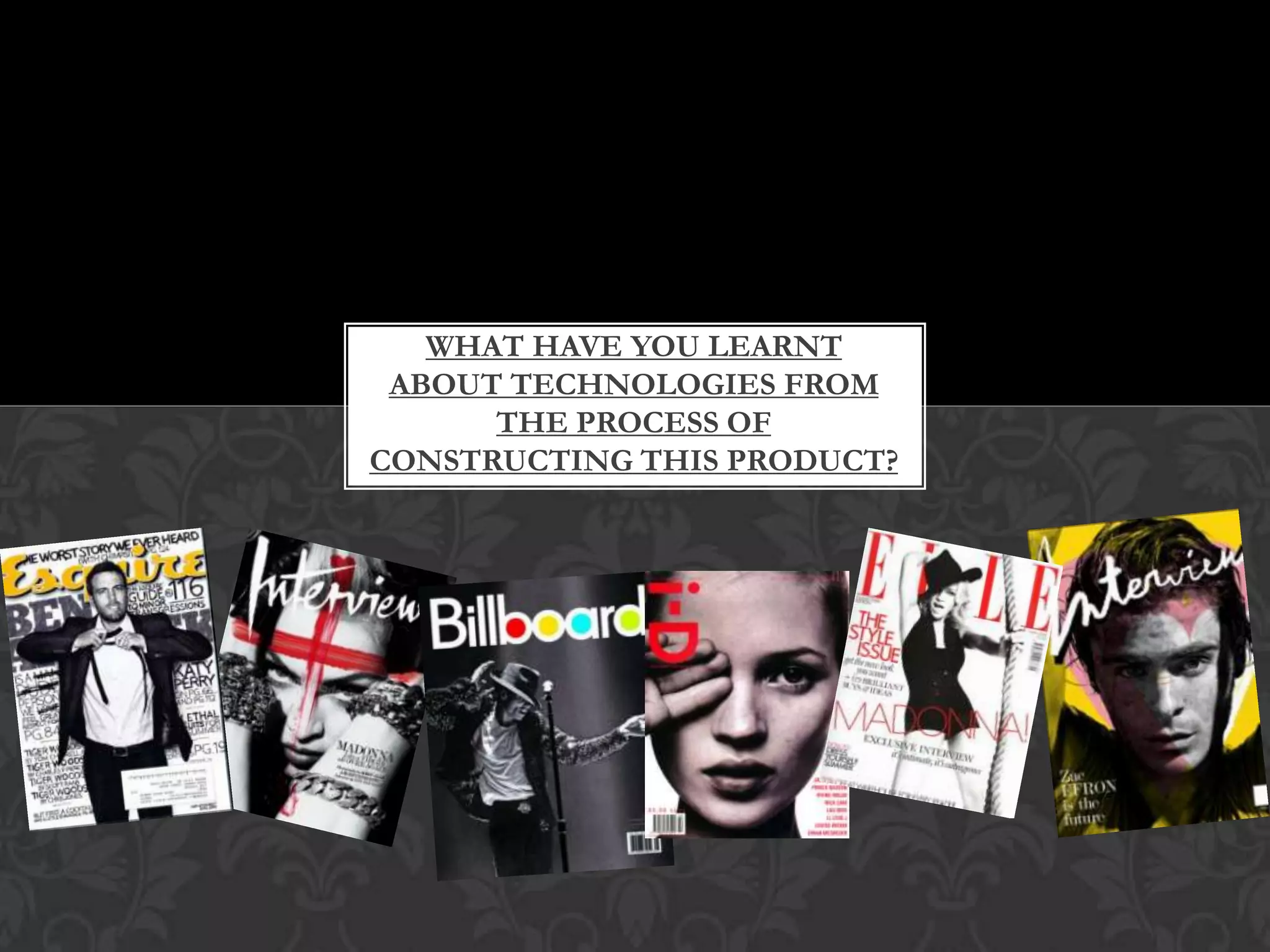
What have you learnt about technologies from the process of constructing this product?
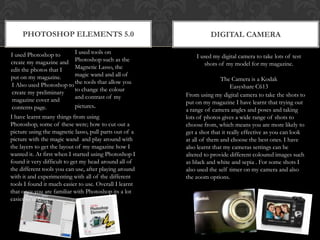
Photoshop elements 5.0Digital cameraI used tools on Photoshop such as the Magnetic Lasso, the magic wand and all of the tools that allow you to change the colour and contrast of my pictures.I used Photoshop to create my magazine and edit the photos that I put on my magazine.I used my digital camera to take lots of test shots of my model for my magazine.The Camera is a Kodak Easyshare C613 I Also used Photoshop to create my preliminary magazine cover and contents page.From using my digital camera to take the shots to put on my magazine I have learnt that trying out a range of camera angles and poses and taking lots of photos gives a wide range of shots to choose from, which means you are more likely to get a shot that it really effective as you can look at all of them and choose the best ones. I have also learnt that my cameras settings can be altered to provide different coloured images such as black and white and sepia . For some shots I also used the self timer on my camera and also the zoom options.I have learnt many things from using Photoshop, some of these were; how to cut out a picture using the magnetic lasso, pull parts out of a picture with the magic wand  and play around with the layers to get the layout of my magazine how I wanted it. At first when I started using Photoshop I found it very difficult to get my head around all of the different tools you can use, after playing around with it and experimenting with all of the different tools I found it much easier to use. Overall I learnt that once you are familiar with Photoshop its a lot easier to use.
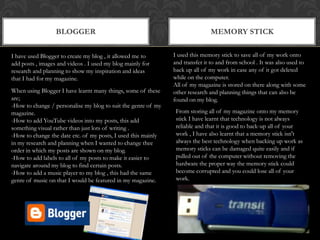
bloggerMemory stickI used this memory stick to save all of my work onto and transfer it to and from school . It was also used to back up all of my work in case any of it got deleted while on the computer.All of my magazine is stored on there along with some other research and planning things that can also be found on my blog.I have used Blogger to create my blog , it allowed me to add posts , images and videos . I used my blog mainly for research and planning to show my inspiration and ideas that I had for my magazine.When using Blogger I have learnt many things, some of these are;-How to change / personalise my blog to suit the genre of my magazine.-How to add YouTube videos into my posts, this add something visual rather than just lots of writing .-How to change the date etc. of my posts, I used this mainly in my research and planning when I wanted to change thee order in which my posts are shown on my blog.-How to add labels to all of my posts to make it easier to navigate around my blog to find certain posts.-How to add a music player to my blog , this had the same genre of music on that I would be featured in my magazine.From storing all of my magazine onto my memory stick I have learnt that technology is not always reliable and that it is good to back-up all of your work , I have also learnt that a memory stick isn't always the best technology when backing up work as memory sticks can be damaged quite easily and if pulled out of the computer without removing the hardware the proper way the memory stick could become corrupted and you could lose all of your work.
slidesharescribdI used scribd to upload word documents and then embed them into my blog. I used this mainly with my research and planning .I used uploaded my magazine pitch to Slideshare  this then allowed me to add it onto my blog, so that people could see it. Slideshare is very useful and I wouldn’t have been able to put a PowerPoint presentation on my blog if I didn’t use this website.Before doing my media task I had never heard of slideshare before. I learnt from slideshare that there is a website available that I can upload my PowerPoint presentations to and then share them/ embed them on other websites. I have also learnt how easy Slideshare is to use. However I learnt that when uploading something to Slideshare, if the file is big, it takes a long time to upload the presentation.When using scribd I learnt that when uploading a word document the text and images can be distorted slightly and move, I found this quite irritating as sometimes text would be moved over images and cover them up etc. However, I learnt that this was the quickest way to get a word document onto my blog , so I still used it quite frequently.
laptopanimotoMy Laptop is a Sony Vaio.I have used this to do the majority of my research and planning on . I also have Photoshop on my laptop so I used it to create and edit my magazine.I used Animoto to create my mood board near the start of my research and planning. It allowed me to make a video using pictures and writing , I included inspiration form my magazine and other magazine covers that I liked etc. I then embedded this video onto my blog.After doing this coursework task I have learnt that I'm much more confident on my laptop at home and working on my blog from home, I used my laptop for nearly all of my research and planning and also downloaded the trial version of Photoshop to add the finishing touches to my magazine. I also found a cutting program on my laptop that I never knew was on my laptop, this allowed me to cut out parts of web pages and saving them as JPEG images, I found this a lot easier than doing a print screen and cropping the image.By using animoto I have learnt that there is an easy way to represent my work visually by using this website, once I logged on with the schools account it allowed me to make a video longer than 30seconds. Another thing I learnt from using animoto is that you can’t put many words onto it and therefore most of my video that I made was made up of lots of images rather  a lot of text.  I also learnt that you can add music to the video and you can either use the sample music that is already on the website or a music track that you can upload from your computer.
Microsoft word, PowerPoint and publisherIn Microsoft word I learnt how to compress images down and save them, I compressed my images so that the file size isn't as big and when the picture is saved only the cropped area of the picture gets saved rather than the whole thing. In Microsoft Publisher I learnt how to crop some of my images and save them so that I could then transfer them into Photoshop and put them on my magazine .In Microsoft PowerPoint I learnt that I could use this to help present my ideas in a different way, rather than just writing text on my posts. I also learnt that the best way to present my 25 word pitch to the class was by putting all of my words and some inspiration onto the presentation. I could then upload this onto slideshare and put it on my blog.  I used Microsoft PowerPoint to create my 25 word pitch that I had to present to the class, I used this because it is easy to use and more visually entertaining than something such as a word document.I used Microsoft Publisher to take screenshots of parts of magazines and fonts, I then used the program to crop these screenshots to the size I wanted and then saved them as images so that I could put them into a blog post.Microsoft Word helped me when I was writing my blog posts, I sometime typed out my blog posts on Microsoft word first before copying and pasting them onto my blog, I did  this because I have experienced a few problems with blogger not saving my work properly . So this way I have definitely got a copy of my work. I also used Microsoft word to add all of my test shots into one document so that they were easy to access all at the same time.
GoogleCover junkieCover junkie is the website I used the most to get inspiration from for my own magazine. On the website it has a big selection of covers from lots of different styles of magazines , from lots of different years.Google is my favourite search engine to use when looking for something on the internet. I mainly used Google to find pictures  of magazine covers, contents and DPS , however I also looked for inspiration from other websites and using Google to find them.I learnt about this website from my teacher, I found that you could find many different magazine covers from lots of different genre of magazine , I found this very useful and used it in the research and planning stage of my coursework, I used this mainly to find inspiration of the layout of covers as I found this the hardest part when creating my magazine.I learnt that I could use Google to search for any website/ magazine inspiration simply by typing in a keyword or phrase for example when I was doing my research and planning I typed in the name of a certain magazine and found covers of this magazine that I liked and wanted to use for some inspiration.
Mobile phonefacebookI used my Blackberry mainly to get in contact with my friends etc. to organise when I could take some test shots for my magazine. However I occasionally used my phone to take pictures of anything that Inspired me for my magazine. For example I took a picture of an article that was in a magazine I was reading as I like the layout.I used Facebook in the same way that I used my phone, by contacting people to get together so that I could take some initial test shots for my magazine. I also used Facebook when I wanted to ask people questions about their opinion on my magazine for my market research. I learnt that using Facebook to communicate with people about my magazine/ to do some market research was not always reliable, for example Facebook chat is what I used to talk to people and it can break very easily.I learnt that using my phone was a quick and easy way to take pictures and upload them onto my computer. I also learnt that using my phone was a much more reliable form of communication than using a social networking site like Facebook, this is because on my phone I could speak to people directly rather than wait for someone to get the message on Facebook when they might not get the message in time.

What have you learnt about technologies from the

  • 1.
    What have youlearnt about technologies from the process of constructing this product?
  • 2.
    Photoshop elements 5.0DigitalcameraI used tools on Photoshop such as the Magnetic Lasso, the magic wand and all of the tools that allow you to change the colour and contrast of my pictures.I used Photoshop to create my magazine and edit the photos that I put on my magazine.I used my digital camera to take lots of test shots of my model for my magazine.The Camera is a Kodak Easyshare C613 I Also used Photoshop to create my preliminary magazine cover and contents page.From using my digital camera to take the shots to put on my magazine I have learnt that trying out a range of camera angles and poses and taking lots of photos gives a wide range of shots to choose from, which means you are more likely to get a shot that it really effective as you can look at all of them and choose the best ones. I have also learnt that my cameras settings can be altered to provide different coloured images such as black and white and sepia . For some shots I also used the self timer on my camera and also the zoom options.I have learnt many things from using Photoshop, some of these were; how to cut out a picture using the magnetic lasso, pull parts out of a picture with the magic wand and play around with the layers to get the layout of my magazine how I wanted it. At first when I started using Photoshop I found it very difficult to get my head around all of the different tools you can use, after playing around with it and experimenting with all of the different tools I found it much easier to use. Overall I learnt that once you are familiar with Photoshop its a lot easier to use.
  • 3.
    bloggerMemory stickI usedthis memory stick to save all of my work onto and transfer it to and from school . It was also used to back up all of my work in case any of it got deleted while on the computer.All of my magazine is stored on there along with some other research and planning things that can also be found on my blog.I have used Blogger to create my blog , it allowed me to add posts , images and videos . I used my blog mainly for research and planning to show my inspiration and ideas that I had for my magazine.When using Blogger I have learnt many things, some of these are;-How to change / personalise my blog to suit the genre of my magazine.-How to add YouTube videos into my posts, this add something visual rather than just lots of writing .-How to change the date etc. of my posts, I used this mainly in my research and planning when I wanted to change thee order in which my posts are shown on my blog.-How to add labels to all of my posts to make it easier to navigate around my blog to find certain posts.-How to add a music player to my blog , this had the same genre of music on that I would be featured in my magazine.From storing all of my magazine onto my memory stick I have learnt that technology is not always reliable and that it is good to back-up all of your work , I have also learnt that a memory stick isn't always the best technology when backing up work as memory sticks can be damaged quite easily and if pulled out of the computer without removing the hardware the proper way the memory stick could become corrupted and you could lose all of your work.
  • 4.
    slidesharescribdI used scribdto upload word documents and then embed them into my blog. I used this mainly with my research and planning .I used uploaded my magazine pitch to Slideshare this then allowed me to add it onto my blog, so that people could see it. Slideshare is very useful and I wouldn’t have been able to put a PowerPoint presentation on my blog if I didn’t use this website.Before doing my media task I had never heard of slideshare before. I learnt from slideshare that there is a website available that I can upload my PowerPoint presentations to and then share them/ embed them on other websites. I have also learnt how easy Slideshare is to use. However I learnt that when uploading something to Slideshare, if the file is big, it takes a long time to upload the presentation.When using scribd I learnt that when uploading a word document the text and images can be distorted slightly and move, I found this quite irritating as sometimes text would be moved over images and cover them up etc. However, I learnt that this was the quickest way to get a word document onto my blog , so I still used it quite frequently.
  • 5.
    laptopanimotoMy Laptop isa Sony Vaio.I have used this to do the majority of my research and planning on . I also have Photoshop on my laptop so I used it to create and edit my magazine.I used Animoto to create my mood board near the start of my research and planning. It allowed me to make a video using pictures and writing , I included inspiration form my magazine and other magazine covers that I liked etc. I then embedded this video onto my blog.After doing this coursework task I have learnt that I'm much more confident on my laptop at home and working on my blog from home, I used my laptop for nearly all of my research and planning and also downloaded the trial version of Photoshop to add the finishing touches to my magazine. I also found a cutting program on my laptop that I never knew was on my laptop, this allowed me to cut out parts of web pages and saving them as JPEG images, I found this a lot easier than doing a print screen and cropping the image.By using animoto I have learnt that there is an easy way to represent my work visually by using this website, once I logged on with the schools account it allowed me to make a video longer than 30seconds. Another thing I learnt from using animoto is that you can’t put many words onto it and therefore most of my video that I made was made up of lots of images rather a lot of text. I also learnt that you can add music to the video and you can either use the sample music that is already on the website or a music track that you can upload from your computer.
  • 6.
    Microsoft word, PowerPointand publisherIn Microsoft word I learnt how to compress images down and save them, I compressed my images so that the file size isn't as big and when the picture is saved only the cropped area of the picture gets saved rather than the whole thing. In Microsoft Publisher I learnt how to crop some of my images and save them so that I could then transfer them into Photoshop and put them on my magazine .In Microsoft PowerPoint I learnt that I could use this to help present my ideas in a different way, rather than just writing text on my posts. I also learnt that the best way to present my 25 word pitch to the class was by putting all of my words and some inspiration onto the presentation. I could then upload this onto slideshare and put it on my blog. I used Microsoft PowerPoint to create my 25 word pitch that I had to present to the class, I used this because it is easy to use and more visually entertaining than something such as a word document.I used Microsoft Publisher to take screenshots of parts of magazines and fonts, I then used the program to crop these screenshots to the size I wanted and then saved them as images so that I could put them into a blog post.Microsoft Word helped me when I was writing my blog posts, I sometime typed out my blog posts on Microsoft word first before copying and pasting them onto my blog, I did this because I have experienced a few problems with blogger not saving my work properly . So this way I have definitely got a copy of my work. I also used Microsoft word to add all of my test shots into one document so that they were easy to access all at the same time.
  • 7.
    GoogleCover junkieCover junkieis the website I used the most to get inspiration from for my own magazine. On the website it has a big selection of covers from lots of different styles of magazines , from lots of different years.Google is my favourite search engine to use when looking for something on the internet. I mainly used Google to find pictures of magazine covers, contents and DPS , however I also looked for inspiration from other websites and using Google to find them.I learnt about this website from my teacher, I found that you could find many different magazine covers from lots of different genre of magazine , I found this very useful and used it in the research and planning stage of my coursework, I used this mainly to find inspiration of the layout of covers as I found this the hardest part when creating my magazine.I learnt that I could use Google to search for any website/ magazine inspiration simply by typing in a keyword or phrase for example when I was doing my research and planning I typed in the name of a certain magazine and found covers of this magazine that I liked and wanted to use for some inspiration.
  • 8.
    Mobile phonefacebookI usedmy Blackberry mainly to get in contact with my friends etc. to organise when I could take some test shots for my magazine. However I occasionally used my phone to take pictures of anything that Inspired me for my magazine. For example I took a picture of an article that was in a magazine I was reading as I like the layout.I used Facebook in the same way that I used my phone, by contacting people to get together so that I could take some initial test shots for my magazine. I also used Facebook when I wanted to ask people questions about their opinion on my magazine for my market research. I learnt that using Facebook to communicate with people about my magazine/ to do some market research was not always reliable, for example Facebook chat is what I used to talk to people and it can break very easily.I learnt that using my phone was a quick and easy way to take pictures and upload them onto my computer. I also learnt that using my phone was a much more reliable form of communication than using a social networking site like Facebook, this is because on my phone I could speak to people directly rather than wait for someone to get the message on Facebook when they might not get the message in time.