Writing Assignment – Week 4
Kimberly Wilson
Spring 2016
Belhaven University – Jackson, Mississippi
This app is a great way for me
to keep lines of communication
open with parents. It is a
reliable and direct messaging
system that allows teachers to
send class announcements and
uploaded attachments, like
permission slips, for parents to
view and submit.
ADVANTAGES:
•FREE
•Communication with parents is
easy and effective while
remaining safe
•Paperless form of providing
assignments to students and
receiving their responses
•Receive notifications when
students/parents update or
respond
DISADVANTAGES:
•Parents and students must sign
up in order to receive the
services
REMIND 101
ClassDojo
ADVANTAGES:
•FREE
•Customizable to fit the needs of individual
students
•Promotes positive feedback and classroom
environment
DISADVANTAGES:
•Students’ pursuit of points becomes more
important than a lesson
•Objections are attempted about decisions made
on giving points
ClassDojo is an app that is intended for teachers and
teachers to encourage good behavior and gain important
skills and curiosity through the use of a point system. This
app will be used to encourage my students to practice self
control and encourage good decision making in a positive
manner.
TETHER
Tether enables teachers to
connect their iPad and the
MacBook computer in order
to present information from
anywhere in the classroom.
If there is a program or
information that is saved on
a computer, the teacher
can simply connect the two
and keep moving as they
teach without having to
transfer information or
programs to the other
device.
ADVANTAGES:
•FREE
•Allows the teacher to move
around the room without
attachments
DISADVANTAGES:
•Computer and iPad have to work
in tandem and must be open at the
same time.
BRAINPOP
ADVANTAGES:
•Engaging and interesting way to
present information
•Very informative with accurate
information
•Presents on multiple topics and
subject areas
DISADVANTAGES:
•Users have to subscribe to it in
order to receive the videos and
information
Brainpop is a program created for
teachers to display educational videos
that present information about a
multitude of topics from different areas
of study. It will be used to reinforce the
new knowledge that students are gaining
through lessons being taught in the
classroom. Each video has a series of
questions that follow to ensure students
comprehension of what they just learn.
These will be done as a whole group with
discussion.
BOOKSOURCE
ADVANTAGES:
•FREE
•Easy to use
•Personalized for each student
in the class
DISADVANTAGES:
•Teacher has to upload all of
the students names and create
login information
Book Source is a great tool for
organizing and keeping track of
classroom library books. It provides an
easy and accurate way of checking
books in and out, so they are less
likely to “run off”. My students
simply go to our library, choose a
book, and bring it to me to check out.
I can log on to the app from my iPad
or MacBook, and type in the name of
the book or simply scan the barcode
on the back.
LIGHTBOT
ADVANTAGES:
•Some puzzles are FREE
•Easy to use as an introduction
to coding for students with
little to no experience
•Give users a practical sense
of control-flow while learning
how to write commands
•Has a wide range of difficulty
levels with 20 puzzles.
DISADVANTAGES:
•It cost $2.99 to gain access to
the entire program
•Does not use
coding/programming
terminology
Light Bot is a great app that provides an
opportunity for students to begin coding.
This year we have implemented a 5th
grade
computer science course. Our students
have been learning how to code, and these
puzzles give them a fresh slate and a new
aspect of coding. My students have also
worked with 4th
grade classes to teach them
what coding is all about, using this
program.
SUN & MOON FREE
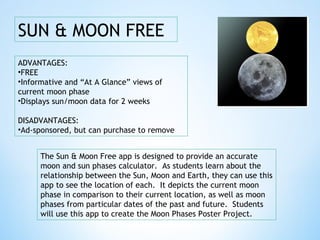
The Sun & Moon Free app is designed to provide an accurate
moon and sun phases calculator. As students learn about the
relationship between the Sun, Moon and Earth, they can use this
app to see the location of each. It depicts the current moon
phase in comparison to their current location, as well as moon
phases from particular dates of the past and future. Students
will use this app to create the Moon Phases Poster Project.
ADVANTAGES:
•FREE
•Informative and “At A Glance” views of
current moon phase
•Displays sun/moon data for 2 weeks
DISADVANTAGES:
•Ad-sponsored, but can purchase to remove
DUOLINGO
ADVANTAGES:
•FREE
•No Adds
•No Fees
•Engages students in fun ways
DISADVANTAGES:
•At times, the app quits without
warning
•Better as supplemental material
rather than the only source used
Duolingo is an app that I will be
able to use in the classroom to
improve vocabulary and
speaking skills of ELL students.
They will be able to play games
and listen to stories and
complete lessons as they
practice speaking and reading
the English language.
DOCERI
ADVANTAGES:
•FREE
•Allows mobility for teachers
•Teachers can save presentations for later
use
•Supported by a variety of devices: iPad, Mac
or PC
DISADVANTAGES:
•No keyboard to type on
I use this app often in my classroom. It is an
interactive whiteboard that enables me to take
pictures or screen shots from websites and
display them on the board. At the same time, I
am able to write or mark on the images as
needed to explain what we are talking about.
It has also been used to create Venn-Diagrams
and discuss key points of the lesson being
taught. The students like it because they can
visualize what we are learning and copy it into
their spiral notebook for notes.
KEYNOTE
ADVANTAGES:
•Provides numerous layout
and them options
•Easy to use
DISADVANTAGES:
•Can be expensive
•Only developed for use on
an Apple device
Students and teachers may use
Keynote to create presentations to be
presented from their iPad or MacBook
Air. My students have created
Keynote presentations to display their
knowledge and understanding of
vocabulary words, as well as a
Fraction of the Year project for Math.

Week4-Writing Assignment-Classroom Apps

  • 1.
    Writing Assignment –Week 4 Kimberly Wilson Spring 2016 Belhaven University – Jackson, Mississippi
  • 2.
    This app isa great way for me to keep lines of communication open with parents. It is a reliable and direct messaging system that allows teachers to send class announcements and uploaded attachments, like permission slips, for parents to view and submit. ADVANTAGES: •FREE •Communication with parents is easy and effective while remaining safe •Paperless form of providing assignments to students and receiving their responses •Receive notifications when students/parents update or respond DISADVANTAGES: •Parents and students must sign up in order to receive the services REMIND 101
  • 3.
    ClassDojo ADVANTAGES: •FREE •Customizable to fitthe needs of individual students •Promotes positive feedback and classroom environment DISADVANTAGES: •Students’ pursuit of points becomes more important than a lesson •Objections are attempted about decisions made on giving points ClassDojo is an app that is intended for teachers and teachers to encourage good behavior and gain important skills and curiosity through the use of a point system. This app will be used to encourage my students to practice self control and encourage good decision making in a positive manner.
  • 4.
    TETHER Tether enables teachersto connect their iPad and the MacBook computer in order to present information from anywhere in the classroom. If there is a program or information that is saved on a computer, the teacher can simply connect the two and keep moving as they teach without having to transfer information or programs to the other device. ADVANTAGES: •FREE •Allows the teacher to move around the room without attachments DISADVANTAGES: •Computer and iPad have to work in tandem and must be open at the same time.
  • 5.
    BRAINPOP ADVANTAGES: •Engaging and interestingway to present information •Very informative with accurate information •Presents on multiple topics and subject areas DISADVANTAGES: •Users have to subscribe to it in order to receive the videos and information Brainpop is a program created for teachers to display educational videos that present information about a multitude of topics from different areas of study. It will be used to reinforce the new knowledge that students are gaining through lessons being taught in the classroom. Each video has a series of questions that follow to ensure students comprehension of what they just learn. These will be done as a whole group with discussion.
  • 6.
    BOOKSOURCE ADVANTAGES: •FREE •Easy to use •Personalizedfor each student in the class DISADVANTAGES: •Teacher has to upload all of the students names and create login information Book Source is a great tool for organizing and keeping track of classroom library books. It provides an easy and accurate way of checking books in and out, so they are less likely to “run off”. My students simply go to our library, choose a book, and bring it to me to check out. I can log on to the app from my iPad or MacBook, and type in the name of the book or simply scan the barcode on the back.
  • 7.
    LIGHTBOT ADVANTAGES: •Some puzzles areFREE •Easy to use as an introduction to coding for students with little to no experience •Give users a practical sense of control-flow while learning how to write commands •Has a wide range of difficulty levels with 20 puzzles. DISADVANTAGES: •It cost $2.99 to gain access to the entire program •Does not use coding/programming terminology Light Bot is a great app that provides an opportunity for students to begin coding. This year we have implemented a 5th grade computer science course. Our students have been learning how to code, and these puzzles give them a fresh slate and a new aspect of coding. My students have also worked with 4th grade classes to teach them what coding is all about, using this program.
  • 8.
    SUN & MOONFREE The Sun & Moon Free app is designed to provide an accurate moon and sun phases calculator. As students learn about the relationship between the Sun, Moon and Earth, they can use this app to see the location of each. It depicts the current moon phase in comparison to their current location, as well as moon phases from particular dates of the past and future. Students will use this app to create the Moon Phases Poster Project. ADVANTAGES: •FREE •Informative and “At A Glance” views of current moon phase •Displays sun/moon data for 2 weeks DISADVANTAGES: •Ad-sponsored, but can purchase to remove
  • 9.
    DUOLINGO ADVANTAGES: •FREE •No Adds •No Fees •Engagesstudents in fun ways DISADVANTAGES: •At times, the app quits without warning •Better as supplemental material rather than the only source used Duolingo is an app that I will be able to use in the classroom to improve vocabulary and speaking skills of ELL students. They will be able to play games and listen to stories and complete lessons as they practice speaking and reading the English language.
  • 10.
    DOCERI ADVANTAGES: •FREE •Allows mobility forteachers •Teachers can save presentations for later use •Supported by a variety of devices: iPad, Mac or PC DISADVANTAGES: •No keyboard to type on I use this app often in my classroom. It is an interactive whiteboard that enables me to take pictures or screen shots from websites and display them on the board. At the same time, I am able to write or mark on the images as needed to explain what we are talking about. It has also been used to create Venn-Diagrams and discuss key points of the lesson being taught. The students like it because they can visualize what we are learning and copy it into their spiral notebook for notes.
  • 11.
    KEYNOTE ADVANTAGES: •Provides numerous layout andthem options •Easy to use DISADVANTAGES: •Can be expensive •Only developed for use on an Apple device Students and teachers may use Keynote to create presentations to be presented from their iPad or MacBook Air. My students have created Keynote presentations to display their knowledge and understanding of vocabulary words, as well as a Fraction of the Year project for Math.