JAVASCRIPT:
   an introduction
What is JavaScript?
        JavaScript

        It adds interactivity to a Web page;
        It is combined with CSS to manipulate a Web page;
        It is a client-side language, which runs in a client
         software (browser ) that the viewer is using, rather than
         on a server;
        It is a scripting language (doesn’t require a compiling
         language to compile the codes before it runs);
        It is case-sensitive.

                                                                     2
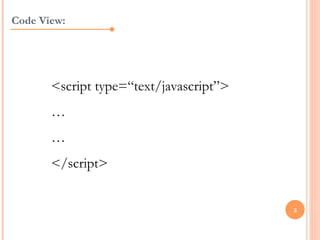
Code View:


       <script type=“text/javascript”>
       …
       …
       </script>


                                         3
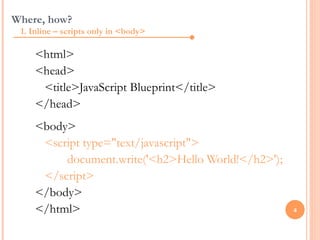
Where, how?
 1. Inline – scripts only in <body>

     <html>
     <head>
      <title>JavaScript Blueprint</title>
     </head>
     <body>
      <script type="text/javascript">
          document.write('<h2>Hello World!</h2>');
      </script>
     </body>
     </html>                                         4
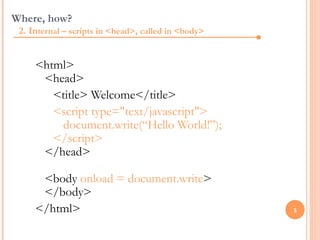
Where, how?
 2. Internal – scripts in <head>, called in <body>


     <html>
      <head>
        <title> Welcome</title>
        <script type="text/javascript">
         document.write(“Hello World!”);
        </script>
      </head>

      <body onload = document.write>
      </body>
     </html>                                         5
Where, how?
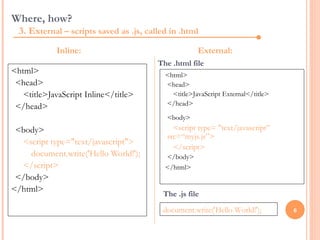
  3. External – scripts saved as .js, called in .html
            Inline:                                   External:
                                         The .html file
<html>                                     <html>
 <head>                                    <head>
   <title>JavaScript Inline</title>          <title>JavaScript External</title>
 </head>                                   </head>
                                            <body>
 <body>                                       <script type= "text/javascript”
                                            src=“myjs.js”>
  <script type="text/javascript">
                                              </script>
    document.write('Hello World!');        </body>
  </script>                                </html>
 </body>
</html>
                                           The .js file

                                           document.write('Hello World!');        6
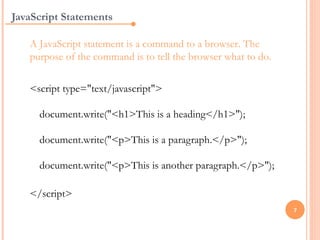
JavaScript Statements

   A JavaScript statement is a command to a browser. The
   purpose of the command is to tell the browser what to do.

   <script type="text/javascript">

     document.write("<h1>This is a heading</h1>");

     document.write("<p>This is a paragraph.</p>");

     document.write("<p>This is another paragraph.</p>");

   </script>
                                                               7
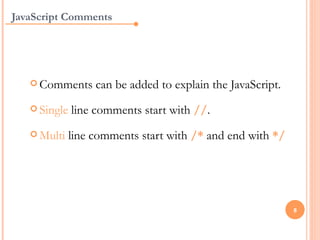
JavaScript Comments


    Comments      can be added to explain the JavaScript.
    Single   line comments start with //.
    Multi    line comments start with /* and end with */


                                                             8
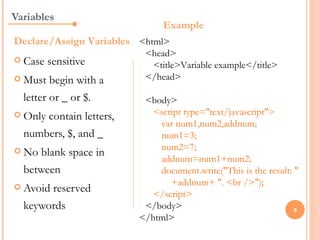
Variables
                               Example
Declare/Assign Variables <html>
                          <head>
 Case   sensitive         <title>Variable example</title>
 Must   begin with a     </head>

  letter or _ or $.       <body>
 Onlycontain letters,      <script type="text/javascript">
                             var num1,num2,addnum;
  numbers, $, and _          num1=3;
 No                         num2=7;
     blank space in
                             addnum=num1+num2;
  between                    document.write("This is the result: "
 Avoid
                                +addnum+ ". <br />");
       reserved             </script>
  keywords                </body>                                9
                         </html>
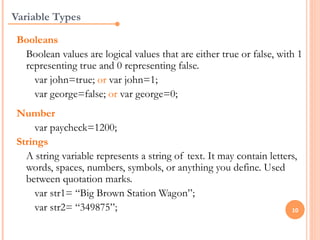
Variable Types

 Booleans
  Boolean values are logical values that are either true or false, with 1
  representing true and 0 representing false.
    var john=true; or var john=1;
    var george=false; or var george=0;
 Number
     var paycheck=1200;
 Strings
   A string variable represents a string of text. It may contain letters,
   words, spaces, numbers, symbols, or anything you define. Used
   between quotation marks.
     var str1= “Big Brown Station Wagon”;
     var str2= “349875”;                                               10
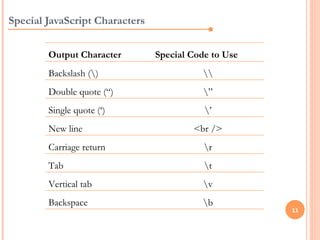
Special JavaScript Characters


        Output Character        Special Code to Use
        Backslash ()                      
        Double quote (“)                   ”
        Single quote (‘)                   ’
        New line                        <br />
        Carriage return                    r
        Tab                                t
        Vertical tab                       v
        Backspace                          b
                                                      11
If statement


     ifstatement - use this statement to execute
      some code only if a specified condition is true
     if...else
              statement - use this statement to
      execute some code if the condition is true and
      another code if the condition is false
     if...elseif....else statement - use this statement
      to select one of many blocks of code to be
      executed
                                                           12
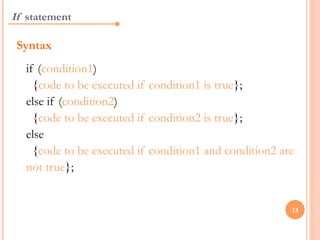
If statement

 Syntax
  if (condition1)
    {code to be executed if condition1 is true};
  else if (condition2)
    {code to be executed if condition2 is true};
  else
    {code to be executed if condition1 and condition2 are
  not true};


                                                        13
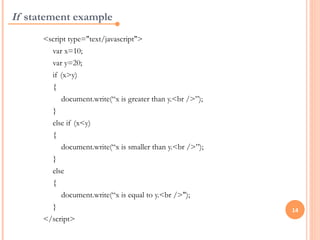
If statement example
      <script type="text/javascript">
        var x=10;
        var y=20;
        if (x>y)
        {
           document.write(“x is greater than y.<br />”);
        }
        else if (x<y)
        {
           document.write(“x is smaller than y.<br />”);
        }
        else
        {
           document.write(“x is equal to y.<br />");
        }                                                  14
      </script>
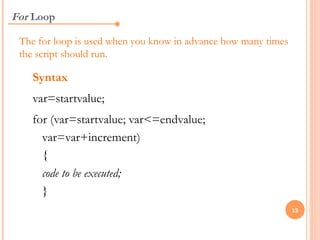
For Loop

 The for loop is used when you know in advance how many times
 the script should run.

   Syntax
   var=startvalue;
   for (var=startvalue; var<=endvalue;
     var=var+increment)
     {
     code to be executed;
     }
                                                                15
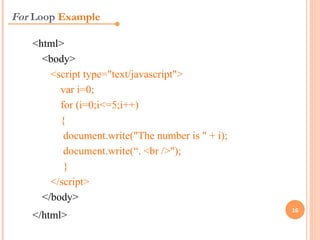
For Loop Example

   <html>
     <body>
       <script type="text/javascript">
         var i=0;
         for (i=0;i<=5;i++)
         {
          document.write("The number is " + i);
          document.write(“. <br />");
          }
       </script>
     </body>
                                                  16
   </html>
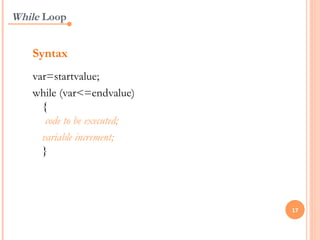
While Loop


   Syntax
   var=startvalue;
   while (var<=endvalue)
     {
      code to be executed;
     variable increment;
     }


                             17
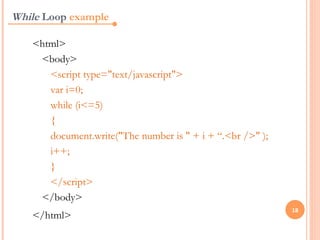
While Loop example

   <html>
    <body>
      <script type="text/javascript">
      var i=0;
      while (i<=5)
      {
      document.write("The number is " + i + “.<br />" );
      i++;
      }
      </script>
    </body>
                                                           18
   </html>
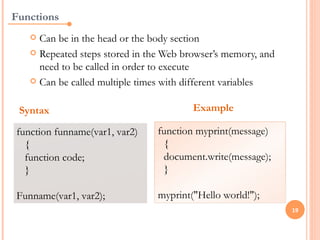
Functions
    Can be in the head or the body section
    Repeated steps stored in the Web browser’s memory, and
     need to be called in order to execute
    Can be called multiple times with different variables


 Syntax                                 Example

function funname(var1, var2)    function myprint(message)
  {                               {
  function code;                  document.write(message);
  }                               }
                                 
Funname(var1, var2);            myprint("Hello world!");
                                                              19
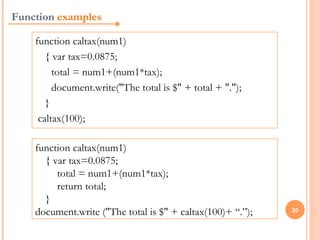
Function examples

    function caltax(num1)
       { var tax=0.0875;
         total = num1+(num1*tax);
         document.write("The total is $" + total + ".");
       }
     caltax(100);

    function caltax(num1)
      { var tax=0.0875;
         total = num1+(num1*tax);
         return total;
      }
    document.write ("The total is $" + caltax(100)+ “.”);   20
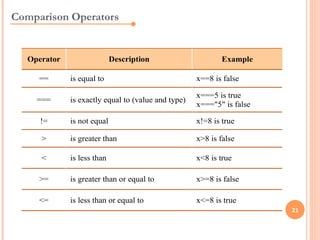
Comparison Operators


   Operator                  Description                     Example

     ==       is equal to                            x==8 is false

                                                     x===5 is true
     ===      is exactly equal to (value and type)
                                                     x==="5" is false

      !=      is not equal                           x!=8 is true

      >       is greater than                        x>8 is false

      <       is less than                           x<8 is true

     >=       is greater than or equal to            x>=8 is false

     <=       is less than or equal to               x<=8 is true
                                                                        21
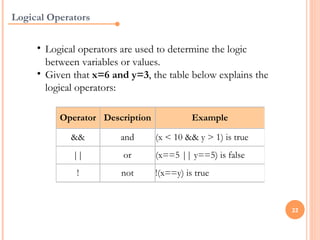
Logical Operators


     • Logical operators are used to determine the logic
       between variables or values.
     • Given that x=6 and y=3, the table below explains the
       logical operators:

          Operator Description             Example

            &&          and      (x < 10 && y > 1) is true
             ||          or      (x==5 || y==5) is false
              !         not      !(x==y) is true


                                                              22
Works Cited


     Most of the information on this PowerPoint are based
     on W3Schools Online Web Tutorials JavaScript section.


                                                             23

JavaScript

  • 1.
    JAVASCRIPT: an introduction
  • 2.
    What is JavaScript? JavaScript  It adds interactivity to a Web page;  It is combined with CSS to manipulate a Web page;  It is a client-side language, which runs in a client software (browser ) that the viewer is using, rather than on a server;  It is a scripting language (doesn’t require a compiling language to compile the codes before it runs);  It is case-sensitive. 2
  • 3.
    Code View: <script type=“text/javascript”> … … </script> 3
  • 4.
    Where, how? 1.Inline – scripts only in <body> <html> <head> <title>JavaScript Blueprint</title> </head> <body> <script type="text/javascript"> document.write('<h2>Hello World!</h2>'); </script> </body> </html> 4
  • 5.
    Where, how? 2.Internal – scripts in <head>, called in <body> <html> <head> <title> Welcome</title> <script type="text/javascript"> document.write(“Hello World!”); </script> </head> <body onload = document.write> </body> </html> 5
  • 6.
    Where, how? 3. External – scripts saved as .js, called in .html Inline: External: The .html file <html> <html> <head> <head> <title>JavaScript Inline</title> <title>JavaScript External</title> </head> </head> <body> <body> <script type= "text/javascript” src=“myjs.js”> <script type="text/javascript"> </script> document.write('Hello World!'); </body> </script> </html> </body> </html> The .js file document.write('Hello World!'); 6
  • 7.
    JavaScript Statements A JavaScript statement is a command to a browser. The purpose of the command is to tell the browser what to do. <script type="text/javascript"> document.write("<h1>This is a heading</h1>"); document.write("<p>This is a paragraph.</p>"); document.write("<p>This is another paragraph.</p>"); </script> 7
  • 8.
    JavaScript Comments  Comments can be added to explain the JavaScript.  Single line comments start with //.  Multi line comments start with /* and end with */ 8
  • 9.
    Variables Example Declare/Assign Variables <html> <head>  Case sensitive <title>Variable example</title>  Must begin with a </head> letter or _ or $. <body>  Onlycontain letters, <script type="text/javascript"> var num1,num2,addnum; numbers, $, and _ num1=3;  No num2=7; blank space in addnum=num1+num2; between document.write("This is the result: "  Avoid +addnum+ ". <br />"); reserved </script> keywords </body> 9 </html>
  • 10.
    Variable Types Booleans Boolean values are logical values that are either true or false, with 1 representing true and 0 representing false. var john=true; or var john=1; var george=false; or var george=0; Number var paycheck=1200; Strings A string variable represents a string of text. It may contain letters, words, spaces, numbers, symbols, or anything you define. Used between quotation marks. var str1= “Big Brown Station Wagon”; var str2= “349875”; 10
  • 11.
    Special JavaScript Characters Output Character Special Code to Use Backslash () Double quote (“) ” Single quote (‘) ’ New line <br /> Carriage return r Tab t Vertical tab v Backspace b 11
  • 12.
    If statement  ifstatement - use this statement to execute some code only if a specified condition is true  if...else statement - use this statement to execute some code if the condition is true and another code if the condition is false  if...elseif....else statement - use this statement to select one of many blocks of code to be executed 12
  • 13.
    If statement Syntax if (condition1)   {code to be executed if condition1 is true}; else if (condition2)   {code to be executed if condition2 is true}; else   {code to be executed if condition1 and condition2 are not true}; 13
  • 14.
    If statement example <script type="text/javascript"> var x=10; var y=20; if (x>y) { document.write(“x is greater than y.<br />”); } else if (x<y) { document.write(“x is smaller than y.<br />”); } else { document.write(“x is equal to y.<br />"); } 14 </script>
  • 15.
    For Loop Thefor loop is used when you know in advance how many times the script should run. Syntax var=startvalue; for (var=startvalue; var<=endvalue; var=var+increment) { code to be executed; } 15
  • 16.
    For Loop Example <html> <body> <script type="text/javascript"> var i=0; for (i=0;i<=5;i++) { document.write("The number is " + i); document.write(“. <br />"); } </script> </body> 16 </html>
  • 17.
    While Loop Syntax var=startvalue; while (var<=endvalue) {  code to be executed; variable increment; } 17
  • 18.
    While Loop example <html> <body> <script type="text/javascript"> var i=0; while (i<=5)   {   document.write("The number is " + i + “.<br />" );   i++;   } </script> </body> 18 </html>
  • 19.
    Functions  Can be in the head or the body section  Repeated steps stored in the Web browser’s memory, and need to be called in order to execute  Can be called multiple times with different variables Syntax Example function funname(var1, var2) function myprint(message) { { function code; document.write(message); } }   Funname(var1, var2); myprint("Hello world!"); 19
  • 20.
    Function examples function caltax(num1) { var tax=0.0875; total = num1+(num1*tax); document.write("The total is $" + total + "."); }  caltax(100); function caltax(num1) { var tax=0.0875; total = num1+(num1*tax); return total; } document.write ("The total is $" + caltax(100)+ “.”); 20
  • 21.
    Comparison Operators Operator Description Example == is equal to x==8 is false x===5 is true === is exactly equal to (value and type) x==="5" is false != is not equal x!=8 is true > is greater than x>8 is false < is less than x<8 is true >= is greater than or equal to x>=8 is false <= is less than or equal to x<=8 is true 21
  • 22.
    Logical Operators • Logical operators are used to determine the logic between variables or values. • Given that x=6 and y=3, the table below explains the logical operators: Operator Description Example && and (x < 10 && y > 1) is true || or (x==5 || y==5) is false ! not !(x==y) is true 22
  • 23.
    Works Cited Most of the information on this PowerPoint are based on W3Schools Online Web Tutorials JavaScript section. 23