
MULTIMEDIA &
WEBCASTING
BY:-
ANJALI (Dip. Engg. IT)
AMISHA GUPTA(Dip. Engg. Computer)
Final Yr.
Women’s Polytechnic, AMU
MULTIMEDIA & E-COMMERCE
 E-commerce is one of the hot topics of this era.
 E-banking, E-marketing, E-shopping, E-trailing, etc. have been the significant
contributions of the E-Commerce.
 What has actually lead to phenomenal & steady growth of E-commerce in past
few years???????
 Easy, Cheap & Fast Internet Connections accessible to many!!!!
 Growth in Information & communication sector!!!!
 Development of more advanced technologies!!!!
 Most important the interactivity & effectiveness of the web, provided only &
only by MULTIMEDIA….
 Multimedia elements like Text, Graphics, Images, Audio, Video, Animation,
etc…..
 Collaborative use of Multimedia elements has lead to significant growth in E-
Commerce….
 Examples like various sites either of Banking, shopping, sports, entertainment or
marketing, etc….
 Out of this Multimedia & Internet, there has been a growth in streaming
audio/video, live meetings, conferences, interviews, events & many other
applications as such which occupy a important place….
 That is known as WEBCASTING….
WHAT IS WEBCASTING????
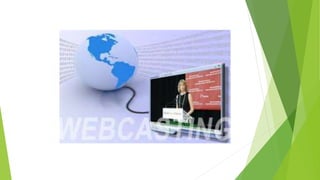
 Webcasting is the method of broadcasting live audio and video in real-time, to
audiences all over the world via the Internet without a need to download the
content before viewing.
 Webcasts can be about anything, such as live musical events, hosting interviews
or showing off online gaming skills.
 To use push technology, to send Web-based information to an Internet user.
 Webcast is another name for Netcast.
BROADCAST Vs WEBCAST
 A broadcast is primarily viewed on a television set or Radio or Cable media,
while a webcast is normally viewed on a PC, laptop or even Mobile.
 Transmission Media.
 Rules for Broadcasts & Webcasts.
 Quality of a Broadcast & a Webcast.
 TV or Radio Broadcasts have a limitation of timings while Webcasts don’t.
HISTORY
 Webcasting made it's debut in March 1992 with the first radio broadcast from the
Internet, according to The Internet Delivery.
 In 1995, ESPN broadcast the first live radio feed on the Internet--a baseball game
between the Yankees and the Mariners.
 By 1996, there were 82 radio stations broadcasting online.
 As of 2010, literally thousands of radio stations are broadcasting over the
Internet, and video streaming and live teleconferencing are commonplace.
WHAT WEBCASTING NEEDS????
 Webcasting is a form of broadcasting where an audio-visual presentation is
transmitted to viewers via the Internet instead of another medium like cable,
over-the-air radio waves or satellite signals.
 We need a basic digital camera and a computer to run all necessary connections
and software, as well as a suitably stable broadband Internet connection.
 Webcasting requires an Internet streaming service to transmit the presentation.
 You need specialized broadcast software to webcast. XSplit and FFSplit are the
examples.
 Similar to the Webinars but not actually the Webinars.
BENEFITS
•Reach a larger audience. It isn't a secret that you can reach an enormous amount of people through
the Internet. Seventy-seven percent of the US population is online.
•Reach your target market. With programs such as Google AdWords, it is easier than ever to find
your target online. Chances are your prospects are already looking for you.
•Cost-effective. Since the multi-camera video production is mixed, edited and broadcast in real time,
there is virtually no post-production time needed to output a finished video for online distribution
after the live webcast event.
•Time is of the essence. It is very difficult to find a time and date that works for everyone. Having
24/7 access to Webcasts eliminate the stress of scheduling conflicts. More people will be able to
participate when time restrictions are removed.
•Repeatability. Participants get the convenience of being able to repeat the presentation. This is great
if someone misses something or has an interruption in the middle of the presentation.
•Accessibility. With so many people online, it is almost guaranteed that your prospects are
too. Webcasts are available where ever there is an Internet connection.
•Viral Marketing. You can't tell someone else to go to an event that might have interested
them, but you can share a Webcast online. It is a lot easier for participants to share the
experience and information.
•Visibility. Prospects have to find your site before they sign up for a Webcast. Therefore,
prospects will be able to see what you offer as an organization because they are already on
your site.
•Easy to maintain. Once the webcast is complete, the published video content can be
available indefinitely and require no maintenance.
•It can't hurt. There is nothing to lose, and the return may be more than you expect.
SIGNIFICANCE & POTENTIAL
 Webcasting has rapidly evolved and gained popularity in recent years.
 Entertainment media has been made more accessible by allowing people to watch
and listen any time from anywhere in the world that is convenient.
 In addition to providing Internet users with better access to media, Webcasting
also makes it possible for people to talk with one another in real time using
Internet telephone applications such as Skype.
 Families and friends separated by distance can stream live audio and video of
themselves to each other.
 Webcasting also makes it possible for businesses to teleconference with
employees and clients around the world, minimizing the need for face-to-face
meetings and costly travel.
EXAMPLES
 Pandora
 Hulu
 Megashare
 Isiglobal
 Youtube
 Skype
 Soundconnect
 Torrent
 EzWebPresentation
 And many more………………
SERVICES
 Supplement & replacement to Traditional Meetings
 Internal Communications
 Sales & Marketing
 Investor Relations
 HealthCare Applications
 Education
 Multilingual online presentations and meetings
 AGM's, annual conferences and online trade shows
 Investor & shareholder communications
 Custom branded programs
 Event Coverage, Video Newsletters & Press Releases
 Live & On-demand Audio & Video
 Human Resource
APPLICATIONS OF WEBCASTING
 BUSINESS
- Marketing
- Sales
- Corporate Communication
- Training
- Investor relations
 HOME
- Marriages or Wed casting
- Festivals & Home Functions or Parties
- Family Chats
 EDUCATION
- Some of the benefits to Educational Institutes are as follows:
 Educational Institutes can increase number of full-time students enrolled for their
courses by reaching out to students beyond their traditional campus boundaries.
 Enroll more working class Professionals for their part-time Continuing
Education programs.
 No physical classroom space limitation.
 More faculty availability by recruitment of outside campus faculty who can
deliver lectures for both on-campus and off- campus students over the Internet.
 Cost savings due to lesser traveling required on part of faculty.
- Some of the benefits to Faculty are as follows:
 Less travel time required to reach geographically dispersed students.
 Lectures can even be given from home or office desk.
 Can pre-record lectures at a convenient time for later delivery over the Internet.
 Pre-recorded lectures can be webcasted again & again for new batches of
students.
- Some of the benefits to Students are as follows:
 Less travel time/costs required to reach physical classrooms.
 Lectures can even be attended at home or at office desk.
 Lectures can also be attended over Internet while on a short trip in another city.
 Can access Lectures on demand at any time if allowed by the Institute.
 No travel or time restrictions for ladies and younger students.
HOW WEBCASTING WORKS????
DRAWBACKS
 Professional audio visual and communications specialists required for high level results
 Specialized equipment and adequate bandwidth required for media streaming over the
Internet
 Higher risk of disruption, distortion or failure of transfer when using the Internet rather
than satellite
 Standard Definition (SD) images may degenerate if enlarged to fit room-sized screens
 Two-way interactivity between audience(s) and the presenter(s) will be limited or non-
existent
 Qualified troubleshooters recommended at every group receiving sites
 A backup program advisable in case webcast transmission is interrupted or unsuccessful
 Can be very expensive depending on how many sites are to receive the broadcast
 Not all web browsers will work the same
SUCCESSFUL WEBCASTING
 Contract with trusted audio visual professionals for high level results
 Consult with them early in your planning process before a site selection for production is finalized
 Select a light- and temperature-controlled environment for production room or auditorium
 Provide video camera(s) – can be stationery, remote-controlled or free-standing
 Arrange for microphones, audio speaker system, sound mixer, adjustable or specialty lighting
 Verify adequate broadband width is available for transfer of High Definition (HD) video over the
Internet
 Select appropriate projector for type of video used - Standard Definition (SD) or High definition (HD)
 Arrange for computer monitors and/or audio visual screens for group viewers
 Give advance notice to viewers of computer system and high-speed Internet requirements
 Verify that detailed instructions and contact info for questions distributed in advance to all presenters
 Develop your own detailed checklist using Planning Helper's free sample as a guideline
PRESENT PHASE OF WEBCASTING
 Online Chat Sessions (chat rooms), video conferences, meeting.
 Live event viewing, event recording, On studio & Remote accessing
 Live TV shows & Movies
 Live & on demand Polling
 High Interactivity
 Customization
 Live webcasts of functions
 Fast streaming audio & videos on demand
 Using Internet via TV set-top boxes
 And many more…….
Webcast
Webcast

Webcast

  • 1.
    MULTIMEDIA & WEBCASTING BY:- ANJALI (Dip.Engg. IT) AMISHA GUPTA(Dip. Engg. Computer) Final Yr. Women’s Polytechnic, AMU
  • 3.
    MULTIMEDIA & E-COMMERCE E-commerce is one of the hot topics of this era.  E-banking, E-marketing, E-shopping, E-trailing, etc. have been the significant contributions of the E-Commerce.  What has actually lead to phenomenal & steady growth of E-commerce in past few years???????  Easy, Cheap & Fast Internet Connections accessible to many!!!!  Growth in Information & communication sector!!!!  Development of more advanced technologies!!!!  Most important the interactivity & effectiveness of the web, provided only & only by MULTIMEDIA….
  • 4.
     Multimedia elementslike Text, Graphics, Images, Audio, Video, Animation, etc…..  Collaborative use of Multimedia elements has lead to significant growth in E- Commerce….  Examples like various sites either of Banking, shopping, sports, entertainment or marketing, etc….  Out of this Multimedia & Internet, there has been a growth in streaming audio/video, live meetings, conferences, interviews, events & many other applications as such which occupy a important place….  That is known as WEBCASTING….
  • 5.
    WHAT IS WEBCASTING???? Webcasting is the method of broadcasting live audio and video in real-time, to audiences all over the world via the Internet without a need to download the content before viewing.  Webcasts can be about anything, such as live musical events, hosting interviews or showing off online gaming skills.  To use push technology, to send Web-based information to an Internet user.  Webcast is another name for Netcast.
  • 8.
    BROADCAST Vs WEBCAST A broadcast is primarily viewed on a television set or Radio or Cable media, while a webcast is normally viewed on a PC, laptop or even Mobile.  Transmission Media.  Rules for Broadcasts & Webcasts.  Quality of a Broadcast & a Webcast.  TV or Radio Broadcasts have a limitation of timings while Webcasts don’t.
  • 9.
    HISTORY  Webcasting madeit's debut in March 1992 with the first radio broadcast from the Internet, according to The Internet Delivery.  In 1995, ESPN broadcast the first live radio feed on the Internet--a baseball game between the Yankees and the Mariners.  By 1996, there were 82 radio stations broadcasting online.  As of 2010, literally thousands of radio stations are broadcasting over the Internet, and video streaming and live teleconferencing are commonplace.
  • 10.
    WHAT WEBCASTING NEEDS???? Webcasting is a form of broadcasting where an audio-visual presentation is transmitted to viewers via the Internet instead of another medium like cable, over-the-air radio waves or satellite signals.  We need a basic digital camera and a computer to run all necessary connections and software, as well as a suitably stable broadband Internet connection.  Webcasting requires an Internet streaming service to transmit the presentation.  You need specialized broadcast software to webcast. XSplit and FFSplit are the examples.  Similar to the Webinars but not actually the Webinars.
  • 12.
    BENEFITS •Reach a largeraudience. It isn't a secret that you can reach an enormous amount of people through the Internet. Seventy-seven percent of the US population is online. •Reach your target market. With programs such as Google AdWords, it is easier than ever to find your target online. Chances are your prospects are already looking for you. •Cost-effective. Since the multi-camera video production is mixed, edited and broadcast in real time, there is virtually no post-production time needed to output a finished video for online distribution after the live webcast event. •Time is of the essence. It is very difficult to find a time and date that works for everyone. Having 24/7 access to Webcasts eliminate the stress of scheduling conflicts. More people will be able to participate when time restrictions are removed. •Repeatability. Participants get the convenience of being able to repeat the presentation. This is great if someone misses something or has an interruption in the middle of the presentation.
  • 13.
    •Accessibility. With somany people online, it is almost guaranteed that your prospects are too. Webcasts are available where ever there is an Internet connection. •Viral Marketing. You can't tell someone else to go to an event that might have interested them, but you can share a Webcast online. It is a lot easier for participants to share the experience and information. •Visibility. Prospects have to find your site before they sign up for a Webcast. Therefore, prospects will be able to see what you offer as an organization because they are already on your site. •Easy to maintain. Once the webcast is complete, the published video content can be available indefinitely and require no maintenance. •It can't hurt. There is nothing to lose, and the return may be more than you expect.
  • 14.
    SIGNIFICANCE & POTENTIAL Webcasting has rapidly evolved and gained popularity in recent years.  Entertainment media has been made more accessible by allowing people to watch and listen any time from anywhere in the world that is convenient.  In addition to providing Internet users with better access to media, Webcasting also makes it possible for people to talk with one another in real time using Internet telephone applications such as Skype.  Families and friends separated by distance can stream live audio and video of themselves to each other.  Webcasting also makes it possible for businesses to teleconference with employees and clients around the world, minimizing the need for face-to-face meetings and costly travel.
  • 15.
    EXAMPLES  Pandora  Hulu Megashare  Isiglobal  Youtube  Skype  Soundconnect  Torrent  EzWebPresentation  And many more………………
  • 16.
    SERVICES  Supplement &replacement to Traditional Meetings  Internal Communications  Sales & Marketing  Investor Relations  HealthCare Applications  Education  Multilingual online presentations and meetings  AGM's, annual conferences and online trade shows  Investor & shareholder communications  Custom branded programs  Event Coverage, Video Newsletters & Press Releases  Live & On-demand Audio & Video  Human Resource
  • 17.
    APPLICATIONS OF WEBCASTING BUSINESS - Marketing - Sales - Corporate Communication - Training - Investor relations  HOME - Marriages or Wed casting - Festivals & Home Functions or Parties - Family Chats
  • 20.
     EDUCATION - Someof the benefits to Educational Institutes are as follows:  Educational Institutes can increase number of full-time students enrolled for their courses by reaching out to students beyond their traditional campus boundaries.  Enroll more working class Professionals for their part-time Continuing Education programs.  No physical classroom space limitation.  More faculty availability by recruitment of outside campus faculty who can deliver lectures for both on-campus and off- campus students over the Internet.  Cost savings due to lesser traveling required on part of faculty.
  • 22.
    - Some ofthe benefits to Faculty are as follows:  Less travel time required to reach geographically dispersed students.  Lectures can even be given from home or office desk.  Can pre-record lectures at a convenient time for later delivery over the Internet.  Pre-recorded lectures can be webcasted again & again for new batches of students. - Some of the benefits to Students are as follows:  Less travel time/costs required to reach physical classrooms.  Lectures can even be attended at home or at office desk.  Lectures can also be attended over Internet while on a short trip in another city.  Can access Lectures on demand at any time if allowed by the Institute.  No travel or time restrictions for ladies and younger students.
  • 24.
  • 25.
    DRAWBACKS  Professional audiovisual and communications specialists required for high level results  Specialized equipment and adequate bandwidth required for media streaming over the Internet  Higher risk of disruption, distortion or failure of transfer when using the Internet rather than satellite  Standard Definition (SD) images may degenerate if enlarged to fit room-sized screens  Two-way interactivity between audience(s) and the presenter(s) will be limited or non- existent  Qualified troubleshooters recommended at every group receiving sites  A backup program advisable in case webcast transmission is interrupted or unsuccessful  Can be very expensive depending on how many sites are to receive the broadcast  Not all web browsers will work the same
  • 26.
    SUCCESSFUL WEBCASTING  Contractwith trusted audio visual professionals for high level results  Consult with them early in your planning process before a site selection for production is finalized  Select a light- and temperature-controlled environment for production room or auditorium  Provide video camera(s) – can be stationery, remote-controlled or free-standing  Arrange for microphones, audio speaker system, sound mixer, adjustable or specialty lighting  Verify adequate broadband width is available for transfer of High Definition (HD) video over the Internet  Select appropriate projector for type of video used - Standard Definition (SD) or High definition (HD)  Arrange for computer monitors and/or audio visual screens for group viewers  Give advance notice to viewers of computer system and high-speed Internet requirements  Verify that detailed instructions and contact info for questions distributed in advance to all presenters  Develop your own detailed checklist using Planning Helper's free sample as a guideline
  • 27.
    PRESENT PHASE OFWEBCASTING  Online Chat Sessions (chat rooms), video conferences, meeting.  Live event viewing, event recording, On studio & Remote accessing  Live TV shows & Movies  Live & on demand Polling  High Interactivity  Customization  Live webcasts of functions  Fast streaming audio & videos on demand  Using Internet via TV set-top boxes  And many more…….