Web Services tutorial


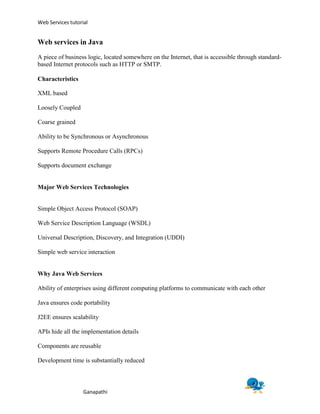
Web services in Java
A piece of business logic, located somewhere on the Internet, that is accessible through standard-
based Internet protocols such as HTTP or SMTP.

Characteristics

XML based

Loosely Coupled

Coarse grained

Ability to be Synchronous or Asynchronous

Supports Remote Procedure Calls (RPCs)

Supports document exchange


Major Web Services Technologies


Simple Object Access Protocol (SOAP)

Web Service Description Language (WSDL)

Universal Description, Discovery, and Integration (UDDI)

Simple web service interaction


Why Java Web Services

Ability of enterprises using different computing platforms to communicate with each other

Java ensures code portability

J2EE ensures scalability

APIs hide all the implementation details

Components are reusable

Development time is substantially reduced


                   Ganapathi
Web Services tutorial


Java Web Service Developer Pack

Free integrated toolkit that allows Java developers to build, test and deploy Web services

Web services standards WSDL, SOAP, UDDI

APIs provided

Java API for XML Messaging (JAXM)

Java API for XML Registries (JAXR)

Java API for XML-based RPC (JAX-RPC)

Sample Scenario-Online Book store


JAX-RPC API for XML based RPC

RPC-based Web service is a collection of procedures that can be called by a remote client

Ties, the low-level classes that the server needs to communicate with a remote client

WSDL document used for creating stubs, the low-level classes that are needed by a client to
communicate with a remote service.

Stubs can be static or dynamic.

Tools wscompile and wsdeploy

simplify our job


                   Ganapathi
Web Services tutorial


Service consists of

Interface:

Declares the service's remote procedures

Implementation class:

Implements the remote procedures.

Configuration files jaxrpc-ri.xml and web.xml contain all the parameters needed to deploy the
service.

Client is a Java program which uses the stubs created from the WSDL document of the service

Configuration file config.xml contains the location of the WSDL document.

Service Interface


public interface BookIF {

public Book getPriceList();

public String orderBook(String BookName, int quantity);

}
Implementation class

public class BookImpl implements BookIF {

public Book getPriceList() { . . . }

public String orderBook(String BookName, int quantity) { . . . }

}


                    Ganapathi
Web Services tutorial


Client code

public class BookClient {

public static void main(String[] args) {

BookIF BookOrder = new BookServiceImpl().getBookIF();

Book priceList = BookOrder.getPriceList():

for (int i = 0; i <>JAXM API for XML Messaging

Provides a standard way to send XML documents over the Internet

Based on SOAP and SOAP with Attachments specifications

Messaging provider service, which does the behind-the-scenes work required to transport and
route messages

Standalone client also possible for request-response type of messaging

Very useful when Enterprise work on shared schemas.(e.g.. Schema for order form in Online
Book Store)


Advantages over JAX-RPC

One-way (asynchronous) messaging

Routing of a message to more than one party

Reliable messaging with guaranteed delivery


Steps

1.Setting up Connection with the end-point.

2. Creating the SOAP message and populate it.

3. Sending the message.


                   Ganapathi
Web Services tutorial


JAXR API for XML Registries


Provides a convenient way to

access standard business registries

Supports two standards ebXML and UDDI

Standards groups have developed

schemas for particular kinds of XML documents, and two businesses might for example, agree to
use the schema which is stored in the registry.

Querying registry-Useful methods

1.findOrganizations

which returns a list of organizations that meet the specified criteria

2.findServices

which returns a set of services offered by a specified organization

3. FindServiceBindings

which returns the service bindings (information about how to access the service) that are
supported by a specified service


Similar methods exist for Managing Registry Data.


JAX-WS Dynamic Dispatch with CXF

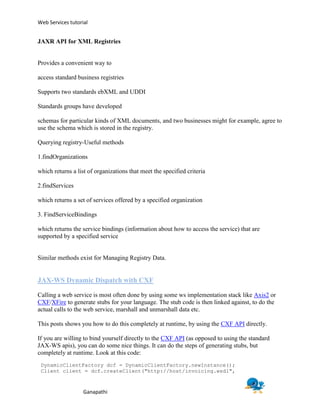
Calling a web service is most often done by using some ws implementation stack like Axis2 or
CXF/XFire to generate stubs for your language. The stub code is then linked against, to do the
actual calls to the web service, marshall and unmarshall data etc.

This posts shows you how to do this completely at runtime, by using the CXF API directly.

If you are willing to bind yourself directly to the CXF API (as opposed to using the standard
JAX-WS apis), you can do some nice things. It can do the steps of generating stubs, but
completely at runtime. Look at this code:
 DynamicClientFactory dcf = DynamicClientFactory.newInstance();
 Client client = dcf.createClient("http://host/invoicing.wsdl",


                   Ganapathi
Web Services tutorial


DynamicClient.class.getClassLoader());

 Object customerParam =
Thread.currentThread().getContextClassLoader().loadClass("com.acme.invoicing.
Customer").newInstance();

 Method setCustIdMethod = customerParam.getClass().getMethod("setCustomerId",
String.class);
 setCustIdMethod.invoke(customerParam, "CUST-42");

 Object[] result = client.invoke("doInvoicingOnCustomer", customerParam);

Here is a bit of explanation of what happens here:

       Calling createClient on a DynamicClientFactory instance makes CXF load
       the WSDL, generate stubs and compile them to class files. They are now available on the
       current threads context classloader.
       In this example, the invoicing.wsdl service is supposed to have a method
       doInvoicingOnCustomer(Customer). The wsdl will have Customer defined,
       which will make CXF generate a Customer class.
       You can then call loadClass method to load the Customer class and do a
       newInstance
       To call customer.setCustomerId(String), we reflect the method out and
       invoke the setter with the value "CUST-42".
       And lastly, we call the doInvoicingOnCustomer remote webservice method,
       giving the Customer instance as parameter

And of course. The Object[] output is typed in generated classes too. Ready to be reflected
upon.

The above code binds directly to the CXF API. There is also the possibility of using the standard
JAX-WS API for this. There are good examples on using the standard JAX-WS API to do
dynamic calls:

       Using Dispatch and Service.Mode.MESSAGE to construct a JAX-WS dynamic call,
       where you have to provide the complete soap:Envelope part, of the message
       Using Dispatch and Service.Mode.PAYLOAD to construct a JAX-WS dynamic call,
       where you "only" have to provide the soap:Body part, of the message

But I do not like it. The code in the above two links use the rather low-level API of
javax.xml.soap package to construct the call to the server. It seems like you have to know a lot
about the needed SOAP message format, QNames to use, etc.


                   Ganapathi

Web services in java

  • 1.
    Web Services tutorial Webservices in Java A piece of business logic, located somewhere on the Internet, that is accessible through standard- based Internet protocols such as HTTP or SMTP. Characteristics XML based Loosely Coupled Coarse grained Ability to be Synchronous or Asynchronous Supports Remote Procedure Calls (RPCs) Supports document exchange Major Web Services Technologies Simple Object Access Protocol (SOAP) Web Service Description Language (WSDL) Universal Description, Discovery, and Integration (UDDI) Simple web service interaction Why Java Web Services Ability of enterprises using different computing platforms to communicate with each other Java ensures code portability J2EE ensures scalability APIs hide all the implementation details Components are reusable Development time is substantially reduced Ganapathi
  • 2.
    Web Services tutorial JavaWeb Service Developer Pack Free integrated toolkit that allows Java developers to build, test and deploy Web services Web services standards WSDL, SOAP, UDDI APIs provided Java API for XML Messaging (JAXM) Java API for XML Registries (JAXR) Java API for XML-based RPC (JAX-RPC) Sample Scenario-Online Book store JAX-RPC API for XML based RPC RPC-based Web service is a collection of procedures that can be called by a remote client Ties, the low-level classes that the server needs to communicate with a remote client WSDL document used for creating stubs, the low-level classes that are needed by a client to communicate with a remote service. Stubs can be static or dynamic. Tools wscompile and wsdeploy simplify our job Ganapathi
  • 3.
    Web Services tutorial Serviceconsists of Interface: Declares the service's remote procedures Implementation class: Implements the remote procedures. Configuration files jaxrpc-ri.xml and web.xml contain all the parameters needed to deploy the service. Client is a Java program which uses the stubs created from the WSDL document of the service Configuration file config.xml contains the location of the WSDL document. Service Interface public interface BookIF { public Book getPriceList(); public String orderBook(String BookName, int quantity); } Implementation class public class BookImpl implements BookIF { public Book getPriceList() { . . . } public String orderBook(String BookName, int quantity) { . . . } } Ganapathi
  • 4.
    Web Services tutorial Clientcode public class BookClient { public static void main(String[] args) { BookIF BookOrder = new BookServiceImpl().getBookIF(); Book priceList = BookOrder.getPriceList(): for (int i = 0; i <>JAXM API for XML Messaging Provides a standard way to send XML documents over the Internet Based on SOAP and SOAP with Attachments specifications Messaging provider service, which does the behind-the-scenes work required to transport and route messages Standalone client also possible for request-response type of messaging Very useful when Enterprise work on shared schemas.(e.g.. Schema for order form in Online Book Store) Advantages over JAX-RPC One-way (asynchronous) messaging Routing of a message to more than one party Reliable messaging with guaranteed delivery Steps 1.Setting up Connection with the end-point. 2. Creating the SOAP message and populate it. 3. Sending the message. Ganapathi
  • 5.
    Web Services tutorial JAXRAPI for XML Registries Provides a convenient way to access standard business registries Supports two standards ebXML and UDDI Standards groups have developed schemas for particular kinds of XML documents, and two businesses might for example, agree to use the schema which is stored in the registry. Querying registry-Useful methods 1.findOrganizations which returns a list of organizations that meet the specified criteria 2.findServices which returns a set of services offered by a specified organization 3. FindServiceBindings which returns the service bindings (information about how to access the service) that are supported by a specified service Similar methods exist for Managing Registry Data. JAX-WS Dynamic Dispatch with CXF Calling a web service is most often done by using some ws implementation stack like Axis2 or CXF/XFire to generate stubs for your language. The stub code is then linked against, to do the actual calls to the web service, marshall and unmarshall data etc. This posts shows you how to do this completely at runtime, by using the CXF API directly. If you are willing to bind yourself directly to the CXF API (as opposed to using the standard JAX-WS apis), you can do some nice things. It can do the steps of generating stubs, but completely at runtime. Look at this code: DynamicClientFactory dcf = DynamicClientFactory.newInstance(); Client client = dcf.createClient("http://host/invoicing.wsdl", Ganapathi
  • 6.
    Web Services tutorial DynamicClient.class.getClassLoader()); Object customerParam = Thread.currentThread().getContextClassLoader().loadClass("com.acme.invoicing. Customer").newInstance(); Method setCustIdMethod = customerParam.getClass().getMethod("setCustomerId", String.class); setCustIdMethod.invoke(customerParam, "CUST-42"); Object[] result = client.invoke("doInvoicingOnCustomer", customerParam); Here is a bit of explanation of what happens here: Calling createClient on a DynamicClientFactory instance makes CXF load the WSDL, generate stubs and compile them to class files. They are now available on the current threads context classloader. In this example, the invoicing.wsdl service is supposed to have a method doInvoicingOnCustomer(Customer). The wsdl will have Customer defined, which will make CXF generate a Customer class. You can then call loadClass method to load the Customer class and do a newInstance To call customer.setCustomerId(String), we reflect the method out and invoke the setter with the value "CUST-42". And lastly, we call the doInvoicingOnCustomer remote webservice method, giving the Customer instance as parameter And of course. The Object[] output is typed in generated classes too. Ready to be reflected upon. The above code binds directly to the CXF API. There is also the possibility of using the standard JAX-WS API for this. There are good examples on using the standard JAX-WS API to do dynamic calls: Using Dispatch and Service.Mode.MESSAGE to construct a JAX-WS dynamic call, where you have to provide the complete soap:Envelope part, of the message Using Dispatch and Service.Mode.PAYLOAD to construct a JAX-WS dynamic call, where you "only" have to provide the soap:Body part, of the message But I do not like it. The code in the above two links use the rather low-level API of javax.xml.soap package to construct the call to the server. It seems like you have to know a lot about the needed SOAP message format, QNames to use, etc. Ganapathi