HTML5
By:Ahmed AbdElzaher
Agenda
•   HTML
•   HTML versions
•   HTML5
•   How Did HTML5 Get Started?
•   Rules For HTML5
•   HTML5 Less Header Code
•   No need for type attribute
•   More Semantic HTML Tags
•   Media Tags
•   Canvas
•   Web storage
HTML
• Hyper Text Markup Language is the
  language for specifying the static content
  of Web pages.

• Hyper Text refers to the fact that Web
  pages are more than just text.
     • can contain multimedia, provide links for jumping
       within & without.
HTML
• Markup refers to the fact that it works by
  augmenting text with special symbols (tags) that
  identify structure and content type.

• There are many versions of HTML
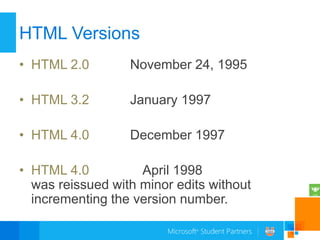
HTML Versions
• HTML 2.0        November 24, 1995

• HTML 3.2        January 1997

• HTML 4.0        December 1997

• HTML 4.0          April 1998
  was reissued with minor edits without
  incrementing the version number.
HTML Versions
• HTML 4.01       December 1999


• HTML5            January 2008
  was published
HTML5
• HTML5 will be the new
  standard for HTML, XHTML

• The previous version of
  HTML came in 1999. The
  web has changed a lot since
  then.
HTML5
• HTML5 is still a work in
  progress.

• However, most modern
  browsers have some
  HTML5 support.
How Did HTML5 Get Started?


• HTML5 is the cooperation between the
 World Wide Web Consortium (W3C)
 and the Web Hypertext Application
 Technology Working Group (WHATWG).
How Did HTML5 Get Started?


• WHATWG was working with web forms
 and applications, and W3C was working
 with XHTML 2.0. In 2006, they decided to
 cooperate and create a new version of
 HTML
Rules For HTML5

• New features should be based on HTML,
CSS and JavaScript.

• Reduce the need for external plugins (like
  Flash)
Rules For HTML5

• Better error handling.

• More markup to replace scripting.

• HTML5 should be device independent.
HTML5
Less Header Code
• With HTML5
  <!DOCTYPE HTML>
     <html>
       <head>
             <meta charset=”utf-8”>
       <title>MSP</title>
       </head>
Less Header Code
• Pre HTML5
   <!DOCTYPE HTML PUBLIC "-//W3C//Dtd
HTML 4.01 Transitional//EN" "http://
www.w3.org/tr/html4/loose.dtd">
      <html>
        <head>
        <meta http-equiv="Content-Type"
content="text/html; charset=utf-8">
       <title>MSP</title>
       </head>
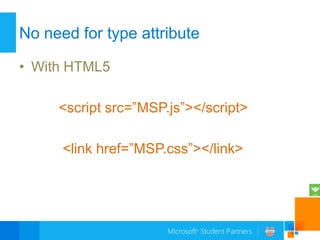
No need for type attribute

• With HTML5

     <script src=”MSP.js”></script>

      <link href=”MSP.css”></link>
No need for type attribute

• Pre HTML5

<script type=”text/javascript” src=”script.js”>
</script>

<link type=”text/css” href=”style.css”></link>
More Semantic HTML Tags
• Output
   <output name="result"></output>

 Attributes
o Name
o For
More Semantic HTML Tags
• progress
<progress id="p"
max=100><span>0</span>%</progress>
 Attributes
o Value
o Max
More Semantic HTML Tags
• Meter
   <meter min="0“ max="100“
value="75"></meter>
• Attributes
o   Value
o   Max
o   Min
o   High
o   Low
o   Form
More Semantic HTML Tags
• Details and Summary

 The content of a <details> element should
  not be visible unless the open attribute is
  set.
 User can show the content
More Semantic HTML Tags
<details>
    <summary>coping 1999-2010</summary>
<p> - by Refsnes Data. All Rights Reserved.</p>
   <p>All content and graphics on this web site
are the property of the company Refsnes
Data.</p>
</details>
 Attributes
o Open
More Semantic HTML Tags
• Address
• The <address> tag defines the contact
  information for the author/owner of a
  document or an article.

• If the <address> element is inside the
  <body> element, it represents contact
  information for the document.
More Semantic HTML Tags
• Address
• If the <address> element is inside an
  <article> element, it represents contact
  information for that article.

• The text in the <address> element usually
  renders in italic. Most browsers will add a
  line break before and after the address
  element.
More Semantic HTML Tags
• Ex :
<address>
 Written by <a
href="mailto:webmaster@example.com">Jon
Doe</a>.<br />
 Visit us at:<br />
 Example.com<br />
 Box 564, Disneyland<br />
 USA
</address>
More Semantic HTML Tags
• Figure
<figure>
<img src=“MSP.jpg" alt=“MSP">
<figcaption>Microsoft student
partner</figcaption>
</figure>
More Semantic HTML Tags
• Hgroup
<!DOCTYPE html>
<html>
<body>
<hgroup>
<h1>Welcome to my WWF</h1>
<h2>For a living planet</h2>
</hgroup>
</body>
</html>
More Semantic HTML Tags
• Article

Examples of possible articles:
forum post
newspaper article
blog entry
user comment
More Semantic HTML Tags
• Section

• The <section> tag defines sections in a
  document. Such as chapters, headers,
  footers, or any other sections of the
  document.
More Semantic HTML Tags
•   <article>
•   <hgroup>
•   <h1>Mobile Phones</h1>
•   <h2>Different Smart Phones</h2>
•   </hgroup>
•   <p>Some of the more popular mobile smart phones</p>
•   <section>
•   <h1>Apple iPhone</h1>
•   <p>A popular smart phone from Apple.</p>
•   </section>
•   <section>
•   <h1>Android-based Phones</h1>
•   <p>A series of smart phones that use the Google Android operating
    system.</p>
•   </section>
•   </article>
More Semantic HTML Tags


• There are a lot of new tags at HTML5
  which we used them a lot.
Media Tags
• Video

• Today, most videos are shown through a plug-in (like
  flash). However, different browsers may have different
  plug-ins.

• HTML5 defines a new element which specifies a
  standard way to embed a video/movie on a web page
Media Tags
• <video width="320" height="240"
  controls="controls">
   <source src="movie.mp4" type="video/mp4" />
   <source src="movie.ogg" type="video/ogg" />
   Your browser does not support the video tag.
  </video>
• The control attribute adds video controls, like
  play, pause, and volume.
Media Tags
Currently, there are 3 supported video formats for
the <video> element: MP4, WebM, and Ogg:

•MP4 = MPEG 4 files with H264 video codec and AAC audio codec
•WebM = WebM files with VP8 video codec and Vorbis audio codec
•Ogg = Ogg files with Theora video codec and Vorbis audio codec


          Browser        MP4                  WebM        Ogg
          Internet       YES                  NO          NO
          Explorer 9
          Firefox 4.0    NO                   YES         YES
          Google         YES                  YES         YES
          Chrome 6
          Apple Safari 5 YES                  NO          NO
          Opera 10.6     NO                   YES         YES
Media Tags
• Video/Dom
• The HTML5 <video> element also has
  methods, properties, and events.

• There are methods for playing, pausing, and
  loading, for example. There are properties
  (e.g. duration, volume, seeking) that you can
  read or set. There are also DOM events that
  can notify you, for example, when the
  <video> element begins to play, is paused, is
  ended, etc
Media Tags
   Methods       Properties    Events
   play()        currentSrc    play
   pause()       currentTime   pause
   load()        videoWidth    progress
   canPlayType   videoHeight   error
                 duration      timeupdate
                 ended         ended
                 error         abort
                 paused        empty
                 muted         emptied
                 seeking       waiting
                 volume        loadedmetadata
                 height
                 width
Media Tags


• There is an Example for video/Dom
Media Tags
• Audio

• Today, most audio files are played through a plug-in (like
  flash). However, different browsers may have different
  plug-ins.

• HTML5 defines a new element which specifies a
  standard way to embed an audio file on a web page: the
  <audio> element
Media Tags
• <audio controls="controls">
• <source src="song.ogg" type="audio/ogg" />
• <source src="song.mp3" type="audio/mpeg" />
• Your browser does not support the audio element.
• </audio>

• The control attribute adds audio controls, like play,
  pause, and volume.
Media Tags
Currently, there are 3 supported file formats for

the <audio> element: MP3, Wav, and Ogg:


Browser        MP3                 Wav              Ogg
Internet       YES                 NO               NO
Explorer 9
Firefox 4.0    NO                  YES              YES
Google         YES                 YES              YES
Chrome 6
Apple Safari 5 YES                 YES              NO
Opera 10.6     NO                  YES              YES
Canvas


• What is Canvas?

• The HTML5 canvas element uses
  JavaScript to draw graphics on a web
  page.
Canvas


• A canvas is a rectangular area, and you
  control every pixel of it.

• The canvas element has several methods
  for drawing paths, boxes, circles,
  characters, and adding images.
Canvas

• Create a Canvas Element


• <canvas id="myCanvas" width="200"
  height="100"></canvas>
Canvas

• Draw With JavaScript

• <script type="text/javascript">
  var c=document.getElementById("myCanvas");
  var ctx=c.getContext("2d");
  ctx.fillStyle="#FF0000";
  ctx.fillRect(0,0,150,75);
  </script>
Web Storage

• HTML5 offers two new objects for storing
  data on the client:

localStorage - stores data with no time
 limit
sessionStorage - stores data for one
 session
Web Storage


• Earlier, this was done with cookies.
  Cookies are not suitable for large amounts
  of data, because they are passed on by
  EVERY request to the server, making it
  very slow and in-effective.
Web Storage


• In HTML5, the data is NOT passed on by
  every server request, but used ONLY
  when asked for. It is possible to store large
  amounts of data without affecting the
  website's performance.
Web Storage

• The data is stored in different areas for
  different websites, and a website can only
  access data stored by itself.


• HTML5 uses JavaScript to store and
  access the data
The localStorage Object


• The localStorage object stores the data
  with no time limit. The data will be
  available the next day, week, or year.
The localStorage Object
• How to create and access a localStorage:

<script type="text/javascript">
localStorage.lastname="Smith";
document.write("Last name: " +
localStorage.lastname);
</script>
</body>
The sessionStorage Object


• The sessionStorage object stores the data
  for one session. The data is deleted when
  the user closes the browser window.
The sessionStorage Object
• How to create and access a
  sessionStorage:

<script type="text/javascript">
sessionStorage.lastname="Smith";
document.write(sessionStorage.lastname);
</script>
Review
•   HTML
•   HTML5
•   How Did HTML5 Get Started?
•   Rules For HTML5
•   HTML5 Less Header Code
•   No need for type attribute
•   More Semantic HTML Tags
•   Media Tags
•   Canvas
•   Web storage
Questions?
My contact
• Ahmed.Abdelzaher.khafagy@facebook.com
• Ahmed_khafagy@twitter.com

• Ahmed.AbdeElzaher@studentpartner.com
• ahmedelmasry92@hotmail.com
• ahmedelmasry92@gmail.com
HTML5
HTML5

HTML5

  • 1.
  • 2.
    Agenda • HTML • HTML versions • HTML5 • How Did HTML5 Get Started? • Rules For HTML5 • HTML5 Less Header Code • No need for type attribute • More Semantic HTML Tags • Media Tags • Canvas • Web storage
  • 3.
    HTML • Hyper TextMarkup Language is the language for specifying the static content of Web pages. • Hyper Text refers to the fact that Web pages are more than just text. • can contain multimedia, provide links for jumping within & without.
  • 4.
    HTML • Markup refersto the fact that it works by augmenting text with special symbols (tags) that identify structure and content type. • There are many versions of HTML
  • 5.
    HTML Versions • HTML2.0 November 24, 1995 • HTML 3.2 January 1997 • HTML 4.0 December 1997 • HTML 4.0 April 1998 was reissued with minor edits without incrementing the version number.
  • 6.
    HTML Versions • HTML4.01 December 1999 • HTML5 January 2008 was published
  • 7.
    HTML5 • HTML5 willbe the new standard for HTML, XHTML • The previous version of HTML came in 1999. The web has changed a lot since then.
  • 8.
    HTML5 • HTML5 isstill a work in progress. • However, most modern browsers have some HTML5 support.
  • 9.
    How Did HTML5Get Started? • HTML5 is the cooperation between the World Wide Web Consortium (W3C) and the Web Hypertext Application Technology Working Group (WHATWG).
  • 10.
    How Did HTML5Get Started? • WHATWG was working with web forms and applications, and W3C was working with XHTML 2.0. In 2006, they decided to cooperate and create a new version of HTML
  • 11.
    Rules For HTML5 •New features should be based on HTML, CSS and JavaScript. • Reduce the need for external plugins (like Flash)
  • 12.
    Rules For HTML5 •Better error handling. • More markup to replace scripting. • HTML5 should be device independent.
  • 13.
  • 14.
    Less Header Code •With HTML5 <!DOCTYPE HTML> <html> <head> <meta charset=”utf-8”> <title>MSP</title> </head>
  • 15.
    Less Header Code •Pre HTML5 <!DOCTYPE HTML PUBLIC "-//W3C//Dtd HTML 4.01 Transitional//EN" "http:// www.w3.org/tr/html4/loose.dtd"> <html> <head> <meta http-equiv="Content-Type" content="text/html; charset=utf-8"> <title>MSP</title> </head>
  • 16.
    No need fortype attribute • With HTML5 <script src=”MSP.js”></script> <link href=”MSP.css”></link>
  • 17.
    No need fortype attribute • Pre HTML5 <script type=”text/javascript” src=”script.js”> </script> <link type=”text/css” href=”style.css”></link>
  • 18.
    More Semantic HTMLTags • Output <output name="result"></output>  Attributes o Name o For
  • 19.
    More Semantic HTMLTags • progress <progress id="p" max=100><span>0</span>%</progress>  Attributes o Value o Max
  • 20.
    More Semantic HTMLTags • Meter <meter min="0“ max="100“ value="75"></meter> • Attributes o Value o Max o Min o High o Low o Form
  • 21.
    More Semantic HTMLTags • Details and Summary  The content of a <details> element should not be visible unless the open attribute is set.  User can show the content
  • 22.
    More Semantic HTMLTags <details> <summary>coping 1999-2010</summary> <p> - by Refsnes Data. All Rights Reserved.</p> <p>All content and graphics on this web site are the property of the company Refsnes Data.</p> </details>  Attributes o Open
  • 23.
    More Semantic HTMLTags • Address • The <address> tag defines the contact information for the author/owner of a document or an article. • If the <address> element is inside the <body> element, it represents contact information for the document.
  • 24.
    More Semantic HTMLTags • Address • If the <address> element is inside an <article> element, it represents contact information for that article. • The text in the <address> element usually renders in italic. Most browsers will add a line break before and after the address element.
  • 25.
    More Semantic HTMLTags • Ex : <address> Written by <a href="mailto:webmaster@example.com">Jon Doe</a>.<br /> Visit us at:<br /> Example.com<br /> Box 564, Disneyland<br /> USA </address>
  • 26.
    More Semantic HTMLTags • Figure <figure> <img src=“MSP.jpg" alt=“MSP"> <figcaption>Microsoft student partner</figcaption> </figure>
  • 27.
    More Semantic HTMLTags • Hgroup <!DOCTYPE html> <html> <body> <hgroup> <h1>Welcome to my WWF</h1> <h2>For a living planet</h2> </hgroup> </body> </html>
  • 28.
    More Semantic HTMLTags • Article Examples of possible articles: forum post newspaper article blog entry user comment
  • 29.
    More Semantic HTMLTags • Section • The <section> tag defines sections in a document. Such as chapters, headers, footers, or any other sections of the document.
  • 30.
    More Semantic HTMLTags • <article> • <hgroup> • <h1>Mobile Phones</h1> • <h2>Different Smart Phones</h2> • </hgroup> • <p>Some of the more popular mobile smart phones</p> • <section> • <h1>Apple iPhone</h1> • <p>A popular smart phone from Apple.</p> • </section> • <section> • <h1>Android-based Phones</h1> • <p>A series of smart phones that use the Google Android operating system.</p> • </section> • </article>
  • 31.
    More Semantic HTMLTags • There are a lot of new tags at HTML5 which we used them a lot.
  • 32.
    Media Tags • Video •Today, most videos are shown through a plug-in (like flash). However, different browsers may have different plug-ins. • HTML5 defines a new element which specifies a standard way to embed a video/movie on a web page
  • 33.
    Media Tags • <videowidth="320" height="240" controls="controls"> <source src="movie.mp4" type="video/mp4" /> <source src="movie.ogg" type="video/ogg" /> Your browser does not support the video tag. </video> • The control attribute adds video controls, like play, pause, and volume.
  • 34.
    Media Tags Currently, thereare 3 supported video formats for the <video> element: MP4, WebM, and Ogg: •MP4 = MPEG 4 files with H264 video codec and AAC audio codec •WebM = WebM files with VP8 video codec and Vorbis audio codec •Ogg = Ogg files with Theora video codec and Vorbis audio codec Browser MP4 WebM Ogg Internet YES NO NO Explorer 9 Firefox 4.0 NO YES YES Google YES YES YES Chrome 6 Apple Safari 5 YES NO NO Opera 10.6 NO YES YES
  • 35.
    Media Tags • Video/Dom •The HTML5 <video> element also has methods, properties, and events. • There are methods for playing, pausing, and loading, for example. There are properties (e.g. duration, volume, seeking) that you can read or set. There are also DOM events that can notify you, for example, when the <video> element begins to play, is paused, is ended, etc
  • 36.
    Media Tags Methods Properties Events play() currentSrc play pause() currentTime pause load() videoWidth progress canPlayType videoHeight error duration timeupdate ended ended error abort paused empty muted emptied seeking waiting volume loadedmetadata height width
  • 37.
    Media Tags • Thereis an Example for video/Dom
  • 38.
    Media Tags • Audio •Today, most audio files are played through a plug-in (like flash). However, different browsers may have different plug-ins. • HTML5 defines a new element which specifies a standard way to embed an audio file on a web page: the <audio> element
  • 39.
    Media Tags • <audiocontrols="controls"> • <source src="song.ogg" type="audio/ogg" /> • <source src="song.mp3" type="audio/mpeg" /> • Your browser does not support the audio element. • </audio> • The control attribute adds audio controls, like play, pause, and volume.
  • 40.
    Media Tags Currently, thereare 3 supported file formats for the <audio> element: MP3, Wav, and Ogg: Browser MP3 Wav Ogg Internet YES NO NO Explorer 9 Firefox 4.0 NO YES YES Google YES YES YES Chrome 6 Apple Safari 5 YES YES NO Opera 10.6 NO YES YES
  • 41.
    Canvas • What isCanvas? • The HTML5 canvas element uses JavaScript to draw graphics on a web page.
  • 42.
    Canvas • A canvasis a rectangular area, and you control every pixel of it. • The canvas element has several methods for drawing paths, boxes, circles, characters, and adding images.
  • 43.
    Canvas • Create aCanvas Element • <canvas id="myCanvas" width="200" height="100"></canvas>
  • 44.
    Canvas • Draw WithJavaScript • <script type="text/javascript"> var c=document.getElementById("myCanvas"); var ctx=c.getContext("2d"); ctx.fillStyle="#FF0000"; ctx.fillRect(0,0,150,75); </script>
  • 45.
    Web Storage • HTML5offers two new objects for storing data on the client: localStorage - stores data with no time limit sessionStorage - stores data for one session
  • 46.
    Web Storage • Earlier,this was done with cookies. Cookies are not suitable for large amounts of data, because they are passed on by EVERY request to the server, making it very slow and in-effective.
  • 47.
    Web Storage • InHTML5, the data is NOT passed on by every server request, but used ONLY when asked for. It is possible to store large amounts of data without affecting the website's performance.
  • 48.
    Web Storage • Thedata is stored in different areas for different websites, and a website can only access data stored by itself. • HTML5 uses JavaScript to store and access the data
  • 49.
    The localStorage Object •The localStorage object stores the data with no time limit. The data will be available the next day, week, or year.
  • 50.
    The localStorage Object •How to create and access a localStorage: <script type="text/javascript"> localStorage.lastname="Smith"; document.write("Last name: " + localStorage.lastname); </script> </body>
  • 51.
    The sessionStorage Object •The sessionStorage object stores the data for one session. The data is deleted when the user closes the browser window.
  • 52.
    The sessionStorage Object •How to create and access a sessionStorage: <script type="text/javascript"> sessionStorage.lastname="Smith"; document.write(sessionStorage.lastname); </script>
  • 53.
    Review • HTML • HTML5 • How Did HTML5 Get Started? • Rules For HTML5 • HTML5 Less Header Code • No need for type attribute • More Semantic HTML Tags • Media Tags • Canvas • Web storage
  • 54.
  • 55.
    My contact • Ahmed.Abdelzaher.khafagy@facebook.com •Ahmed_khafagy@twitter.com • Ahmed.AbdeElzaher@studentpartner.com • ahmedelmasry92@hotmail.com • ahmedelmasry92@gmail.com

Editor's Notes

  • #15 The DOCTYPE tag always begins with an exclamation point and is always placed at thebeginning of the document, before any other tag. Most HTML tags are not case-sensitive,but the word DOCTYPE should always be uppercase.Using the DOCTYPE tag is like signing a contract. It is an optional tag, but when you useit, you are promising that your coding will conform to certain standards. When a Webbrowser encounters a DOCTYPE tag, it processes the page in standards mode. When itdoesn’t encounter the DOCTYPE tag, it assumes that there is something quirky about thepage, and processes the page in quirks mode. When the browser sees the tag &lt;!DOCTYPEhtml&gt;, it assumes you are using HTML5.