EMPOWERING TO MAKE
YOUR WEBSITE ACCESSIBLE
WEB ACCESSIBILITY
CHECKLIST:
ABOUT
Web accessibility is essential for all, not
just for differently abled individuals but
even for the growth and development
of businesses. It ensures that all users,
regardless of their ability can access
and use the website’s content.
There is a growing demand for a
website accessibility checklist as it
provides a resource for website
developers to use and ensure that their
websites are accessible to all users
globally.
By following the unexplored web
accessibility checklist, you can make
your website accessible and also
compliant with accessibility standards
and guidelines.
LEGAL REQUIREMENTS
It is crucial to be completely aware of
the relevant laws and regulations to
guarantee compliance with legal
accessibility standards. The legal
requirements are:
• The Americans with Disabilities Act (ADA)
• Section 508 of the Rehabilitation Act
• Web Content Accessibility Guidelines (WCAG)
2.0 & 2.1
• The European Web Accessibility Regulation
(EUWA)
DESIGN AND LAYOUT
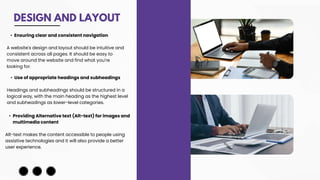
• Use of appropriate headings and subheadings
Headings and subheadings should be structured in a
logical way, with the main heading as the highest level
and subheadings as lower-level categories.
• Ensuring clear and consistent navigation
A website's design and layout should be intuitive and
consistent across all pages. It should be easy to
move around the website and find what you're
looking for.
• Providing Alternative text (Alt-text) for images and
multimedia content
Alt-text makes the content accessible to people using
assistive technologies and it will also provide a better
user experience.
MULTIMEDIA CONTENT
FORMS AND INPUT FIELDS
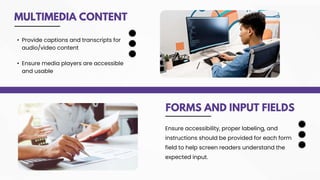
• Provide captions and transcripts for
audio/video content
• Ensure media players are accessible
and usable
Ensure accessibility, proper labeling, and
instructions should be provided for each form
field to help screen readers understand the
expected input.
LINKS AND NAVIGATION
• Use descriptive link text
• Indicate the target of each link
THANK YOU
www.acadecraft.com
700-053-0247
info@acadecraft.com

Web Accessibility Checklist: Empowering to Make Your Website Accessible

  • 1.
    EMPOWERING TO MAKE YOURWEBSITE ACCESSIBLE WEB ACCESSIBILITY CHECKLIST:
  • 2.
    ABOUT Web accessibility isessential for all, not just for differently abled individuals but even for the growth and development of businesses. It ensures that all users, regardless of their ability can access and use the website’s content. There is a growing demand for a website accessibility checklist as it provides a resource for website developers to use and ensure that their websites are accessible to all users globally. By following the unexplored web accessibility checklist, you can make your website accessible and also compliant with accessibility standards and guidelines.
  • 3.
    LEGAL REQUIREMENTS It iscrucial to be completely aware of the relevant laws and regulations to guarantee compliance with legal accessibility standards. The legal requirements are: • The Americans with Disabilities Act (ADA) • Section 508 of the Rehabilitation Act • Web Content Accessibility Guidelines (WCAG) 2.0 & 2.1 • The European Web Accessibility Regulation (EUWA)
  • 4.
    DESIGN AND LAYOUT •Use of appropriate headings and subheadings Headings and subheadings should be structured in a logical way, with the main heading as the highest level and subheadings as lower-level categories. • Ensuring clear and consistent navigation A website's design and layout should be intuitive and consistent across all pages. It should be easy to move around the website and find what you're looking for. • Providing Alternative text (Alt-text) for images and multimedia content Alt-text makes the content accessible to people using assistive technologies and it will also provide a better user experience.
  • 5.
    MULTIMEDIA CONTENT FORMS ANDINPUT FIELDS • Provide captions and transcripts for audio/video content • Ensure media players are accessible and usable Ensure accessibility, proper labeling, and instructions should be provided for each form field to help screen readers understand the expected input.
  • 6.
    LINKS AND NAVIGATION •Use descriptive link text • Indicate the target of each link
  • 7.