Watson Assistant
JeanCarl Bisson
@dothewww
medium.com/@jeancarlbisson
Signup for IBM Cloud: ibm.biz/chatbot051018
Lab: ibm.biz/chatbot-workshop
Code Pattern: ibm.biz/chatbotpattern051018
@dothewww
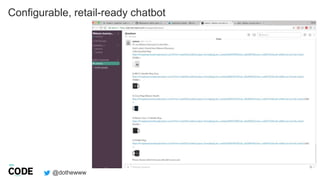
Configurable, retail-ready chatbot
@dothewww
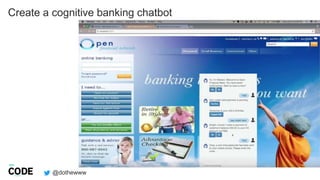
Create a cognitive banking chatbot
@dothewww
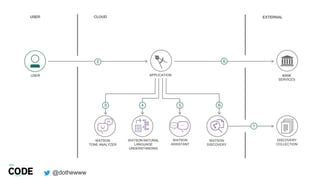
WATSON
ASSISTANT
WATSON NATURAL
LANGUAGE
UNDERSTANDING
WATSON
TONE ANALYZER
WATSON
DISCOVERY
APPLICATION BANK
SERVICES
DISCOVERY
COLLECTION
USER
@dothewww
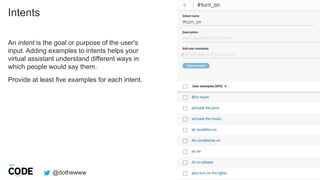
Intents
5
An intent is the goal or purpose of the user's
input. Adding examples to intents helps your
virtual assistant understand different ways in
which people would say them.
Provide at least five examples for each intent.
@dothewww
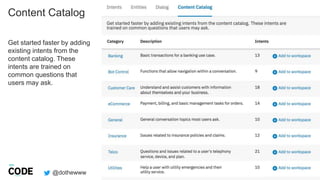
Content Catalog
6
Get started faster by adding
existing intents from the
content catalog. These
intents are trained on
common questions that
users may ask.
@dothewww
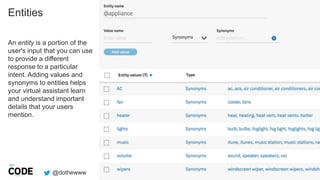
Entities
7
An entity is a portion of the
user's input that you can use
to provide a different
response to a particular
intent. Adding values and
synonyms to entities helps
your virtual assistant learn
and understand important
details that your users
mention.
@dothewww
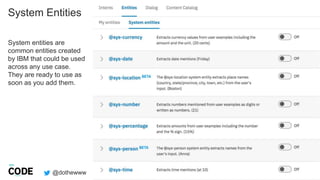
System Entities
System entities are
common entities created
by IBM that could be used
across any use case.
They are ready to use as
soon as you add them.
@dothewww
Dialog
9
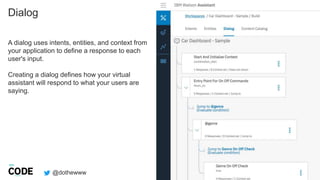
A dialog uses intents, entities, and context from
your application to define a response to each
user's input.
Creating a dialog defines how your virtual
assistant will respond to what your users are
saying.
@dothewww
Dialog
10
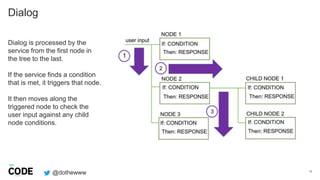
Dialog is processed by the
service from the first node in
the tree to the last.
If the service finds a condition
that is met, it triggers that node.
It then moves along the
triggered node to check the
user input against any child
node conditions.
@dothewww
Slots
11
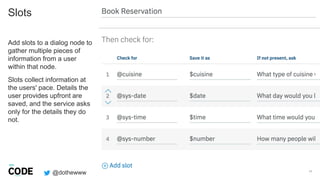
Add slots to a dialog node to
gather multiple pieces of
information from a user
within that node.
Slots collect information at
the users' pace. Details the
user provides upfront are
saved, and the service asks
only for the details they do
not.
@dothewww
Watson SDK
12
github.com/watson-developer-cloud
@dothewww
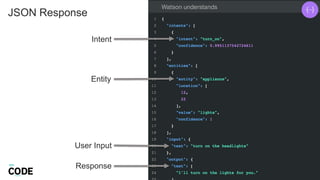
JSON Response
13
Intent
Entity
User Input
Response
@dothewww
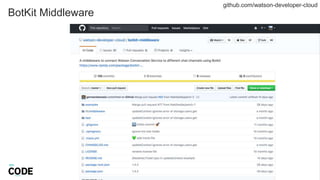
BotKit Middleware
14
github.com/watson-developer-cloud
c
@dothewww
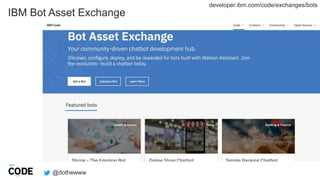
developer.ibm.com/code/exchanges/bots
IBM Bot Asset Exchange
@dothewww
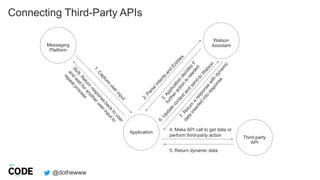
Connecting Third-Party APIs
Application
Third-party
API
Watson
Assistant
4. Make API call to get data or
perform third-party action
5. Return dynamic data
Messaging
Platform
@dothewww
Calling an
IBM Cloud Function
17
{
"context": {
"variable_name" : "variable_value"
},
"actions": [
{
"name":"<actionName>",
"type":"client | server",
"parameters": {
"<parameter_name>": "<parameter_value>",
"<parameter_name>": "<parameter_value>"
},
"result_variable": "<result_variable_name>",
"credentials": "<reference_to_credentials>"
}
],
"output": {
"text": "response text"
}
}
Define actions that can
make programmatic calls to
external applications or
services and get back a
result as part of the
processing that occurs within
a dialog turn.
developer.ibm.com/code
ibm.biz/code-AI
18
19
JEANCARL BISSON
twitter.com/dothewww
medium.com/@jeancarlbisson
github.com/jeancarl

Watson Assistant

Editor's Notes