






Welkom bij INNOV8iON
Welcome@SitNL Conversational AI
Conversational AI
Xander Rijken, Wim Snoep
23 November 2019
Future or reality?
According to Gartner, by 2020
consumers will handle 85 percent
of their engagement with
businesses without interacting with
another human; instead relying on
tech like self-service options and
chatbots.
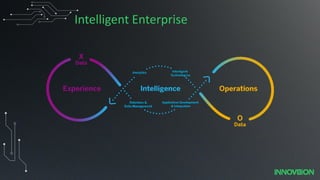
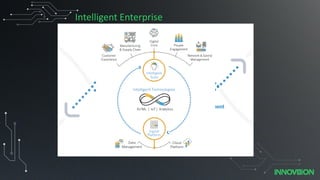
Intelligent Enterprise
16
PUBLIC
© 2019 SAP SE or
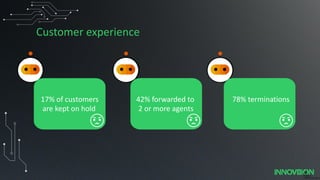
17% of customers
are kept on hold due to bad support
78% terminations42% forwarded to
2 or more agents
Customer experience
15
PUBLIC
© 2019 SAP SE or
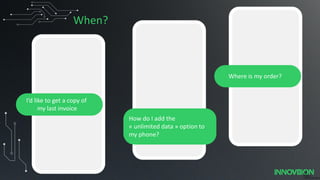
I’d like to get a copy of
my last invoice
How do I add the
« unlimited data » option to
my phone?
Where is my order?
When?
17
PUBLIC
© 2019 SAP SE or
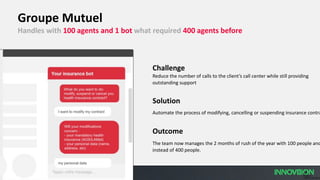
Groupe Mutuel
Handles with 100 agents and 1 bot what required 400 agents before
Challenge
Reduce the number of calls to the client’s call center while still providing
outstanding support
Solution
Automate the process of modifying, cancelling or suspending insurance contra
Outcome
The team now manages the 2 months of rush of the year with 100 people and
instead of 400 people.
19
PUBLIC
© 2019 SAP SE or
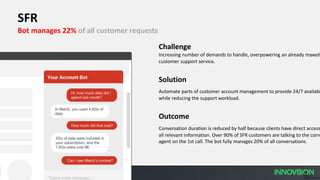
SFR
Bot manages 22% of all customer requests
Challenge
Increasing number of demands to handle, overpowering an already maxed-
customer support service.
Solution
Automate parts of customer account management to provide 24/7 availabi
while reducing the support workload.
Outcome
Conversation duration is reduced by half because clients have direct access
all relevant information. Over 90% of SFR customers are talking to the corre
agent on the 1st call. The bot fully manages 20% of all conversations.
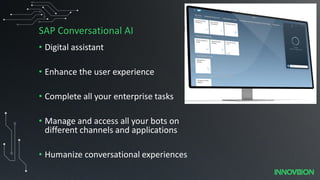
SAP Conversational AI
• Digital assistant
• Enhance the user experience
• Complete all your enterprise tasks
• Manage and access all your bots on
different channels and applications
• Humanize conversational experiences
SAP Conversational AI
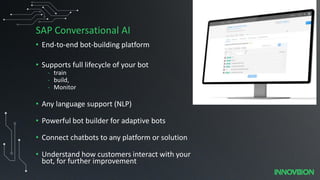
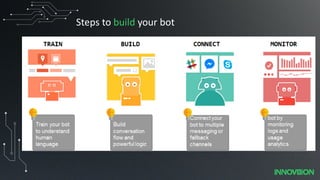
• End-to-end bot-building platform
• Supports full lifecycle of your bot
- train
- build,
- Monitor
• Any language support (NLP)
• Powerful bot builder for adaptive bots
• Connect chatbots to any platform or solution
• Understand how customers interact with your
bot, for further improvement
What is SAP Conversational AI
• Cloud based solution
• Configuration
• Runtime of your bot
• Your bot can interact with SAP Cloud and on-premise solutions
• You can incorporate 3rd party resources
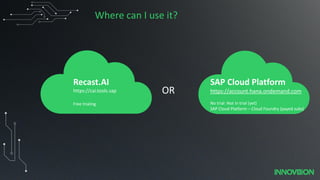
Where can I use it?
OR
Recast.AI
https://cai.tools.sap
Free trialing
SAP Cloud Platform
https://account.hana.ondemand.com
No trial: Not in trial (yet)
SAP Cloud Platform – Cloud Foundry (payed subs)
Well allright, how
do you create a bot
then?
Steps to build your bot
Train your bot to be the
Yedi Master
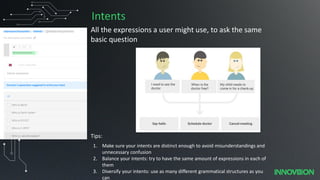
Intents
All the expressions a user might use, to ask the same
basic question
1. Make sure your intents are distinct enough to avoid misunderstandings and
unnecessary confusion
2. Balance your intents: try to have the same amount of expressions in each of
them
3. Diversify your intents: use as many different grammatical structures as you
can
Tips:
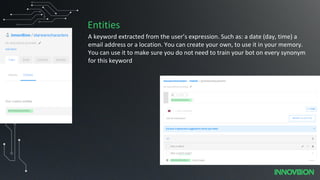
Entities
A keyword extracted from the user’s expression. Such as: a date (day, time) a
email address or a location. You can create your own, to use it in your memory.
You can use it to make sure you do not need to train your bot on every synonym
for this keyword
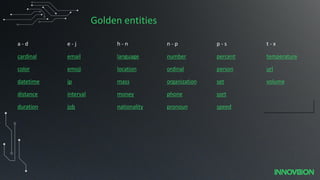
Golden entities
a - d e - j h - n n - p p - s t - x
cardinal email language number percent temperature
color emoji location ordinal person url
datetime ip mass organization set volume
distance interval money phone sort
duration job nationality pronoun speed
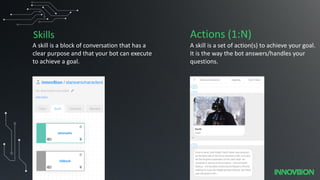
Skills
A skill is a block of conversation that has a
clear purpose and that your bot can execute
to achieve a goal.
A skill is a set of action(s) to achieve your goal.
It is the way the bot answers/handles your
questions.
Actions (1:N)
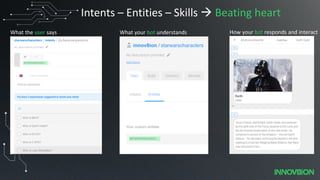
Intents – Entities – Skills → Beating heart
What the user says What your bot understands How your bot responds and interact
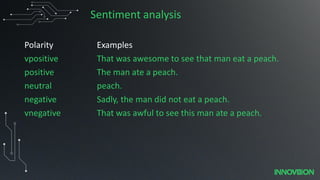
Sentiment analysis
Polarity Examples
vpositive That was awesome to see that man eat a peach.
positive The man ate a peach.
neutral peach.
negative Sadly, the man did not eat a peach.
vnegative That was awful to see this man ate a peach.
Now show me!
DEMO - Build a simple bot
Bot is ready now how to offer to the end user
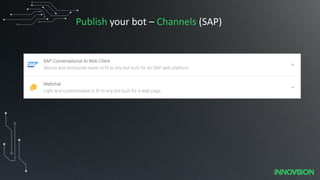
Publish your bot – Channels (SAP)
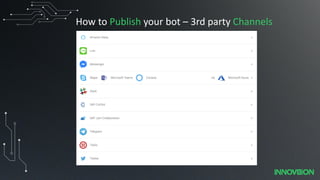
How to Publish your bot – 3rd party Channels
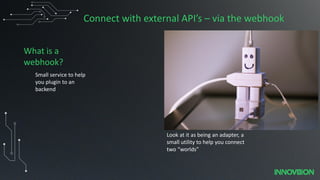
Connect with external API’s – via the webhook
Small service to help
you plugin to an
backend
What is a
webhook?
Look at it as being an adapter, a
small utility to help you connect
two “worlds”
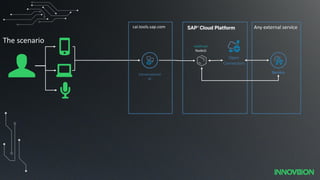
webhook
NodeJS
Conversational
AI
Any external service
The scenario
cai.tools.sap.com
Service
Open
Connectors
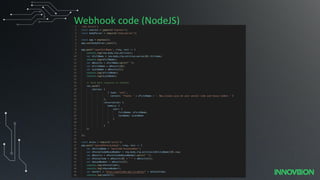
Webhook code (NodeJS)
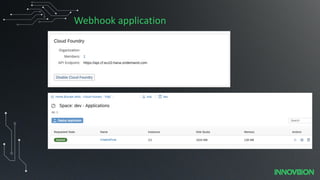
Webhook application
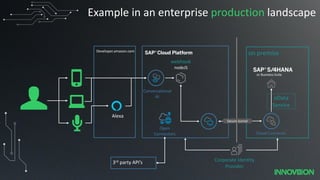
on premise
oData
Service
webhook
nodeJS
Conversational
AI
Secure tunnel
Corporate Identity
Provider
or Business Suite
Cloud Connector
Open
Connectors
Example in an enterprise production landscape
Developer.amazon.com
Alexa
3rd party API’s
Recent new features & Roadmap
Features:
Single sign on via SAP
Cloud
Features:
Easy connect to other systems
linked with SSO, and parse json instead of via webhook)
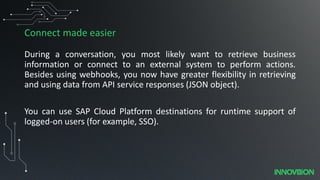
Connect made easier
During a conversation, you most likely want to retrieve business
information or connect to an external system to perform actions.
Besides using webhooks, you now have greater flexibility in retrieving
and using data from API service responses (JSON object).
You can use SAP Cloud Platform destinations for runtime support of
logged-on users (for example, SSO).
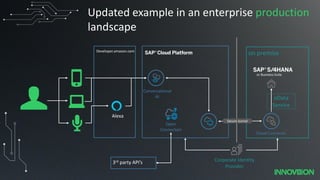
on premise
oData
Service
Conversational
AI
Secure tunnel
Corporate Identity
Provider
or Business Suite
Cloud Connector
Open
Connectors
Updated example in an enterprise production
landscape
Developer.amazon.com
Alexa
3rd party API’s
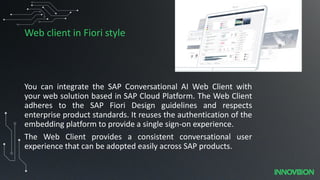
Web client in Fiori style
You can integrate the SAP Conversational AI Web Client with
your web solution based in SAP Cloud Platform. The Web Client
adheres to the SAP Fiori Design guidelines and respects
enterprise product standards. It reuses the authentication of the
embedding platform to provide a single sign-on experience.
The Web Client provides a consistent conversational user
experience that can be adopted easily across SAP products.
Roadmap
Add standard chatbot to SAP products, as an extra service
and part of the product.
Summary
• Can build full fledge chatbot
• Keep it simple
• Integrates well with SAP backend
• New features constantly added
Lessons learned
• UI not fully intuitive, (mark entities in expressions)
• No tool required all browser based
• SSO not simple, but now solved in SCP service.
• Entity recognition, for example 5621km is postal code
or kilometers…. Train the bot
• Channel voice – use wisely. Not every channel offers all
options, for example using a picture with voice,ehm..
Cards cannot be done via voice as well. Create two
different bots?
• Can connect to Alexa but is not available in dutch
• Quickly a webhook was required for an integration, but
better now.
References/ further reading
SAP Conversational AI https://cai.tools.sap
What’s new: https://help.sap.com/viewer/9825cb46d5ff49ee88b8c37f0f651a87/1909/en-US#footer-container
Product overview: https://www.sap.com/products/conversational-ai.html
Detailed API explanations and documentation: https://cai.tools.sap/docs/
Roadmap: https://www.sap.com/products/roadmaps/finder-all.html#pdf-asset=223b68c7-c37c-0010-
82c7-eda71af511fa&page=11
Questions

sitNL 2019 - SAP Conversational AI

  • 1.
  • 3.
    Conversational AI Xander Rijken,Wim Snoep 23 November 2019
  • 4.
    Future or reality? Accordingto Gartner, by 2020 consumers will handle 85 percent of their engagement with businesses without interacting with another human; instead relying on tech like self-service options and chatbots.
  • 5.
  • 6.
  • 7.
    16 PUBLIC © 2019 SAPSE or 17% of customers are kept on hold due to bad support 78% terminations42% forwarded to 2 or more agents Customer experience
  • 8.
    15 PUBLIC © 2019 SAPSE or I’d like to get a copy of my last invoice How do I add the « unlimited data » option to my phone? Where is my order? When?
  • 9.
    17 PUBLIC © 2019 SAPSE or Groupe Mutuel Handles with 100 agents and 1 bot what required 400 agents before Challenge Reduce the number of calls to the client’s call center while still providing outstanding support Solution Automate the process of modifying, cancelling or suspending insurance contra Outcome The team now manages the 2 months of rush of the year with 100 people and instead of 400 people.
  • 10.
    19 PUBLIC © 2019 SAPSE or SFR Bot manages 22% of all customer requests Challenge Increasing number of demands to handle, overpowering an already maxed- customer support service. Solution Automate parts of customer account management to provide 24/7 availabi while reducing the support workload. Outcome Conversation duration is reduced by half because clients have direct access all relevant information. Over 90% of SFR customers are talking to the corre agent on the 1st call. The bot fully manages 20% of all conversations.
  • 11.
    SAP Conversational AI •Digital assistant • Enhance the user experience • Complete all your enterprise tasks • Manage and access all your bots on different channels and applications • Humanize conversational experiences
  • 12.
    SAP Conversational AI •End-to-end bot-building platform • Supports full lifecycle of your bot - train - build, - Monitor • Any language support (NLP) • Powerful bot builder for adaptive bots • Connect chatbots to any platform or solution • Understand how customers interact with your bot, for further improvement
  • 13.
    What is SAPConversational AI • Cloud based solution • Configuration • Runtime of your bot • Your bot can interact with SAP Cloud and on-premise solutions • You can incorporate 3rd party resources
  • 14.
    Where can Iuse it? OR Recast.AI https://cai.tools.sap Free trialing SAP Cloud Platform https://account.hana.ondemand.com No trial: Not in trial (yet) SAP Cloud Platform – Cloud Foundry (payed subs)
  • 15.
    Well allright, how doyou create a bot then?
  • 16.
  • 17.
    Train your botto be the Yedi Master
  • 18.
    Intents All the expressionsa user might use, to ask the same basic question 1. Make sure your intents are distinct enough to avoid misunderstandings and unnecessary confusion 2. Balance your intents: try to have the same amount of expressions in each of them 3. Diversify your intents: use as many different grammatical structures as you can Tips:
  • 19.
    Entities A keyword extractedfrom the user’s expression. Such as: a date (day, time) a email address or a location. You can create your own, to use it in your memory. You can use it to make sure you do not need to train your bot on every synonym for this keyword
  • 20.
    Golden entities a -d e - j h - n n - p p - s t - x cardinal email language number percent temperature color emoji location ordinal person url datetime ip mass organization set volume distance interval money phone sort duration job nationality pronoun speed
  • 21.
    Skills A skill isa block of conversation that has a clear purpose and that your bot can execute to achieve a goal. A skill is a set of action(s) to achieve your goal. It is the way the bot answers/handles your questions. Actions (1:N)
  • 22.
    Intents – Entities– Skills → Beating heart What the user says What your bot understands How your bot responds and interact
  • 23.
    Sentiment analysis Polarity Examples vpositiveThat was awesome to see that man eat a peach. positive The man ate a peach. neutral peach. negative Sadly, the man did not eat a peach. vnegative That was awful to see this man ate a peach.
  • 24.
  • 25.
    DEMO - Builda simple bot
  • 26.
    Bot is readynow how to offer to the end user
  • 27.
    Publish your bot– Channels (SAP)
  • 28.
    How to Publishyour bot – 3rd party Channels
  • 29.
    Connect with externalAPI’s – via the webhook Small service to help you plugin to an backend What is a webhook? Look at it as being an adapter, a small utility to help you connect two “worlds”
  • 30.
    webhook NodeJS Conversational AI Any external service Thescenario cai.tools.sap.com Service Open Connectors
  • 31.
  • 32.
  • 33.
    on premise oData Service webhook nodeJS Conversational AI Secure tunnel CorporateIdentity Provider or Business Suite Cloud Connector Open Connectors Example in an enterprise production landscape Developer.amazon.com Alexa 3rd party API’s
  • 34.
  • 35.
  • 36.
    Features: Easy connect toother systems linked with SSO, and parse json instead of via webhook)
  • 37.
    Connect made easier Duringa conversation, you most likely want to retrieve business information or connect to an external system to perform actions. Besides using webhooks, you now have greater flexibility in retrieving and using data from API service responses (JSON object). You can use SAP Cloud Platform destinations for runtime support of logged-on users (for example, SSO).
  • 38.
    on premise oData Service Conversational AI Secure tunnel CorporateIdentity Provider or Business Suite Cloud Connector Open Connectors Updated example in an enterprise production landscape Developer.amazon.com Alexa 3rd party API’s
  • 39.
    Web client inFiori style You can integrate the SAP Conversational AI Web Client with your web solution based in SAP Cloud Platform. The Web Client adheres to the SAP Fiori Design guidelines and respects enterprise product standards. It reuses the authentication of the embedding platform to provide a single sign-on experience. The Web Client provides a consistent conversational user experience that can be adopted easily across SAP products.
  • 40.
    Roadmap Add standard chatbotto SAP products, as an extra service and part of the product.
  • 41.
    Summary • Can buildfull fledge chatbot • Keep it simple • Integrates well with SAP backend • New features constantly added
  • 42.
    Lessons learned • UInot fully intuitive, (mark entities in expressions) • No tool required all browser based • SSO not simple, but now solved in SCP service. • Entity recognition, for example 5621km is postal code or kilometers…. Train the bot • Channel voice – use wisely. Not every channel offers all options, for example using a picture with voice,ehm.. Cards cannot be done via voice as well. Create two different bots? • Can connect to Alexa but is not available in dutch • Quickly a webhook was required for an integration, but better now.
  • 43.
    References/ further reading SAPConversational AI https://cai.tools.sap What’s new: https://help.sap.com/viewer/9825cb46d5ff49ee88b8c37f0f651a87/1909/en-US#footer-container Product overview: https://www.sap.com/products/conversational-ai.html Detailed API explanations and documentation: https://cai.tools.sap/docs/ Roadmap: https://www.sap.com/products/roadmaps/finder-all.html#pdf-asset=223b68c7-c37c-0010- 82c7-eda71af511fa&page=11
  • 44.