

VLOOKUP Function
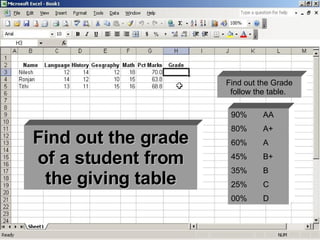
90% AA 80% A+ 60% A 45%  B+ 35%  B 25%  C 00%  D Find out the Grade follow the table.  Find out the grade of a student from the giving table
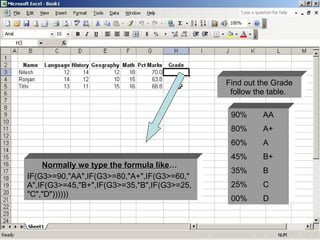
90% AA 80% A+ 60% A 45%  B+ 35%  B 25%  C 00%  D Find out the Grade follow the table.  Normally we type the formula like …   IF(G3>=90,"AA",IF(G3>=80,"A+",IF(G3>=60,"A",IF(G3>=45,"B+",IF(G3>=35,"B",IF(G3>=25,"C","D"))))))
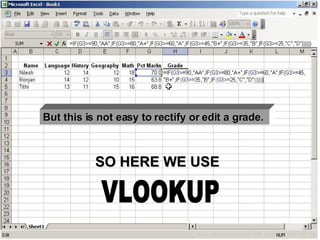
90% AA 80% A+ 60% A 45%  B+ 35%  B 25%  C 00%  D But this is not easy to rectify or edit a grade.  SO HERE WE USE VLOOKUP
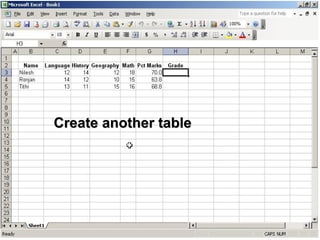
Create another table
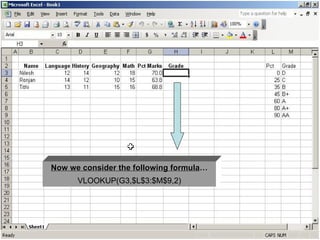
Now we consider the following formula … VLOOKUP(G3,$L$3:$M$9,2)
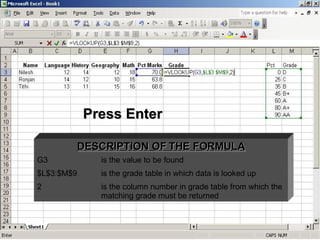
Press Enter DESCRIPTION OF THE FORMULA G3 is the value to be found $L$3:$M$9 is the grade table in which data is looked up 2 is the column number in grade table from which the matching grade must be returned
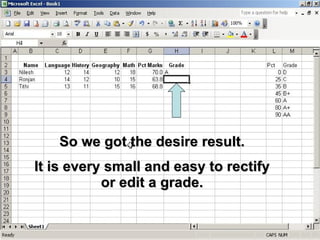
So we got the desire result. It is every small and easy to rectify or edit a grade.

Vloopup

  • 1.
  • 2.
    90% AA 80%A+ 60% A 45% B+ 35% B 25% C 00% D Find out the Grade follow the table. Find out the grade of a student from the giving table
  • 3.
    90% AA 80%A+ 60% A 45% B+ 35% B 25% C 00% D Find out the Grade follow the table. Normally we type the formula like … IF(G3>=90,"AA",IF(G3>=80,"A+",IF(G3>=60,"A",IF(G3>=45,"B+",IF(G3>=35,"B",IF(G3>=25,"C","D"))))))
  • 4.
    90% AA 80%A+ 60% A 45% B+ 35% B 25% C 00% D But this is not easy to rectify or edit a grade. SO HERE WE USE VLOOKUP
  • 5.
  • 6.
    Now we considerthe following formula … VLOOKUP(G3,$L$3:$M$9,2)
  • 7.
    Press Enter DESCRIPTIONOF THE FORMULA G3 is the value to be found $L$3:$M$9 is the grade table in which data is looked up 2 is the column number in grade table from which the matching grade must be returned
  • 8.
    So we gotthe desire result. It is every small and easy to rectify or edit a grade.