
Optimizing the CRP 
(Critical Rendering Path)
Vlad Zelinschi 
Frontend Engineer at Yonder 
@vladzelinschi
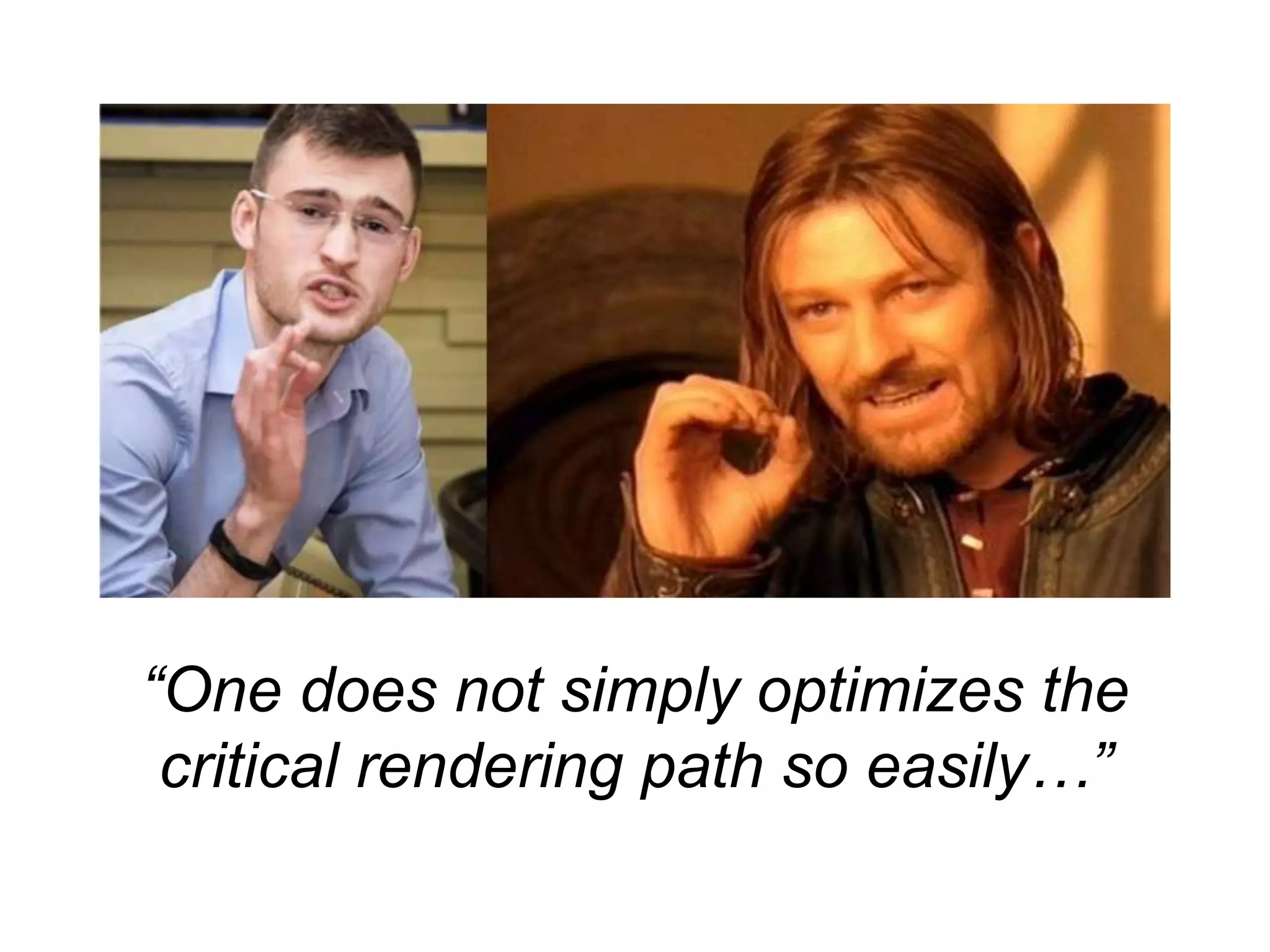
“One does not simply optimizes the 
critical rendering path so easily…”
Reasons for being here 
• Easy to construct large apps and just … “go with the 
flow” 
• Performance should be in your head right from the 
start (this does not mean over-optimizing early on!!) 
• Demanding clients, demanding users, demanding 
developers, high standards
SPEED IS A 
FEATURE
What is the CRP?
“[…] what happens in these intermediate steps 
between receiving the HTML, CSS, and 
JavaScript bytes and the required processing to 
turn them into rendered pixels - that’s the critical 
Google Developers 
rendering path.”
Candy break …
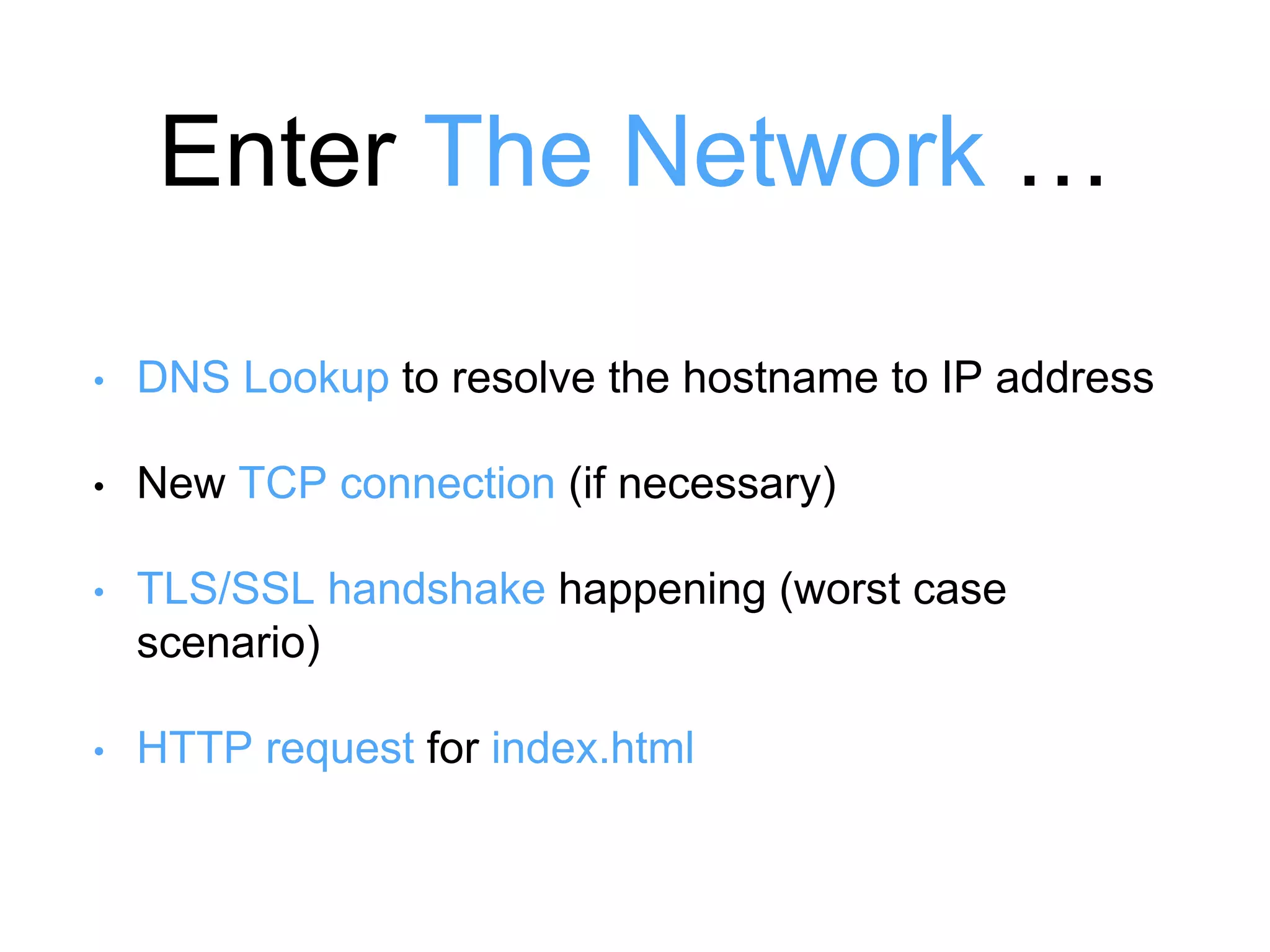
Enter The Network … 
• DNS Lookup to resolve the hostname to IP address 
• New TCP connection (if necessary) 
• TLS/SSL handshake happening (worst case 
scenario) 
• HTTP request for index.html
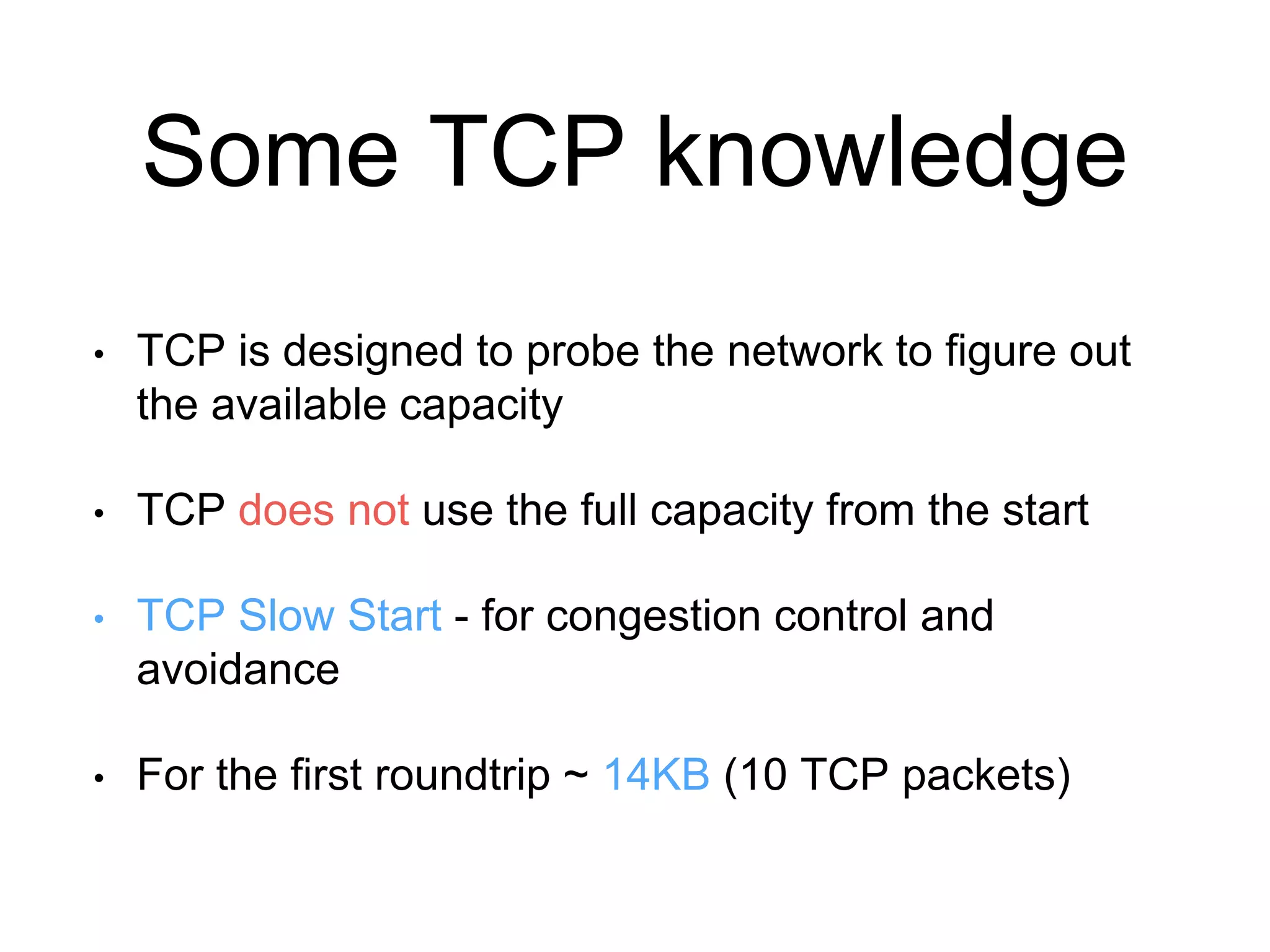
Some TCP knowledge 
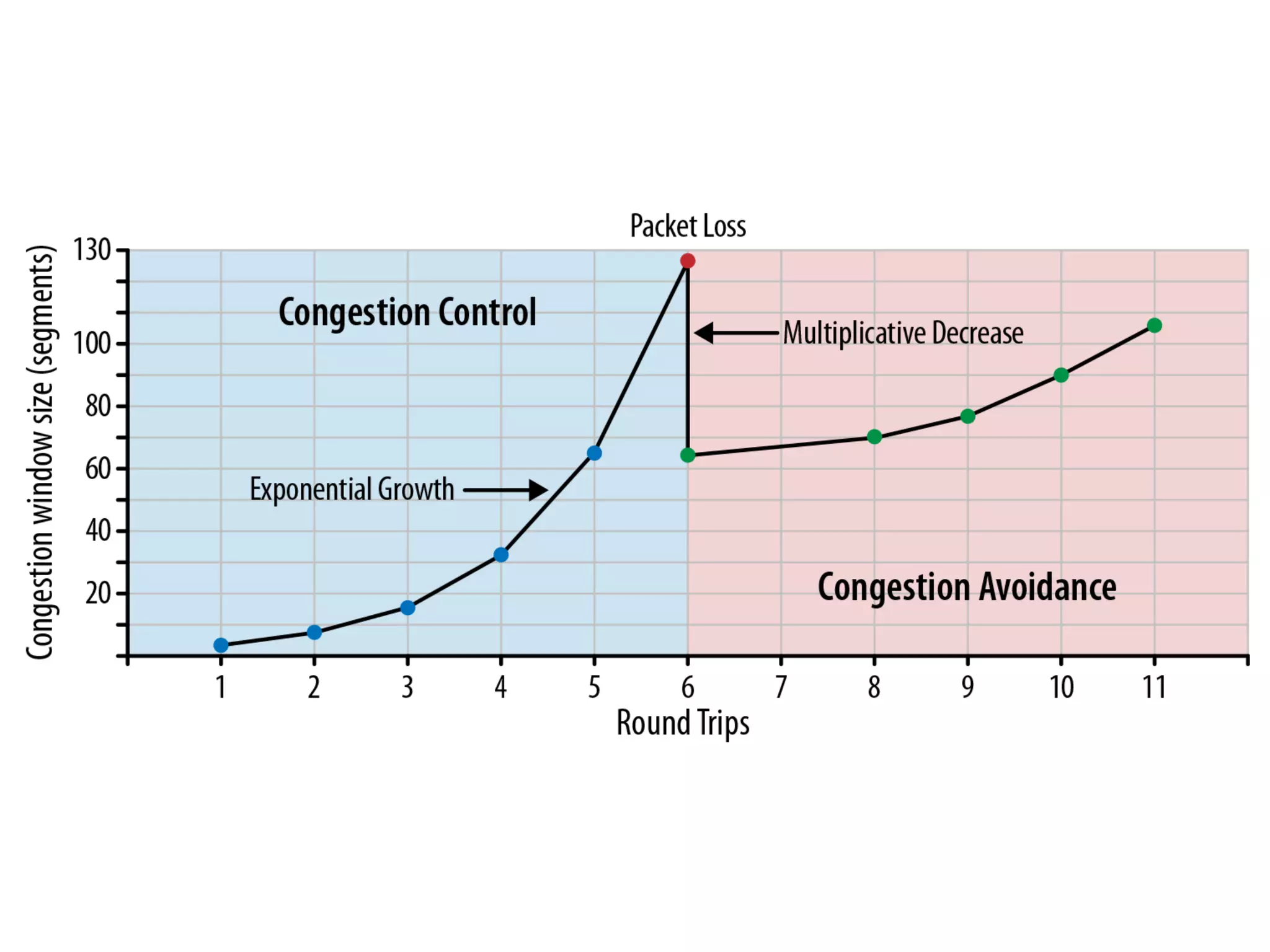
• TCP is designed to probe the network to figure out 
the available capacity 
• TCP does not use the full capacity from the start 
• TCP Slow Start - for congestion control and 
avoidance 
• For the first roundtrip ~ 14KB (10 TCP packets)
let’s get the index.html
What browsers do … 
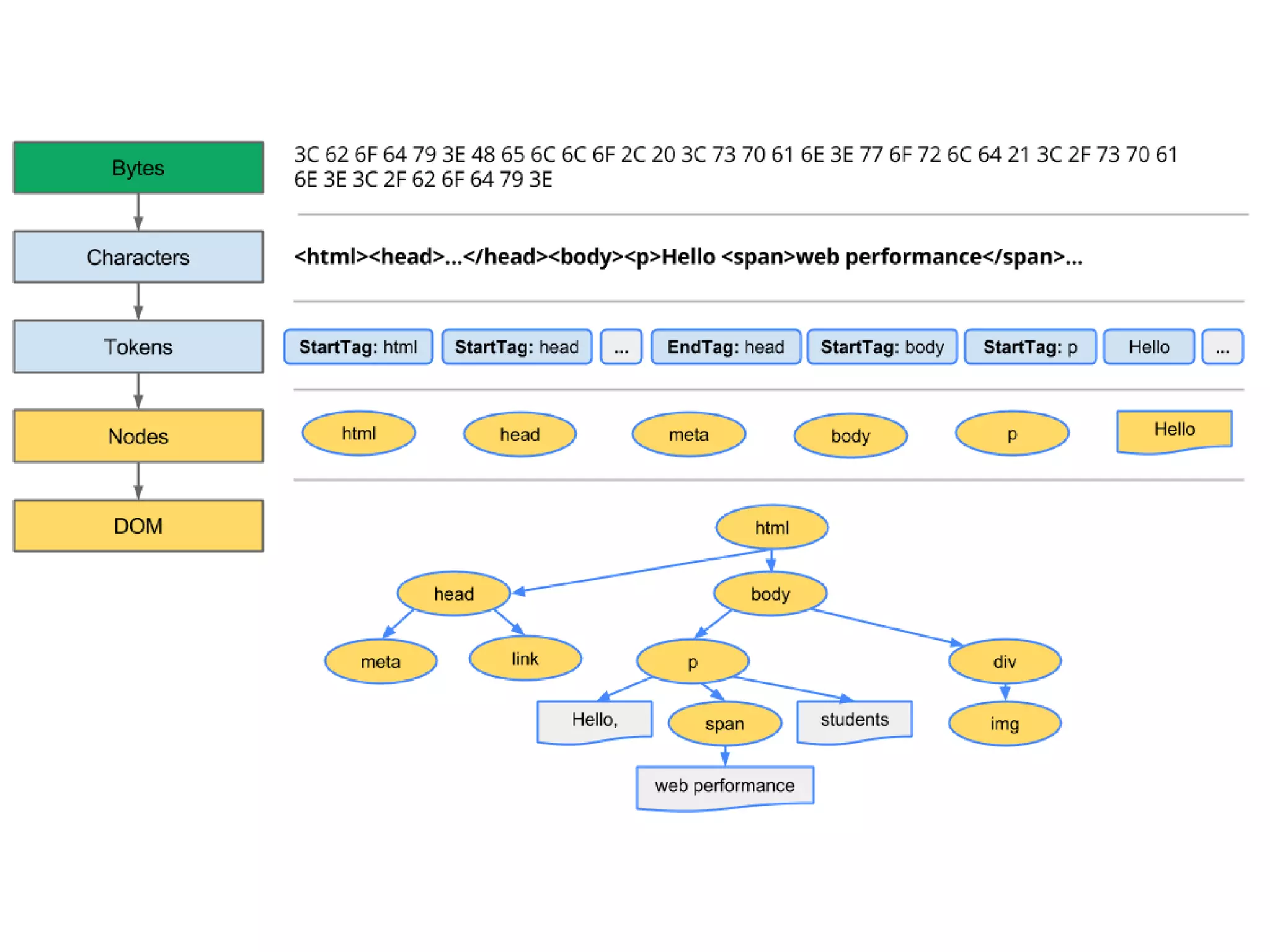
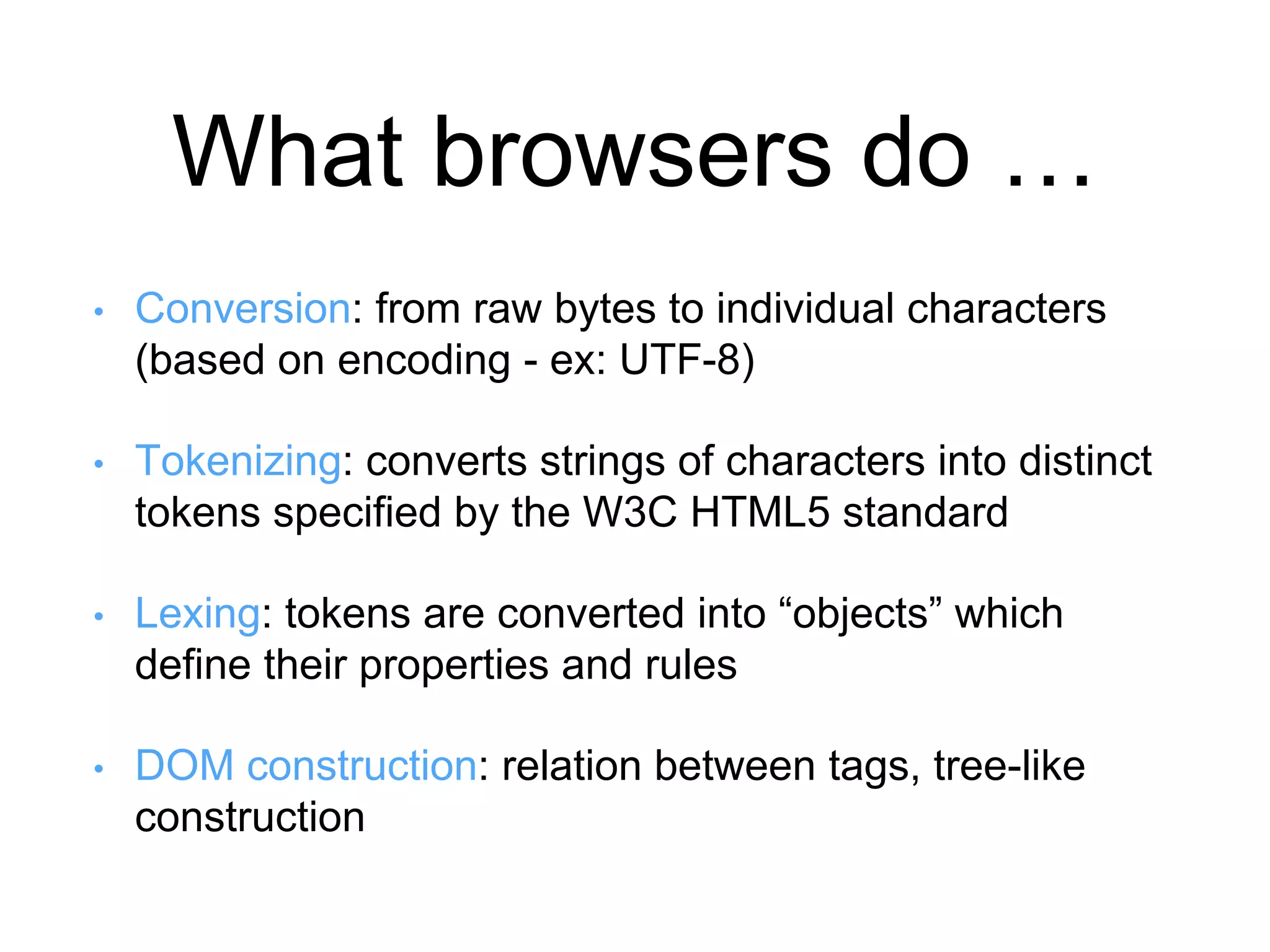
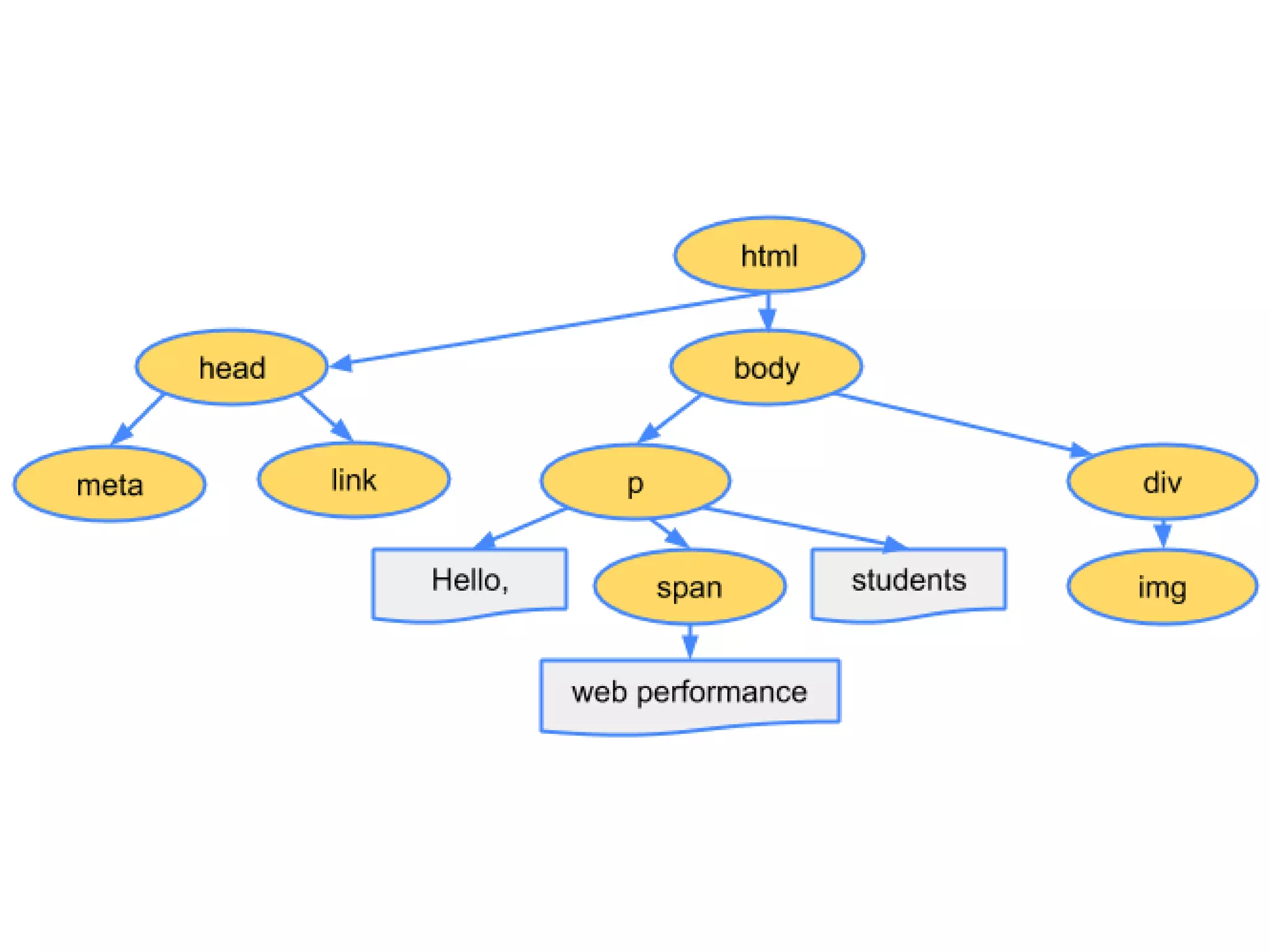
• Conversion: from raw bytes to individual characters 
(based on encoding - ex: UTF-8) 
• Tokenizing: converts strings of characters into distinct 
tokens specified by the W3C HTML5 standard 
• Lexing: tokens are converted into “objects” which 
define their properties and rules 
• DOM construction: relation between tags, tree-like 
construction
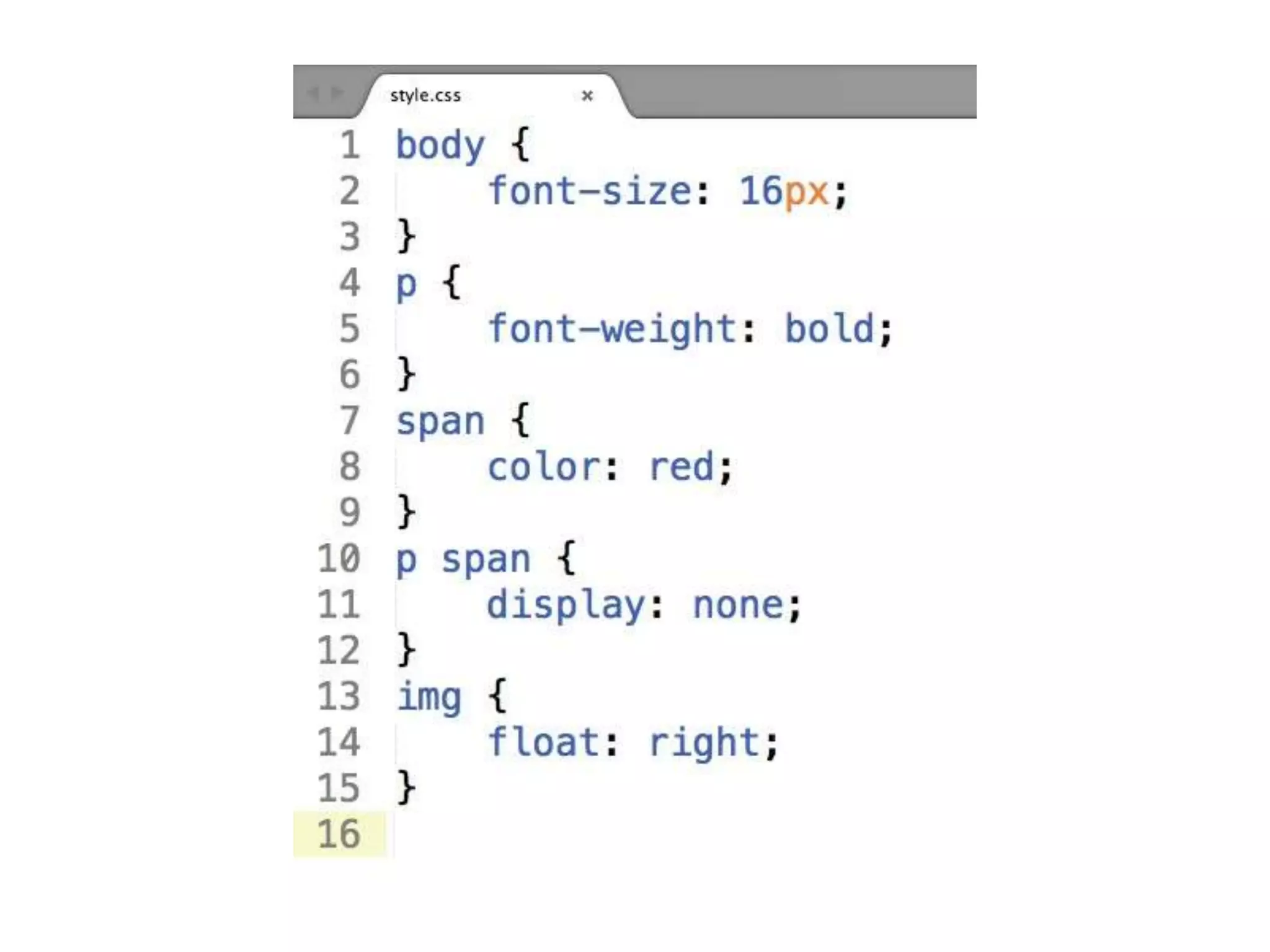
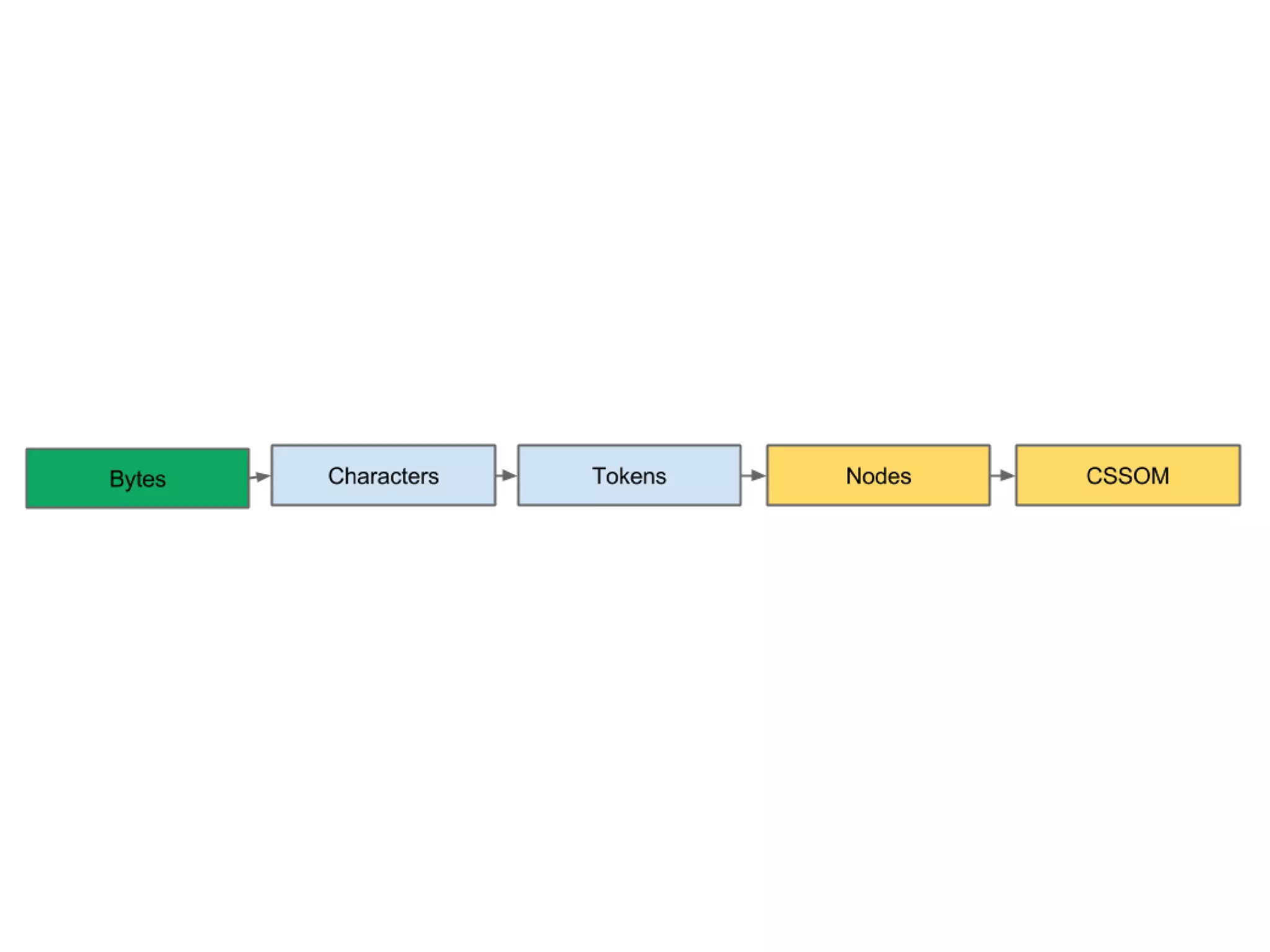
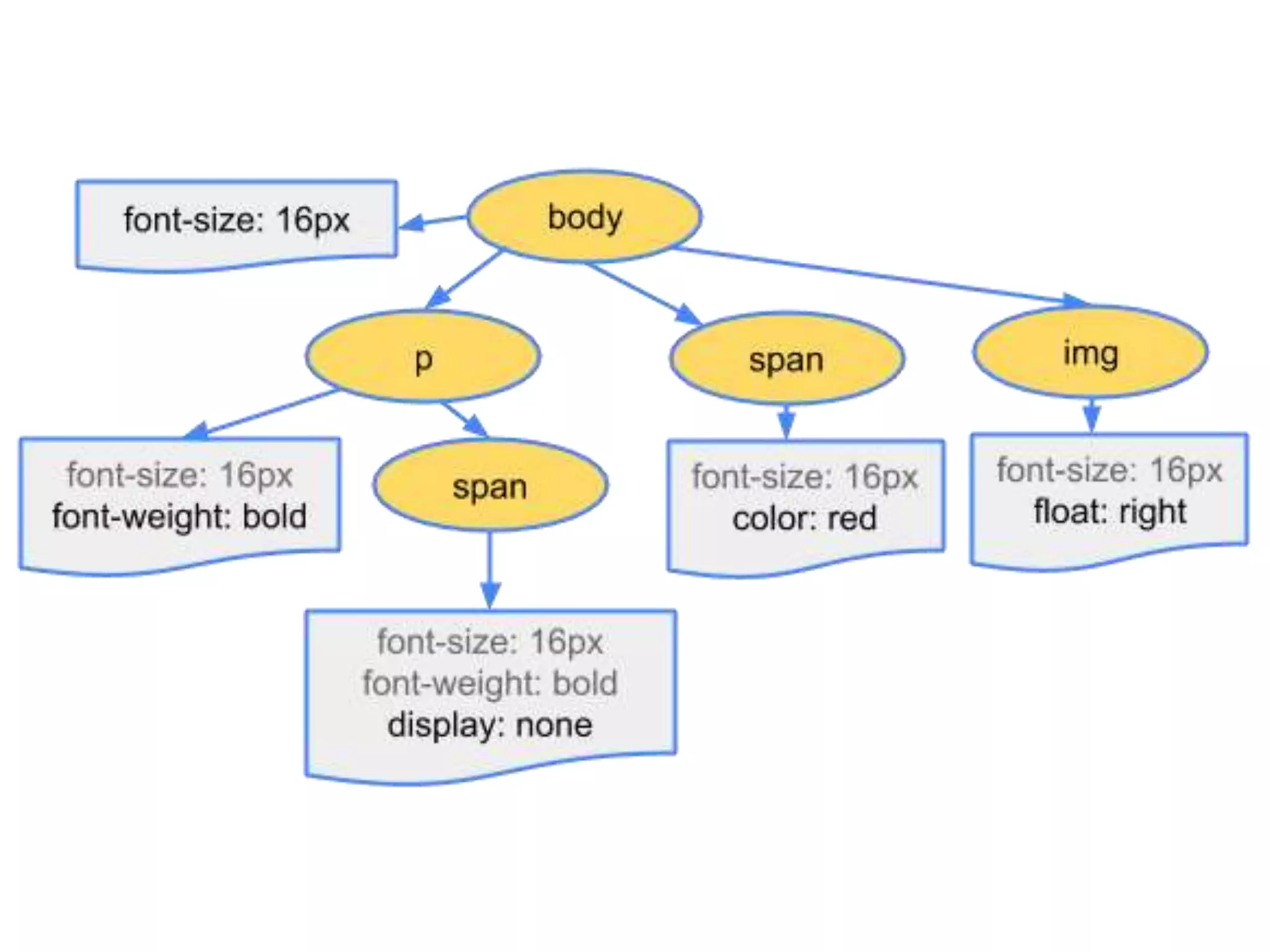
same for CSS …
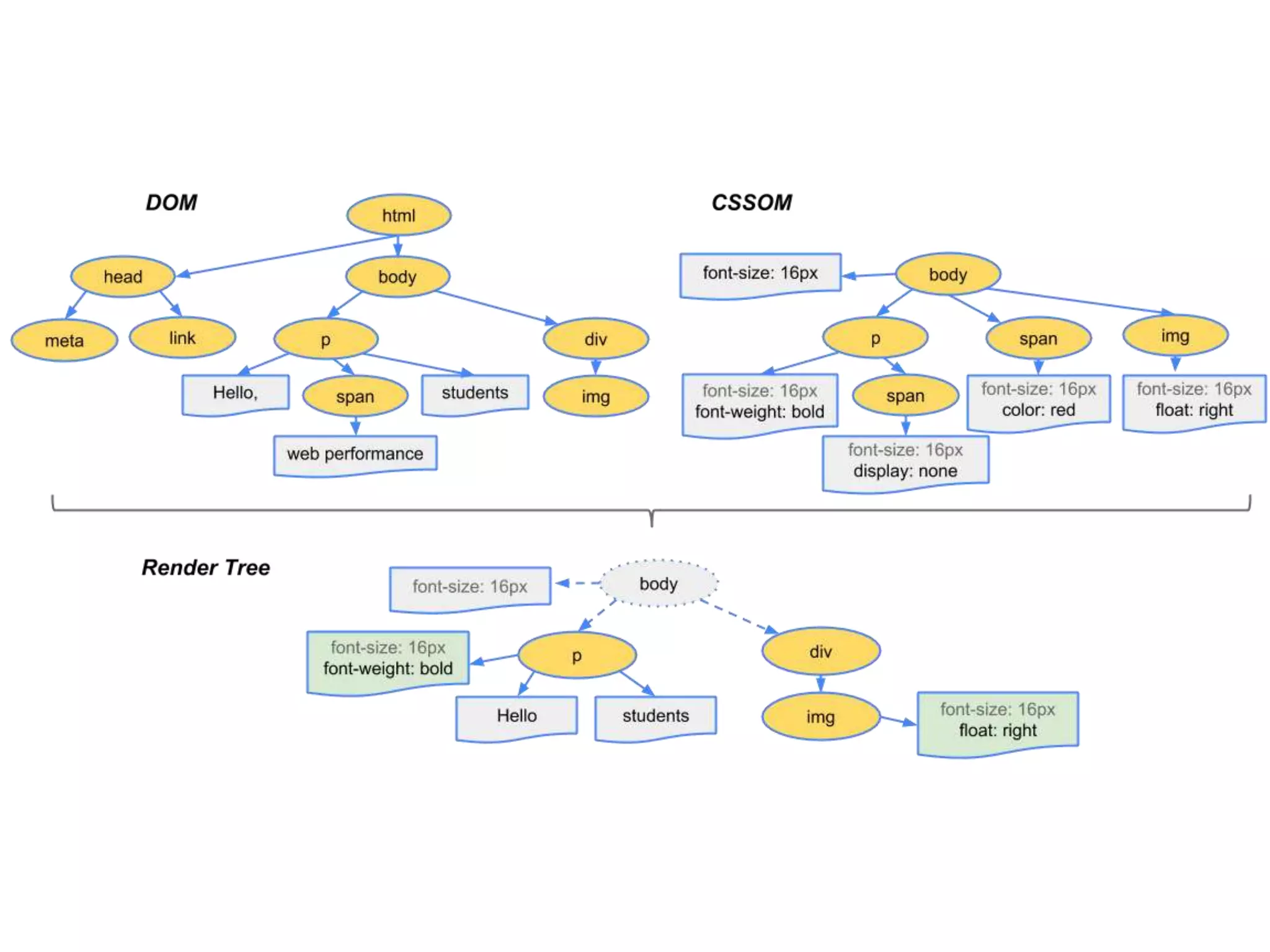
then the render tree …
Render, Layout, Paint 
• Final stages before getting something on screen 
• The Layout calculates the exact position and size of 
the elements in the viewport 
• The render tree construction, position and size 
calculation are captured with the “Layout” event in 
the Timeline (Chrome Dev Tools) 
• Paint - converts the render tree to actual pixels
Recap 
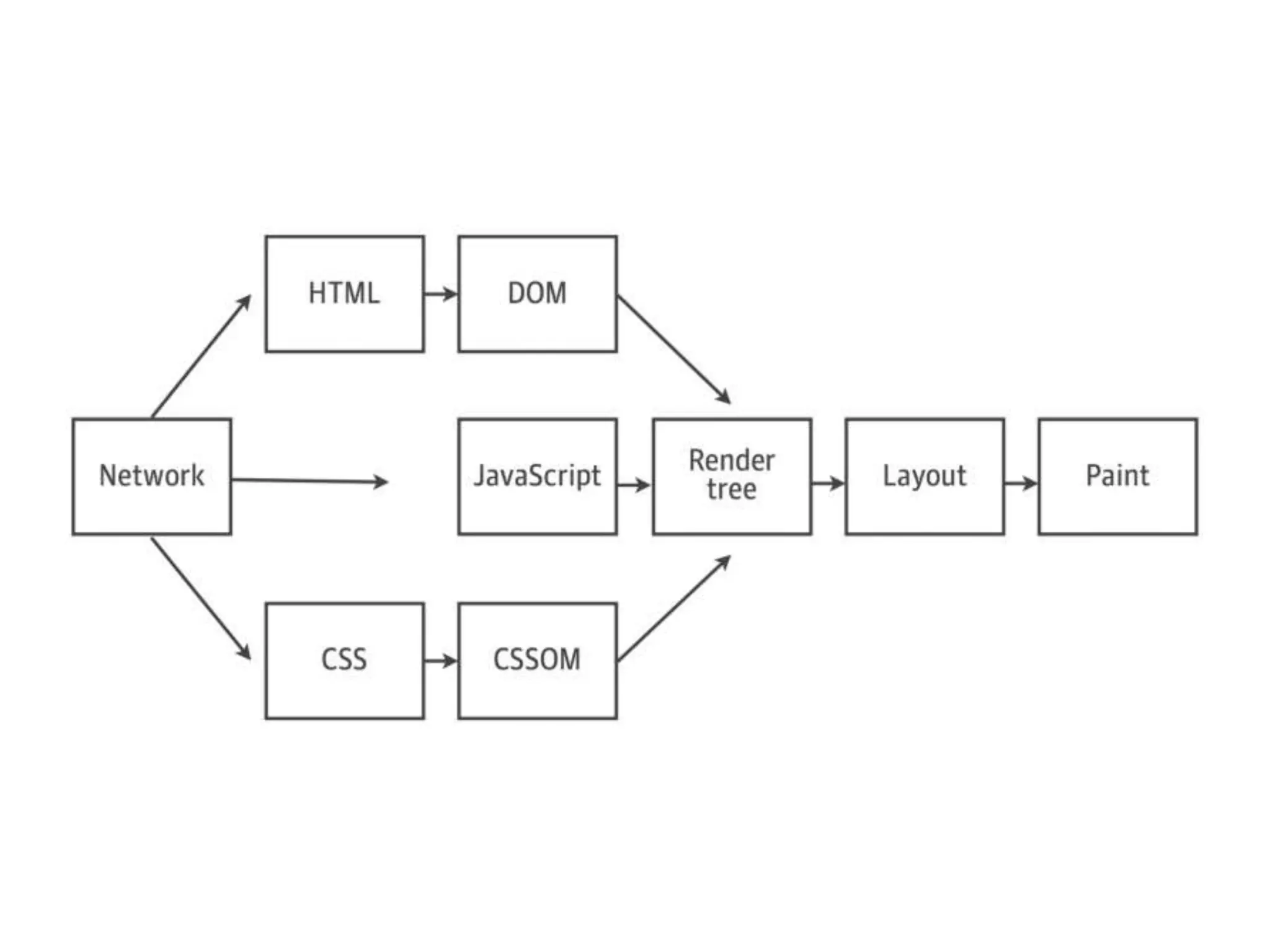
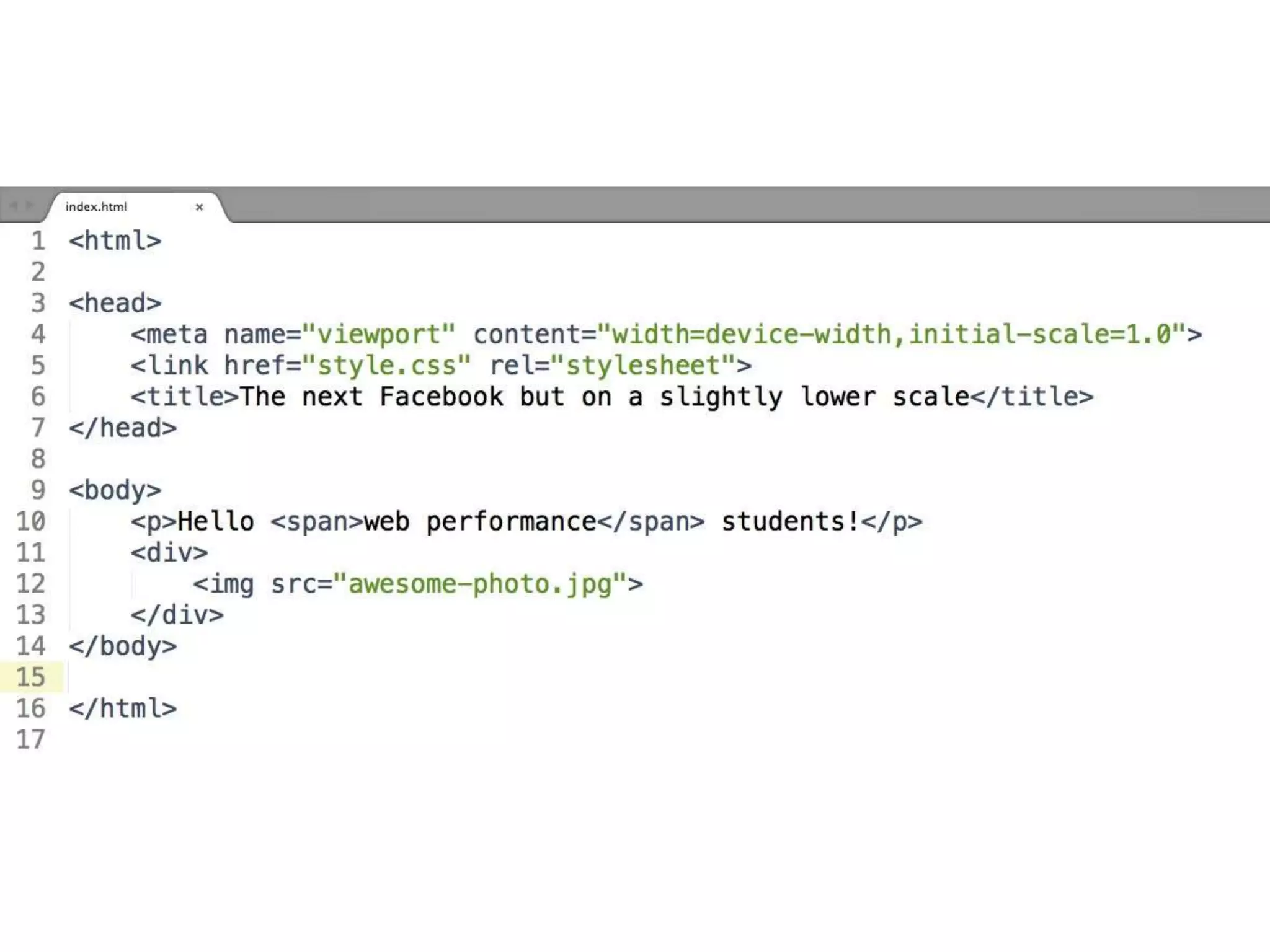
• Process HTML markup and build the DOM tree 
• Process CSS markup and build the CSSOM tree 
• Combine the DOM and CSSOM into a render tree 
• Run layout on the render tree to compute geometry 
of each node 
• Paint the individual nodes to the screen
Optimizing the critical rendering path is the 
process of minimizing the total amount of time 
spent in steps one through five in the previous 
slide.
Perf rules to keep in mind 
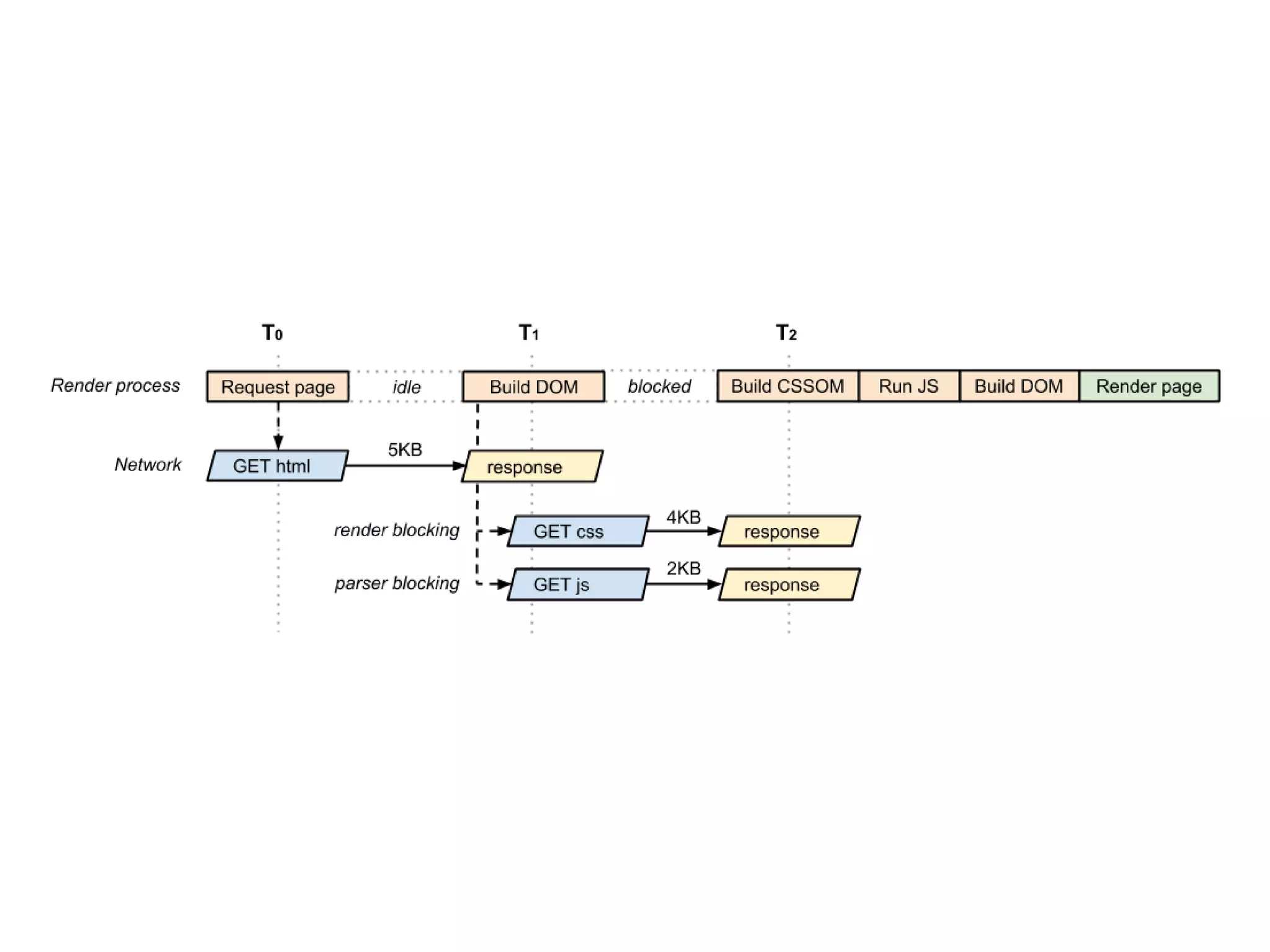
• HTML is parsed incrementally 
• CSS is render blocking (can’t construct the CSSOM 
and the render tree without it) 
• CSS is not incremental (we must wait for the entire 
file to download)
What about JavaScript?
JavaScript - friend and foe 
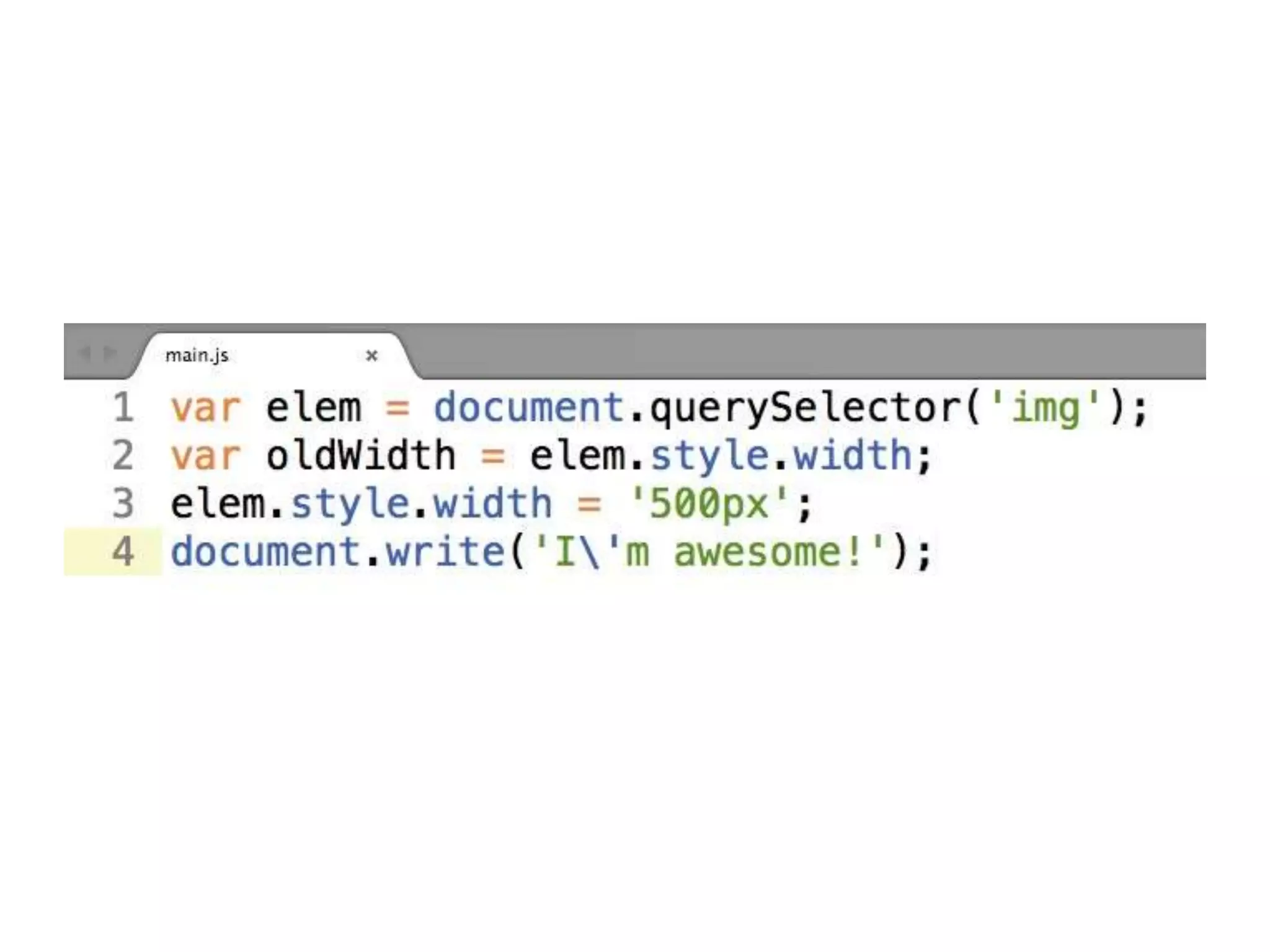
• The location of the script in the document is significant 
• DOM construction is paused when a script tag is 
encountered and until the script has finished executing 
(JS is parser-blocking) 
• JavaScript can query and modify the DOM and 
CSSOM 
• JavaScript execution is delayed until the CSSOM is 
ready
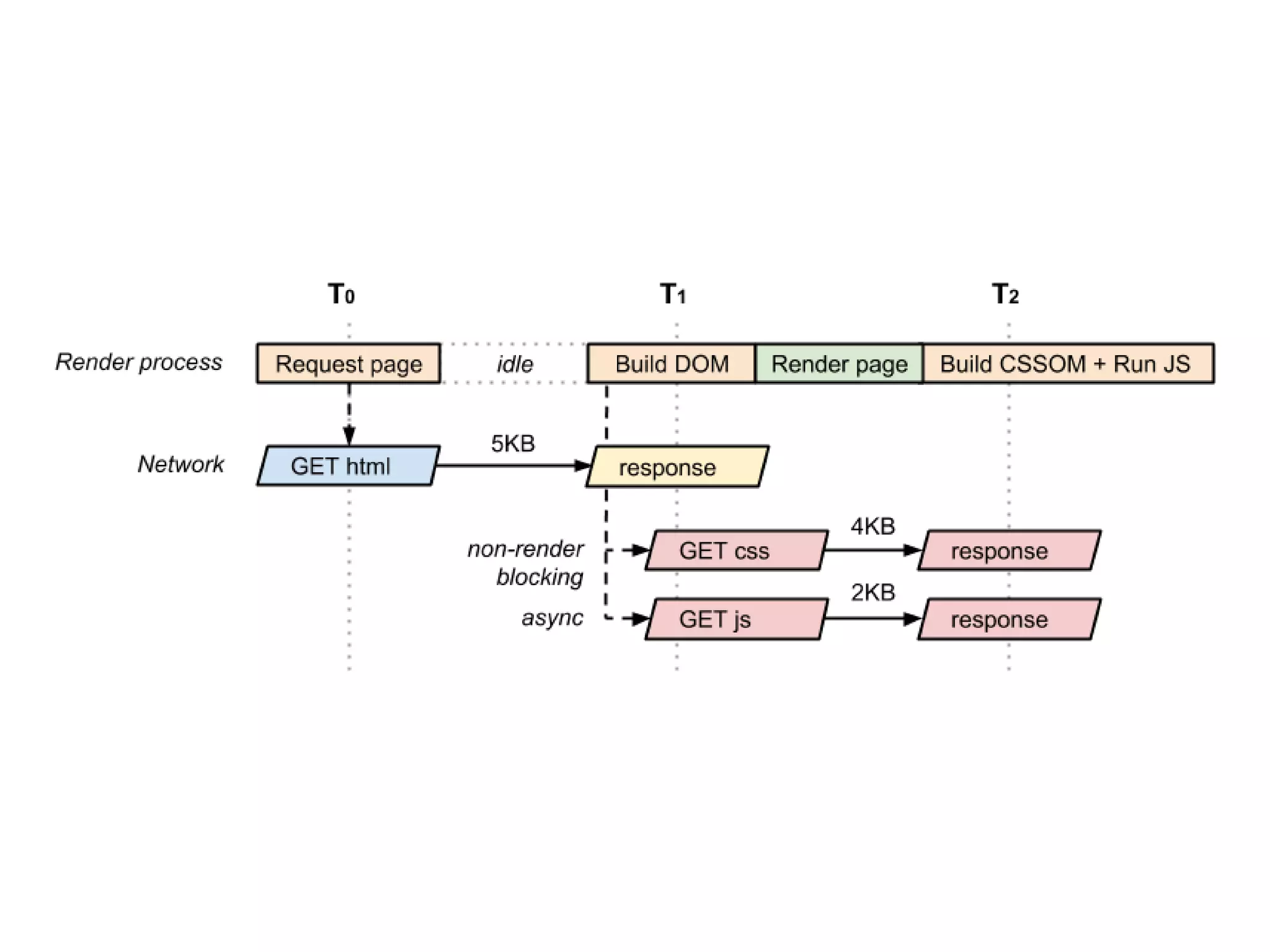
How can we have pixels 
on screen after just one 
RTT (round trip time)?
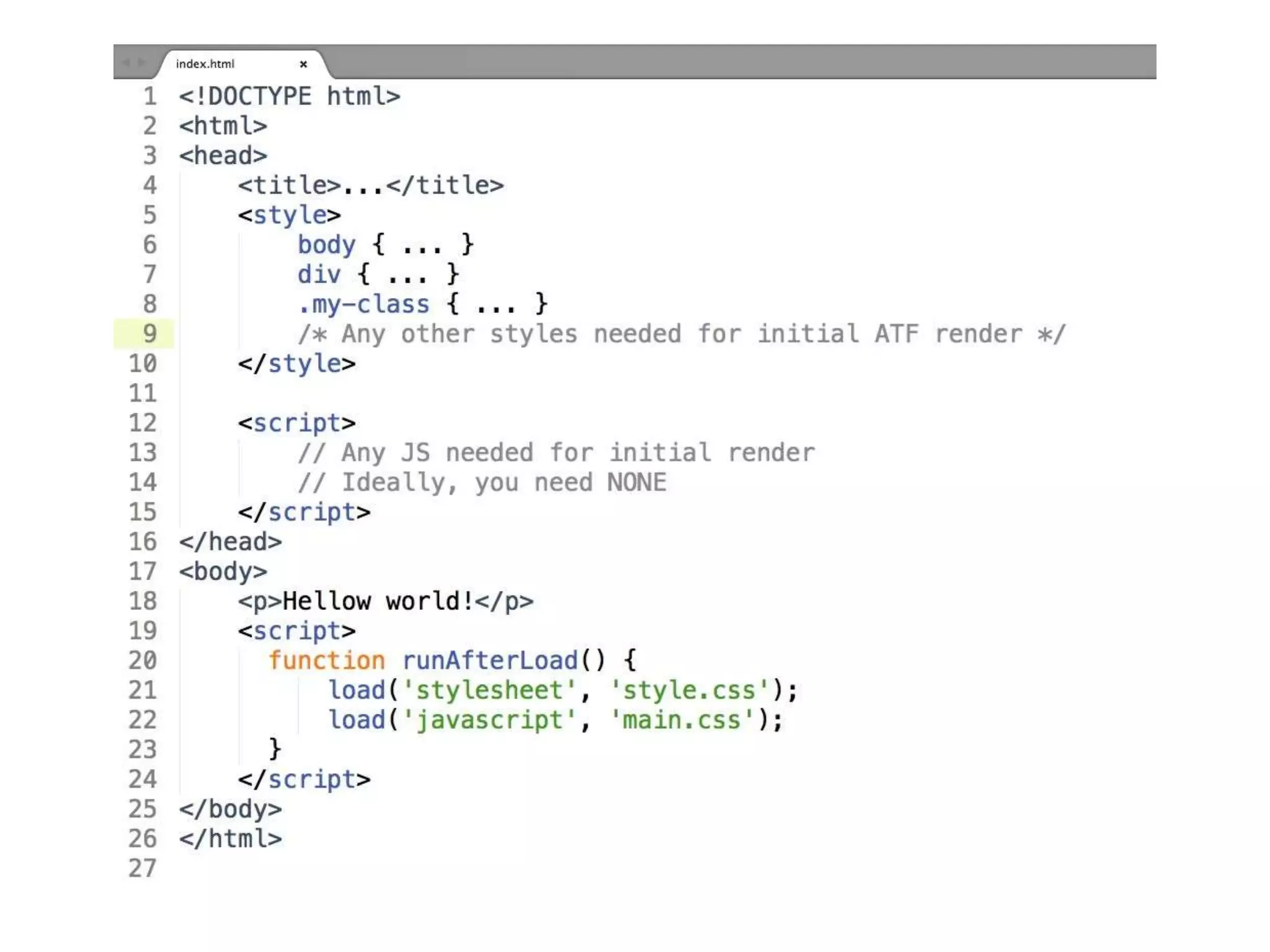
Optimizing the CRP 
• Get CSS down to the client as fast as possible 
• Eliminate blocking JavaScript from the CRP (your 
friend, async) 
• Aim for the fastest domContentLoaded time (DOM 
and CSSOM are ready)
Optimizing the CRP 
• Concentrate on the above the fold content - ATF 
(what the user sees first) 
• Inline CSS and JS for ATF (remember the 14KB 
limit?) 
• Put your critical assets on the same domain 
• Consider minifying HTML
Tools for the trade 
• https://github.com/filamentgroup/grunt-criticalcss 
• https://github.com/bezoerb/grunt-critical 
• https://github.com/filamentgroup/loadCSS 
• https://github.com/filamentgroup/loadJS 
• https://developers.google.com/speed/pagespeed/
Real world example 
https://www.fasetto.com/
Thank you!
Q&A anyone?
Please fill the online evaluation form after event 
Optimizing the CRP (Critical Rendering Path) 
Vlad Zelinschi 
Frontend Engineer at Yonder

Vlad zelinschi optimizing the critical rendering path

  • 2.
    Optimizing the CRP (Critical Rendering Path)
  • 3.
    Vlad Zelinschi FrontendEngineer at Yonder @vladzelinschi
  • 4.
    “One does notsimply optimizes the critical rendering path so easily…”
  • 5.
    Reasons for beinghere • Easy to construct large apps and just … “go with the flow” • Performance should be in your head right from the start (this does not mean over-optimizing early on!!) • Demanding clients, demanding users, demanding developers, high standards
  • 6.
    SPEED IS A FEATURE
  • 7.
  • 8.
    “[…] what happensin these intermediate steps between receiving the HTML, CSS, and JavaScript bytes and the required processing to turn them into rendered pixels - that’s the critical Google Developers rendering path.”
  • 10.
  • 11.
    Enter The Network… • DNS Lookup to resolve the hostname to IP address • New TCP connection (if necessary) • TLS/SSL handshake happening (worst case scenario) • HTTP request for index.html
  • 12.
    Some TCP knowledge • TCP is designed to probe the network to figure out the available capacity • TCP does not use the full capacity from the start • TCP Slow Start - for congestion control and avoidance • For the first roundtrip ~ 14KB (10 TCP packets)
  • 14.
    let’s get theindex.html
  • 17.
    What browsers do… • Conversion: from raw bytes to individual characters (based on encoding - ex: UTF-8) • Tokenizing: converts strings of characters into distinct tokens specified by the W3C HTML5 standard • Lexing: tokens are converted into “objects” which define their properties and rules • DOM construction: relation between tags, tree-like construction
  • 19.
  • 24.
  • 26.
    Render, Layout, Paint • Final stages before getting something on screen • The Layout calculates the exact position and size of the elements in the viewport • The render tree construction, position and size calculation are captured with the “Layout” event in the Timeline (Chrome Dev Tools) • Paint - converts the render tree to actual pixels
  • 27.
    Recap • ProcessHTML markup and build the DOM tree • Process CSS markup and build the CSSOM tree • Combine the DOM and CSSOM into a render tree • Run layout on the render tree to compute geometry of each node • Paint the individual nodes to the screen
  • 28.
    Optimizing the criticalrendering path is the process of minimizing the total amount of time spent in steps one through five in the previous slide.
  • 29.
    Perf rules tokeep in mind • HTML is parsed incrementally • CSS is render blocking (can’t construct the CSSOM and the render tree without it) • CSS is not incremental (we must wait for the entire file to download)
  • 31.
  • 33.
    JavaScript - friendand foe • The location of the script in the document is significant • DOM construction is paused when a script tag is encountered and until the script has finished executing (JS is parser-blocking) • JavaScript can query and modify the DOM and CSSOM • JavaScript execution is delayed until the CSSOM is ready
  • 34.
    How can wehave pixels on screen after just one RTT (round trip time)?
  • 39.
    Optimizing the CRP • Get CSS down to the client as fast as possible • Eliminate blocking JavaScript from the CRP (your friend, async) • Aim for the fastest domContentLoaded time (DOM and CSSOM are ready)
  • 40.
    Optimizing the CRP • Concentrate on the above the fold content - ATF (what the user sees first) • Inline CSS and JS for ATF (remember the 14KB limit?) • Put your critical assets on the same domain • Consider minifying HTML
  • 41.
    Tools for thetrade • https://github.com/filamentgroup/grunt-criticalcss • https://github.com/bezoerb/grunt-critical • https://github.com/filamentgroup/loadCSS • https://github.com/filamentgroup/loadJS • https://developers.google.com/speed/pagespeed/
  • 42.
    Real world example https://www.fasetto.com/
  • 43.
  • 44.
  • 46.
    Please fill theonline evaluation form after event Optimizing the CRP (Critical Rendering Path) Vlad Zelinschi Frontend Engineer at Yonder