Visualizing
software architecture
effectively
in service description
Sanjoy Roy
What is service description?
A service description is a software architecture document with a
focus on software elements such as:
• component responsibilities, dependencies, communication
protocols, actors and functional characteristics
A service description can be a combination of both visual diagrams
and written text that provide just enough detail for understanding
what the actual problem domain is and how it's mapped to a solution
domain.
Service Description (cont.)
Think about the target audience.
 Who is going to read this document?
 What do they need to know?
 what are the design elements most important to illustrate?
Writing this document is not always one off activity.
It needs to be maintained to remain relevant.
Diagrams play very important role in service description.
Diagrams help to understand the software architecture.
Diagrams are the maps that help software developers
navigate a complex codebase.
Benefits of diagrams
Shared Vocabulary
Shared vocabulary makes sure everyone within the development
team communicates about their system in the same,
understood way.
It is important for a development team to have a shared
vocabulary before writing the service description.
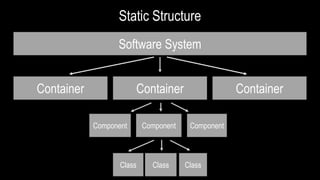
A software system is made up of one or more
containers (web applications, mobile apps, standalone
applications, databases, file systems, etc.), each of
which contains one or more components, which in
turn are implemented by one or more classes.
Here is the shared vocabulary that I use
•A software system is the highest level of abstraction and
represents something that delivers value to its users,
whether they are human or not.
•A container represents something that hosts code or data.
A container is something that needs to be running in order
for the overall software system to work. Each container
should be a separately deployable thing.
•A component as simply being a grouping of related
functionality encapsulated behind a well-defined
interface.
Static Structure
Software System
Container Container Container
Component Component
Class Class Class
Component
Diagrams I draw in service description:
 Context Diagram
 Container Diagram
 Component Diagram
 Deployment Diagram
First three diagrams are based on Simon Brown’s C4 Model.
I don’t draw class diagram as suggested by C4 model.
But I draw sequence diagrams to show the logic flow.
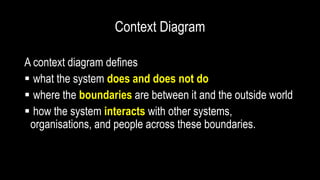
Context Diagram
A context diagram defines
 what the system does and does not do
 where the boundaries are between it and the outside world
 how the system interacts with other systems,
organisations, and people across these boundaries.
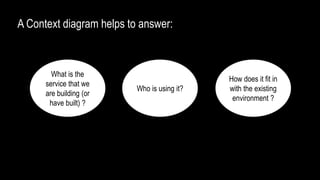
A Context diagram helps to answer:
What is the
service that we
are building (or
have built) ?
Who is using it?
How does it fit in
with the existing
environment ?
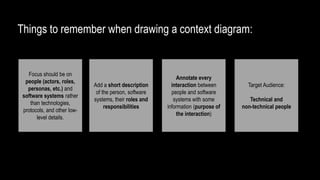
Things to remember when drawing a context diagram:
Focus should be on
people (actors, roles,
personas, etc.) and
software systems rather
than technologies,
protocols, and other low-
level details.
Add a short description
of the person, software
systems, their roles and
responsibilities
Annotate every
interaction between
people and software
systems with some
information (purpose of
the interaction)
Target Audience:
Technical and
non-technical people
A Sample Context Diagram
Customer
Event Manager
[ Person ]
[ Person ]
ABC Customer
An event manager manages
events
Event Management System (EMS)
[ Software System ]
EMS manages event definition and its lifecycle
Views events
and buy tickets
Manages events
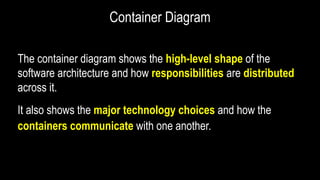
Container Diagram
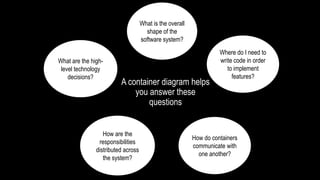
The container diagram shows the high-level shape of the
software architecture and how responsibilities are distributed
across it.
It also shows the major technology choices and how the
containers communicate with one another.
What is the overall
shape of the
software system?
What are the high-
level technology
decisions?
How are the
responsibilities
distributed across
the system?
How do containers
communicate with
one another?
Where do I need to
write code in order
to implement
features?
A container diagram helps
you answer these
questions
Things to remember when drawing a container diagram:
For each container in the
diagram, show:
 the name of the container
 implementation technology
 a short description
Annotate the interactions between the containers
with:
 Purpose of the interaction
 Communication mechanism (REST, JMS, etc.)
 Communication style (sync, async, batch,
etc.)
 Protocols (HTTP, HTTPS, FTP, etc.)
Target Audience
Technical people (Developers,
Testers, Architects,
Operational & Support Staff)
A Sample Container Diagram
Customer
Event Manager
[ Person ]
[ Person ]
ABC Customer An event manager manages events
Event Management System (EMS) Boundary
Views events and buy tickets
Manages events
Uses
[ REST ]
[ HTTPS ]
Uses
[ REST ]
[ HTTPS ]
RDBMS
[Container: Oracle]
Stores event definition
WEB APPLICATION
[Container: Jetty]
Allows users to manage event
definition and its lifecycle
Reads from
and writes
data to
[ JDBC, port:
3306 ]
Component Diagram
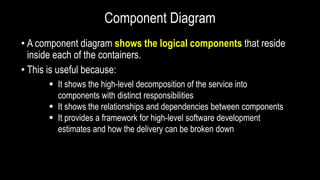
• A component diagram shows the logical components that reside
inside each of the containers.
• This is useful because:
 It shows the high-level decomposition of the service into
components with distinct responsibilities
 It shows the relationships and dependencies between components
 It provides a framework for high-level software development
estimates and how the delivery can be broken down
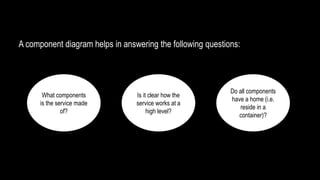
A component diagram helps in answering the following questions:
What components
is the service made
of?
Is it clear how the
service works at a
high level?
Do all components
have a home (i.e.
reside in a
container)?
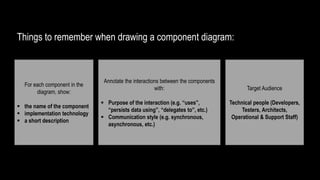
Things to remember when drawing a component diagram:
For each component in the
diagram, show:
 the name of the component
 implementation technology
 a short description
Annotate the interactions between the components
with:
 Purpose of the interaction (e.g. “uses”,
“persists data using”, “delegates to”, etc.)
 Communication style (e.g. synchronous,
asynchronous, etc.)
Target Audience
Technical people (Developers,
Testers, Architects,
Operational & Support Staff)
A Sample Component Diagram
Relational Database
[Container: Oracle]
Stores event definitions
Event Component
[Component: Spring Bean + Spring Data + JPA2 + Spring HATEOAS + Spring
Security + Spring MVC + Hibernate + JDBC]
Manages event’s definition and it’s lifecycle
Ticket Component
[Component: Spring Bean + Spring Data +
Hibernate + JDBC]
Manages ticket details
Logging Component
[Component: SLF4J + Logback]
Provides logging facilities to all
other components
Reads from and writes data to
[ SQL/JDBC, port 3306 ]
Associate events with
the tickets using
Used by all components
Customer Component
[Component: Spring Bean + Spring Data +
Hibernate + JDBC]
Manages customer details
Associate events with
the customers using
Deployment Diagram
• The deployment diagram describes the environment into
which the system will be deployed and the dependencies
that the system has on elements of it
• This diagram shows the physical environment in which the
system is intended to run, including the hardware or hosting
environment
Deployment Diagram
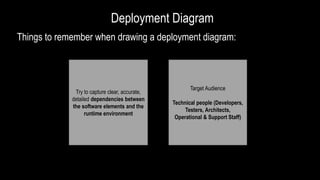
Things to remember when drawing a deployment diagram:
Try to capture clear, accurate,
detailed dependencies between
the software elements and the
runtime environment
Target Audience
Technical people (Developers,
Testers, Architects,
Operational & Support Staff)
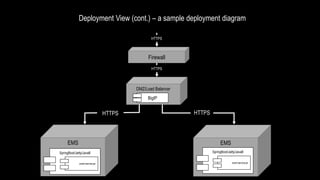
Deployment View (cont.) – a sample deployment diagram
DMZ/Load Balancer
EMS EMS
HTTPS HTTPS
Firewall
HTTPS
HTTPS
BigIP
SpringBoot/Jetty/Java8 SpringBoot/Jetty/Java8
event-service.jar event-service.jar
Technical
Details
Context
Diagram
Container
Diagram
Component
Diagram
Deployment
Diagram
Think about the target audience
Reference
https://leanpub.com/visualising-software-architecture/read
Thank you.

Visualizing Software Architecture Effectively in Service Description

  • 1.
  • 2.
    What is servicedescription? A service description is a software architecture document with a focus on software elements such as: • component responsibilities, dependencies, communication protocols, actors and functional characteristics A service description can be a combination of both visual diagrams and written text that provide just enough detail for understanding what the actual problem domain is and how it's mapped to a solution domain.
  • 3.
    Service Description (cont.) Thinkabout the target audience.  Who is going to read this document?  What do they need to know?  what are the design elements most important to illustrate? Writing this document is not always one off activity. It needs to be maintained to remain relevant.
  • 4.
    Diagrams play veryimportant role in service description. Diagrams help to understand the software architecture. Diagrams are the maps that help software developers navigate a complex codebase. Benefits of diagrams
  • 5.
    Shared Vocabulary Shared vocabularymakes sure everyone within the development team communicates about their system in the same, understood way. It is important for a development team to have a shared vocabulary before writing the service description.
  • 6.
    A software systemis made up of one or more containers (web applications, mobile apps, standalone applications, databases, file systems, etc.), each of which contains one or more components, which in turn are implemented by one or more classes. Here is the shared vocabulary that I use
  • 7.
    •A software systemis the highest level of abstraction and represents something that delivers value to its users, whether they are human or not. •A container represents something that hosts code or data. A container is something that needs to be running in order for the overall software system to work. Each container should be a separately deployable thing. •A component as simply being a grouping of related functionality encapsulated behind a well-defined interface.
  • 8.
    Static Structure Software System ContainerContainer Container Component Component Class Class Class Component
  • 9.
    Diagrams I drawin service description:  Context Diagram  Container Diagram  Component Diagram  Deployment Diagram First three diagrams are based on Simon Brown’s C4 Model. I don’t draw class diagram as suggested by C4 model. But I draw sequence diagrams to show the logic flow.
  • 10.
    Context Diagram A contextdiagram defines  what the system does and does not do  where the boundaries are between it and the outside world  how the system interacts with other systems, organisations, and people across these boundaries.
  • 11.
    A Context diagramhelps to answer: What is the service that we are building (or have built) ? Who is using it? How does it fit in with the existing environment ?
  • 12.
    Things to rememberwhen drawing a context diagram: Focus should be on people (actors, roles, personas, etc.) and software systems rather than technologies, protocols, and other low- level details. Add a short description of the person, software systems, their roles and responsibilities Annotate every interaction between people and software systems with some information (purpose of the interaction) Target Audience: Technical and non-technical people
  • 13.
    A Sample ContextDiagram Customer Event Manager [ Person ] [ Person ] ABC Customer An event manager manages events Event Management System (EMS) [ Software System ] EMS manages event definition and its lifecycle Views events and buy tickets Manages events
  • 14.
    Container Diagram The containerdiagram shows the high-level shape of the software architecture and how responsibilities are distributed across it. It also shows the major technology choices and how the containers communicate with one another.
  • 15.
    What is theoverall shape of the software system? What are the high- level technology decisions? How are the responsibilities distributed across the system? How do containers communicate with one another? Where do I need to write code in order to implement features? A container diagram helps you answer these questions
  • 16.
    Things to rememberwhen drawing a container diagram: For each container in the diagram, show:  the name of the container  implementation technology  a short description Annotate the interactions between the containers with:  Purpose of the interaction  Communication mechanism (REST, JMS, etc.)  Communication style (sync, async, batch, etc.)  Protocols (HTTP, HTTPS, FTP, etc.) Target Audience Technical people (Developers, Testers, Architects, Operational & Support Staff)
  • 17.
    A Sample ContainerDiagram Customer Event Manager [ Person ] [ Person ] ABC Customer An event manager manages events Event Management System (EMS) Boundary Views events and buy tickets Manages events Uses [ REST ] [ HTTPS ] Uses [ REST ] [ HTTPS ] RDBMS [Container: Oracle] Stores event definition WEB APPLICATION [Container: Jetty] Allows users to manage event definition and its lifecycle Reads from and writes data to [ JDBC, port: 3306 ]
  • 18.
    Component Diagram • Acomponent diagram shows the logical components that reside inside each of the containers. • This is useful because:  It shows the high-level decomposition of the service into components with distinct responsibilities  It shows the relationships and dependencies between components  It provides a framework for high-level software development estimates and how the delivery can be broken down
  • 19.
    A component diagramhelps in answering the following questions: What components is the service made of? Is it clear how the service works at a high level? Do all components have a home (i.e. reside in a container)?
  • 20.
    Things to rememberwhen drawing a component diagram: For each component in the diagram, show:  the name of the component  implementation technology  a short description Annotate the interactions between the components with:  Purpose of the interaction (e.g. “uses”, “persists data using”, “delegates to”, etc.)  Communication style (e.g. synchronous, asynchronous, etc.) Target Audience Technical people (Developers, Testers, Architects, Operational & Support Staff)
  • 21.
    A Sample ComponentDiagram Relational Database [Container: Oracle] Stores event definitions Event Component [Component: Spring Bean + Spring Data + JPA2 + Spring HATEOAS + Spring Security + Spring MVC + Hibernate + JDBC] Manages event’s definition and it’s lifecycle Ticket Component [Component: Spring Bean + Spring Data + Hibernate + JDBC] Manages ticket details Logging Component [Component: SLF4J + Logback] Provides logging facilities to all other components Reads from and writes data to [ SQL/JDBC, port 3306 ] Associate events with the tickets using Used by all components Customer Component [Component: Spring Bean + Spring Data + Hibernate + JDBC] Manages customer details Associate events with the customers using
  • 22.
    Deployment Diagram • Thedeployment diagram describes the environment into which the system will be deployed and the dependencies that the system has on elements of it • This diagram shows the physical environment in which the system is intended to run, including the hardware or hosting environment
  • 23.
    Deployment Diagram Things toremember when drawing a deployment diagram: Try to capture clear, accurate, detailed dependencies between the software elements and the runtime environment Target Audience Technical people (Developers, Testers, Architects, Operational & Support Staff)
  • 24.
    Deployment View (cont.)– a sample deployment diagram DMZ/Load Balancer EMS EMS HTTPS HTTPS Firewall HTTPS HTTPS BigIP SpringBoot/Jetty/Java8 SpringBoot/Jetty/Java8 event-service.jar event-service.jar
  • 25.
  • 27.
    Think about thetarget audience
  • 28.
  • 29.