Global Master Data:
Global Master data is a set of pre-defined objects. The Global Master data is a uniform library available
to all users of the platform. These objects form the basic blocks for building further layers. The objects
are organized as below:
1. Structural Objects:
Simple Objects: Simple Objects are members of Dimensions.
Dimension is a unique set of coordinates which defines the entities within it and are peculiar to
it, for example, time, location, etc. Each dimension has a set of attributes which are inherited by
all member Objects. User would have the option to create additional dimension, if required. List
of Dimensions
Defined Dimensions are Location, Time, Article and Entity. User can create new dimensions as
required. List of Objects
o Objects belong to Dimensions by virtue of inherited attributes from Dimension. Each object,
besides these inherited attributes, can have its own set of attributes. But the object MUST
retain all inherited attributes from Dimension.
o (Ability to define time buckets using the timeline/ time-calendar as separate objects within
the time dimension – a Time dimension object with only time related attributes? Use case?)
Each dimension can have one or more Hierarchies. Hierarchy is defined as a set of child-parent
relationships between the Dimension’s objects. User can define own hierarchies within the
dimension. Only one hierarchy will be active for a given customer at a given point in time
within one dimension.
Composite Objects: are derived by combining one or more simple objects coming from same or
different dimensions.
- Constituent Objects’s attributed are inherited by the derived Composite Object
- User may retain some or all of the inherited attributes
- User may add new attributes
- Each attribute has its own composition in terms of transformation rules etc.,
2. Behavioral Objects: Policy Objects
Policy Objects govern the behavior of structural objects. Policy Objects does not have an
independent existence. A Policy Object is always an assignee on a Structural Object (then why can’t
this be an attribute?). Examples – Production Policy, Replenishment Policy etc. List of Objects
3. Relational Objects: These objects link all the above types of objects to represent process flow. All
relationships are defined at object level but executed at instance level.
 Hierarchy Objects
 Network Flow Objects
 Dummy Objects
Hierarchy Objects: Hierarchies are relations between objects in a single dimension with the
following characteristics
 It has at least 2 levels – Parent and Child
 At each level, there is a one-many relationship of the instances in the object in that level
with the instances of the object at a lower level
Each hierarchy will also be stored as an object with a unique hierarchy ID and level names that
are predefined objects and all the relationships of all levels identified by the unique hierarchy
ID. Hierarchy causes uni-dimensional composite objects.
Network Flow Objects: A network object defines the complete construction of the flow of either
products, or information that has following characteristics:
 Link Object: Has at-least 2 objects connected by a directed relation called a Link where one
object is the start and the other object is the finish. At each link, there is a many to many
relationship of the instances in the object in the start of the link with the instances of the
object at the end of the link
Attributes: Start Object, End Object, Throughput (Link Capacity?), Length, Mode.
 Route Object: Combination of Links where finish of one link is the same instance as the start
of the next link, is defined as a Route.
Attributes: Start Link, End Link etc.,
 Network Object: Collection of Routes is defined as a Network Object
Attributes: Level 1 Objects, Level 2 Objects, and Echelons etc??
Links, routes and networks are all multi-dimensional objects.
Dummy Objects: are containers for variables which do not belong to any other object such as
temporary variables in a model or user input parameters for models, etc. Dummy objects are
problem specific and can be introduced during input/problem modeling. Also includes Solution
Objects and Report Objects.
All Simple Objects must belong to One and Only One Dimension.
Composite Multi-Dimensional Objects do not derive Hierarchy (existing hierarchy Objects are defined
only within a given dimension)
All other objects – Behavioral and Relational objects belong to Entity Dimension. (All Behavioral and
Relational Objects are actually independent of Dimensions – can be valid within and without a D. e.g –
Hierarchy, Link. So all B and R Objects need not be mapped to a Dimension!!)
GMD Behavior: GMD is just a list of templates. No members and no instances. All these templates are
amorphous in native state, valid for ALL customers. All customers’ Models will be created from these
templates. None of the objects here can become part of the customer’s Models but can be used to
derive customer’s own object.
Global Master Data
Same for all customers; Predefined objects and models
Virtual Enterprise Model
Customer specific collection of
objects.
Can be used throughout the
platform
Input Model 1
Problem specific collection of objects.
Can be used for specified problem/problems
Input Model 2
Problem specific collection of objects.
Can be used for specified problem/problems
Problem Model 1
Problem specific collection of objects
(scratchpad objects).
Can be used within a specified problem
Problem Model 2
Problem specific collection of objects
(scratchpad objects).
Can be used within a specified problem
Solution Structure
Solution specific collection of objects
Can be used within a specified problem
Solution Structure
Solution specific collection of objects
Can be used within a specified problem
Virtual Enterprise Model:
The Virtual Enterprise Model is collection of objects and relevant data for a particular customer. This
represents the Customer’s Master Data. The main aim of creating the VEM is to ensure reusability of
certain objects and data across various platform components like dashboard, OFPS, Simulation, etc.
The elements in VEM are derived from GMD Object Templates. User goes through the following steps to
create VEM:
1. Select Source (Optional)
a. Select the file name or give name, file type and location – for manual files
b. If automated, integration configuration would already have been done as part of
setup configuration (connector, authentication, document type, document
definition etc.,)
c. If this step is not done, user can create Objects without attribute mapping, which
can be deferred till master data source is available
2. Add/Create Objects: user selects from list of objects (Simple or Composite) from GMD.
a. For each object, user can select any of existing attributes or add new attributes.
 For each attribute, user defines ‘Source – Cleansing – Transformation-
Mapping – Destination’ (Destination is the selected Attribute)
b. User can add new object with its own set of attributes
3. Define Hierarchies. This definition is compulsory at VEM level.
a. Define H Name, select a Hierarchy from templates, modify as required. OR
b. Define H name, Number of Levels and Number of Objects per Level.
c. Select Objects per Level. Levels are Top to Bottom, Top being the parent.
d. This is applicable to Object level hierarchies only. Instance level definition can
happen only after ‘Populate’.
Constraint: H Members are Objects of the same Dimension. No Multidimensional
Objects (?) but Composite allowed. Combination of Uni and Multidimensional not
allowed.
4. Create Composite Objects, if required
a. Define name
b. Select constituent objects (from existing set selected above, not GMD objects)
c. Select relevant attributes from the constituent objects; Add new attributes as
required
 For each attribute, user defines ‘Source – Cleansing – Transformation-
Mapping – Destination’ (Destination is the selected Attribute)
5. Run ‘Populate’
a. This is executed only if Step 1 is completed
b. This Populates VEM with actual data from source files
c. This will check for missing fields from both source and destination and prompt the
user to confirm or re-do VEM.
d. On completion, the UI will show customer’s complete network with specific
properties
e. Optional Maps/Plans/Graphs as backgrounds
6. Add Behavioral and Relational Objects to the VEM
VEM so far has only Objects. No linkages are established. Since B and R links cannot be
generic and can only be defined / assigned on specific instances, step 6 is done after
‘Populate’.
a. Select and assign B Object to relevant Structural Object
b. Select and assign R Object between relevant Structural Objects
c. Both the assigned B and R Objects assume attributes of pivot objects. User can then
modify and map any attributes of B and R Objects as required.
7. Step 5 if B and R objects have some attributes coming from the source files.
VEM Behavior:
1. Each VEM is versioned and linked to Source files.
2. All Objects (Simple/Composite etc.,) when created will have a table created with attributes
as fields. No data.
3. All mapping (VEM Definition) per source-destination attribute combination is stored as
versioned VEM Definition.
4. Source File Properties will be checked before every ‘Populate’ run. ‘Populate’ checks for Last
Modified, File Size and other attributes before the run and prompts the user to re-map or
check the map before going ahead if any of the File Properties have changed.
5. If no changes, takes in the raw data from Source, applies 3 above to populate 2 above.
6. ‘Populate’ can be done selectively as in steps 5 and 6 above.
7. At the end of this cycle (VEM Cycle), the system will have created
a. One table per object with attributes as defined
b. All instances of such object as reflected in the source data transformed and
populated in the above tables
c. The populated tables should contain all of customer’s master data as presented in
the source files.
Problem Specific Modeling:
From this point onwards, all the models can be derived from VEM or GMD. All the changes made here as
part of input and problem modeling will be applicable to the specific problem/s only and will not be
applicable to VEM. Any changes to VEM are only caused when customer’s master data changes and
accordingly VEM is modified to reflect such changes.
Input Model:
Objects for the input model can be derived from either the Global Master Data or from VEM.
1. Add/Create Objects: user selects from list of objects (Simple or Composite) from VEM.
a. For each object, user can select any of existing attributes or add new attributes.
1. Check the attribute mapping (Source – Cleansing Rule – Transformation Rule –
Mapping – Destination)
2. If attribute mapping needs to be changed or added for new attributes define
here, define new mapping, for each such attribute.
b. User can add new object with its own set of attributes. Map as above.
c. NOTE: This is field-to-filed, multi step transformation mapping.
2. Define Hierarchies only if required for this problem.
a. Define H Name, select a Hierarchy from templates, modify as required. OR
b. Define H name, Number of Levels and Number of Objects per Level.
c. Select Objects per Level. Levels are Top to Bottom, Top being the parent.
3. Create Composite Objects, if required
a. Define name
b. Select constituent objects (from existing set selected above, not GMD objects)
c. Select relevant attributes from the constituent objects; Add new attributes as required
1. For each attribute, define Mapping
4. Run ‘Populate’ (optional)
a. This is executed only if Step 1 is completed
b. This Populates Input Model Objects with actual data from source files
c. On completion, the UI shows Input Model instance for verification
5. Add Behavioral and Relational Objects (Optional)
a. Check if the existing B and R objects as part of VEM are sufficient
b. Add new objects as required
c. Add/Modify attributes as required
d. NOTE: Any B&R defined here over rides all prior definitions. But these changes are valid
only for this input model and will not reflect in VEM.
Input Model Behavior:
1. All objects defined as part of the input model will have individual tables created, even in case of
objects copied from VEM/GMD.
2. Each input model’s complete definition and version will be stored, along with references to raw
data files used to create this model, problem models created based on this input model and
versions of each.
3. ‘Populate’ fills up all object tables with instance data derived from raw data. But this is not Input
Model Instance.
4. ‘Create Input Model Instance’ in the Run Time UI creates one instance of input model and
stores it separately with name/version assigned by the user, using the raw input files selected
by the user. This IM Instance forms the input to Solver.
5. All the objects will retain all instance data after step 5 till further run. But the instance data in
these objects is different from THE Input Model Instance just created, though the contents are
exactly the same.
Constraint: One input model can be used to solve multiple problems, but one problem model can only
use one input model.
Problem Model:
The problem model might require certain variables or objects to aid in solving a problem. These
scratchpad or temporary objects will have their scope limited to the duration of running the model only
and will not be available outside.
Define Decision Variables
a. Select relevant attribute from input model’s objects. Give custom names (Variable
Name) as required
b. Add Dummy Objects as required, if the existing set of Objects’ attributes are not
sufficient
c. Edit existing decision variables as required
Define Objective Function/s
a. Assign Name/s
b. Select Attributes (from Input Model Objects/Decision Variable Dummy Objects). Add
Transformations as required.
c. Select Criteria – Man, Min, Value of.,
d. Construct OF
e. Edit an existing Objective Function if required
f. Map OF to a run time parameter as required, if multiple OFs are defined.
Define Constraints
a. Name the constraint
b. Add LHS: Select from list of parameters (attributes), select math operator, add
parameter + operator as required, add paring operator, add RHS
c. Apply any transformation as required to the attributes selected above
d. Build constraints on selective data values (?)
e. Edit/Delete constraints
f. List of special characters and constants (ε) on the canvas
Solution Structure:
The output from the solver would be converted to a structure and format defined as Solution Structure.
Solution Structure Objects can be derived from an input model, problem model or global master data.
These objects are used to create reports for user presentation. Objects created inside a solution
structure are only available within the solution structure and not outside.
The output would be presented in an understandable fashion, containing following:
1. Decision variables
2. Objective function/ scoring function
3. Constraints value
4. Constraints met/ unmet
Reporting
5. The output data such as decision variables is parsed and delivered in a understandable manner
 Reports need not be created as objects as re-use can be achieved with Solution Objects.
 Tabular reporting structure
o User can build and save custom tabular report with different types of data on a single
page or view
o User can generate the same view in sequence for the next entity by storing the same on
the page at the top. This should be filterable.
o User can Label the Data as required
6. Free style page reporting structure
o User can build and save custom non tabular report with different types of data on a
single page or view
o User can generate the same view in sequence for the next entity by storing the same on
the page at the top. This should be filterable.
o User cab Label the Data
Model Behavior: Each Input Model (Ver) is mapped to relevant Problem Model (Ver). PM in turn is
mapped to Solution Structure (Ver) and Report (Ver). All validity mappings, number of times each IM is
run against a PM etc., are stored and will be used every time a solver is invoked with the models.
Solver Work space
Solver workspace contains algorithms that solves optimization problem formulated earlier. The
algorithms are categorized into two types:
1. User to choose between an exact and meta-heuristic algorithm
 Prompt to the user explaining the trade-off between time taken and accuracy based on the size
of the model
 System recommends algorithms to the users based on the nature and size of the problem (?)
2. If Exact is chosen (and any further selections – LP/IP/MIP etc.,)
3. Choose Input Model Instance
a. Select from existing IM Instances OR
b. Select an IM and select source data, run Create IM Instance to create and store IM Instance.
c. On selection, display contents for user verification. Only for verification. No changes can be
done here. But can invoke input model screen from here to make changes.
4. Choose Problem Model
a. Select PM. System checks the IM-PM mappings and prompts the user if not mapped (so
MAY be invalid. But the user can still go ahead since we are assuming expert users)
5. Define Solver Parameters (as required by Solver config) – add specifics after Solver selection
o Set a maximum time for running iterations
o Set maximum number of iterations
o Option to view results of each iteration (this will be part of Data Views?)
o Define Non convergence criteria and stopping criteria
o Integer constraints and tolerance criteria
o Linear model assumptions
6. Define Run Time Behavior
a. End User – selects OF value in a drop down
b. Relevant OF will be passed on to the solver etc.,
c. Start Trigger
d. Any Flow Control (?) expected from user during Run Time
1. Any variable declarations as part of flow control etc
7. Solution Workspace can support
a. Drag-drop creation of data model, problem model and solution structure.
b. Easy loading of existing models.
c. Model library management
d. Ability to save work-in-progress model (applicable to all modeling spaces)
Behaviour:
1. IM Instance is created when user clicks on ‘Create IM Instance’
2. When Start Trigger is activated (manually or through an event)
o System creates other model instances
o Takes IM Instance, PM Instance and Solver Configuration as inputs converts the same
into Solver accepted format
o Submits the same to Solver, mediates for any Run Time inputs, collects the Solver
Output
o Formats the Solver Output as per Solution Structure Object
o Presents the same to Reports
3. If any flow control is defined, execution sequence and invocation sequence of various problem
models is coordinated by the system through user prompts using Run Time UI.
Run Time UI:
1. Run can happen from Solver Space itself unless Run Time inputs are defined.
2. Flow Control as defined in the Solver Space invokes various Run Time UIs
3. Each Run Time UI will have contents as defined in the Solver Space
4. Each Run Time UI will have prompts as per the contents
5. Each user selection is sent back to Control Flow for further invocations or completion
6. Results are displayed here – read only output from the solver
7. For editing the output data, click Data Views
Data Views (Solution Functionalities)
1. User can sort/ filter a data set based on defined/assigned criteria
2. User can group a data set based on assigned criteria
3. Search function
4. Pivot (Drag and drop fields)
5. Options to Save & Export in various formats
6. (How does this map to reports?)
Common Functionalities
Common Functionality: Data Acquisition:
Scenarios – Sources
1. One Time – Single Manual Source (XL, CSV, XML)
2. One Time – Multiple Sources (XL, CSV, XML) – for the same customer, mixed formats allowed
3. Commissioning – Single Source (Transaction System – Master Data and Transactional Data)
4. Commissioning – Multiple Sources (Disparate Transaction Systems – MD and TD)
5. Manually enter data
Functionalities:
o Upload system master data
 Clock/ Calendar
 Unit of Measurement
 Conversion Units
 Currency
o Upload master data
 Ability to upload data from standard file formats
 Ability to integrate directly with known ERP systems
 Ability to set the upload automatically with desired frequency and trigger
o Upload transactional data
 Ability to upload data from standard file formats
 Ability to integrate directly with known ERP systems
 Ability to set the upload automatically with desired frequency and trigger
o Ability to manually enter and edit data
Common Functionality: Data Mapping:
Scenarios – Mapping
1. Source Field – Cleansing Rule – Transformation Rule/s – Mapping Rule – Destination
2. Source Field – Cleansing Rule – Mapping Rule – Transformation Rule/s - Destination
Scenario 1: Transformation and Mapping:
1. Select source fields of interest
2. Define transformation rule
3. Map to destination field
4. Options for multiple sources to one destination (cancat/join) or one source to multiple
destination (merge, aggregate functions) fields, with respective transformation rules.
5. Population happens on ‘Populate’
Scenario 2: Mapping and Transformation:
1. Same as above. Only the sequence changes - Map and Populate but without Transformation.
Then apply transformations, store the earlier data in temp and update instances with
transformed data. Temp data till user deletes or some fixed time.
Data mapping is key to ensuring right data is captured at appropriate destination. Functionalities that
are required are:
o Ability to easily map the external source fields with already created objects and its attributes
o Ability to take field names automatically from external source (if objects are not created
already) -? Field names are attributes which have existence only of Objects exist.
Common Functionality: Data Cleansing
Data cleansing is the act of detecting and correcting (or removing) corrupt or inaccurate records from a
record set, table, or database. Functionalities that are required are:
o Ability to edit/ delete or filter and select data set based on certain condition(s)
o Ability to qualify fields by transforming existing field values based on certain condition(s)
(Transformation Functionality)
o Ability to change formats as desired (date formats, text formats, etc.) (Transformation
Functionality)
o Ability to identify manually or prompt by the system for the duplicates based on assigned
criteria and take action (delete/ edit) thereon
Common Functionality: Data Transformation
Data transformation converts data from a source data format into destination data required for
processing further down the line.
 This is directed to the attributes of an object with the output as the attribute of same or another
object.
 Transformations are defined at the object level but actual execution happens at instance level.
Functionalities that are required are:
o Transformation effect should be re-traceable to the source field
o Ability to select only certain data instances for transformation based on certain criteria
o Aggregation
 Using dimensions and hierarchies (single or multi dimensions as defined above)
 Some must have applicable transformation functions are Sum, Average, and Count
o Functions
 Mathematical functions
 Logical functions
 Statistical functions
 Date & time functions
 Basic query functions (Join, Select, etc)
 Text functions
 Set Theory Functions (Intersection, Union, etc)
 Custom Functions
o XL Functions
 Logical
 If Then Else
 Operators: And, Or, True, False, Not, IsBlank, IsError
 Nested Ifs
 Text
 Append (&)
 Mid
 Left
 Right
 Upper
 Len
 Text
 Value
 Trim
 Replace
 Lookup
 V-Lookup
 H-Lookup
 Match
 Index
 Offset
 Conditional
 SumIf
 SumIFS
 CountIf
 CountIFS
 SubTotal
 SumProduct
o Data Mining Models
 Clustering
 Regression
 Time Series
 Trending
o Ability to save several versions of the same data based on the planning month cycle?
o Recursive functions
 Ability to define relations between a multi-dimensional object having time as one
dimension, with same or different object in previous time buckets.
 For example, opening stock (time period) = opening stock (timeperiod-1) + material
receipts (time period-1) – sales(timeperiod-1) – use case?
o Ability to define transformations based on a relative time bucket reference which can be
referred from an object attribute
 For example, in MRP, stock ordering is done for different products based on their
lead times. In this case, the lead time differs from product to product so, generation
of planned orders is done for one planning cycle across different time buckets. – use
case?
Common Functionality: Data Views (Solution Functionalities)
Data views are the different ways of looking at the same data required for producing insightful
information. Functionalities that would be required are:
o Ability to sort/ filter a data set based on assigned criteria
o Ability to group a data set (instances of an object) based on assigned criteria
o Search function based on certain criteria
o Pivot (Drag and drop fields)
Common Functionality: Automation
o Ability to define and save rules such as above in a sequenced set for data cleansing and
filtering automatically for certain data
Logical Architecture
31-08-2010 Private and Confidential 1
Private & Confidential
Draft 1.0
19 Nov’10
Harapa Product Road Map VEM
31-08-2010 Private and Confidential 2
Supply Chain (and Logistics) Perspective
Supply Chain Continuum
LongTerm
Strategic
MediumTerm
Tactical
NearTerm
Operational
Planning
Execution
Plan Horizon
Years Months - Yr Days - Weeks
Aggregation
Aggregates Aggregates Granular
Constraints / Restrictions
Feedback Feedback
Cost of Error
Transactional
• Characteristics for each phase are different – Operations, IT, decision makers, users
• Customer is at any one of these phases at a given time. Focus for both customer and us
• At the same time, establish comprehensiveness and continuity of Aqua’s offerings
• Also has a bearing on our delivery model and revenue model
• Ability to Plan holistically, Continuity and Effectiveness of the plan, feedback
• Visibility into execution effectiveness (transition of Plan to Execution, esp. Operations), feedback to Planning , to optimize – along
the arrows (plan to plan, plan to exec and feedback across both)
31-08-2010 Private and Confidential 3
Premise
Gaps in Supply Chain Landscape
•Visibility
• Physical Perspective
• Movement, location, position, condition
• Systems Perspective
• Transaction Status, Process Compliance, Threshold Conditions, Collaboration
•Planning
• Planning Perspective
• Continuity and Compliance of strategic plans
31-08-2010 Private and Confidential 4
Premise
Solution
•Control
• Ability to sense, react and preempt
• Ability to plan, optimize and analyze
•Visibility •Planning+
31-08-2010 Private and Confidential 5
Product Stack (and Evaluation)
LongTerm MediumTerm NearTerm
• Facility Planning
• Location
• Layout
• Access Infra
• Supplier Selection
• Distribution Structure
• Capacity Throughputs
• Strategic Sales
Planning
• Route Survey and Audit
• Project Logistics
• Sensor Technologies Integration
• Collaboration
• Capacity Planning
• Fleet Sizing
• Route Planning
• Warehouse Material
Flow Planning
• Personnel Planning
• Master Production
Scheduling
• Distribution Planning
• Mid term Sales
Planning
• Vehicle Routing
• Loading/Unloading
Sequence
• Binning/Picking
Sequence
• Inventory Planning
• Replenishment Plan
• Lot Sizing
• Machine Scheduling
• Short Term Forecast –
Sales/Demand
Planning
Simulation and Optimization
Execution
Technology Enablement of all execution activities
Transactional Analysis
Visibility
Track and Trace
31-08-2010 Private and Confidential 6
Product Family – Conceptual Architecture
Control Your Supply Chain
Physical
Data –
GPS, Barcode
etc.,
Manual
Data –
XLS, CSV, Doc
Enterprise
Apps -
ERPs
Execution
Apps –
TMS, WMS
VEM
Storage /
DW
Business Context
Visibility
- Dashboard
- Track &
Trace
Simulation Planning and
Optimization
Analytics Collaboration
- VMI/CPFR
- S&OP
Transactional DataMaster/Aggregate Data
31-08-2010 Private and Confidential 7
Dash Board Services
CONSISTENT, END-TO-END AND TIMELY VISIBILITY INTO SUPPLY CHAIN EFFICIENCY
• Physical – Movement of Vehicles, Assets, Inventory, WIP etc.,
• System – Efficiency Metrics, Process Visibility into Enterprise Apps
• Plan-to-Execution Transition Effectiveness
• What happened
• Collaborative Reports
• Performance – Score Cards and Metrics
• Benchmark – Optimized Plans/Forecasts Vs Actual; Internal and External goals
• What is happening
• Events and Alerts
• Interactive and User Configurable, extended to mobile devices *
Collaborative Dash Board – What?
31-08-2010 Private and Confidential 8
End Users Type:
Customers’ Executives
Customers’ Operations
Internal Executives
Internal Consulting Team
Internal Operations
Call Center
• Create New – Report, Dashboard, Event
CREATE TREE
• Select one or more Templates
• SCOR Tree / Non-SCOR Logistics specific / Scorecard
• Create Own or select existing
• Merge, Modify
POPULATE
• Select Drill Down Level
• Map Metrics/Fields of interest (if needed), Data Range
• Map to other Trees (if needed)
Set Event Properties
SET PREFERENCES
• Select Presentation Style – report style, dash board style
• Set Communication Mode
• Email, web report, SMS, Popup – based on service type
SET SECURITY
• Add Users
• Set user privileges
PS: User subscribes to the service. Master Account created. User data is loaded – detailed later
Dash Board Services
Collaborative Dash Board – How?
31-08-2010 Private and Confidential 9
Category L1(Level 1) L2 L3
Reliability Perfect Order Fulfillment Perfect Line Fulfillment Order Quantity Fillrate
Responsiveness Order Fulfillment Cycle Time
Customer Authorization to Order Entry Complete
Order Dwell Time*
Order Entry Complete to Start Manufacture**
Order Entry Complete to Order Received at
Warehouse
Start Manufacture to Manufacturing Ship**
Manufacturing Ship to Order Received at
Warehouse**
Order Received at Warehouse to Order Shipped to
Customer
Order Shipped to Customer to Customer Receipt of
Order
Order Received at Customer to Installation
Complete
Flexibility Upside Supply Chain Flexibility
Planned Replenishment Lead Time
Make Planned Lead Time
Deliver Planned Lead Time
Planned Component Lead Times
Cost
Total Supply Chain Management Cost
Order Management Cost
Customer Service Cost
Finished Goods Warehouse Cost
Outbound Transportation Cost
Contract and Program Management Cost
Installation Planning and Execution Costs
Accounts Receivable Cost
Material Acquisition Cost
Purchasing Cost
Raw Material Warehouse Cost
Supplier Quality Cost
Component Engineering and Tooling Cost
Inbound Transportation Cost
Accounts Payable Cost
Planning Cost
Demand Planning Cost
Supply Planning Cost
Supply Chain Finance Control Cost
Inventory Carrying Cost
Opportunity Cost
Obsolescence Cost
Shrinkage Cost
Taxes and Insurance Cost
Application Cost
SCOR Partial Tree
31-08-2010 Private and Confidential 10
EVENTS/ALERTS
•A vehicle’s TAT for a given day > Average TAT + Tolerance
• Total Delivered Aggregate per day < Average + Tolerance
• Loss > Acceptable
• Total Process Time > Total Transit Time for one or more vehicle
Dash Board – Use Case: Gammon
Category Level 1 Level 2 Level 3
Reliability Perfect Order
Fulfillment
% of Orders Delivered In Full Delivery Item Accuracy (% of Accuracy per
Aggregate Type)
Delivery Quantity Accuracy (% Loss)
Delivery Performance to
Customer Commit Date
Customer Commit Date Achievement
Time (Target Vs Actual Till Date)
Responsiveness Order Fulfillment Cycle
Time
Delivery Cycle Time Shipping Transaction Cycle Time
Loading Cycle Time
Receiving Transaction Cycle Time
Unloading Cycle Time
Overview Total Aggregates
Transferred Till Date
(Absolute and
Percentage)
Total Aggregates Transferred
Till Date – per Destination
Total Aggregates Transferred Till Date –
per Destination – Per Aggregate Type
Average Transfer Rate
Till Date
Average Transfer Rate Till
Date – Per Destination
Average Transfer Rate Till Date – Per
Destination – Per Aggregate Type
Completion Expected date of completion at Current Transfer Rate – Current Transfer Rate is an automated
input; Total Aggregate (per aggregate type, per destination) can be fixed or can be fed in by users
Expected Transferred Amount on a future data at Current Transfer Rate – Date as user input
Executive Dashboard
Category Level 1 Level 2 Level 3
Delivery Cycle
Time
TAT – Total Ave Turn
Around Time
InTAT LRIn Process Time + In Weighing Time
+ Loading Time + Out Weighing Time +
LROut Process Time
Transit Time Total Travel Time + Idle Time
OutTAT In Weighing Time + Unloading Time +
Out Weighing Time + VHC Process
Time
Others TAT Trend – Top N, per
vehicle
TAT Trend – Day of
Week, S-D, Time lined
for all vehicles
Drill Down per Vehicle –
root cause – Max Idle
Time, Max Wait Time etc.,
Total Ave Loss – Top
N, per vehicle
Drill down per vehicle to
root cause
Analyst Dashboard
31-08-2010 Private and Confidential 11
Simulation, Planning and Optimization
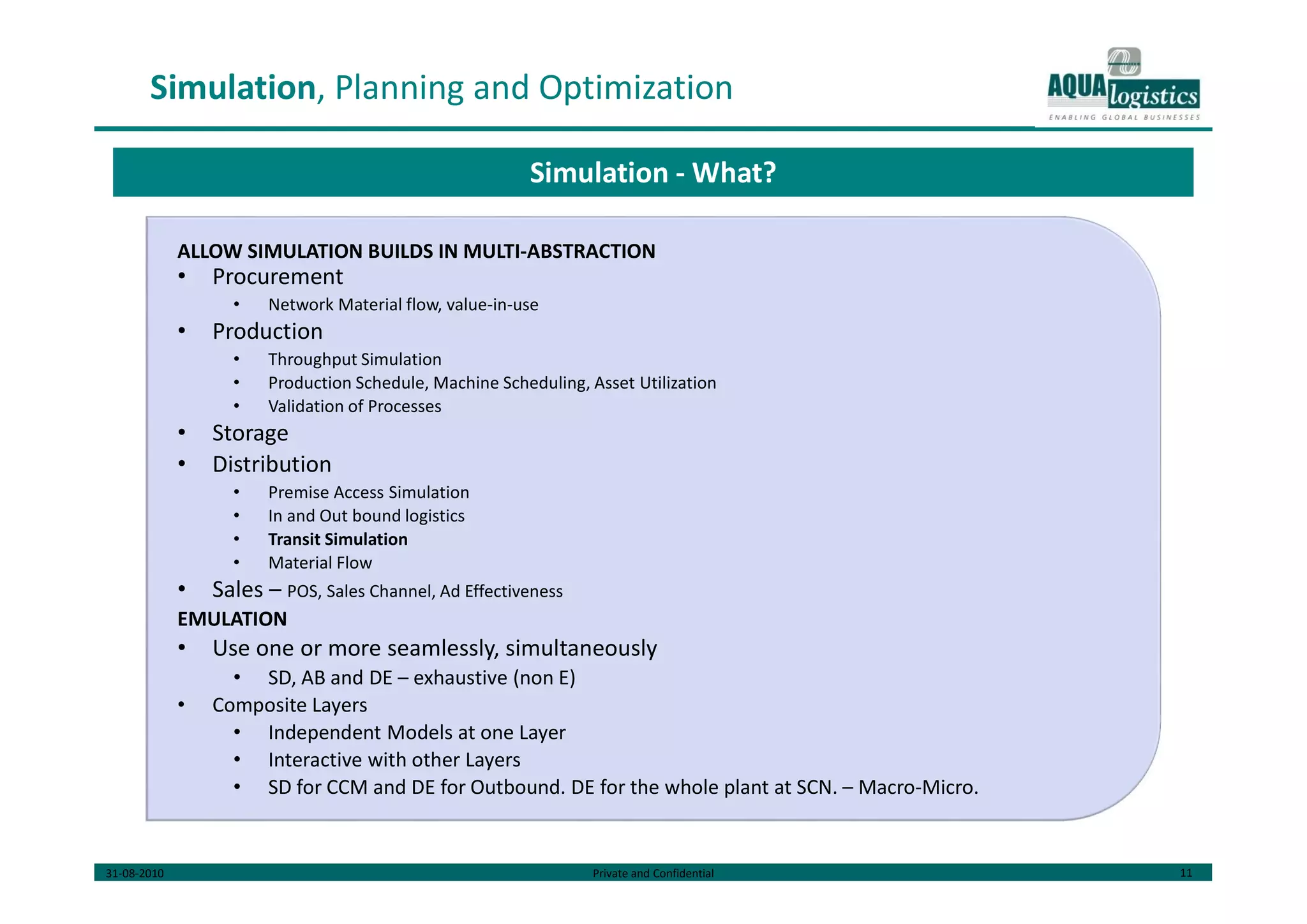
ALLOW SIMULATION BUILDS IN MULTI-ABSTRACTION
• Procurement
• Network Material flow, value-in-use
• Production
• Throughput Simulation
• Production Schedule, Machine Scheduling, Asset Utilization
• Validation of Processes
• Storage
• Distribution
• Premise Access Simulation
• In and Out bound logistics
• Transit Simulation
• Material Flow
• Sales – POS, Sales Channel, Ad Effectiveness
EMULATION
• Use one or more seamlessly, simultaneously
• SD, AB and DE – exhaustive (non E)
• Composite Layers
• Independent Models at one Layer
• Interactive with other Layers
• SD for CCM and DE for Outbound. DE for the whole plant at SCN. – Macro-Micro.
Simulation - What?
31-08-2010 Private and Confidential 12
Simulation, Planning and Optimization
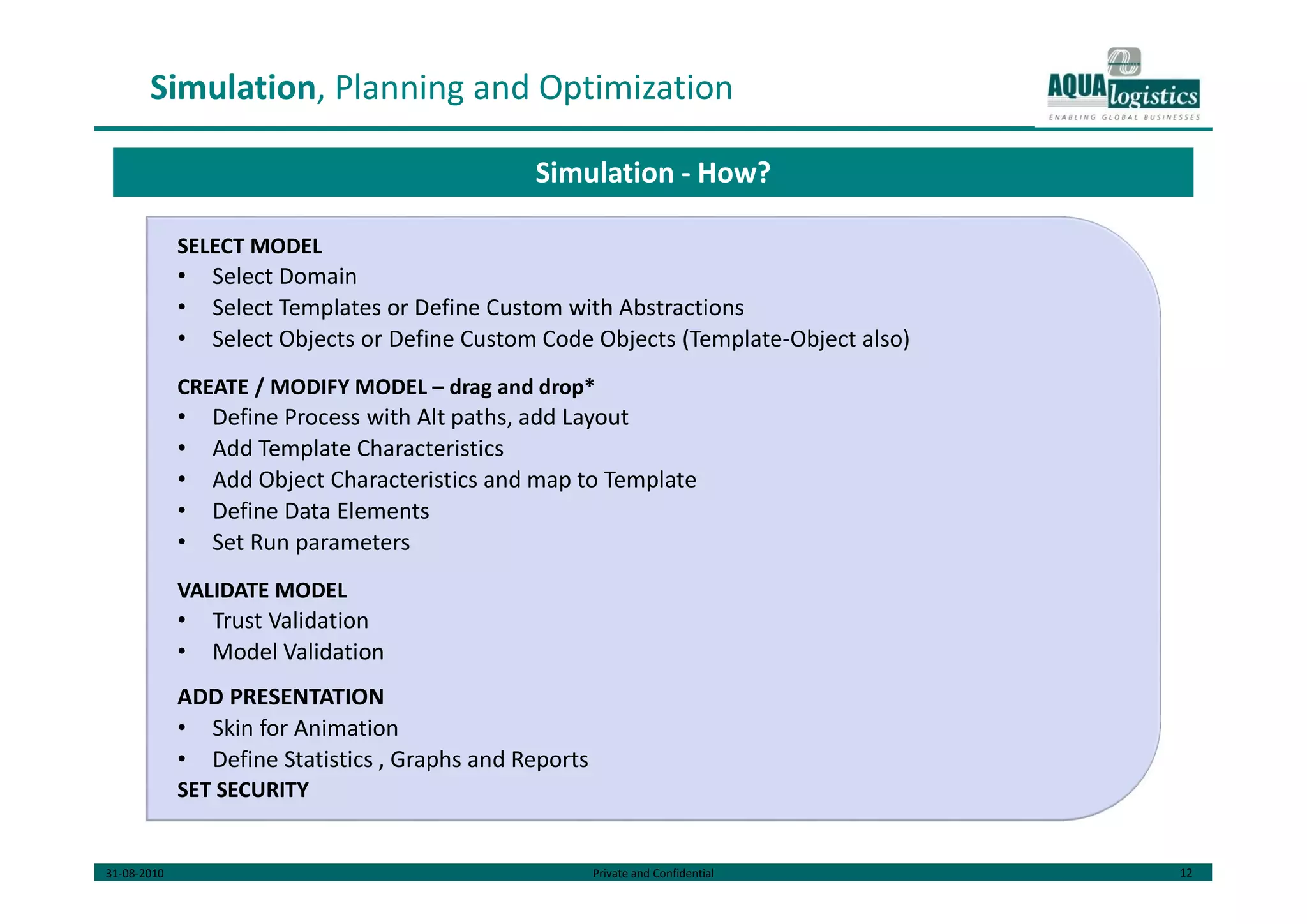
SELECT MODEL
• Select Domain
• Select Templates or Define Custom with Abstractions
• Select Objects or Define Custom Code Objects (Template-Object also)
CREATE / MODIFY MODEL – drag and drop*
• Define Process with Alt paths, add Layout
• Add Template Characteristics
• Add Object Characteristics and map to Template
• Define Data Elements
• Set Run parameters
VALIDATE MODEL
• Trust Validation
• Model Validation
ADD PRESENTATION
• Skin for Animation
• Define Statistics , Graphs and Reports
SET SECURITY
Simulation - How?
31-08-2010 Private and Confidential 13
Simulation, Planning and Optimization
For given values of In and Out material movement and Layout:
Premise Access and Inbound
• Access Lanes, Trucks per lane
• Gate Process time, weigh bridge time
• Unloading and Picking – Area and Process
Production
• CCM Utilization
• Cranes Utilization
• Throughput Simulation
In-premise Logistics
• Rolling
Out Bound
• Picking and Loading – Area and Process
External Traffic
•Vehicle Traffic Simulation – Average Travel Time and Congestion Avoidance
Simulation Use Case – UG
31-08-2010 Private and Confidential 14
Simulation, Planning and Optimization
OPTIMIZATION
•SC Network Design
•Discrete Multi-Commodity Plant Location
•Product Type Allocation
•Route Optimization
•Line Design/Line Balancing
PLANNING
•Capacity Planning
•Demand Planning
•Inventory Planning
FORECASTING
•Sales Forecast
•Safety Stock Forecast
SCHEDULING
•Vehicle Scheduling
•Machine Scheduling
Planning and Optimization – What?
• Minimum Time to Model (COST*)
• Reuse, Transpose, Remodel
• One Common Platform for all
• Build Model Repository
• Import Data from disparate sources, disparate formats
• Comprehensive, integrated preparatory needs
• Extraction, Cleansing, Transformation and Mapping
• Export in multiple formats
• through APIs, Services
• Import Models*
31-08-2010 Private and Confidential 15
Simulation, Planning and Optimization
DELIVERY MODEL
•Through CSG – MCG – Short Run
•Through MCG – Handhold mode
•Direct End User – Long Run
VARIATIONS
One Time Use – Data Import, Input Configuration and Model Configuration
Long Term Use – MD Import, , Input prep for individual Models, Model Templates
Planning and Optimization - How?
MODEL BUILDING
• Select / Define Problem Structure
• Select / Define Solution Structure
• Define Objective Function
• Define Constraints
ALGO SPECIFIC TASKS
• Select Algorithm
• Configure Parameters
INPUT MODELING
• Apply Transformations – Functions, Models, Aggregation
• Define Data Sets – Range etc
RUN OPTIONS
USER SECURITY
31-08-2010 Private and Confidential 16
Simulation, Planning and Optimization
UG FLEET OPTIMIZATION
• Get Demand Plan details
• Geo-Zoning
• Load Consolidation
• Fleet Sizing
• Hire / Purchase decision
ZUARI
• Karaikal to TN/AP Load Consolidation and Distribution
• Vehicle Routing
• Route Optimization
• Coastal Movement Vs Surface Optimization
• CFS Location Optimization
IFFCO
• Kandla to Paradip Coastal Vs Surface Optimization
Not because customer asked for, but because we can
Planning and Optimization Use Cases
31-08-2010 Private and Confidential 17
Revenue Model
SHORT RUN: 1 – 2 Yrs
Services Facilitated for CSG
• Per Service per month / Use Basis
• Per End User basis
Direct Contribution to CSG Ops Optimization
• Team with MCG, % of optimization - E.g., Zuari Operations
Project Logistics
• Guided Route Survey
• Guided Project Logistics
MCG Solution Delivery – Per use basis
LONG TERM: 2 yrs+
Large End User Enterprises – In house 3PLs etc
Retail Users
•Simulation, O&P
• Handholding with dedicated consultants ~ KPO
• Direct End Users
•LBS – Fleet Operators etc.,
Project Logistics
Feasible Revenue Models
31-08-2010 Private and Confidential 18
Technology Components
Integration
Data
Integration
Data
Preparation
Vector DB Persistence
• Connect to Disparate Sources, Cross boundary, Disparate Formats and Data Characteristics
• Prepare Data – Cleanse and Load
• Cannot custom make the components
DI and DP
• GIS or specific to similar structure
• Fits into our model of adding data as and when required
Vector DB
31-08-2010 Private and Confidential 19
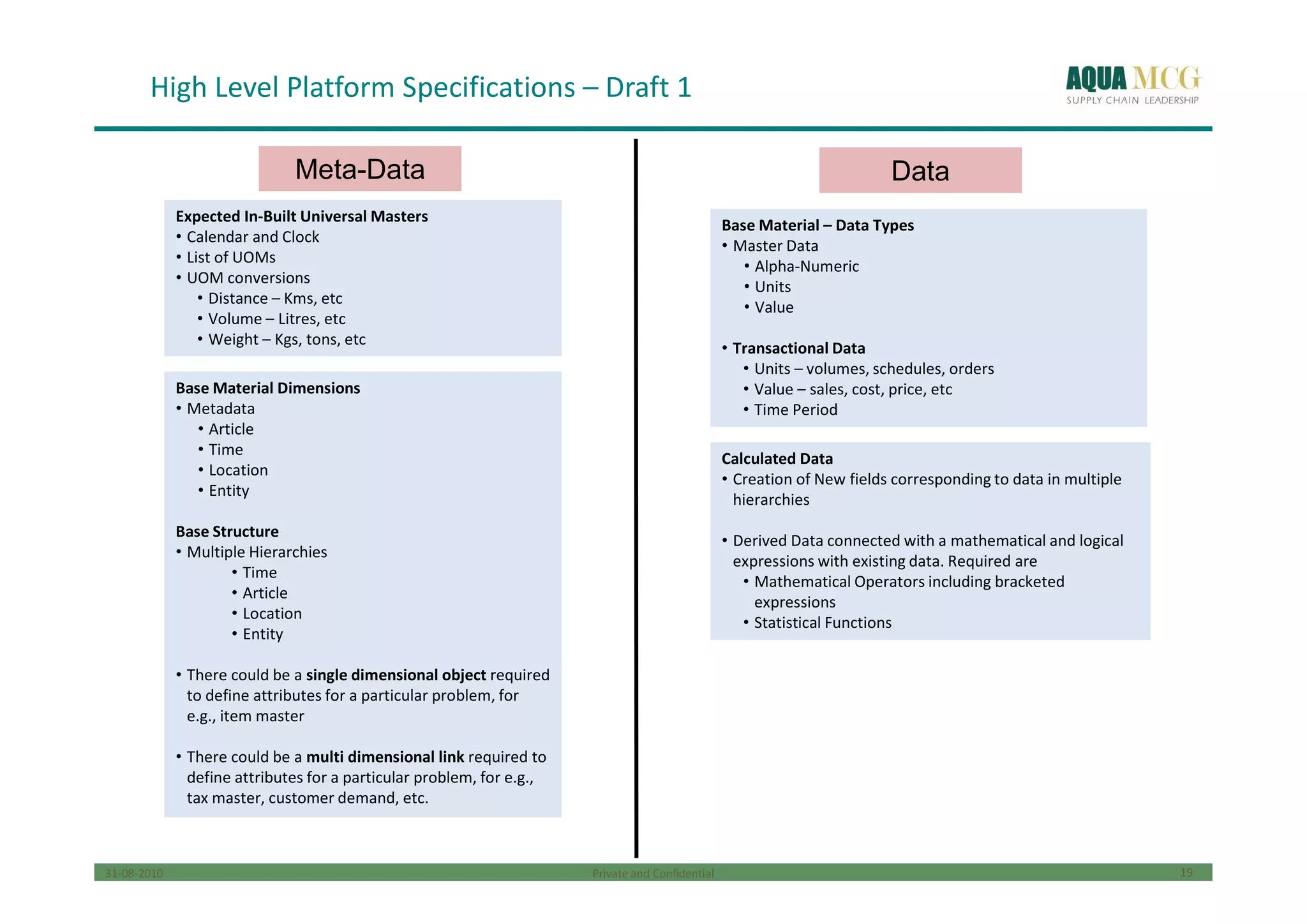
High Level Platform Specifications – Draft 1
Expected In-Built Universal Masters
• Calendar and Clock
• List of UOMs
• UOM conversions
• Distance – Kms, etc
• Volume – Litres, etc
• Weight – Kgs, tons, etc
Expected In-Built Universal Masters
• Calendar and Clock
• List of UOMs
• UOM conversions
• Distance – Kms, etc
• Volume – Litres, etc
• Weight – Kgs, tons, etc
Base Material Dimensions
• Metadata
• Article
• Time
• Location
• Entity
Base Structure
• Multiple Hierarchies
• Time
• Article
• Location
• Entity
• There could be a single dimensional object required
to define attributes for a particular problem, for
e.g., item master
• There could be a multi dimensional link required to
define attributes for a particular problem, for e.g.,
tax master, customer demand, etc.
Base Material Dimensions
• Metadata
• Article
• Time
• Location
• Entity
Base Structure
• Multiple Hierarchies
• Time
• Article
• Location
• Entity
• There could be a single dimensional object required
to define attributes for a particular problem, for
e.g., item master
• There could be a multi dimensional link required to
define attributes for a particular problem, for e.g.,
tax master, customer demand, etc.
Base Material – Data Types
• Master Data
• Alpha-Numeric
• Units
• Value
• Transactional Data
• Units – volumes, schedules, orders
• Value – sales, cost, price, etc
• Time Period
Base Material – Data Types
• Master Data
• Alpha-Numeric
• Units
• Value
• Transactional Data
• Units – volumes, schedules, orders
• Value – sales, cost, price, etc
• Time Period
Calculated Data
• Creation of New fields corresponding to data in multiple
hierarchies
• Derived Data connected with a mathematical and logical
expressions with existing data. Required are
• Mathematical Operators including bracketed
expressions
• Statistical Functions
Calculated Data
• Creation of New fields corresponding to data in multiple
hierarchies
• Derived Data connected with a mathematical and logical
expressions with existing data. Required are
• Mathematical Operators including bracketed
expressions
• Statistical Functions
Meta-Data Data
31-08-2010 Private and Confidential 20
Platform – Base Material
(Time Dimension)
Create or Edit a ModelCreate or Edit a Model
Edit Time HierarchyEdit Time Hierarchy
Divide Annual Time
Bucket
Divide Annual Time
Bucket
Divide Monthly
Time Bucket
Divide Monthly
Time Bucket
Divide Day
Time Bucket
Divide Day
Time Bucket
1 11 21 31
2 12 22
3 13 23
4 14 24
5 15 25
6 16 26
7 17 27
8 18 28
9 19 29
10 20 30
Options are
1) Calendar Weeks : 7 days a week. First
and Last Weeks being partial
2) Fortnights : 1st to 15th and 15th to
EOM
3) Custom : Create Time Windows which
can be used to drag and divide the
month. Smallest unit being 1 day.
Provision to Name the divisions
Options are
1) Calendar Weeks : 7 days a week. First
and Last Weeks being partial
2) Fortnights : 1st to 15th and 15th to
EOM
3) Custom : Create Time Windows which
can be used to drag and divide the
month. Smallest unit being 1 day.
Provision to Name the divisions
8:00 AM
9:00 AM
10:00 AM
11:00 AM
12:00 PM
1:00 PM
2:00 PM
3:00 PM
4:00 PM
5:00 PM
6:00 PM
7:00 PM
1) Define Work Hours
Options are
1) Create Smallest Time Bucket – choose
from – Hourly, Half Hourly, 15 min, 2
hours, 4 hours
2) Create Equal Time Buckets – 2, 3, 4, etc
3) Custom : Create Time Windows which can
be used to drag and divide the day.
Smallest unit being 5 min. Provision to
name the divisions
1) Define Work Hours
Options are
1) Create Smallest Time Bucket – choose
from – Hourly, Half Hourly, 15 min, 2
hours, 4 hours
2) Create Equal Time Buckets – 2, 3, 4, etc
3) Custom : Create Time Windows which can
be used to drag and divide the day.
Smallest unit being 5 min. Provision to
name the divisions
Options are
1) Create smallest time bucket –2
months, 4 months
2) Quarter and Half Year should be pre-
defined
Options are
1) Create smallest time bucket –2
months, 4 months
2) Quarter and Half Year should be pre-
defined
Create or Edit a Item
Hierarchy
Create or Edit a Item
Hierarchy
Create or Edit a node
Hierarchy
Create or Edit a node
Hierarchy
31-08-2010 Private and Confidential 21
Platform – Base Material
(Other Dimensions)
Create or Edit a ModelCreate or Edit a Model
Create or Edit
Article
Create or Edit
Article
Options for choosing article
type (Name Display)
1) Product
2) WIP
3) RM
4) Custom
Options for choosing article
type (Name Display)
1) Product
2) WIP
3) RM
4) Custom
Edit Time DimensionEdit Time Dimension
Create or Edit a Item
Hierarchy
Create or Edit a Item
Hierarchy
Create or Edit a node
Hierarchy
Create or Edit a node
Hierarchy
Create or Edit Other
Dimensions
Create or Edit Other
Dimensions
Create or Edit
Node
Create or Edit
Node
Options for choosing node
type (Name Display)
1) Factory
2) Warehouse
3) Depot
4) Manufacturer
5) Production Unit
6) Custom
Options for choosing node
type (Name Display)
1) Factory
2) Warehouse
3) Depot
4) Manufacturer
5) Production Unit
6) Custom
Create or Edit Field
NamesFeature:
-Choice of UOM
-from universal list
-for each field
Create or Edit Field
NamesFeature:
-Choice of UOM
-from universal list
-for each field
Options for choosing field
names
1) Description
2) Pack
3) Weight
4) Unit Cost
5) Primary UOM
6) Secondary UOM
Options for choosing field
names
1) Description
2) Pack
3) Weight
4) Unit Cost
5) Primary UOM
6) Secondary UOM
Feature:
- Entry for mapping
field names for each
field
Upload Options are
1) Excel File
2) XML file
Feature:
- Entry for mapping
field names for each
field
Upload Options are
1) Excel File
2) XML file
Options for choosing field
names
1) Name
2) Area
3) Working Height
4) Capacity
Options for choosing field
names
1) Name
2) Area
3) Working Height
4) Capacity
Create or Edit
Entity
Create or Edit
Entity
Options for choosing entity
type (Name Display)
1) Vehicle
2) Mode
3) Policy
4) People
Options for choosing entity
type (Name Display)
1) Vehicle
2) Mode
3) Policy
4) People
Options for choosing field
names
1) Registration Number
2) Permit
3) Mileage
4) Capacity
5) Refrigeration
Options for choosing field
names
1) Registration Number
2) Permit
3) Mileage
4) Capacity
5) Refrigeration
31-08-2010 Private and Confidential 22
Platform – Derived Data
Functionality to create New Data and Define it using a mathematical or logical relationship with existing data.Functionality to create New Data and Define it using a mathematical or logical relationship with existing data.
Use Case 1
Formula within time
periods
Use Case 1
Formula within time
periods
Use Case 2
Formulae across
time periods
Use Case 2
Formulae across
time periods
Functionality Required:
• Pallet to choose data type and field and to choose mathematical / logical operators to build a formula linking the data
• Data should show the relative time period in brackets only in case the formula is across time periods
• Data should show the entire list of fields upon clicking on the data type
• UOM of the data should appear upon taking the pointer above the data field
• Saving of Several Versions of the Same Data based on Planning Cycle Month should be possible for some data
• Data Formula applicability for Past, Current or Future Time Periods or a combination of 2 or more
Functionality Required:
• Pallet to choose data type and field and to choose mathematical / logical operators to build a formula linking the data
• Data should show the relative time period in brackets only in case the formula is across time periods
• Data should show the entire list of fields upon clicking on the data type
• UOM of the data should appear upon taking the pointer above the data field
• Saving of Several Versions of the Same Data based on Planning Cycle Month should be possible for some data
• Data Formula applicability for Past, Current or Future Time Periods or a combination of 2 or more
Data Types
Equation Constructs
Sales
Stock
Forecasts
Purchase
Orders
Transfer
Orders
Receipts
Requisitions
LHS Data
Field
Use Case 3
Formulae across
planning cycles
Use Case 3
Formulae across
planning cycles
Sales Value
Sales Volume Unit Price
% Sales
Increase Sales (0)( ) /
% Absolute
Forecast
Error
Forecast [-1]
Sales
Volume (0)
ABS ( )/
Sales (-1) Sales (0)
Use Case 4
Recursive Formulae
across time periods
Use Case 4
Recursive Formulae
across time periods
Sales
Volume (0)
Opening
Stock (1) Opening
Stock (0)
Forecast
(0)
Schedules
(0)
31-08-2010 Private and Confidential 23
Platform – Reporting
(User Interface Specifications)
Use Case 1: Tabular Reporting structure
• User creates a table that he wants by choosing the
base material and transactional data that he
wants to make a table
Use Case 1: Tabular Reporting structure
• User creates a table that he wants by choosing the
base material and transactional data that he
wants to make a table
Use Case 1: Free Style Page Reporting structure
• User creates a structure for reporting using base
material and transactional data that is non tabular
in nature using a palette and which is repeatable
for other records in the data selection
Use Case 1: Free Style Page Reporting structure
• User creates a structure for reporting using base
material and transactional data that is non tabular
in nature using a palette and which is repeatable
for other records in the data selection

Virtual Enterprise Model

  • 1.
    Global Master Data: GlobalMaster data is a set of pre-defined objects. The Global Master data is a uniform library available to all users of the platform. These objects form the basic blocks for building further layers. The objects are organized as below: 1. Structural Objects: Simple Objects: Simple Objects are members of Dimensions. Dimension is a unique set of coordinates which defines the entities within it and are peculiar to it, for example, time, location, etc. Each dimension has a set of attributes which are inherited by all member Objects. User would have the option to create additional dimension, if required. List of Dimensions Defined Dimensions are Location, Time, Article and Entity. User can create new dimensions as required. List of Objects o Objects belong to Dimensions by virtue of inherited attributes from Dimension. Each object, besides these inherited attributes, can have its own set of attributes. But the object MUST retain all inherited attributes from Dimension. o (Ability to define time buckets using the timeline/ time-calendar as separate objects within the time dimension – a Time dimension object with only time related attributes? Use case?) Each dimension can have one or more Hierarchies. Hierarchy is defined as a set of child-parent relationships between the Dimension’s objects. User can define own hierarchies within the dimension. Only one hierarchy will be active for a given customer at a given point in time within one dimension. Composite Objects: are derived by combining one or more simple objects coming from same or different dimensions. - Constituent Objects’s attributed are inherited by the derived Composite Object - User may retain some or all of the inherited attributes - User may add new attributes - Each attribute has its own composition in terms of transformation rules etc., 2. Behavioral Objects: Policy Objects Policy Objects govern the behavior of structural objects. Policy Objects does not have an independent existence. A Policy Object is always an assignee on a Structural Object (then why can’t this be an attribute?). Examples – Production Policy, Replenishment Policy etc. List of Objects 3. Relational Objects: These objects link all the above types of objects to represent process flow. All relationships are defined at object level but executed at instance level.  Hierarchy Objects
  • 2.
     Network FlowObjects  Dummy Objects Hierarchy Objects: Hierarchies are relations between objects in a single dimension with the following characteristics  It has at least 2 levels – Parent and Child  At each level, there is a one-many relationship of the instances in the object in that level with the instances of the object at a lower level Each hierarchy will also be stored as an object with a unique hierarchy ID and level names that are predefined objects and all the relationships of all levels identified by the unique hierarchy ID. Hierarchy causes uni-dimensional composite objects. Network Flow Objects: A network object defines the complete construction of the flow of either products, or information that has following characteristics:  Link Object: Has at-least 2 objects connected by a directed relation called a Link where one object is the start and the other object is the finish. At each link, there is a many to many relationship of the instances in the object in the start of the link with the instances of the object at the end of the link Attributes: Start Object, End Object, Throughput (Link Capacity?), Length, Mode.  Route Object: Combination of Links where finish of one link is the same instance as the start of the next link, is defined as a Route. Attributes: Start Link, End Link etc.,  Network Object: Collection of Routes is defined as a Network Object Attributes: Level 1 Objects, Level 2 Objects, and Echelons etc?? Links, routes and networks are all multi-dimensional objects. Dummy Objects: are containers for variables which do not belong to any other object such as temporary variables in a model or user input parameters for models, etc. Dummy objects are problem specific and can be introduced during input/problem modeling. Also includes Solution Objects and Report Objects. All Simple Objects must belong to One and Only One Dimension. Composite Multi-Dimensional Objects do not derive Hierarchy (existing hierarchy Objects are defined only within a given dimension)
  • 3.
    All other objects– Behavioral and Relational objects belong to Entity Dimension. (All Behavioral and Relational Objects are actually independent of Dimensions – can be valid within and without a D. e.g – Hierarchy, Link. So all B and R Objects need not be mapped to a Dimension!!) GMD Behavior: GMD is just a list of templates. No members and no instances. All these templates are amorphous in native state, valid for ALL customers. All customers’ Models will be created from these templates. None of the objects here can become part of the customer’s Models but can be used to derive customer’s own object. Global Master Data Same for all customers; Predefined objects and models Virtual Enterprise Model Customer specific collection of objects. Can be used throughout the platform Input Model 1 Problem specific collection of objects. Can be used for specified problem/problems Input Model 2 Problem specific collection of objects. Can be used for specified problem/problems Problem Model 1 Problem specific collection of objects (scratchpad objects). Can be used within a specified problem Problem Model 2 Problem specific collection of objects (scratchpad objects). Can be used within a specified problem Solution Structure Solution specific collection of objects Can be used within a specified problem Solution Structure Solution specific collection of objects Can be used within a specified problem
  • 4.
    Virtual Enterprise Model: TheVirtual Enterprise Model is collection of objects and relevant data for a particular customer. This represents the Customer’s Master Data. The main aim of creating the VEM is to ensure reusability of certain objects and data across various platform components like dashboard, OFPS, Simulation, etc. The elements in VEM are derived from GMD Object Templates. User goes through the following steps to create VEM: 1. Select Source (Optional) a. Select the file name or give name, file type and location – for manual files b. If automated, integration configuration would already have been done as part of setup configuration (connector, authentication, document type, document definition etc.,) c. If this step is not done, user can create Objects without attribute mapping, which can be deferred till master data source is available 2. Add/Create Objects: user selects from list of objects (Simple or Composite) from GMD. a. For each object, user can select any of existing attributes or add new attributes.  For each attribute, user defines ‘Source – Cleansing – Transformation- Mapping – Destination’ (Destination is the selected Attribute) b. User can add new object with its own set of attributes 3. Define Hierarchies. This definition is compulsory at VEM level. a. Define H Name, select a Hierarchy from templates, modify as required. OR b. Define H name, Number of Levels and Number of Objects per Level. c. Select Objects per Level. Levels are Top to Bottom, Top being the parent. d. This is applicable to Object level hierarchies only. Instance level definition can happen only after ‘Populate’. Constraint: H Members are Objects of the same Dimension. No Multidimensional Objects (?) but Composite allowed. Combination of Uni and Multidimensional not allowed. 4. Create Composite Objects, if required a. Define name b. Select constituent objects (from existing set selected above, not GMD objects) c. Select relevant attributes from the constituent objects; Add new attributes as required  For each attribute, user defines ‘Source – Cleansing – Transformation- Mapping – Destination’ (Destination is the selected Attribute) 5. Run ‘Populate’ a. This is executed only if Step 1 is completed b. This Populates VEM with actual data from source files c. This will check for missing fields from both source and destination and prompt the user to confirm or re-do VEM. d. On completion, the UI will show customer’s complete network with specific properties e. Optional Maps/Plans/Graphs as backgrounds
  • 5.
    6. Add Behavioraland Relational Objects to the VEM VEM so far has only Objects. No linkages are established. Since B and R links cannot be generic and can only be defined / assigned on specific instances, step 6 is done after ‘Populate’. a. Select and assign B Object to relevant Structural Object b. Select and assign R Object between relevant Structural Objects c. Both the assigned B and R Objects assume attributes of pivot objects. User can then modify and map any attributes of B and R Objects as required. 7. Step 5 if B and R objects have some attributes coming from the source files. VEM Behavior: 1. Each VEM is versioned and linked to Source files. 2. All Objects (Simple/Composite etc.,) when created will have a table created with attributes as fields. No data. 3. All mapping (VEM Definition) per source-destination attribute combination is stored as versioned VEM Definition. 4. Source File Properties will be checked before every ‘Populate’ run. ‘Populate’ checks for Last Modified, File Size and other attributes before the run and prompts the user to re-map or check the map before going ahead if any of the File Properties have changed. 5. If no changes, takes in the raw data from Source, applies 3 above to populate 2 above. 6. ‘Populate’ can be done selectively as in steps 5 and 6 above. 7. At the end of this cycle (VEM Cycle), the system will have created a. One table per object with attributes as defined b. All instances of such object as reflected in the source data transformed and populated in the above tables c. The populated tables should contain all of customer’s master data as presented in the source files. Problem Specific Modeling: From this point onwards, all the models can be derived from VEM or GMD. All the changes made here as part of input and problem modeling will be applicable to the specific problem/s only and will not be applicable to VEM. Any changes to VEM are only caused when customer’s master data changes and accordingly VEM is modified to reflect such changes. Input Model: Objects for the input model can be derived from either the Global Master Data or from VEM. 1. Add/Create Objects: user selects from list of objects (Simple or Composite) from VEM. a. For each object, user can select any of existing attributes or add new attributes. 1. Check the attribute mapping (Source – Cleansing Rule – Transformation Rule – Mapping – Destination)
  • 6.
    2. If attributemapping needs to be changed or added for new attributes define here, define new mapping, for each such attribute. b. User can add new object with its own set of attributes. Map as above. c. NOTE: This is field-to-filed, multi step transformation mapping. 2. Define Hierarchies only if required for this problem. a. Define H Name, select a Hierarchy from templates, modify as required. OR b. Define H name, Number of Levels and Number of Objects per Level. c. Select Objects per Level. Levels are Top to Bottom, Top being the parent. 3. Create Composite Objects, if required a. Define name b. Select constituent objects (from existing set selected above, not GMD objects) c. Select relevant attributes from the constituent objects; Add new attributes as required 1. For each attribute, define Mapping 4. Run ‘Populate’ (optional) a. This is executed only if Step 1 is completed b. This Populates Input Model Objects with actual data from source files c. On completion, the UI shows Input Model instance for verification 5. Add Behavioral and Relational Objects (Optional) a. Check if the existing B and R objects as part of VEM are sufficient b. Add new objects as required c. Add/Modify attributes as required d. NOTE: Any B&R defined here over rides all prior definitions. But these changes are valid only for this input model and will not reflect in VEM. Input Model Behavior: 1. All objects defined as part of the input model will have individual tables created, even in case of objects copied from VEM/GMD. 2. Each input model’s complete definition and version will be stored, along with references to raw data files used to create this model, problem models created based on this input model and versions of each. 3. ‘Populate’ fills up all object tables with instance data derived from raw data. But this is not Input Model Instance. 4. ‘Create Input Model Instance’ in the Run Time UI creates one instance of input model and stores it separately with name/version assigned by the user, using the raw input files selected by the user. This IM Instance forms the input to Solver. 5. All the objects will retain all instance data after step 5 till further run. But the instance data in these objects is different from THE Input Model Instance just created, though the contents are exactly the same.
  • 7.
    Constraint: One inputmodel can be used to solve multiple problems, but one problem model can only use one input model. Problem Model: The problem model might require certain variables or objects to aid in solving a problem. These scratchpad or temporary objects will have their scope limited to the duration of running the model only and will not be available outside. Define Decision Variables a. Select relevant attribute from input model’s objects. Give custom names (Variable Name) as required b. Add Dummy Objects as required, if the existing set of Objects’ attributes are not sufficient c. Edit existing decision variables as required Define Objective Function/s a. Assign Name/s b. Select Attributes (from Input Model Objects/Decision Variable Dummy Objects). Add Transformations as required. c. Select Criteria – Man, Min, Value of., d. Construct OF e. Edit an existing Objective Function if required f. Map OF to a run time parameter as required, if multiple OFs are defined. Define Constraints a. Name the constraint b. Add LHS: Select from list of parameters (attributes), select math operator, add parameter + operator as required, add paring operator, add RHS c. Apply any transformation as required to the attributes selected above d. Build constraints on selective data values (?) e. Edit/Delete constraints f. List of special characters and constants (ε) on the canvas Solution Structure: The output from the solver would be converted to a structure and format defined as Solution Structure. Solution Structure Objects can be derived from an input model, problem model or global master data. These objects are used to create reports for user presentation. Objects created inside a solution structure are only available within the solution structure and not outside. The output would be presented in an understandable fashion, containing following: 1. Decision variables
  • 8.
    2. Objective function/scoring function 3. Constraints value 4. Constraints met/ unmet Reporting 5. The output data such as decision variables is parsed and delivered in a understandable manner  Reports need not be created as objects as re-use can be achieved with Solution Objects.  Tabular reporting structure o User can build and save custom tabular report with different types of data on a single page or view o User can generate the same view in sequence for the next entity by storing the same on the page at the top. This should be filterable. o User can Label the Data as required 6. Free style page reporting structure o User can build and save custom non tabular report with different types of data on a single page or view o User can generate the same view in sequence for the next entity by storing the same on the page at the top. This should be filterable. o User cab Label the Data Model Behavior: Each Input Model (Ver) is mapped to relevant Problem Model (Ver). PM in turn is mapped to Solution Structure (Ver) and Report (Ver). All validity mappings, number of times each IM is run against a PM etc., are stored and will be used every time a solver is invoked with the models. Solver Work space Solver workspace contains algorithms that solves optimization problem formulated earlier. The algorithms are categorized into two types: 1. User to choose between an exact and meta-heuristic algorithm  Prompt to the user explaining the trade-off between time taken and accuracy based on the size of the model  System recommends algorithms to the users based on the nature and size of the problem (?) 2. If Exact is chosen (and any further selections – LP/IP/MIP etc.,) 3. Choose Input Model Instance a. Select from existing IM Instances OR b. Select an IM and select source data, run Create IM Instance to create and store IM Instance. c. On selection, display contents for user verification. Only for verification. No changes can be done here. But can invoke input model screen from here to make changes. 4. Choose Problem Model a. Select PM. System checks the IM-PM mappings and prompts the user if not mapped (so MAY be invalid. But the user can still go ahead since we are assuming expert users) 5. Define Solver Parameters (as required by Solver config) – add specifics after Solver selection o Set a maximum time for running iterations o Set maximum number of iterations
  • 9.
    o Option toview results of each iteration (this will be part of Data Views?) o Define Non convergence criteria and stopping criteria o Integer constraints and tolerance criteria o Linear model assumptions 6. Define Run Time Behavior a. End User – selects OF value in a drop down b. Relevant OF will be passed on to the solver etc., c. Start Trigger d. Any Flow Control (?) expected from user during Run Time 1. Any variable declarations as part of flow control etc 7. Solution Workspace can support a. Drag-drop creation of data model, problem model and solution structure. b. Easy loading of existing models. c. Model library management d. Ability to save work-in-progress model (applicable to all modeling spaces) Behaviour: 1. IM Instance is created when user clicks on ‘Create IM Instance’ 2. When Start Trigger is activated (manually or through an event) o System creates other model instances o Takes IM Instance, PM Instance and Solver Configuration as inputs converts the same into Solver accepted format o Submits the same to Solver, mediates for any Run Time inputs, collects the Solver Output o Formats the Solver Output as per Solution Structure Object o Presents the same to Reports 3. If any flow control is defined, execution sequence and invocation sequence of various problem models is coordinated by the system through user prompts using Run Time UI. Run Time UI: 1. Run can happen from Solver Space itself unless Run Time inputs are defined. 2. Flow Control as defined in the Solver Space invokes various Run Time UIs 3. Each Run Time UI will have contents as defined in the Solver Space 4. Each Run Time UI will have prompts as per the contents 5. Each user selection is sent back to Control Flow for further invocations or completion 6. Results are displayed here – read only output from the solver 7. For editing the output data, click Data Views Data Views (Solution Functionalities) 1. User can sort/ filter a data set based on defined/assigned criteria 2. User can group a data set based on assigned criteria 3. Search function 4. Pivot (Drag and drop fields) 5. Options to Save & Export in various formats 6. (How does this map to reports?)
  • 10.
    Common Functionalities Common Functionality:Data Acquisition: Scenarios – Sources 1. One Time – Single Manual Source (XL, CSV, XML) 2. One Time – Multiple Sources (XL, CSV, XML) – for the same customer, mixed formats allowed 3. Commissioning – Single Source (Transaction System – Master Data and Transactional Data) 4. Commissioning – Multiple Sources (Disparate Transaction Systems – MD and TD) 5. Manually enter data Functionalities: o Upload system master data  Clock/ Calendar  Unit of Measurement  Conversion Units  Currency o Upload master data  Ability to upload data from standard file formats  Ability to integrate directly with known ERP systems  Ability to set the upload automatically with desired frequency and trigger o Upload transactional data  Ability to upload data from standard file formats  Ability to integrate directly with known ERP systems  Ability to set the upload automatically with desired frequency and trigger o Ability to manually enter and edit data Common Functionality: Data Mapping: Scenarios – Mapping 1. Source Field – Cleansing Rule – Transformation Rule/s – Mapping Rule – Destination 2. Source Field – Cleansing Rule – Mapping Rule – Transformation Rule/s - Destination Scenario 1: Transformation and Mapping: 1. Select source fields of interest 2. Define transformation rule 3. Map to destination field 4. Options for multiple sources to one destination (cancat/join) or one source to multiple destination (merge, aggregate functions) fields, with respective transformation rules. 5. Population happens on ‘Populate’ Scenario 2: Mapping and Transformation: 1. Same as above. Only the sequence changes - Map and Populate but without Transformation. Then apply transformations, store the earlier data in temp and update instances with transformed data. Temp data till user deletes or some fixed time.
  • 11.
    Data mapping iskey to ensuring right data is captured at appropriate destination. Functionalities that are required are: o Ability to easily map the external source fields with already created objects and its attributes o Ability to take field names automatically from external source (if objects are not created already) -? Field names are attributes which have existence only of Objects exist. Common Functionality: Data Cleansing Data cleansing is the act of detecting and correcting (or removing) corrupt or inaccurate records from a record set, table, or database. Functionalities that are required are: o Ability to edit/ delete or filter and select data set based on certain condition(s) o Ability to qualify fields by transforming existing field values based on certain condition(s) (Transformation Functionality) o Ability to change formats as desired (date formats, text formats, etc.) (Transformation Functionality) o Ability to identify manually or prompt by the system for the duplicates based on assigned criteria and take action (delete/ edit) thereon Common Functionality: Data Transformation Data transformation converts data from a source data format into destination data required for processing further down the line.  This is directed to the attributes of an object with the output as the attribute of same or another object.  Transformations are defined at the object level but actual execution happens at instance level. Functionalities that are required are: o Transformation effect should be re-traceable to the source field o Ability to select only certain data instances for transformation based on certain criteria o Aggregation  Using dimensions and hierarchies (single or multi dimensions as defined above)  Some must have applicable transformation functions are Sum, Average, and Count o Functions  Mathematical functions  Logical functions  Statistical functions  Date & time functions  Basic query functions (Join, Select, etc)  Text functions  Set Theory Functions (Intersection, Union, etc)  Custom Functions o XL Functions  Logical  If Then Else  Operators: And, Or, True, False, Not, IsBlank, IsError  Nested Ifs  Text  Append (&)
  • 12.
     Mid  Left Right  Upper  Len  Text  Value  Trim  Replace  Lookup  V-Lookup  H-Lookup  Match  Index  Offset  Conditional  SumIf  SumIFS  CountIf  CountIFS  SubTotal  SumProduct o Data Mining Models  Clustering  Regression  Time Series  Trending o Ability to save several versions of the same data based on the planning month cycle? o Recursive functions  Ability to define relations between a multi-dimensional object having time as one dimension, with same or different object in previous time buckets.  For example, opening stock (time period) = opening stock (timeperiod-1) + material receipts (time period-1) – sales(timeperiod-1) – use case? o Ability to define transformations based on a relative time bucket reference which can be referred from an object attribute  For example, in MRP, stock ordering is done for different products based on their lead times. In this case, the lead time differs from product to product so, generation of planned orders is done for one planning cycle across different time buckets. – use case? Common Functionality: Data Views (Solution Functionalities) Data views are the different ways of looking at the same data required for producing insightful information. Functionalities that would be required are: o Ability to sort/ filter a data set based on assigned criteria o Ability to group a data set (instances of an object) based on assigned criteria o Search function based on certain criteria
  • 13.
    o Pivot (Dragand drop fields) Common Functionality: Automation o Ability to define and save rules such as above in a sequenced set for data cleansing and filtering automatically for certain data Logical Architecture
  • 14.
    31-08-2010 Private andConfidential 1 Private & Confidential Draft 1.0 19 Nov’10 Harapa Product Road Map VEM
  • 15.
    31-08-2010 Private andConfidential 2 Supply Chain (and Logistics) Perspective Supply Chain Continuum LongTerm Strategic MediumTerm Tactical NearTerm Operational Planning Execution Plan Horizon Years Months - Yr Days - Weeks Aggregation Aggregates Aggregates Granular Constraints / Restrictions Feedback Feedback Cost of Error Transactional • Characteristics for each phase are different – Operations, IT, decision makers, users • Customer is at any one of these phases at a given time. Focus for both customer and us • At the same time, establish comprehensiveness and continuity of Aqua’s offerings • Also has a bearing on our delivery model and revenue model • Ability to Plan holistically, Continuity and Effectiveness of the plan, feedback • Visibility into execution effectiveness (transition of Plan to Execution, esp. Operations), feedback to Planning , to optimize – along the arrows (plan to plan, plan to exec and feedback across both)
  • 16.
    31-08-2010 Private andConfidential 3 Premise Gaps in Supply Chain Landscape •Visibility • Physical Perspective • Movement, location, position, condition • Systems Perspective • Transaction Status, Process Compliance, Threshold Conditions, Collaboration •Planning • Planning Perspective • Continuity and Compliance of strategic plans
  • 17.
    31-08-2010 Private andConfidential 4 Premise Solution •Control • Ability to sense, react and preempt • Ability to plan, optimize and analyze •Visibility •Planning+
  • 18.
    31-08-2010 Private andConfidential 5 Product Stack (and Evaluation) LongTerm MediumTerm NearTerm • Facility Planning • Location • Layout • Access Infra • Supplier Selection • Distribution Structure • Capacity Throughputs • Strategic Sales Planning • Route Survey and Audit • Project Logistics • Sensor Technologies Integration • Collaboration • Capacity Planning • Fleet Sizing • Route Planning • Warehouse Material Flow Planning • Personnel Planning • Master Production Scheduling • Distribution Planning • Mid term Sales Planning • Vehicle Routing • Loading/Unloading Sequence • Binning/Picking Sequence • Inventory Planning • Replenishment Plan • Lot Sizing • Machine Scheduling • Short Term Forecast – Sales/Demand Planning Simulation and Optimization Execution Technology Enablement of all execution activities Transactional Analysis Visibility Track and Trace
  • 19.
    31-08-2010 Private andConfidential 6 Product Family – Conceptual Architecture Control Your Supply Chain Physical Data – GPS, Barcode etc., Manual Data – XLS, CSV, Doc Enterprise Apps - ERPs Execution Apps – TMS, WMS VEM Storage / DW Business Context Visibility - Dashboard - Track & Trace Simulation Planning and Optimization Analytics Collaboration - VMI/CPFR - S&OP Transactional DataMaster/Aggregate Data
  • 20.
    31-08-2010 Private andConfidential 7 Dash Board Services CONSISTENT, END-TO-END AND TIMELY VISIBILITY INTO SUPPLY CHAIN EFFICIENCY • Physical – Movement of Vehicles, Assets, Inventory, WIP etc., • System – Efficiency Metrics, Process Visibility into Enterprise Apps • Plan-to-Execution Transition Effectiveness • What happened • Collaborative Reports • Performance – Score Cards and Metrics • Benchmark – Optimized Plans/Forecasts Vs Actual; Internal and External goals • What is happening • Events and Alerts • Interactive and User Configurable, extended to mobile devices * Collaborative Dash Board – What?
  • 21.
    31-08-2010 Private andConfidential 8 End Users Type: Customers’ Executives Customers’ Operations Internal Executives Internal Consulting Team Internal Operations Call Center • Create New – Report, Dashboard, Event CREATE TREE • Select one or more Templates • SCOR Tree / Non-SCOR Logistics specific / Scorecard • Create Own or select existing • Merge, Modify POPULATE • Select Drill Down Level • Map Metrics/Fields of interest (if needed), Data Range • Map to other Trees (if needed) Set Event Properties SET PREFERENCES • Select Presentation Style – report style, dash board style • Set Communication Mode • Email, web report, SMS, Popup – based on service type SET SECURITY • Add Users • Set user privileges PS: User subscribes to the service. Master Account created. User data is loaded – detailed later Dash Board Services Collaborative Dash Board – How?
  • 22.
    31-08-2010 Private andConfidential 9 Category L1(Level 1) L2 L3 Reliability Perfect Order Fulfillment Perfect Line Fulfillment Order Quantity Fillrate Responsiveness Order Fulfillment Cycle Time Customer Authorization to Order Entry Complete Order Dwell Time* Order Entry Complete to Start Manufacture** Order Entry Complete to Order Received at Warehouse Start Manufacture to Manufacturing Ship** Manufacturing Ship to Order Received at Warehouse** Order Received at Warehouse to Order Shipped to Customer Order Shipped to Customer to Customer Receipt of Order Order Received at Customer to Installation Complete Flexibility Upside Supply Chain Flexibility Planned Replenishment Lead Time Make Planned Lead Time Deliver Planned Lead Time Planned Component Lead Times Cost Total Supply Chain Management Cost Order Management Cost Customer Service Cost Finished Goods Warehouse Cost Outbound Transportation Cost Contract and Program Management Cost Installation Planning and Execution Costs Accounts Receivable Cost Material Acquisition Cost Purchasing Cost Raw Material Warehouse Cost Supplier Quality Cost Component Engineering and Tooling Cost Inbound Transportation Cost Accounts Payable Cost Planning Cost Demand Planning Cost Supply Planning Cost Supply Chain Finance Control Cost Inventory Carrying Cost Opportunity Cost Obsolescence Cost Shrinkage Cost Taxes and Insurance Cost Application Cost SCOR Partial Tree
  • 23.
    31-08-2010 Private andConfidential 10 EVENTS/ALERTS •A vehicle’s TAT for a given day > Average TAT + Tolerance • Total Delivered Aggregate per day < Average + Tolerance • Loss > Acceptable • Total Process Time > Total Transit Time for one or more vehicle Dash Board – Use Case: Gammon Category Level 1 Level 2 Level 3 Reliability Perfect Order Fulfillment % of Orders Delivered In Full Delivery Item Accuracy (% of Accuracy per Aggregate Type) Delivery Quantity Accuracy (% Loss) Delivery Performance to Customer Commit Date Customer Commit Date Achievement Time (Target Vs Actual Till Date) Responsiveness Order Fulfillment Cycle Time Delivery Cycle Time Shipping Transaction Cycle Time Loading Cycle Time Receiving Transaction Cycle Time Unloading Cycle Time Overview Total Aggregates Transferred Till Date (Absolute and Percentage) Total Aggregates Transferred Till Date – per Destination Total Aggregates Transferred Till Date – per Destination – Per Aggregate Type Average Transfer Rate Till Date Average Transfer Rate Till Date – Per Destination Average Transfer Rate Till Date – Per Destination – Per Aggregate Type Completion Expected date of completion at Current Transfer Rate – Current Transfer Rate is an automated input; Total Aggregate (per aggregate type, per destination) can be fixed or can be fed in by users Expected Transferred Amount on a future data at Current Transfer Rate – Date as user input Executive Dashboard Category Level 1 Level 2 Level 3 Delivery Cycle Time TAT – Total Ave Turn Around Time InTAT LRIn Process Time + In Weighing Time + Loading Time + Out Weighing Time + LROut Process Time Transit Time Total Travel Time + Idle Time OutTAT In Weighing Time + Unloading Time + Out Weighing Time + VHC Process Time Others TAT Trend – Top N, per vehicle TAT Trend – Day of Week, S-D, Time lined for all vehicles Drill Down per Vehicle – root cause – Max Idle Time, Max Wait Time etc., Total Ave Loss – Top N, per vehicle Drill down per vehicle to root cause Analyst Dashboard
  • 24.
    31-08-2010 Private andConfidential 11 Simulation, Planning and Optimization ALLOW SIMULATION BUILDS IN MULTI-ABSTRACTION • Procurement • Network Material flow, value-in-use • Production • Throughput Simulation • Production Schedule, Machine Scheduling, Asset Utilization • Validation of Processes • Storage • Distribution • Premise Access Simulation • In and Out bound logistics • Transit Simulation • Material Flow • Sales – POS, Sales Channel, Ad Effectiveness EMULATION • Use one or more seamlessly, simultaneously • SD, AB and DE – exhaustive (non E) • Composite Layers • Independent Models at one Layer • Interactive with other Layers • SD for CCM and DE for Outbound. DE for the whole plant at SCN. – Macro-Micro. Simulation - What?
  • 25.
    31-08-2010 Private andConfidential 12 Simulation, Planning and Optimization SELECT MODEL • Select Domain • Select Templates or Define Custom with Abstractions • Select Objects or Define Custom Code Objects (Template-Object also) CREATE / MODIFY MODEL – drag and drop* • Define Process with Alt paths, add Layout • Add Template Characteristics • Add Object Characteristics and map to Template • Define Data Elements • Set Run parameters VALIDATE MODEL • Trust Validation • Model Validation ADD PRESENTATION • Skin for Animation • Define Statistics , Graphs and Reports SET SECURITY Simulation - How?
  • 26.
    31-08-2010 Private andConfidential 13 Simulation, Planning and Optimization For given values of In and Out material movement and Layout: Premise Access and Inbound • Access Lanes, Trucks per lane • Gate Process time, weigh bridge time • Unloading and Picking – Area and Process Production • CCM Utilization • Cranes Utilization • Throughput Simulation In-premise Logistics • Rolling Out Bound • Picking and Loading – Area and Process External Traffic •Vehicle Traffic Simulation – Average Travel Time and Congestion Avoidance Simulation Use Case – UG
  • 27.
    31-08-2010 Private andConfidential 14 Simulation, Planning and Optimization OPTIMIZATION •SC Network Design •Discrete Multi-Commodity Plant Location •Product Type Allocation •Route Optimization •Line Design/Line Balancing PLANNING •Capacity Planning •Demand Planning •Inventory Planning FORECASTING •Sales Forecast •Safety Stock Forecast SCHEDULING •Vehicle Scheduling •Machine Scheduling Planning and Optimization – What? • Minimum Time to Model (COST*) • Reuse, Transpose, Remodel • One Common Platform for all • Build Model Repository • Import Data from disparate sources, disparate formats • Comprehensive, integrated preparatory needs • Extraction, Cleansing, Transformation and Mapping • Export in multiple formats • through APIs, Services • Import Models*
  • 28.
    31-08-2010 Private andConfidential 15 Simulation, Planning and Optimization DELIVERY MODEL •Through CSG – MCG – Short Run •Through MCG – Handhold mode •Direct End User – Long Run VARIATIONS One Time Use – Data Import, Input Configuration and Model Configuration Long Term Use – MD Import, , Input prep for individual Models, Model Templates Planning and Optimization - How? MODEL BUILDING • Select / Define Problem Structure • Select / Define Solution Structure • Define Objective Function • Define Constraints ALGO SPECIFIC TASKS • Select Algorithm • Configure Parameters INPUT MODELING • Apply Transformations – Functions, Models, Aggregation • Define Data Sets – Range etc RUN OPTIONS USER SECURITY
  • 29.
    31-08-2010 Private andConfidential 16 Simulation, Planning and Optimization UG FLEET OPTIMIZATION • Get Demand Plan details • Geo-Zoning • Load Consolidation • Fleet Sizing • Hire / Purchase decision ZUARI • Karaikal to TN/AP Load Consolidation and Distribution • Vehicle Routing • Route Optimization • Coastal Movement Vs Surface Optimization • CFS Location Optimization IFFCO • Kandla to Paradip Coastal Vs Surface Optimization Not because customer asked for, but because we can Planning and Optimization Use Cases
  • 30.
    31-08-2010 Private andConfidential 17 Revenue Model SHORT RUN: 1 – 2 Yrs Services Facilitated for CSG • Per Service per month / Use Basis • Per End User basis Direct Contribution to CSG Ops Optimization • Team with MCG, % of optimization - E.g., Zuari Operations Project Logistics • Guided Route Survey • Guided Project Logistics MCG Solution Delivery – Per use basis LONG TERM: 2 yrs+ Large End User Enterprises – In house 3PLs etc Retail Users •Simulation, O&P • Handholding with dedicated consultants ~ KPO • Direct End Users •LBS – Fleet Operators etc., Project Logistics Feasible Revenue Models
  • 31.
    31-08-2010 Private andConfidential 18 Technology Components Integration Data Integration Data Preparation Vector DB Persistence • Connect to Disparate Sources, Cross boundary, Disparate Formats and Data Characteristics • Prepare Data – Cleanse and Load • Cannot custom make the components DI and DP • GIS or specific to similar structure • Fits into our model of adding data as and when required Vector DB
  • 32.
    31-08-2010 Private andConfidential 19 High Level Platform Specifications – Draft 1 Expected In-Built Universal Masters • Calendar and Clock • List of UOMs • UOM conversions • Distance – Kms, etc • Volume – Litres, etc • Weight – Kgs, tons, etc Expected In-Built Universal Masters • Calendar and Clock • List of UOMs • UOM conversions • Distance – Kms, etc • Volume – Litres, etc • Weight – Kgs, tons, etc Base Material Dimensions • Metadata • Article • Time • Location • Entity Base Structure • Multiple Hierarchies • Time • Article • Location • Entity • There could be a single dimensional object required to define attributes for a particular problem, for e.g., item master • There could be a multi dimensional link required to define attributes for a particular problem, for e.g., tax master, customer demand, etc. Base Material Dimensions • Metadata • Article • Time • Location • Entity Base Structure • Multiple Hierarchies • Time • Article • Location • Entity • There could be a single dimensional object required to define attributes for a particular problem, for e.g., item master • There could be a multi dimensional link required to define attributes for a particular problem, for e.g., tax master, customer demand, etc. Base Material – Data Types • Master Data • Alpha-Numeric • Units • Value • Transactional Data • Units – volumes, schedules, orders • Value – sales, cost, price, etc • Time Period Base Material – Data Types • Master Data • Alpha-Numeric • Units • Value • Transactional Data • Units – volumes, schedules, orders • Value – sales, cost, price, etc • Time Period Calculated Data • Creation of New fields corresponding to data in multiple hierarchies • Derived Data connected with a mathematical and logical expressions with existing data. Required are • Mathematical Operators including bracketed expressions • Statistical Functions Calculated Data • Creation of New fields corresponding to data in multiple hierarchies • Derived Data connected with a mathematical and logical expressions with existing data. Required are • Mathematical Operators including bracketed expressions • Statistical Functions Meta-Data Data
  • 33.
    31-08-2010 Private andConfidential 20 Platform – Base Material (Time Dimension) Create or Edit a ModelCreate or Edit a Model Edit Time HierarchyEdit Time Hierarchy Divide Annual Time Bucket Divide Annual Time Bucket Divide Monthly Time Bucket Divide Monthly Time Bucket Divide Day Time Bucket Divide Day Time Bucket 1 11 21 31 2 12 22 3 13 23 4 14 24 5 15 25 6 16 26 7 17 27 8 18 28 9 19 29 10 20 30 Options are 1) Calendar Weeks : 7 days a week. First and Last Weeks being partial 2) Fortnights : 1st to 15th and 15th to EOM 3) Custom : Create Time Windows which can be used to drag and divide the month. Smallest unit being 1 day. Provision to Name the divisions Options are 1) Calendar Weeks : 7 days a week. First and Last Weeks being partial 2) Fortnights : 1st to 15th and 15th to EOM 3) Custom : Create Time Windows which can be used to drag and divide the month. Smallest unit being 1 day. Provision to Name the divisions 8:00 AM 9:00 AM 10:00 AM 11:00 AM 12:00 PM 1:00 PM 2:00 PM 3:00 PM 4:00 PM 5:00 PM 6:00 PM 7:00 PM 1) Define Work Hours Options are 1) Create Smallest Time Bucket – choose from – Hourly, Half Hourly, 15 min, 2 hours, 4 hours 2) Create Equal Time Buckets – 2, 3, 4, etc 3) Custom : Create Time Windows which can be used to drag and divide the day. Smallest unit being 5 min. Provision to name the divisions 1) Define Work Hours Options are 1) Create Smallest Time Bucket – choose from – Hourly, Half Hourly, 15 min, 2 hours, 4 hours 2) Create Equal Time Buckets – 2, 3, 4, etc 3) Custom : Create Time Windows which can be used to drag and divide the day. Smallest unit being 5 min. Provision to name the divisions Options are 1) Create smallest time bucket –2 months, 4 months 2) Quarter and Half Year should be pre- defined Options are 1) Create smallest time bucket –2 months, 4 months 2) Quarter and Half Year should be pre- defined Create or Edit a Item Hierarchy Create or Edit a Item Hierarchy Create or Edit a node Hierarchy Create or Edit a node Hierarchy
  • 34.
    31-08-2010 Private andConfidential 21 Platform – Base Material (Other Dimensions) Create or Edit a ModelCreate or Edit a Model Create or Edit Article Create or Edit Article Options for choosing article type (Name Display) 1) Product 2) WIP 3) RM 4) Custom Options for choosing article type (Name Display) 1) Product 2) WIP 3) RM 4) Custom Edit Time DimensionEdit Time Dimension Create or Edit a Item Hierarchy Create or Edit a Item Hierarchy Create or Edit a node Hierarchy Create or Edit a node Hierarchy Create or Edit Other Dimensions Create or Edit Other Dimensions Create or Edit Node Create or Edit Node Options for choosing node type (Name Display) 1) Factory 2) Warehouse 3) Depot 4) Manufacturer 5) Production Unit 6) Custom Options for choosing node type (Name Display) 1) Factory 2) Warehouse 3) Depot 4) Manufacturer 5) Production Unit 6) Custom Create or Edit Field NamesFeature: -Choice of UOM -from universal list -for each field Create or Edit Field NamesFeature: -Choice of UOM -from universal list -for each field Options for choosing field names 1) Description 2) Pack 3) Weight 4) Unit Cost 5) Primary UOM 6) Secondary UOM Options for choosing field names 1) Description 2) Pack 3) Weight 4) Unit Cost 5) Primary UOM 6) Secondary UOM Feature: - Entry for mapping field names for each field Upload Options are 1) Excel File 2) XML file Feature: - Entry for mapping field names for each field Upload Options are 1) Excel File 2) XML file Options for choosing field names 1) Name 2) Area 3) Working Height 4) Capacity Options for choosing field names 1) Name 2) Area 3) Working Height 4) Capacity Create or Edit Entity Create or Edit Entity Options for choosing entity type (Name Display) 1) Vehicle 2) Mode 3) Policy 4) People Options for choosing entity type (Name Display) 1) Vehicle 2) Mode 3) Policy 4) People Options for choosing field names 1) Registration Number 2) Permit 3) Mileage 4) Capacity 5) Refrigeration Options for choosing field names 1) Registration Number 2) Permit 3) Mileage 4) Capacity 5) Refrigeration
  • 35.
    31-08-2010 Private andConfidential 22 Platform – Derived Data Functionality to create New Data and Define it using a mathematical or logical relationship with existing data.Functionality to create New Data and Define it using a mathematical or logical relationship with existing data. Use Case 1 Formula within time periods Use Case 1 Formula within time periods Use Case 2 Formulae across time periods Use Case 2 Formulae across time periods Functionality Required: • Pallet to choose data type and field and to choose mathematical / logical operators to build a formula linking the data • Data should show the relative time period in brackets only in case the formula is across time periods • Data should show the entire list of fields upon clicking on the data type • UOM of the data should appear upon taking the pointer above the data field • Saving of Several Versions of the Same Data based on Planning Cycle Month should be possible for some data • Data Formula applicability for Past, Current or Future Time Periods or a combination of 2 or more Functionality Required: • Pallet to choose data type and field and to choose mathematical / logical operators to build a formula linking the data • Data should show the relative time period in brackets only in case the formula is across time periods • Data should show the entire list of fields upon clicking on the data type • UOM of the data should appear upon taking the pointer above the data field • Saving of Several Versions of the Same Data based on Planning Cycle Month should be possible for some data • Data Formula applicability for Past, Current or Future Time Periods or a combination of 2 or more Data Types Equation Constructs Sales Stock Forecasts Purchase Orders Transfer Orders Receipts Requisitions LHS Data Field Use Case 3 Formulae across planning cycles Use Case 3 Formulae across planning cycles Sales Value Sales Volume Unit Price % Sales Increase Sales (0)( ) / % Absolute Forecast Error Forecast [-1] Sales Volume (0) ABS ( )/ Sales (-1) Sales (0) Use Case 4 Recursive Formulae across time periods Use Case 4 Recursive Formulae across time periods Sales Volume (0) Opening Stock (1) Opening Stock (0) Forecast (0) Schedules (0)
  • 36.
    31-08-2010 Private andConfidential 23 Platform – Reporting (User Interface Specifications) Use Case 1: Tabular Reporting structure • User creates a table that he wants by choosing the base material and transactional data that he wants to make a table Use Case 1: Tabular Reporting structure • User creates a table that he wants by choosing the base material and transactional data that he wants to make a table Use Case 1: Free Style Page Reporting structure • User creates a structure for reporting using base material and transactional data that is non tabular in nature using a palette and which is repeatable for other records in the data selection Use Case 1: Free Style Page Reporting structure • User creates a structure for reporting using base material and transactional data that is non tabular in nature using a palette and which is repeatable for other records in the data selection