(Mobile) Web Performance
 Reducethe page load /page weight as
 much as possible
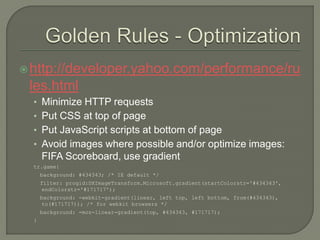
 http://developer.yahoo.com/performance/ru
 les.html
  • Minimize HTTP requests
  • Put CSS at top of page
  • Put JavaScript scripts at bottom of page
  • Avoid images where possible and/or optimize images:
      FIFA Scoreboard, use gradient
  tr.game{
      background: #434343; /* IE default */
      filter: progid:DXImageTransform.Microsoft.gradient(startColorstr='#434343',
      endColorstr='#171717');
      background: -webkit-gradient(linear, left top, left bottom, from(#434343),
      to(#171717)); /* for webkit browsers */
      background: -moz-linear-gradient(top, #434343, #171717);
  }
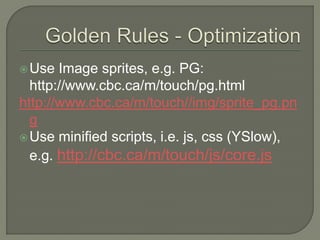
 Use  Image sprites, e.g. PG:
  http://www.cbc.ca/m/touch/pg.html
http://www.cbc.ca/m/touch//img/sprite_pg.pn
  g
 Use minified scripts, i.e. js, css (YSlow),
  e.g. http://cbc.ca/m/touch/js/core.js
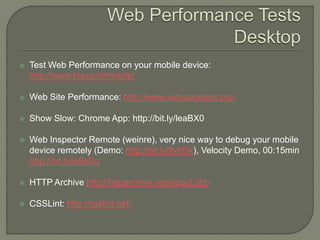
   Test Web Performance on your mobile device:
    http://www.blaze.io/mobile/

   Web Site Performance: http://www.webpagetest.org/

   Show Slow: Chrome App: http://bit.ly/leaBX0

   Web Inspector Remote (weinre), very nice way to debug your mobile
    device remotely (Demo: http://bit.ly/flvhDk), Velocity Demo, 00:15min
    http://bit.ly/is9sDo

   HTTP Archive http://httparchive.org/about.php

   CSSLint: http://csslint.net/
 MobilePerf   Bookmarklet: http://p.ad.ag/

 YSlowMobile  Bookmarklet:
 http://developer.yahoo.com/yslow/mobile

 Jdrop   Bookmarklet: http://jdrop.org/
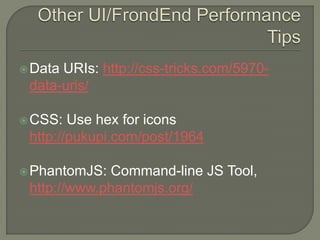
 DataURIs: http://css-tricks.com/5970-
 data-uris/

 CSS:  Use hex for icons
 http://pukupi.com/post/1964

 PhantomJS: Command-line JS Tool,
 http://www.phantomjs.org/
 Max  Firtman’s Sim/Emulator page:
 http://www.mobilexweb.com/emulators

 Remote   Labs
 • http://deviceanywhere.com
 • http://perfectomobile.com
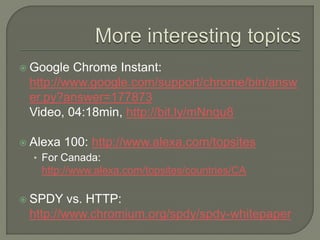
 Google Chrome Instant:
 http://www.google.com/support/chrome/bin/answ
 er.py?answer=177873
 Video, 04:18min, http://bit.ly/mNnqu8

 Alexa   100: http://www.alexa.com/topsites
  • For Canada:
   http://www.alexa.com/topsites/countries/CA

 SPDY   vs. HTTP:
 http://www.chromium.org/spdy/spdy-whitepaper
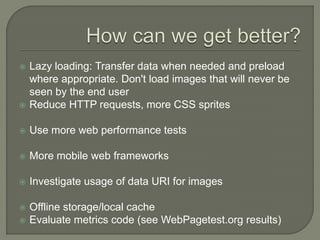
   Lazy loading: Transfer data when needed and preload
    where appropriate. Don't load images that will never be
    seen by the end user
   Reduce HTTP requests, more CSS sprites

   Use more web performance tests

   More mobile web frameworks

   Investigate usage of data URI for images

   Offline storage/local cache
   Evaluate metrics code (see WebPagetest.org results)
   All slides & videos from Velocityconf 2011
    • http://velocityconf.com/velocity2011/public/schedule/proceedings
   YouTube: http://www.youtube.com/user/OreillyMedia
   John Resig on JS performance:
    http://www.youtube.com/watch?feature=player_embedde
    d&v=WuMEQN7aph0
   Facebook, Infrastructure
    http://www.youtube.com/watch?v=urG0dQ7kc3w&feature
    =player_embedded
   Most of those projects are open source and can be found
    on github

Mobile Web Performance - Velocity 2011

  • 1.
  • 2.
     Reducethe pageload /page weight as much as possible
  • 3.
     http://developer.yahoo.com/performance/ru les.html • Minimize HTTP requests • Put CSS at top of page • Put JavaScript scripts at bottom of page • Avoid images where possible and/or optimize images: FIFA Scoreboard, use gradient tr.game{ background: #434343; /* IE default */ filter: progid:DXImageTransform.Microsoft.gradient(startColorstr='#434343', endColorstr='#171717'); background: -webkit-gradient(linear, left top, left bottom, from(#434343), to(#171717)); /* for webkit browsers */ background: -moz-linear-gradient(top, #434343, #171717); }
  • 4.
     Use Image sprites, e.g. PG: http://www.cbc.ca/m/touch/pg.html http://www.cbc.ca/m/touch//img/sprite_pg.pn g  Use minified scripts, i.e. js, css (YSlow), e.g. http://cbc.ca/m/touch/js/core.js
  • 5.
    Test Web Performance on your mobile device: http://www.blaze.io/mobile/  Web Site Performance: http://www.webpagetest.org/  Show Slow: Chrome App: http://bit.ly/leaBX0  Web Inspector Remote (weinre), very nice way to debug your mobile device remotely (Demo: http://bit.ly/flvhDk), Velocity Demo, 00:15min http://bit.ly/is9sDo  HTTP Archive http://httparchive.org/about.php  CSSLint: http://csslint.net/
  • 6.
     MobilePerf Bookmarklet: http://p.ad.ag/  YSlowMobile Bookmarklet: http://developer.yahoo.com/yslow/mobile  Jdrop Bookmarklet: http://jdrop.org/
  • 7.
     DataURIs: http://css-tricks.com/5970- data-uris/  CSS: Use hex for icons http://pukupi.com/post/1964  PhantomJS: Command-line JS Tool, http://www.phantomjs.org/
  • 8.
     Max Firtman’s Sim/Emulator page: http://www.mobilexweb.com/emulators  Remote Labs • http://deviceanywhere.com • http://perfectomobile.com
  • 9.
     Google ChromeInstant: http://www.google.com/support/chrome/bin/answ er.py?answer=177873 Video, 04:18min, http://bit.ly/mNnqu8  Alexa 100: http://www.alexa.com/topsites • For Canada: http://www.alexa.com/topsites/countries/CA  SPDY vs. HTTP: http://www.chromium.org/spdy/spdy-whitepaper
  • 10.
    Lazy loading: Transfer data when needed and preload where appropriate. Don't load images that will never be seen by the end user  Reduce HTTP requests, more CSS sprites  Use more web performance tests  More mobile web frameworks  Investigate usage of data URI for images  Offline storage/local cache  Evaluate metrics code (see WebPagetest.org results)
  • 11.
    All slides & videos from Velocityconf 2011 • http://velocityconf.com/velocity2011/public/schedule/proceedings  YouTube: http://www.youtube.com/user/OreillyMedia  John Resig on JS performance: http://www.youtube.com/watch?feature=player_embedde d&v=WuMEQN7aph0  Facebook, Infrastructure http://www.youtube.com/watch?v=urG0dQ7kc3w&feature =player_embedded  Most of those projects are open source and can be found on github