Nobody Wants 

a Slow Website


September 12, 2015
Sang-Min Yoon
Front End Engineer
Nobody likes 

anything that is Slow
Credit: http://www.inklingsnews.com/c/2010/03/30/dmv-delaying-my-voyage-bureaucracy-in-the-department-of-motor-vehicles-2/
Credit: http://www.dawgshed.com/threads/you-need-to-stop-by-the-dmv-get-in-line-with-the-millions-of-illegals.137874/
Credit: http://www.etagsdirect.com/blog/goodbye-florida-dmvs-hello-tax-collector/
Credit: http://www.elkharttruth.com/news/michigan/2015/07/25/DMV-ends-remote-check-in-but-is-it-to-blame-for-long-waits.html
Credit: http://www.northernvatimes.com/gainesville/news/i-95-express-lanes-open &

https://www.washingtonpost.com/local/trafficandcommuting/virginias-hot-lanes-could-be-the-future-of-us-transportation/2015/01/20/
feaccfc2-973f-11e4-927a-4fa2638cd1b0_story.html
Same for Websites
Nobody wants to visit 

a slow website
“1 in 4 visitors will abandon a
website if it takes longer than 4
seconds to load.”
Source: http://loadstorm.com/2014/04/infographic-web-performance-impacts-conversion-rates/
“1 second delay in page load time
could cost Amazon $1.6 billion in
annual sales”
Source: http://www.fastcompany.com/1825005/how-one-second-could-cost-amazon-16-billion-sales
“Obama’s 2011 fundraising campaign raised an
additional $34 million when the Obama for
America website shrunk page load time from 

5 seconds to 2 seconds”
Source: http://kylerush.net/blog/meet-the-obama-campaigns-250-million-fundraising-platform/
We know all this but…
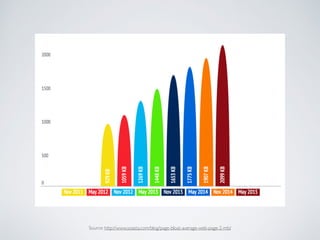
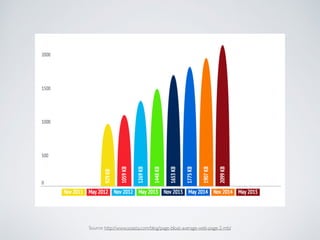
The average webpage is over 2mb
Source: http://www.soasta.com/blog/page-bloat-average-web-page-2-mb/
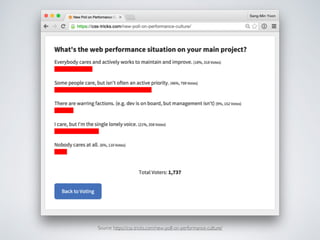
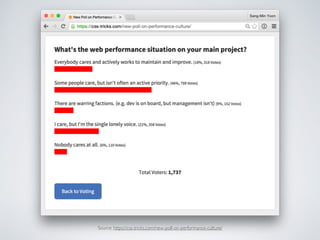
Source: https://css-tricks.com/new-poll-on-performance-culture/
Performance is especially
important because….
Credit: www.flickr.com/photos/lukew
About 75% of mobile users consider

mobile slower than desktop
About 40% of mobile users are unhappy 

with their experience
Source: https://content.akamai.com/PG1526-PerformanceMatters.html
About 20% of Americans depend on
smartphones almost exclusively for internet
access…
and out of those, 30% frequently reach
their Max Monthly Data Allowance
My Experiences…
Measuring Performance
WebPageTest
http://www.webpagetest.org/
WebPageTest
http://www.webpagetest.org/
PageSpeed Insights
https://developers.google.com/speed/pagespeed/insights/
Chrome DevTools
Minimize Requests 

Optimize Requests 

Reduce Size
Minimize Request
Provide only the goods 

that the users need
“The fastest HTTP request is the one not made.”
-Steve Sounders
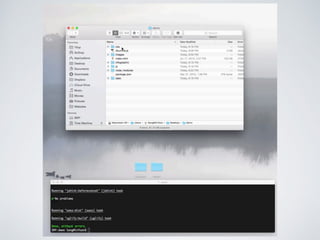
Concatenate
Combine Files
Video Concatenate
JavaScript
Video Concatenate
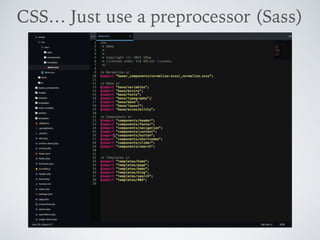
CSS… Just use a preprocessor (Sass)
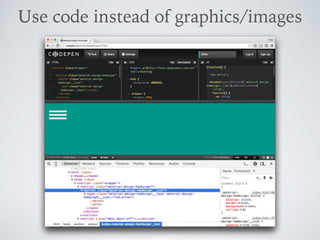
Use code instead of graphics/images
Use Icon Fonts or SVGs
Optimize Requests
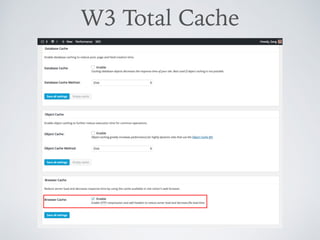
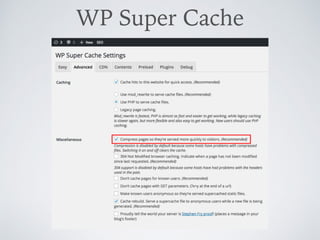
Caching
Some hosting companies
automatically does this for you
W3 Total Cache
https://wordpress.org/plugins/w3-total-cache/
WP Super Cache
https://wordpress.org/plugins/wp-super-cache/
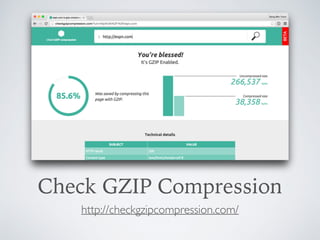
Gzip
Turn on HTTP Compression
Check GZIP Compression
http://checkgzipcompression.com/
Manually via .htaccess
Source: https://css-tricks.com/snippets/htaccess/active-gzip-compression/
W3 Total Cache
WP Super Cache
Some hosting companies
automatically does this for you
Reduce Size
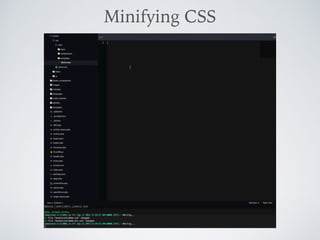
Minify
Video Concatenate
Minifying CSS
Video Concatenate
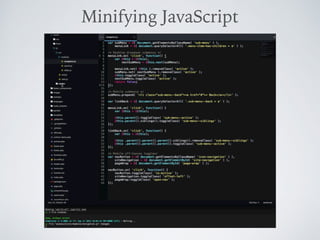
Minifying JavaScript
WordPress Plugins
• Better WordPress Minify

https://wordpress.org/plugins/bwp-minify/
• MinQueue

https://wordpress.org/plugins/minqueue/
Images
Source: http://www.soasta.com/blog/page-bloat-average-web-page-2-mb/
Average webpage is little over 2mb
and 60% is because of Images
Source: http://www.soasta.com/blog/page-bloat-average-web-page-2-mb/
Resize

Optimize 

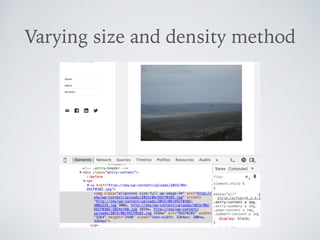
Responsive Images
Resize Images
• Do not upload raw images on the web
• Find the max width of the content area and use
that width to resize your images
• Resize them in bulk
Optimize (losslessly) Images
• Apps
• GruntTasks
• WordPress Plugins
ImageOptim
175 KB
145 KB
contrib-imagemin Grunt task
https://github.com/gruntjs/grunt-contrib-imagemin
WordPress Plugins
• Kraken Image Optimizer

https://wordpress.org/plugins/kraken-image-
optimizer/
• EWWW Image Optimizer

https://wordpress.org/plugins/ewww-image-
optimizer/
Responsive Images
RICG Responsive Images
https://wordpress.org/plugins/ricg-responsive-images/
Recap
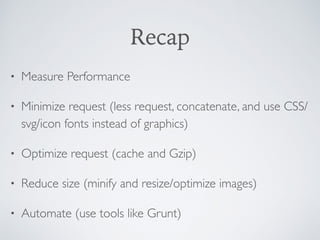
• Measure Performance
• Minimize request (less request, concatenate, and use CSS/
svg/icon fonts instead of graphics)
• Optimize request (cache and Gzip)
• Reduce size (minify and resize/optimize images)
• Automate (use tools like Grunt)
There are more…
Other techniques that I’m currently looking into:
• Critical CSS
• Improving render times (like animation and fonts)
• Prefetching, Preloading and Prebrowsing
Non-Technical Challenges
Source: https://css-tricks.com/new-poll-on-performance-culture/
Non-Technical Challenges
• Hard to measure (what is considered fast for a project?)
• Having a fast website is a given (never on a RFP or SOW)
• Getting buy-ins from client
• Dealing with “pretty” designs
• “Surprises” during development
Recommendations
• Include Performance during discovery 

(competitive analysis)
• Performance budget 

(want something new? kill something else)
• Styleguide driven development
• Keep talking about it
Thank You
Email: info@SangMinYoon.com
Twitter: @SMY315

Nobody Wants a Slow Website