eReaders, Tablets &
 eBooks…oh my!!


             Jonathan Gaskill- FCPL
            Reference/Adult Services
                    Librarian!
History
n  1971- Project Gutenberg: scan the classics
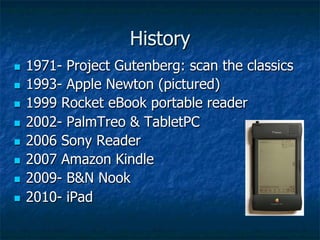
n  1993- Apple Newton (pictured)

n  1999 Rocket eBook portable reader

n  2002- PalmTreo & TabletPC

n  2006 Sony Reader

n  2007 Amazon Kindle

n  2009- B&N Nook

n  2010- iPad
Who?
n    eReaders are             n    Students
      affordable               n    Children
n    eReaders are easier      n    Adults
      to use than ever         n    Older
n    eBooks                         Americans
      n    PDF                n    Everybody!
      n    ePub
What?
n    An eReader/Tablet is a device or computer
      program used for reading electronic
      books/information
      n  Color
      n  eInk

      n  Digital Rights Management- copyright
          protection
n    Biggest players in the US
      n  Barnes & Noble Nook brand
      n  Amazon Kindle brand
      n  Apple iPad/iPhone
When?


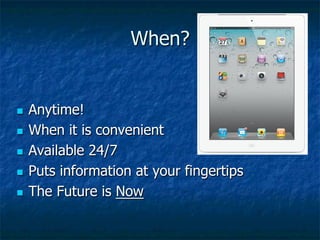
n  Anytime!
n  When it is convenient

n  Available 24/7

n  Puts information at your fingertips

n  The Future is Now
Where?
n    Home                          n    Get books here:
n    Vacation                            n    cidc.lib.overdrive.com
n    Libraries                           n    www.archive.org
                                          n    www.gutenberg.org
n    Wi-Fi
                                          n    www.openlibrary.org
n    Schools
      n    Culver Community 1:1
            iPad initiative since
            2010
      n    Caston Schools 1:1
            10/2012
Why?
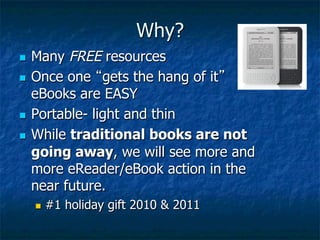
n  Many FREE resources
n  Once one “gets the hang of it”
    eBooks are EASY
n  Portable- light and thin

n  While traditional books are not
    going away, we will see more and
    more eReader/eBook action in the
    near future.
      n    #1 holiday gift 2010 & 2011
How?
Let’s Delve…
n  cidc.lib.overdrive.com

n  Adobe Digital Editions
      n    http://www.adobe.com/products/digitaleditions/
n    OverDrive Media Console
      n    http://www.overdrive.com/software/omc/
n    www.archive.org
How, continued…
n    Using your Computer at home
      n    Adobe Digital Editions/OverDrive Media
            Console
             n  Registered   to YOU…no sharing.
      n  Amazon.com
      n  OverDrive App for iOS & Android


n    Using Wireless
      n  Home
      n  FCPL
OverDrive Resources

n  http://www.overdrive.com/Solutions/
    Libraries/guidedtour/
n  http://help.overdrive.com/?Sup=http://
    cidc.lib.overdrive.com/Support.htm
n  http://www.overdrive.com/resources/drc/
Questions?

n  Most importantly- Don’t give up!
n  Keep trying- it gets easier!

n  Stop in and ask questions of staff…

n  Ask for Help!- we are here for you
      n  Call Jon @ 574-223-1003
      n  eMail Jon- ref@fulco.lib.in.us
Thank you for your
time, attention and
   consideration!
  Happy Reading!

E readers & ebooks

  • 1.
    eReaders, Tablets & eBooks…oh my!! Jonathan Gaskill- FCPL Reference/Adult Services Librarian!
  • 2.
    History n  1971- ProjectGutenberg: scan the classics n  1993- Apple Newton (pictured) n  1999 Rocket eBook portable reader n  2002- PalmTreo & TabletPC n  2006 Sony Reader n  2007 Amazon Kindle n  2009- B&N Nook n  2010- iPad
  • 3.
    Who? n  eReaders are n  Students affordable n  Children n  eReaders are easier n  Adults to use than ever n  Older n  eBooks Americans n  PDF n  Everybody! n  ePub
  • 4.
    What? n  An eReader/Tablet is a device or computer program used for reading electronic books/information n  Color n  eInk n  Digital Rights Management- copyright protection n  Biggest players in the US n  Barnes & Noble Nook brand n  Amazon Kindle brand n  Apple iPad/iPhone
  • 5.
    When? n  Anytime! n  Whenit is convenient n  Available 24/7 n  Puts information at your fingertips n  The Future is Now
  • 6.
    Where? n  Home n  Get books here: n  Vacation n  cidc.lib.overdrive.com n  Libraries n  www.archive.org n  www.gutenberg.org n  Wi-Fi n  www.openlibrary.org n  Schools n  Culver Community 1:1 iPad initiative since 2010 n  Caston Schools 1:1 10/2012
  • 7.
    Why? n  Many FREEresources n  Once one “gets the hang of it” eBooks are EASY n  Portable- light and thin n  While traditional books are not going away, we will see more and more eReader/eBook action in the near future. n  #1 holiday gift 2010 & 2011
  • 8.
    How? Let’s Delve… n  cidc.lib.overdrive.com n Adobe Digital Editions n  http://www.adobe.com/products/digitaleditions/ n  OverDrive Media Console n  http://www.overdrive.com/software/omc/ n  www.archive.org
  • 9.
    How, continued… n  Using your Computer at home n  Adobe Digital Editions/OverDrive Media Console n  Registered to YOU…no sharing. n  Amazon.com n  OverDrive App for iOS & Android n  Using Wireless n  Home n  FCPL
  • 10.
    OverDrive Resources n  http://www.overdrive.com/Solutions/ Libraries/guidedtour/ n  http://help.overdrive.com/?Sup=http:// cidc.lib.overdrive.com/Support.htm n  http://www.overdrive.com/resources/drc/
  • 11.
    Questions? n  Most importantly-Don’t give up! n  Keep trying- it gets easier! n  Stop in and ask questions of staff… n  Ask for Help!- we are here for you n  Call Jon @ 574-223-1003 n  eMail Jon- ref@fulco.lib.in.us
  • 12.
    Thank you foryour time, attention and consideration! Happy Reading!