By Luke Neal
  21719002
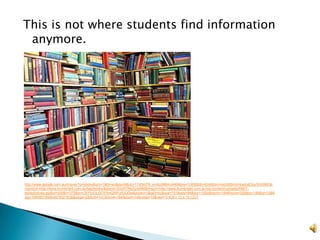
This is not where students find information
 anymore.


http://www.google.com.au/imgres?q=books&um=1&hl=en&sa=N&rlz=1T4SKPB_enAU386AU440&biw=1366&bih=534&tbm=isch&tbnid=kwlzyESurWsIBM:&i
mgrefurl=http://www.burnbright.com.au/tag/books/&docid=ISIsR7ReZgreMM&imgurl=http://www.burnbright.com.au/wp-content/uploads/RMIT-
bookshelves.jpg&w=500&h=375&ei=CEFlUOLGOYiImQWFzIGQDw&zoom=1&iact=hc&vpx=101&vpy=84&dur=1820&hovh=194&hovw=259&tx=148&ty=108&
sig=106480195664875021638&page=2&tbnh=141&tbnw=184&start=14&ndsp=19&ved=1t:429,r:13,s:14,i:227
Benefits of technology
                                                             in class:
                                                            Higher student
                                                             engagement
                                                            Improved motivation
                                                             for learning
                                                            Maintained focus in
                                                             class


http://www.google.com.au/imgres?um=1&hl=en&client=firef
ox-a&rls=org.mozilla:en-
US:official&biw=1366&bih=639&tbm=isch&tbnid=q1Pyw9Zyn
sIQIM:&imgrefurl=http://www.uvu.edu/ist/students/news.ht
ml&docid=-
8Y47COXtWdU2M&imgurl=http://www.uvu.edu/ist/ExcitedStu
dent.jpg&w=200&h=350&ei=G1FlUInjN-
PkmAX79oCAAw&zoom=1&iact=hc&vpx=710&vpy=246&dur
=2426&hovh=280&hovw=160&tx=61&ty=164&sig=1018890
59177902804021&page=1&tbnh=142&tbnw=81&start=0&nd
sp=19&ved=1t:429,r:15,s:0,i:115
Moving away from writing out
                                                                                notes off boards and to;

                                                                                • investigating information on
                                                                                the web


http://www.google.com.au/imgres?q=whiteboards+and+blackboards&um=1&hl=en&rlz
=1T4SKPB_enAU386AU440&biw=1366&bih=534&tbm=isch&tbnid=8Lz9jAcehaSOiM:
&imgrefurl=http://www.educata.com.au/educata/whiteboards.htm&docid=bmn2jWzpxO
Yx6M&imgurl=http://www.educata.com.au/educata/chalkboard.jpg&w=235&h=262&ei=
tmBlUP_hLfCuiQe_2IG4Dw&zoom=1&iact=hc&vpx=943&vpy=157&dur=937&hovh=20
9&hovw=188&tx=122&ty=125&sig=106480195664875021638&page=1&tbnh=169&tbn
w=164&start=0&ndsp=12&ved=1t:429,r:4,s:0,i:80
http://www.google.com.au/imgres?um=1&hl=en&client=firefox-a&sa=N&rls=org.mozilla:en-US:official&biw=1366&bih=639&tbm=isch&tbnid=a8oA-
Y9PzB8pYM:&imgrefurl=http://jkg590.blogspot.com/&docid=fHWjqOW5I2AYBM&imgurl=http://3.bp.blogspot.com/_RVWFP9V28_I/TGNZ6msDtvI/AAA
AAAAAAA0/BayIixnBzXw/s1600/circle.jpg&w=400&h=265&ei=vkxlUJfiNauaiAexs4GYCw&zoom=1


                                                                      http://www.google.com.au/imgres?um=1&hl=en&client=firefox-
                                                                      a&sa=G&rls=org.mozilla:en-
                                                                      US:official&biw=1366&bih=639&tbm=isch&tbnid=DMBAn2y0LDIN2M:&im
                                                                      grefurl=http://www.securedgenetworks.com/secure-edge-networks-
                                                                      blog/bid/76917/iPads-in-schools-make-perfect-learning-
                                                                      tools&docid=2lK1fmhJUSJXRM&imgurl=http://www.securedgenetworks.co
                                                                      m/Portals/80068/images/ipad-in-palm-
                                                                      beach.jpg&w=585&h=390&ei=C05lULXMNs2TiAeW8ICQDg&zoom=1&iac
                                                                      t=hc&vpx=1030&vpy=305&dur=4164&hovh=183&hovw=275&tx=149&ty=8
                                                                      2&sig=101889059177902804021&page=2&tbnh=140&tbnw=188&start=18
                                                                      &ndsp=24&ved=1t:429,r:23,s:18,i:205
Kids have grown up with
                                                                              technology in their everyday
                                                                              lives, making it easy for them
                                                                              to speak the language.

http://www.google.com.au/imgres?um=1&hl=en&client=firefox-
a&sa=N&rls=org.mozilla:en-
US:official&biw=1366&bih=639&tbm=isch&tbnid=1v7KLc2IxxEXSM:&imgrefurl=http://a
bout.six3.tv/2011/10/30/kids-
tech/&docid=YYo34R1kEvhY9M&imgurl=http://www.six3.tv/blog/wp-
content/uploads/2011/10/tech-kids-e1319966522324.jpg&w=459&h=331&ei=4S5pUN-
_MYneige0qoDgDw&zoom=1


                                                                                         http://www.google.com.au/imgres?um=1&hl=en&client=firefox-
                                                                                         a&sa=G&rls=org.mozilla:en-
                                                                                         US:official&biw=1366&bih=639&tbm=isch&tbnid=2FE2ySUH3McWWM:&imgrefurl=htt
                                                                                         p://www.dreamviews.com/f23/official-dream-exchange-thread-come-trade-dream-
                                                                                         worlds-
                                                                                         89035/index2.html&docid=b_8LY5BOHiLr8M&imgurl=http://mechanicrobotic.files.word
http://www.google.com.au/imgres?um=1&hl=en&client=firefox-a&sa=N&rls=org.mozilla:en-     press.com/2007/09/cathedral-library-
US:official&biw=1366&bih=639&tbm=isch&tbnid=JtMoh0u4CgdO6M:&imgrefurl=http://www.isea-   kalocsa.jpg&w=467&h=350&ei=Qi9pUO28G5GeiQeOwoDgDw&zoom=1
it.com/&docid=omMH8cRCELlwaM&imgurl=http://www.isea-
it.com/images/www_Gold.jpg&w=500&h=370&ei=yy9pUMyfOdOgiQfxwoHwDw&zoom=1
Kids communicate and work in
                                                                          different ways than previous
                                                                          generations.


http://www.google.com.au/imgres?um=1&hl=en&client=firefox-a&sa=N&rls=org.mozilla:en-
US:official&biw=1366&bih=639&tbm=isch&tbnid=kIl7sWFhxJ1PxM:&imgrefurl=http://www.gizmo
do.com.au/2011/02/paying-via-sms-is-it-time-to-ditch-paypal/&docid=nl5la-
HDrNy3KM&imgurl=http://edge.alluremedia.com.au/m/g/2011/02/mobile-sms-
payment1.jpg&w=400&h=400&ei=jTFpUJywOYyciQe0moH4Bw&zoom=1


                                                                                 http://www.google.com.au/imgres?um=1&hl=en&client=firefox-a&sa=G&rls=org.mozilla:en-
                                                                                 US:official&biw=1366&bih=639&tbm=isch&tbnid=-t-fTC--
                                                                                 H7pUlM:&imgrefurl=http://netcommunications.com.au/Virtualisation.html&docid=b6V074XpRbXa
                                                                                 FM&imgurl=http://netcommunications.com.au/images/37218_cloud-
                                                                                 computing.jpg&w=400&h=361&ei=eDJpUPqxL_GuiQfWuYDYDw&zoom=1
http://www.google.com.au/imgres?um=1&hl=en&client=firefox-
                                                                                         a&sa=G&rls=org.mozilla:en-
                                                                                         US:official&biw=1366&bih=639&tbm=isch&tbnid=A2J9xCJt9y6q5M:&img
                                                                                         refurl=http://socialnetworking.swsi.wikispaces.net/PersonalizedLearningE
                                                                                         nvironments&docid=KlMaJkVme2EPcM&imgurl=http://socialnetworking.s
                                                                                         wsi.wikispaces.net/file/view/PLE_gretchen.png/149721931/PLE_gretche
                                                                                         n.png&w=400&h=394&ei=BzRpUNjSOMyziQeYo4H4Dw&zoom=1


http://www.google.com.au/imgres?um=1&hl=en&client=firefox-a&sa=G&rls=org.mozilla:en-
US:official&biw=1366&bih=639&tbm=isch&tbnid=53RFz_xN6vu1DM:&imgrefurl=http://teachersu
singtech.weebly.com/personal-learning-
networks.html&docid=W6uWbVgRFnSCoM&imgurl=http://teachersusingtech.weebly.com/upload
s/5/4/5/4/5454866/772899_orig.jpg&w=960&h=720&ei=BjVpULONF8aZiQf6wIDgDw&zoom=1
Student use different sources
              than they did in previous years.
              This is one website that students
              can use to find information.


              Stumbleupon.com:

              •Finds relevant information
Screen shot   •Sources many websites across
              the WWW
              •Saves websites for later viewing
StumbleUpon saves interests and relevant websites,
simply by liking them.
StumbleUpon provides a variety of different
information types which can be changed to suit
the user.
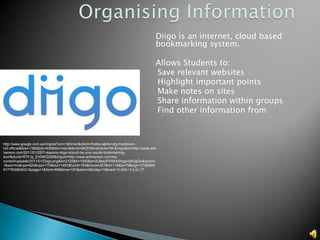
Diigo is an internet, cloud based
                                                                                    bookmarking system.

                                                                                    Allows Students to:
                                                                                    •Save relevant websites
                                                                                    •Highlight important points
                                                                                    •Make notes on sites
                                                                                    •Share information within groups
                                                                                    •Find other information from


http://www.google.com.au/imgres?um=1&hl=en&client=firefox-a&rls=org.mozilla:en-
US:official&biw=1366&bih=639&tbm=isch&tbnid=MQD56m6Ulx4wYM:&imgrefurl=http://www.arik
hanson.com/2011/01/25/7-reasons-diigo-should-be-your-social-bookmarking-
tool/&docid=RTFJy_EV5WQZiM&imgurl=http://www.arikhanson.com/wp-
content/uploads/2011/01/Diigo.png&w=2120&h=1000&ei=2UBpUPX5K4Shigev04DgDw&zoom=
1&iact=hc&vpx=624&vpy=170&dur=1491&hovh=154&hovw=327&tx=116&ty=79&sig=10188905
9177902804021&page=1&tbnh=85&tbnw=181&start=0&ndsp=18&ved=1t:429,r:3,s:0,i:77
Diigo stores all your bookmarked websites for easy review and reading. Folders
                 can be create to store information relevant to a class or subject.
1 click bookmark                           Capture
which also helps to                        important parts
categorise information                     of the website
through description
and tags
                         Highlight
                         important
                         information for
                         quick viewing
Sharing information is made easy
                                                                                using learning networks.

                                                                                Giving others information is just a
                                                                                few clicks away.


http://www.google.com.au/imgres?um=1&hl=en&client=firefox-a&sa=N&rls=org.mozilla:en-
US:official&biw=1366&bih=639&tbm=isch&tbnid=6a_LlYvI5jVOxM:&imgrefurl=http://www.coetail.
asia/aromapannu/technology-in-early-
years/&docid=Q3qjo_SS99vikM&imgurl=http://www.coetail.asia/aromapannu/files/2012/03/wired.
jpeg&w=300&h=277&ei=RC5pUKXSD8aiiAeBt4DgDw&zoo
Creating groups for sharing and collaboration
Access to you
                                                                                            information anywhere
                                                                                            as long as there is
                                                                                            internet.


http://www.google.com.au/imgres?um=1&hl=en&client=firefox-a&sa=G&rls=org.mozilla:en-
US:official&biw=1366&bih=639&tbm=isch&tbnid=-t-fTC--
H7pUlM:&imgrefurl=http://netcommunications.com.au/Virtualisation.html&docid=b6V074XpRbXaF
M&imgurl=http://netcommunications.com.au/images/37218_cloud-
computing.jpg&w=400&h=361&ei=eDJpUPqxL_GuiQfWuYDYDw&zoom=1
Other ways students may
                                                                                                           want to share
                                                                                                           information is through
                                                                                                           facebook.


http://www.google.com.au/imgres?num=10&um=1&hl=en&client=firefox-a&rls=org.mozilla:en-
US:official&biw=1366&bih=639&tbm=isch&tbnid=5t9odwS08wh4FM:&imgrefurl=http://en.wikipedi
a.org/wiki/Facebook&docid=28ry3UdUQewurM&imgurl=http://upload.wikimedia.org/wikipedia/co
mmons/thumb/3/30/Facebook_users_by_age.PNG/300px-
Facebook_users_by_age.PNG&w=300&h=177&ei=DEppUImZN4mfiQes9oDoDw&zoom=1&iact
=rc&dur=2&sig=101889059177902804021&sqi=2&page=1&tbnh=130&tbnw=165&start=0&ndsp
=18&ved=1t:429,r:18,s:0,i:134&tx=260&ty=305


               http://www.google.com.au/imgres?um=1&hl=en&client=firefox-a&rls=org.mozilla:en-
               US:official&biw=1366&bih=639&noj=1&tbm=isch&tbnid=u7iVmFR5v2DEOM:&imgrefurl=http://jamiemcintyre.com/facebook-shares-pushed-100billion-market/&docid=N8ewvv-
               fCRFw9M&imgurl=http://jamiemcintyre.com/wp-content/uploads/2012/04/facebook-large.png&w=1692&h=1692&ei=lkppUOa4G6i6iQebyIHoDw&zoom=1
In summary students who use PLE/PLN’s:
 Engage with content more efficiently
 Become more accustomed to technology
 Are able to share information more effectively
 Create a wider base of resources and ability
  to organise
 Develop skills in researching.
   J, Haeusler. (2011). As cited in, The digital
    education revolution in NSW. Retrieved
    1/10/2012 from,
    http://www.schools.nsw.edu.au/gotoschool/
    highschool/dernsw/transforming.php

Using technology in classrooms

  • 1.
    By Luke Neal 21719002
  • 2.
    This is notwhere students find information anymore. http://www.google.com.au/imgres?q=books&um=1&hl=en&sa=N&rlz=1T4SKPB_enAU386AU440&biw=1366&bih=534&tbm=isch&tbnid=kwlzyESurWsIBM:&i mgrefurl=http://www.burnbright.com.au/tag/books/&docid=ISIsR7ReZgreMM&imgurl=http://www.burnbright.com.au/wp-content/uploads/RMIT- bookshelves.jpg&w=500&h=375&ei=CEFlUOLGOYiImQWFzIGQDw&zoom=1&iact=hc&vpx=101&vpy=84&dur=1820&hovh=194&hovw=259&tx=148&ty=108& sig=106480195664875021638&page=2&tbnh=141&tbnw=184&start=14&ndsp=19&ved=1t:429,r:13,s:14,i:227
  • 3.
    Benefits of technology in class:  Higher student engagement  Improved motivation for learning  Maintained focus in class http://www.google.com.au/imgres?um=1&hl=en&client=firef ox-a&rls=org.mozilla:en- US:official&biw=1366&bih=639&tbm=isch&tbnid=q1Pyw9Zyn sIQIM:&imgrefurl=http://www.uvu.edu/ist/students/news.ht ml&docid=- 8Y47COXtWdU2M&imgurl=http://www.uvu.edu/ist/ExcitedStu dent.jpg&w=200&h=350&ei=G1FlUInjN- PkmAX79oCAAw&zoom=1&iact=hc&vpx=710&vpy=246&dur =2426&hovh=280&hovw=160&tx=61&ty=164&sig=1018890 59177902804021&page=1&tbnh=142&tbnw=81&start=0&nd sp=19&ved=1t:429,r:15,s:0,i:115
  • 4.
    Moving away fromwriting out notes off boards and to; • investigating information on the web http://www.google.com.au/imgres?q=whiteboards+and+blackboards&um=1&hl=en&rlz =1T4SKPB_enAU386AU440&biw=1366&bih=534&tbm=isch&tbnid=8Lz9jAcehaSOiM: &imgrefurl=http://www.educata.com.au/educata/whiteboards.htm&docid=bmn2jWzpxO Yx6M&imgurl=http://www.educata.com.au/educata/chalkboard.jpg&w=235&h=262&ei= tmBlUP_hLfCuiQe_2IG4Dw&zoom=1&iact=hc&vpx=943&vpy=157&dur=937&hovh=20 9&hovw=188&tx=122&ty=125&sig=106480195664875021638&page=1&tbnh=169&tbn w=164&start=0&ndsp=12&ved=1t:429,r:4,s:0,i:80
  • 5.
    http://www.google.com.au/imgres?um=1&hl=en&client=firefox-a&sa=N&rls=org.mozilla:en-US:official&biw=1366&bih=639&tbm=isch&tbnid=a8oA- Y9PzB8pYM:&imgrefurl=http://jkg590.blogspot.com/&docid=fHWjqOW5I2AYBM&imgurl=http://3.bp.blogspot.com/_RVWFP9V28_I/TGNZ6msDtvI/AAA AAAAAAA0/BayIixnBzXw/s1600/circle.jpg&w=400&h=265&ei=vkxlUJfiNauaiAexs4GYCw&zoom=1 http://www.google.com.au/imgres?um=1&hl=en&client=firefox- a&sa=G&rls=org.mozilla:en- US:official&biw=1366&bih=639&tbm=isch&tbnid=DMBAn2y0LDIN2M:&im grefurl=http://www.securedgenetworks.com/secure-edge-networks- blog/bid/76917/iPads-in-schools-make-perfect-learning- tools&docid=2lK1fmhJUSJXRM&imgurl=http://www.securedgenetworks.co m/Portals/80068/images/ipad-in-palm- beach.jpg&w=585&h=390&ei=C05lULXMNs2TiAeW8ICQDg&zoom=1&iac t=hc&vpx=1030&vpy=305&dur=4164&hovh=183&hovw=275&tx=149&ty=8 2&sig=101889059177902804021&page=2&tbnh=140&tbnw=188&start=18 &ndsp=24&ved=1t:429,r:23,s:18,i:205
  • 6.
    Kids have grownup with technology in their everyday lives, making it easy for them to speak the language. http://www.google.com.au/imgres?um=1&hl=en&client=firefox- a&sa=N&rls=org.mozilla:en- US:official&biw=1366&bih=639&tbm=isch&tbnid=1v7KLc2IxxEXSM:&imgrefurl=http://a bout.six3.tv/2011/10/30/kids- tech/&docid=YYo34R1kEvhY9M&imgurl=http://www.six3.tv/blog/wp- content/uploads/2011/10/tech-kids-e1319966522324.jpg&w=459&h=331&ei=4S5pUN- _MYneige0qoDgDw&zoom=1 http://www.google.com.au/imgres?um=1&hl=en&client=firefox- a&sa=G&rls=org.mozilla:en- US:official&biw=1366&bih=639&tbm=isch&tbnid=2FE2ySUH3McWWM:&imgrefurl=htt p://www.dreamviews.com/f23/official-dream-exchange-thread-come-trade-dream- worlds- 89035/index2.html&docid=b_8LY5BOHiLr8M&imgurl=http://mechanicrobotic.files.word http://www.google.com.au/imgres?um=1&hl=en&client=firefox-a&sa=N&rls=org.mozilla:en- press.com/2007/09/cathedral-library- US:official&biw=1366&bih=639&tbm=isch&tbnid=JtMoh0u4CgdO6M:&imgrefurl=http://www.isea- kalocsa.jpg&w=467&h=350&ei=Qi9pUO28G5GeiQeOwoDgDw&zoom=1 it.com/&docid=omMH8cRCELlwaM&imgurl=http://www.isea- it.com/images/www_Gold.jpg&w=500&h=370&ei=yy9pUMyfOdOgiQfxwoHwDw&zoom=1
  • 7.
    Kids communicate andwork in different ways than previous generations. http://www.google.com.au/imgres?um=1&hl=en&client=firefox-a&sa=N&rls=org.mozilla:en- US:official&biw=1366&bih=639&tbm=isch&tbnid=kIl7sWFhxJ1PxM:&imgrefurl=http://www.gizmo do.com.au/2011/02/paying-via-sms-is-it-time-to-ditch-paypal/&docid=nl5la- HDrNy3KM&imgurl=http://edge.alluremedia.com.au/m/g/2011/02/mobile-sms- payment1.jpg&w=400&h=400&ei=jTFpUJywOYyciQe0moH4Bw&zoom=1 http://www.google.com.au/imgres?um=1&hl=en&client=firefox-a&sa=G&rls=org.mozilla:en- US:official&biw=1366&bih=639&tbm=isch&tbnid=-t-fTC-- H7pUlM:&imgrefurl=http://netcommunications.com.au/Virtualisation.html&docid=b6V074XpRbXa FM&imgurl=http://netcommunications.com.au/images/37218_cloud- computing.jpg&w=400&h=361&ei=eDJpUPqxL_GuiQfWuYDYDw&zoom=1
  • 8.
    http://www.google.com.au/imgres?um=1&hl=en&client=firefox- a&sa=G&rls=org.mozilla:en- US:official&biw=1366&bih=639&tbm=isch&tbnid=A2J9xCJt9y6q5M:&img refurl=http://socialnetworking.swsi.wikispaces.net/PersonalizedLearningE nvironments&docid=KlMaJkVme2EPcM&imgurl=http://socialnetworking.s wsi.wikispaces.net/file/view/PLE_gretchen.png/149721931/PLE_gretche n.png&w=400&h=394&ei=BzRpUNjSOMyziQeYo4H4Dw&zoom=1 http://www.google.com.au/imgres?um=1&hl=en&client=firefox-a&sa=G&rls=org.mozilla:en- US:official&biw=1366&bih=639&tbm=isch&tbnid=53RFz_xN6vu1DM:&imgrefurl=http://teachersu singtech.weebly.com/personal-learning- networks.html&docid=W6uWbVgRFnSCoM&imgurl=http://teachersusingtech.weebly.com/upload s/5/4/5/4/5454866/772899_orig.jpg&w=960&h=720&ei=BjVpULONF8aZiQf6wIDgDw&zoom=1
  • 9.
    Student use differentsources than they did in previous years. This is one website that students can use to find information. Stumbleupon.com: •Finds relevant information Screen shot •Sources many websites across the WWW •Saves websites for later viewing
  • 10.
    StumbleUpon saves interestsand relevant websites, simply by liking them.
  • 11.
    StumbleUpon provides avariety of different information types which can be changed to suit the user.
  • 12.
    Diigo is aninternet, cloud based bookmarking system. Allows Students to: •Save relevant websites •Highlight important points •Make notes on sites •Share information within groups •Find other information from http://www.google.com.au/imgres?um=1&hl=en&client=firefox-a&rls=org.mozilla:en- US:official&biw=1366&bih=639&tbm=isch&tbnid=MQD56m6Ulx4wYM:&imgrefurl=http://www.arik hanson.com/2011/01/25/7-reasons-diigo-should-be-your-social-bookmarking- tool/&docid=RTFJy_EV5WQZiM&imgurl=http://www.arikhanson.com/wp- content/uploads/2011/01/Diigo.png&w=2120&h=1000&ei=2UBpUPX5K4Shigev04DgDw&zoom= 1&iact=hc&vpx=624&vpy=170&dur=1491&hovh=154&hovw=327&tx=116&ty=79&sig=10188905 9177902804021&page=1&tbnh=85&tbnw=181&start=0&ndsp=18&ved=1t:429,r:3,s:0,i:77
  • 13.
    Diigo stores allyour bookmarked websites for easy review and reading. Folders can be create to store information relevant to a class or subject.
  • 14.
    1 click bookmark Capture which also helps to important parts categorise information of the website through description and tags Highlight important information for quick viewing
  • 15.
    Sharing information ismade easy using learning networks. Giving others information is just a few clicks away. http://www.google.com.au/imgres?um=1&hl=en&client=firefox-a&sa=N&rls=org.mozilla:en- US:official&biw=1366&bih=639&tbm=isch&tbnid=6a_LlYvI5jVOxM:&imgrefurl=http://www.coetail. asia/aromapannu/technology-in-early- years/&docid=Q3qjo_SS99vikM&imgurl=http://www.coetail.asia/aromapannu/files/2012/03/wired. jpeg&w=300&h=277&ei=RC5pUKXSD8aiiAeBt4DgDw&zoo
  • 16.
    Creating groups forsharing and collaboration
  • 17.
    Access to you information anywhere as long as there is internet. http://www.google.com.au/imgres?um=1&hl=en&client=firefox-a&sa=G&rls=org.mozilla:en- US:official&biw=1366&bih=639&tbm=isch&tbnid=-t-fTC-- H7pUlM:&imgrefurl=http://netcommunications.com.au/Virtualisation.html&docid=b6V074XpRbXaF M&imgurl=http://netcommunications.com.au/images/37218_cloud- computing.jpg&w=400&h=361&ei=eDJpUPqxL_GuiQfWuYDYDw&zoom=1
  • 18.
    Other ways studentsmay want to share information is through facebook. http://www.google.com.au/imgres?num=10&um=1&hl=en&client=firefox-a&rls=org.mozilla:en- US:official&biw=1366&bih=639&tbm=isch&tbnid=5t9odwS08wh4FM:&imgrefurl=http://en.wikipedi a.org/wiki/Facebook&docid=28ry3UdUQewurM&imgurl=http://upload.wikimedia.org/wikipedia/co mmons/thumb/3/30/Facebook_users_by_age.PNG/300px- Facebook_users_by_age.PNG&w=300&h=177&ei=DEppUImZN4mfiQes9oDoDw&zoom=1&iact =rc&dur=2&sig=101889059177902804021&sqi=2&page=1&tbnh=130&tbnw=165&start=0&ndsp =18&ved=1t:429,r:18,s:0,i:134&tx=260&ty=305 http://www.google.com.au/imgres?um=1&hl=en&client=firefox-a&rls=org.mozilla:en- US:official&biw=1366&bih=639&noj=1&tbm=isch&tbnid=u7iVmFR5v2DEOM:&imgrefurl=http://jamiemcintyre.com/facebook-shares-pushed-100billion-market/&docid=N8ewvv- fCRFw9M&imgurl=http://jamiemcintyre.com/wp-content/uploads/2012/04/facebook-large.png&w=1692&h=1692&ei=lkppUOa4G6i6iQebyIHoDw&zoom=1
  • 19.
    In summary studentswho use PLE/PLN’s:  Engage with content more efficiently  Become more accustomed to technology  Are able to share information more effectively  Create a wider base of resources and ability to organise  Develop skills in researching.
  • 21.
    J, Haeusler. (2011). As cited in, The digital education revolution in NSW. Retrieved 1/10/2012 from, http://www.schools.nsw.edu.au/gotoschool/ highschool/dernsw/transforming.php

Editor's Notes

  • #4 JulieHaeusler 2011.