USING GOOGLE’S
         CLOUD
FOR DEVELOPERS

          @LYNNLANGIT
Set of offerings / services for public consumption

Two target audiences

--Consumer
--Developer

Many services are in production

Some services are still in public or private beta

Free tier for most services is quite generous
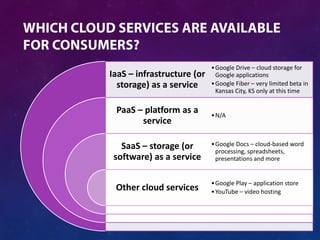
• Google Drive – cloud storage for
IaaS – infrastructure (or     Google applications
  storage) as a service     • Google Fiber – very limited beta in
                              Kansas City, KS only at this time

 PaaS – platform as a       • N/A
       service

   SaaS – storage (or       • Google Docs – cloud-based word
                              processing, spreadsheets,
 software) as a service       presentations and more


                            • Google Play – application store
 Other cloud services       • YouTube – video hosting
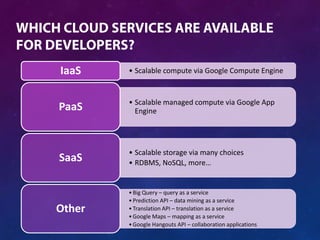
IaaS    • Scalable compute via Google Compute Engine


        • Scalable managed compute via Google App
PaaS      Engine


        • Scalable storage via many choices
SaaS    • RDBMS, NoSQL, more…


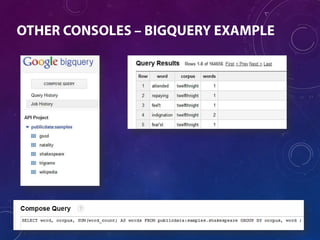
        • Big Query – query as a service
        • Prediction API – data mining as a service
Other   • Translation API – translation as a service
        • Google Maps – mapping as a service
        • Google Hangouts API – collaboration applications
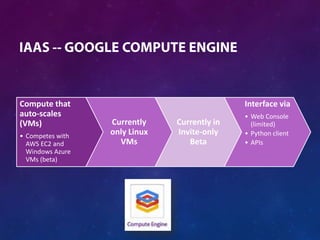
Compute that                                  Interface via
auto-scales                                   • Web Console
(VMs)             Currently    Currently in     (limited)
• Competes with
                  only Linux   Invite-only    • Python client
  AWS EC2 and       VMs           Beta        • APIs
  Windows Azure
  VMs (beta)
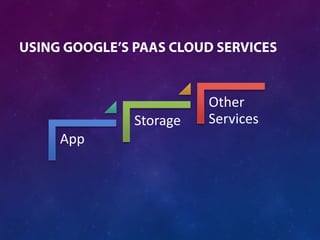
Other
      Storage   Services
App
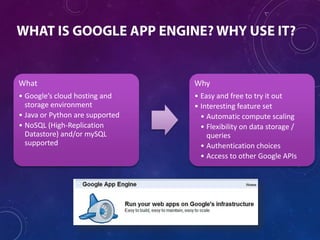
What                             Why
• Google’s cloud hosting and     • Easy and free to try it out
  storage environment            • Interesting feature set
• Java or Python are supported     • Automatic compute scaling
• NoSQL (High-Replication          • Flexibility on data storage /
  Datastore) and/or mySQL            queries
  supported                        • Authentication choices
                                   • Access to other Google APIs
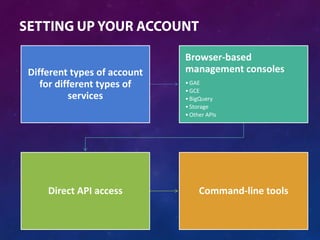
Browser-based
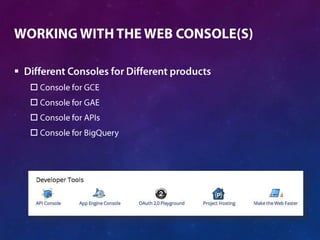
Different types of account   management consoles
   for different types of    • GAE
                             • GCE
          services           • BigQuery
                             • Storage
                             • Other APIs


    Direct API access             Command-line tools
DEMO
UNDERSTANDING GOOGLE CLOUD ACCOUNTS


    


    



    
    



    

    
    
    
    



DEMO
WORKING WITH THE WEB CONSOLE TOOLS
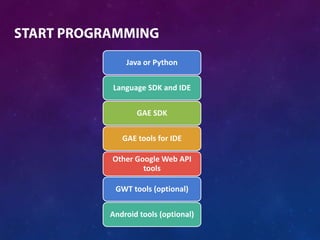
Java or Python


Language SDK and IDE


       GAE SDK


   GAE tools for IDE

Other Google Web API
        tools

 GWT tools (optional)


Android tools (optional)
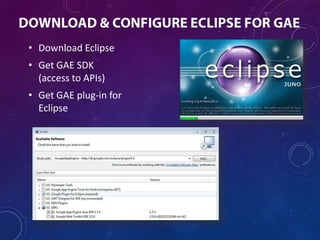
• Download Eclipse
• Get GAE SDK
  (access to APIs)
• Get GAE plug-in for
  Eclipse
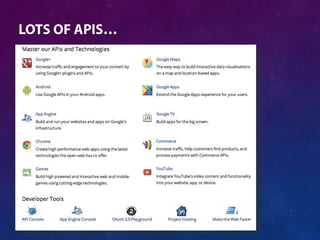
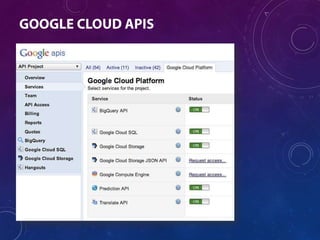
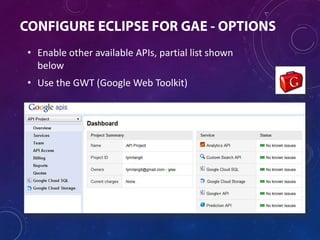
• Enable other available APIs, partial list shown
  below
• Use the GWT (Google Web Toolkit)
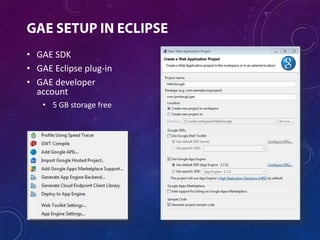
• GAE SDK
• GAE Eclipse plug-in
• GAE developer
  account
   • 5 GB storage free
DEMO
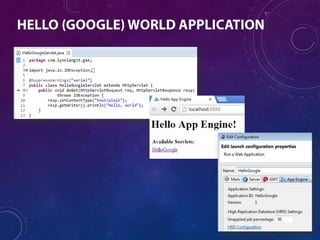
CREATING AND TESTING ‘HELLO GOOGLE CLOUD’ IN ECLIPSE
DEMO
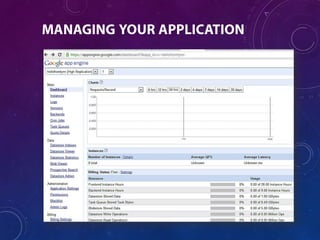
DEPLOYING TO GAE AND USING THE WEB ADMIN CONSOLE
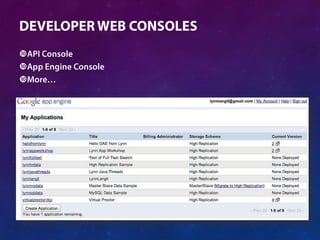
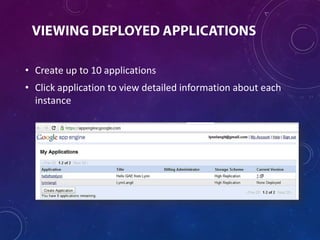
• Create up to 10 applications
• Click application to view detailed information about each
  instance
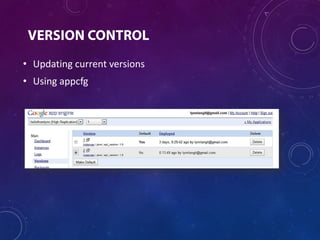
• Updating current versions
• Using appcfg
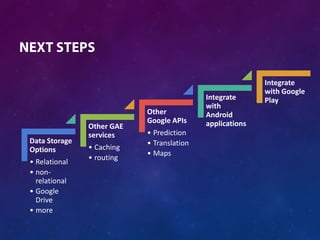
Integrate
                                                          with Google
                                           Integrate      Play
                                           with
                           Other           Android
                           Google APIs     applications
               Other GAE
               services    • Prediction
Data Storage               • Translation
Options        • Caching
                           • Maps
               • routing
• Relational
• non-
  relational
• Google
  Drive
• more
DEMO
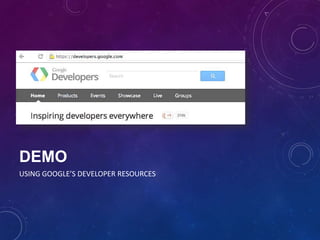
USING GOOGLE’S DEVELOPER RESOURCES



    
    
    

• recipes)


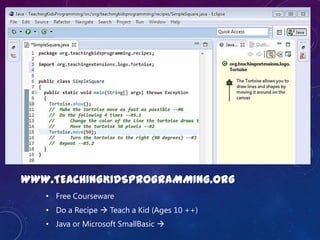
WWW.TEACHINGKIDSPROGRAMMING.ORG
      • Free Courseware
      • Do a Recipe  Teach a Kid (Ages 10 ++)
      • Java or Microsoft SmallBasic 
TOWARD DATA CRAFTSMANSHIP…


                     Follow me @LynnLangit
               RSS my blog www.LynnLangit.com


                     Subscribe to PluralSight
                       for my GAE series


              Hire me
              • To help build your BI/Big Data solution
              • To teach your team next gen BI
              • To learn more about using NoSQL solutions

Using Google's Cloud - for Developers

  • 1.
    USING GOOGLE’S CLOUD FOR DEVELOPERS @LYNNLANGIT
  • 2.
    Set of offerings/ services for public consumption Two target audiences --Consumer --Developer Many services are in production Some services are still in public or private beta Free tier for most services is quite generous
  • 3.
    • Google Drive– cloud storage for IaaS – infrastructure (or Google applications storage) as a service • Google Fiber – very limited beta in Kansas City, KS only at this time PaaS – platform as a • N/A service SaaS – storage (or • Google Docs – cloud-based word processing, spreadsheets, software) as a service presentations and more • Google Play – application store Other cloud services • YouTube – video hosting
  • 4.
    IaaS • Scalable compute via Google Compute Engine • Scalable managed compute via Google App PaaS Engine • Scalable storage via many choices SaaS • RDBMS, NoSQL, more… • Big Query – query as a service • Prediction API – data mining as a service Other • Translation API – translation as a service • Google Maps – mapping as a service • Google Hangouts API – collaboration applications
  • 5.
    Compute that Interface via auto-scales • Web Console (VMs) Currently Currently in (limited) • Competes with only Linux Invite-only • Python client AWS EC2 and VMs Beta • APIs Windows Azure VMs (beta)
  • 6.
    Other Storage Services App
  • 7.
    What Why • Google’s cloud hosting and • Easy and free to try it out storage environment • Interesting feature set • Java or Python are supported • Automatic compute scaling • NoSQL (High-Replication • Flexibility on data storage / Datastore) and/or mySQL queries supported • Authentication choices • Access to other Google APIs
  • 8.
    Browser-based Different types ofaccount management consoles for different types of • GAE • GCE services • BigQuery • Storage • Other APIs Direct API access Command-line tools
  • 9.
  • 10.
          
  • 12.
       
  • 13.
  • 16.
    DEMO WORKING WITH THEWEB CONSOLE TOOLS
  • 17.
    Java or Python LanguageSDK and IDE GAE SDK GAE tools for IDE Other Google Web API tools GWT tools (optional) Android tools (optional)
  • 18.
    • Download Eclipse •Get GAE SDK (access to APIs) • Get GAE plug-in for Eclipse
  • 19.
    • Enable otheravailable APIs, partial list shown below • Use the GWT (Google Web Toolkit)
  • 20.
    • GAE SDK •GAE Eclipse plug-in • GAE developer account • 5 GB storage free
  • 21.
    DEMO CREATING AND TESTING‘HELLO GOOGLE CLOUD’ IN ECLIPSE
  • 23.
    DEMO DEPLOYING TO GAEAND USING THE WEB ADMIN CONSOLE
  • 24.
    • Create upto 10 applications • Click application to view detailed information about each instance
  • 26.
    • Updating currentversions • Using appcfg
  • 27.
    Integrate with Google Integrate Play with Other Android Google APIs applications Other GAE services • Prediction Data Storage • Translation Options • Caching • Maps • routing • Relational • non- relational • Google Drive • more
  • 28.
  • 29.
          
  • 30.
    • recipes) WWW.TEACHINGKIDSPROGRAMMING.ORG • Free Courseware • Do a Recipe  Teach a Kid (Ages 10 ++) • Java or Microsoft SmallBasic 
  • 31.
    TOWARD DATA CRAFTSMANSHIP… Follow me @LynnLangit RSS my blog www.LynnLangit.com Subscribe to PluralSight for my GAE series Hire me • To help build your BI/Big Data solution • To teach your team next gen BI • To learn more about using NoSQL solutions

Editor's Notes

  • #8 Billing - http://code.google.com/appengine/kb/billing.htmlFeatures - http://code.google.com/appengine/docs/features.htmlWhy App Engine - http://code.google.com/appengine/whyappengine.htmlVideos - http://code.google.com/appengine/docs/videoresources.htmlSample Apps - http://code.google.com/p/google-app-engine-samples/Good list of which APIs are implemented on which languages, Python or Java or bothhttp://code.google.com/appengine/tools_tips.html
  • #12 http://developers.google.com
  • #14 https://appengine.google.com/
  • #15 http://code.google.com/apis
  • #16 https://bigquery.sandbox.google.com/
  • #19 https://code.google.com/appengine/SDK for Eclipse - https://code.google.com/appengine/downloads.html#Google_App_Engine_SDK_for_JavaPlug-in for Eclipse - https://code.google.com/eclipse/docs/getting_started.htmlTutorial - http://googcloudlabs.appspot.com/whatgae.html
  • #20 https://code.google.com/apisGWT - http://code.google.com/webtoolkit/The GWT SDK provides a set of core Java APIs and Widgets. These allow you to write AJAX applications in Java and then compile the source to highly optimized JavaScript that runs across all browsers, including mobile browsers for Android and the iPhone.
  • #21 https://code.google.com/appengine/downloads.htmlhttp://code.google.com/apis/storage/docs/pricingandterms.html
  • #23 https://appengine.google.com/
  • #25 http://appengine.google.com
  • #26 https://appengine.google.com/dashboard?&app_id=s~hellofromlynn
  • #27 http://code.google.com/appengine/docs/java/tools/uploadinganapp.html
  • #28 https://appengine.google.com/
  • #30 http://developers.google.com
  • #31 www.TeachingKidsProgramming.org part of www.MONAFoundation.org
  • #32 www.PluralSight.com