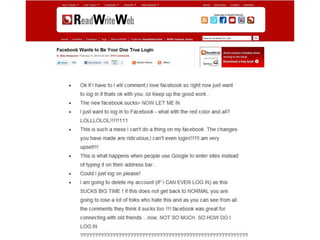







#UsabilityFail
Stop wasting your Marketing
Budget on Bad Usability

#PrecSem
Darren Amer
Announced on train:
“Please use yellow button to flush the toilet.
Not red as that will stop the train”.
Train stopped.

#UsabilityFail
Usability vs. User Experience
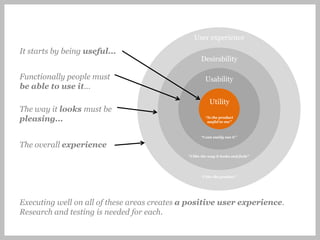
User experience
It starts by being useful...
                                                    Desirability

Functionally people must                              Usability
be able to use it...
                                                         Utility
The way it looks must be
pleasing...                                           “Is the product
                                                       useful to me”


                                                    “I can easily use it”

The overall experience
                                             “I like the way it looks and feels”


                                                    “I like the product”


Executing well on all of these areas creates a positive user experience.
Research and testing is needed for each.
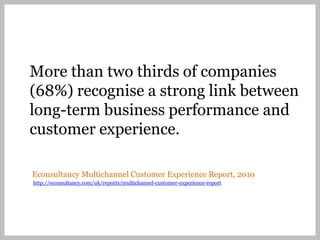
More than two thirds of companies
(68%) recognise a strong link between
long-term business performance and
customer experience.

Econsultancy Multichannel Customer Experience Report, 2010
http://econsultancy.com/uk/reports/multichannel-customer-experience-report
Quick straw poll:
Hands up if you have a digital
marketing budget
Quick straw poll:
Keep your hands up if you also
have a usability or user experience
budget
Quick straw poll:
Keep your hands up if your
usability budget is the same or
more than your digital marketing
budget
― Pay Per Click paid advertising
― Referrals from groomed sites
― Engaging Social Media
― Mobile sites & mobile apps
  developed
― SEO Landing pages optimised
...and it’s a utter
waste if they fail
to convert
Is attracting people to the site
inherently more effective than
converting people on the site?
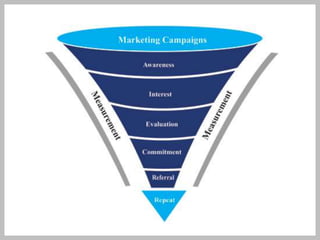
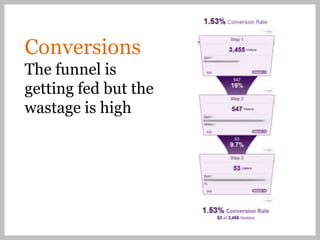
Conversions
The funnel is
getting fed but the
wastage is high
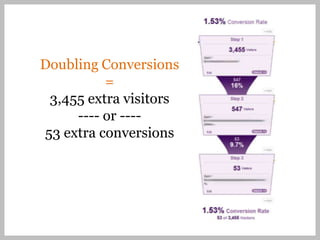
Doubling Conversions
          =
 3,455 extra visitors
     ---- or ----
53 extra conversions
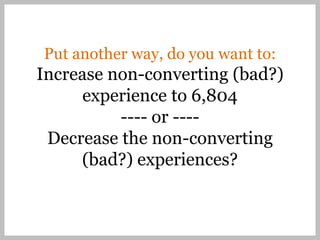
Put another way, do you want to:
Increase non-converting (bad?)
      experience to 6,804
          ---- or ----
 Decrease the non-converting
     (bad?) experiences?
Is bad usability hurting your brand?
“Online ad spending set to hit $50B
in 2015” – eMarketer, 2011
But it can still all be ruined by poor usability and experience
How do you measure
the value of usability?
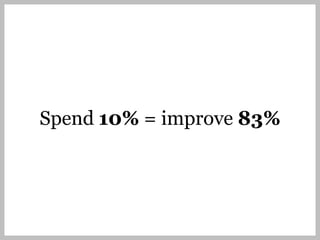
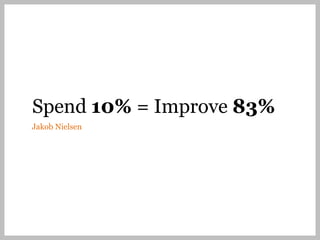
Spend 10% = Improve 83%
Jakob Nielsen
Why usability fails


Jakob Nielsen
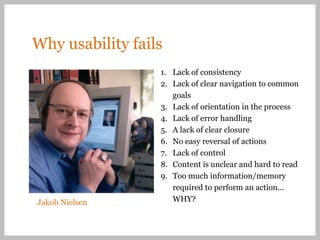
Why usability fails
                  1. Lack of consistency
                  2. Lack of clear navigation to common
                     goals
                  3. Lack of orientation in the process
                  4. Lack of error handling
                  5. A lack of clear closure
                  6. No easy reversal of actions
                  7. Lack of control
                  8. Content is unclear and hard to read
                  9. Too much information/memory
                     required to perform an action…
Jakob Nielsen        WHY?
Examples:
The University of Texas at Austin
How NOT to present a campus map http://bit.ly/eJOh8e
(Expand) Sheesh! #UsabilityFAIL
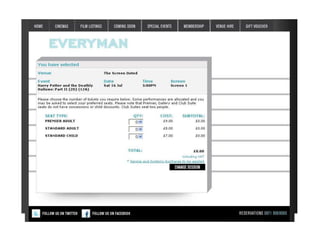
Usability Fail
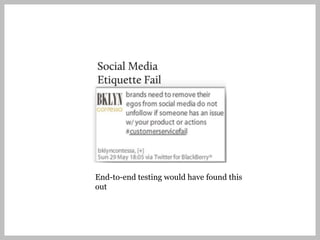
Testing would have found
this out...?
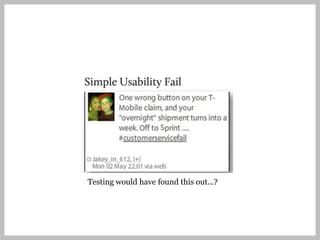
Testing would have found this out...?
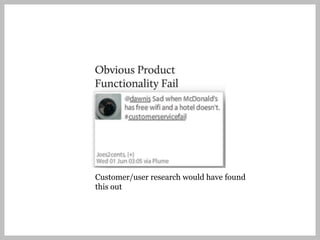
Customer/user research would have found
this out
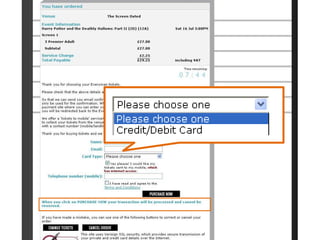
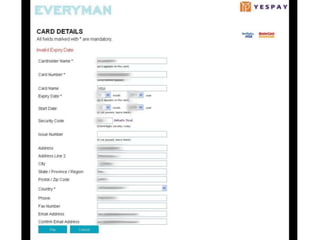
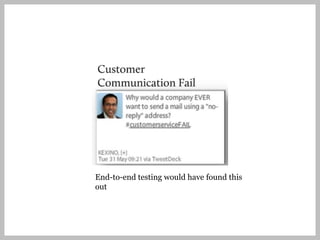
End-to-end testing would have found this
out
End-to-end testing would have found this
out
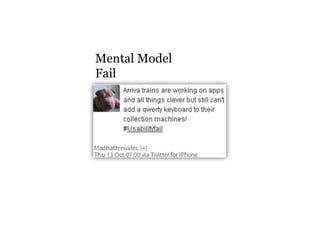
Mental Model
Fail
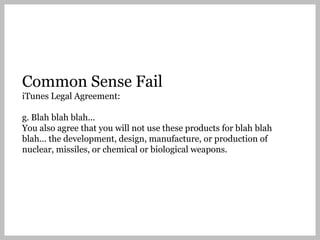
Common Sense Fail
Common Sense Fail
iTunes Legal Agreement:

g. Blah blah blah...
You also agree that you will not use these products for blah blah
blah... the development, design, manufacture, or production of
nuclear, missiles, or chemical or biological weapons.
So... How big is the wastage?
How can you measure it?
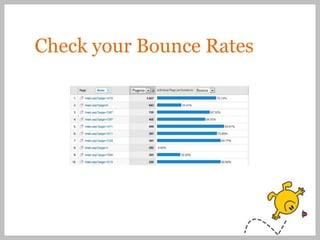
1. Use your analytics
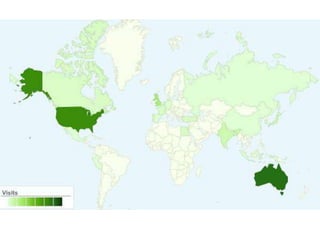
Check your Bounce Rates
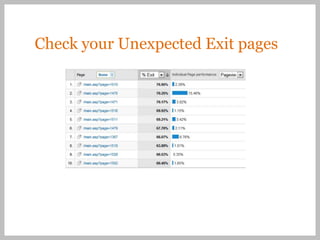
Check your Unexpected Exit pages
1. Use your analytics

2. Use DIY usability methods
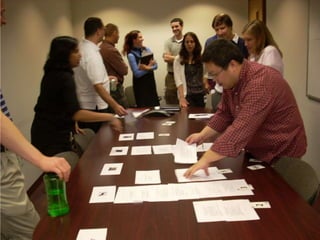
DIY usability methods
―   Brainstorm analytic findings
―   Heuristic evaluation [Good usability rules of thumb]
―   Conduct a [short] user survey
―   Ask your customer services
―   Track customer complaints (inc. on social media)
―   Ask a [non-technical] colleague to do a task
―   Assess site against your market/competitors
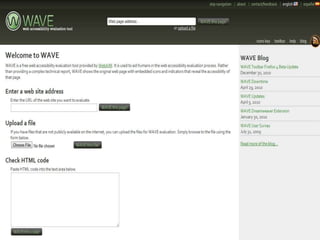
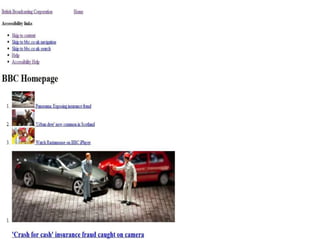
―   Check how your site works without CSS
―   Check what the experience is like on a mobile phone
―   REMEMBER: You are not “normal” – you know too much
1. Use your analytics

2. Use DIY usability methods

3. Commission a professional
   usability study
“Ethnographic” and
“diary” studies
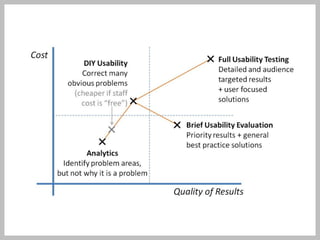
What does it cost?
So
 We’ve measured the problem
 We understand the range of techniques that
  could be used
 We get what the trade off is between effort
  and results


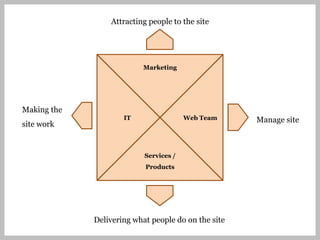
Now, who is going to own this?
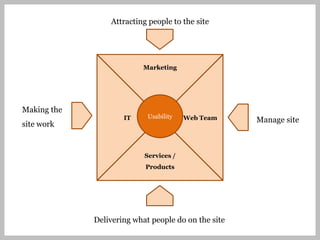
Attracting people to the site


                          Marketing


Making the
                     IT                 Web Team     Manage site
site work


                           Services /
                           Products


             Delivering what people do on the site
Attracting people to the site


                          Marketing


Making the
                     IT     Usability   Web Team     Manage site
site work


                           Services /
                           Products


             Delivering what people do on the site
Spend 10% = improve 83%
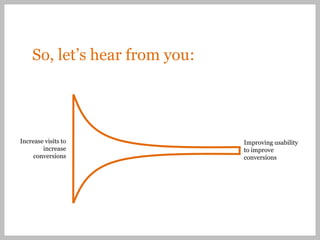
So, let’s hear from you:


Increase visits to             Improving usability
        increase               to improve
     conversions               conversions
An introduction to
Precedent


#PrecSem
80+ experts
   Hearty Home Cooking Cookbook

                       strategy & research
               branding & communications
                       user centred design
                    development & hosting
                      content & publishing
21 years
      experience
         quality
        stability
         loyalty
          results
5 locations       London
               Edinburgh
                   Cardiff
          Perth, Australia
      Melbourne, Australia
5 sectors           finance
                  education
   membership organisations
                      health
                third sector
Find our Precedent group   and follow us on
on LinkedIn for a chance   twitter.com/Precedentcomms
to find out more about     for Precedent news, seminar
our                        info and general observations
seminars, network, share
ideas and quiz the
Precedent team on          #PrecSem
seminar issues and more!
Usability
The golden rules

#PrecSem
Mark Russell and Darren Amer
20 October 2011
The golden rules

1.   Users
2.   Interactions
3.   Accessibility
4.   Content
5.   Consistency
6.   Strategy
1. Users
You are not the user. Neither is your
boss
• What do they want to do?
• What do you want them to do?
• What barriers do they face?
The bad
What you can do
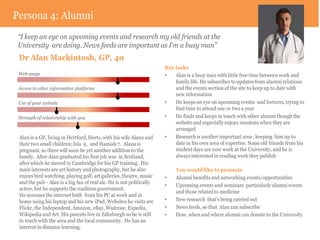
Persona 4: Alumni
 “I keep an eye on upcoming events and research my old friends at the
 University are doing. News feeds are important as I’m a busy man”
 Dr Alan Mackintosh, GP, 40
                                                                      Key tasks
 Web usage                                                            •   Alan is a busy man with little free time between work and
                                                                          family life. He subscribes to updates from alumni relations
 Access to other information platforms                                    and the events section of the site to keep up to date with
                                                                          new information
 Use of your website                                                  •   He keeps an eye on upcoming events and lectures, trying to
                                                                          find time to attend one or two a year
 Strength of relationship with you                                    •   He finds and keeps in touch with other alumni though the
                                                                          website and especially enjoys reunions when they are
                                                                          arranged
 Alan is a GP, living in Hertford, Herts, with his wife Alana and     •   Research is another important area , keeping him up to
 their two small children; Isla 9, and Hamish 7. Alana is                 date in his own area of expertise. Some old friends from his
 pregnant, so there will soon be yet another addition to the              student days are now work at the University, and he is
 family. After Alan graduated his first job was in Scotland,              always interested in reading work they publish
 after which he moved to Cambridge for his GP training. His
 main interests are art history and photography, but he also               You would like to promote
 enjoys bird watching, playing golf, art galleries, theatre, music    •    Alumni benefits and networking events/opportunities
 and the pub - Alan is a big fan of real ale. He is not politically
                                                                      •    Upcoming events and seminars particularly alumni events
 active, but he supports the coalition government.
                                                                           and those related to medicine
 He accesses the internet both from his PC at work and at
 home using his laptop and his new iPad. Websites he visits are       •    New research that’s being carried out
 Flickr, the Independent, Amazon, eBay, Waitrose, Expedia,            •    News feeds, so that Alan can subscribe
 Wikipedia and Art. His parents live in Edinburgh so he is still      •    How, when and where alumni can donate to the University
 in touch with the area and the local community. He has an
 interest in distance learning.
The good
The takeaway
1. You are not the user. Neither is your boss


       2. Interactions
The bad
What you can do
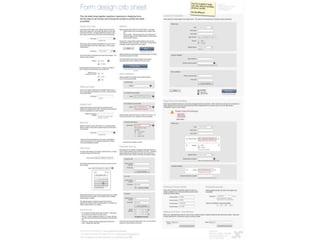
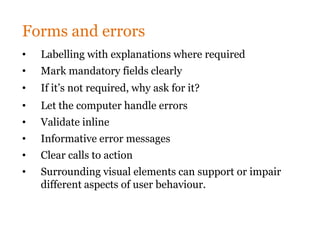
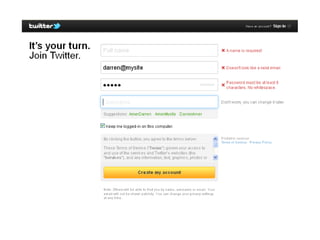
Forms and errors
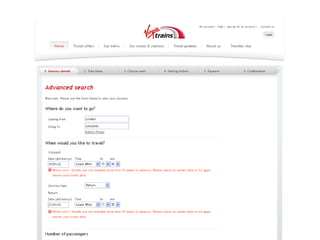
•   Labelling with explanations where required
•   Mark mandatory fields clearly
•   If it’s not required, why ask for it?
•   Let the computer handle errors
•   Validate inline
•   Informative error messages
•   Clear calls to action
•   Surrounding visual elements can support or impair
    different aspects of user behaviour.
The good
The takeaway
3. Accessibility
It’s more than just disabled users
• Always remember users with physical
and cognitive disabilities
• Also consider technological and
cultural differences
What you can do
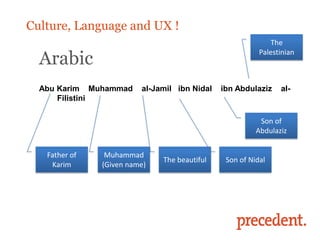
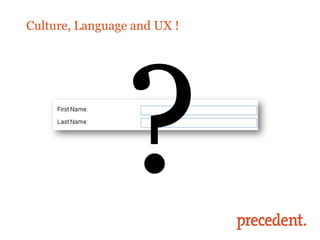
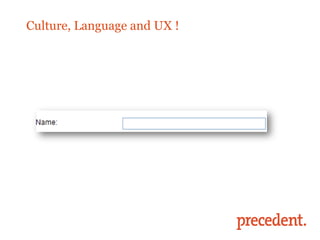
Culture, Language and UX !
                                                            The

  Arabic
                                                         Palestinian


  Abu Karim Muhammad     al-Jamil ibn Nidal   ibn Abdulaziz    al-
      Filistini

                                                         Son of
                                                        Abdulaziz


   Father of    Muhammad
                              The beautiful    Son of Nidal
    Karim      (Given name)
Culture, Language and UX !
The takeaway
4. Content
The bad
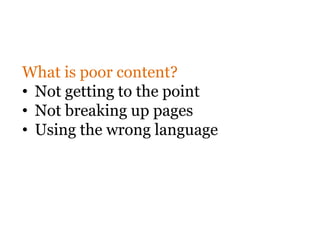
What is poor content?
• Not getting to the point
• Not breaking up pages
• Using the wrong language
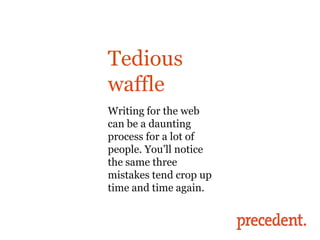
Tedious
waffle
The bad
Writing for the web
can be a daunting
process for a lot of
people. You’ll notice
the same three
mistakes tend crop up
time and time again.
Shout out what
would make this
better?
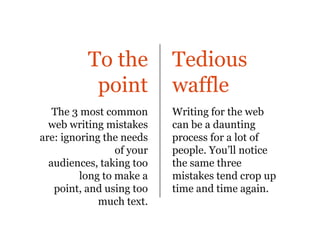
To the           Tedious
           point           waffle
   The 3 most common       Writing for the web
  web writing mistakes     can be a daunting
are: ignoring the needs    process for a lot of
                 of your   people. You’ll notice
  audiences, taking too    the same three
         long to make a    mistakes tend crop up
   point, and using too    time and time again.
             much text.
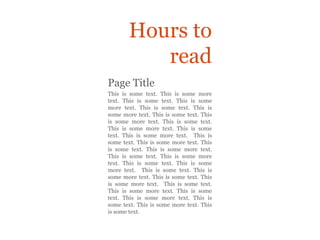
Hours to
          read
Page Title
This is some text. This is some more
text. This is some text. This is some
more text. This is some text. This is
some more text. This is some text. This
is some more text. This is some text.
This is some more text. This is some
text. This is some more text. This is
some text. This is some more text. This
is some text. This is some more text.
This is some text. This is some more
text. This is some text. This is some
more text. This is some text. This is
some more text. This is some text. This
is some more text. This is some text.
This is some more text. This is some
text. This is some more text. This is
some text. This is some more text. This
is some text.
Shout out what
would make this
better?
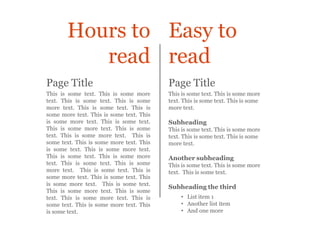
Hours to Easy to
          read read
Page Title                                Page Title
This is some text. This is some more      This is some text. This is some more
text. This is some text. This is some     text. This is some text. This is some
more text. This is some text. This is     more text.
some more text. This is some text. This
is some more text. This is some text.     Subheading
This is some more text. This is some      This is some text. This is some more
text. This is some more text. This is     text. This is some text. This is some
some text. This is some more text. This   more text.
is some text. This is some more text.
This is some text. This is some more      Another subheading
text. This is some text. This is some     This is some text. This is some more
more text. This is some text. This is     text. This is some text.
some more text. This is some text. This
is some more text. This is some text.
                                          Subheading the third
This is some more text. This is some
text. This is some more text. This is          • List item 1
some text. This is some more text. This        • Another list item
is some text.                                  • And one more
The good
The takeaway
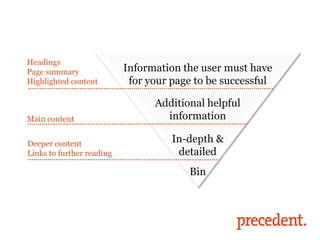
Headings
Page summary               Information the user must have
Highlighted content         for your page to be successful

  What you can do
Main content
                                 Additional helpful
                                   information

Deeper content                       In-depth &
Links to further reading              detailed
                                        Bin
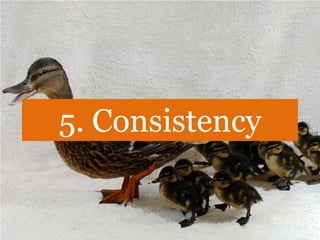
5. Consistency
Gently hold your user’s hand
• Users learn from other sites
• Don’t make them think
• Visual and linguistic cues make a
     huge difference
The bad
What you can do
The good
The takeaway
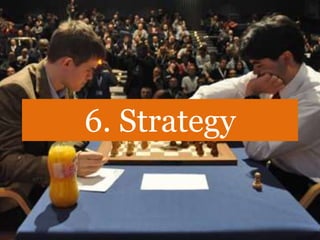
6. Strategy
How does your website
align to your core
business objectives?
Define your key
performance indictors
based on your goals and
measure them
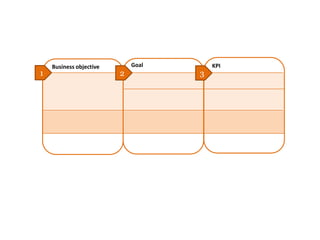
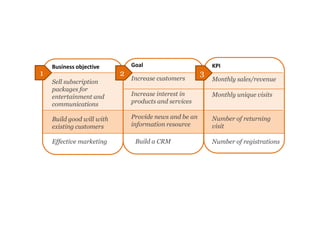
Business objective       Goal       KPI
1                        2          3
Business objective         Goal                         KPI
1                          2                            3
                               Increase customers           Monthly sales/revenue
    Sell subscription
    packages for
    entertainment and          Increase interest in         Monthly unique visits
    communications             products and services
                                                            we


    Build good will with       Provide news and be an       Number of returning
    existing customers         information resource         visit

    Effective marketing         Build a CRM                 Number of registrations
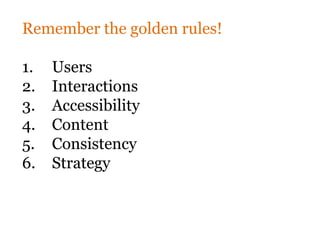
Remember the golden rules!

1.   Users
2.   Interactions
3.   Accessibility
4.   Content
5.   Consistency
6.   Strategy
Thank you!
@PrecedentComms

#PrecSem

#UsabilityFail

Usability fail-20102011

  • 1.
    #UsabilityFail Stop wasting yourMarketing Budget on Bad Usability #PrecSem Darren Amer
  • 2.
    Announced on train: “Pleaseuse yellow button to flush the toilet. Not red as that will stop the train”. Train stopped. #UsabilityFail
  • 3.
  • 4.
    User experience It startsby being useful... Desirability Functionally people must Usability be able to use it... Utility The way it looks must be pleasing... “Is the product useful to me” “I can easily use it” The overall experience “I like the way it looks and feels” “I like the product” Executing well on all of these areas creates a positive user experience. Research and testing is needed for each.
  • 5.
    More than twothirds of companies (68%) recognise a strong link between long-term business performance and customer experience. Econsultancy Multichannel Customer Experience Report, 2010 http://econsultancy.com/uk/reports/multichannel-customer-experience-report
  • 6.
    Quick straw poll: Handsup if you have a digital marketing budget
  • 7.
    Quick straw poll: Keepyour hands up if you also have a usability or user experience budget
  • 8.
    Quick straw poll: Keepyour hands up if your usability budget is the same or more than your digital marketing budget
  • 9.
    ― Pay PerClick paid advertising ― Referrals from groomed sites ― Engaging Social Media ― Mobile sites & mobile apps developed ― SEO Landing pages optimised
  • 10.
    ...and it’s autter waste if they fail to convert
  • 11.
    Is attracting peopleto the site inherently more effective than converting people on the site?
  • 13.
    Conversions The funnel is gettingfed but the wastage is high
  • 14.
    Doubling Conversions = 3,455 extra visitors ---- or ---- 53 extra conversions
  • 15.
    Put another way,do you want to: Increase non-converting (bad?) experience to 6,804 ---- or ---- Decrease the non-converting (bad?) experiences?
  • 16.
    Is bad usabilityhurting your brand?
  • 17.
    “Online ad spendingset to hit $50B in 2015” – eMarketer, 2011
  • 18.
    But it canstill all be ruined by poor usability and experience
  • 19.
    How do youmeasure the value of usability?
  • 20.
    Spend 10% =Improve 83% Jakob Nielsen
  • 21.
  • 22.
    Why usability fails 1. Lack of consistency 2. Lack of clear navigation to common goals 3. Lack of orientation in the process 4. Lack of error handling 5. A lack of clear closure 6. No easy reversal of actions 7. Lack of control 8. Content is unclear and hard to read 9. Too much information/memory required to perform an action… Jakob Nielsen WHY?
  • 24.
  • 25.
    The University ofTexas at Austin How NOT to present a campus map http://bit.ly/eJOh8e (Expand) Sheesh! #UsabilityFAIL
  • 27.
    Usability Fail Testing wouldhave found this out...?
  • 28.
    Testing would havefound this out...?
  • 29.
    Customer/user research wouldhave found this out
  • 30.
    End-to-end testing wouldhave found this out
  • 31.
    End-to-end testing wouldhave found this out
  • 32.
  • 33.
  • 36.
    Common Sense Fail iTunesLegal Agreement: g. Blah blah blah... You also agree that you will not use these products for blah blah blah... the development, design, manufacture, or production of nuclear, missiles, or chemical or biological weapons.
  • 37.
    So... How bigis the wastage? How can you measure it?
  • 38.
    1. Use youranalytics
  • 39.
  • 40.
  • 41.
    1. Use youranalytics 2. Use DIY usability methods
  • 42.
    DIY usability methods ― Brainstorm analytic findings ― Heuristic evaluation [Good usability rules of thumb] ― Conduct a [short] user survey ― Ask your customer services ― Track customer complaints (inc. on social media) ― Ask a [non-technical] colleague to do a task ― Assess site against your market/competitors ― Check how your site works without CSS ― Check what the experience is like on a mobile phone ― REMEMBER: You are not “normal” – you know too much
  • 43.
    1. Use youranalytics 2. Use DIY usability methods 3. Commission a professional usability study
  • 46.
  • 49.
  • 51.
    So  We’ve measuredthe problem  We understand the range of techniques that could be used  We get what the trade off is between effort and results Now, who is going to own this?
  • 52.
    Attracting people tothe site Marketing Making the IT Web Team Manage site site work Services / Products Delivering what people do on the site
  • 53.
    Attracting people tothe site Marketing Making the IT Usability Web Team Manage site site work Services / Products Delivering what people do on the site
  • 54.
    Spend 10% =improve 83%
  • 55.
    So, let’s hearfrom you: Increase visits to Improving usability increase to improve conversions conversions
  • 56.
  • 57.
    80+ experts Hearty Home Cooking Cookbook strategy & research branding & communications user centred design development & hosting content & publishing
  • 58.
    21 years experience quality stability loyalty results
  • 59.
    5 locations London Edinburgh Cardiff Perth, Australia Melbourne, Australia
  • 60.
    5 sectors finance education membership organisations health third sector
  • 62.
    Find our Precedentgroup and follow us on on LinkedIn for a chance twitter.com/Precedentcomms to find out more about for Precedent news, seminar our info and general observations seminars, network, share ideas and quiz the Precedent team on #PrecSem seminar issues and more!
  • 63.
    Usability The golden rules #PrecSem MarkRussell and Darren Amer 20 October 2011
  • 67.
    The golden rules 1. Users 2. Interactions 3. Accessibility 4. Content 5. Consistency 6. Strategy
  • 68.
  • 69.
    You are notthe user. Neither is your boss • What do they want to do? • What do you want them to do? • What barriers do they face?
  • 70.
  • 74.
  • 79.
    Persona 4: Alumni “I keep an eye on upcoming events and research my old friends at the University are doing. News feeds are important as I’m a busy man” Dr Alan Mackintosh, GP, 40 Key tasks Web usage • Alan is a busy man with little free time between work and family life. He subscribes to updates from alumni relations Access to other information platforms and the events section of the site to keep up to date with new information Use of your website • He keeps an eye on upcoming events and lectures, trying to find time to attend one or two a year Strength of relationship with you • He finds and keeps in touch with other alumni though the website and especially enjoys reunions when they are arranged Alan is a GP, living in Hertford, Herts, with his wife Alana and • Research is another important area , keeping him up to their two small children; Isla 9, and Hamish 7. Alana is date in his own area of expertise. Some old friends from his pregnant, so there will soon be yet another addition to the student days are now work at the University, and he is family. After Alan graduated his first job was in Scotland, always interested in reading work they publish after which he moved to Cambridge for his GP training. His main interests are art history and photography, but he also You would like to promote enjoys bird watching, playing golf, art galleries, theatre, music • Alumni benefits and networking events/opportunities and the pub - Alan is a big fan of real ale. He is not politically • Upcoming events and seminars particularly alumni events active, but he supports the coalition government. and those related to medicine He accesses the internet both from his PC at work and at home using his laptop and his new iPad. Websites he visits are • New research that’s being carried out Flickr, the Independent, Amazon, eBay, Waitrose, Expedia, • News feeds, so that Alan can subscribe Wikipedia and Art. His parents live in Edinburgh so he is still • How, when and where alumni can donate to the University in touch with the area and the local community. He has an interest in distance learning.
  • 80.
  • 84.
  • 85.
    1. You arenot the user. Neither is your boss 2. Interactions
  • 87.
  • 98.
  • 99.
    Forms and errors • Labelling with explanations where required • Mark mandatory fields clearly • If it’s not required, why ask for it? • Let the computer handle errors • Validate inline • Informative error messages • Clear calls to action • Surrounding visual elements can support or impair different aspects of user behaviour.
  • 102.
  • 104.
  • 105.
  • 106.
    It’s more thanjust disabled users • Always remember users with physical and cognitive disabilities • Also consider technological and cultural differences
  • 107.
  • 112.
    Culture, Language andUX ! The Arabic Palestinian Abu Karim Muhammad al-Jamil ibn Nidal ibn Abdulaziz al- Filistini Son of Abdulaziz Father of Muhammad The beautiful Son of Nidal Karim (Given name)
  • 113.
  • 114.
  • 115.
  • 116.
  • 117.
  • 118.
    What is poorcontent? • Not getting to the point • Not breaking up pages • Using the wrong language
  • 119.
    Tedious waffle The bad Writing forthe web can be a daunting process for a lot of people. You’ll notice the same three mistakes tend crop up time and time again.
  • 120.
    Shout out what wouldmake this better?
  • 121.
    To the Tedious point waffle The 3 most common Writing for the web web writing mistakes can be a daunting are: ignoring the needs process for a lot of of your people. You’ll notice audiences, taking too the same three long to make a mistakes tend crop up point, and using too time and time again. much text.
  • 122.
    Hours to read Page Title This is some text. This is some more text. This is some text. This is some more text. This is some text. This is some more text. This is some text. This is some more text. This is some text. This is some more text. This is some text. This is some more text. This is some text. This is some more text. This is some text. This is some more text. This is some text. This is some more text. This is some text. This is some more text. This is some text. This is some more text. This is some text. This is some more text. This is some text. This is some more text. This is some text. This is some more text. This is some text. This is some more text. This is some text.
  • 123.
    Shout out what wouldmake this better?
  • 124.
    Hours to Easyto read read Page Title Page Title This is some text. This is some more This is some text. This is some more text. This is some text. This is some text. This is some text. This is some more text. This is some text. This is more text. some more text. This is some text. This is some more text. This is some text. Subheading This is some more text. This is some This is some text. This is some more text. This is some more text. This is text. This is some text. This is some some text. This is some more text. This more text. is some text. This is some more text. This is some text. This is some more Another subheading text. This is some text. This is some This is some text. This is some more more text. This is some text. This is text. This is some text. some more text. This is some text. This is some more text. This is some text. Subheading the third This is some more text. This is some text. This is some more text. This is • List item 1 some text. This is some more text. This • Another list item is some text. • And one more
  • 126.
  • 128.
  • 129.
    Headings Page summary Information the user must have Highlighted content for your page to be successful What you can do Main content Additional helpful information Deeper content In-depth & Links to further reading detailed Bin
  • 130.
  • 131.
    Gently hold youruser’s hand • Users learn from other sites • Don’t make them think • Visual and linguistic cues make a huge difference
  • 132.
  • 139.
  • 143.
  • 147.
  • 148.
  • 149.
    How does yourwebsite align to your core business objectives?
  • 150.
    Define your key performanceindictors based on your goals and measure them
  • 151.
    Business objective Goal KPI 1 2 3
  • 152.
    Business objective Goal KPI 1 2 3 Increase customers Monthly sales/revenue Sell subscription packages for entertainment and Increase interest in Monthly unique visits communications products and services we Build good will with Provide news and be an Number of returning existing customers information resource visit Effective marketing Build a CRM Number of registrations
  • 153.
    Remember the goldenrules! 1. Users 2. Interactions 3. Accessibility 4. Content 5. Consistency 6. Strategy
  • 154.
  • 155.

Editor's Notes

  • #6 http://econsultancy.com/uk/reports/user-experience-buyers-guide
  • #10 http://david-wray.com/wp-content/uploads/bumblebeerex_468x362.jpg
  • #12 Brett King
  • #13 http://www.debbie-wood.com/wp-content/uploads/2009/09/sales-funnel.png
  • #14 http://images.wikia.com/mrmen/images/2/2c/Mr._Bounce.jpg
  • #15 Brett King
  • #16 Brett King
  • #20 Brett King
  • #21 Brett King
  • #22 Brett King
  • #23 Brett King
  • #25 Brett King
  • #26 Brett King
  • #28 Brett King
  • #29 Brett King
  • #30 Brett King
  • #31 Brett King
  • #32 Brett King
  • #34 Brett King
  • #37 Brett King
  • #38 Brett King
  • #40 http://images.wikia.com/mrmen/images/2/2c/Mr._Bounce.jpg
  • #41 http://images.wikia.com/mrmen/images/2/2c/Mr._Bounce.jpg
  • #43 Brett King
  • #45 Brett King
  • #47 Brett King
  • #48 Brett King
  • #49 Brett King
  • #51 Brett King
  • #52 Brett King
  • #53 Brett King
  • #54 Brett King
  • #55 Brett King
  • #56 Brett King
  • #64 2 talks – first examines issues of trust building online and how it requires a new paradigm for corpcommsSecond looks more closely on how this paradigm shift will impact financial services and what specific actions you can take to be ahead of the curve
  • #117 http://awesomewallpapers.files.wordpress.com/2010/09/lorem-ipsum-1440x900-text-on.jpg
  • #149 http://www.chessvibes.com/plaatjes/london09/r4/carlsen-nakamura.jpg