1/27/2011


                                       Best Practices, Strategies, and
                                         Results of Computer Skills
                                        Workshops in Sheboygan, WI


   Emmy VandenLangenberg-For taking such good care of the                We  experienced many manufacturers closing
    workshops and workers and for helping organize this                    their plants in Sheboygan County. Many
    material.
                                                                           others were laying off workers in record
   Polly Abts–Our supervisor and grant writer for this program.
    Thank you for making this happen and letting us have such a            numbers.
    great opportunity.                                                    Unemployment in Sheboygan, WI rose from
   Mary St. Andre-Our Administrative Asst. and guardian angel.            5.7 in 2008 to 11.7 in 2009*
    These workshops would not happen without her organization,
    dedication, and “gentle” reminders to keep on task.                   Many of these Dislocated Workers had been
   Bay Area Workforce Development Board and Lakeshore                     employed in the manufacturing field for
    Technical College for funding and support.                             many years…decades.
   Sheboygan Area Dislocated Workers -For overcoming fear,
    frustration, and self-doubt to undertake new tasks and new
    beginnings.                                                          *Wisconsin Department of Workforce Development


                                                                                                                                 1
1/27/2011


     Why?
           Employers who were hiring for jobs, seeing            •   LTC contracted with Bay Area Workforce
            prospective employees without basic computer skills
            needed for jobs: customer service reps, healthcare,       Development Board in Summer 2009 to address
            office admin.                                             needs of dislocated workers in Sheboygan.
           Instructors at Technical Colleges were seeing DW      •   Initial curriculum taken from LTC Community
            students who did not have basic computer skills of
            other student populations.
                                                                      Education Coursework. Additional curriculum was
           Increased demand on Job Center staff members to           added to address objectives of the courses.
            provide basic services to DW clients who could not    •   Curriculum was updated and revised regularly to
            use computer to:                                          meet changing technology.
               create resume
               cover letter
               look for open positions
               fill out on-line applications
               send e-mails with resumes & applications.


                                                                     Funding
   To introduce basic                                                   Part of WIA funding (Core Services)& National
    computer concepts to
    dislocated workers.                                                   Emergency Grant (NEG) partnership between
                                                                          Bay Area Workforce Development Board and
   Free but substantive
    courses that will assist                                              Lakeshore Technical College Dislocated
    basic proficiency in                                                  Worker Support team.
    Microsoft Office Word,
    e-mail, the internet.
   Curriculum targeted to
    meet two objectives:
       Seeking Employment
       Re-entering Education


                                                                                                                                 2
1/27/2011


                                                  5 Classes offered
                                                    Absolute Beginners
                                                    Computers  for Beginners
                                                    Word Level 1 and 2
 Location                                          Internet/Email
    Located in the                             Classroom limit of 10 computers
     Dislocated Worker
     Assistance Center in
                                                Offered at convenient times and
     an annex location at                       days
     the Sheboygan                              5 hours each (2 x 2.5 hour sessions)
     Memorial Mall


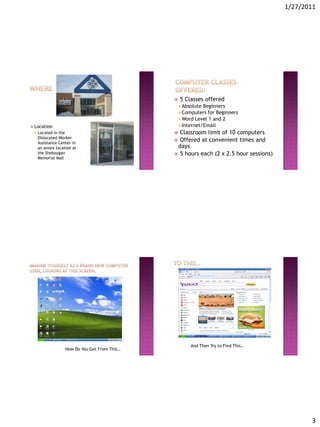
                                                        And Then Try to Find This…
                   How Do You Get From This…


                                                                                               3
1/27/2011


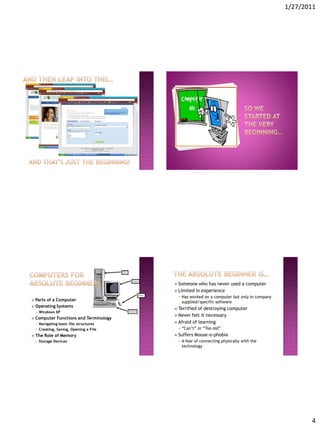
                                            Someone      who has never used a computer
                                            Limited    in experience
                                                Has worked on a computer but only in company
 Parts of a Computer                            supplied/specific software
 Operating Systems
                                            Terrified of destroying computer
       Windows XP
                                            Never  felt it necessary
   Computer Functions and Terminology
       Navigating basic file structures    Afraid of learning

       Creating, Saving, Opening a File        “Can’t” or “Too old”
   The Role of Memory                      Suffers   Mouse-o-phobia
       Storage Devices                         A fear of connecting physically with the
                                                 technology


                                                                                                       4
1/27/2011


 20%        Content and 80% Cheerleading                    Personalizing the Personal Computer
                                                                 Rearranging the Desktop
       Keep the content basic and easy to
                                                                 Changing appearance
        understand
                                                             File Management
       Introduce skills through the use of fun
                                                                 Copying, moving, and deleting files
        tools!!
                                                          The Recycling Bin
           Paint
                                                          Search for Files
           Solitaire
                                                          Task Manager
 Reassure          learners
                                                          Maintenance of Hard Drive
       Past experience plus new skills equals
                                                          Keyboarding
        new opportunities


   The learner is more eager and willing to try new
    things!!
       Enforce Rule:                                    Welcome        to Microsoft Office Word 2007
        “DO NOT CLICK ON IT IF YOU DON’T KNOW WHAT IT    Creating       Documents
          DOES!!!”
   Introduce them to troubleshooting                        Fonts and Formatting Text
       Now they don’t have to call a teenager!!             Saving and opening a File
   Many have older computers and lack the funds to      Editing
    purchase new.
       Be able to work with what they have.                 Changing Margins
   Welcome to Word Processing                               Page Orientation
       Easing anxiety over typing speeds                    Copy, Cut and Paste Text
       Use internet tools/games to build skills
       Go for accuracy and then speed
                                                             Spelling and Grammar Check
                                                         Printing
                                                         Envelopes        & Labels


                                                                                                                5
1/27/2011


                                                       Introduction     to the Internet
  Find and Replace                                       What is a Browser?
  Headers and Footers                                    Connecting to the Internet
         Creating their own Letterhead                   Web Addresses: What Do They Mean?
     Working With Tables                                 Protecting your Computer
         Inserting a Table                            Searching   The Internet
         Navigating and Selecting Cells in a Table       Information and jobs
         Merging Table Cells                          Using   Electronic Mail
         Inserting and Deleting Tables and Cells         Electronic mail etiquette
  Working with Tabs                                      Setting up your own email account
  Using a Word Template                                  Attaching a file to email
  Working with Graphics
                                                          How To Recognize Phishing E-mail or Links
         Inserting a Picture From a File              Safe   Surfing
         Inserting ClipArt and WordArt                   Account settings in email and social
                                                           networking sites


 It’sabout more than                                                                   All   level of learners
  just the computers                                                                        You might not be
     Fear of computer                                                                       where you think you
     Overcoming emotional                                                                   are
      turmoil of Job Loss                                                               Flexing
                                                                                               our “teaching
     Provided needed support                                                            methods” muscles.
      with co-workers
                                                                                            Assessing on the fly to
 Challenging  room                                                                          adjust content
  layout made for more
                                                                                        Family  members can
  creative teaching
                                                                                         and will be separated
 “What’s that Facebook
  thing all about?”…                                                                     in the classroom!
     Busting myths and                                                                     “Don’t make me stop
      rumors                                                                                 this class!”


                                                                                                                              6
1/27/2011


                                                                                  Average response on ease of registration
                                                                                   4.7/5
     We  held 179 classes between September,                                     Classes were well organized 4.4/5
      2009 and December, 2010.                                                    Information presented in an understandable
     884 people attended classes.                                                 way 4.6/5
     Average class size of 5 students: 1 trainer.                                The trainer encouraged and answered
     We asked participants to fill out evaluations
                                                                                   questions throughout the workshop 4.7/5
      and received an 84% response rate. (Thanks                                  My reason for taking this workshop was
      to Mary)                                                                     satisfied 4.5/5
                                                                                  I would recommend this workshop to others
                                                                                   4.7/5
                                                                                  In general, I was satisfied with this
                                                                                   workshop 4.4/5


What did you like about this workshop?

   The instructor was great! She is very
    informative. She makes learning
                                            Suggestions for Improvements?                                    Thank you!
    fun. She keeps your class interesting
   Learning to overcome my                    Need more practice!            Sheila Kronberg
    intimidation of computers due to my        Wouldn’t change a thing        WIA Case Manager/Counselor
    lack of knowledge and getting closer       Have more classes more often   Sheboygan Job Center
    to the point I to be at for the                                            (920) 287-7833
    working world                              Even more elementary
                                                definitions would be useful    Sheila.kronberg@gotoltc.edu
   It shows you step by step and hands
    on                                         A free brunch
   I am trying to learn about
    computers and I learned already in 5
    hrs.
   Relaxing-easy going-pleasant
    atmosphere
   Able to learn about computer at a
    comfortable pace and practice at a
    comfortable pace
   It was very informative for a dummy
    like myself. Sheila was a wonderful
    & very patient person
   Sheila was great!


                                                                                                                                       7

Upgrading Computer Skillsfor Dislocated Workers.Revised (1)

  • 1.
    1/27/2011 Best Practices, Strategies, and Results of Computer Skills Workshops in Sheboygan, WI  Emmy VandenLangenberg-For taking such good care of the  We experienced many manufacturers closing workshops and workers and for helping organize this their plants in Sheboygan County. Many material. others were laying off workers in record  Polly Abts–Our supervisor and grant writer for this program. Thank you for making this happen and letting us have such a numbers. great opportunity.  Unemployment in Sheboygan, WI rose from  Mary St. Andre-Our Administrative Asst. and guardian angel. 5.7 in 2008 to 11.7 in 2009* These workshops would not happen without her organization, dedication, and “gentle” reminders to keep on task.  Many of these Dislocated Workers had been  Bay Area Workforce Development Board and Lakeshore employed in the manufacturing field for Technical College for funding and support. many years…decades.  Sheboygan Area Dislocated Workers -For overcoming fear, frustration, and self-doubt to undertake new tasks and new beginnings. *Wisconsin Department of Workforce Development 1
  • 2.
    1/27/2011  Why?  Employers who were hiring for jobs, seeing • LTC contracted with Bay Area Workforce prospective employees without basic computer skills needed for jobs: customer service reps, healthcare, Development Board in Summer 2009 to address office admin. needs of dislocated workers in Sheboygan.  Instructors at Technical Colleges were seeing DW • Initial curriculum taken from LTC Community students who did not have basic computer skills of other student populations. Education Coursework. Additional curriculum was  Increased demand on Job Center staff members to added to address objectives of the courses. provide basic services to DW clients who could not • Curriculum was updated and revised regularly to use computer to: meet changing technology.  create resume  cover letter  look for open positions  fill out on-line applications  send e-mails with resumes & applications.  Funding  To introduce basic  Part of WIA funding (Core Services)& National computer concepts to dislocated workers. Emergency Grant (NEG) partnership between Bay Area Workforce Development Board and  Free but substantive courses that will assist Lakeshore Technical College Dislocated basic proficiency in Worker Support team. Microsoft Office Word, e-mail, the internet.  Curriculum targeted to meet two objectives:  Seeking Employment  Re-entering Education 2
  • 3.
    1/27/2011  5 Classes offered  Absolute Beginners  Computers for Beginners  Word Level 1 and 2  Location  Internet/Email  Located in the  Classroom limit of 10 computers Dislocated Worker Assistance Center in  Offered at convenient times and an annex location at days the Sheboygan  5 hours each (2 x 2.5 hour sessions) Memorial Mall And Then Try to Find This… How Do You Get From This… 3
  • 4.
    1/27/2011  Someone who has never used a computer  Limited in experience  Has worked on a computer but only in company  Parts of a Computer supplied/specific software  Operating Systems  Terrified of destroying computer  Windows XP  Never felt it necessary  Computer Functions and Terminology  Navigating basic file structures  Afraid of learning  Creating, Saving, Opening a File  “Can’t” or “Too old”  The Role of Memory  Suffers Mouse-o-phobia  Storage Devices  A fear of connecting physically with the technology 4
  • 5.
    1/27/2011  20% Content and 80% Cheerleading  Personalizing the Personal Computer  Rearranging the Desktop  Keep the content basic and easy to  Changing appearance understand  File Management  Introduce skills through the use of fun  Copying, moving, and deleting files tools!!  The Recycling Bin  Paint  Search for Files  Solitaire  Task Manager  Reassure learners  Maintenance of Hard Drive  Past experience plus new skills equals  Keyboarding new opportunities  The learner is more eager and willing to try new things!!  Enforce Rule:  Welcome to Microsoft Office Word 2007 “DO NOT CLICK ON IT IF YOU DON’T KNOW WHAT IT  Creating Documents DOES!!!”  Introduce them to troubleshooting  Fonts and Formatting Text  Now they don’t have to call a teenager!!  Saving and opening a File  Many have older computers and lack the funds to  Editing purchase new.  Be able to work with what they have.  Changing Margins  Welcome to Word Processing  Page Orientation  Easing anxiety over typing speeds  Copy, Cut and Paste Text  Use internet tools/games to build skills  Go for accuracy and then speed  Spelling and Grammar Check  Printing  Envelopes & Labels 5
  • 6.
    1/27/2011  Introduction to the Internet  Find and Replace  What is a Browser?  Headers and Footers  Connecting to the Internet  Creating their own Letterhead  Web Addresses: What Do They Mean?  Working With Tables  Protecting your Computer  Inserting a Table  Searching The Internet  Navigating and Selecting Cells in a Table  Information and jobs  Merging Table Cells  Using Electronic Mail  Inserting and Deleting Tables and Cells  Electronic mail etiquette  Working with Tabs  Setting up your own email account  Using a Word Template  Attaching a file to email  Working with Graphics  How To Recognize Phishing E-mail or Links  Inserting a Picture From a File  Safe Surfing  Inserting ClipArt and WordArt  Account settings in email and social networking sites  It’sabout more than  All level of learners just the computers  You might not be  Fear of computer where you think you  Overcoming emotional are turmoil of Job Loss  Flexing our “teaching  Provided needed support methods” muscles. with co-workers  Assessing on the fly to  Challenging room adjust content layout made for more  Family members can creative teaching and will be separated  “What’s that Facebook thing all about?”… in the classroom!  Busting myths and  “Don’t make me stop rumors this class!” 6
  • 7.
    1/27/2011  Average response on ease of registration 4.7/5  We held 179 classes between September,  Classes were well organized 4.4/5 2009 and December, 2010.  Information presented in an understandable  884 people attended classes. way 4.6/5  Average class size of 5 students: 1 trainer.  The trainer encouraged and answered  We asked participants to fill out evaluations questions throughout the workshop 4.7/5 and received an 84% response rate. (Thanks  My reason for taking this workshop was to Mary) satisfied 4.5/5  I would recommend this workshop to others 4.7/5  In general, I was satisfied with this workshop 4.4/5 What did you like about this workshop?  The instructor was great! She is very informative. She makes learning Suggestions for Improvements? Thank you! fun. She keeps your class interesting  Learning to overcome my  Need more practice! Sheila Kronberg intimidation of computers due to my  Wouldn’t change a thing WIA Case Manager/Counselor lack of knowledge and getting closer  Have more classes more often Sheboygan Job Center to the point I to be at for the (920) 287-7833 working world  Even more elementary definitions would be useful Sheila.kronberg@gotoltc.edu  It shows you step by step and hands on  A free brunch  I am trying to learn about computers and I learned already in 5 hrs.  Relaxing-easy going-pleasant atmosphere  Able to learn about computer at a comfortable pace and practice at a comfortable pace  It was very informative for a dummy like myself. Sheila was a wonderful & very patient person  Sheila was great! 7