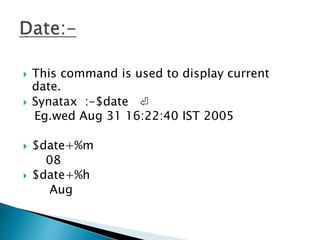
 This command is used to display current
date.
 Synatax :-$date ⏎
Eg.wed Aug 31 16:22:40 IST 2005
 $date+%m
08
 $date+%h
Aug
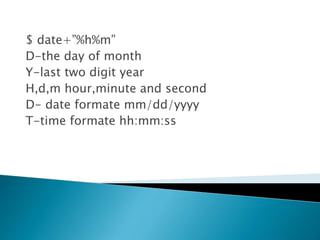
$ date+”%h%m”
D-the day of month
Y-last two digit year
H,d,m hour,minute and second
D- date formate mm/dd/yyyy
T-time formate hh:mm:ss
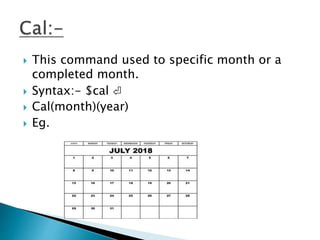
 This command used to specific month or a
completed month.
 Syntax:- $cal ⏎
 Cal(month)(year)
 Eg.
 This command used to display text or
message
 Syntax :-$echo”enter file name:c”
eg. enter file name: $xyz
t- text to right eight character
n-a new line create
a - bell
b - backspace
c – no new line
f – formfeed
n – new line
r – carrige return
t – tab
v – vertical tab
 - backslash
 This command is used alternative echo
command
 Syntax :-$ printf”no file name enterdn”
no file name enterd
$
Eg.$printf”the value of 255is%o in octal and %x
in hexadecimal n”
o/p the value of 255 is 377 in octal and ff is
hexadecimal
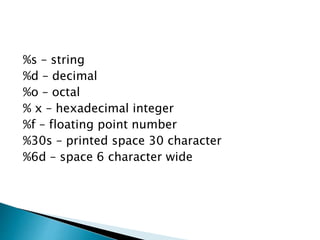
%s – string
%d – decimal
%o – octal
% x – hexadecimal integer
%f – floating point number
%30s – printed space 30 character
%6d – space 6 character wide
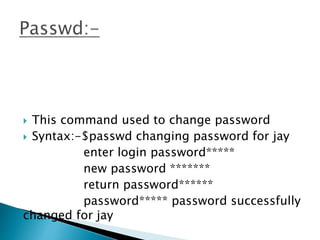
 This command used to change password
 Syntax:-$passwd changing password for jay
enter login password*****
new password *******
return password******
password***** password successfully
changed for jay
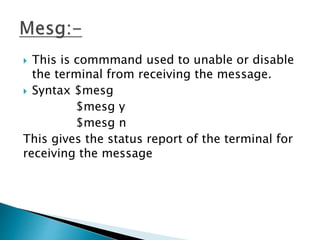
 This is commmand used to unable or disable
the terminal from receiving the message.
 Syntax $mesg
$mesg y
$mesg n
This gives the status report of the terminal for
receiving the message
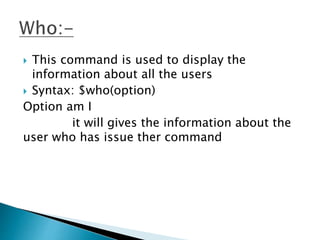
 This command is used to display the
information about all the users
 Syntax: $who(option)
Option am I
it will gives the information about the
user who has issue ther command
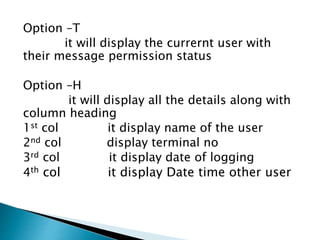
Option –T
it will display the currernt user with
their message permission status
Option –H
it will display all the details along with
column heading
1st col it display name of the user
2nd col display terminal no
3rd col it display date of logging
4th col it display Date time other user
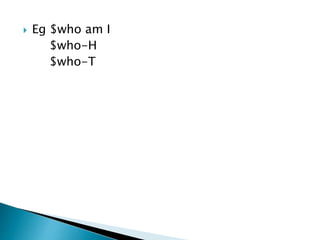
 Eg $who am I
$who-H
$who-T
 Using ls command used to list the contents of
the directory. It can also be use the
selectively display the group of having similar
criteria
 Syntax : $ls [option][path]
 They have to be used in combination with’_’
 Option
1] l long list
2] a listing all the files including beginning
3] i list the file along with inode no.
4] x multicolumn sorted display
5] c multicolumn display
6] R listing all directories and sub
directories
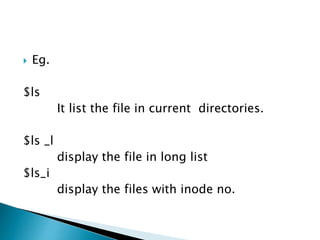
 Eg.
$ls
It list the file in current directories.
$ls _l
display the file in long list
$ls_i
display the files with inode no.
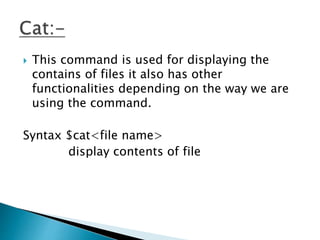
 This command is used for displaying the
contains of files it also has other
functionalities depending on the way we are
using the command.
Syntax $cat<file name>
display contents of file
2] $cat<file name>
----------
---------
control+d
3] $cat <file1><file2>
appends file1 to file2
 eg;.
1] $cat>abc.doc
this is a new file
this is created using cat command
<control>+<d>
2]$cat abc .doc
3]$ cat abc.doc>demo.c
The appends the contains of file abc.doc to
demo.c

Unix Basic Commands

  • 2.
     This commandis used to display current date.  Synatax :-$date ⏎ Eg.wed Aug 31 16:22:40 IST 2005  $date+%m 08  $date+%h Aug
  • 3.
    $ date+”%h%m” D-the dayof month Y-last two digit year H,d,m hour,minute and second D- date formate mm/dd/yyyy T-time formate hh:mm:ss
  • 4.
     This commandused to specific month or a completed month.  Syntax:- $cal ⏎  Cal(month)(year)  Eg.
  • 5.
     This commandused to display text or message  Syntax :-$echo”enter file name:c” eg. enter file name: $xyz t- text to right eight character n-a new line create
  • 6.
    a - bell b- backspace c – no new line f – formfeed n – new line r – carrige return t – tab v – vertical tab - backslash
  • 7.
     This commandis used alternative echo command  Syntax :-$ printf”no file name enterdn” no file name enterd $ Eg.$printf”the value of 255is%o in octal and %x in hexadecimal n” o/p the value of 255 is 377 in octal and ff is hexadecimal
  • 8.
    %s – string %d– decimal %o – octal % x – hexadecimal integer %f – floating point number %30s – printed space 30 character %6d – space 6 character wide
  • 9.
     This commandused to change password  Syntax:-$passwd changing password for jay enter login password***** new password ******* return password****** password***** password successfully changed for jay
  • 10.
     This iscommmand used to unable or disable the terminal from receiving the message.  Syntax $mesg $mesg y $mesg n This gives the status report of the terminal for receiving the message
  • 11.
     This commandis used to display the information about all the users  Syntax: $who(option) Option am I it will gives the information about the user who has issue ther command
  • 12.
    Option –T it willdisplay the currernt user with their message permission status Option –H it will display all the details along with column heading 1st col it display name of the user 2nd col display terminal no 3rd col it display date of logging 4th col it display Date time other user
  • 13.
     Eg $whoam I $who-H $who-T
  • 14.
     Using lscommand used to list the contents of the directory. It can also be use the selectively display the group of having similar criteria  Syntax : $ls [option][path]  They have to be used in combination with’_’
  • 15.
     Option 1] llong list 2] a listing all the files including beginning 3] i list the file along with inode no. 4] x multicolumn sorted display 5] c multicolumn display 6] R listing all directories and sub directories
  • 16.
     Eg. $ls It listthe file in current directories. $ls _l display the file in long list $ls_i display the files with inode no.
  • 17.
     This commandis used for displaying the contains of files it also has other functionalities depending on the way we are using the command. Syntax $cat<file name> display contents of file
  • 18.
    2] $cat<file name> ---------- --------- control+d 3]$cat <file1><file2> appends file1 to file2
  • 19.
     eg;. 1] $cat>abc.doc thisis a new file this is created using cat command <control>+<d> 2]$cat abc .doc 3]$ cat abc.doc>demo.c The appends the contains of file abc.doc to demo.c