Unity and Azure Mobile Services 
David Douglas 
@deadlyfingers
3 takeaways… 
1 Azure Mobile Services 
2 Unity plugins for Azure 
3 Building demo project
1 - Azure Mobile Service
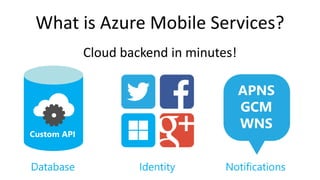
What is Azure Mobile Services? 
Cloud backend in minutes!
Create Azure Mobile Service 
- Start free trial 
aka.ms/azure_trial 
- DreamSpark (students) 
dreamspark.com 
- BizSpark (startups) 
microsoft.com/bizspark
Create Mobile Service
2 - Unity plugins for 
Azure Mobile Services
A couple of choices..
BitRave 
• Free 
• Runs across “everything” – 
– Windows 8 & WindowsPhone 8 
– iOS* 
– Android* 
– UnityEditor 
*Requires JSON.NET for Unity asset ($20)
Prime[31] 
• Free (until July 2015) 
• Well documented 
• Runs across 
– Windows 8 and WindowsPhone 8 
– UnityEditor* 
*Runs, but does not connect in UnityEditor
3 – Building demo project
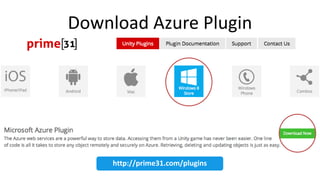
Download Azure Plugin 
http://prime31.com/plugins
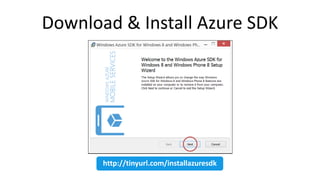
Download & Install Azure SDK 
http://tinyurl.com/installazuresdk
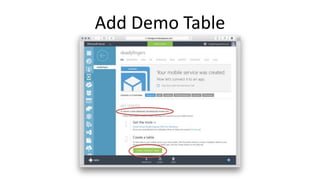
Add Demo Table
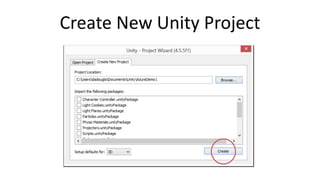
Create New Unity Project
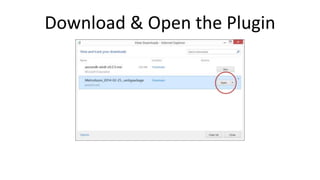
Download & Open the Plugin
7 Prime[31] API functions 
// Prepares the connection to the Azure servers. This must be called before any other methods. 
public static void connect( string applicationUrl, string applicationKey ) 
// Inserts a new item into the database 
public static void insert<T>( T item, Action completionHandler ) 
// Updates an item in the database 
public static void update<T>( T item, Action completionHandler ) 
// Deletes an item from the database 
public static void delete<T>( T item, Action completionHandler ) 
// Queries the database 
public static void where<T>( Expression<Func<T,bool>> predicate, Action<List<T>> completionHandler ) 
// Looks an item up to see if it is in the database 
public static void lookup<T>( T item, Action<T> completionHandler ) 
// Authenticates a user with the service provider. Note that the service provider must first be setup in the Azure web dashboard! 
// The completionHandler will return null in the event of a login failure. 
public static void authenticateWithServiceProvider( MobileServiceAuthenticationProvider serviceProvider, Action<MobileServiceUser> completionHandler )
Gotyas! 
• Download & install the Mobile Services SDK 
before using the Prime[31] Azure plugin. 
http://go.microsoft.com/fwlink/?LinkId=257545&clcid=0x409 
• Add "P31MetroAzure.dll" to Unprocessed 
Plugins in Player Settings 
Unity 4.5.1+
Couple more things!!
WinBridge for Windows Store 
• Windows store 
- In-app-purchases 
- trial upgrade 
- receipt management 
- Windows store debugging 
• Native message dialogs 
• Native & hardware-accelerated video playback 
• 100% open source
Lifetime Dev Center 
• No more annual fees! 
https://devcenterbenefits.windows.com/
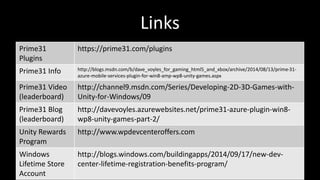
Links 
Prime31 
Plugins 
https://prime31.com/plugins 
Prime31 Info http://blogs.msdn.com/b/dave_voyles_for_gaming_html5_and_xbox/archive/2014/08/13/prime-31- 
azure-mobile-services-plugin-for-win8-amp-wp8-unity-games.aspx 
Prime31 Video 
(leaderboard) 
http://channel9.msdn.com/Series/Developing-2D-3D-Games-with- 
Unity-for-Windows/09 
Prime31 Blog 
(leaderboard) 
http://davevoyles.azurewebsites.net/prime31-azure-plugin-win8- 
wp8-unity-games-part-2/ 
Unity Rewards 
Program 
http://www.wpdevcenteroffers.com 
Windows 
Lifetime Store 
Account 
http://blogs.windows.com/buildingapps/2014/09/17/new-dev-center- 
lifetime-registration-benefits-program/
Thanks 
Questions? @deadlyfingers

Unity and Azure Mobile Services using Prime31 plugin

  • 1.
    Unity and AzureMobile Services David Douglas @deadlyfingers
  • 2.
    3 takeaways… 1Azure Mobile Services 2 Unity plugins for Azure 3 Building demo project
  • 3.
    1 - AzureMobile Service
  • 4.
    What is AzureMobile Services? Cloud backend in minutes!
  • 5.
    Create Azure MobileService - Start free trial aka.ms/azure_trial - DreamSpark (students) dreamspark.com - BizSpark (startups) microsoft.com/bizspark
  • 6.
  • 7.
  • 8.
  • 9.
  • 10.
  • 12.
    2 - Unityplugins for Azure Mobile Services
  • 13.
    A couple ofchoices..
  • 14.
    BitRave • Free • Runs across “everything” – – Windows 8 & WindowsPhone 8 – iOS* – Android* – UnityEditor *Requires JSON.NET for Unity asset ($20)
  • 15.
    Prime[31] • Free(until July 2015) • Well documented • Runs across – Windows 8 and WindowsPhone 8 – UnityEditor* *Runs, but does not connect in UnityEditor
  • 16.
    3 – Buildingdemo project
  • 17.
    Download Azure Plugin http://prime31.com/plugins
  • 18.
    Download & InstallAzure SDK http://tinyurl.com/installazuresdk
  • 19.
  • 20.
  • 21.
    Download & Openthe Plugin
  • 37.
    7 Prime[31] APIfunctions // Prepares the connection to the Azure servers. This must be called before any other methods. public static void connect( string applicationUrl, string applicationKey ) // Inserts a new item into the database public static void insert<T>( T item, Action completionHandler ) // Updates an item in the database public static void update<T>( T item, Action completionHandler ) // Deletes an item from the database public static void delete<T>( T item, Action completionHandler ) // Queries the database public static void where<T>( Expression<Func<T,bool>> predicate, Action<List<T>> completionHandler ) // Looks an item up to see if it is in the database public static void lookup<T>( T item, Action<T> completionHandler ) // Authenticates a user with the service provider. Note that the service provider must first be setup in the Azure web dashboard! // The completionHandler will return null in the event of a login failure. public static void authenticateWithServiceProvider( MobileServiceAuthenticationProvider serviceProvider, Action<MobileServiceUser> completionHandler )
  • 38.
    Gotyas! • Download& install the Mobile Services SDK before using the Prime[31] Azure plugin. http://go.microsoft.com/fwlink/?LinkId=257545&clcid=0x409 • Add "P31MetroAzure.dll" to Unprocessed Plugins in Player Settings Unity 4.5.1+
  • 39.
  • 40.
    WinBridge for WindowsStore • Windows store - In-app-purchases - trial upgrade - receipt management - Windows store debugging • Native message dialogs • Native & hardware-accelerated video playback • 100% open source
  • 41.
    Lifetime Dev Center • No more annual fees! https://devcenterbenefits.windows.com/
  • 42.
    Links Prime31 Plugins https://prime31.com/plugins Prime31 Info http://blogs.msdn.com/b/dave_voyles_for_gaming_html5_and_xbox/archive/2014/08/13/prime-31- azure-mobile-services-plugin-for-win8-amp-wp8-unity-games.aspx Prime31 Video (leaderboard) http://channel9.msdn.com/Series/Developing-2D-3D-Games-with- Unity-for-Windows/09 Prime31 Blog (leaderboard) http://davevoyles.azurewebsites.net/prime31-azure-plugin-win8- wp8-unity-games-part-2/ Unity Rewards Program http://www.wpdevcenteroffers.com Windows Lifetime Store Account http://blogs.windows.com/buildingapps/2014/09/17/new-dev-center- lifetime-registration-benefits-program/
  • 43.

Editor's Notes

  • #2 Multi-platform client + multi-platform backend
  • #5 Cloud backend for your app/game - in minutes! Store data in Azure SQL. Custom REST API with 24/7 monitoring and management Handle user identities using Twitter / FaceBook / Live / Google+ Push notifications to individual users & dynamic audience segments
  • #6 First signup! (CC will be required for ID purposes – but default budget is set 0.00) Azure Mobile Services has a free tier that includes up to 500 devices and 500k API calls, and additionally,  you can also use the free tier for up to 10 services.
  • #7 Azure Mobile Services - Pricing Calculator FREE tier: Up to 500 devices, 500 thousand API calls (run up to 10 mobile services)
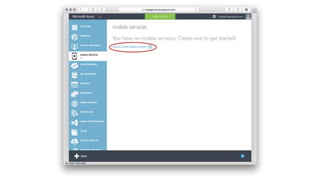
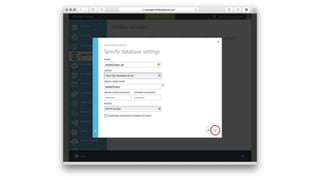
  • #8 In Azure portal - Create a new Mobile Service
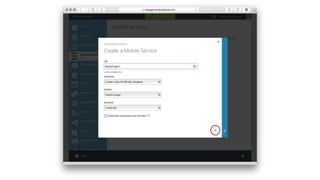
  • #9 Enter unique URL for Mobile Service. Select database, region options. Select JavaScript as backend. (Best support atm for Unity / Azure plugins)
  • #10 Set database user/pass
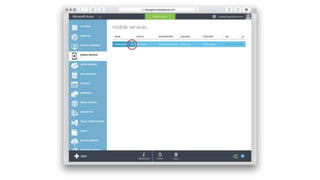
  • #11 ~5 minutes later… Mobile Service should be Ready to use. (Click to select)
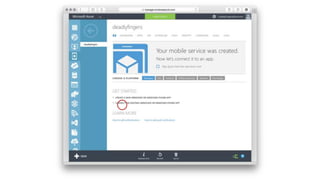
  • #12 Click “Connect existing … app” to see connection strings.
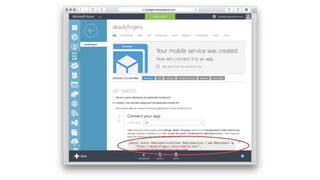
  • #13 Mobile Service Connection Strings to copy & paste into you app/game script.
  • #15 Couple of choices for Azure Mobile Services in Unity: - Prime 31 - BitRave
  • #16 MS platforms can use the Newtownsoft.JSON from within the NuGet package manager in Visual Studio. Non-MS platforms require $20 JSON.NET plugin to serialize the JSON data. https://www.assetstore.unity3d.com/en/#!/content/11347 JSON .NET for Unity retains the original namespaces and structure of the Newtonsoft Json.Net library with Unity supported features. This means that it will function as a drop-in replacement for the existing Json.Net dll for users who wish to target iOS and Web Player but need to use first class serialization.
  • #17 Runs across: W8 Store WP8 NB: Runs, but doesn’t connect in the Unity Editor (yet)
  • #18 Demo Unity Prime[31] Visual Studio 2013 (update 3)
  • #19 Goto: prime31.com/plugins Windows 8 store > MS Azure Plugin When you click on the “Download Now” button, it will prompt you for your name/email. Submit the form to get the download link to the Unity plugin in your email.
  • #20 Important! Be sure to install the Azure SDK. (Otherwise you will not be able to compile in Visual Studio)
  • #21 In Mobile Services quickstart under “Create a new … app” Create a table > “Create TodoItem Table”
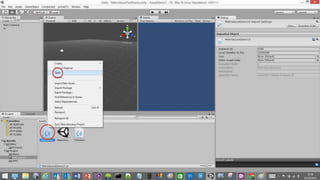
  • #22 In Unity - Create New Project
  • #23 NB: Download the plugin from email link Open the package to install…
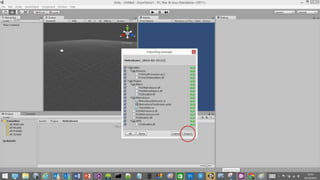
  • #24 The package will import into the Unity project.
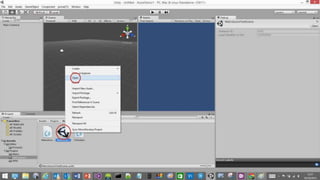
  • #25 Open “MetroAzure” Scene
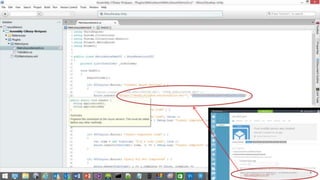
  • #26 Open “MetroAzureDemoUI” Script
  • #27 Copy & paste Azure Mobile Services Connection Strings (from Azure Mobile Service portal)
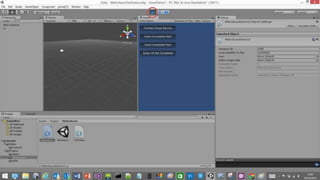
  • #28 NB: Will run, but won’t connect in UnityEditor - We have to ‘build’ the project!
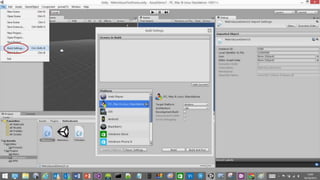
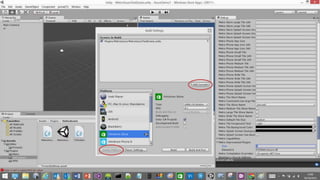
  • #29 File > Build Settings
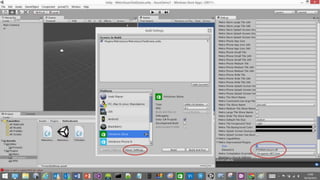
  • #30 Build Settings ‘Add Current’ Scene ‘Switch Platform’ to ‘Windows Store’ (C#, 8.1)
  • #31 Build Settings > ‘Player Settings’… Under “Metro Unprocessed Plugins” set: Size: 1 Element 0: P31MetroAzure.dll
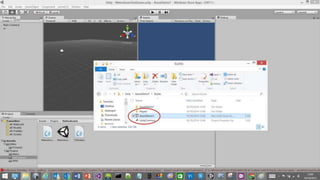
  • #32 Build => Visual Studio project
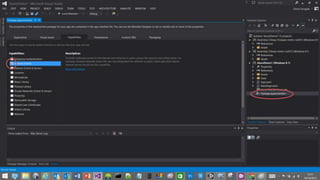
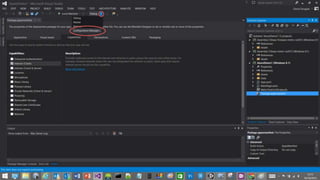
  • #33 Edit “Package.appxmanifest” Capabilities: + “Internet (Client)”
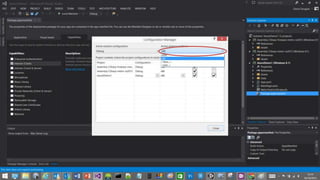
  • #34 Configuration Manager
  • #35 Configuration Manager Choose “x86”
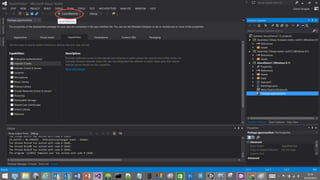
  • #36 Build & Run
  • #37 Connect Azure Service first. Then try adding some items…
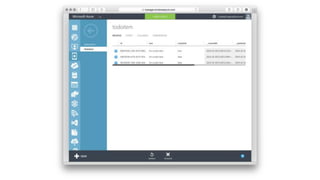
  • #38 Check Azure Mobile Services DATA > TodoItem table to see the demo Todo Items added…
  • #39 NB: You must ‘connect’ first before using other methods.
  • #40 Install Mobile Services SDK - http://go.microsoft.com/fwlink/?LinkId=257545&clcid=0x409 In ‘Build Settings’ > ‘Player Settings’: add “P31MetroAzure.dll” to list of "Unprocessed Plugins”. This will ensure Unity's DLL processor doesn't mess with the DLL and cause build errors.
  • #42 https://www.assetstore.unity3d.com/en/#!/content/18924 https://github.com/ProtossEngineering/WinBridge
  • #43 It’s a great time for developers new to the platform to get a Dev Center account and start submitting apps.
  • #44 More info
  • #45 @deadlyfingers