unit two unit two unit two unit twounit two unit two unit two unit two unit two .pptx
1.
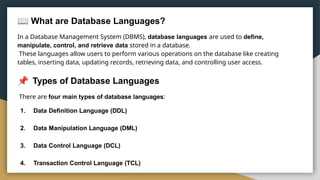
What are DatabaseLanguages?
In a Database Management System (DBMS), database languages are used to define,
manipulate, control, and retrieve data stored in a database.
These languages allow users to perform various operations on the database like creating
tables, inserting data, updating records, retrieving data, and controlling user access.
Types of Database Languages
There are four main types of database languages:
1. Data Definition Language (DDL)
2. Data Manipulation Language (DML)
3. Data Control Language (DCL)
4. Transaction Control Language (TCL)
2.
1
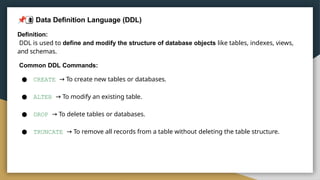
Data DefinitionLanguage (DDL)
Definition:
DDL is used to define and modify the structure of database objects like tables, indexes, views,
and schemas.
Common DDL Commands:
● CREATE → To create new tables or databases.
● ALTER → To modify an existing table.
● DROP → To delete tables or databases.
● TRUNCATE → To remove all records from a table without deleting the table structure.
3.
2
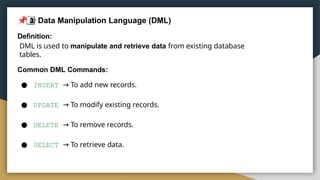
Data ManipulationLanguage (DML)
Definition:
DML is used to manipulate and retrieve data from existing database
tables.
Common DML Commands:
● INSERT → To add new records.
● UPDATE → To modify existing records.
● DELETE → To remove records.
● SELECT → To retrieve data.
4.
3
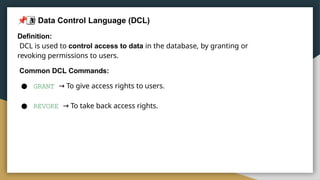
Data ControlLanguage (DCL)
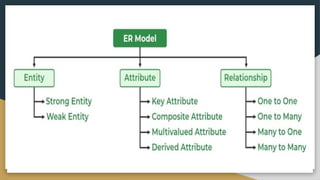
Definition:
DCL is used to control access to data in the database, by granting or
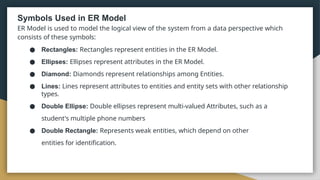
revoking permissions to users.
Common DCL Commands:
● GRANT → To give access rights to users.
● REVOKE → To take back access rights.
5.
4
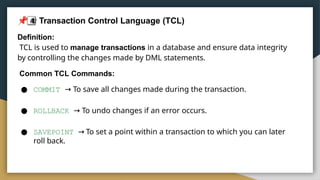
Transaction ControlLanguage (TCL)
Definition:
TCL is used to manage transactions in a database and ensure data integrity
by controlling the changes made by DML statements.
Common TCL Commands:
● COMMIT → To save all changes made during the transaction.
● ROLLBACK → To undo changes if an error occurs.
● SAVEPOINT → To set a point within a transaction to which you can later
roll back.
Keys
Keys are oneof the basic requirements of a relational database model. keys are fundamental
components that ensure data integrity, uniqueness, and efficient access. It is widely used to
identify the tuples(rows) uniquely in the table.
Why do we require Keys in a DBMS?
Keys are crucial in a Database Management System (DBMS) for several reasons:
● Uniqueness: Keys ensure that each record in a table is unique and can be
identified distinctly.
● Data Integrity: Keys prevent data duplication and maintain the consistency of
the data.
● Efficient Data Retrieval: By defining relationships between tables, keys enable
faster querying and better data organization. Without keys, it would be
extremely difficult to manage large datasets, and queries would become
inefficient and prone to errors.
8.
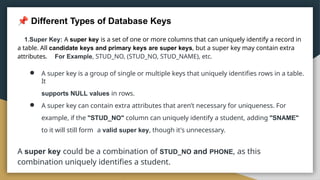
Different Types ofDatabase Keys
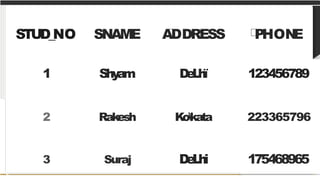
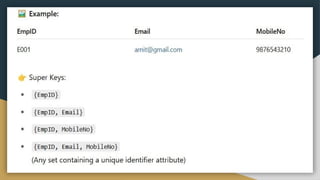
1.Super Key: A super key is a set of one or more columns that can uniquely identify a record in
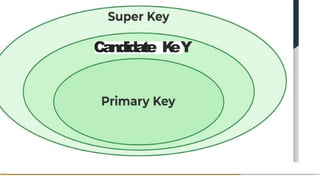
a table. All candidate keys and primary keys are super keys, but a super key may contain extra
attributes. For Example, STUD_NO, (STUD_NO, STUD_NAME), etc.
● A super key is a group of single or multiple keys that uniquely identifies rows in a table.
It
supports NULL values in rows.
● A super key can contain extra attributes that aren’t necessary for uniqueness. For
example, if the "STUD_NO" column can uniquely identify a student, adding "SNAME"
to it will still form a valid super key, though it's unnecessary.
A super key could be a combination of STUD_NO and PHONE, as this
combination uniquely identifies a student.
9.
STUD_NO SNAME ADDRESSPHON
E
1 Shy
am D
e
L
h
ï 123456789
2 Rakesh Kokata 223365796
3 Suraj D
e
L
h
i 175468965
Different Types ofDatabase Keys
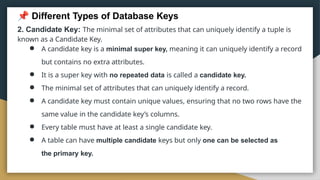
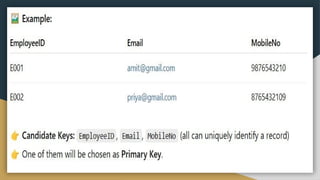
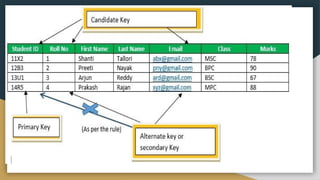
2. Candidate Key: The minimal set of attributes that can uniquely identify a tuple is
known as a Candidate Key.
● A candidate key is a minimal super key, meaning it can uniquely identify a record
but contains no extra attributes.
● It is a super key with no repeated data is called a candidate key.
● The minimal set of attributes that can uniquely identify a record.
● A candidate key must contain unique values, ensuring that no two rows have the
same value in the candidate key’s columns.
● Every table must have at least a single candidate key.
● A table can have multiple candidate keys but only one can be selected as
the primary key.
14.
Different Types ofDatabase Keys
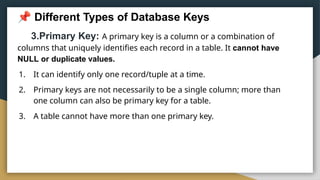
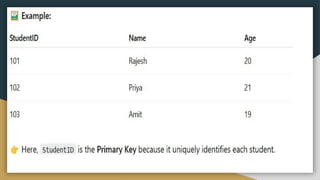
3.Primary Key: A primary key is a column or a combination of
columns that uniquely identifies each record in a table. It cannot have
NULL or duplicate values.
1. It can identify only one record/tuple at a time.
2. Primary keys are not necessarily to be a single column; more than
one column can also be primary key for a table.
3. A table cannot have more than one primary key.
16.
Different Types ofDatabase Keys
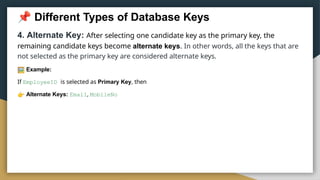
4. Alternate Key: After selecting one candidate key as the primary key, the
remaining candidate keys become alternate keys. In other words, all the keys that are
not selected as the primary key are considered alternate keys.
Example:
If EmployeeID is selected as Primary Key, then
Alternate Keys: Email, MobileNo
18.
Different Types ofDatabase Keys
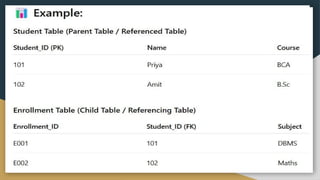
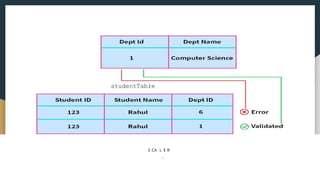
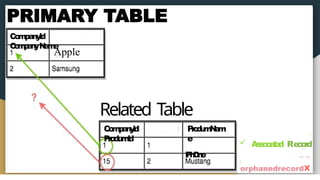
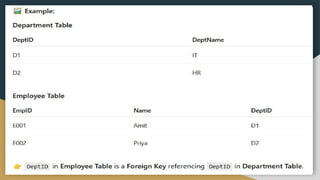
5. Foreign Key: A foreign key is an attribute in a table that refers to the
primary key of another table. It is used to establish relationships/link between
the data in two tables.
The table that contains the foreign key is called the referencing table, and the
table that
is referenced is called the referenced table.
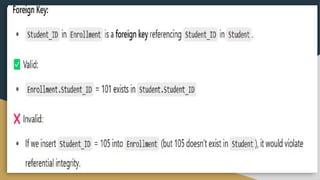
Key Points: It ensures that the value in the foreign key column must
exist in the referenced primary key column of the other table.
It can have duplicate
values. It can be NULL (if
allowed).
Different Types ofDatabase Keys
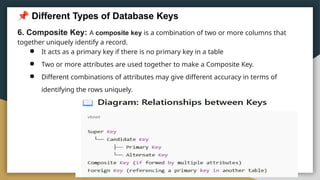
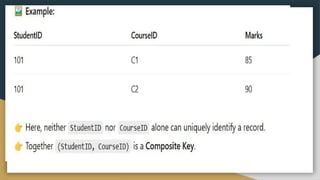
6. Composite Key: A composite key is a combination of two or more columns that
together uniquely identify a record.
● It acts as a primary key if there is no primary key in a table
● Two or more attributes are used together to make a Composite Key.
● Different combinations of attributes may give different accuracy in terms of
identifying the rows uniquely.
26.
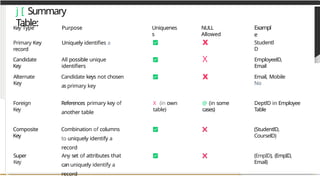
j [ Summary
Table:
Candidate
Key
Alternate
Key
Foreign
Key
Composite
Key
Super
Key
KeyType Purpose
Primary Key Uniquely identifies a
record
All possible unique
identifiers
Candidate keys not chosen
as primary key
Uniquenes
s
NULL
Allowed
X
X
X
Exampl
e
Studentl
D
EmployeelD,
Email
Email, Mobile
No
X (in own
table)
@ (in some
cases)
DeptlD in Employee
Table
References primary key of
another table
Combination of columns
to uniquely identify a
record
Any set of attributes that
can uniquely identify a
record
(StudentlD,
CourselD)
(EmpID), (EmpID,
Email)
27.
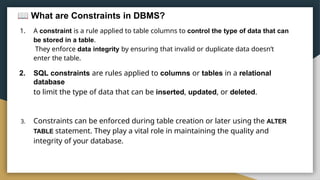
What are Constraintsin DBMS?
1. A constraint is a rule applied to table columns to control the type of data that can
be stored in a table.
They enforce data integrity by ensuring that invalid or duplicate data doesn’t
enter the table.
2. SQL constraints are rules applied to columns or tables in a relational
database
to limit the type of data that can be inserted, updated, or deleted.
3. Constraints can be enforced during table creation or later using the ALTER
TABLE statement. They play a vital role in maintaining the quality and
integrity of your database.
28.
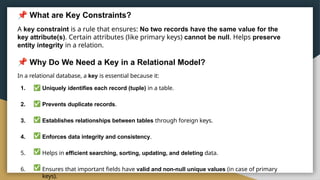
What are KeyConstraints?
A key constraint is a rule that ensures: No two records have the same value for the
key attribute(s). Certain attributes (like primary keys) cannot be null. Helps preserve
entity integrity in a relation.
Why Do We Need a Key in a Relational Model?
In a relational database, a key is essential because it:
1. Uniquely identifies each record (tuple) in a table.
2. Prevents duplicate records.
3. Establishes relationships between tables through foreign keys.
4. Enforces data integrity and consistency.
5. Helps in efficient searching, sorting, updating, and deleting data.
6. Ensures that important fields have valid and non-null unique values (in case of primary
keys).
29.
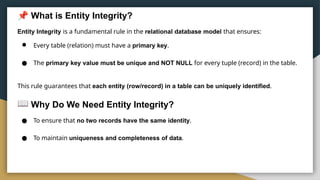
What is EntityIntegrity?
Entity Integrity is a fundamental rule in the relational database model that ensures:
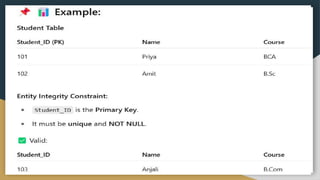
● Every table (relation) must have a primary key.
● The primary key value must be unique and NOT NULL for every tuple (record) in the table.
This rule guarantees that each entity (row/record) in a table can be uniquely identified.
Why Do We Need Entity Integrity?
● To ensure that no two records have the same identity.
● To maintain uniqueness and completeness of data.
31.
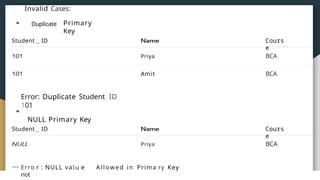
Invalid Cases:
Duplicate Primary
Key
StudentID
Error: Duplicate Student ID
101
NULL Primary Key
Student ID
Priya
Amit
Priya
Erro r : NULL vaIu e
not
Allowed in Prima ry Key
Cours
e
BCA
BCA
Cours
e
BCA
32.
Constraint in aTable
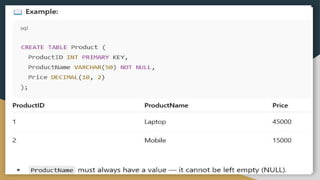
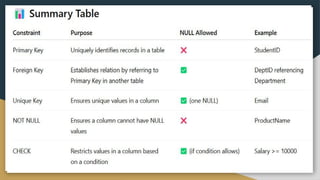
4.NOT NULL: A NOT NULL constraint ensures that a column cannot have NULL
values. This is particularly important for columns where a value is essential for
identifying records or performing calculations. If a column is defined as NOT NULL,
every row must include a value for that column.
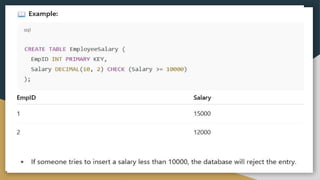
5.CHECK: A CHECK constraint ensures that values in a column meet a
specified condition. The CHECK constraint allows us to specify a condition that
data must satisfy before it is inserted into the table. This can be used to
enforce rules, such as ensuring that a column’s value meets certain criteria
(e.g., age must be greater than 18)
36.
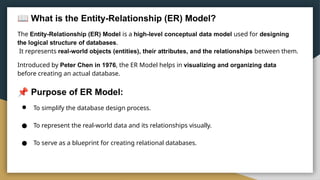
What is theEntity-Relationship (ER) Model?
The Entity-Relationship (ER) Model is a high-level conceptual data model used for designing
the logical structure of databases.
It represents real-world objects (entities), their attributes, and the relationships between them.
Introduced by Peter Chen in 1976, the ER Model helps in visualizing and organizing data
before creating an actual database.
Purpose of ER Model:
● To simplify the database design process.
● To represent the real-world data and its relationships visually.
● To serve as a blueprint for creating relational databases.
37.
Why Use ERDiagrams In DBMS?
● ER diagrams represent the E-R model in a database, making them easy to
convert into relations (tables).
● These diagrams serve the purpose of real-world modeling of objects which
makes them intently useful.
● Unlike technical schemas, ER diagrams require no technical knowledge of
the underlying DBMS used.
● They visually model data and its relationships, making complex systems
easier to understand.
38.
What is theEntity-Relationship (ER) Model?
● Entity: An objects that is stored as data such as Student, Course or Company.
● Attribute: Properties that describes an entity such as StudentID, CourseName,
or
EmployeeEmail.
● Relationship: A connection between entities such as "a Student enrolls in a
Course".
40.
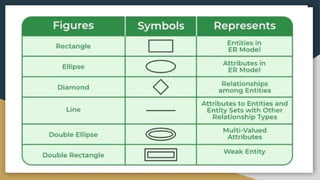
Symbols Used inER Model
ER Model is used to model the logical view of the system from a data perspective which
consists of these symbols:
● Rectangles: Rectangles represent entities in the ER Model.
● Ellipses: Ellipses represent attributes in the ER Model.
● Diamond: Diamonds represent relationships among Entities.
● Lines: Lines represent attributes to entities and entity sets with other relationship
types.
● Double Ellipse: Double ellipses represent multi-valued Attributes, such as a
student's multiple phone numbers
● Double Rectangle: Represents weak entities, which depend on other
entities for identification.