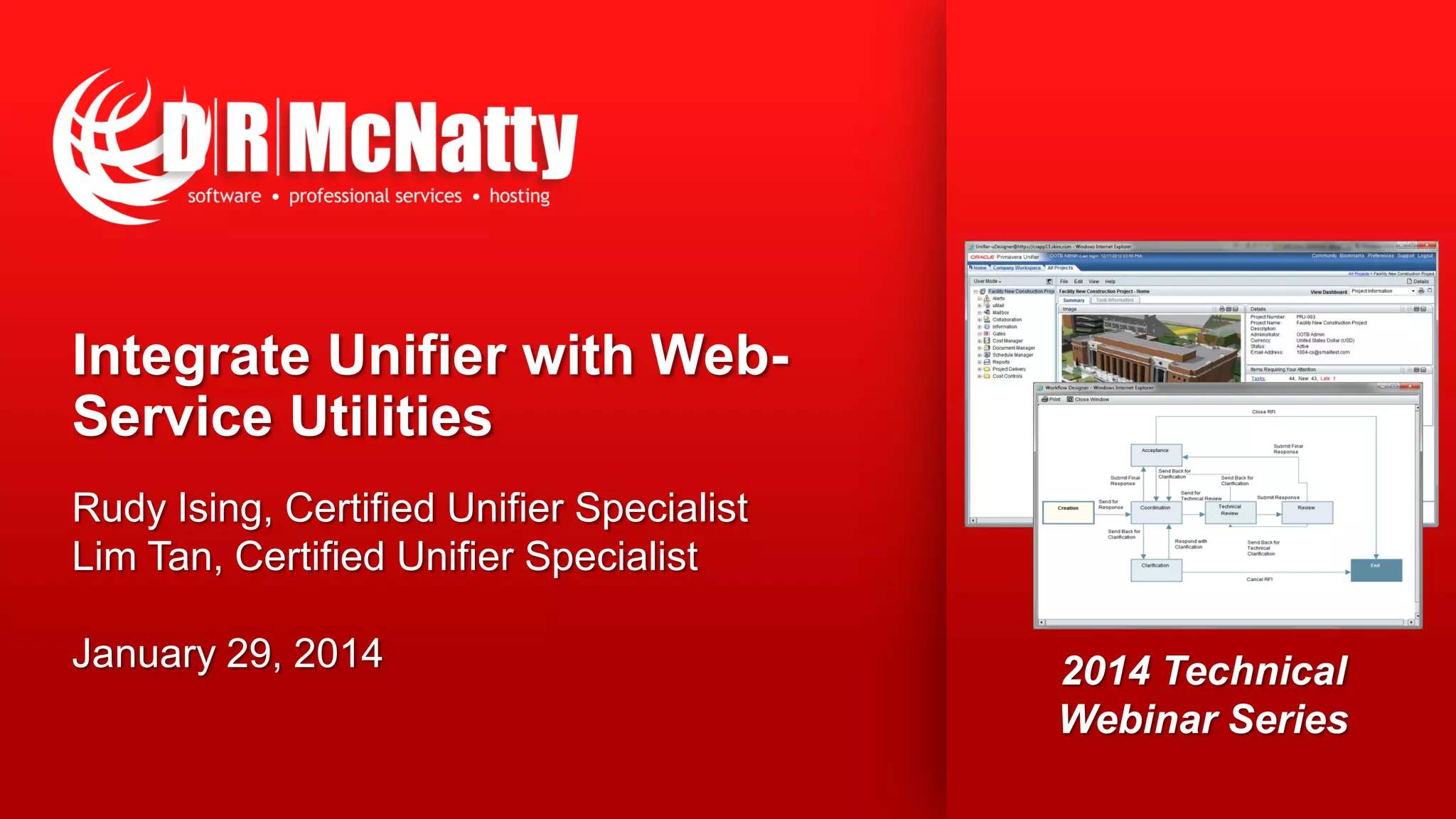
Integrate Unifier with Web-
Service Utilities
Rudy Ising, Certified Unifier Specialist
Lim Tan, Certified Unifier Specialist
January 29, 2014 2014 Technical
Webinar Series
2
Thank you for joining today’s technical webinar
 Mute – all call in phones are automatically muted in order to
preserve the quality of the audio for all attendees.
 Questions – during the session, questions can be submitted through
the Questions Box on the right side of the screen . We will try to
address your questions at the end of the presentation, time
permitting.
 Follow up – all registrants will receive an Excel file listing all
questions and responses along with a link to the recorded webinar.
3
Safe Harbor
 The statements made in this technical presentation are based on
our current knowledge of the tools.
 Our statements should not be construed to be an official “Oracle
perspective”, but are intended to be the sharing of technical and
user knowledge gained as we explore new paths and
technologies, usually in advance of our clients.
 Our statements should not be construed as in conflict with any
Oracle statement, as the Oracle statement is likely made based
on more current knowledge than is available to us.
4
Twenty-five + years experience with Primavera
• Oracle Primavera Software
• Oracle Primavera Certified Training & Implementation
Specializations
• Integration and custom interface development
• Project staffing and support
• Global, dedicated environment, hosting services
 Primavera OPPM, P6 EPPM, P6 Pro, Primavera Unifier, Contract Management, BI Publisher,
UCM/Sharepoint, P6 Risk, AutoVue and Analytics
 Hard Dollar, Acumen Fuse, Ecosys, Prism G2, US Cost, Microsoft Dynamics…
 Global Data Centers in USA, London, Singapore and Brisbane
5
The “Unifier Webinar Series”
 August – Overview of Oracle Primavera Unifier & Contract Management
 September – Migrating from Contract Management to Unifier
 October – Implementing Unifier in an Owner, CM or GC environment
 December – Unifier/P6 Cost and Schedule Integration
 January – Integrate Unifier with Webservice Utilities
 February – CPM Scheduling with Primavera Unifier
DRMcNatty is providing the following webinars on Unifier to help our
clients better understand Unifier and how Unifier is Implemented.
Video of previous webinars are posted at
www.drmcnatty.com/Resources/Webinars/
6
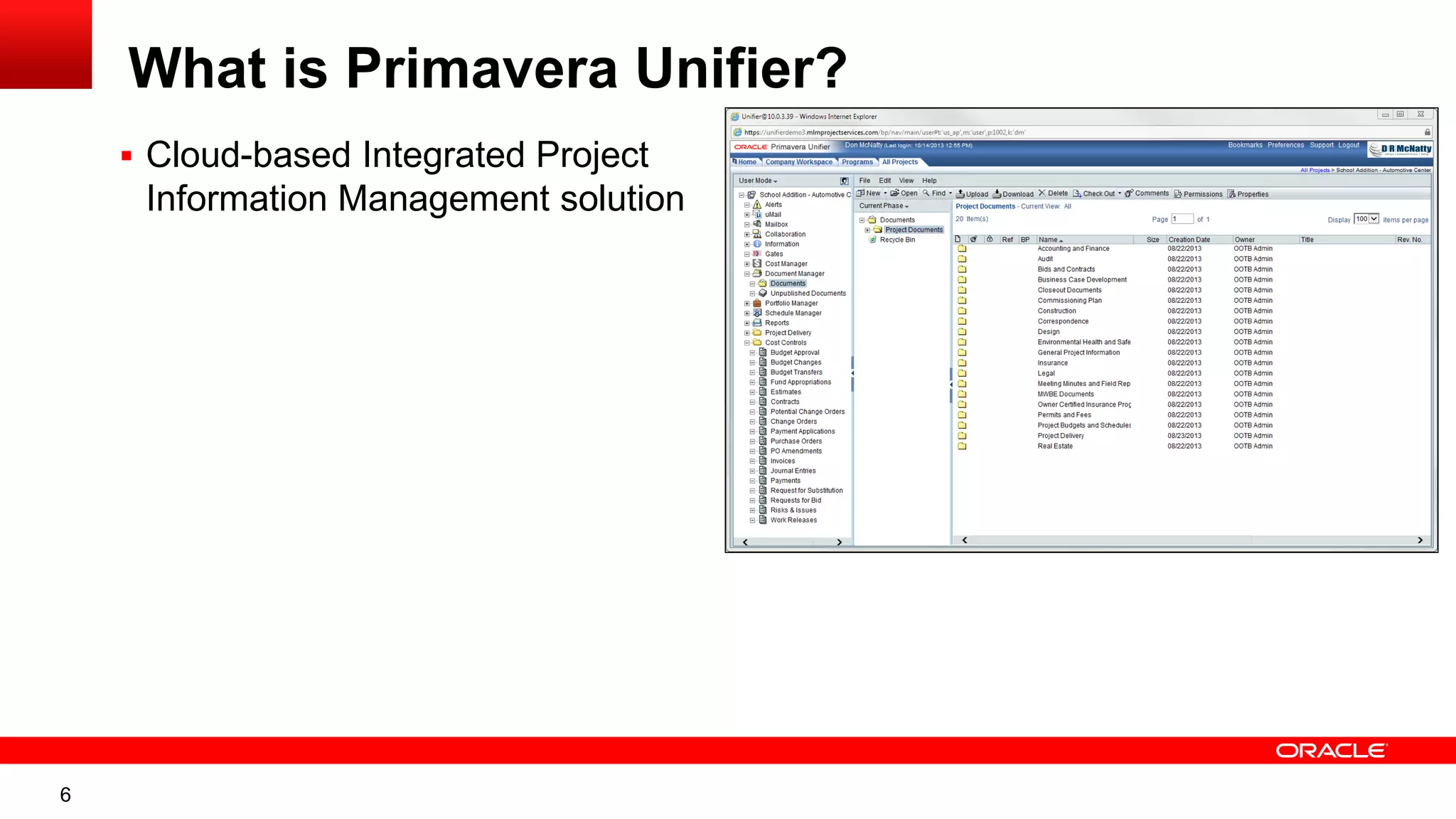
What is Primavera Unifier?
 Cloud-based Integrated Project
Information Management solution
7
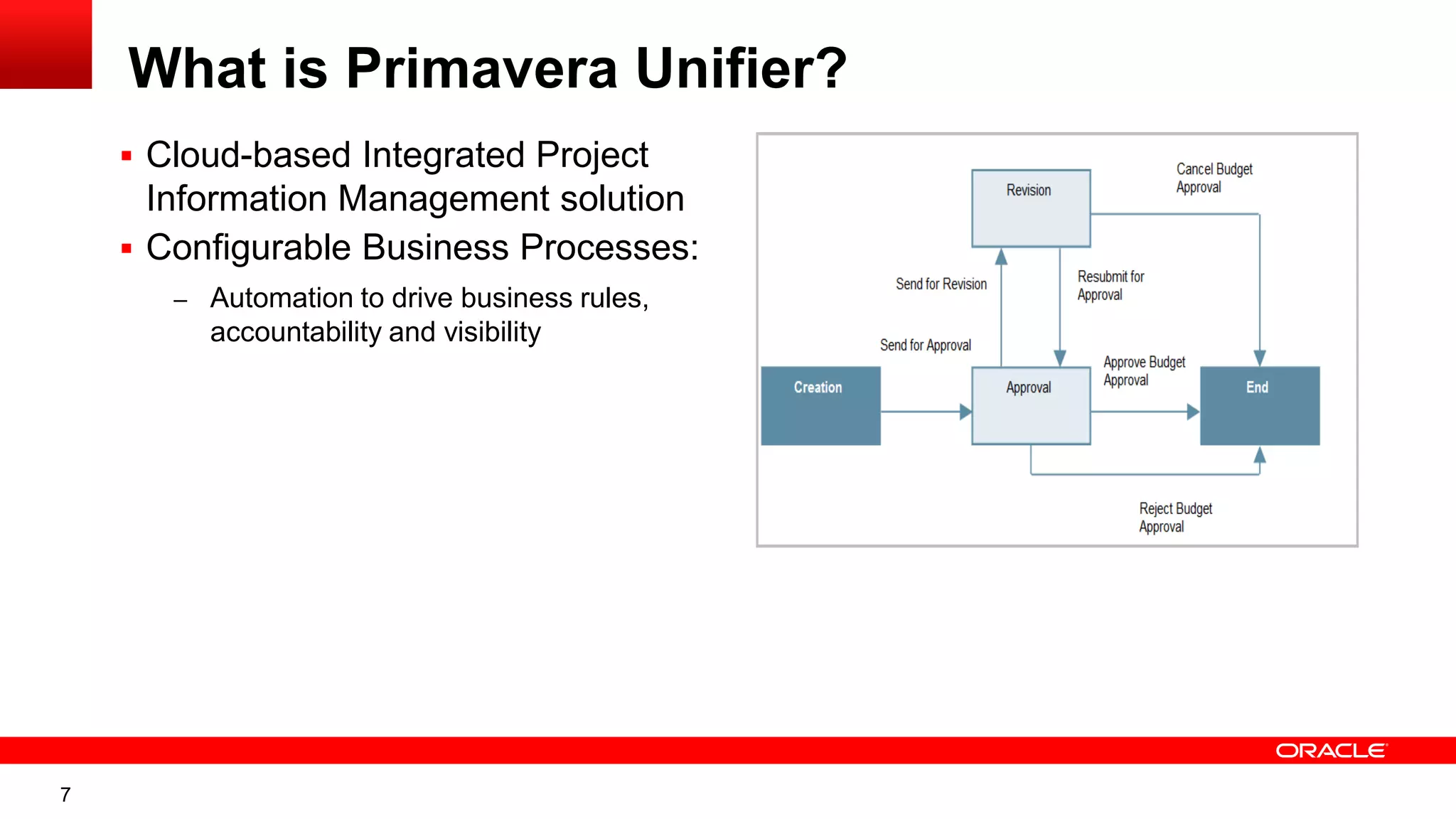
What is Primavera Unifier?
 Cloud-based Integrated Project
Information Management solution
 Configurable Business Processes:
– Automation to drive business rules,
accountability and visibility
8
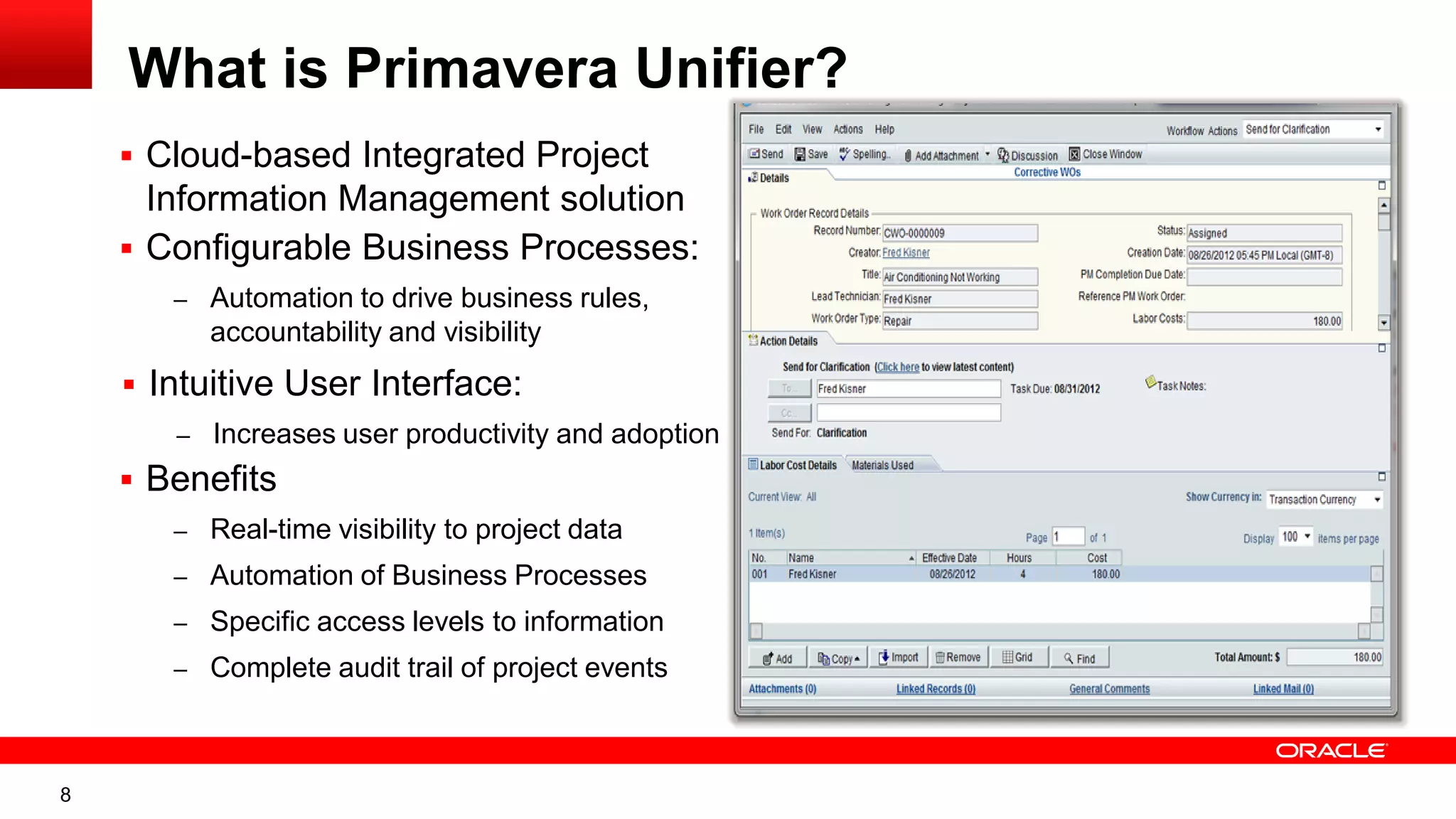
What is Primavera Unifier?
 Cloud-based Integrated Project
Information Management solution
 Configurable Business Processes:
– Automation to drive business rules,
accountability and visibility
 Intuitive User Interface:
– Increases user productivity and adoption
 Benefits
– Real-time visibility to project data
– Automation of Business Processes
– Specific access levels to information
– Complete audit trail of project events
9
Available Pre-Configured Packages
 Capital Project & Program Management (CPPM) packages
– Primavera Unifier Capital Planning
– Primavera Unifier Cost Controls
– Primavera Unifier Project Delivery Management
R9.14 – Posted on eDelivery on Dec 2013
10
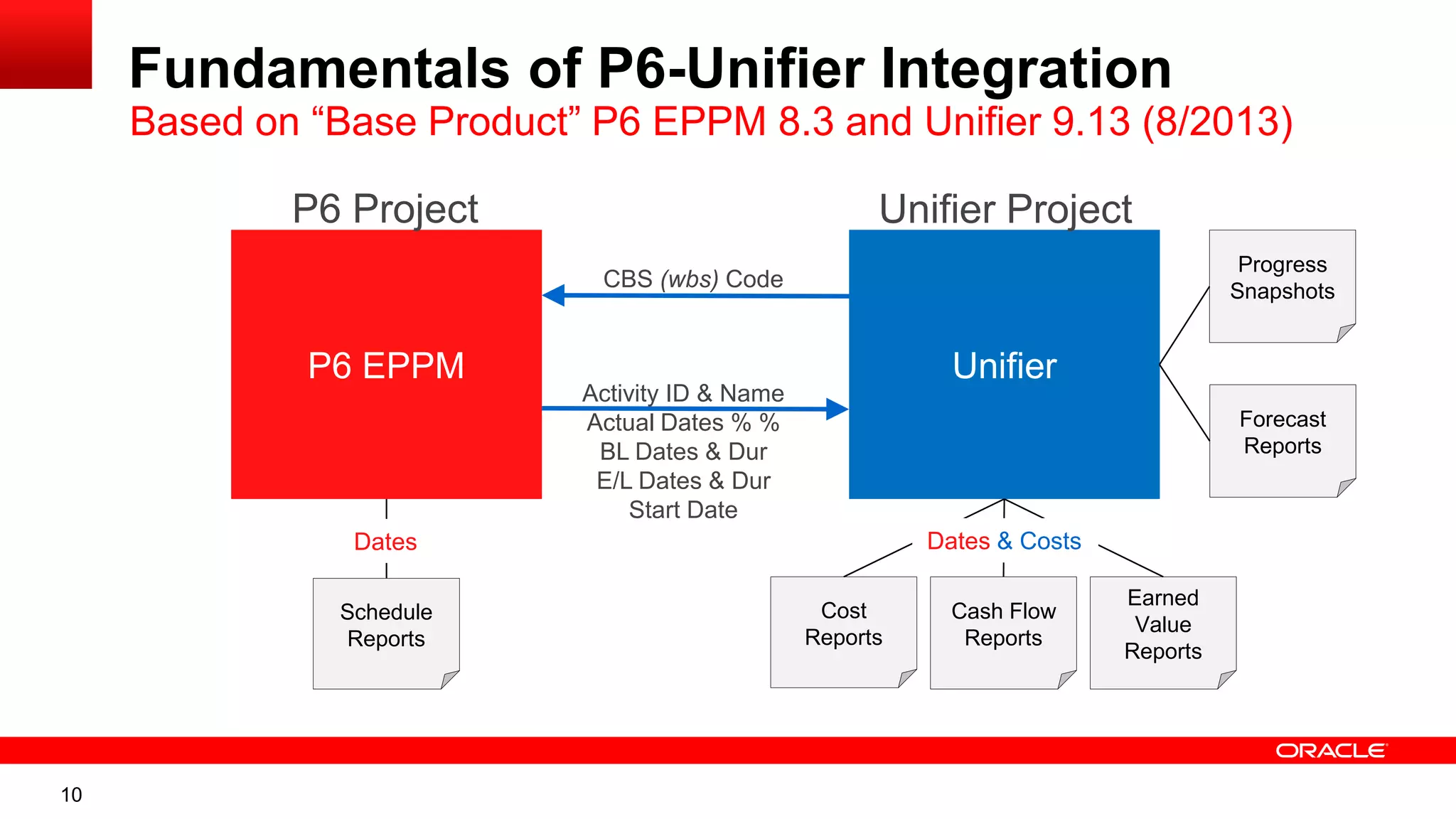
Fundamentals of P6-Unifier Integration
Based on “Base Product” P6 EPPM 8.3 and Unifier 9.13 (8/2013)
P6 EPPM Unifier
CBS (wbs) Code
Activity ID & Name
Actual Dates % %
BL Dates & Dur
E/L Dates & Dur
Start Date
Schedule
Reports
Cost
Reports
Cash Flow
Reports
Earned
Value
Reports
Dates Dates & Costs
P6 Project Unifier Project
Progress
Snapshots
Forecast
Reports
11
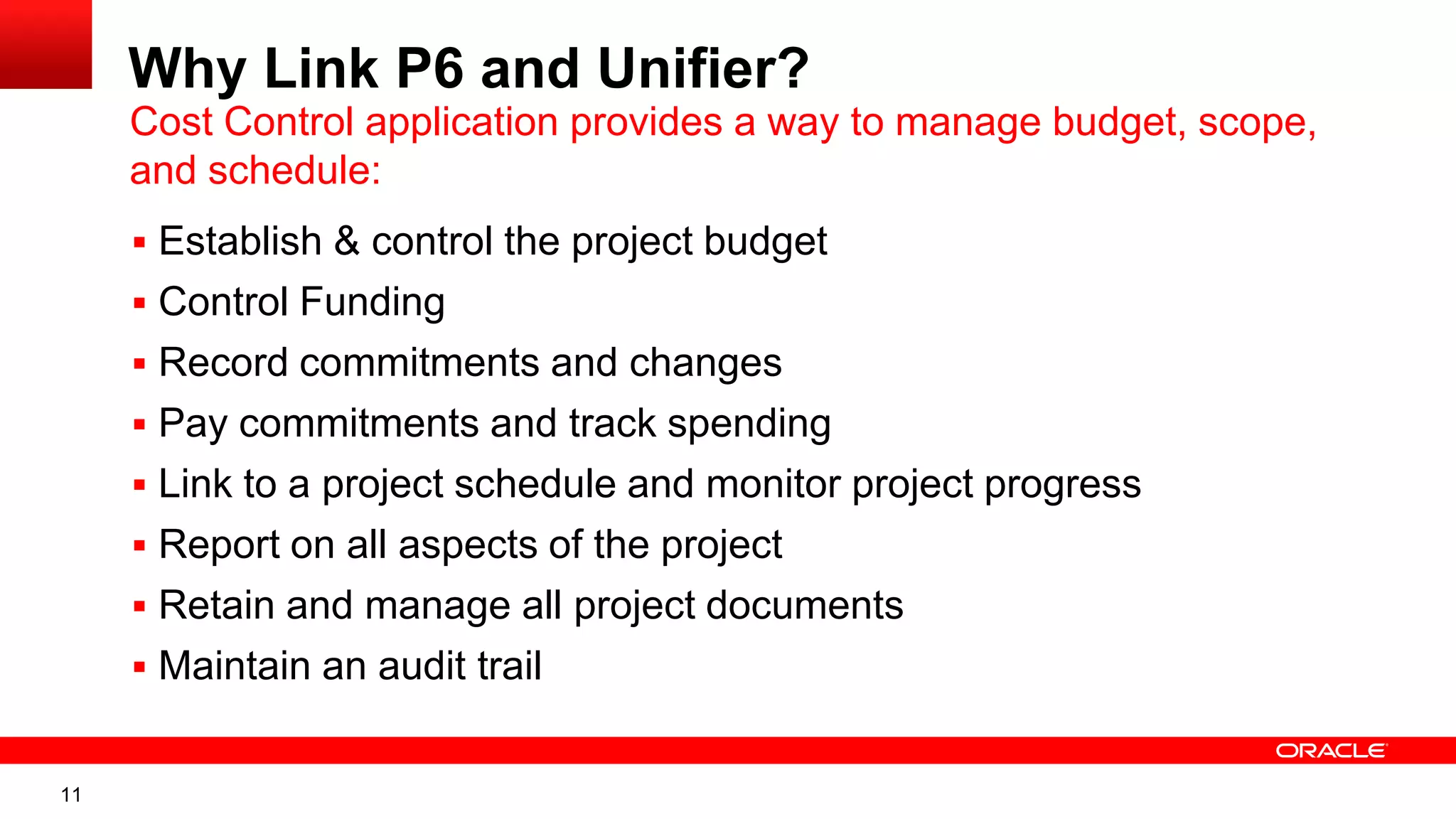
Why Link P6 and Unifier?
 Establish & control the project budget
 Control Funding
 Record commitments and changes
 Pay commitments and track spending
 Link to a project schedule and monitor project progress
 Report on all aspects of the project
 Retain and manage all project documents
 Maintain an audit trail
Cost Control application provides a way to manage budget, scope,
and schedule:
12
Unifier
Cost
Breakdown
Structure
P6
Work
Breakdown
Structure
Full Project
Controls Solution
Document
Control
Capital
Planning Funding
Bid Mgmt
Cost
Control
Field
Admin
Cashflow
Forecasts
Phase
Gates
Contract
Mgmt
Resource
Mgmt
Schedule
Mgmt
EVM
Risk Mgmt
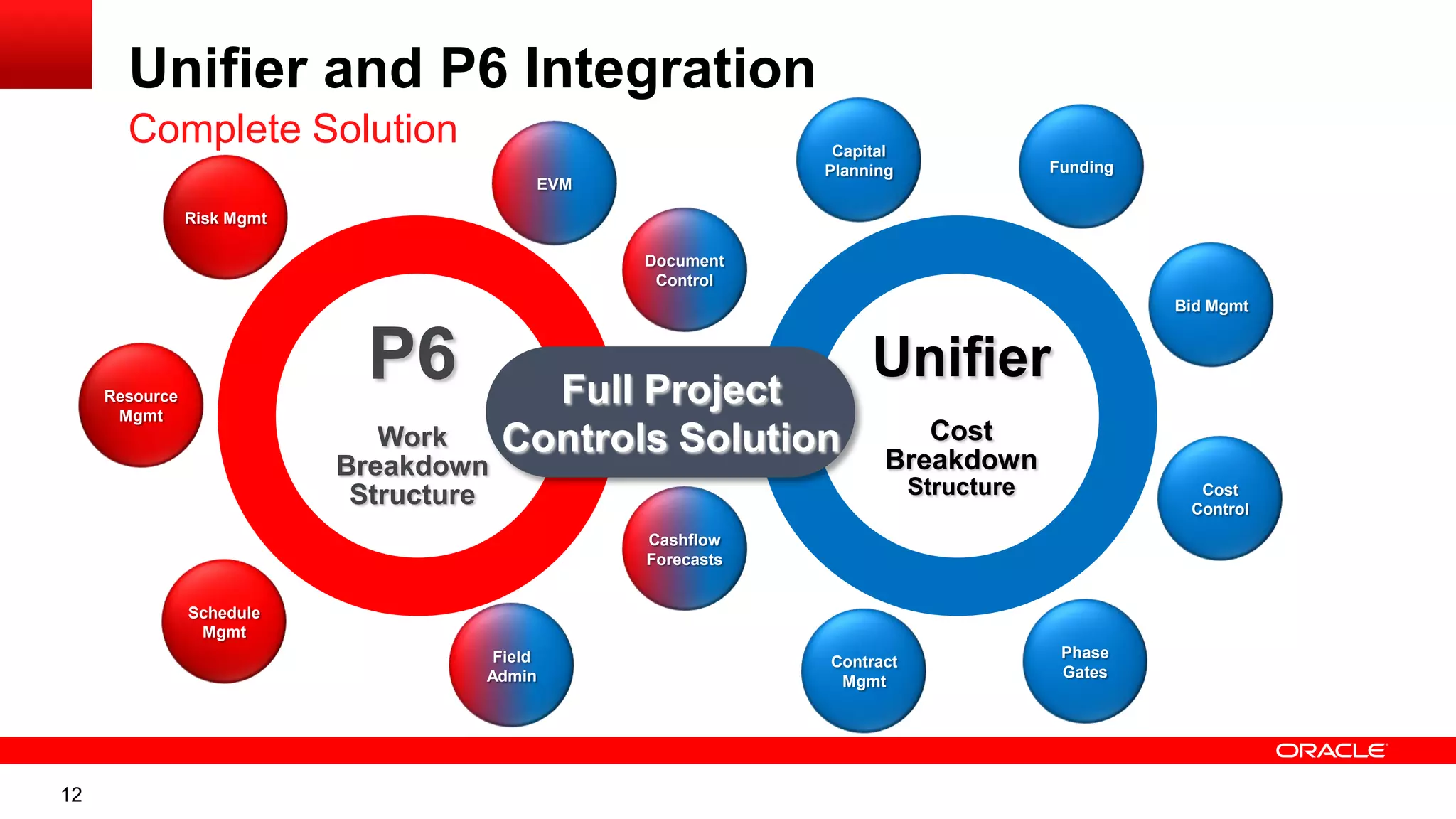
Unifier and P6 Integration
Complete Solution
13
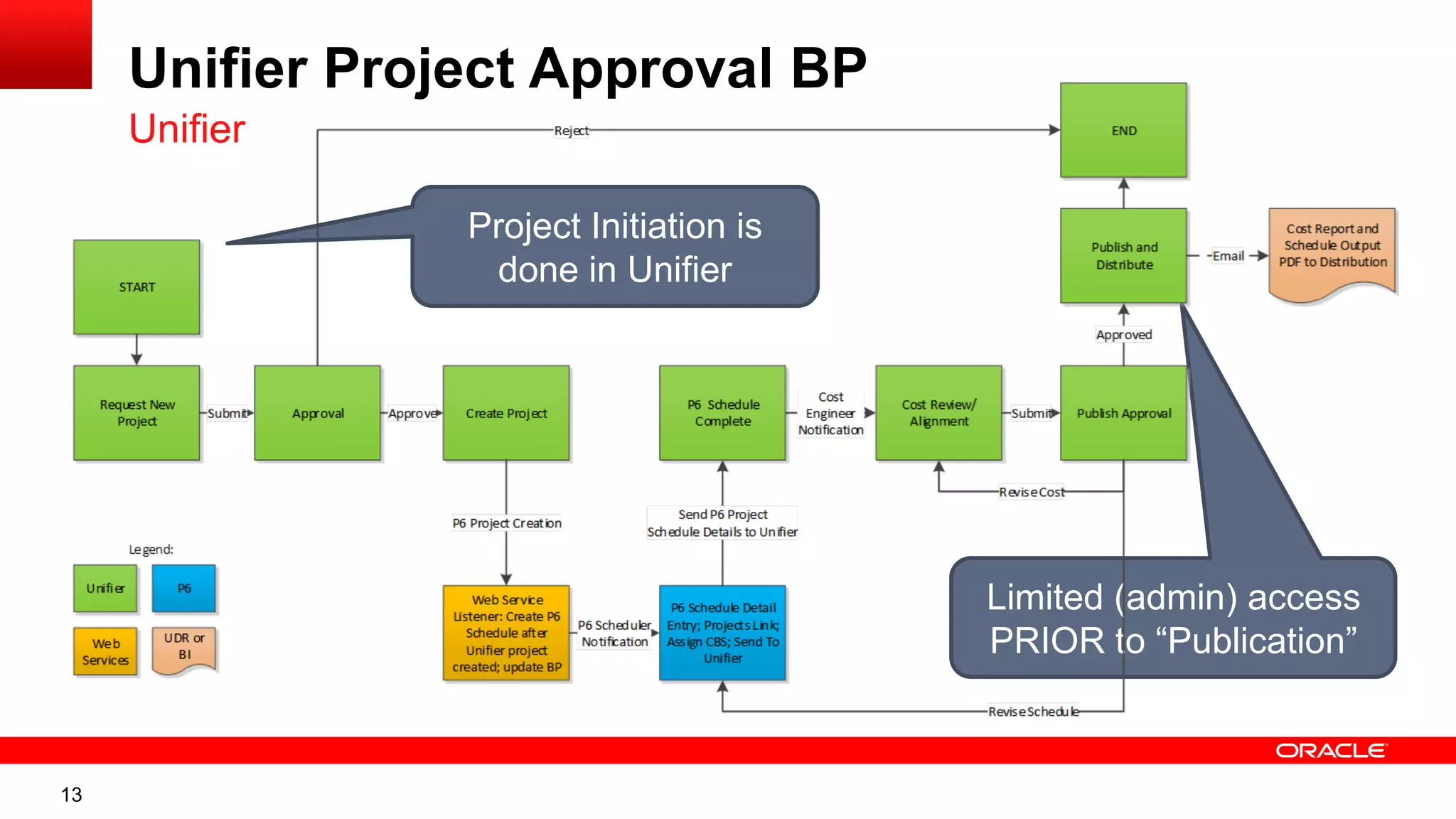
Unifier Project Approval BP
Unifier
Project Initiation is
done in Unifier
Limited (admin) access
PRIOR to “Publication”
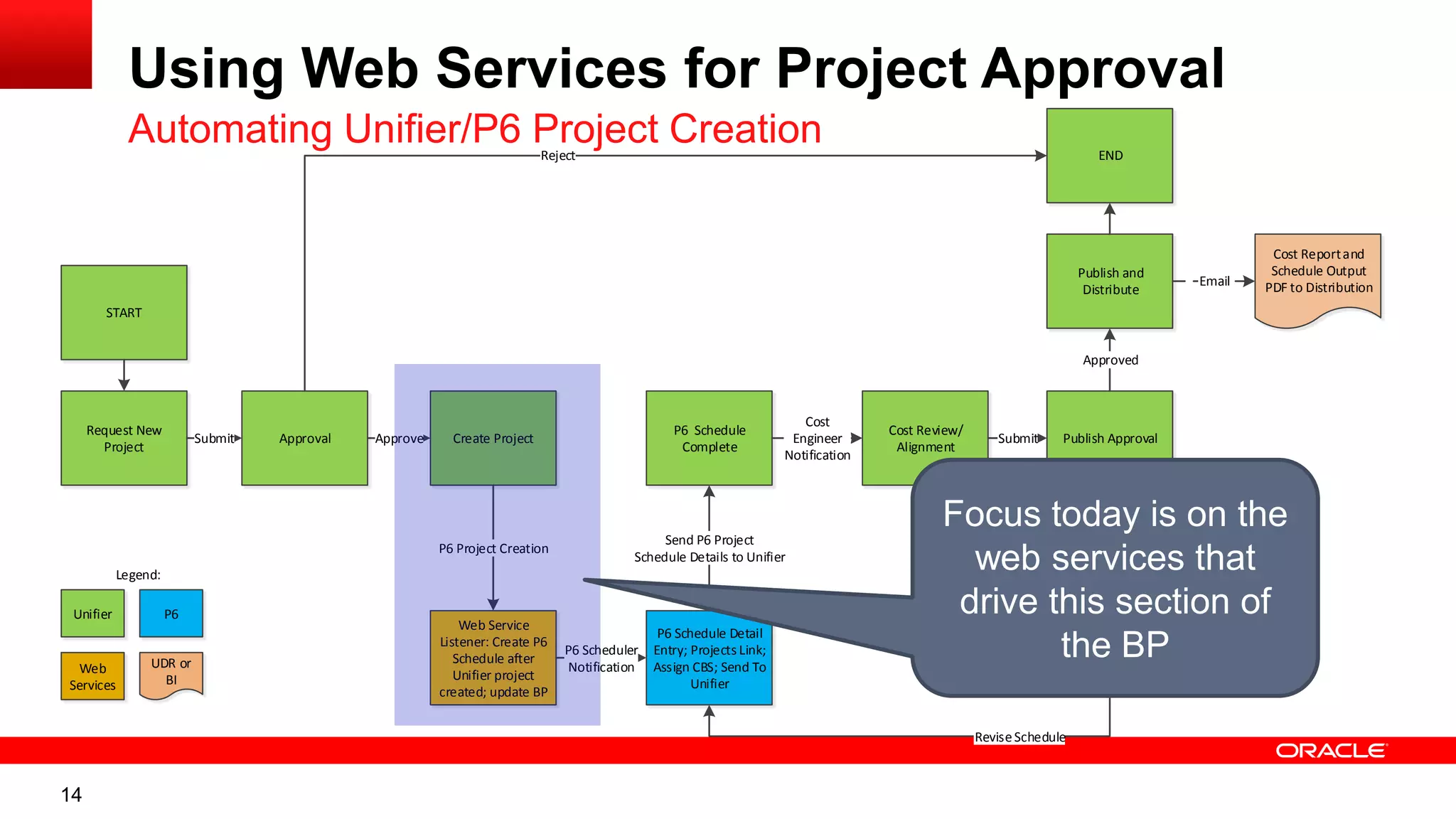
14
Request New
Project
Approval Create Project
Web Service
Listener: Create P6
Schedule after
Unifier project
created; update BP
Submit Approve
P6 Schedule
Complete
P6 Project Creation
P6 Schedule Detail
Entry; Projects Link;
Assign CBS; Send To
Unifier
P6 Scheduler
Notification
Send P6 Project
Schedule Details to Unifier
Cost Review/
Alignment
Cost
Engineer
Notification
Publish Approval
Submit
ReviseCost
ReviseSchedule
Publish and
Distribute
Approved
Cost Reportand
Schedule Output
PDF to Distribution
END
Email
START
Reject
Unifier
Web
Services
P6
UDR or
BI
Legend:
Using Web Services for Project Approval
Automating Unifier/P6 Project Creation
Focus today is on the
web services that
drive this section of
the BP
15
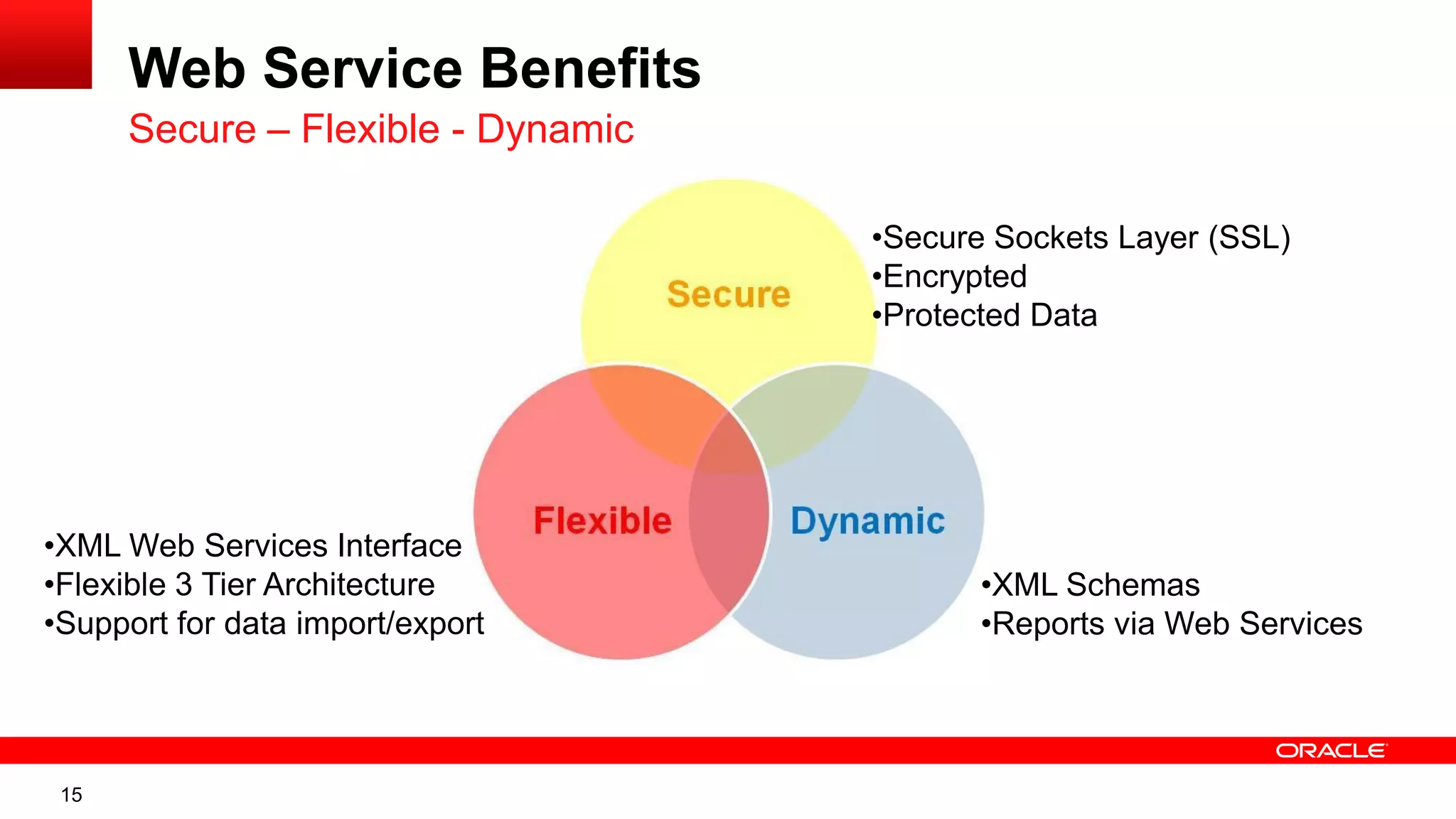
Web Service Benefits
Secure – Flexible - Dynamic
•Secure Sockets Layer (SSL)
•Encrypted
•Protected Data
•XML Schemas
•Reports via Web Services
•XML Web Services Interface
•Flexible 3 Tier Architecture
•Support for data import/export
16
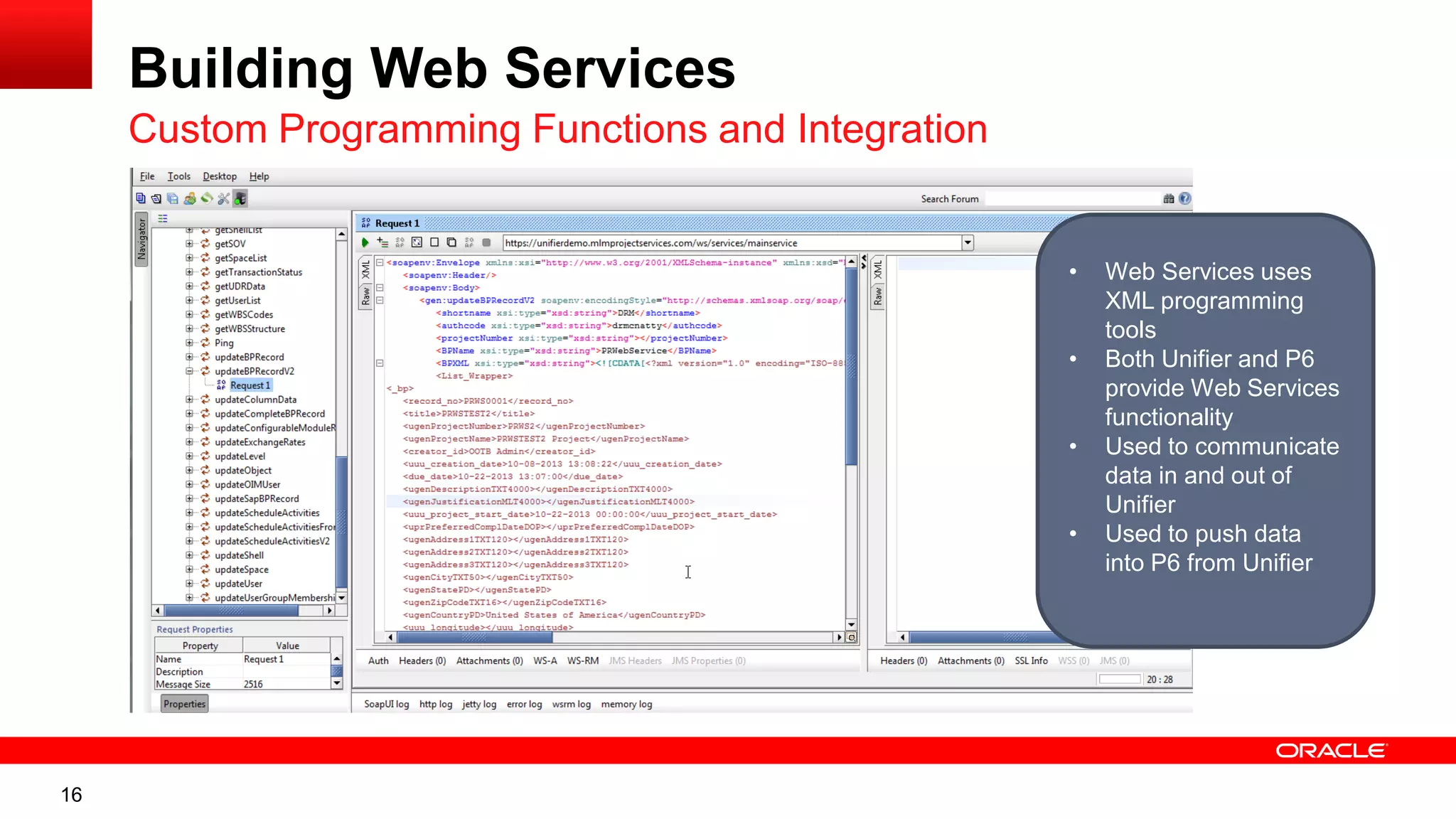
Building Web Services
Custom Programming Functions and Integration
• Web Services uses
XML programming
tools
• Both Unifier and P6
provide Web Services
functionality
• Used to communicate
data in and out of
Unifier
• Used to push data
into P6 from Unifier
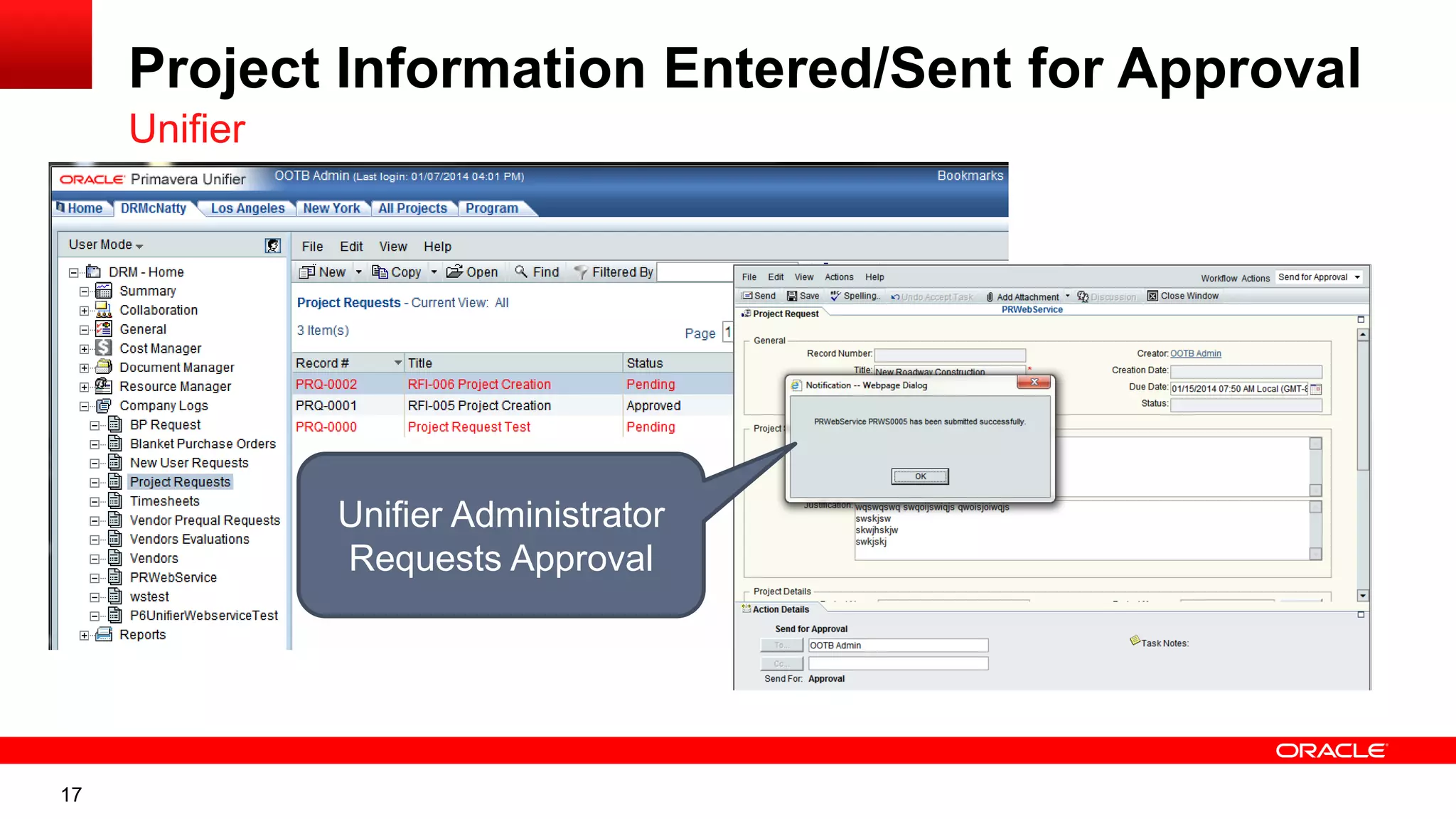
17
Project Information Entered/Sent for Approval
Unifier
Unifier Administrator
Requests Approval
18
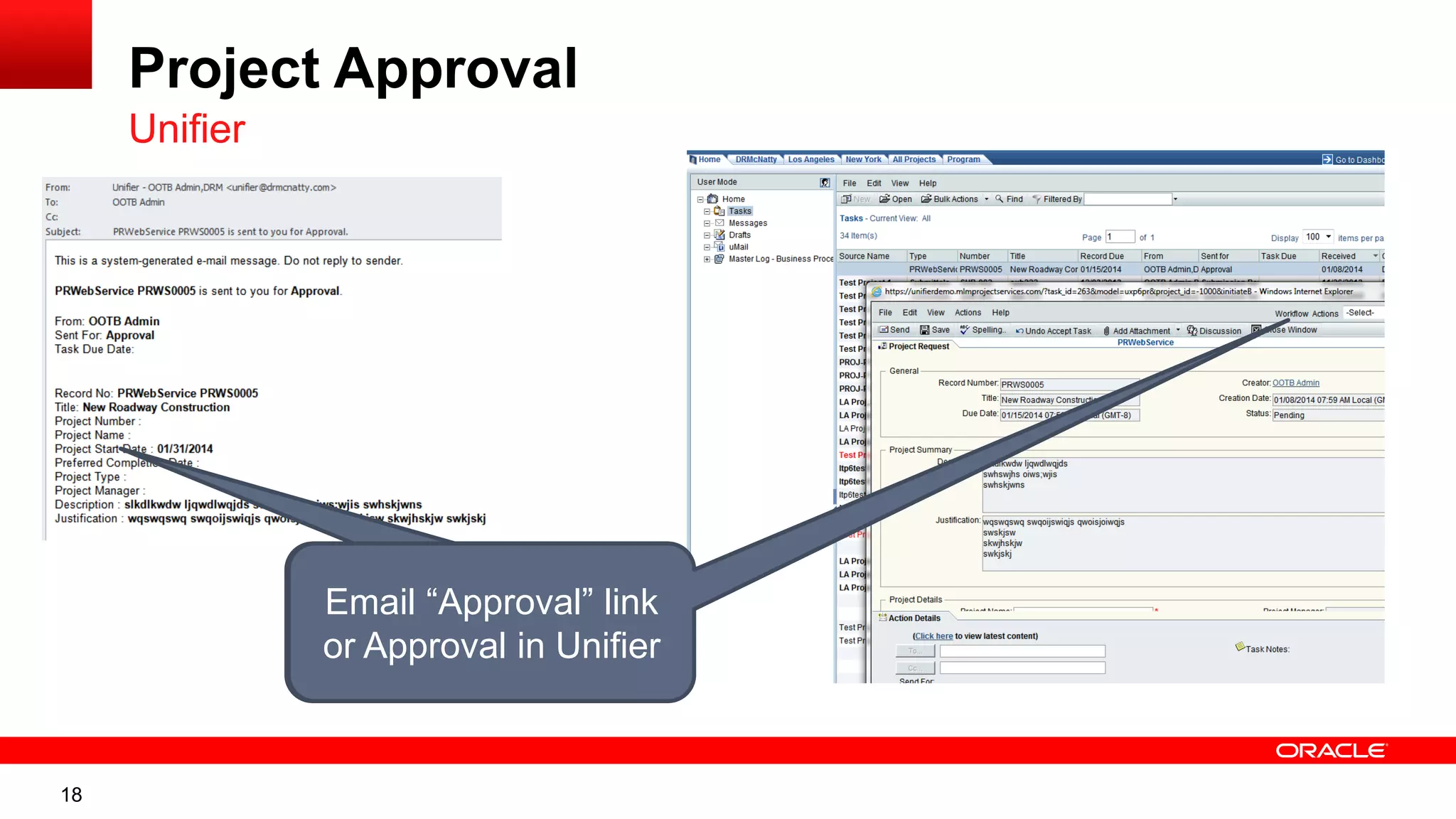
Project Approval
Unifier
Email “Approval” link
or Approval in Unifier
19
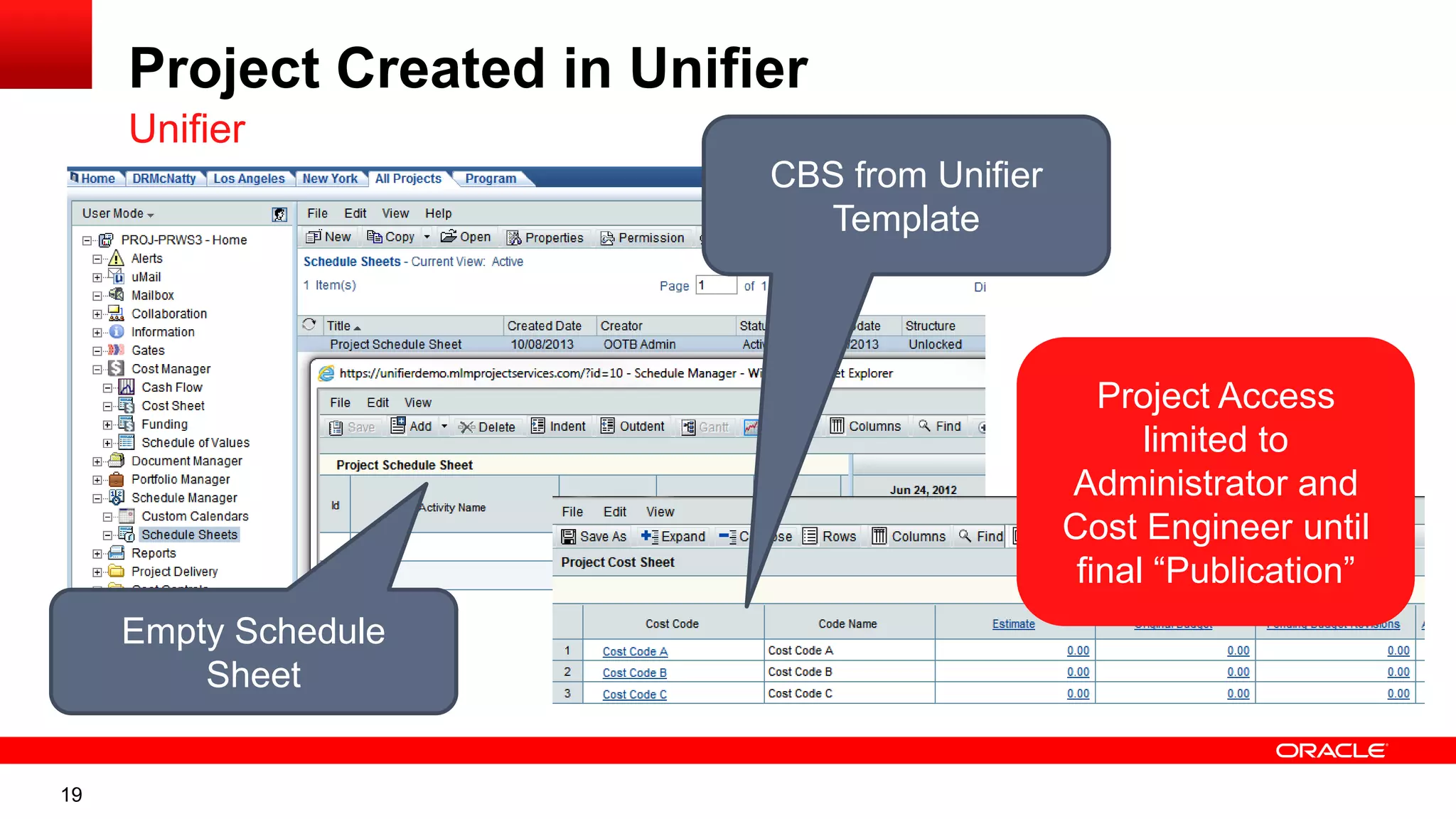
Project Created in Unifier
Unifier
CBS from Unifier
Template
Empty Schedule
Sheet
Project Access
limited to
Administrator and
Cost Engineer until
final “Publication”
20
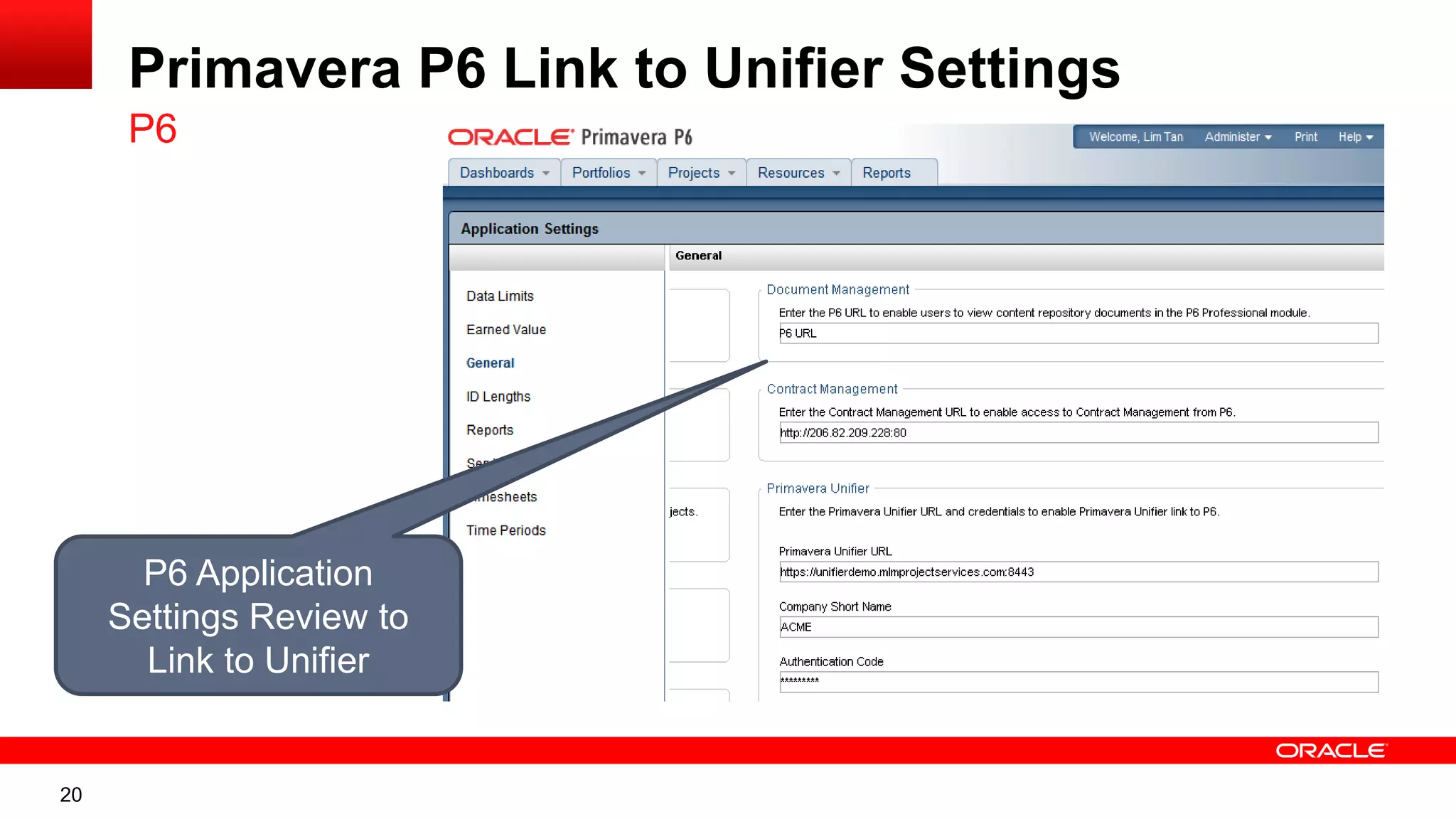
Primavera P6 Link to Unifier Settings
P6
P6 Application
Settings Review to
Link to Unifier
21
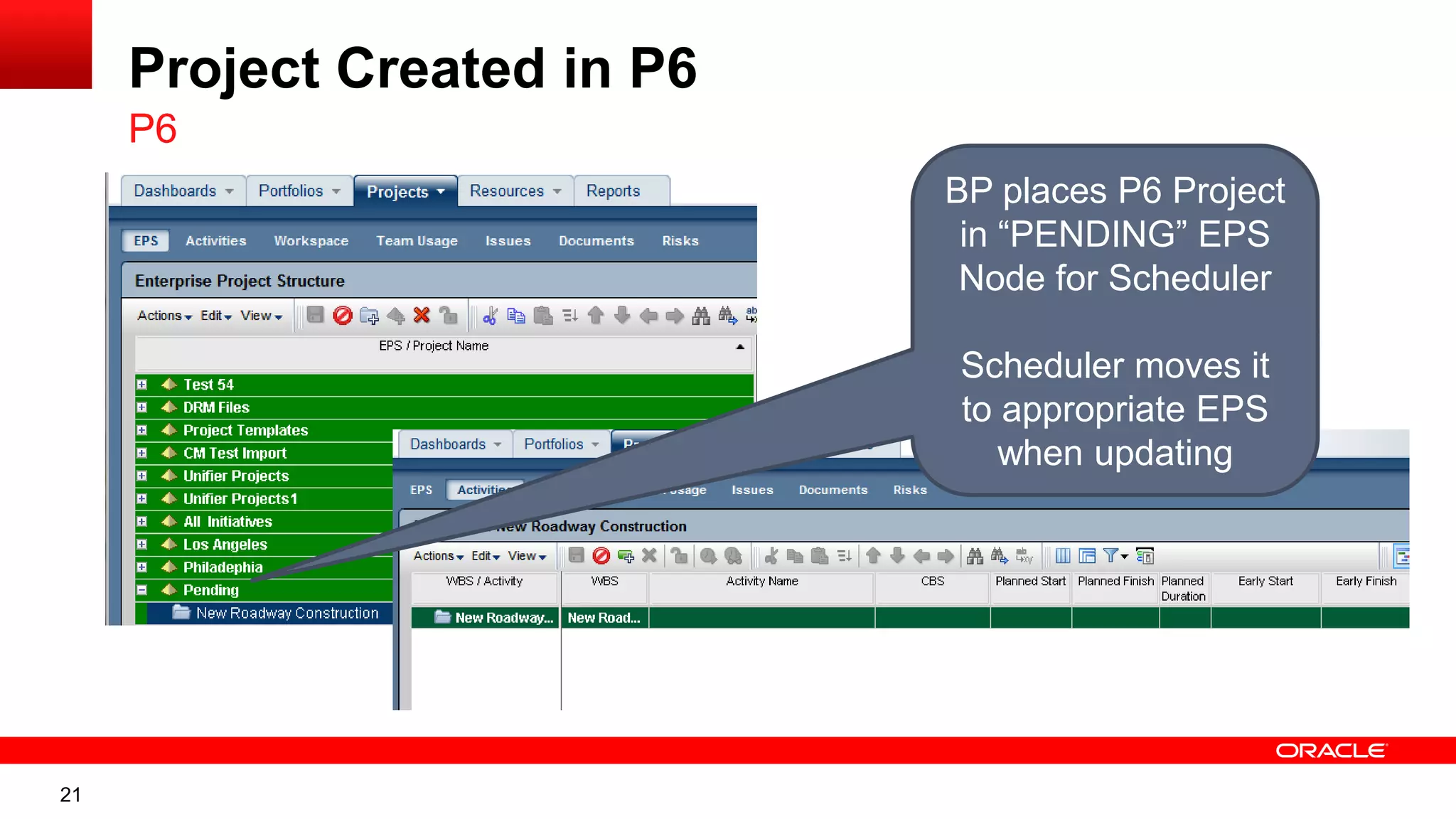
Project Created in P6
P6
BP places P6 Project
in “PENDING” EPS
Node for Scheduler
Scheduler moves it
to appropriate EPS
when updating
22
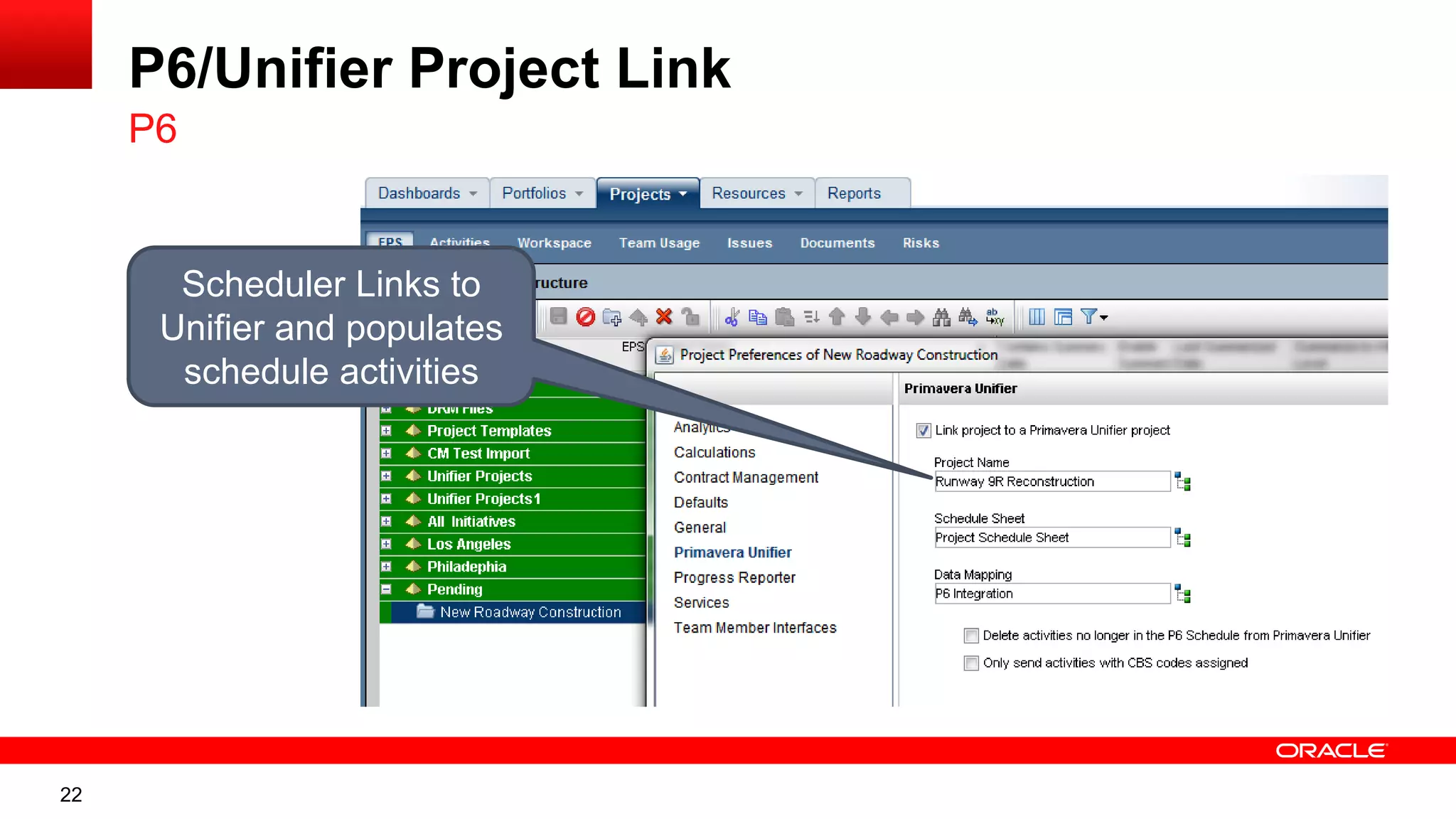
P6/Unifier Project Link
P6
Scheduler Links to
Unifier and populates
schedule activities
23
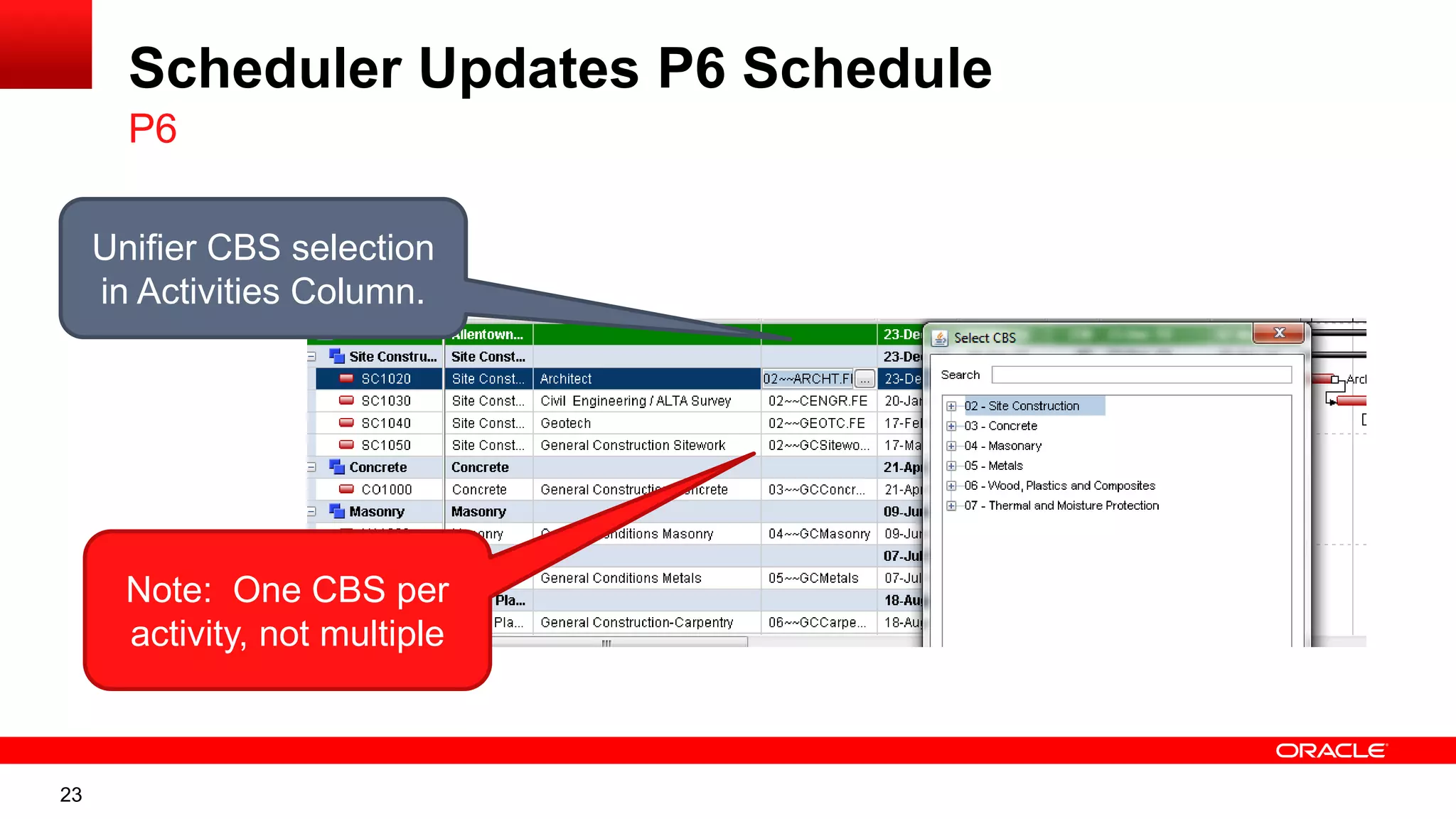
Scheduler Updates P6 Schedule
P6
Unifier CBS selection
in Activities Column.
Note: One CBS per
activity, not multiple
24
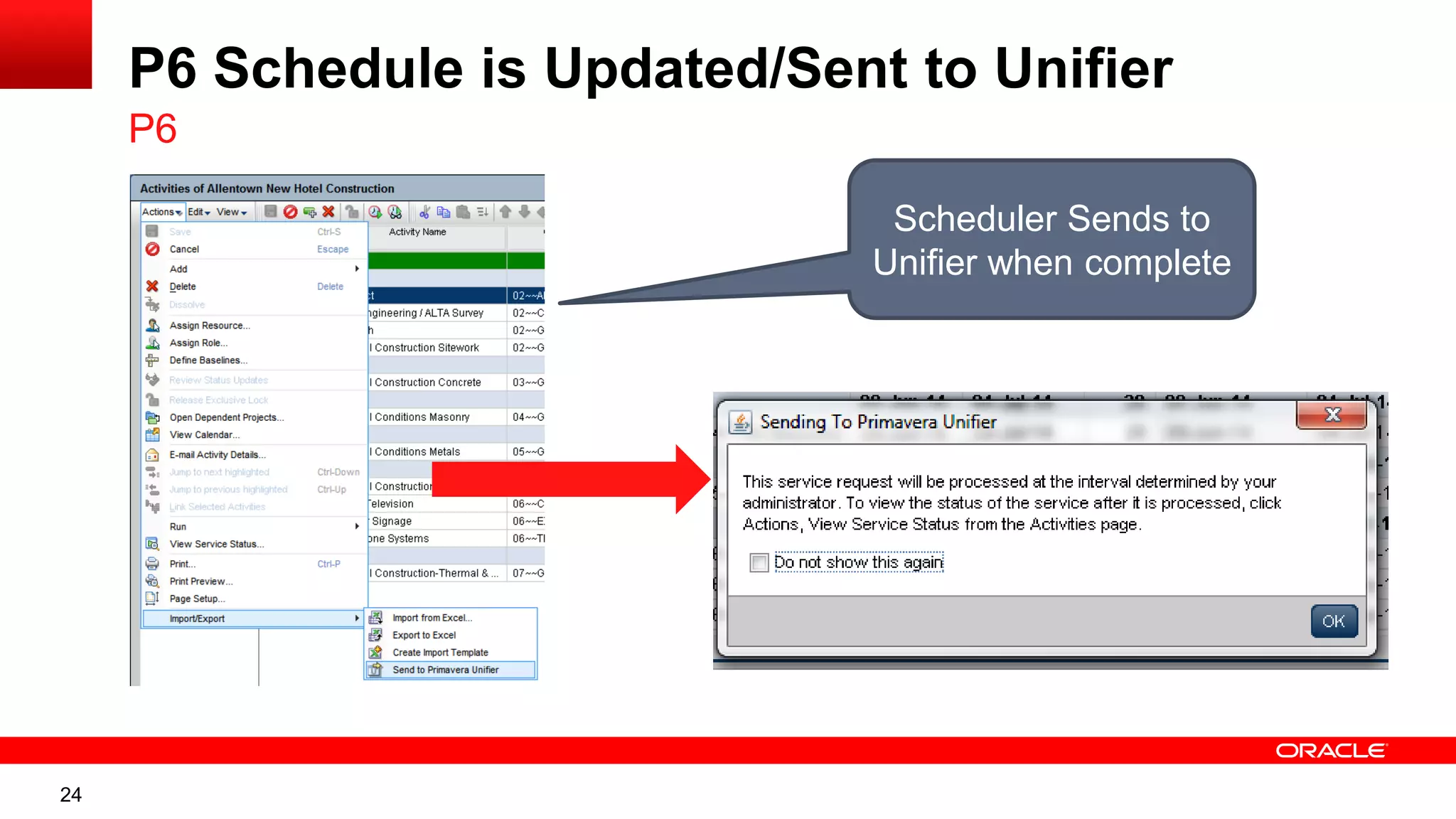
P6 Schedule is Updated/Sent to Unifier
P6
Scheduler Sends to
Unifier when complete
25
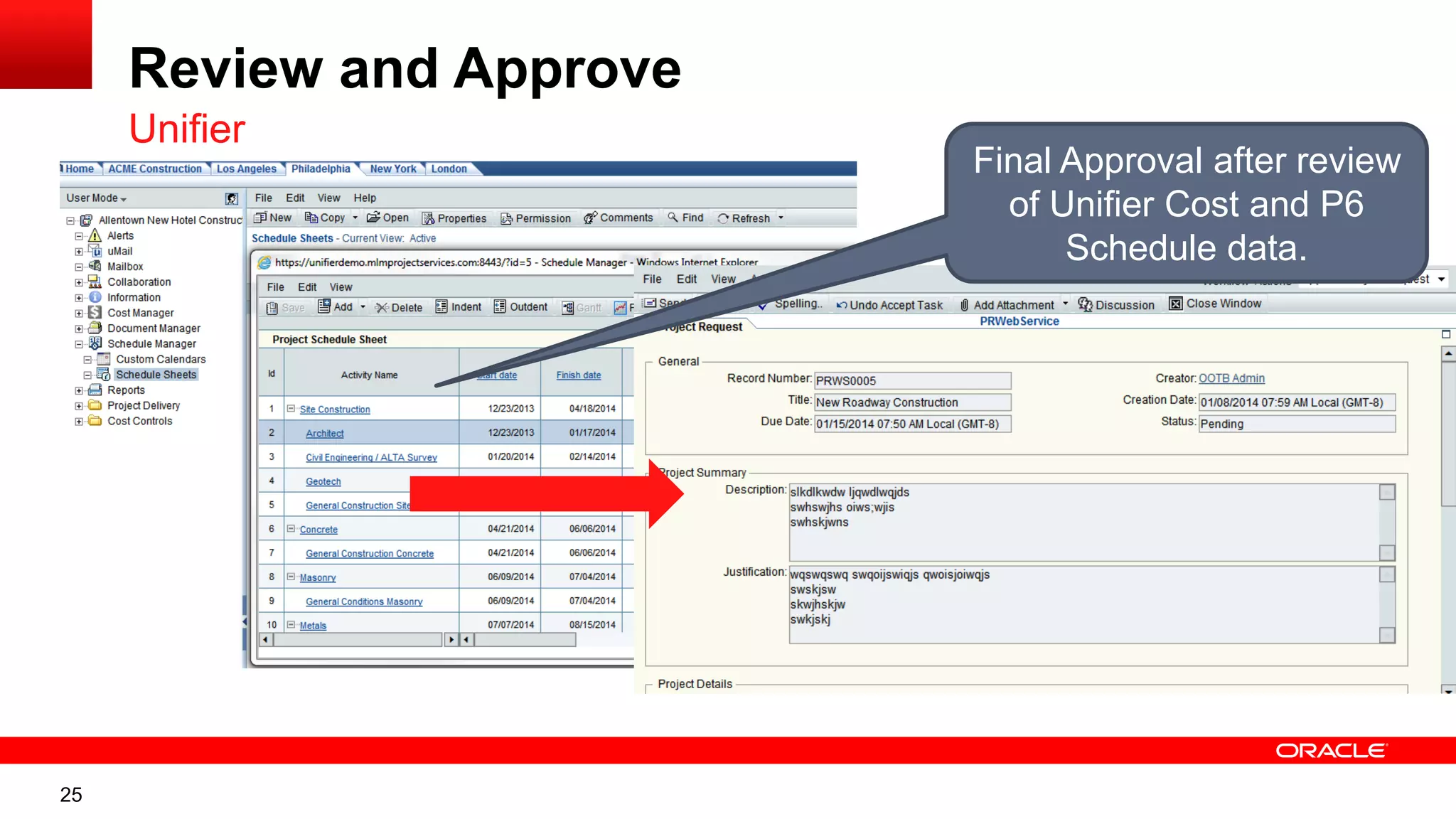
Review and Approve
Unifier
Final Approval after review
of Unifier Cost and P6
Schedule data.
26
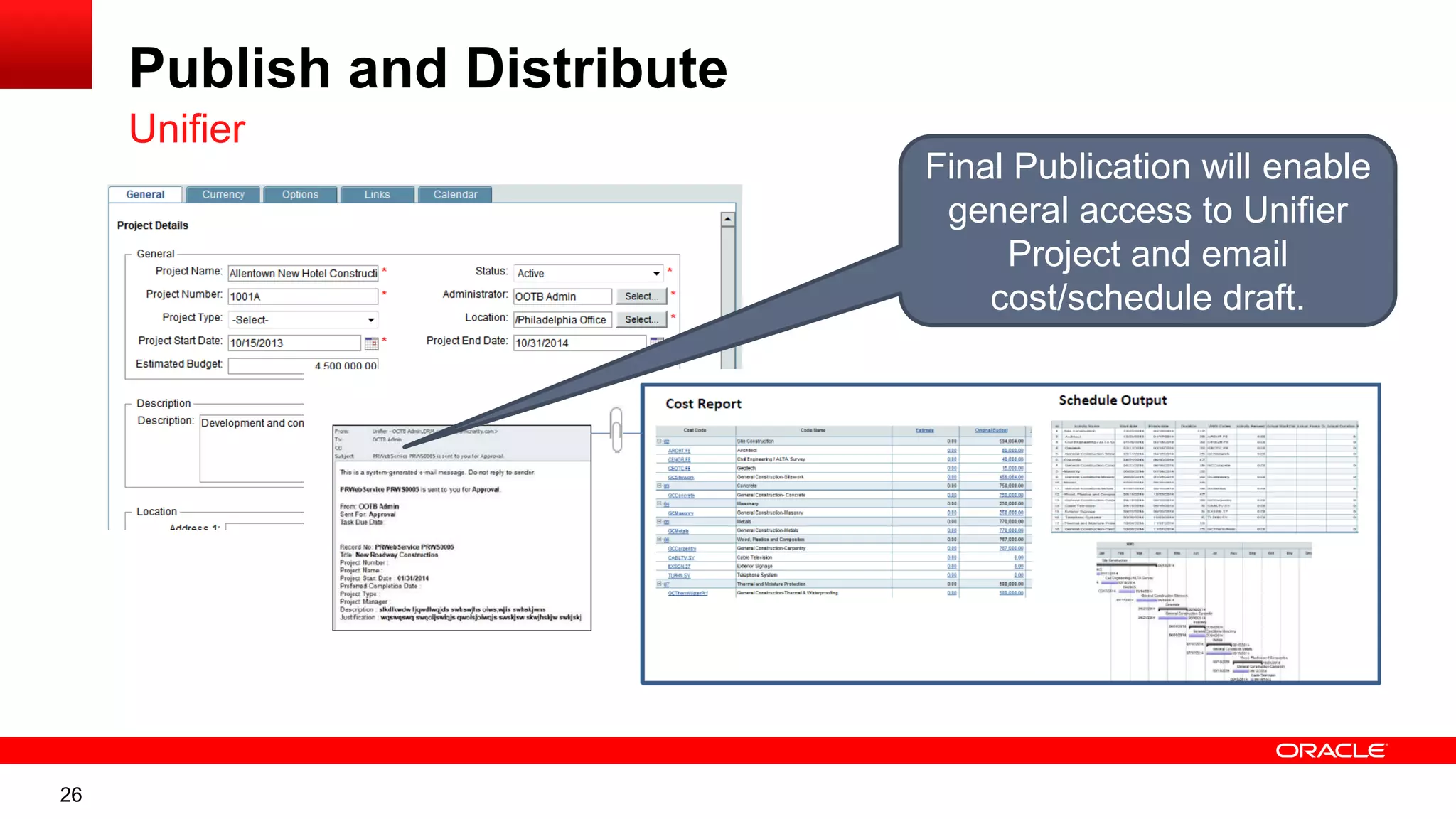
Publish and Distribute
Unifier
Final Publication will enable
general access to Unifier
Project and email
cost/schedule draft.
27
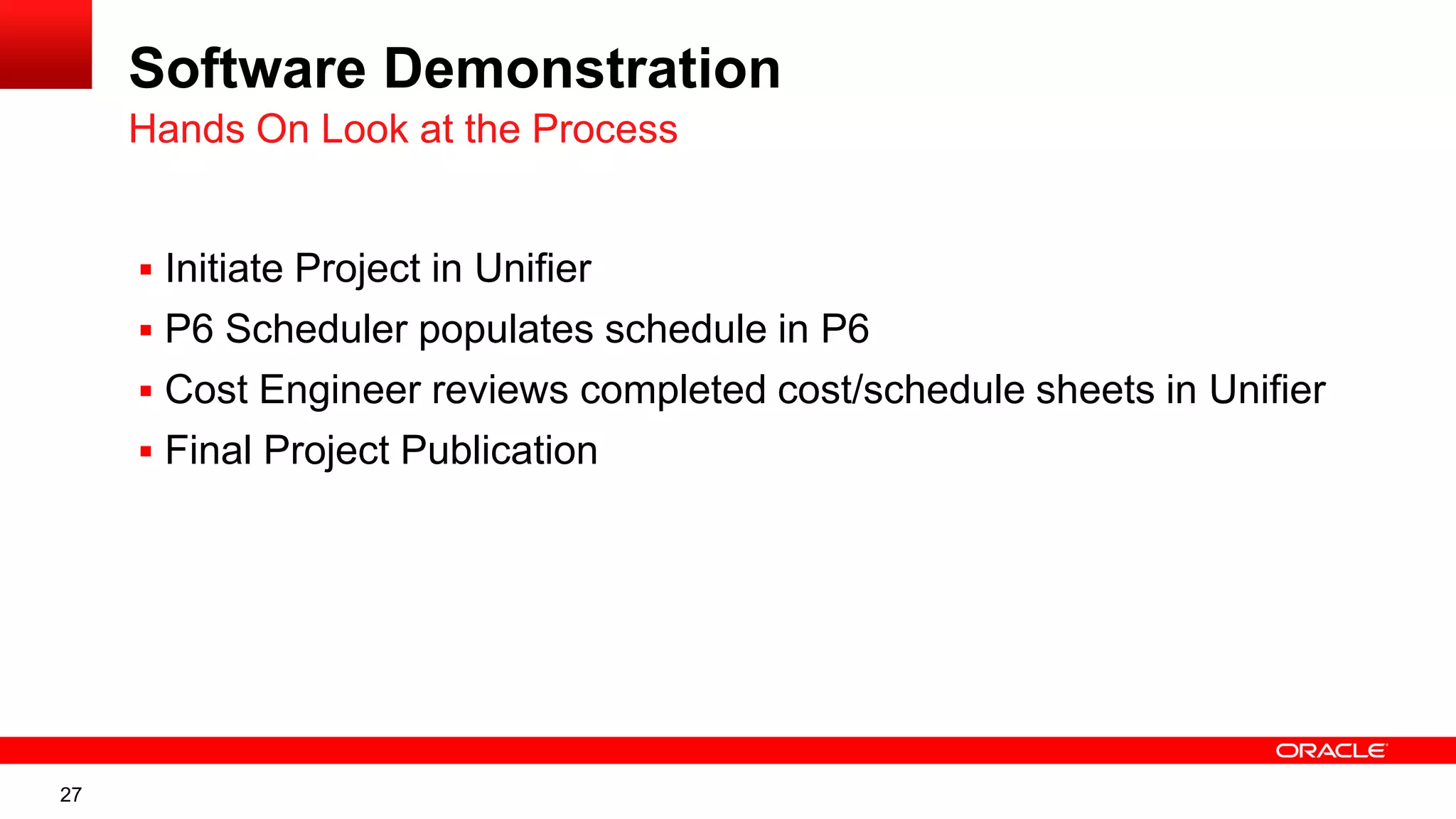
Software Demonstration
 Initiate Project in Unifier
 P6 Scheduler populates schedule in P6
 Cost Engineer reviews completed cost/schedule sheets in Unifier
 Final Project Publication
Hands On Look at the Process
28
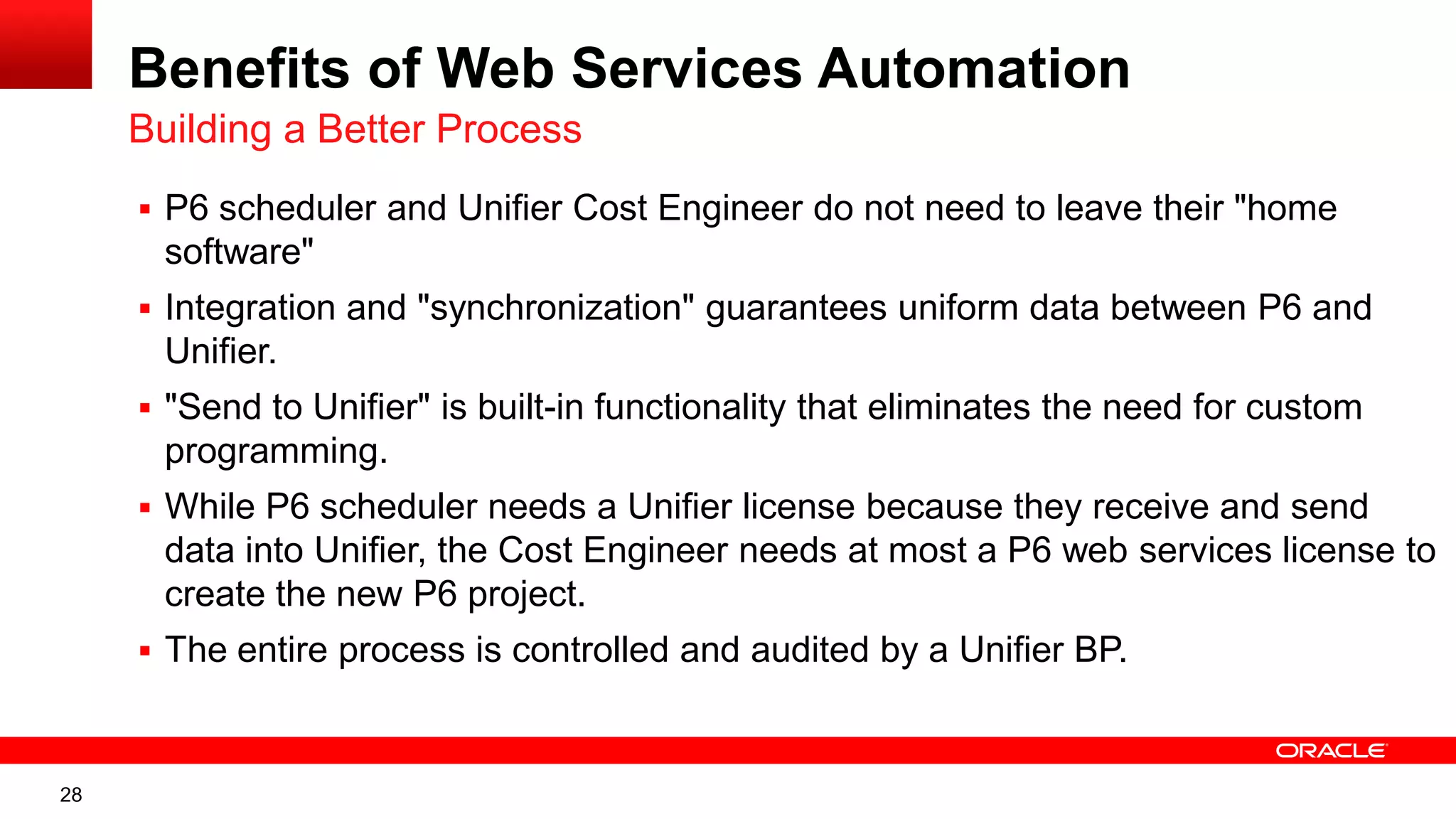
Benefits of Web Services Automation
 P6 scheduler and Unifier Cost Engineer do not need to leave their "home
software"
 Integration and "synchronization" guarantees uniform data between P6 and
Unifier.
 "Send to Unifier" is built-in functionality that eliminates the need for custom
programming.
 While P6 scheduler needs a Unifier license because they receive and send
data into Unifier, the Cost Engineer needs at most a P6 web services license to
create the new P6 project.
 The entire process is controlled and audited by a Unifier BP.
Building a Better Process
29
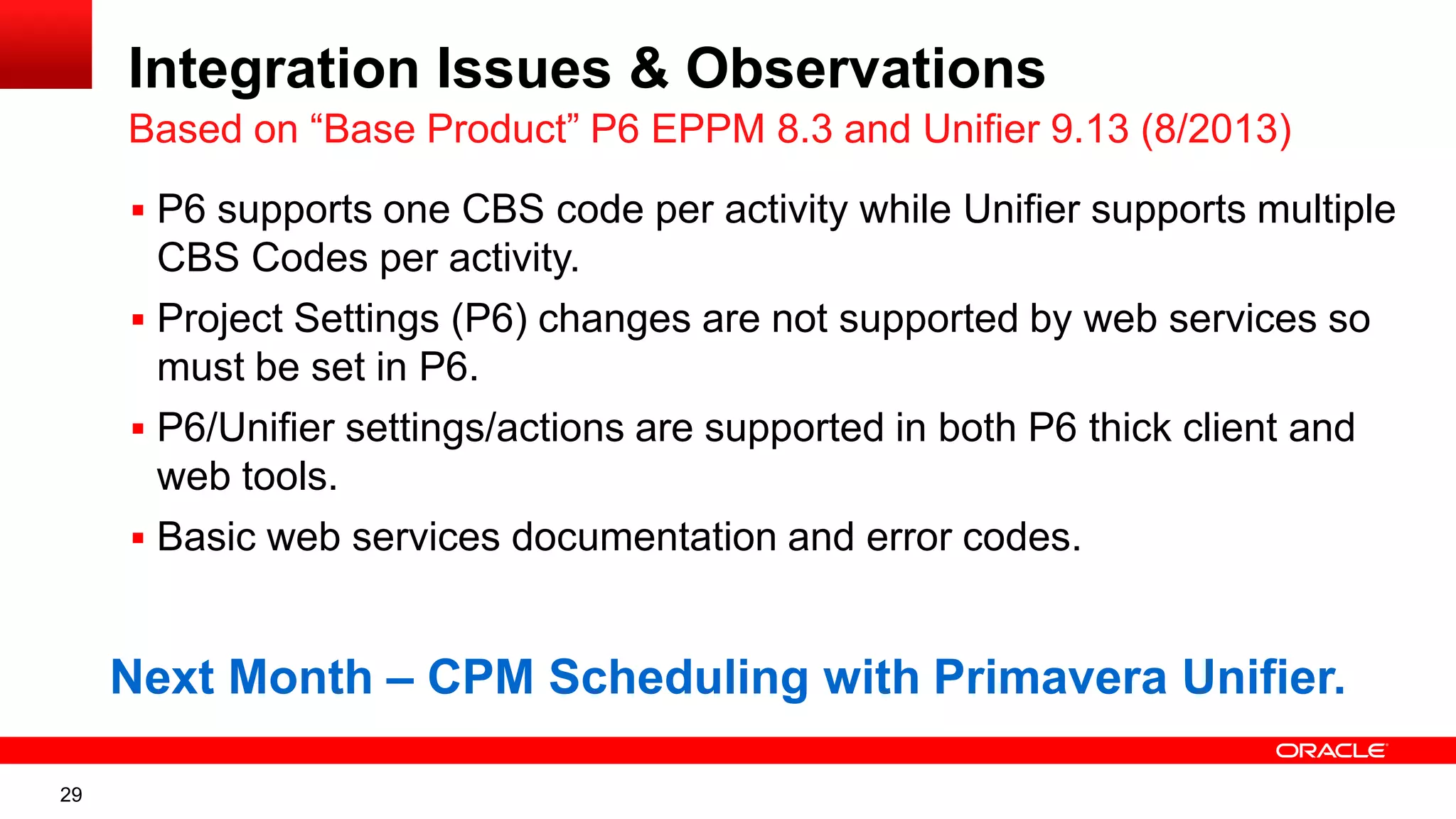
Integration Issues & Observations
Based on “Base Product” P6 EPPM 8.3 and Unifier 9.13 (8/2013)
 P6 supports one CBS code per activity while Unifier supports multiple
CBS Codes per activity.
 Project Settings (P6) changes are not supported by web services so
must be set in P6.
 P6/Unifier settings/actions are supported in both P6 thick client and
web tools.
 Basic web services documentation and error codes.
Next Month – CPM Scheduling with Primavera Unifier.
30
Questions
 Answers are based on our own experiences using the various
software products related to your questions.
All questions are gathered into a master sheet, answered and
distributed to all registrants as well as posted on our website.
Thank you for participating
 Rudy Ising– rising@drmcnatty.com
 Lim Tan – ltan@drmcnatty.com
31
UPCOMING EVENTS
The DRM/MLM
team is
participating in
these
upcoming
events.
Hope to see
you there!
31
32
Get updates on the latest news,
events and upcoming webinars.
Sign up for our newsletter on our website www.drmcnatty.com
Click on “News”

Unifier webinar-final-printed

  • 1.
    Integrate Unifier withWeb- Service Utilities Rudy Ising, Certified Unifier Specialist Lim Tan, Certified Unifier Specialist January 29, 2014 2014 Technical Webinar Series
  • 2.
    2 Thank you forjoining today’s technical webinar  Mute – all call in phones are automatically muted in order to preserve the quality of the audio for all attendees.  Questions – during the session, questions can be submitted through the Questions Box on the right side of the screen . We will try to address your questions at the end of the presentation, time permitting.  Follow up – all registrants will receive an Excel file listing all questions and responses along with a link to the recorded webinar.
  • 3.
    3 Safe Harbor  Thestatements made in this technical presentation are based on our current knowledge of the tools.  Our statements should not be construed to be an official “Oracle perspective”, but are intended to be the sharing of technical and user knowledge gained as we explore new paths and technologies, usually in advance of our clients.  Our statements should not be construed as in conflict with any Oracle statement, as the Oracle statement is likely made based on more current knowledge than is available to us.
  • 4.
    4 Twenty-five + yearsexperience with Primavera • Oracle Primavera Software • Oracle Primavera Certified Training & Implementation Specializations • Integration and custom interface development • Project staffing and support • Global, dedicated environment, hosting services  Primavera OPPM, P6 EPPM, P6 Pro, Primavera Unifier, Contract Management, BI Publisher, UCM/Sharepoint, P6 Risk, AutoVue and Analytics  Hard Dollar, Acumen Fuse, Ecosys, Prism G2, US Cost, Microsoft Dynamics…  Global Data Centers in USA, London, Singapore and Brisbane
  • 5.
    5 The “Unifier WebinarSeries”  August – Overview of Oracle Primavera Unifier & Contract Management  September – Migrating from Contract Management to Unifier  October – Implementing Unifier in an Owner, CM or GC environment  December – Unifier/P6 Cost and Schedule Integration  January – Integrate Unifier with Webservice Utilities  February – CPM Scheduling with Primavera Unifier DRMcNatty is providing the following webinars on Unifier to help our clients better understand Unifier and how Unifier is Implemented. Video of previous webinars are posted at www.drmcnatty.com/Resources/Webinars/
  • 6.
    6 What is PrimaveraUnifier?  Cloud-based Integrated Project Information Management solution
  • 7.
    7 What is PrimaveraUnifier?  Cloud-based Integrated Project Information Management solution  Configurable Business Processes: – Automation to drive business rules, accountability and visibility
  • 8.
    8 What is PrimaveraUnifier?  Cloud-based Integrated Project Information Management solution  Configurable Business Processes: – Automation to drive business rules, accountability and visibility  Intuitive User Interface: – Increases user productivity and adoption  Benefits – Real-time visibility to project data – Automation of Business Processes – Specific access levels to information – Complete audit trail of project events
  • 9.
    9 Available Pre-Configured Packages Capital Project & Program Management (CPPM) packages – Primavera Unifier Capital Planning – Primavera Unifier Cost Controls – Primavera Unifier Project Delivery Management R9.14 – Posted on eDelivery on Dec 2013
  • 10.
    10 Fundamentals of P6-UnifierIntegration Based on “Base Product” P6 EPPM 8.3 and Unifier 9.13 (8/2013) P6 EPPM Unifier CBS (wbs) Code Activity ID & Name Actual Dates % % BL Dates & Dur E/L Dates & Dur Start Date Schedule Reports Cost Reports Cash Flow Reports Earned Value Reports Dates Dates & Costs P6 Project Unifier Project Progress Snapshots Forecast Reports
  • 11.
    11 Why Link P6and Unifier?  Establish & control the project budget  Control Funding  Record commitments and changes  Pay commitments and track spending  Link to a project schedule and monitor project progress  Report on all aspects of the project  Retain and manage all project documents  Maintain an audit trail Cost Control application provides a way to manage budget, scope, and schedule:
  • 12.
    12 Unifier Cost Breakdown Structure P6 Work Breakdown Structure Full Project Controls Solution Document Control Capital PlanningFunding Bid Mgmt Cost Control Field Admin Cashflow Forecasts Phase Gates Contract Mgmt Resource Mgmt Schedule Mgmt EVM Risk Mgmt Unifier and P6 Integration Complete Solution
  • 13.
    13 Unifier Project ApprovalBP Unifier Project Initiation is done in Unifier Limited (admin) access PRIOR to “Publication”
  • 14.
    14 Request New Project Approval CreateProject Web Service Listener: Create P6 Schedule after Unifier project created; update BP Submit Approve P6 Schedule Complete P6 Project Creation P6 Schedule Detail Entry; Projects Link; Assign CBS; Send To Unifier P6 Scheduler Notification Send P6 Project Schedule Details to Unifier Cost Review/ Alignment Cost Engineer Notification Publish Approval Submit ReviseCost ReviseSchedule Publish and Distribute Approved Cost Reportand Schedule Output PDF to Distribution END Email START Reject Unifier Web Services P6 UDR or BI Legend: Using Web Services for Project Approval Automating Unifier/P6 Project Creation Focus today is on the web services that drive this section of the BP
  • 15.
    15 Web Service Benefits Secure– Flexible - Dynamic •Secure Sockets Layer (SSL) •Encrypted •Protected Data •XML Schemas •Reports via Web Services •XML Web Services Interface •Flexible 3 Tier Architecture •Support for data import/export
  • 16.
    16 Building Web Services CustomProgramming Functions and Integration • Web Services uses XML programming tools • Both Unifier and P6 provide Web Services functionality • Used to communicate data in and out of Unifier • Used to push data into P6 from Unifier
  • 17.
    17 Project Information Entered/Sentfor Approval Unifier Unifier Administrator Requests Approval
  • 18.
  • 19.
    19 Project Created inUnifier Unifier CBS from Unifier Template Empty Schedule Sheet Project Access limited to Administrator and Cost Engineer until final “Publication”
  • 20.
    20 Primavera P6 Linkto Unifier Settings P6 P6 Application Settings Review to Link to Unifier
  • 21.
    21 Project Created inP6 P6 BP places P6 Project in “PENDING” EPS Node for Scheduler Scheduler moves it to appropriate EPS when updating
  • 22.
    22 P6/Unifier Project Link P6 SchedulerLinks to Unifier and populates schedule activities
  • 23.
    23 Scheduler Updates P6Schedule P6 Unifier CBS selection in Activities Column. Note: One CBS per activity, not multiple
  • 24.
    24 P6 Schedule isUpdated/Sent to Unifier P6 Scheduler Sends to Unifier when complete
  • 25.
    25 Review and Approve Unifier FinalApproval after review of Unifier Cost and P6 Schedule data.
  • 26.
    26 Publish and Distribute Unifier FinalPublication will enable general access to Unifier Project and email cost/schedule draft.
  • 27.
    27 Software Demonstration  InitiateProject in Unifier  P6 Scheduler populates schedule in P6  Cost Engineer reviews completed cost/schedule sheets in Unifier  Final Project Publication Hands On Look at the Process
  • 28.
    28 Benefits of WebServices Automation  P6 scheduler and Unifier Cost Engineer do not need to leave their "home software"  Integration and "synchronization" guarantees uniform data between P6 and Unifier.  "Send to Unifier" is built-in functionality that eliminates the need for custom programming.  While P6 scheduler needs a Unifier license because they receive and send data into Unifier, the Cost Engineer needs at most a P6 web services license to create the new P6 project.  The entire process is controlled and audited by a Unifier BP. Building a Better Process
  • 29.
    29 Integration Issues &Observations Based on “Base Product” P6 EPPM 8.3 and Unifier 9.13 (8/2013)  P6 supports one CBS code per activity while Unifier supports multiple CBS Codes per activity.  Project Settings (P6) changes are not supported by web services so must be set in P6.  P6/Unifier settings/actions are supported in both P6 thick client and web tools.  Basic web services documentation and error codes. Next Month – CPM Scheduling with Primavera Unifier.
  • 30.
    30 Questions  Answers arebased on our own experiences using the various software products related to your questions. All questions are gathered into a master sheet, answered and distributed to all registrants as well as posted on our website. Thank you for participating  Rudy Ising– rising@drmcnatty.com  Lim Tan – ltan@drmcnatty.com
  • 31.
    31 UPCOMING EVENTS The DRM/MLM teamis participating in these upcoming events. Hope to see you there! 31
  • 32.
    32 Get updates onthe latest news, events and upcoming webinars. Sign up for our newsletter on our website www.drmcnatty.com Click on “News”