S
UI Components
Development Guidelines
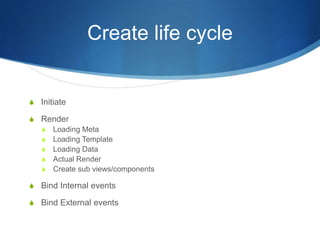
Create life cycle
S Initiate
S Render
S Loading Meta
S Loading Template
S Loading Data
S Actual Render
S Create sub views/components
S Bind Internal events
S Bind External events
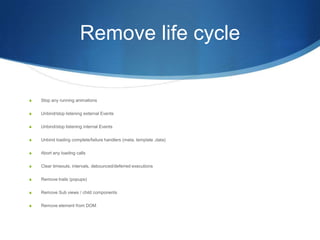
Remove life cycle
S Stop any running animations
S Unbind/stop listening external Events
S Unbind/stop listening internal Events
S Unbind loading complete/failure handlers (meta, template ,data)
S Abort any loading calls
S Clear timeouts, intervals, debounced/deferred executions
S Remove trails (popups)
S Remove Sub views / child components
S Remove element from DOM
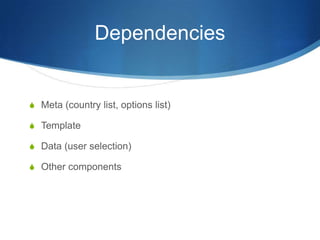
Dependencies
S Meta (country list, options list)
S Template
S Data (user selection)
S Other components
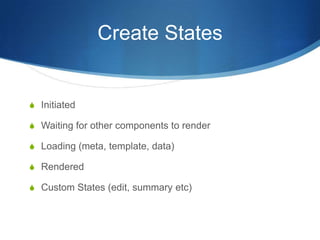
Create States
S Initiated
S Waiting for other components to render
S Loading (meta, template, data)
S Rendered
S Custom States (edit, summary etc)
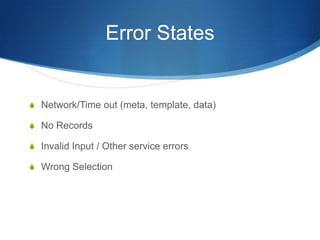
Error States
S Network/Time out (meta, template, data)
S No Records
S Invalid Input / Other service errors
S Wrong Selection
Selection States
S No Selection
S Default Selection
S All Selection
S Some Selection
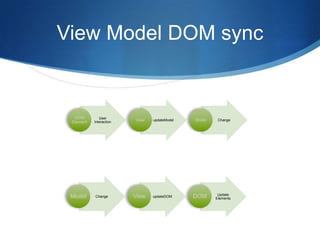
View Model DOM sync
User
Interaction
updateModel Change
Change updateDOM
Update
Elements
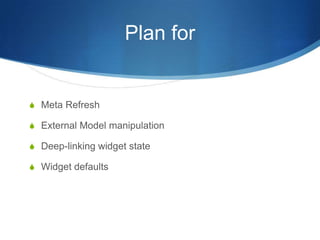
Plan for
S Meta Refresh
S External Model manipulation
S Deep-linking widget state
S Widget defaults
Dos
S JSHINT code from day one, it saves a lot of errors and
debugging
S Use deferred for any async operation (loading, rendering)
S Handle success and failure case for each deferred
S Defer creating DOM elements more than 20
S Debounce function calls if needed
S Keep functions short, this increases re-usability
Dos ctnd..
S Cleanup all event handlers, setTimeouts and deferreds, they
are the main source of memory leaks
S Go defensive, start with error case then code for success case
S Provide user feedback about all waiting/loading to user, it
makes your app look snappy.
S Validate every user input, every input should have upper limit
S Sanitize user input if needed before posting it to server
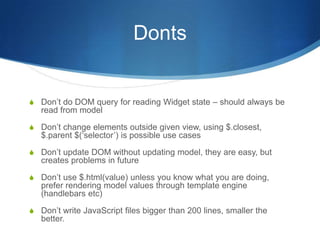
Donts
S Don’t do DOM query for reading Widget state – should always be
read from model
S Don’t change elements outside given view, using $.closest,
$.parent $(‘selector’) is possible use cases
S Don’t update DOM without updating model, they are easy, but
creates problems in future
S Don’t use $.html(value) unless you know what you are doing,
prefer rendering model values through template engine
(handlebars etc)
S Don’t write JavaScript files bigger than 200 lines, smaller the
better.

Ui components development

  • 1.
  • 2.
    Create life cycle SInitiate S Render S Loading Meta S Loading Template S Loading Data S Actual Render S Create sub views/components S Bind Internal events S Bind External events
  • 3.
    Remove life cycle SStop any running animations S Unbind/stop listening external Events S Unbind/stop listening internal Events S Unbind loading complete/failure handlers (meta, template ,data) S Abort any loading calls S Clear timeouts, intervals, debounced/deferred executions S Remove trails (popups) S Remove Sub views / child components S Remove element from DOM
  • 4.
    Dependencies S Meta (countrylist, options list) S Template S Data (user selection) S Other components
  • 5.
    Create States S Initiated SWaiting for other components to render S Loading (meta, template, data) S Rendered S Custom States (edit, summary etc)
  • 6.
    Error States S Network/Timeout (meta, template, data) S No Records S Invalid Input / Other service errors S Wrong Selection
  • 7.
    Selection States S NoSelection S Default Selection S All Selection S Some Selection
  • 8.
    View Model DOMsync User Interaction updateModel Change Change updateDOM Update Elements
  • 9.
    Plan for S MetaRefresh S External Model manipulation S Deep-linking widget state S Widget defaults
  • 10.
    Dos S JSHINT codefrom day one, it saves a lot of errors and debugging S Use deferred for any async operation (loading, rendering) S Handle success and failure case for each deferred S Defer creating DOM elements more than 20 S Debounce function calls if needed S Keep functions short, this increases re-usability
  • 11.
    Dos ctnd.. S Cleanupall event handlers, setTimeouts and deferreds, they are the main source of memory leaks S Go defensive, start with error case then code for success case S Provide user feedback about all waiting/loading to user, it makes your app look snappy. S Validate every user input, every input should have upper limit S Sanitize user input if needed before posting it to server
  • 12.
    Donts S Don’t doDOM query for reading Widget state – should always be read from model S Don’t change elements outside given view, using $.closest, $.parent $(‘selector’) is possible use cases S Don’t update DOM without updating model, they are easy, but creates problems in future S Don’t use $.html(value) unless you know what you are doing, prefer rendering model values through template engine (handlebars etc) S Don’t write JavaScript files bigger than 200 lines, smaller the better.