NETWORK TECHNOLOGIES: NETWORKS
219010439
Paballo Mokue
INTRODUCTION
This presentation is about
the topic of different types
of computer networks.
The aim of my presentation
is to help people acquire
knowledge about types of
computer networks and to
understand that each
network has its uses.
COMPUTER NETWORK
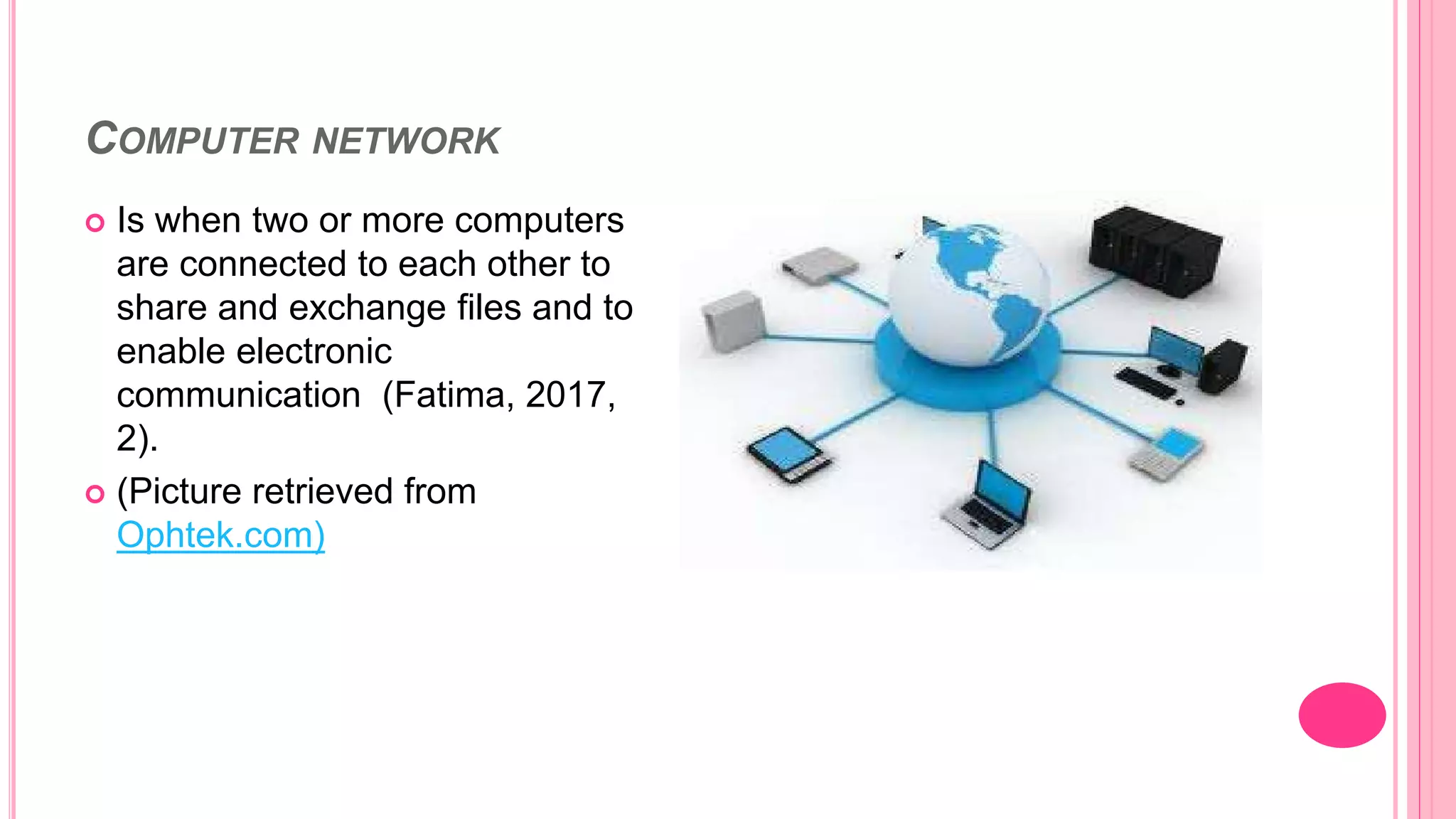
 Is when two or more computers
are connected to each other to
share and exchange files and to
enable electronic
communication (Fatima, 2017,
2).
 (Picture retrieved from
Ophtek.com)
ADVANTAGES AND DISADVANTAGES OF COMPUTER NETWORK
 Bhavanatmithun (2013, 18)
states Resource sharing-
share hardware devices such
as printer or scanner.
 Enables communication,
increases efficiency and reliable
(Bhavanatmithun 2013).
 Accessibility
 Setting up a computer network
can sometimes be expensive,
buying equipment such as
routers, modem.
 Security risks
 Health issues
Advantages Disadvantages
TYPES OF NETWORKS
PAN (Personal
area network)
HAN (Home area
network)
LAN (Local area
network)
WLAN (Wireless
local area network)
MAN (Metropolitan
Area network)
PERSONAL AREA NETWORK (PAN)
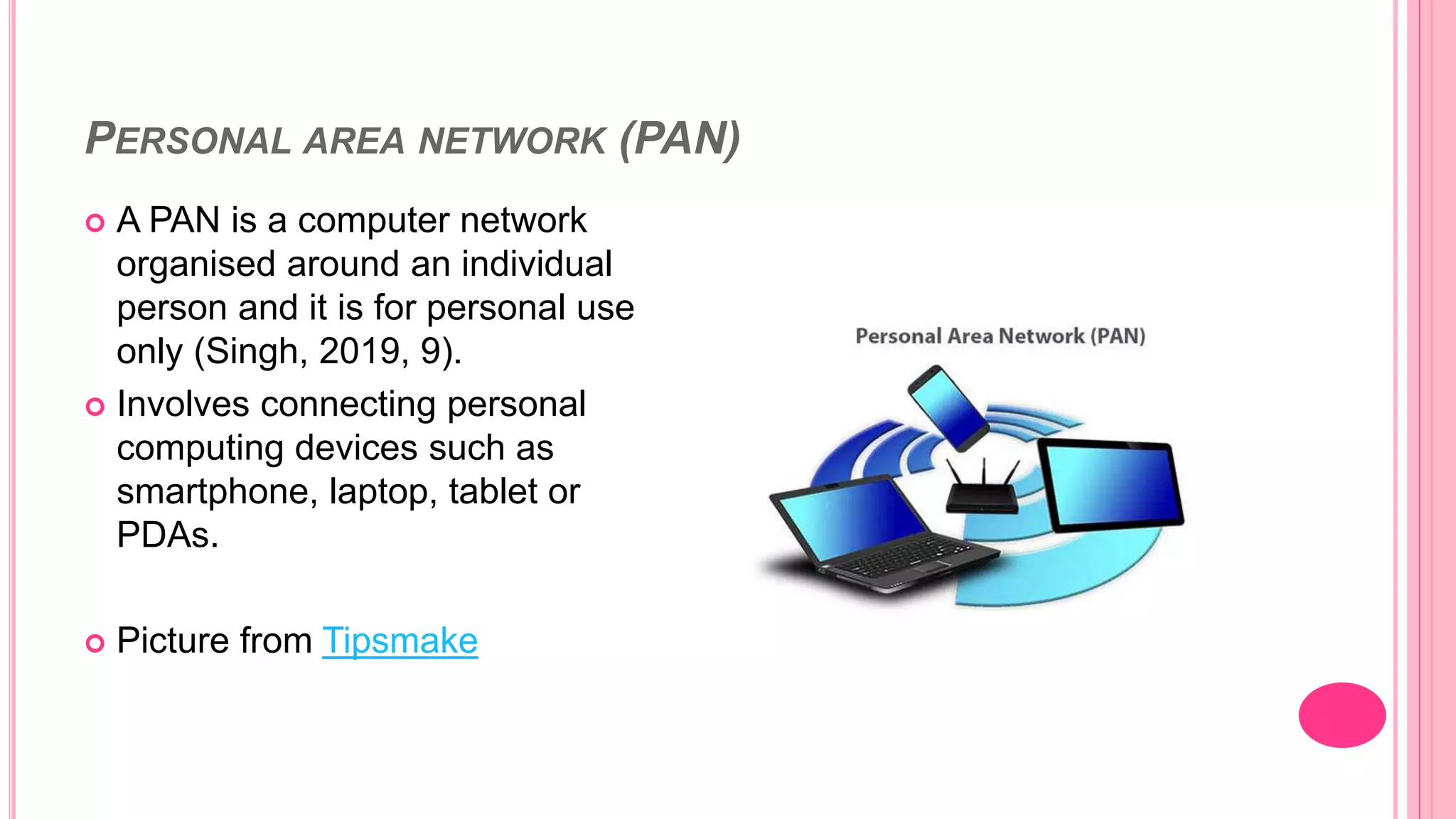
 A PAN is a computer network
organised around an individual
person and it is for personal use
only (Singh, 2019, 9).
 Involves connecting personal
computing devices such as
smartphone, laptop, tablet or
PDAs.
 Picture from Tipsmake
PERSONAL AREA NETWORK (PAN)
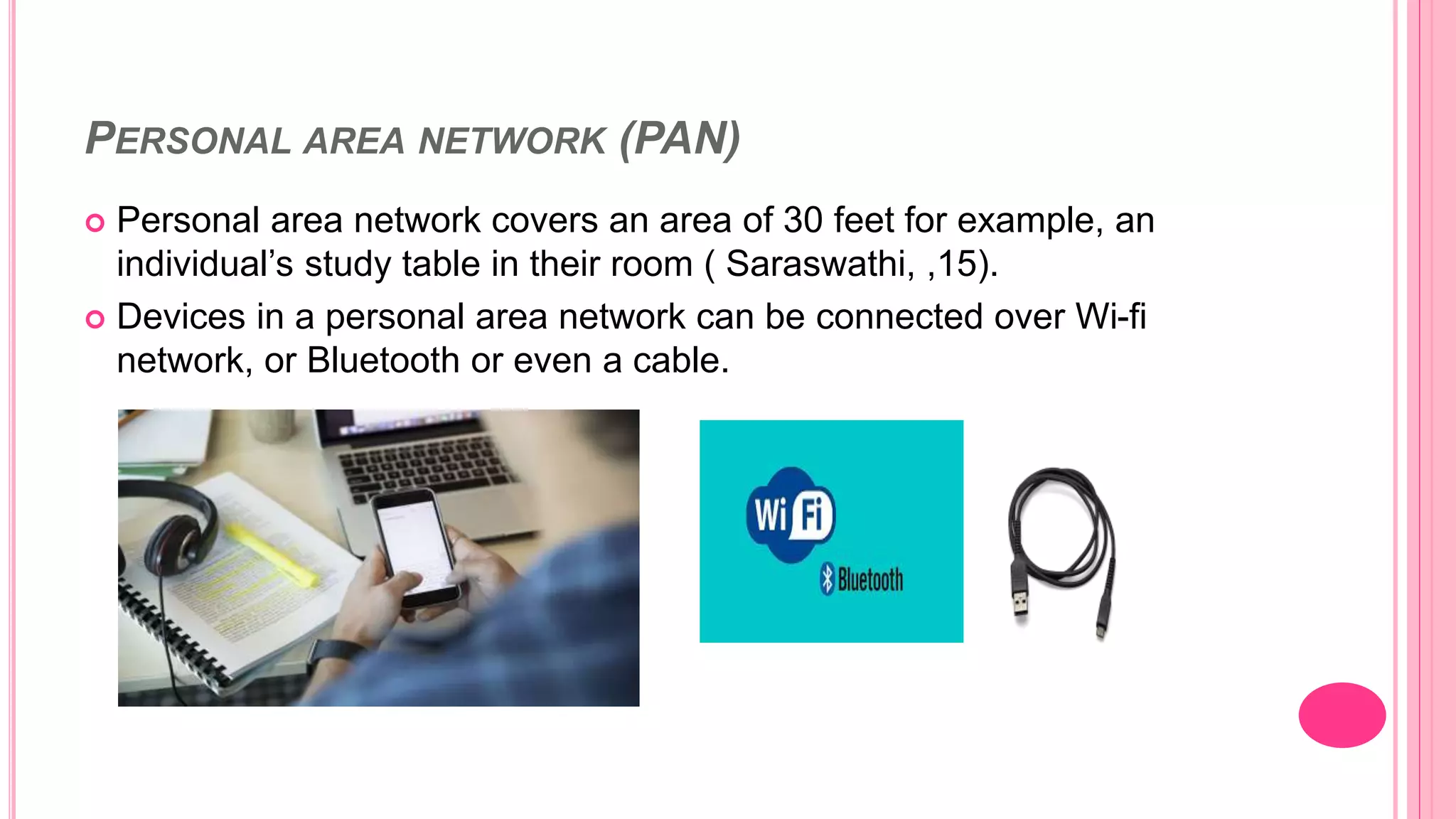
 Personal area network covers an area of 30 feet for example, an
individual’s study table in their room ( Saraswathi, ,15).
 Devices in a personal area network can be connected over Wi-fi
network, or Bluetooth or even a cable.
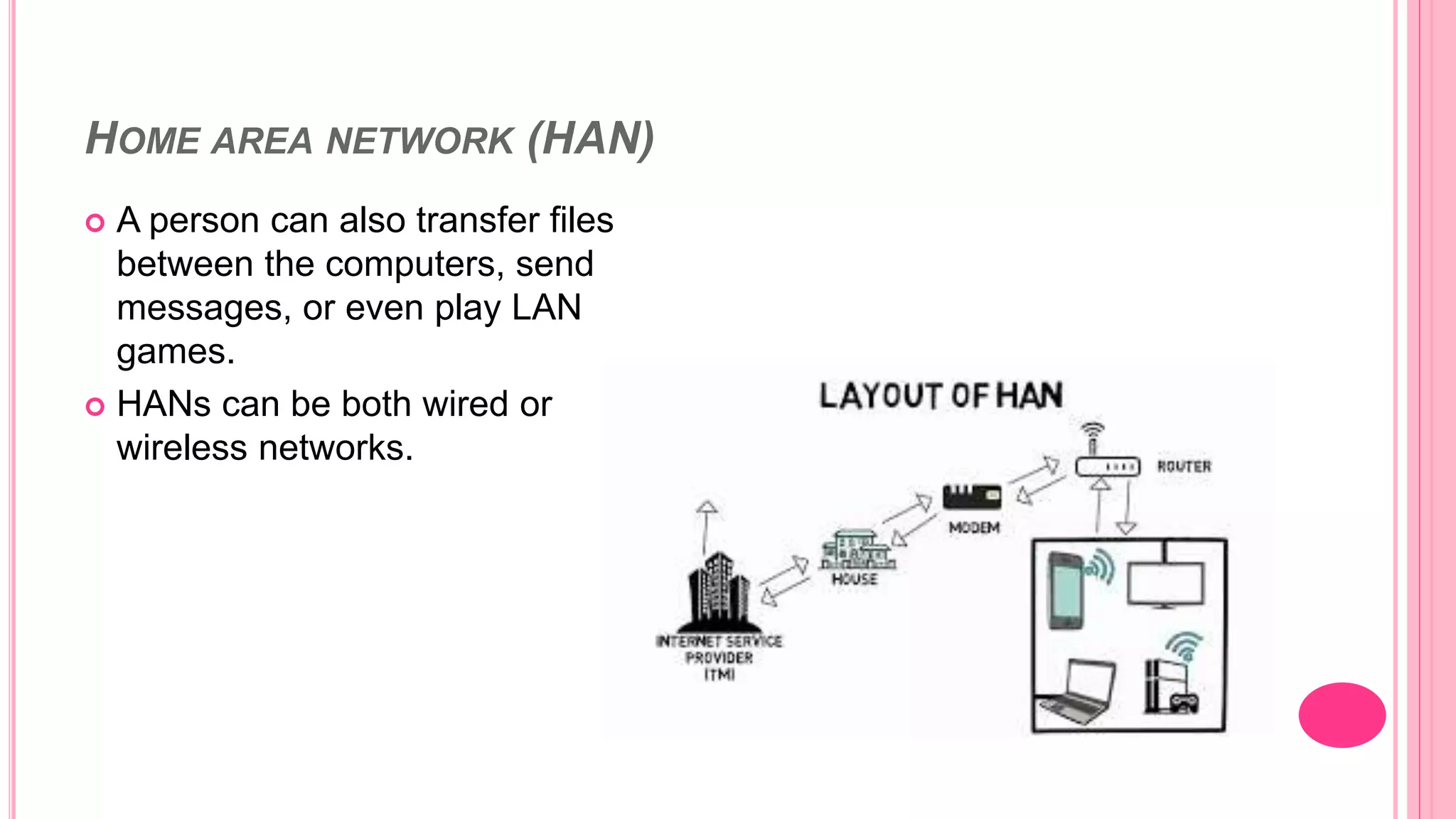
HOME AREA NETWORK (HAN)
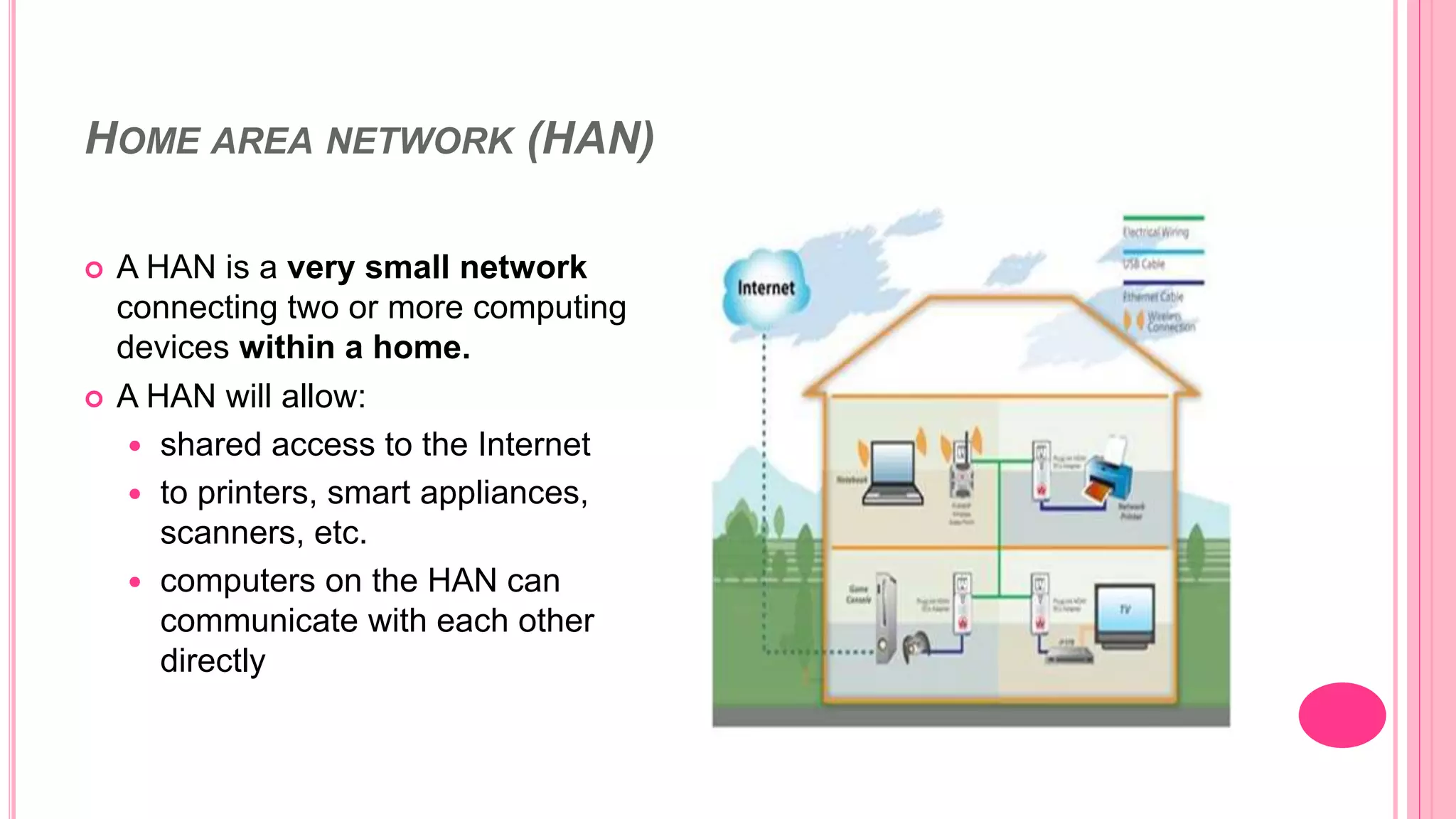
 A HAN is a very small network
connecting two or more computing
devices within a home.
 A HAN will allow:
 shared access to the Internet
 to printers, smart appliances,
scanners, etc.
 computers on the HAN can
communicate with each other
directly
HOME AREA NETWORK (HAN)
 A person can also transfer files
between the computers, send
messages, or even play LAN
games.
 HANs can be both wired or
wireless networks.
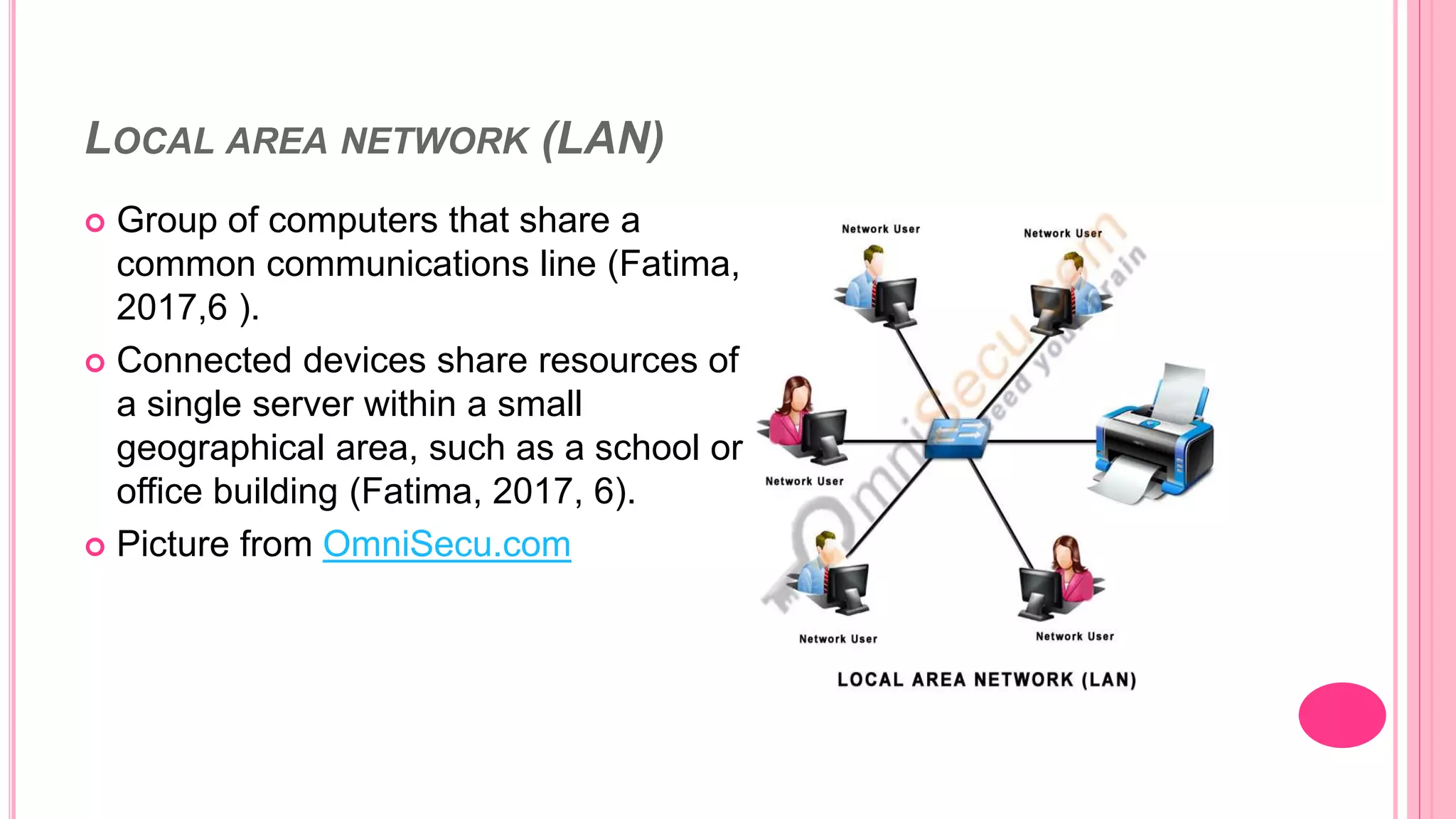
LOCAL AREA NETWORK (LAN)
 Group of computers that share a
common communications line (Fatima,
2017,6 ).
 Connected devices share resources of
a single server within a small
geographical area, such as a school or
office building (Fatima, 2017, 6).
 Picture from OmniSecu.com
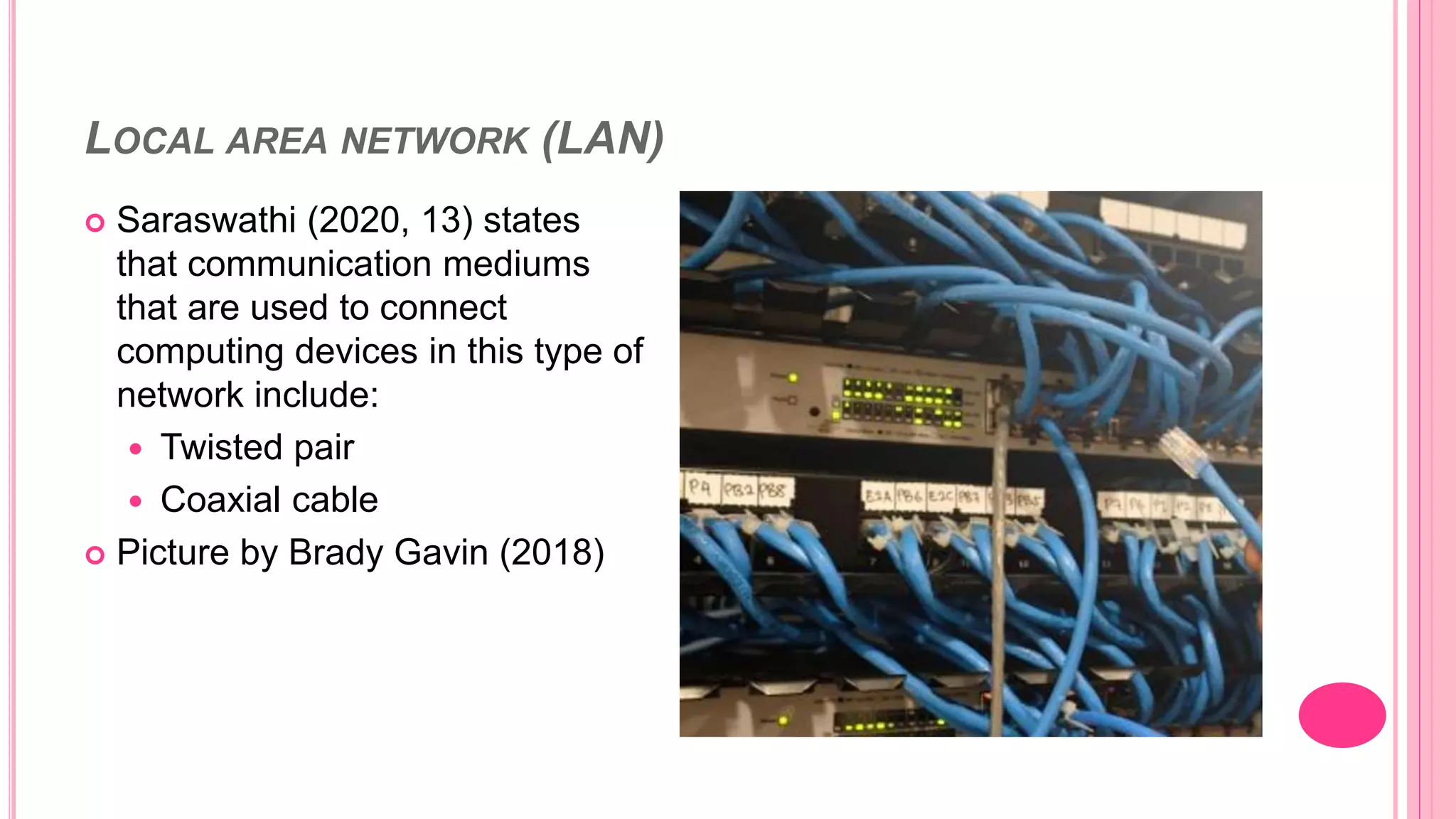
LOCAL AREA NETWORK (LAN)
 Saraswathi (2020, 13) states
that communication mediums
that are used to connect
computing devices in this type of
network include:
 Twisted pair
 Coaxial cable
 Picture by Brady Gavin (2018)
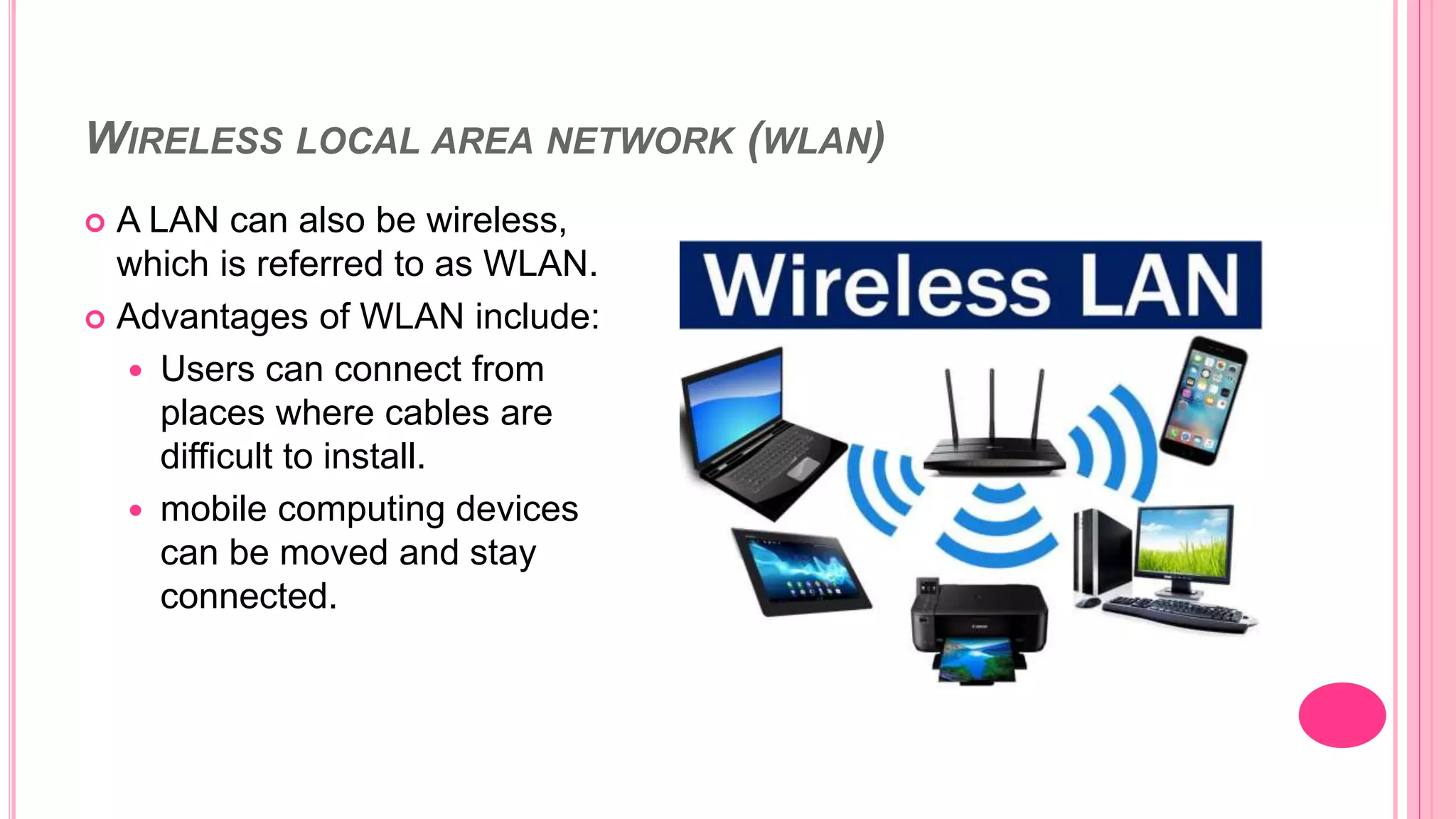
WIRELESS LOCAL AREA NETWORK (WLAN)
 A LAN can also be wireless,
which is referred to as WLAN.
 Advantages of WLAN include:
 Users can connect from
places where cables are
difficult to install.
 mobile computing devices
can be moved and stay
connected.
METROPOLITAN AREA NETWORK (MAN)
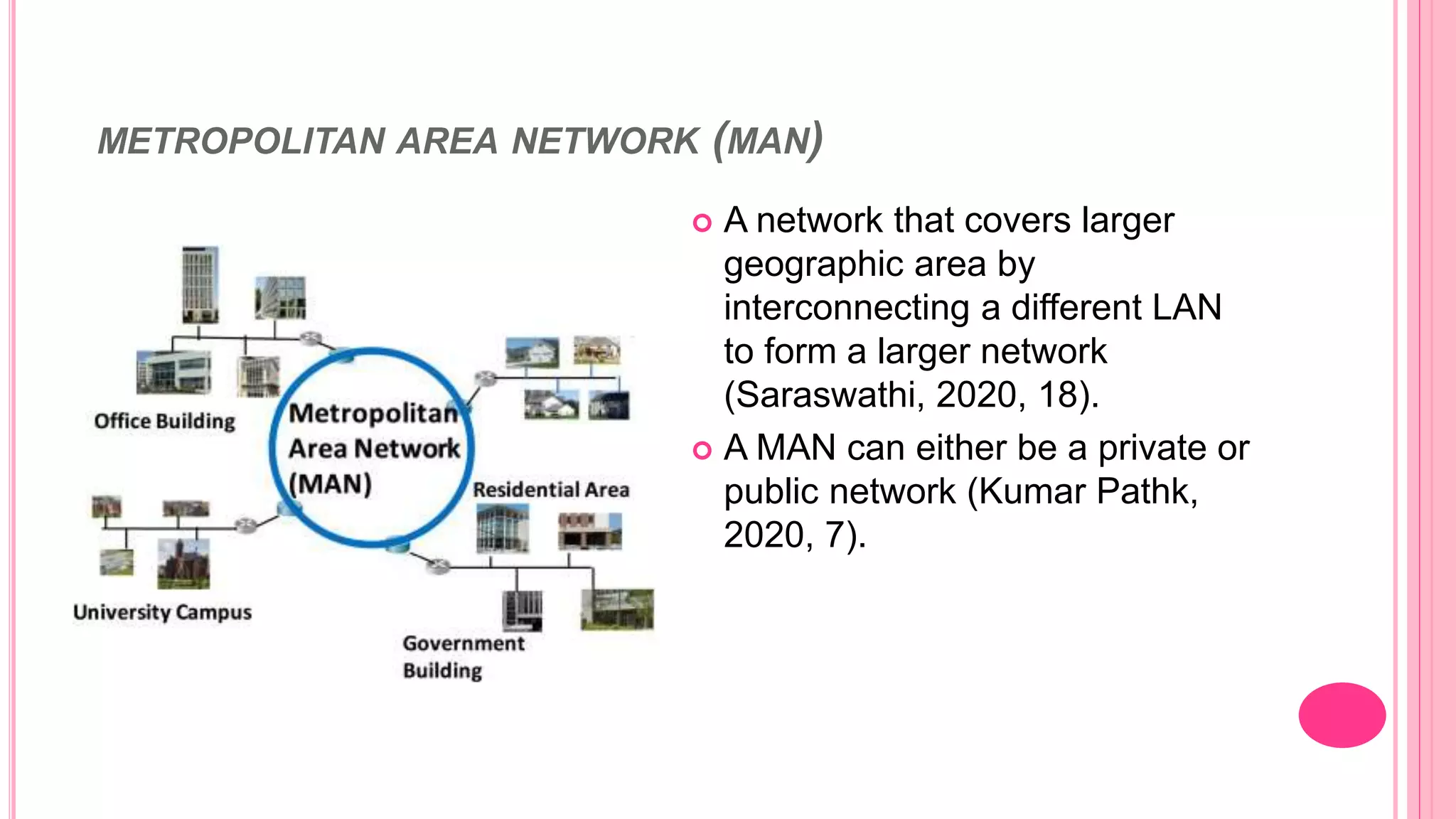
 A network that covers larger
geographic area by
interconnecting a different LAN
to form a larger network
(Saraswathi, 2020, 18).
 A MAN can either be a private or
public network (Kumar Pathk,
2020, 7).
METROPOLITAN AREA NETWORK (MAN)
Picture from Shutterstock
INTERNET SERVICE PROVIDERS (ISP’S) IN SOUTH AFRICA
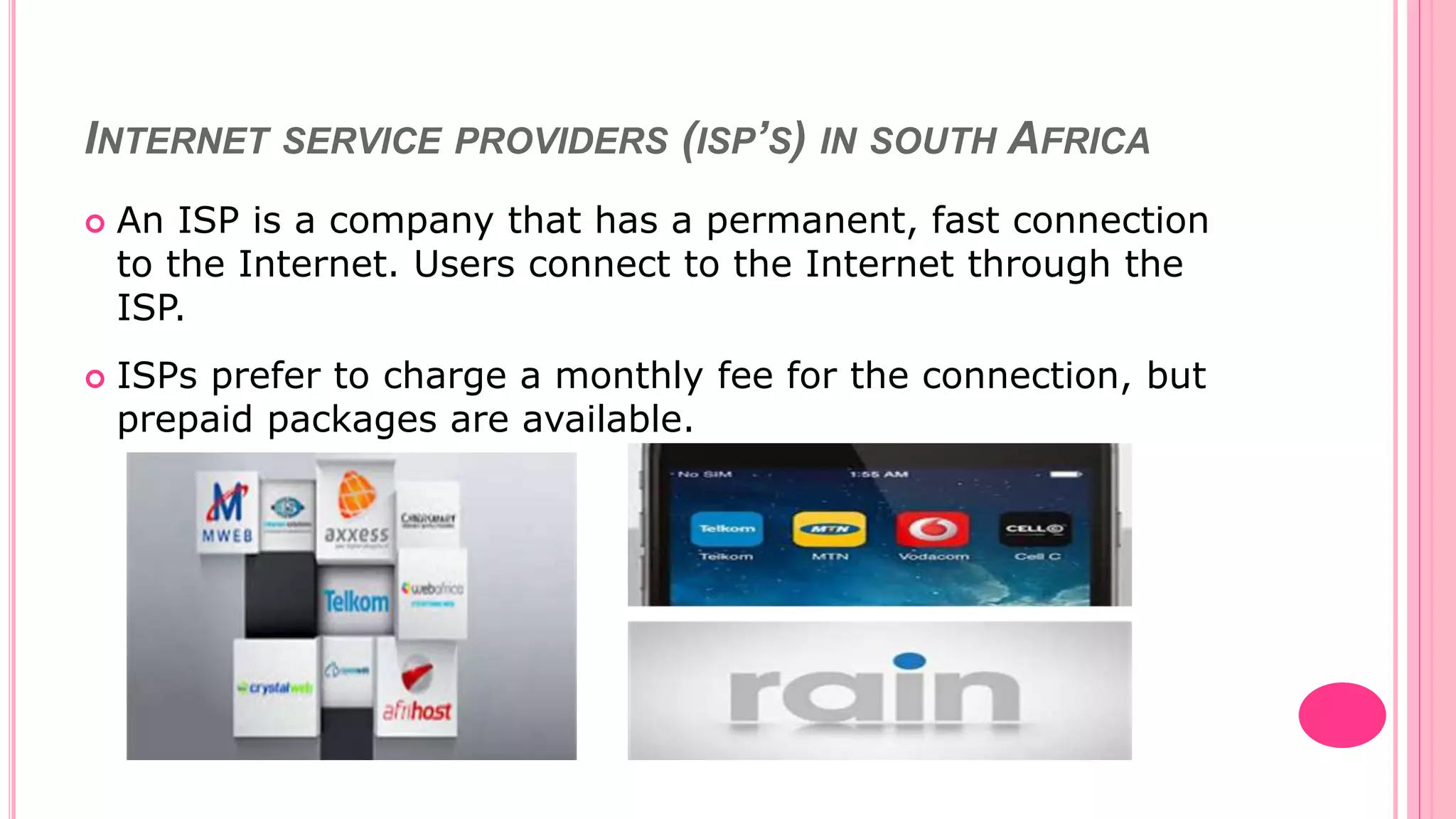
 An ISP is a company that has a permanent, fast connection
to the Internet. Users connect to the Internet through the
ISP.
 ISPs prefer to charge a monthly fee for the connection, but
prepaid packages are available.
HARDWARE & SOFTWARE NEEDED TO CONNECT TO THE
INTERNET
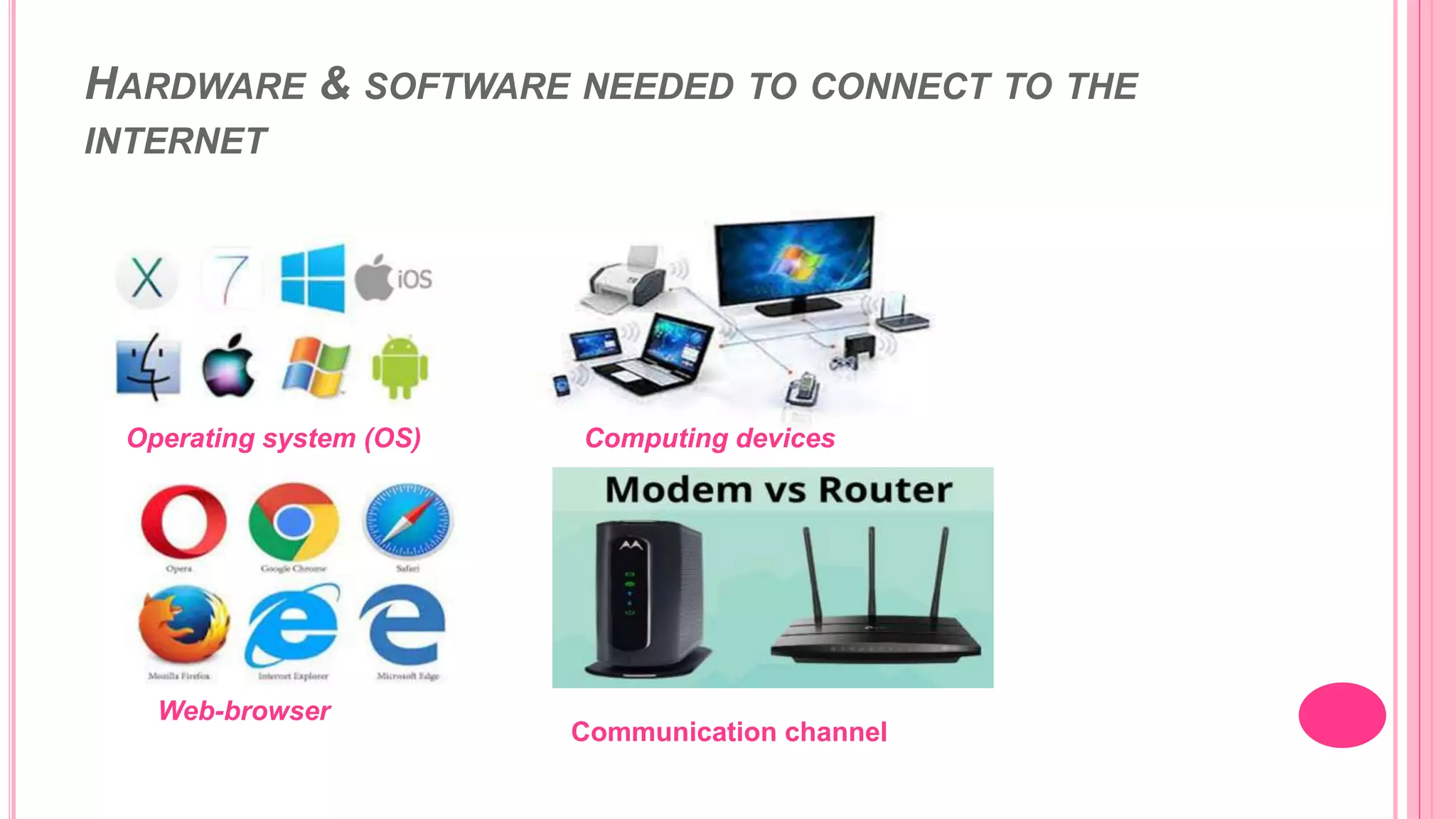
Computing devices
Operating system (OS)
Web-browser
Communication channel
REFERENCES
 Dr Kumar Pathk, R (2020). Rkp internet part 1. Available from SlideShare at:
https://www.slideshare.net/DRRamKumarPathak/rkp-internet-part-i
(Accessed 21 August 2021).
 Ramalingam, S (2020). Introduction to information technology. Available
from SlideShare at:
https://www.slideshare.net/SaraswathiRamalingam/introduction-to-
information-technology-saraswathi-ramalingam-240728593 (Accessed 21
August 2021)
 Singh, A (2019). Computer networking. Available from SlideShare at:
https://www.slideshare.net/perfectoanjali22/computer-networking-
anjalisingh1 (Accessed 21 August 2021)
 Fatima, T (2017). Types of computer networks. Available from SlideShare at:
https://www.slideshare.net/TatheerFatima1/types-of-computer-networks-
72993752 (Accessed 22 August 2021)
 Bhavanatmithun (2013). Computer networks. Available from SlideShare at:
https://www.slideshare.net/bhavanatmithun/computer-networks-25919363
(Accessed 22 August 2021)
REFERENCES
 Brady, G. (2018). What is a Local area network (LAN). Picture. Retrieved from:
https://www.howtogeek.com/353283/what-is-a-local-area-network-lan/
 Ophtek. (2019). What are the most common computer network problems. Blog
post. Picture retrieved from: https://ophtek.com/what-are-the-most-common-
computer-network-problems/
 Links to the pictures used in this presentation are as follows:
 Picture 3: Tipsmake.com
 Picture 4: wi-fi-or-bluetooth
 marshallheadphones.com
 Insidehighered.com
 Omnisecu
 Marketbusinessnews
 network-technologies
 Pic 12: shutterstock.com
THE END!!!!
Thank you for your time

Types of computer networks

  • 1.
  • 2.
    INTRODUCTION This presentation isabout the topic of different types of computer networks. The aim of my presentation is to help people acquire knowledge about types of computer networks and to understand that each network has its uses.
  • 3.
    COMPUTER NETWORK  Iswhen two or more computers are connected to each other to share and exchange files and to enable electronic communication (Fatima, 2017, 2).  (Picture retrieved from Ophtek.com)
  • 4.
    ADVANTAGES AND DISADVANTAGESOF COMPUTER NETWORK  Bhavanatmithun (2013, 18) states Resource sharing- share hardware devices such as printer or scanner.  Enables communication, increases efficiency and reliable (Bhavanatmithun 2013).  Accessibility  Setting up a computer network can sometimes be expensive, buying equipment such as routers, modem.  Security risks  Health issues Advantages Disadvantages
  • 5.
    TYPES OF NETWORKS PAN(Personal area network) HAN (Home area network) LAN (Local area network) WLAN (Wireless local area network) MAN (Metropolitan Area network)
  • 6.
    PERSONAL AREA NETWORK(PAN)  A PAN is a computer network organised around an individual person and it is for personal use only (Singh, 2019, 9).  Involves connecting personal computing devices such as smartphone, laptop, tablet or PDAs.  Picture from Tipsmake
  • 7.
    PERSONAL AREA NETWORK(PAN)  Personal area network covers an area of 30 feet for example, an individual’s study table in their room ( Saraswathi, ,15).  Devices in a personal area network can be connected over Wi-fi network, or Bluetooth or even a cable.
  • 8.
    HOME AREA NETWORK(HAN)  A HAN is a very small network connecting two or more computing devices within a home.  A HAN will allow:  shared access to the Internet  to printers, smart appliances, scanners, etc.  computers on the HAN can communicate with each other directly
  • 9.
    HOME AREA NETWORK(HAN)  A person can also transfer files between the computers, send messages, or even play LAN games.  HANs can be both wired or wireless networks.
  • 10.
    LOCAL AREA NETWORK(LAN)  Group of computers that share a common communications line (Fatima, 2017,6 ).  Connected devices share resources of a single server within a small geographical area, such as a school or office building (Fatima, 2017, 6).  Picture from OmniSecu.com
  • 11.
    LOCAL AREA NETWORK(LAN)  Saraswathi (2020, 13) states that communication mediums that are used to connect computing devices in this type of network include:  Twisted pair  Coaxial cable  Picture by Brady Gavin (2018)
  • 12.
    WIRELESS LOCAL AREANETWORK (WLAN)  A LAN can also be wireless, which is referred to as WLAN.  Advantages of WLAN include:  Users can connect from places where cables are difficult to install.  mobile computing devices can be moved and stay connected.
  • 13.
    METROPOLITAN AREA NETWORK(MAN)  A network that covers larger geographic area by interconnecting a different LAN to form a larger network (Saraswathi, 2020, 18).  A MAN can either be a private or public network (Kumar Pathk, 2020, 7).
  • 14.
    METROPOLITAN AREA NETWORK(MAN) Picture from Shutterstock
  • 15.
    INTERNET SERVICE PROVIDERS(ISP’S) IN SOUTH AFRICA  An ISP is a company that has a permanent, fast connection to the Internet. Users connect to the Internet through the ISP.  ISPs prefer to charge a monthly fee for the connection, but prepaid packages are available.
  • 16.
    HARDWARE & SOFTWARENEEDED TO CONNECT TO THE INTERNET Computing devices Operating system (OS) Web-browser Communication channel
  • 17.
    REFERENCES  Dr KumarPathk, R (2020). Rkp internet part 1. Available from SlideShare at: https://www.slideshare.net/DRRamKumarPathak/rkp-internet-part-i (Accessed 21 August 2021).  Ramalingam, S (2020). Introduction to information technology. Available from SlideShare at: https://www.slideshare.net/SaraswathiRamalingam/introduction-to- information-technology-saraswathi-ramalingam-240728593 (Accessed 21 August 2021)  Singh, A (2019). Computer networking. Available from SlideShare at: https://www.slideshare.net/perfectoanjali22/computer-networking- anjalisingh1 (Accessed 21 August 2021)  Fatima, T (2017). Types of computer networks. Available from SlideShare at: https://www.slideshare.net/TatheerFatima1/types-of-computer-networks- 72993752 (Accessed 22 August 2021)  Bhavanatmithun (2013). Computer networks. Available from SlideShare at: https://www.slideshare.net/bhavanatmithun/computer-networks-25919363 (Accessed 22 August 2021)
  • 18.
    REFERENCES  Brady, G.(2018). What is a Local area network (LAN). Picture. Retrieved from: https://www.howtogeek.com/353283/what-is-a-local-area-network-lan/  Ophtek. (2019). What are the most common computer network problems. Blog post. Picture retrieved from: https://ophtek.com/what-are-the-most-common- computer-network-problems/  Links to the pictures used in this presentation are as follows:  Picture 3: Tipsmake.com  Picture 4: wi-fi-or-bluetooth  marshallheadphones.com  Insidehighered.com  Omnisecu  Marketbusinessnews  network-technologies  Pic 12: shutterstock.com
  • 19.
    THE END!!!! Thank youfor your time