11/28/2025 2
TUPLE DATATYPE
Tuples are used to store multiple items in a single variable
A tuple is a collection items which is ordered ,unchangeable and
immutable.
Any number of items and they may be of any type.
It allows duplicate values and can have any number of elements.
A tuple in Python can be created by enclosing all the comma-
separated elements inside the parenthesis ().
Syntax: variable_name=(data1,data2,data3….)
Main difference between LIST and TUPLE is we cannot change
the elements of the tuple once it is assigned.
3.
11/28/2025 3
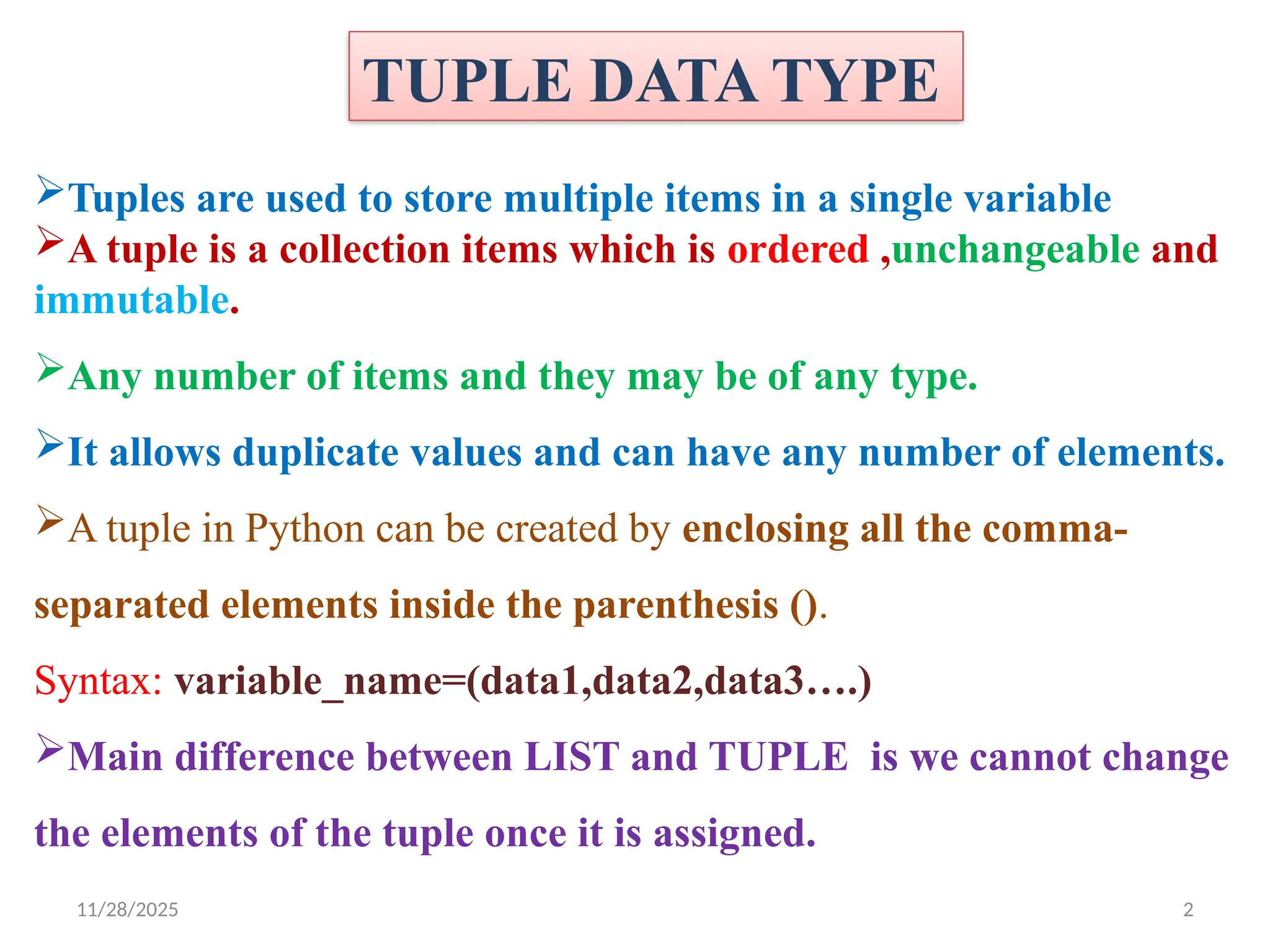
CREATING TUPLE:
Createa tuple to hold your 10th
class marks
Create a tuple with 5 of your friends
Empty tuple?: list without any items is called empty tuple
Can we keep one tuple inside another tuple?
Yes also known as nested tuple or multidimensional tuple
Tuples can also be created without parenthesis
what if we have only one item in the tuple ?
• We need to put comma to make it as a tuple
4.
11/28/2025 4
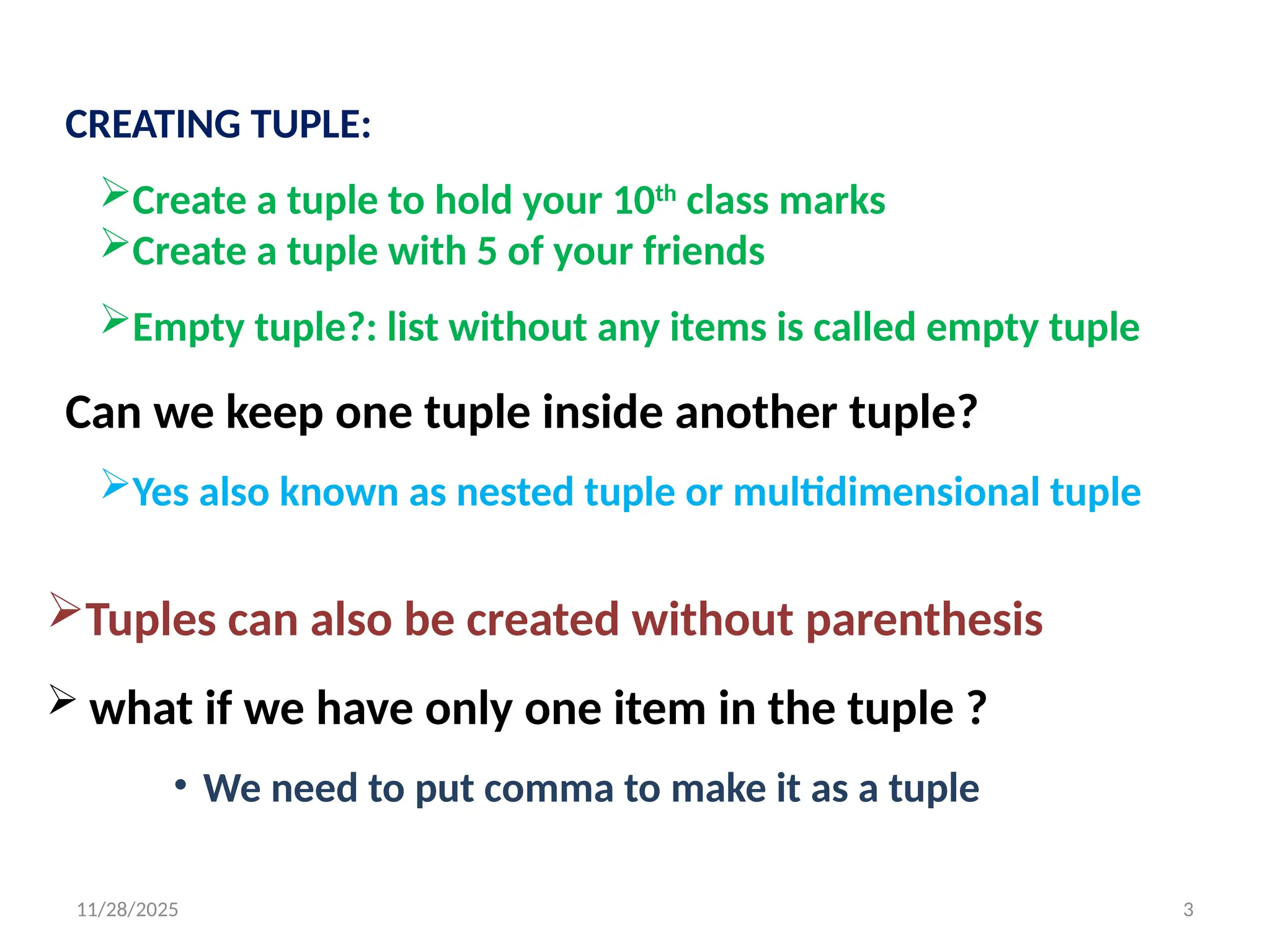
ACCESSING TUPLEELEMENTS SAME AS A LIST
By using Indexing and slicing.
Can access individual characters using indexing and range of
characters using slicing.
Nested tuples are accessed using nested indexing
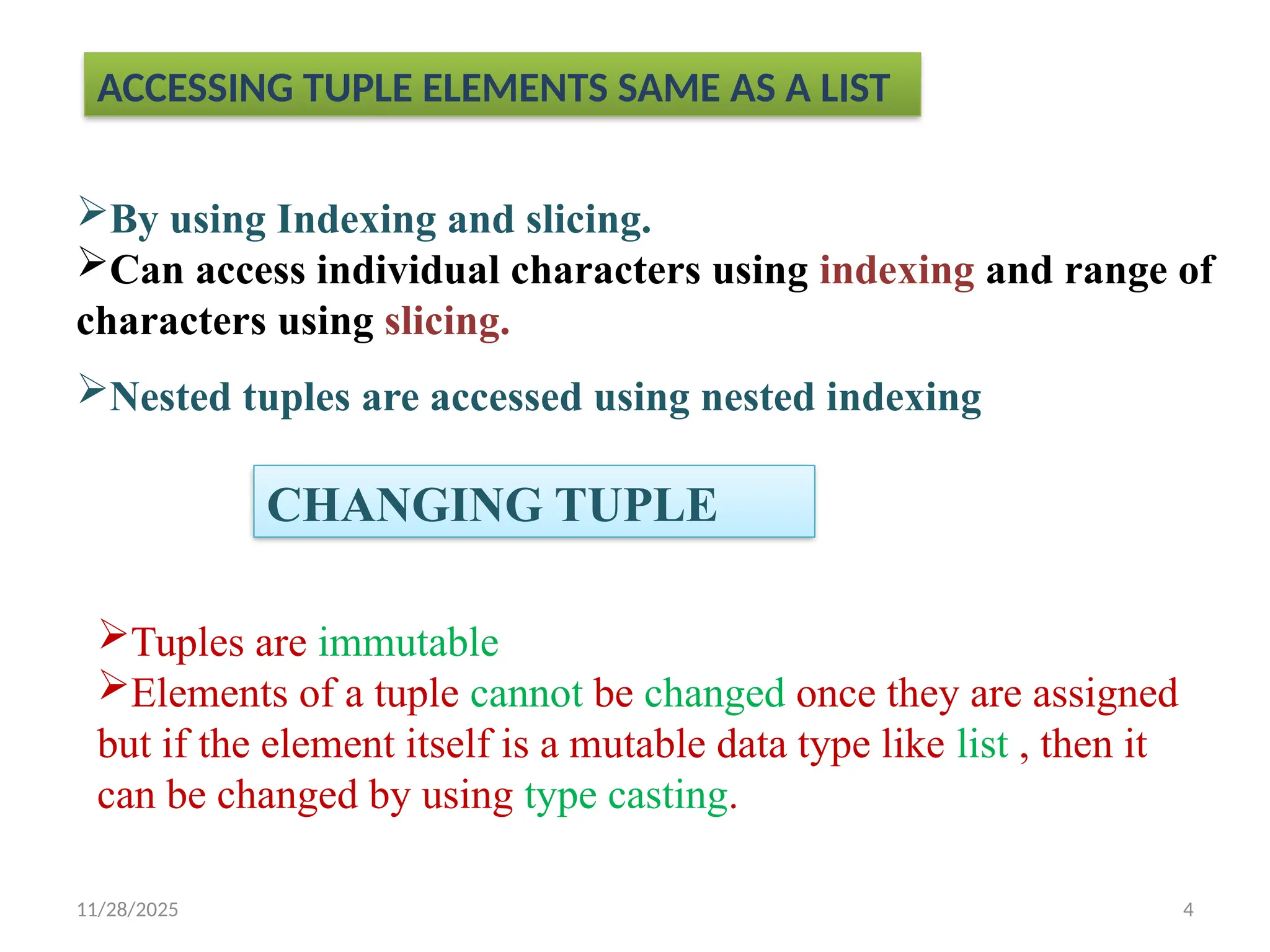
CHANGING TUPLE
Tuples are immutable
Elements of a tuple cannot be changed once they are assigned
but if the element itself is a mutable data type like list , then it
can be changed by using type casting.
5.
11/28/2025 5
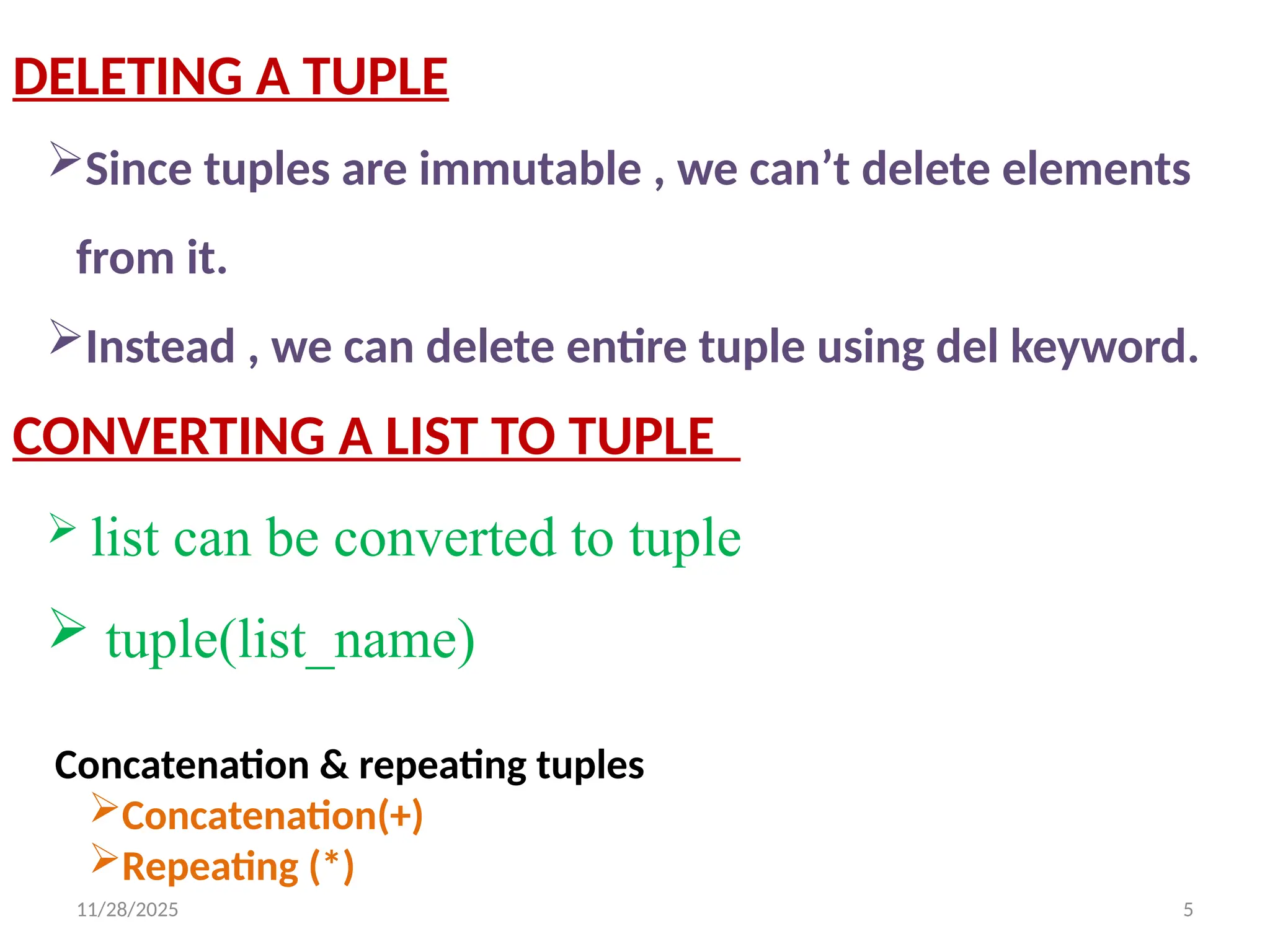
DELETING ATUPLE
Since tuples are immutable , we can’t delete elements
from it.
Instead , we can delete entire tuple using del keyword.
CONVERTING A LIST TO TUPLE
list can be converted to tuple
tuple(list_name)
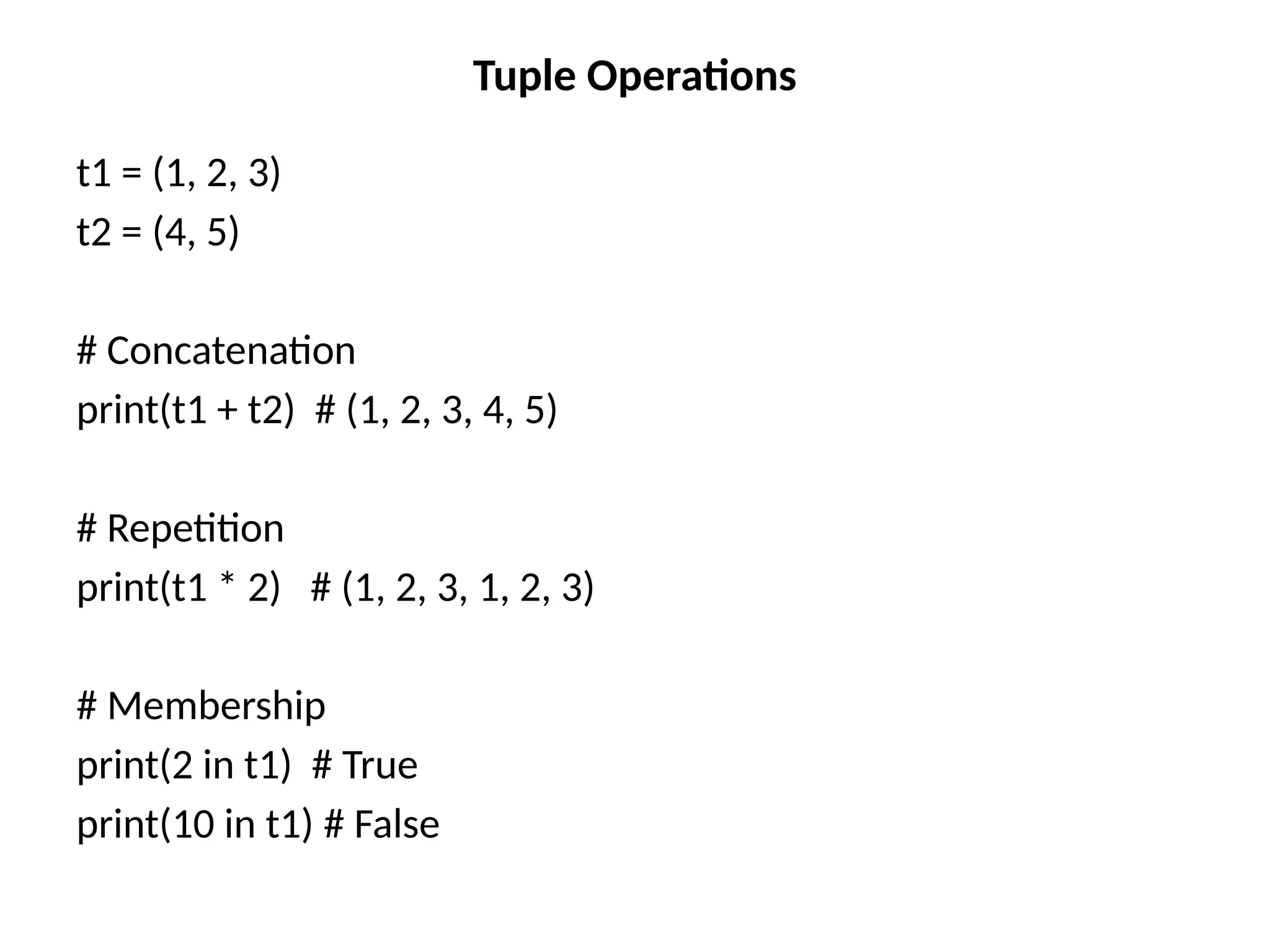
Concatenation & repeating tuples
Concatenation(+)
Repeating (*)
6.
11/28/2025 6
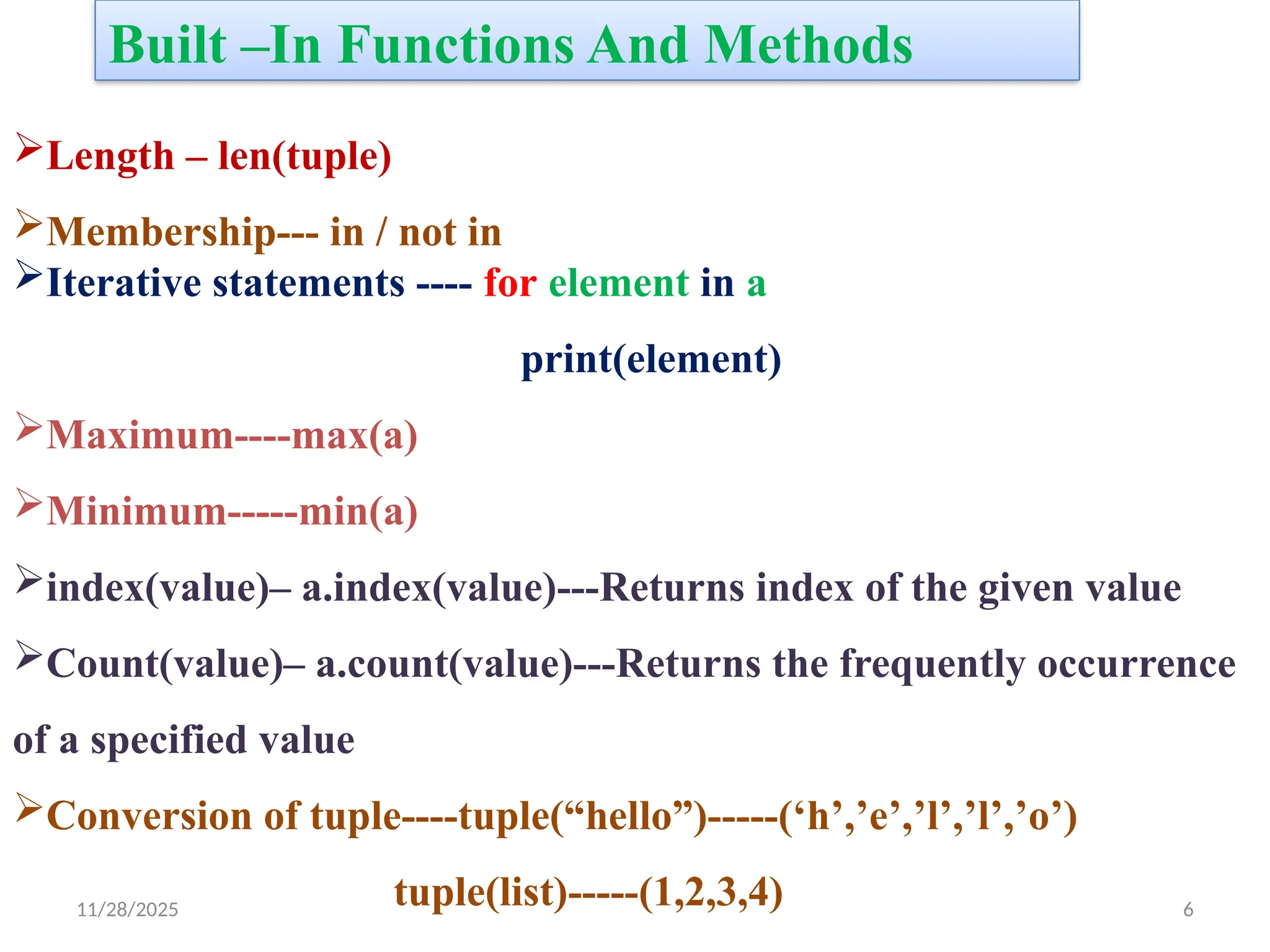
Built –InFunctions And Methods
Length – len(tuple)
Membership--- in / not in
Iterative statements ---- for element in a
print(element)
Maximum----max(a)
Minimum-----min(a)
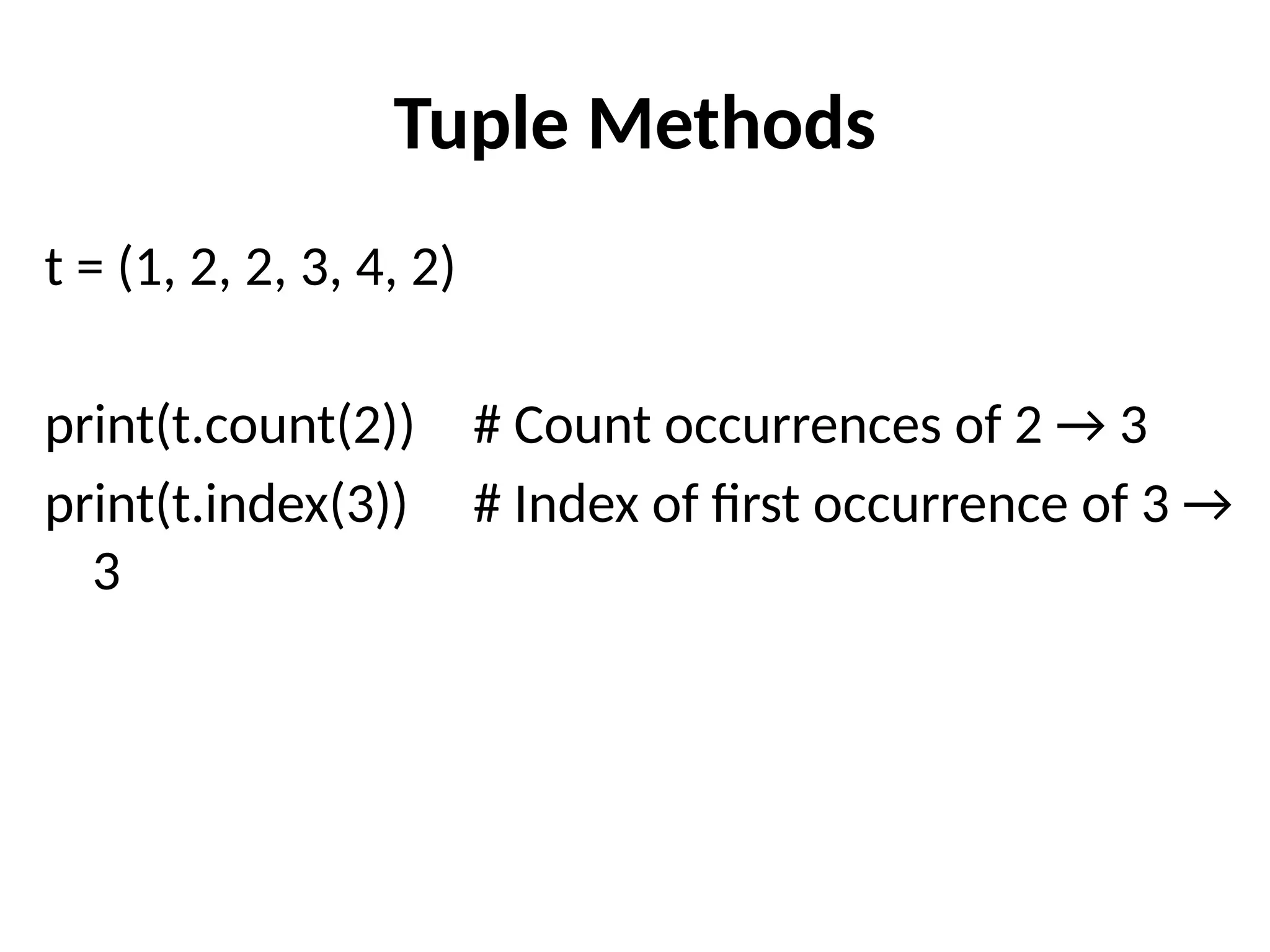
index(value)– a.index(value)---Returns index of the given value
Count(value)– a.count(value)---Returns the frequently occurrence
of a specified value
Conversion of tuple----tuple(“hello”)-----(‘h’,’e’,’l’,’l’,’o’)
tuple(list)-----(1,2,3,4)
7.
Creating Tuples
# Emptytuple
t1 = ()
# Tuple with integers
t2 = (1, 2, 3, 4)
# Tuple with mixed data types
t3 = (10, "apple", 3.14, True)
# Nested tuple
t4 = (1, (2, 3), [4, 5])
# Tuple without parentheses (comma is enough)
t5 = 10, 20, 30
8.
Accessing Tuple Elements
t= (10, 20, 30, 40, 50)
print(t[0]) # First element → 10
print(t[-1]) # Last element → 50
print(t[1:4]) # Slicing → (20, 30, 40)
![Creating Tuples
# Empty tuple
t1 = ()
# Tuple with integers
t2 = (1, 2, 3, 4)
# Tuple with mixed data types
t3 = (10, "apple", 3.14, True)
# Nested tuple
t4 = (1, (2, 3), [4, 5])
# Tuple without parentheses (comma is enough)
t5 = 10, 20, 30](https://image.slidesharecdn.com/tupledatatype-251128164247-c78aedd7/75/TUPLE-DATATYPE-syntax-in-python-programming-7-2048.jpg)
![Accessing Tuple Elements
t = (10, 20, 30, 40, 50)
print(t[0]) # First element → 10
print(t[-1]) # Last element → 50
print(t[1:4]) # Slicing → (20, 30, 40)](https://image.slidesharecdn.com/tupledatatype-251128164247-c78aedd7/75/TUPLE-DATATYPE-syntax-in-python-programming-8-2048.jpg)
![Immutability of Tuples
t = (1, 2, 3)
# Trying to modify will cause an error
# t[0] = 100 ❌ TypeError: 'tuple' object does not
support item assignment](https://image.slidesharecdn.com/tupledatatype-251128164247-c78aedd7/75/TUPLE-DATATYPE-syntax-in-python-programming-12-2048.jpg)
![Tuple with Mutable Elements
t = (1, [2, 3], 4)
t[1][0] = 99 # Allowed because list inside tuple
is mutable
print(t) # (1, [99, 3], 4)](https://image.slidesharecdn.com/tupledatatype-251128164247-c78aedd7/75/TUPLE-DATATYPE-syntax-in-python-programming-13-2048.jpg)


