Teaching with
Technology
technology for the classes
slideshare.net/
dbgerhard/ttech15
‘technology’, as the computer
scientist Bran Ferren memorably
defined it, is ‘stuff that doesn’t
work yet.’ We no longer think of
chairs as technology, we just
think of them as chairs.
What is technology?
What technology do you
use in your classes now?
What technology do your
students bring into class?
Access
• Access to technology
• Access to internet
• Access to knowledge
• Producers vs consumers
How would you rate your
access to technology?
What limits your access?
How would you rate your
student’s access to
technology?
What limits your
student’s access?
How does your student’s
access differ?
• from yours?
• from each other?
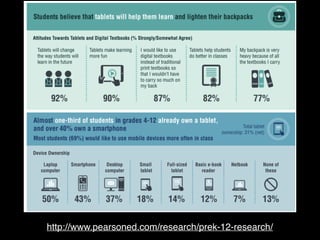
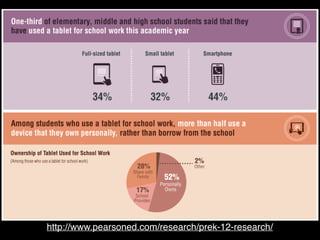
http://www.pearsoned.com/research/prek-12-research/
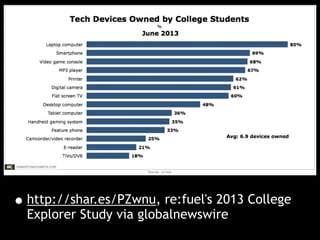
•http://shar.es/PZwnu, re:fuel's 2013 College
Explorer Study via globalnewswire
Takeaway:
Tech is now embedded in
student’s lives, and in
learning.
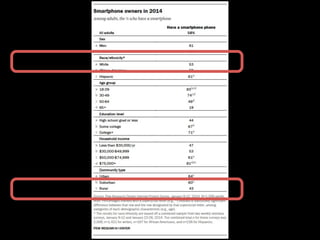
Takeaway:
Not everyone owns a
laptop or smartphone
Using tech in the
classroom
Let’s make a list:
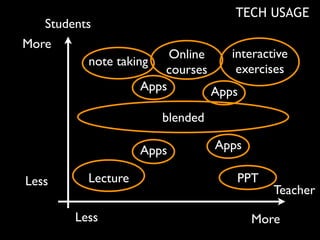
What problems do you
want technology to solve
Students
Teacher
More
Less
MoreLess
TECH USAGE
Lecture
note taking
PPT
blended
interactive
exercises
Apps
Online
courses
AppsApps
Apps
Focus on the job you
want technology to do
for you
Be prepared
Be prepared for failure
Backups
Let’s make a list:
How has technology
failed you?
Does it make you less
likely to try it again?
Things we want
Technology to do for us:
Student Engagement
Remote Engagement
Communication
Teaching concepts
Student Assessment
Learner-directed
education
Customized lesson plans
Problems we have with
technology:
intimidation
preparedness
distraction
murphy
Technology for content
creation
Build videos, screencasts
https://
www.youtube.com/
watch?v=71DnOYeqJuM
Online content
- images
-youtube
freeimages.com
videograbby.com
Aside: Copyright
Messy, difficult, possibly
evil
Ask!
Open education,
open content
Powerpoint Alternatives:
http://prezi.com/
we3kauohxe-y/
cs110-2013/
CMS
Course/Content
Management
Software/System
LMS
Learning
Management
Software/System
Which CMS/LMS do you
use?
CMS/LMS
•Notes
•Assignment activities
•Forum
•Wiki
•Group work
•Quiz
Quiz
Problem:
Finding and writing good
quiz questions is hard
Problem:
Once you put something
online, it’s there forever
Solution 1:
Prevent students from
copying and distributing
quiz questions
How?
Solution 2:
Turn a problem into an
opportunity
Students write their own
quiz questions
Student questions
•Great way to study
•Competition between students
•best get picked for the “real” quiz
•advantage if yours get picked
•helps me see what people think is hard
In-Class CMS Quiz
In-Class Quiz
•Engage BYOD
•Instant feedback
•Discuss, as a class, difficult and easy
questions
•can be used for polling, voting,
whatever
•Can assign grades
In-Class Quiz
•Practice when it doesn’t matter
•Have paper copies
•Stagger quiz start
•I learned this the hard way
•plan for failure
CMS alternatives
Live Class Polls
•www.polleverywhere.com
•PollEv.com/drgrd
•people can respond online, or text
their responses.
Quizzes / exams /
surveys
•Google Docs
•Survey Monkey
Wikis / blogs
•http://en.wikipedia.org/wiki/
Comparison_of_wiki_hosting_services
•weebly
BYOD
Laptops, Tablets,
Smartphones
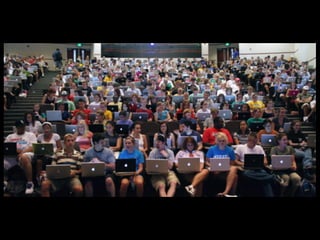
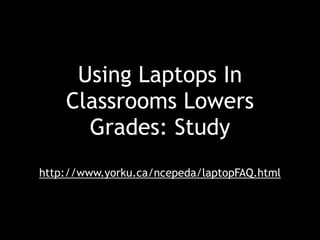
Using Laptops In
Classrooms Lowers
Grades: Study
http://www.yorku.ca/ncepeda/laptopFAQ.html
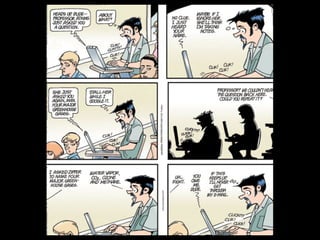
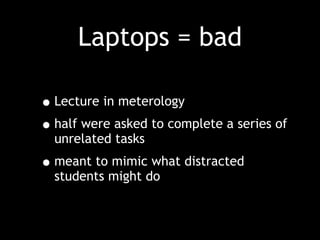
Laptops = bad
•Lecture in meterology
•half were asked to complete a series of
unrelated tasks
•meant to mimic what distracted
students might do
In
Classrooms Lowers
Grades?
Using Laptops
In
Classrooms Lowers
Grades!
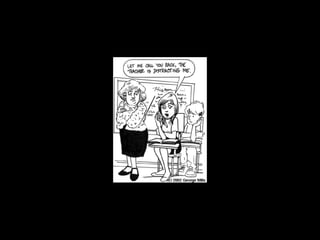
Being Distracted
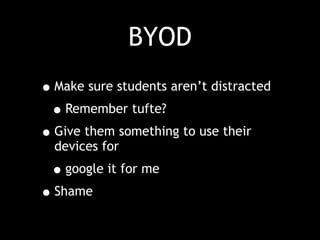
BYOD
•Make sure students aren’t distracted
•Remember tufte?
•Give them something to use their
devices for
•google it for me
•Shame
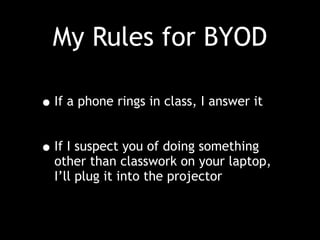
My Rules for BYOD
•If a phone rings in class, I answer it
•If I suspect you of doing something
other than classwork on your laptop,
I’ll plug it into the projector
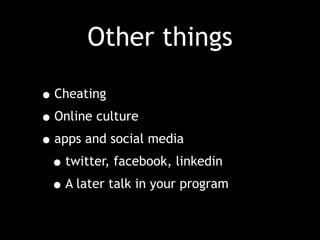
Other things
•Cheating
•Online culture
•apps and social media
•twitter, facebook, linkedin
•A later talk in your program
Don’t forget your
dongle!

ttech15