Server-side performance bottleneck
Webinar with Paulo Garrudo
Effective Platform Server Monitoring
Paulo Garrudo
Architecture Team Leader
Expert Services
paulo.garrudo@outsystems.com
https://www.linkedin.com/in/paulogarrudo
2
Server-side Performance bottlenecks
Agenda
● Performance Overview
● OutSystems Platform Logs
● Tools
● Performance CSI Live Demo
● TOP 10 Worst Practices
● Application Delivery Cycle
● Q&A
Performance overview
Server-side Performance bottlenecks
Web application Performance
What is
●Application is consider performant if consistently responds fast and
efficiently
●On web application, users expects a page to load under 2 seconds
●Measures the elapsed time between the beginning of a web request and
the end of the response
Server-side Performance bottlenecks
Web application Performance
Why is hard to achieve
●Developers have difficulty understanding why an application is slow
●It’s difficult to troubleshoot over web layers:
device → network → application server → database
●On server-side, it’s difficult to drill-down over a slow page
This webinar is going to focus on the Server-side performance
Server-side Performance bottlenecks
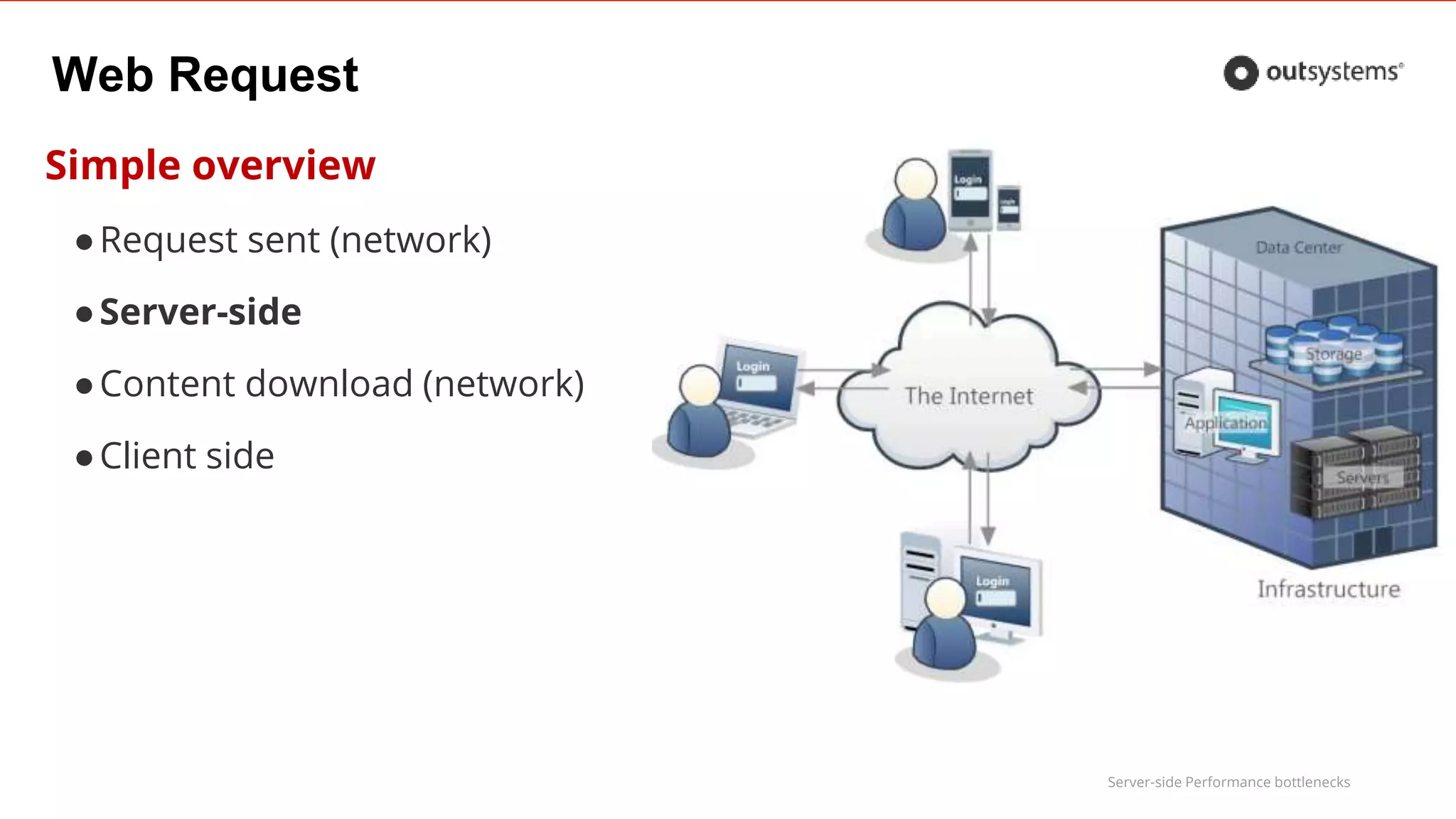
Web Request
Simple overview
●Request sent (network)
●Server-side
●Content download (network)
●Client side
Server-side Performance bottlenecks
Client side and network performance
Existing webinar
• Details for client side and network
OutSystems Platform Logs
Server-side Performance bottlenecks
How to measure
Use logs to measure elapsed times
●OutSystems Platform collects a set of logs out of the box
– By default, individual logs are kept for 4 weeks: configurable using the configuration tool
– For each eSpace / Extension, log setting must be enabled
●OutSystems Platform aggregates the collected logs
●On complex application actions, add you own audit actions to capture
server-side execution time
Server-side Performance bottlenecks
How to measure
OutSystems Platform monitoring
●General Logs
– Application specific logging
– System logs
– Slow queries: queries that take more than 200ms (configurable)
●ViewState size
●Session size
●Timer Logs: each executed Scheduled Job
●Integrations Log: each Web Service / Web Reference invocation
Server-side Performance bottlenecks
How to measure
OutSystems Platform monitoring
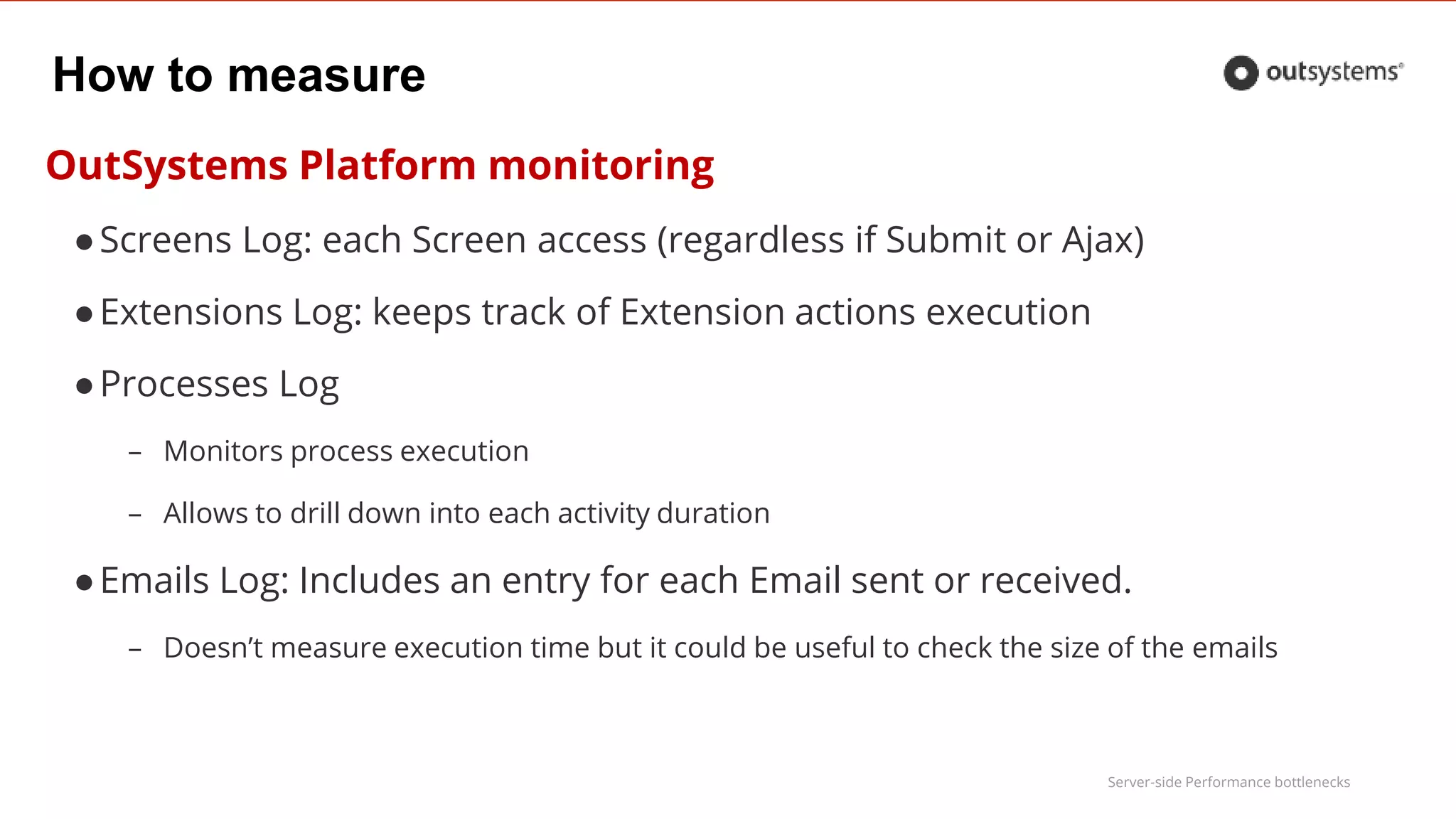
●Screens Log: each Screen access (regardless if Submit or Ajax)
●Extensions Log: keeps track of Extension actions execution
●Processes Log
– Monitors process execution
– Allows to drill down into each activity duration
●Emails Log: Includes an entry for each Email sent or received.
– Doesn’t measure execution time but it could be useful to check the size of the emails
Tools
Server-side Performance bottlenecks
Performance Monitor
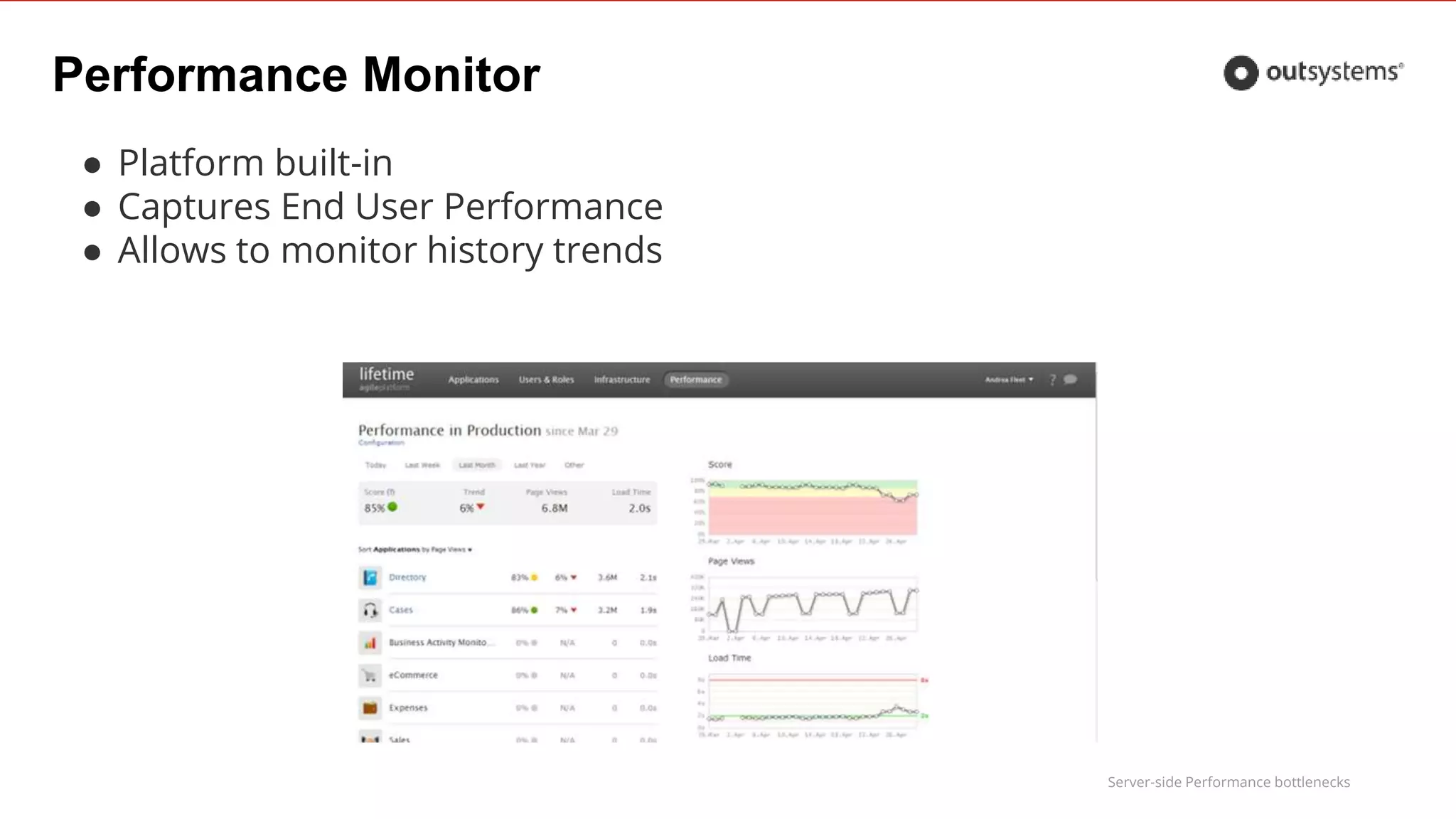
● Platform built-in
● Captures End User Performance
● Allows to monitor history trends
Server-side Performance bottlenecks
Performance Monitor
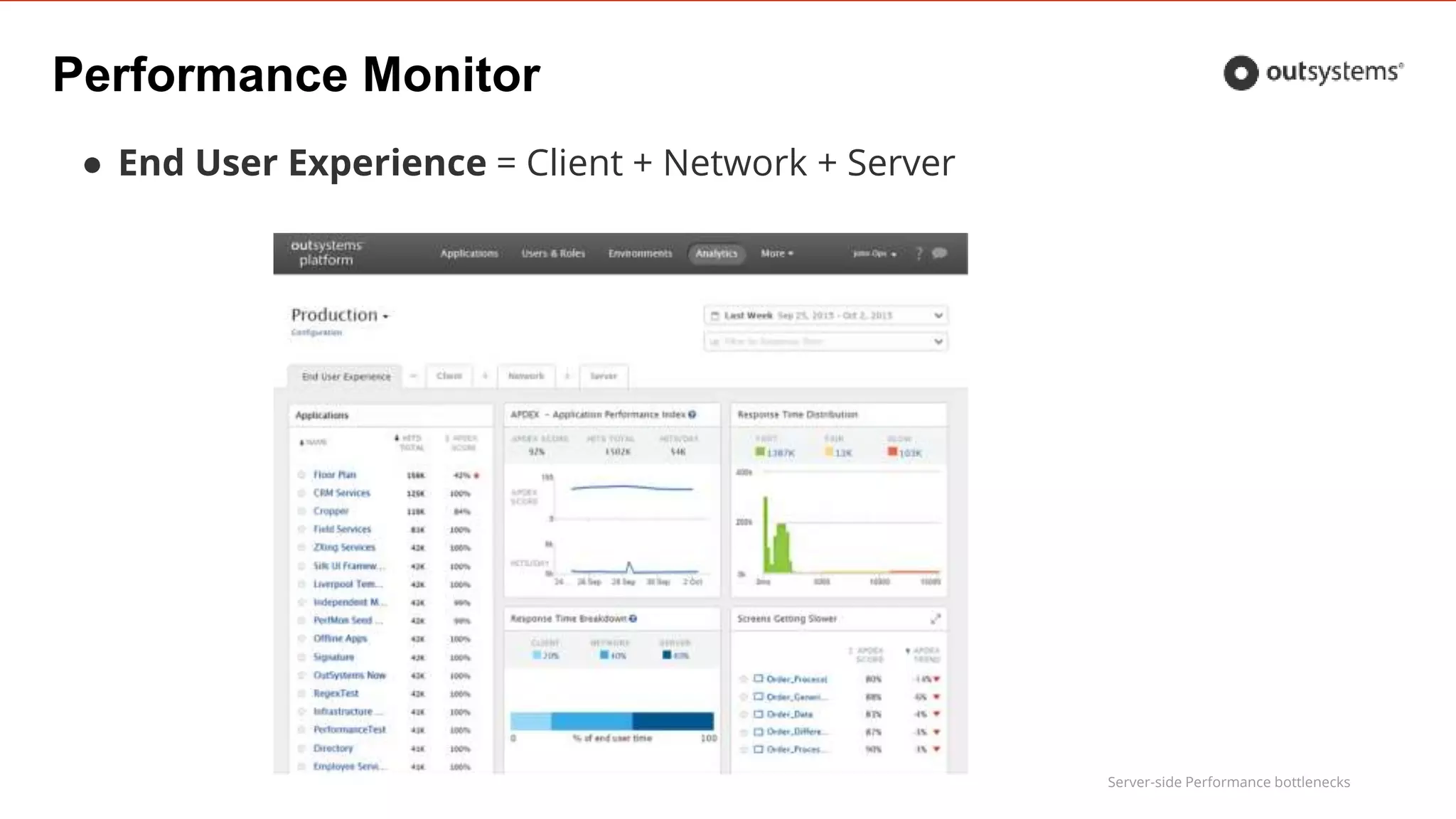
● End User Experience = Client + Network + Server
Server-side Performance bottlenecks
Performance Monitor
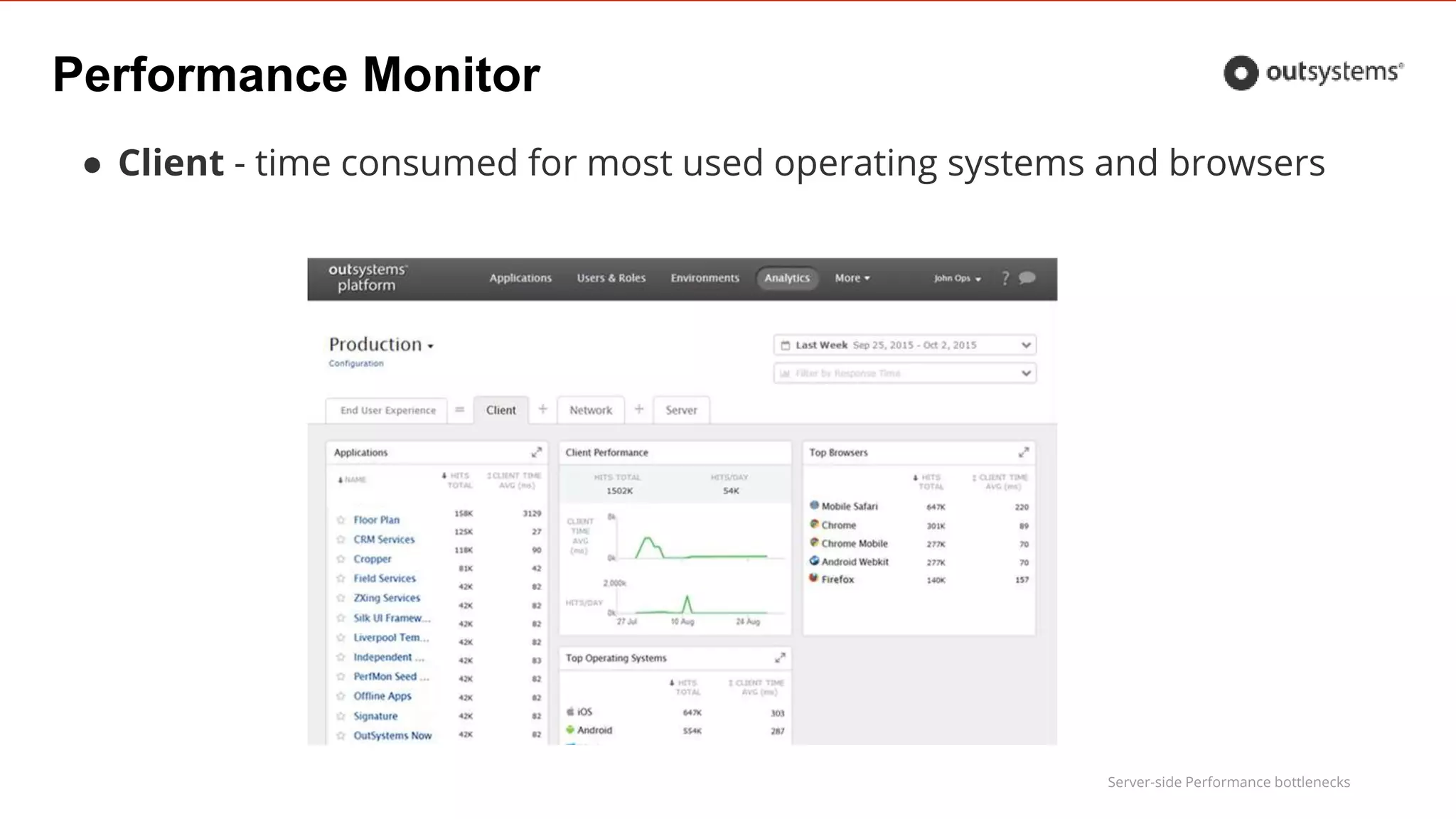
● Client - time consumed for most used operating systems and browsers
Server-side Performance bottlenecks
Performance Monitor
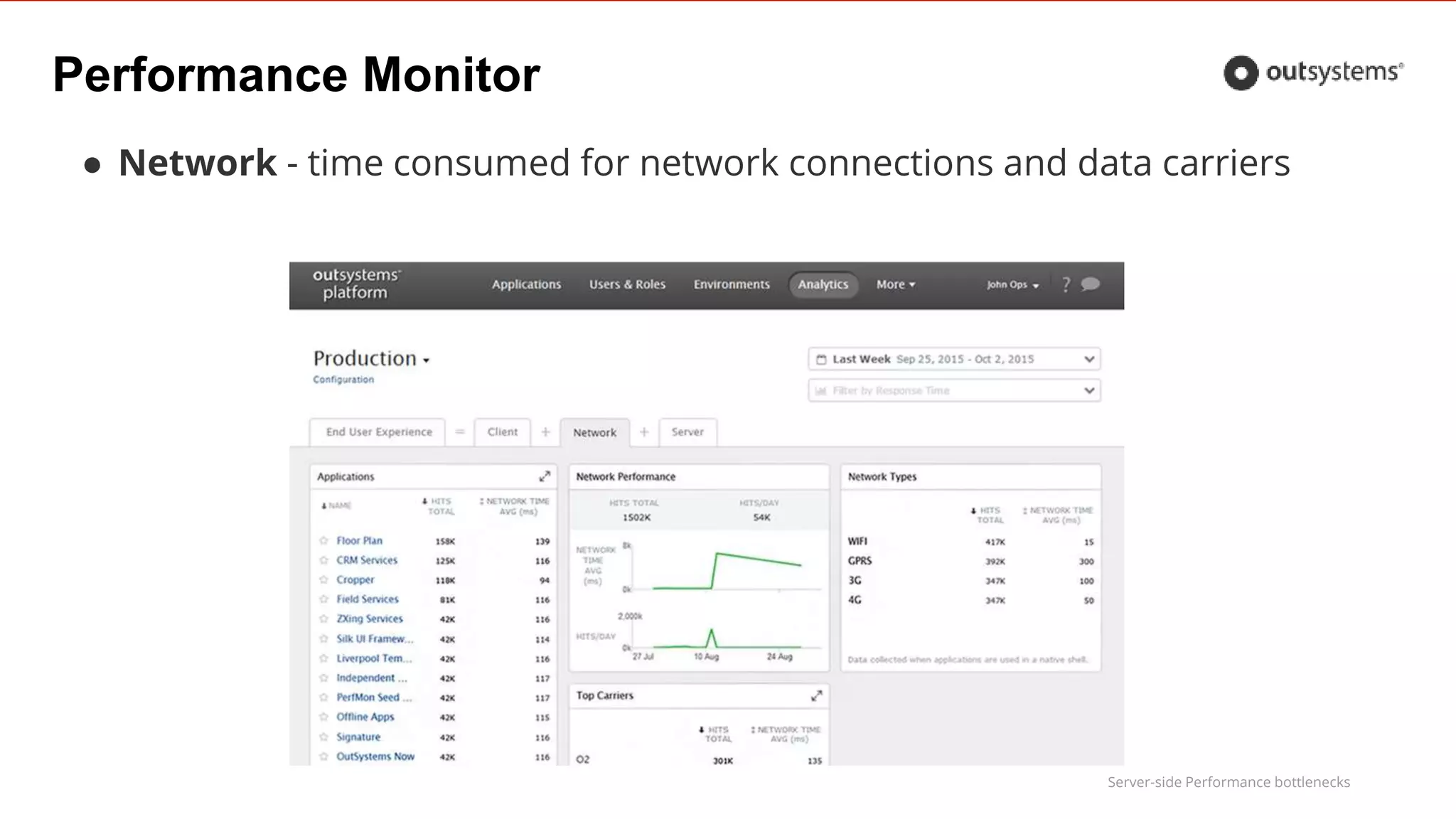
● Network - time consumed for network connections and data carriers
Server-side Performance bottlenecks
Performance Monitor
● Server - slow database queries and slow integration response
Server-side Performance bottlenecks
Service Center
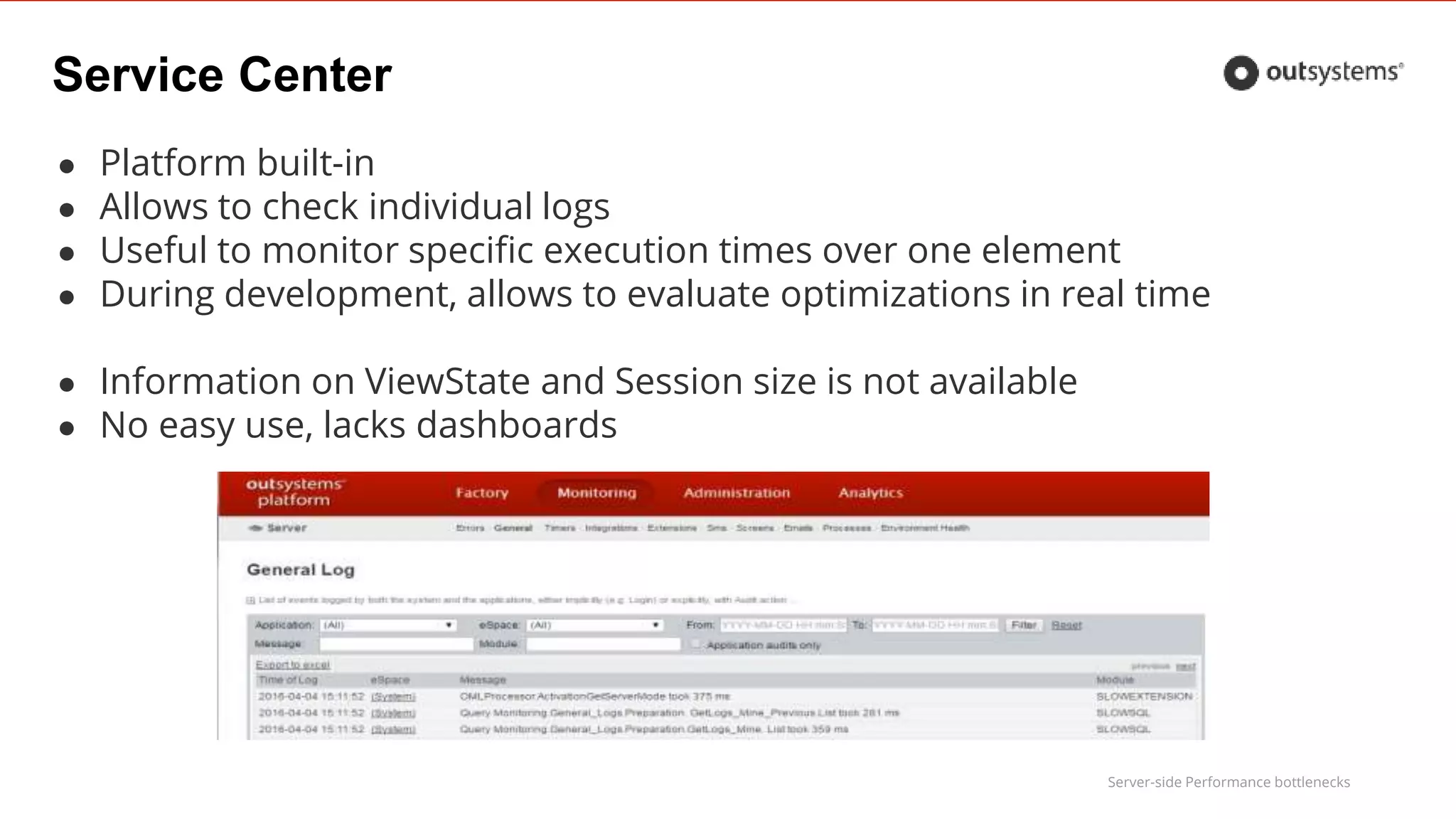
● Platform built-in
● Allows to check individual logs
● Useful to monitor specific execution times over one element
● During development, allows to evaluate optimizations in real time
● Information on ViewState and Session size is not available
● No easy use, lacks dashboards
Server-side Performance bottlenecks
Performance CSI
Forge component
• Lets you check the performance of your applications, and investigate the behavior of slow
screens to find the causes of poor performance
Server-side Performance bottlenecks
Performance CSI
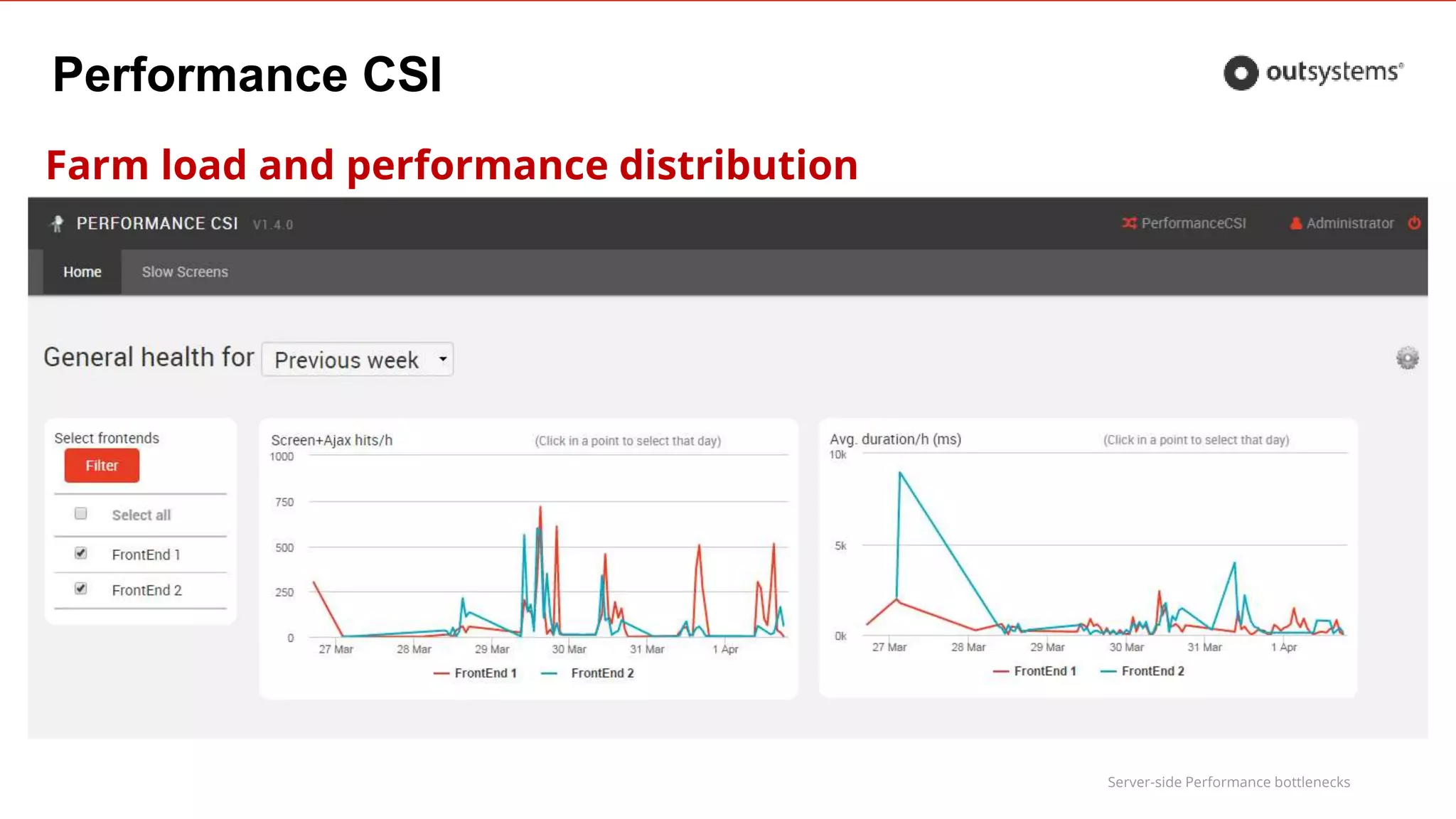
Farm load and performance distribution
Server-side Performance bottlenecks
Performance CSI
Top screens evaluation
Weekly slow screen list:
● Number of hits (screen & ajax)
● Average Duration (screen & ajax)
● Total time = Hits * Avg. Duration
Allows to
● filter by application
● Sort screen by the metrics more
important for your application
● Drill-down to screen details
Very Slow > 6s
Slow ]4 to 6] s
Acceptable ]2 to 4] s
Fast [1 to 2] s
Very fast < 1s
Server-side Performance bottlenecks
Performance CSI
Top screens evaluation: Configuration
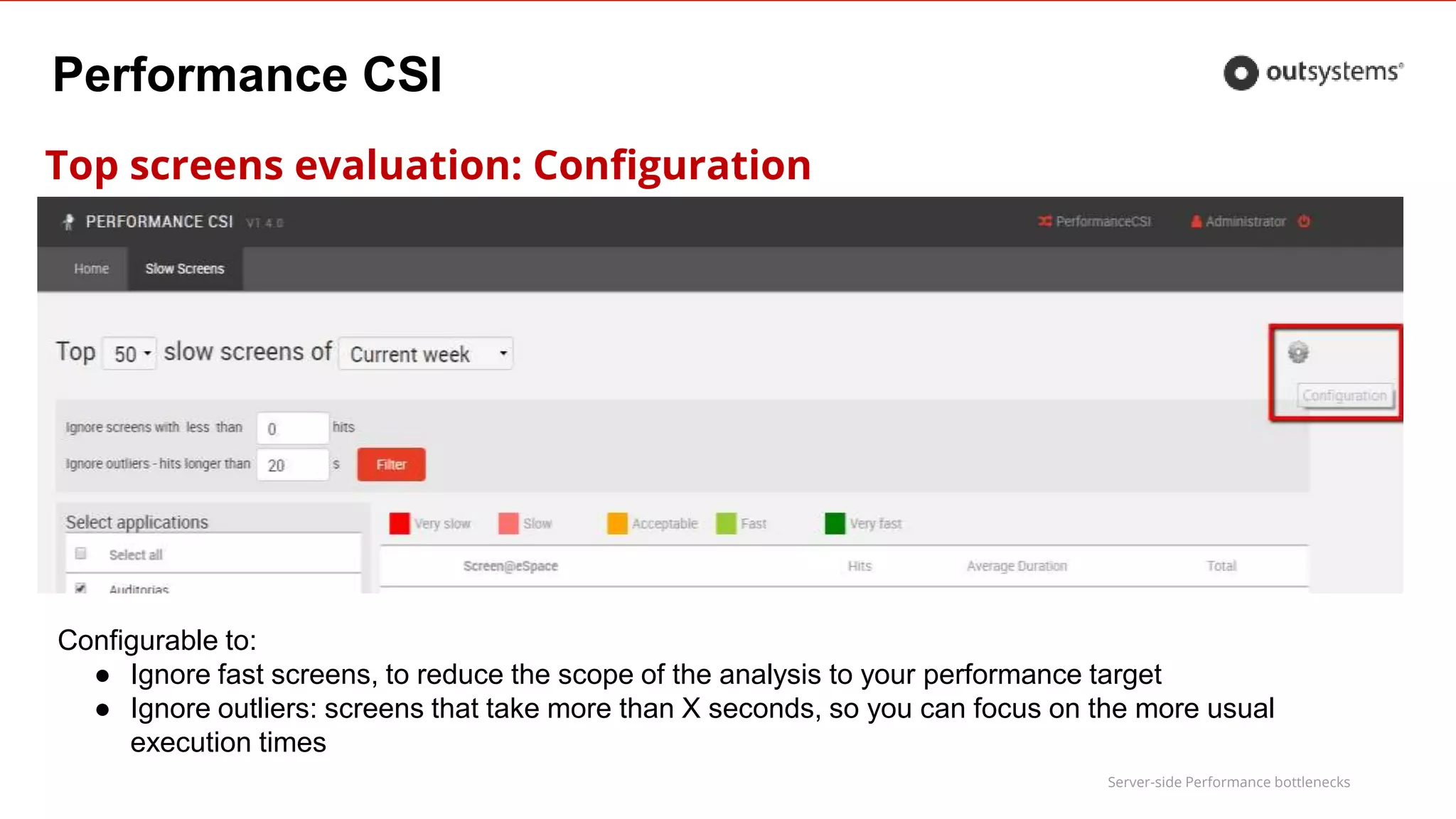
Configurable to:
● Ignore fast screens, to reduce the scope of the analysis to your performance target
● Ignore outliers: screens that take more than X seconds, so you can focus on the more usual
execution times
Server-side Performance bottlenecks
Performance CSI
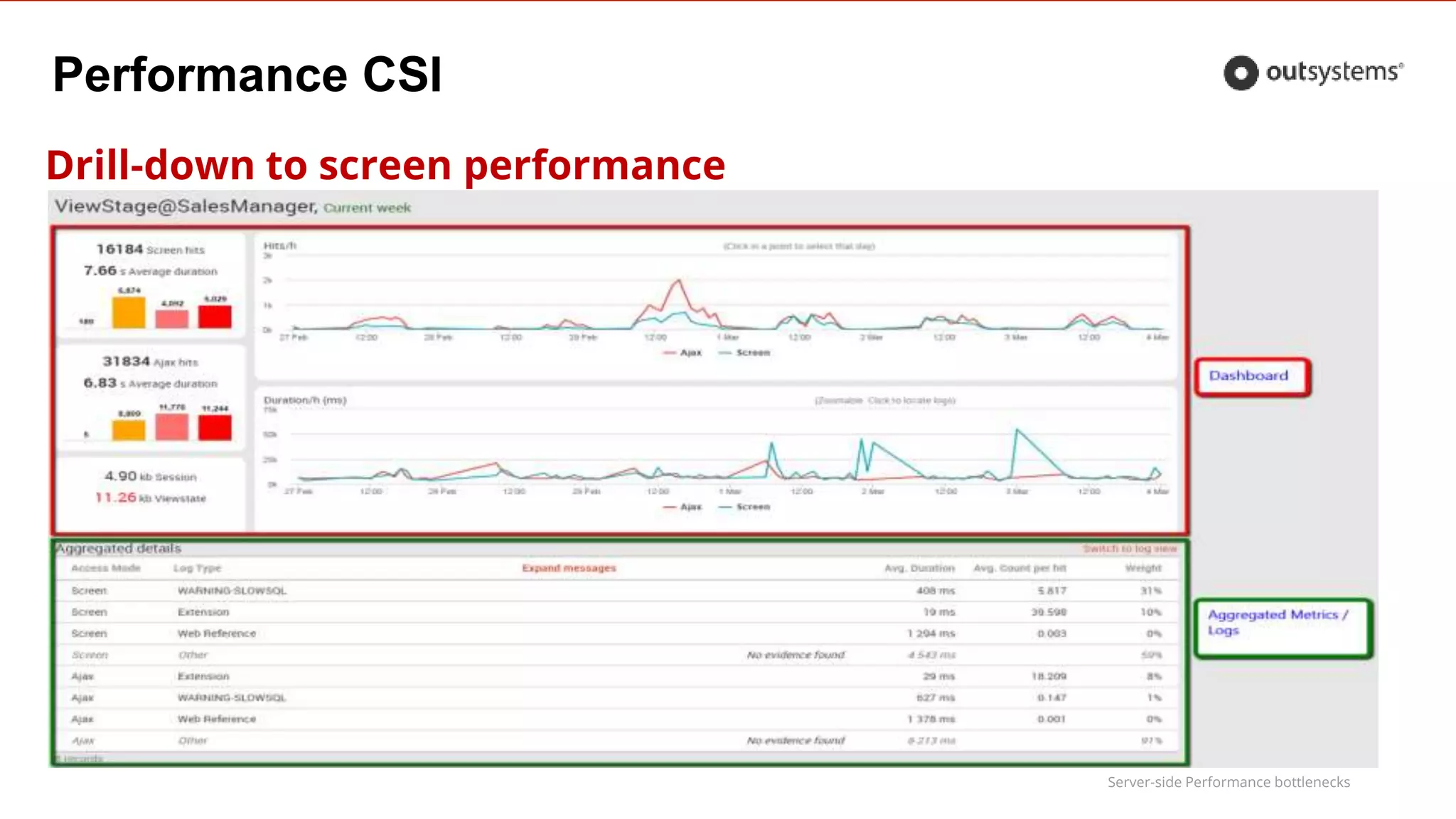
Drill-down to screen performance
Server-side Performance bottlenecks
Performance CSI
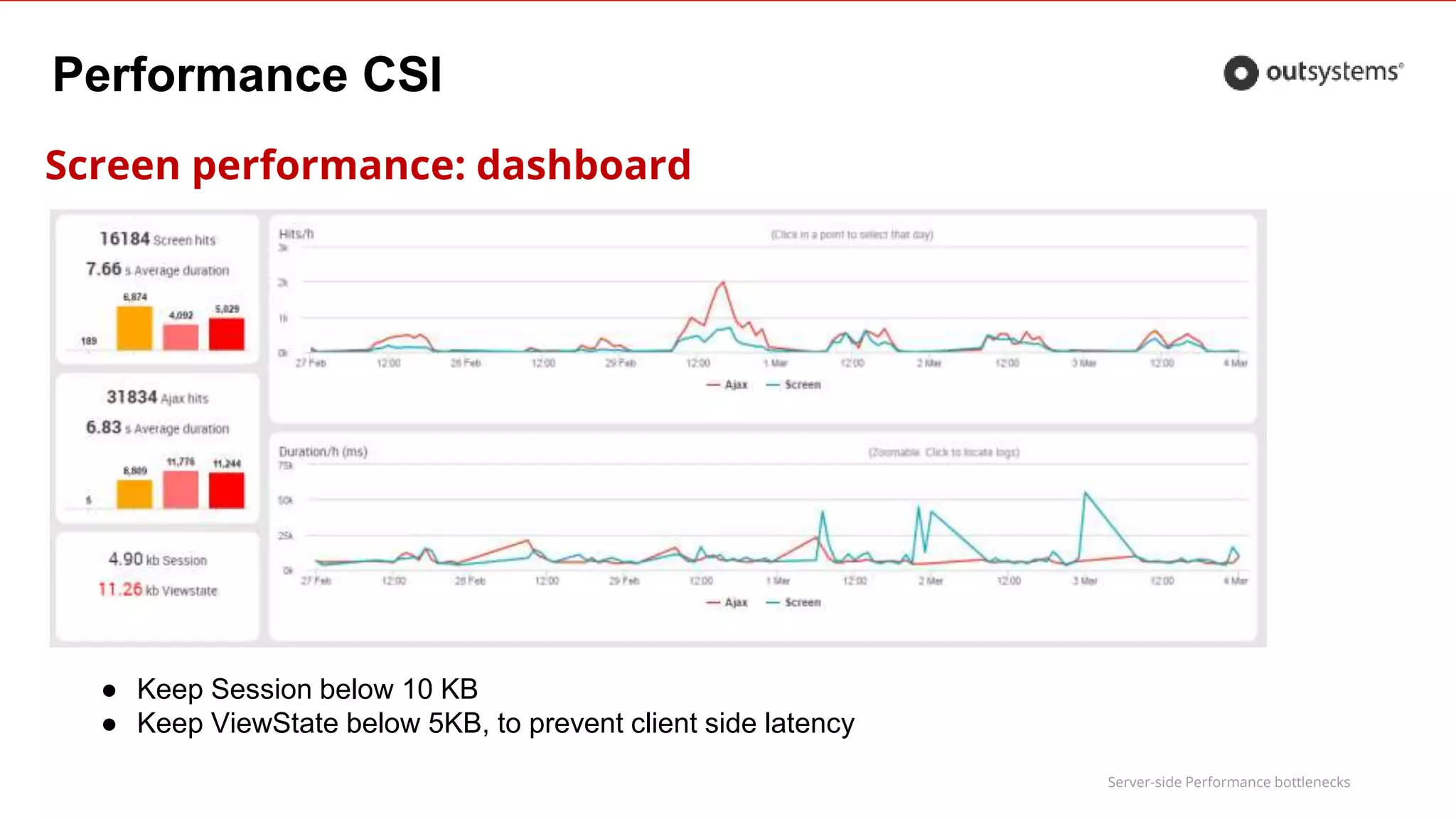
Screen performance: dashboard
● Keep Session below 10 KB
● Keep ViewState below 5KB, to prevent client side latency
Server-side Performance bottlenecks
Performance CSI
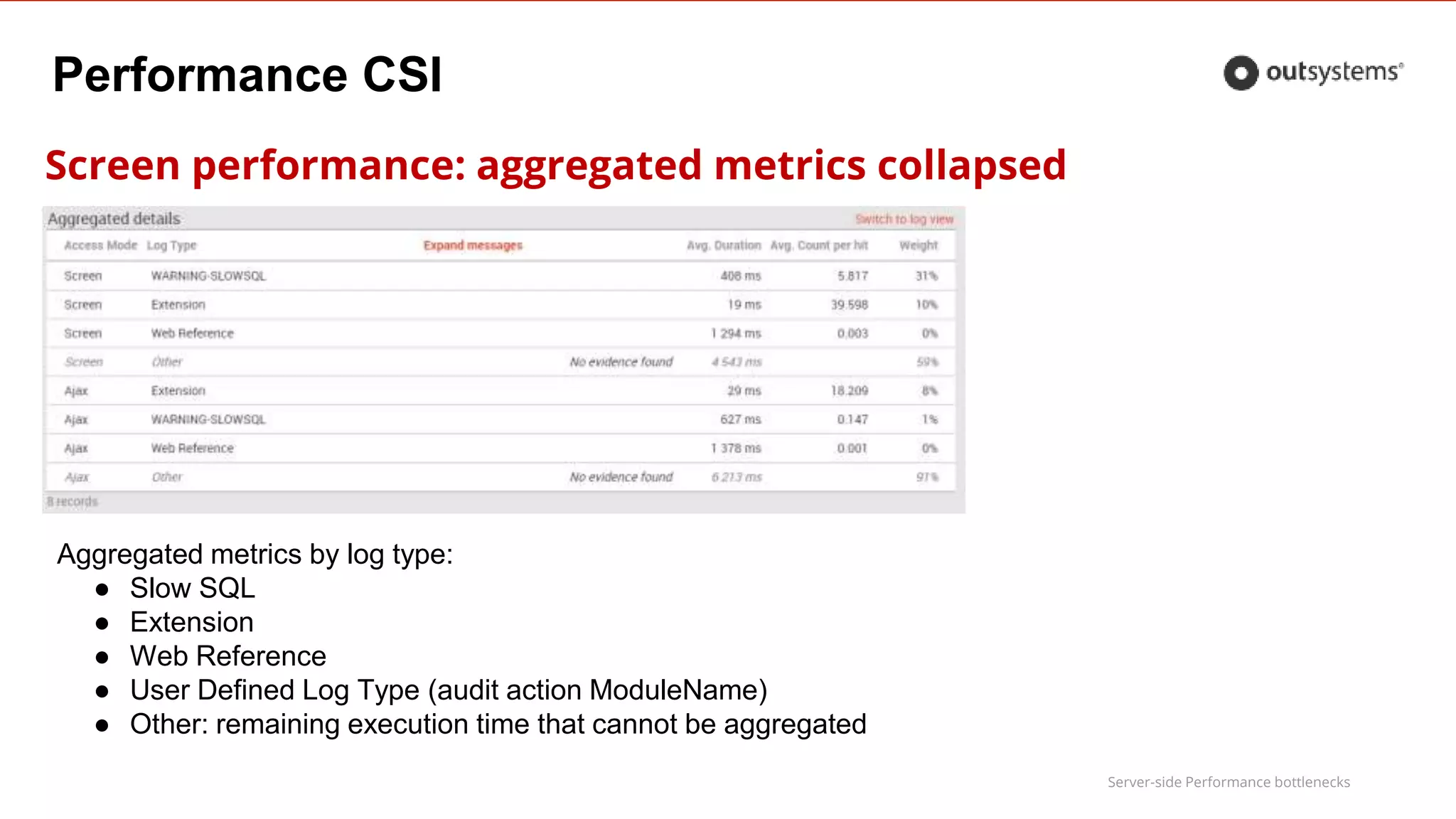
Screen performance: aggregated metrics collapsed
Aggregated metrics by log type:
● Slow SQL
● Extension
● Web Reference
● User Defined Log Type (audit action ModuleName)
● Other: remaining execution time that cannot be aggregated
Server-side Performance bottlenecks
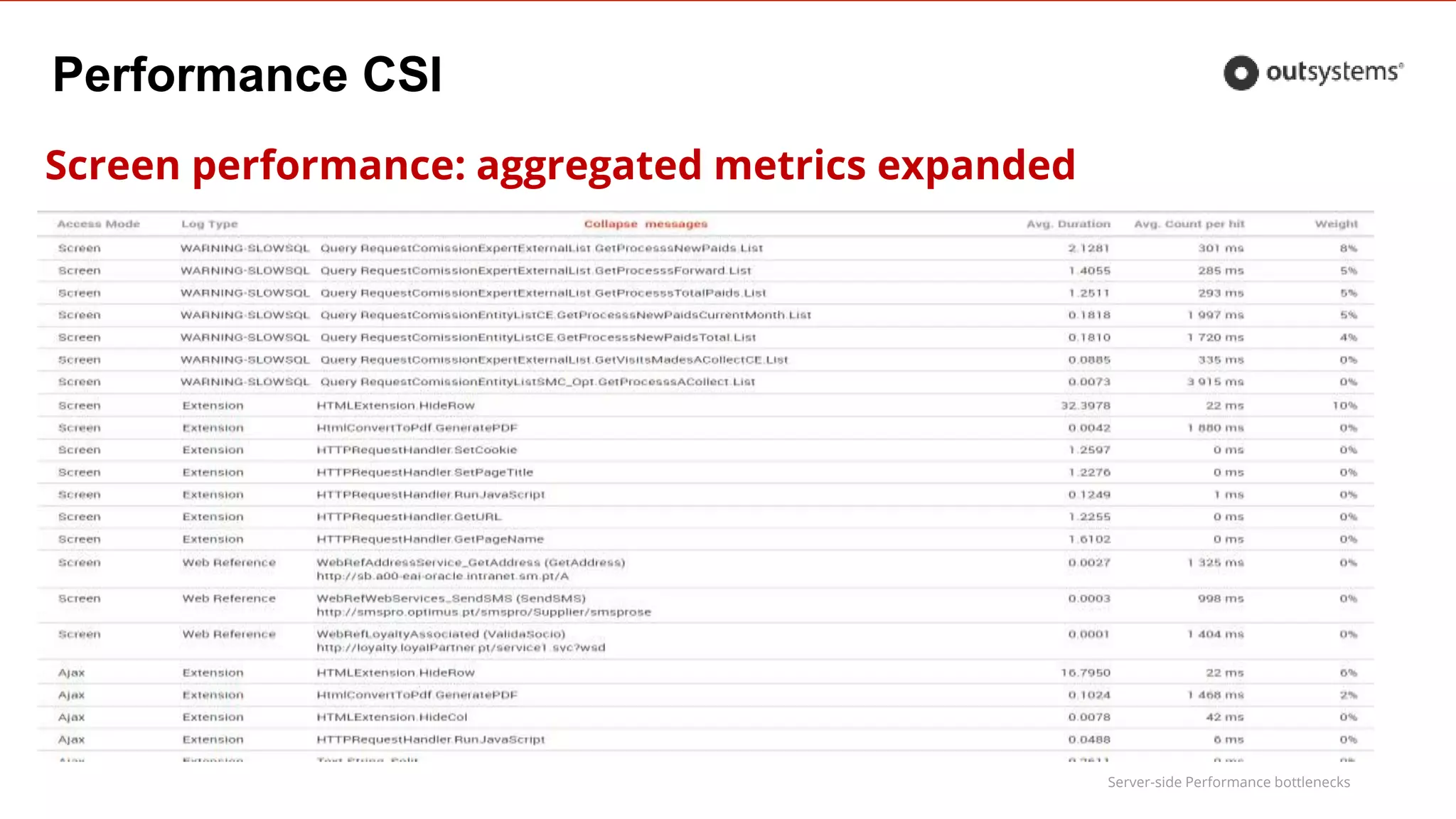
Screen performance: aggregated metrics expanded
Performance CSI
Server-side Performance bottlenecks
Performance CSI
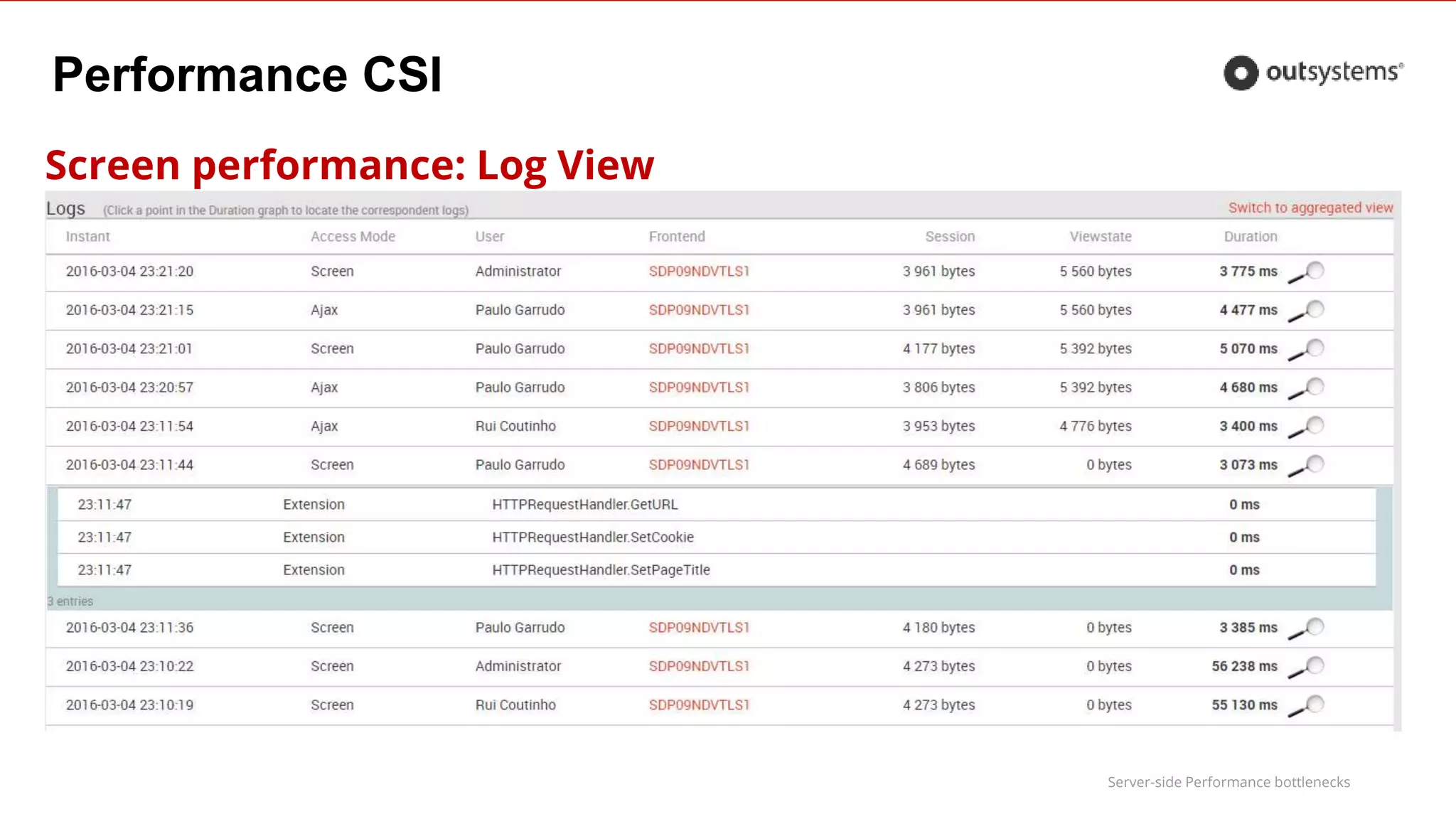
Screen performance: Log View
Server-side Performance bottlenecks
Performance CSI
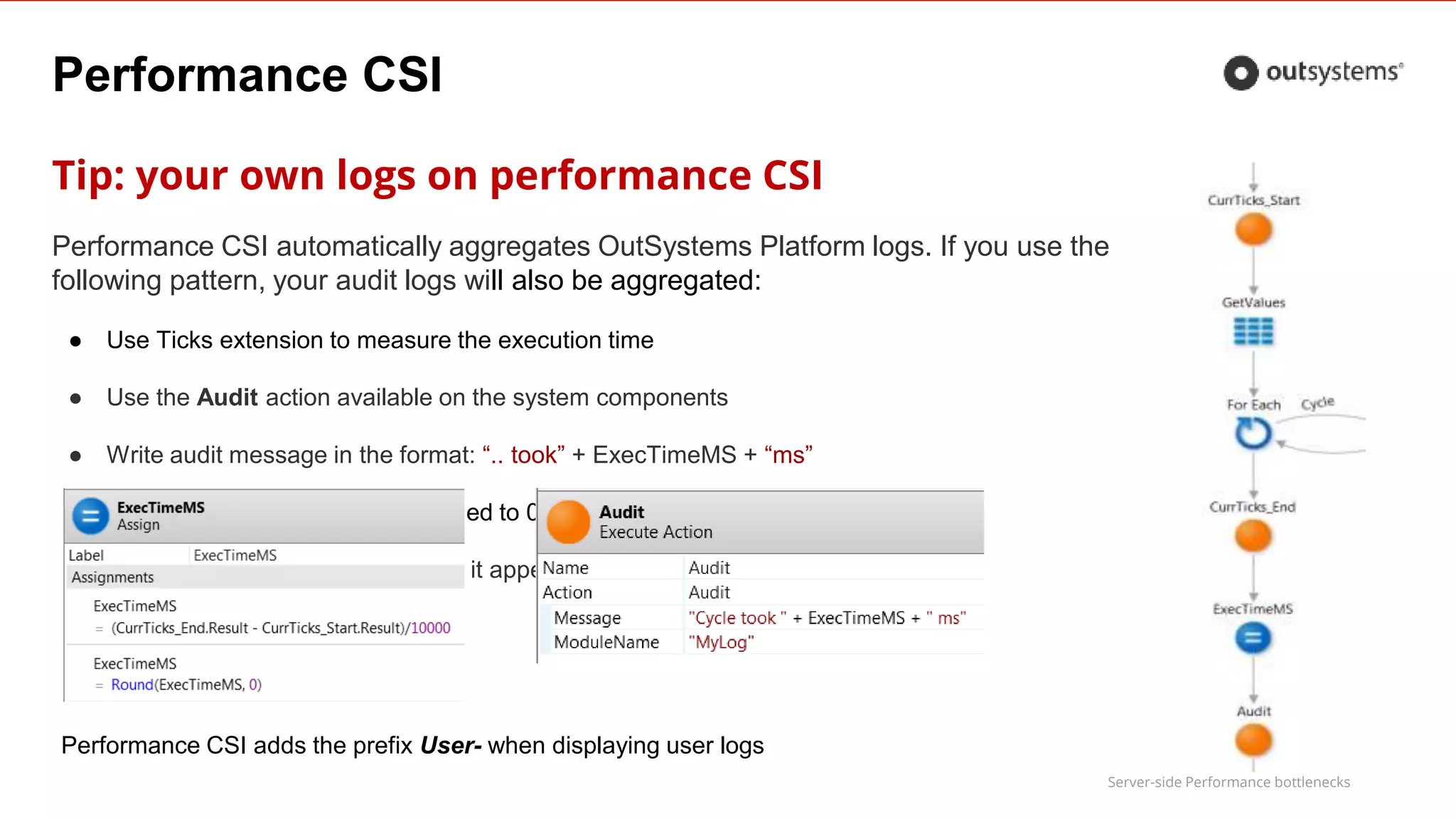
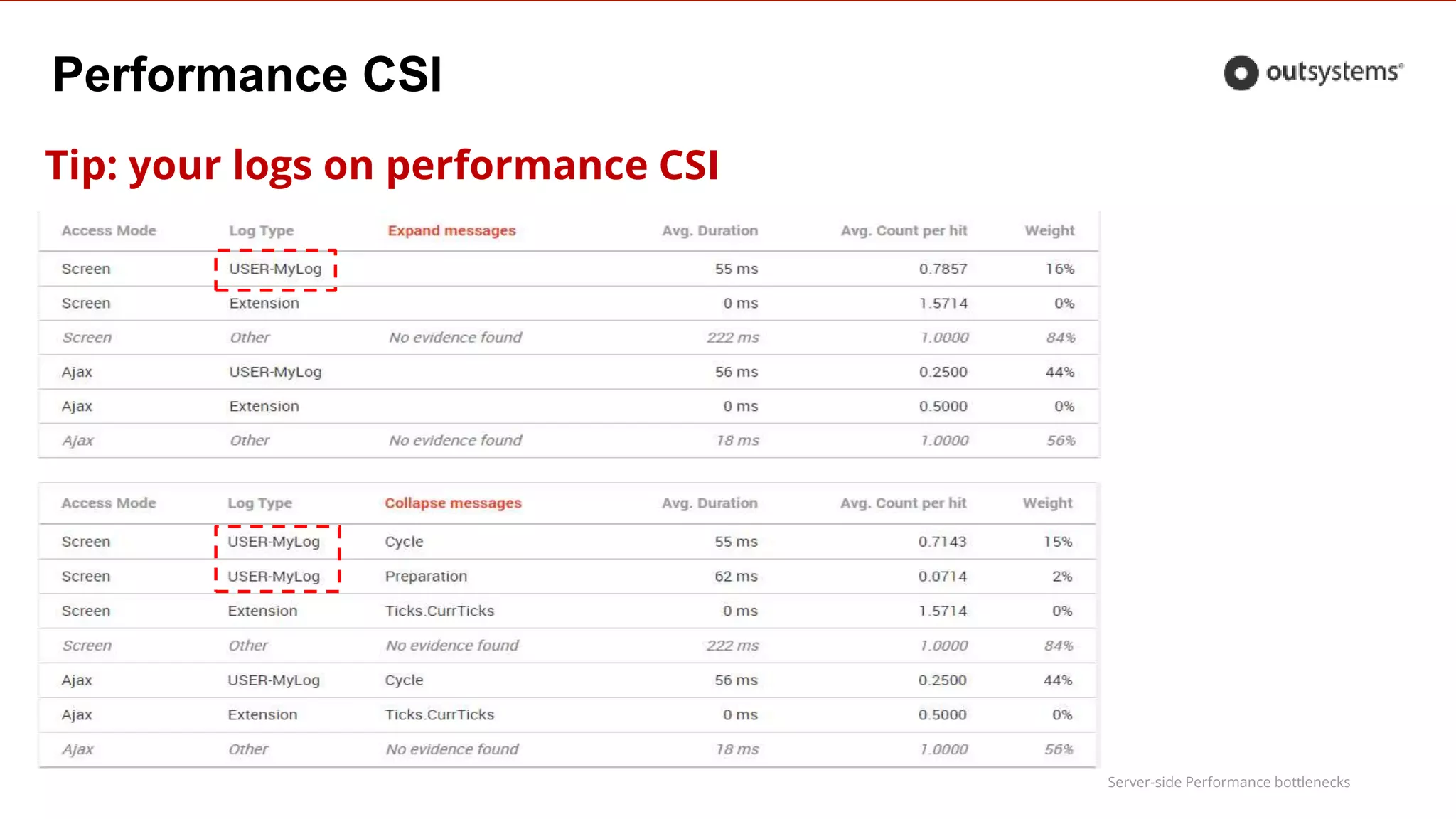
Tip: your own logs on performance CSI
Performance CSI automatically aggregates OutSystems Platform logs. If you use the
following pattern, your audit logs will also be aggregated:
● Use Ticks extension to measure the execution time
● Use the Audit action available on the system components
● Write audit message in the format: “.. took” + ExecTimeMS + “ms”
● Write execution time in ms, rounded to 0
● Use meaningful ModuleName, so it appears aggregated as a Log Type
Performance CSI adds the prefix User- when displaying user logs
Server-side Performance bottlenecks
Performance CSI
Tip: your logs on performance CSI
Server-side Performance bottlenecks
Performance CSI
TOP 10 Worst Practices
Server-side Performance bottlenecks
Top 10 Worst Practices
1.Fetching more records than required
2.Inappropriate record counting
3.High reuse of queries/actions with same inputs
4.Inefficient data preparation
5.Abuse of inline parameters in advanced queries
6.Inefficient query filtering & sort
7.Abuse of scope data
8.Session Variables using large data types
9. Massive string transformations
10.One-shot load of heavy screens
Server-side Performance bottlenecks
#1 Fetching more records than required
Symptom
●Slow query with no top/maxrow treatment
Cause
●Unnecessary CPU and IO consumptions on the Database
Server-side Performance bottlenecks
#1 Fetching more records than required
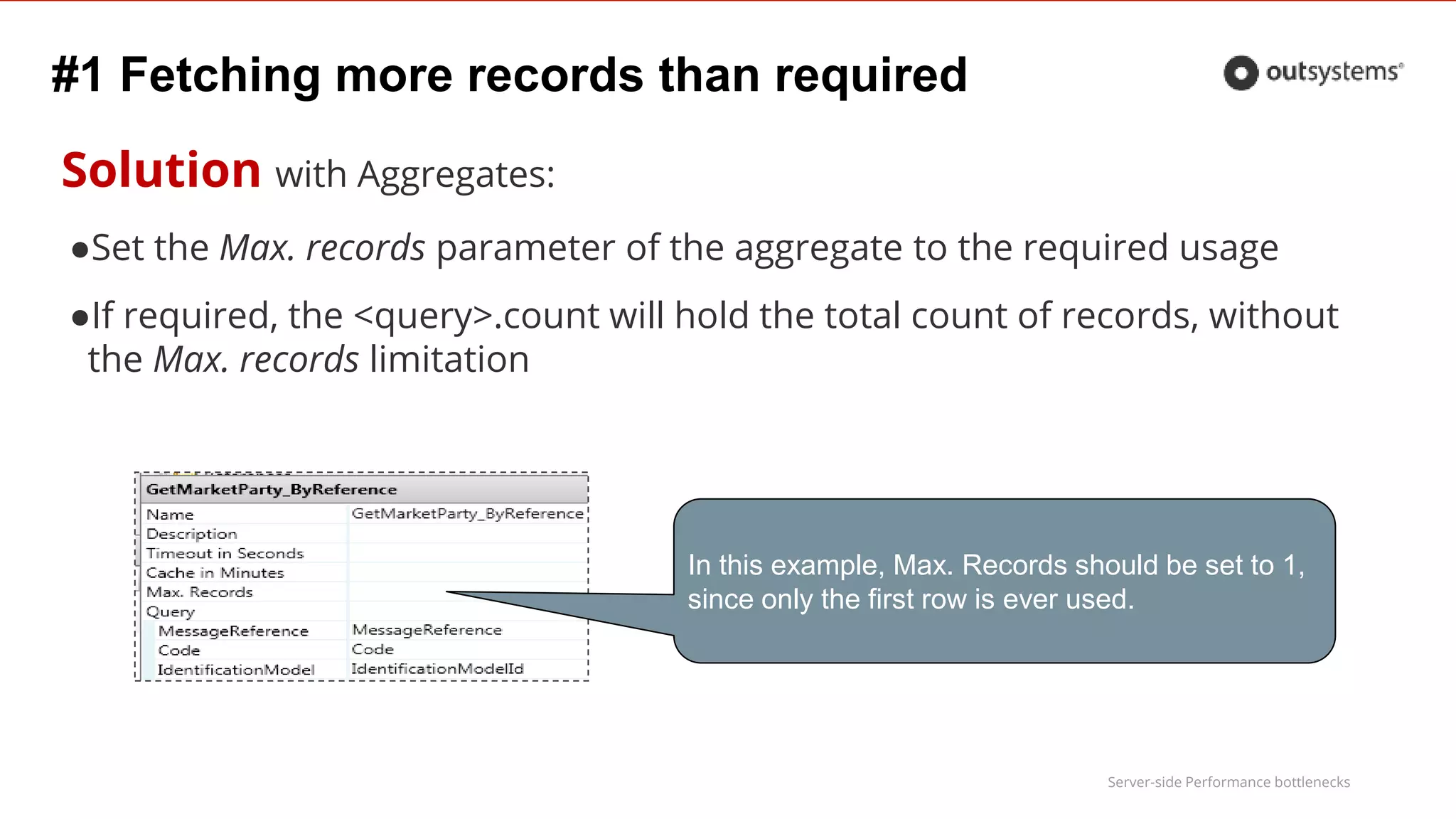
Solution with Aggregates:
●Set the Max. records parameter of the aggregate to the required usage
●If required, the <query>.count will hold the total count of records, without
the Max. records limitation
In this example, Max. Records should be set to 1,
since only the first row is ever used.
Server-side Performance bottlenecks
#1 Fetching more records than required
Solution with Advanced Queries
1. Limit the number of Rows according to required usage
1. If total count is required, adapt a 2nd query from the 1st
SELECT column_names
FROM table_joins
WHERE conditions
ORDER BY order
SELECT * FROM (
SELECT column_names
FROM table_joins
WHERE conditions
ORDER BY order
) WHERE ROWNUM <= @maxrows
Oracle
SQL Server
SELECT TOP @maxrows column_names
FROM table_joins
WHERE conditions
ORDER BY order
Server-side Performance bottlenecks
#2 Inappropriate record counting
Symptom
●Slow <Query>.count
Cause
●Query used to fetch data is inefficient for performing a count
Solution
●Implement a simplified query that performs the count without fetching and
joining with unnecessary data
●Avoid execution of the query that collects the number of records
●Avoid testing <Query>.Count = 0 instead, use <Query>.List.Empty
Server-side Performance bottlenecks
#2 Inappropriate record counting
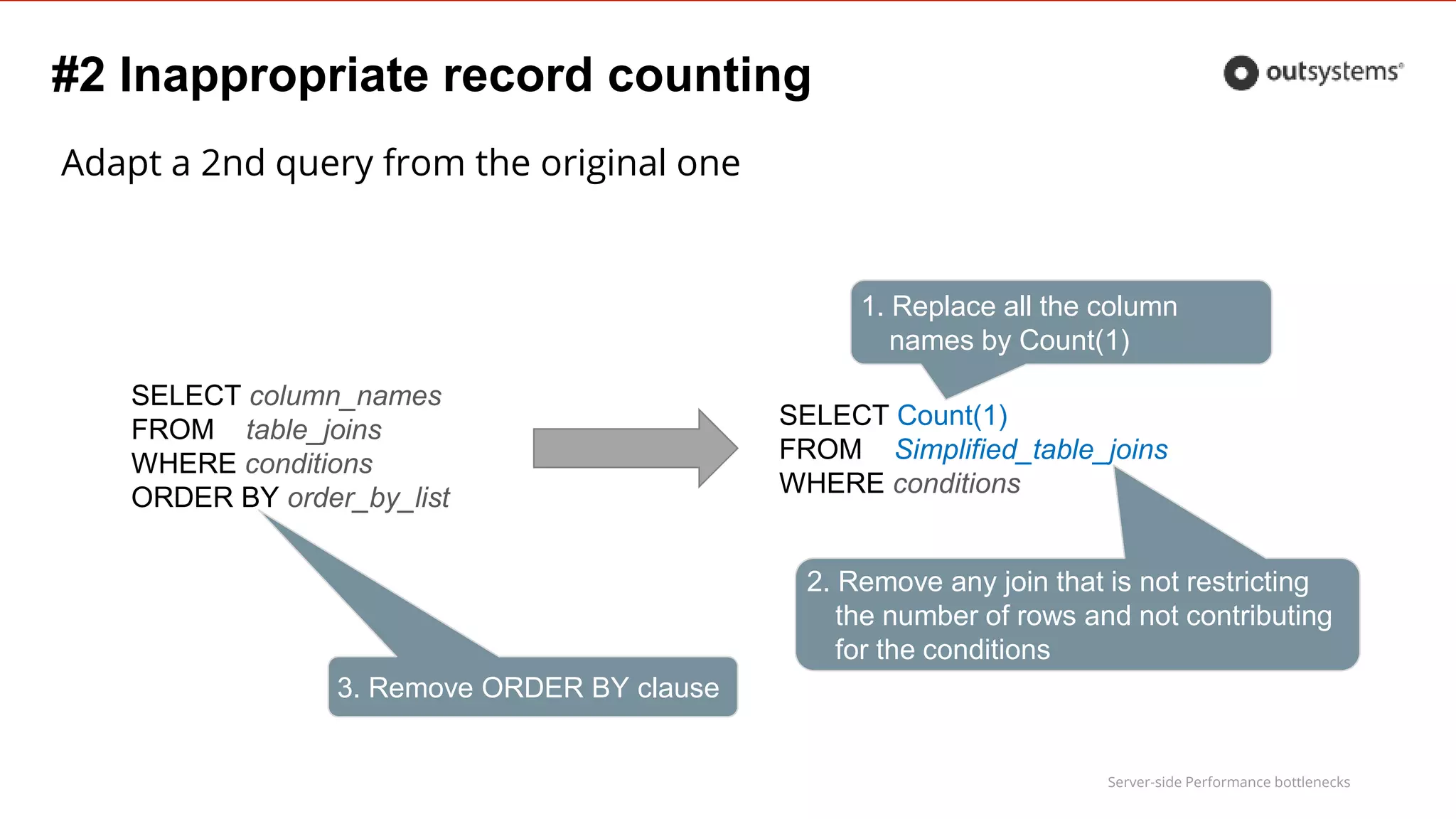
Adapt a 2nd query from the original one
SELECT column_names
FROM table_joins
WHERE conditions
ORDER BY order_by_list
SELECT Count(1)
FROM Simplified_table_joins
WHERE conditions
1. Replace all the column
names by Count(1)
2. Remove any join that is not restricting
the number of rows and not contributing
for the conditions
3. Remove ORDER BY clause
Server-side Performance bottlenecks
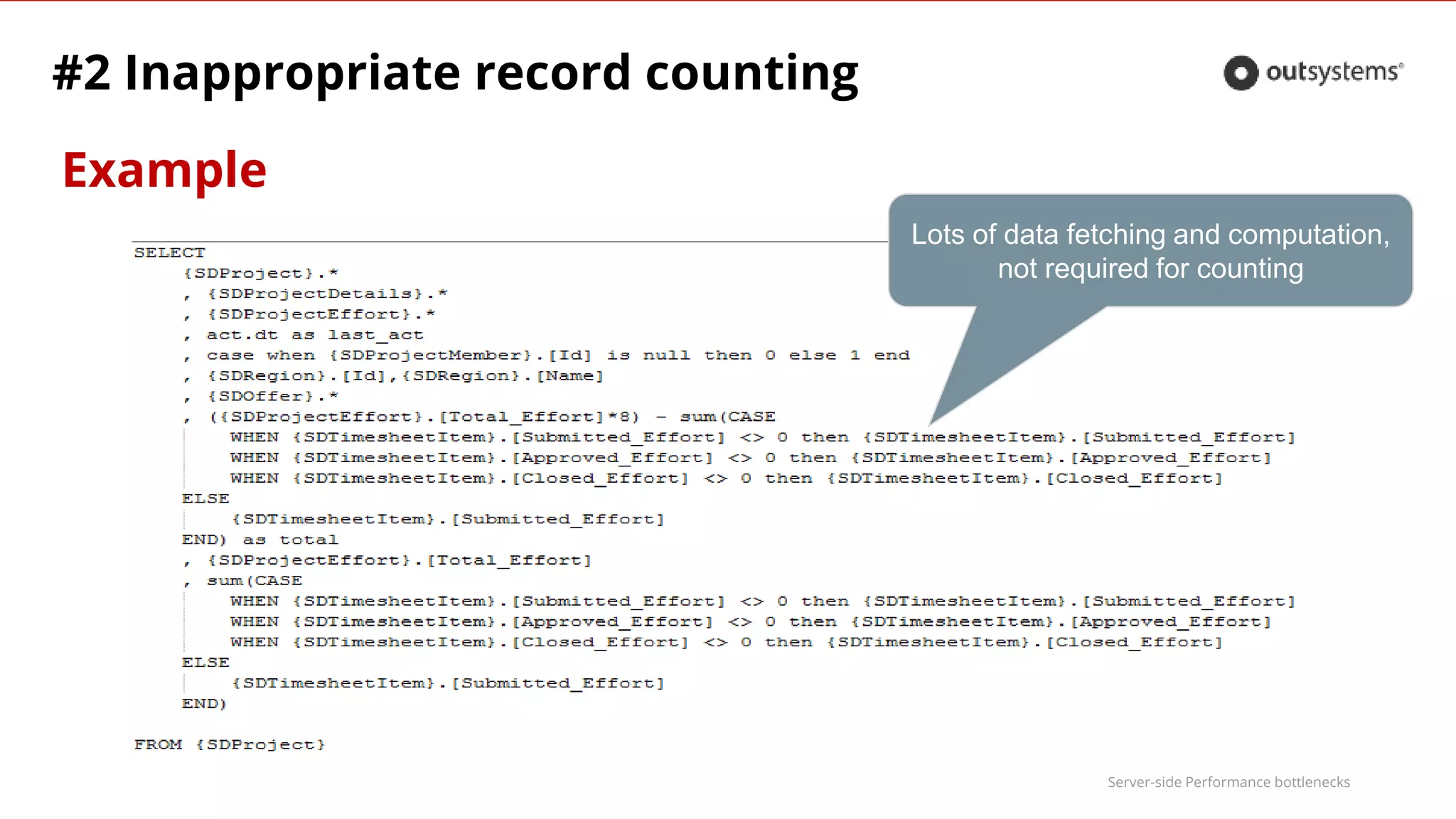
Example
#2 Inappropriate record counting
Lots of data fetching and computation,
not required for counting
Server-side Performance bottlenecks
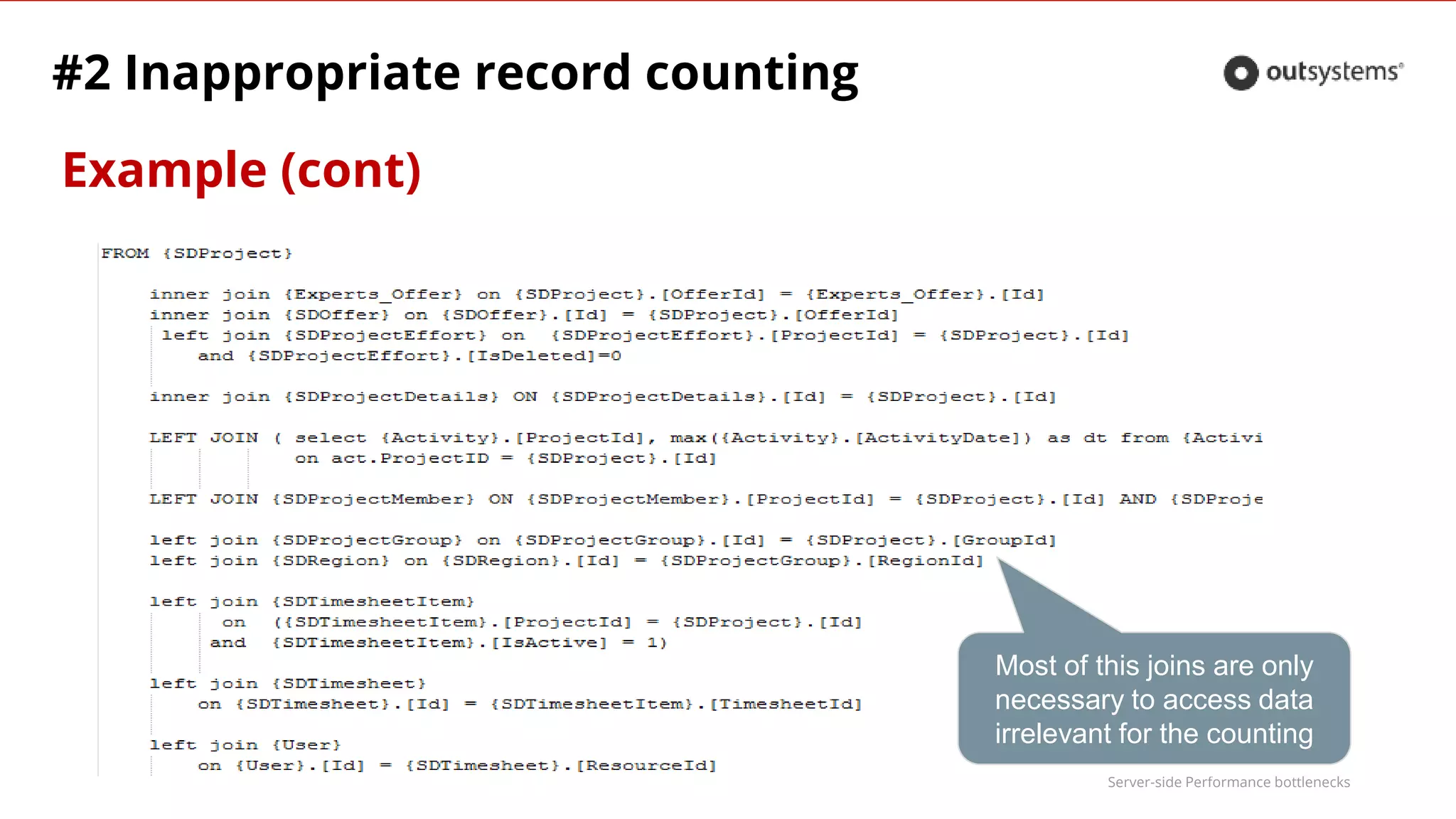
Example (cont)
#2 Inappropriate record counting
Most of this joins are only
necessary to access data
irrelevant for the counting
Server-side Performance bottlenecks
#3 High reuse of queries/actions with same inputs
Symptom
●High number of hits on same query/action
Cause
●Lack of caching (or bad logic flow)
Solution
●Cache the query or action for the minimum amount of time that will
value the memory used
! Always validate with business before add cache to your elements
Server-side Performance bottlenecks
#3 High reuse of queries/actions with same inputs
Examples
Multiple calls with same inputs:
● During the day
→ cache for 24h
● In the scope of a user session
→ cache for 1h (or the average session duration)
● During the rendering of Web Block
→ cache for 1 minute
Server-side Performance bottlenecks
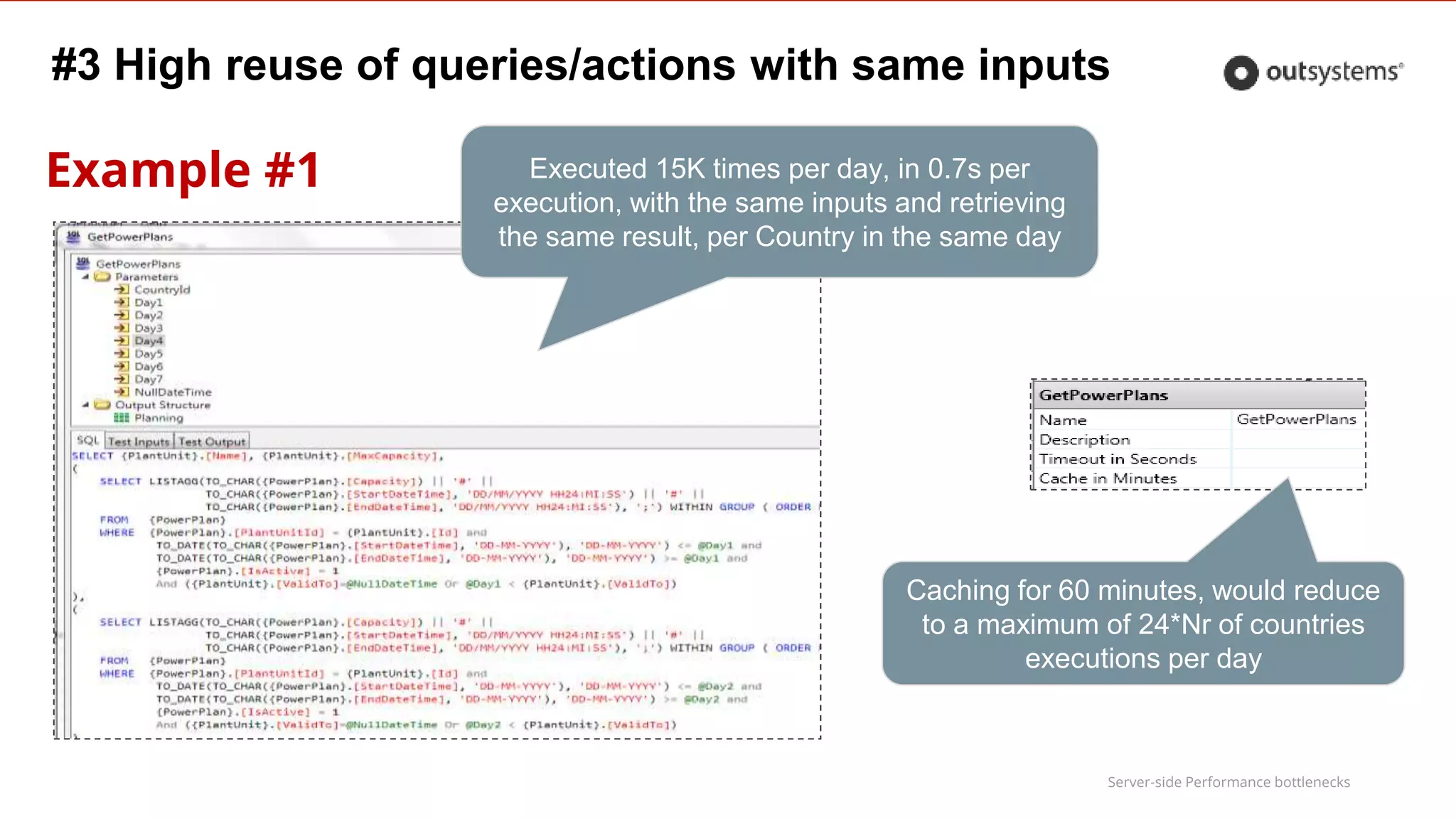
Example #1
#3 High reuse of queries/actions with same inputs
Executed 15K times per day, in 0.7s per
execution, with the same inputs and retrieving
the same result, per Country in the same day
Caching for 60 minutes, would reduce
to a maximum of 24*Nr of countries
executions per day
Server-side Performance bottlenecks
Example #2
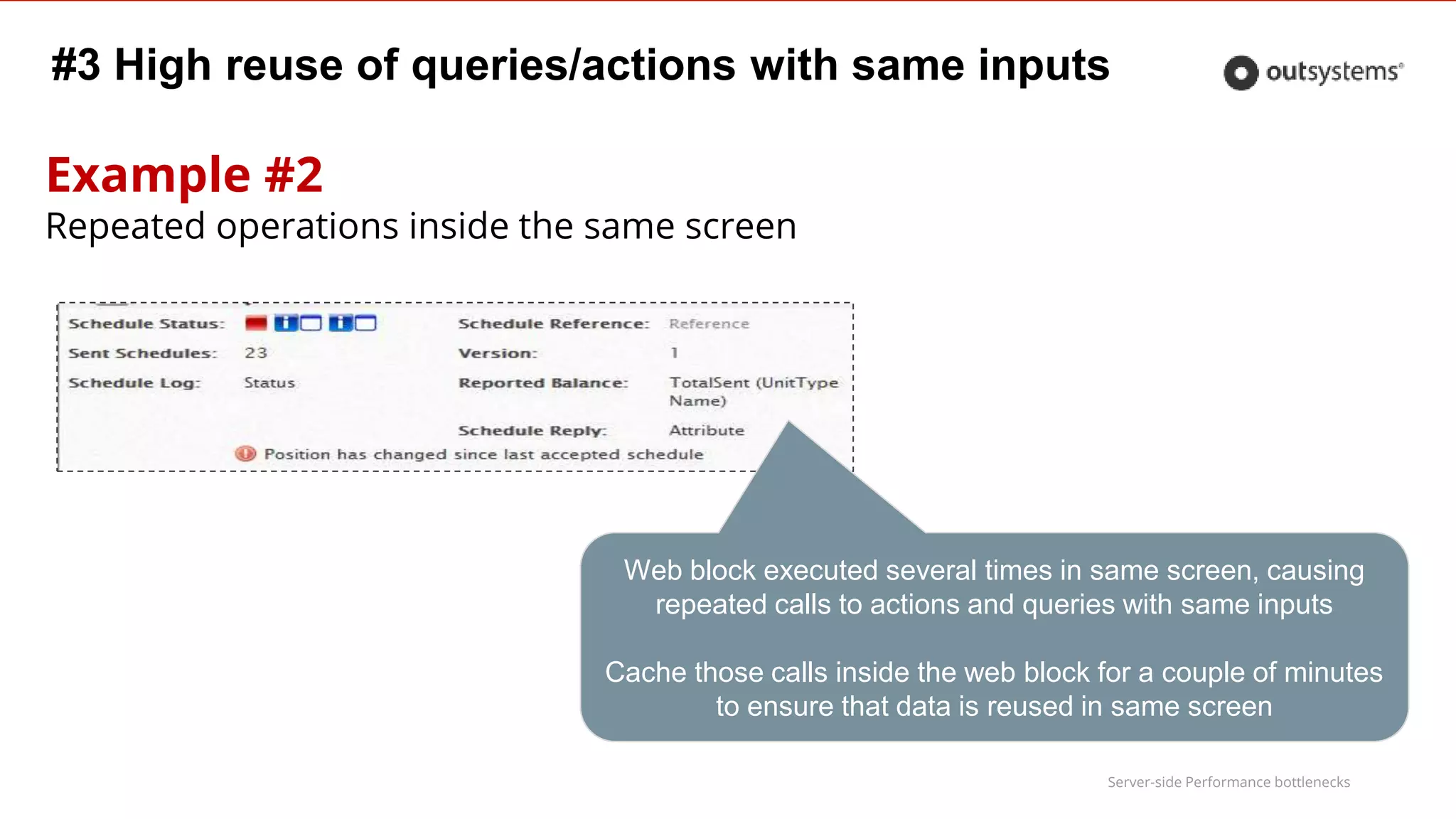
Repeated operations inside the same screen
#3 High reuse of queries/actions with same inputs
Web block executed several times in same screen, causing
repeated calls to actions and queries with same inputs
Cache those calls inside the web block for a couple of minutes
to ensure that data is reused in same screen
Server-side Performance bottlenecks
#3 High reuse of queries/actions with same inputs
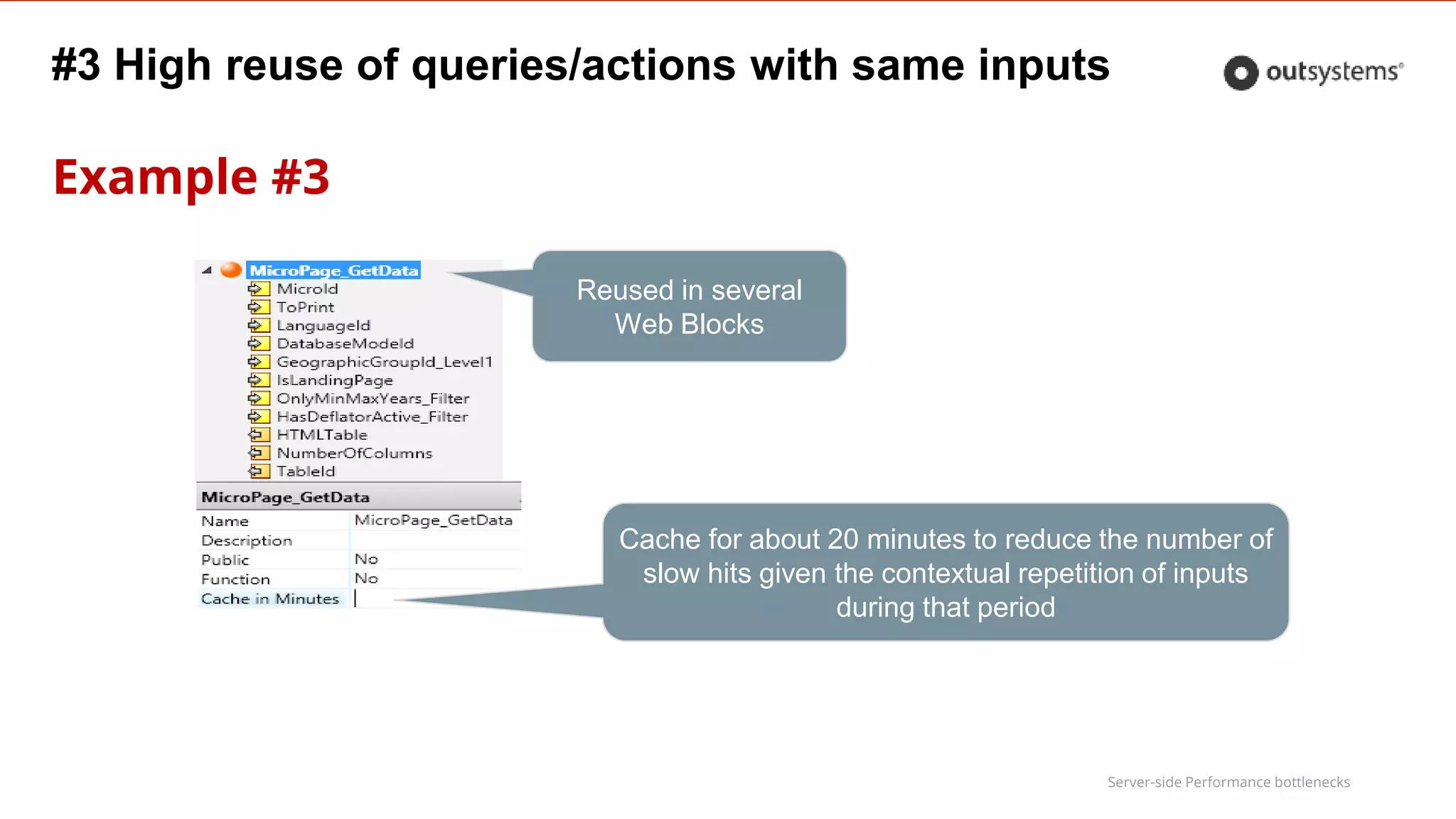
Example #3
Cache for about 20 minutes to reduce the number of
slow hits given the contextual repetition of inputs
during that period
Reused in several
Web Blocks
Server-side Performance bottlenecks
#3 High reuse of queries/actions with same inputs
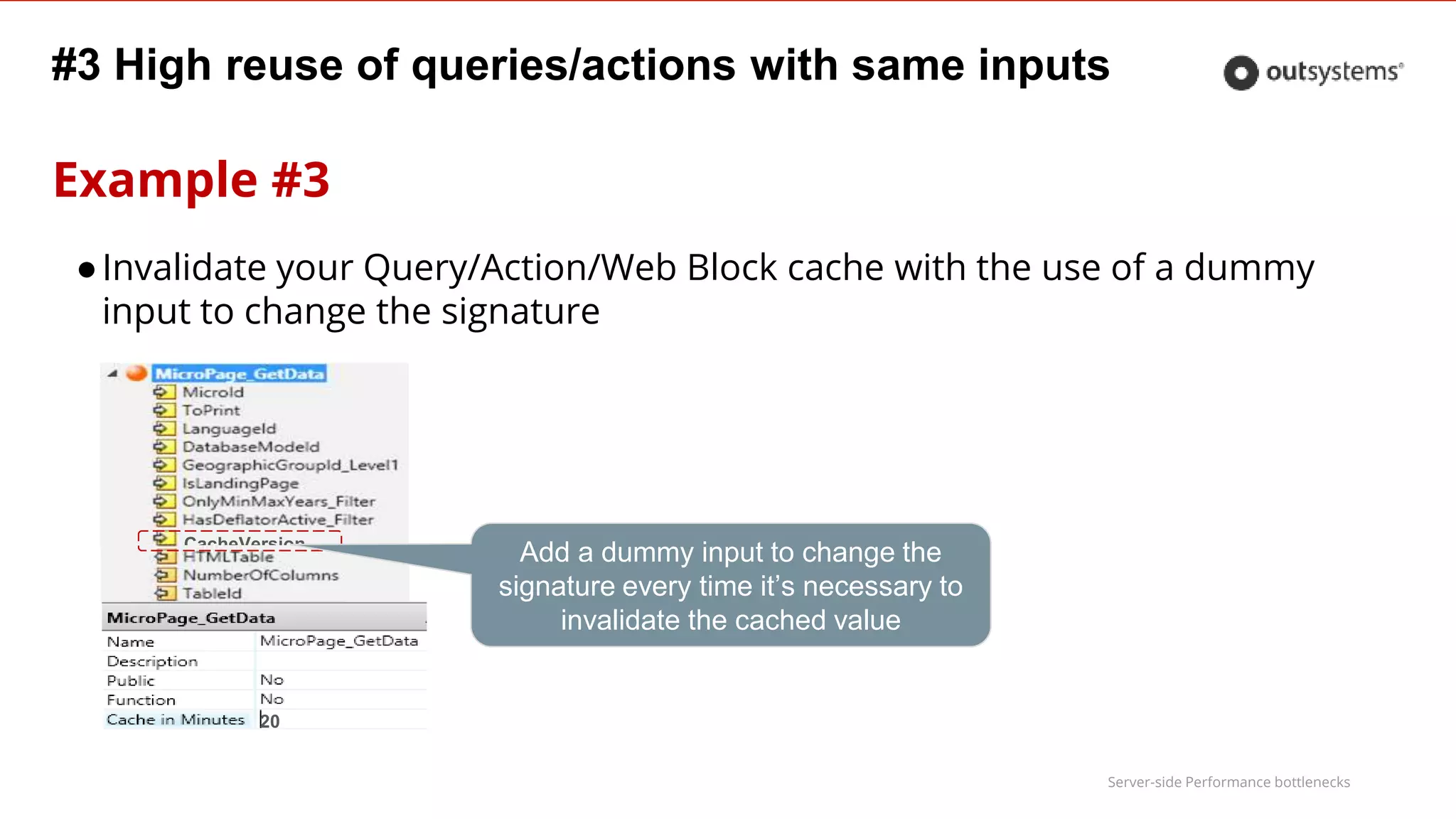
Example #3
CacheVersion
20
Add a dummy input to change the
signature every time it’s necessary to
invalidate the cached value
●Invalidate your Query/Action/Web Block cache with the use of a dummy
input to change the signature
Server-side Performance bottlenecks
#4 Inefficient data preparation
Symptom
●Too many query calls
Cause
●Queries called inside foreach in the preparation
●Queries in expressions inside table records
Server-side Performance bottlenecks
Solutions
●Use proper joins and SQL functions
to gather all required data in a single query
●Make decisions in the preparation to get data with different queries
instead of making decisions on the screen to call different expressions with different queries
●Create different specialized screens
instead of a power screen with inefficient data preparation that needs to cope with all situation
#4 Inefficient data preparation
Server-side Performance bottlenecks
#4 Inefficient data preparation
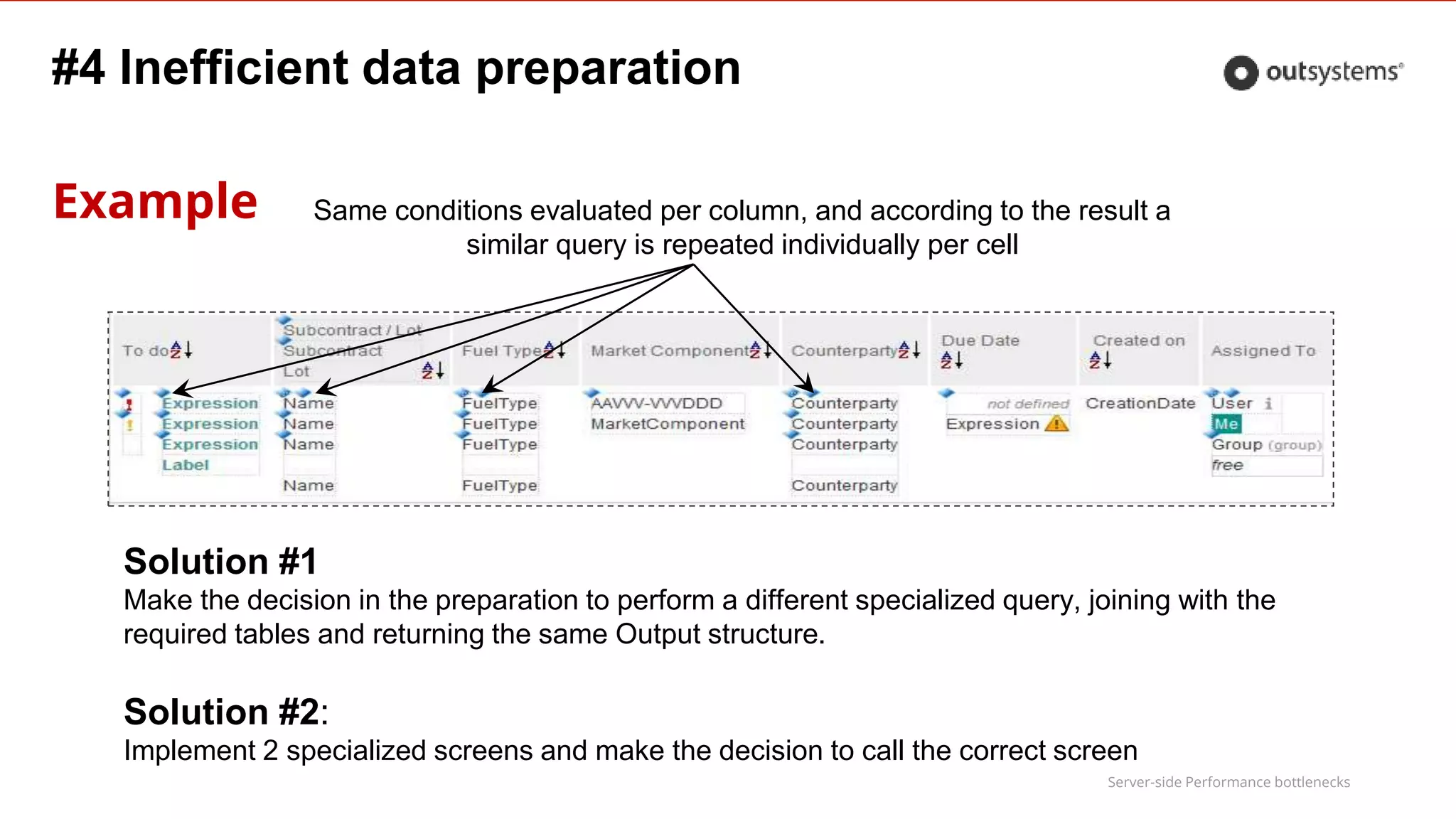
Example Same conditions evaluated per column, and according to the result a
similar query is repeated individually per cell
Solution #1
Make the decision in the preparation to perform a different specialized query, joining with the
required tables and returning the same Output structure.
Solution #2:
Implement 2 specialized screens and make the decision to call the correct screen
Server-side Performance bottlenecks
#5 Abuse of inline parameters in advanced queries
Symptom
●Slow query with inline parameters
Cause
– Inline parameters with values that change too often generate too many
different queries in runtime, preventing DB optimization of the
execution plan and increasing SQL Server plan cache size
Server-side Performance bottlenecks
#5 Abuse of inline parameters in advanced queries
Solution
●Create specialized queries for the most used cases and make a decision on
which one to use, storing the result in a local variable
instead of injecting filtering or join clauses dynamically
●Don’t inject the result of a query in another one – create a complex query
instead
although more difficult to implement, it pays off performance wise
● Use advanced database database techniques, such as Materialized Views
(Oracle), indexed views (Sql Server), Global Temporary Tables (Oracle)
Ask your DBA for how to implement these
Server-side Performance bottlenecks
#5 Abuse of inline parameters in advanced queries
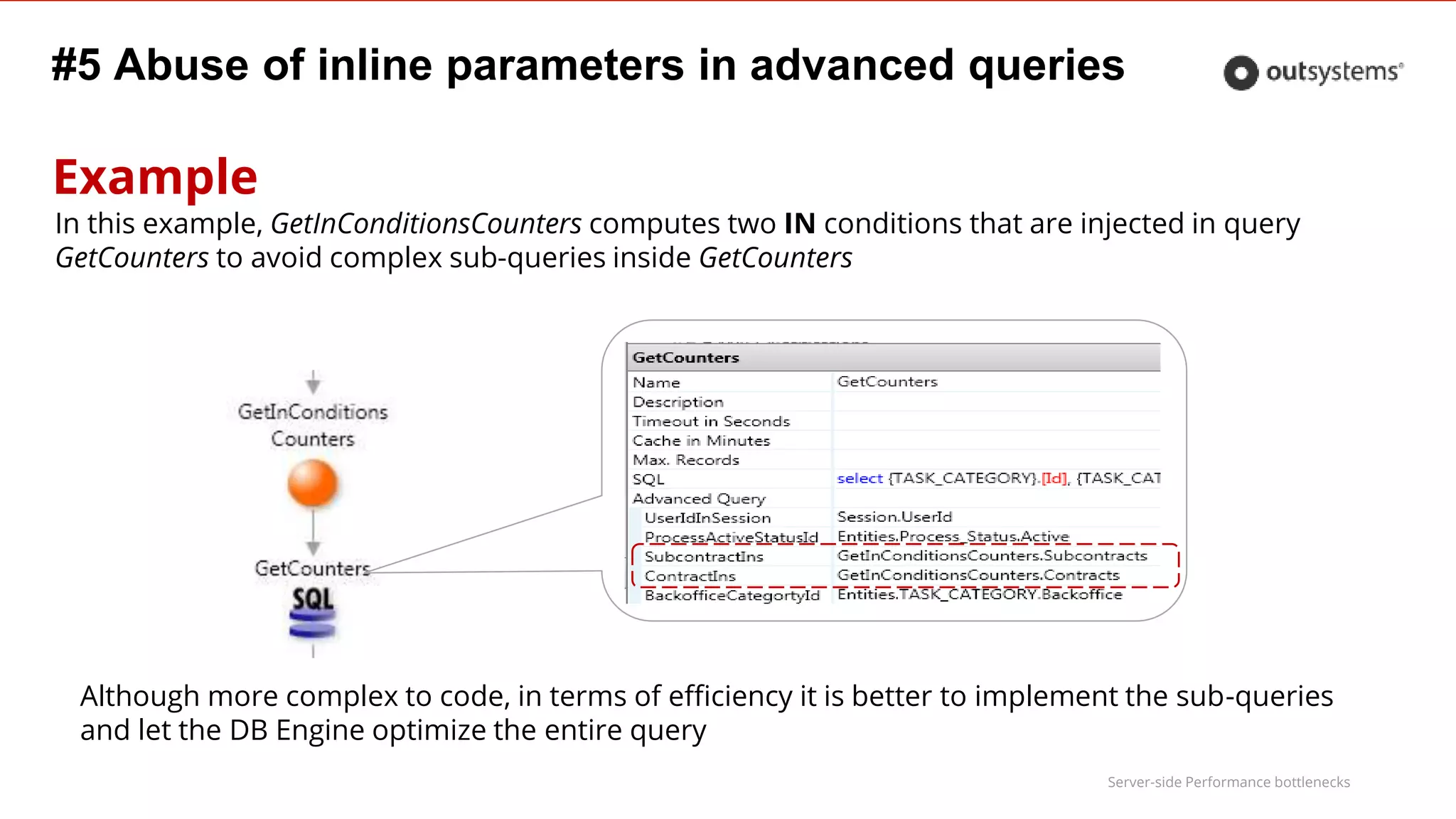
Example
In this example, GetInConditionsCounters computes two IN conditions that are injected in query
GetCounters to avoid complex sub-queries inside GetCounters
Although more complex to code, in terms of efficiency it is better to implement the sub-queries
and let the DB Engine optimize the entire query
Server-side Performance bottlenecks
#5 Abuse of inline parameters in advanced queries
This common pattern always results in performance issues once data
volume increases
where [Id] in @IdList
Solution
● Create a temporary table (using a WITH clause) with the list of id’s
WITH IdsTable as ( select … )
● Change the query to
where [Id] in (select id from IdsTable)
● Another advantage is not having to build the comma separated list
Inline parameter with comma separated Ids
Server-side Performance bottlenecks
#5 Abuse of inline parameters in advanced queries
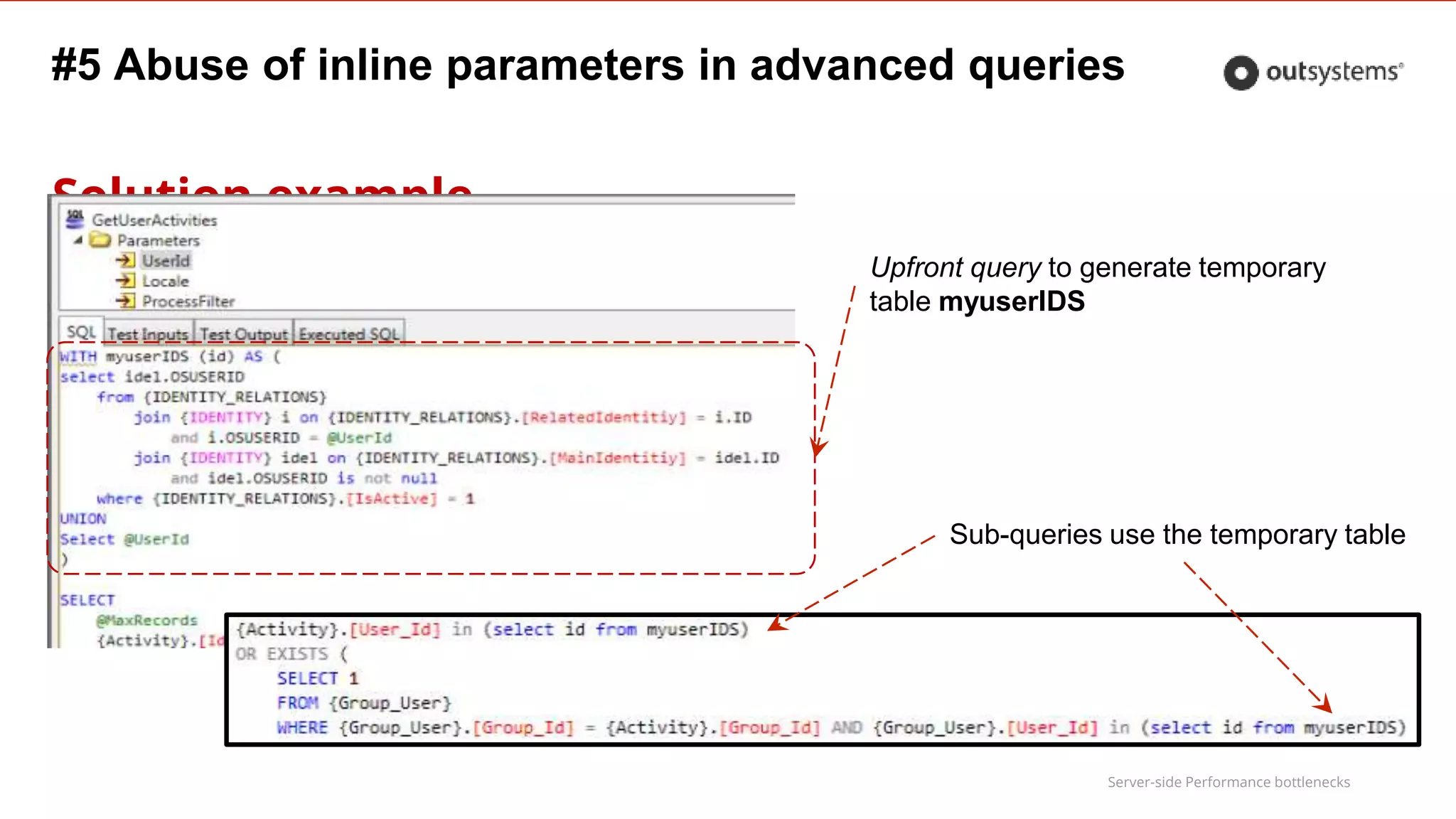
Solution example
Upfront query to generate temporary
table myuserIDS
Sub-queries use the temporary table
Server-side Performance bottlenecks
#6 Inefficient Query Filtering & Sort
Symptom
●Slow query with filters and/or sort
Cause
●Casting of input parameters inside the query
●Filters with LIKE over text
●No indexes on the columns filtered or ordered
●Missing database maintenance plans
Server-side Performance bottlenecks
#6 Inefficient Query Filtering & Sort
Solution: Optimize filters
●Avoid filters like WHERE name like '%Paul%'
●Make the casts outside the query, on the input expressions
–Casting of the input parameters inside the query causes conversion to
be done for every tuple tested
Server-side Performance bottlenecks
#6 Inefficient Query Filtering & Sort
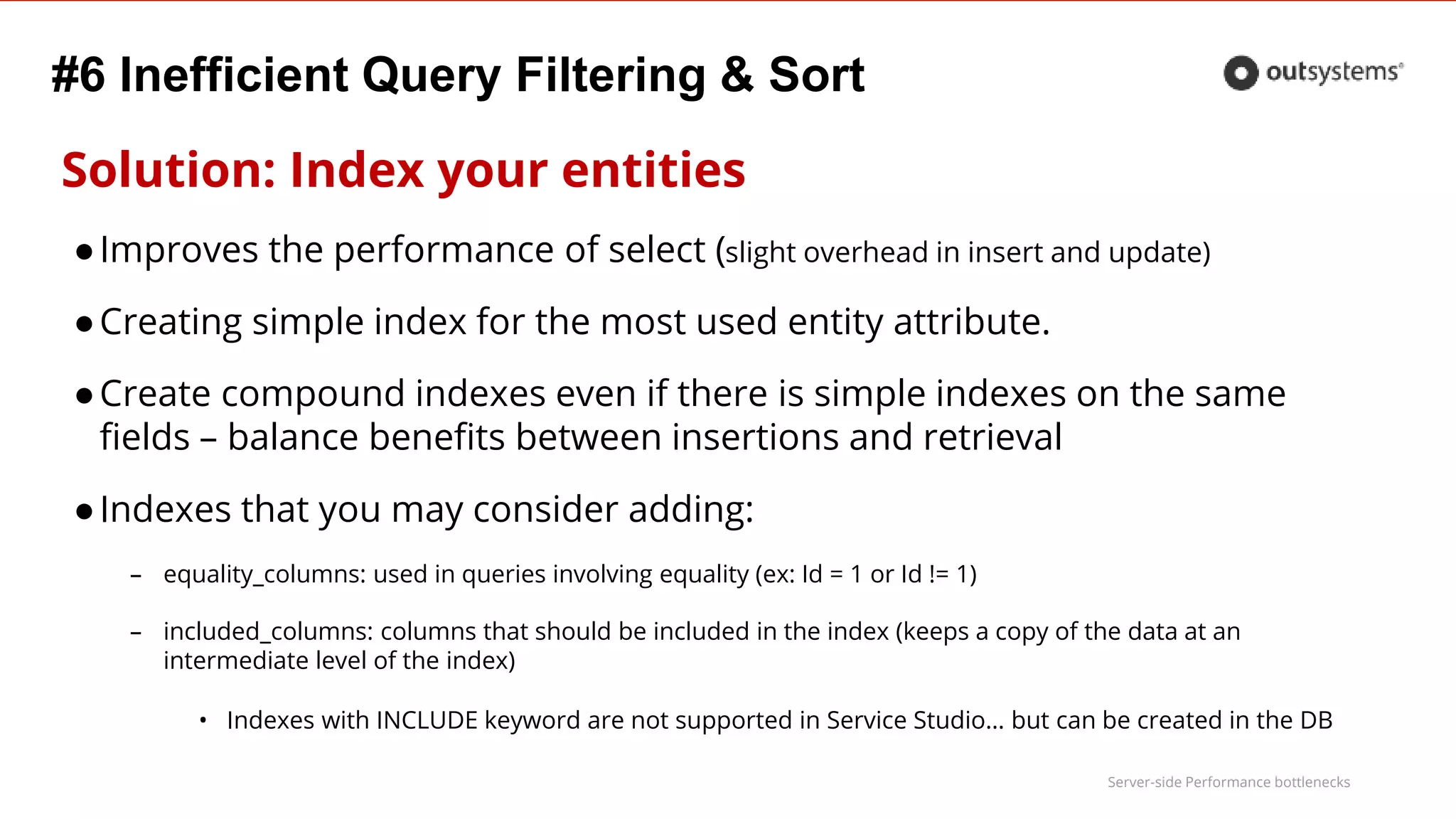
Solution: Index your entities
●Improves the performance of select (slight overhead in insert and update)
●Creating simple index for the most used entity attribute.
●Create compound indexes even if there is simple indexes on the same
fields – balance benefits between insertions and retrieval
●Indexes that you may consider adding:
– equality_columns: used in queries involving equality (ex: Id = 1 or Id != 1)
– included_columns: columns that should be included in the index (keeps a copy of the data at an
intermediate level of the index)
• Indexes with INCLUDE keyword are not supported in Service Studio… but can be created in the DB
Server-side Performance bottlenecks
#6 Inefficient Query Filtering & Sort
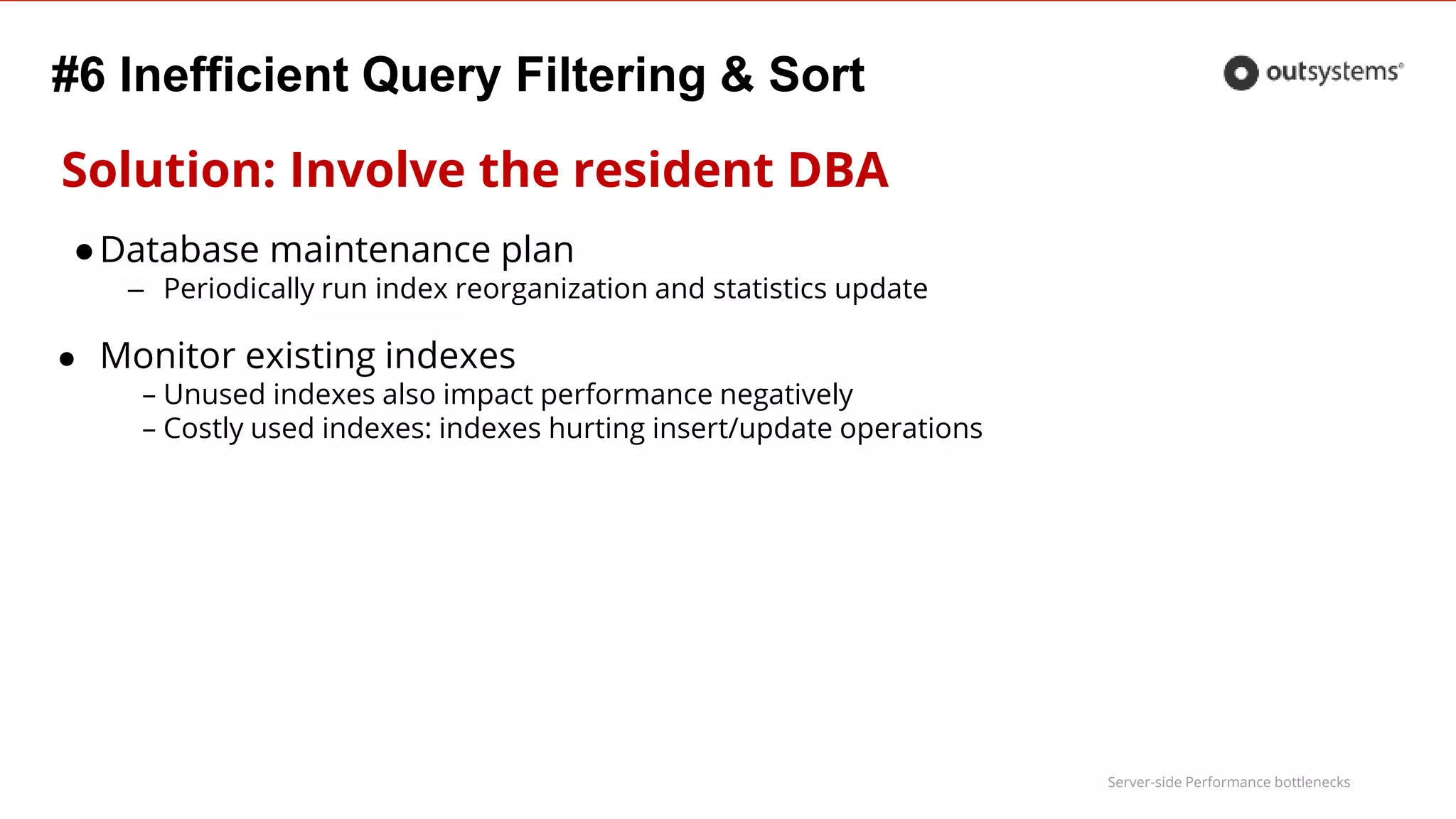
Solution: Involve the resident DBA
●Database maintenance plan
– Periodically run index reorganization and statistics update
● Monitor existing indexes
– Unused indexes also impact performance negatively
– Costly used indexes: indexes hurting insert/update operations
Server-side Performance bottlenecks
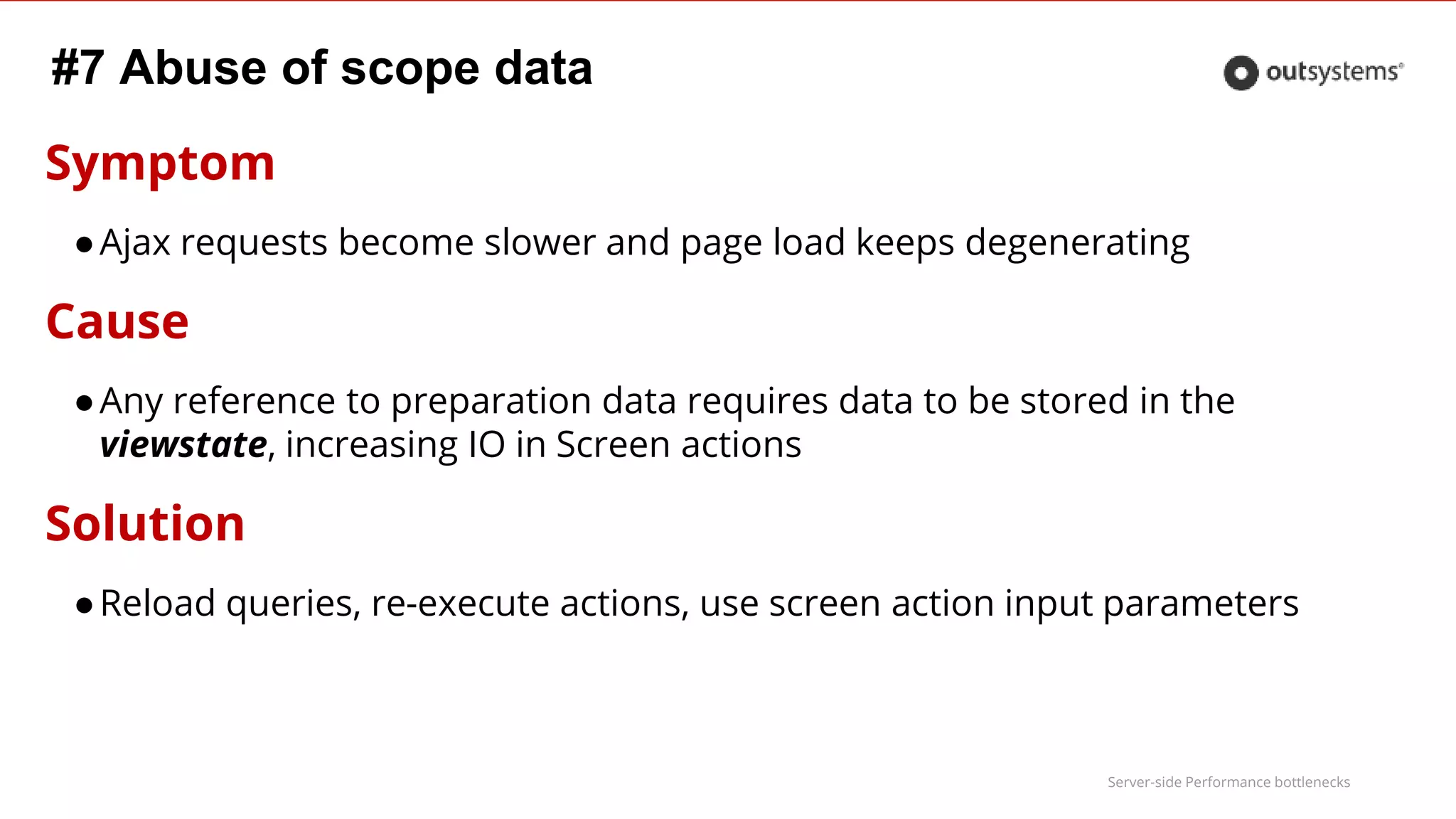
#7 Abuse of scope data
Symptom
●Ajax requests become slower and page load keeps degenerating
Cause
●Any reference to preparation data requires data to be stored in the
viewstate, increasing IO in Screen actions
Solution
●Reload queries, re-execute actions, use screen action input parameters
Server-side Performance bottlenecks
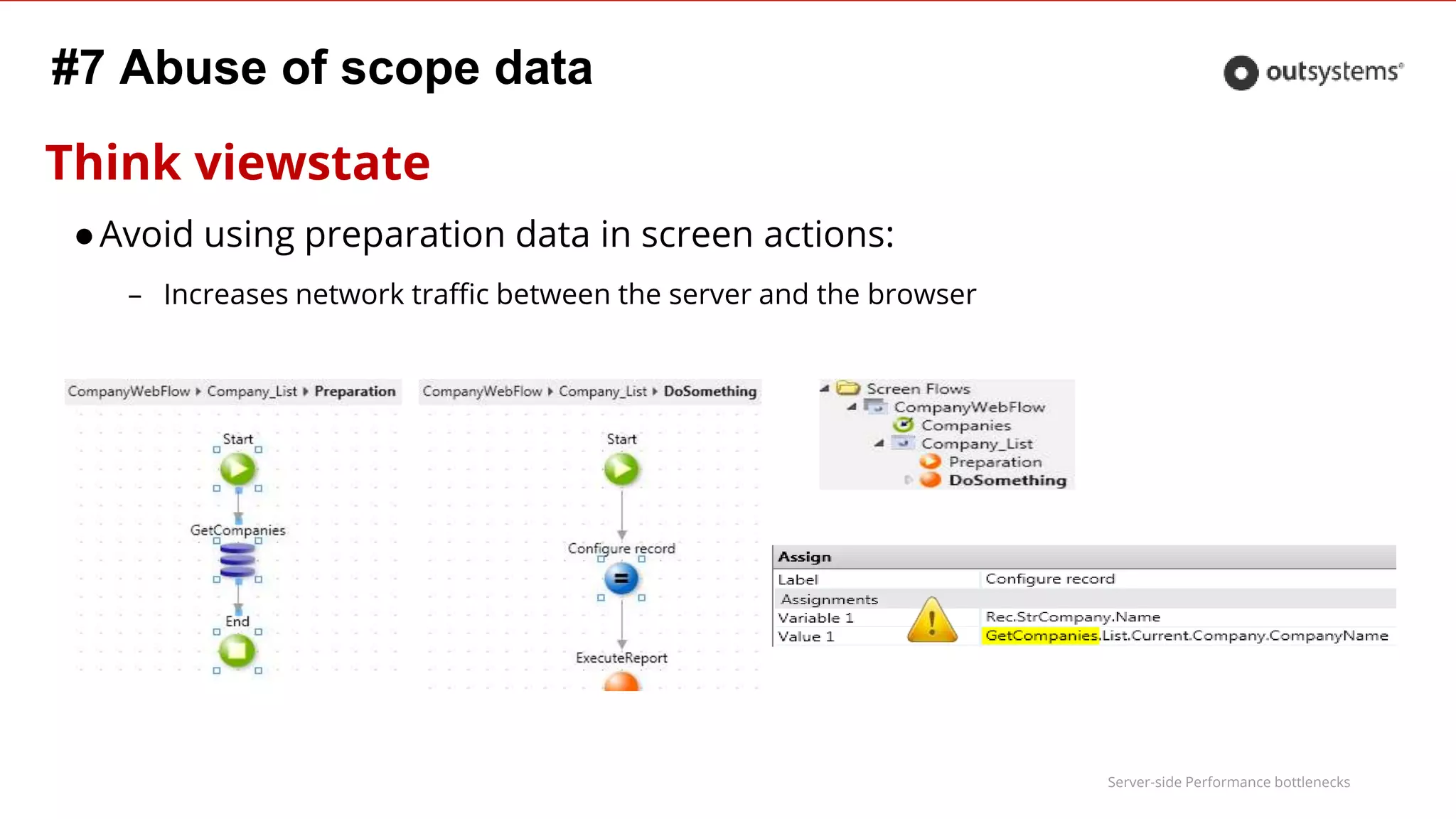
Think viewstate
●Avoid using preparation data in screen actions:
– Increases network traffic between the server and the browser
#7 Abuse of scope data
Server-side Performance bottlenecks
#8 Session Variables using large data types
Symptom
●Increased contention on Session loading, with the number of concurrent
users
Cause
●Each web request loads session context which takes longer with large data
types, causing contention in the session data model with the increase of
concurrent users.
This is even more important when you use AJAX as it will increase the number of requests.
Server-side Performance bottlenecks
#8 Session Variables using large data types
Solution
●Store session information in database tables with the SessionId as the
primary key
Instead of fetching all session information in every request, only required data is fetched
Server-side Performance bottlenecks
Symptom
● Massive string transformation takes too long
Cause
● Processing logic using the standard string operations
#9 Massive string transformations
Server-side Performance bottlenecks
Solution
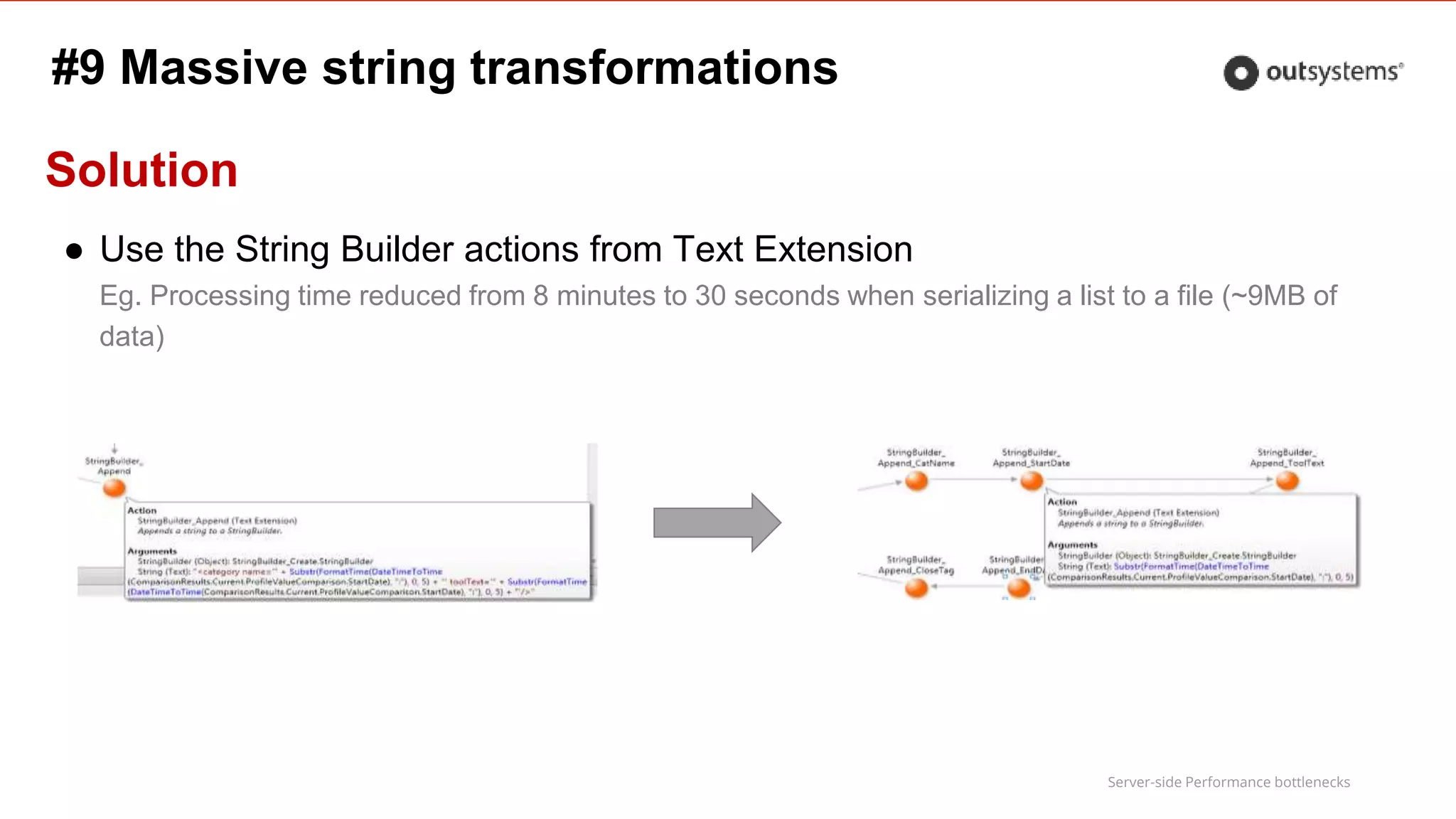
● Use the String Builder actions from Text Extension
Eg. Processing time reduced from 8 minutes to 30 seconds when serializing a list to a file (~9MB of
data)
#9 Massive string transformations
Server-side Performance bottlenecks
#10 One-shot load of heavy screens
Symptom
●First byte takes to long, lack of responsiveness, no partial information
Cause
●Power pages with too much content blocks, each requiring heavy data
retrieval and calculations
Solution
●Adopt a lazy load strategy
Server-side Performance bottlenecks
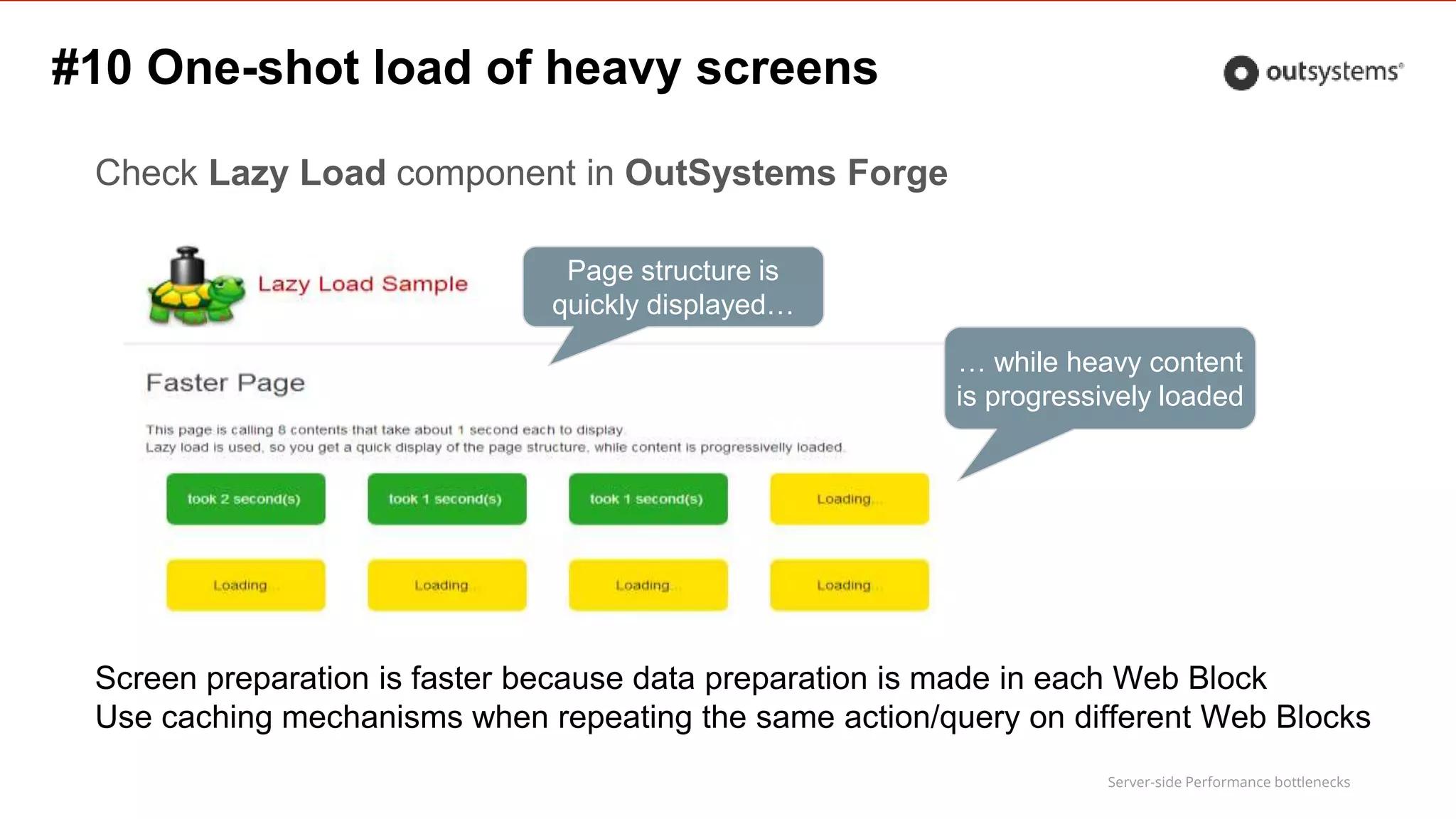
Check Lazy Load component in OutSystems Forge
Page structure is
quickly displayed…
… while heavy content
is progressively loaded
Screen preparation is faster because data preparation is made in each Web Block
Use caching mechanisms when repeating the same action/query on different Web Blocks
#10 One-shot load of heavy screens
Application Delivery Cycle
Server-side Performance bottlenecks
How do I ensure my application is performant?
During development
●Follow OutSystems best practices one
https://success.outsystems.com/Support/Enterprise_Customers/Maintenance_and_Operations/Performance_Best_Practices
●Discuss complex business requirement within the team and define which
patterns should be applied
●Recurrently review the code
●Monitor the application
– Look for slow queries, slow screens
Server-side Performance bottlenecks
How do I ensure my application is performant?
During solution release
●Load & Stress tests
After Go-Live
●Proactively monitor your application
●Pay attention to performance decrease over time
– React before it becomes a big issue

Training Webinar: Detect Performance Bottlenecks of Applications

  • 1.
  • 2.
    Effective Platform ServerMonitoring Paulo Garrudo Architecture Team Leader Expert Services paulo.garrudo@outsystems.com https://www.linkedin.com/in/paulogarrudo 2
  • 3.
    Server-side Performance bottlenecks Agenda ●Performance Overview ● OutSystems Platform Logs ● Tools ● Performance CSI Live Demo ● TOP 10 Worst Practices ● Application Delivery Cycle ● Q&A
  • 4.
  • 5.
    Server-side Performance bottlenecks Webapplication Performance What is ●Application is consider performant if consistently responds fast and efficiently ●On web application, users expects a page to load under 2 seconds ●Measures the elapsed time between the beginning of a web request and the end of the response
  • 6.
    Server-side Performance bottlenecks Webapplication Performance Why is hard to achieve ●Developers have difficulty understanding why an application is slow ●It’s difficult to troubleshoot over web layers: device → network → application server → database ●On server-side, it’s difficult to drill-down over a slow page This webinar is going to focus on the Server-side performance
  • 7.
    Server-side Performance bottlenecks WebRequest Simple overview ●Request sent (network) ●Server-side ●Content download (network) ●Client side
  • 8.
    Server-side Performance bottlenecks Clientside and network performance Existing webinar • Details for client side and network
  • 9.
  • 10.
    Server-side Performance bottlenecks Howto measure Use logs to measure elapsed times ●OutSystems Platform collects a set of logs out of the box – By default, individual logs are kept for 4 weeks: configurable using the configuration tool – For each eSpace / Extension, log setting must be enabled ●OutSystems Platform aggregates the collected logs ●On complex application actions, add you own audit actions to capture server-side execution time
  • 11.
    Server-side Performance bottlenecks Howto measure OutSystems Platform monitoring ●General Logs – Application specific logging – System logs – Slow queries: queries that take more than 200ms (configurable) ●ViewState size ●Session size ●Timer Logs: each executed Scheduled Job ●Integrations Log: each Web Service / Web Reference invocation
  • 12.
    Server-side Performance bottlenecks Howto measure OutSystems Platform monitoring ●Screens Log: each Screen access (regardless if Submit or Ajax) ●Extensions Log: keeps track of Extension actions execution ●Processes Log – Monitors process execution – Allows to drill down into each activity duration ●Emails Log: Includes an entry for each Email sent or received. – Doesn’t measure execution time but it could be useful to check the size of the emails
  • 13.
  • 14.
    Server-side Performance bottlenecks PerformanceMonitor ● Platform built-in ● Captures End User Performance ● Allows to monitor history trends
  • 15.
    Server-side Performance bottlenecks PerformanceMonitor ● End User Experience = Client + Network + Server
  • 16.
    Server-side Performance bottlenecks PerformanceMonitor ● Client - time consumed for most used operating systems and browsers
  • 17.
    Server-side Performance bottlenecks PerformanceMonitor ● Network - time consumed for network connections and data carriers
  • 18.
    Server-side Performance bottlenecks PerformanceMonitor ● Server - slow database queries and slow integration response
  • 19.
    Server-side Performance bottlenecks ServiceCenter ● Platform built-in ● Allows to check individual logs ● Useful to monitor specific execution times over one element ● During development, allows to evaluate optimizations in real time ● Information on ViewState and Session size is not available ● No easy use, lacks dashboards
  • 20.
    Server-side Performance bottlenecks PerformanceCSI Forge component • Lets you check the performance of your applications, and investigate the behavior of slow screens to find the causes of poor performance
  • 21.
    Server-side Performance bottlenecks PerformanceCSI Farm load and performance distribution
  • 22.
    Server-side Performance bottlenecks PerformanceCSI Top screens evaluation Weekly slow screen list: ● Number of hits (screen & ajax) ● Average Duration (screen & ajax) ● Total time = Hits * Avg. Duration Allows to ● filter by application ● Sort screen by the metrics more important for your application ● Drill-down to screen details Very Slow > 6s Slow ]4 to 6] s Acceptable ]2 to 4] s Fast [1 to 2] s Very fast < 1s
  • 23.
    Server-side Performance bottlenecks PerformanceCSI Top screens evaluation: Configuration Configurable to: ● Ignore fast screens, to reduce the scope of the analysis to your performance target ● Ignore outliers: screens that take more than X seconds, so you can focus on the more usual execution times
  • 24.
    Server-side Performance bottlenecks PerformanceCSI Drill-down to screen performance
  • 25.
    Server-side Performance bottlenecks PerformanceCSI Screen performance: dashboard ● Keep Session below 10 KB ● Keep ViewState below 5KB, to prevent client side latency
  • 26.
    Server-side Performance bottlenecks PerformanceCSI Screen performance: aggregated metrics collapsed Aggregated metrics by log type: ● Slow SQL ● Extension ● Web Reference ● User Defined Log Type (audit action ModuleName) ● Other: remaining execution time that cannot be aggregated
  • 27.
    Server-side Performance bottlenecks Screenperformance: aggregated metrics expanded Performance CSI
  • 28.
    Server-side Performance bottlenecks PerformanceCSI Screen performance: Log View
  • 29.
    Server-side Performance bottlenecks PerformanceCSI Tip: your own logs on performance CSI Performance CSI automatically aggregates OutSystems Platform logs. If you use the following pattern, your audit logs will also be aggregated: ● Use Ticks extension to measure the execution time ● Use the Audit action available on the system components ● Write audit message in the format: “.. took” + ExecTimeMS + “ms” ● Write execution time in ms, rounded to 0 ● Use meaningful ModuleName, so it appears aggregated as a Log Type Performance CSI adds the prefix User- when displaying user logs
  • 30.
    Server-side Performance bottlenecks PerformanceCSI Tip: your logs on performance CSI
  • 31.
  • 32.
    TOP 10 WorstPractices
  • 33.
    Server-side Performance bottlenecks Top10 Worst Practices 1.Fetching more records than required 2.Inappropriate record counting 3.High reuse of queries/actions with same inputs 4.Inefficient data preparation 5.Abuse of inline parameters in advanced queries 6.Inefficient query filtering & sort 7.Abuse of scope data 8.Session Variables using large data types 9. Massive string transformations 10.One-shot load of heavy screens
  • 34.
    Server-side Performance bottlenecks #1Fetching more records than required Symptom ●Slow query with no top/maxrow treatment Cause ●Unnecessary CPU and IO consumptions on the Database
  • 35.
    Server-side Performance bottlenecks #1Fetching more records than required Solution with Aggregates: ●Set the Max. records parameter of the aggregate to the required usage ●If required, the <query>.count will hold the total count of records, without the Max. records limitation In this example, Max. Records should be set to 1, since only the first row is ever used.
  • 36.
    Server-side Performance bottlenecks #1Fetching more records than required Solution with Advanced Queries 1. Limit the number of Rows according to required usage 1. If total count is required, adapt a 2nd query from the 1st SELECT column_names FROM table_joins WHERE conditions ORDER BY order SELECT * FROM ( SELECT column_names FROM table_joins WHERE conditions ORDER BY order ) WHERE ROWNUM <= @maxrows Oracle SQL Server SELECT TOP @maxrows column_names FROM table_joins WHERE conditions ORDER BY order
  • 37.
    Server-side Performance bottlenecks #2Inappropriate record counting Symptom ●Slow <Query>.count Cause ●Query used to fetch data is inefficient for performing a count Solution ●Implement a simplified query that performs the count without fetching and joining with unnecessary data ●Avoid execution of the query that collects the number of records ●Avoid testing <Query>.Count = 0 instead, use <Query>.List.Empty
  • 38.
    Server-side Performance bottlenecks #2Inappropriate record counting Adapt a 2nd query from the original one SELECT column_names FROM table_joins WHERE conditions ORDER BY order_by_list SELECT Count(1) FROM Simplified_table_joins WHERE conditions 1. Replace all the column names by Count(1) 2. Remove any join that is not restricting the number of rows and not contributing for the conditions 3. Remove ORDER BY clause
  • 39.
    Server-side Performance bottlenecks Example #2Inappropriate record counting Lots of data fetching and computation, not required for counting
  • 40.
    Server-side Performance bottlenecks Example(cont) #2 Inappropriate record counting Most of this joins are only necessary to access data irrelevant for the counting
  • 41.
    Server-side Performance bottlenecks #3High reuse of queries/actions with same inputs Symptom ●High number of hits on same query/action Cause ●Lack of caching (or bad logic flow) Solution ●Cache the query or action for the minimum amount of time that will value the memory used ! Always validate with business before add cache to your elements
  • 42.
    Server-side Performance bottlenecks #3High reuse of queries/actions with same inputs Examples Multiple calls with same inputs: ● During the day → cache for 24h ● In the scope of a user session → cache for 1h (or the average session duration) ● During the rendering of Web Block → cache for 1 minute
  • 43.
    Server-side Performance bottlenecks Example#1 #3 High reuse of queries/actions with same inputs Executed 15K times per day, in 0.7s per execution, with the same inputs and retrieving the same result, per Country in the same day Caching for 60 minutes, would reduce to a maximum of 24*Nr of countries executions per day
  • 44.
    Server-side Performance bottlenecks Example#2 Repeated operations inside the same screen #3 High reuse of queries/actions with same inputs Web block executed several times in same screen, causing repeated calls to actions and queries with same inputs Cache those calls inside the web block for a couple of minutes to ensure that data is reused in same screen
  • 45.
    Server-side Performance bottlenecks #3High reuse of queries/actions with same inputs Example #3 Cache for about 20 minutes to reduce the number of slow hits given the contextual repetition of inputs during that period Reused in several Web Blocks
  • 46.
    Server-side Performance bottlenecks #3High reuse of queries/actions with same inputs Example #3 CacheVersion 20 Add a dummy input to change the signature every time it’s necessary to invalidate the cached value ●Invalidate your Query/Action/Web Block cache with the use of a dummy input to change the signature
  • 47.
    Server-side Performance bottlenecks #4Inefficient data preparation Symptom ●Too many query calls Cause ●Queries called inside foreach in the preparation ●Queries in expressions inside table records
  • 48.
    Server-side Performance bottlenecks Solutions ●Useproper joins and SQL functions to gather all required data in a single query ●Make decisions in the preparation to get data with different queries instead of making decisions on the screen to call different expressions with different queries ●Create different specialized screens instead of a power screen with inefficient data preparation that needs to cope with all situation #4 Inefficient data preparation
  • 49.
    Server-side Performance bottlenecks #4Inefficient data preparation Example Same conditions evaluated per column, and according to the result a similar query is repeated individually per cell Solution #1 Make the decision in the preparation to perform a different specialized query, joining with the required tables and returning the same Output structure. Solution #2: Implement 2 specialized screens and make the decision to call the correct screen
  • 50.
    Server-side Performance bottlenecks #5Abuse of inline parameters in advanced queries Symptom ●Slow query with inline parameters Cause – Inline parameters with values that change too often generate too many different queries in runtime, preventing DB optimization of the execution plan and increasing SQL Server plan cache size
  • 51.
    Server-side Performance bottlenecks #5Abuse of inline parameters in advanced queries Solution ●Create specialized queries for the most used cases and make a decision on which one to use, storing the result in a local variable instead of injecting filtering or join clauses dynamically ●Don’t inject the result of a query in another one – create a complex query instead although more difficult to implement, it pays off performance wise ● Use advanced database database techniques, such as Materialized Views (Oracle), indexed views (Sql Server), Global Temporary Tables (Oracle) Ask your DBA for how to implement these
  • 52.
    Server-side Performance bottlenecks #5Abuse of inline parameters in advanced queries Example In this example, GetInConditionsCounters computes two IN conditions that are injected in query GetCounters to avoid complex sub-queries inside GetCounters Although more complex to code, in terms of efficiency it is better to implement the sub-queries and let the DB Engine optimize the entire query
  • 53.
    Server-side Performance bottlenecks #5Abuse of inline parameters in advanced queries This common pattern always results in performance issues once data volume increases where [Id] in @IdList Solution ● Create a temporary table (using a WITH clause) with the list of id’s WITH IdsTable as ( select … ) ● Change the query to where [Id] in (select id from IdsTable) ● Another advantage is not having to build the comma separated list Inline parameter with comma separated Ids
  • 54.
    Server-side Performance bottlenecks #5Abuse of inline parameters in advanced queries Solution example Upfront query to generate temporary table myuserIDS Sub-queries use the temporary table
  • 55.
    Server-side Performance bottlenecks #6Inefficient Query Filtering & Sort Symptom ●Slow query with filters and/or sort Cause ●Casting of input parameters inside the query ●Filters with LIKE over text ●No indexes on the columns filtered or ordered ●Missing database maintenance plans
  • 56.
    Server-side Performance bottlenecks #6Inefficient Query Filtering & Sort Solution: Optimize filters ●Avoid filters like WHERE name like '%Paul%' ●Make the casts outside the query, on the input expressions –Casting of the input parameters inside the query causes conversion to be done for every tuple tested
  • 57.
    Server-side Performance bottlenecks #6Inefficient Query Filtering & Sort Solution: Index your entities ●Improves the performance of select (slight overhead in insert and update) ●Creating simple index for the most used entity attribute. ●Create compound indexes even if there is simple indexes on the same fields – balance benefits between insertions and retrieval ●Indexes that you may consider adding: – equality_columns: used in queries involving equality (ex: Id = 1 or Id != 1) – included_columns: columns that should be included in the index (keeps a copy of the data at an intermediate level of the index) • Indexes with INCLUDE keyword are not supported in Service Studio… but can be created in the DB
  • 58.
    Server-side Performance bottlenecks #6Inefficient Query Filtering & Sort Solution: Involve the resident DBA ●Database maintenance plan – Periodically run index reorganization and statistics update ● Monitor existing indexes – Unused indexes also impact performance negatively – Costly used indexes: indexes hurting insert/update operations
  • 59.
    Server-side Performance bottlenecks #7Abuse of scope data Symptom ●Ajax requests become slower and page load keeps degenerating Cause ●Any reference to preparation data requires data to be stored in the viewstate, increasing IO in Screen actions Solution ●Reload queries, re-execute actions, use screen action input parameters
  • 60.
    Server-side Performance bottlenecks Thinkviewstate ●Avoid using preparation data in screen actions: – Increases network traffic between the server and the browser #7 Abuse of scope data
  • 61.
    Server-side Performance bottlenecks #8Session Variables using large data types Symptom ●Increased contention on Session loading, with the number of concurrent users Cause ●Each web request loads session context which takes longer with large data types, causing contention in the session data model with the increase of concurrent users. This is even more important when you use AJAX as it will increase the number of requests.
  • 62.
    Server-side Performance bottlenecks #8Session Variables using large data types Solution ●Store session information in database tables with the SessionId as the primary key Instead of fetching all session information in every request, only required data is fetched
  • 63.
    Server-side Performance bottlenecks Symptom ●Massive string transformation takes too long Cause ● Processing logic using the standard string operations #9 Massive string transformations
  • 64.
    Server-side Performance bottlenecks Solution ●Use the String Builder actions from Text Extension Eg. Processing time reduced from 8 minutes to 30 seconds when serializing a list to a file (~9MB of data) #9 Massive string transformations
  • 65.
    Server-side Performance bottlenecks #10One-shot load of heavy screens Symptom ●First byte takes to long, lack of responsiveness, no partial information Cause ●Power pages with too much content blocks, each requiring heavy data retrieval and calculations Solution ●Adopt a lazy load strategy
  • 66.
    Server-side Performance bottlenecks CheckLazy Load component in OutSystems Forge Page structure is quickly displayed… … while heavy content is progressively loaded Screen preparation is faster because data preparation is made in each Web Block Use caching mechanisms when repeating the same action/query on different Web Blocks #10 One-shot load of heavy screens
  • 67.
  • 68.
    Server-side Performance bottlenecks Howdo I ensure my application is performant? During development ●Follow OutSystems best practices one https://success.outsystems.com/Support/Enterprise_Customers/Maintenance_and_Operations/Performance_Best_Practices ●Discuss complex business requirement within the team and define which patterns should be applied ●Recurrently review the code ●Monitor the application – Look for slow queries, slow screens
  • 69.
    Server-side Performance bottlenecks Howdo I ensure my application is performant? During solution release ●Load & Stress tests After Go-Live ●Proactively monitor your application ●Pay attention to performance decrease over time – React before it becomes a big issue