

| Link Users to your specific page in a mobile app with Deeplinks
Mobile deeplinks
Link Users to a specific page in a Mobile app with deeplinks
| Link Users to your specific page in a mobile app with Deeplinks
Jordy Heijnen
● IT Consultant | CoolProfs
● Mobile enthusiast
● OutSystems Expert, Mobile and Tech
lead
● Living in Amsterdam and active
kitesurfer
@
in
jordyheijnen@gmail.com
/jordyheijnen
| Link Users to your specific page in a mobile app with Deeplinks
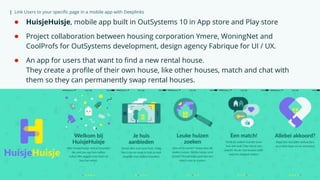
● HuisjeHuisje, mobile app built in OutSystems 10 in App store and Play store
● Project collaboration between housing corporation Ymere, WoningNet and
CoolProfs for OutSystems development, design agency Fabrique for UI / UX.
● An app for users that want to find a new rental house.
They create a profile of their own house, like other houses, match and chat with
them so they can permanently swap rental houses.
| Link Users to your specific page in a mobile app with Deeplinks
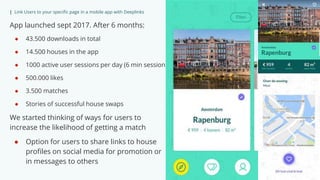
App launched sept 2017. After 6 months:
● 43.500 downloads in total
● 14.500 houses in the app
● 1000 active user sessions per day (6 min session)
● 500.000 likes
● 3.500 matches
● Stories of successful house swaps
We started thinking of ways for users to
increase the likelihood of getting a match
● Option for users to share links to house
profiles on social media for promotion or
in messages to others
| Link Users to your specific page in a mobile app with Deeplinks
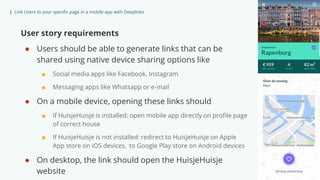
User story requirements
● Users should be able to generate links that can be
shared using native device sharing options like
■ Social media apps like Facebook, Instagram
■ Messaging apps like Whatsapp or e-mail
● On a mobile device, opening these links should
■ If HuisjeHuisje is installed: open mobile app directly on profile page
of correct house
■ If HuisjeHuisje is not installed: redirect to HuisjeHuisje on Apple
App store on iOS devices, to Google Play store on Android devices
● On desktop, the link should open the HuisjeHuisje
website
| Link Users to your specific page in a mobile app with Deeplinks
Requirement
Users should be able to generate links
that can be shared using native device
sharing options like
● Social sharing plugin
Available in OutSystems Forge
Gives the ability to use native
sharing window options to the
user
| Link Users to your specific page in a mobile app with Deeplinks
Requirement
Use a link to open a specific page in a mobile app (instead of the home screen). This is also known as a
deeplink.
On web, the URL link format is
● https://<serverdomain>/<ApplicationModule>/<Screen>.aspx?<Parameter1>=<Value>&<Pa
rameter2>=<Value>
On mobile, deeplinks are supported by default using the format
● <app-identifier>://<AppModule>/<Screen>?<Parameter1>=<Value>&<Parameter2>=<Value>
Note: In deeplinks app identifiers should always be lowercase. A best practice is therefore to generate
apps with app identifiers in lowercase. Keep in mind that changing the app identifier results in a new
app.
For Android users with Chrome, Android intents can also be used. These add the option to directly
redirect to a fallback URL if the app is not installed.
● intent://<AppModule>/<Screen>?<Parameter1>=<Value>#Intent;scheme=<app-
identifier>;package=<app-identifier>;S.browser_fallback_url=<URL>;end;
| Link Users to your specific page in a mobile app with Deeplinks
More complex requirements than supported by
a mobile deeplink
● Device detection
■ Desktop or Mobile
■ iOS or Android
● Redirect to Apple App Store / Google Play store
■ iOS: https://itunes.apple.com/nl/app/<appname>/<idxxx>
■ Android: https://play.google.com/store/apps/details?id=<app-
identifier>
● Generating a pretty link and use encryption of parameters
● Support for different mobile browsers
| Link Users to your specific page in a mobile app with Deeplinks|
| Link Users to your specific page in a mobile app with Deeplinks|
| Link Users to your specific page in a mobile app with Deeplinks| Change session name in master slide
Demo
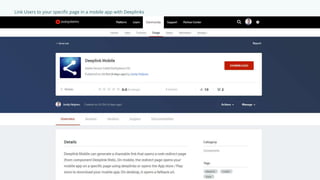
Deeplink Mobile
Deeplink Web
| Link Users to your specific page in a mobile app with Deeplinks
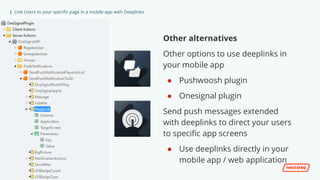
Other alternatives
Other options to use deeplinks in
your mobile app
● Pushwoosh plugin
● Onesignal plugin
Send push messages extended
with deeplinks to direct your users
to specific app screens
● Use deeplinks directly in your
mobile app / web application
| Link Users to your specific page in a mobile app with Deeplinks
Thank You!
@ injordyheijnen@gmail.com /jordyheijnen

Link Users to Your Specific Page in a Mobile App With Deeplinks

  • 1.
    | Link Usersto your specific page in a mobile app with Deeplinks Mobile deeplinks Link Users to a specific page in a Mobile app with deeplinks
  • 2.
    | Link Usersto your specific page in a mobile app with Deeplinks Jordy Heijnen ● IT Consultant | CoolProfs ● Mobile enthusiast ● OutSystems Expert, Mobile and Tech lead ● Living in Amsterdam and active kitesurfer @ in jordyheijnen@gmail.com /jordyheijnen
  • 3.
    | Link Usersto your specific page in a mobile app with Deeplinks ● HuisjeHuisje, mobile app built in OutSystems 10 in App store and Play store ● Project collaboration between housing corporation Ymere, WoningNet and CoolProfs for OutSystems development, design agency Fabrique for UI / UX. ● An app for users that want to find a new rental house. They create a profile of their own house, like other houses, match and chat with them so they can permanently swap rental houses.
  • 4.
    | Link Usersto your specific page in a mobile app with Deeplinks App launched sept 2017. After 6 months: ● 43.500 downloads in total ● 14.500 houses in the app ● 1000 active user sessions per day (6 min session) ● 500.000 likes ● 3.500 matches ● Stories of successful house swaps We started thinking of ways for users to increase the likelihood of getting a match ● Option for users to share links to house profiles on social media for promotion or in messages to others
  • 5.
    | Link Usersto your specific page in a mobile app with Deeplinks User story requirements ● Users should be able to generate links that can be shared using native device sharing options like ■ Social media apps like Facebook, Instagram ■ Messaging apps like Whatsapp or e-mail ● On a mobile device, opening these links should ■ If HuisjeHuisje is installed: open mobile app directly on profile page of correct house ■ If HuisjeHuisje is not installed: redirect to HuisjeHuisje on Apple App store on iOS devices, to Google Play store on Android devices ● On desktop, the link should open the HuisjeHuisje website
  • 6.
    | Link Usersto your specific page in a mobile app with Deeplinks Requirement Users should be able to generate links that can be shared using native device sharing options like ● Social sharing plugin Available in OutSystems Forge Gives the ability to use native sharing window options to the user
  • 7.
    | Link Usersto your specific page in a mobile app with Deeplinks Requirement Use a link to open a specific page in a mobile app (instead of the home screen). This is also known as a deeplink. On web, the URL link format is ● https://<serverdomain>/<ApplicationModule>/<Screen>.aspx?<Parameter1>=<Value>&<Pa rameter2>=<Value> On mobile, deeplinks are supported by default using the format ● <app-identifier>://<AppModule>/<Screen>?<Parameter1>=<Value>&<Parameter2>=<Value> Note: In deeplinks app identifiers should always be lowercase. A best practice is therefore to generate apps with app identifiers in lowercase. Keep in mind that changing the app identifier results in a new app. For Android users with Chrome, Android intents can also be used. These add the option to directly redirect to a fallback URL if the app is not installed. ● intent://<AppModule>/<Screen>?<Parameter1>=<Value>#Intent;scheme=<app- identifier>;package=<app-identifier>;S.browser_fallback_url=<URL>;end;
  • 8.
    | Link Usersto your specific page in a mobile app with Deeplinks More complex requirements than supported by a mobile deeplink ● Device detection ■ Desktop or Mobile ■ iOS or Android ● Redirect to Apple App Store / Google Play store ■ iOS: https://itunes.apple.com/nl/app/<appname>/<idxxx> ■ Android: https://play.google.com/store/apps/details?id=<app- identifier> ● Generating a pretty link and use encryption of parameters ● Support for different mobile browsers
  • 9.
    | Link Usersto your specific page in a mobile app with Deeplinks|
  • 10.
    | Link Usersto your specific page in a mobile app with Deeplinks|
  • 11.
    | Link Usersto your specific page in a mobile app with Deeplinks| Change session name in master slide Demo Deeplink Mobile Deeplink Web
  • 12.
    | Link Usersto your specific page in a mobile app with Deeplinks Other alternatives Other options to use deeplinks in your mobile app ● Pushwoosh plugin ● Onesignal plugin Send push messages extended with deeplinks to direct your users to specific app screens ● Use deeplinks directly in your mobile app / web application
  • 13.
    | Link Usersto your specific page in a mobile app with Deeplinks Thank You! @ injordyheijnen@gmail.com /jordyheijnen

Editor's Notes

  • #12 Several complex requirements In the end I had to create a web redirect page with some javascript to do device detection, redirect to the proper store and also to use deeplinks to open the mobile app. Differences in browsers were also taken into account here.