
@rakodev
A remote server automation and
deployment tool
http://capistranorb.com
@rakodev
Ramazan KORKMAZ
@rakodev
http://ramazankorkmaz.com
@rakodev
Deploy?
@rakodev
Capistrano?
SCM
(Git, SVN…)
Server 1
Server 2
Server 3
Capistrano
@rakodev
Capistrano Source Code
https://github.com/capistrano/capistrano
@rakodev
Upgrading from 2.x
http://capistranorb.com/documentation/upgrading/
@rakodev
How to update your website?
- FTP, SCP
- Rsync
- SSH + GİT
@rakodev
There must be a better way!
- FTP, SCP
- Rsync
- SSH + GİT
@rakodev
Why?
- Reliable deployment for a web application to
any number of machines simultaneously
- Rollback to previous deployment
- Add tasks (Flush caches, DB Update...)
- Automate common tasks
- ...
@rakodev
Installation
- adduser deployer
- mkdir ~/.ssh
- ssh-keygen -t rsa
- ssh-copy-id deployer@localhost
- https://github.com/settings/ssh & past new key
@rakodev
Ruby installation (RVM)
sudo su (root)
curl -sSL https://get.rvm.io | bash
vim ~/.bashrc
add :
source /etc/profile.d/rvm.sh
exit
vim ~/.bashrc
add :source /etc/profile.d/rvm.sh
su - deployer
vim ~/.bashrc
add :source /etc/profile.d/rvm.sh
sudo su (root)
rvm list known
rvm install 2.1.1
@rakodev
Setup
- gem install capistrano
- mkdir my-project
- cd my-project
- cap install
@rakodev
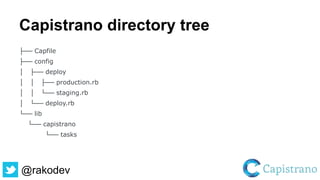
Capistrano directory tree
├── Capfile
├── config
│ ├── deploy
│ │ ├── production.rb
│ │ └── staging.rb
│ └── deploy.rb
└── lib
└── capistrano
└── tasks
@rakodev
Create several stages
cap install STAGES=qa,production
mkdir -p config/deploy
create config/deploy.rb
create config/deploy/qa.rb
create config/deploy/production.rb
mkdir -p lib/capistrano/tasks
@rakodev
How does it work?
- Creates a new folder for each deployment
- Root directory of your web site will be linked
to the folder
- Also you will be able to create shared folders
or files as you wish, they will not be overwritten
/ no data loss
@rakodev
Web Server Side
[deploy_to]
[deploy_to]/releases
[deploy_to]/releases/20080819001122
[deploy_to]/releases/...
[deploy_to]/shared
[deploy_to]/shared/config
Symlinks
[deploy_to]/current -> [deploy_to]/releases/20100819001122
[deploy_to]/releases/20080819001122/config -> [deploy_to]/shared/config
@rakodev
@rakodev
How Capistrano handles?
- No need to install Capistrano on the server
side
- Capistrano prepares the necessary
commands
- Capistrano runs the commands on the server
via ssh
@rakodev
config/deploy.rb (initial parameters)
set :application, 'phpist2014'
set :repo_url, 'git@github.com:rakodev/phpist2014.git'
set :deploy_to, '/var/www/phpist2014'
set :scm, :git
set :log_level, :info
set :keep_releases, 5
@rakodev
config/deploy/staging.rb (parameters)
role :app, %w{deployer@localhost}
role :web, %w{deployer@localhost}
role :db, %w{deployer@localhost}
server 'localhost', user: 'deployer', roles: %w{web app}
ask :branch, 'cap'
OR
set :branch, 'cap'
@rakodev
Which branch?
set :branch, 'master_dev'
OR
ask :branch, ‘my_default_branch’
During deploy, Capistrano will ask you which
branch you want to deploy:
Please enter branch (my_default_branch):
@rakodev
Only supports Git
At present Capistrano v3.0.x only supports Git.
It's just a matter of time until we support
Subversion, Mecurial, Darcs and friends again.
@rakodev
Task example
desc "Check that we can access everything"
task :check_write_permissions do
on roles(:all) do |host|
if test("[ -w #{fetch(:deploy_to)} ]")
info "#{fetch(:deploy_to)} is writable on #{host}"
else
error "#{fetch(:deploy_to)} is not writable on #{host}"
end
end
end
@rakodev
Another task
SSH agent forwarding is a technique you can use to make deploying to a remote server simpler for
you and your developers. It allows you to use you local SSH keys instead of leaving passphrase-less
keys sitting on your server.
# lib/capistrano/tasks/agent_forwarding.cap
desc "Check if agent forwarding is working"
task :forwarding do
on roles(:all) do |h|
if test("env | grep SSH_AUTH_SOCK")
info "Agent forwarding is up to #{h}"
else
error "Agent forwarding is NOT up to #{h}"
end
end
end
@rakodev
Output
cap staging forwarding
DEBUG [a9546519] Running /usr/bin/env env | grep SSH_AUTH_SOCK on
localhost
DEBUG [a9546519] Command: env | grep SSH_AUTH_SOCK
DEBUG [a9546519] SSH_AUTH_SOCK=/tmp/ssh-
S2osQUNMvN/agent.3067
DEBUG [a9546519] Finished in 0.108 seconds with exit status 0 (successful).
INFO Agent forwarding is up to localhost
@rakodev
Call a task
cap staging git:check
INFO [121f3c5c] Running /usr/bin/env mkdir -p /tmp/phpist2014/ on localhost
INFO [121f3c5c] Finished in 0.107 seconds with exit status 0 (successful).
INFO [cfdf0435] Running /usr/bin/env chmod +x /tmp/phpist2014/git-ssh.sh on localhost
INFO [cfdf0435] Finished in 0.003 seconds with exit status 0 (successful).
DEBUG [ac1cd356] Running /usr/bin/env git ls-remote -h git@github.com:rakodev/phpist2014.git on
localhost
DEBUG [ac1cd356] Finished in 7.553 seconds with exit status 0 (successful).
@rakodev
Deploy Workflow
When you run cap production deploy, it invokes the following tasks in
sequence:
deploy:starting - start a deployment, make sure everything is ready
deploy:started - started hook (for custom tasks)
deploy:updating - update server(s) with a new release
deploy:updated - updated hook
deploy:publishing - publish the new release
deploy:published - published hook
deploy:finishing - finish the deployment, clean up everything
deploy:finished - finished hook
@rakodev
Before / After
# call an existing task
before :starting, :ensure_user
after :finishing, :notify
# or define in block
before :starting, :ensure_user do
#
end
after :finishing, :notify do
#
end
@rakodev
Rollback Workflow
When you run cap production deploy:rollback, it invokes the following tasks in
sequence:
deploy:starting
deploy:started
deploy:reverting - revert server(s) to previous release
deploy:reverted - reverted hook
deploy:publishing
deploy:published
deploy:finishing_rollback - finish the rollback, clean up everything
deploy:finished
@rakodev
Specifying a role filter
You can set the role filter inside your deploy configuration.
For example, you can set the following inside
config/deploy.rb
set :filter, :roles => %w{app web}
On the command line
cap --roles=app,web production deploy
@rakodev
Specifying a host filter
You can set the host filter inside your deploy configuration.
For example, you can set the following inside
config/deploy.rb:
set :filter, :hosts => %w{server1 server2}
On the command line
cap --hosts=server1,server2 production deploy
@rakodev
How to deploy?
- cap staging deploy
@rakodev
Plugins
Capistrano::Maintenance (503)
https://github.com/capistrano/maintenance
Capistrano::Mailer (Notifications)
https://github.com/pboling/capistrano_mailer
Capistrano::Composer
https://github.com/capistrano/composer
@rakodev
Plugins (suite)
Capistrano::SSHKit
https://github.com/capistrano/sshkit
Capistrano::Symfony
https://github.com/capistrano/symfony
Capistrano::Laravel
https://github.com/capistrano/laravel
@rakodev
Alternative?
MINA
FABRIC
@rakodev
DEMO
@rakodev
Thanks / Teşekkürler
Do you have a question?

Control your deployments with Capistrano