Community of Practice Instructions How the CoP is working www.cop.health-rights.org
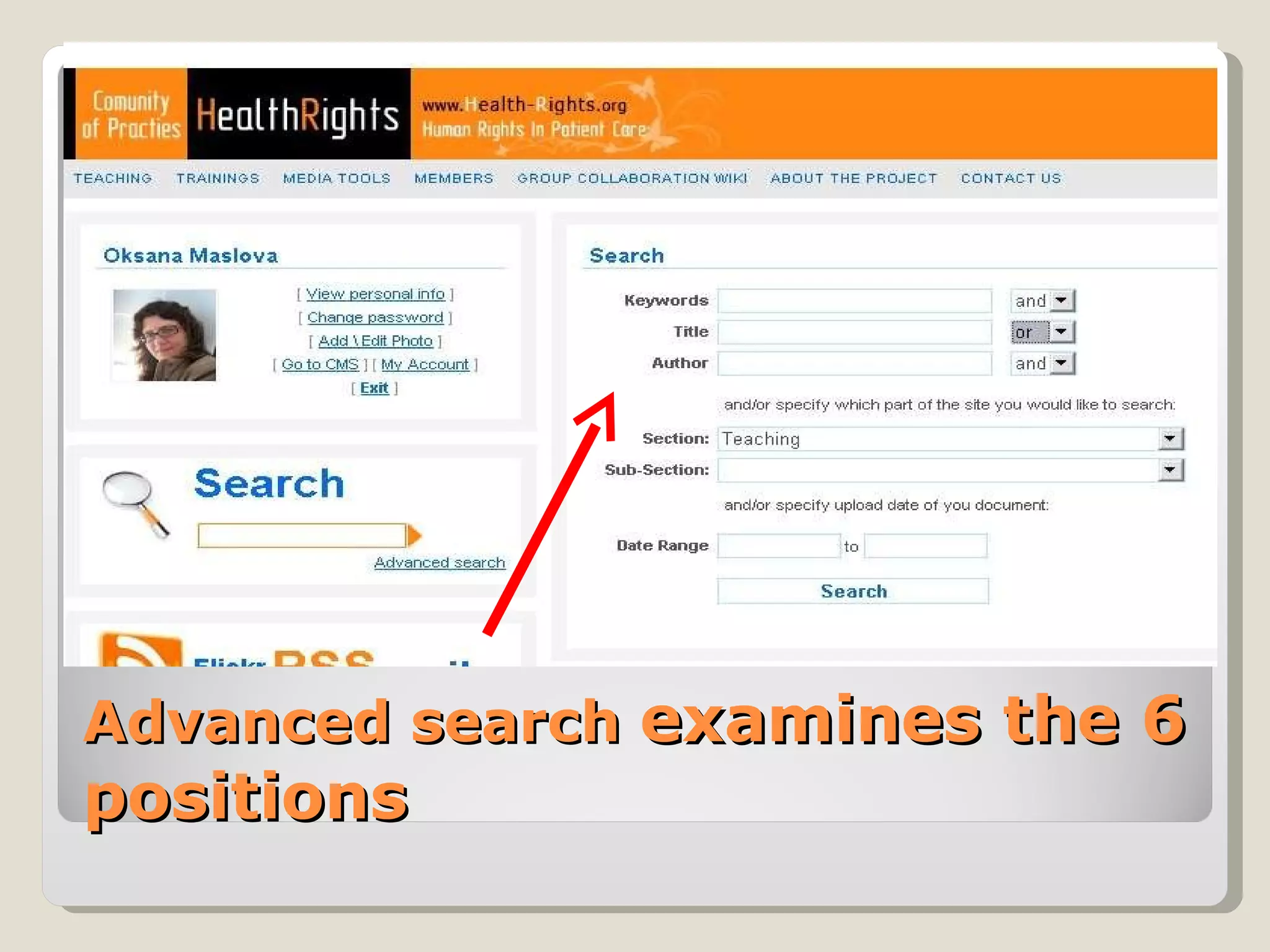
The Community of Practice is a place for advocates and faculty of law, human rights, and patient care courses to share materials and resources. CoP has 2 languages – Engl and Rus Different levels of access  3 Main sections with 3 Moderators  Advanced Search which analyzed materials by 6 positions Ability to upload and download materials Ability work together with one document in the Wiki Collaboration Group
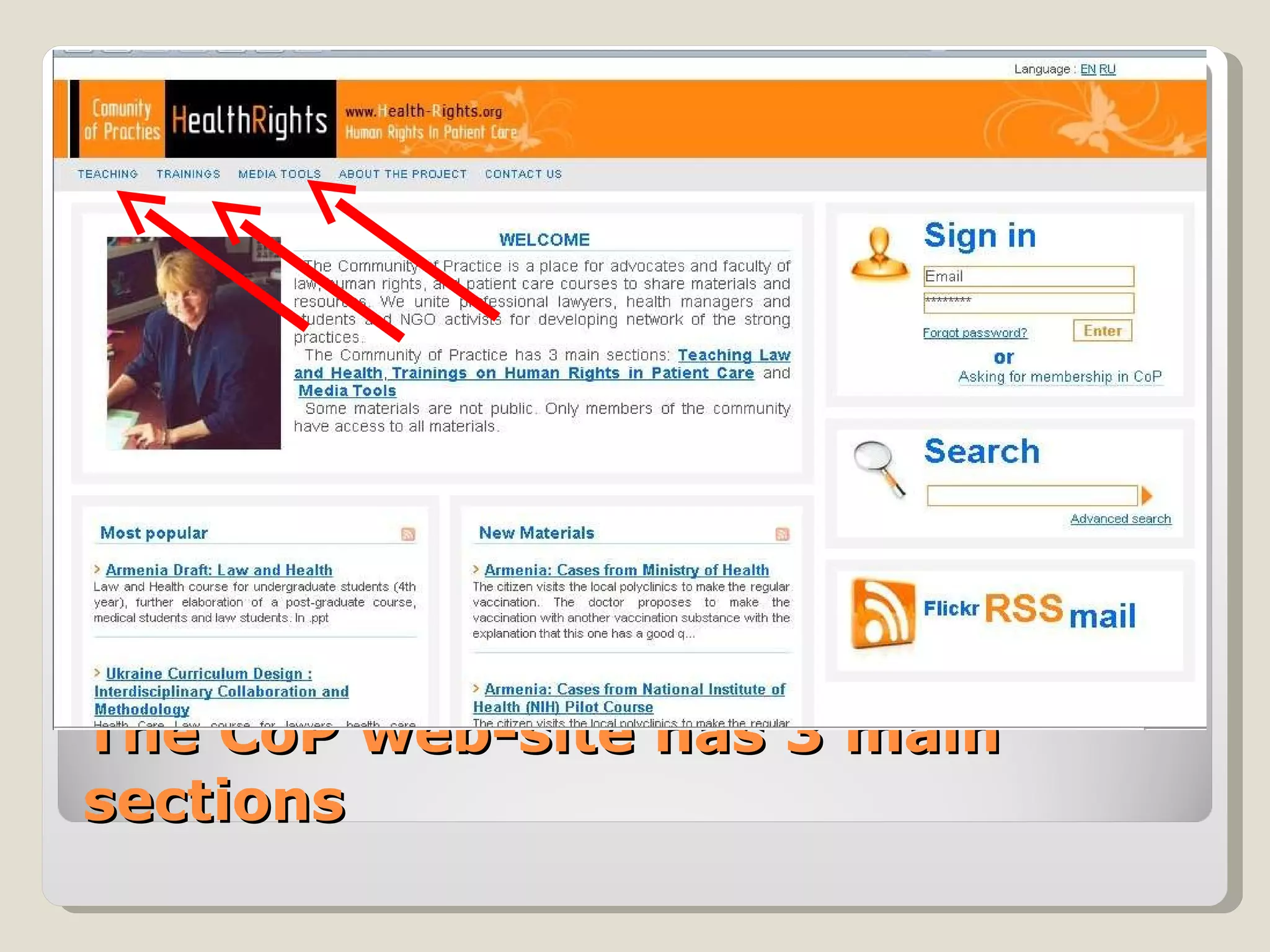
The CoP web-site has 3 main sections
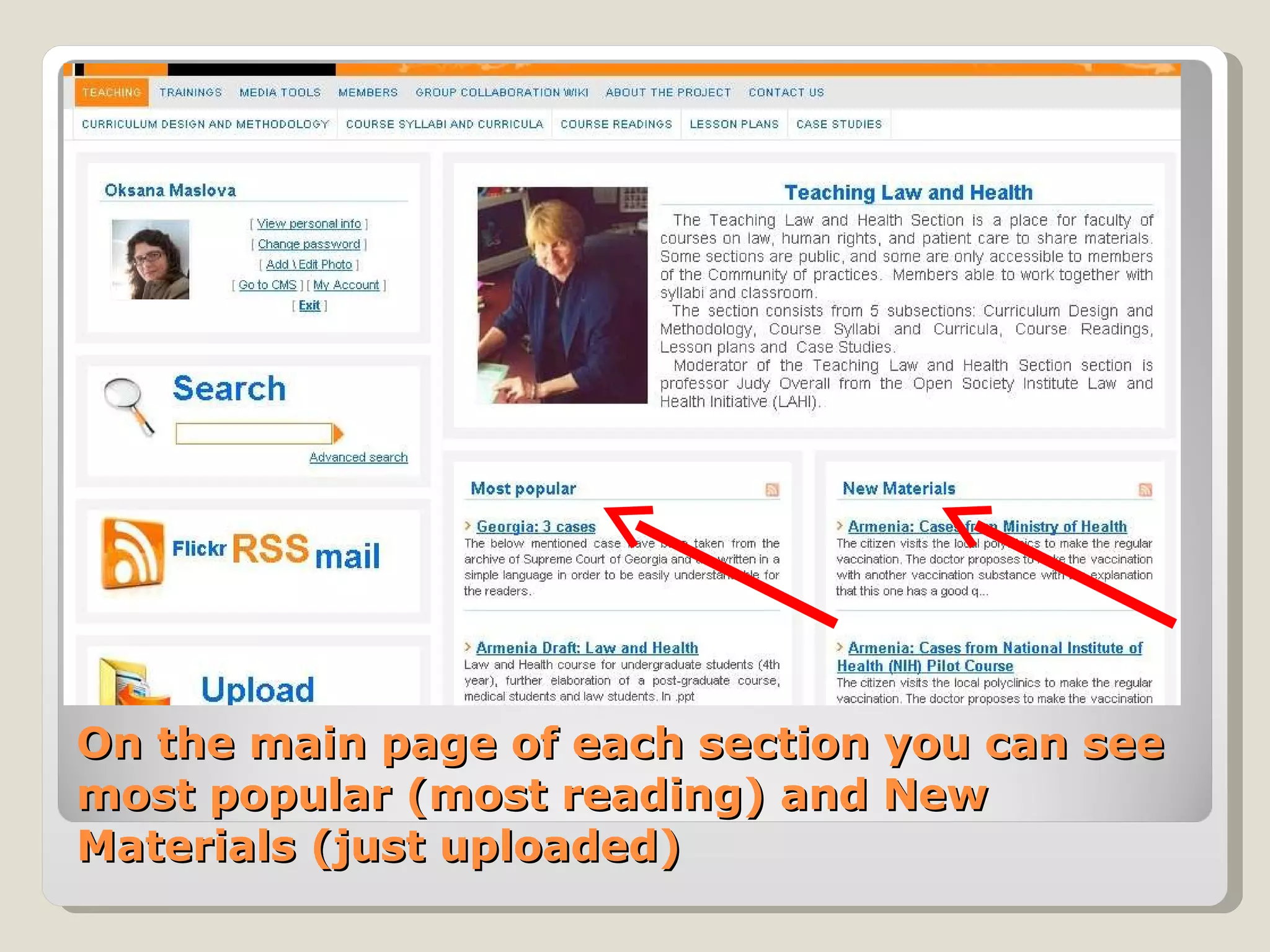
On the main page of each section you can see most popular (most reading) and New Materials (just uploaded)
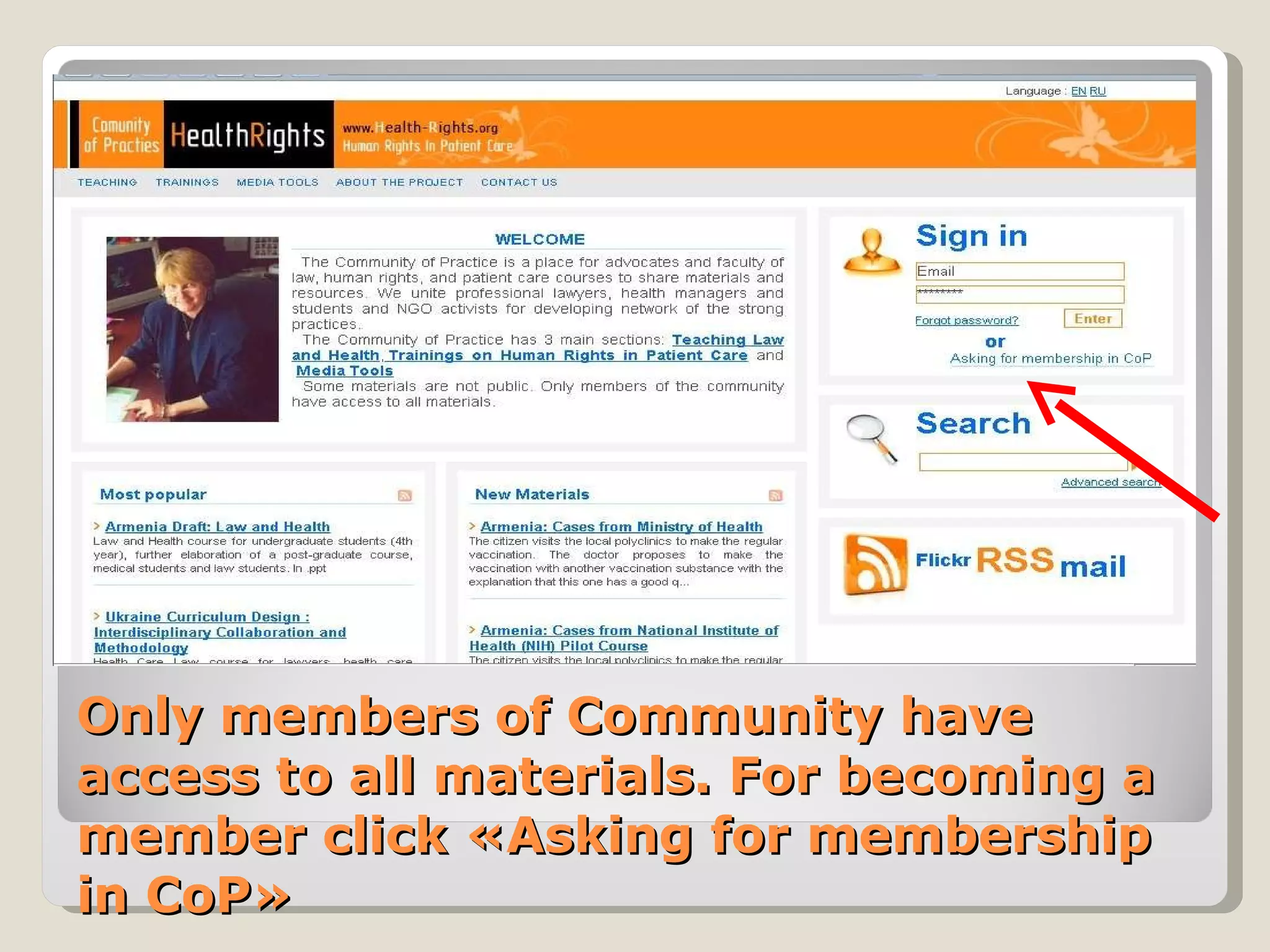
Only members of Community have access to all materials. For becoming a member click  « Asking for membership in CoP »
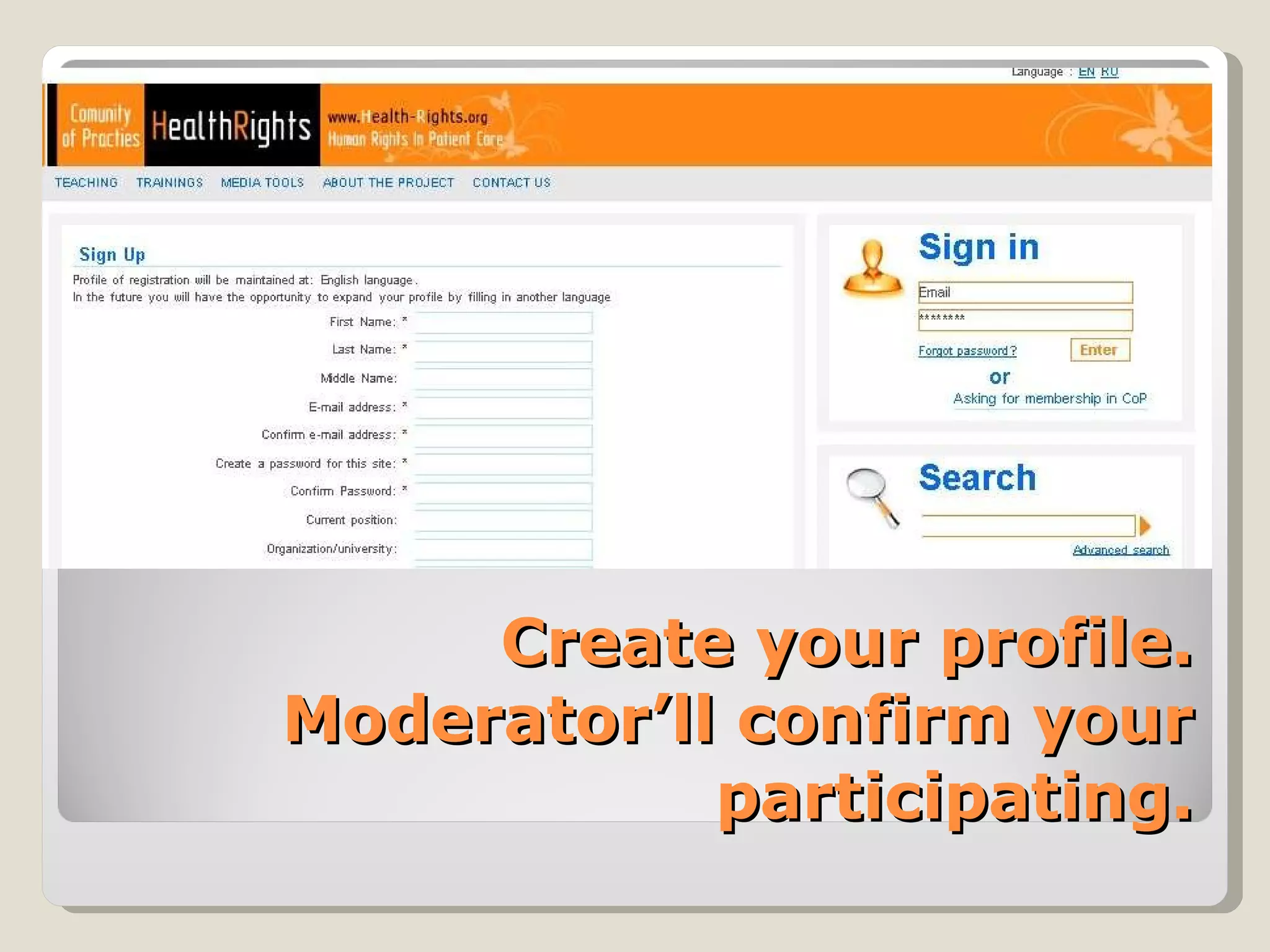
Create your profile. Moderator’ll confirm your participating.
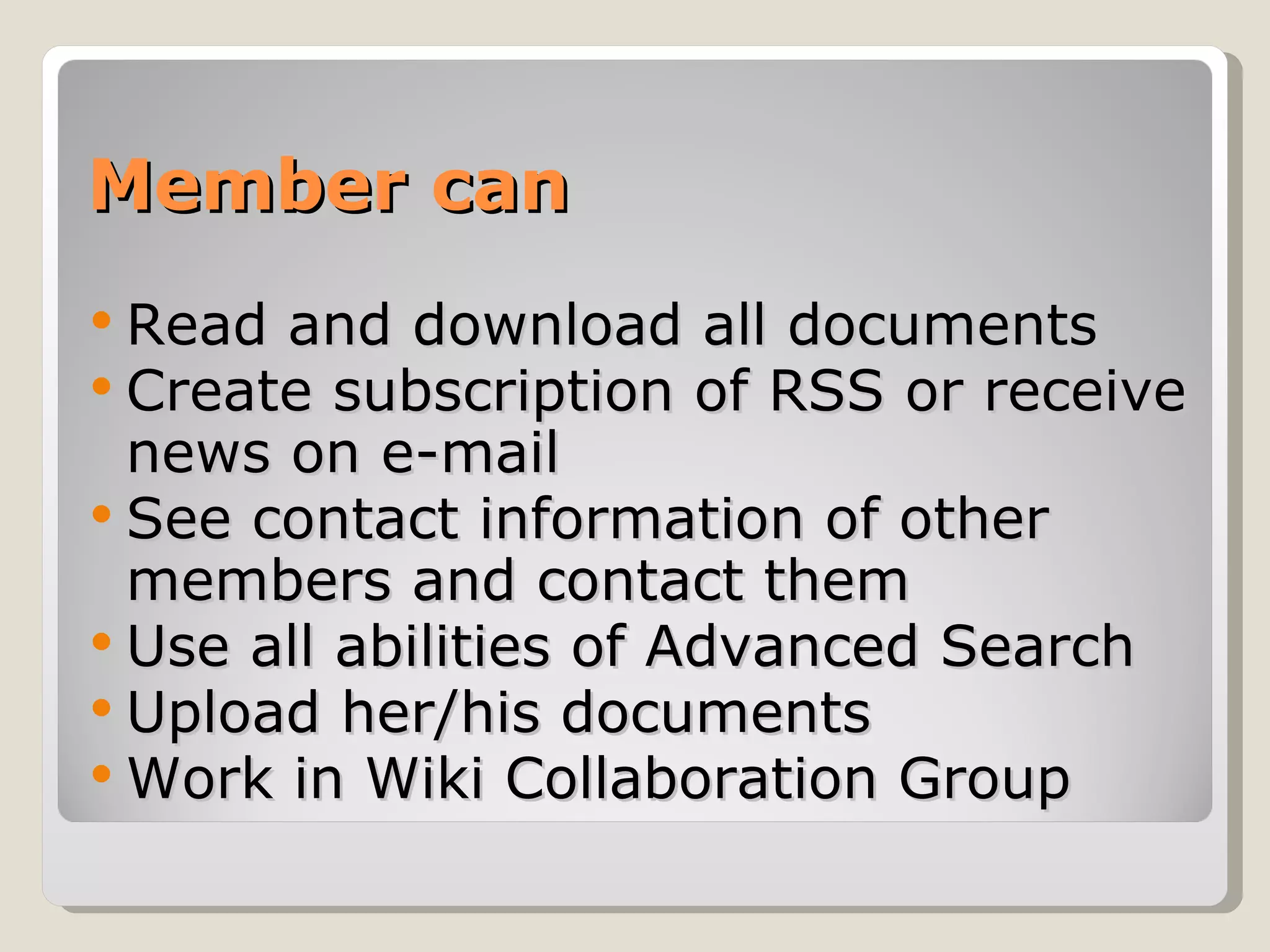
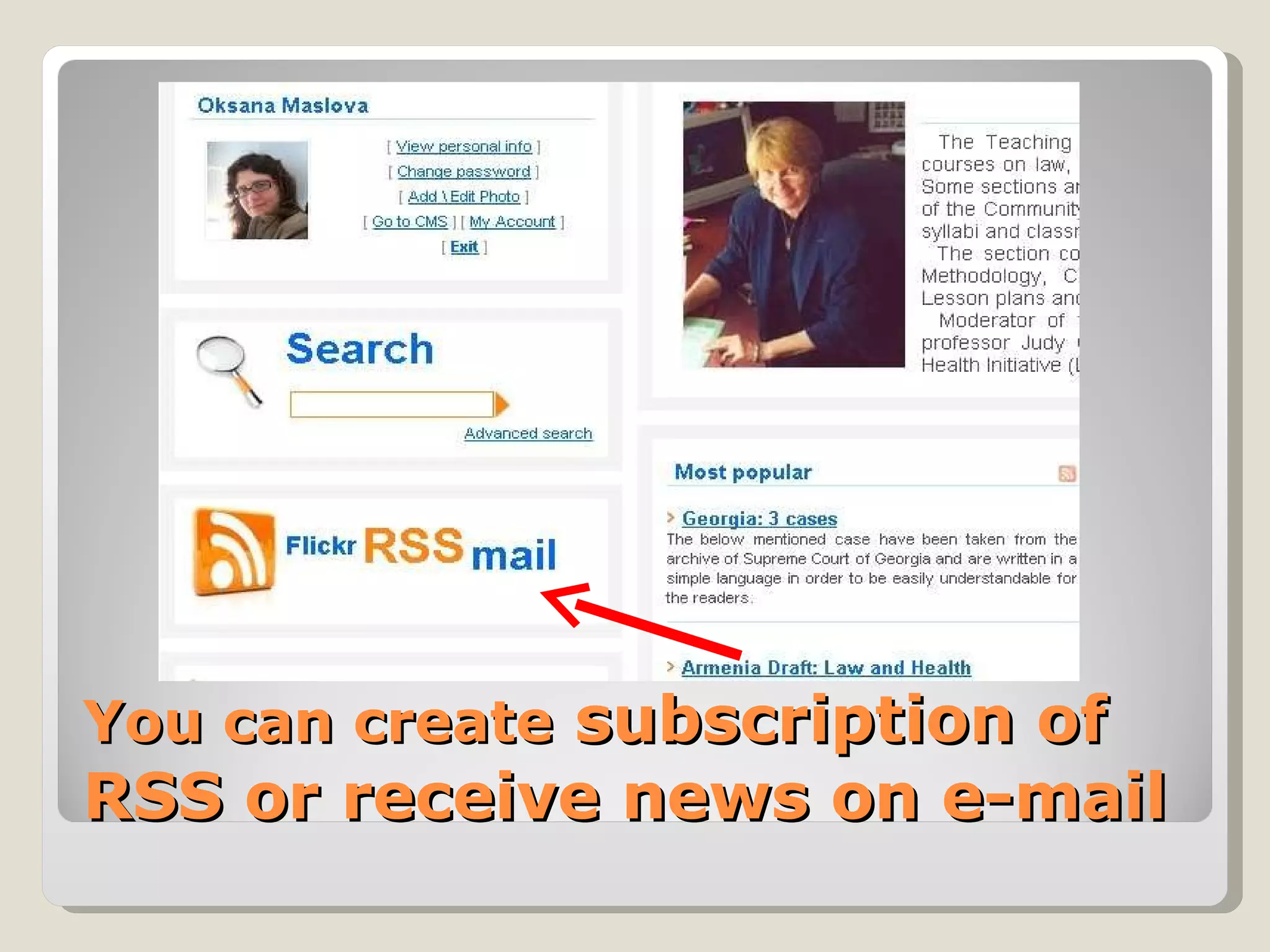
Member can Read and download all documents Create subscription of RSS or receive news on e-mail See contact information of other members and contact them Use all abilities of Advanced Search  Upload her/his documents Work in Wiki Collaboration Group
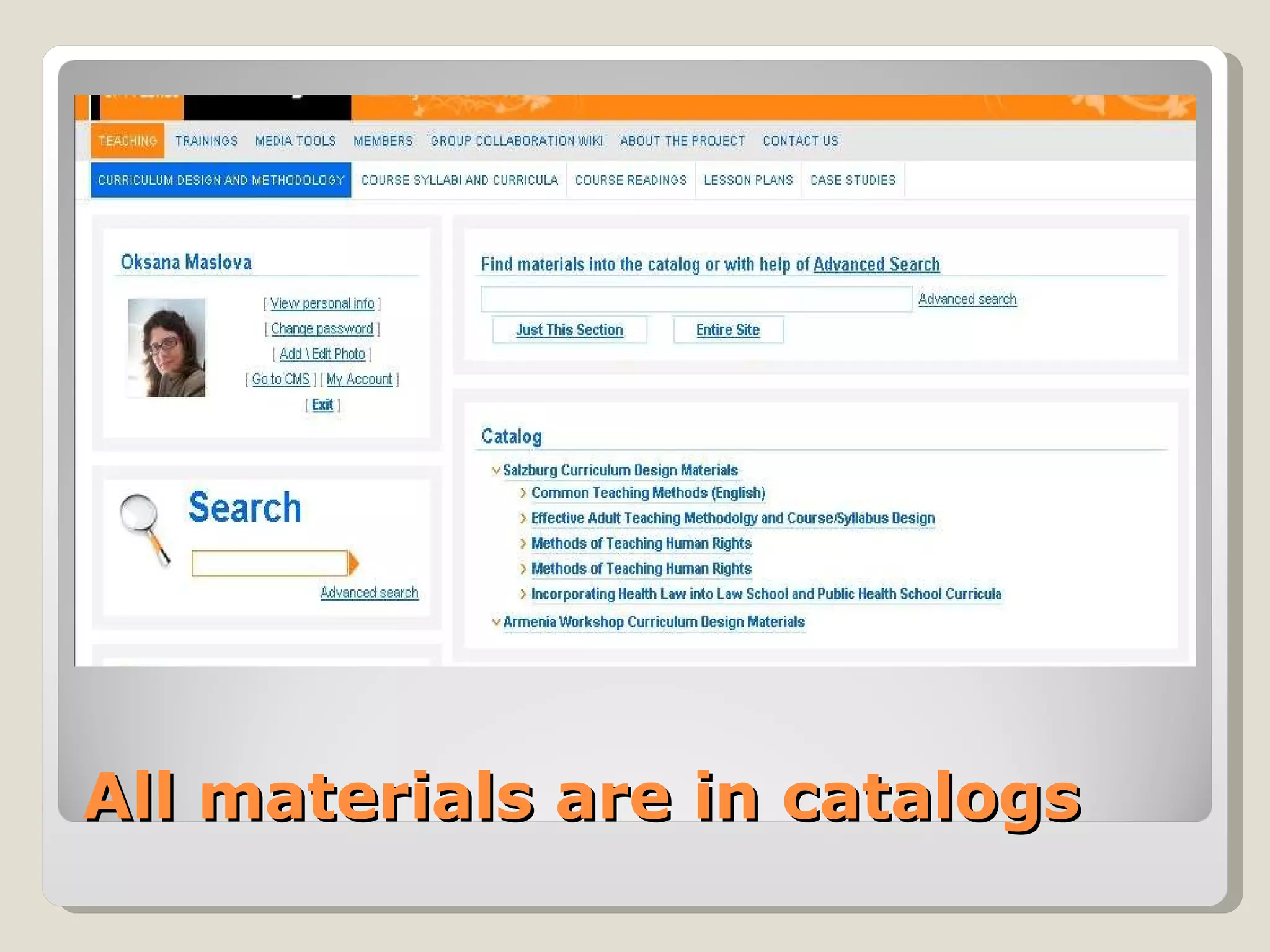
All materials are in catalogs
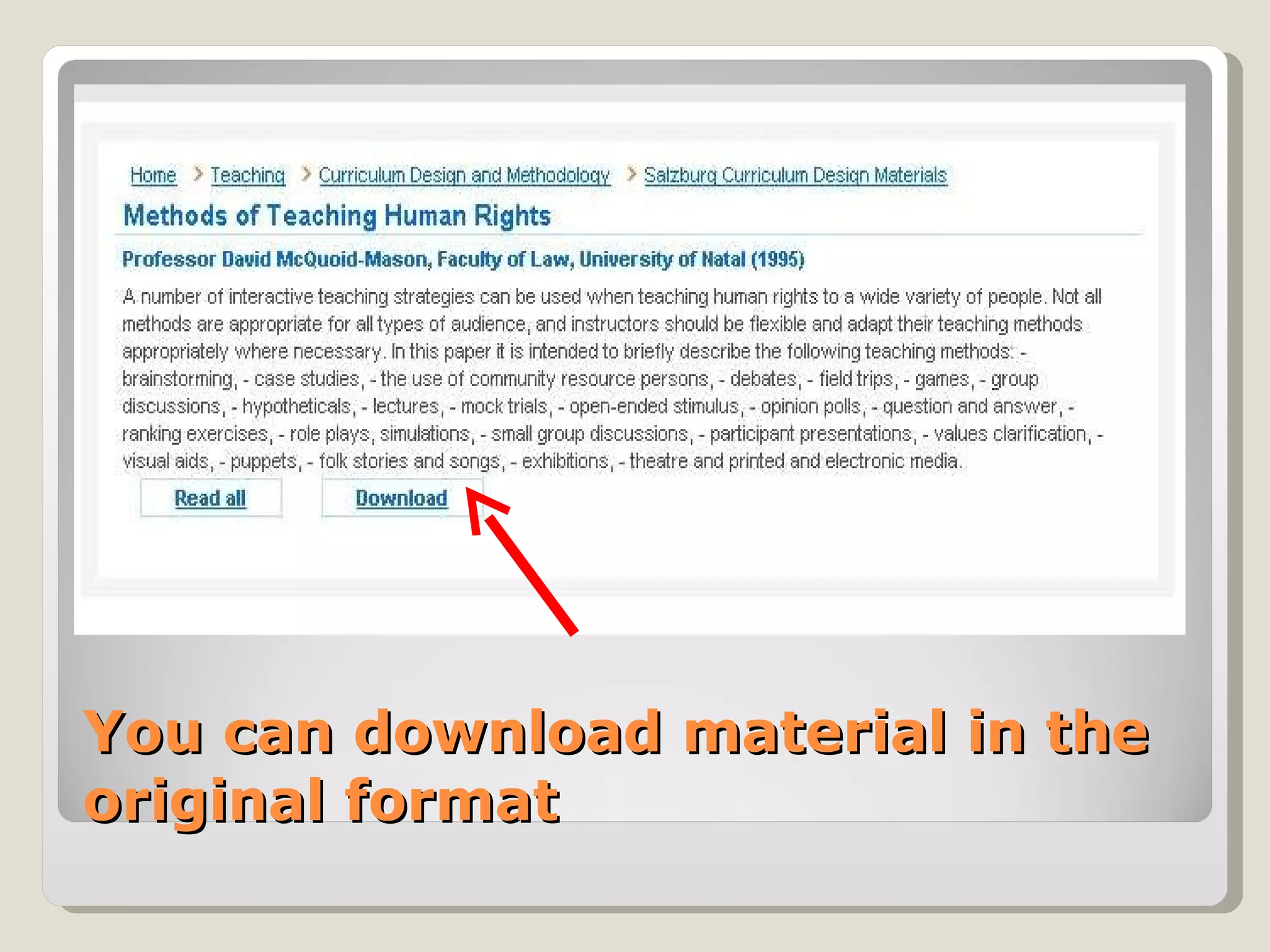
You can download material in the original format
You can create  subscription of RSS or receive news on e-mail
Advanced search  examines the 6 positions
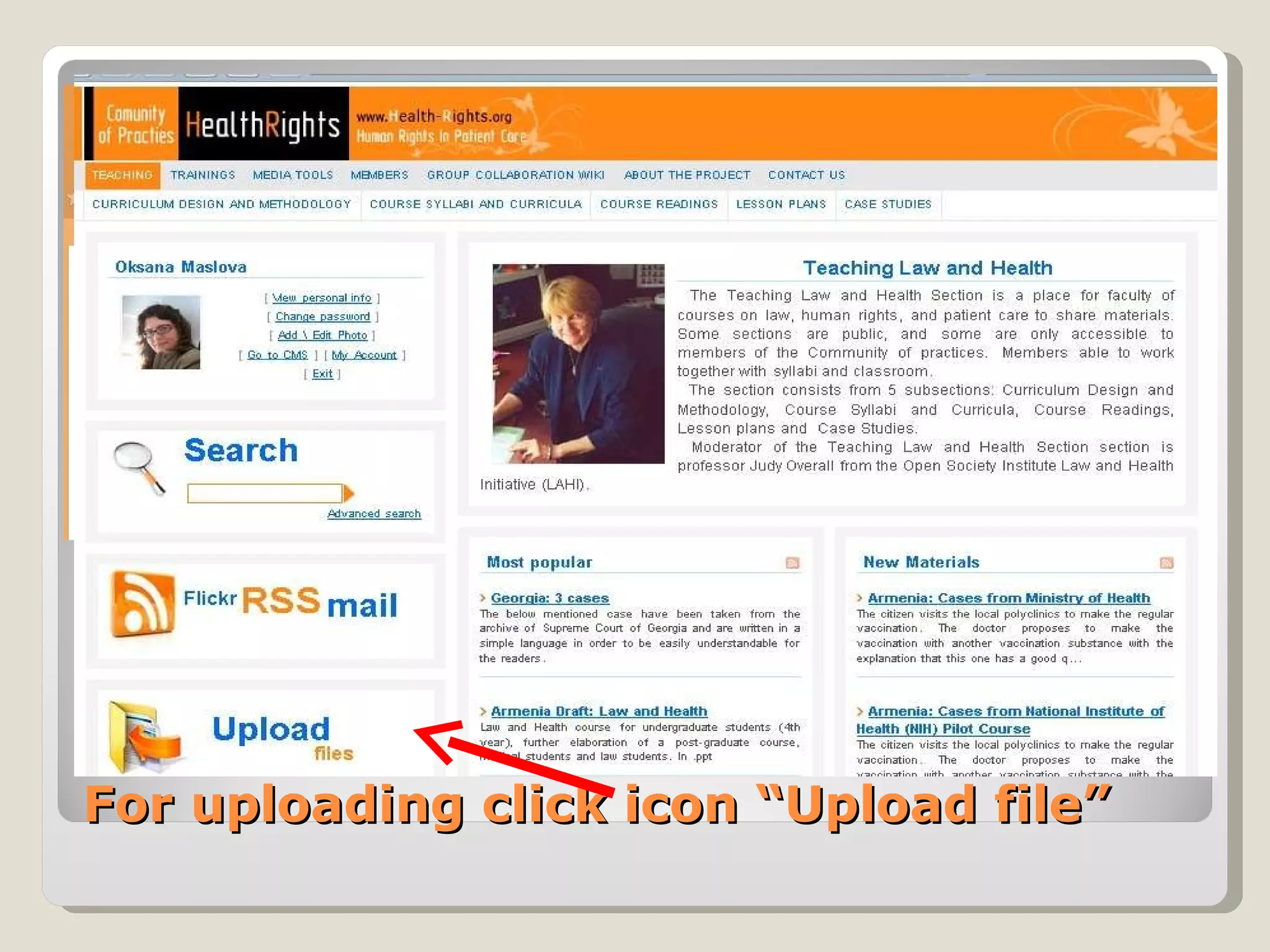
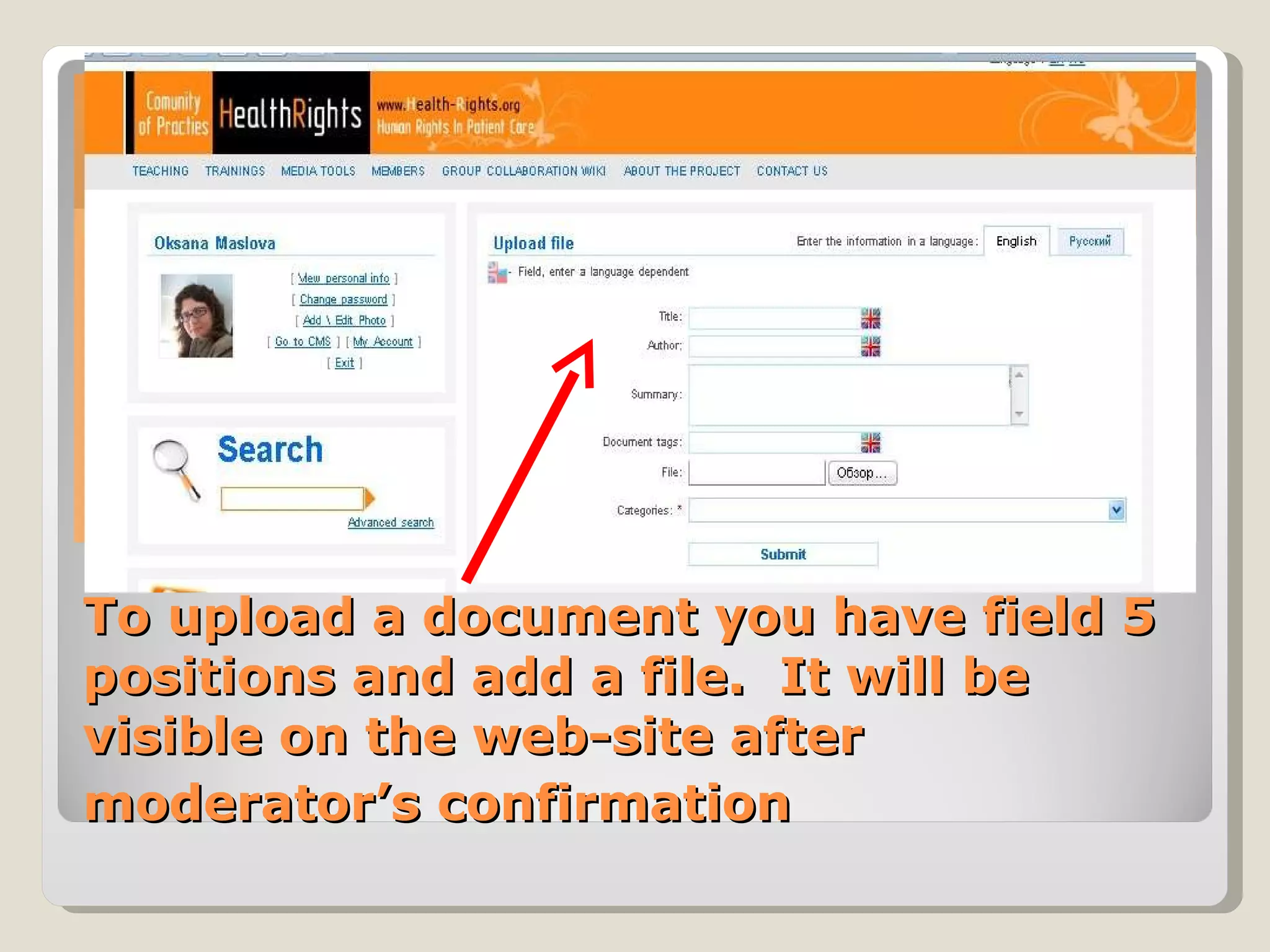
For uploading click icon “Upload file”
To upload a document you have field 5 positions and add a file.  It will be visible on the web-site after moderator’s confirmation
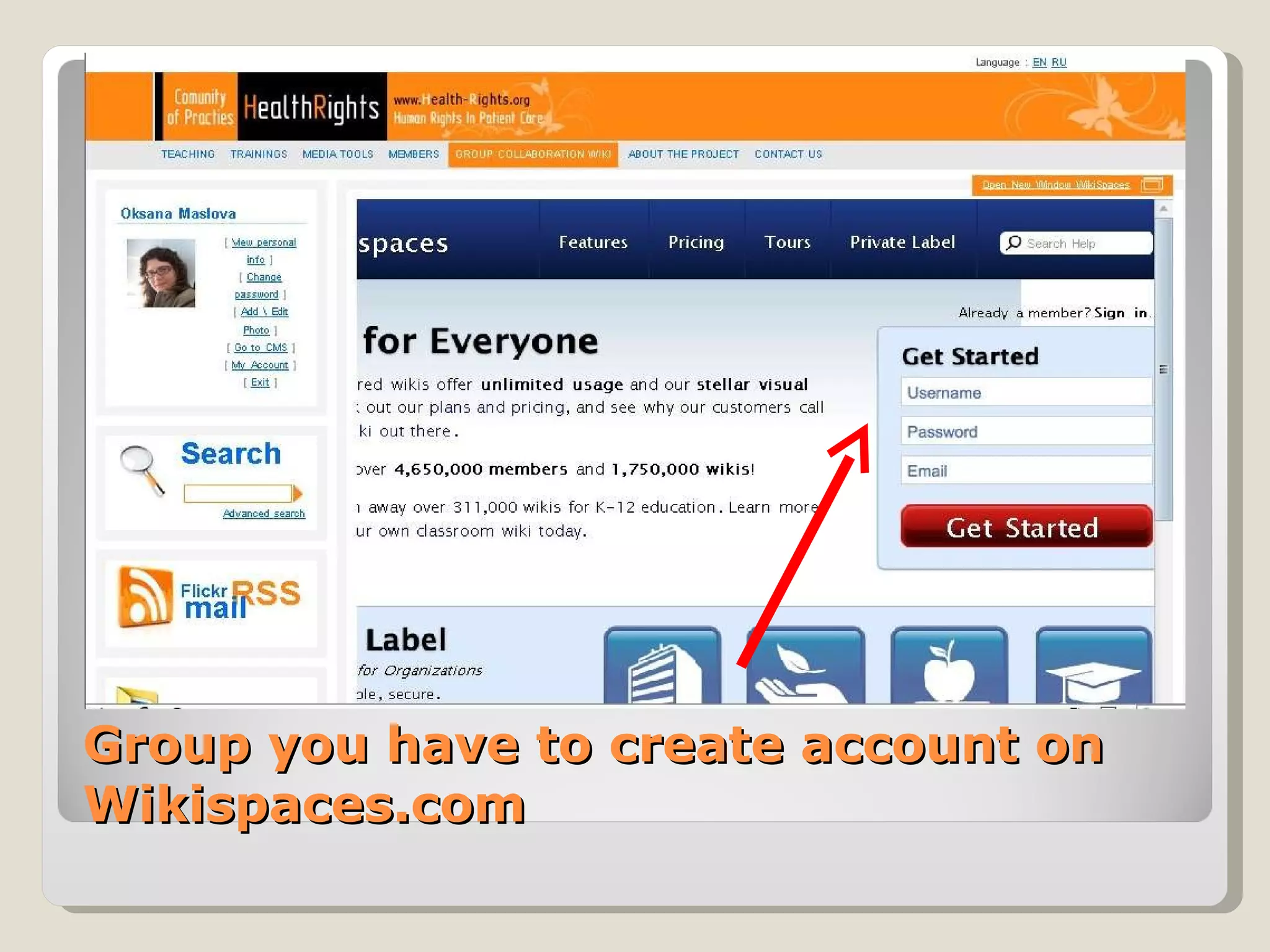
Before start work in Wiki Collaboration Group you have to create account on Wikispaces.com
The Community of Practice  Web-site is developing now  You have unique opportunity  to contribute the improvement.  Send your opinions to the  [email_address]
Thank you for your attention www.cop.health-rights.org

Tour of Community of Practice (CoP)

  • 1.
    Community of PracticeInstructions How the CoP is working www.cop.health-rights.org
  • 2.
    The Community ofPractice is a place for advocates and faculty of law, human rights, and patient care courses to share materials and resources. CoP has 2 languages – Engl and Rus Different levels of access 3 Main sections with 3 Moderators Advanced Search which analyzed materials by 6 positions Ability to upload and download materials Ability work together with one document in the Wiki Collaboration Group
  • 3.
    The CoP web-sitehas 3 main sections
  • 4.
    On the mainpage of each section you can see most popular (most reading) and New Materials (just uploaded)
  • 5.
    Only members ofCommunity have access to all materials. For becoming a member click « Asking for membership in CoP »
  • 6.
    Create your profile.Moderator’ll confirm your participating.
  • 7.
    Member can Readand download all documents Create subscription of RSS or receive news on e-mail See contact information of other members and contact them Use all abilities of Advanced Search Upload her/his documents Work in Wiki Collaboration Group
  • 8.
    All materials arein catalogs
  • 9.
    You can downloadmaterial in the original format
  • 10.
    You can create subscription of RSS or receive news on e-mail
  • 11.
    Advanced search examines the 6 positions
  • 12.
    For uploading clickicon “Upload file”
  • 13.
    To upload adocument you have field 5 positions and add a file. It will be visible on the web-site after moderator’s confirmation
  • 14.
    Before start workin Wiki Collaboration Group you have to create account on Wikispaces.com
  • 15.
    The Community ofPractice Web-site is developing now You have unique opportunity to contribute the improvement. Send your opinions to the [email_address]
  • 16.
    Thank you foryour attention www.cop.health-rights.org