AfterDeployment.org
Community of Practice
September 10, 2013
Agenda
• Introducing AfterDeployment.org Providers
Manual: David Bradshaw, PhD, and
Robert Ciulla, PhD
• Using AfterDeployment.org in a VA primary care
treatment setting: Annabel Prins, PhD
• AfterDeployment Community of Practice on
LinkedIn: David Bradshaw, PhD
• Announcing two new websites for military,
veterans, and families: Pamela Murphy, PsyD
2
Web Tools Resource
Guide: A Manual for
Providers
Robert Ciulla, Ph.D.
Joint Base Lewis-McChord/ Tacoma, WA
10 September 2013
Agenda
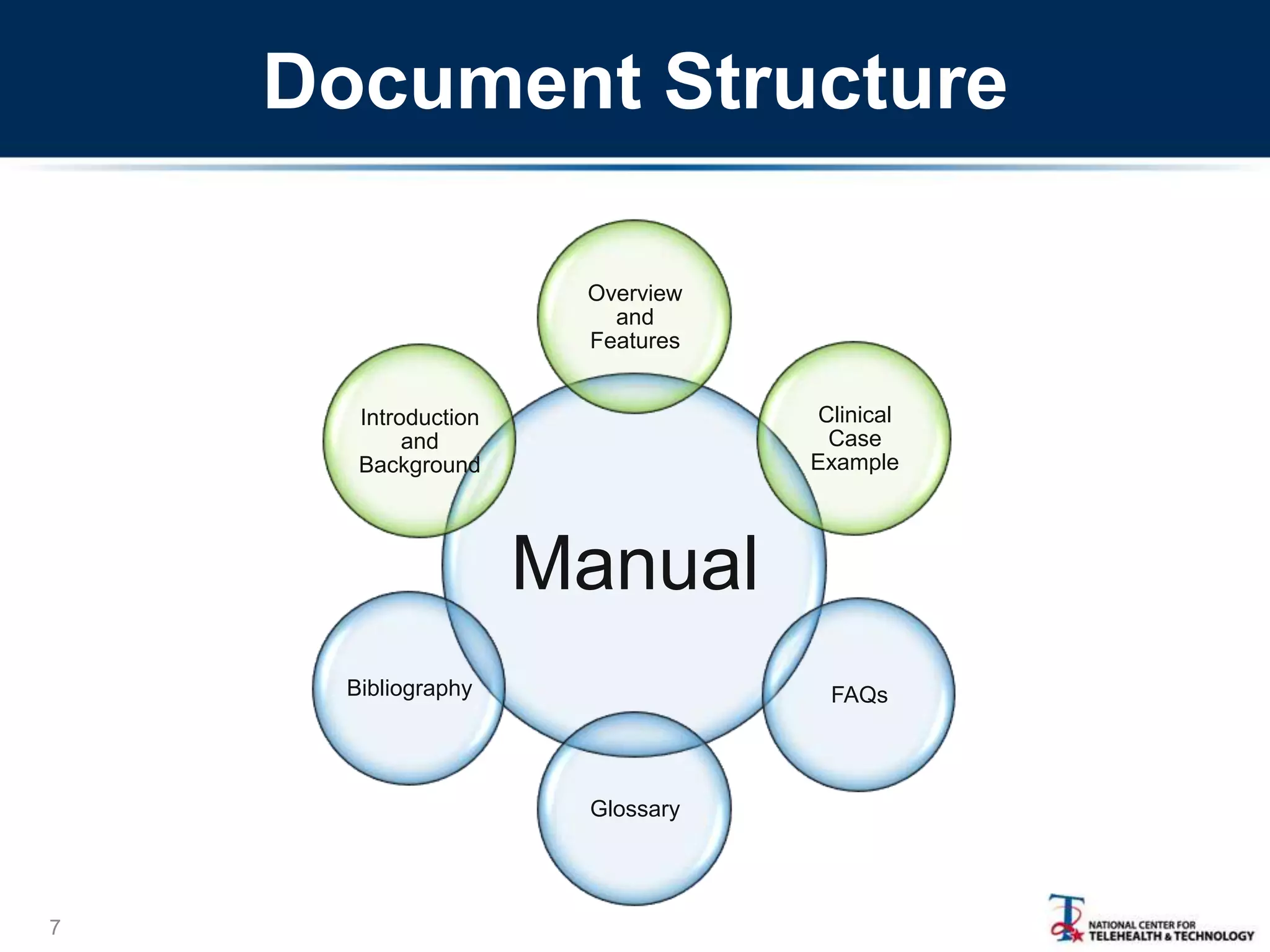
• Introduction to the Providers Manual for AD.org
• Organization of the Manual
• Overview of manual content/features
• A clinical example
5
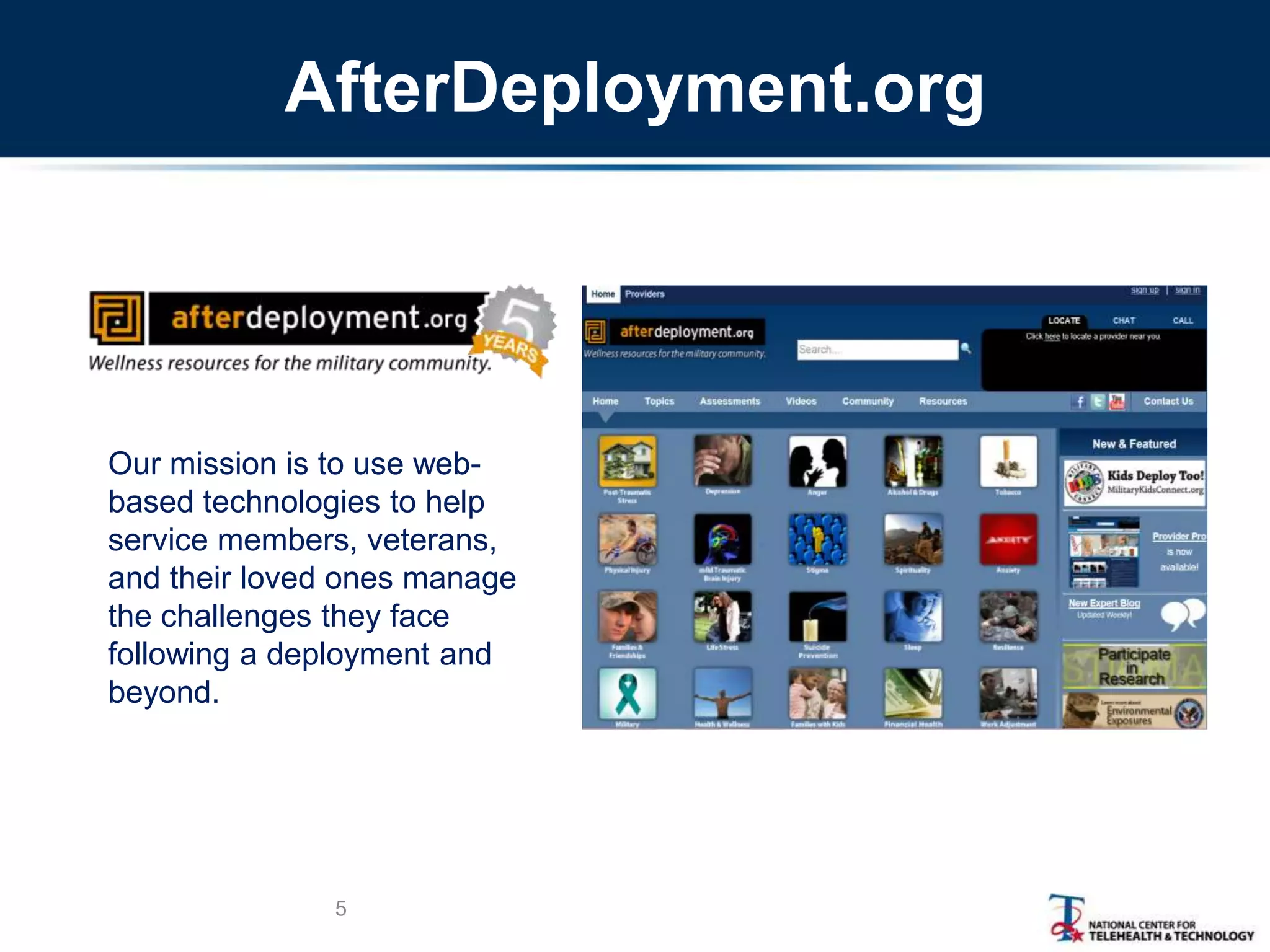
Our mission is to use web-
based technologies to help
service members, veterans,
and their loved ones manage
the challenges they face
following a deployment and
beyond.
AfterDeployment.org
Introduction and Background
6
• Why this manual?
– AD.org developed for self-care but also may
be useful for providers
– Provider Portal provides additional resources
– How can providers use AD.org tools to
support clinical care?
Document Structure
7
Manual
Overview
and
Features
Clinical
Case
Example
FAQs
Glossary
Bibliography
Introduction
and
Background
Clinical Case Example
8
• Describes how to use the material on the
website during a clinical encounter
• Uses the Post-Traumatic Stress topic
• Step-by-step example of a clinician
working with a patient using
AfterDeployment.org resources
Multi-Modal Content
Topics are organized to provide:
• Coach-driven instruction/guidance
• Immersive video/text-based educational tools
• Standardized assessments/tailored feedback
• Peer-based, experiential accounts
• Interactive exercises
• Additional resources (links, books, FAQ‘s)
• Persistent progress indicators
9
Session 1 – Introduction
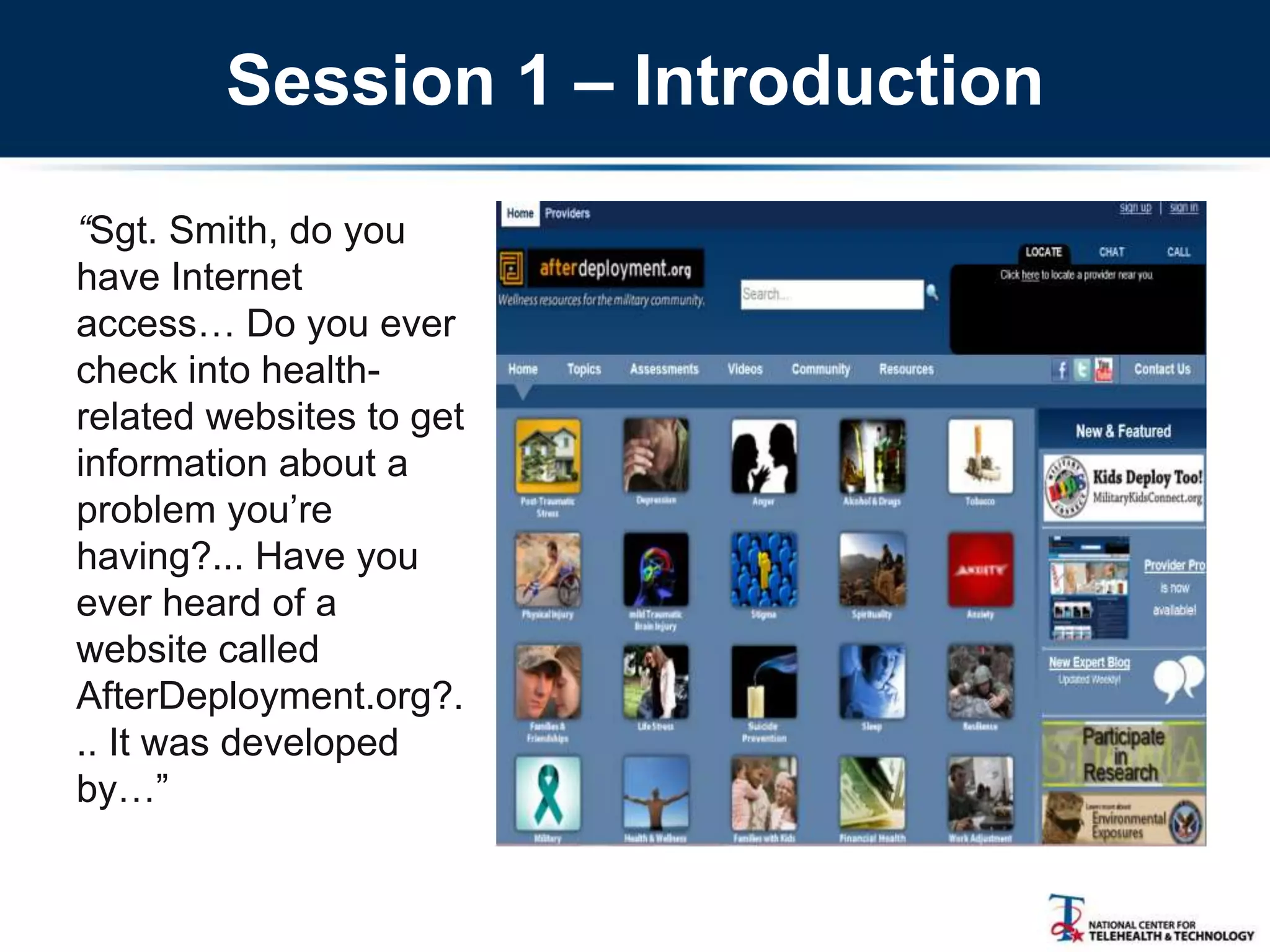
“Sgt. Smith, do you
have Internet
access… Do you ever
check into health-
related websites to get
information about a
problem you‘re
having?... Have you
ever heard of a
website called
AfterDeployment.org?.
.. It was developed
by…‖
Session 1 – Focus on PTS
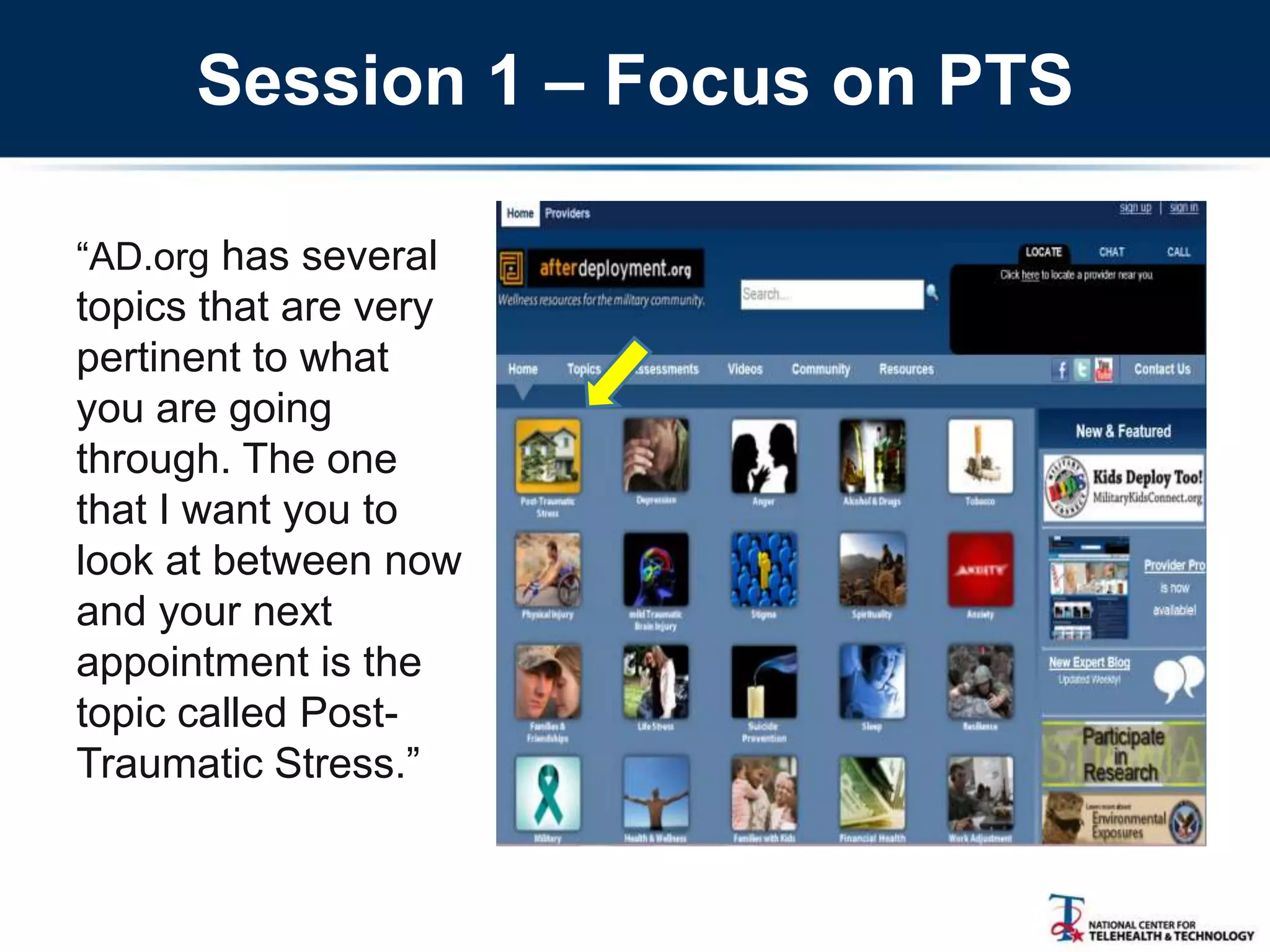
―AD.org has several
topics that are very
pertinent to what
you are going
through. The one
that I want you to
look at between now
and your next
appointment is the
topic called Post-
Traumatic Stress.‖
The PTS Home Page
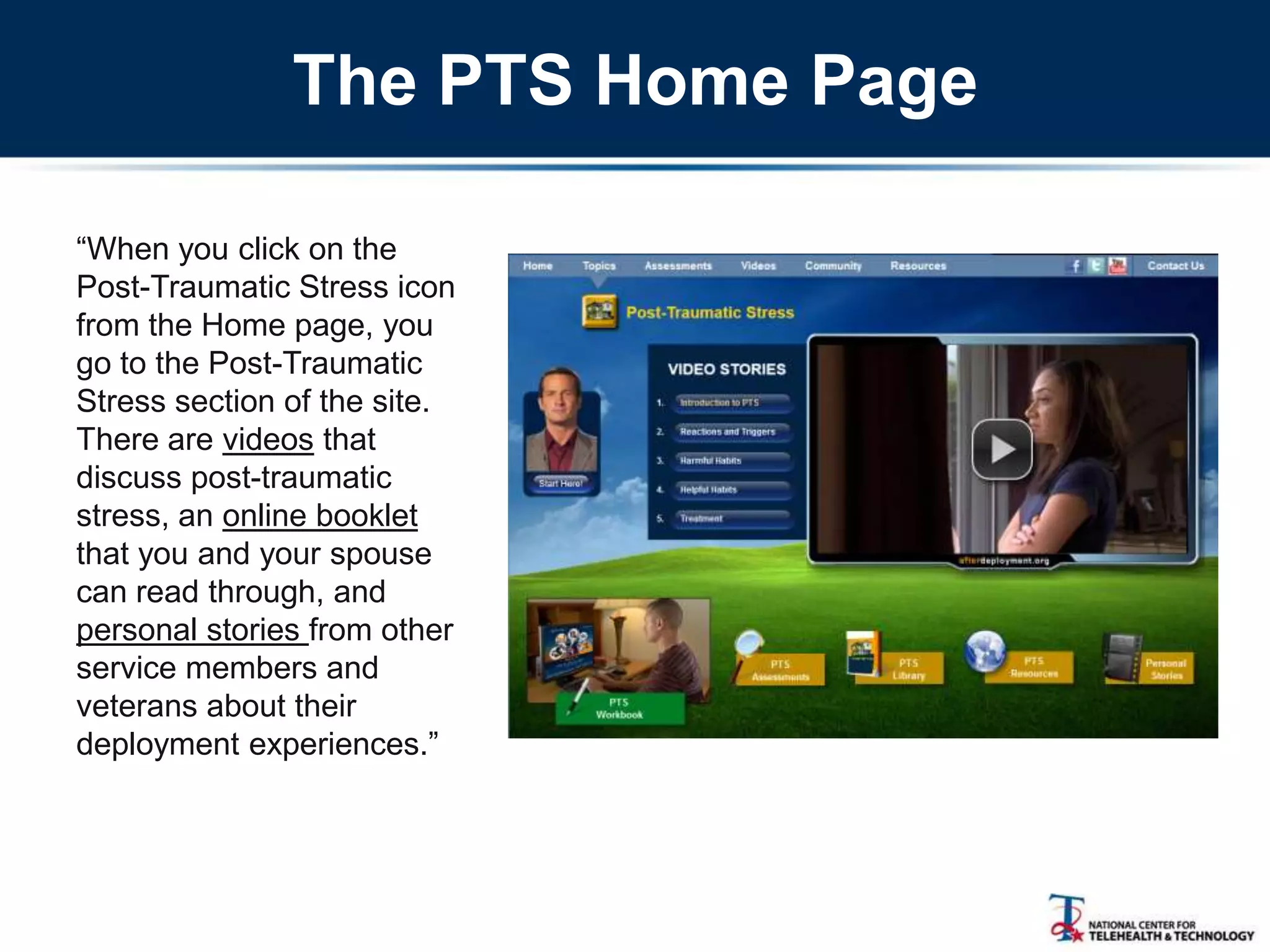
―When you click on the
Post-Traumatic Stress icon
from the Home page, you
go to the Post-Traumatic
Stress section of the site.
There are videos that
discuss post-traumatic
stress, an online booklet
that you and your spouse
can read through, and
personal stories from other
service members and
veterans about their
deployment experiences.‖
Between-Session Homework:
Video-Based Education
―Before your next
appointment, I want you
to click on ‗Start Here‘
and listen to the
overview [1:30]. Then I
want you to view the first
two video
documentaries, the one
called ―Introduction to
PTS‖ [3:50] and the one
called ―Reactions and
Triggers [0:35] Here, I‘ve
written these down for
you.‖
Between-Session Homework:
Personal Stories
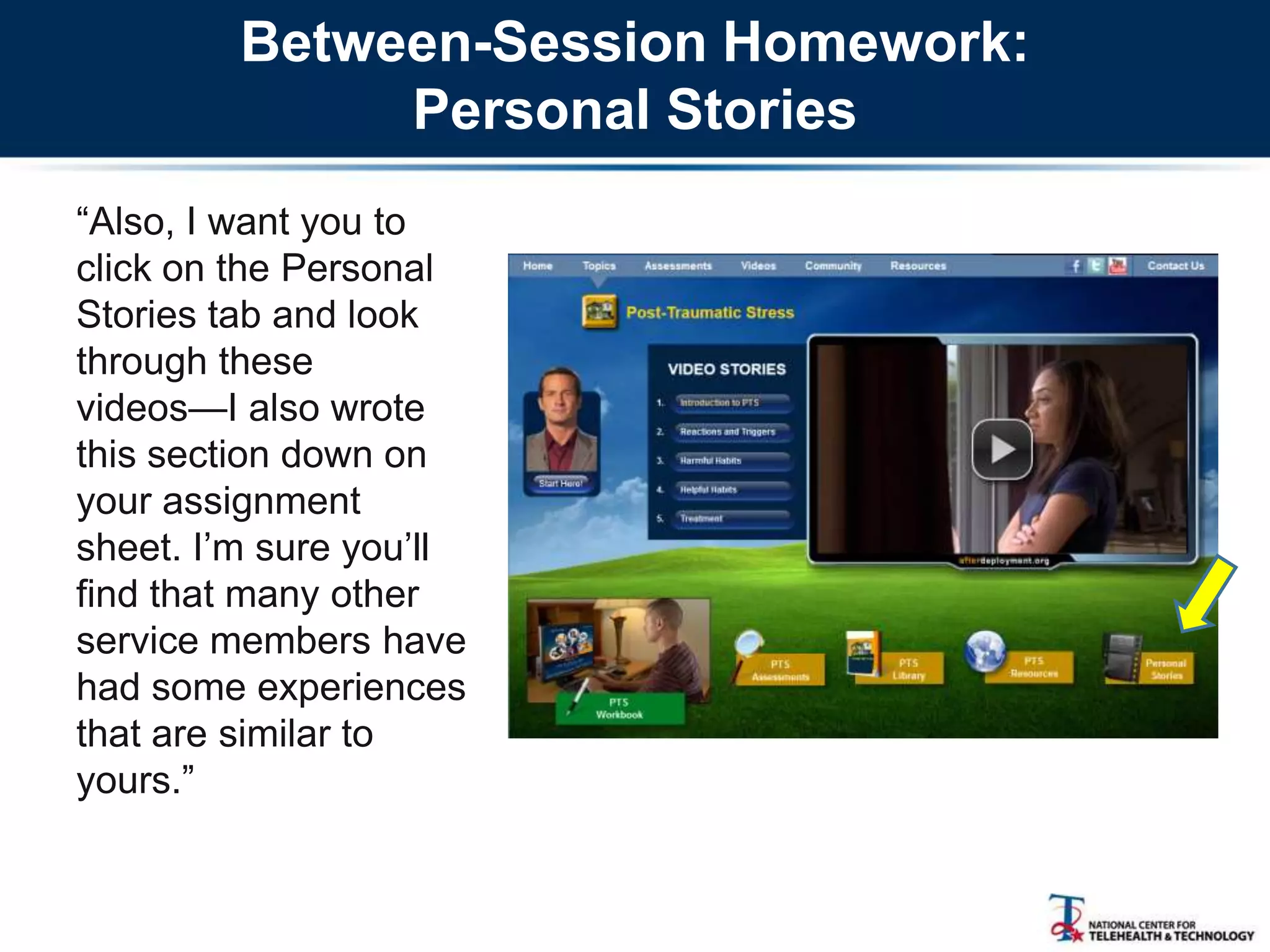
―Also, I want you to
click on the Personal
Stories tab and look
through these
videos—I also wrote
this section down on
your assignment
sheet. I‘m sure you‘ll
find that many other
service members have
had some experiences
that are similar to
yours.‖
Self-Assessment
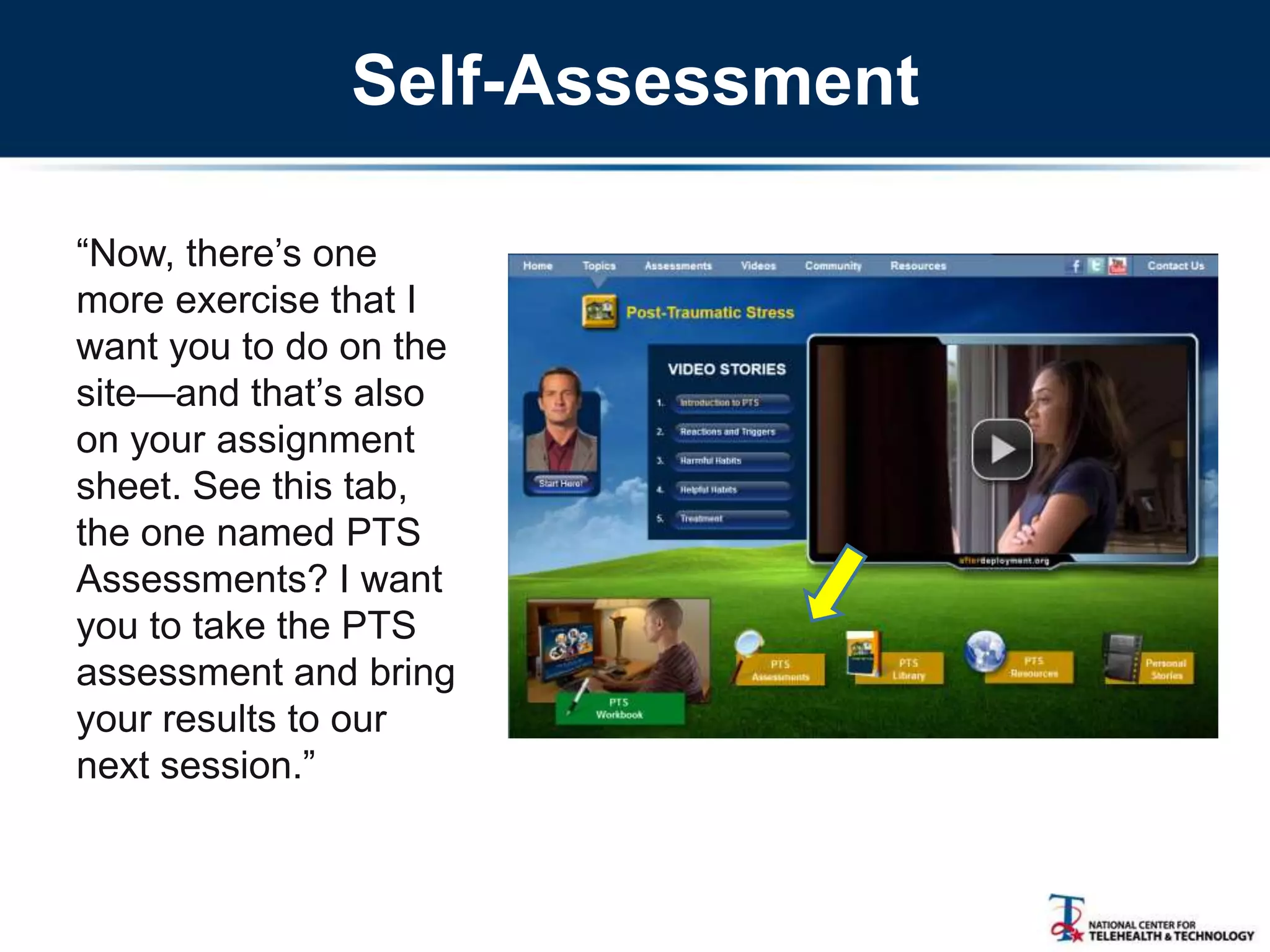
―Now, there‘s one
more exercise that I
want you to do on the
site—and that‘s also
on your assignment
sheet. See this tab,
the one named PTS
Assessments? I want
you to take the PTS
assessment and bring
your results to our
next session.‖
Next Session: Introducing
the Interactive Workbook
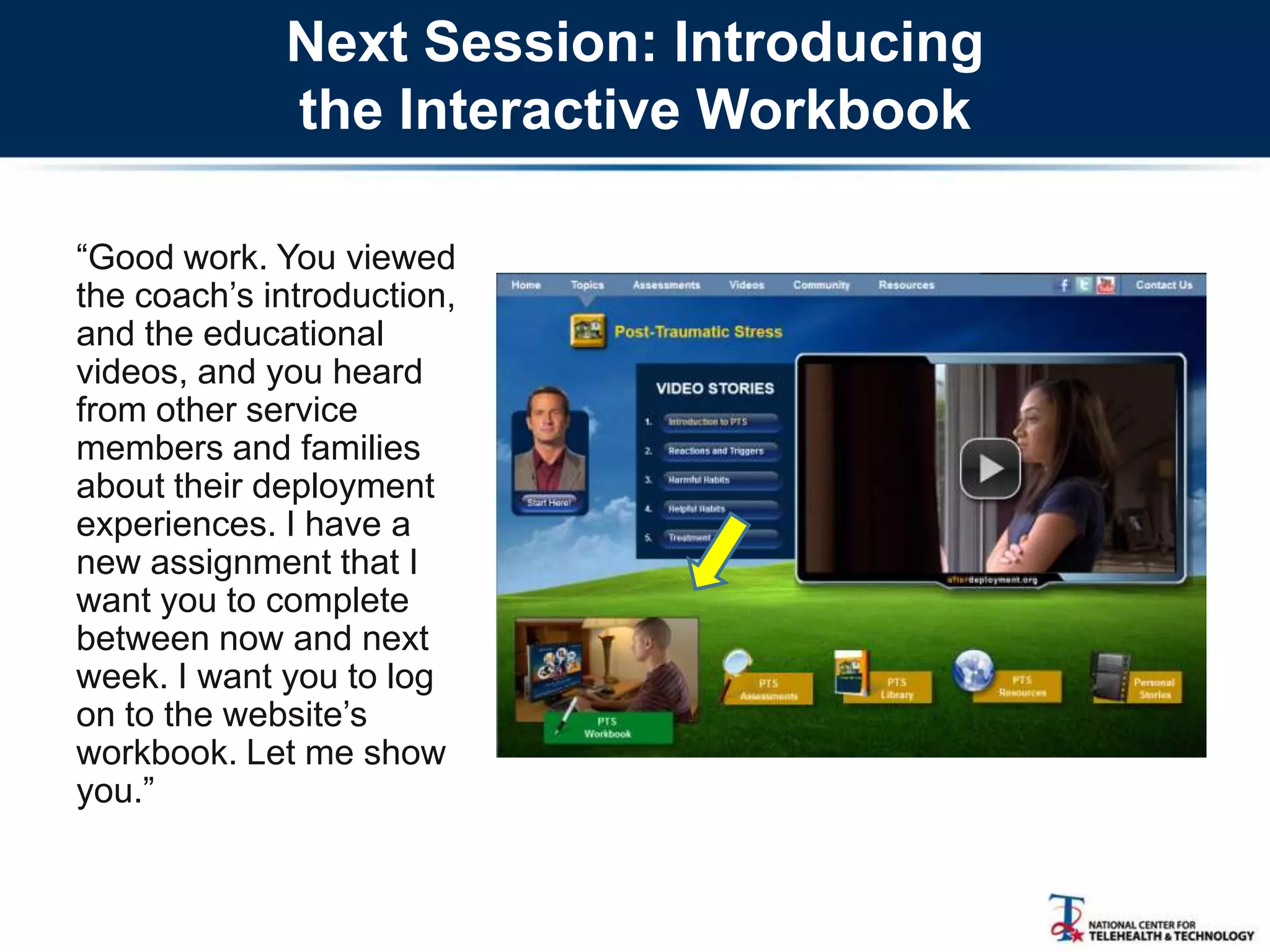
―Good work. You viewed
the coach‘s introduction,
and the educational
videos, and you heard
from other service
members and families
about their deployment
experiences. I have a
new assignment that I
want you to complete
between now and next
week. I want you to log
on to the website‘s
workbook. Let me show
you.‖
Workbook Features
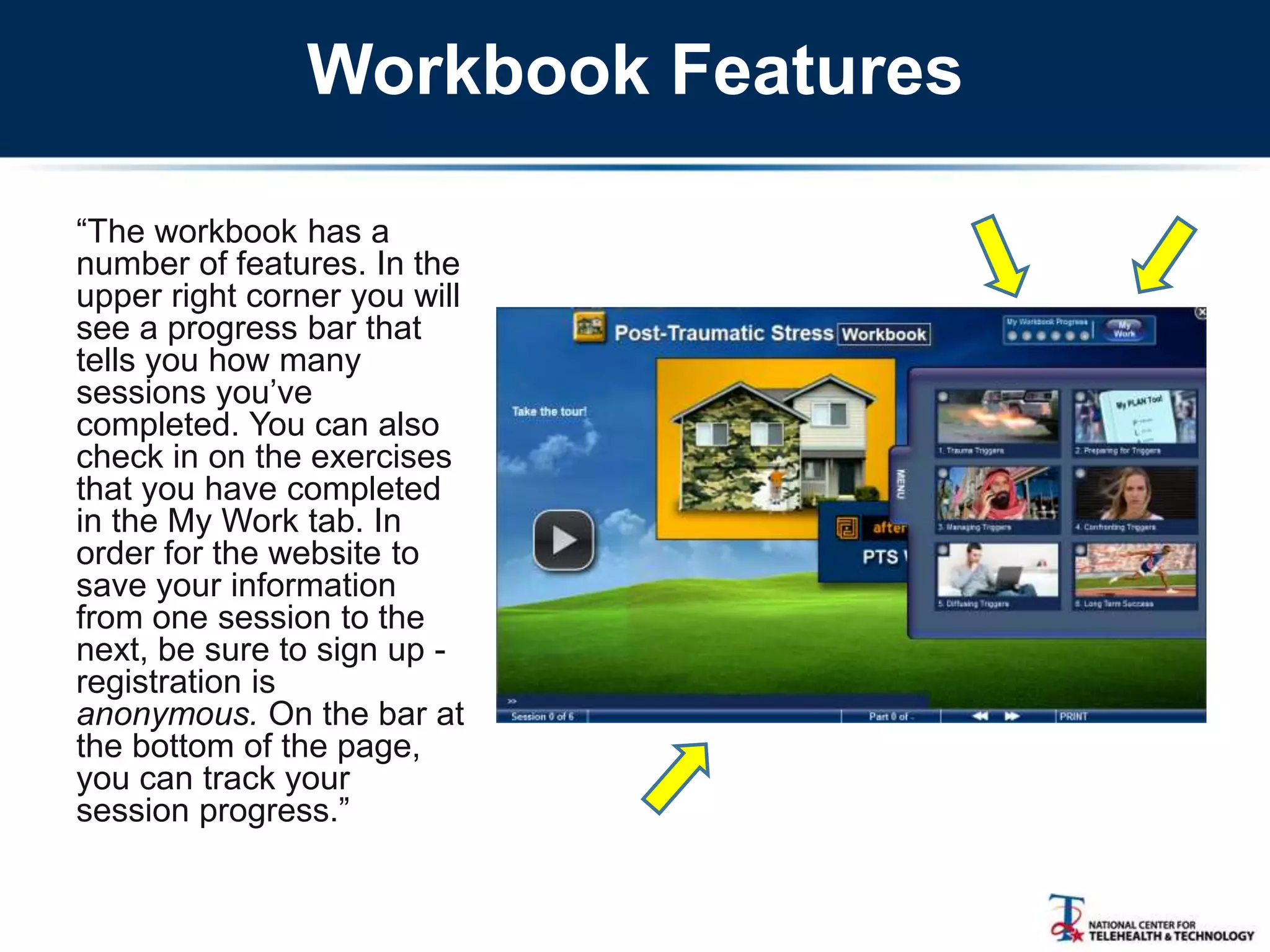
―The workbook has a
number of features. In the
upper right corner you will
see a progress bar that
tells you how many
sessions you‘ve
completed. You can also
check in on the exercises
that you have completed
in the My Work tab. In
order for the website to
save your information
from one session to the
next, be sure to sign up -
registration is
anonymous. On the bar at
the bottom of the page,
you can track your
session progress.‖
Workbook Coach
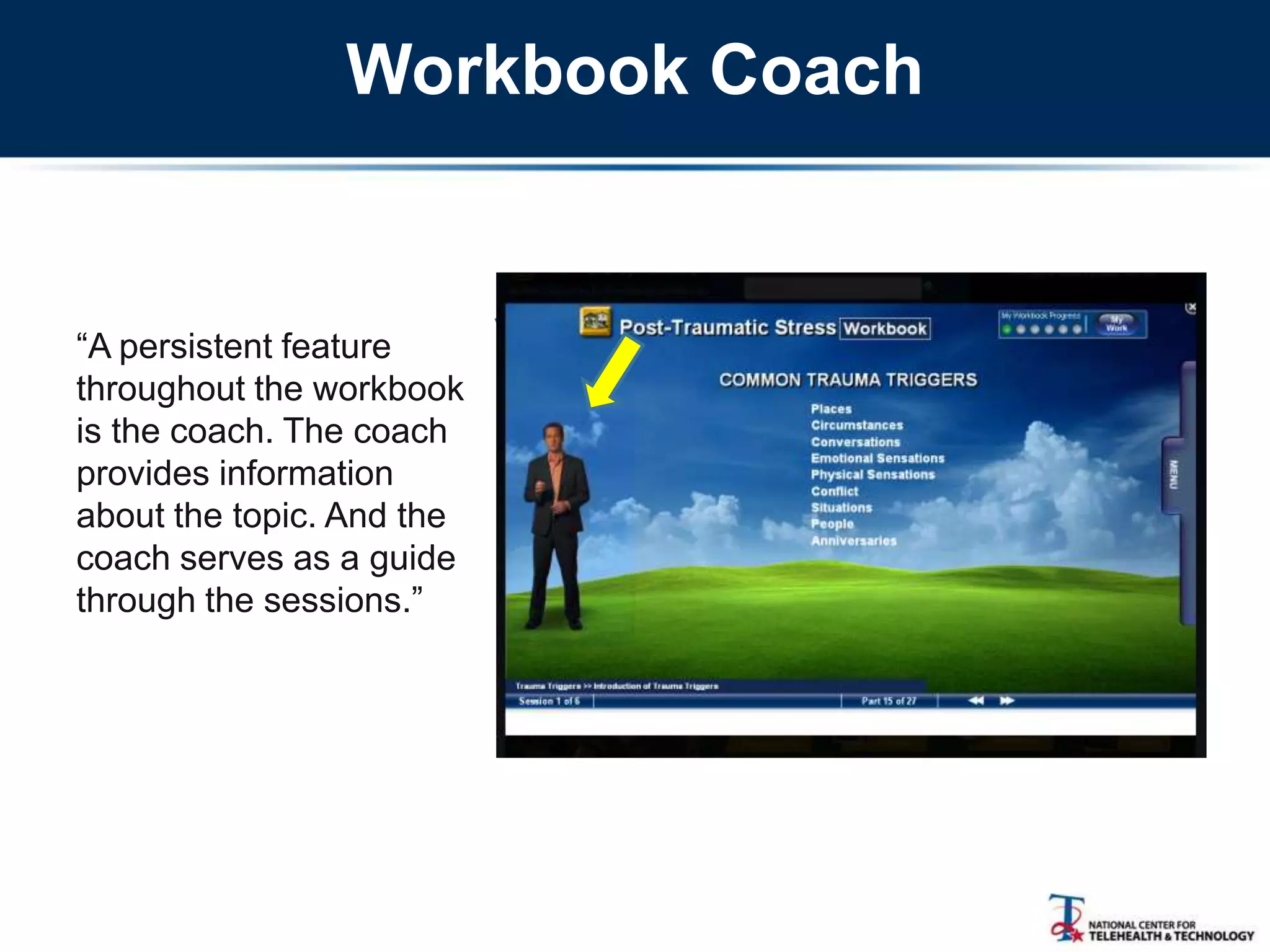
―A persistent feature
throughout the workbook
is the coach. The coach
provides information
about the topic. And the
coach serves as a guide
through the sessions.‖
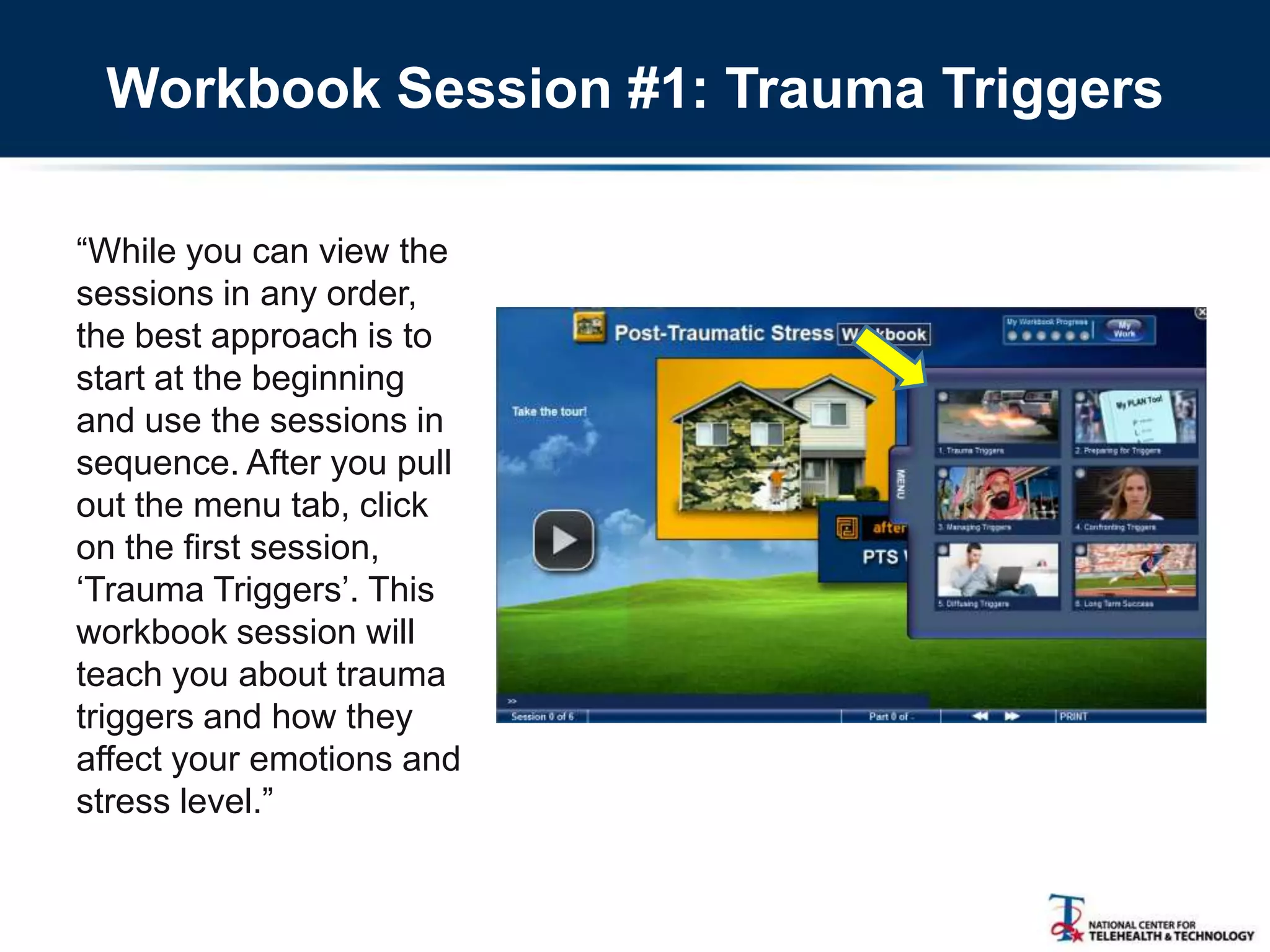
Workbook Session #1: Trauma Triggers
―While you can view the
sessions in any order,
the best approach is to
start at the beginning
and use the sessions in
sequence. After you pull
out the menu tab, click
on the first session,
‗Trauma Triggers‘. This
workbook session will
teach you about trauma
triggers and how they
affect your emotions and
stress level.‖
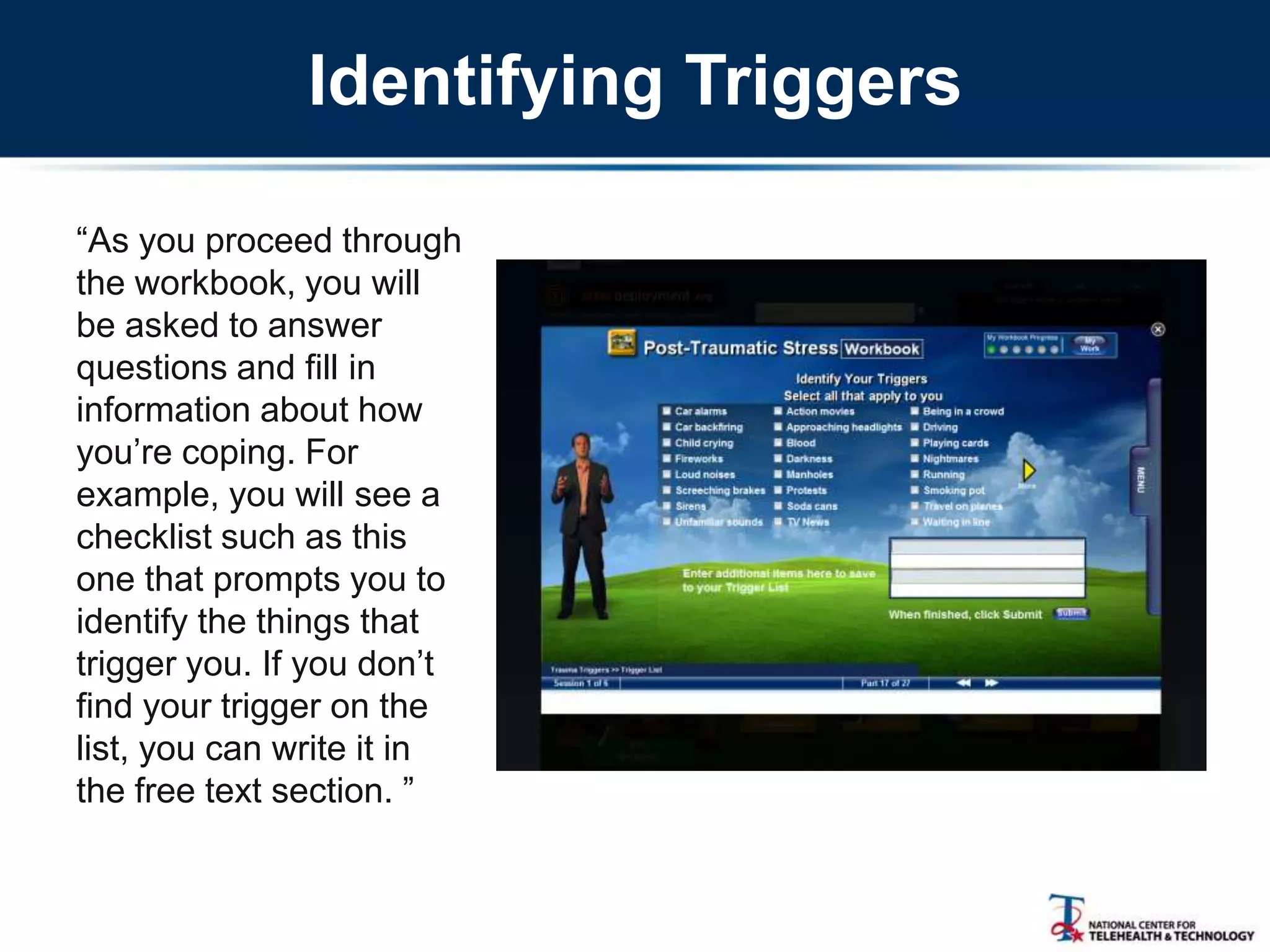
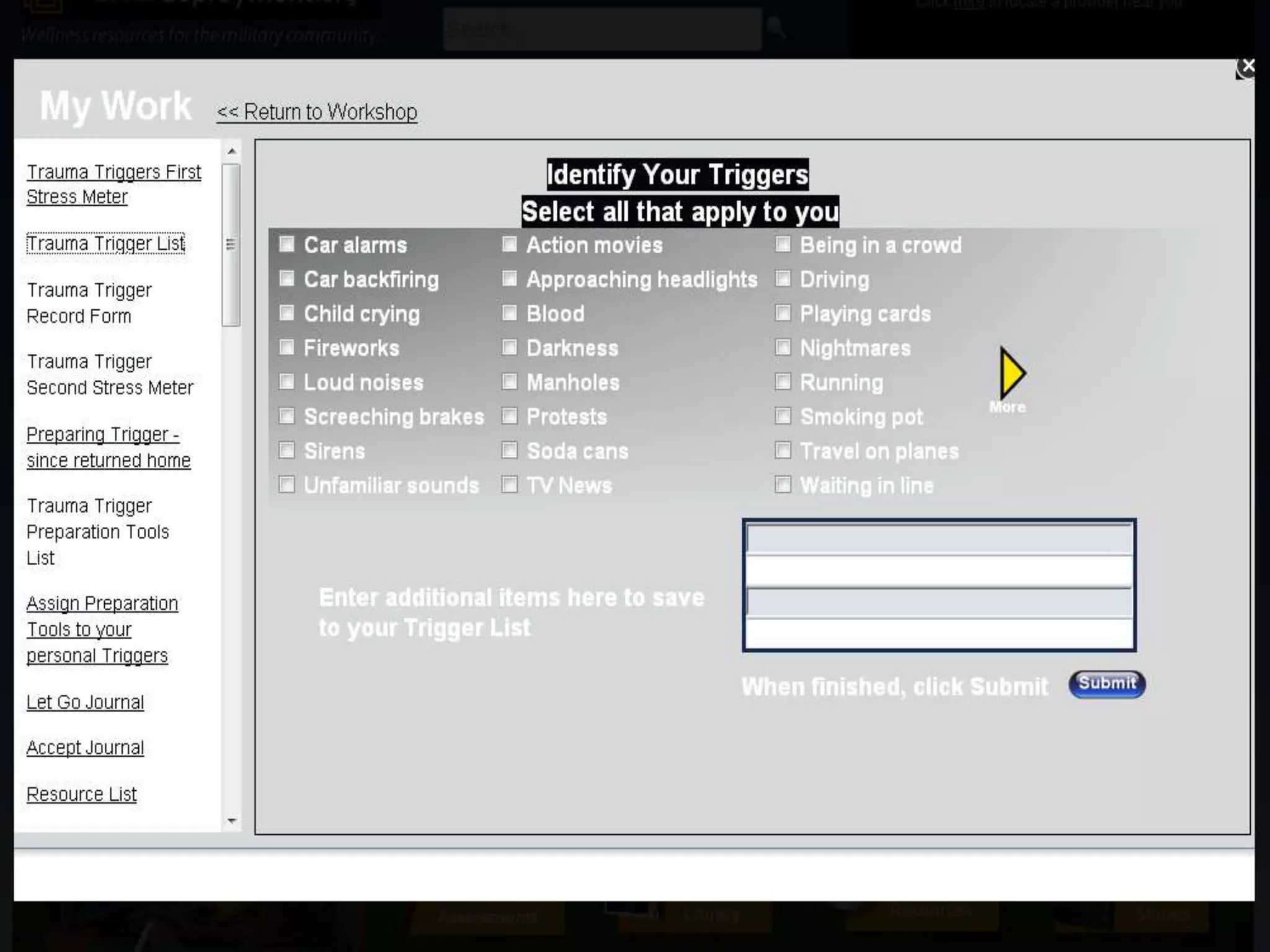
Identifying Triggers
―As you proceed through
the workbook, you will
be asked to answer
questions and fill in
information about how
you‘re coping. For
example, you will see a
checklist such as this
one that prompts you to
identify the things that
trigger you. If you don‘t
find your trigger on the
list, you can write it in
the free text section. ‖
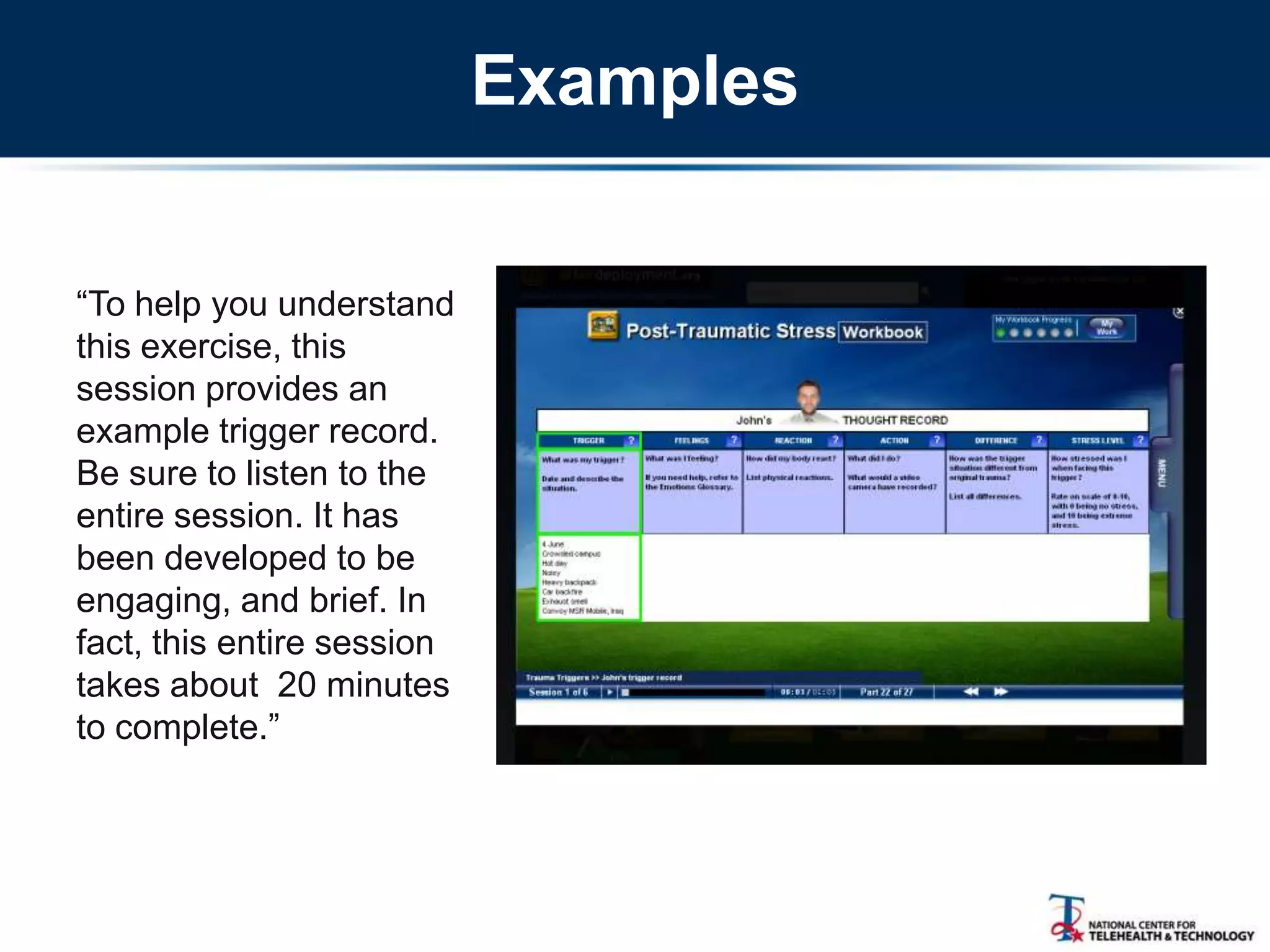
Examples
―To help you understand
this exercise, this
session provides an
example trigger record.
Be sure to listen to the
entire session. It has
been developed to be
engaging, and brief. In
fact, this entire session
takes about 20 minutes
to complete.‖
Getting Help
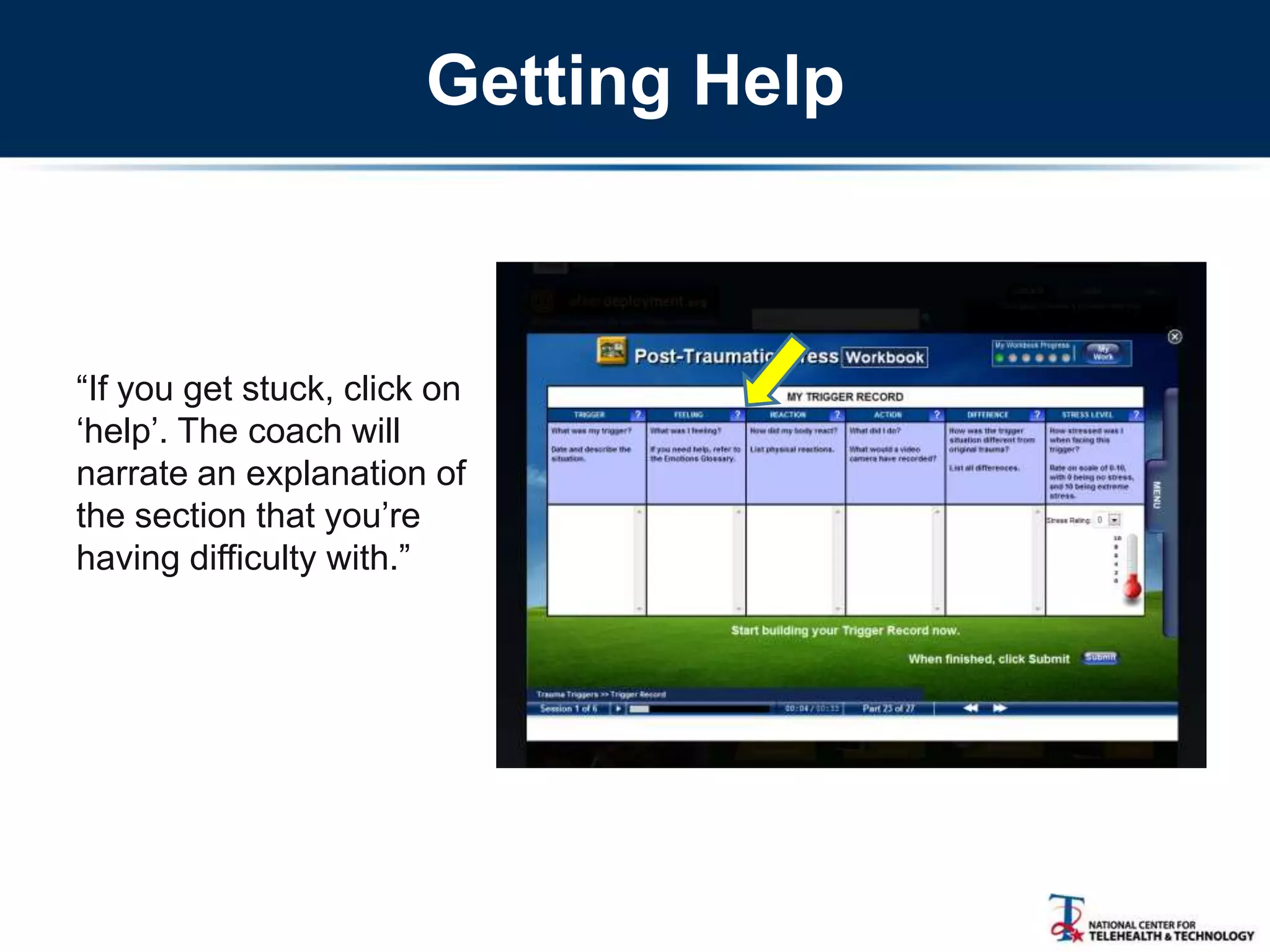
―If you get stuck, click on
‗help‘. The coach will
narrate an explanation of
the section that you‘re
having difficulty with.‖
Trigger Record
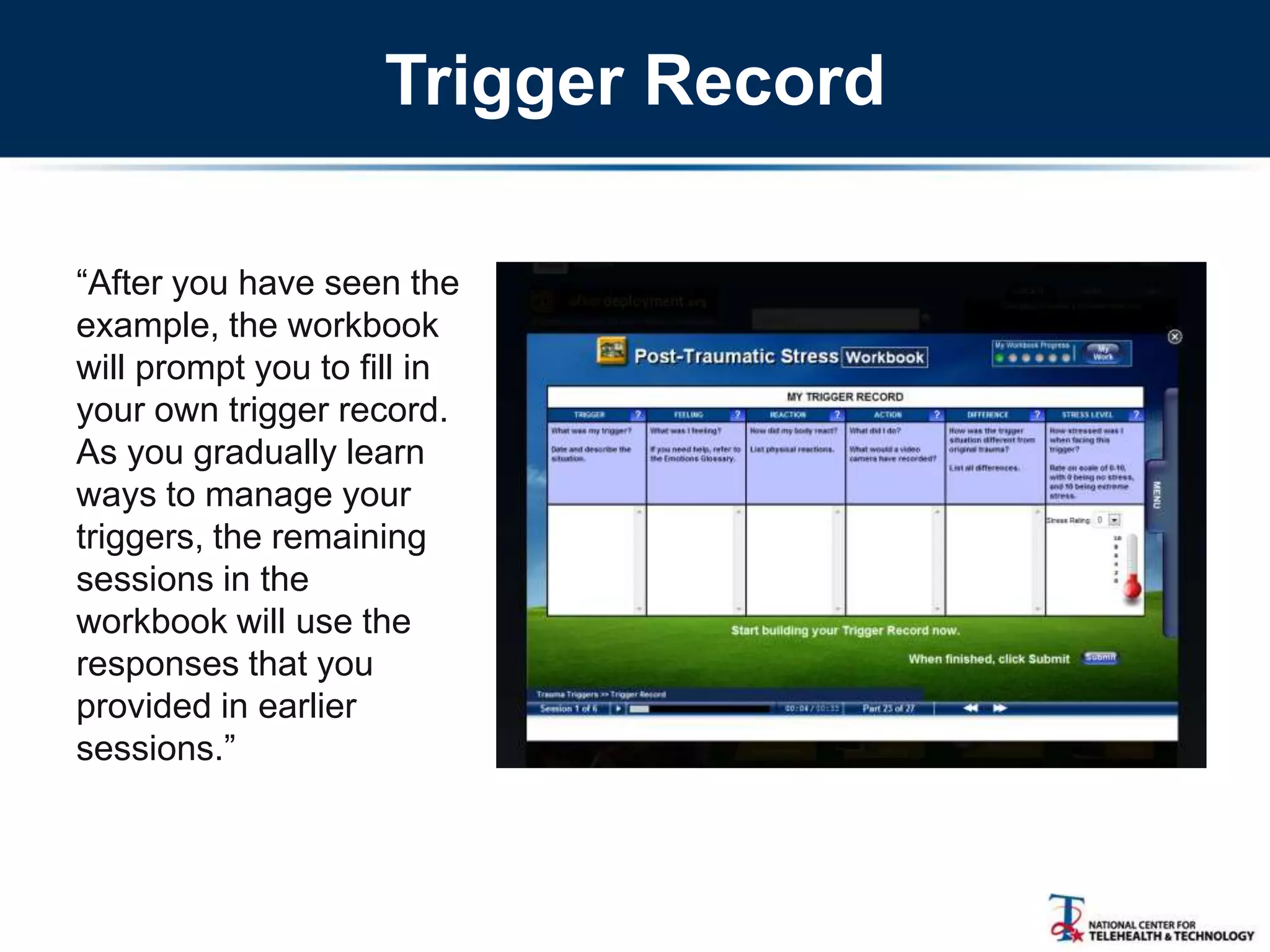
―After you have seen the
example, the workbook
will prompt you to fill in
your own trigger record.
As you gradually learn
ways to manage your
triggers, the remaining
sessions in the
workbook will use the
responses that you
provided in earlier
sessions.‖
Dealing with Avoidance
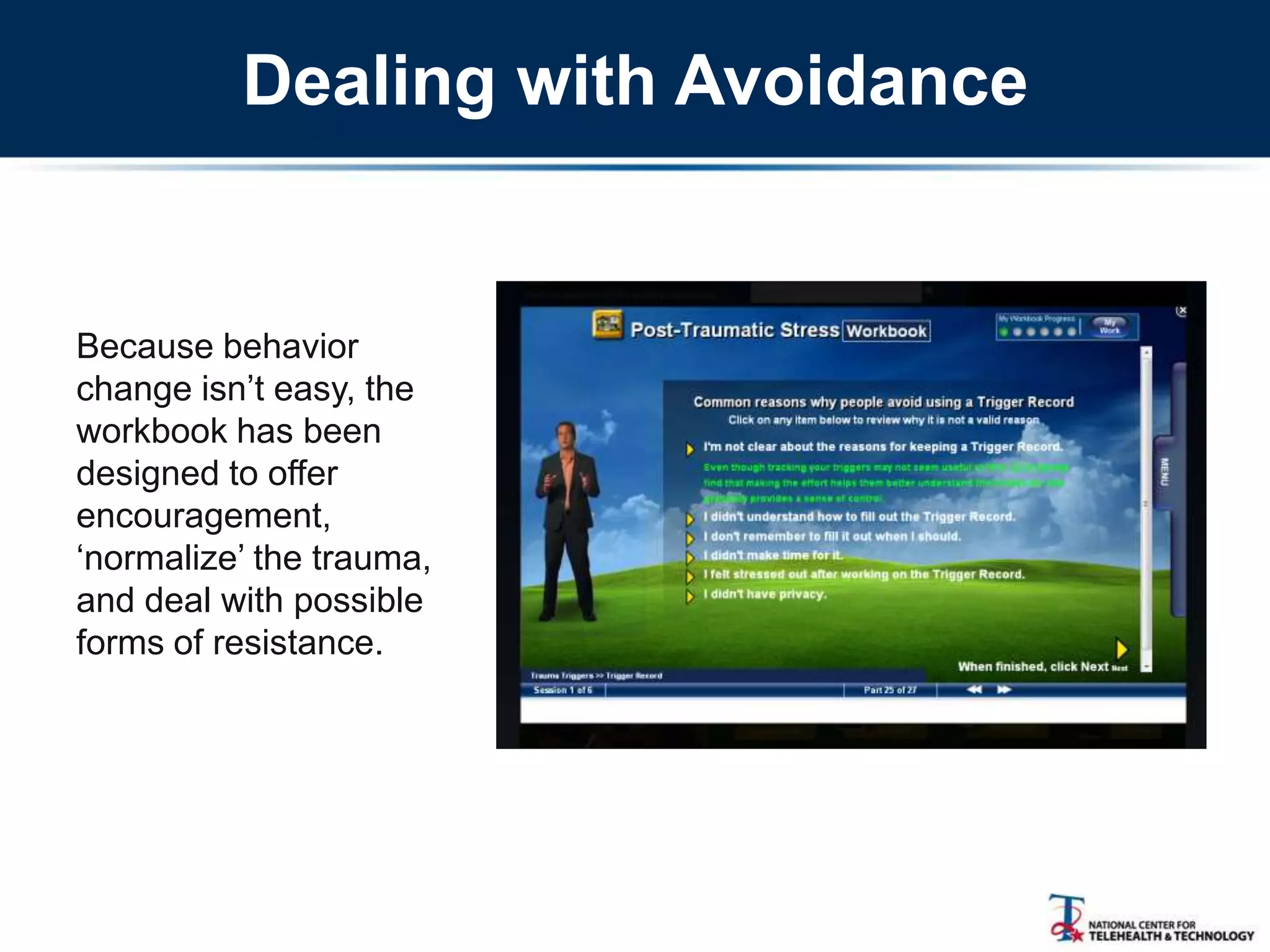
Because behavior
change isn‘t easy, the
workbook has been
designed to offer
encouragement,
‗normalize‘ the trauma,
and deal with possible
forms of resistance.
How Stressful Was That Exercise?
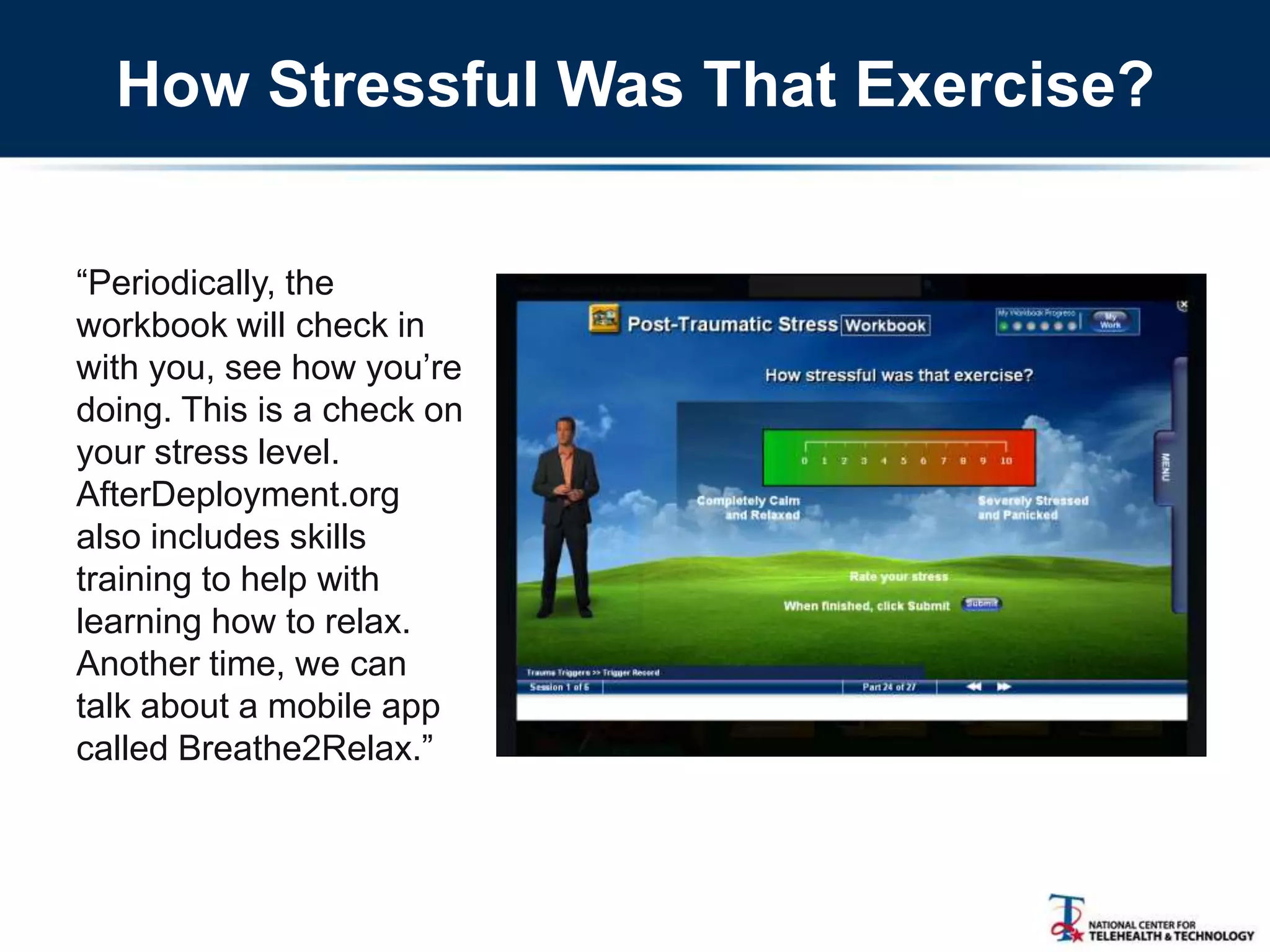
―Periodically, the
workbook will check in
with you, see how you‘re
doing. This is a check on
your stress level.
AfterDeployment.org
also includes skills
training to help with
learning how to relax.
Another time, we can
talk about a mobile app
called Breathe2Relax.‖
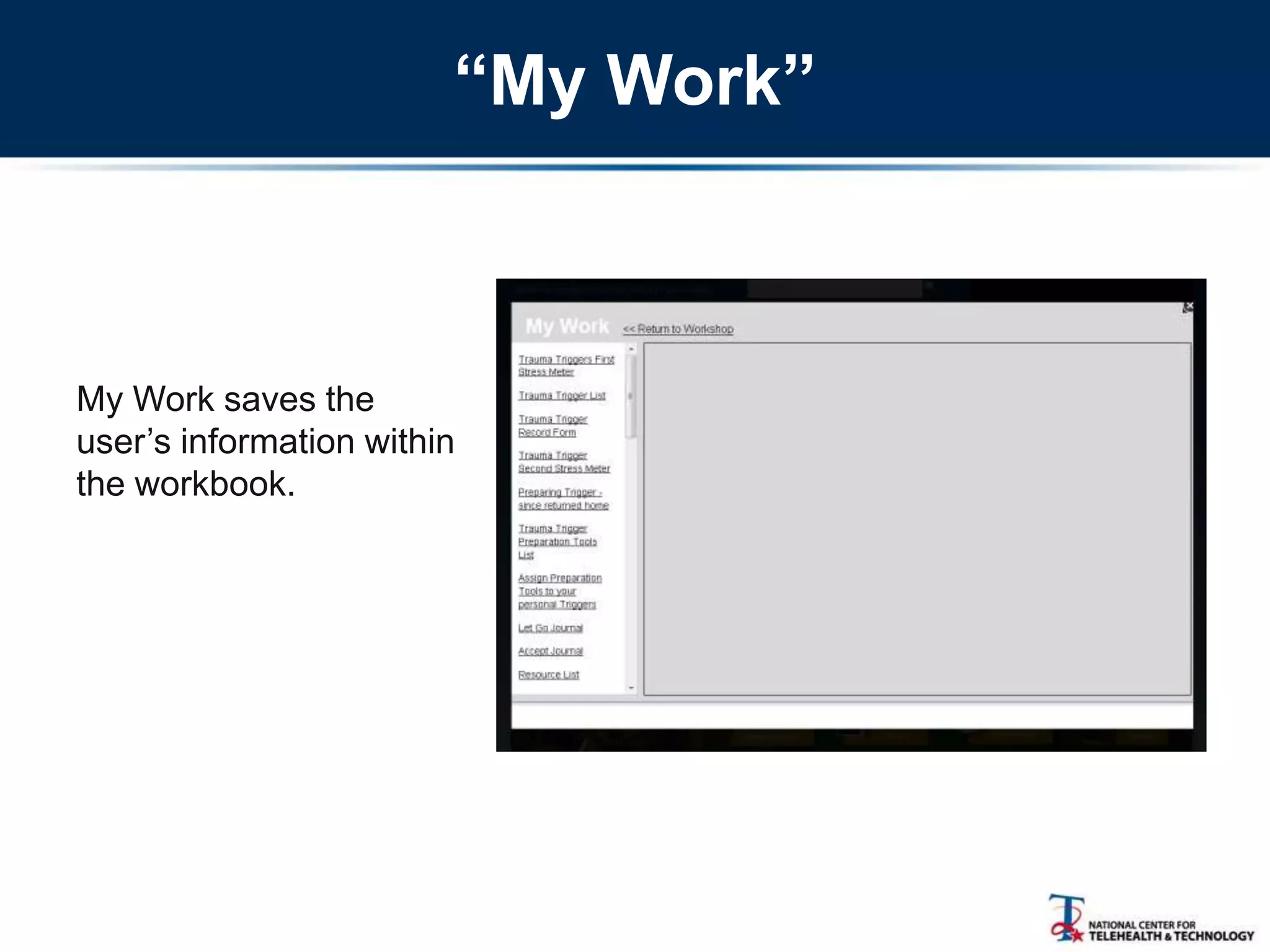
“My Work”
My Work saves the
user‘s information within
the workbook.
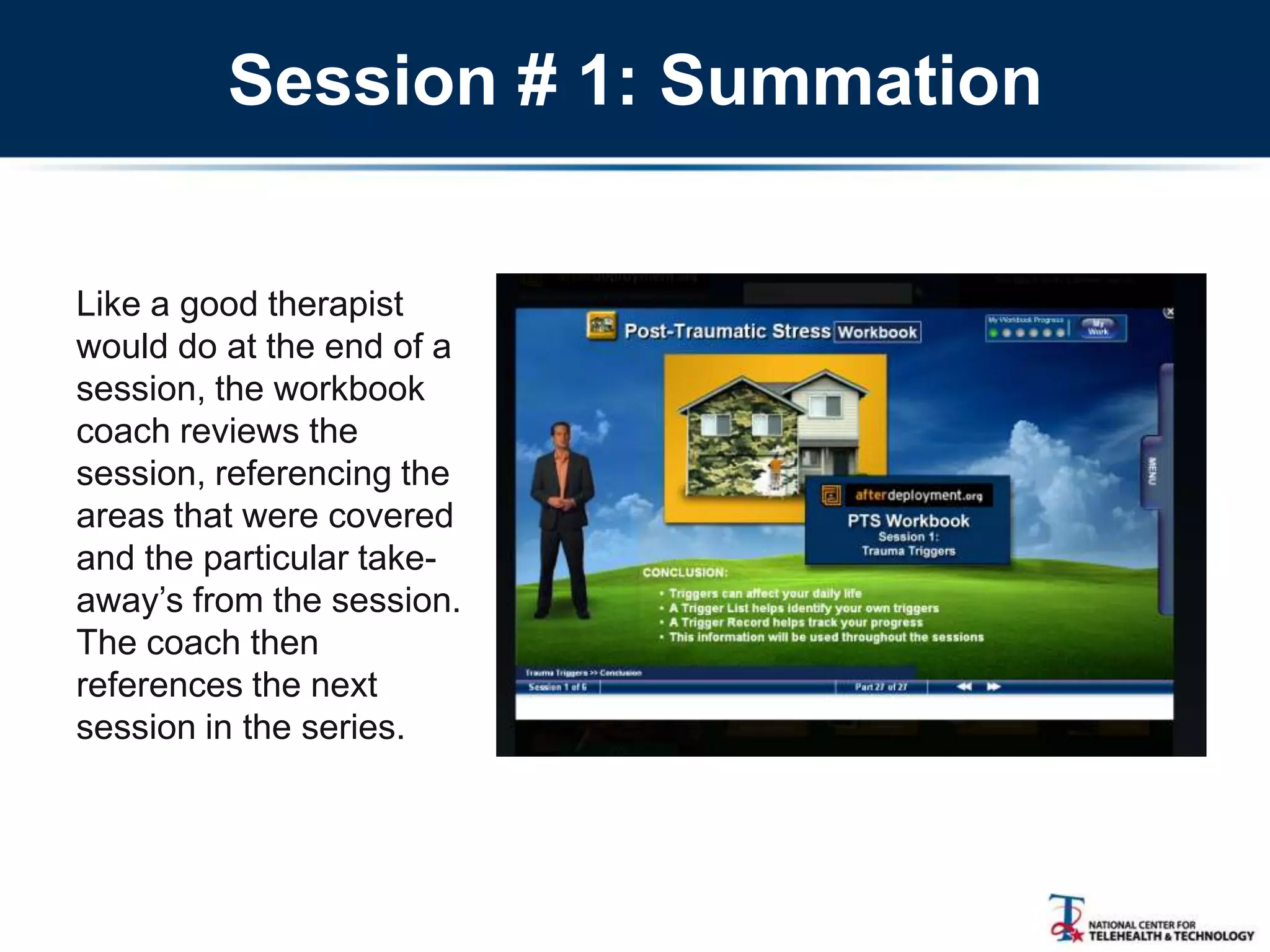
Session # 1: Summation
Like a good therapist
would do at the end of a
session, the workbook
coach reviews the
session, referencing the
areas that were covered
and the particular take-
away‘s from the session.
The coach then
references the next
session in the series.
Other Key Points
• The site is a collaborative effort
• Not all workbooks have been revised
• No capability to send/transmit data
• The content is versatile/customizable
• Co-occurring conditions
• VA conducting group sessions
• Providers‘ clinical approach
• Clinical studies underway
29
Annabel Prins, PhD
Clinical Psychologist/T2 Liaison
National Center for PTSD, Dissemination & Training Division
National Center for Telehealth and Technology (T2), ROI Division
Afterdeployment.org Community of Practice Call
9/10/2013
Bringing afterdeployment.org into
VA Primary Care
Agenda
 Introduction
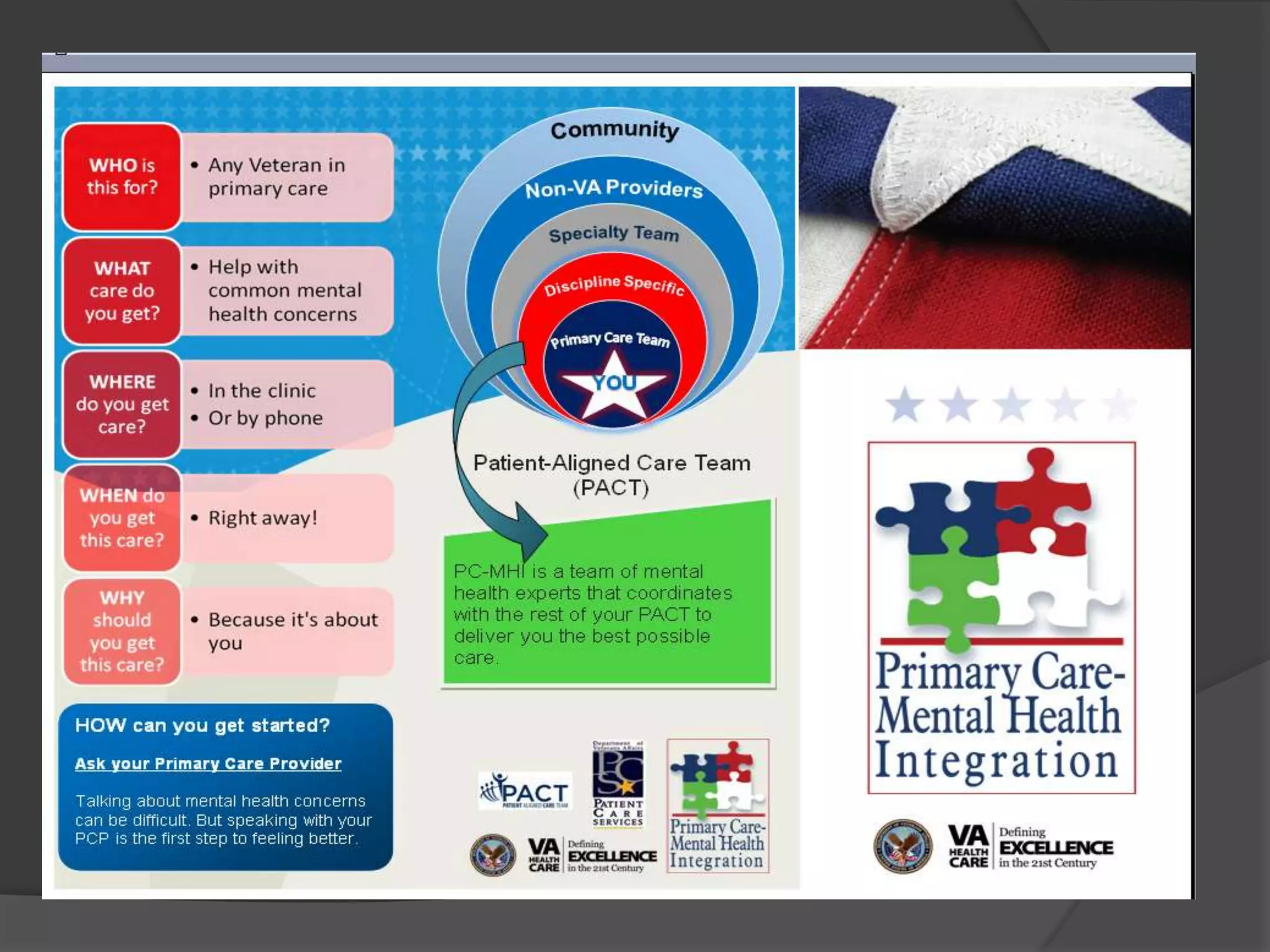
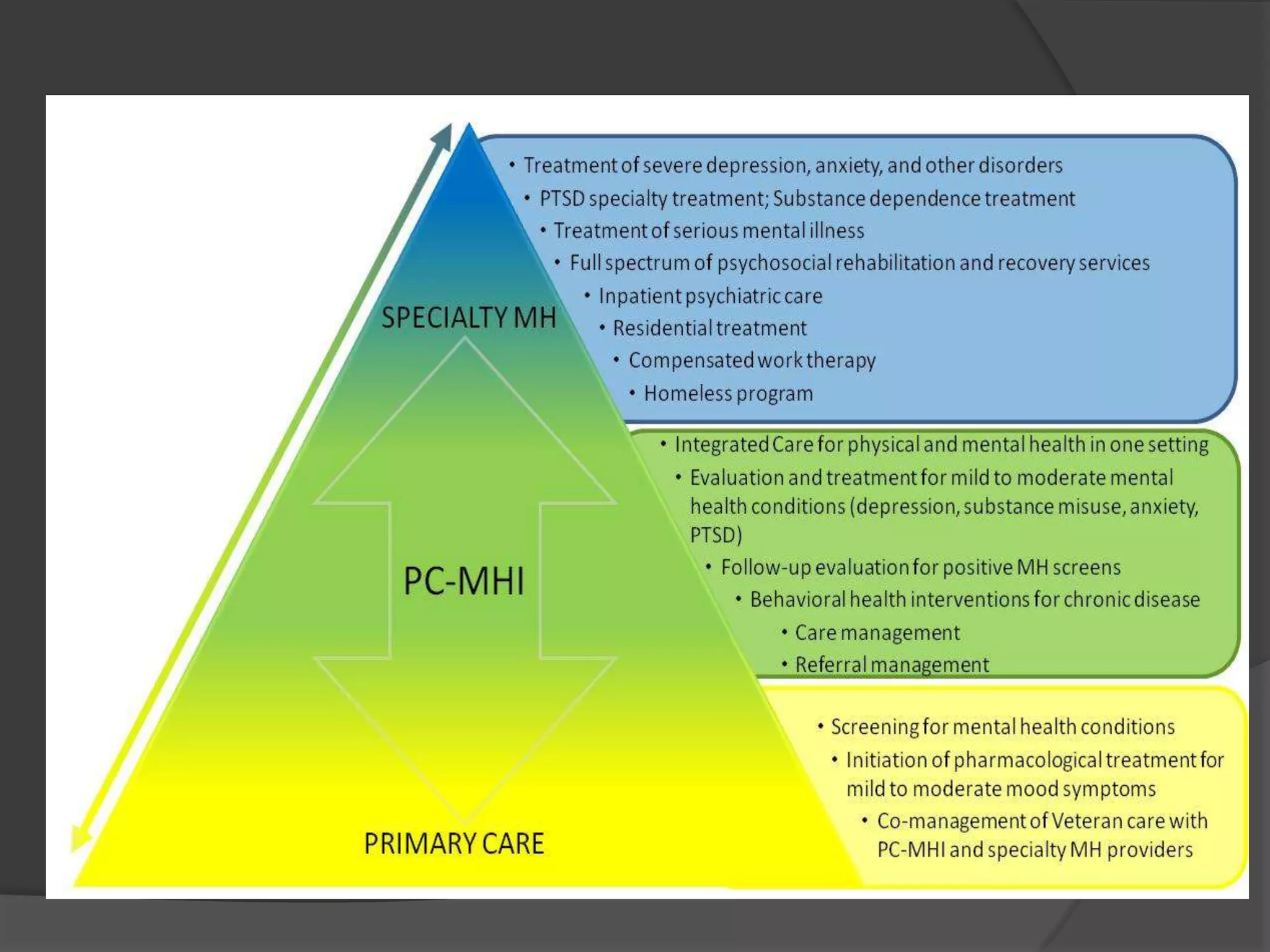
 VA Primary Care Mental Health Integration
 Demonstration Project
 Clinical Observations/Future Direction
Introduction
 Research activities
 Evaluation of PTS workshops at SJSU (Bush et
al., 2013)
 Clinical support tool for providers
○ ADAPT-T (PI-Jakupchak): telephone based
problem solving therapy for PTSD/substance
abuse
○ TIDES/PTSD (PI-Felker): care management for
depression and PTSD
 Clinical activities
 Primary-Care MH team: American Lake VA
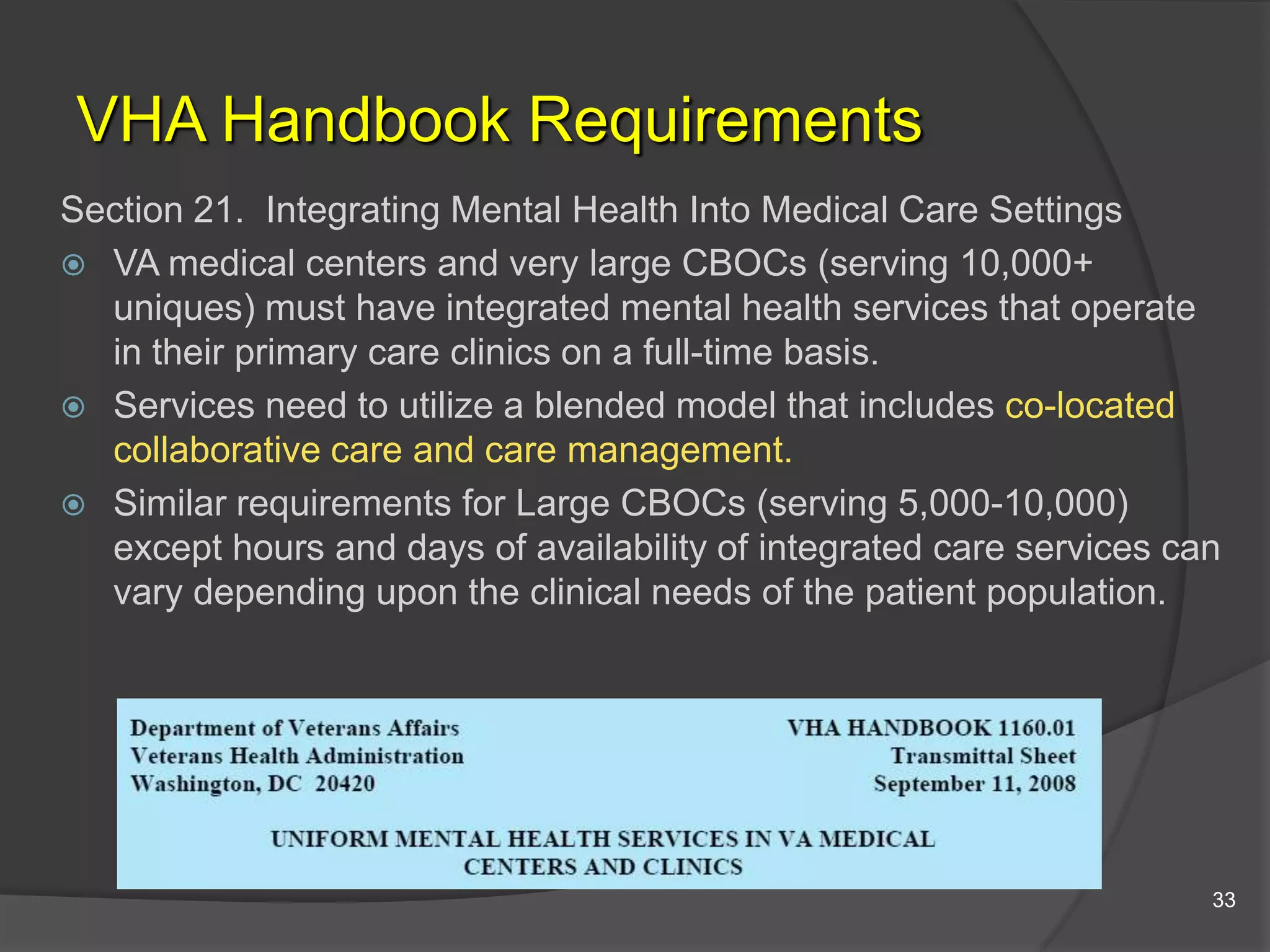
VHA Handbook Requirements
Section 21. Integrating Mental Health Into Medical Care Settings
 VA medical centers and very large CBOCs (serving 10,000+
uniques) must have integrated mental health services that operate
in their primary care clinics on a full-time basis.
 Services need to utilize a blended model that includes co-located
collaborative care and care management.
 Similar requirements for Large CBOCs (serving 5,000-10,000)
except hours and days of availability of integrated care services can
vary depending upon the clinical needs of the patient population.
33
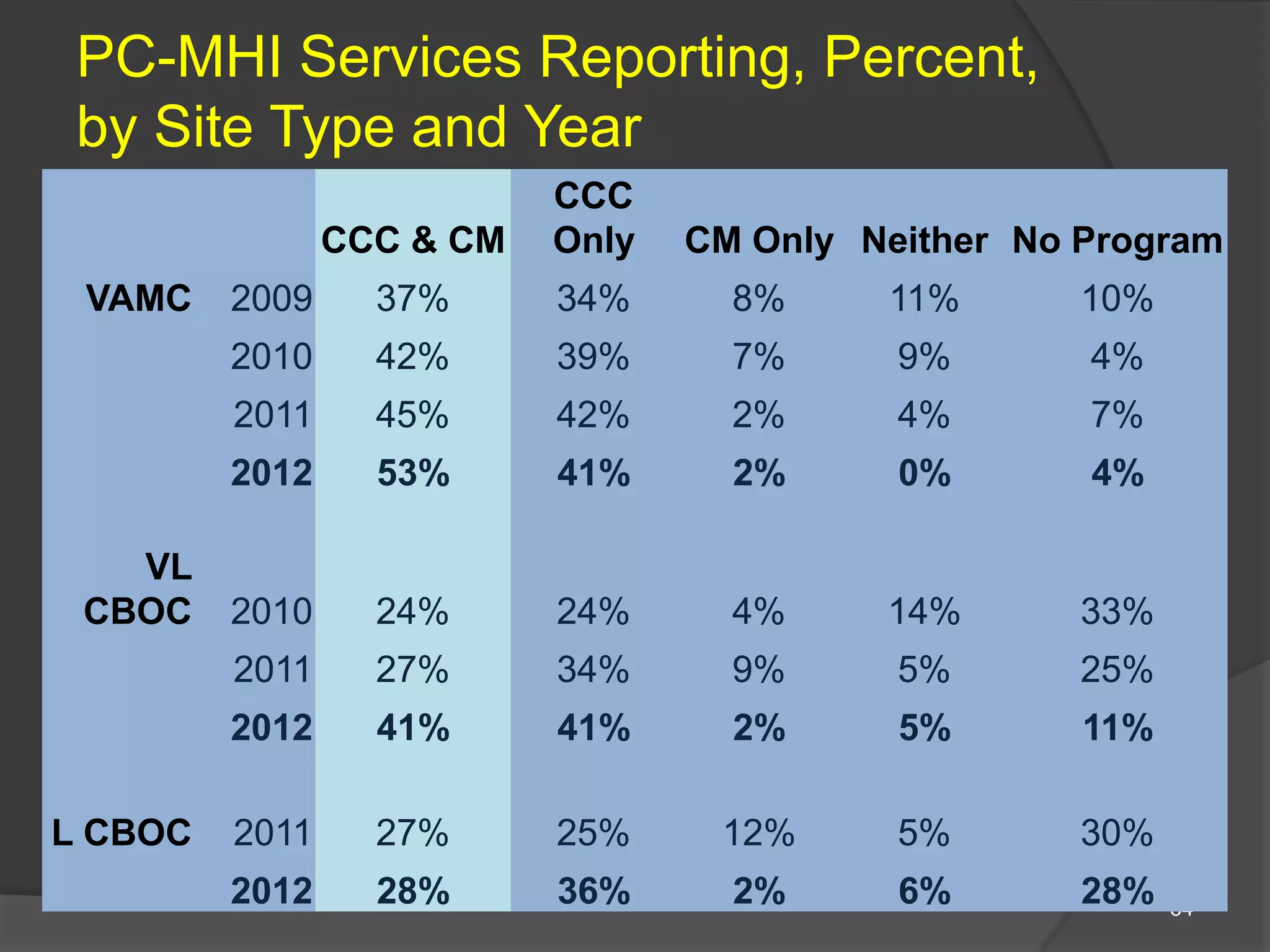
PC-MHI Services Reporting, Percent,
by Site Type and Year
34
CCC & CM
CCC
Only CM Only Neither No Program
VAMC 2009 37% 34% 8% 11% 10%
2010 42% 39% 7% 9% 4%
2011 45% 42% 2% 4% 7%
2012 53% 41% 2% 0% 4%
VL
CBOC 2010 24% 24% 4% 14% 33%
2011 27% 34% 9% 5% 25%
2012 41% 41% 2% 5% 11%
L CBOC 2011 27% 25% 12% 5% 30%
2012 28% 36% 2% 6% 28%
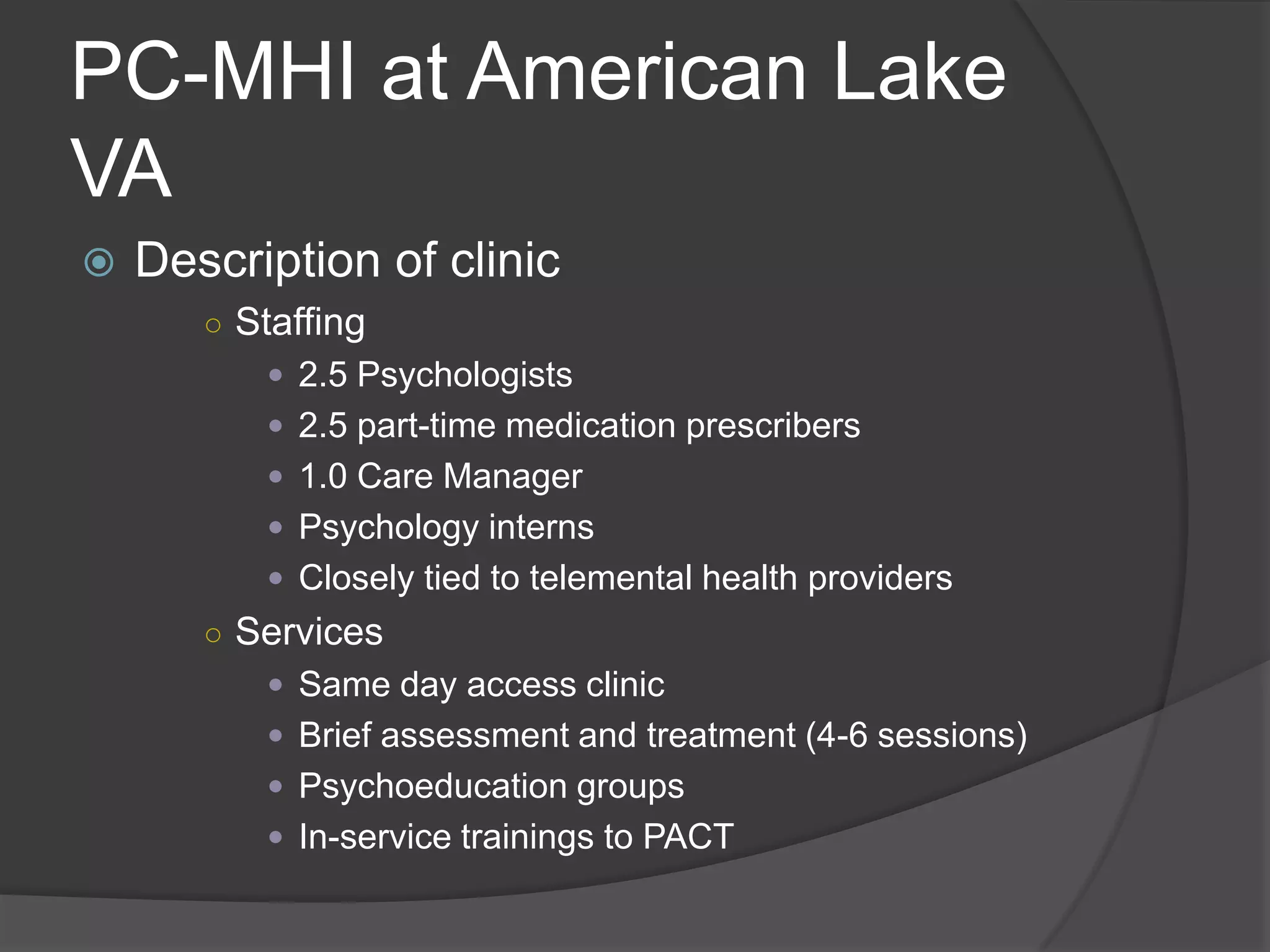
PC-MHI at American Lake
VA
 Description of clinic
○ Staffing
 2.5 Psychologists
 2.5 part-time medication prescribers
 1.0 Care Manager
 Psychology interns
 Closely tied to telemental health providers
○ Services
 Same day access clinic
 Brief assessment and treatment (4-6 sessions)
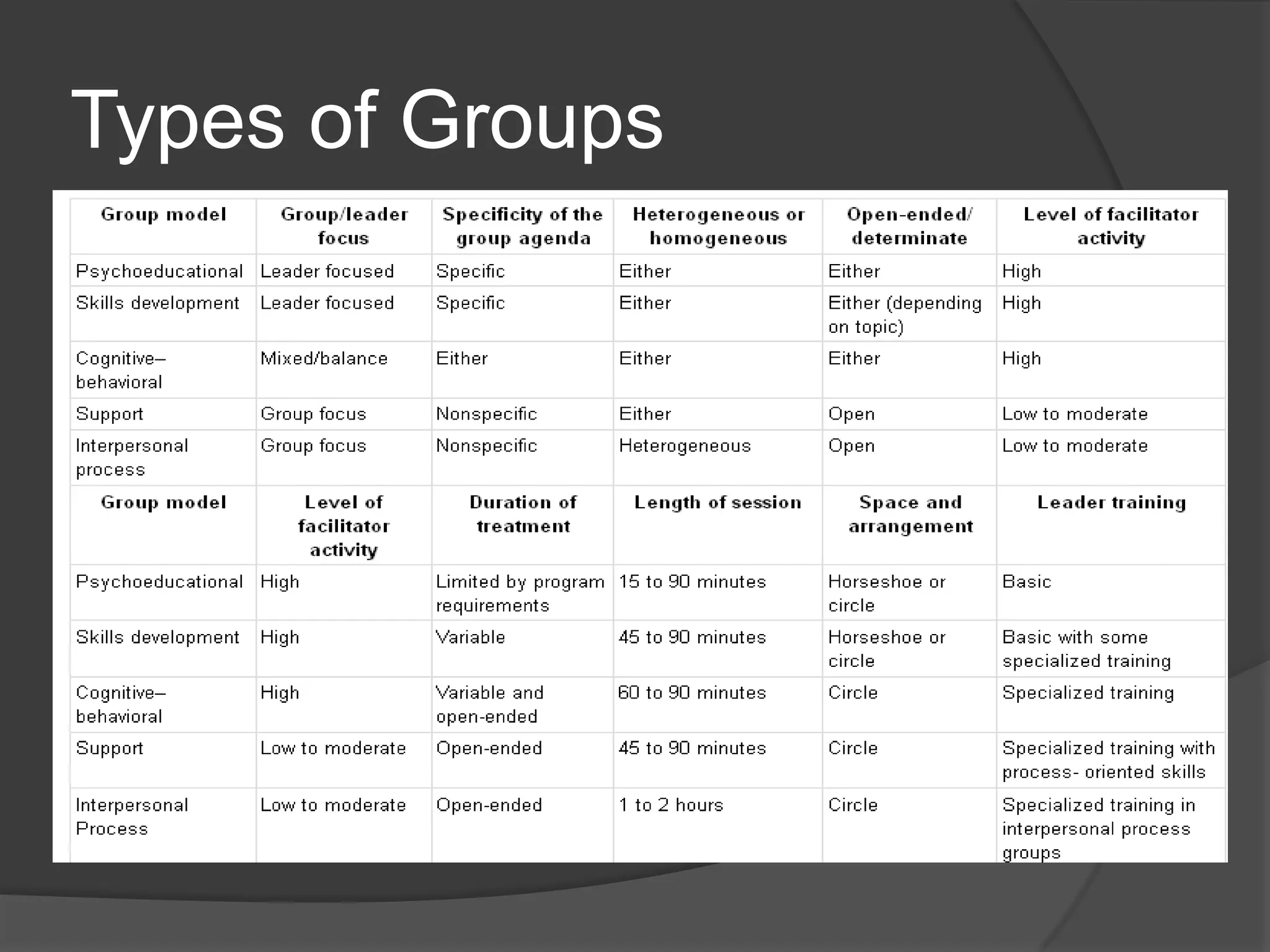
 Psychoeducation groups
 In-service trainings to PACT
Types of Groups
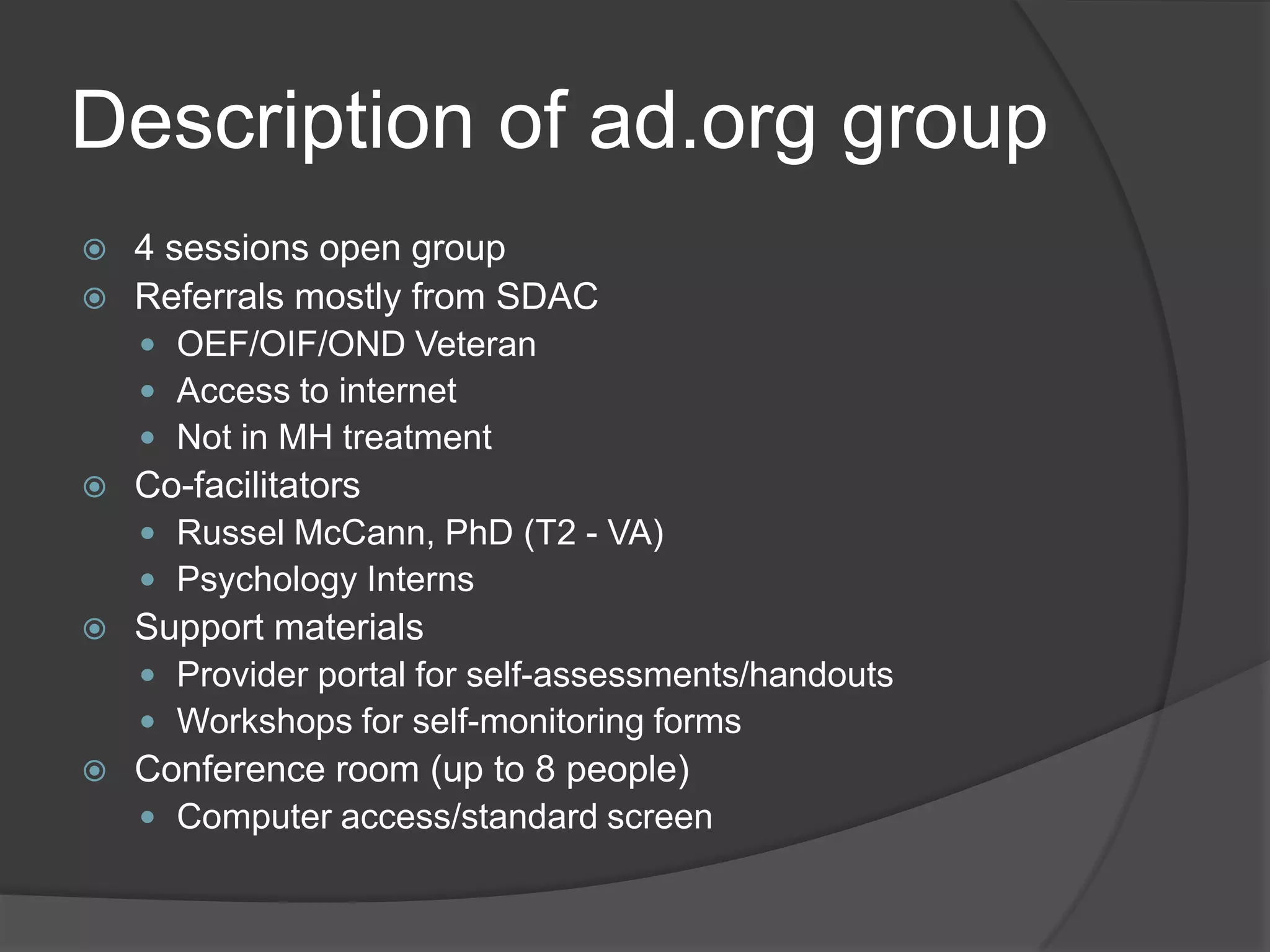
Description of ad.org group
 4 sessions open group
 Referrals mostly from SDAC
 OEF/OIF/OND Veteran
 Access to internet
 Not in MH treatment
 Co-facilitators
 Russel McCann, PhD (T2 - VA)
 Psychology Interns
 Support materials
 Provider portal for self-assessments/handouts
 Workshops for self-monitoring forms
 Conference room (up to 8 people)
 Computer access/standard screen
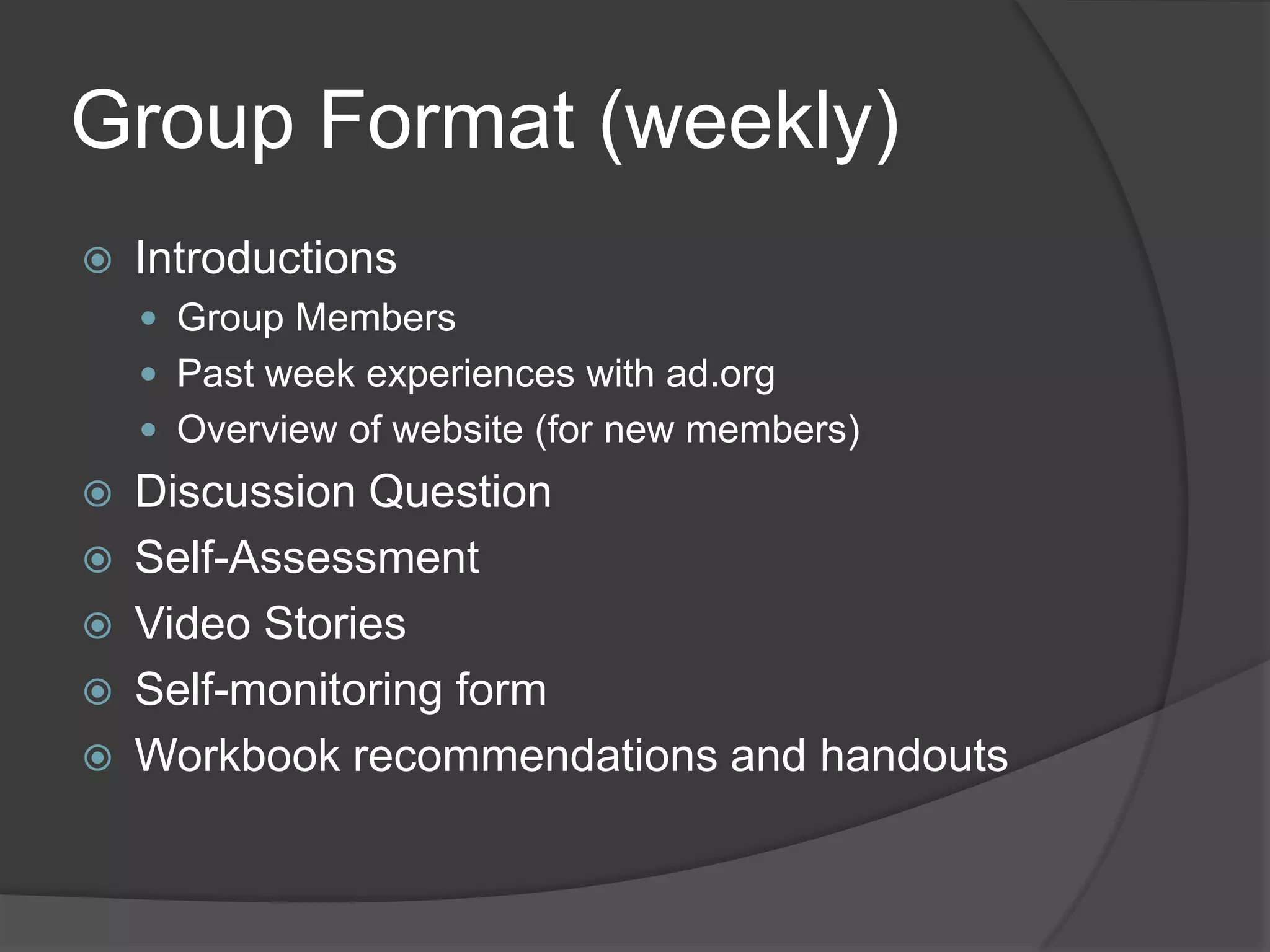
Group Format (weekly)
 Introductions
 Group Members
 Past week experiences with ad.org
 Overview of website (for new members)
 Discussion Question
 Self-Assessment
 Video Stories
 Self-monitoring form
 Workbook recommendations and handouts
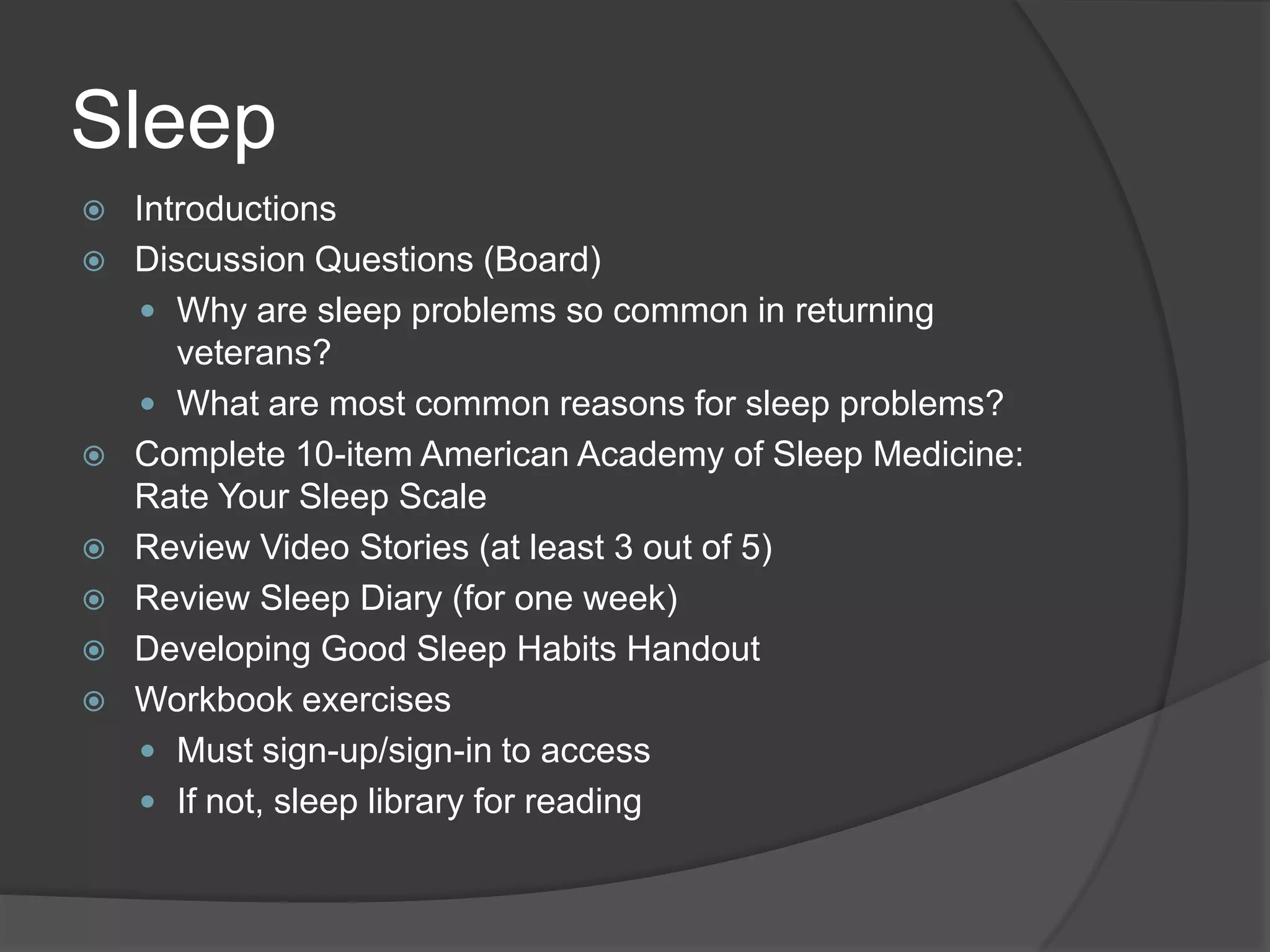
Introductions (weekly as needed)
 Members
 How long with VA
 Branch of service – deployments
 Current living arrangement
 Website
 History - T2 development
 cognitive-behavioral principles
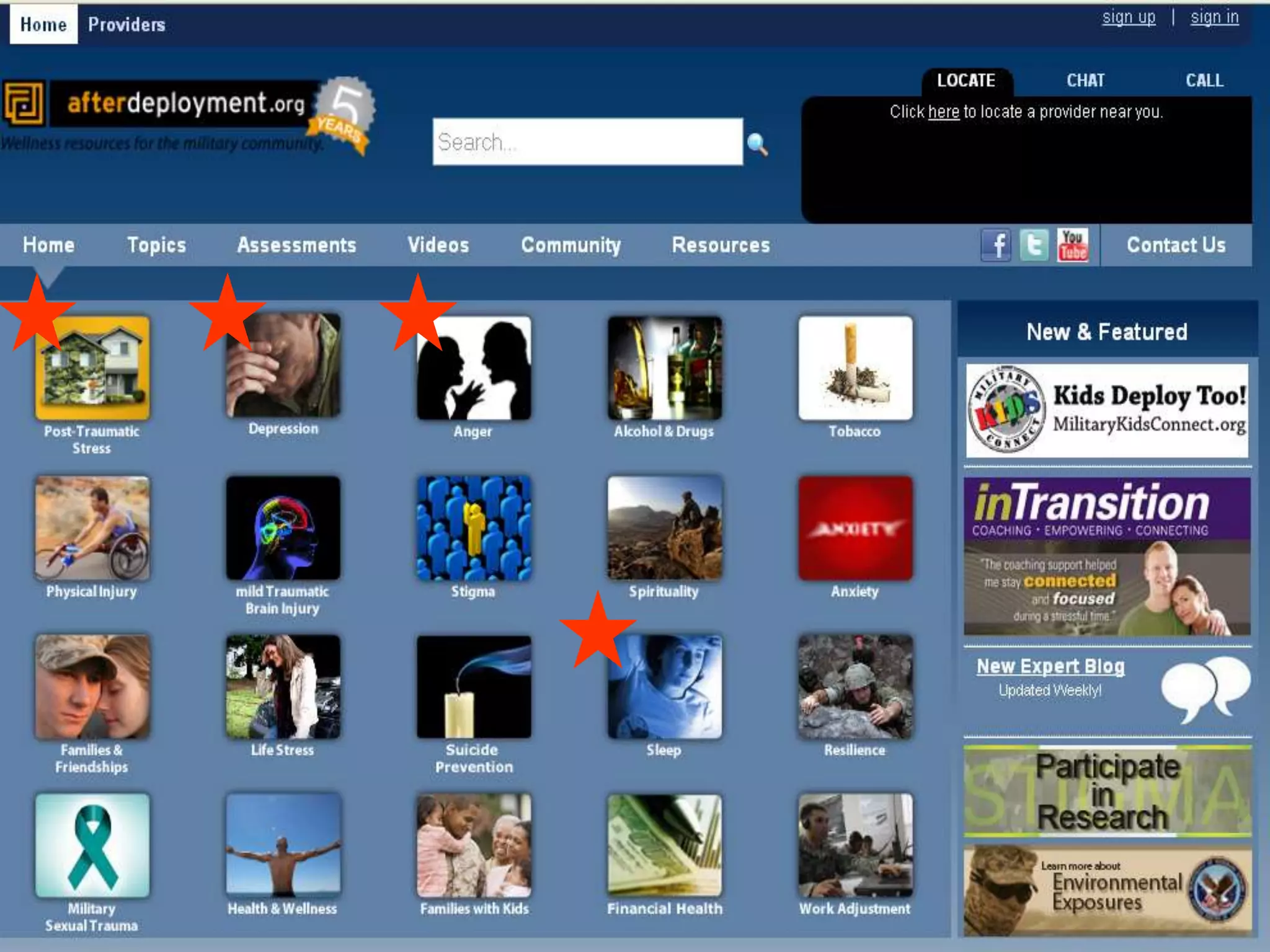
 Features
 Importance of sign-up/sign-in: demo
 Locate, Chat, Call features
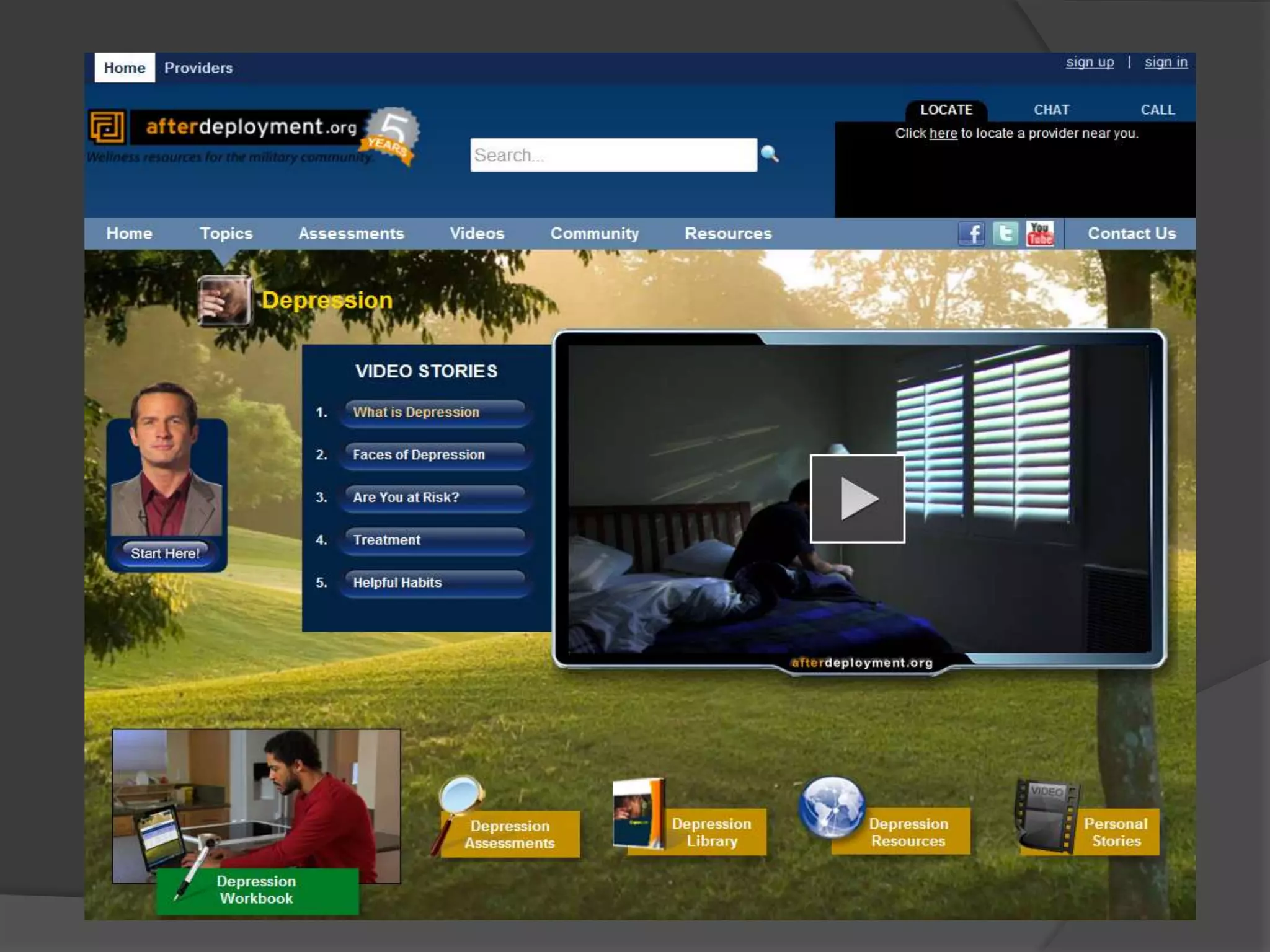
Sleep
 Introductions
 Discussion Questions (Board)
 Why are sleep problems so common in returning
veterans?
 What are most common reasons for sleep problems?
 Complete 10-item American Academy of Sleep Medicine:
Rate Your Sleep Scale
 Review Video Stories (at least 3 out of 5)
 Review Sleep Diary (for one week)
 Developing Good Sleep Habits Handout
 Workbook exercises
 Must sign-up/sign-in to access
 If not, sleep library for reading
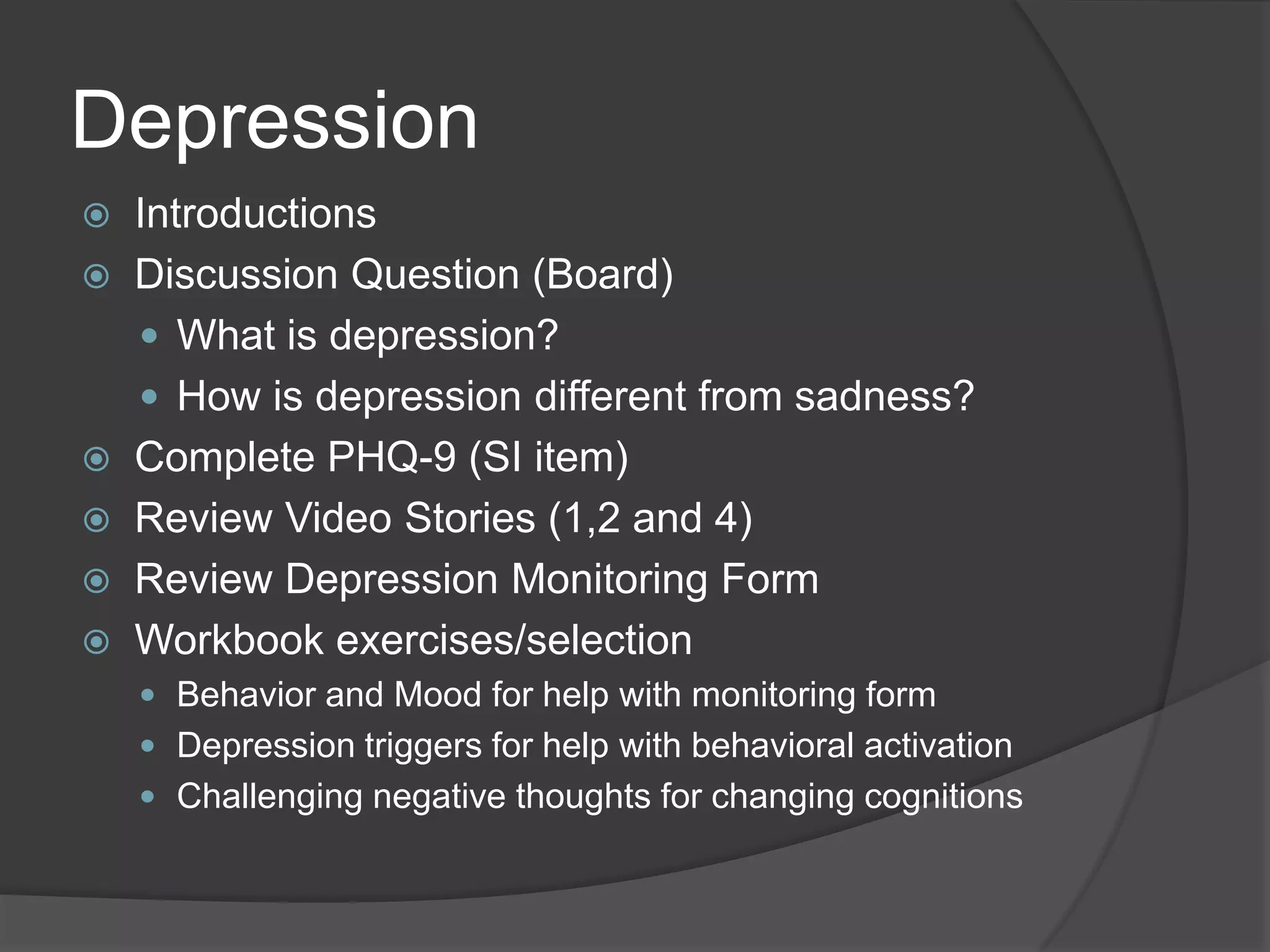
Depression
 Introductions
 Discussion Question (Board)
 What is depression?
 How is depression different from sadness?
 Complete PHQ-9 (SI item)
 Review Video Stories (1,2 and 4)
 Review Depression Monitoring Form
 Workbook exercises/selection
 Behavior and Mood for help with monitoring form
 Depression triggers for help with behavioral activation
 Challenging negative thoughts for changing cognitions
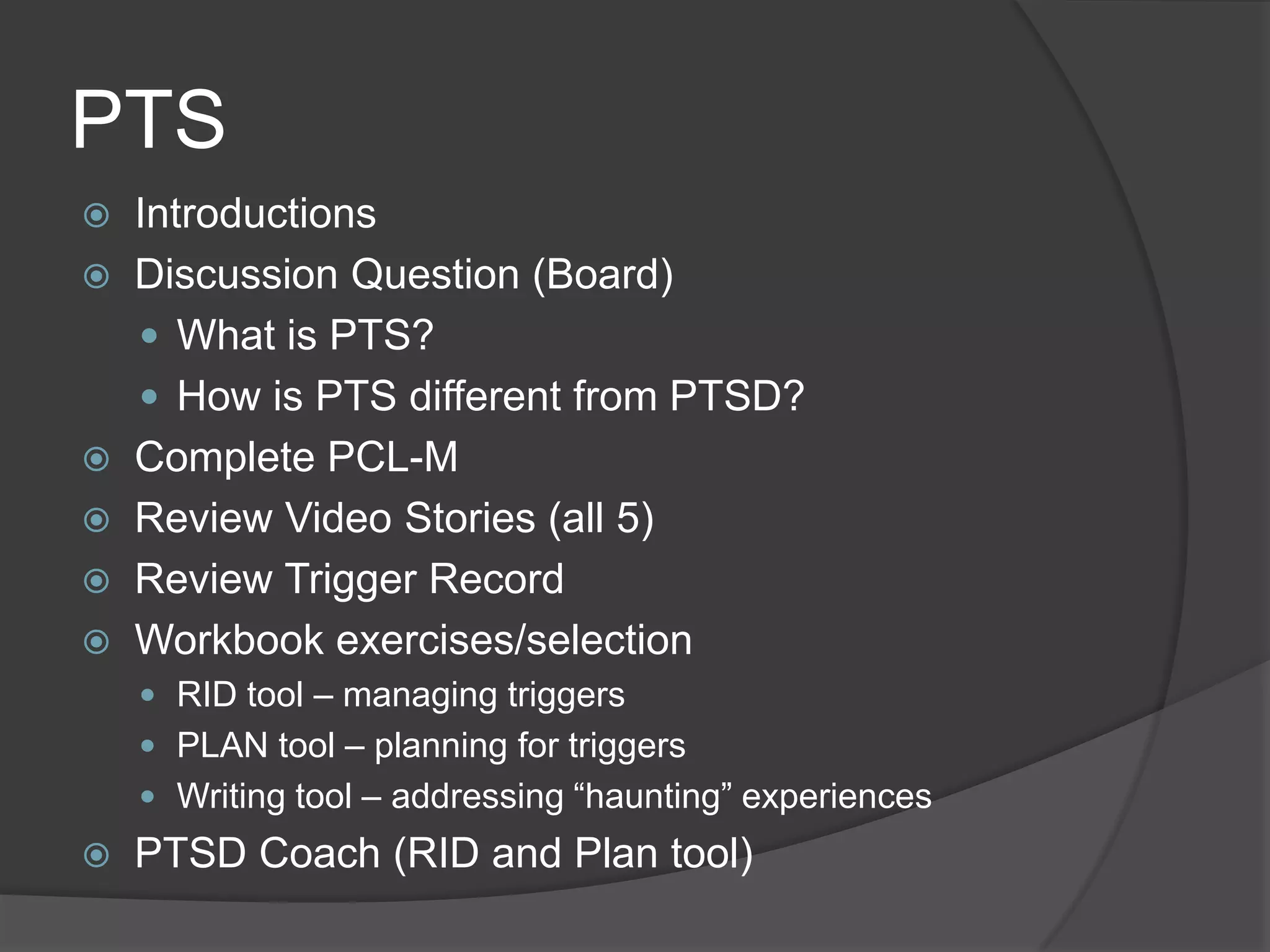
PTS
 Introductions
 Discussion Question (Board)
 What is PTS?
 How is PTS different from PTSD?
 Complete PCL-M
 Review Video Stories (all 5)
 Review Trigger Record
 Workbook exercises/selection
 RID tool – managing triggers
 PLAN tool – planning for triggers
 Writing tool – addressing ―haunting‖ experiences
 PTSD Coach (RID and Plan tool)
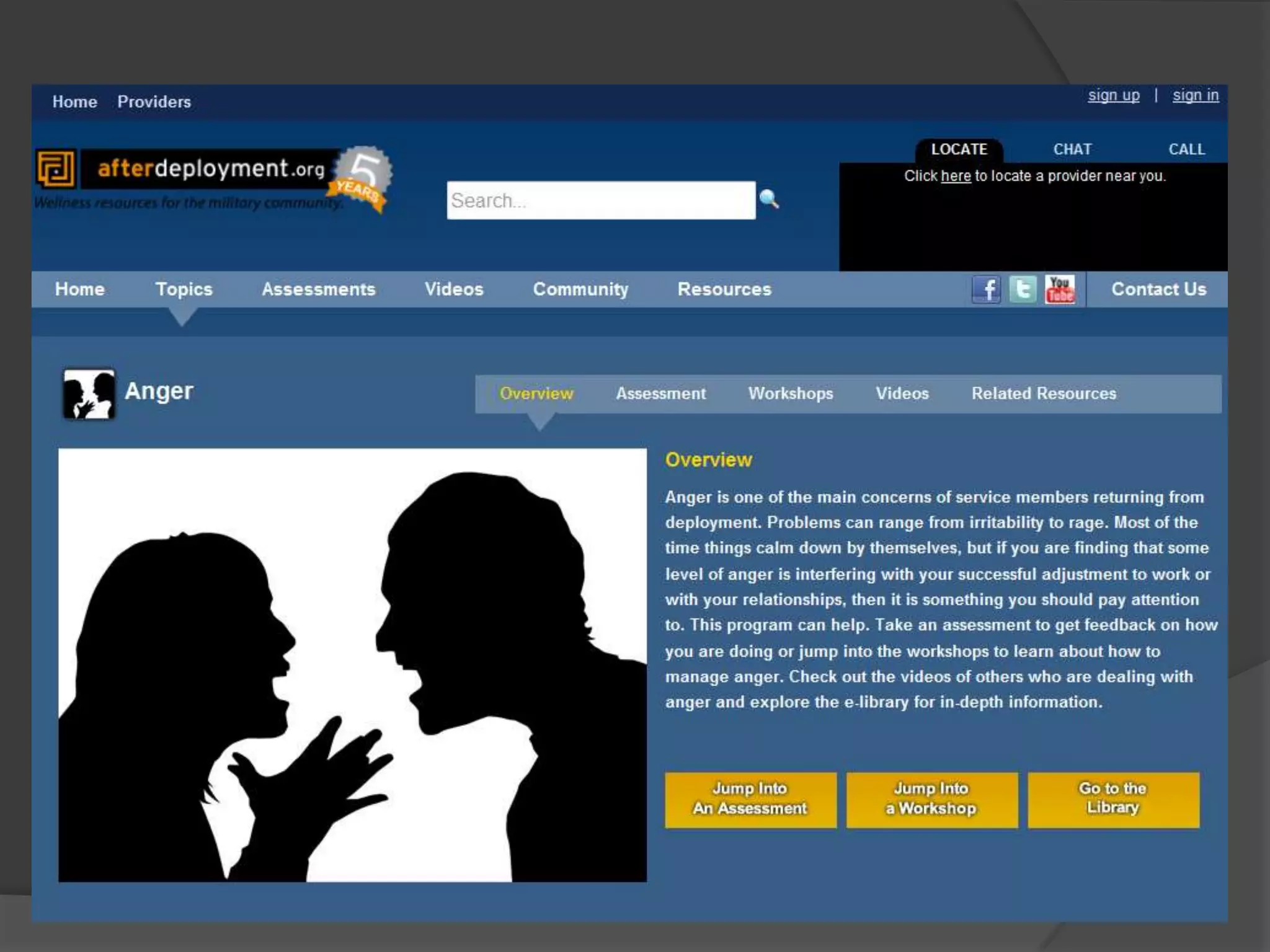
Anger
 Introductions
 Discussion Question (Board)
 How is anger different from anxiety and
depression? (Different triggers and what we
think, feel, and do)
 Complete Dimensions of Anger (DAR) scale
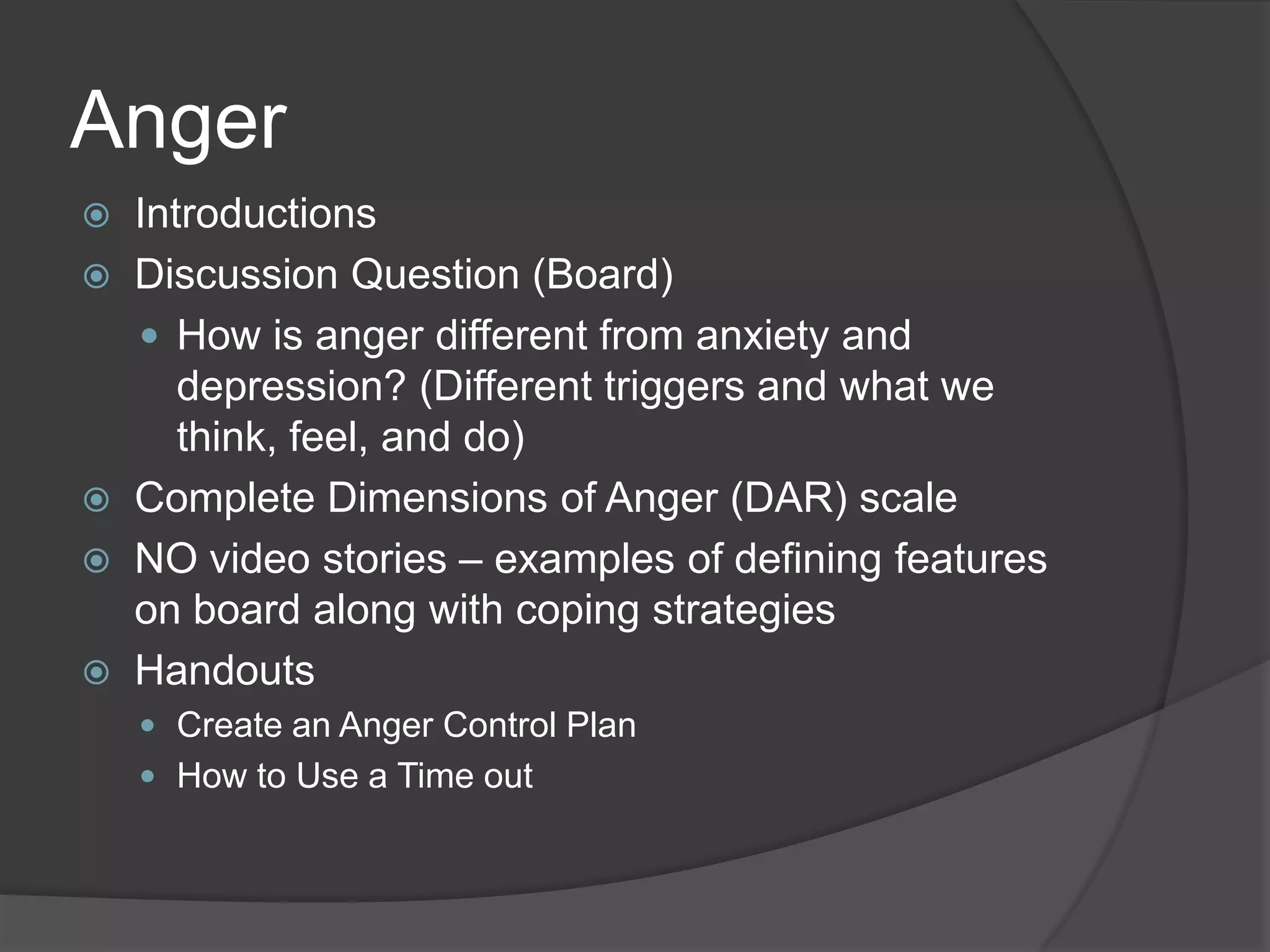
 NO video stories – examples of defining features
on board along with coping strategies
 Handouts
 Create an Anger Control Plan
 How to Use a Time out
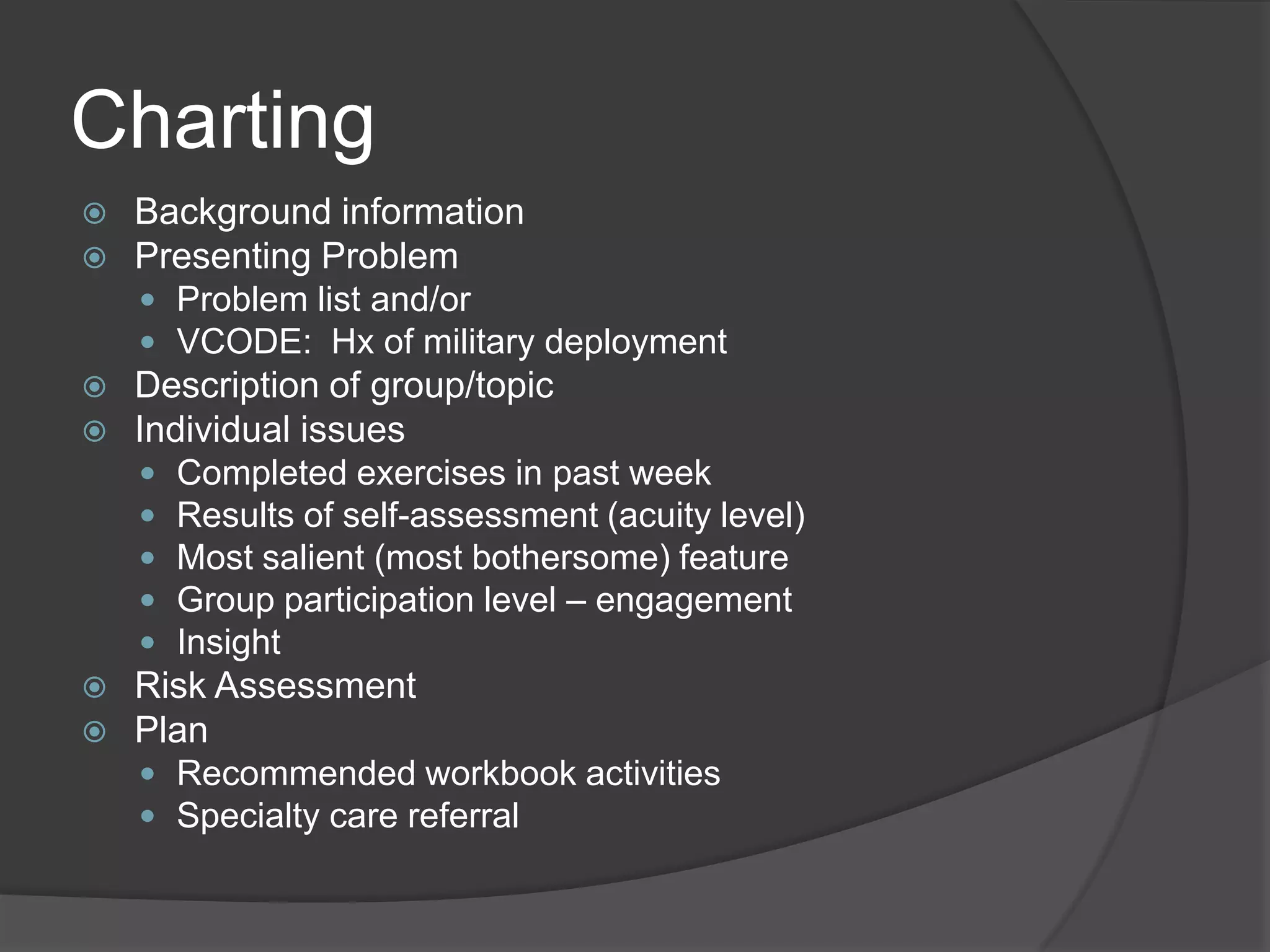
Charting
 Background information
 Presenting Problem
 Problem list and/or
 VCODE: Hx of military deployment
 Description of group/topic
 Individual issues
 Completed exercises in past week
 Results of self-assessment (acuity level)
 Most salient (most bothersome) feature
 Group participation level – engagement
 Insight
 Risk Assessment
 Plan
 Recommended workbook activities
 Specialty care referral
Clinical Observations
 Best ―fit‖ for group
 Recently retired/discharged veteran
 New to VA
 Symptomatic but functioning
 Looking for support from other veterans
 Familiar with online materials (e.g., student)
 Not sure about MH treatment
○ Medications
○ Psychotherapy
Clinical Observations
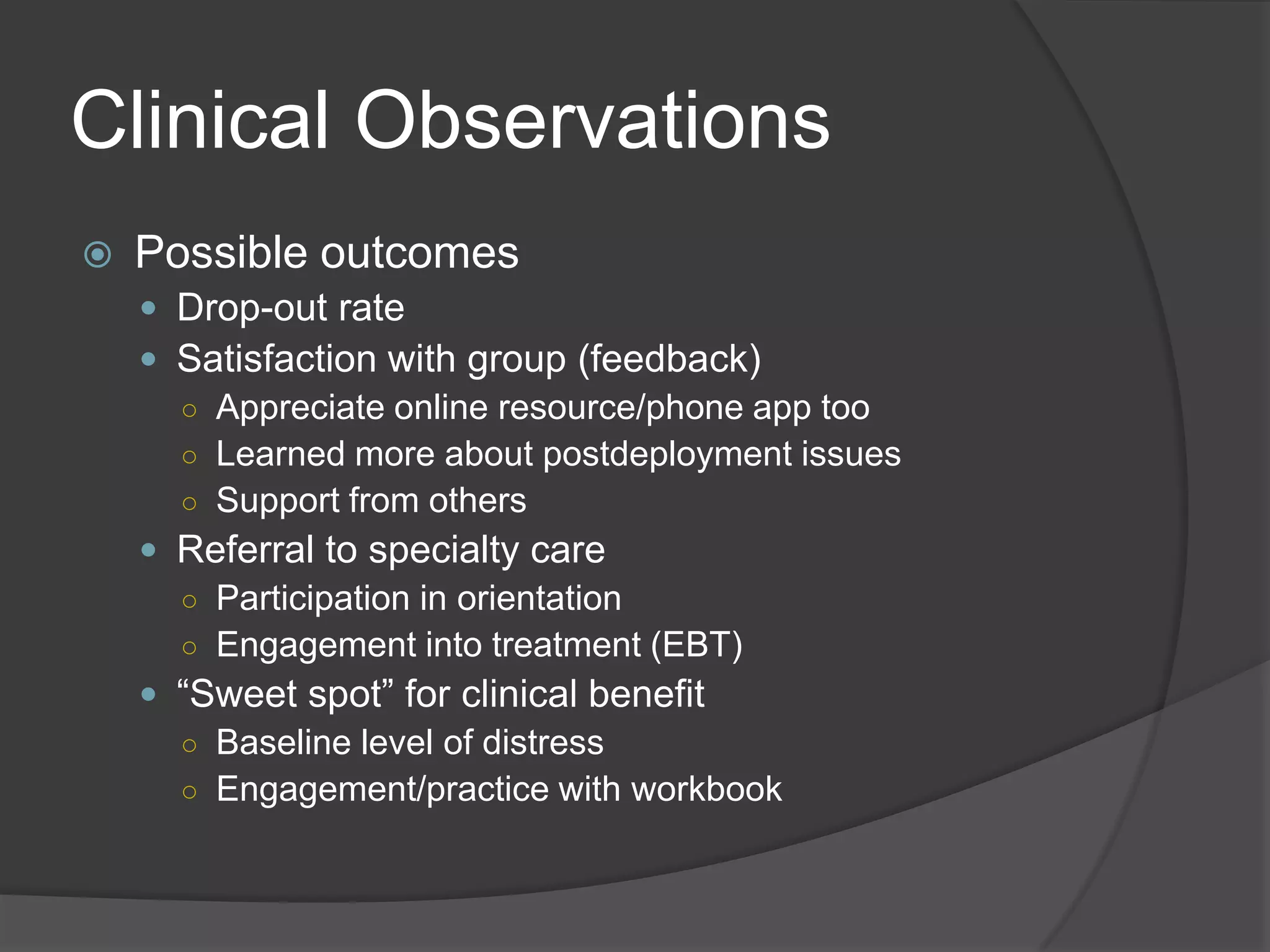
 Possible outcomes
 Drop-out rate
 Satisfaction with group (feedback)
○ Appreciate online resource/phone app too
○ Learned more about postdeployment issues
○ Support from others
 Referral to specialty care
○ Participation in orientation
○ Engagement into treatment (EBT)
 ―Sweet spot‖ for clinical benefit
○ Baseline level of distress
○ Engagement/practice with workbook
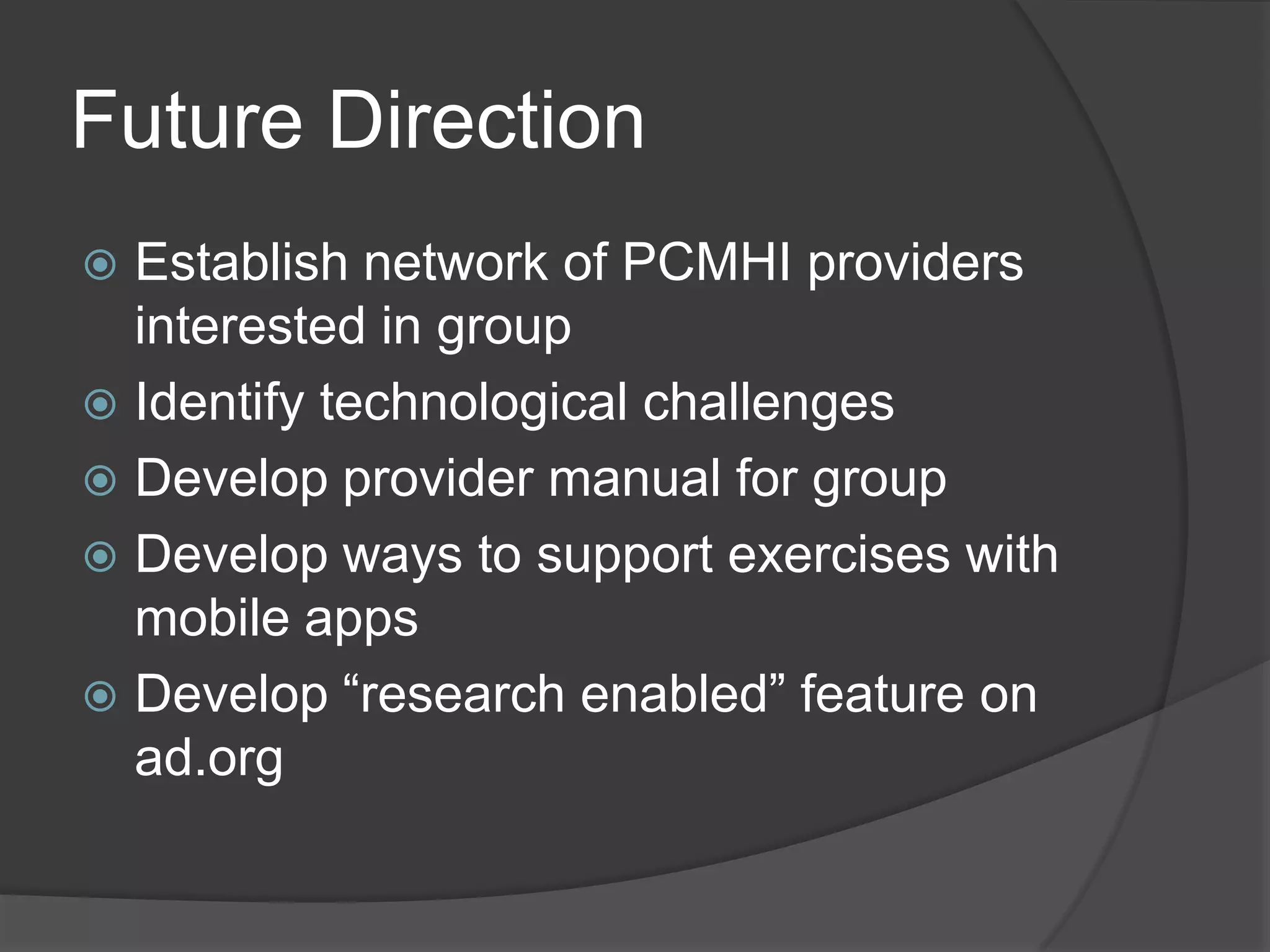
Future Direction
 Establish network of PCMHI providers
interested in group
 Identify technological challenges
 Develop provider manual for group
 Develop ways to support exercises with
mobile apps
 Develop ―research enabled‖ feature on
ad.org
AD.org Community of Practice
LinkedIn Group
• Objective:
– To provide a forum for health care providers
currently using or interested in learning about
the tools available on the AfterDeployment.org
website as part of the care they provide.
– To promote discussion about health care
practice using AD.org tools, mobile apps, and
other technology-based methods
55
Who Can Join?
• Current members of the AD.org
Community of Practice
• Any health care providers who:
– Provide care to the military community: active
duty, guard and reserves, veterans, and
military families.
– Are interested in using AD.org tools and
resources in their clinical practice.
56
How Do I Join? Current COP
Participants
• Look for email from LinkedIn inviting you
to join the AD.org COP group
• Click the link to accept the invitation and
follow the directions
• If you don‘t have a LinkedIn account you
will need to create one prior to accepting
the invitation (www.LinkedIn.com)
57
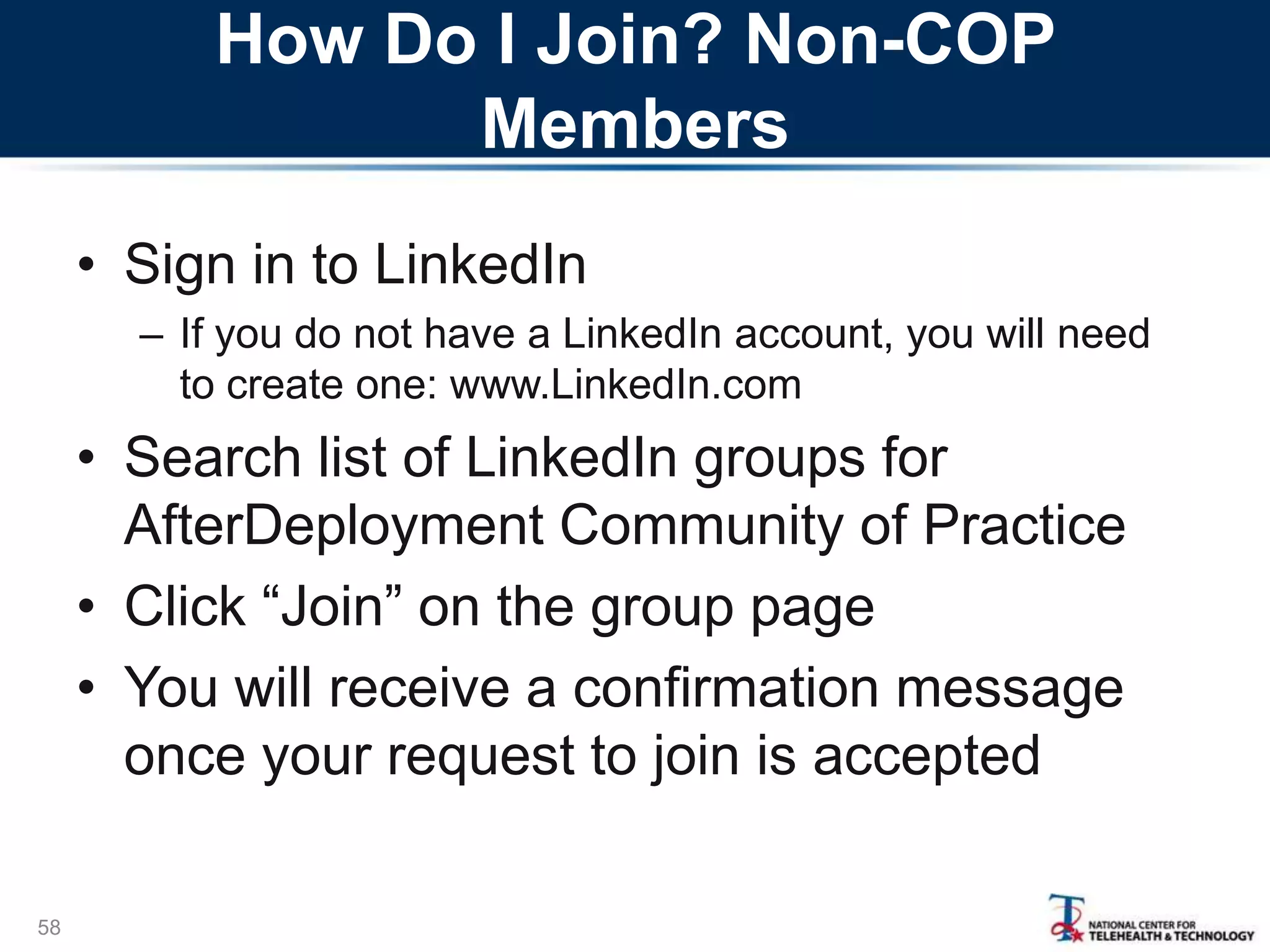
How Do I Join? Non-COP
Members
• Sign in to LinkedIn
– If you do not have a LinkedIn account, you will need
to create one: www.LinkedIn.com
• Search list of LinkedIn groups for
AfterDeployment Community of Practice
• Click ―Join‖ on the group page
• You will receive a confirmation message
once your request to join is accepted
58
IMHS
Integrated Mental Health Strategy
59
StartMovingForward.org
A web-based self-help training that teaches problem solving
skills to help individuals better handle life‘s challenges.
MilitaryParenting.org
VeteranParenting.org
A web-based course that provides parenting information
and strategies for service member and veteran parents.
IMHS is a DoD-VA initiative to advance a coordinated public health model to
improve mental health services for members of the DoD and VA. T2 was tasked
with actions to promote access to web technologies and self-help strategies.
Contacts and Links
• Today‘s presenters:
– Robert Ciulla, PhD robert.p.ciulla.civ@mail.mil
– Annabel Prins, PhD annabel.prins@sjsu.edu
– David Bradshaw, PhD
david.h.bradshaw3.ctr@mail.mil
– Pam Murphy, PsyD
pamela.r.murphy3.ctr@mail.mil
• For a copy of today‘s presentations:
www.slideshare.net/t2health
60

AfterDeployment.org Community of Practice - Sept 2013

  • 1.
  • 2.
    Agenda • Introducing AfterDeployment.orgProviders Manual: David Bradshaw, PhD, and Robert Ciulla, PhD • Using AfterDeployment.org in a VA primary care treatment setting: Annabel Prins, PhD • AfterDeployment Community of Practice on LinkedIn: David Bradshaw, PhD • Announcing two new websites for military, veterans, and families: Pamela Murphy, PsyD 2
  • 3.
    Web Tools Resource Guide:A Manual for Providers Robert Ciulla, Ph.D. Joint Base Lewis-McChord/ Tacoma, WA 10 September 2013
  • 4.
    Agenda • Introduction tothe Providers Manual for AD.org • Organization of the Manual • Overview of manual content/features • A clinical example
  • 5.
    5 Our mission isto use web- based technologies to help service members, veterans, and their loved ones manage the challenges they face following a deployment and beyond. AfterDeployment.org
  • 6.
    Introduction and Background 6 •Why this manual? – AD.org developed for self-care but also may be useful for providers – Provider Portal provides additional resources – How can providers use AD.org tools to support clinical care?
  • 7.
  • 8.
    Clinical Case Example 8 •Describes how to use the material on the website during a clinical encounter • Uses the Post-Traumatic Stress topic • Step-by-step example of a clinician working with a patient using AfterDeployment.org resources
  • 9.
    Multi-Modal Content Topics areorganized to provide: • Coach-driven instruction/guidance • Immersive video/text-based educational tools • Standardized assessments/tailored feedback • Peer-based, experiential accounts • Interactive exercises • Additional resources (links, books, FAQ‘s) • Persistent progress indicators 9
  • 10.
    Session 1 –Introduction “Sgt. Smith, do you have Internet access… Do you ever check into health- related websites to get information about a problem you‘re having?... Have you ever heard of a website called AfterDeployment.org?. .. It was developed by…‖
  • 11.
    Session 1 –Focus on PTS ―AD.org has several topics that are very pertinent to what you are going through. The one that I want you to look at between now and your next appointment is the topic called Post- Traumatic Stress.‖
  • 12.
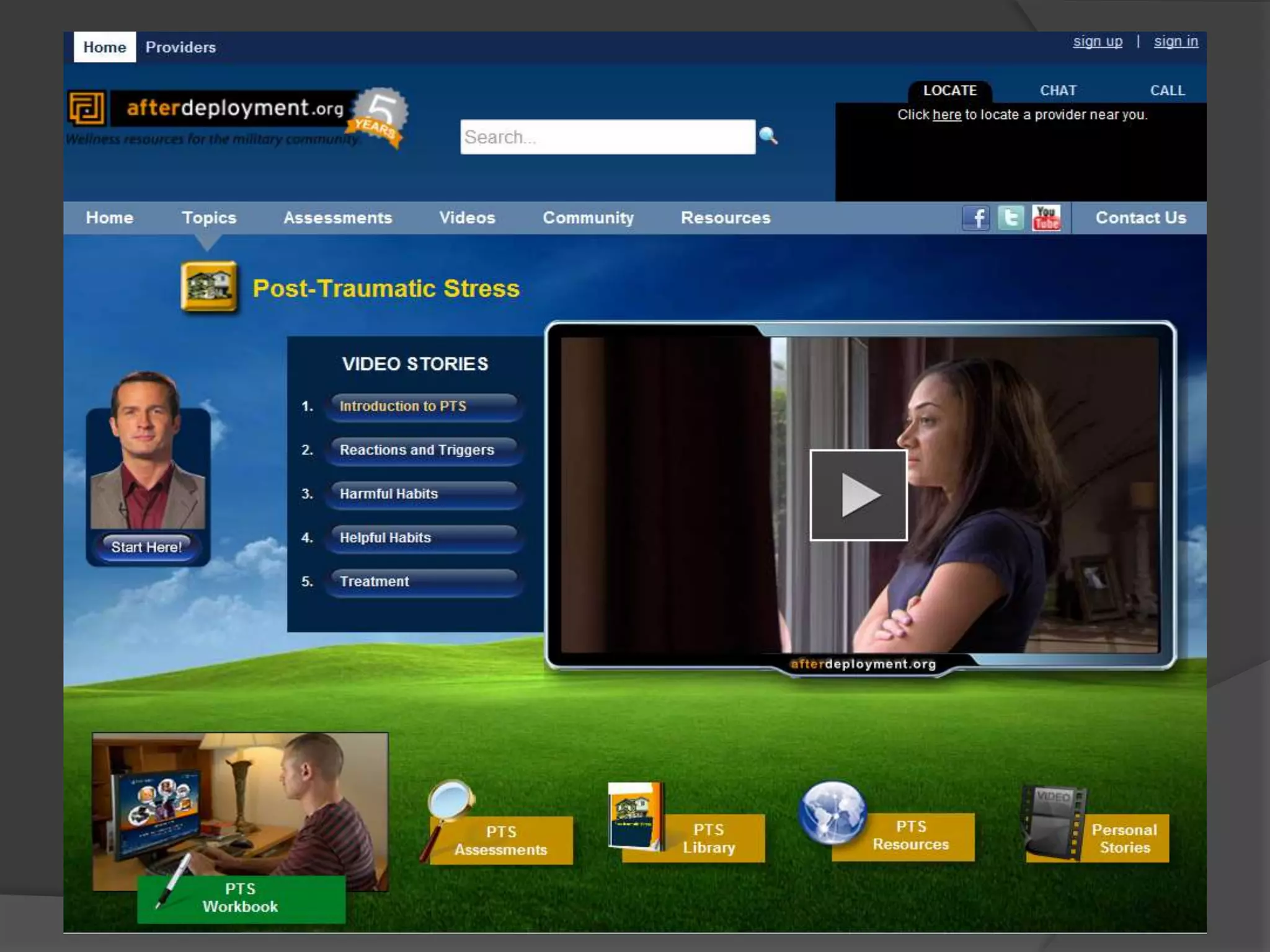
    The PTS HomePage ―When you click on the Post-Traumatic Stress icon from the Home page, you go to the Post-Traumatic Stress section of the site. There are videos that discuss post-traumatic stress, an online booklet that you and your spouse can read through, and personal stories from other service members and veterans about their deployment experiences.‖
  • 13.
    Between-Session Homework: Video-Based Education ―Beforeyour next appointment, I want you to click on ‗Start Here‘ and listen to the overview [1:30]. Then I want you to view the first two video documentaries, the one called ―Introduction to PTS‖ [3:50] and the one called ―Reactions and Triggers [0:35] Here, I‘ve written these down for you.‖
  • 14.
    Between-Session Homework: Personal Stories ―Also,I want you to click on the Personal Stories tab and look through these videos—I also wrote this section down on your assignment sheet. I‘m sure you‘ll find that many other service members have had some experiences that are similar to yours.‖
  • 15.
    Self-Assessment ―Now, there‘s one moreexercise that I want you to do on the site—and that‘s also on your assignment sheet. See this tab, the one named PTS Assessments? I want you to take the PTS assessment and bring your results to our next session.‖
  • 16.
    Next Session: Introducing theInteractive Workbook ―Good work. You viewed the coach‘s introduction, and the educational videos, and you heard from other service members and families about their deployment experiences. I have a new assignment that I want you to complete between now and next week. I want you to log on to the website‘s workbook. Let me show you.‖
  • 17.
    Workbook Features ―The workbookhas a number of features. In the upper right corner you will see a progress bar that tells you how many sessions you‘ve completed. You can also check in on the exercises that you have completed in the My Work tab. In order for the website to save your information from one session to the next, be sure to sign up - registration is anonymous. On the bar at the bottom of the page, you can track your session progress.‖
  • 18.
    Workbook Coach ―A persistentfeature throughout the workbook is the coach. The coach provides information about the topic. And the coach serves as a guide through the sessions.‖
  • 19.
    Workbook Session #1:Trauma Triggers ―While you can view the sessions in any order, the best approach is to start at the beginning and use the sessions in sequence. After you pull out the menu tab, click on the first session, ‗Trauma Triggers‘. This workbook session will teach you about trauma triggers and how they affect your emotions and stress level.‖
  • 20.
    Identifying Triggers ―As youproceed through the workbook, you will be asked to answer questions and fill in information about how you‘re coping. For example, you will see a checklist such as this one that prompts you to identify the things that trigger you. If you don‘t find your trigger on the list, you can write it in the free text section. ‖
  • 21.
    Examples ―To help youunderstand this exercise, this session provides an example trigger record. Be sure to listen to the entire session. It has been developed to be engaging, and brief. In fact, this entire session takes about 20 minutes to complete.‖
  • 22.
    Getting Help ―If youget stuck, click on ‗help‘. The coach will narrate an explanation of the section that you‘re having difficulty with.‖
  • 23.
    Trigger Record ―After youhave seen the example, the workbook will prompt you to fill in your own trigger record. As you gradually learn ways to manage your triggers, the remaining sessions in the workbook will use the responses that you provided in earlier sessions.‖
  • 24.
    Dealing with Avoidance Becausebehavior change isn‘t easy, the workbook has been designed to offer encouragement, ‗normalize‘ the trauma, and deal with possible forms of resistance.
  • 25.
    How Stressful WasThat Exercise? ―Periodically, the workbook will check in with you, see how you‘re doing. This is a check on your stress level. AfterDeployment.org also includes skills training to help with learning how to relax. Another time, we can talk about a mobile app called Breathe2Relax.‖
  • 26.
    “My Work” My Worksaves the user‘s information within the workbook.
  • 28.
    Session # 1:Summation Like a good therapist would do at the end of a session, the workbook coach reviews the session, referencing the areas that were covered and the particular take- away‘s from the session. The coach then references the next session in the series.
  • 29.
    Other Key Points •The site is a collaborative effort • Not all workbooks have been revised • No capability to send/transmit data • The content is versatile/customizable • Co-occurring conditions • VA conducting group sessions • Providers‘ clinical approach • Clinical studies underway 29
  • 30.
    Annabel Prins, PhD ClinicalPsychologist/T2 Liaison National Center for PTSD, Dissemination & Training Division National Center for Telehealth and Technology (T2), ROI Division Afterdeployment.org Community of Practice Call 9/10/2013 Bringing afterdeployment.org into VA Primary Care
  • 31.
    Agenda  Introduction  VAPrimary Care Mental Health Integration  Demonstration Project  Clinical Observations/Future Direction
  • 32.
    Introduction  Research activities Evaluation of PTS workshops at SJSU (Bush et al., 2013)  Clinical support tool for providers ○ ADAPT-T (PI-Jakupchak): telephone based problem solving therapy for PTSD/substance abuse ○ TIDES/PTSD (PI-Felker): care management for depression and PTSD  Clinical activities  Primary-Care MH team: American Lake VA
  • 33.
    VHA Handbook Requirements Section21. Integrating Mental Health Into Medical Care Settings  VA medical centers and very large CBOCs (serving 10,000+ uniques) must have integrated mental health services that operate in their primary care clinics on a full-time basis.  Services need to utilize a blended model that includes co-located collaborative care and care management.  Similar requirements for Large CBOCs (serving 5,000-10,000) except hours and days of availability of integrated care services can vary depending upon the clinical needs of the patient population. 33
  • 34.
    PC-MHI Services Reporting,Percent, by Site Type and Year 34 CCC & CM CCC Only CM Only Neither No Program VAMC 2009 37% 34% 8% 11% 10% 2010 42% 39% 7% 9% 4% 2011 45% 42% 2% 4% 7% 2012 53% 41% 2% 0% 4% VL CBOC 2010 24% 24% 4% 14% 33% 2011 27% 34% 9% 5% 25% 2012 41% 41% 2% 5% 11% L CBOC 2011 27% 25% 12% 5% 30% 2012 28% 36% 2% 6% 28%
  • 37.
    PC-MHI at AmericanLake VA  Description of clinic ○ Staffing  2.5 Psychologists  2.5 part-time medication prescribers  1.0 Care Manager  Psychology interns  Closely tied to telemental health providers ○ Services  Same day access clinic  Brief assessment and treatment (4-6 sessions)  Psychoeducation groups  In-service trainings to PACT
  • 38.
  • 39.
    Description of ad.orggroup  4 sessions open group  Referrals mostly from SDAC  OEF/OIF/OND Veteran  Access to internet  Not in MH treatment  Co-facilitators  Russel McCann, PhD (T2 - VA)  Psychology Interns  Support materials  Provider portal for self-assessments/handouts  Workshops for self-monitoring forms  Conference room (up to 8 people)  Computer access/standard screen
  • 41.
    Group Format (weekly) Introductions  Group Members  Past week experiences with ad.org  Overview of website (for new members)  Discussion Question  Self-Assessment  Video Stories  Self-monitoring form  Workbook recommendations and handouts
  • 42.
    Introductions (weekly asneeded)  Members  How long with VA  Branch of service – deployments  Current living arrangement  Website  History - T2 development  cognitive-behavioral principles  Features  Importance of sign-up/sign-in: demo  Locate, Chat, Call features
  • 44.
    Sleep  Introductions  DiscussionQuestions (Board)  Why are sleep problems so common in returning veterans?  What are most common reasons for sleep problems?  Complete 10-item American Academy of Sleep Medicine: Rate Your Sleep Scale  Review Video Stories (at least 3 out of 5)  Review Sleep Diary (for one week)  Developing Good Sleep Habits Handout  Workbook exercises  Must sign-up/sign-in to access  If not, sleep library for reading
  • 46.
    Depression  Introductions  DiscussionQuestion (Board)  What is depression?  How is depression different from sadness?  Complete PHQ-9 (SI item)  Review Video Stories (1,2 and 4)  Review Depression Monitoring Form  Workbook exercises/selection  Behavior and Mood for help with monitoring form  Depression triggers for help with behavioral activation  Challenging negative thoughts for changing cognitions
  • 48.
    PTS  Introductions  DiscussionQuestion (Board)  What is PTS?  How is PTS different from PTSD?  Complete PCL-M  Review Video Stories (all 5)  Review Trigger Record  Workbook exercises/selection  RID tool – managing triggers  PLAN tool – planning for triggers  Writing tool – addressing ―haunting‖ experiences  PTSD Coach (RID and Plan tool)
  • 50.
    Anger  Introductions  DiscussionQuestion (Board)  How is anger different from anxiety and depression? (Different triggers and what we think, feel, and do)  Complete Dimensions of Anger (DAR) scale  NO video stories – examples of defining features on board along with coping strategies  Handouts  Create an Anger Control Plan  How to Use a Time out
  • 51.
    Charting  Background information Presenting Problem  Problem list and/or  VCODE: Hx of military deployment  Description of group/topic  Individual issues  Completed exercises in past week  Results of self-assessment (acuity level)  Most salient (most bothersome) feature  Group participation level – engagement  Insight  Risk Assessment  Plan  Recommended workbook activities  Specialty care referral
  • 52.
    Clinical Observations  Best―fit‖ for group  Recently retired/discharged veteran  New to VA  Symptomatic but functioning  Looking for support from other veterans  Familiar with online materials (e.g., student)  Not sure about MH treatment ○ Medications ○ Psychotherapy
  • 53.
    Clinical Observations  Possibleoutcomes  Drop-out rate  Satisfaction with group (feedback) ○ Appreciate online resource/phone app too ○ Learned more about postdeployment issues ○ Support from others  Referral to specialty care ○ Participation in orientation ○ Engagement into treatment (EBT)  ―Sweet spot‖ for clinical benefit ○ Baseline level of distress ○ Engagement/practice with workbook
  • 54.
    Future Direction  Establishnetwork of PCMHI providers interested in group  Identify technological challenges  Develop provider manual for group  Develop ways to support exercises with mobile apps  Develop ―research enabled‖ feature on ad.org
  • 55.
    AD.org Community ofPractice LinkedIn Group • Objective: – To provide a forum for health care providers currently using or interested in learning about the tools available on the AfterDeployment.org website as part of the care they provide. – To promote discussion about health care practice using AD.org tools, mobile apps, and other technology-based methods 55
  • 56.
    Who Can Join? •Current members of the AD.org Community of Practice • Any health care providers who: – Provide care to the military community: active duty, guard and reserves, veterans, and military families. – Are interested in using AD.org tools and resources in their clinical practice. 56
  • 57.
    How Do IJoin? Current COP Participants • Look for email from LinkedIn inviting you to join the AD.org COP group • Click the link to accept the invitation and follow the directions • If you don‘t have a LinkedIn account you will need to create one prior to accepting the invitation (www.LinkedIn.com) 57
  • 58.
    How Do IJoin? Non-COP Members • Sign in to LinkedIn – If you do not have a LinkedIn account, you will need to create one: www.LinkedIn.com • Search list of LinkedIn groups for AfterDeployment Community of Practice • Click ―Join‖ on the group page • You will receive a confirmation message once your request to join is accepted 58
  • 59.
    IMHS Integrated Mental HealthStrategy 59 StartMovingForward.org A web-based self-help training that teaches problem solving skills to help individuals better handle life‘s challenges. MilitaryParenting.org VeteranParenting.org A web-based course that provides parenting information and strategies for service member and veteran parents. IMHS is a DoD-VA initiative to advance a coordinated public health model to improve mental health services for members of the DoD and VA. T2 was tasked with actions to promote access to web technologies and self-help strategies.
  • 60.
    Contacts and Links •Today‘s presenters: – Robert Ciulla, PhD robert.p.ciulla.civ@mail.mil – Annabel Prins, PhD annabel.prins@sjsu.edu – David Bradshaw, PhD david.h.bradshaw3.ctr@mail.mil – Pam Murphy, PsyD pamela.r.murphy3.ctr@mail.mil • For a copy of today‘s presentations: www.slideshare.net/t2health 60

Editor's Notes

  • #5 Introduce to you the manual we created as a practical guide to help providers use AD in their practice. Available ??Part of a presentation Dr. Ciulla delivered at APA last month.How it’s organized, walk through what’s in it, give an example for how AD tools can be used in an actual session with a patient
  • #7 Designed for self-careDesigned by psychologists, clearly clinicians could find usefulIn 2010 added provider portal to give provider additional resourcesProviders who might use AD tools may need guidance for how to do that
  • #8 Introduction to AD and background on its purposeOverview of the site’s resources and featuresSince much of content on AD is organized around topic areas, manual focuses on one topic to describe in detail the resources and tools provided there: topic selected was PTS
  • #38 Terms and definitions --