Chapter 2 Turning Data into Something You Can Use © The McGraw-Hill Companies, Inc., 2000 Processing Hardware FAQs
Is a megabyte exactly a megabyte? No, the hardware industry has rounded off the measurement for advertising purposes In reality, one megabyte is not a million bytes but amount of memory or disk space equal to 1,048,576 bits
Processors and RAM Can I not just buy a faster processor and put it in my machine? Processors must use the same type of slot (slot 7, slot 1, slot A, for example) as the motherboard
Processor Upgrade Compatibility The motherboard and BIOS must be compatible with the new processor The motherboard must be able to adjust to the new processor’s electrical requirements switches may need to be changed on the motherboard
Finally... RAM must be compatible with the CPU The computer or motherboard manufacturer has the information that you will require Check the manufacturer’s Web site for compatibility You can upgrade the CPU and RAM at the same time
Is it cheaper to buy a new system than upgrade components? Rule 1: Never upgrade or buy a new system during times that you absolutely need your computer Rule 2: There is no easy answer. Always calculate costs  Rule 3: Plan on upgrades taking about three times longer than planned, if you do not do these often
Do I Need That Speed? In general, processor speeds have outpaced business applications If you work on graphics, you will need a fast processor  If you are a gamer, you may also need fast processor
Main Memory Increasing RAM? Older Intel chips may not process well as memory exceeds 64 MG Motherboards with VIA and other chipsets do not have this problem
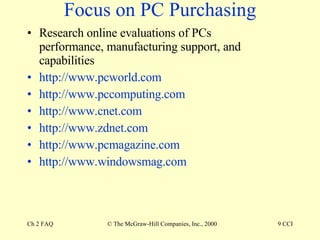
Focus on PC Purchasing Research online evaluations of PCs performance, manufacturing support, and capabilities http://www.pcworld.com http://www.pccomputing.com http://www.cnet.com http://www.zdnet.com http://www.pcmagazine.com http://www.windowsmag.com
Power Supply Consider your needs and check the specifications Surge protectors UPS Consider time needed before shutdown
Motherboard Review motherboard capabilities before purchasing a system Call the manufacturer if the information is not readily available this will affect future upgrading http://www.tomshardware.com
Microprocessor Intel and AMD are battling out processor bragging rights at both the low and high end of CPUs Determine limitations and differences before purchasing
Compatibility Most software is backward compatible with new chips The older the hardware, the less likely that it will install easily and function completely in new systems

六合彩,香港六合彩

  • 1.
    Chapter 2 TurningData into Something You Can Use © The McGraw-Hill Companies, Inc., 2000 Processing Hardware FAQs
  • 2.
    Is a megabyteexactly a megabyte? No, the hardware industry has rounded off the measurement for advertising purposes In reality, one megabyte is not a million bytes but amount of memory or disk space equal to 1,048,576 bits
  • 3.
    Processors and RAMCan I not just buy a faster processor and put it in my machine? Processors must use the same type of slot (slot 7, slot 1, slot A, for example) as the motherboard
  • 4.
    Processor Upgrade CompatibilityThe motherboard and BIOS must be compatible with the new processor The motherboard must be able to adjust to the new processor’s electrical requirements switches may need to be changed on the motherboard
  • 5.
    Finally... RAM mustbe compatible with the CPU The computer or motherboard manufacturer has the information that you will require Check the manufacturer’s Web site for compatibility You can upgrade the CPU and RAM at the same time
  • 6.
    Is it cheaperto buy a new system than upgrade components? Rule 1: Never upgrade or buy a new system during times that you absolutely need your computer Rule 2: There is no easy answer. Always calculate costs Rule 3: Plan on upgrades taking about three times longer than planned, if you do not do these often
  • 7.
    Do I NeedThat Speed? In general, processor speeds have outpaced business applications If you work on graphics, you will need a fast processor If you are a gamer, you may also need fast processor
  • 8.
    Main Memory IncreasingRAM? Older Intel chips may not process well as memory exceeds 64 MG Motherboards with VIA and other chipsets do not have this problem
  • 9.
    Focus on PCPurchasing Research online evaluations of PCs performance, manufacturing support, and capabilities http://www.pcworld.com http://www.pccomputing.com http://www.cnet.com http://www.zdnet.com http://www.pcmagazine.com http://www.windowsmag.com
  • 10.
    Power Supply Consideryour needs and check the specifications Surge protectors UPS Consider time needed before shutdown
  • 11.
    Motherboard Review motherboardcapabilities before purchasing a system Call the manufacturer if the information is not readily available this will affect future upgrading http://www.tomshardware.com
  • 12.
    Microprocessor Intel andAMD are battling out processor bragging rights at both the low and high end of CPUs Determine limitations and differences before purchasing
  • 13.
    Compatibility Most softwareis backward compatible with new chips The older the hardware, the less likely that it will install easily and function completely in new systems