Transform Your
Organization with an
Enterprise Automation
Program
Thomas Haver
Test Leadership Congress
2018-06-05
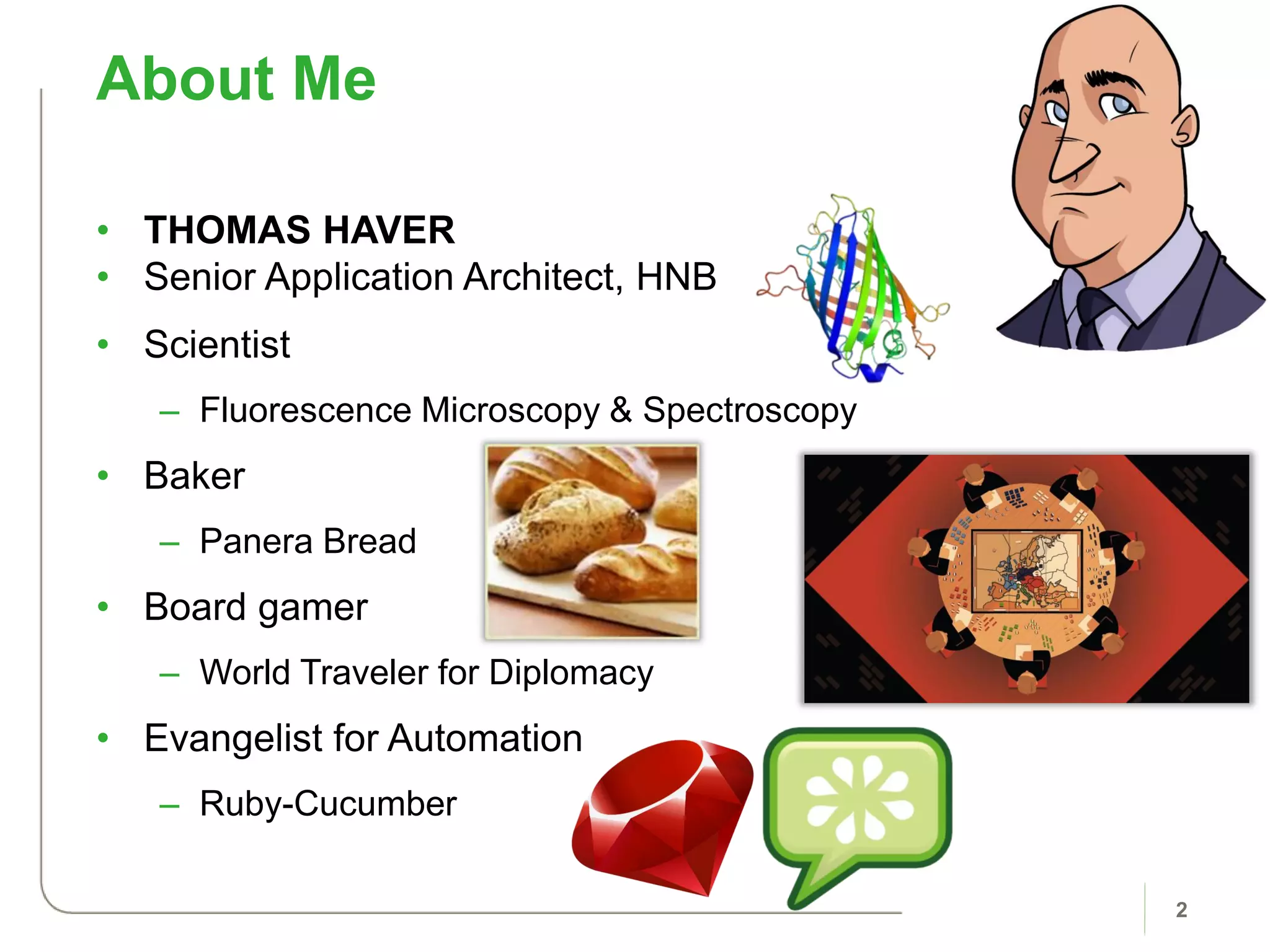
• THOMAS HAVER
• Senior Application Architect, HNB
• Scientist
– Fluorescence Microscopy & Spectroscopy
• Baker
– Panera Bread
• Board gamer
– World Traveler for Diplomacy
• Evangelist for Automation
– Ruby-Cucumber
About Me
2
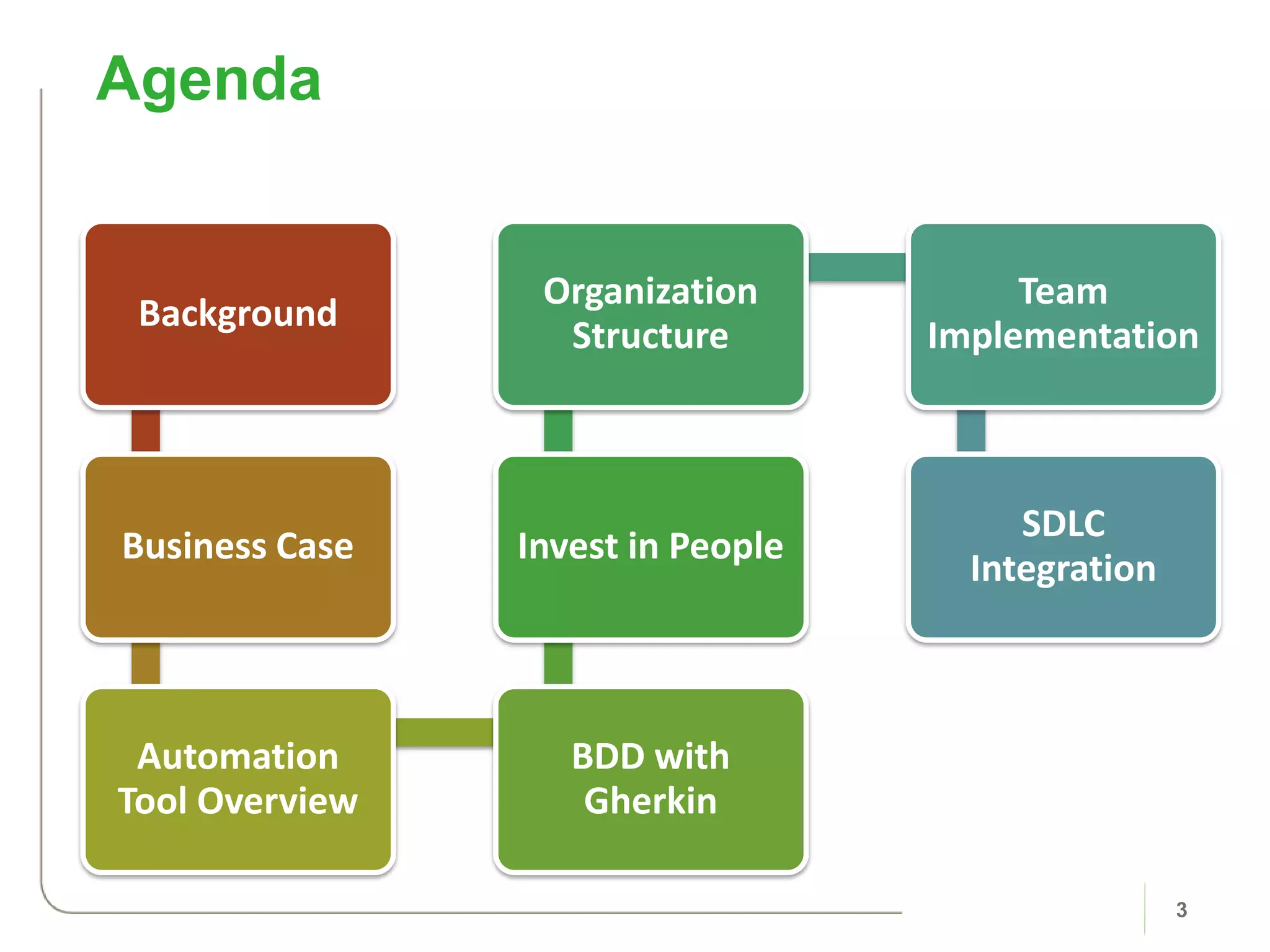
Background
Business Case
Automation
Tool Overview
BDD with
Gherkin
Invest in People
Organization
Structure
Team
Implementation
SDLC
Integration
Agenda
3
Background
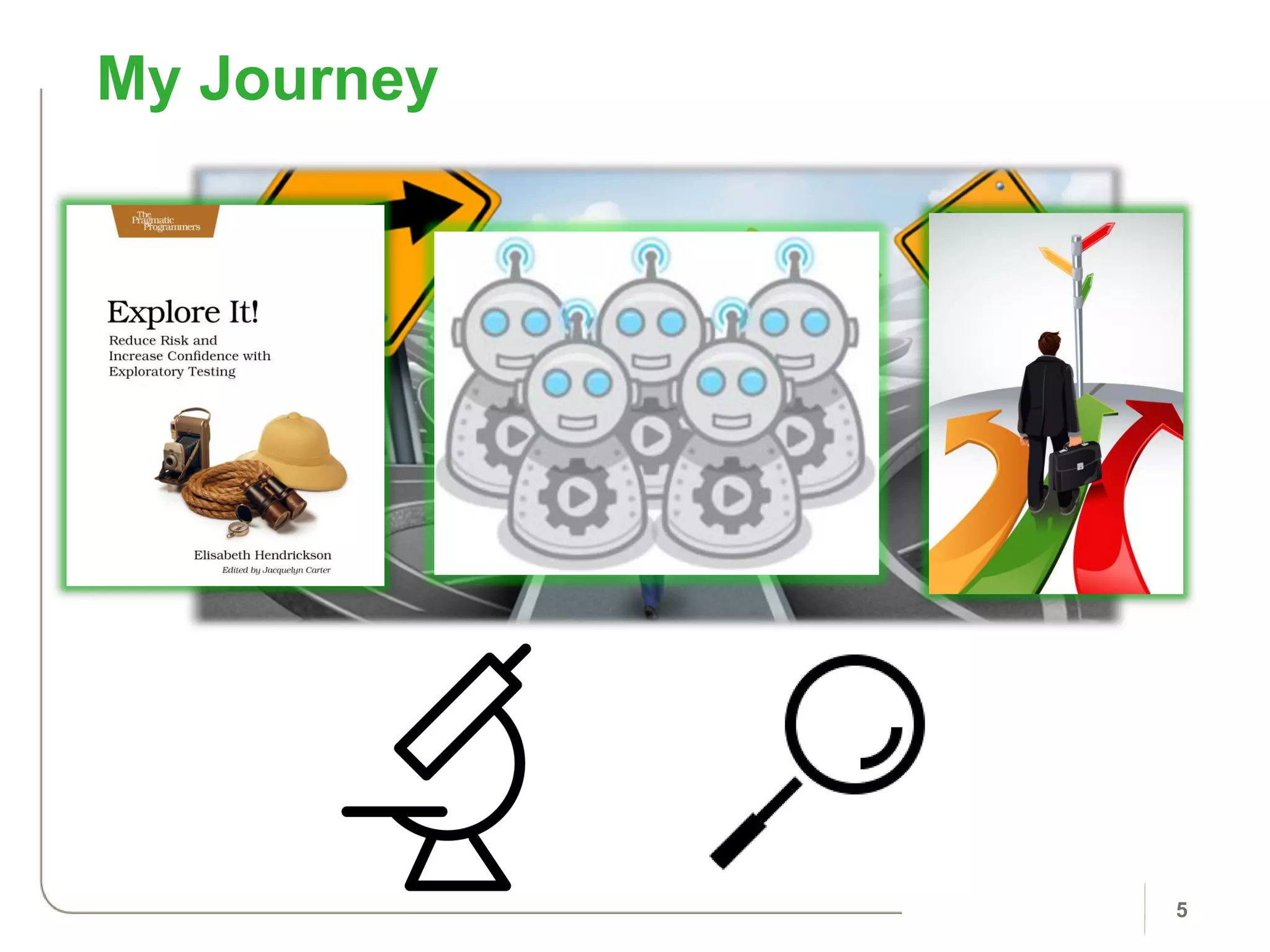
My Journey
5
6
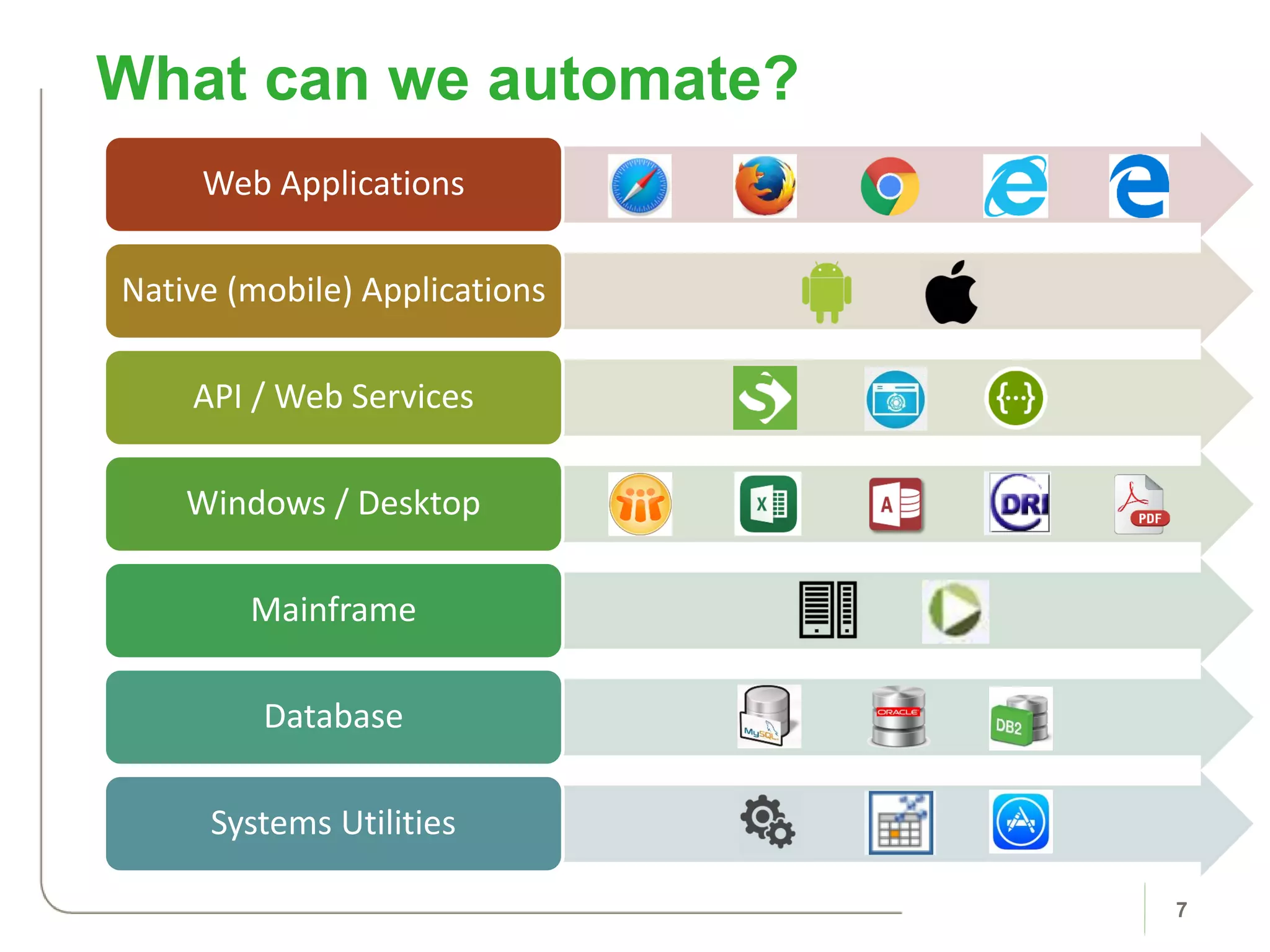
What can we automate?
7
Web Applications
Native (mobile) Applications
API / Web Services
Windows / Desktop
Mainframe
Database
Systems Utilities
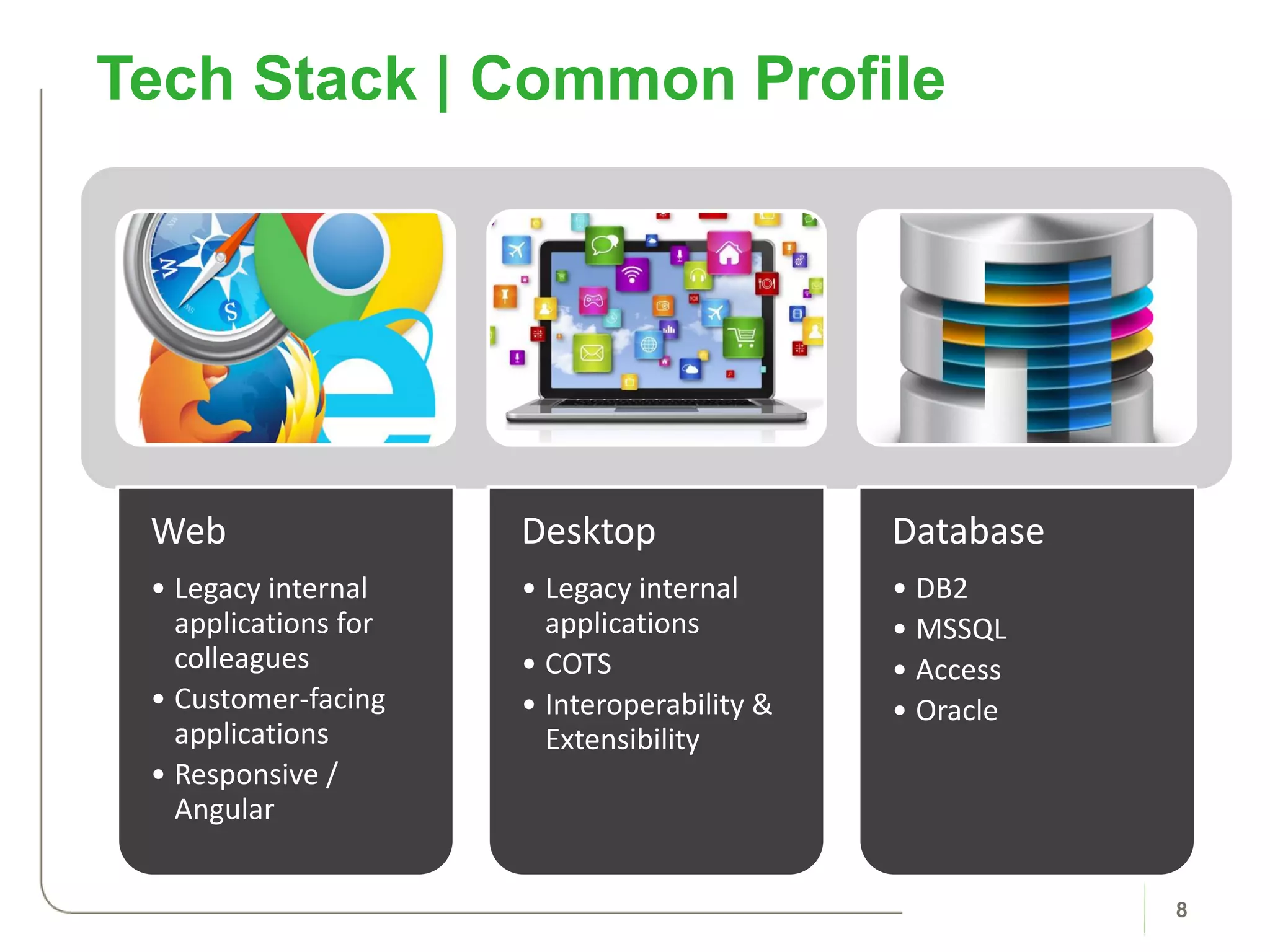
Web
• Legacy internal
applications for
colleagues
• Customer-facing
applications
• Responsive /
Angular
Desktop
• Legacy internal
applications
• COTS
• Interoperability &
Extensibility
Database
• DB2
• MSSQL
• Access
• Oracle
Tech Stack | Common Profile
8
Business Case
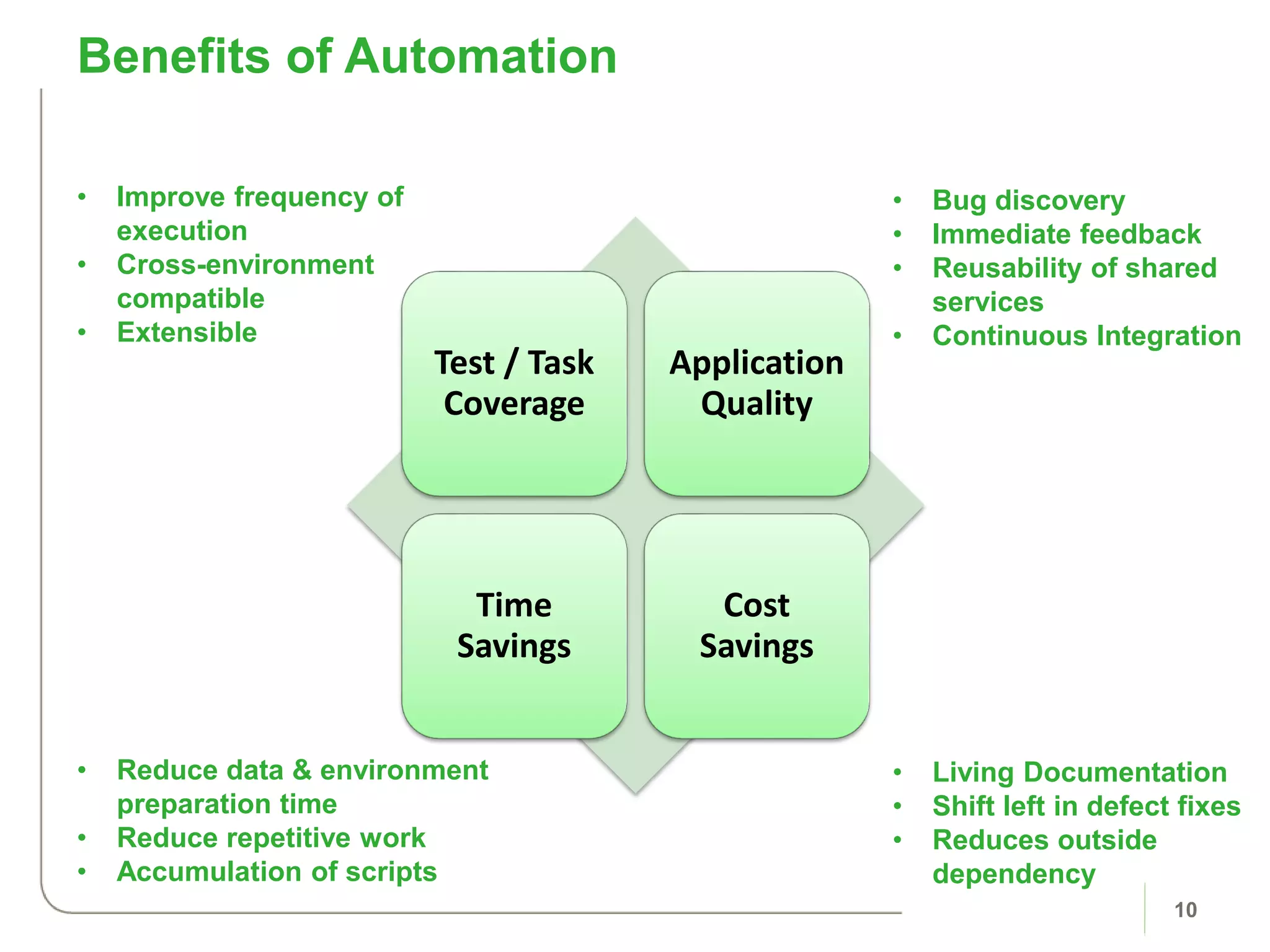
Benefits of Automation
10
• Improve frequency of
execution
• Cross-environment
compatible
• Extensible
• Reduce data & environment
preparation time
• Reduce repetitive work
• Accumulation of scripts
Test / Task
Coverage
Application
Quality
Time
Savings
Cost
Savings
• Bug discovery
• Immediate feedback
• Reusability of shared
services
• Continuous Integration
• Living Documentation
• Shift left in defect fixes
• Reduces outside
dependency
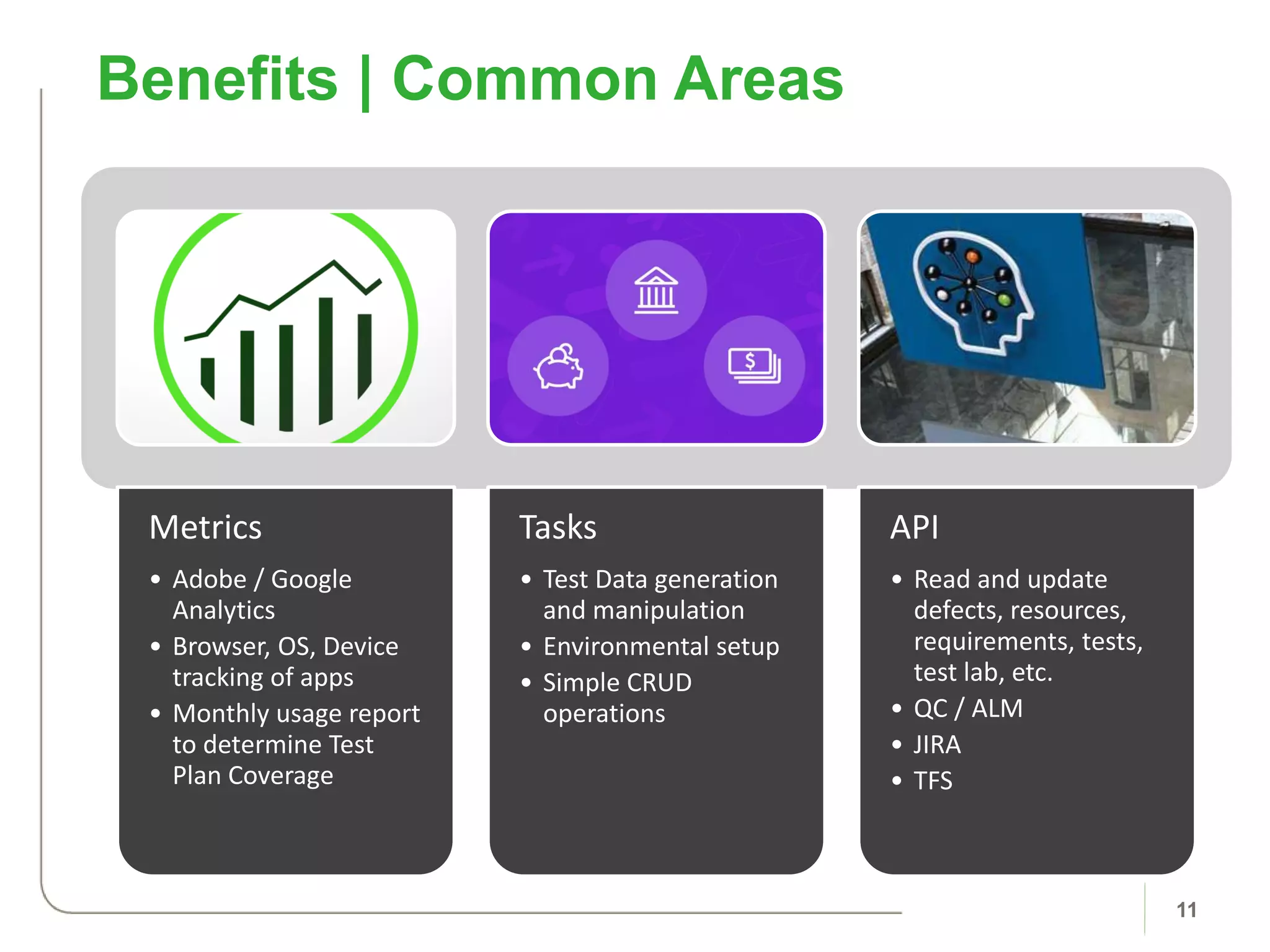
Benefits | Common Areas
11
Metrics
• Adobe / Google
Analytics
• Browser, OS, Device
tracking of apps
• Monthly usage report
to determine Test
Plan Coverage
Tasks
• Test Data generation
and manipulation
• Environmental setup
• Simple CRUD
operations
API
• Read and update
defects, resources,
requirements, tests,
test lab, etc.
• QC / ALM
• JIRA
• TFS
• Baselining
– The current level of performance
• Benchmarking
– Comparison of one organization’s process for performing a work
task to another organization’s process, for the purpose of finding
best practices that will help define superior performance of a
product, service or support process.
Baselining and Benchmarking
12
• Performing an analysis/study to determine the current level of
performance in a specific area.
• Baselines should be quantitative and describe multiple
attributes of a process.
• Examples:
– Defect rates
– Colleague allocation per project
– Productivity
– Automation profile
Baselines Defined
13
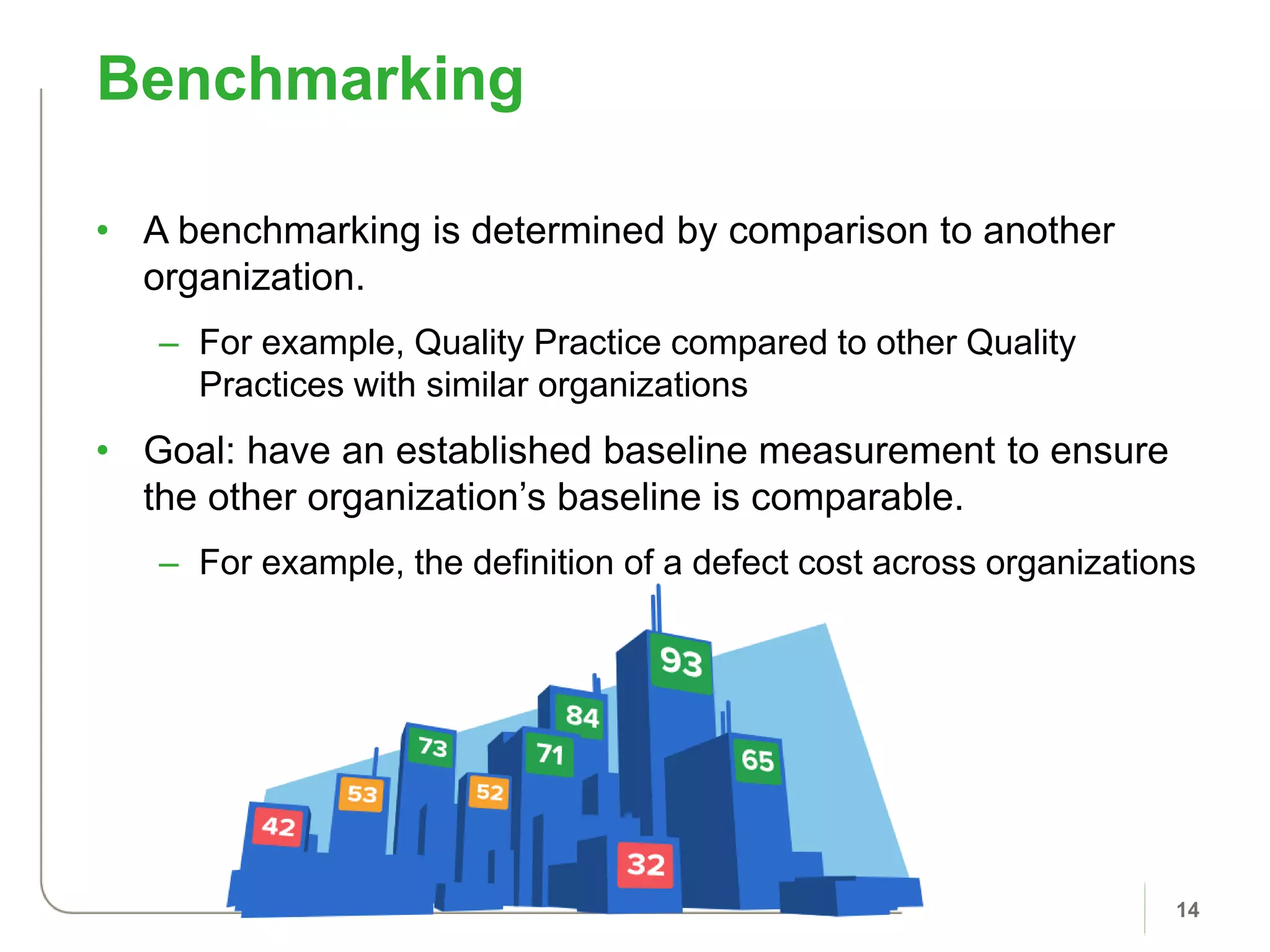
• A benchmarking is determined by comparison to another
organization.
– For example, Quality Practice compared to other Quality
Practices with similar organizations
• Goal: have an established baseline measurement to ensure
the other organization’s baseline is comparable.
– For example, the definition of a defect cost across organizations
Benchmarking
14
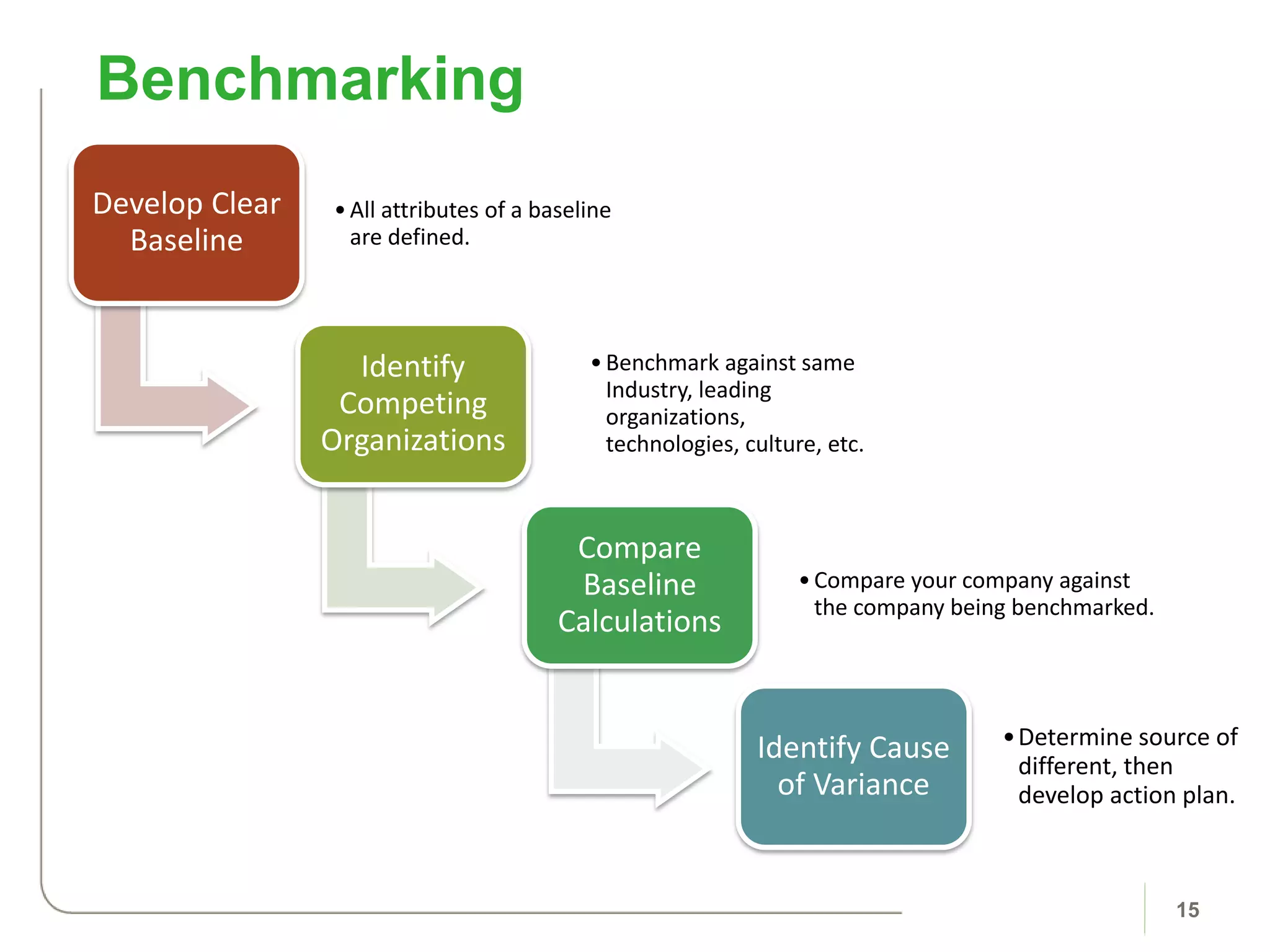
Develop Clear
Baseline
•All attributes of a baseline
are defined.
Identify
Competing
Organizations
•Benchmark against same
Industry, leading
organizations,
technologies, culture, etc.
Compare
Baseline
Calculations
•Compare your company against
the company being benchmarked.
Identify Cause
of Variance
•Determine source of
different, then
develop action plan.
Benchmarking
15
Automation Tool
Overview
17
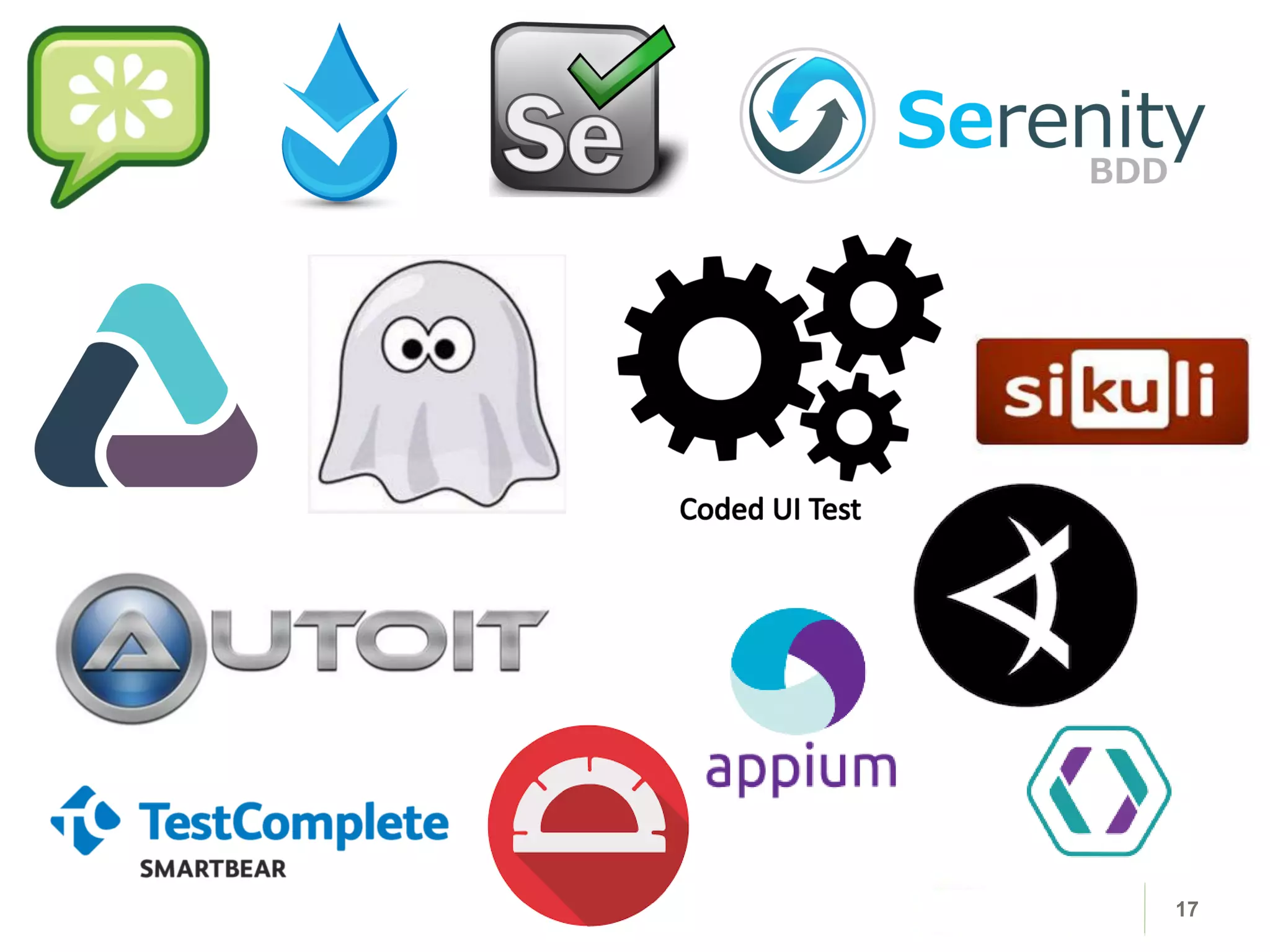
• The goal is choosing tools matching both organizational and
technical criteria.
Automation Tools
18
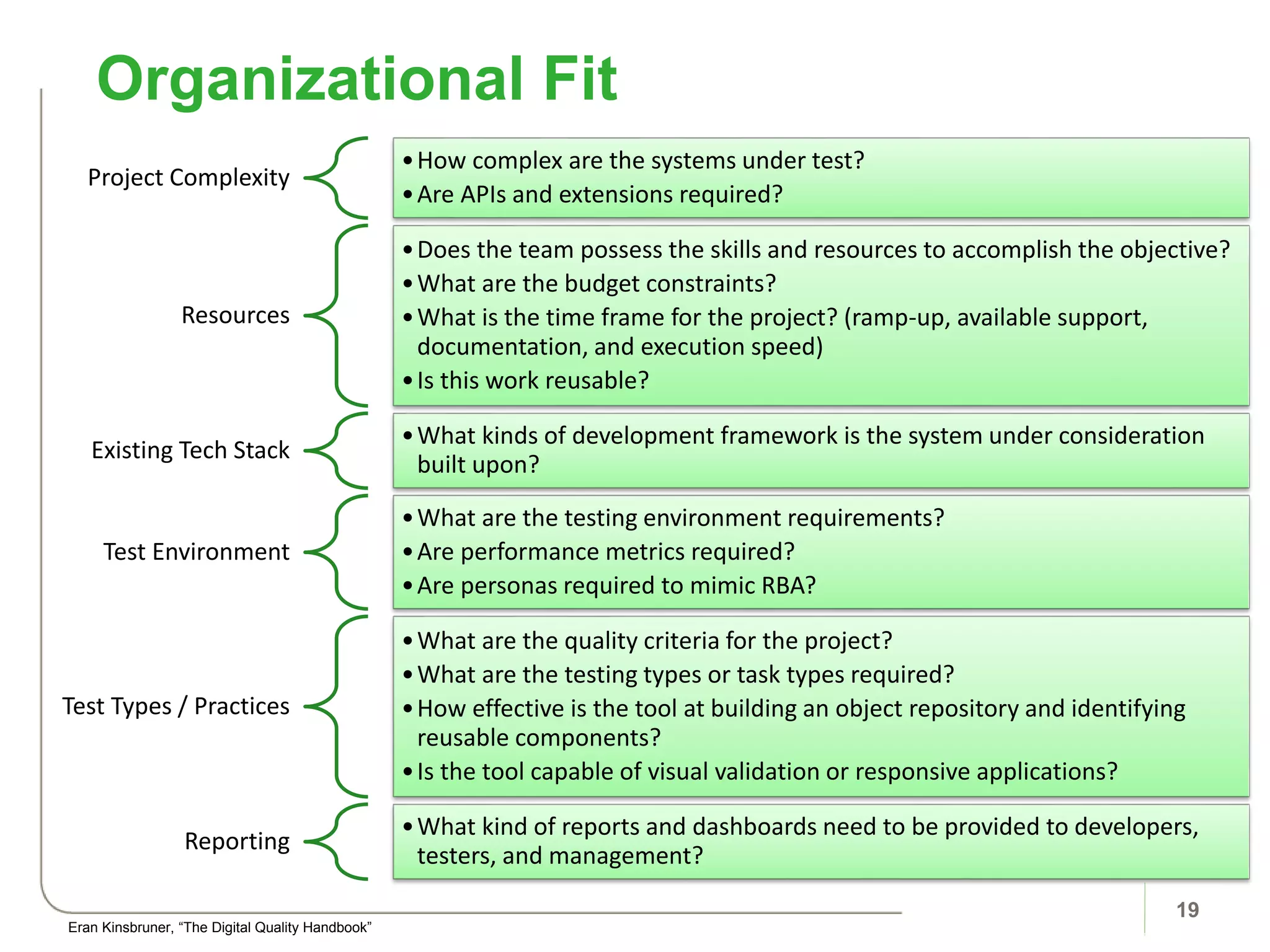
Project Complexity
•How complex are the systems under test?
•Are APIs and extensions required?
Resources
•Does the team possess the skills and resources to accomplish the objective?
•What are the budget constraints?
•What is the time frame for the project? (ramp-up, available support,
documentation, and execution speed)
•Is this work reusable?
Existing Tech Stack
•What kinds of development framework is the system under consideration
built upon?
Test Environment
•What are the testing environment requirements?
•Are performance metrics required?
•Are personas required to mimic RBA?
Test Types / Practices
•What are the quality criteria for the project?
•What are the testing types or task types required?
•How effective is the tool at building an object repository and identifying
reusable components?
•Is the tool capable of visual validation or responsive applications?
Reporting
•What kind of reports and dashboards need to be provided to developers,
testers, and management?
Organizational Fit
19
Eran Kinsbruner, “The Digital Quality Handbook”
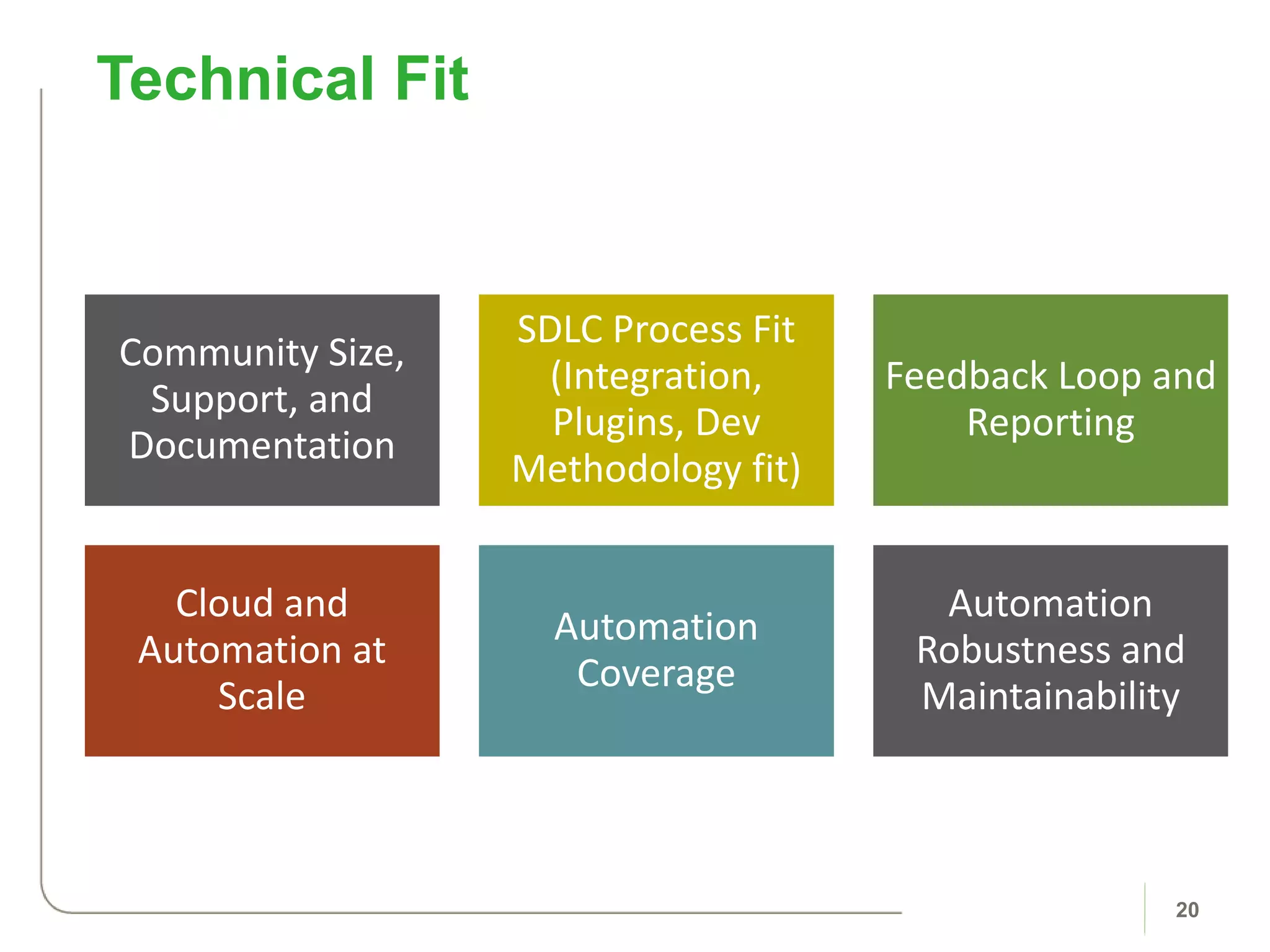
Community Size,
Support, and
Documentation
SDLC Process Fit
(Integration,
Plugins, Dev
Methodology fit)
Feedback Loop and
Reporting
Cloud and
Automation at
Scale
Automation
Coverage
Automation
Robustness and
Maintainability
Technical Fit
20
Sample Automation
21
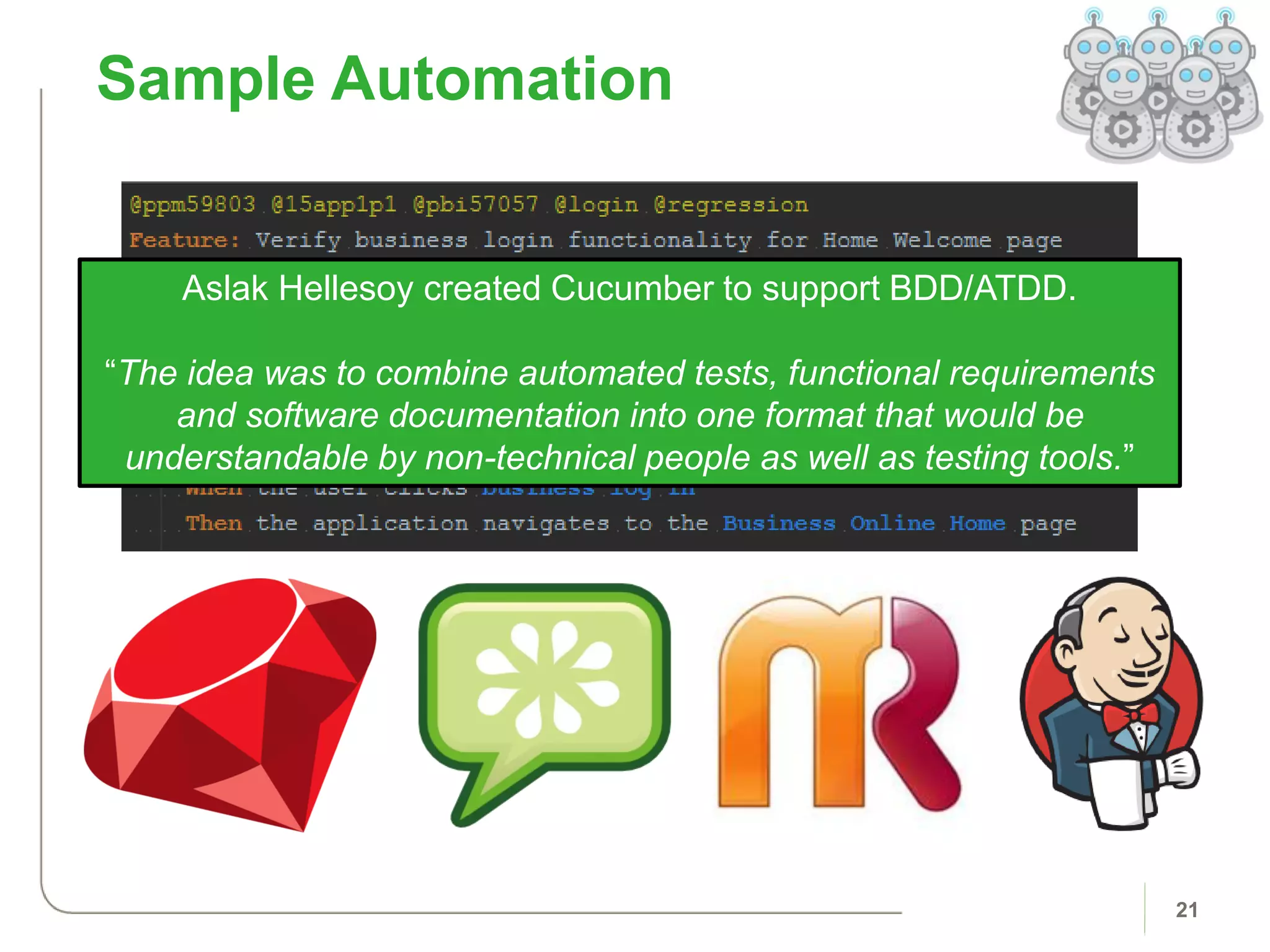
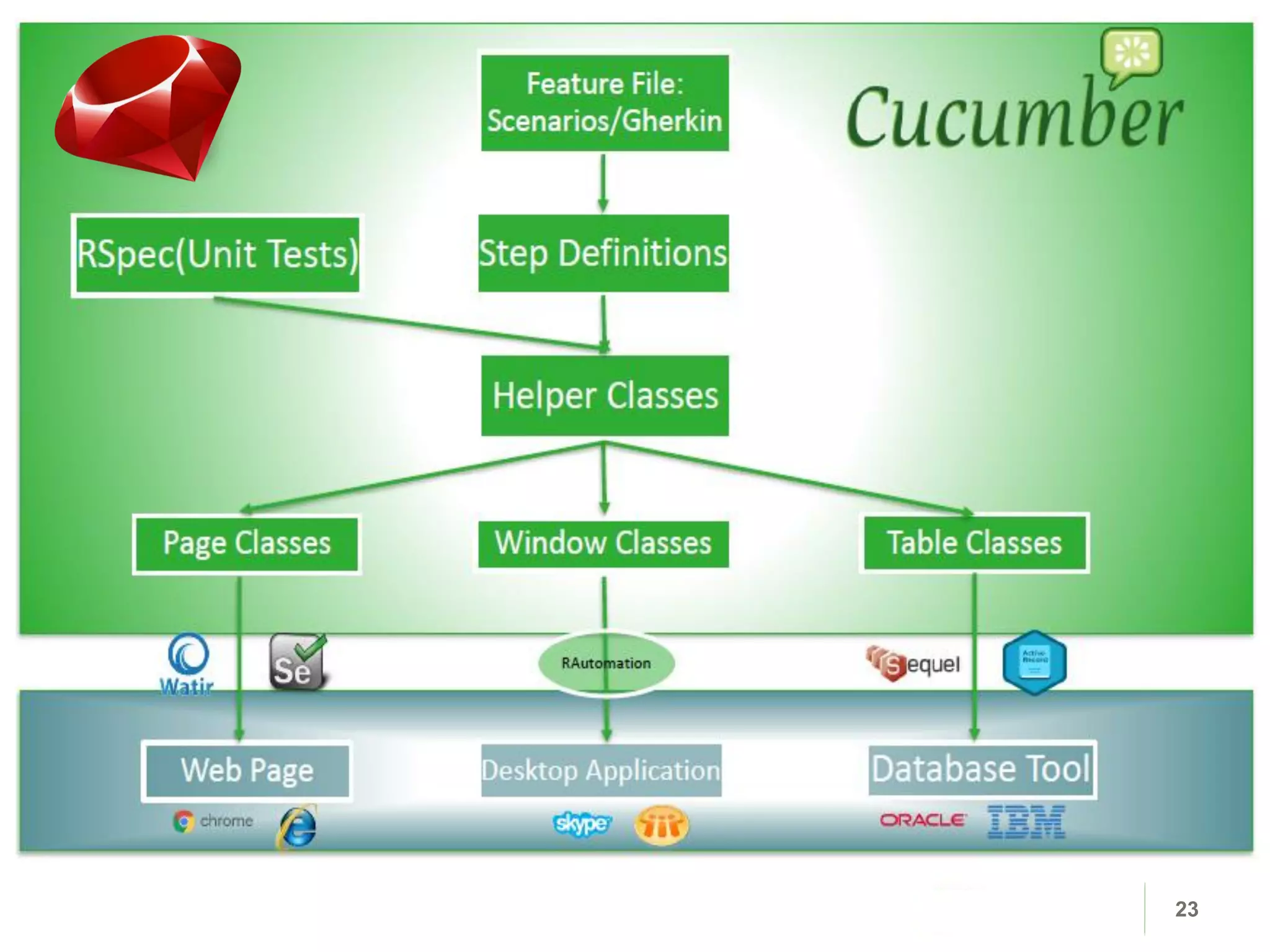
Aslak Hellesoy created Cucumber to support BDD/ATDD.
“The idea was to combine automated tests, functional requirements
and software documentation into one format that would be
understandable by non-technical people as well as testing tools.”
Sample UI Automation | Selenium
22
• Selenium Webdriver is a popular, open-source testing framework
for web applications.
23
24
Automation Tool Overview
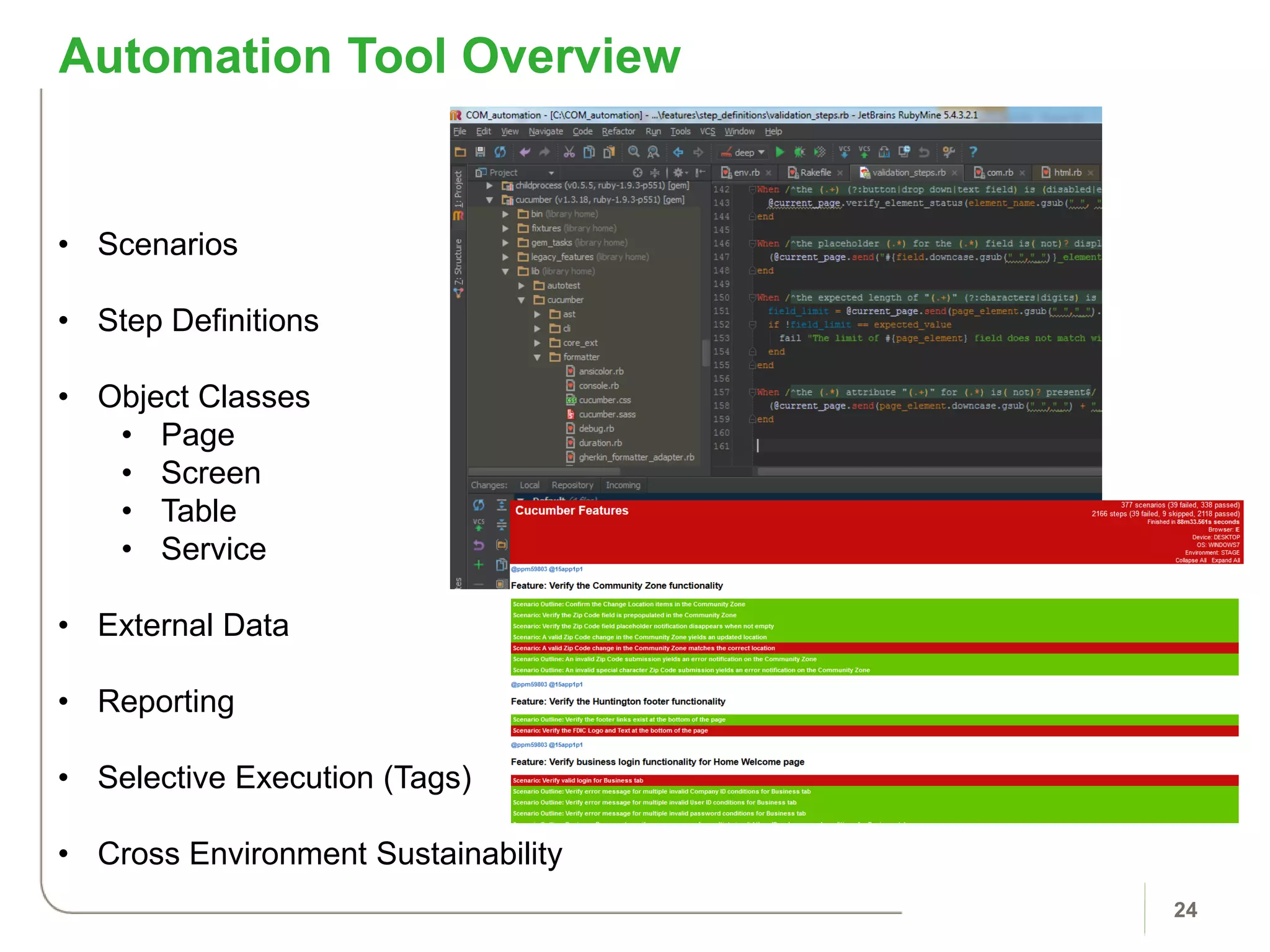
• Scenarios
• Step Definitions
• Object Classes
• Page
• Screen
• Table
• Service
• External Data
• Reporting
• Selective Execution (Tags)
• Cross Environment Sustainability
25
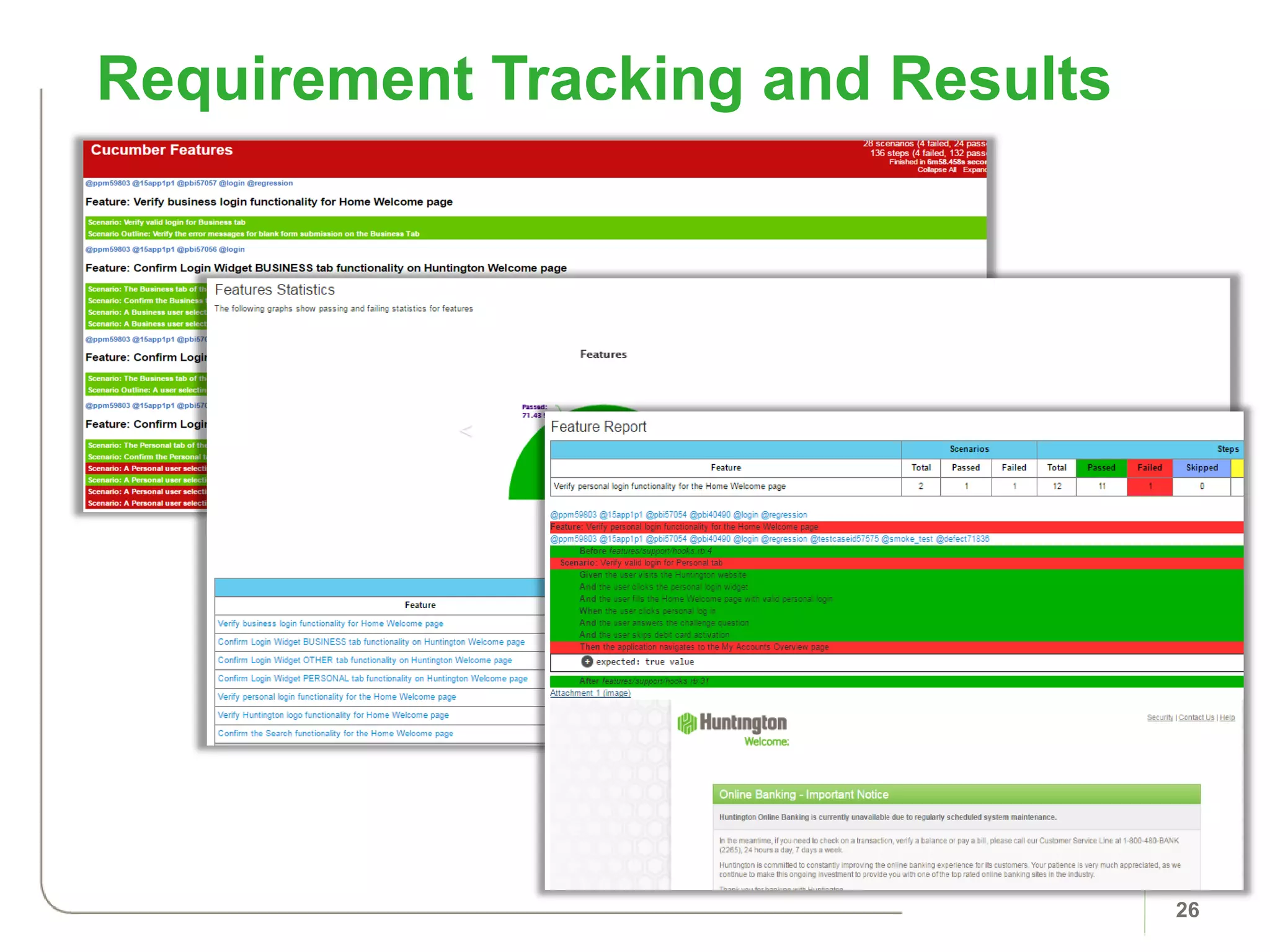
Requirement Traceability
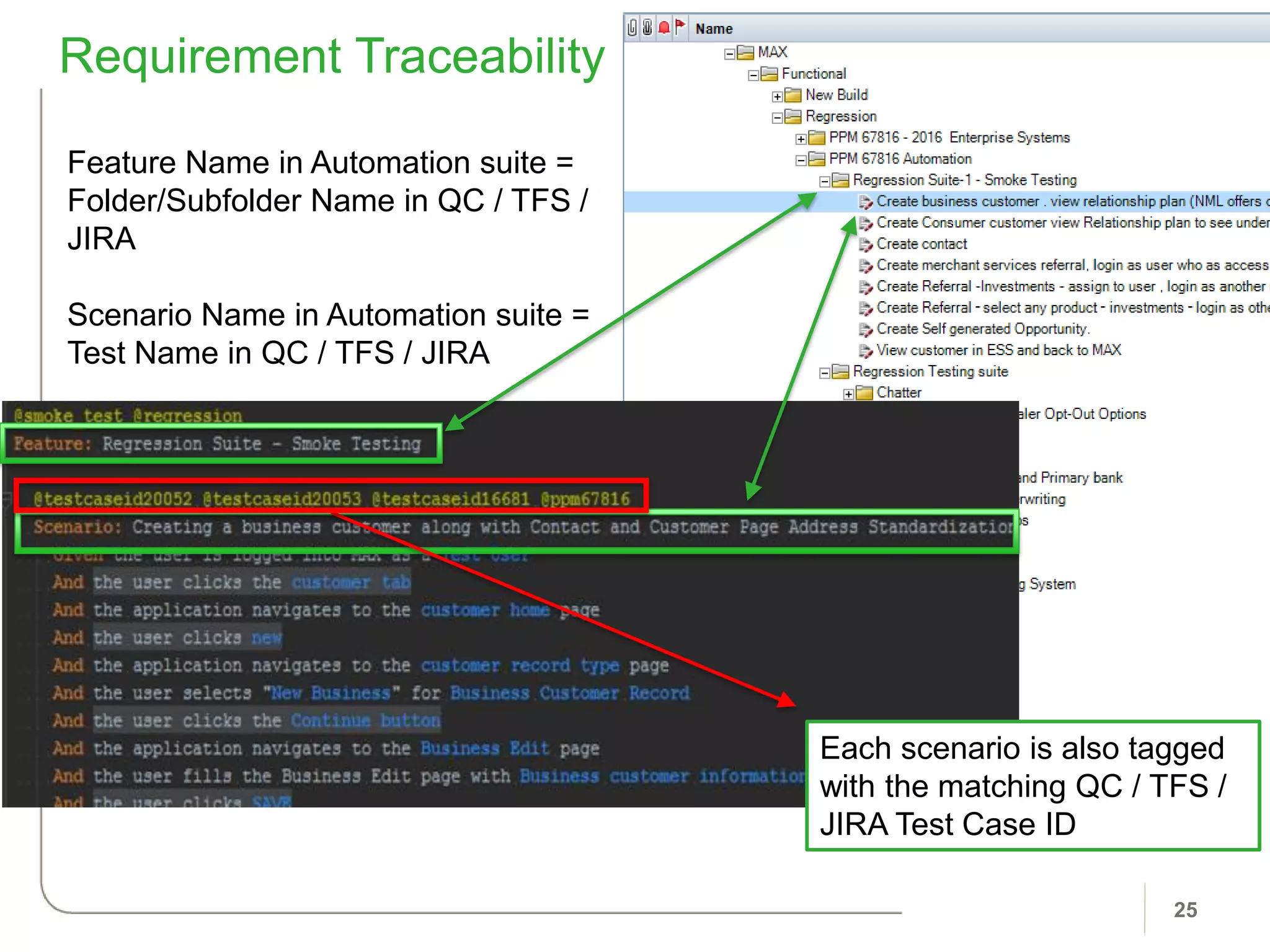
Feature Name in Automation suite =
Folder/Subfolder Name in QC / TFS /
JIRA
Scenario Name in Automation suite =
Test Name in QC / TFS / JIRA
Each scenario is also tagged
with the matching QC / TFS /
JIRA Test Case ID
Requirement Tracking and Results
26
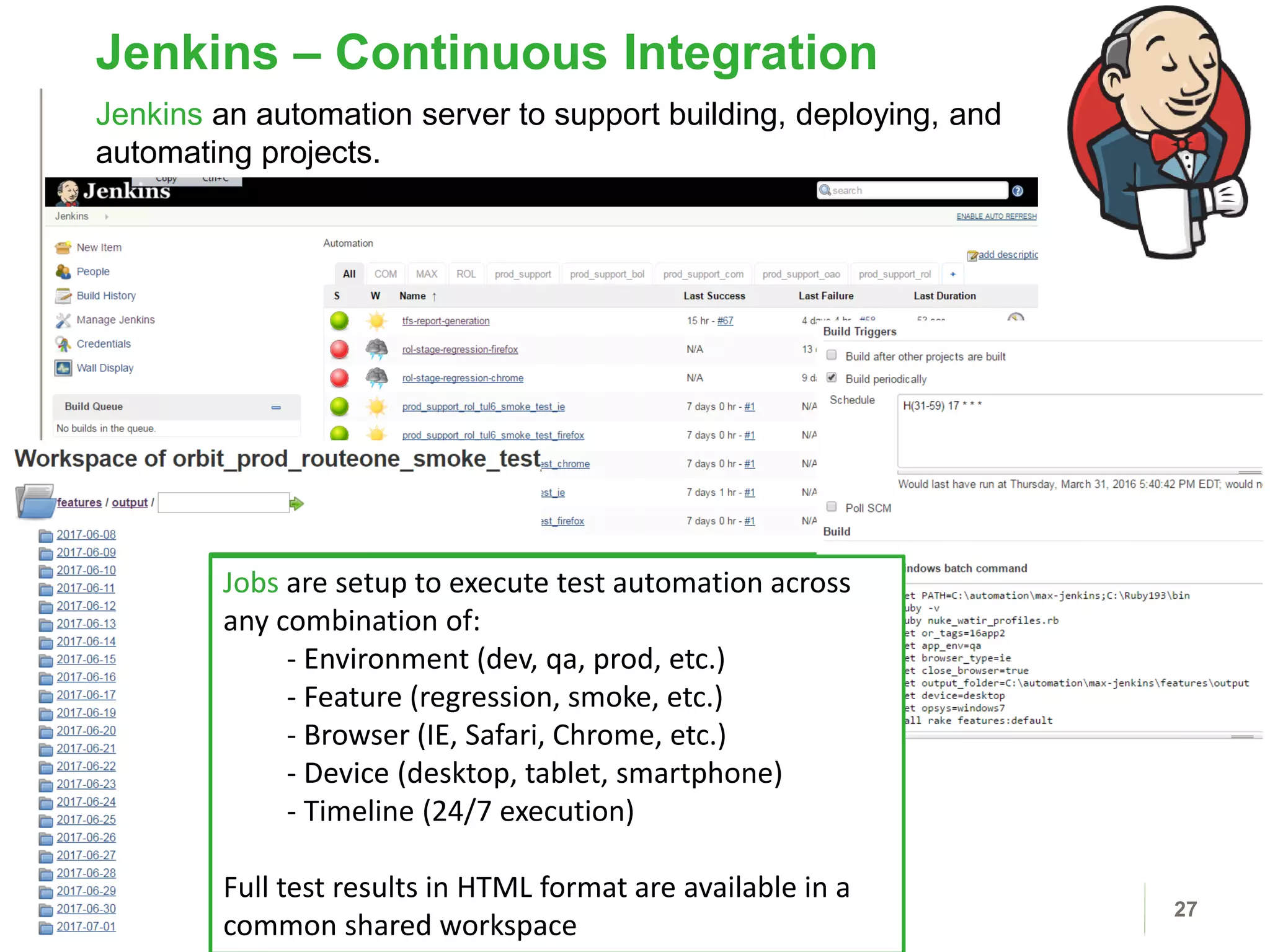
Jenkins – Continuous Integration
27
Jenkins an automation server to support building, deploying, and
automating projects.
Jobs are setup to execute test automation across
any combination of:
- Environment (int, qa, prod, etc.)
- Feature (regression, smoke, etc.)
- Browser (IE, Safari, etc.)
- Device (desktop, tablet, smartphone)
- Timeline (24/7 execution)
Full test results in HTML format are available in a
common shared workspace
Jobs are setup to execute test automation across
any combination of:
- Environment (dev, qa, prod, etc.)
- Feature (regression, smoke, etc.)
- Browser (IE, Safari, Chrome, etc.)
- Device (desktop, tablet, smartphone)
- Timeline (24/7 execution)
Full test results in HTML format are available in a
common shared workspace
Behavior Driven
Development with
Gherkin
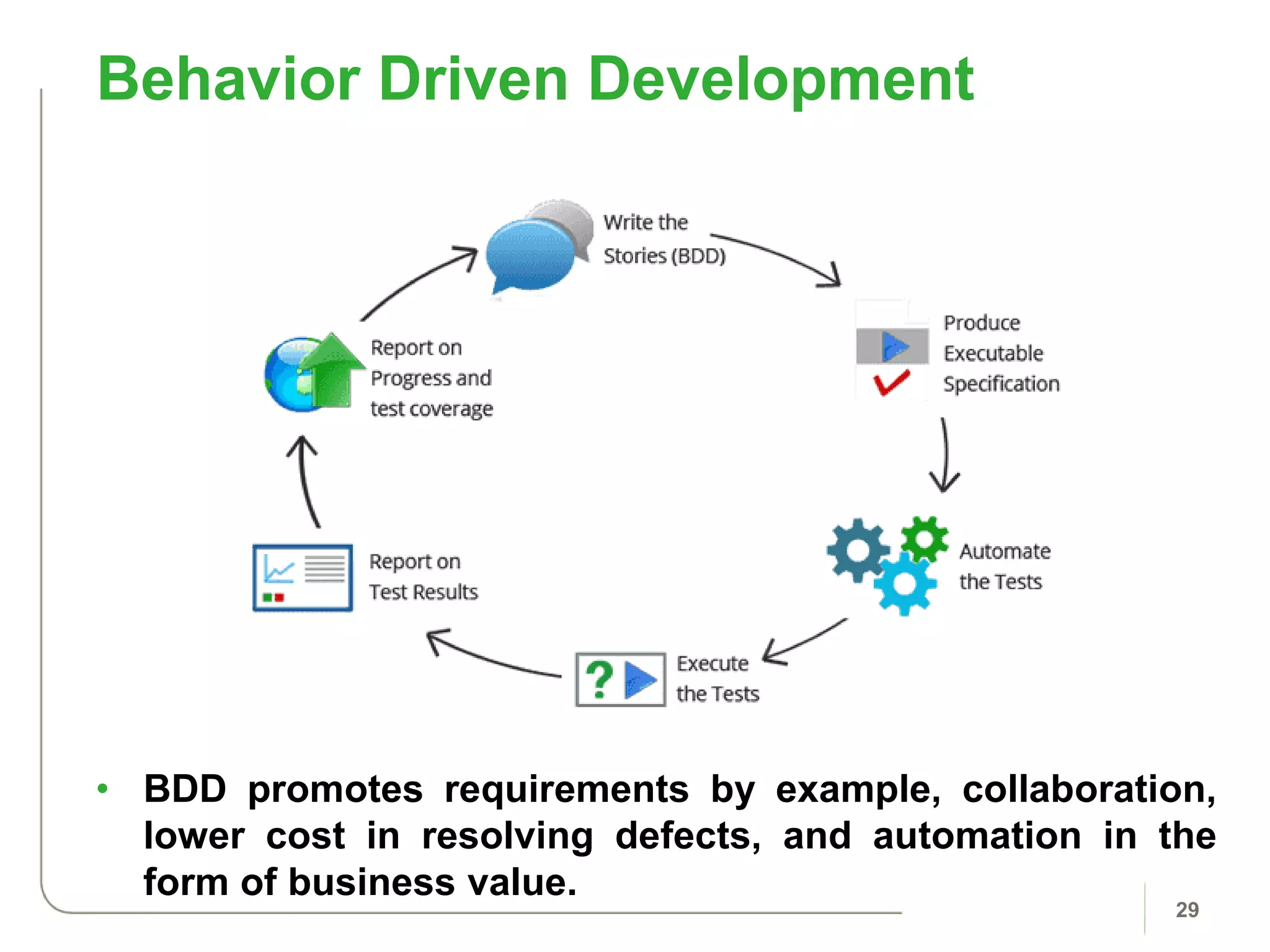
• BDD promotes requirements by example, collaboration,
lower cost in resolving defects, and automation in the
form of business value.
Behavior Driven Development
29
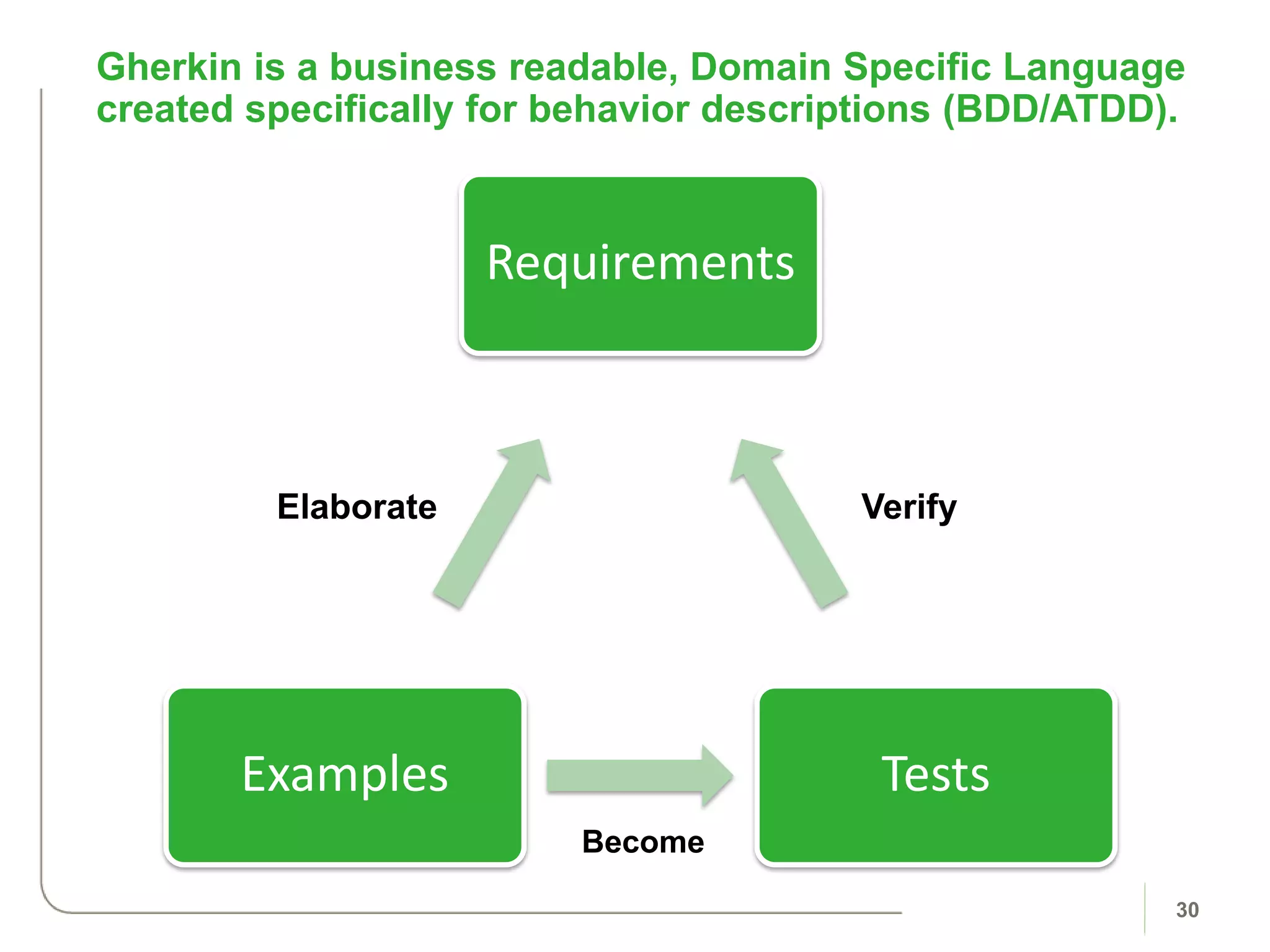
Gherkin is a business readable, Domain Specific Language
created specifically for behavior descriptions (BDD/ATDD).
30
Requirements
TestsExamples
Become
VerifyElaborate
Gherkin is a business readable, Domain Specific Language
created specifically for behavior descriptions (BDD/ATDD).
31
User Story
• As a [type of
user]
• I want [some
particular
feature]
• so that [some
benefit is
received]
Gherkin Scenario
• Given some
initial
context
• When an
event occurs
• Then
ensure
some
outcome(s)
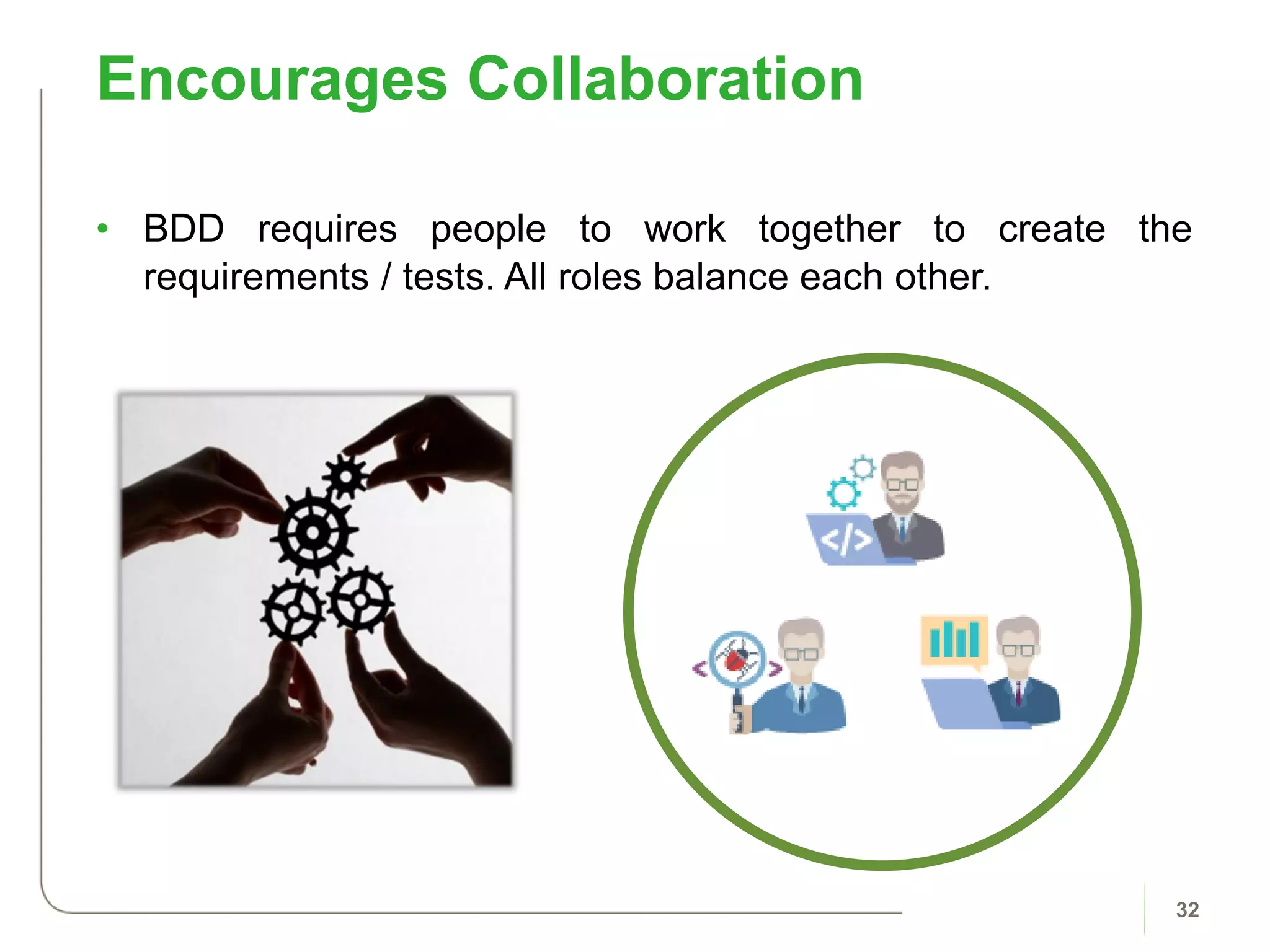
• BDD requires people to work together to create the
requirements / tests. All roles balance each other.
Encourages Collaboration
32
Invest in People
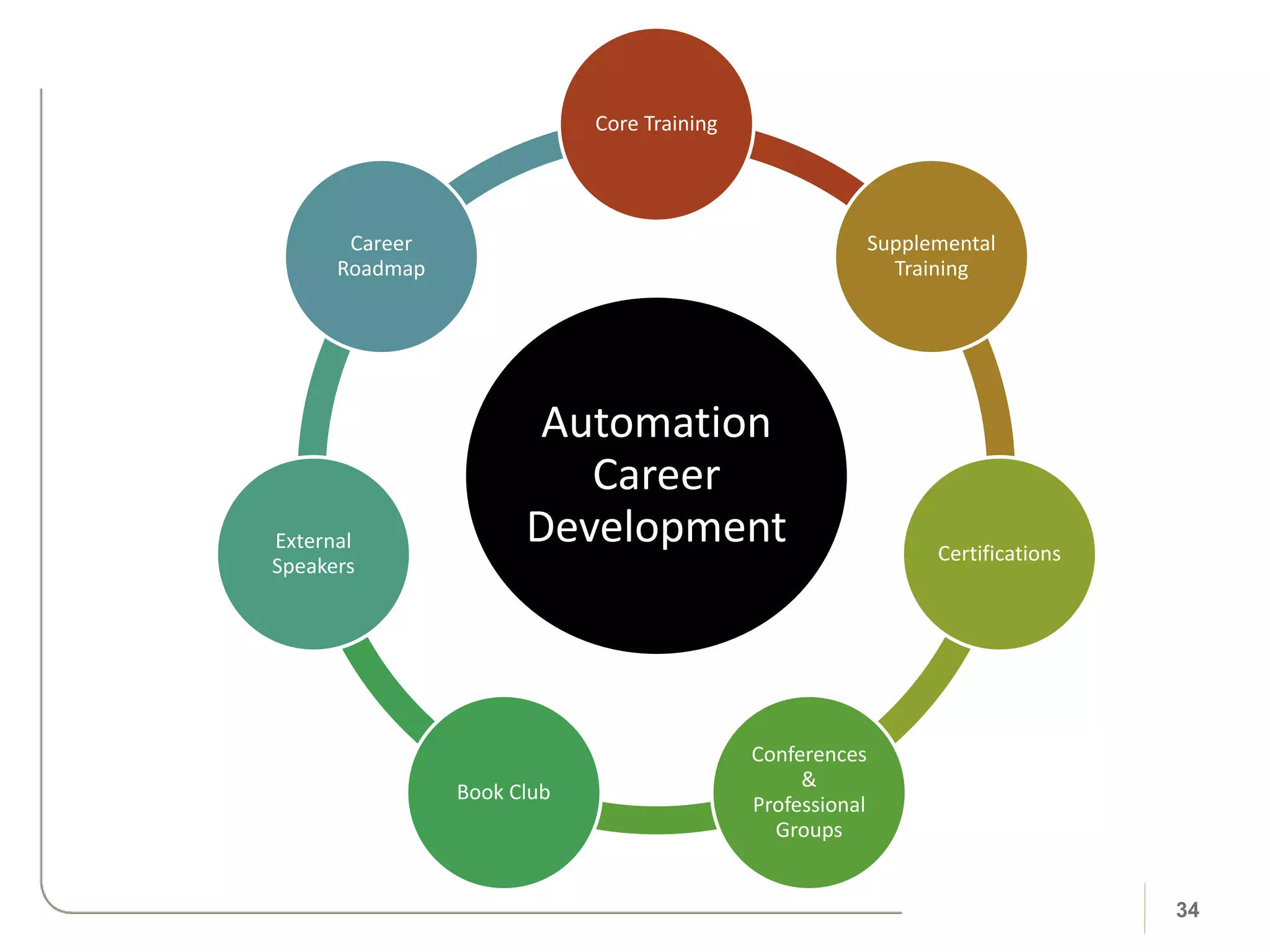
Automation
Career
Development
Core Training
Supplemental
Training
Certifications
Conferences
&
Professional
Groups
Book Club
External
Speakers
Career
Roadmap
34
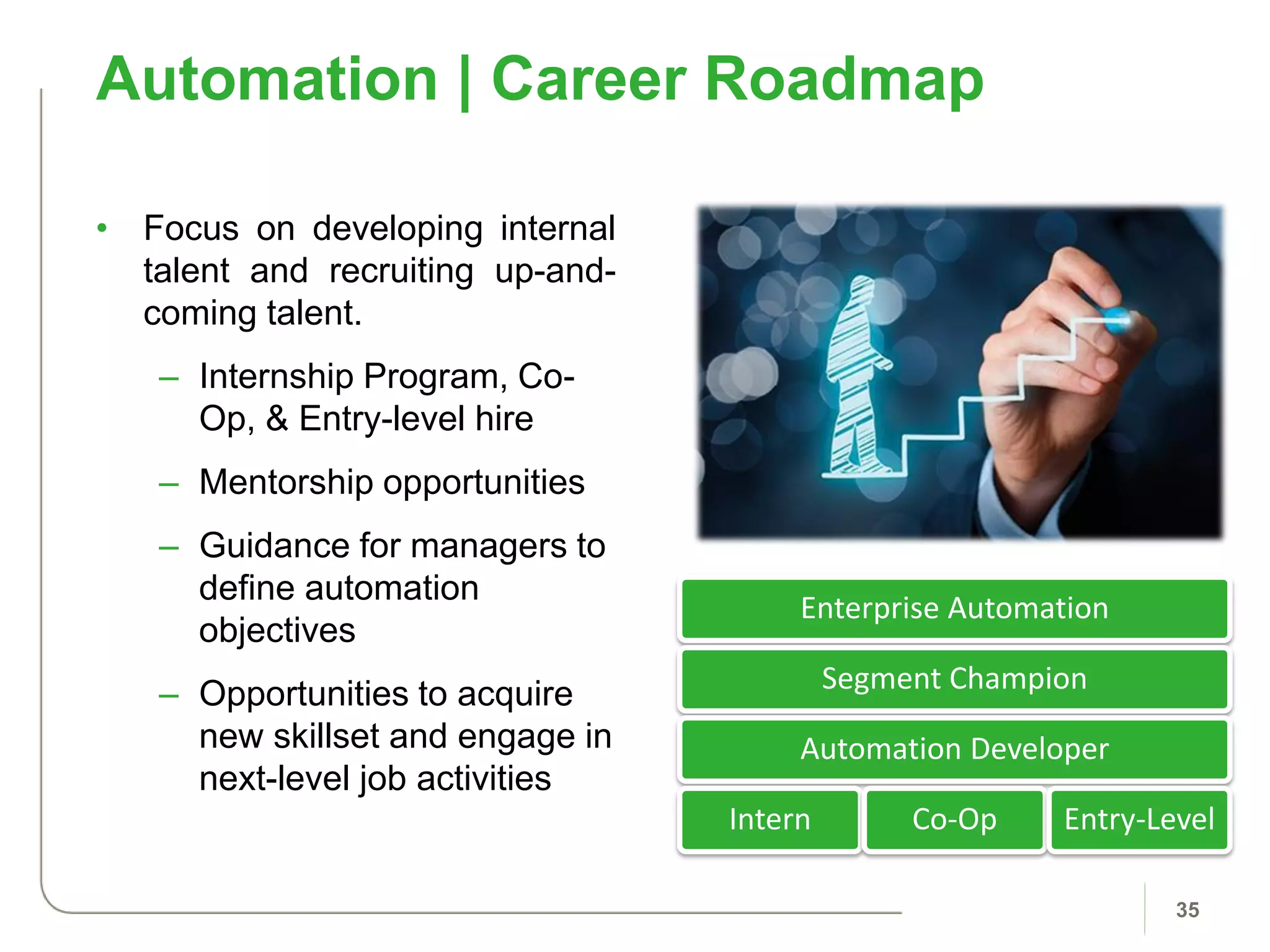
• Focus on developing internal
talent and recruiting up-and-
coming talent.
– Internship Program, Co-
Op, & Entry-level hire
– Mentorship opportunities
– Guidance for managers to
define automation
objectives
– Opportunities to acquire
new skillset and engage in
next-level job activities
Automation | Career Roadmap
35
Enterprise Automation
Segment Champion
Automation Developer
Intern Co-Op Entry-Level
36
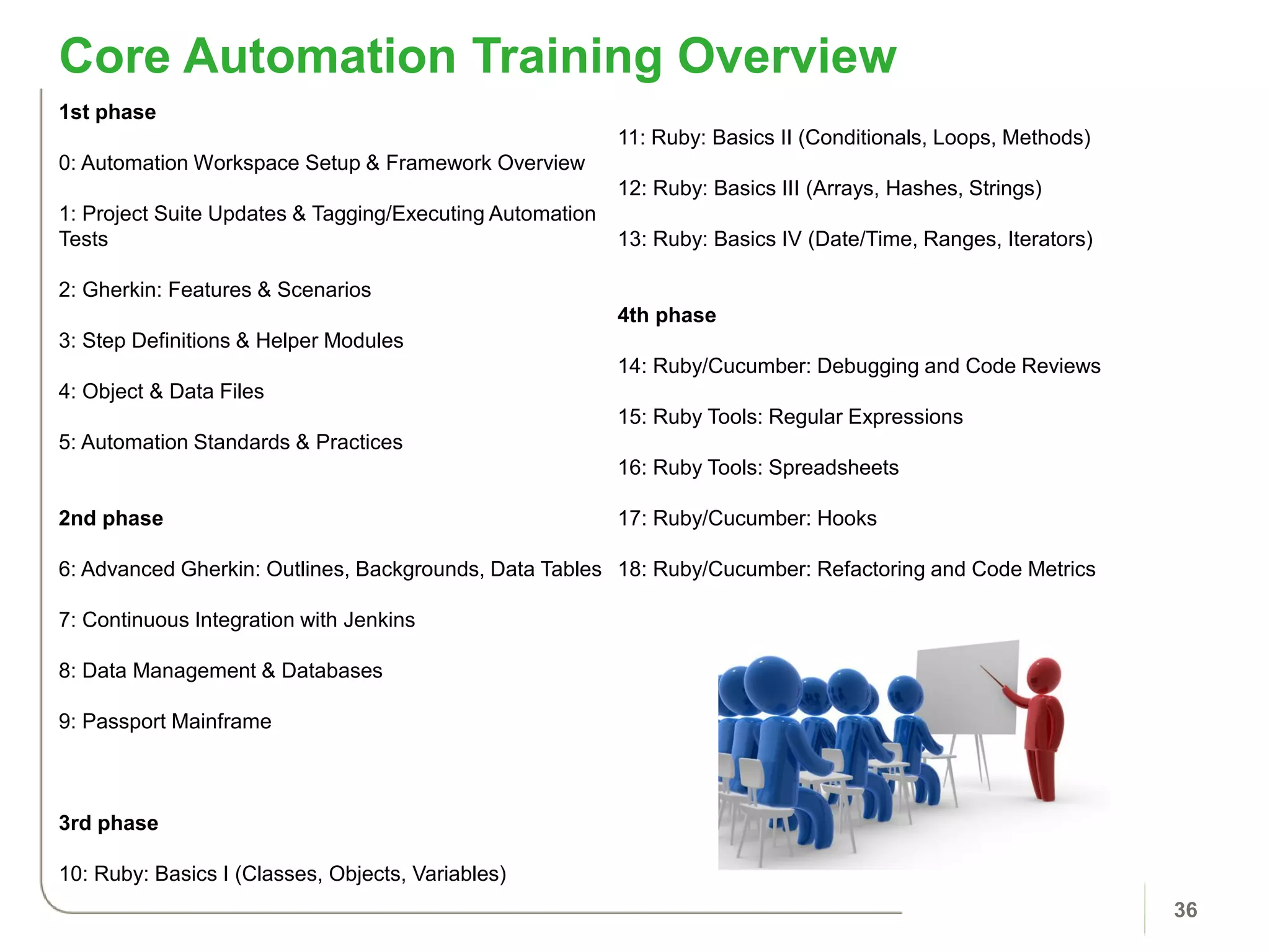
Core Automation Training Overview
1st phase
0: Automation Workspace Setup & Framework Overview
1: Project Suite Updates & Tagging/Executing Automation
Tests
2: Gherkin: Features & Scenarios
3: Step Definitions & Helper Modules
4: Object & Data Files
5: Automation Standards & Practices
2nd phase
6: Advanced Gherkin: Outlines, Backgrounds, Data Tables
7: Continuous Integration with Jenkins
8: Data Management & Databases
9: Passport Mainframe
3rd phase
10: Ruby: Basics I (Classes, Objects, Variables)
11: Ruby: Basics II (Conditionals, Loops, Methods)
12: Ruby: Basics III (Arrays, Hashes, Strings)
13: Ruby: Basics IV (Date/Time, Ranges, Iterators)
4th phase
14: Ruby/Cucumber: Debugging and Code Reviews
15: Ruby Tools: Regular Expressions
16: Ruby Tools: Spreadsheets
17: Ruby/Cucumber: Hooks
18: Ruby/Cucumber: Refactoring and Code Metrics
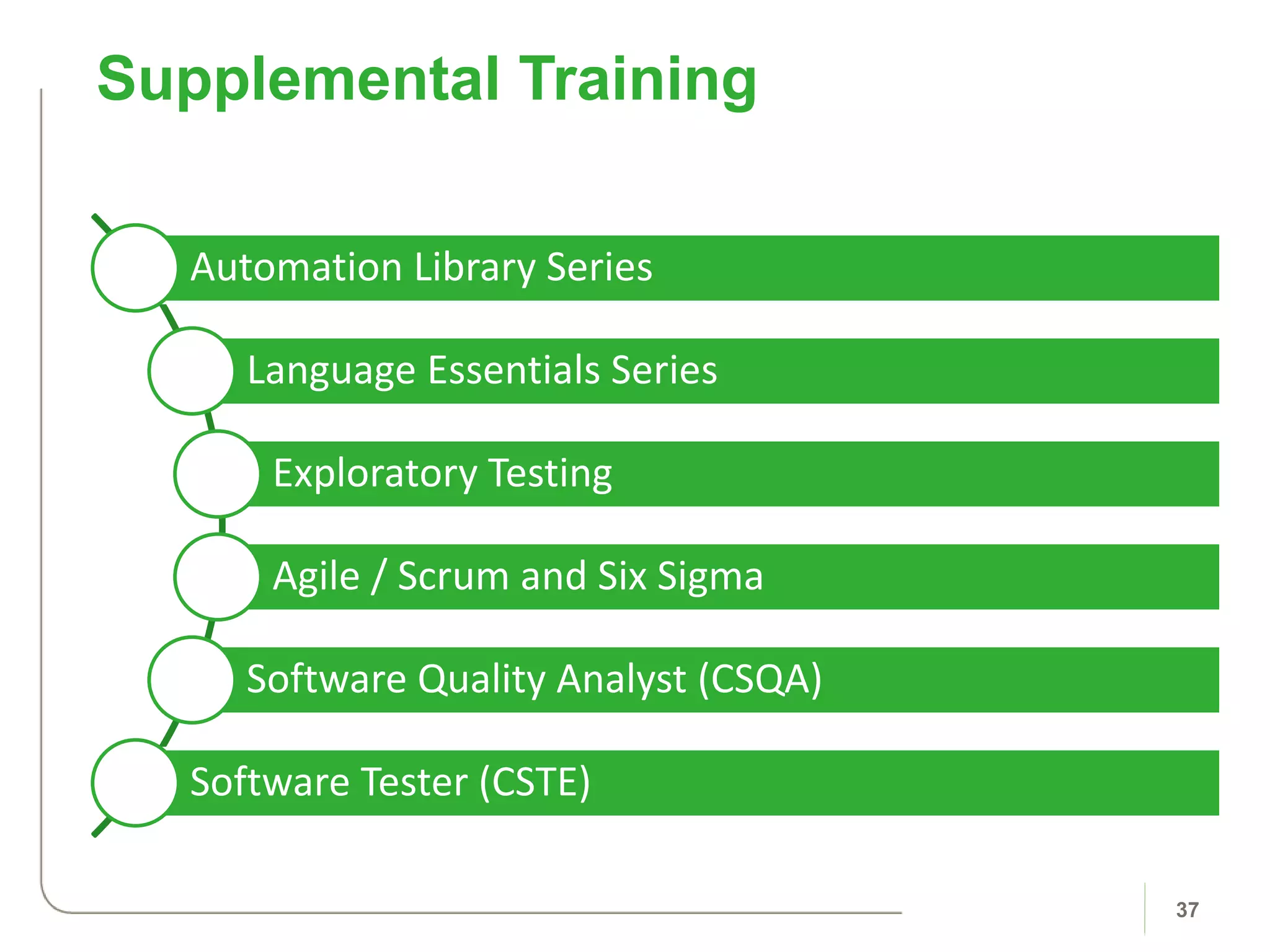
Automation Library Series
Language Essentials Series
Exploratory Testing
Agile / Scrum and Six Sigma
Software Quality Analyst (CSQA)
Software Tester (CSTE)
Supplemental Training
37
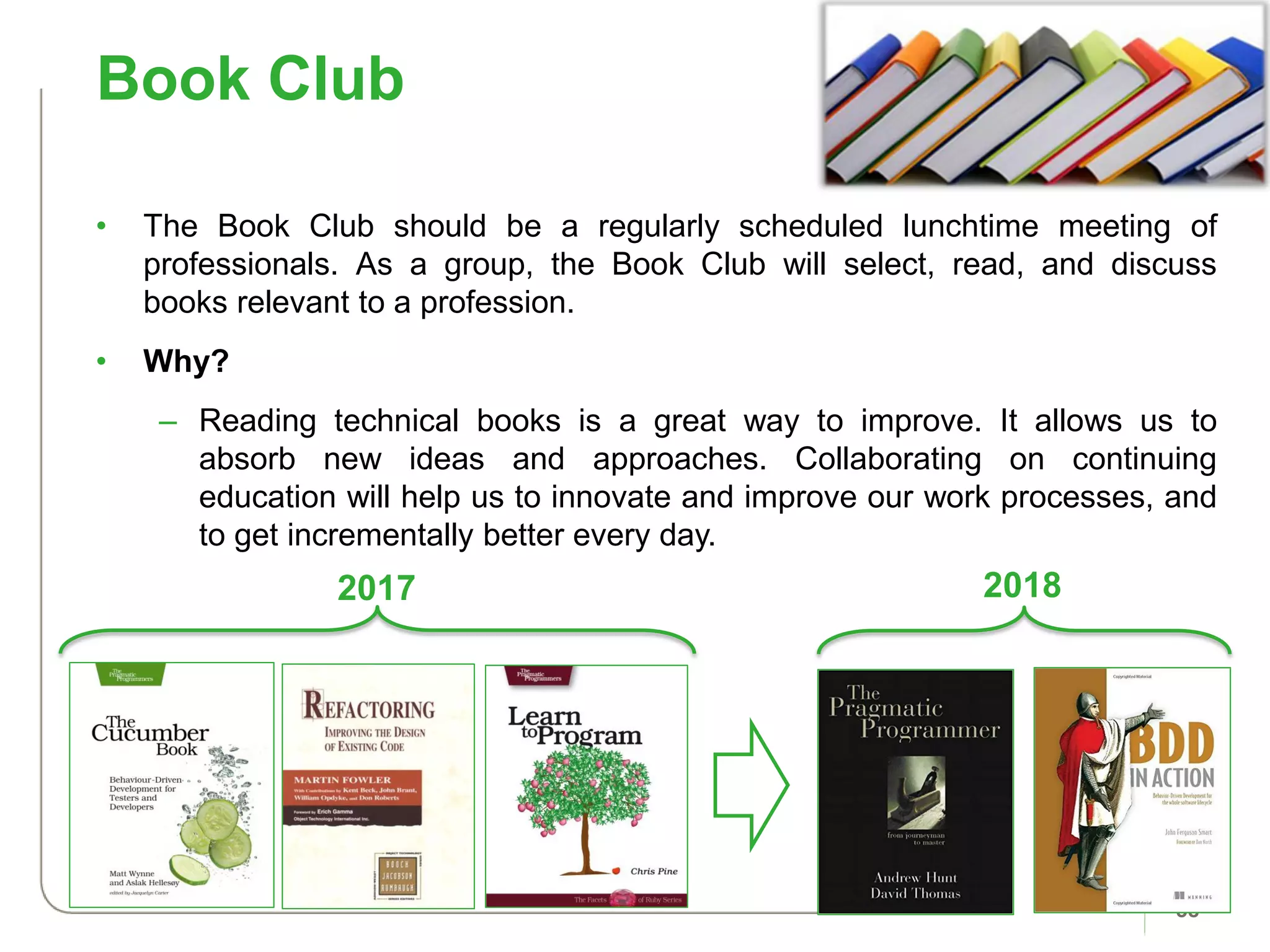
Book Club
38
• The Book Club should be a regularly scheduled lunchtime meeting of
professionals. As a group, the Book Club will select, read, and discuss
books relevant to a profession.
• Why?
– Reading technical books is a great way to improve. It allows us to
absorb new ideas and approaches. Collaborating on continuing
education will help us to innovate and improve our work processes, and
to get incrementally better every day.
2017 2018
Organization Structure
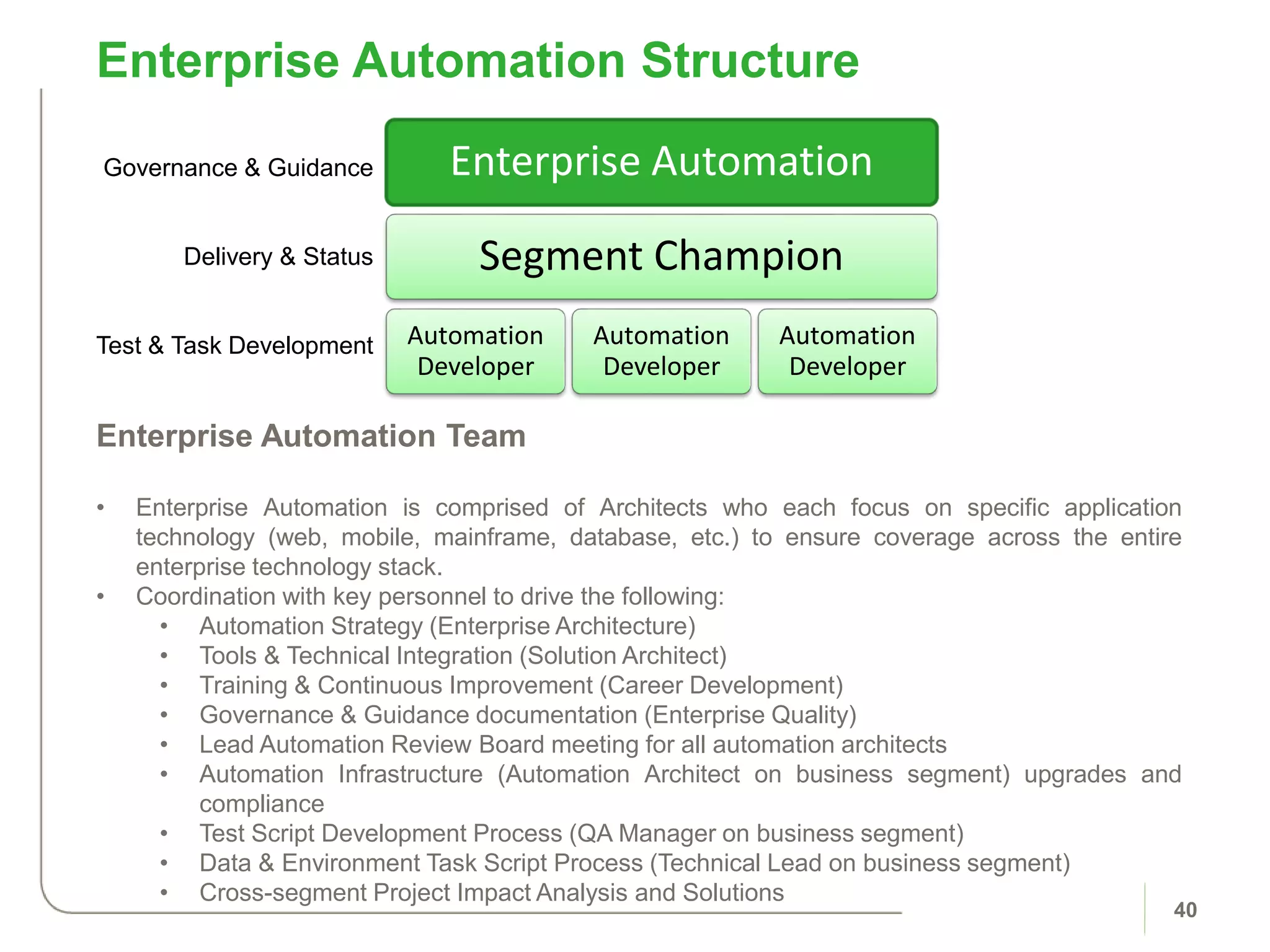
Enterprise Automation Structure
40
Enterprise Automation Team
• Enterprise Automation is comprised of Architects who each focus on specific application
technology (web, mobile, mainframe, database, etc.) to ensure coverage across the entire
enterprise technology stack.
• Coordination with key personnel to drive the following:
• Automation Strategy (Enterprise Architecture)
• Tools & Technical Integration (Solution Architect)
• Training & Continuous Improvement (Career Development)
• Governance & Guidance documentation (Enterprise Quality)
• Lead Automation Review Board meeting for all automation architects
• Automation Infrastructure (Automation Architect on business segment) upgrades and
compliance
• Test Script Development Process (QA Manager on business segment)
• Data & Environment Task Script Process (Technical Lead on business segment)
• Cross-segment Project Impact Analysis and Solutions
Enterprise Automation
Segment Champion
Automation
Developer
Automation
Developer
Automation
Developer
Governance & Guidance
Delivery & Status
Test & Task Development
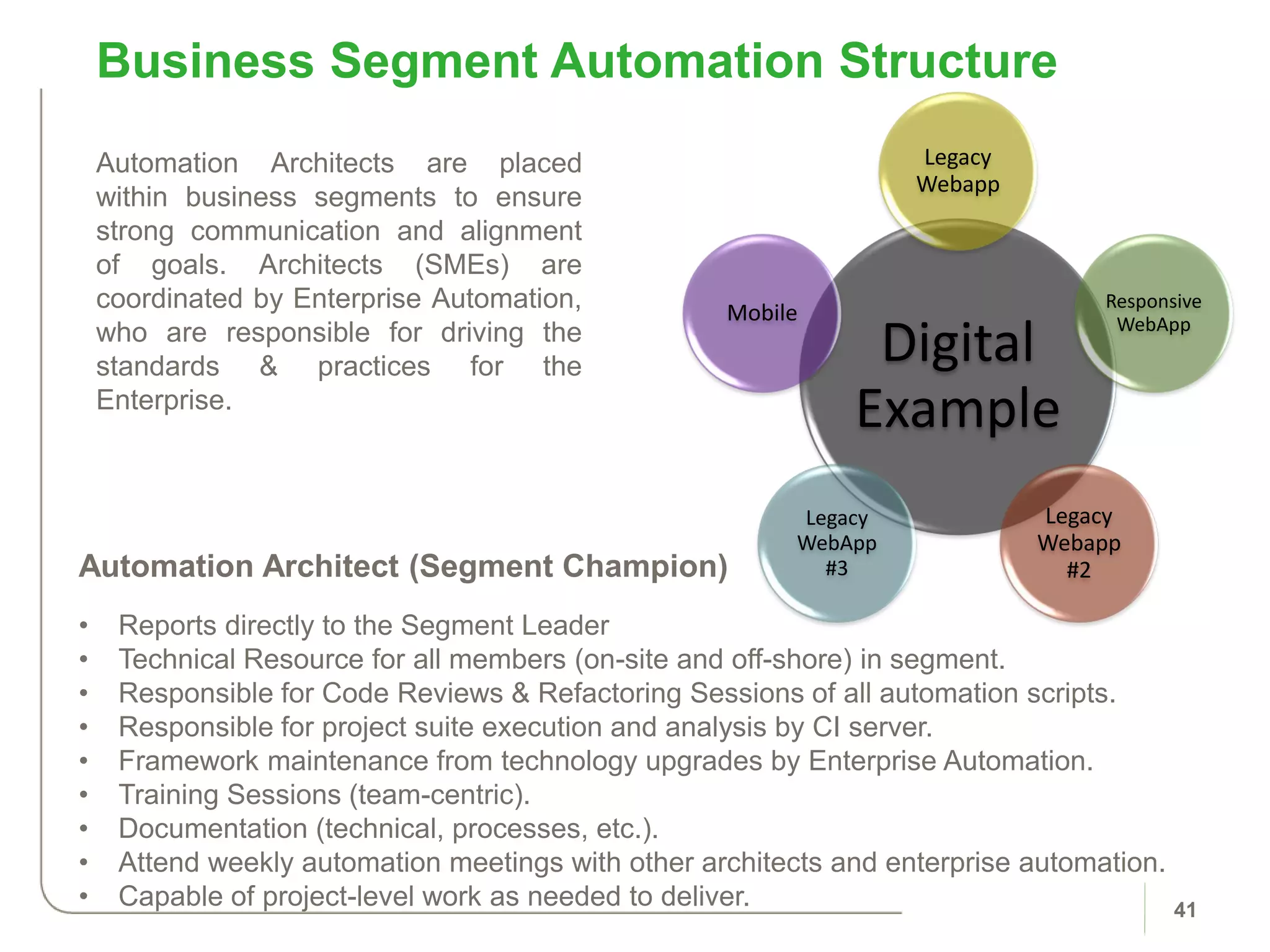
Business Segment Automation Structure
41
Automation Architect (Segment Champion)
• Reports directly to the Segment Leader
• Technical Resource for all members (on-site and off-shore) in segment.
• Responsible for Code Reviews & Refactoring Sessions of all automation scripts.
• Responsible for project suite execution and analysis by CI server.
• Framework maintenance from technology upgrades by Enterprise Automation.
• Training Sessions (team-centric).
• Documentation (technical, processes, etc.).
• Attend weekly automation meetings with other architects and enterprise automation.
• Capable of project-level work as needed to deliver.
Digital
Example
Legacy
Webapp
Responsive
WebApp
Legacy
Webapp
#2
Legacy
WebApp
#3
Mobile
Automation Architects are placed
within business segments to ensure
strong communication and alignment
of goals. Architects (SMEs) are
coordinated by Enterprise Automation,
who are responsible for driving the
standards & practices for the
Enterprise.
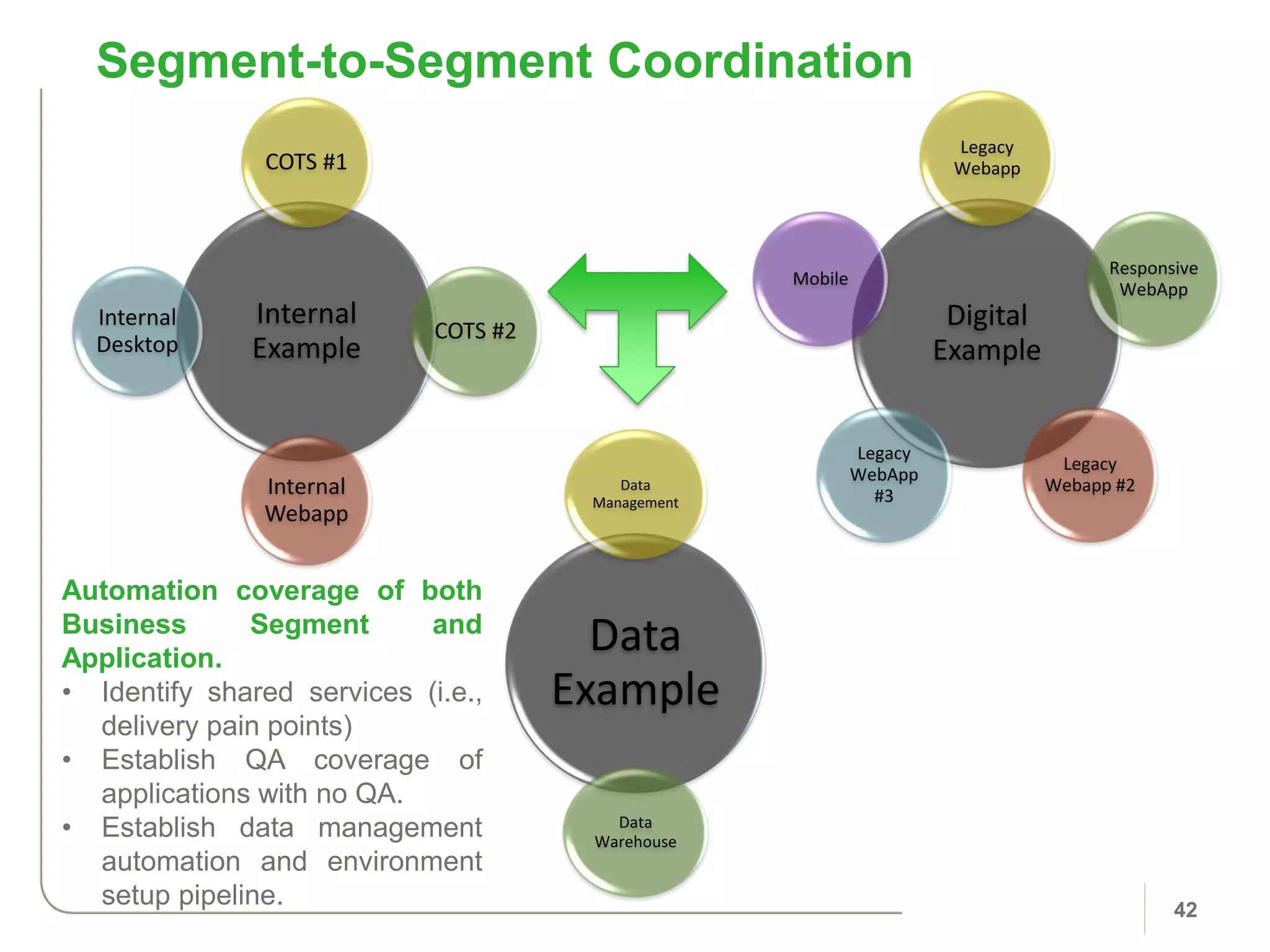
Segment-to-Segment Coordination
42
Digital
Example
Legacy
Webapp
Responsive
WebApp
Legacy
Webapp #2
Legacy
WebApp
#3
Mobile
Internal
Example
COTS #1
COTS #2
Internal
Webapp
Internal
Desktop
Data
Example
Data
Management
Data
Warehouse
Automation coverage of both
Business Segment and
Application.
• Identify shared services (i.e.,
delivery pain points)
• Establish QA coverage of
applications with no QA.
• Establish data management
automation and environment
setup pipeline.
Team Implementation
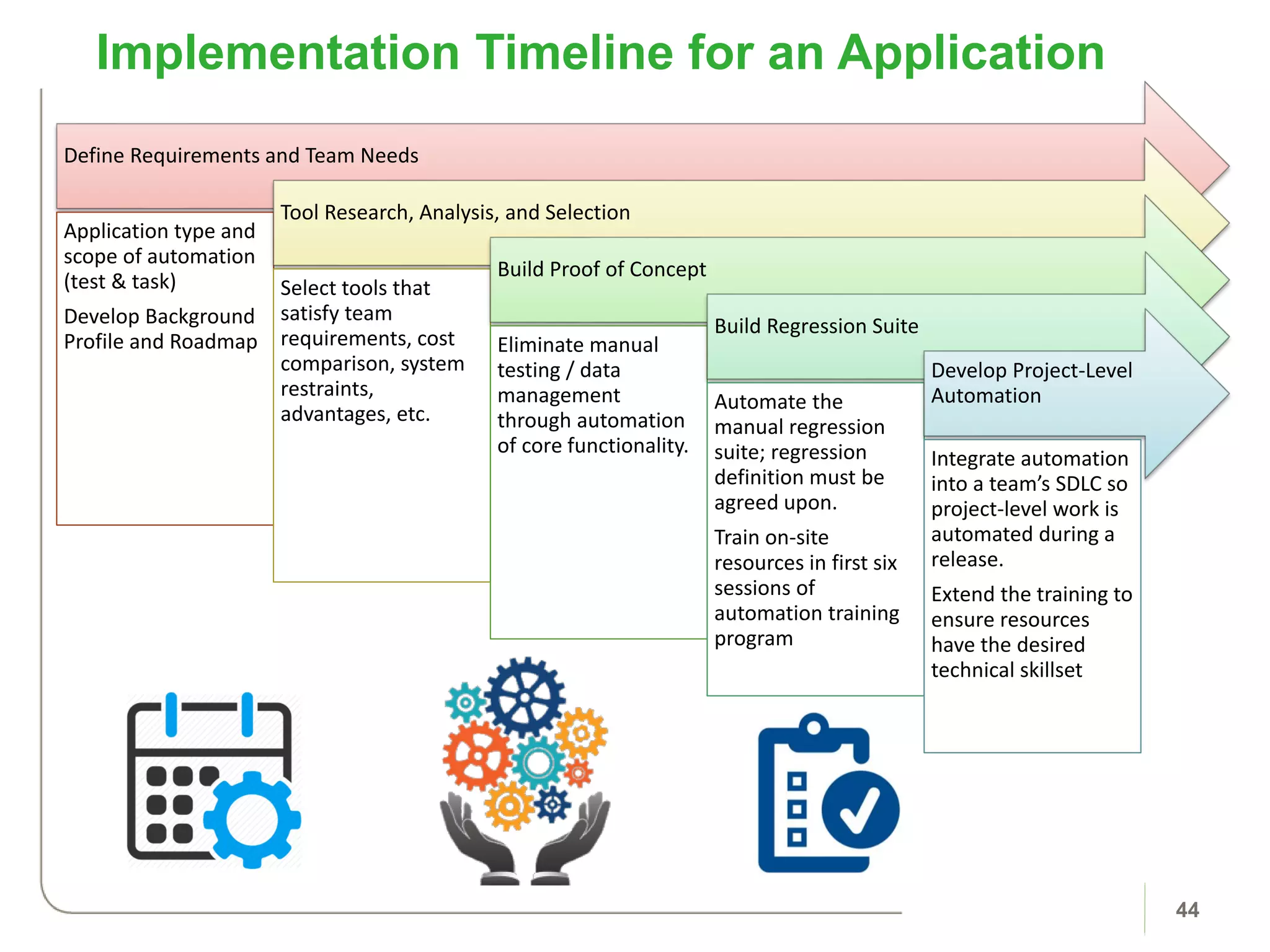
Implementation Timeline for an Application
44
Define Requirements and Team Needs
Application type and
scope of automation
(test & task)
Develop Background
Profile and Roadmap
Tool Research, Analysis, and Selection
Select tools that
satisfy team
requirements, cost
comparison, system
restraints,
advantages, etc.
Build Proof of Concept
Eliminate manual
testing / data
management
through automation
of core functionality.
Build Regression Suite
Automate the
manual regression
suite; regression
definition must be
agreed upon.
Train on-site
resources in first six
sessions of
automation training
program
Develop Project-Level
Automation
Integrate automation
into a team’s SDLC so
project-level work is
automated during a
release.
Extend the training to
ensure resources
have the desired
technical skillset
SDLC Integration
46
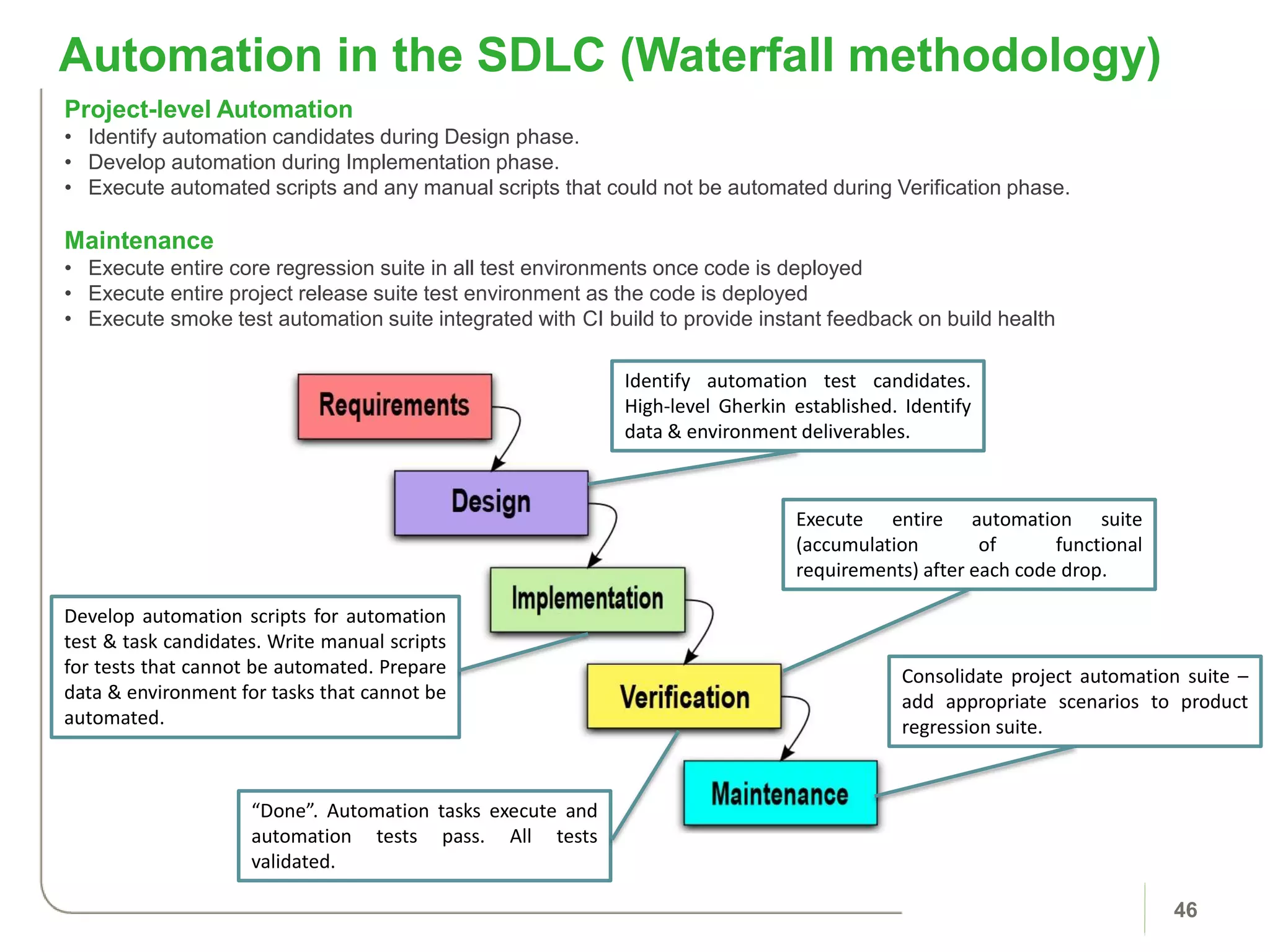
Project-level Automation
• Identify automation candidates during Design phase.
• Develop automation during Implementation phase.
• Execute automated scripts and any manual scripts that could not be automated during Verification phase.
Maintenance
• Execute entire core regression suite in all test environments once code is deployed
• Execute entire project release suite test environment as the code is deployed
• Execute smoke test automation suite integrated with CI build to provide instant feedback on build health
Automation in the SDLC (Waterfall methodology)
Execute entire automation suite
(accumulation of functional
requirements) after each code drop.
Consolidate project automation suite –
add appropriate scenarios to product
regression suite.
Develop automation scripts for automation
test & task candidates. Write manual scripts
for tests that cannot be automated. Prepare
data & environment for tasks that cannot be
automated.
“Done”. Automation tasks execute and
automation tests pass. All tests
validated.
Identify automation test candidates.
High-level Gherkin established. Identify
data & environment deliverables.
47
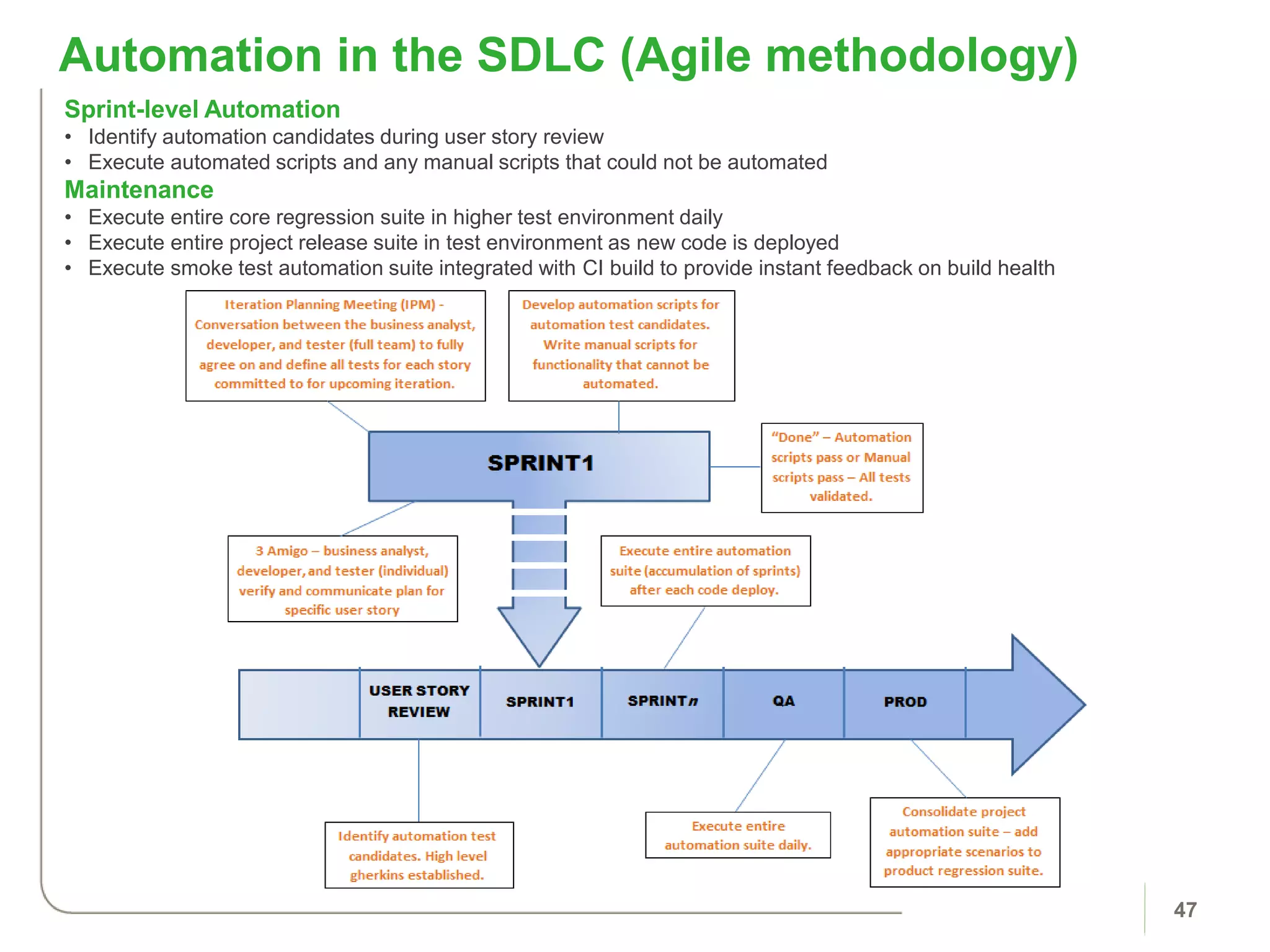
Sprint-level Automation
• Identify automation candidates during user story review
• Execute automated scripts and any manual scripts that could not be automated
Maintenance
• Execute entire core regression suite in higher test environment daily
• Execute entire project release suite in test environment as new code is deployed
• Execute smoke test automation suite integrated with CI build to provide instant feedback on build health
Automation in the SDLC (Agile methodology)
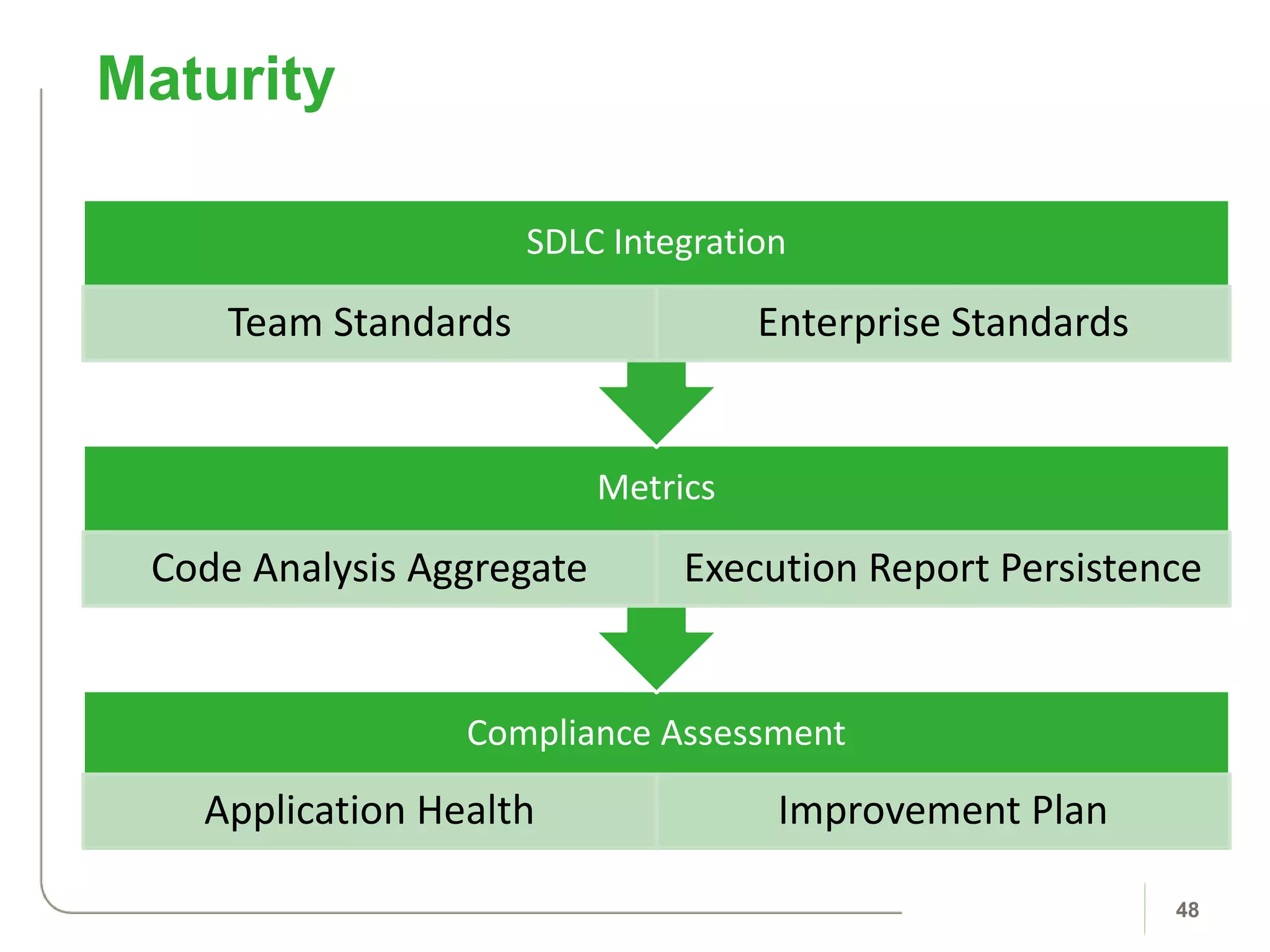
Compliance Assessment
Application Health Improvement Plan
Metrics
Code Analysis Aggregate Execution Report Persistence
SDLC Integration
Team Standards Enterprise Standards
Maturity
48
Questions?
49
Appendix
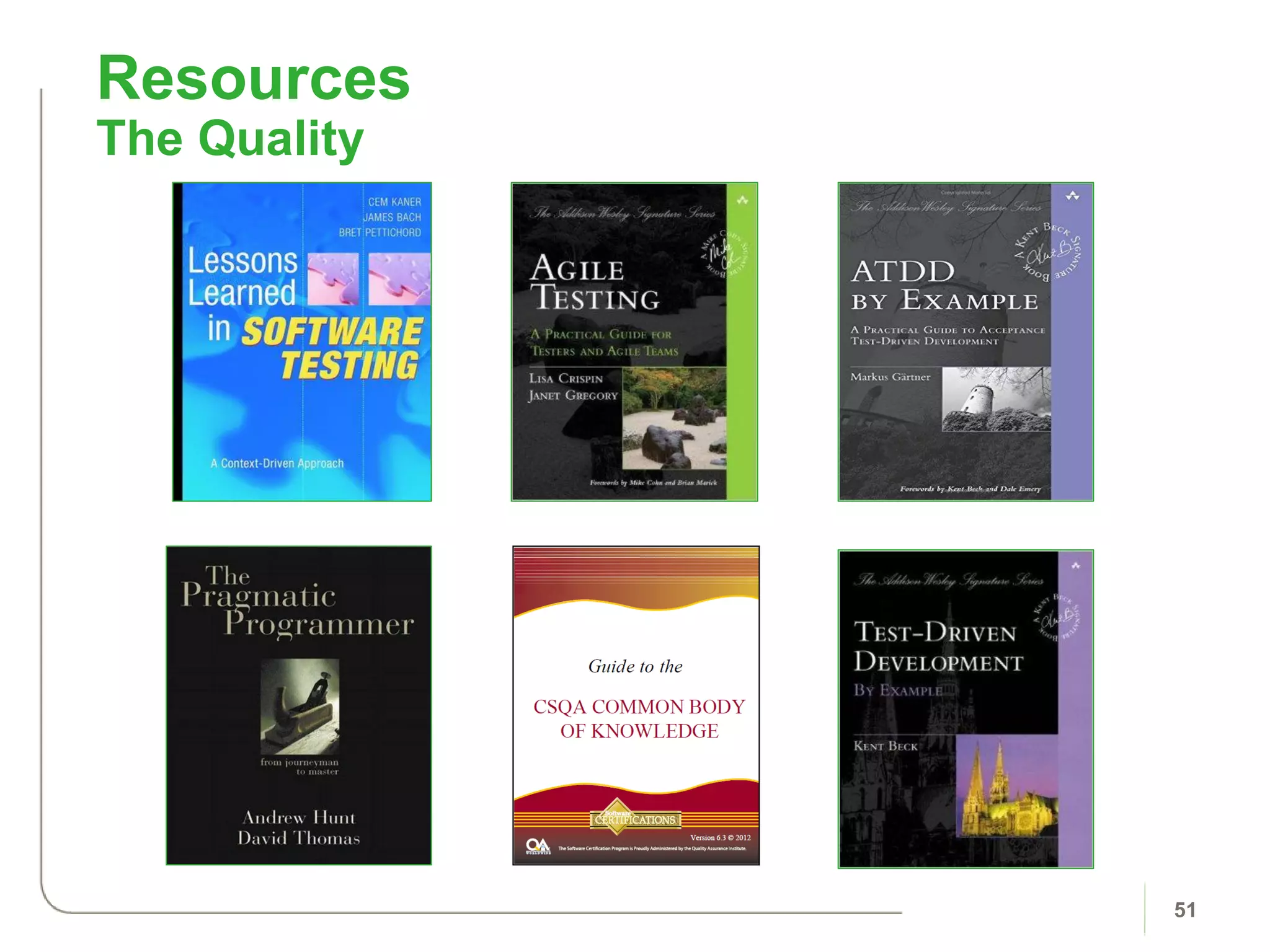
Resources
The Quality
51
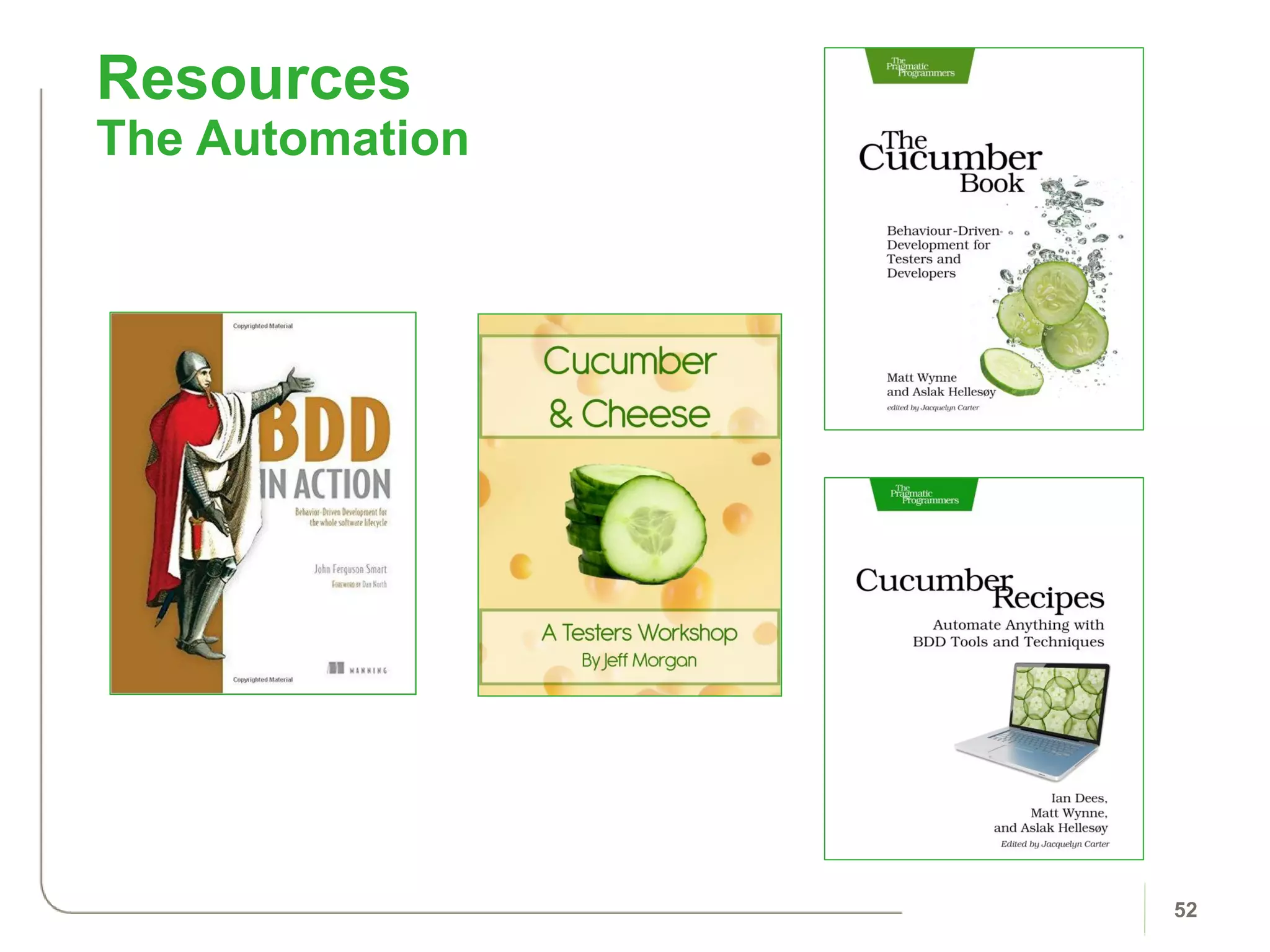
Resources
The Automation
52
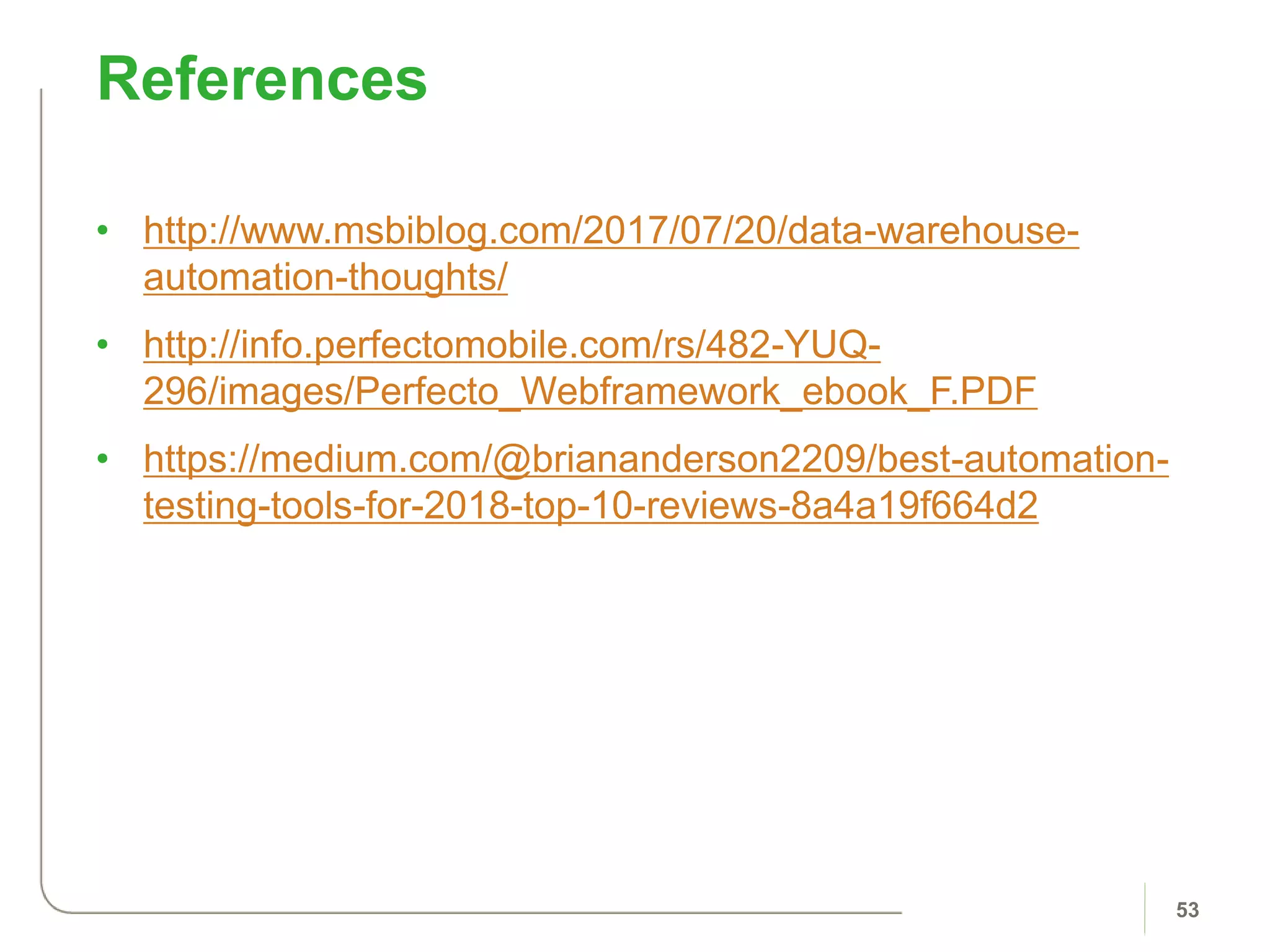
• http://www.msbiblog.com/2017/07/20/data-warehouse-
automation-thoughts/
• http://info.perfectomobile.com/rs/482-YUQ-
296/images/Perfecto_Webframework_ebook_F.PDF
• https://medium.com/@briananderson2209/best-automation-
testing-tools-for-2018-top-10-reviews-8a4a19f664d2
References
53

TLC2018 Thomas Haver: Transform with Enterprise Automation

  • 1.
    Transform Your Organization withan Enterprise Automation Program Thomas Haver Test Leadership Congress 2018-06-05
  • 2.
    • THOMAS HAVER •Senior Application Architect, HNB • Scientist – Fluorescence Microscopy & Spectroscopy • Baker – Panera Bread • Board gamer – World Traveler for Diplomacy • Evangelist for Automation – Ruby-Cucumber About Me 2
  • 3.
    Background Business Case Automation Tool Overview BDDwith Gherkin Invest in People Organization Structure Team Implementation SDLC Integration Agenda 3
  • 4.
  • 5.
  • 6.
  • 7.
    What can weautomate? 7 Web Applications Native (mobile) Applications API / Web Services Windows / Desktop Mainframe Database Systems Utilities
  • 8.
    Web • Legacy internal applicationsfor colleagues • Customer-facing applications • Responsive / Angular Desktop • Legacy internal applications • COTS • Interoperability & Extensibility Database • DB2 • MSSQL • Access • Oracle Tech Stack | Common Profile 8
  • 9.
  • 10.
    Benefits of Automation 10 •Improve frequency of execution • Cross-environment compatible • Extensible • Reduce data & environment preparation time • Reduce repetitive work • Accumulation of scripts Test / Task Coverage Application Quality Time Savings Cost Savings • Bug discovery • Immediate feedback • Reusability of shared services • Continuous Integration • Living Documentation • Shift left in defect fixes • Reduces outside dependency
  • 11.
    Benefits | CommonAreas 11 Metrics • Adobe / Google Analytics • Browser, OS, Device tracking of apps • Monthly usage report to determine Test Plan Coverage Tasks • Test Data generation and manipulation • Environmental setup • Simple CRUD operations API • Read and update defects, resources, requirements, tests, test lab, etc. • QC / ALM • JIRA • TFS
  • 12.
    • Baselining – Thecurrent level of performance • Benchmarking – Comparison of one organization’s process for performing a work task to another organization’s process, for the purpose of finding best practices that will help define superior performance of a product, service or support process. Baselining and Benchmarking 12
  • 13.
    • Performing ananalysis/study to determine the current level of performance in a specific area. • Baselines should be quantitative and describe multiple attributes of a process. • Examples: – Defect rates – Colleague allocation per project – Productivity – Automation profile Baselines Defined 13
  • 14.
    • A benchmarkingis determined by comparison to another organization. – For example, Quality Practice compared to other Quality Practices with similar organizations • Goal: have an established baseline measurement to ensure the other organization’s baseline is comparable. – For example, the definition of a defect cost across organizations Benchmarking 14
  • 15.
    Develop Clear Baseline •All attributesof a baseline are defined. Identify Competing Organizations •Benchmark against same Industry, leading organizations, technologies, culture, etc. Compare Baseline Calculations •Compare your company against the company being benchmarked. Identify Cause of Variance •Determine source of different, then develop action plan. Benchmarking 15
  • 16.
  • 17.
  • 18.
    • The goalis choosing tools matching both organizational and technical criteria. Automation Tools 18
  • 19.
    Project Complexity •How complexare the systems under test? •Are APIs and extensions required? Resources •Does the team possess the skills and resources to accomplish the objective? •What are the budget constraints? •What is the time frame for the project? (ramp-up, available support, documentation, and execution speed) •Is this work reusable? Existing Tech Stack •What kinds of development framework is the system under consideration built upon? Test Environment •What are the testing environment requirements? •Are performance metrics required? •Are personas required to mimic RBA? Test Types / Practices •What are the quality criteria for the project? •What are the testing types or task types required? •How effective is the tool at building an object repository and identifying reusable components? •Is the tool capable of visual validation or responsive applications? Reporting •What kind of reports and dashboards need to be provided to developers, testers, and management? Organizational Fit 19 Eran Kinsbruner, “The Digital Quality Handbook”
  • 20.
    Community Size, Support, and Documentation SDLCProcess Fit (Integration, Plugins, Dev Methodology fit) Feedback Loop and Reporting Cloud and Automation at Scale Automation Coverage Automation Robustness and Maintainability Technical Fit 20
  • 21.
    Sample Automation 21 Aslak Hellesoycreated Cucumber to support BDD/ATDD. “The idea was to combine automated tests, functional requirements and software documentation into one format that would be understandable by non-technical people as well as testing tools.”
  • 22.
    Sample UI Automation| Selenium 22 • Selenium Webdriver is a popular, open-source testing framework for web applications.
  • 23.
  • 24.
    24 Automation Tool Overview •Scenarios • Step Definitions • Object Classes • Page • Screen • Table • Service • External Data • Reporting • Selective Execution (Tags) • Cross Environment Sustainability
  • 25.
    25 Requirement Traceability Feature Namein Automation suite = Folder/Subfolder Name in QC / TFS / JIRA Scenario Name in Automation suite = Test Name in QC / TFS / JIRA Each scenario is also tagged with the matching QC / TFS / JIRA Test Case ID
  • 26.
  • 27.
    Jenkins – ContinuousIntegration 27 Jenkins an automation server to support building, deploying, and automating projects. Jobs are setup to execute test automation across any combination of: - Environment (int, qa, prod, etc.) - Feature (regression, smoke, etc.) - Browser (IE, Safari, etc.) - Device (desktop, tablet, smartphone) - Timeline (24/7 execution) Full test results in HTML format are available in a common shared workspace Jobs are setup to execute test automation across any combination of: - Environment (dev, qa, prod, etc.) - Feature (regression, smoke, etc.) - Browser (IE, Safari, Chrome, etc.) - Device (desktop, tablet, smartphone) - Timeline (24/7 execution) Full test results in HTML format are available in a common shared workspace
  • 28.
  • 29.
    • BDD promotesrequirements by example, collaboration, lower cost in resolving defects, and automation in the form of business value. Behavior Driven Development 29
  • 30.
    Gherkin is abusiness readable, Domain Specific Language created specifically for behavior descriptions (BDD/ATDD). 30 Requirements TestsExamples Become VerifyElaborate
  • 31.
    Gherkin is abusiness readable, Domain Specific Language created specifically for behavior descriptions (BDD/ATDD). 31 User Story • As a [type of user] • I want [some particular feature] • so that [some benefit is received] Gherkin Scenario • Given some initial context • When an event occurs • Then ensure some outcome(s)
  • 32.
    • BDD requirespeople to work together to create the requirements / tests. All roles balance each other. Encourages Collaboration 32
  • 33.
  • 34.
  • 35.
    • Focus ondeveloping internal talent and recruiting up-and- coming talent. – Internship Program, Co- Op, & Entry-level hire – Mentorship opportunities – Guidance for managers to define automation objectives – Opportunities to acquire new skillset and engage in next-level job activities Automation | Career Roadmap 35 Enterprise Automation Segment Champion Automation Developer Intern Co-Op Entry-Level
  • 36.
    36 Core Automation TrainingOverview 1st phase 0: Automation Workspace Setup & Framework Overview 1: Project Suite Updates & Tagging/Executing Automation Tests 2: Gherkin: Features & Scenarios 3: Step Definitions & Helper Modules 4: Object & Data Files 5: Automation Standards & Practices 2nd phase 6: Advanced Gherkin: Outlines, Backgrounds, Data Tables 7: Continuous Integration with Jenkins 8: Data Management & Databases 9: Passport Mainframe 3rd phase 10: Ruby: Basics I (Classes, Objects, Variables) 11: Ruby: Basics II (Conditionals, Loops, Methods) 12: Ruby: Basics III (Arrays, Hashes, Strings) 13: Ruby: Basics IV (Date/Time, Ranges, Iterators) 4th phase 14: Ruby/Cucumber: Debugging and Code Reviews 15: Ruby Tools: Regular Expressions 16: Ruby Tools: Spreadsheets 17: Ruby/Cucumber: Hooks 18: Ruby/Cucumber: Refactoring and Code Metrics
  • 37.
    Automation Library Series LanguageEssentials Series Exploratory Testing Agile / Scrum and Six Sigma Software Quality Analyst (CSQA) Software Tester (CSTE) Supplemental Training 37
  • 38.
    Book Club 38 • TheBook Club should be a regularly scheduled lunchtime meeting of professionals. As a group, the Book Club will select, read, and discuss books relevant to a profession. • Why? – Reading technical books is a great way to improve. It allows us to absorb new ideas and approaches. Collaborating on continuing education will help us to innovate and improve our work processes, and to get incrementally better every day. 2017 2018
  • 39.
  • 40.
    Enterprise Automation Structure 40 EnterpriseAutomation Team • Enterprise Automation is comprised of Architects who each focus on specific application technology (web, mobile, mainframe, database, etc.) to ensure coverage across the entire enterprise technology stack. • Coordination with key personnel to drive the following: • Automation Strategy (Enterprise Architecture) • Tools & Technical Integration (Solution Architect) • Training & Continuous Improvement (Career Development) • Governance & Guidance documentation (Enterprise Quality) • Lead Automation Review Board meeting for all automation architects • Automation Infrastructure (Automation Architect on business segment) upgrades and compliance • Test Script Development Process (QA Manager on business segment) • Data & Environment Task Script Process (Technical Lead on business segment) • Cross-segment Project Impact Analysis and Solutions Enterprise Automation Segment Champion Automation Developer Automation Developer Automation Developer Governance & Guidance Delivery & Status Test & Task Development
  • 41.
    Business Segment AutomationStructure 41 Automation Architect (Segment Champion) • Reports directly to the Segment Leader • Technical Resource for all members (on-site and off-shore) in segment. • Responsible for Code Reviews & Refactoring Sessions of all automation scripts. • Responsible for project suite execution and analysis by CI server. • Framework maintenance from technology upgrades by Enterprise Automation. • Training Sessions (team-centric). • Documentation (technical, processes, etc.). • Attend weekly automation meetings with other architects and enterprise automation. • Capable of project-level work as needed to deliver. Digital Example Legacy Webapp Responsive WebApp Legacy Webapp #2 Legacy WebApp #3 Mobile Automation Architects are placed within business segments to ensure strong communication and alignment of goals. Architects (SMEs) are coordinated by Enterprise Automation, who are responsible for driving the standards & practices for the Enterprise.
  • 42.
    Segment-to-Segment Coordination 42 Digital Example Legacy Webapp Responsive WebApp Legacy Webapp #2 Legacy WebApp #3 Mobile Internal Example COTS#1 COTS #2 Internal Webapp Internal Desktop Data Example Data Management Data Warehouse Automation coverage of both Business Segment and Application. • Identify shared services (i.e., delivery pain points) • Establish QA coverage of applications with no QA. • Establish data management automation and environment setup pipeline.
  • 43.
  • 44.
    Implementation Timeline foran Application 44 Define Requirements and Team Needs Application type and scope of automation (test & task) Develop Background Profile and Roadmap Tool Research, Analysis, and Selection Select tools that satisfy team requirements, cost comparison, system restraints, advantages, etc. Build Proof of Concept Eliminate manual testing / data management through automation of core functionality. Build Regression Suite Automate the manual regression suite; regression definition must be agreed upon. Train on-site resources in first six sessions of automation training program Develop Project-Level Automation Integrate automation into a team’s SDLC so project-level work is automated during a release. Extend the training to ensure resources have the desired technical skillset
  • 45.
  • 46.
    46 Project-level Automation • Identifyautomation candidates during Design phase. • Develop automation during Implementation phase. • Execute automated scripts and any manual scripts that could not be automated during Verification phase. Maintenance • Execute entire core regression suite in all test environments once code is deployed • Execute entire project release suite test environment as the code is deployed • Execute smoke test automation suite integrated with CI build to provide instant feedback on build health Automation in the SDLC (Waterfall methodology) Execute entire automation suite (accumulation of functional requirements) after each code drop. Consolidate project automation suite – add appropriate scenarios to product regression suite. Develop automation scripts for automation test & task candidates. Write manual scripts for tests that cannot be automated. Prepare data & environment for tasks that cannot be automated. “Done”. Automation tasks execute and automation tests pass. All tests validated. Identify automation test candidates. High-level Gherkin established. Identify data & environment deliverables.
  • 47.
    47 Sprint-level Automation • Identifyautomation candidates during user story review • Execute automated scripts and any manual scripts that could not be automated Maintenance • Execute entire core regression suite in higher test environment daily • Execute entire project release suite in test environment as new code is deployed • Execute smoke test automation suite integrated with CI build to provide instant feedback on build health Automation in the SDLC (Agile methodology)
  • 48.
    Compliance Assessment Application HealthImprovement Plan Metrics Code Analysis Aggregate Execution Report Persistence SDLC Integration Team Standards Enterprise Standards Maturity 48
  • 49.
  • 50.
  • 51.
  • 52.
  • 53.
    • http://www.msbiblog.com/2017/07/20/data-warehouse- automation-thoughts/ • http://info.perfectomobile.com/rs/482-YUQ- 296/images/Perfecto_Webframework_ebook_F.PDF •https://medium.com/@briananderson2209/best-automation- testing-tools-for-2018-top-10-reviews-8a4a19f664d2 References 53