TIPS AND
STRATEGIES
FOR EFFECTIVE
WEB
SEARCHING
Gwen Harris
(March 26, 2012)
AGENDA – EAC - TORONTO

1. thinking person's approach to search
2. 5 features to make you a power Google
   user
3. 3 methods to get good results faster
4. a few alternative search engines
THINKING FIRST
WORDS MATTER

 Order of words makes a difference in results
  ranking. Natural phrasing is better because ...
 A rare term finds rare items, scientific terms
  find scientific papers, medical … legal ...
 Context words will disambiguate the meaning.
 Stock terms identify the type of document you
  want.
 What do you expect from the words you use?
CONCEPTS MATTER

 Primary / dominant concept – what is your
  core topic?
 Secondary concept – what modifies or supports
  the core topic? What do you want to know
  about it?
 Does anything connect these concepts?
 Work outwards – flex one concept at a time –
  add another concept to refine.
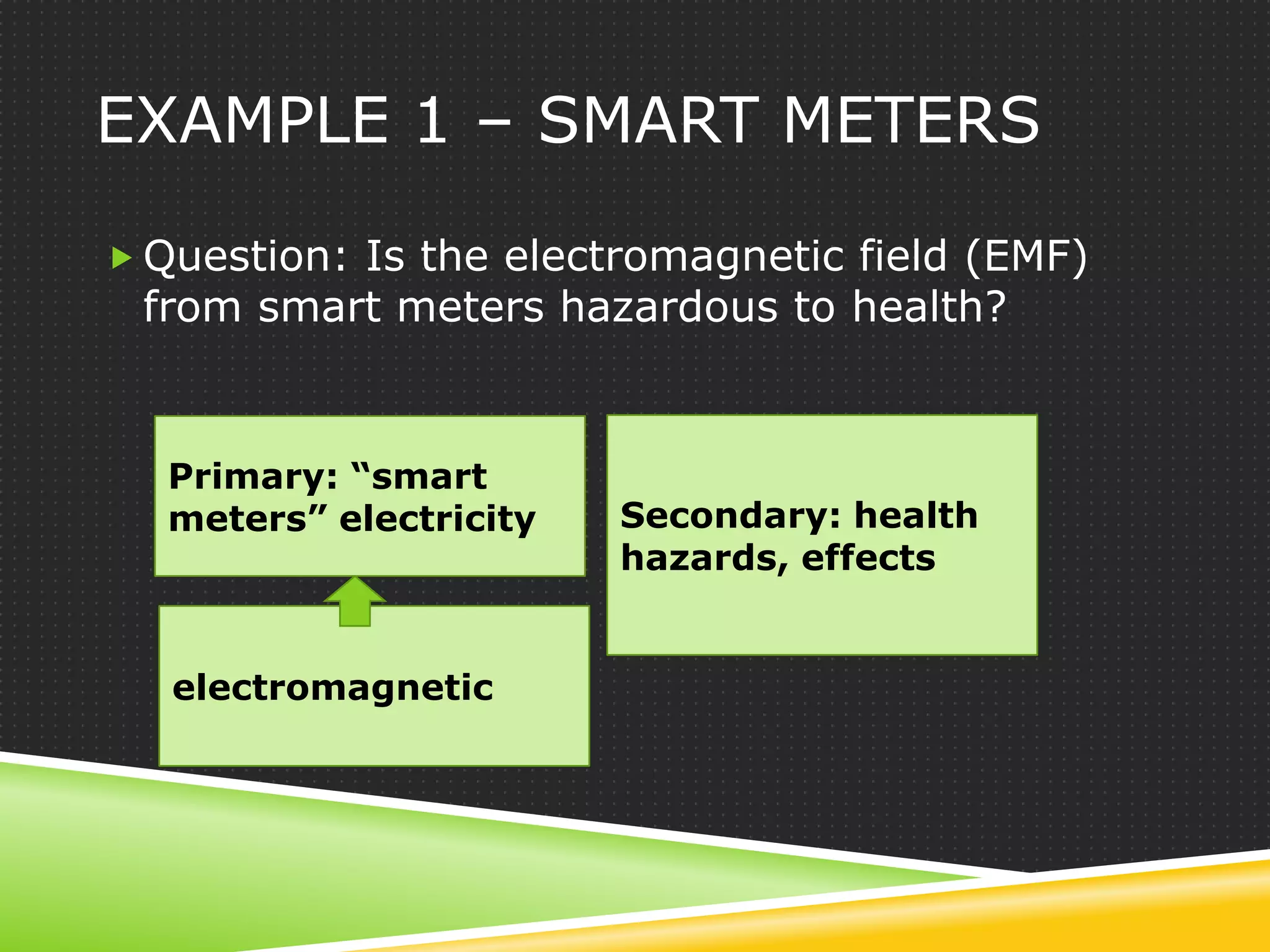
EXAMPLE 1 – SMART METERS

 Question: Is the electromagnetic field (EMF)
 from smart meters hazardous to health?


  Primary: “smart
  meters” electricity   Secondary: health
                        hazards, effects


   electromagnetic
EXAMPLE 1 - QUERIES

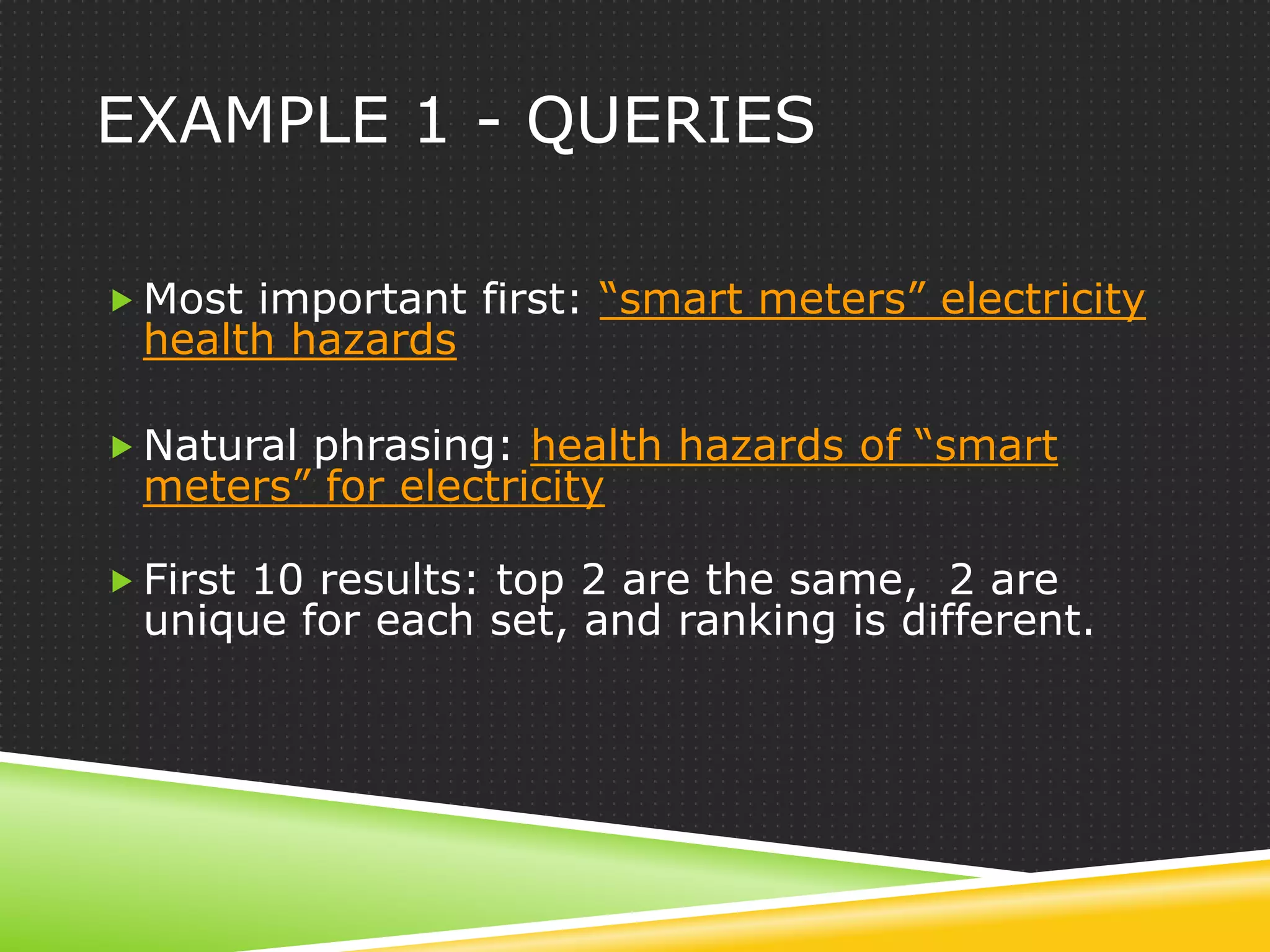
 Most important first: “smart meters” electricity
 health hazards

 Natural phrasing: health hazards of “smart
 meters” for electricity

 First 10 results: top 2 are the same, 2 are
 unique for each set, and ranking is different.
EXAMPLE 2 – BICYCLE PATHS

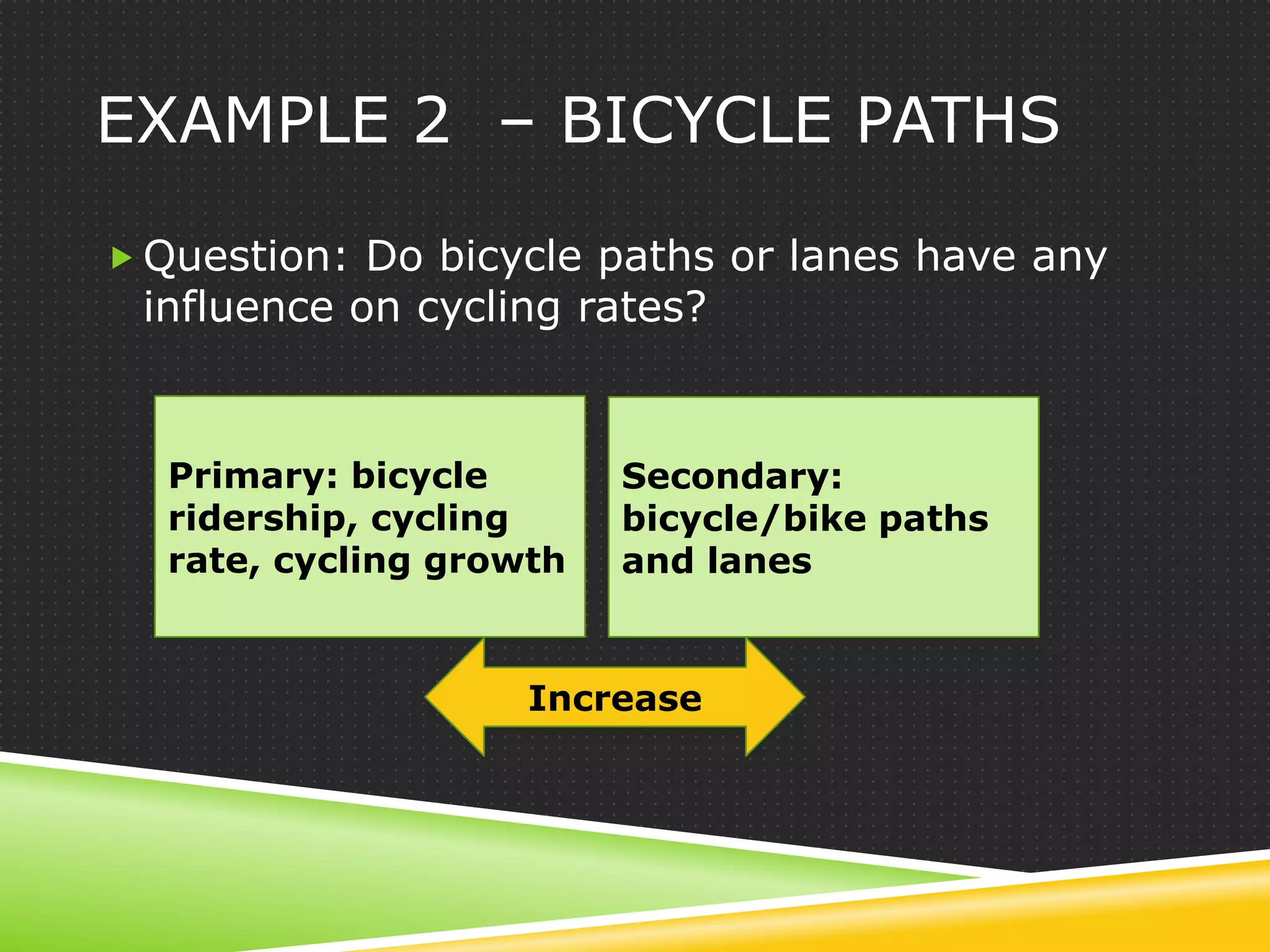
 Question: Do bicycle paths or lanes have any
 influence on cycling rates?


  Primary: bicycle       Secondary:
  ridership, cycling     bicycle/bike paths
  rate, cycling growth   and lanes


                    Increase
EXAMPLE 2 - QUERIES

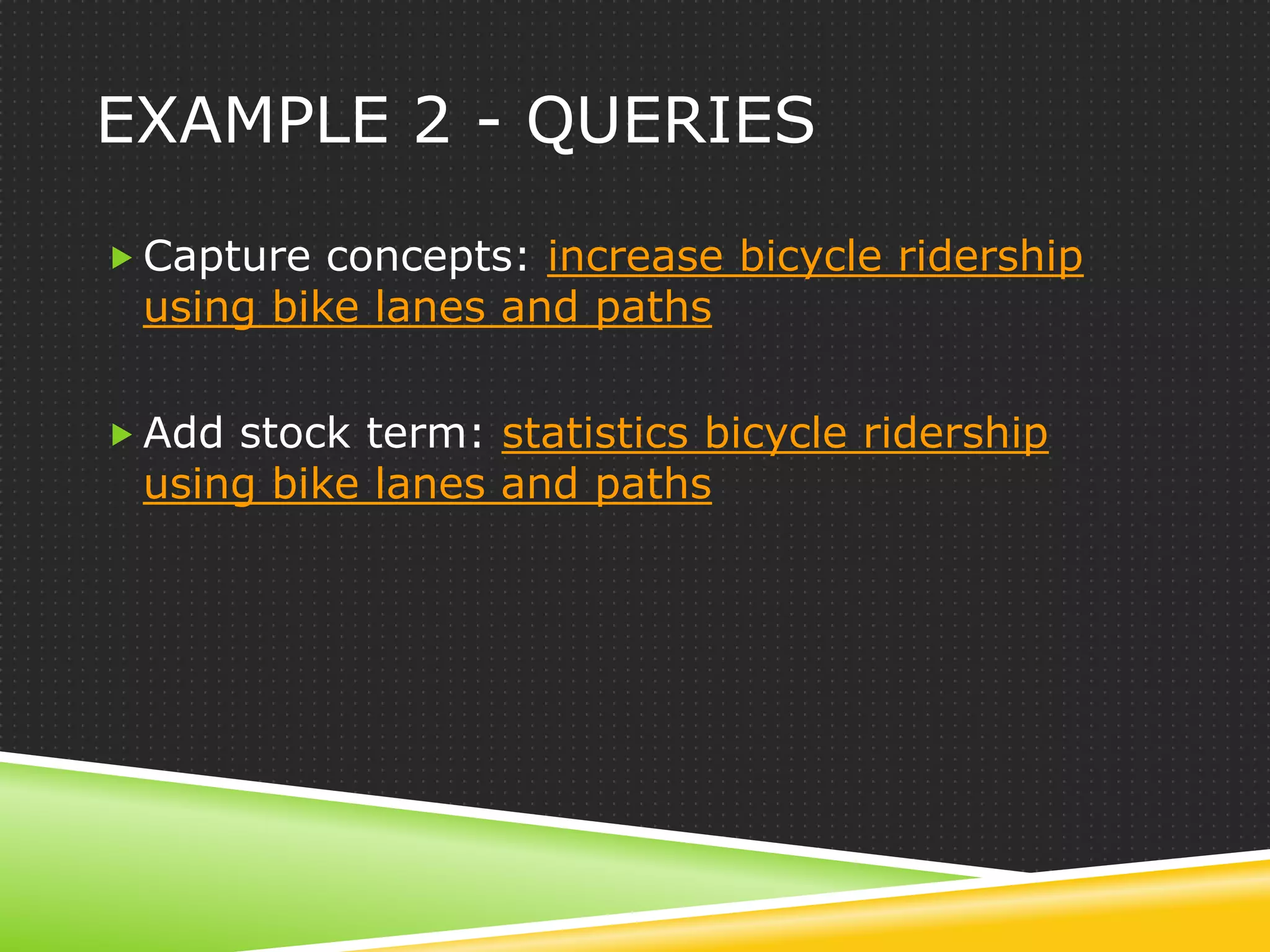
 Capture concepts: increase bicycle ridership
 using bike lanes and paths

 Add stock term: statistics bicycle ridership
 using bike lanes and paths
QUOTING A STUDENT

 Once you have identified (at least provisionally)
 the primary and secondary concepts involved in
 a search you are in a position to do two things:
 you can manipulate the words you are using to
 search for the concepts and you can apply
 other strategies to focus on particular instances
 of the concepts.
5 FEATURES AT GOOGLE
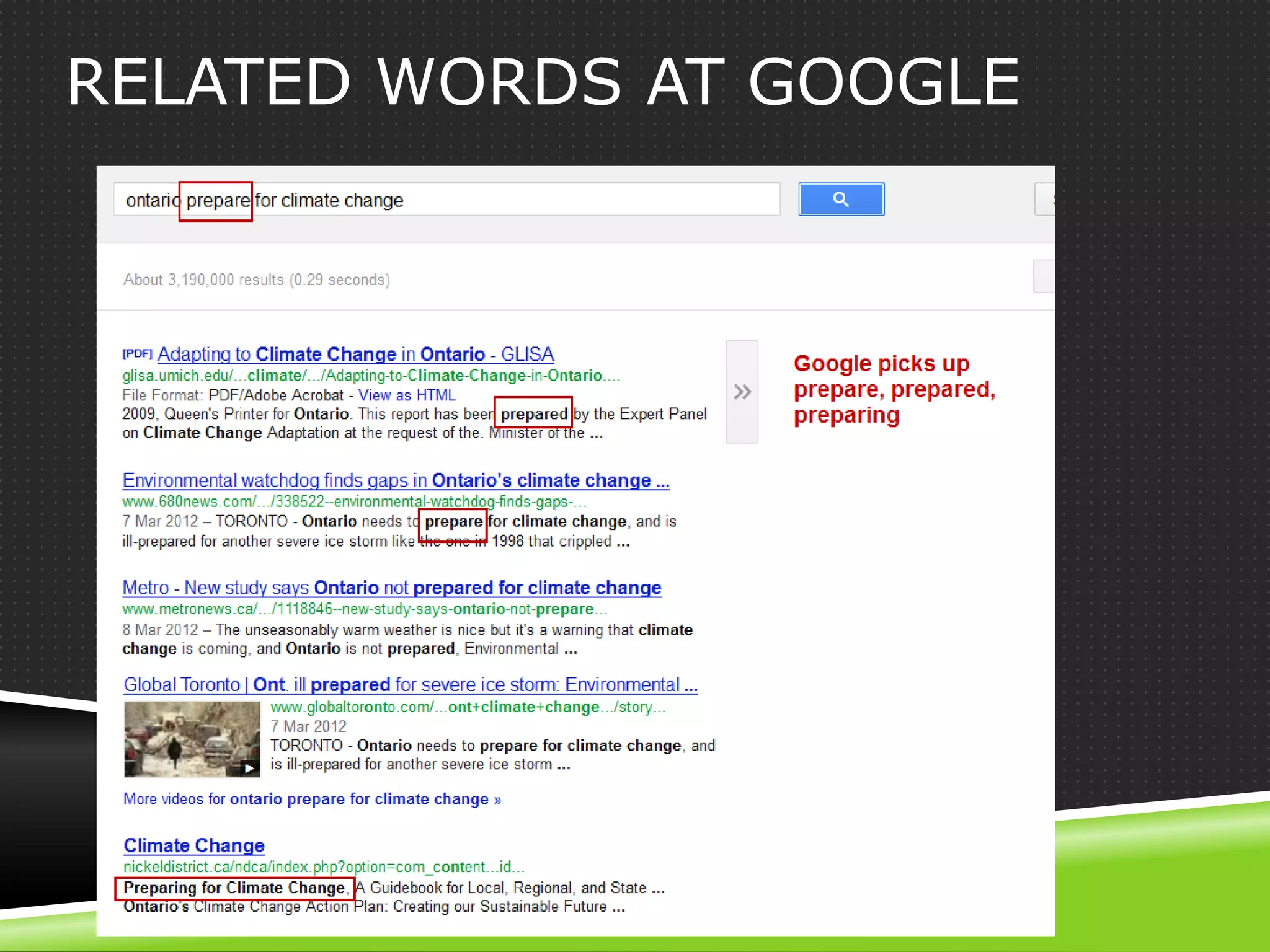
RELATED WORDS AT GOOGLE
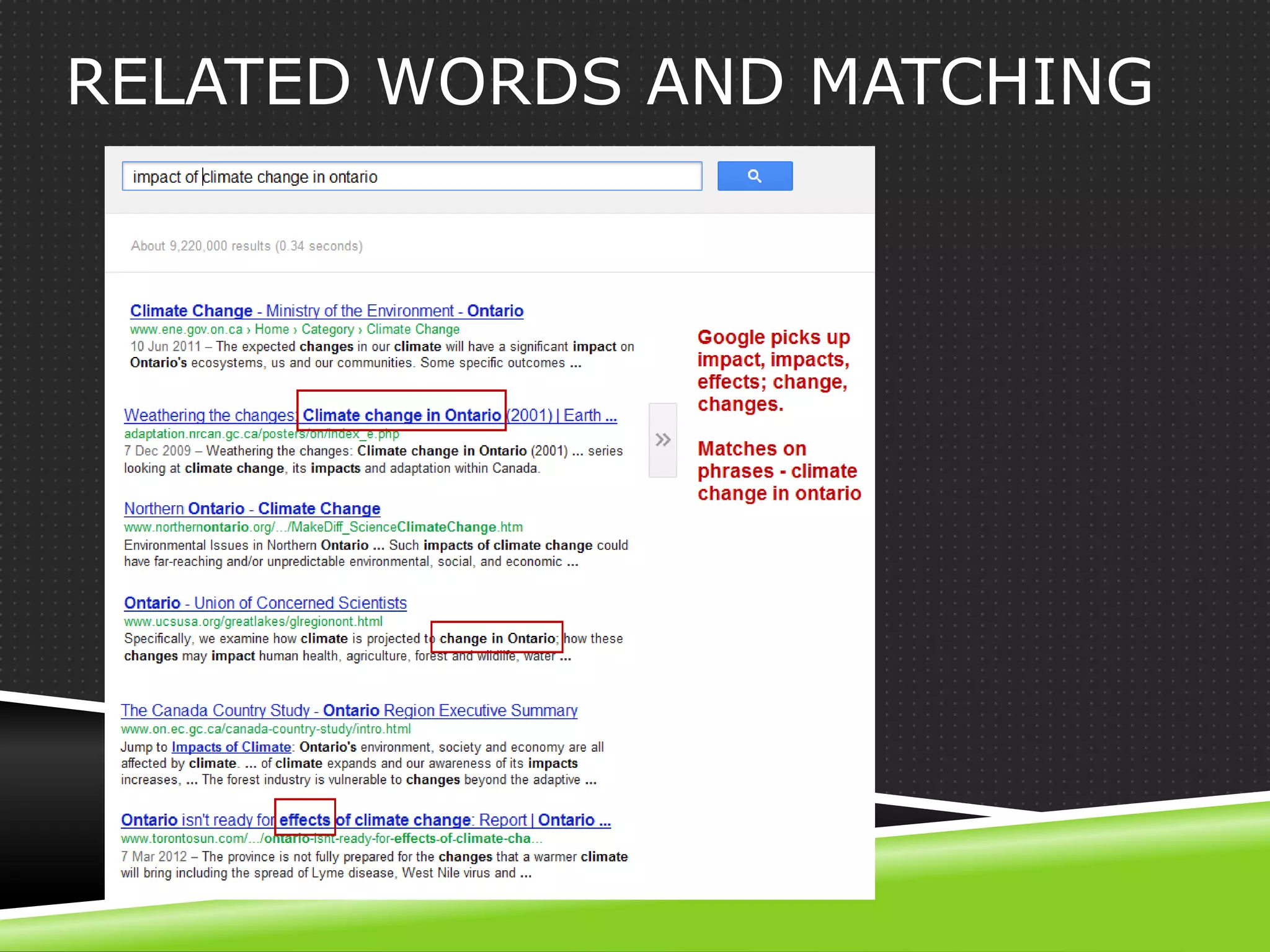
RELATED WORDS AND MATCHING
TIPS ON USING RELATED WORDS

 All search engines do word variants to some
  degree. But Google is best at it.
 Engine retrieves and ranks results with the
  expanded word set.
 Watch for bolded words – you may not want
  some.
 Think about the words – there may be another
  you want to use – eg preparedness.
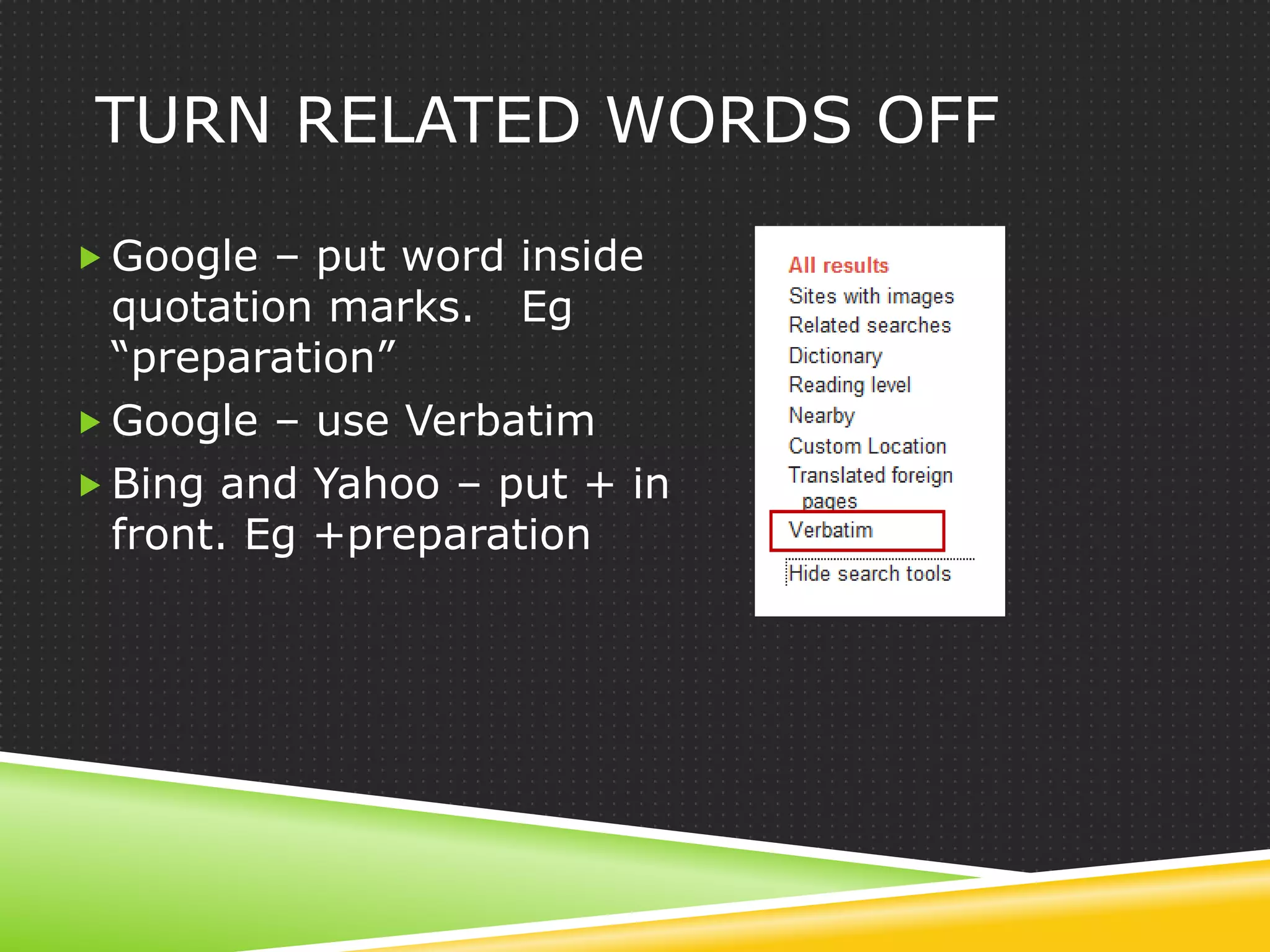
TURN RELATED WORDS OFF

 Google – put word inside
  quotation marks. Eg
  “preparation”
 Google – use Verbatim
 Bing and Yahoo – put + in
  front. Eg +preparation
5 UNIQUE FEATURES TO GOOGLE

1. Highly semantic – as we have seen
2. Tilde ~ the synonym operator
3. * as wildcard and proximity operator
4. Number range
5. Judge a page by its images
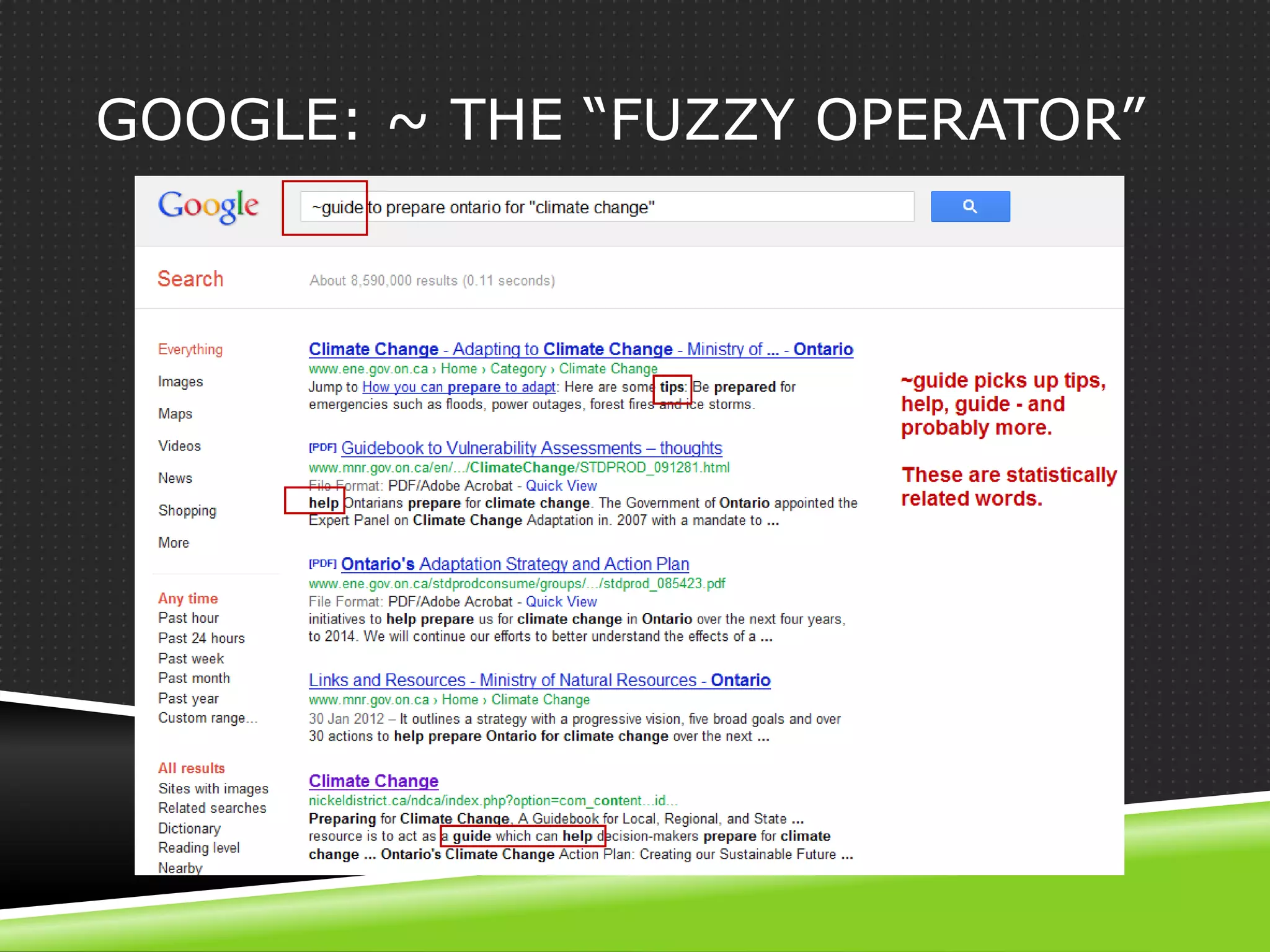
GOOGLE: ~ THE “FUZZY OPERATOR”
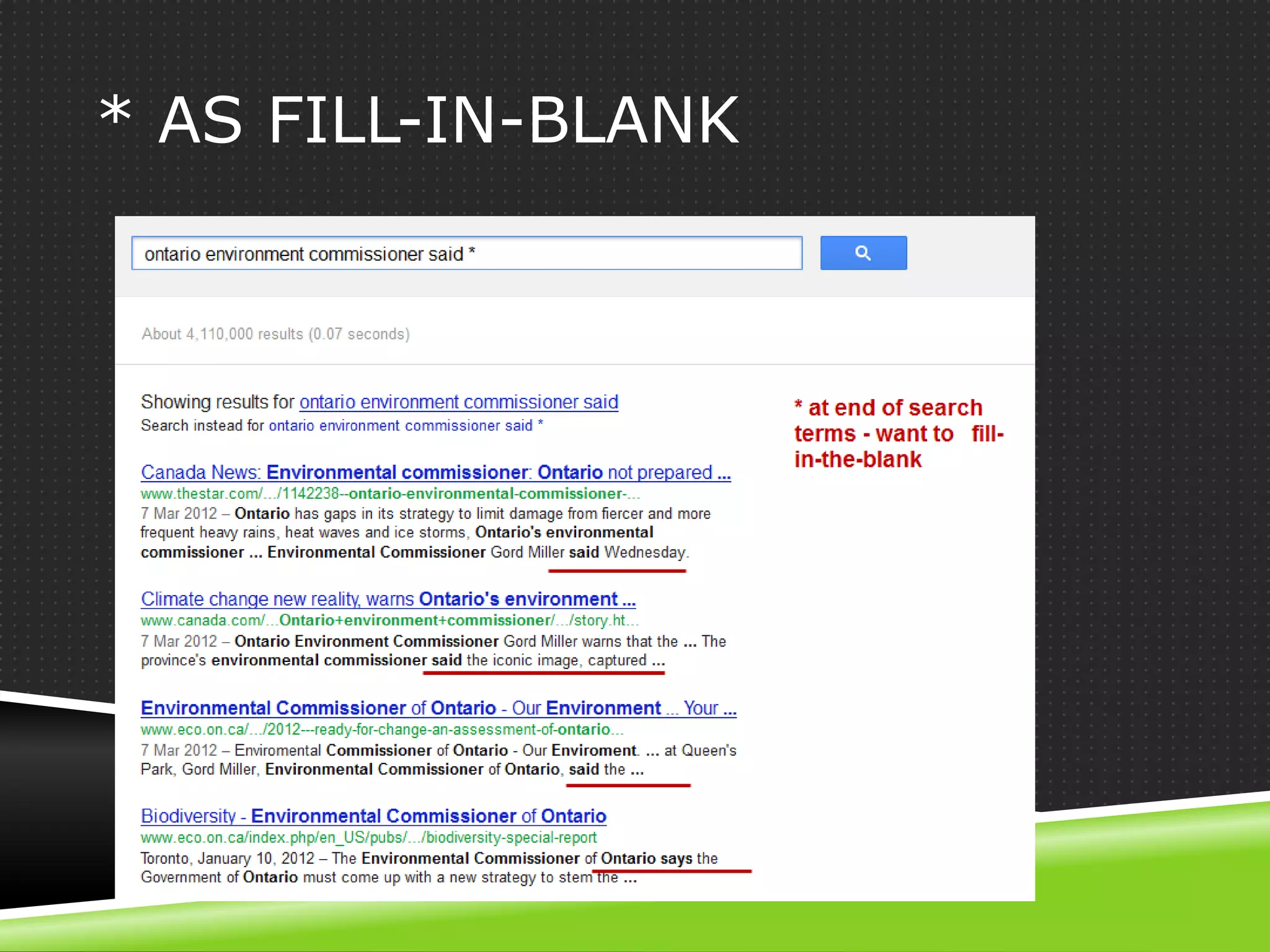
* AS FILL-IN-BLANK
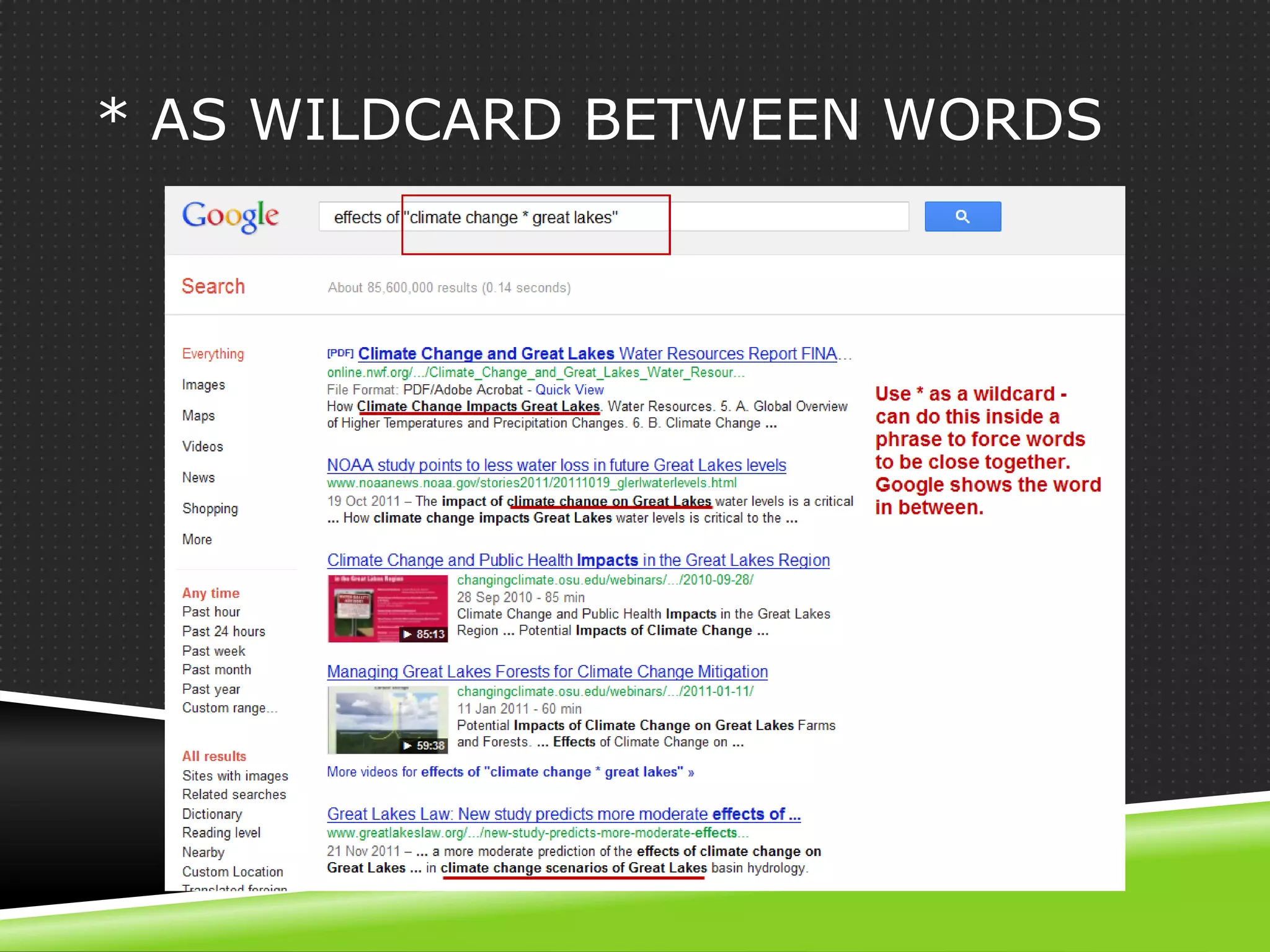
* AS WILDCARD BETWEEN WORDS
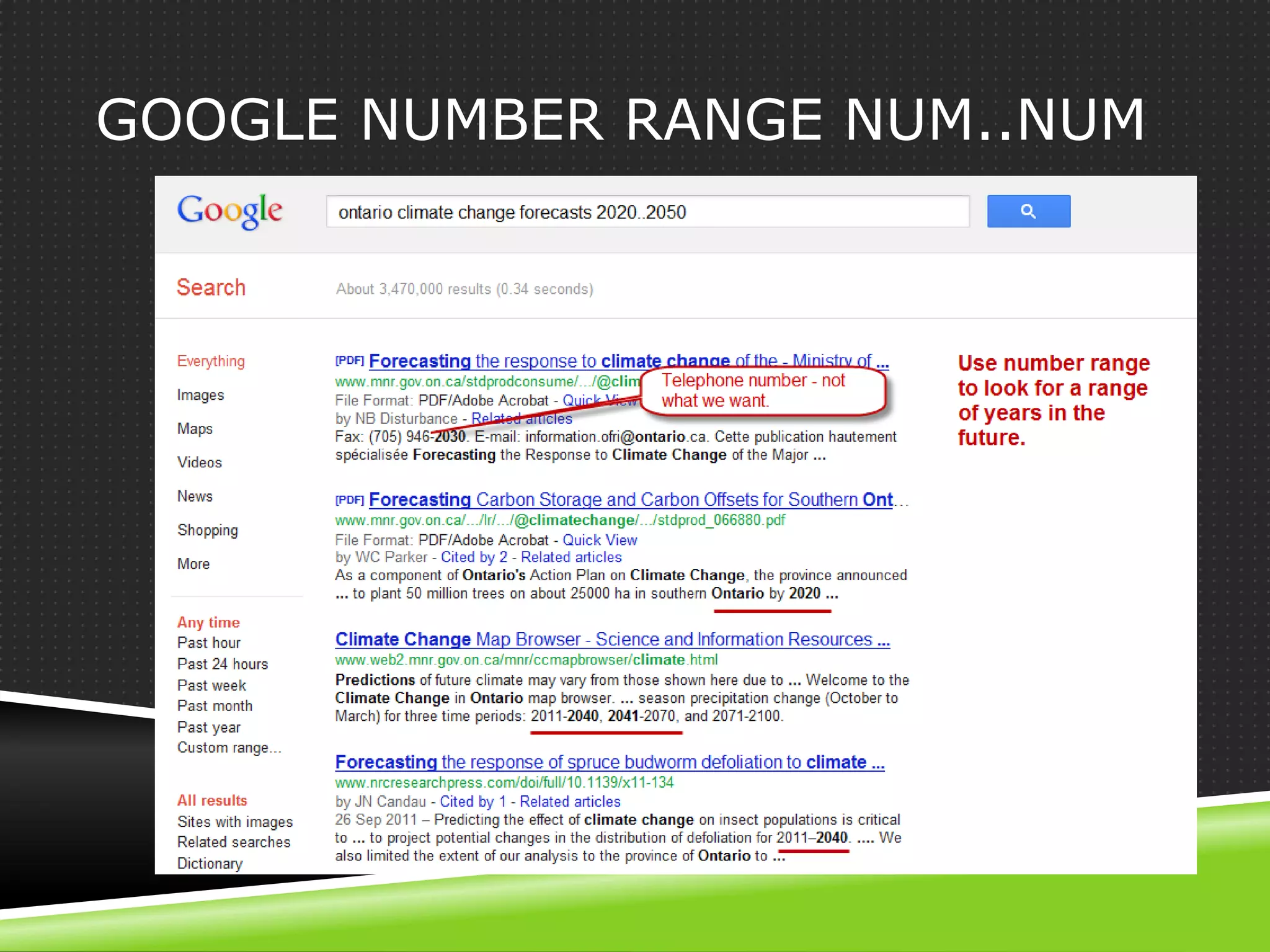
GOOGLE NUMBER RANGE NUM..NUM
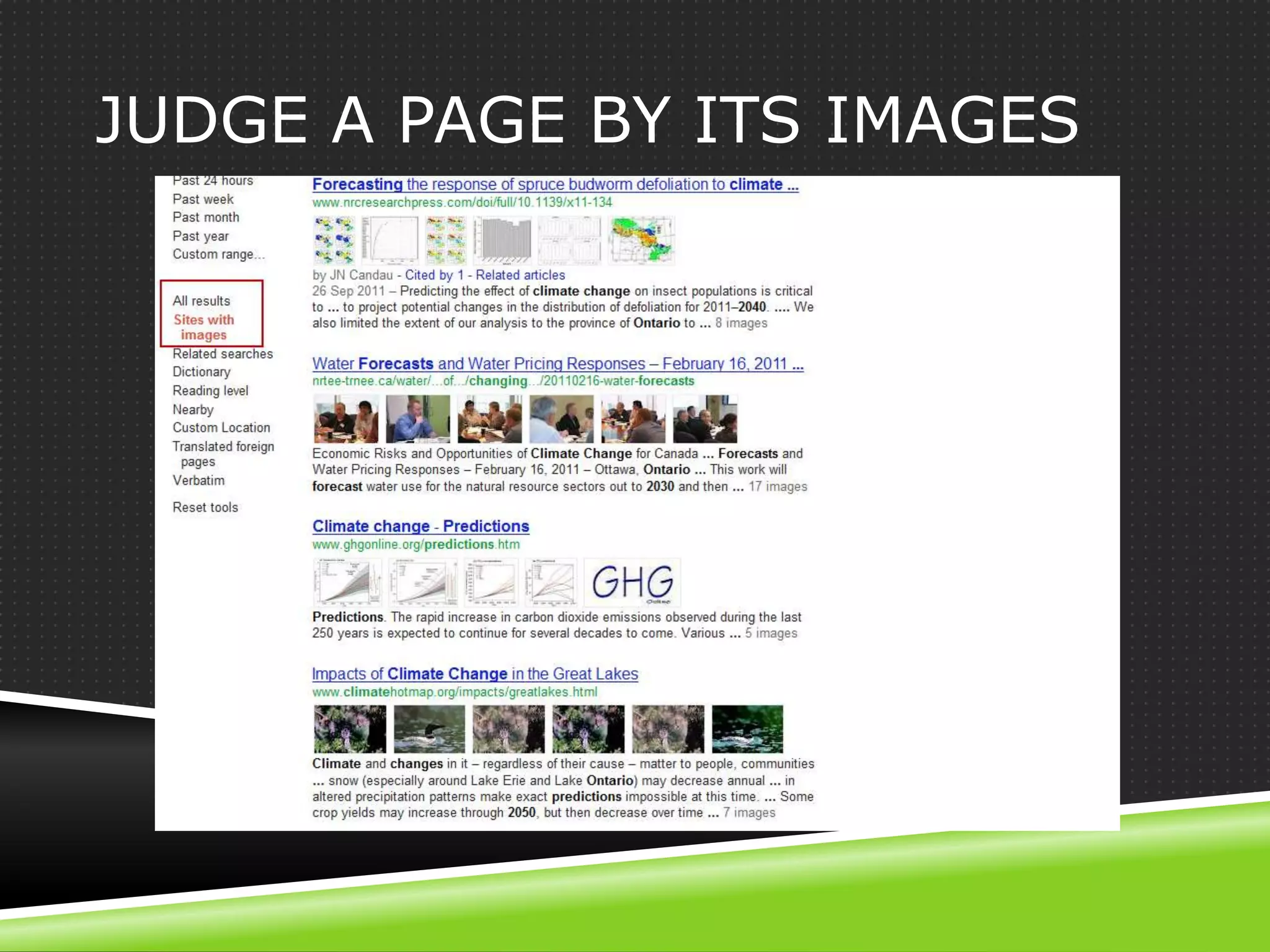
JUDGE A PAGE BY ITS IMAGES
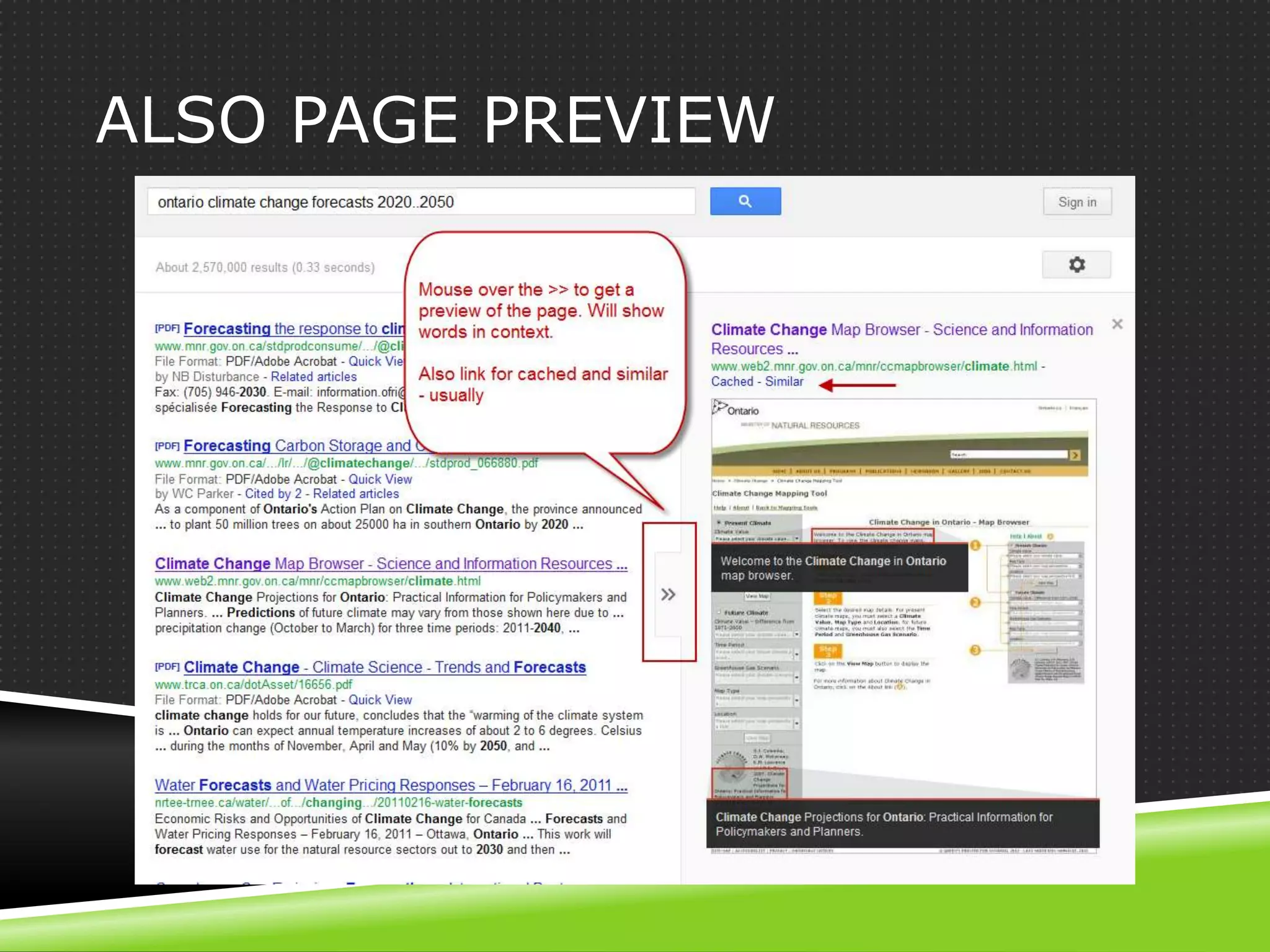
ALSO PAGE PREVIEW
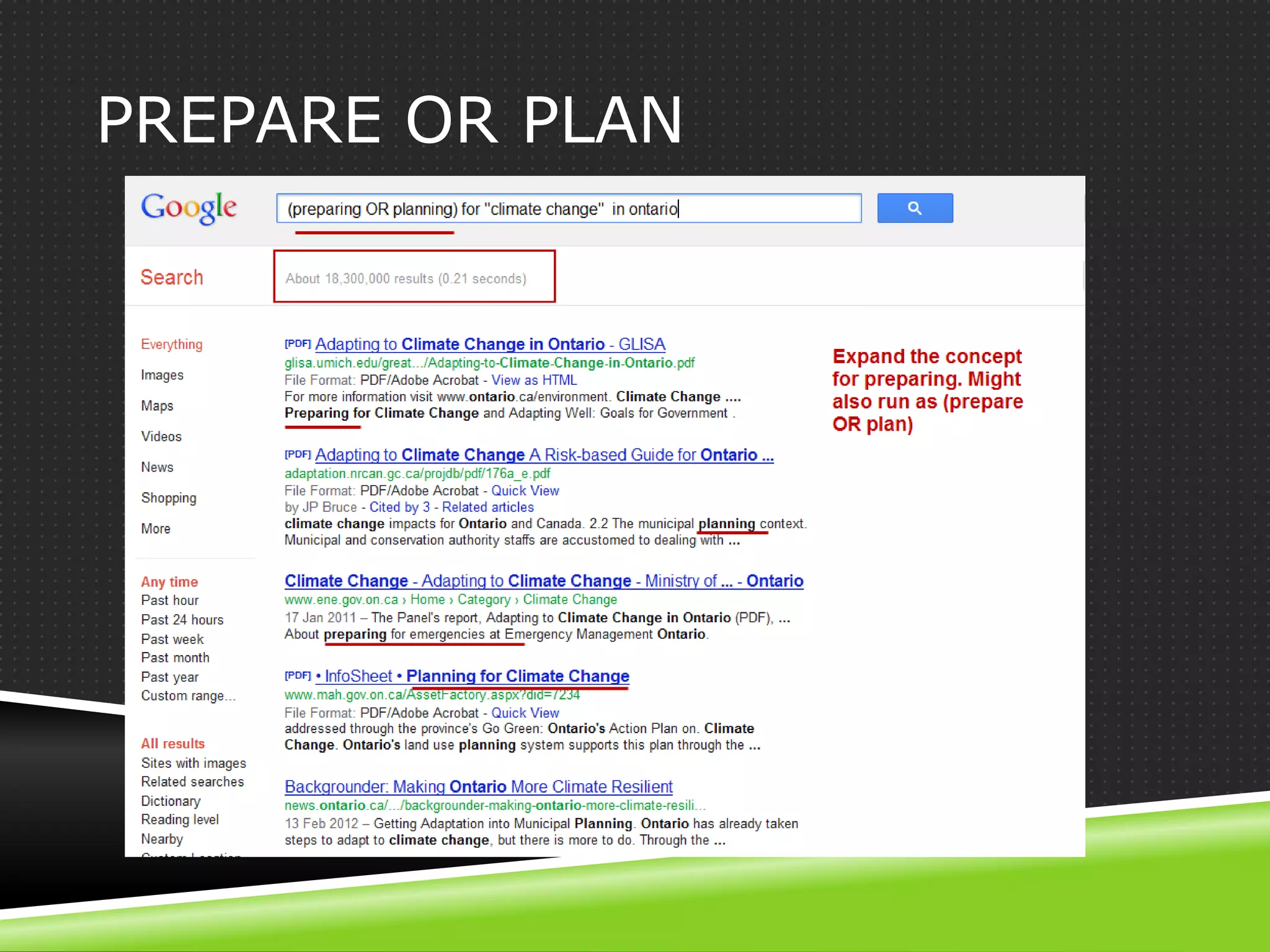
USING OR

 Why: to expand a concept.
 When: after you have a sense of the search
  results and have identified important words to
  express the concept.
 How: one concept at a time, and just 2 or 3
  terms that pertain to that concept.
PREPARE OR PLAN
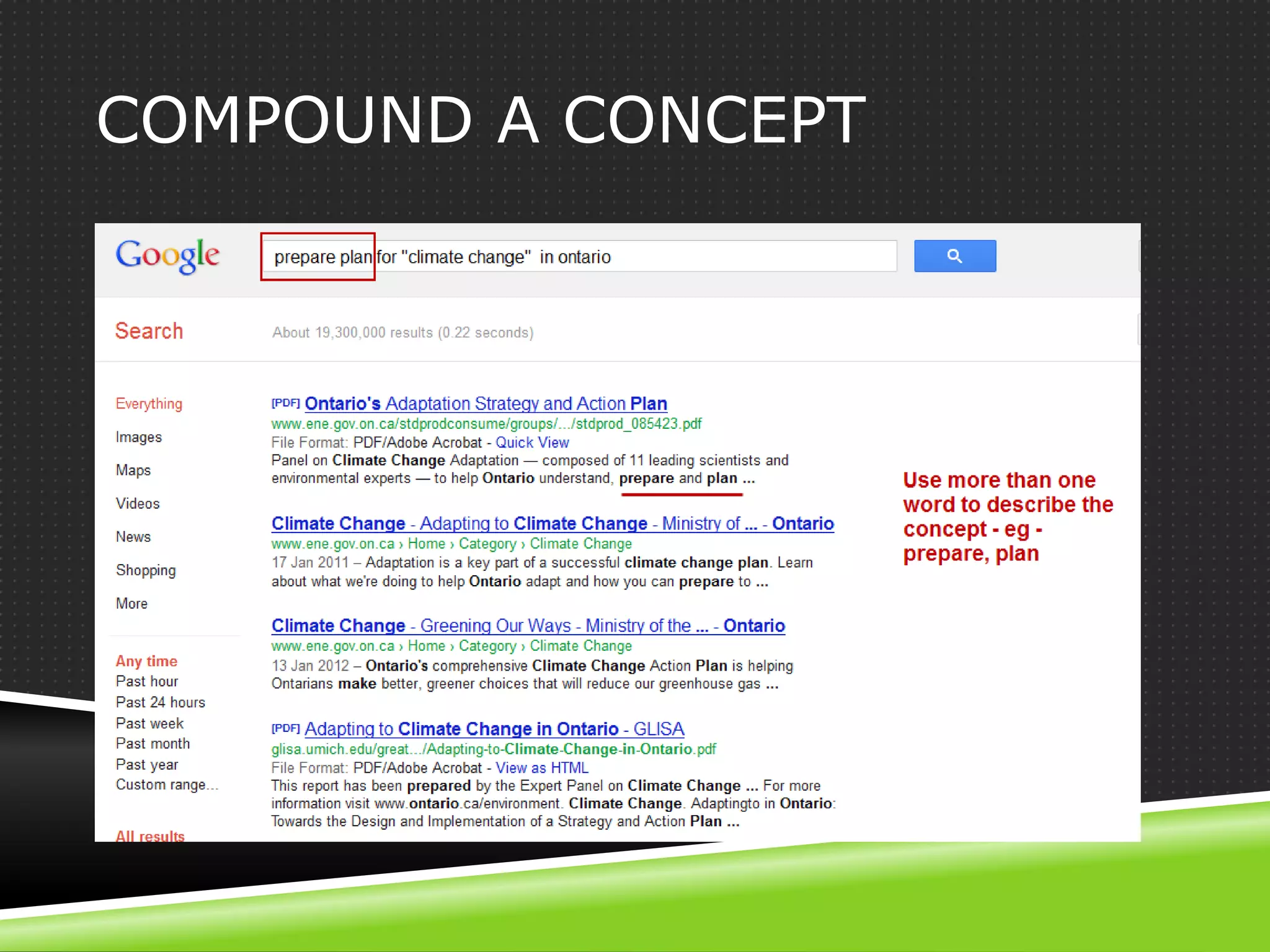
COMPOUND A CONCEPT
3 METHODS FOR BETTER
RESULTS
REFINE YOUR SEARCH

1. What words would be in the perfect page title?
2. Who would have information about this?
3. What format would it be in?
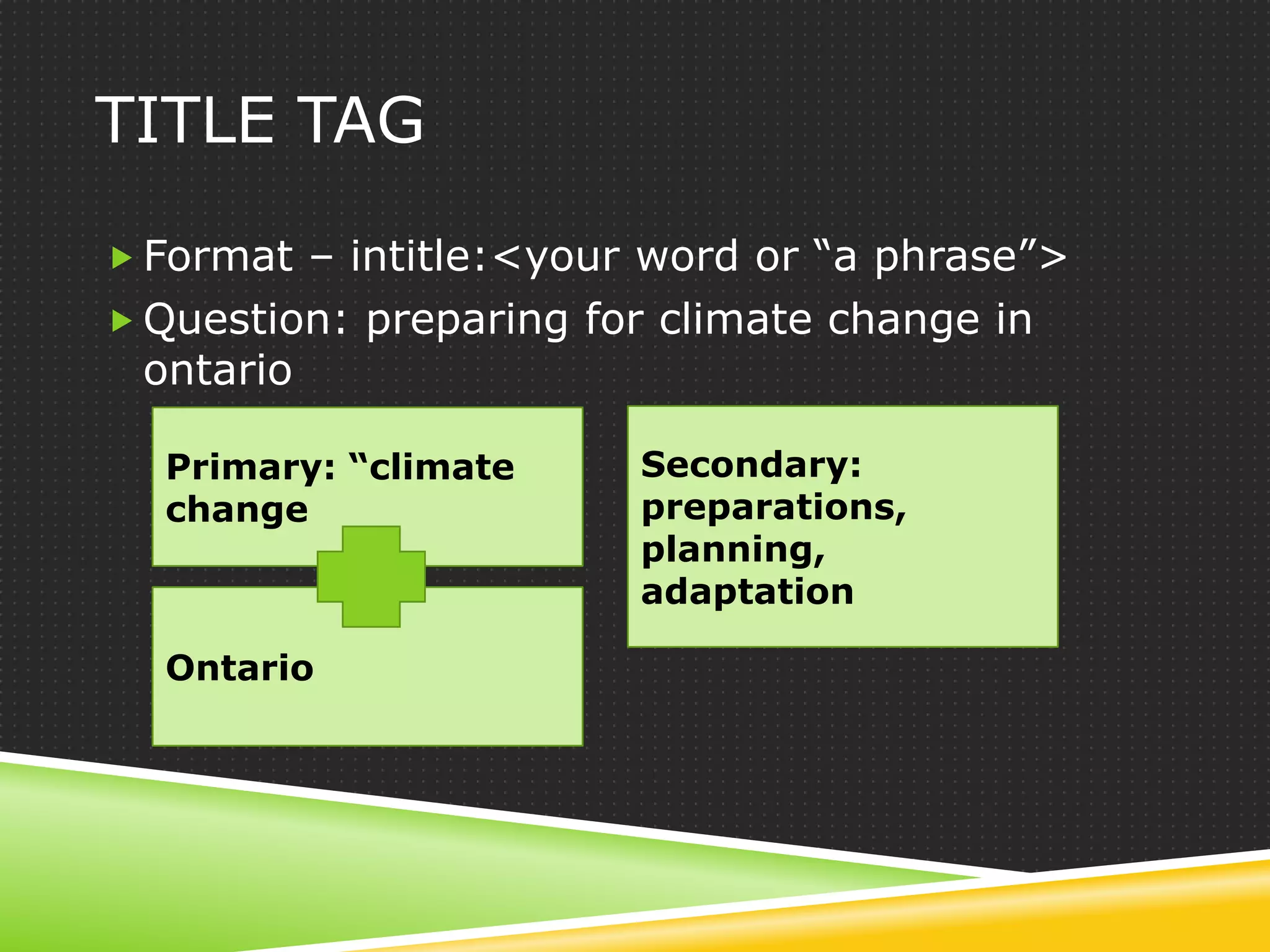
TITLE TAG

 Format – intitle:<your word or “a phrase”>
 Question: preparing for climate change in
 ontario

  Primary: “climate     Secondary:
  change                preparations,
                        planning,
                        adaptation

  Ontario
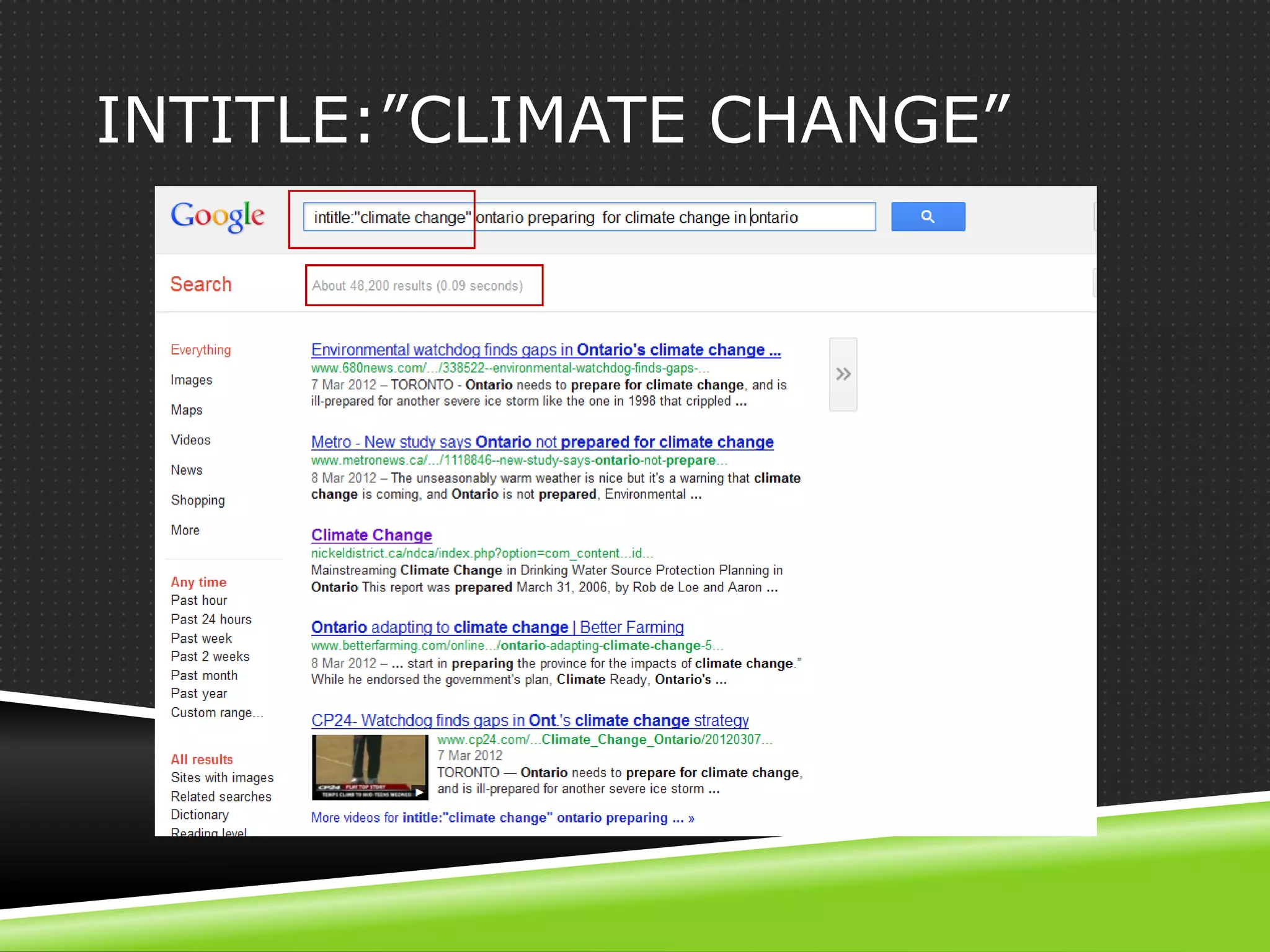
INTITLE:”CLIMATE CHANGE”
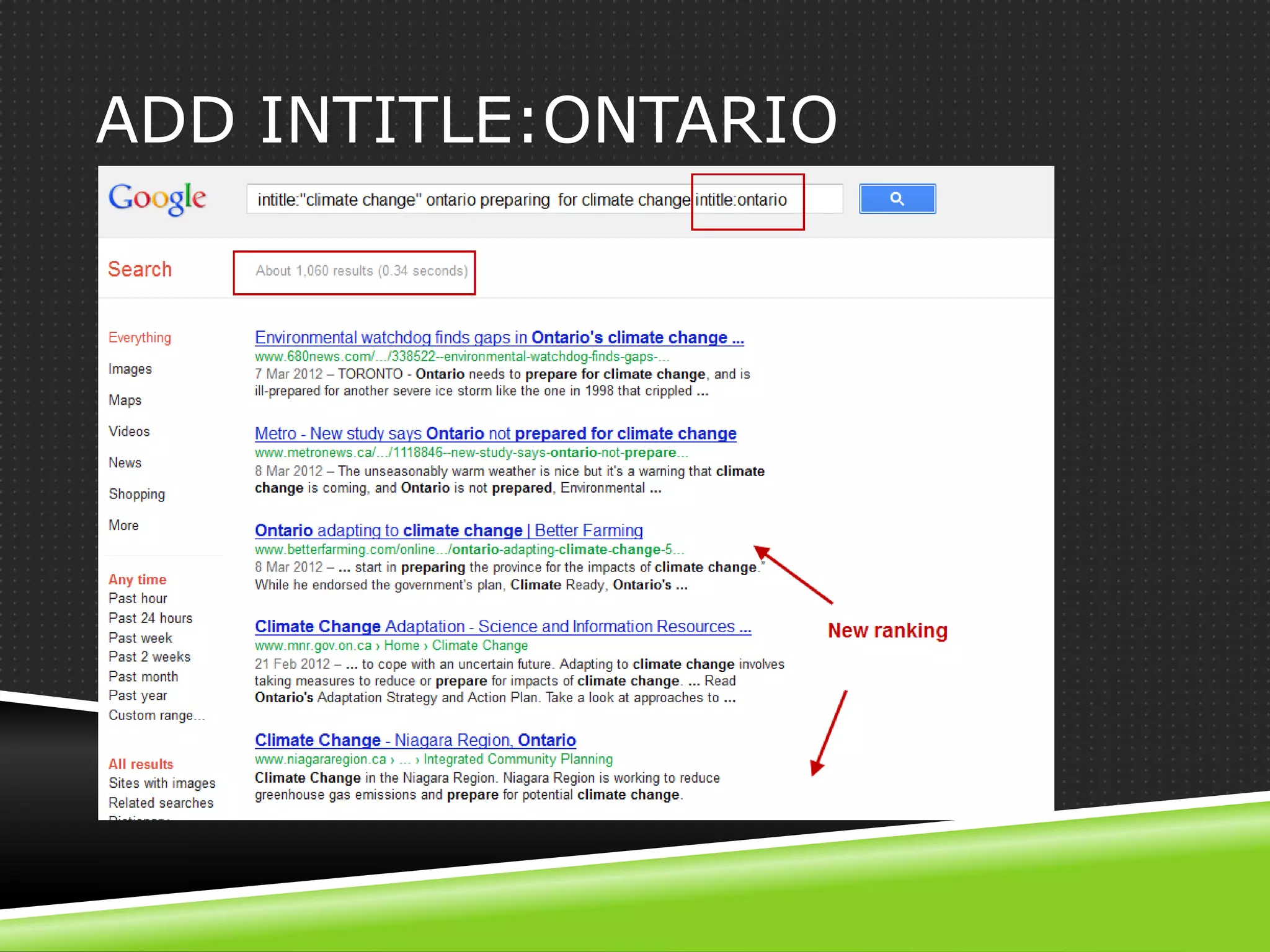
ADD INTITLE:ONTARIO
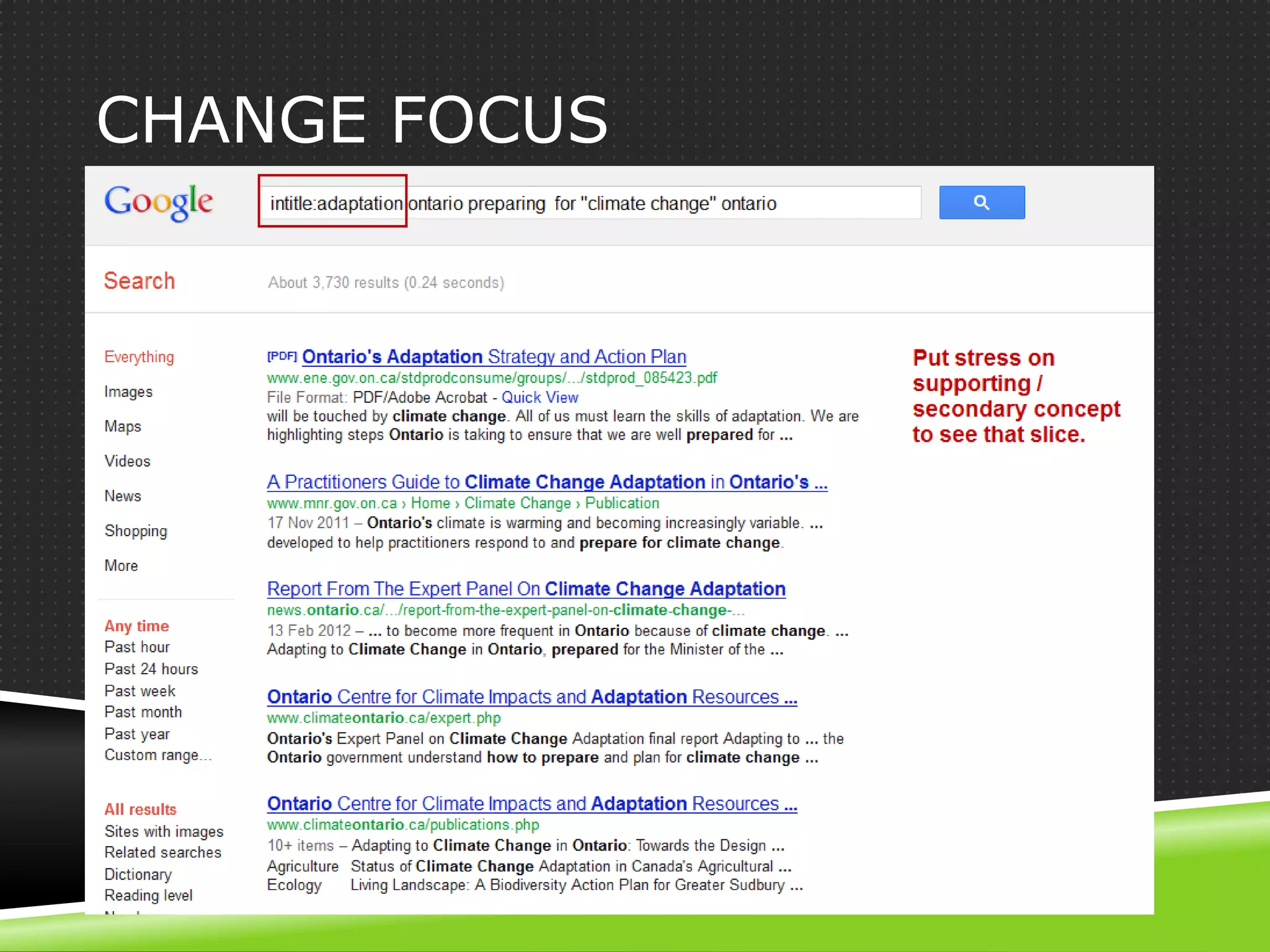
CHANGE FOCUS
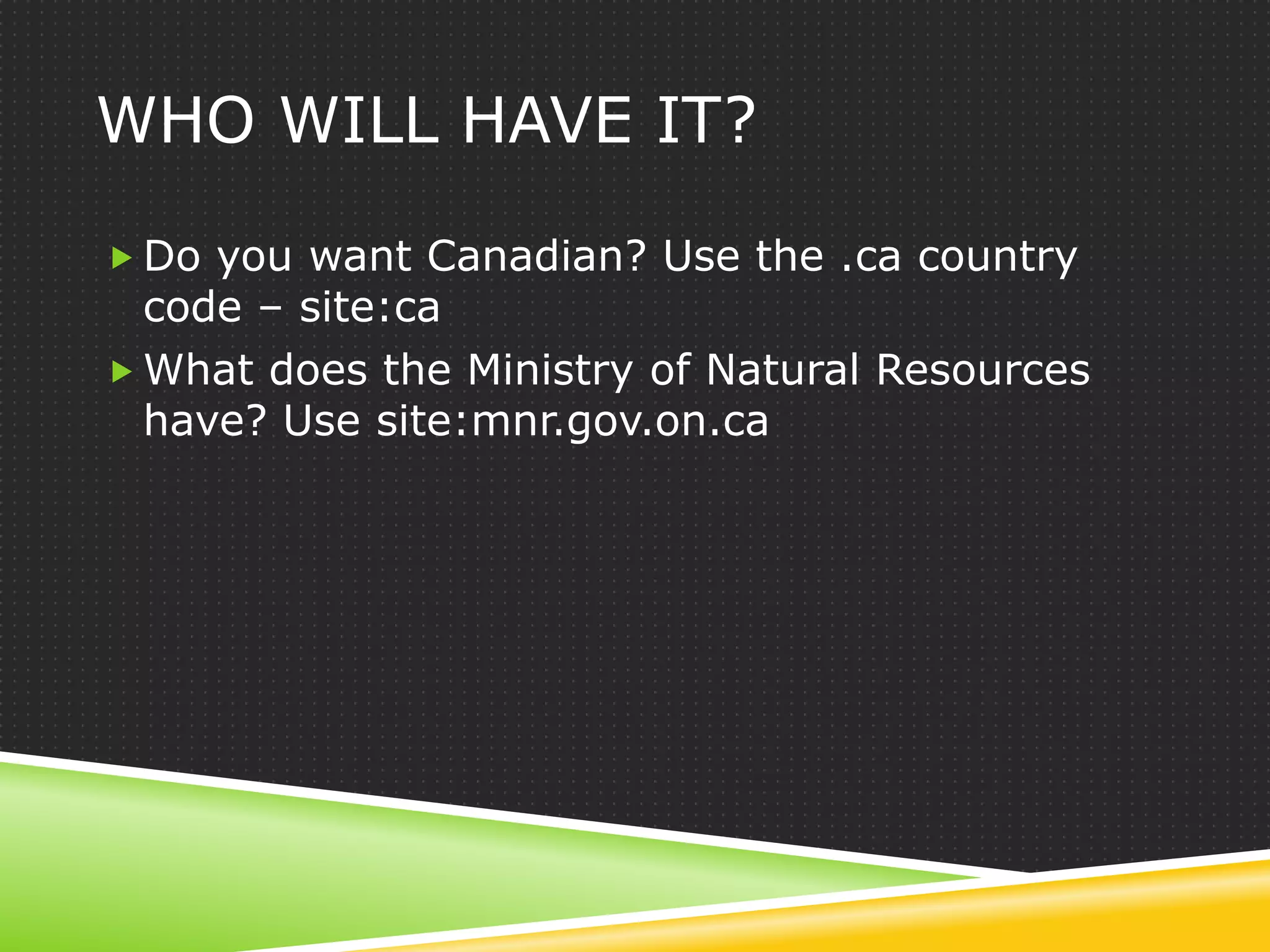
WHO WILL HAVE IT?

 Do you want Canadian? Use the .ca country
  code – site:ca
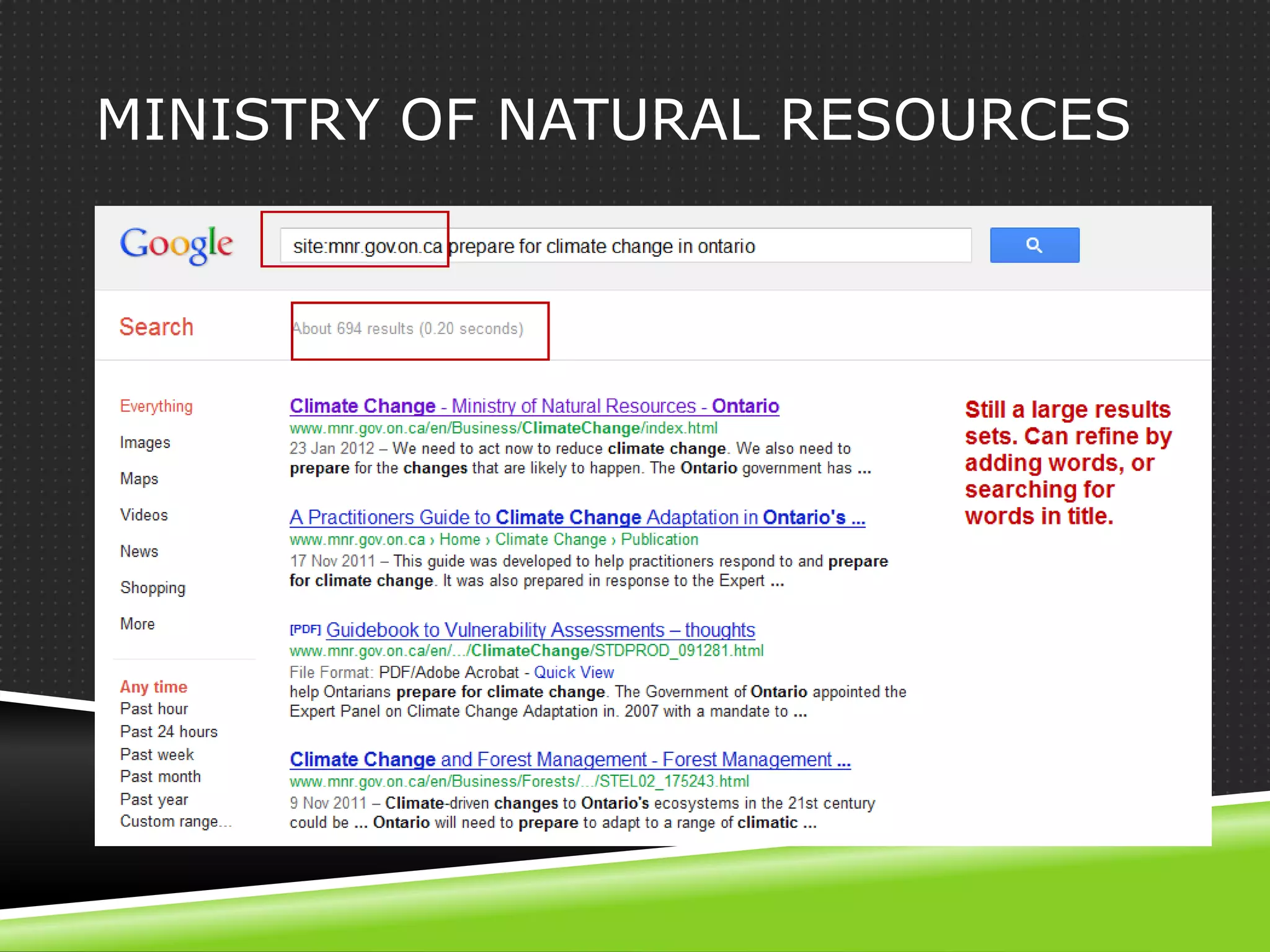
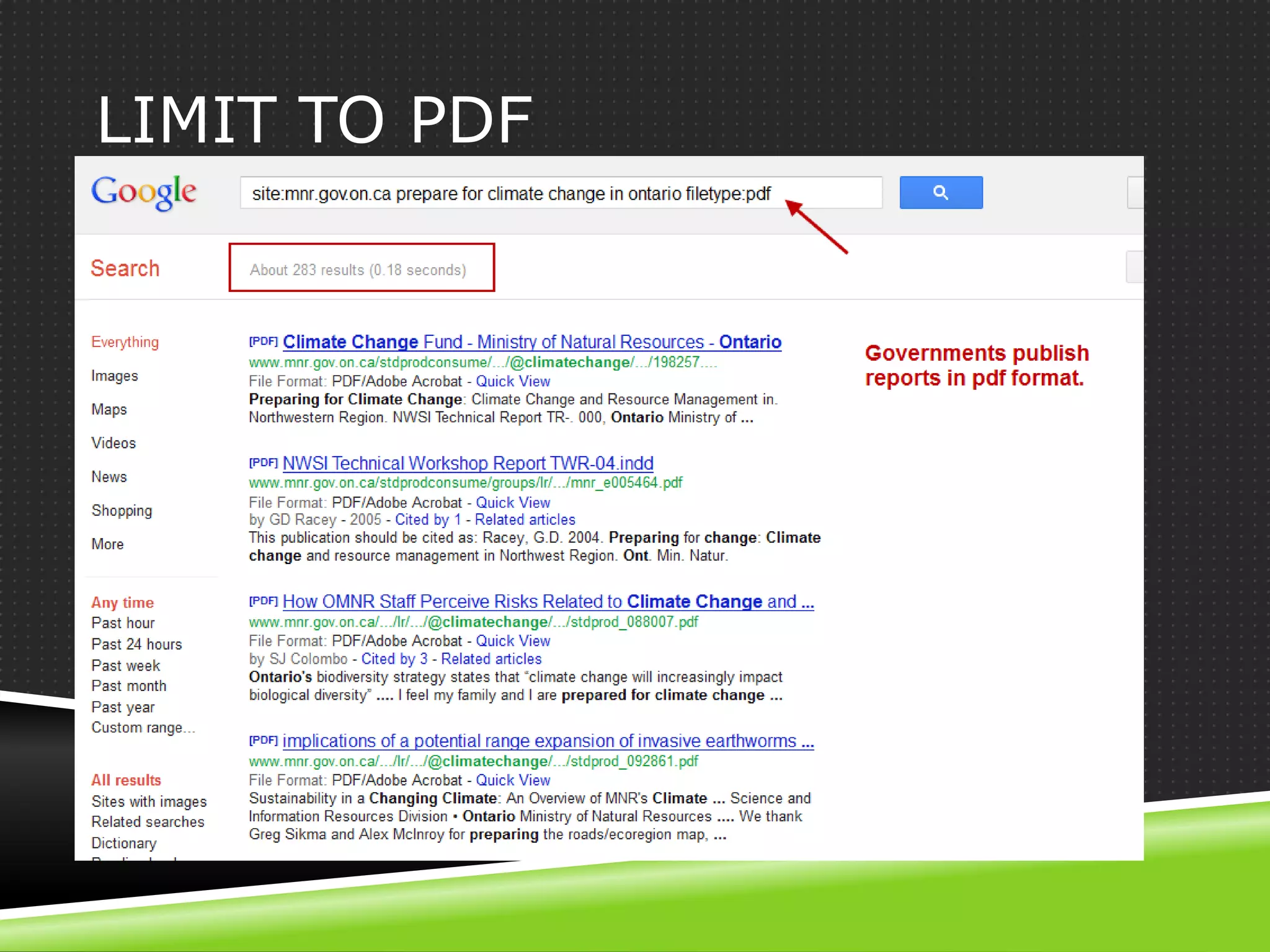
 What does the Ministry of Natural Resources
  have? Use site:mnr.gov.on.ca
MINISTRY OF NATURAL RESOURCES
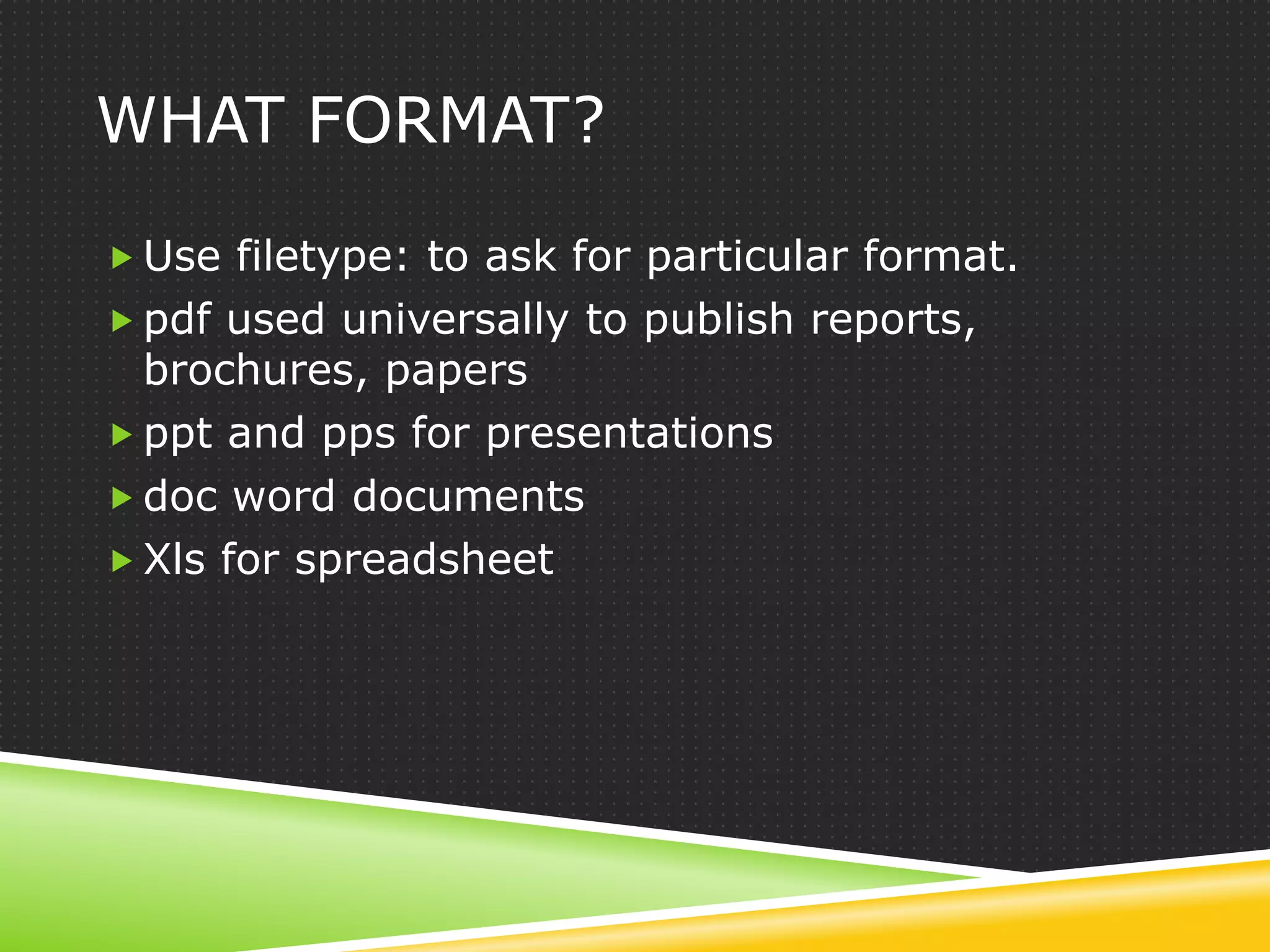
WHAT FORMAT?

 Use filetype: to ask for particular format.
 pdf used universally to publish reports,
  brochures, papers
 ppt and pps for presentations
 doc word documents
 Xls for spreadsheet
LIMIT TO PDF
ALTERNATIVES TO GOOGLE
ALTERNATIVE ENGINES

 Duckduckgo – ensures privacy, no spam
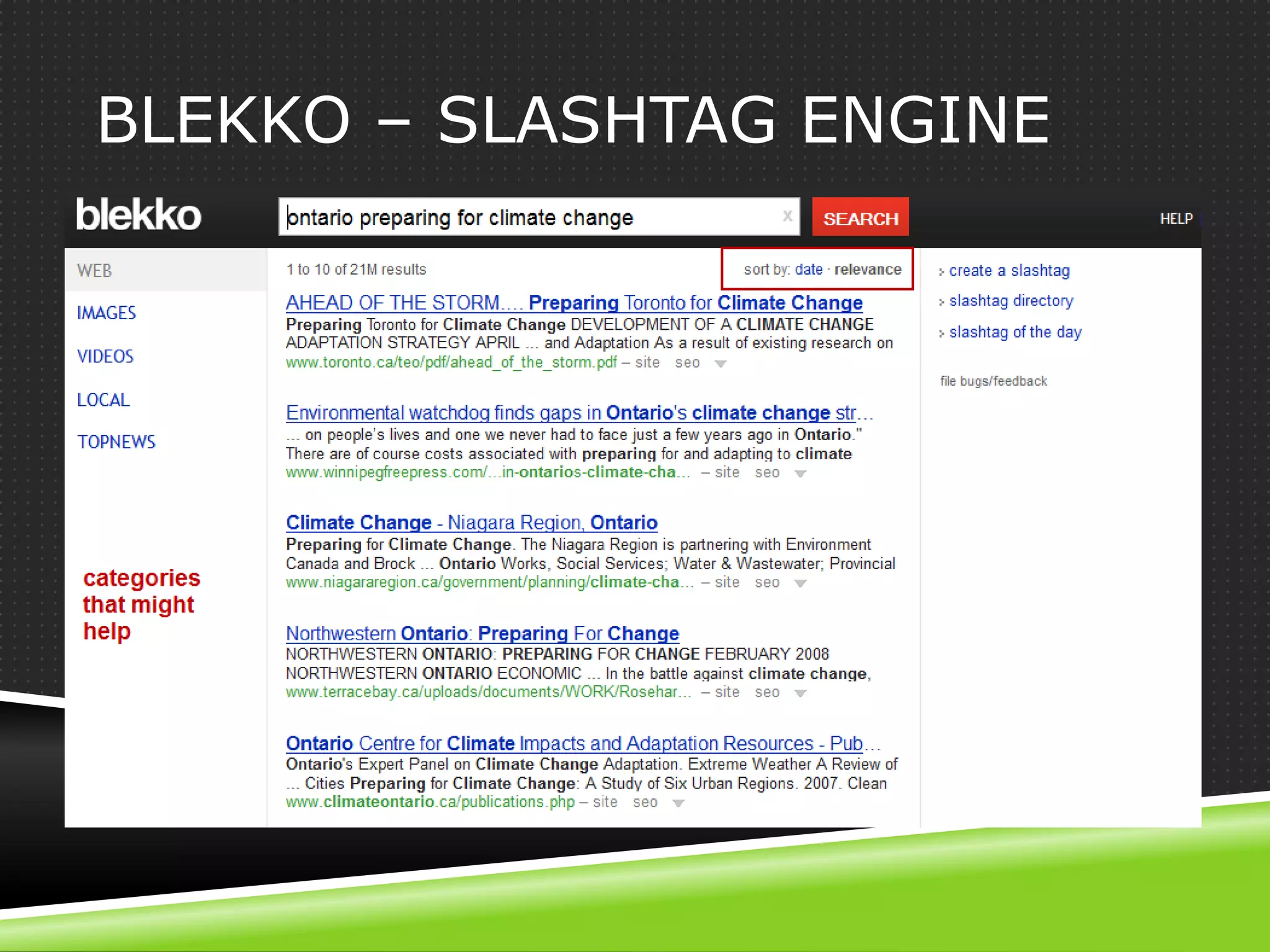
 Blekko – slashtag, no spam
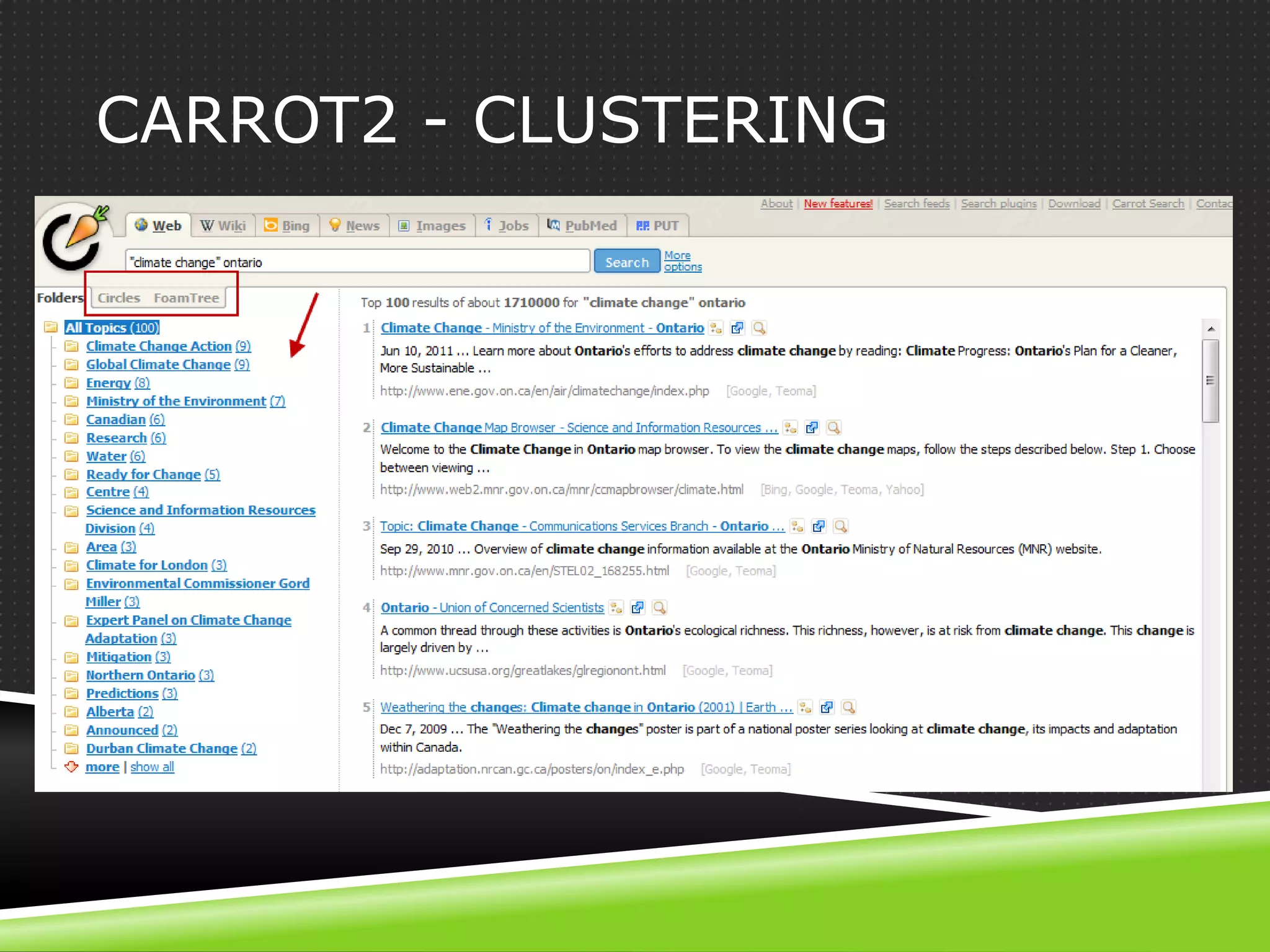
 Carrot2.org – metasearch and clusters results
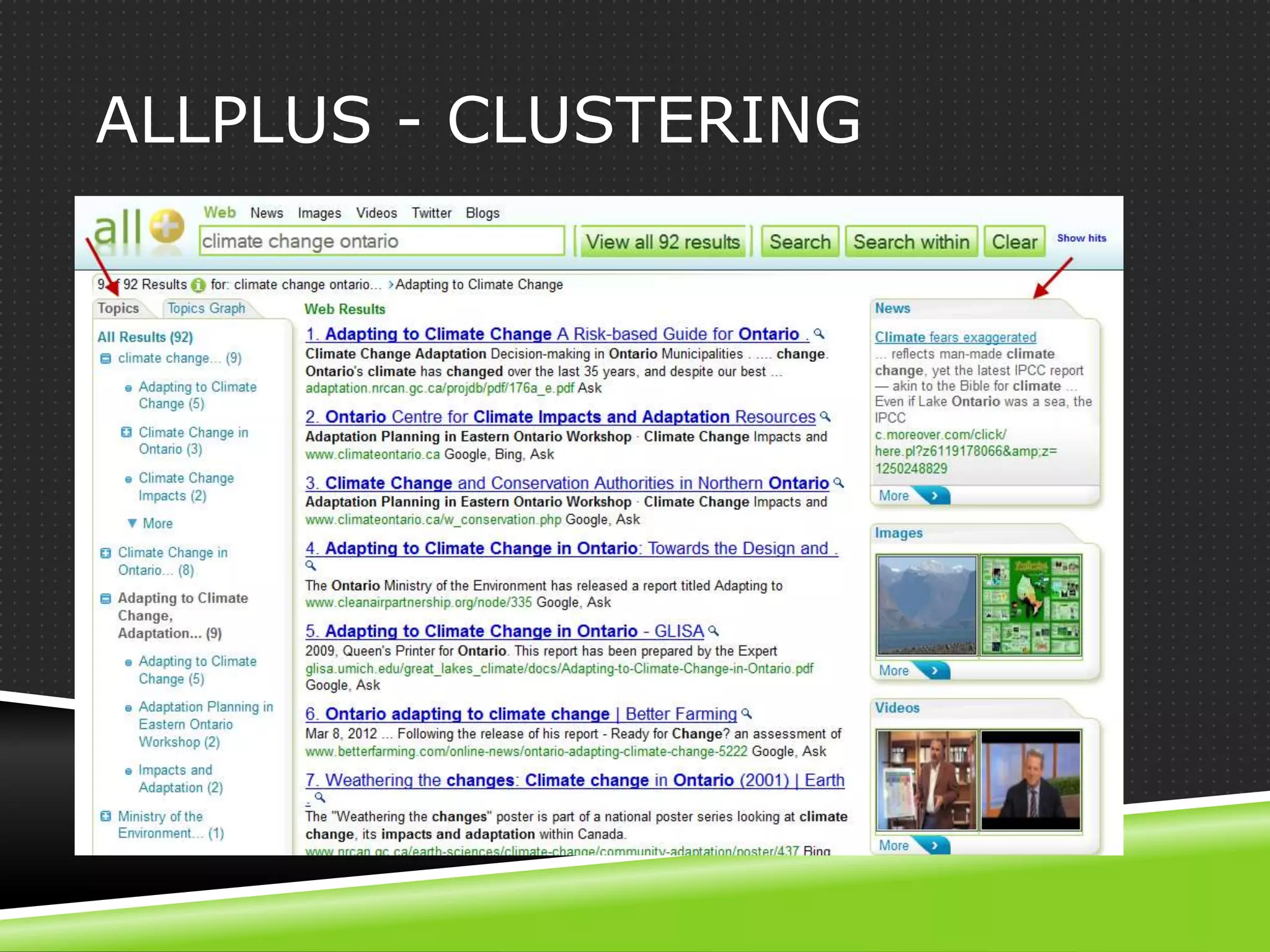
 Allplus.com – metasearch and clusters results
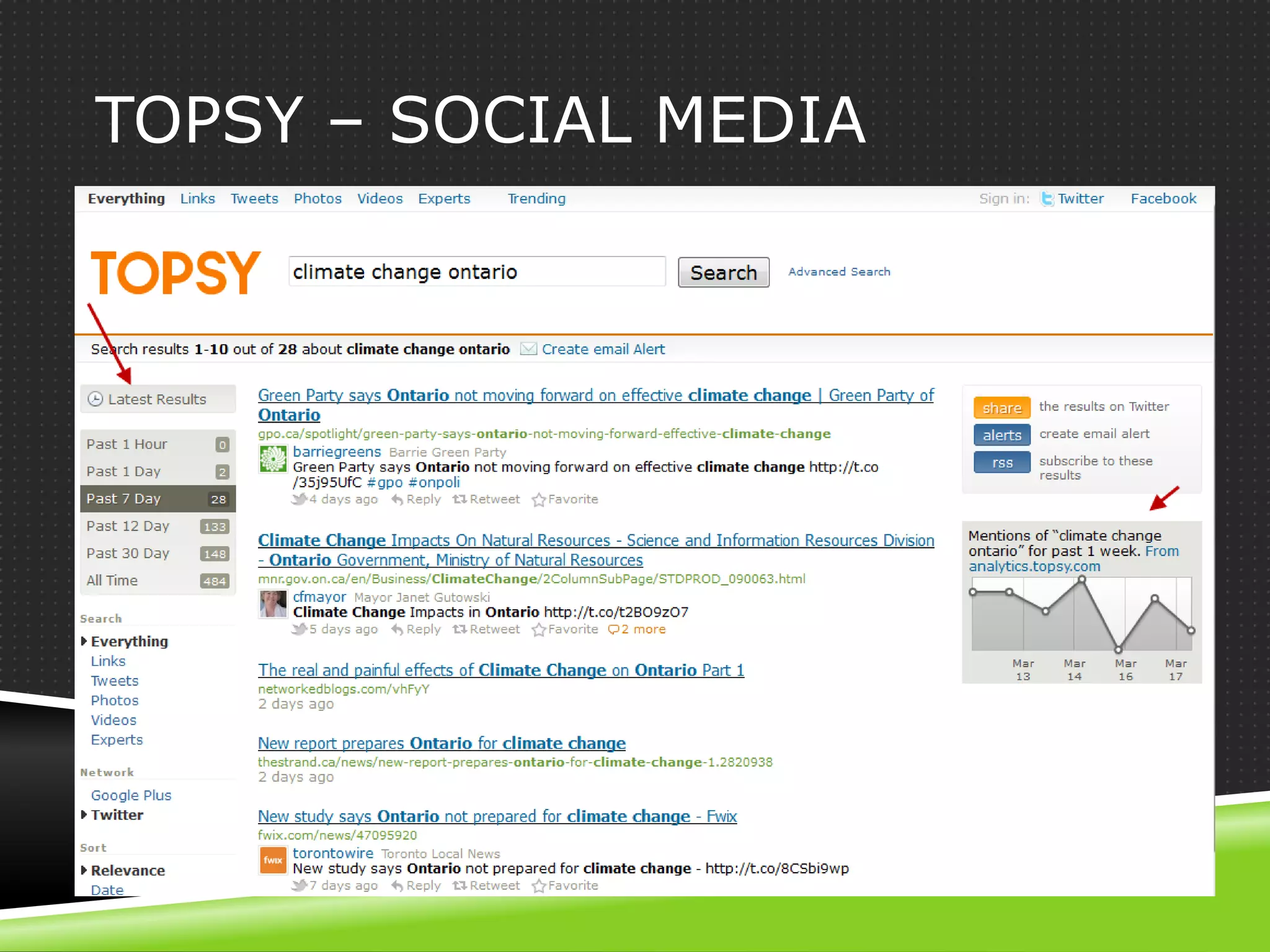
 Topsy – social media
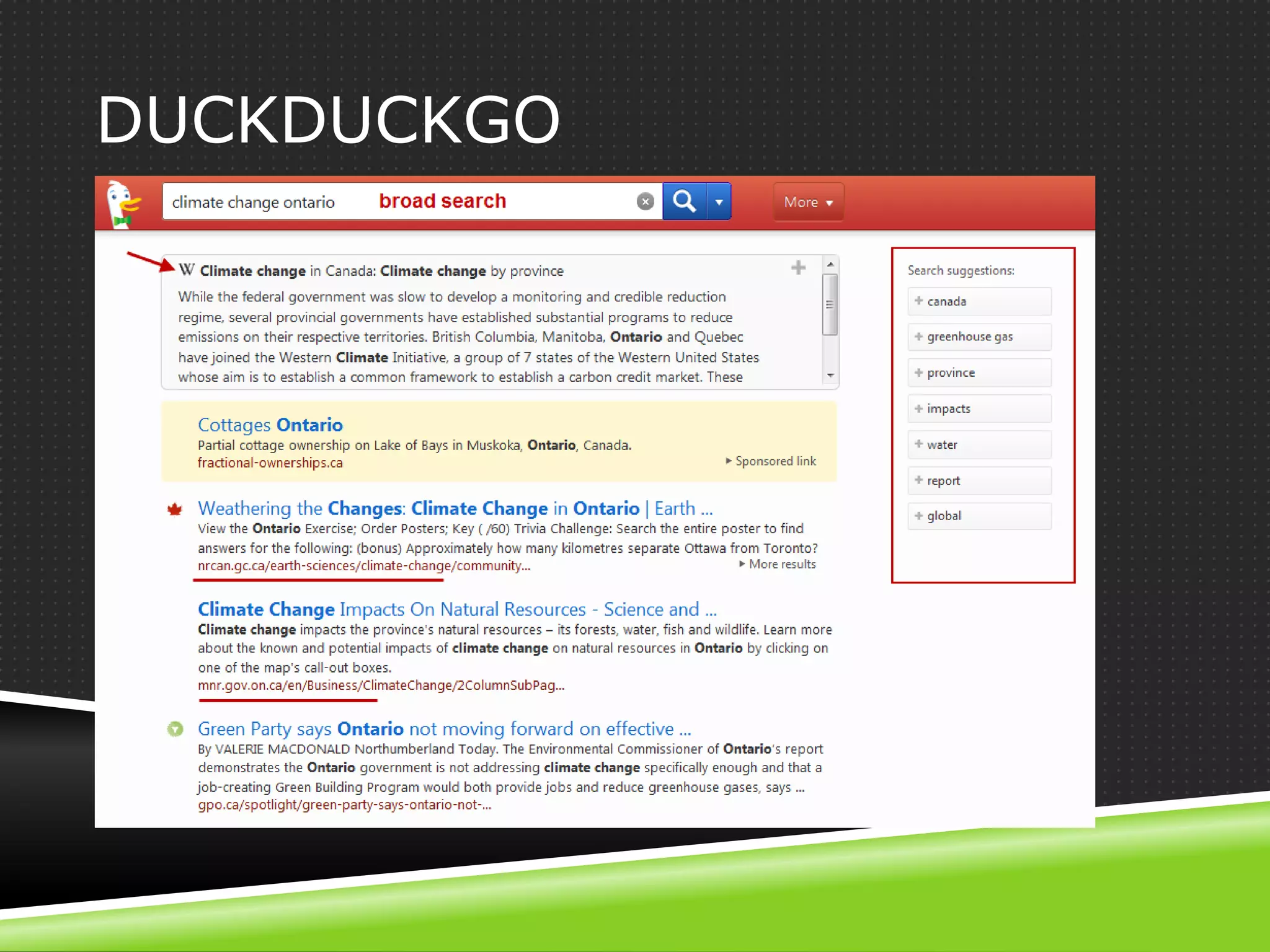
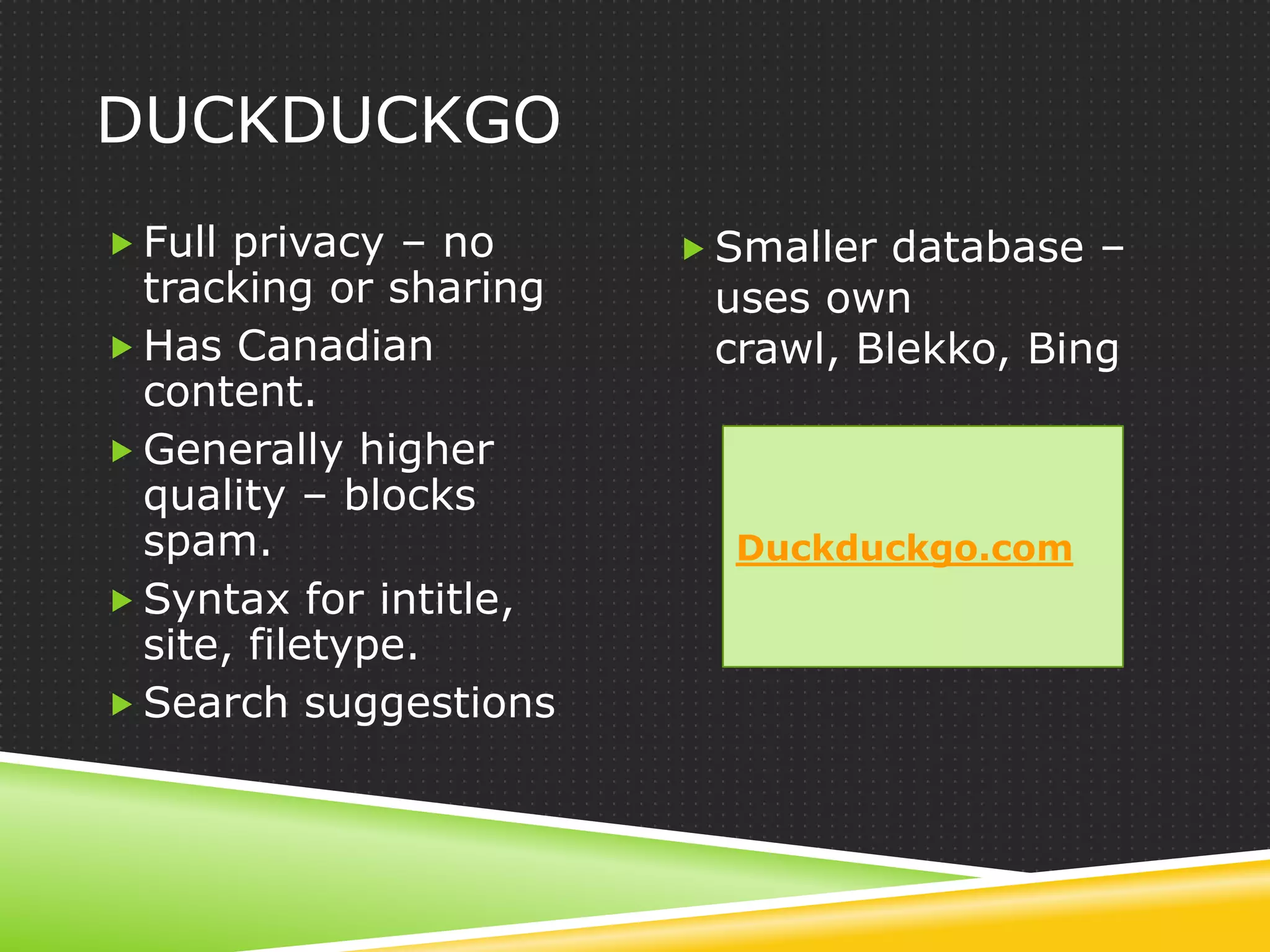
DUCKDUCKGO
DUCKDUCKGO
 Full privacy – no      Smaller database –
  tracking or sharing    uses own
 Has Canadian           crawl, Blekko, Bing
  content.
 Generally higher
  quality – blocks
  spam.                   Duckduckgo.com
 Syntax for intitle,
  site, filetype.
 Search suggestions
BLEKKO – SLASHTAG ENGINE
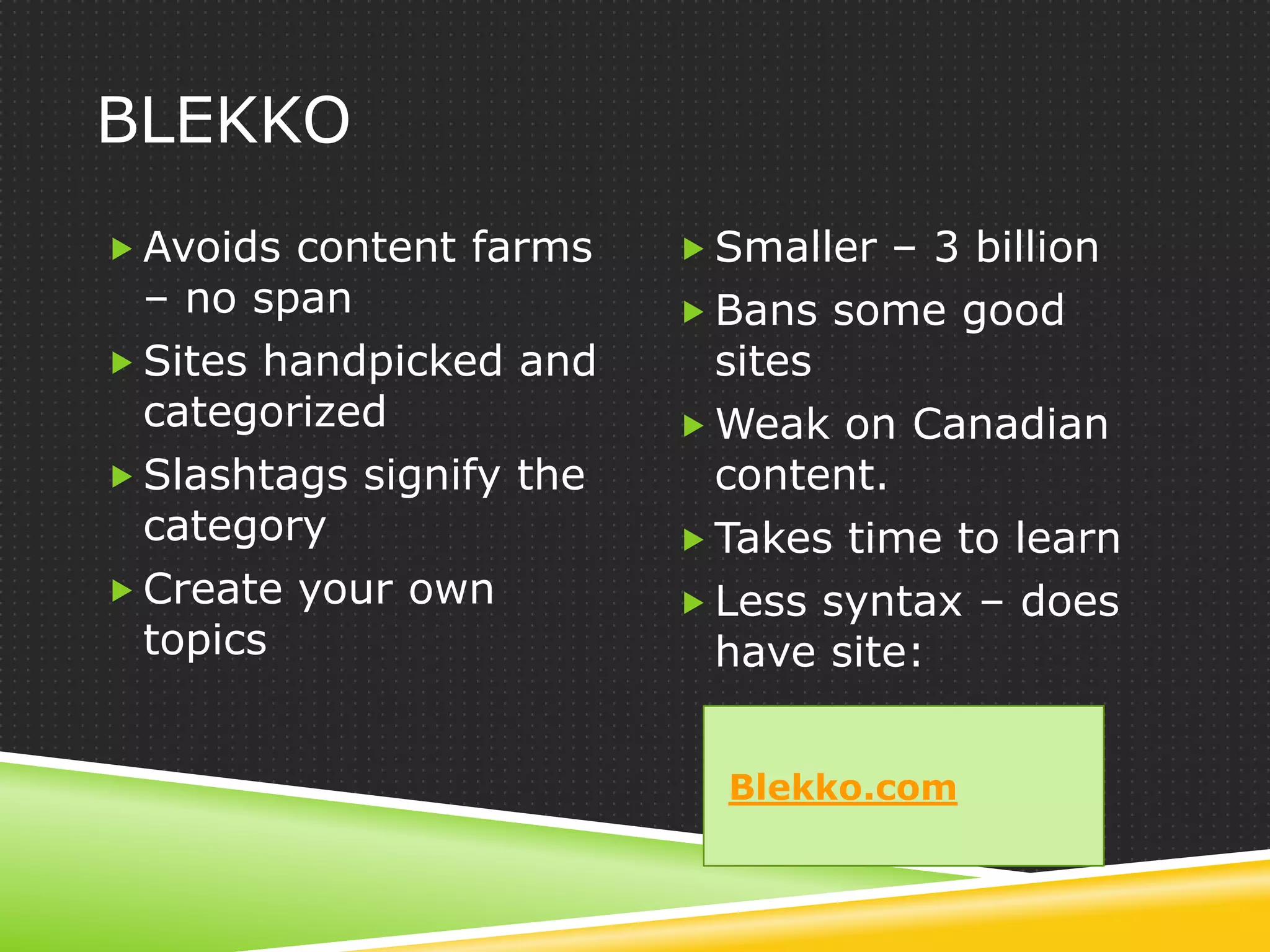
BLEKKO
 Avoids content farms     Smaller – 3 billion
  – no span                Bans some good
 Sites handpicked and      sites
  categorized              Weak on Canadian
 Slashtags signify the     content.
  category                 Takes time to learn
 Create your own          Less syntax – does
  topics                    have site:


                            Blekko.com
CARROT2 - CLUSTERING
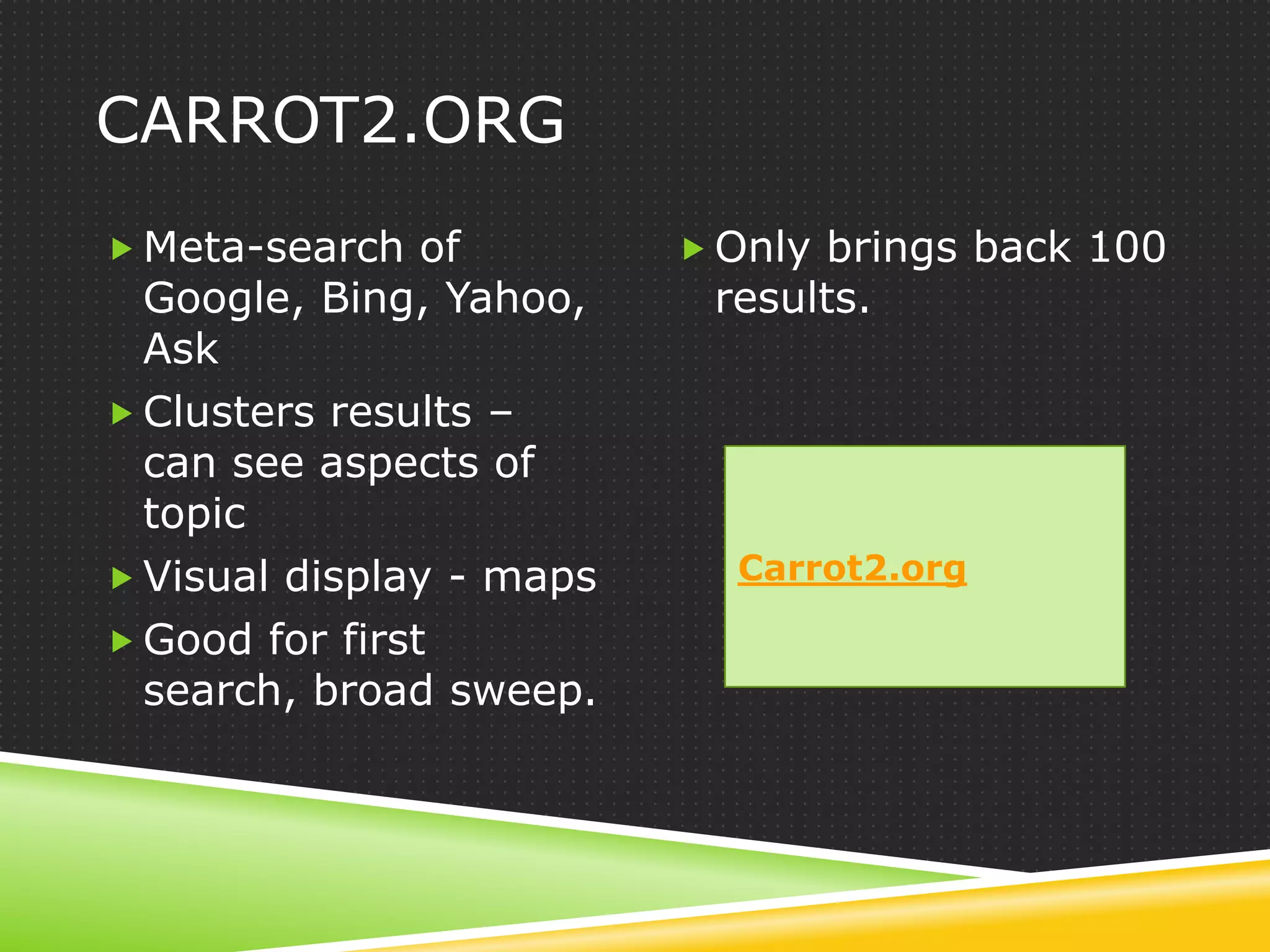
CARROT2.ORG
 Meta-search of           Only brings back 100
  Google, Bing, Yahoo,     results.
  Ask
 Clusters results –
  can see aspects of
  topic
 Visual display - maps     Carrot2.org

 Good for first
  search, broad sweep.
ALLPLUS - CLUSTERING
ALLPLUS
 Metasearch –             Clusters derived from
  Google, Bing              frequently occurring
 Clusters – more           phrase.
  granular                 Small number of
 Universal – images,       results
  video, news, twitter,
  blogs
 Good for first sweep.     Allplus.com
TOPSY – SOCIAL MEDIA
TOPSY.COM
 Indexes social media      As with all social
 Feeds from                media, reader
  Twitter, Facebook, Go     beware.
  ogle-Plus, Youtube
  etc.
 Uses influence
  algorithms to identify      Topsy.com
  importance
 Provides buzz
THANK YOU
 Questions?


 Internet News Blog
 http://www.websearchguide.ca/netblog/

 Web Search Courses at iSchool Institute – 1-day
 classroom, and 6-week online

 Email goharris@websearchguide.ca

Tips and strategies for effective web searching

  • 1.
  • 2.
    AGENDA – EAC- TORONTO 1. thinking person's approach to search 2. 5 features to make you a power Google user 3. 3 methods to get good results faster 4. a few alternative search engines
  • 3.
  • 4.
    WORDS MATTER  Orderof words makes a difference in results ranking. Natural phrasing is better because ...  A rare term finds rare items, scientific terms find scientific papers, medical … legal ...  Context words will disambiguate the meaning.  Stock terms identify the type of document you want.  What do you expect from the words you use?
  • 5.
    CONCEPTS MATTER  Primary/ dominant concept – what is your core topic?  Secondary concept – what modifies or supports the core topic? What do you want to know about it?  Does anything connect these concepts?  Work outwards – flex one concept at a time – add another concept to refine.
  • 6.
    EXAMPLE 1 –SMART METERS  Question: Is the electromagnetic field (EMF) from smart meters hazardous to health? Primary: “smart meters” electricity Secondary: health hazards, effects electromagnetic
  • 7.
    EXAMPLE 1 -QUERIES  Most important first: “smart meters” electricity health hazards  Natural phrasing: health hazards of “smart meters” for electricity  First 10 results: top 2 are the same, 2 are unique for each set, and ranking is different.
  • 8.
    EXAMPLE 2 –BICYCLE PATHS  Question: Do bicycle paths or lanes have any influence on cycling rates? Primary: bicycle Secondary: ridership, cycling bicycle/bike paths rate, cycling growth and lanes Increase
  • 9.
    EXAMPLE 2 -QUERIES  Capture concepts: increase bicycle ridership using bike lanes and paths  Add stock term: statistics bicycle ridership using bike lanes and paths
  • 10.
    QUOTING A STUDENT Once you have identified (at least provisionally) the primary and secondary concepts involved in a search you are in a position to do two things: you can manipulate the words you are using to search for the concepts and you can apply other strategies to focus on particular instances of the concepts.
  • 11.
  • 12.
  • 13.
  • 14.
    TIPS ON USINGRELATED WORDS  All search engines do word variants to some degree. But Google is best at it.  Engine retrieves and ranks results with the expanded word set.  Watch for bolded words – you may not want some.  Think about the words – there may be another you want to use – eg preparedness.
  • 15.
    TURN RELATED WORDSOFF  Google – put word inside quotation marks. Eg “preparation”  Google – use Verbatim  Bing and Yahoo – put + in front. Eg +preparation
  • 16.
    5 UNIQUE FEATURESTO GOOGLE 1. Highly semantic – as we have seen 2. Tilde ~ the synonym operator 3. * as wildcard and proximity operator 4. Number range 5. Judge a page by its images
  • 17.
    GOOGLE: ~ THE“FUZZY OPERATOR”
  • 18.
  • 19.
    * AS WILDCARDBETWEEN WORDS
  • 20.
  • 21.
    JUDGE A PAGEBY ITS IMAGES
  • 22.
  • 23.
    USING OR  Why:to expand a concept.  When: after you have a sense of the search results and have identified important words to express the concept.  How: one concept at a time, and just 2 or 3 terms that pertain to that concept.
  • 24.
  • 25.
  • 26.
    3 METHODS FORBETTER RESULTS
  • 27.
    REFINE YOUR SEARCH 1.What words would be in the perfect page title? 2. Who would have information about this? 3. What format would it be in?
  • 28.
    TITLE TAG  Format– intitle:<your word or “a phrase”>  Question: preparing for climate change in ontario Primary: “climate Secondary: change preparations, planning, adaptation Ontario
  • 29.
  • 30.
  • 31.
  • 32.
    WHO WILL HAVEIT?  Do you want Canadian? Use the .ca country code – site:ca  What does the Ministry of Natural Resources have? Use site:mnr.gov.on.ca
  • 33.
  • 34.
    WHAT FORMAT?  Usefiletype: to ask for particular format.  pdf used universally to publish reports, brochures, papers  ppt and pps for presentations  doc word documents  Xls for spreadsheet
  • 35.
  • 36.
  • 37.
    ALTERNATIVE ENGINES  Duckduckgo– ensures privacy, no spam  Blekko – slashtag, no spam  Carrot2.org – metasearch and clusters results  Allplus.com – metasearch and clusters results  Topsy – social media
  • 38.
  • 39.
    DUCKDUCKGO  Full privacy– no  Smaller database – tracking or sharing uses own  Has Canadian crawl, Blekko, Bing content.  Generally higher quality – blocks spam. Duckduckgo.com  Syntax for intitle, site, filetype.  Search suggestions
  • 40.
  • 41.
    BLEKKO  Avoids contentfarms  Smaller – 3 billion – no span  Bans some good  Sites handpicked and sites categorized  Weak on Canadian  Slashtags signify the content. category  Takes time to learn  Create your own  Less syntax – does topics have site: Blekko.com
  • 42.
  • 43.
    CARROT2.ORG  Meta-search of  Only brings back 100 Google, Bing, Yahoo, results. Ask  Clusters results – can see aspects of topic  Visual display - maps Carrot2.org  Good for first search, broad sweep.
  • 44.
  • 45.
    ALLPLUS  Metasearch –  Clusters derived from Google, Bing frequently occurring  Clusters – more phrase. granular  Small number of  Universal – images, results video, news, twitter, blogs  Good for first sweep. Allplus.com
  • 46.
  • 47.
    TOPSY.COM  Indexes socialmedia  As with all social  Feeds from media, reader Twitter, Facebook, Go beware. ogle-Plus, Youtube etc.  Uses influence algorithms to identify Topsy.com importance  Provides buzz
  • 48.
    THANK YOU  Questions? Internet News Blog http://www.websearchguide.ca/netblog/  Web Search Courses at iSchool Institute – 1-day classroom, and 6-week online  Email goharris@websearchguide.ca

Editor's Notes

  • #7 Electricity – adds context to explain the type of smart meter.Electromagnetic is the technical term – could use that instead of electricity – would add contextDon’t use EMF instead of electromagnetic because could mean something else. But could bump up importance of electromagnetic by using both.Keep health hazards / health effects natural.
  • #9 Takes a couple of searches to find the phrase bicycle ridershipGoogle will take care of variants for bicycle, bike.Need to capture the implied third concept of cause and effect.Primary depends on what you most care about – is it to find ways to increase ridership, or to promote bike paths?
  • #19 The * at end of series of words also good for forcing proximityMake sure there is a space before and after.
  • #22 Select from side panel – more search options.
  • #30 Google searches for results with climate change in title, and Ontario anywhere, but it will rank those that also have Ontario in the title higher.Note: third results does not have Ontario in the title but is about Ontario.
  • #40 Eg – see features with -- intitle:&quot;climate change&quot; ontario preparedness
  • #41 Eg – to see slash tags available for a search – put / at end – eg - &quot;climate change&quot; ontario /