What is Vine?
 Use your iOS device to record six-second snippets
 Share on Twitter and/or Facebook.
 Dom Hofmann (@dhof), Co-founder and GM of
Vine, describes the service as being “about abbreviation
— the shortened form of something larger. They’re little
windows into the people, settings, ideas and objects that
make up your life. They’re quirky, and we think that’s part
of what makes them so special.”
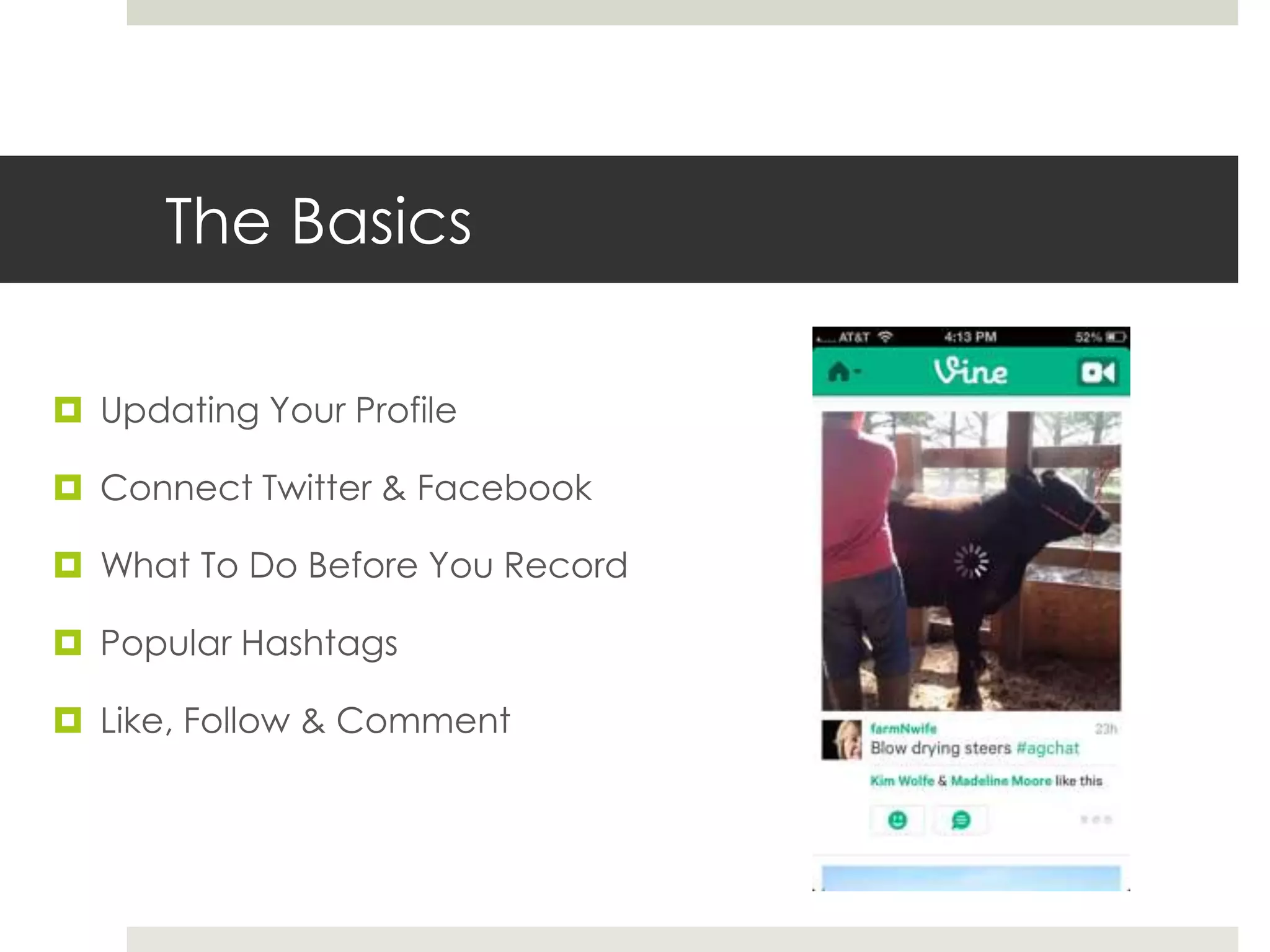
The Basics
 Updating Your Profile
 Connect Twitter & Facebook
 What To Do Before You Record
 Popular Hashtags
 Like, Follow & Comment
Updating Your Profile
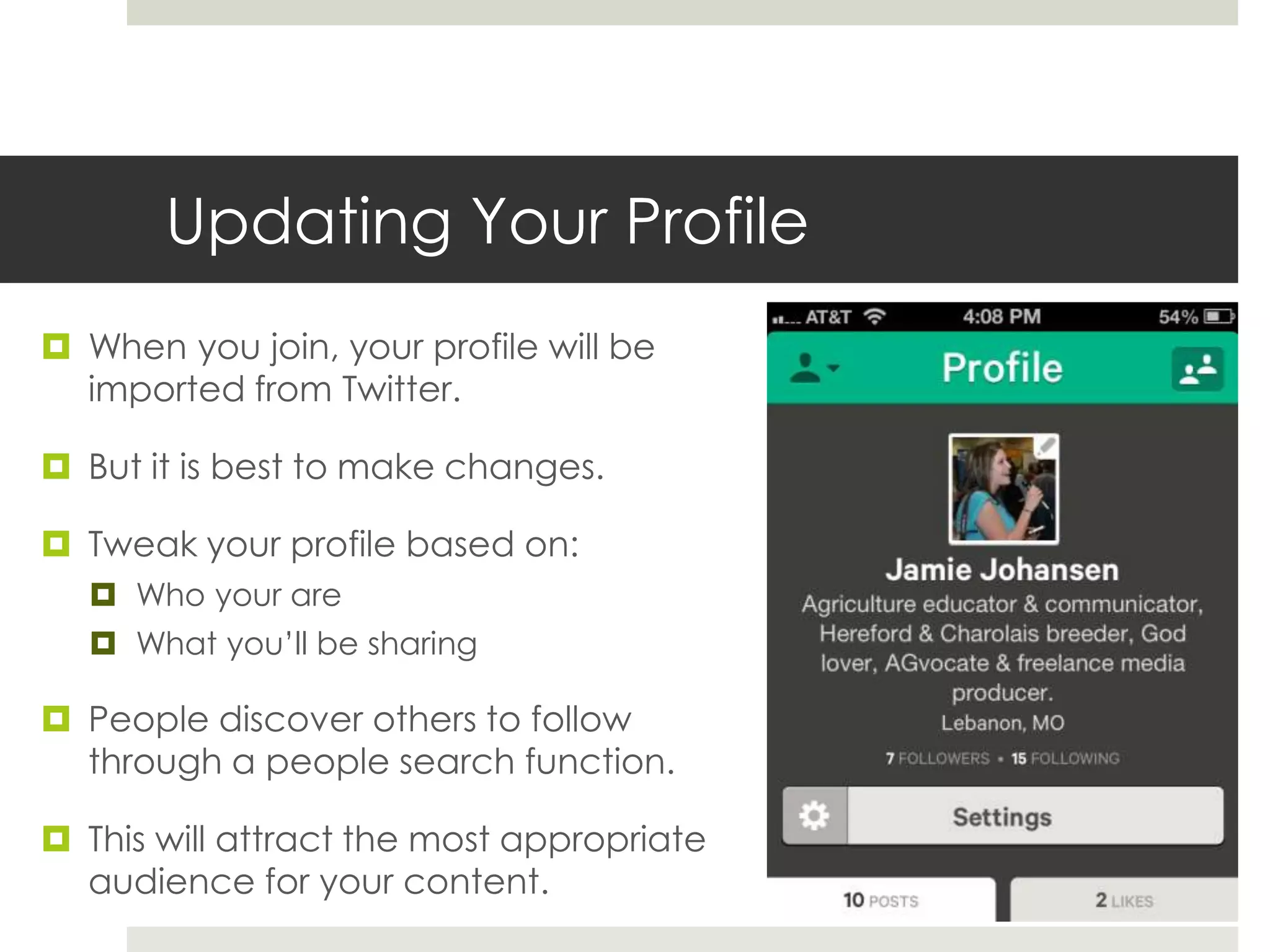
 When you join, your profile will be
imported from Twitter.
 But it is best to make changes.
 Tweak your profile based on:
 Who your are
 What you’ll be sharing
 People discover others to follow
through a people search function.
 This will attract the most appropriate
audience for your content.
Connecting w/ Facebook & Twitter
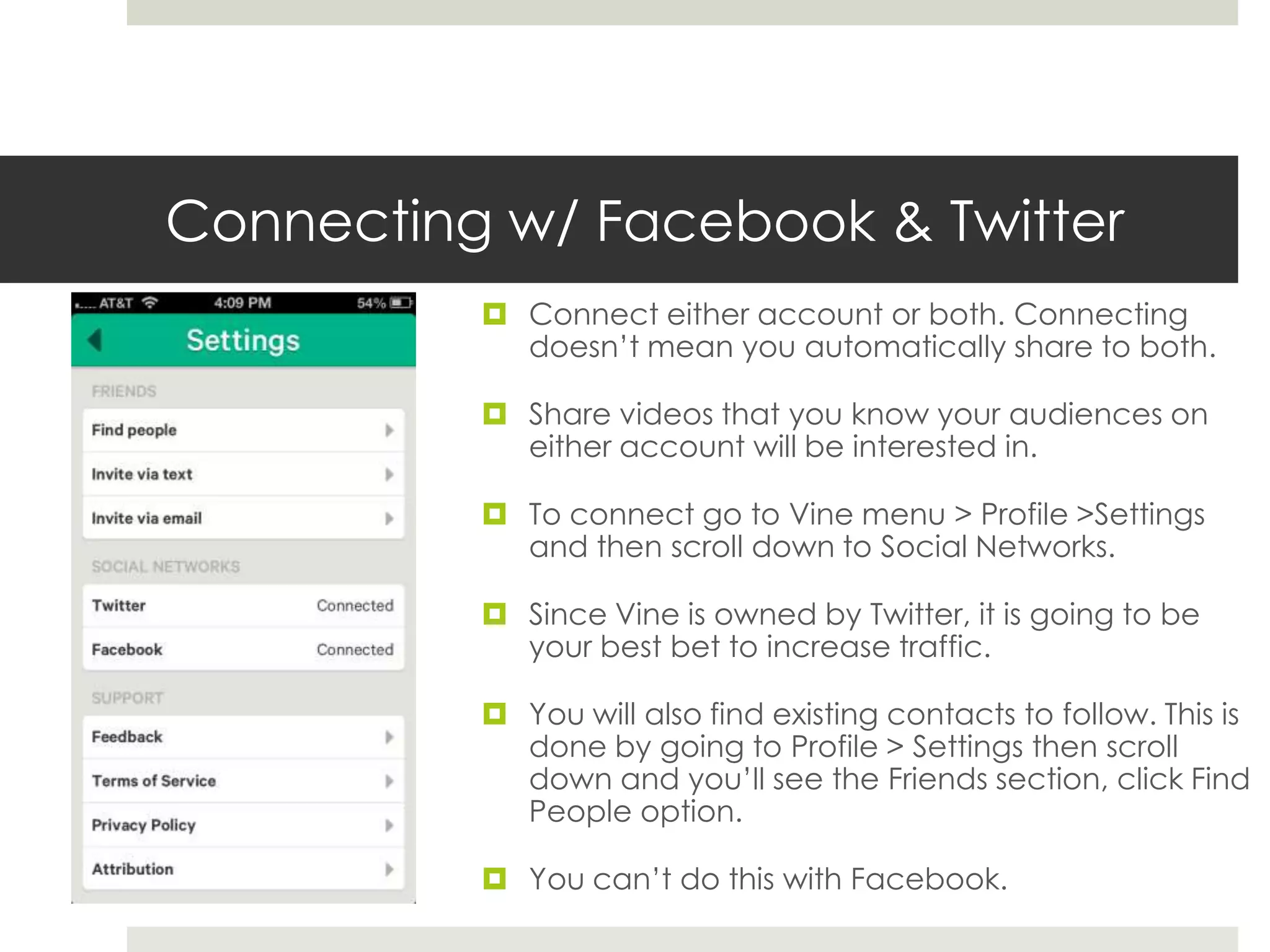
 Connect either account or both. Connecting
doesn’t mean you automatically share to both.
 Share videos that you know your audiences on
either account will be interested in.
 To connect go to Vine menu > Profile >Settings
and then scroll down to Social Networks.
 Since Vine is owned by Twitter, it is going to be
your best bet to increase traffic.
 You will also find existing contacts to follow. This is
done by going to Profile > Settings then scroll
down and you’ll see the Friends section, click Find
People option.
 You can’t do this with Facebook.
Before You Record
 If you want to create videos to get attention, make videos that fit
what has already proven to work well.
 Regularly browse the Editor's Picks, and Popular sections within the Vine
app.
 Use the Search by Tag feature to review the types of videos that are being
posted by others in your niche.
 Use a Google site: search to locate videos by keyword.
 Browse a few of the 3rd party sites that display Vine videos:
 All Around The Vines, Vine Peek, Vine Fav - Each of these sites provides
a slightly different view of the latest videos posted to Vine.
 Vines Map - Provides a nice map view of videos by location
 VineRoulette - Offers a full screen visualization of Vine videos that you
can view by tag.
 Review what other brands are doing on Vine already.
Hashtags
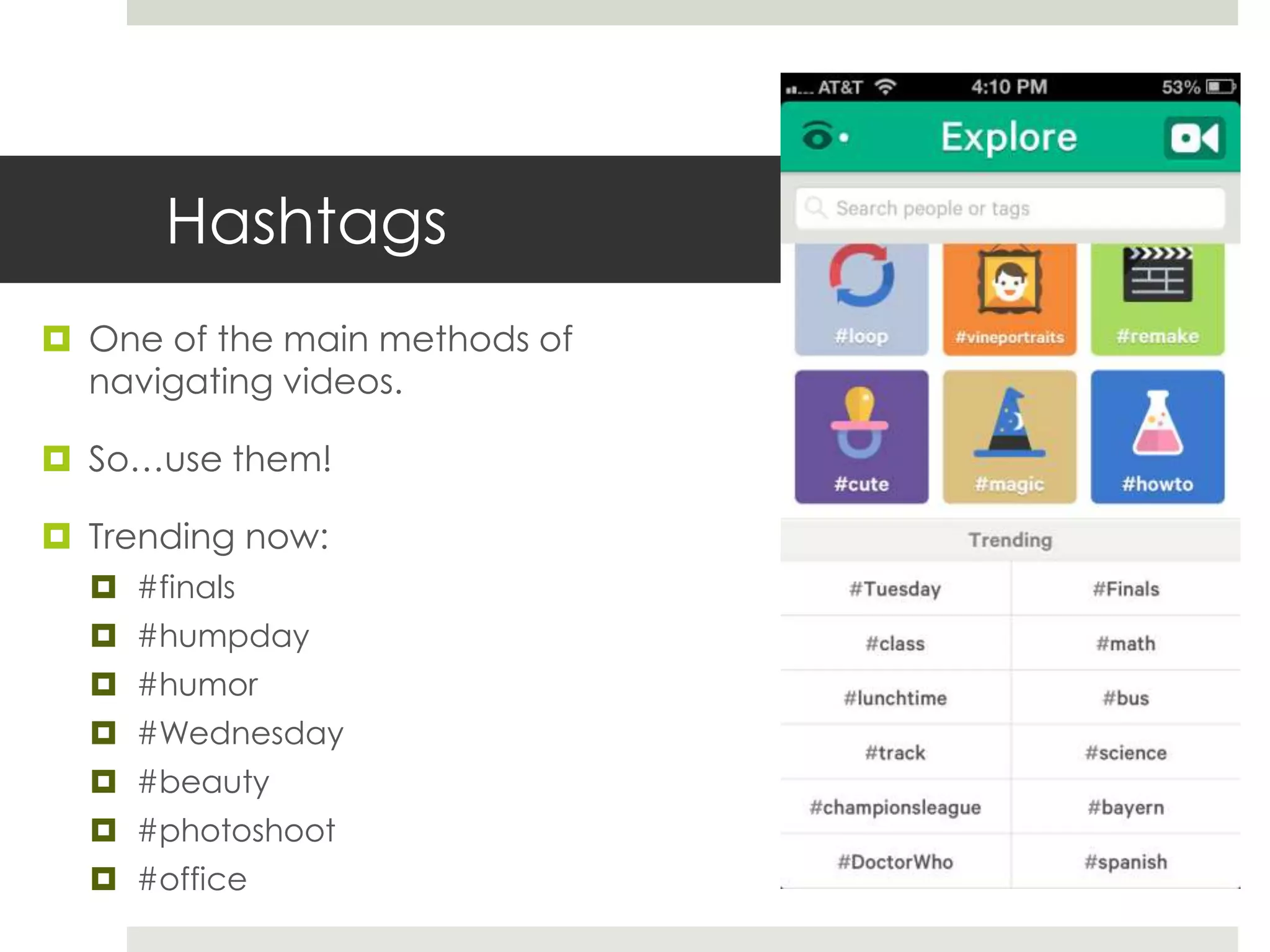
 One of the main methods of
navigating videos.
 So…use them!
 Trending now:
 #finals
 #humpday
 #humor
 #Wednesday
 #beauty
 #photoshoot
 #office
Like, Follow & Comment
 Participate and socialize.
 Search #’s to find people to follow. They will typically
follow you back. But make sure your profile is filled
out and you have posted a few videos.
 Your Activity feed will display everything you like and
comment on. And others who have liked or
commented on your videos.
 Follow this posting strategy to get attention from an
audience who post similar things.
 Post a video on a specific topic, for example ‘dogs’.
Don’t forget to share it to Twitter and Facebook if
relevant.
 Immediately after posting your video, explore the
related tags on Vine (#dogs, #dog, #puppies, #pets,
#cute, etc) looking to videos that you enjoy. Like and
comment on those videos and follow anyone that you
really like.
 Rinse and Repeat
Can Vine be used in Branding?
 Branding
 User- friendly
 Minimal commitment for short attention spans
 Quick & easy video marketing
 Gives transparency & humanization
 Artistic/creative opportunity
 Builds buzz
 Allows for demonstration
 Connects with customers
 But must use with a clear purpose and strategy.
 Be consistent and the marketing opportunities will be endless.
Branding Ideas
 Conference or Trade Show – Share a shot of your booth, capture the energy in the
room or host a contest with attendees.
 Holiday Celebrations – Get your team together and have them wish followers Happy
Holidays/Valentines Day/St. Patrick’s Day/4th of July... you get the idea.
 Team Introductions – Granted, time is of the essence so you won’t be able to do this
with a large team, but introduce team members with a quick shot of them at their desk
stating their job title.
 6 Seconds of a Day in the Office – Walk around and give a quick tour or show a typical
day of the team hard at work.
 Product featurettes – Give a quick demo of your product in action or showcase it from
different angles.
 Announcements – Have a new product set to launch or even a special promotion?
Announce it with video.
 “Before” and “After” shots – This would be great for service providers. Take
before, during and after shots of room renovations, product installations or assemblies.

The vine

  • 2.
    What is Vine? Use your iOS device to record six-second snippets  Share on Twitter and/or Facebook.  Dom Hofmann (@dhof), Co-founder and GM of Vine, describes the service as being “about abbreviation — the shortened form of something larger. They’re little windows into the people, settings, ideas and objects that make up your life. They’re quirky, and we think that’s part of what makes them so special.”
  • 3.
    The Basics  UpdatingYour Profile  Connect Twitter & Facebook  What To Do Before You Record  Popular Hashtags  Like, Follow & Comment
  • 4.
    Updating Your Profile When you join, your profile will be imported from Twitter.  But it is best to make changes.  Tweak your profile based on:  Who your are  What you’ll be sharing  People discover others to follow through a people search function.  This will attract the most appropriate audience for your content.
  • 5.
    Connecting w/ Facebook& Twitter  Connect either account or both. Connecting doesn’t mean you automatically share to both.  Share videos that you know your audiences on either account will be interested in.  To connect go to Vine menu > Profile >Settings and then scroll down to Social Networks.  Since Vine is owned by Twitter, it is going to be your best bet to increase traffic.  You will also find existing contacts to follow. This is done by going to Profile > Settings then scroll down and you’ll see the Friends section, click Find People option.  You can’t do this with Facebook.
  • 6.
    Before You Record If you want to create videos to get attention, make videos that fit what has already proven to work well.  Regularly browse the Editor's Picks, and Popular sections within the Vine app.  Use the Search by Tag feature to review the types of videos that are being posted by others in your niche.  Use a Google site: search to locate videos by keyword.  Browse a few of the 3rd party sites that display Vine videos:  All Around The Vines, Vine Peek, Vine Fav - Each of these sites provides a slightly different view of the latest videos posted to Vine.  Vines Map - Provides a nice map view of videos by location  VineRoulette - Offers a full screen visualization of Vine videos that you can view by tag.  Review what other brands are doing on Vine already.
  • 7.
    Hashtags  One ofthe main methods of navigating videos.  So…use them!  Trending now:  #finals  #humpday  #humor  #Wednesday  #beauty  #photoshoot  #office
  • 8.
    Like, Follow &Comment  Participate and socialize.  Search #’s to find people to follow. They will typically follow you back. But make sure your profile is filled out and you have posted a few videos.  Your Activity feed will display everything you like and comment on. And others who have liked or commented on your videos.  Follow this posting strategy to get attention from an audience who post similar things.  Post a video on a specific topic, for example ‘dogs’. Don’t forget to share it to Twitter and Facebook if relevant.  Immediately after posting your video, explore the related tags on Vine (#dogs, #dog, #puppies, #pets, #cute, etc) looking to videos that you enjoy. Like and comment on those videos and follow anyone that you really like.  Rinse and Repeat
  • 9.
    Can Vine beused in Branding?  Branding  User- friendly  Minimal commitment for short attention spans  Quick & easy video marketing  Gives transparency & humanization  Artistic/creative opportunity  Builds buzz  Allows for demonstration  Connects with customers  But must use with a clear purpose and strategy.  Be consistent and the marketing opportunities will be endless.
  • 10.
    Branding Ideas  Conferenceor Trade Show – Share a shot of your booth, capture the energy in the room or host a contest with attendees.  Holiday Celebrations – Get your team together and have them wish followers Happy Holidays/Valentines Day/St. Patrick’s Day/4th of July... you get the idea.  Team Introductions – Granted, time is of the essence so you won’t be able to do this with a large team, but introduce team members with a quick shot of them at their desk stating their job title.  6 Seconds of a Day in the Office – Walk around and give a quick tour or show a typical day of the team hard at work.  Product featurettes – Give a quick demo of your product in action or showcase it from different angles.  Announcements – Have a new product set to launch or even a special promotion? Announce it with video.  “Before” and “After” shots – This would be great for service providers. Take before, during and after shots of room renovations, product installations or assemblies.