The Ultimate Guide to
Accounts Payable Automation
Transforming your AP function in 2024
Chapter 1 : What makes Accounts Payable so challenging?
Chapter 3 : AP Automation Essentials
Chapter 2 : What is Accounts Payable Automation?
Chapter 4 : Revolutionize Your Accounts Payable - Getting Started
In the rapidly evolving business landscape, the efficiency of Accounts Payable
(AP) processes is no longer just a back-office concern but a strategic
imperative. The complexity and resource-intensive nature of traditional AP
work is becoming unsustainable, particularly in the face of growing demands
for speed and accuracy.
This ‘Ultimate Guide to Accounts Payable Automation' offers CFOs and finance
leaders a transformative approach. This guide cuts through the complexity of
AP processes, presenting a clear pathway to automation. It's not just about
streamlining operations—it's about revolutionizing them for accuracy, speed,
and strategic business impact.
The guide consists of four chapters:
This is a question that has long plagued the best of finance professionals.
Accounts Payable is typically seen as a cost function within companies,
and the reason is simple - no one wants to spend time paying bills and
entering data about bill payments!
Chapter 1 : What makes Accounts
Payable so challenging?
The reason AP is challenging to optimise is really due to the nature of the
beast.
The key activities in an AP process (Data extraction, invoice coding, ERP
sync) are essentially data transformation activities. Automating those
would be straightforward.
However, more importantly, AP work also involves human intervention -
for review, approvals and financial controls.
It is this mix of data transformation and human input, that makes AP a
notoriously complex and difficult process to optimize.
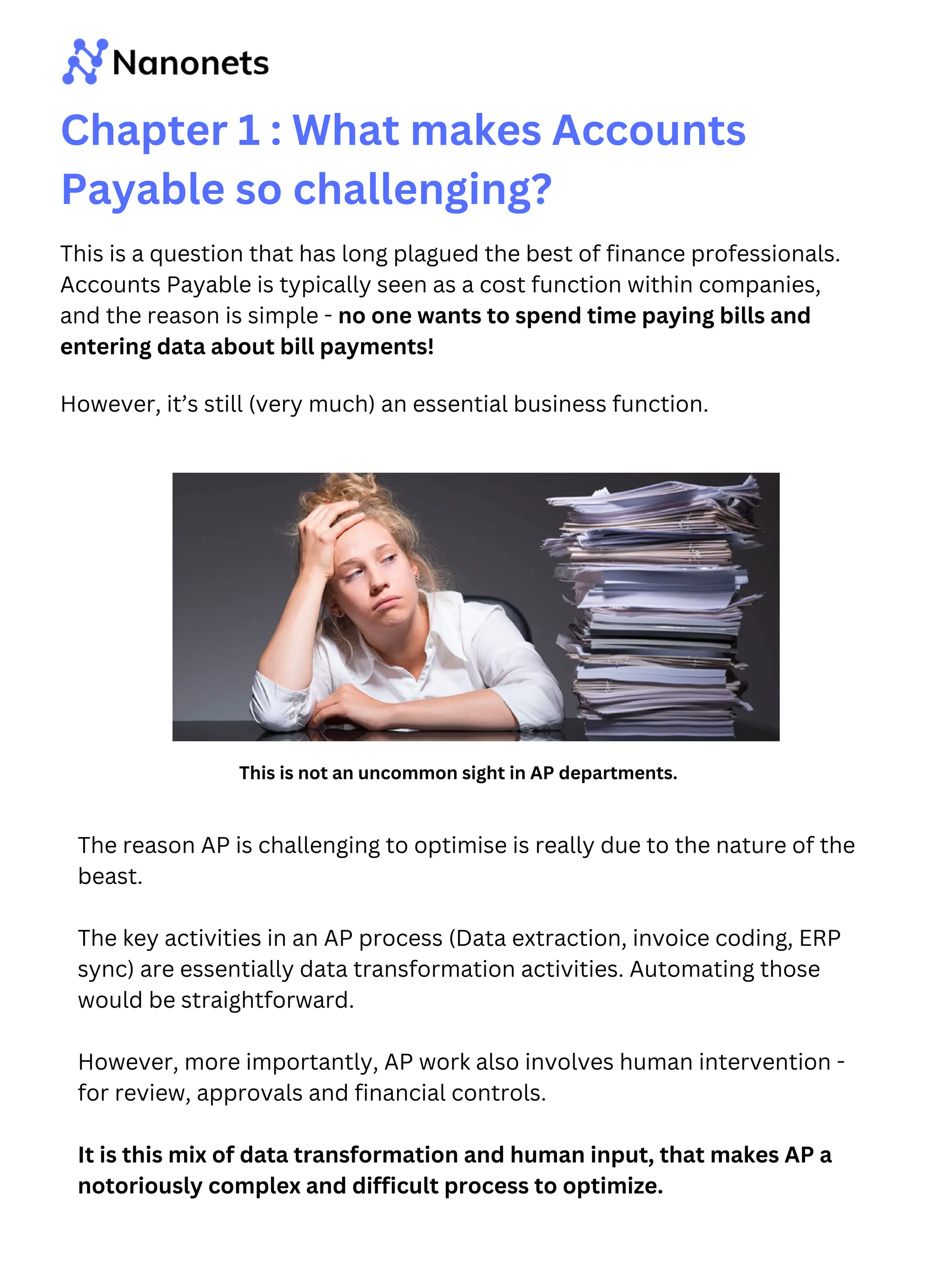
This is not an uncommon sight in AP departments.
However, it’s still (very much) an essential business function.
Here’s a more detailed look at each step of the AP process, and where the
inherent challenges lie within each part of the workflow.
Chapter 1 : What makes Accounts
Payable so challenging?
Invoice Collection: Inefficiencies in managing a mix of digital
and paper invoices, leading to misplaced documents and
delayed processing.
Data Entry: Manual data entry causes inaccuracies and delays
in financial records and reporting.
Verification: Time-consuming process of cross-checking
invoices against POs and delivery notes, often leading to
delayed payments.
Approval: Cumbersome approval process with challenges in
providing context to approvers, tracking invoice status and
ensuring timely authorizations.
Payments: Difficulty in managing multiple payment terms,
schedules and currencies while ensuring timely payments.
Reconciliation: Labor-intensive process of matching bank
transactions with ledger entries.
Dispute Resolution: Time-consuming and complex resolution
process for disputes, affecting vendor relationships and
operational efficiency.
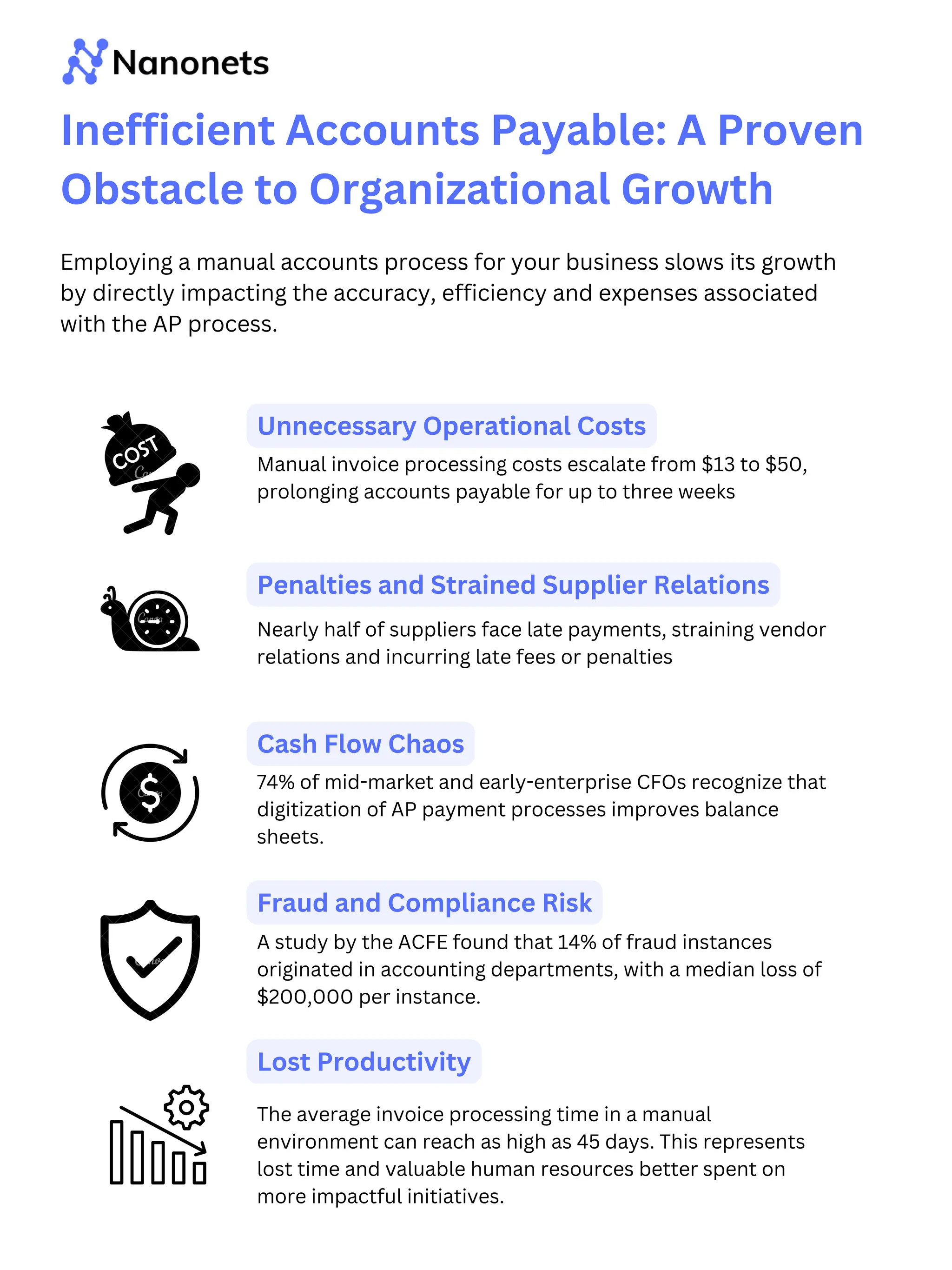
Manual invoice processing costs escalate from $13 to $50,
prolonging accounts payable for up to three weeks
74% of mid-market and early-enterprise CFOs recognize that
digitization of AP payment processes improves balance
sheets.
Employing a manual accounts process for your business slows its growth
by directly impacting the accuracy, efficiency and expenses associated
with the AP process.
Inefficient Accounts Payable: A Proven
Obstacle to Organizational Growth
Nearly half of suppliers face late payments, straining vendor
relations and incurring late fees or penalties
A study by the ACFE found that 14% of fraud instances
originated in accounting departments, with a median loss of
$200,000 per instance.
The average invoice processing time in a manual
environment can reach as high as 45 days. This represents
lost time and valuable human resources better spent on
more impactful initiatives.
Unnecessary Operational Costs
Penalties and Strained Supplier Relations
Cash Flow Chaos
Fraud and Compliance Risk
Lost Productivity
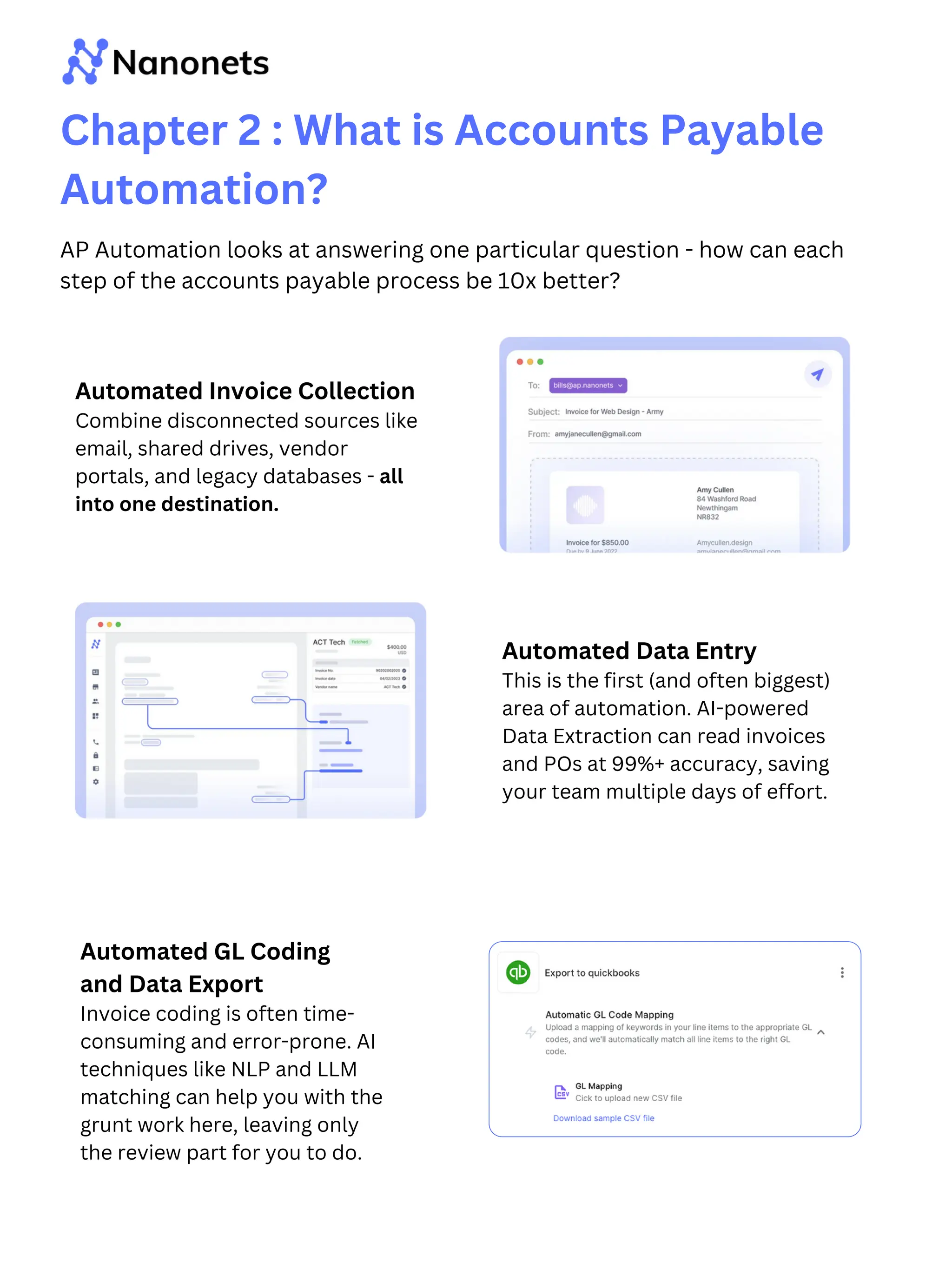
Chapter 2 : What is Accounts Payable
Automation?
AP Automation looks at answering one particular question - how can each
step of the accounts payable process be 10x better?
Automated Invoice Collection
Combine disconnected sources like
email, shared drives, vendor
portals, and legacy databases - all
into one destination.
Automated Data Entry
This is the first (and often biggest)
area of automation. AI-powered
Data Extraction can read invoices
and POs at 99%+ accuracy, saving
your team multiple days of effort.
Automated GL Coding
and Data Export
Invoice coding is often time-
consuming and error-prone. AI
techniques like NLP and LLM
matching can help you with the
grunt work here, leaving only
the review part for you to do.
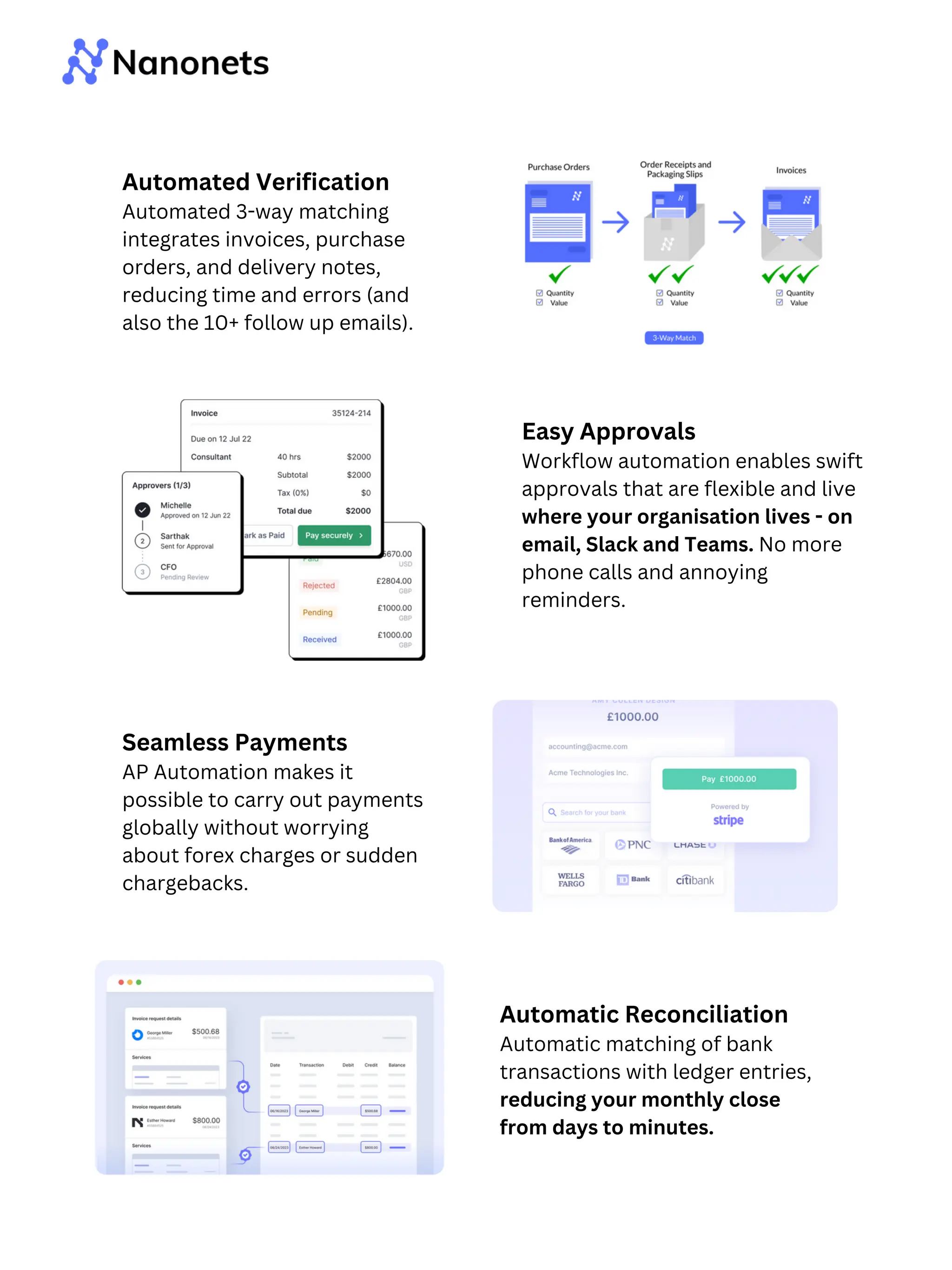
Easy Approvals
Workflow automation enables swift
approvals that are flexible and live
where your organisation lives - on
email, Slack and Teams. No more
phone calls and annoying
reminders.
Seamless Payments
AP Automation makes it
possible to carry out payments
globally without worrying
about forex charges or sudden
chargebacks.
Automatic Reconciliation
Automatic matching of bank
transactions with ledger entries,
reducing your monthly close
from days to minutes.
Automated Verification
Automated 3-way matching
integrates invoices, purchase
orders, and delivery notes,
reducing time and errors (and
also the 10+ follow up emails).
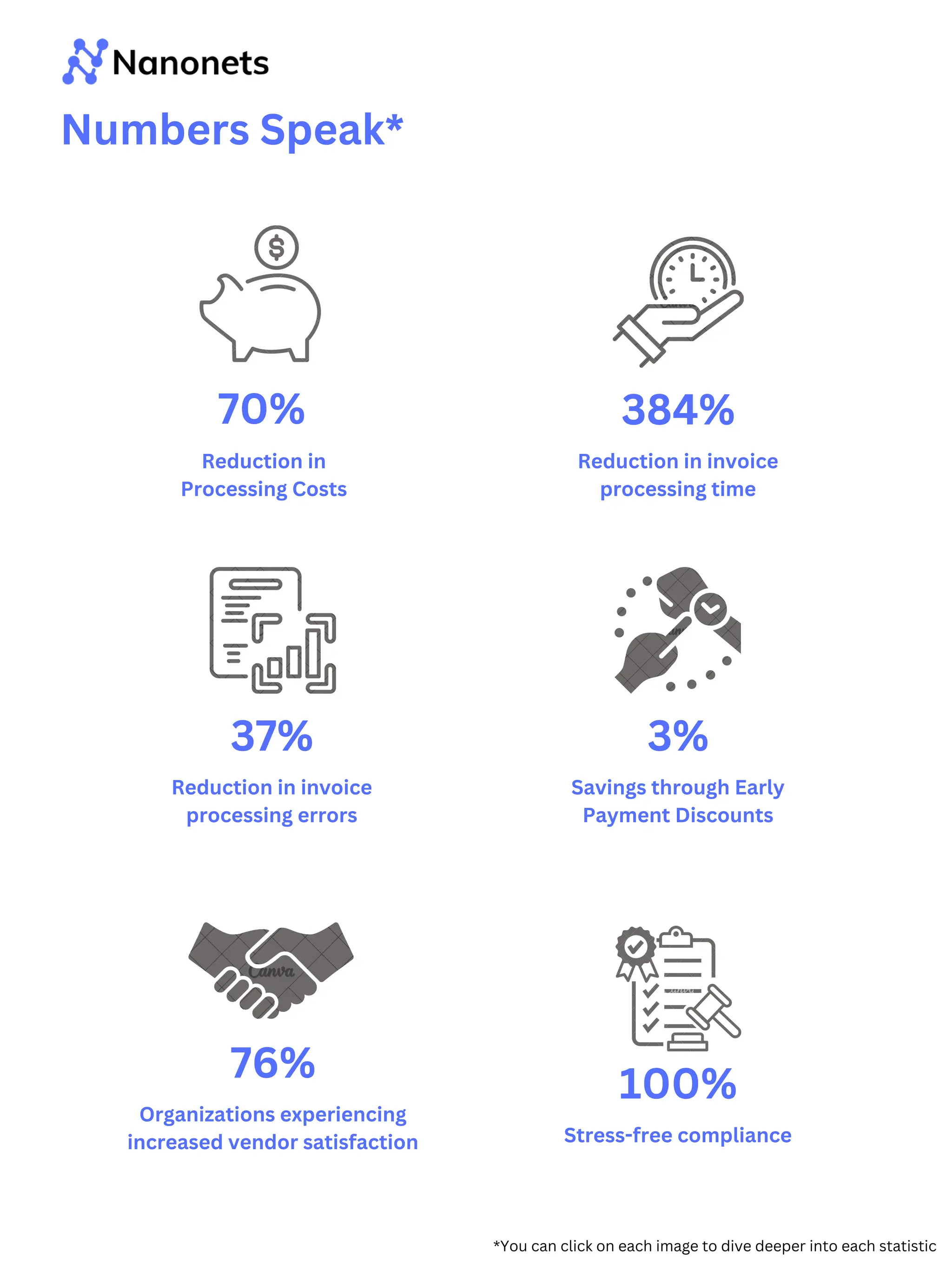
Numbers Speak*
Reduction in
Processing Costs
70%
Reduction in invoice
processing time
384%
Organizations experiencing
increased vendor satisfaction
76%
Reduction in invoice
processing errors
37%
Savings through Early
Payment Discounts
3%
Stress-free compliance
100%
*You can click on each image to dive deeper into each statistic
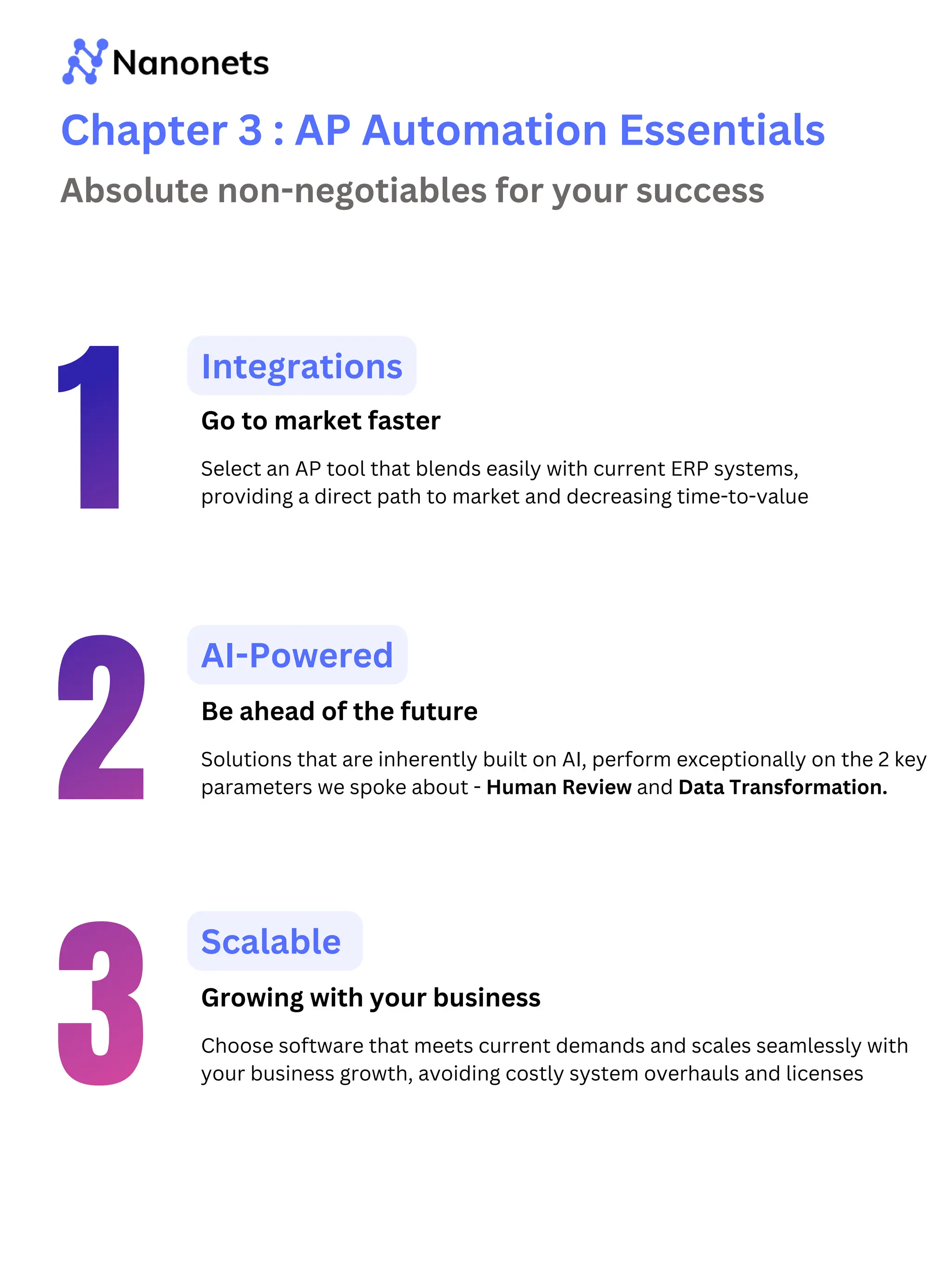
Chapter 3 : AP Automation Essentials
Integrations
Select an AP tool that blends easily with current ERP systems,
providing a direct path to market and decreasing time-to-value
Scalable
Choose software that meets current demands and scales seamlessly with
your business growth, avoiding costly system overhauls and licenses
AI-Powered
Solutions that are inherently built on AI, perform exceptionally on the 2 key
parameters we spoke about - Human Review and Data Transformation.
Absolute non-negotiables for your success
Go to market faster
Be ahead of the future
Growing with your business
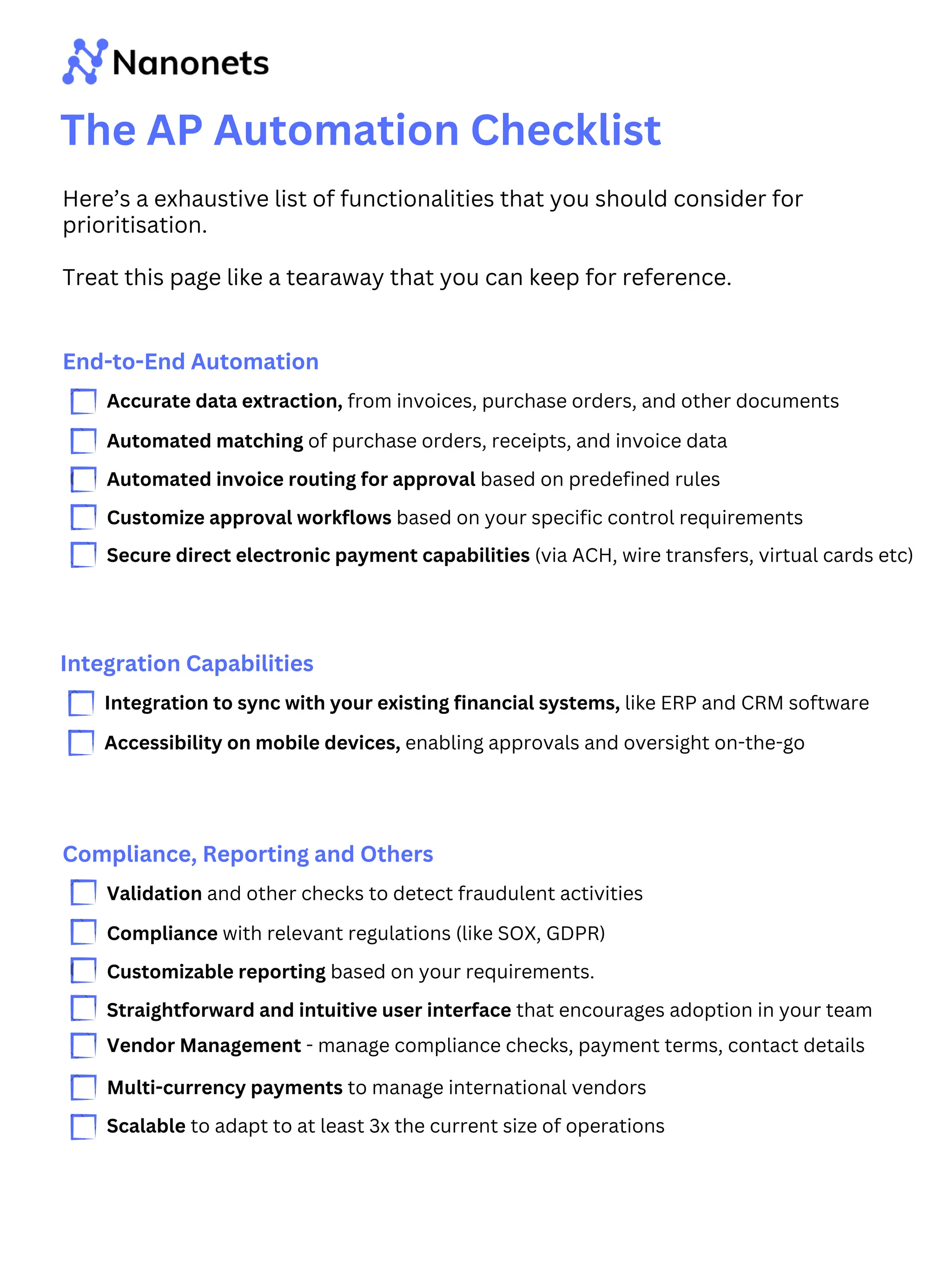
The AP Automation Checklist
Here’s a exhaustive list of functionalities that you should consider for
prioritisation.
Treat this page like a tearaway that you can keep for reference.
End-to-End Automation
Accurate data extraction, from invoices, purchase orders, and other documents
Automated matching of purchase orders, receipts, and invoice data
Automated invoice routing for approval based on predefined rules
Customize approval workflows based on your specific control requirements
Secure direct electronic payment capabilities (via ACH, wire transfers, virtual cards etc)
Integration Capabilities
Integration to sync with your existing financial systems, like ERP and CRM software
Accessibility on mobile devices, enabling approvals and oversight on-the-go
Compliance, Reporting and Others
Validation and other checks to detect fraudulent activities
Compliance with relevant regulations (like SOX, GDPR)
Customizable reporting based on your requirements.
Straightforward and intuitive user interface that encourages adoption in your team
Vendor Management - manage compliance checks, payment terms, contact details
Multi-currency payments to manage international vendors
Scalable to adapt to at least 3x the current size of operations
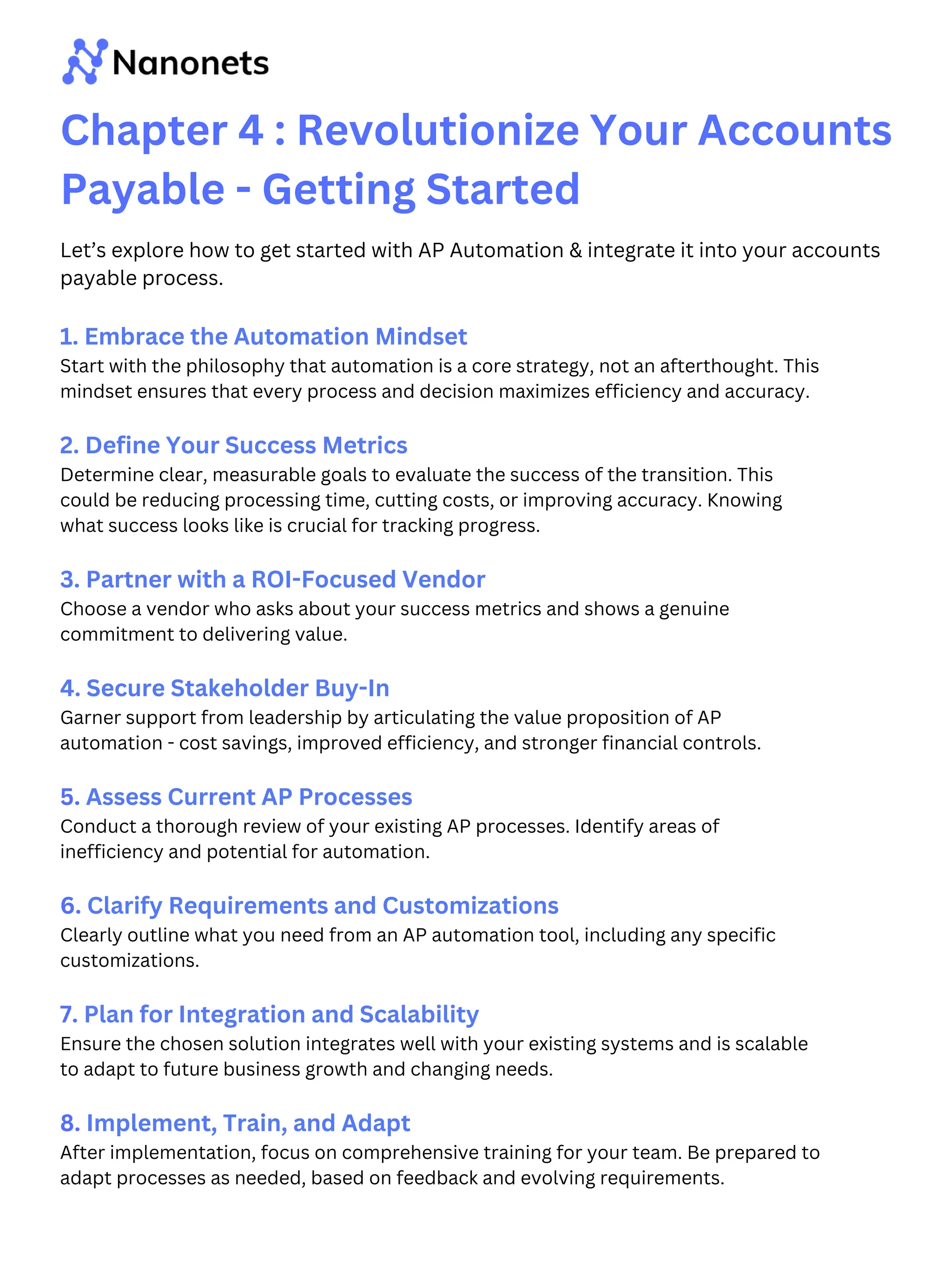
Chapter 4 : Revolutionize Your Accounts
Payable - Getting Started
1. Embrace the Automation Mindset
Start with the philosophy that automation is a core strategy, not an afterthought. This
mindset ensures that every process and decision maximizes efficiency and accuracy.
2. Define Your Success Metrics
Determine clear, measurable goals to evaluate the success of the transition. This
could be reducing processing time, cutting costs, or improving accuracy. Knowing
what success looks like is crucial for tracking progress.
3. Partner with a ROI-Focused Vendor
Choose a vendor who asks about your success metrics and shows a genuine
commitment to delivering value.
4. Secure Stakeholder Buy-In
Garner support from leadership by articulating the value proposition of AP
automation - cost savings, improved efficiency, and stronger financial controls.
5. Assess Current AP Processes
Conduct a thorough review of your existing AP processes. Identify areas of
inefficiency and potential for automation.
6. Clarify Requirements and Customizations
Clearly outline what you need from an AP automation tool, including any specific
customizations.
7. Plan for Integration and Scalability
Ensure the chosen solution integrates well with your existing systems and is scalable
to adapt to future business growth and changing needs.
8. Implement, Train, and Adapt
After implementation, focus on comprehensive training for your team. Be prepared to
adapt processes as needed, based on feedback and evolving requirements.
Let’s explore how to get started with AP Automation & integrate it into your accounts
payable process.
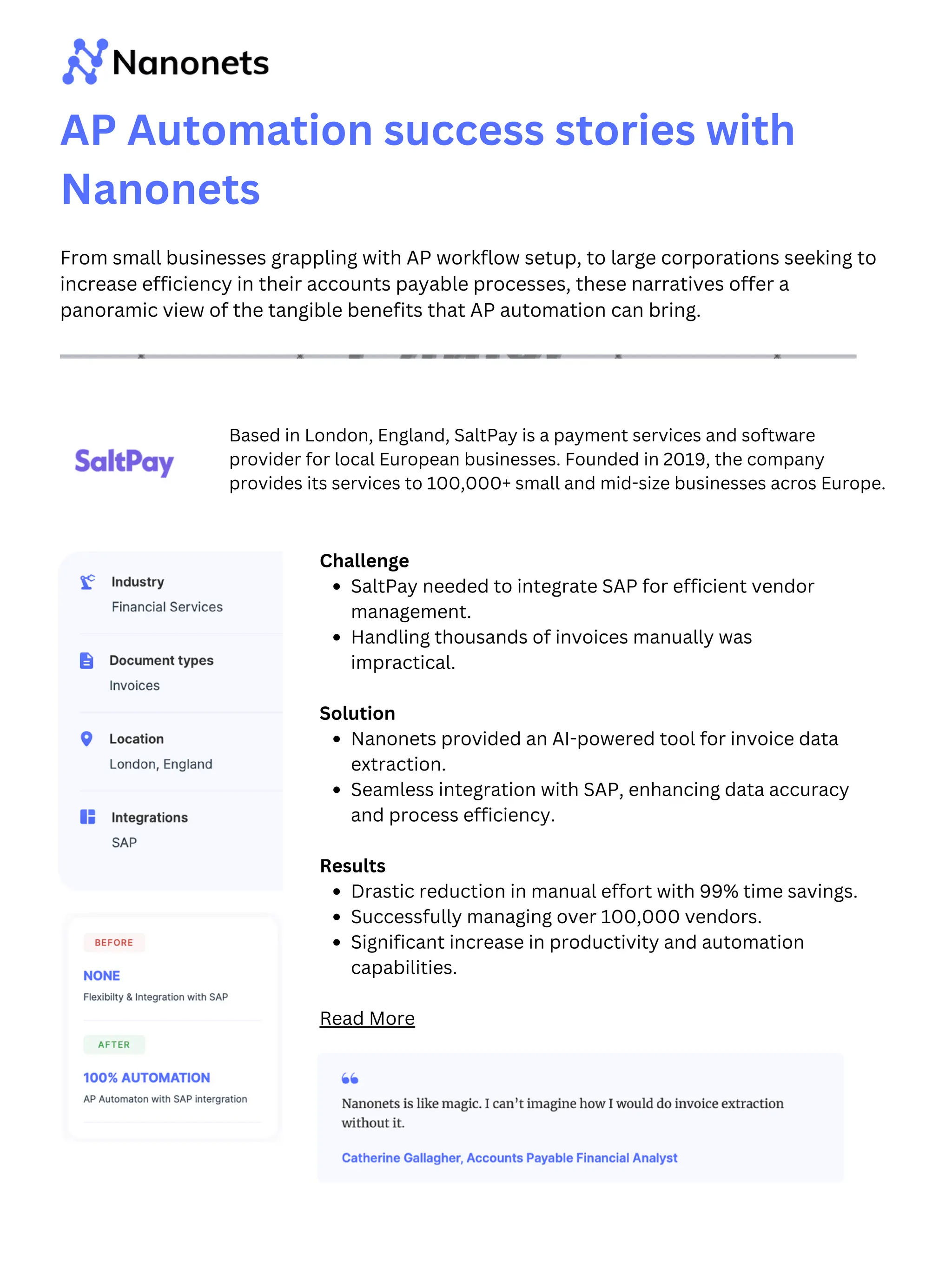
Challenge
SaltPay needed to integrate SAP for efficient vendor
management.
Handling thousands of invoices manually was
impractical.
Solution
Nanonets provided an AI-powered tool for invoice data
extraction.
Seamless integration with SAP, enhancing data accuracy
and process efficiency.
Results
Drastic reduction in manual effort with 99% time savings.
Successfully managing over 100,000 vendors.
Significant increase in productivity and automation
capabilities.
Read More
AP Automation success stories with
Nanonets
From small businesses grappling with AP workflow setup, to large corporations seeking to
increase efficiency in their accounts payable processes, these narratives offer a
panoramic view of the tangible benefits that AP automation can bring.
Based in London, England, SaltPay is a payment services and software
provider for local European businesses. Founded in 2019, the company
provides its services to 100,000+ small and mid-size businesses acros Europe.
Challenge
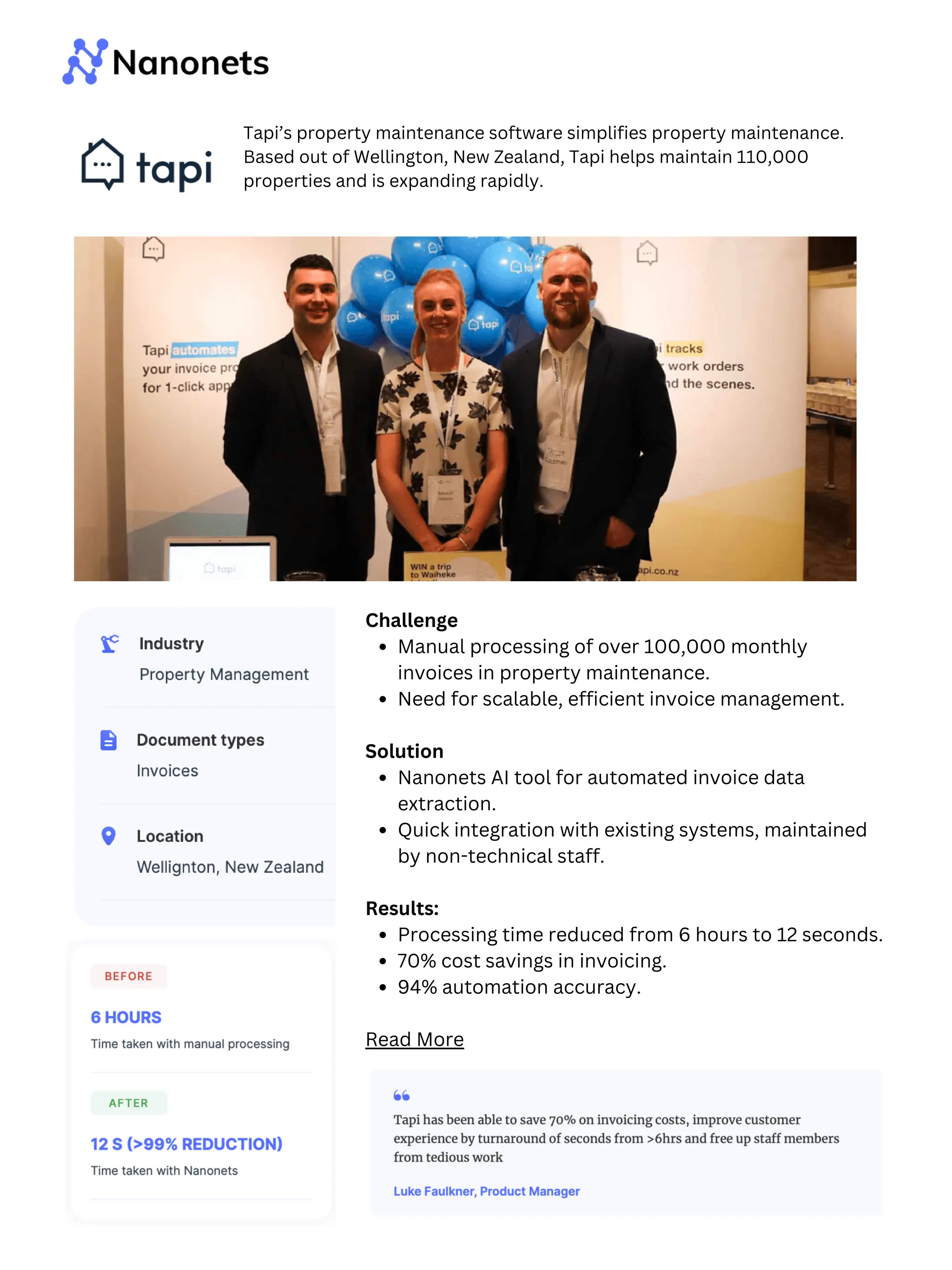
Manual processing of over 100,000 monthly
invoices in property maintenance.
Need for scalable, efficient invoice management.
Solution
Nanonets AI tool for automated invoice data
extraction.
Quick integration with existing systems, maintained
by non-technical staff.
Results:
Processing time reduced from 6 hours to 12 seconds.
70% cost savings in invoicing.
94% automation accuracy.
Read More
Tapi’s property maintenance software simplifies property maintenance.
Based out of Wellington, New Zealand, Tapi helps maintain 110,000
properties and is expanding rapidly.
Challenge
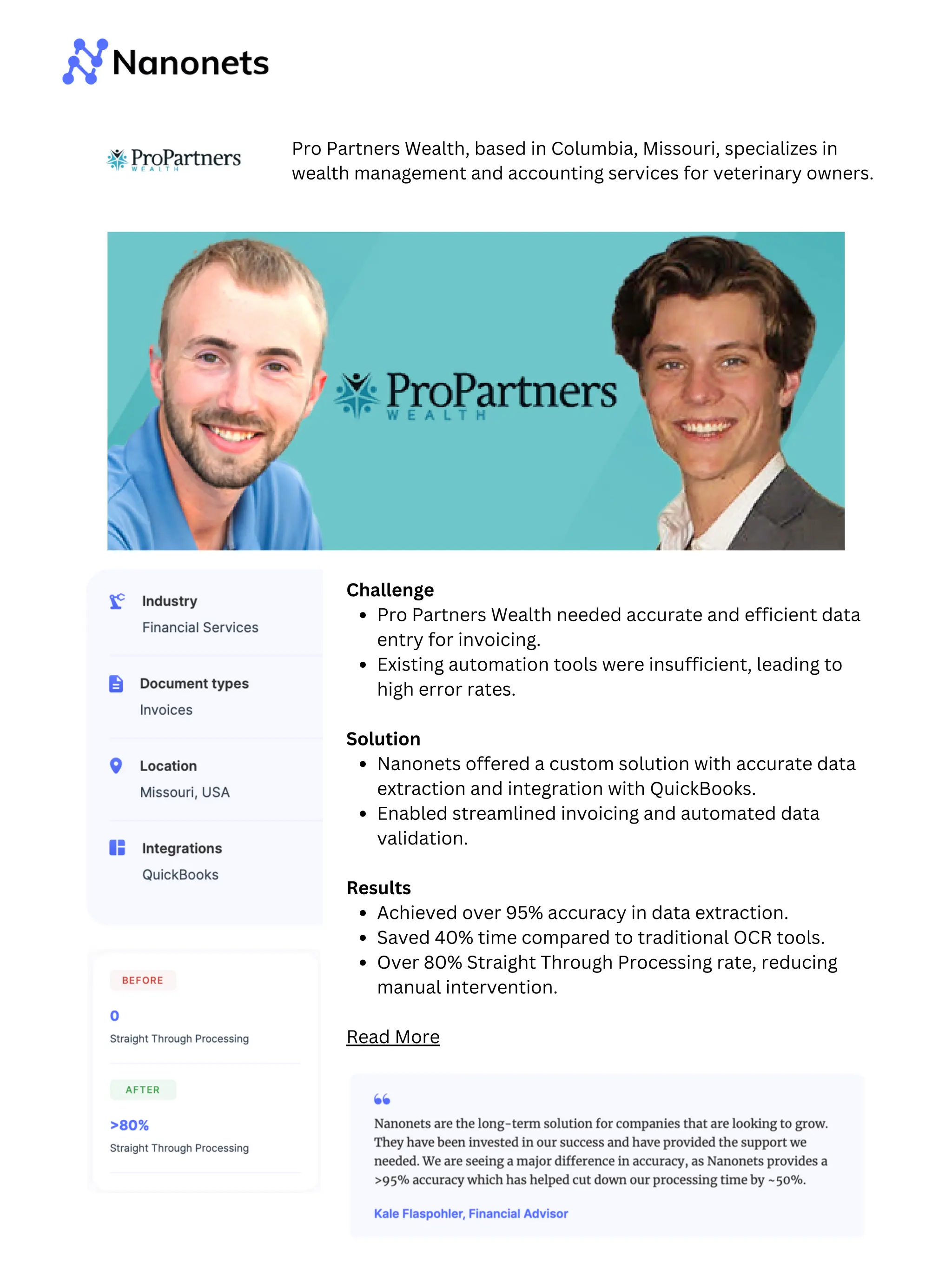
Pro Partners Wealth needed accurate and efficient data
entry for invoicing.
Existing automation tools were insufficient, leading to
high error rates.
Solution
Nanonets offered a custom solution with accurate data
extraction and integration with QuickBooks.
Enabled streamlined invoicing and automated data
validation.
Results
Achieved over 95% accuracy in data extraction.
Saved 40% time compared to traditional OCR tools.
Over 80% Straight Through Processing rate, reducing
manual intervention.
Read More
Pro Partners Wealth, based in Columbia, Missouri, specializes in
wealth management and accounting services for veterinary owners.
Challenge
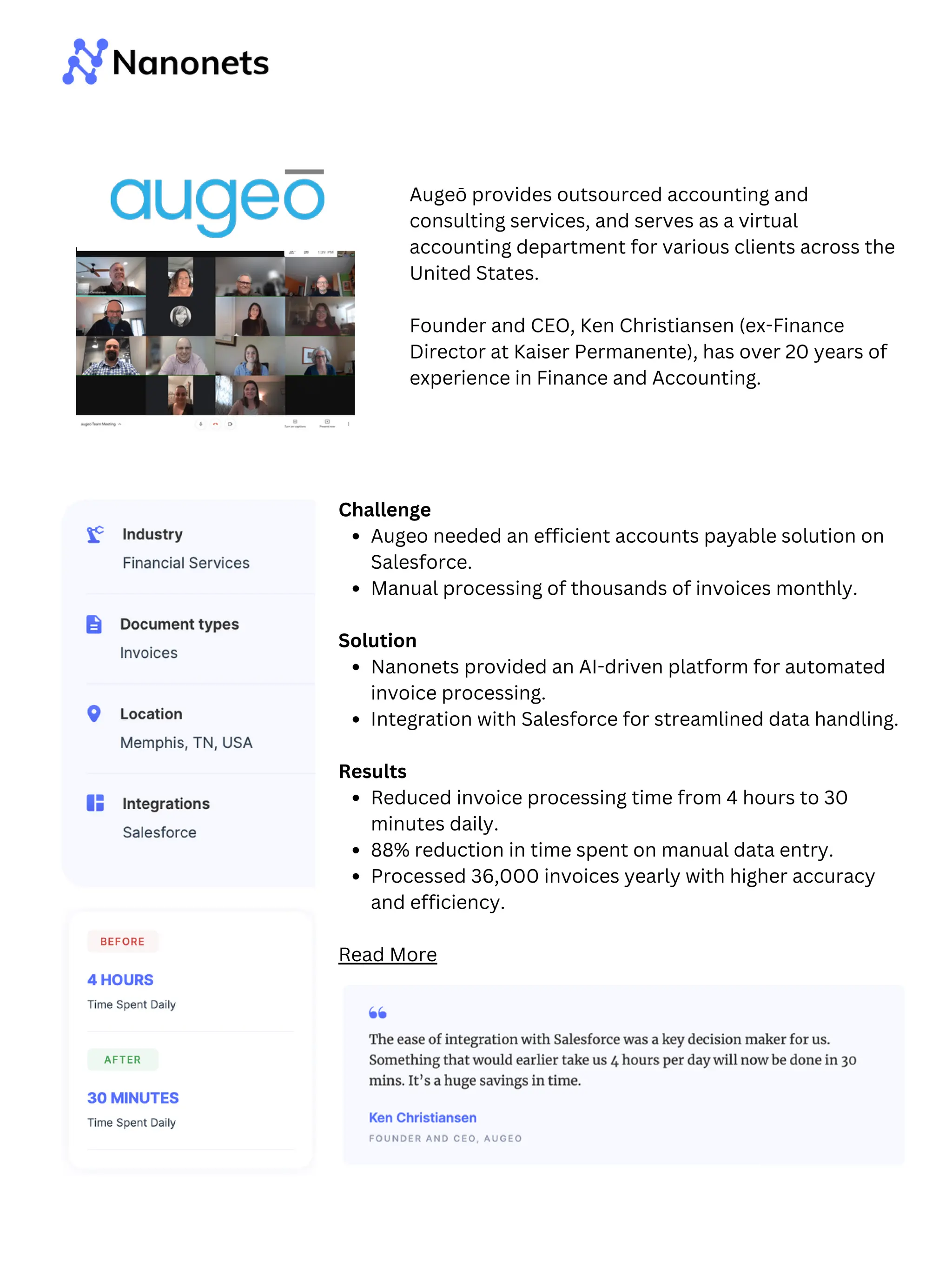
Augeo needed an efficient accounts payable solution on
Salesforce.
Manual processing of thousands of invoices monthly.
Solution
Nanonets provided an AI-driven platform for automated
invoice processing.
Integration with Salesforce for streamlined data handling.
Results
Reduced invoice processing time from 4 hours to 30
minutes daily.
88% reduction in time spent on manual data entry.
Processed 36,000 invoices yearly with higher accuracy
and efficiency.
Read More
Augeō provides outsourced accounting and
consulting services, and serves as a virtual
accounting department for various clients across the
United States.
Founder and CEO, Ken Christiansen (ex-Finance
Director at Kaiser Permanente), has over 20 years of
experience in Finance and Accounting.
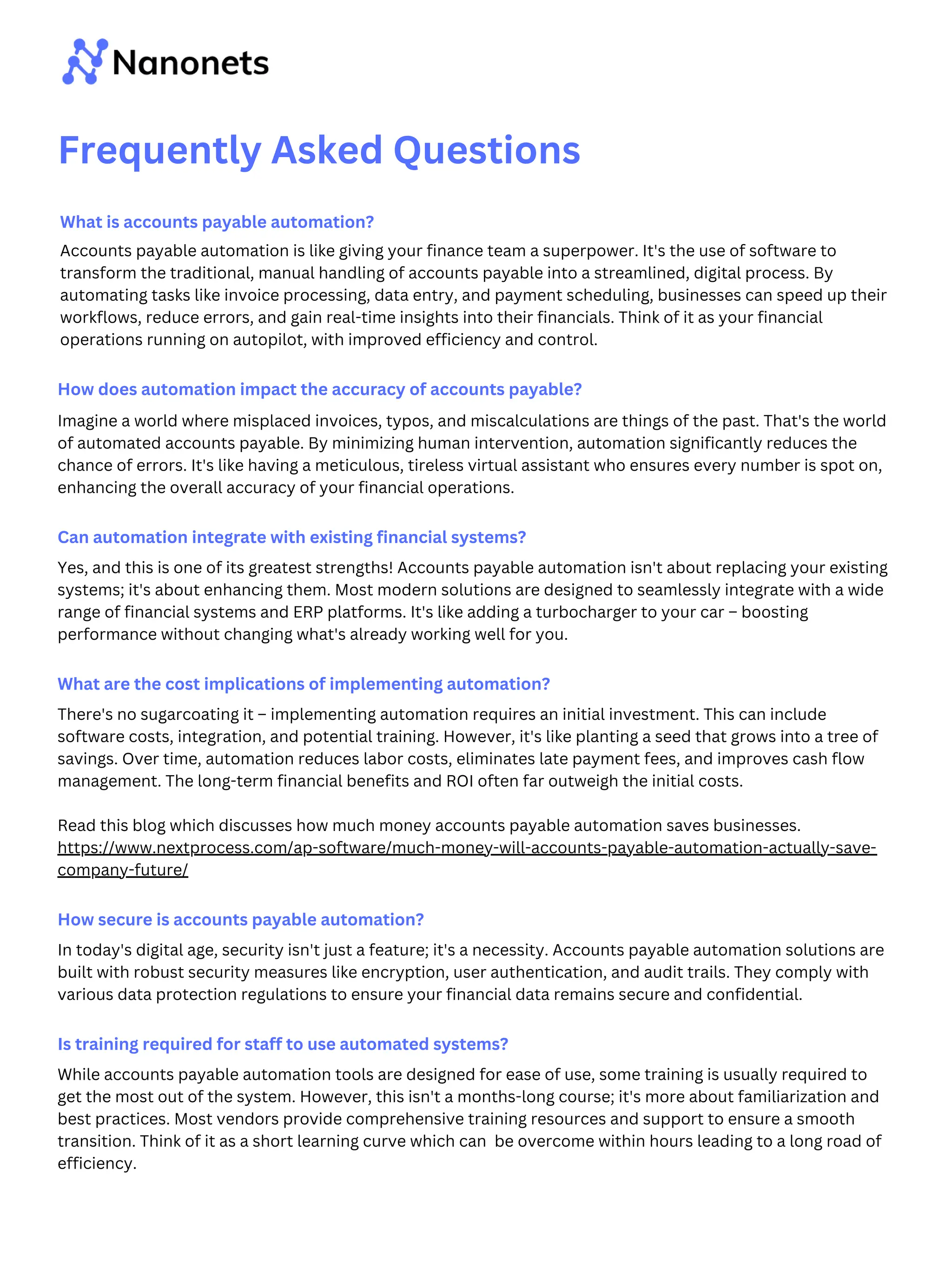
What is accounts payable automation?
Accounts payable automation is like giving your finance team a superpower. It's the use of software to
transform the traditional, manual handling of accounts payable into a streamlined, digital process. By
automating tasks like invoice processing, data entry, and payment scheduling, businesses can speed up their
workflows, reduce errors, and gain real-time insights into their financials. Think of it as your financial
operations running on autopilot, with improved efficiency and control.
How does automation impact the accuracy of accounts payable?
Imagine a world where misplaced invoices, typos, and miscalculations are things of the past. That's the world
of automated accounts payable. By minimizing human intervention, automation significantly reduces the
chance of errors. It's like having a meticulous, tireless virtual assistant who ensures every number is spot on,
enhancing the overall accuracy of your financial operations.
Can automation integrate with existing financial systems?
Yes, and this is one of its greatest strengths! Accounts payable automation isn't about replacing your existing
systems; it's about enhancing them. Most modern solutions are designed to seamlessly integrate with a wide
range of financial systems and ERP platforms. It's like adding a turbocharger to your car – boosting
performance without changing what's already working well for you.
What are the cost implications of implementing automation?
There's no sugarcoating it – implementing automation requires an initial investment. This can include
software costs, integration, and potential training. However, it's like planting a seed that grows into a tree of
savings. Over time, automation reduces labor costs, eliminates late payment fees, and improves cash flow
management. The long-term financial benefits and ROI often far outweigh the initial costs.
Read this blog which discusses how much money accounts payable automation saves businesses.
https://www.nextprocess.com/ap-software/much-money-will-accounts-payable-automation-actually-save-
company-future/
How secure is accounts payable automation?
In today's digital age, security isn't just a feature; it's a necessity. Accounts payable automation solutions are
built with robust security measures like encryption, user authentication, and audit trails. They comply with
various data protection regulations to ensure your financial data remains secure and confidential.
Is training required for staff to use automated systems?
While accounts payable automation tools are designed for ease of use, some training is usually required to
get the most out of the system. However, this isn't a months-long course; it's more about familiarization and
best practices. Most vendors provide comprehensive training resources and support to ensure a smooth
transition. Think of it as a short learning curve which can be overcome within hours leading to a long road of
efficiency.
Frequently Asked Questions
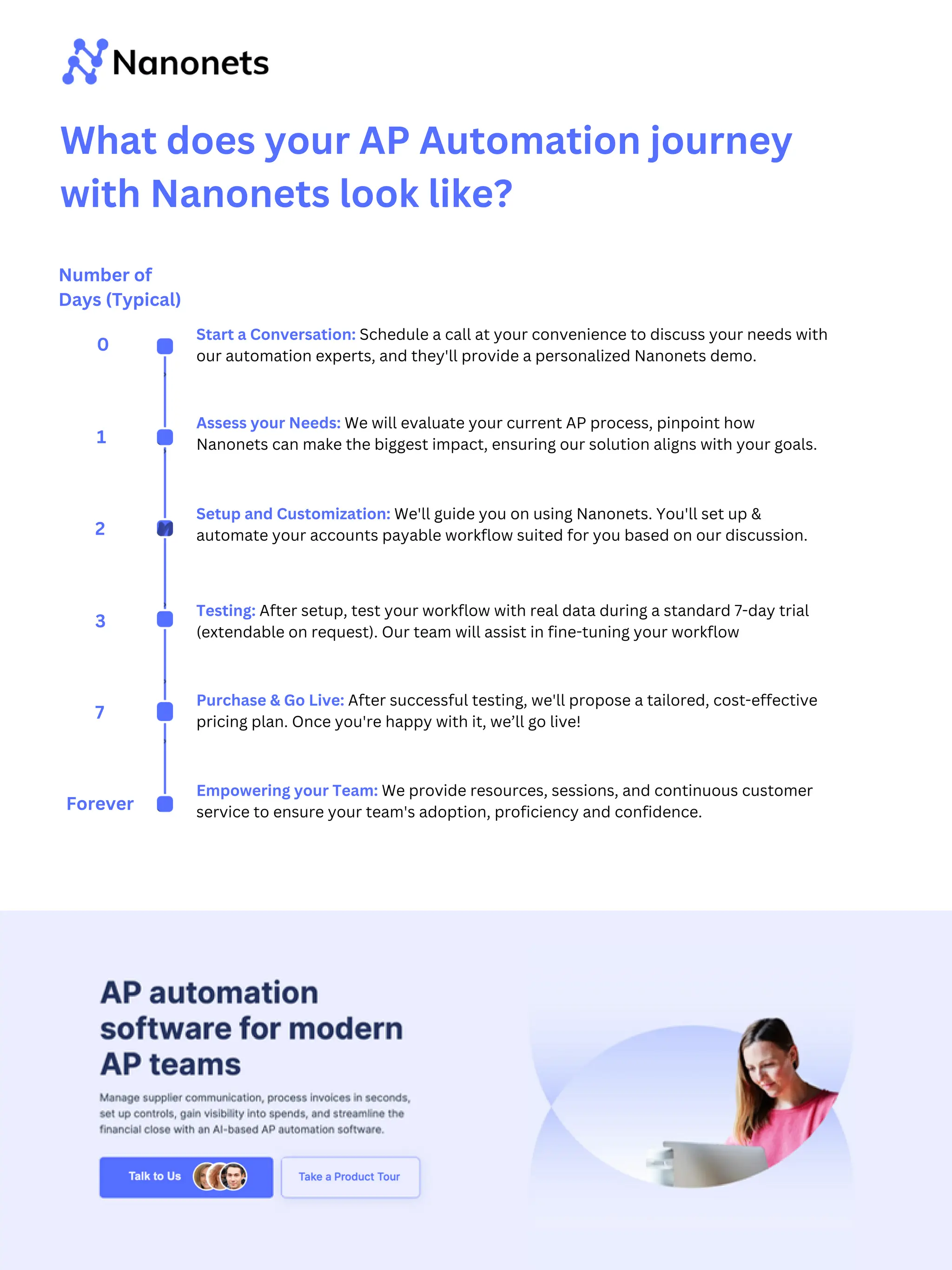
What does your AP Automation journey
with Nanonets look like?
Start a Conversation: Schedule a call at your convenience to discuss your needs with
our automation experts, and they'll provide a personalized Nanonets demo.
Assess your Needs: We will evaluate your current AP process, pinpoint how
Nanonets can make the biggest impact, ensuring our solution aligns with your goals.
Setup and Customization: We'll guide you on using Nanonets. You'll set up &
automate your accounts payable workflow suited for you based on our discussion.
Empowering your Team: We provide resources, sessions, and continuous customer
service to ensure your team's adoption, proficiency and confidence.
Testing: After setup, test your workflow with real data during a standard 7-day trial
(extendable on request). Our team will assist in fine-tuning your workflow
Purchase & Go Live: After successful testing, we'll propose a tailored, cost-effective
pricing plan. Once you're happy with it, we’ll go live!
Number of
Days (Typical)
0
1
2
3
7
Forever

The Ultimate Guide to Accounts Payable Automation - Nanonets

  • 1.
    The Ultimate Guideto Accounts Payable Automation Transforming your AP function in 2024
  • 2.
    Chapter 1 :What makes Accounts Payable so challenging? Chapter 3 : AP Automation Essentials Chapter 2 : What is Accounts Payable Automation? Chapter 4 : Revolutionize Your Accounts Payable - Getting Started In the rapidly evolving business landscape, the efficiency of Accounts Payable (AP) processes is no longer just a back-office concern but a strategic imperative. The complexity and resource-intensive nature of traditional AP work is becoming unsustainable, particularly in the face of growing demands for speed and accuracy. This ‘Ultimate Guide to Accounts Payable Automation' offers CFOs and finance leaders a transformative approach. This guide cuts through the complexity of AP processes, presenting a clear pathway to automation. It's not just about streamlining operations—it's about revolutionizing them for accuracy, speed, and strategic business impact. The guide consists of four chapters:
  • 3.
    This is aquestion that has long plagued the best of finance professionals. Accounts Payable is typically seen as a cost function within companies, and the reason is simple - no one wants to spend time paying bills and entering data about bill payments! Chapter 1 : What makes Accounts Payable so challenging? The reason AP is challenging to optimise is really due to the nature of the beast. The key activities in an AP process (Data extraction, invoice coding, ERP sync) are essentially data transformation activities. Automating those would be straightforward. However, more importantly, AP work also involves human intervention - for review, approvals and financial controls. It is this mix of data transformation and human input, that makes AP a notoriously complex and difficult process to optimize. This is not an uncommon sight in AP departments. However, it’s still (very much) an essential business function.
  • 4.
    Here’s a moredetailed look at each step of the AP process, and where the inherent challenges lie within each part of the workflow. Chapter 1 : What makes Accounts Payable so challenging? Invoice Collection: Inefficiencies in managing a mix of digital and paper invoices, leading to misplaced documents and delayed processing. Data Entry: Manual data entry causes inaccuracies and delays in financial records and reporting. Verification: Time-consuming process of cross-checking invoices against POs and delivery notes, often leading to delayed payments. Approval: Cumbersome approval process with challenges in providing context to approvers, tracking invoice status and ensuring timely authorizations. Payments: Difficulty in managing multiple payment terms, schedules and currencies while ensuring timely payments. Reconciliation: Labor-intensive process of matching bank transactions with ledger entries. Dispute Resolution: Time-consuming and complex resolution process for disputes, affecting vendor relationships and operational efficiency.
  • 5.
    Manual invoice processingcosts escalate from $13 to $50, prolonging accounts payable for up to three weeks 74% of mid-market and early-enterprise CFOs recognize that digitization of AP payment processes improves balance sheets. Employing a manual accounts process for your business slows its growth by directly impacting the accuracy, efficiency and expenses associated with the AP process. Inefficient Accounts Payable: A Proven Obstacle to Organizational Growth Nearly half of suppliers face late payments, straining vendor relations and incurring late fees or penalties A study by the ACFE found that 14% of fraud instances originated in accounting departments, with a median loss of $200,000 per instance. The average invoice processing time in a manual environment can reach as high as 45 days. This represents lost time and valuable human resources better spent on more impactful initiatives. Unnecessary Operational Costs Penalties and Strained Supplier Relations Cash Flow Chaos Fraud and Compliance Risk Lost Productivity
  • 6.
    Chapter 2 :What is Accounts Payable Automation? AP Automation looks at answering one particular question - how can each step of the accounts payable process be 10x better? Automated Invoice Collection Combine disconnected sources like email, shared drives, vendor portals, and legacy databases - all into one destination. Automated Data Entry This is the first (and often biggest) area of automation. AI-powered Data Extraction can read invoices and POs at 99%+ accuracy, saving your team multiple days of effort. Automated GL Coding and Data Export Invoice coding is often time- consuming and error-prone. AI techniques like NLP and LLM matching can help you with the grunt work here, leaving only the review part for you to do.
  • 7.
    Easy Approvals Workflow automationenables swift approvals that are flexible and live where your organisation lives - on email, Slack and Teams. No more phone calls and annoying reminders. Seamless Payments AP Automation makes it possible to carry out payments globally without worrying about forex charges or sudden chargebacks. Automatic Reconciliation Automatic matching of bank transactions with ledger entries, reducing your monthly close from days to minutes. Automated Verification Automated 3-way matching integrates invoices, purchase orders, and delivery notes, reducing time and errors (and also the 10+ follow up emails).
  • 8.
    Numbers Speak* Reduction in ProcessingCosts 70% Reduction in invoice processing time 384% Organizations experiencing increased vendor satisfaction 76% Reduction in invoice processing errors 37% Savings through Early Payment Discounts 3% Stress-free compliance 100% *You can click on each image to dive deeper into each statistic
  • 9.
    Chapter 3 :AP Automation Essentials Integrations Select an AP tool that blends easily with current ERP systems, providing a direct path to market and decreasing time-to-value Scalable Choose software that meets current demands and scales seamlessly with your business growth, avoiding costly system overhauls and licenses AI-Powered Solutions that are inherently built on AI, perform exceptionally on the 2 key parameters we spoke about - Human Review and Data Transformation. Absolute non-negotiables for your success Go to market faster Be ahead of the future Growing with your business
  • 10.
    The AP AutomationChecklist Here’s a exhaustive list of functionalities that you should consider for prioritisation. Treat this page like a tearaway that you can keep for reference. End-to-End Automation Accurate data extraction, from invoices, purchase orders, and other documents Automated matching of purchase orders, receipts, and invoice data Automated invoice routing for approval based on predefined rules Customize approval workflows based on your specific control requirements Secure direct electronic payment capabilities (via ACH, wire transfers, virtual cards etc) Integration Capabilities Integration to sync with your existing financial systems, like ERP and CRM software Accessibility on mobile devices, enabling approvals and oversight on-the-go Compliance, Reporting and Others Validation and other checks to detect fraudulent activities Compliance with relevant regulations (like SOX, GDPR) Customizable reporting based on your requirements. Straightforward and intuitive user interface that encourages adoption in your team Vendor Management - manage compliance checks, payment terms, contact details Multi-currency payments to manage international vendors Scalable to adapt to at least 3x the current size of operations
  • 11.
    Chapter 4 :Revolutionize Your Accounts Payable - Getting Started 1. Embrace the Automation Mindset Start with the philosophy that automation is a core strategy, not an afterthought. This mindset ensures that every process and decision maximizes efficiency and accuracy. 2. Define Your Success Metrics Determine clear, measurable goals to evaluate the success of the transition. This could be reducing processing time, cutting costs, or improving accuracy. Knowing what success looks like is crucial for tracking progress. 3. Partner with a ROI-Focused Vendor Choose a vendor who asks about your success metrics and shows a genuine commitment to delivering value. 4. Secure Stakeholder Buy-In Garner support from leadership by articulating the value proposition of AP automation - cost savings, improved efficiency, and stronger financial controls. 5. Assess Current AP Processes Conduct a thorough review of your existing AP processes. Identify areas of inefficiency and potential for automation. 6. Clarify Requirements and Customizations Clearly outline what you need from an AP automation tool, including any specific customizations. 7. Plan for Integration and Scalability Ensure the chosen solution integrates well with your existing systems and is scalable to adapt to future business growth and changing needs. 8. Implement, Train, and Adapt After implementation, focus on comprehensive training for your team. Be prepared to adapt processes as needed, based on feedback and evolving requirements. Let’s explore how to get started with AP Automation & integrate it into your accounts payable process.
  • 12.
    Challenge SaltPay needed tointegrate SAP for efficient vendor management. Handling thousands of invoices manually was impractical. Solution Nanonets provided an AI-powered tool for invoice data extraction. Seamless integration with SAP, enhancing data accuracy and process efficiency. Results Drastic reduction in manual effort with 99% time savings. Successfully managing over 100,000 vendors. Significant increase in productivity and automation capabilities. Read More AP Automation success stories with Nanonets From small businesses grappling with AP workflow setup, to large corporations seeking to increase efficiency in their accounts payable processes, these narratives offer a panoramic view of the tangible benefits that AP automation can bring. Based in London, England, SaltPay is a payment services and software provider for local European businesses. Founded in 2019, the company provides its services to 100,000+ small and mid-size businesses acros Europe.
  • 13.
    Challenge Manual processing ofover 100,000 monthly invoices in property maintenance. Need for scalable, efficient invoice management. Solution Nanonets AI tool for automated invoice data extraction. Quick integration with existing systems, maintained by non-technical staff. Results: Processing time reduced from 6 hours to 12 seconds. 70% cost savings in invoicing. 94% automation accuracy. Read More Tapi’s property maintenance software simplifies property maintenance. Based out of Wellington, New Zealand, Tapi helps maintain 110,000 properties and is expanding rapidly.
  • 14.
    Challenge Pro Partners Wealthneeded accurate and efficient data entry for invoicing. Existing automation tools were insufficient, leading to high error rates. Solution Nanonets offered a custom solution with accurate data extraction and integration with QuickBooks. Enabled streamlined invoicing and automated data validation. Results Achieved over 95% accuracy in data extraction. Saved 40% time compared to traditional OCR tools. Over 80% Straight Through Processing rate, reducing manual intervention. Read More Pro Partners Wealth, based in Columbia, Missouri, specializes in wealth management and accounting services for veterinary owners.
  • 15.
    Challenge Augeo needed anefficient accounts payable solution on Salesforce. Manual processing of thousands of invoices monthly. Solution Nanonets provided an AI-driven platform for automated invoice processing. Integration with Salesforce for streamlined data handling. Results Reduced invoice processing time from 4 hours to 30 minutes daily. 88% reduction in time spent on manual data entry. Processed 36,000 invoices yearly with higher accuracy and efficiency. Read More Augeō provides outsourced accounting and consulting services, and serves as a virtual accounting department for various clients across the United States. Founder and CEO, Ken Christiansen (ex-Finance Director at Kaiser Permanente), has over 20 years of experience in Finance and Accounting.
  • 16.
    What is accountspayable automation? Accounts payable automation is like giving your finance team a superpower. It's the use of software to transform the traditional, manual handling of accounts payable into a streamlined, digital process. By automating tasks like invoice processing, data entry, and payment scheduling, businesses can speed up their workflows, reduce errors, and gain real-time insights into their financials. Think of it as your financial operations running on autopilot, with improved efficiency and control. How does automation impact the accuracy of accounts payable? Imagine a world where misplaced invoices, typos, and miscalculations are things of the past. That's the world of automated accounts payable. By minimizing human intervention, automation significantly reduces the chance of errors. It's like having a meticulous, tireless virtual assistant who ensures every number is spot on, enhancing the overall accuracy of your financial operations. Can automation integrate with existing financial systems? Yes, and this is one of its greatest strengths! Accounts payable automation isn't about replacing your existing systems; it's about enhancing them. Most modern solutions are designed to seamlessly integrate with a wide range of financial systems and ERP platforms. It's like adding a turbocharger to your car – boosting performance without changing what's already working well for you. What are the cost implications of implementing automation? There's no sugarcoating it – implementing automation requires an initial investment. This can include software costs, integration, and potential training. However, it's like planting a seed that grows into a tree of savings. Over time, automation reduces labor costs, eliminates late payment fees, and improves cash flow management. The long-term financial benefits and ROI often far outweigh the initial costs. Read this blog which discusses how much money accounts payable automation saves businesses. https://www.nextprocess.com/ap-software/much-money-will-accounts-payable-automation-actually-save- company-future/ How secure is accounts payable automation? In today's digital age, security isn't just a feature; it's a necessity. Accounts payable automation solutions are built with robust security measures like encryption, user authentication, and audit trails. They comply with various data protection regulations to ensure your financial data remains secure and confidential. Is training required for staff to use automated systems? While accounts payable automation tools are designed for ease of use, some training is usually required to get the most out of the system. However, this isn't a months-long course; it's more about familiarization and best practices. Most vendors provide comprehensive training resources and support to ensure a smooth transition. Think of it as a short learning curve which can be overcome within hours leading to a long road of efficiency. Frequently Asked Questions
  • 17.
    What does yourAP Automation journey with Nanonets look like? Start a Conversation: Schedule a call at your convenience to discuss your needs with our automation experts, and they'll provide a personalized Nanonets demo. Assess your Needs: We will evaluate your current AP process, pinpoint how Nanonets can make the biggest impact, ensuring our solution aligns with your goals. Setup and Customization: We'll guide you on using Nanonets. You'll set up & automate your accounts payable workflow suited for you based on our discussion. Empowering your Team: We provide resources, sessions, and continuous customer service to ensure your team's adoption, proficiency and confidence. Testing: After setup, test your workflow with real data during a standard 7-day trial (extendable on request). Our team will assist in fine-tuning your workflow Purchase & Go Live: After successful testing, we'll propose a tailored, cost-effective pricing plan. Once you're happy with it, we’ll go live! Number of Days (Typical) 0 1 2 3 7 Forever