Ring Documentation, Release 1.7
aList = [
"one","two",
[3,4],
[20,30], ["three",
"four",
"five",[100,200,300]
]
]
aList2 = aList # Copy aList to aList2
aList2[5] = "other" # modify item number five
see aList2[5] + nl # print other
see aList[5] # print three four five 100 200 300
28.13 First-class lists
Lists are first-class citizens where we can store lists in variables, pass lists to functions, and return lists from functions.
Example:
aList = duplicate( [1,2,3,4,5] )
see aList[10] + nl # print 5
see mylist() # print 10 20 30 40 50
func duplicate list
nMax = len(list)
for x = 1 to nMax
list + list[x]
next
return list
func mylist return [10,20,30,40,50]
28.14 Using Lists during definition
We can use the list items while we are defining the list for the first time.
Example:
aList = [ [1,2,3,4,5] , aList[1] , aList[1] ]
see aList # print 1 2 3 4 5 1 2 3 4 5 1 2 3 4 5
28.15 Passing Lists to Functions
Lists are passed to functions by reference, This means that the called function will work on the same list and can
modify it.
Example:
func main
aList = [1,2,3,4,5] # create list, local in function main
28.13. First-class lists 222
Ring Documentation, Release 1.7
myfunc(aList) # call function, pass list by reference
see aList # print 1 2 3 4 5 6 7 8 9 10
func myfunc list
list + [6,7,8,9,10]
28.16 Access List Items by String Index
Instead of using numbers to determine the item index when we get item value or set item value, We can access items
using string index if the item is a list contains two items and the first item is a string.
Example:
aList = [ ["one",1] , ["two",2] , ["three",3] ]
see aList["one"] + nl +
aList["two"] + nl +
aList["three"] # print 1 2 3
This type of lists can be defined in a better syntax using the : and = operators.
Example:
aList = [ :one = 1 , :two = 2 , :three = 3 ]
see aList["one"] + nl +
aList["two"] + nl +
aList["three"] + nl # print 1 2 3
see aList[1] # print one 1
Tip: using : before identifier (one word) means literal
Note: using = inside list definition create a list of two items where the first item is the left side and the second item is
the right side.
We can add new items to the list using the string index
Example:
aList = []
aList["Egypt"] = "Cairo"
aList["KSA"] = "Riyadh"
see aList["Egypt"] + nl + # print Cairo
aList["KSA"] + nl # print Riyadh
28.17 Passing Parameters or Argumnents Using List
This type of lists is very good for passing parameters to functions Where the order of parameters will not be important
(we can change the order).
Also some parameters maybe optional.
Example:
28.16. Access List Items by String Index 223
Ring Documentation, Release 1.7
myconnect ( [ :server = "myserver.com" , :port = 80 ,
:username = "mahmoud" , :password = "password" ] )
func myconnect mypara
# print connection details
see "User Name : " + mypara[:username] + nl +
"Password : " + mypara[:password] + nl +
"Server : " + mypara[:server] + nl +
"Port : " + mypara[:port]
28.18 Passing Parameters or Argumnents Using List Array
Passing Arguments or Parmameters to a Function in an array format
Example:
myList = [5,7,3,9] ### list with args or parms in an array
result = sum(myList)
See "Sum result: "+ result +n
func sum(aList)
acc = 0
sizeList = len(aList)
for i = 1 to sizeList
See aList[i] +nl
acc = acc + aList[i]
next
return acc
28.19 Creating a Multi-Dimensional Array using List
A Multi-Dimensional Array of any size can be built using recursion in a Function
Example:
###---------------------------------------------------------
### Create Array -- Dimensions Any Size: 3D, 4D, 5D etc
dimList = [4,3,4]
bList = createDimList(dimList)
###---------------------------------------------------------
### Populate the arrays using a counter 1 , 4x4x4 = 256 , 2x3x4x5x6 = 720
Counter = 1
for Col=1 to dimList[1]
for Row=1 to dimList[2]
for Dep=1 to dimList[3]
blist[Col][Row][Dep] = Counter
Counter++
next
next
28.18. Passing Parameters or Argumnents Using List Array 224
Ring Documentation, Release 1.7
next
###-----------------------------------------------
### Print the array elements in block format
for Col=1 to dimList[1]
for Row=1 to dimList[2]
for Dep=1 to dimList[3]
See bList[Col][Row][Dep] See " "
next
See nl
next
See nl
next
###===========================
### FUNCTIONS
###-----------------------------------------------------------------------
### Recursive Create a Dimension Array
### Call by passing an array of dimesions: dimList = [2,3,4,5]
### Drop the first entry every iteration call, making newParms
###
### Example:
### dimList = [4,2,3,2] <<< Number and size of dimensions in array format
### bList = createDimList(dimList) <<< Call using the array as input
func createDimList(dimArray)
sizeList = len(dimArray)
newParms = []
for i = 2 to sizeList
Add(newParms, dimArray[i])
next
alist = list(dimArray[1])
if sizeList = 1
return aList
ok
for t in alist
t = createDimList(newParms)
next
return alist
28.20 Swap Items
We can swap the list items using the Swap() function.
Example:
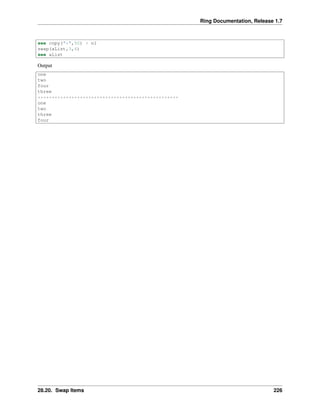
aList = [:one,:two,:four,:three]
see aList
28.20. Swap Items 225
Ring Documentation, Release 1.7
see copy("*",50) + nl
swap(aList,3,4)
see aList
Output
one
two
four
three
**************************************************
one
two
three
four
28.20. Swap Items 226
CHAPTER
TWENTYNINE
STRINGS
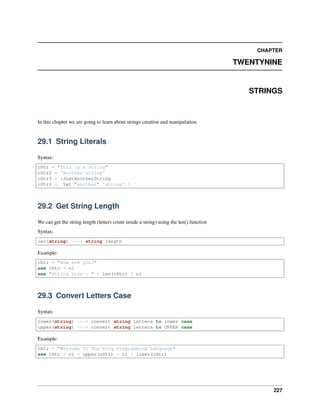
In this chapter we are going to learn about strings creation and manipulation.
29.1 String Literals
Syntax:
cStr = "This is a string"
cStr2 = 'Another string'
cStr3 = :JustAnotherString
cStr4 = `Yet "another" 'string' ! `
29.2 Get String Length
We can get the string length (letters count inside a string) using the len() function
Syntax:
len(string) ---> string length
Example:
cStr = "How are you?"
see cStr + nl
see "String size : " + len(cStr) + nl
29.3 Convert Letters Case
Syntax:
lower(string) ---> convert string letters to lower case
upper(string) ---> convert string letters to UPPER case
Example:
cStr = "Welcome To The Ring Programming Language"
see cStr + nl + upper(cStr) + nl + lower(cStr)
227
Ring Documentation, Release 1.7
29.4 Access String Letters
We can access a letter inside a string by the letter index
Syntax:
string[index] ---> get string letter
string[index] = letter # set string letter
Example:
# print user name letter by letter (each letter in new line)
See "Hello, Enter your name : " give cName
for x = 1 to len(cName)
see nl + cName[x]
next
We can use for in to get string letters.
Example:
# print user name letter by letter (each letter in new line)
See "Hello, Enter your name : " give cName
for x in cName
see nl + x
next
We can modify the string letters
Example:
# convert the first letter to UPPER case
See "Enter your name : " give cName
cName[1] = upper(cName[1])
see "Hello " + cName
29.5 Left() Function
We can get a specified number of characters from a string using the Left() function.
The starting position is 1.
Syntax:
Left(string,count)
Example:
see left("Hello World!",5) # print Hello
29.6 Right() Function
We can get a specified number of characters from a string using the Right() function.
29.4. Access String Letters 228
Ring Documentation, Release 1.7
The starting position is the last character on the right.
Syntax:
Right(string,count)
Example:
see Right("Hello World!",6) # print World!
29.7 Trim() Function
We can remove all leading and trailing spaces from a string using the Trim() function.
Syntax:
trim(string)
Example:
cMsg = " Welcome "
see trim(cMsg) # print Welcome
29.8 Copy() Function
We can duplicate a string more than one time using the copy() function.
Syntax:
copy(string,nCount) ---> string replicated nCount times
Example
see copy("***hello***",3) # print ***hello******hello******hello***
29.9 Lines() Function
We can count the number of lines inside a string using the Lines() function.
Syntax:
lines(string) ---> Number of lines inside the string
Example:
cStr = "Hello
How are you?
are you fine?"
see lines(cStr) # print 3
29.7. Trim() Function 229
Ring Documentation, Release 1.7
29.10 Substr() Function
We can work on sub strings inside a string using the substr() function. Using Substr() we can
• Find substring
• Get substring from position to end
• Get Number of characters from position
• Transform Substring To Another Substring
29.11 Find substring
Syntax:
substr(string,substring) ---> the starting position of substring in string
Example:
cStr = "Welcome to the Ring programming language"
see substr(cStr,"Ring") # print 16
29.12 Get substring from position to end
Syntax:
substr(string,position) ---> Get substring starting from position to end
Example:
cStr = "Welcome to the Ring programming language"
nPos = substr(cStr,"Ring") # nPos = 16
see substr(cStr,nPos) # print Ring programming language
29.13 Get Number of Characters From Position
Syntax:
substr(string,position,count) ---> Get characters starting from position
Example:
cStr = "Welcome to the Ring programming language"
nPos = substr(cStr,"Ring") # nPos = 16
see substr(cStr,nPos,4) # print Ring
29.14 Transform Substring To Another Substring
Syntax:
29.10. Substr() Function 230
Ring Documentation, Release 1.7
substr(string,substring,newsubstring) ---> Transformed string (Match case)
substr(string,substring,newsubstring,1) ---> Transformed string (Ignore case)
Example:
cStr = "Welcome to the New programming language"
see substr(cStr,"New","Ring") + nl # print Welcome to the Ring programming language
see substr(cStr,"new","Ring",1)+ nl # print Welcome to the Ring programming language
29.15 strcmp() Function
We can compare between two strings using the strcmp() function.
Syntax:
strcmp(cString1,cString2) ---> value = 0 if cString1 = cString2
value < 0 if cString1 < cString2
value > 0 if cString1 > cString2
Example:
see strcmp("hello","hello") + nl +
strcmp("abc","bcd") + nl +
strcmp("bcd","abc") + nl
Output:
0
-1
1
29.16 str2list() and list2str() Functions
We can convert string lines to list items using the str2list() function. Also we can convert the list to a string using
list2str() function.
Syntax:
str2list(string) ---> list contains the string lines
list2str(list) ---> string contains the list items
Example:
/* output:
** Items : 4
** Item : Hello
** Item : How are you ?
** Item : are you fine ?
** Item : ok
** list2Str result = Hello
** How are you ?
** are you fine ?
** ok
** Done
*/
29.15. strcmp() Function 231

The Ring programming language version 1.7 book - Part 26 of 196

  • 1.
    Ring Documentation, Release1.7 aList = [ "one","two", [3,4], [20,30], ["three", "four", "five",[100,200,300] ] ] aList2 = aList # Copy aList to aList2 aList2[5] = "other" # modify item number five see aList2[5] + nl # print other see aList[5] # print three four five 100 200 300 28.13 First-class lists Lists are first-class citizens where we can store lists in variables, pass lists to functions, and return lists from functions. Example: aList = duplicate( [1,2,3,4,5] ) see aList[10] + nl # print 5 see mylist() # print 10 20 30 40 50 func duplicate list nMax = len(list) for x = 1 to nMax list + list[x] next return list func mylist return [10,20,30,40,50] 28.14 Using Lists during definition We can use the list items while we are defining the list for the first time. Example: aList = [ [1,2,3,4,5] , aList[1] , aList[1] ] see aList # print 1 2 3 4 5 1 2 3 4 5 1 2 3 4 5 28.15 Passing Lists to Functions Lists are passed to functions by reference, This means that the called function will work on the same list and can modify it. Example: func main aList = [1,2,3,4,5] # create list, local in function main 28.13. First-class lists 222
  • 2.
    Ring Documentation, Release1.7 myfunc(aList) # call function, pass list by reference see aList # print 1 2 3 4 5 6 7 8 9 10 func myfunc list list + [6,7,8,9,10] 28.16 Access List Items by String Index Instead of using numbers to determine the item index when we get item value or set item value, We can access items using string index if the item is a list contains two items and the first item is a string. Example: aList = [ ["one",1] , ["two",2] , ["three",3] ] see aList["one"] + nl + aList["two"] + nl + aList["three"] # print 1 2 3 This type of lists can be defined in a better syntax using the : and = operators. Example: aList = [ :one = 1 , :two = 2 , :three = 3 ] see aList["one"] + nl + aList["two"] + nl + aList["three"] + nl # print 1 2 3 see aList[1] # print one 1 Tip: using : before identifier (one word) means literal Note: using = inside list definition create a list of two items where the first item is the left side and the second item is the right side. We can add new items to the list using the string index Example: aList = [] aList["Egypt"] = "Cairo" aList["KSA"] = "Riyadh" see aList["Egypt"] + nl + # print Cairo aList["KSA"] + nl # print Riyadh 28.17 Passing Parameters or Argumnents Using List This type of lists is very good for passing parameters to functions Where the order of parameters will not be important (we can change the order). Also some parameters maybe optional. Example: 28.16. Access List Items by String Index 223
  • 3.
    Ring Documentation, Release1.7 myconnect ( [ :server = "myserver.com" , :port = 80 , :username = "mahmoud" , :password = "password" ] ) func myconnect mypara # print connection details see "User Name : " + mypara[:username] + nl + "Password : " + mypara[:password] + nl + "Server : " + mypara[:server] + nl + "Port : " + mypara[:port] 28.18 Passing Parameters or Argumnents Using List Array Passing Arguments or Parmameters to a Function in an array format Example: myList = [5,7,3,9] ### list with args or parms in an array result = sum(myList) See "Sum result: "+ result +n func sum(aList) acc = 0 sizeList = len(aList) for i = 1 to sizeList See aList[i] +nl acc = acc + aList[i] next return acc 28.19 Creating a Multi-Dimensional Array using List A Multi-Dimensional Array of any size can be built using recursion in a Function Example: ###--------------------------------------------------------- ### Create Array -- Dimensions Any Size: 3D, 4D, 5D etc dimList = [4,3,4] bList = createDimList(dimList) ###--------------------------------------------------------- ### Populate the arrays using a counter 1 , 4x4x4 = 256 , 2x3x4x5x6 = 720 Counter = 1 for Col=1 to dimList[1] for Row=1 to dimList[2] for Dep=1 to dimList[3] blist[Col][Row][Dep] = Counter Counter++ next next 28.18. Passing Parameters or Argumnents Using List Array 224
  • 4.
    Ring Documentation, Release1.7 next ###----------------------------------------------- ### Print the array elements in block format for Col=1 to dimList[1] for Row=1 to dimList[2] for Dep=1 to dimList[3] See bList[Col][Row][Dep] See " " next See nl next See nl next ###=========================== ### FUNCTIONS ###----------------------------------------------------------------------- ### Recursive Create a Dimension Array ### Call by passing an array of dimesions: dimList = [2,3,4,5] ### Drop the first entry every iteration call, making newParms ### ### Example: ### dimList = [4,2,3,2] <<< Number and size of dimensions in array format ### bList = createDimList(dimList) <<< Call using the array as input func createDimList(dimArray) sizeList = len(dimArray) newParms = [] for i = 2 to sizeList Add(newParms, dimArray[i]) next alist = list(dimArray[1]) if sizeList = 1 return aList ok for t in alist t = createDimList(newParms) next return alist 28.20 Swap Items We can swap the list items using the Swap() function. Example: aList = [:one,:two,:four,:three] see aList 28.20. Swap Items 225
  • 5.
    Ring Documentation, Release1.7 see copy("*",50) + nl swap(aList,3,4) see aList Output one two four three ************************************************** one two three four 28.20. Swap Items 226
  • 6.
    CHAPTER TWENTYNINE STRINGS In this chapterwe are going to learn about strings creation and manipulation. 29.1 String Literals Syntax: cStr = "This is a string" cStr2 = 'Another string' cStr3 = :JustAnotherString cStr4 = `Yet "another" 'string' ! ` 29.2 Get String Length We can get the string length (letters count inside a string) using the len() function Syntax: len(string) ---> string length Example: cStr = "How are you?" see cStr + nl see "String size : " + len(cStr) + nl 29.3 Convert Letters Case Syntax: lower(string) ---> convert string letters to lower case upper(string) ---> convert string letters to UPPER case Example: cStr = "Welcome To The Ring Programming Language" see cStr + nl + upper(cStr) + nl + lower(cStr) 227
  • 7.
    Ring Documentation, Release1.7 29.4 Access String Letters We can access a letter inside a string by the letter index Syntax: string[index] ---> get string letter string[index] = letter # set string letter Example: # print user name letter by letter (each letter in new line) See "Hello, Enter your name : " give cName for x = 1 to len(cName) see nl + cName[x] next We can use for in to get string letters. Example: # print user name letter by letter (each letter in new line) See "Hello, Enter your name : " give cName for x in cName see nl + x next We can modify the string letters Example: # convert the first letter to UPPER case See "Enter your name : " give cName cName[1] = upper(cName[1]) see "Hello " + cName 29.5 Left() Function We can get a specified number of characters from a string using the Left() function. The starting position is 1. Syntax: Left(string,count) Example: see left("Hello World!",5) # print Hello 29.6 Right() Function We can get a specified number of characters from a string using the Right() function. 29.4. Access String Letters 228
  • 8.
    Ring Documentation, Release1.7 The starting position is the last character on the right. Syntax: Right(string,count) Example: see Right("Hello World!",6) # print World! 29.7 Trim() Function We can remove all leading and trailing spaces from a string using the Trim() function. Syntax: trim(string) Example: cMsg = " Welcome " see trim(cMsg) # print Welcome 29.8 Copy() Function We can duplicate a string more than one time using the copy() function. Syntax: copy(string,nCount) ---> string replicated nCount times Example see copy("***hello***",3) # print ***hello******hello******hello*** 29.9 Lines() Function We can count the number of lines inside a string using the Lines() function. Syntax: lines(string) ---> Number of lines inside the string Example: cStr = "Hello How are you? are you fine?" see lines(cStr) # print 3 29.7. Trim() Function 229
  • 9.
    Ring Documentation, Release1.7 29.10 Substr() Function We can work on sub strings inside a string using the substr() function. Using Substr() we can • Find substring • Get substring from position to end • Get Number of characters from position • Transform Substring To Another Substring 29.11 Find substring Syntax: substr(string,substring) ---> the starting position of substring in string Example: cStr = "Welcome to the Ring programming language" see substr(cStr,"Ring") # print 16 29.12 Get substring from position to end Syntax: substr(string,position) ---> Get substring starting from position to end Example: cStr = "Welcome to the Ring programming language" nPos = substr(cStr,"Ring") # nPos = 16 see substr(cStr,nPos) # print Ring programming language 29.13 Get Number of Characters From Position Syntax: substr(string,position,count) ---> Get characters starting from position Example: cStr = "Welcome to the Ring programming language" nPos = substr(cStr,"Ring") # nPos = 16 see substr(cStr,nPos,4) # print Ring 29.14 Transform Substring To Another Substring Syntax: 29.10. Substr() Function 230
  • 10.
    Ring Documentation, Release1.7 substr(string,substring,newsubstring) ---> Transformed string (Match case) substr(string,substring,newsubstring,1) ---> Transformed string (Ignore case) Example: cStr = "Welcome to the New programming language" see substr(cStr,"New","Ring") + nl # print Welcome to the Ring programming language see substr(cStr,"new","Ring",1)+ nl # print Welcome to the Ring programming language 29.15 strcmp() Function We can compare between two strings using the strcmp() function. Syntax: strcmp(cString1,cString2) ---> value = 0 if cString1 = cString2 value < 0 if cString1 < cString2 value > 0 if cString1 > cString2 Example: see strcmp("hello","hello") + nl + strcmp("abc","bcd") + nl + strcmp("bcd","abc") + nl Output: 0 -1 1 29.16 str2list() and list2str() Functions We can convert string lines to list items using the str2list() function. Also we can convert the list to a string using list2str() function. Syntax: str2list(string) ---> list contains the string lines list2str(list) ---> string contains the list items Example: /* output: ** Items : 4 ** Item : Hello ** Item : How are you ? ** Item : are you fine ? ** Item : ok ** list2Str result = Hello ** How are you ? ** are you fine ? ** ok ** Done */ 29.15. strcmp() Function 231