Ring Documentation, Release 1.5.1
ok
ok
see nl + Copy("=",42) + nl
class myclass
func mymethod
see "Message from mymethod" + nl
Output:
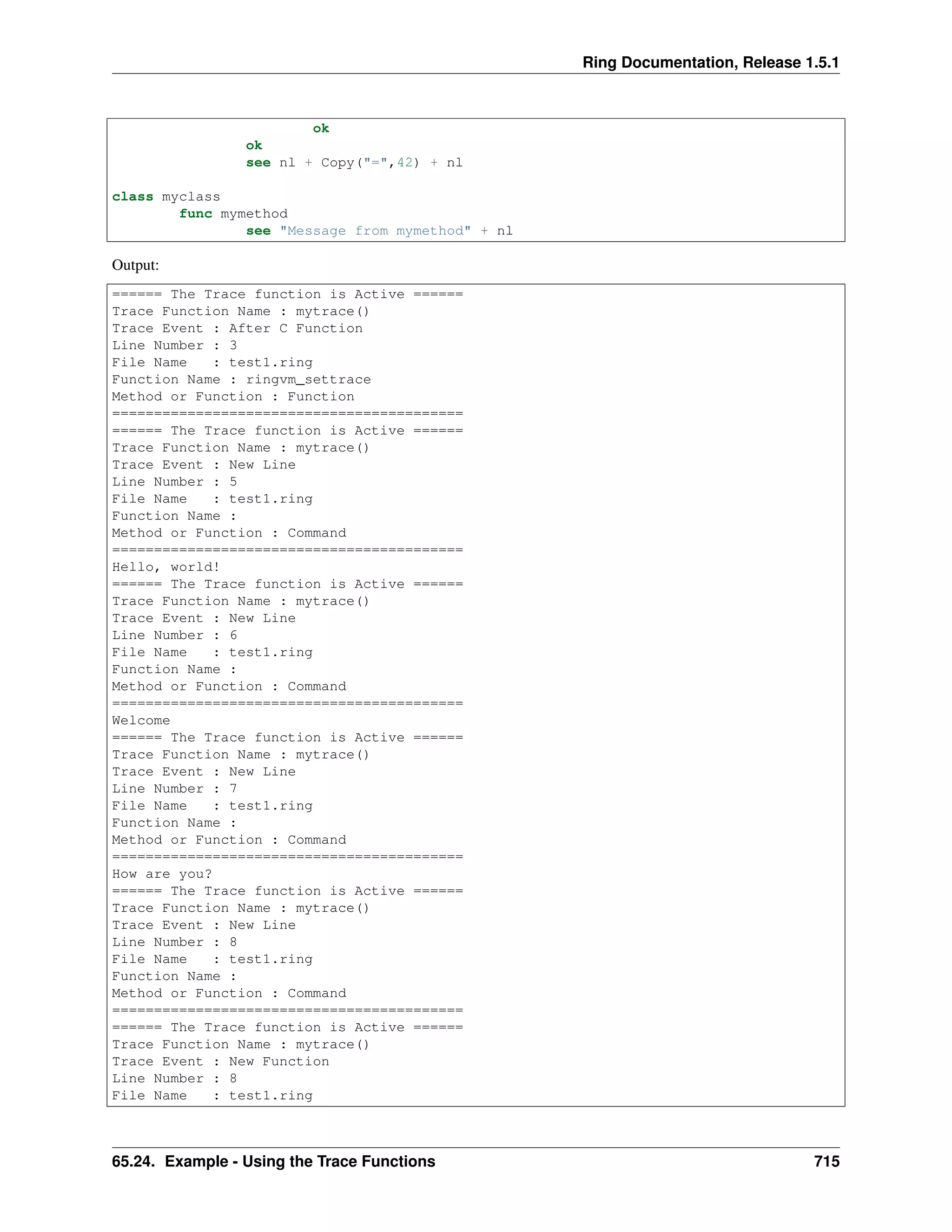
====== The Trace function is Active ======
Trace Function Name : mytrace()
Trace Event : After C Function
Line Number : 3
File Name : test1.ring
Function Name : ringvm_settrace
Method or Function : Function
==========================================
====== The Trace function is Active ======
Trace Function Name : mytrace()
Trace Event : New Line
Line Number : 5
File Name : test1.ring
Function Name :
Method or Function : Command
==========================================
Hello, world!
====== The Trace function is Active ======
Trace Function Name : mytrace()
Trace Event : New Line
Line Number : 6
File Name : test1.ring
Function Name :
Method or Function : Command
==========================================
Welcome
====== The Trace function is Active ======
Trace Function Name : mytrace()
Trace Event : New Line
Line Number : 7
File Name : test1.ring
Function Name :
Method or Function : Command
==========================================
How are you?
====== The Trace function is Active ======
Trace Function Name : mytrace()
Trace Event : New Line
Line Number : 8
File Name : test1.ring
Function Name :
Method or Function : Command
==========================================
====== The Trace function is Active ======
Trace Function Name : mytrace()
Trace Event : New Function
Line Number : 8
File Name : test1.ring
65.24. Example - Using the Trace Functions 715
Ring Documentation, Release 1.5.1
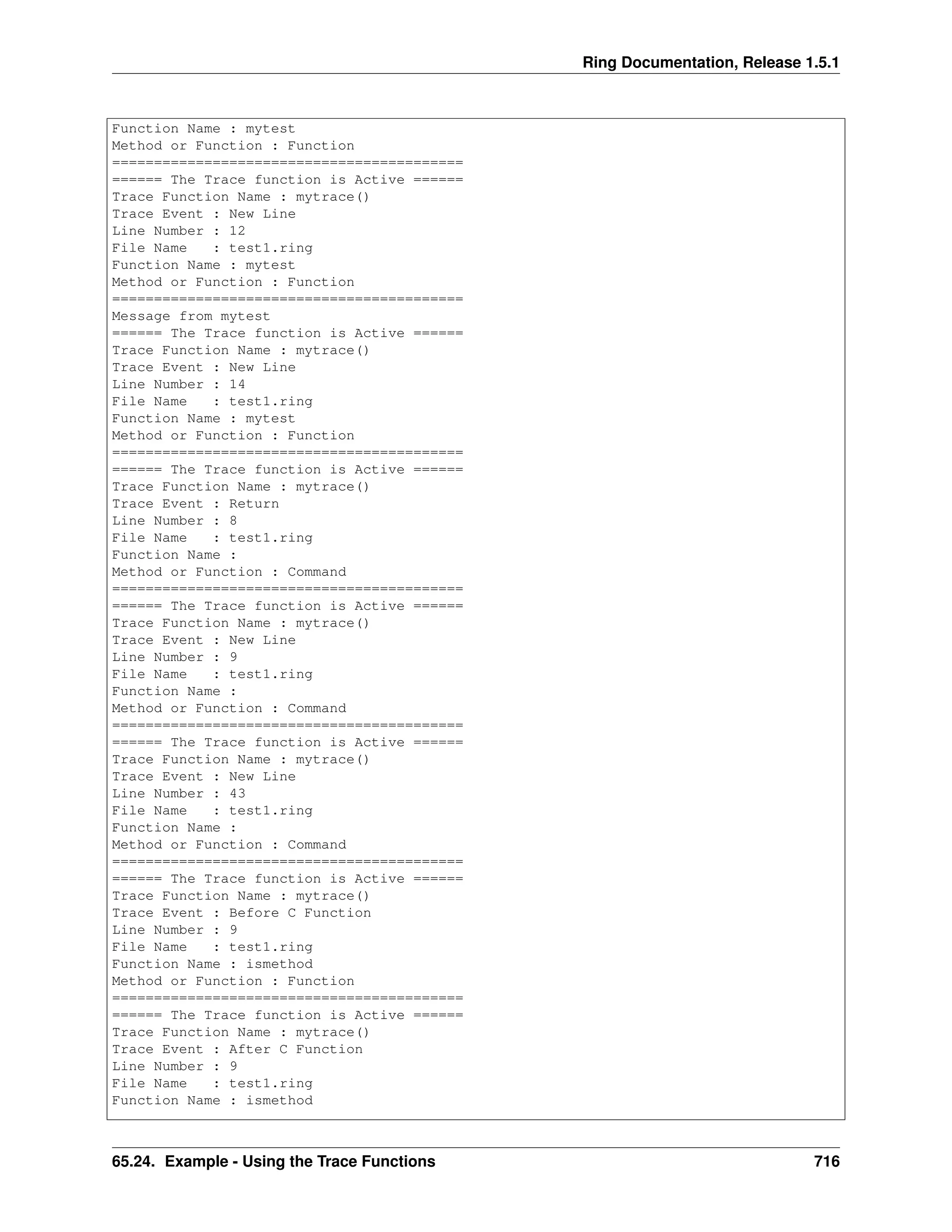
Function Name : mytest
Method or Function : Function
==========================================
====== The Trace function is Active ======
Trace Function Name : mytrace()
Trace Event : New Line
Line Number : 12
File Name : test1.ring
Function Name : mytest
Method or Function : Function
==========================================
Message from mytest
====== The Trace function is Active ======
Trace Function Name : mytrace()
Trace Event : New Line
Line Number : 14
File Name : test1.ring
Function Name : mytest
Method or Function : Function
==========================================
====== The Trace function is Active ======
Trace Function Name : mytrace()
Trace Event : Return
Line Number : 8
File Name : test1.ring
Function Name :
Method or Function : Command
==========================================
====== The Trace function is Active ======
Trace Function Name : mytrace()
Trace Event : New Line
Line Number : 9
File Name : test1.ring
Function Name :
Method or Function : Command
==========================================
====== The Trace function is Active ======
Trace Function Name : mytrace()
Trace Event : New Line
Line Number : 43
File Name : test1.ring
Function Name :
Method or Function : Command
==========================================
====== The Trace function is Active ======
Trace Function Name : mytrace()
Trace Event : Before C Function
Line Number : 9
File Name : test1.ring
Function Name : ismethod
Method or Function : Function
==========================================
====== The Trace function is Active ======
Trace Function Name : mytrace()
Trace Event : After C Function
Line Number : 9
File Name : test1.ring
Function Name : ismethod
65.24. Example - Using the Trace Functions 716
Ring Documentation, Release 1.5.1
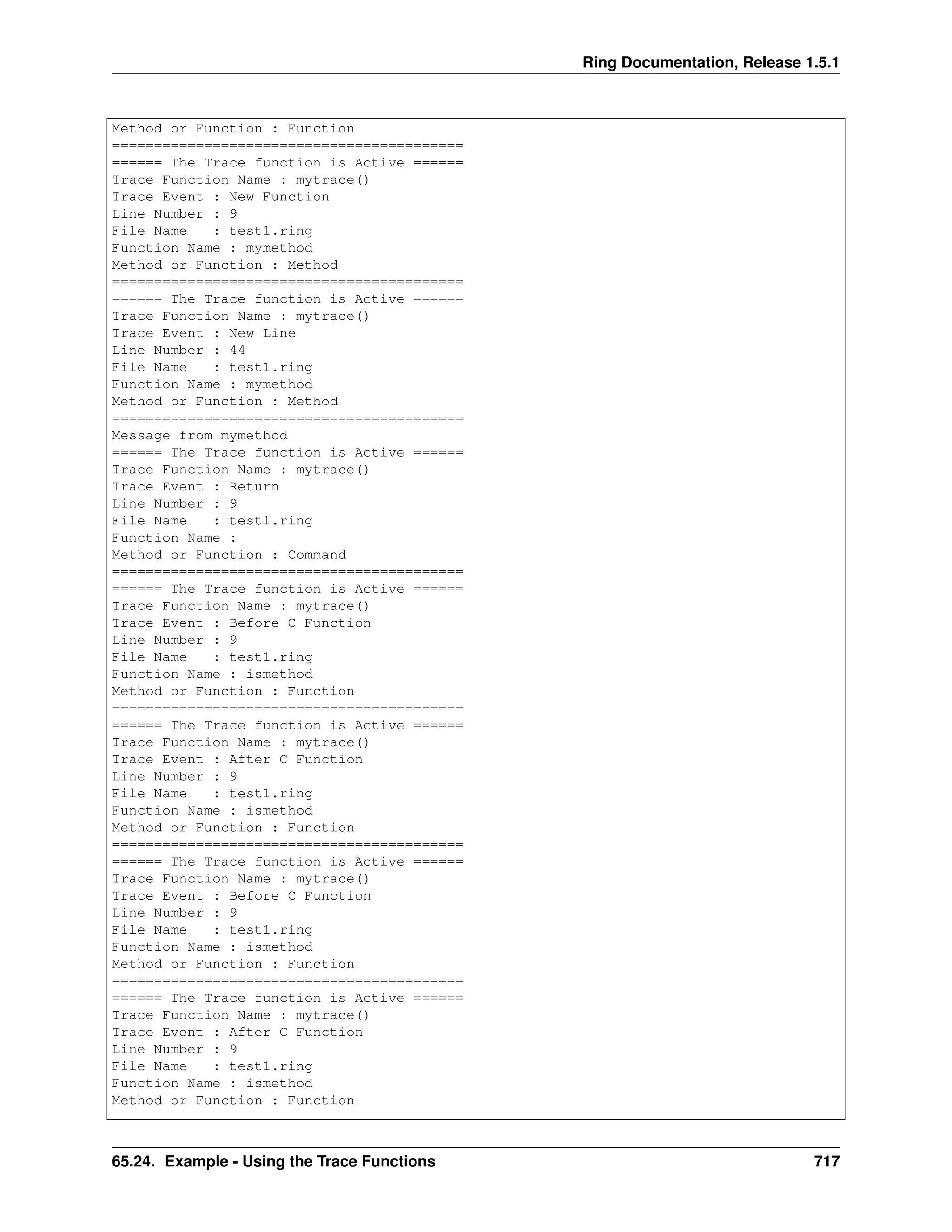
Method or Function : Function
==========================================
====== The Trace function is Active ======
Trace Function Name : mytrace()
Trace Event : New Function
Line Number : 9
File Name : test1.ring
Function Name : mymethod
Method or Function : Method
==========================================
====== The Trace function is Active ======
Trace Function Name : mytrace()
Trace Event : New Line
Line Number : 44
File Name : test1.ring
Function Name : mymethod
Method or Function : Method
==========================================
Message from mymethod
====== The Trace function is Active ======
Trace Function Name : mytrace()
Trace Event : Return
Line Number : 9
File Name : test1.ring
Function Name :
Method or Function : Command
==========================================
====== The Trace function is Active ======
Trace Function Name : mytrace()
Trace Event : Before C Function
Line Number : 9
File Name : test1.ring
Function Name : ismethod
Method or Function : Function
==========================================
====== The Trace function is Active ======
Trace Function Name : mytrace()
Trace Event : After C Function
Line Number : 9
File Name : test1.ring
Function Name : ismethod
Method or Function : Function
==========================================
====== The Trace function is Active ======
Trace Function Name : mytrace()
Trace Event : Before C Function
Line Number : 9
File Name : test1.ring
Function Name : ismethod
Method or Function : Function
==========================================
====== The Trace function is Active ======
Trace Function Name : mytrace()
Trace Event : After C Function
Line Number : 9
File Name : test1.ring
Function Name : ismethod
Method or Function : Function
65.24. Example - Using the Trace Functions 717
Ring Documentation, Release 1.5.1
==========================================
====== The Trace function is Active ======
Trace Function Name : mytrace()
Trace Event : New Line
Line Number : 11
File Name : test1.ring
Function Name :
Method or Function : Command
==========================================
65.25 Example - The Trace Library
The next example uses the Trace functions provided by the Ring language to create the Trace library.
Using the Trace library we have nice Tracing tools and Interaction debugger too.
# Trace Events
TRACEEVENT_NEWLINE = 1
TRACEEVENT_NEWFUNC = 2
TRACEEVENT_RETURN = 3
TRACEEVENT_ERROR = 4
TRACEEVENT_BEFORECFUNC = 5
TRACEEVENT_AFTERCFUNC = 6
# Trace Data
TRACEDATA_LINENUMBER = 1
TRACEDATA_FILENAME = 2
TRACEDATA_FUNCNAME = 3
TRACEDATA_METHODORFUNC = 4
# Method of Function
TRACEDATA_METHODORFUNC_METHOD = TRUE
TRACEDATA_METHODORFUNC_NOTMETHOD = FALSE
TRACE_BREAKPOINTS = TRUE
TRACE_TEMPLIST = []
func Trace cType
switch trim(lower(cType))
on :AllEvents
ringvm_settrace("TraceLib_AllEvents()")
on :Functions
ringvm_settrace("TraceLib_Functions()")
on :PassError
ringvm_settrace("TraceLib_PassError()")
on :Debugger
ringvm_settrace("TraceLib_Debugger()")
on :LineByLine
ringvm_settrace("TraceLib_LineByLine()")
off
func TraceLib_AllEvents
if right(ringvm_tracedata()[TRACEDATA_FILENAME],13) = "tracelib.ring"
return
ok
see "====== The Trace function is Active ======" + nl +
65.25. Example - The Trace Library 718
Ring Documentation, Release 1.5.1
"Trace Function Name : " + ringvm_TraceFunc() + nl +
"Trace Event : "
switch ringvm_TraceEvent()
on TRACEEVENT_NEWLINE see "New Line"
on TRACEEVENT_NEWFUNC see "New Function"
on TRACEEVENT_RETURN see "Return"
on TRACEEVENT_ERROR see "Error"
on TRACEEVENT_BEFORECFUNC see "Before C Function"
on TRACEEVENT_AFTERCFUNC see "After C Function"
off
see nl +
"Line Number : " + ringvm_tracedata()[TRACEDATA_LINENUMBER] + nl +
"File Name : " + ringvm_tracedata()[TRACEDATA_FILENAME] + nl +
"Function Name : " + ringvm_tracedata()[TRACEDATA_FUNCNAME] + nl +
"Method or Function : "
if ringvm_tracedata()[TRACEDATA_METHODORFUNC] =
TRACEDATA_METHODORFUNC_METHOD
see "Method"
else
if ringvm_tracedata()[TRACEDATA_FUNCNAME] = NULL
see "Command"
else
see "Function"
ok
ok
see nl + Copy("=",42) + nl
func TraceLib_Functions
if right(ringvm_tracedata()[TRACEDATA_FILENAME],13) = "tracelib.ring"
return
ok
switch ringvm_TraceEvent()
on TRACEEVENT_NEWFUNC
see "Open Func : " +
ringvm_TraceData()[TRACEDATA_FUNCNAME] + nl
on TRACEEVENT_RETURN
see "Return to Func : " +
ringvm_TraceData()[TRACEDATA_FUNCNAME] + nl
off
func TraceLib_PassError
if right(ringvm_tracedata()[TRACEDATA_FILENAME],13) = "tracelib.ring"
return
ok
switch ringvm_TraceEvent()
on TRACEEVENT_ERROR
see nl
see "TraceLib : After Error !" + nl
ringvm_passerror()
off
func TraceLib_Debugger
if right(ringvm_tracedata()[TRACEDATA_FILENAME],13) = "tracelib.ring"
return
ok
switch ringvm_TraceEvent()
on TRACEEVENT_ERROR
_BreakPoint()
65.25. Example - The Trace Library 719
Ring Documentation, Release 1.5.1
off
func TraceLib_LineByLine
if right(ringvm_tracedata()[TRACEDATA_FILENAME],13) = "tracelib.ring" or
ringvm_TraceEvent() != TRACEEVENT_NEWLINE
return
ok
aList = ringvm_tracedata()
see "Before Line : " + aList[TRACEDATA_LINENUMBER] + nl
_BreakPoint()
func BreakPoint
if not TRACE_BREAKPOINTS
return
ok
_BreakPoint()
func _BreakPoint
see nl+nl+Copy("=",60) + nl +
Copy(" ",20)+"Interactive Debugger" + nl +
Copy("=",60) + nl +
"Command (Exit) : End Program" + nl +
"Command (Cont) : Continue Execution" + nl +
"Command (Locals) : Print local variables names" + nl +
"Command (LocalsData) : Print local variables data" + nl +
"Command (Globals) : Print global variables names" + nl +
"We can execute Ring code" + nl +
Copy("=",60) + nl
while true
see nl + "code:> "
give cCode
cmd = trim(lower(cCode))
if cmd = "exit" or cmd = "bye"
shutdown()
ok
nScope = ringvm_scopescount()-2
switch cmd
on "locals"
ringvm_EvalInScope(nScope,"see locals() callgc()")
loop
on "localsdata"
PrintLocalsData(nScope)
loop
on "globals"
ringvm_EvalInScope(nScope,"see globals() callgc()")
loop
on "cont"
ringvm_passerror()
exit
off
Try
ringvm_EvalInScope(nScope,cCode)
catch
see cCatchError
done
end
func NoBreakPoints
65.25. Example - The Trace Library 720
Ring Documentation, Release 1.5.1
TRACE_BREAKPOINTS = FALSE
func PrintLocalsData nScope
if nScope = 1 # Global
ringvm_Evalinscope(nScope,'TRACE_TEMPLIST = globals()')
else
ringvm_Evalinscope(nScope,'TRACE_TEMPLIST = locals() callgc()')
ok
see nl
aTempList = TRACE_TEMPLIST
TRACE_TEMPLIST = []
nSpaces = 5
for TRACE_ITEM in aTempList
if len(TRACE_ITEM) + 5 > nSpaces
nSpaces = len(TRACE_ITEM) + 5
ok
next
for TRACE_ITEM in aTempList
see "Variable : " + TRACE_ITEM
cVarName = TRACE_ITEM
see copy(" ",nSpaces-len(cVarName)) + " Type : "
ringvm_Evalinscope(nScope,"see type(" + TRACE_ITEM +")")
ringvm_Evalinscope(nScope,"see Copy(' ',fabs(15-len(type(" +
TRACE_ITEM +"))))")
see " Value : "
ringvm_Evalinscope(nScope,"see " + TRACE_ITEM)
see nl
next
65.25. Example - The Trace Library 721
CHAPTER
SIXTYSIX
THE TRACE LIBRARY AND THE INTERACTIVE DEBUGGER
In this chapter we will learn about the Trace Library and the Interactive Debugger
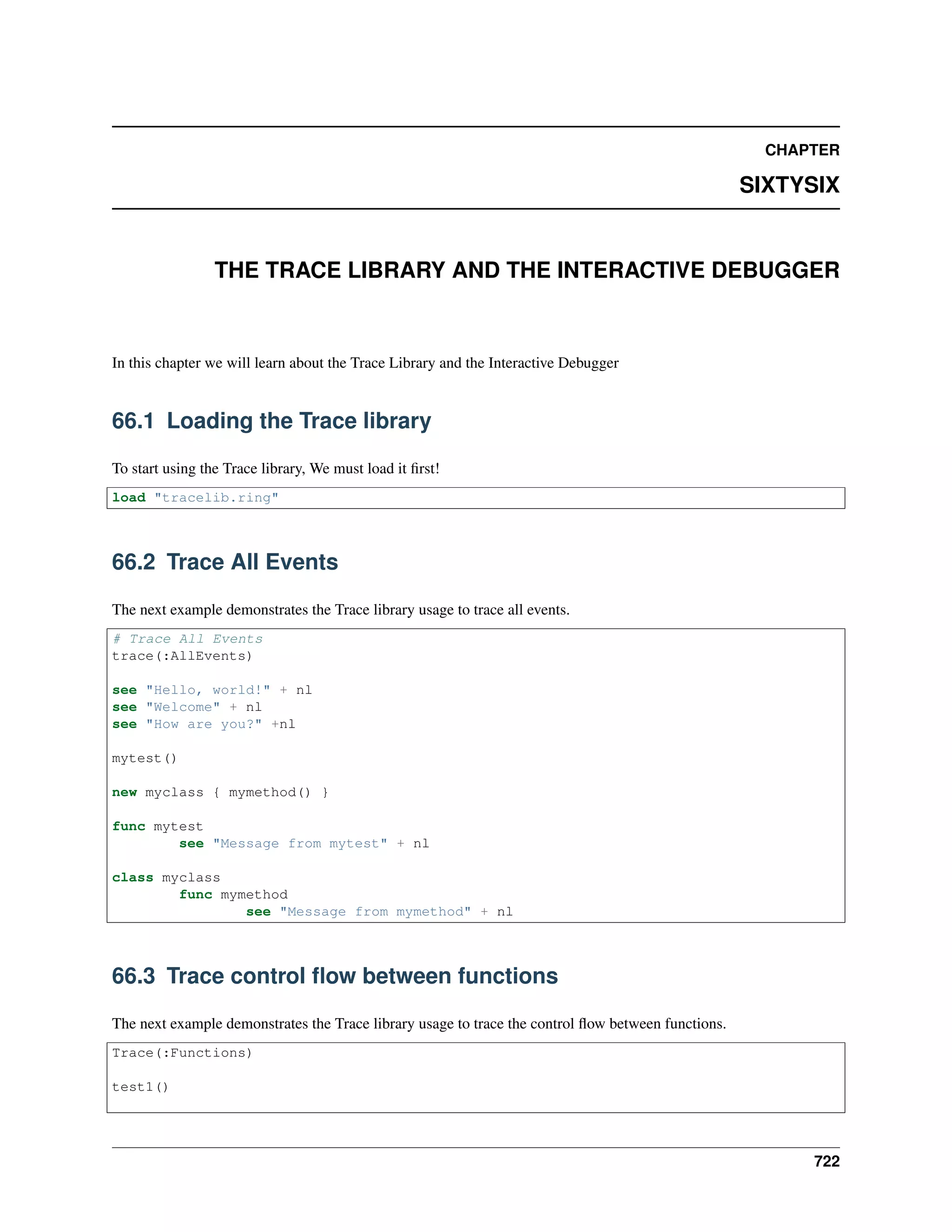
66.1 Loading the Trace library
To start using the Trace library, We must load it first!
load "tracelib.ring"
66.2 Trace All Events
The next example demonstrates the Trace library usage to trace all events.
# Trace All Events
trace(:AllEvents)
see "Hello, world!" + nl
see "Welcome" + nl
see "How are you?" +nl
mytest()
new myclass { mymethod() }
func mytest
see "Message from mytest" + nl
class myclass
func mymethod
see "Message from mymethod" + nl
66.3 Trace control flow between functions
The next example demonstrates the Trace library usage to trace the control flow between functions.
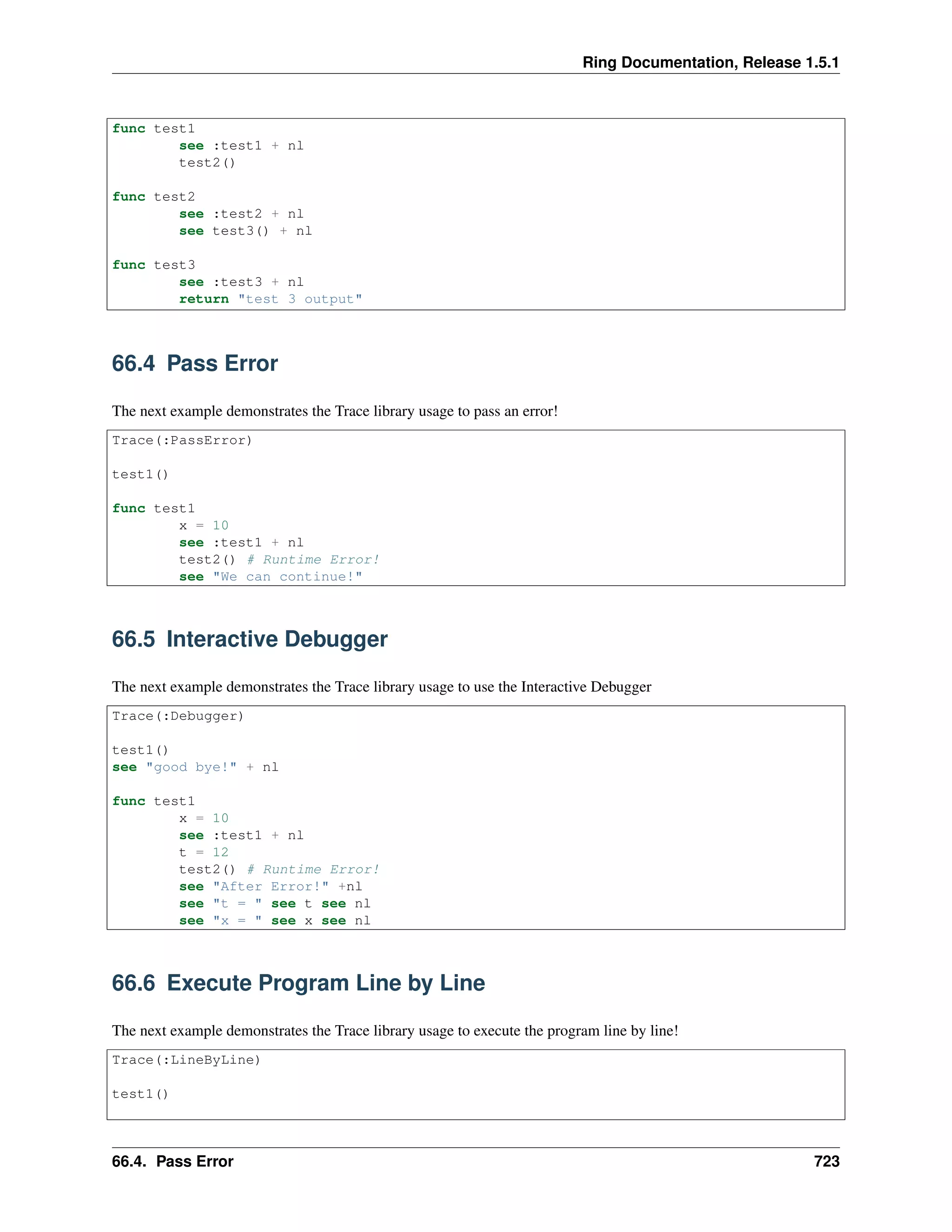
Trace(:Functions)
test1()
722
Ring Documentation, Release 1.5.1
func test1
see :test1 + nl
test2()
func test2
see :test2 + nl
see test3() + nl
func test3
see :test3 + nl
return "test 3 output"
66.4 Pass Error
The next example demonstrates the Trace library usage to pass an error!
Trace(:PassError)
test1()
func test1
x = 10
see :test1 + nl
test2() # Runtime Error!
see "We can continue!"
66.5 Interactive Debugger
The next example demonstrates the Trace library usage to use the Interactive Debugger
Trace(:Debugger)
test1()
see "good bye!" + nl
func test1
x = 10
see :test1 + nl
t = 12
test2() # Runtime Error!
see "After Error!" +nl
see "t = " see t see nl
see "x = " see x see nl
66.6 Execute Program Line by Line
The next example demonstrates the Trace library usage to execute the program line by line!
Trace(:LineByLine)
test1()
66.4. Pass Error 723
Ring Documentation, Release 1.5.1
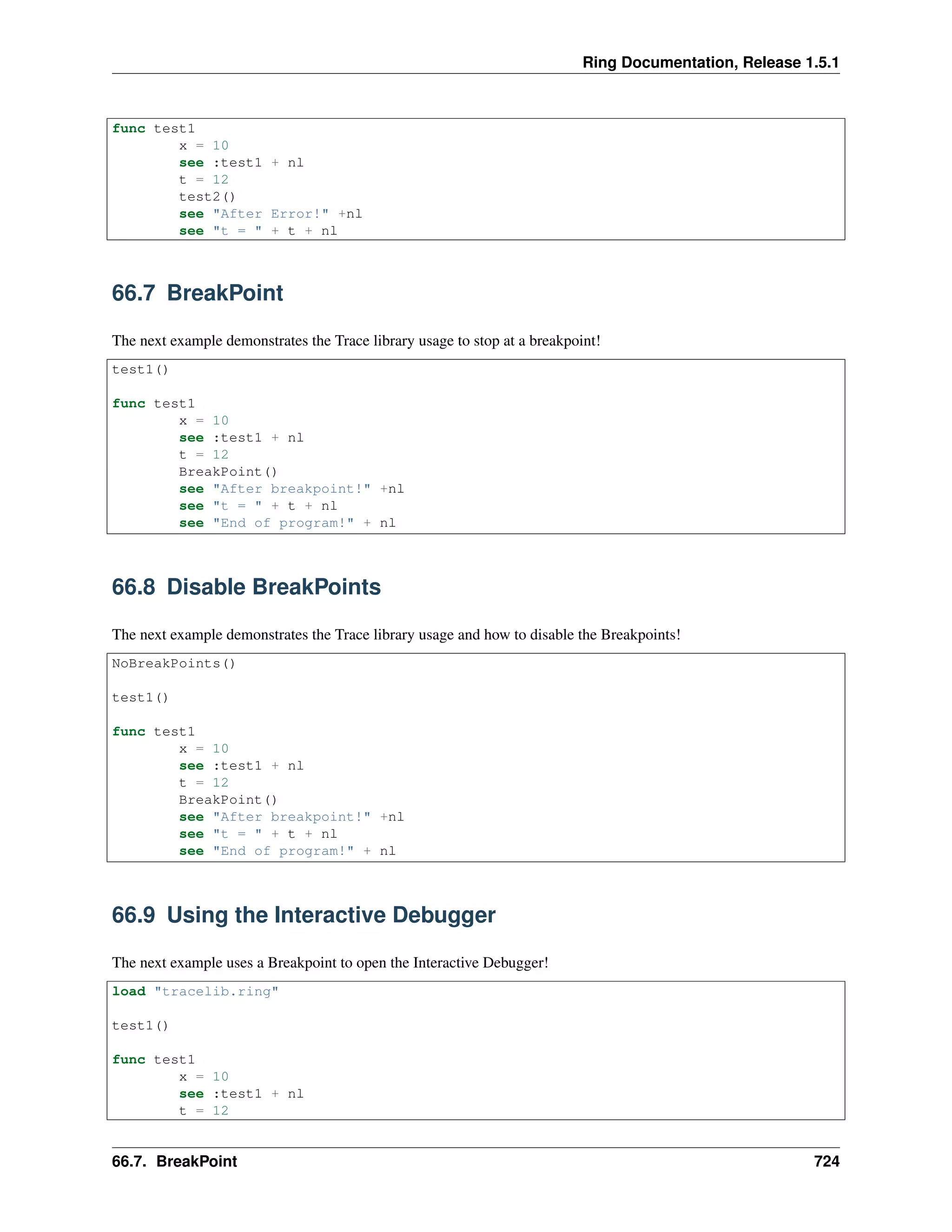
func test1
x = 10
see :test1 + nl
t = 12
test2()
see "After Error!" +nl
see "t = " + t + nl
66.7 BreakPoint
The next example demonstrates the Trace library usage to stop at a breakpoint!
test1()
func test1
x = 10
see :test1 + nl
t = 12
BreakPoint()
see "After breakpoint!" +nl
see "t = " + t + nl
see "End of program!" + nl
66.8 Disable BreakPoints
The next example demonstrates the Trace library usage and how to disable the Breakpoints!
NoBreakPoints()
test1()
func test1
x = 10
see :test1 + nl
t = 12
BreakPoint()
see "After breakpoint!" +nl
see "t = " + t + nl
see "End of program!" + nl
66.9 Using the Interactive Debugger
The next example uses a Breakpoint to open the Interactive Debugger!
load "tracelib.ring"
test1()
func test1
x = 10
see :test1 + nl
t = 12
66.7. BreakPoint 724

The Ring programming language version 1.5.1 book - Part 75 of 180

  • 1.
    Ring Documentation, Release1.5.1 ok ok see nl + Copy("=",42) + nl class myclass func mymethod see "Message from mymethod" + nl Output: ====== The Trace function is Active ====== Trace Function Name : mytrace() Trace Event : After C Function Line Number : 3 File Name : test1.ring Function Name : ringvm_settrace Method or Function : Function ========================================== ====== The Trace function is Active ====== Trace Function Name : mytrace() Trace Event : New Line Line Number : 5 File Name : test1.ring Function Name : Method or Function : Command ========================================== Hello, world! ====== The Trace function is Active ====== Trace Function Name : mytrace() Trace Event : New Line Line Number : 6 File Name : test1.ring Function Name : Method or Function : Command ========================================== Welcome ====== The Trace function is Active ====== Trace Function Name : mytrace() Trace Event : New Line Line Number : 7 File Name : test1.ring Function Name : Method or Function : Command ========================================== How are you? ====== The Trace function is Active ====== Trace Function Name : mytrace() Trace Event : New Line Line Number : 8 File Name : test1.ring Function Name : Method or Function : Command ========================================== ====== The Trace function is Active ====== Trace Function Name : mytrace() Trace Event : New Function Line Number : 8 File Name : test1.ring 65.24. Example - Using the Trace Functions 715
  • 2.
    Ring Documentation, Release1.5.1 Function Name : mytest Method or Function : Function ========================================== ====== The Trace function is Active ====== Trace Function Name : mytrace() Trace Event : New Line Line Number : 12 File Name : test1.ring Function Name : mytest Method or Function : Function ========================================== Message from mytest ====== The Trace function is Active ====== Trace Function Name : mytrace() Trace Event : New Line Line Number : 14 File Name : test1.ring Function Name : mytest Method or Function : Function ========================================== ====== The Trace function is Active ====== Trace Function Name : mytrace() Trace Event : Return Line Number : 8 File Name : test1.ring Function Name : Method or Function : Command ========================================== ====== The Trace function is Active ====== Trace Function Name : mytrace() Trace Event : New Line Line Number : 9 File Name : test1.ring Function Name : Method or Function : Command ========================================== ====== The Trace function is Active ====== Trace Function Name : mytrace() Trace Event : New Line Line Number : 43 File Name : test1.ring Function Name : Method or Function : Command ========================================== ====== The Trace function is Active ====== Trace Function Name : mytrace() Trace Event : Before C Function Line Number : 9 File Name : test1.ring Function Name : ismethod Method or Function : Function ========================================== ====== The Trace function is Active ====== Trace Function Name : mytrace() Trace Event : After C Function Line Number : 9 File Name : test1.ring Function Name : ismethod 65.24. Example - Using the Trace Functions 716
  • 3.
    Ring Documentation, Release1.5.1 Method or Function : Function ========================================== ====== The Trace function is Active ====== Trace Function Name : mytrace() Trace Event : New Function Line Number : 9 File Name : test1.ring Function Name : mymethod Method or Function : Method ========================================== ====== The Trace function is Active ====== Trace Function Name : mytrace() Trace Event : New Line Line Number : 44 File Name : test1.ring Function Name : mymethod Method or Function : Method ========================================== Message from mymethod ====== The Trace function is Active ====== Trace Function Name : mytrace() Trace Event : Return Line Number : 9 File Name : test1.ring Function Name : Method or Function : Command ========================================== ====== The Trace function is Active ====== Trace Function Name : mytrace() Trace Event : Before C Function Line Number : 9 File Name : test1.ring Function Name : ismethod Method or Function : Function ========================================== ====== The Trace function is Active ====== Trace Function Name : mytrace() Trace Event : After C Function Line Number : 9 File Name : test1.ring Function Name : ismethod Method or Function : Function ========================================== ====== The Trace function is Active ====== Trace Function Name : mytrace() Trace Event : Before C Function Line Number : 9 File Name : test1.ring Function Name : ismethod Method or Function : Function ========================================== ====== The Trace function is Active ====== Trace Function Name : mytrace() Trace Event : After C Function Line Number : 9 File Name : test1.ring Function Name : ismethod Method or Function : Function 65.24. Example - Using the Trace Functions 717
  • 4.
    Ring Documentation, Release1.5.1 ========================================== ====== The Trace function is Active ====== Trace Function Name : mytrace() Trace Event : New Line Line Number : 11 File Name : test1.ring Function Name : Method or Function : Command ========================================== 65.25 Example - The Trace Library The next example uses the Trace functions provided by the Ring language to create the Trace library. Using the Trace library we have nice Tracing tools and Interaction debugger too. # Trace Events TRACEEVENT_NEWLINE = 1 TRACEEVENT_NEWFUNC = 2 TRACEEVENT_RETURN = 3 TRACEEVENT_ERROR = 4 TRACEEVENT_BEFORECFUNC = 5 TRACEEVENT_AFTERCFUNC = 6 # Trace Data TRACEDATA_LINENUMBER = 1 TRACEDATA_FILENAME = 2 TRACEDATA_FUNCNAME = 3 TRACEDATA_METHODORFUNC = 4 # Method of Function TRACEDATA_METHODORFUNC_METHOD = TRUE TRACEDATA_METHODORFUNC_NOTMETHOD = FALSE TRACE_BREAKPOINTS = TRUE TRACE_TEMPLIST = [] func Trace cType switch trim(lower(cType)) on :AllEvents ringvm_settrace("TraceLib_AllEvents()") on :Functions ringvm_settrace("TraceLib_Functions()") on :PassError ringvm_settrace("TraceLib_PassError()") on :Debugger ringvm_settrace("TraceLib_Debugger()") on :LineByLine ringvm_settrace("TraceLib_LineByLine()") off func TraceLib_AllEvents if right(ringvm_tracedata()[TRACEDATA_FILENAME],13) = "tracelib.ring" return ok see "====== The Trace function is Active ======" + nl + 65.25. Example - The Trace Library 718
  • 5.
    Ring Documentation, Release1.5.1 "Trace Function Name : " + ringvm_TraceFunc() + nl + "Trace Event : " switch ringvm_TraceEvent() on TRACEEVENT_NEWLINE see "New Line" on TRACEEVENT_NEWFUNC see "New Function" on TRACEEVENT_RETURN see "Return" on TRACEEVENT_ERROR see "Error" on TRACEEVENT_BEFORECFUNC see "Before C Function" on TRACEEVENT_AFTERCFUNC see "After C Function" off see nl + "Line Number : " + ringvm_tracedata()[TRACEDATA_LINENUMBER] + nl + "File Name : " + ringvm_tracedata()[TRACEDATA_FILENAME] + nl + "Function Name : " + ringvm_tracedata()[TRACEDATA_FUNCNAME] + nl + "Method or Function : " if ringvm_tracedata()[TRACEDATA_METHODORFUNC] = TRACEDATA_METHODORFUNC_METHOD see "Method" else if ringvm_tracedata()[TRACEDATA_FUNCNAME] = NULL see "Command" else see "Function" ok ok see nl + Copy("=",42) + nl func TraceLib_Functions if right(ringvm_tracedata()[TRACEDATA_FILENAME],13) = "tracelib.ring" return ok switch ringvm_TraceEvent() on TRACEEVENT_NEWFUNC see "Open Func : " + ringvm_TraceData()[TRACEDATA_FUNCNAME] + nl on TRACEEVENT_RETURN see "Return to Func : " + ringvm_TraceData()[TRACEDATA_FUNCNAME] + nl off func TraceLib_PassError if right(ringvm_tracedata()[TRACEDATA_FILENAME],13) = "tracelib.ring" return ok switch ringvm_TraceEvent() on TRACEEVENT_ERROR see nl see "TraceLib : After Error !" + nl ringvm_passerror() off func TraceLib_Debugger if right(ringvm_tracedata()[TRACEDATA_FILENAME],13) = "tracelib.ring" return ok switch ringvm_TraceEvent() on TRACEEVENT_ERROR _BreakPoint() 65.25. Example - The Trace Library 719
  • 6.
    Ring Documentation, Release1.5.1 off func TraceLib_LineByLine if right(ringvm_tracedata()[TRACEDATA_FILENAME],13) = "tracelib.ring" or ringvm_TraceEvent() != TRACEEVENT_NEWLINE return ok aList = ringvm_tracedata() see "Before Line : " + aList[TRACEDATA_LINENUMBER] + nl _BreakPoint() func BreakPoint if not TRACE_BREAKPOINTS return ok _BreakPoint() func _BreakPoint see nl+nl+Copy("=",60) + nl + Copy(" ",20)+"Interactive Debugger" + nl + Copy("=",60) + nl + "Command (Exit) : End Program" + nl + "Command (Cont) : Continue Execution" + nl + "Command (Locals) : Print local variables names" + nl + "Command (LocalsData) : Print local variables data" + nl + "Command (Globals) : Print global variables names" + nl + "We can execute Ring code" + nl + Copy("=",60) + nl while true see nl + "code:> " give cCode cmd = trim(lower(cCode)) if cmd = "exit" or cmd = "bye" shutdown() ok nScope = ringvm_scopescount()-2 switch cmd on "locals" ringvm_EvalInScope(nScope,"see locals() callgc()") loop on "localsdata" PrintLocalsData(nScope) loop on "globals" ringvm_EvalInScope(nScope,"see globals() callgc()") loop on "cont" ringvm_passerror() exit off Try ringvm_EvalInScope(nScope,cCode) catch see cCatchError done end func NoBreakPoints 65.25. Example - The Trace Library 720
  • 7.
    Ring Documentation, Release1.5.1 TRACE_BREAKPOINTS = FALSE func PrintLocalsData nScope if nScope = 1 # Global ringvm_Evalinscope(nScope,'TRACE_TEMPLIST = globals()') else ringvm_Evalinscope(nScope,'TRACE_TEMPLIST = locals() callgc()') ok see nl aTempList = TRACE_TEMPLIST TRACE_TEMPLIST = [] nSpaces = 5 for TRACE_ITEM in aTempList if len(TRACE_ITEM) + 5 > nSpaces nSpaces = len(TRACE_ITEM) + 5 ok next for TRACE_ITEM in aTempList see "Variable : " + TRACE_ITEM cVarName = TRACE_ITEM see copy(" ",nSpaces-len(cVarName)) + " Type : " ringvm_Evalinscope(nScope,"see type(" + TRACE_ITEM +")") ringvm_Evalinscope(nScope,"see Copy(' ',fabs(15-len(type(" + TRACE_ITEM +"))))") see " Value : " ringvm_Evalinscope(nScope,"see " + TRACE_ITEM) see nl next 65.25. Example - The Trace Library 721
  • 8.
    CHAPTER SIXTYSIX THE TRACE LIBRARYAND THE INTERACTIVE DEBUGGER In this chapter we will learn about the Trace Library and the Interactive Debugger 66.1 Loading the Trace library To start using the Trace library, We must load it first! load "tracelib.ring" 66.2 Trace All Events The next example demonstrates the Trace library usage to trace all events. # Trace All Events trace(:AllEvents) see "Hello, world!" + nl see "Welcome" + nl see "How are you?" +nl mytest() new myclass { mymethod() } func mytest see "Message from mytest" + nl class myclass func mymethod see "Message from mymethod" + nl 66.3 Trace control flow between functions The next example demonstrates the Trace library usage to trace the control flow between functions. Trace(:Functions) test1() 722
  • 9.
    Ring Documentation, Release1.5.1 func test1 see :test1 + nl test2() func test2 see :test2 + nl see test3() + nl func test3 see :test3 + nl return "test 3 output" 66.4 Pass Error The next example demonstrates the Trace library usage to pass an error! Trace(:PassError) test1() func test1 x = 10 see :test1 + nl test2() # Runtime Error! see "We can continue!" 66.5 Interactive Debugger The next example demonstrates the Trace library usage to use the Interactive Debugger Trace(:Debugger) test1() see "good bye!" + nl func test1 x = 10 see :test1 + nl t = 12 test2() # Runtime Error! see "After Error!" +nl see "t = " see t see nl see "x = " see x see nl 66.6 Execute Program Line by Line The next example demonstrates the Trace library usage to execute the program line by line! Trace(:LineByLine) test1() 66.4. Pass Error 723
  • 10.
    Ring Documentation, Release1.5.1 func test1 x = 10 see :test1 + nl t = 12 test2() see "After Error!" +nl see "t = " + t + nl 66.7 BreakPoint The next example demonstrates the Trace library usage to stop at a breakpoint! test1() func test1 x = 10 see :test1 + nl t = 12 BreakPoint() see "After breakpoint!" +nl see "t = " + t + nl see "End of program!" + nl 66.8 Disable BreakPoints The next example demonstrates the Trace library usage and how to disable the Breakpoints! NoBreakPoints() test1() func test1 x = 10 see :test1 + nl t = 12 BreakPoint() see "After breakpoint!" +nl see "t = " + t + nl see "End of program!" + nl 66.9 Using the Interactive Debugger The next example uses a Breakpoint to open the Interactive Debugger! load "tracelib.ring" test1() func test1 x = 10 see :test1 + nl t = 12 66.7. BreakPoint 724