Ring Documentation, Release 1.10
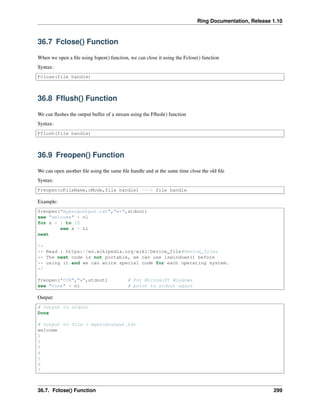
see "Testing DIR() " + nl
mylist = dir("C:myfolder")
for x in mylist
if x[2]
see "Directory : " + x[1] + nl
else
see "File : " + x[1] + nl
ok
next
see "Files count : " + len(mylist)
36.4 Rename() Function
We can rename files using the Rename() function
Syntax:
Rename(cOldFileName,cNewFileName) ---> Number ( Status: Success (0) , Error (-1) )
Example:
rename("file.txt","help.txt")
36.5 Remove() Function
We can delete a file using the Remove() function
Syntax:
Remove(cFileName)
Example:
remove("test.txt")
36.6 Fopen() Function
We can open a file using the Fopen() function
Syntax:
Fopen(cFileName,cMode) ---> File Handle
Mode Description
“r” Reading (The file must exist)
“w” Writing (create empty file / overwrite)
“a” Appends (create file if it doesn’t exist)
“r+” update (reading/writing)
“w+” Create empty file (reading/writing)
“a+” reading & appending
36.4. Rename() Function 298
Ring Documentation, Release 1.10
36.7 Fclose() Function
When we open a file using fopen() function, we can close it using the Fclose() function
Syntax:
Fclose(file handle)
36.8 Fflush() Function
We can flushes the output buffer of a stream using the Fflush() function
Syntax:
Fflush(file handle)
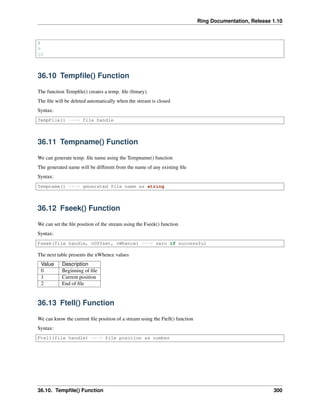
36.9 Freopen() Function
We can open another file using the same file handle and at the same time close the old file
Syntax:
Freopen(cFileName,cMode,file handle) ---> file handle
Example:
freopen("myprogoutput.txt","w+",stdout)
see "welcome" + nl
for x = 1 to 10
see x + nl
next
/*
** Read : https://en.wikipedia.org/wiki/Device_file#Device_files
** The next code is not portable, we can use iswindows() before
** using it and we can write special code for each operating system.
*/
freopen("CON","w",stdout) # For Microsoft Windows
see "Done" + nl # print to stdout again
Output:
# Output to stdout
Done
# Output to file : myprogoutput.txt
welcome
1
2
3
4
5
6
7
36.7. Fclose() Function 299
Ring Documentation, Release 1.10
8
9
10
36.10 Tempfile() Function
The function Tempfile() creates a temp. file (binary).
The file will be deleted automatically when the stream is closed
Syntax:
TempFile() ---> file handle
36.11 Tempname() Function
We can generate temp. file name using the Tempname() function
The generated name will be different from the name of any existing file
Syntax:
Tempname() ---> generated file name as string
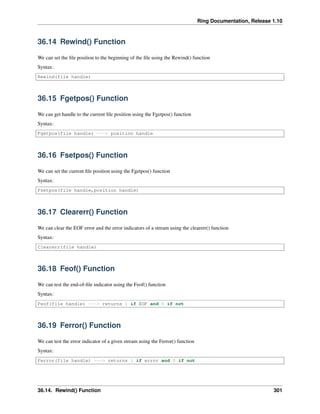
36.12 Fseek() Function
We can set the file position of the stream using the Fseek() function
Syntax:
Fseek(file handle, nOffset, nWhence) ---> zero if successful
The next table presents the nWhence values
Value Description
0 Beginning of file
1 Current position
2 End of file
36.13 Ftell() Function
We can know the current file position of a stream using the Ftell() function
Syntax:
Ftell(file handle) ---> file position as number
36.10. Tempfile() Function 300
Ring Documentation, Release 1.10
36.14 Rewind() Function
We can set the file position to the beginning of the file using the Rewind() function
Syntax:
Rewind(file handle)
36.15 Fgetpos() Function
We can get handle to the current file position using the Fgetpos() function
Syntax:
Fgetpos(file handle) ---> position handle
36.16 Fsetpos() Function
We can set the current file position using the Fgetpos() function
Syntax:
Fsetpos(file handle,position handle)
36.17 Clearerr() Function
We can clear the EOF error and the error indicators of a stream using the clearerr() function
Syntax:
Clearerr(file handle)
36.18 Feof() Function
We can test the end-of-file indicator using the Feof() function
Syntax:
Feof(file handle) ---> returns 1 if EOF and 0 if not
36.19 Ferror() Function
We can test the error indicator of a given stream using the Ferror() function
Syntax:
Ferror(file handle) ---> returns 1 if error and 0 if not
36.14. Rewind() Function 301
Ring Documentation, Release 1.10
36.20 Perror() Function
We can print error message to the stderr using the Perror() function
Syntax:
Perror(cErrorMessage)
36.21 Fgetc() Function
We can get the next character from the stream using the Fgetc() function
Syntax:
Fgetc(file handle) ---> returns character or EOF
36.22 Fgets() Function
We can read new line from the stream using the Fgets() function
Syntax:
Fgets(file handle,nSize) ---> string
The function stop when nSize characters are read, new line character is read or EOF.
36.23 Fputc() Function
We can write a character to the stream using the Fputc() function
Syntax:
Fputc(file handle,cChar)
36.24 Fputs() Function
We can write a string to the stream using the Fputs() function
Syntax:
Fputs(file handle,cString)
36.25 Ungetc() Function
We can push a character to the stream using the Ungetc() function
The character will be available for the next read
Syntax:
36.20. Perror() Function 302
Ring Documentation, Release 1.10
Ungetc(file handle,character)
36.26 Fread() Function
We can read data from a stream using the Fread() function
Syntax:
Fread(file handle,nSize)
36.27 Fwrite() Function
We can write data to a stream using the Fwrite() function
Syntax:
Fwrite(file handle,cString)
36.28 Fexists() Function
We can check if a file exists using the Fexists() function
Syntax:
Fexists(cFileName) ---> returns 1 if the file exists
Example:
see fexists("b:mahmoudappsringring.exe") + nl +
fexists("b:mahmoudappsringring2.exe") + nl
Output:
1
0
36.29 Example
The next program test some of the file functions
See "testing file functions" + nl
See "open file" + nl
fp = fopen(exefolder() + "../tests/scripts/s65.ring","r")
See "reopen" + nl
fp = freopen(exefolder() + "../tests/scripts/s78.ring","r",fp)
See "close file" + nl
fclose(fp)
see "temp file" + nl
36.26. Fread() Function 303
Ring Documentation, Release 1.10
fp = tempfile()
fclose(fp)
see "temp name" + nl
see tempname() + nl
remove(exefolder() + "../tests/scripts/mytest2.txt")
write(exefolder() + "../tests/scripts/tests1.txt","hello")
rename(exefolder() + "../tests/scripts/test1.txt",exefolder() +
"../tests/scripts/mytests2.txt")
see "print file" + nl
fp = fopen(exefolder() + "../samples/fromdoc/filefuncs.ring","r")
r = fgetc(fp)
while isstring(r)
see r
r = fgetc(fp)
end
fclose(fp)
see nl+"print line from the file" + nl
fp = fopen(exefolder() + "../samples/fromdoc/filefuncs.ring","r")
r = fgets(fp,33)
see r + nl
fclose(fp)
fp = fopen(exefolder() + "../tests/scripts/test78.txt","w+")
fseek(fp,0,2) # goto end of file
fputc(fp,"t")
fputc(fp,"e")
fputc(fp,"s")
fputc(fp,"t")
fputs(fp,"tests2")
fclose(fp)
see "print file" + nl
see read(exefolder() + "../tests/scripts/test78.txt")
fp = fopen(exefolder() + "../tests/scripts/test78.txt","r")
see "testing ungetc() " + nl
for x = 1 to 3
r = fgetc(fp)
see r + nl
ungetc(fp,r)
next
fclose(fp)
see "testing fread() " + nl
fp = fopen(exefilename(),"rb")
r = fread(fp,100)
see r + nl
fclose(fp)
see "testing fwrite() " + nl
fp = fopen(exefolder() + "../tests/scripts/test1.txt","wb")
fwrite(fp,r)
fclose(fp)
The next example print part of the content of a binary file
36.29. Example 304
Ring Documentation, Release 1.10
see "Testing: fread()" +" FileName: "+ exefilename() +nl +nl
fp = fopen(exefilename(),"rb")
r = fread(fp,800)
for n =1 to len(r)
if isprint(substr(r, n, 1))
see substr(r, n, 1)
else
see "."
ok
### 80 char per line
if n % 80 = 0
see nl
ok
next
fclose(fp)
36.30 Numbers and Bytes
The next functions to convert between Numbers and Bytes.
• Int2Bytes()
• Float2Bytes()
• Double2Bytes()
• Bytes2Int()
• Bytes2Float()
• Bytes2Double()
Example:
see "Test Int2Bytes() and Bytes2Int() - Value : 77" + nl
r = Int2Bytes(77)
see "Int Size : " + len(r) + nl
see r + nl
see Bytes2Int(r) + nl
see "Test Float2Bytes() and Bytes2Float() - Value 77.12" + nl
r = Float2Bytes(77.12)
see "Float Size : " + len(r) + nl
see r + nl
see Bytes2Float(r) + nl
see "Test Double2Bytes() and Bytes2Double() - Value 9999977.12345" + nl
r = Double2Bytes(9999977.12345)
see "Double Size : " + len(r) + nl
see r + nl
decimals(5)
see Bytes2Double(r) + nl
36.30. Numbers and Bytes 305
CHAPTER
THIRTYSEVEN
SYSTEM FUNCTIONS
In this chapter we are going to learn about the system functions
• System()
• SysGet()
• IsMSDOS()
• IsWindows()
• IsWindows64()
• IsUnix()
• IsMacOSX()
• IsLinux()
• IsFreeBSD()
• IsAndroid()
• Windowsnl()
• Get Command Line Arguments
• Get Active Source File Name
• CurrentDir()
• ExeFileName()
• ChDir()
• ExeFolder()
• Version()
• Shutdown()
37.1 System() Function
We can execute system commands using the system() function
Syntax:
System(cCommand)
Example:
306
Ring Documentation, Release 1.10
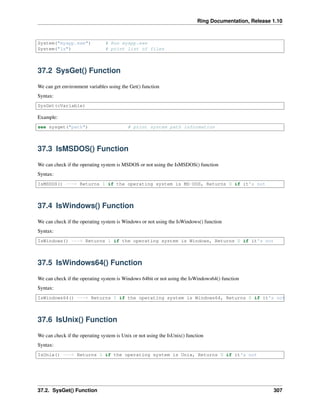
System("myapp.exe") # Run myapp.exe
System("ls") # print list of files
37.2 SysGet() Function
We can get environment variables using the Get() function
Syntax:
SysGet(cVariable)
Example:
see sysget("path") # print system path information
37.3 IsMSDOS() Function
We can check if the operating system is MSDOS or not using the IsMSDOS() function
Syntax:
IsMSDOS() ---> Returns 1 if the operating system is MS-DOS, Returns 0 if it's not
37.4 IsWindows() Function
We can check if the operating system is Windows or not using the IsWindows() function
Syntax:
IsWindows() ---> Returns 1 if the operating system is Windows, Returns 0 if it's not
37.5 IsWindows64() Function
We can check if the operating system is Windows 64bit or not using the IsWindows64() function
Syntax:
IsWindows64() ---> Returns 1 if the operating system is Windows64, Returns 0 if it's not
37.6 IsUnix() Function
We can check if the operating system is Unix or not using the IsUnix() function
Syntax:
IsUnix() ---> Returns 1 if the operating system is Unix, Returns 0 if it's not
37.2. SysGet() Function 307

The Ring programming language version 1.10 book - Part 34 of 212

  • 1.
    Ring Documentation, Release1.10 see "Testing DIR() " + nl mylist = dir("C:myfolder") for x in mylist if x[2] see "Directory : " + x[1] + nl else see "File : " + x[1] + nl ok next see "Files count : " + len(mylist) 36.4 Rename() Function We can rename files using the Rename() function Syntax: Rename(cOldFileName,cNewFileName) ---> Number ( Status: Success (0) , Error (-1) ) Example: rename("file.txt","help.txt") 36.5 Remove() Function We can delete a file using the Remove() function Syntax: Remove(cFileName) Example: remove("test.txt") 36.6 Fopen() Function We can open a file using the Fopen() function Syntax: Fopen(cFileName,cMode) ---> File Handle Mode Description “r” Reading (The file must exist) “w” Writing (create empty file / overwrite) “a” Appends (create file if it doesn’t exist) “r+” update (reading/writing) “w+” Create empty file (reading/writing) “a+” reading & appending 36.4. Rename() Function 298
  • 2.
    Ring Documentation, Release1.10 36.7 Fclose() Function When we open a file using fopen() function, we can close it using the Fclose() function Syntax: Fclose(file handle) 36.8 Fflush() Function We can flushes the output buffer of a stream using the Fflush() function Syntax: Fflush(file handle) 36.9 Freopen() Function We can open another file using the same file handle and at the same time close the old file Syntax: Freopen(cFileName,cMode,file handle) ---> file handle Example: freopen("myprogoutput.txt","w+",stdout) see "welcome" + nl for x = 1 to 10 see x + nl next /* ** Read : https://en.wikipedia.org/wiki/Device_file#Device_files ** The next code is not portable, we can use iswindows() before ** using it and we can write special code for each operating system. */ freopen("CON","w",stdout) # For Microsoft Windows see "Done" + nl # print to stdout again Output: # Output to stdout Done # Output to file : myprogoutput.txt welcome 1 2 3 4 5 6 7 36.7. Fclose() Function 299
  • 3.
    Ring Documentation, Release1.10 8 9 10 36.10 Tempfile() Function The function Tempfile() creates a temp. file (binary). The file will be deleted automatically when the stream is closed Syntax: TempFile() ---> file handle 36.11 Tempname() Function We can generate temp. file name using the Tempname() function The generated name will be different from the name of any existing file Syntax: Tempname() ---> generated file name as string 36.12 Fseek() Function We can set the file position of the stream using the Fseek() function Syntax: Fseek(file handle, nOffset, nWhence) ---> zero if successful The next table presents the nWhence values Value Description 0 Beginning of file 1 Current position 2 End of file 36.13 Ftell() Function We can know the current file position of a stream using the Ftell() function Syntax: Ftell(file handle) ---> file position as number 36.10. Tempfile() Function 300
  • 4.
    Ring Documentation, Release1.10 36.14 Rewind() Function We can set the file position to the beginning of the file using the Rewind() function Syntax: Rewind(file handle) 36.15 Fgetpos() Function We can get handle to the current file position using the Fgetpos() function Syntax: Fgetpos(file handle) ---> position handle 36.16 Fsetpos() Function We can set the current file position using the Fgetpos() function Syntax: Fsetpos(file handle,position handle) 36.17 Clearerr() Function We can clear the EOF error and the error indicators of a stream using the clearerr() function Syntax: Clearerr(file handle) 36.18 Feof() Function We can test the end-of-file indicator using the Feof() function Syntax: Feof(file handle) ---> returns 1 if EOF and 0 if not 36.19 Ferror() Function We can test the error indicator of a given stream using the Ferror() function Syntax: Ferror(file handle) ---> returns 1 if error and 0 if not 36.14. Rewind() Function 301
  • 5.
    Ring Documentation, Release1.10 36.20 Perror() Function We can print error message to the stderr using the Perror() function Syntax: Perror(cErrorMessage) 36.21 Fgetc() Function We can get the next character from the stream using the Fgetc() function Syntax: Fgetc(file handle) ---> returns character or EOF 36.22 Fgets() Function We can read new line from the stream using the Fgets() function Syntax: Fgets(file handle,nSize) ---> string The function stop when nSize characters are read, new line character is read or EOF. 36.23 Fputc() Function We can write a character to the stream using the Fputc() function Syntax: Fputc(file handle,cChar) 36.24 Fputs() Function We can write a string to the stream using the Fputs() function Syntax: Fputs(file handle,cString) 36.25 Ungetc() Function We can push a character to the stream using the Ungetc() function The character will be available for the next read Syntax: 36.20. Perror() Function 302
  • 6.
    Ring Documentation, Release1.10 Ungetc(file handle,character) 36.26 Fread() Function We can read data from a stream using the Fread() function Syntax: Fread(file handle,nSize) 36.27 Fwrite() Function We can write data to a stream using the Fwrite() function Syntax: Fwrite(file handle,cString) 36.28 Fexists() Function We can check if a file exists using the Fexists() function Syntax: Fexists(cFileName) ---> returns 1 if the file exists Example: see fexists("b:mahmoudappsringring.exe") + nl + fexists("b:mahmoudappsringring2.exe") + nl Output: 1 0 36.29 Example The next program test some of the file functions See "testing file functions" + nl See "open file" + nl fp = fopen(exefolder() + "../tests/scripts/s65.ring","r") See "reopen" + nl fp = freopen(exefolder() + "../tests/scripts/s78.ring","r",fp) See "close file" + nl fclose(fp) see "temp file" + nl 36.26. Fread() Function 303
  • 7.
    Ring Documentation, Release1.10 fp = tempfile() fclose(fp) see "temp name" + nl see tempname() + nl remove(exefolder() + "../tests/scripts/mytest2.txt") write(exefolder() + "../tests/scripts/tests1.txt","hello") rename(exefolder() + "../tests/scripts/test1.txt",exefolder() + "../tests/scripts/mytests2.txt") see "print file" + nl fp = fopen(exefolder() + "../samples/fromdoc/filefuncs.ring","r") r = fgetc(fp) while isstring(r) see r r = fgetc(fp) end fclose(fp) see nl+"print line from the file" + nl fp = fopen(exefolder() + "../samples/fromdoc/filefuncs.ring","r") r = fgets(fp,33) see r + nl fclose(fp) fp = fopen(exefolder() + "../tests/scripts/test78.txt","w+") fseek(fp,0,2) # goto end of file fputc(fp,"t") fputc(fp,"e") fputc(fp,"s") fputc(fp,"t") fputs(fp,"tests2") fclose(fp) see "print file" + nl see read(exefolder() + "../tests/scripts/test78.txt") fp = fopen(exefolder() + "../tests/scripts/test78.txt","r") see "testing ungetc() " + nl for x = 1 to 3 r = fgetc(fp) see r + nl ungetc(fp,r) next fclose(fp) see "testing fread() " + nl fp = fopen(exefilename(),"rb") r = fread(fp,100) see r + nl fclose(fp) see "testing fwrite() " + nl fp = fopen(exefolder() + "../tests/scripts/test1.txt","wb") fwrite(fp,r) fclose(fp) The next example print part of the content of a binary file 36.29. Example 304
  • 8.
    Ring Documentation, Release1.10 see "Testing: fread()" +" FileName: "+ exefilename() +nl +nl fp = fopen(exefilename(),"rb") r = fread(fp,800) for n =1 to len(r) if isprint(substr(r, n, 1)) see substr(r, n, 1) else see "." ok ### 80 char per line if n % 80 = 0 see nl ok next fclose(fp) 36.30 Numbers and Bytes The next functions to convert between Numbers and Bytes. • Int2Bytes() • Float2Bytes() • Double2Bytes() • Bytes2Int() • Bytes2Float() • Bytes2Double() Example: see "Test Int2Bytes() and Bytes2Int() - Value : 77" + nl r = Int2Bytes(77) see "Int Size : " + len(r) + nl see r + nl see Bytes2Int(r) + nl see "Test Float2Bytes() and Bytes2Float() - Value 77.12" + nl r = Float2Bytes(77.12) see "Float Size : " + len(r) + nl see r + nl see Bytes2Float(r) + nl see "Test Double2Bytes() and Bytes2Double() - Value 9999977.12345" + nl r = Double2Bytes(9999977.12345) see "Double Size : " + len(r) + nl see r + nl decimals(5) see Bytes2Double(r) + nl 36.30. Numbers and Bytes 305
  • 9.
    CHAPTER THIRTYSEVEN SYSTEM FUNCTIONS In thischapter we are going to learn about the system functions • System() • SysGet() • IsMSDOS() • IsWindows() • IsWindows64() • IsUnix() • IsMacOSX() • IsLinux() • IsFreeBSD() • IsAndroid() • Windowsnl() • Get Command Line Arguments • Get Active Source File Name • CurrentDir() • ExeFileName() • ChDir() • ExeFolder() • Version() • Shutdown() 37.1 System() Function We can execute system commands using the system() function Syntax: System(cCommand) Example: 306
  • 10.
    Ring Documentation, Release1.10 System("myapp.exe") # Run myapp.exe System("ls") # print list of files 37.2 SysGet() Function We can get environment variables using the Get() function Syntax: SysGet(cVariable) Example: see sysget("path") # print system path information 37.3 IsMSDOS() Function We can check if the operating system is MSDOS or not using the IsMSDOS() function Syntax: IsMSDOS() ---> Returns 1 if the operating system is MS-DOS, Returns 0 if it's not 37.4 IsWindows() Function We can check if the operating system is Windows or not using the IsWindows() function Syntax: IsWindows() ---> Returns 1 if the operating system is Windows, Returns 0 if it's not 37.5 IsWindows64() Function We can check if the operating system is Windows 64bit or not using the IsWindows64() function Syntax: IsWindows64() ---> Returns 1 if the operating system is Windows64, Returns 0 if it's not 37.6 IsUnix() Function We can check if the operating system is Unix or not using the IsUnix() function Syntax: IsUnix() ---> Returns 1 if the operating system is Unix, Returns 0 if it's not 37.2. SysGet() Function 307