The iphone: An Introduction and How it can be Used in the ClassroomBy: Lindsay MorrillLBSC 642 Summer Session 1University of Maryland @ Shady GroveDr. Sheri MasseyJune 11, 2009
PURPOSETo introduce some features of the iPhone and how to get started using your iPhoneTo apply the iPhone to the classroom and explain its possible usesTo explain how to access “Help” if you should need to troubleshoot the iPhone
Check out these websites to view features, apps, and for  support with your iPhone!www.iphone.comhttp://www.apple.com/iphone/guidedtour/tour/small.html
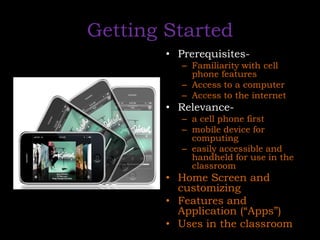
Getting StartedPrerequisites-Familiarity with cell phone features Access to a computer Access to the internetRelevance-a cell phone firstmobile device for computing easily accessible and handheld for use in the classroomHome Screen and customizingFeatures and Application (“Apps”)Uses in the classroom
Visit YouTube and type in the below title to search for the video to introduce you to using your iPhone!“A Closer Look at the iPhone”
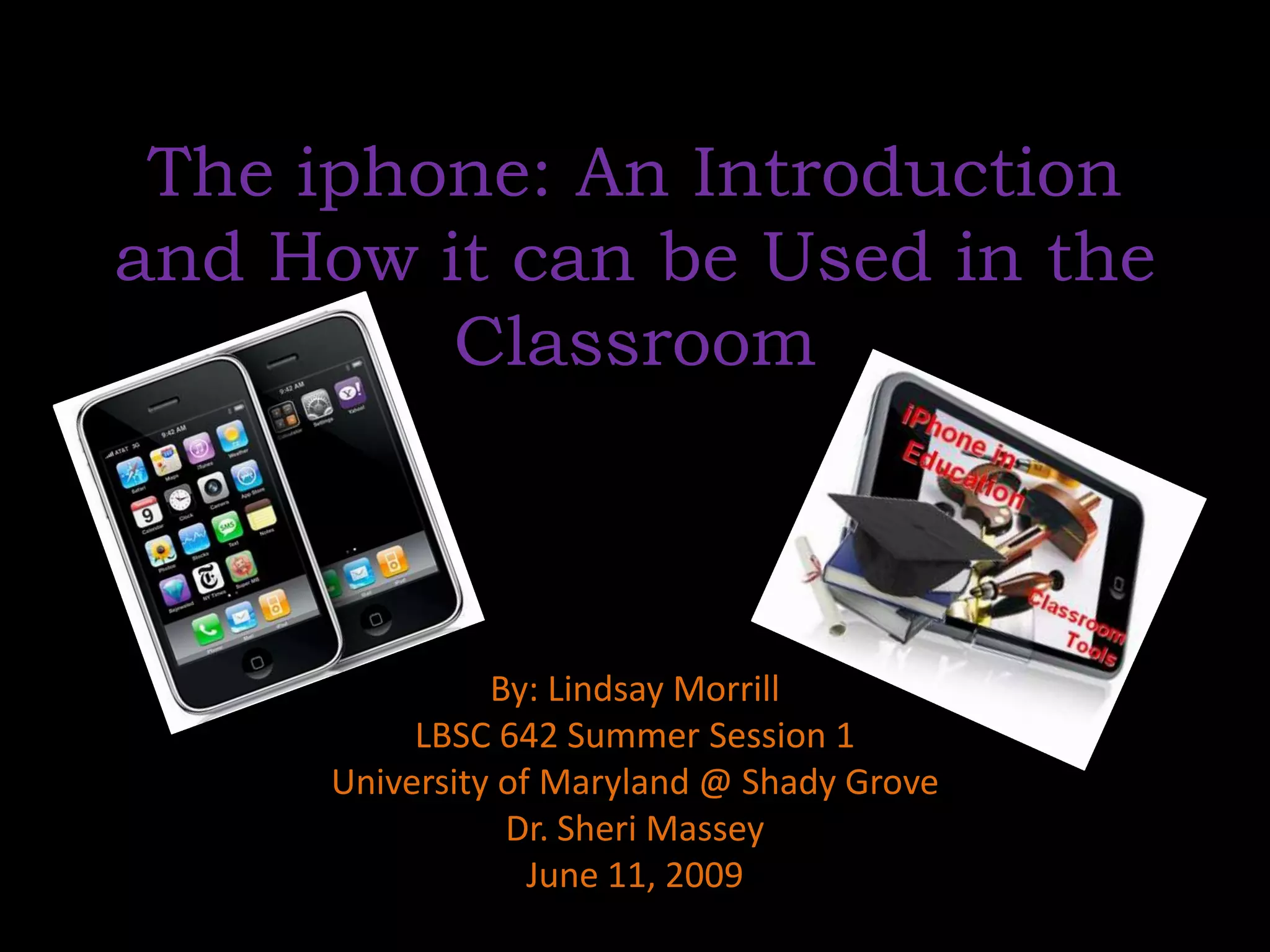
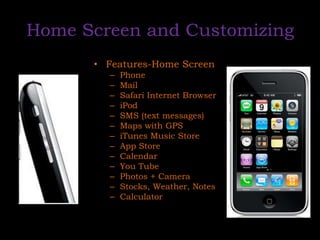
Home Screen and CustomizingFeatures-Home ScreenPhoneMailSafari Internet BrowseriPodSMS (text messages)Maps with GPSiTunes Music StoreApp StoreCalendarYou TubePhotos + CameraStocks, Weather, NotesCalculator
Applications (“Apps”)Apps Categories-FREE or PAYWhat’s New-The newest app releases availableBooks-Ex: BibleBusiness-Ex: PDF Reader, recorderEducation-Ex: Flash cards, graphing calculator, IQ testEntertainment-Ex: Free ringtone recorder, Fandango, drinking games Finance-Tip calculator, checkbook, stockwatchGames-Ex: “Who wants to be a Millionaire? or CheckersHealthcare and Fitness-Ex: Calorie tracker, pedometerLifestyle-5800 drink recipes, 12 steps AA companion, jokesMedical-Ex: Police scanner, cat first aid, medical terminologyMusic-Ex: Pandora, finger pianoNavigation-Ex: GPS, compass, traffic reportsNews-Ex: horoscopes, newspaper, TV newsPhotography-Night camera, wallpapersProductivity-Ex: typing programReference-Ex: Wiki Mobile, iSpeak Spanish, periodic tableSocial Networking-Ex: Facebook , Twitter, AIM, Sports-Ex: Live Sportz or Score Mobile Travel-Ex: Flight tracker, rest area stops, airfareUtilities –Ex: flashlight, levelWeather-Ex: Weather Bug
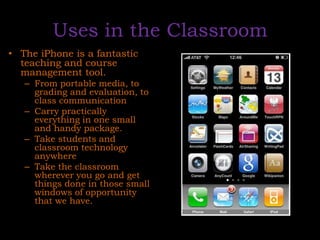
Uses in the ClassroomThe iPhone is a fantastic teaching and course management tool. From portable media, to grading and evaluation, to class communicationCarry practically everything in one small and handy package. Take students and classroom technology anywhereTake the classroom wherever you go and get things done in those small windows of opportunity that we have.
Uses in the ClassroomAudio FilesStill and Video ImagesClass Participation and CompetitionsMarking PapersReadingGrading
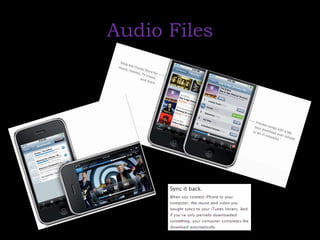
Audio Files
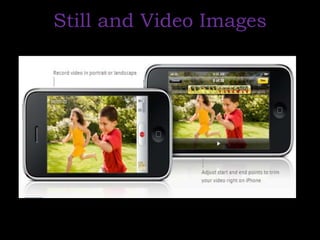
Still and Video Images
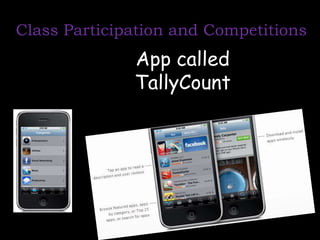
Class Participation and CompetitionsApp called TallyCount
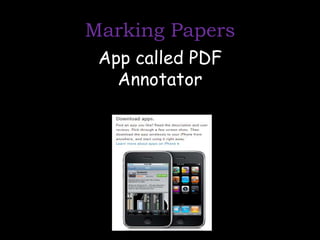
Marking PapersApp called PDF Annotator
ReadingPrograms such as AirSharing or FileMagnetConnect wirelessly to your computer and allow you to transfer PDFWordExcelPowerPointRTFhtml filesetc. to your iPhone
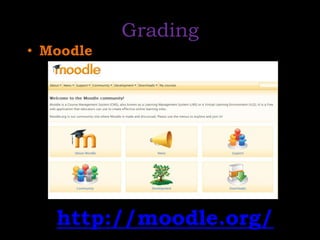
GradingMoodlehttp://moodle.org/
ProsSleek design (touch screen)-was the first of its kindAccess to the web, e-mail, audio, and video files and the ability to play themCould be useful in the classroom (even if it’s only for the teacher)Available apps allow access to almost anything from checking the weather to traveling to the latest news and sports scores
Limitations/ConsKeyboard typingThe keyboard is very sensitive when typing a text message or web address and many times will mistakenly choose a letter that you didn’t mean to touch.EXPENSIVE!Does not play Flash Player videoThis is the major limitation I found, because many videos and applications on the Internet use the flash player. Since I got the iPhone, I have  come across this limitation several times trying to see a video using flash player, and it will not play on the iPhone.GOOD NEWS: There are supposedly programs that will soon be able to or already may be able to install a type of player that will play flash video.
ConclusionMay not be popular yet in the classroom but could be wave of the future to use mobile devices in the classroom?Not only can I take students and many elements of classroom technology anywhere, but I can also take my classroom with me, in one convenient device that I am going to carry around anyway. “It is like the ultimate educational Swiss-army knife.” 	http://fitsnews.wordpress.depauw.edu/2008/11/17/the-mobile-classroom-and-the-iphonetouch/

The I Phone Presentation (Ten Minute Teaching Experience)

  • 1.
    The iphone: AnIntroduction and How it can be Used in the ClassroomBy: Lindsay MorrillLBSC 642 Summer Session 1University of Maryland @ Shady GroveDr. Sheri MasseyJune 11, 2009
  • 2.
    PURPOSETo introduce somefeatures of the iPhone and how to get started using your iPhoneTo apply the iPhone to the classroom and explain its possible usesTo explain how to access “Help” if you should need to troubleshoot the iPhone
  • 3.
    Check out thesewebsites to view features, apps, and for support with your iPhone!www.iphone.comhttp://www.apple.com/iphone/guidedtour/tour/small.html
  • 4.
    Getting StartedPrerequisites-Familiarity withcell phone features Access to a computer Access to the internetRelevance-a cell phone firstmobile device for computing easily accessible and handheld for use in the classroomHome Screen and customizingFeatures and Application (“Apps”)Uses in the classroom
  • 5.
    Visit YouTube andtype in the below title to search for the video to introduce you to using your iPhone!“A Closer Look at the iPhone”
  • 6.
    Home Screen andCustomizingFeatures-Home ScreenPhoneMailSafari Internet BrowseriPodSMS (text messages)Maps with GPSiTunes Music StoreApp StoreCalendarYou TubePhotos + CameraStocks, Weather, NotesCalculator
  • 7.
    Applications (“Apps”)Apps Categories-FREEor PAYWhat’s New-The newest app releases availableBooks-Ex: BibleBusiness-Ex: PDF Reader, recorderEducation-Ex: Flash cards, graphing calculator, IQ testEntertainment-Ex: Free ringtone recorder, Fandango, drinking games Finance-Tip calculator, checkbook, stockwatchGames-Ex: “Who wants to be a Millionaire? or CheckersHealthcare and Fitness-Ex: Calorie tracker, pedometerLifestyle-5800 drink recipes, 12 steps AA companion, jokesMedical-Ex: Police scanner, cat first aid, medical terminologyMusic-Ex: Pandora, finger pianoNavigation-Ex: GPS, compass, traffic reportsNews-Ex: horoscopes, newspaper, TV newsPhotography-Night camera, wallpapersProductivity-Ex: typing programReference-Ex: Wiki Mobile, iSpeak Spanish, periodic tableSocial Networking-Ex: Facebook , Twitter, AIM, Sports-Ex: Live Sportz or Score Mobile Travel-Ex: Flight tracker, rest area stops, airfareUtilities –Ex: flashlight, levelWeather-Ex: Weather Bug
  • 8.
    Uses in theClassroomThe iPhone is a fantastic teaching and course management tool. From portable media, to grading and evaluation, to class communicationCarry practically everything in one small and handy package. Take students and classroom technology anywhereTake the classroom wherever you go and get things done in those small windows of opportunity that we have.
  • 9.
    Uses in theClassroomAudio FilesStill and Video ImagesClass Participation and CompetitionsMarking PapersReadingGrading
  • 10.
  • 11.
  • 12.
    Class Participation andCompetitionsApp called TallyCount
  • 13.
  • 14.
    ReadingPrograms such asAirSharing or FileMagnetConnect wirelessly to your computer and allow you to transfer PDFWordExcelPowerPointRTFhtml filesetc. to your iPhone
  • 15.
  • 16.
    ProsSleek design (touchscreen)-was the first of its kindAccess to the web, e-mail, audio, and video files and the ability to play themCould be useful in the classroom (even if it’s only for the teacher)Available apps allow access to almost anything from checking the weather to traveling to the latest news and sports scores
  • 17.
    Limitations/ConsKeyboard typingThe keyboardis very sensitive when typing a text message or web address and many times will mistakenly choose a letter that you didn’t mean to touch.EXPENSIVE!Does not play Flash Player videoThis is the major limitation I found, because many videos and applications on the Internet use the flash player. Since I got the iPhone, I have come across this limitation several times trying to see a video using flash player, and it will not play on the iPhone.GOOD NEWS: There are supposedly programs that will soon be able to or already may be able to install a type of player that will play flash video.
  • 18.
    ConclusionMay not bepopular yet in the classroom but could be wave of the future to use mobile devices in the classroom?Not only can I take students and many elements of classroom technology anywhere, but I can also take my classroom with me, in one convenient device that I am going to carry around anyway. “It is like the ultimate educational Swiss-army knife.” http://fitsnews.wordpress.depauw.edu/2008/11/17/the-mobile-classroom-and-the-iphonetouch/