WEB DEVELOPMENT WORKSHOP -
DAY 2
JAVASCRIPT TUTORIAL
& DOM MANIPULATION
- Ved Ganapur
- Srushti Vijapure
Todays Flow :
Why learn Javascript?
DOM and its manipulation. Practical Implementaion of JS.
Javascript Fundamentals
What is Javascript?
What is Javascript?
JS is a programming language.
We use it to give instructions to the computer.
Our 1st JS code:
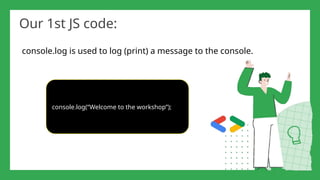
console.log is used to log (print) a message to the console.
console.log(“Welcome to the workshop”);
Variables in JS
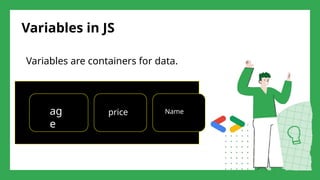
Variables are containers for data.
ag
e
price Name
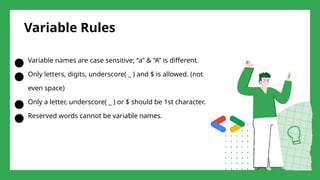
Variable Rules
● Variable names are case sensitive; “a” & “A” is different.
● Only letters, digits, underscore( _ ) and $ is allowed. (not
even space)
● Only a letter, underscore( _ ) or $ should be 1st character.
● Reserved words cannot be variable names.
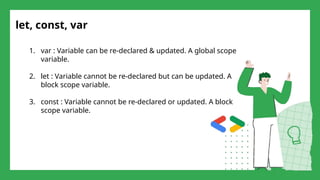
let, const, var
1. var : Variable can be re-declared & updated. A global scope
variable.
2. let : Variable cannot be re-declared but can be updated. A
block scope variable.
3. const : Variable cannot be re-declared or updated. A block
scope variable.
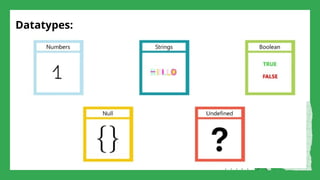
Datatypes:
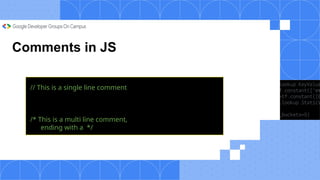
Comments in JS
// This is a single line comment
/* This is a multi line comment,
ending with a */
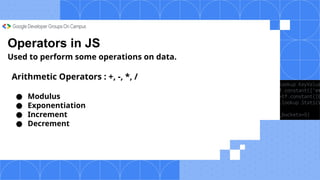
Operators in JS
Used to perform some operations on data.
Arithmetic Operators : +, -, *, /
● Modulus
● Exponentiation
● Increment
● Decrement
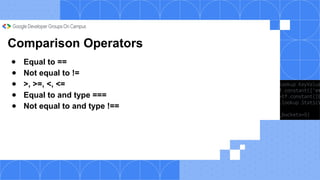
Comparison Operators
● Equal to ==
● Not equal to !=
● >, >=, <, <=
● Equal to and type ===
● Not equal to and type !==
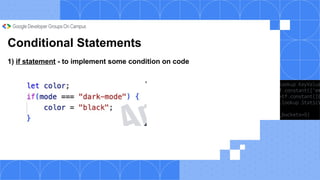
Conditional Statements
1) if statement - to implement some condition on code
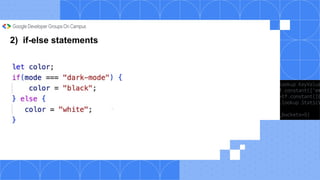
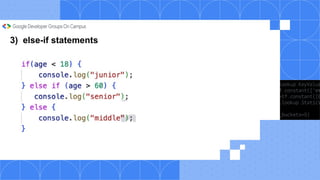
2) if-else statements
3) else-if statements
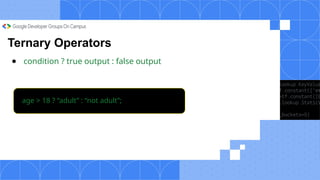
Ternary Operators
● condition ? true output : false output
age > 18 ? “adult” : “not adult”;
Looping in JS
Loops are used to execute a piece of
code again & again
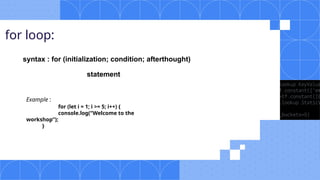
for loop:
syntax : for (initialization; condition; afterthought)
statement
Example :
for (let i = 1; i >= 5; i++) {
console.log(“Welcome to the
workshop”);
}
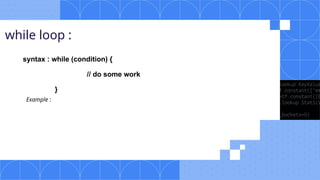
while loop :
syntax : while (condition) {
// do some work
}
Example :
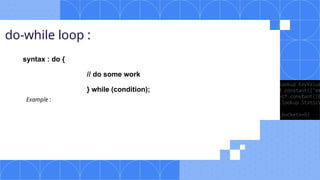
do-while loop :
syntax : do {
// do some work
} while (condition);
Example :
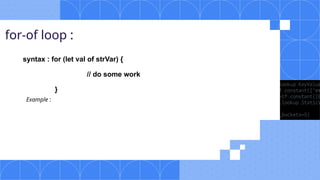
for-of loop :
syntax : for (let val of strVar) {
// do some work
}
Example :
Strings in JS
String is a sequence of characters used to represent text
● Create a string: let str = “Ved Ganapur”;
● String length: str.length
● String indices: str[0],str[1],str[2]
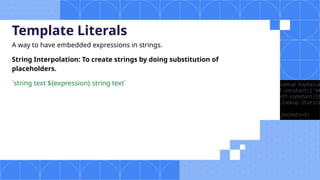
Template Literals
A way to have embedded expressions in strings.
String Interpolation: To create strings by doing substitution of
placeholders.
`string text ${expression} string text`
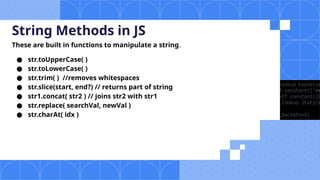
String Methods in JS
These are built in functions to manipulate a string.
● str.toUpperCase( )
● str.toLowerCase( )
● str.trim( ) //removes whitespaces
● str.slice(start, end?) // returns part of string
● str1.concat( str2 ) // joins str2 with str1
● str.replace( searchVal, newVal )
● str.charAt( idx )
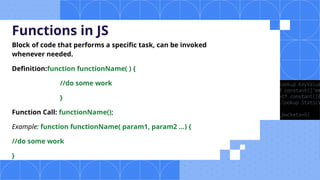
Functions in JS
Block of code that performs a specific task, can be invoked
whenever needed.
Definition:function functionName( ) {
//do some work
}
Function Call: functionName();
Example: function functionName( param1, param2 ...) {
//do some work
}
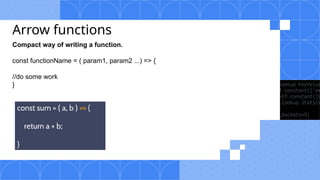
Arrow functions
Compact way of writing a function.
const functionName = ( param1, param2 ...) => {
//do some work
}
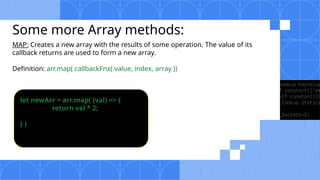
Some more Array methods:
MAP: Creates a new array with the results of some operation. The value of its
callback returns are used to form a new array.
Definition: arr.map( callbackFnx( value, index, array ))
let newArr = arr.map( (val) => {
return val * 2;
} )
Some more Array methods:
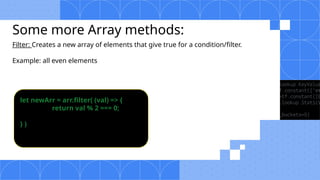
Filter: Creates a new array of elements that give true for a condition/filter.
Example: all even elements
let newArr = arr.filter( (val) => {
return val % 2 === 0;
} )
Some more Array methods:
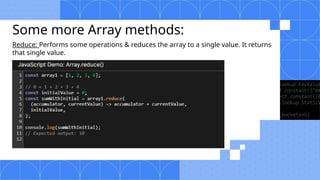
Reduce: Performs some operations & reduces the array to a single value. It returns
that single value.
From Programming Basics to Dynamic Websites
Why Javascript is used in web
development ?
JavaScript is used in web development because it adds interactivity, dynamic behavior, and
functionality to websites.
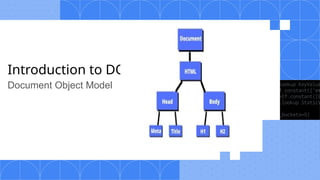
Introduction to DOM
Document Object Model
How to Access DOM Elements
Selecting Elements :
1) getElementById :
Used to select an element by its unique ID
Fast and specific for unique IDs.
2) querySelector :
A flexible method to select elements using CSS selectors
Flexible for classes, tags, and attributes.
Modifying Elements :
1)updating content : innerText/textContent
2)modifying css of elements : element.style.property
Simplifying Login: Toggling
Password Visibility
Event Handling :
An event is any interaction or action on a web page (e.g., clicking, typing, or scrolling).
JavaScript allows you to respond to events to create interactive experiences.
● addEventListener
This is the most common and preferred method to add an event to an element.
○ Syntax: element.addEventListener('event', function)
● removeEventListener
Used to remove an event listener that was previously added using addEventListener.
○ Syntax: element.removeEventListener('event', function)
Types-
● Mouse Events
● Key Events
● From Events
● Window Events
Mouse Events -
Mouse events are triggered by the user's mouse actions such as clicking, hovering, or moving the
mouse over an element.
Common Mouse Events:
1. click
Triggered when the user clicks on an element.
○ Example: Clicking a button to submit a form.
2. dblclick
Triggered when the user double-clicks on an element.
○ Example: Double-clicking on a word to select it.
3. mouseover
Triggered when the mouse pointer enters an element.
○ Example: Highlighting a button when the mouse hovers over it.
4. mouseout
Triggered when the mouse pointer leaves an element.
○ Example: Removing the highlight effect when the mouse leaves the button.
5. mousemove
Triggered when the mouse pointer moves over an element.
Form Events -
Form events are triggered when actions are performed on form elements like inputs, selects, or the
form itself.
Common Form Events:
1. submit
Triggered when the user submits a form.
○ Example: Submitting a contact form.
2. focus
Triggered when an input element gains focus.
Example: When the user clicks into a text field to type.
3. blur
Triggered when an input element loses focus.
○ Example: When the user clicks outside the text field after typing.
4. input
Triggered when the value of an input element changes.
○ Example: When typing into a text field.
5. change
Triggered when the value of an input element changes and the element loses focus.
○ Example: Changing the value in a dropdown list.
Keyboard Events -
Keyboard events are triggered by actions like pressing or releasing keys on the keyboard.
Common Keyboard Events:
1. keydown
Triggered when a key is pressed down.
○ Example: When the user presses a key while typing in a text field.
2. keypress
Triggered when a key is pressed and produces a character value. (Note: This event is
deprecated in some cases)
○ Example: Pressing the "Enter" key to submit a form.
3. keyup
Triggered when a key is released.
○ Example: When the user releases the "Shift" key.
Window Events-
Window events are triggered by actions related to the window itself, such as resizing or scrolling.
Common Window Events:
1. resize
Triggered when the window is resized.
○ Example: When a user resizes the browser window.
2. scroll
Triggered when the user scrolls the page.
○ Example: Scrolling down a webpage.
3. load
Triggered when the entire page (including images, scripts, etc.) is loaded.
○ Example: When the page has finished loading all resources.
4. beforeunload
Triggered before the page is unloaded (e.g., when the user is about to leave the page).
○ Example: Asking users if they are sure they want to leave a page with unsaved data.
5. unload
Triggered when the page is unloaded (e.g., when the user navigates away from the page).
QUIZ TIME !!!!!!!!
8875 6847 use this code to join the quiz at menti.com
https://www.menti.com/alnjehm367ps(participation link)
Great work! 🙌🏼
https://github.com/Mayureshsherala/Web-Development-Workshop-
GDG

GDG On Campus NBNSCOE Web Development Workshop Day 2 : JavaScript and DOM

  • 1.
    WEB DEVELOPMENT WORKSHOP- DAY 2 JAVASCRIPT TUTORIAL & DOM MANIPULATION - Ved Ganapur - Srushti Vijapure
  • 2.
    Todays Flow : Whylearn Javascript? DOM and its manipulation. Practical Implementaion of JS. Javascript Fundamentals What is Javascript?
  • 3.
    What is Javascript? JSis a programming language. We use it to give instructions to the computer.
  • 4.
    Our 1st JScode: console.log is used to log (print) a message to the console. console.log(“Welcome to the workshop”);
  • 5.
    Variables in JS Variablesare containers for data. ag e price Name
  • 6.
    Variable Rules ● Variablenames are case sensitive; “a” & “A” is different. ● Only letters, digits, underscore( _ ) and $ is allowed. (not even space) ● Only a letter, underscore( _ ) or $ should be 1st character. ● Reserved words cannot be variable names.
  • 7.
    let, const, var 1.var : Variable can be re-declared & updated. A global scope variable. 2. let : Variable cannot be re-declared but can be updated. A block scope variable. 3. const : Variable cannot be re-declared or updated. A block scope variable.
  • 8.
  • 9.
    Comments in JS //This is a single line comment /* This is a multi line comment, ending with a */
  • 10.
    Operators in JS Usedto perform some operations on data. Arithmetic Operators : +, -, *, / ● Modulus ● Exponentiation ● Increment ● Decrement
  • 11.
    Comparison Operators ● Equalto == ● Not equal to != ● >, >=, <, <= ● Equal to and type === ● Not equal to and type !==
  • 12.
    Conditional Statements 1) ifstatement - to implement some condition on code
  • 13.
  • 14.
  • 15.
    Ternary Operators ● condition? true output : false output age > 18 ? “adult” : “not adult”;
  • 16.
    Looping in JS Loopsare used to execute a piece of code again & again
  • 17.
    for loop: syntax :for (initialization; condition; afterthought) statement Example : for (let i = 1; i >= 5; i++) { console.log(“Welcome to the workshop”); }
  • 18.
    while loop : syntax: while (condition) { // do some work } Example :
  • 19.
    do-while loop : syntax: do { // do some work } while (condition); Example :
  • 20.
    for-of loop : syntax: for (let val of strVar) { // do some work } Example :
  • 21.
    Strings in JS Stringis a sequence of characters used to represent text ● Create a string: let str = “Ved Ganapur”; ● String length: str.length ● String indices: str[0],str[1],str[2]
  • 22.
    Template Literals A wayto have embedded expressions in strings. String Interpolation: To create strings by doing substitution of placeholders. `string text ${expression} string text`
  • 23.
    String Methods inJS These are built in functions to manipulate a string. ● str.toUpperCase( ) ● str.toLowerCase( ) ● str.trim( ) //removes whitespaces ● str.slice(start, end?) // returns part of string ● str1.concat( str2 ) // joins str2 with str1 ● str.replace( searchVal, newVal ) ● str.charAt( idx )
  • 24.
    Functions in JS Blockof code that performs a specific task, can be invoked whenever needed. Definition:function functionName( ) { //do some work } Function Call: functionName(); Example: function functionName( param1, param2 ...) { //do some work }
  • 25.
    Arrow functions Compact wayof writing a function. const functionName = ( param1, param2 ...) => { //do some work }
  • 26.
    Some more Arraymethods: MAP: Creates a new array with the results of some operation. The value of its callback returns are used to form a new array. Definition: arr.map( callbackFnx( value, index, array )) let newArr = arr.map( (val) => { return val * 2; } )
  • 27.
    Some more Arraymethods: Filter: Creates a new array of elements that give true for a condition/filter. Example: all even elements let newArr = arr.filter( (val) => { return val % 2 === 0; } )
  • 28.
    Some more Arraymethods: Reduce: Performs some operations & reduces the array to a single value. It returns that single value.
  • 30.
    From Programming Basicsto Dynamic Websites Why Javascript is used in web development ? JavaScript is used in web development because it adds interactivity, dynamic behavior, and functionality to websites.
  • 31.
  • 32.
    How to AccessDOM Elements Selecting Elements : 1) getElementById : Used to select an element by its unique ID Fast and specific for unique IDs. 2) querySelector : A flexible method to select elements using CSS selectors Flexible for classes, tags, and attributes.
  • 33.
    Modifying Elements : 1)updatingcontent : innerText/textContent 2)modifying css of elements : element.style.property
  • 34.
  • 35.
    Event Handling : Anevent is any interaction or action on a web page (e.g., clicking, typing, or scrolling). JavaScript allows you to respond to events to create interactive experiences. ● addEventListener This is the most common and preferred method to add an event to an element. ○ Syntax: element.addEventListener('event', function) ● removeEventListener Used to remove an event listener that was previously added using addEventListener. ○ Syntax: element.removeEventListener('event', function) Types- ● Mouse Events ● Key Events ● From Events ● Window Events
  • 36.
    Mouse Events - Mouseevents are triggered by the user's mouse actions such as clicking, hovering, or moving the mouse over an element. Common Mouse Events: 1. click Triggered when the user clicks on an element. ○ Example: Clicking a button to submit a form. 2. dblclick Triggered when the user double-clicks on an element. ○ Example: Double-clicking on a word to select it. 3. mouseover Triggered when the mouse pointer enters an element. ○ Example: Highlighting a button when the mouse hovers over it. 4. mouseout Triggered when the mouse pointer leaves an element. ○ Example: Removing the highlight effect when the mouse leaves the button. 5. mousemove Triggered when the mouse pointer moves over an element.
  • 37.
    Form Events - Formevents are triggered when actions are performed on form elements like inputs, selects, or the form itself. Common Form Events: 1. submit Triggered when the user submits a form. ○ Example: Submitting a contact form. 2. focus Triggered when an input element gains focus. Example: When the user clicks into a text field to type. 3. blur Triggered when an input element loses focus. ○ Example: When the user clicks outside the text field after typing. 4. input Triggered when the value of an input element changes. ○ Example: When typing into a text field. 5. change Triggered when the value of an input element changes and the element loses focus. ○ Example: Changing the value in a dropdown list.
  • 38.
    Keyboard Events - Keyboardevents are triggered by actions like pressing or releasing keys on the keyboard. Common Keyboard Events: 1. keydown Triggered when a key is pressed down. ○ Example: When the user presses a key while typing in a text field. 2. keypress Triggered when a key is pressed and produces a character value. (Note: This event is deprecated in some cases) ○ Example: Pressing the "Enter" key to submit a form. 3. keyup Triggered when a key is released. ○ Example: When the user releases the "Shift" key.
  • 39.
    Window Events- Window eventsare triggered by actions related to the window itself, such as resizing or scrolling. Common Window Events: 1. resize Triggered when the window is resized. ○ Example: When a user resizes the browser window. 2. scroll Triggered when the user scrolls the page. ○ Example: Scrolling down a webpage. 3. load Triggered when the entire page (including images, scripts, etc.) is loaded. ○ Example: When the page has finished loading all resources. 4. beforeunload Triggered before the page is unloaded (e.g., when the user is about to leave the page). ○ Example: Asking users if they are sure they want to leave a page with unsaved data. 5. unload Triggered when the page is unloaded (e.g., when the user navigates away from the page).
  • 40.
    QUIZ TIME !!!!!!!! 88756847 use this code to join the quiz at menti.com https://www.menti.com/alnjehm367ps(participation link)
  • 41.